














Mind Map Examples and Templates to Spark Your Ideas

Ryan Tanner
Product Marketing Specialist
Sep 18, 2026
Ryan Tanner
Sep 18, 2026

14 min read


A mind map is a simple but powerful way to visualize ideas. Arranging thoughts around a central concept, it helps you see connections, spark creativity, and bring structure to brainstorming. Whether you're tackling a business challenge, planning a project, or taking study notes, mind maps make complex information clearer.
Tools like ClickUp, Mural, and Figma showcase mind map examples, but this guide goes further—covering real-world applications, types of maps, and templates you can adapt right away. We'll also show how Lark turns mind maps into action by connecting them with tasks, collaboration, and workflows.

What is a mind map?
A mind map is a visual diagram that organizes ideas around a central theme. Think of it as a tree, where the main concept sits in the middle and related thoughts branch outward. Each branch can expand into sub-branches, creating a structured yet flexible view of complex information.
Mind maps are widely used for brainstorming, note-taking, project planning, and problem-solving. Unlike lists or outlines, they make relationships between ideas easier to understand at a glance. A simple mind map example might start with "Marketing Campaign" in the center, branching into "Channels," "Budget," and "Timeline," each with further details.
Because of this clarity, mind maps are popular in education, business strategy, creative writing, and even psychology. They allow you to capture thoughts quickly and refine them into organized plans.
Types of Mind maps and when to use them
Not all mind maps are the same—different structures work better for different goals. From quick brainstorming to structured analysis, here are the main types of mind maps and the situations where they shine.
Radial mind map
A radial mind map is the most classic and recognizable style, starting with one central idea in the middle and branching outward in all directions. Each branch represents a related theme, which can then split into sub-branches for details. This flexible format is easy to create and doesn't require much structure. It's especially useful when you want to capture thoughts quickly without worrying about order.
When to use: Radial maps work best for brainstorming sessions or quick idea generation. For example, a team could put "New Product Launch" at the center, with branches like "Marketing," "Features," and "Budget." Because it allows free association, it's perfect for early-stage thinking where creativity matters more than structure.
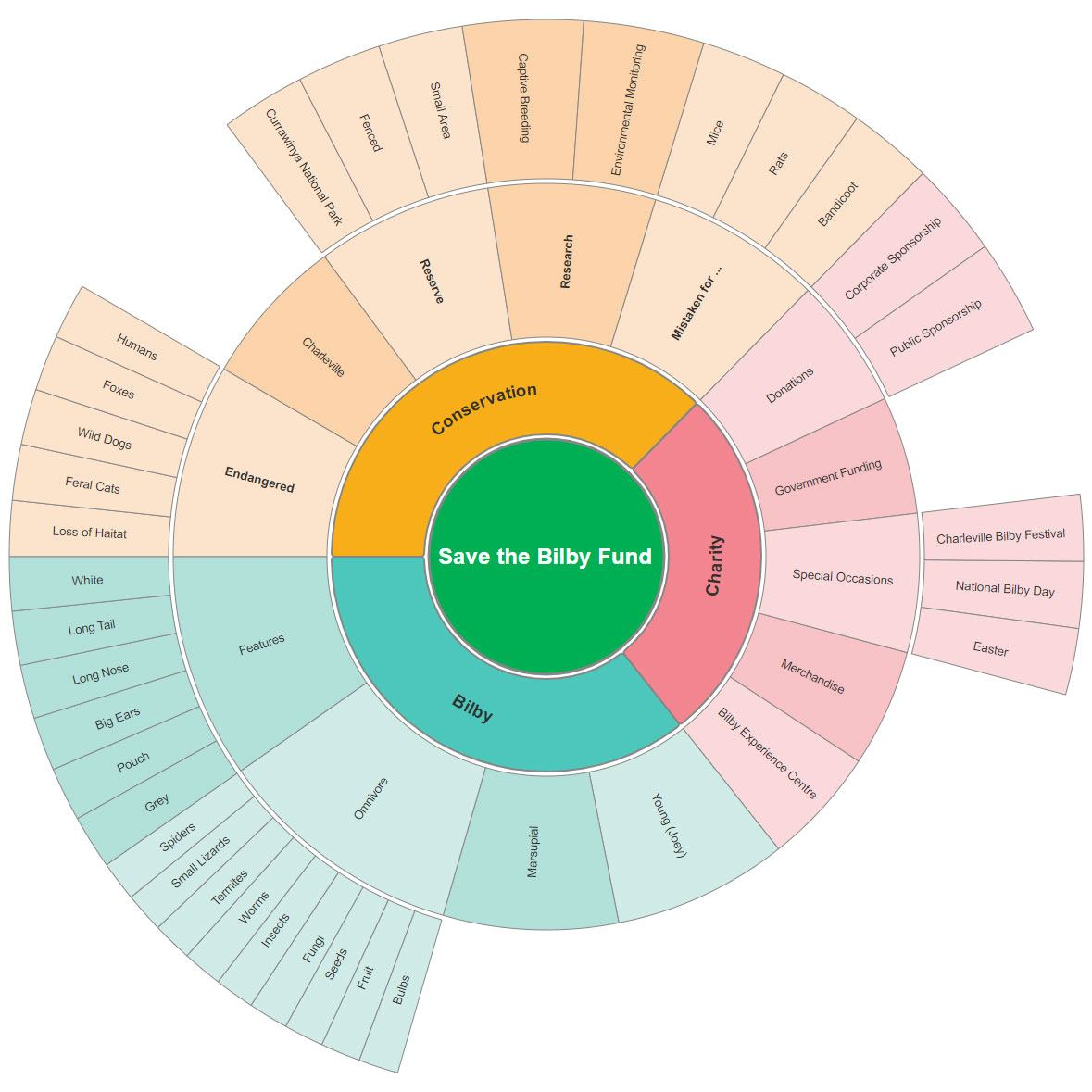
Image source: edrawmind.com
Tree mind map
A tree mind map follows a hierarchical structure, much like an organization chart. It begins with a central theme at the top, with branches flowing downward to show subcategories and details. This format is more rigid than a radial map but provides clarity when relationships are vertical and structured. It's great for presenting information in a top-down way that's easy to follow.
When to use: Tree mind maps are best for breaking down processes, organizational structures, or study notes. For example, a company might map out its departments, each with sub-branches for teams and roles. Similarly, students can use it to summarize a subject into main topics and subtopics, making revision more structured and manageable.
Flowchart mind map
A flowchart mind map arranges ideas in a clear, step-by-step sequence, showing how one action leads to the next. Instead of spreading outward like a radial map, it flows in a linear direction—often left to right or top to bottom. This makes it ideal for visualizing processes where order and progression are important. The structured layout helps reduce confusion and ensures nothing is skipped.
When to use: Flowchart mind maps are perfect for project planning, workflows, and decision-making. For instance, a product team could map the stages of a launch—Idea → Design → Testing → Release. Similarly, managers can use it to outline employee onboarding steps, ensuring a smooth and repeatable process.
Bubble mind map
A bubble mind map uses circles or nodes connected around related themes rather than a single branching hierarchy. Each bubble represents an idea, and connections can flow in multiple directions, creating a web-like structure. This flexible layout helps capture complex relationships between concepts. It's less rigid than tree or flowchart styles, making it easier to explore overlapping ideas.
When to use: Bubble mind maps are especially effective for creative writing, content planning, and marketing campaigns. For example, a writer could map characters, plotlines, and themes as interconnected bubbles. A marketing team might link campaign goals to channels, audiences, and content types, showing how all elements connect.
Multi-flow mind map
A multi-flow mind map places a central idea in the middle, with branches extending outwards to show both causes and effects. Unlike simpler layouts, it doesn't just capture ideas but also illustrates how one factor leads to another. This dual perspective makes it easier to understand the bigger picture and uncover hidden connections. It's a powerful way to move beyond surface-level thinking.
When to use: Multi-flow mind maps are ideal for problem solving, root cause analysis, and strategy planning. For instance, a project team could map delays in delivery, showing causes like "supplier issues" or "resource gaps" on one side, and effects like "higher costs" or "client dissatisfaction" on the other. This helps teams identify solutions with clarity.
Concept Map (vs. Mind Map)
A concept map is more structured than a typical mind map, focusing on explicit relationships between nodes. Instead of just branching ideas, it uses connecting phrases like "leads to" or "is part of" to show how concepts interact. This makes it less freeform but far more precise, ideal when clarity of relationships is essential. It's commonly used in fields where a detailed understanding matters.
When to use: Concept maps are valuable for academic research, psychology studies, or knowledge mapping. For example, a psychology student might map theories and their interconnections, while a researcher could link causes, effects, and variables in a study. This structured approach turns abstract information into a clear, logical framework.
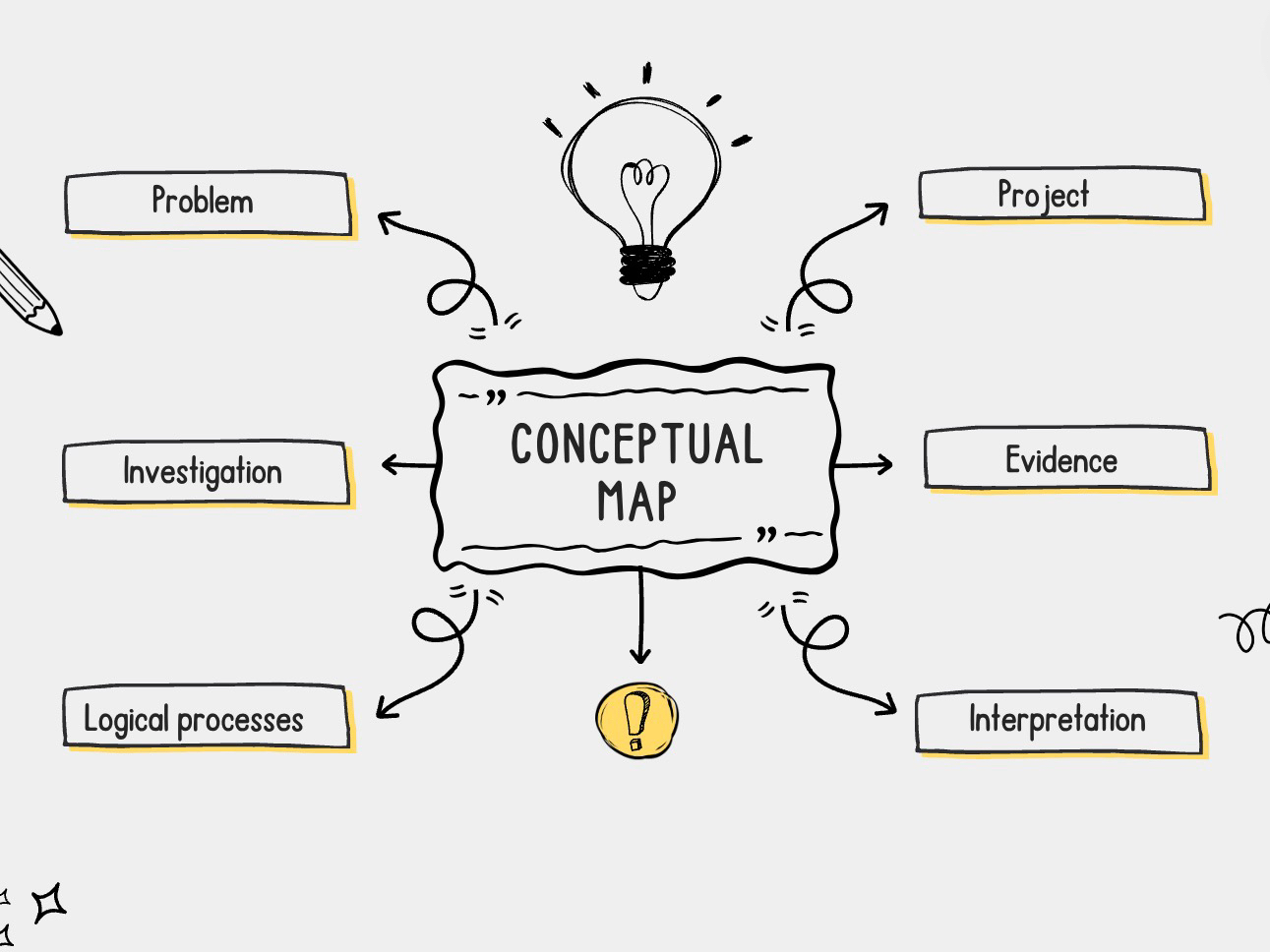
Image source: mindmap.guide
Lark: Smarter alternative for mind mapping
While traditional project management tools stop at visualization, Lark takes mind maps further by making them part of your workflow. You can create and edit maps directly inside Docs or Boards, then link them to tasks, projects, and collaboration spaces. This turns brainstorming into real execution instead of static diagrams. Whether you're planning OKRs, running workshops, or exploring creative mind map examples, Lark templates give teams a faster, more connected way to work.
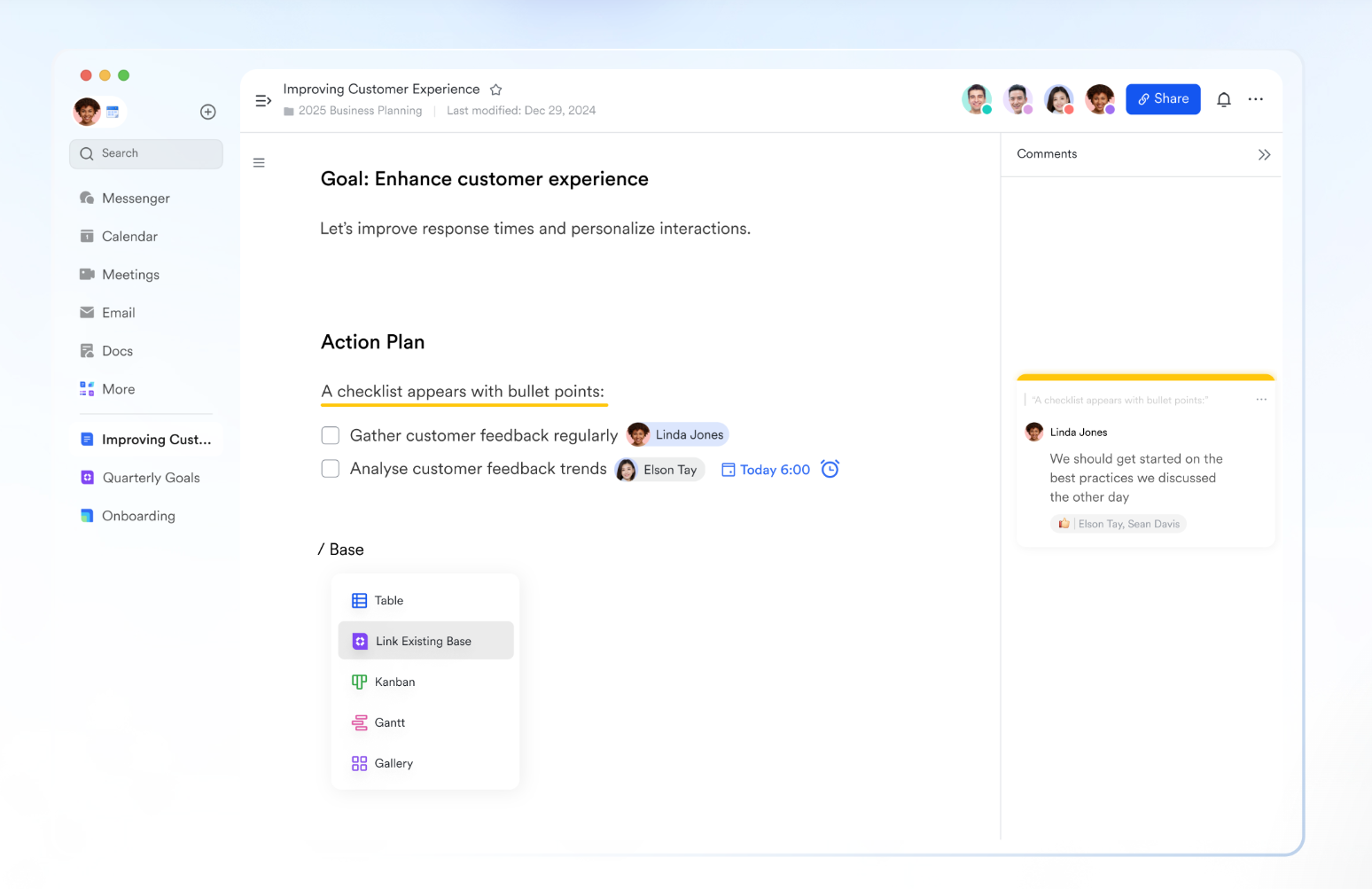
Mind map in Lark Docs
In Lark Docs, you can insert a mind map directly into your document by clicking "+ → More → Mind Map." This allows teams to brainstorm or structure ideas without leaving the doc. The map stays in context with meeting notes, reports, or briefs, making it easier to connect ideas with documentation. Teams can expand or collapse branches, rearrange nodes, and co-edit maps live during a discussion.
Mind map on Lark Board
For more visual and flexible collaboration, Lark Board let you insert a mind map onto the canvas. By selecting the Mind Map icon on the toolbar, you can create interactive nodes alongside sticky notes, flowcharts, or timelines. Board are ideal for workshops or brainstorming sessions where teams need to mix freeform visual thinking with other planning tools on one surface.
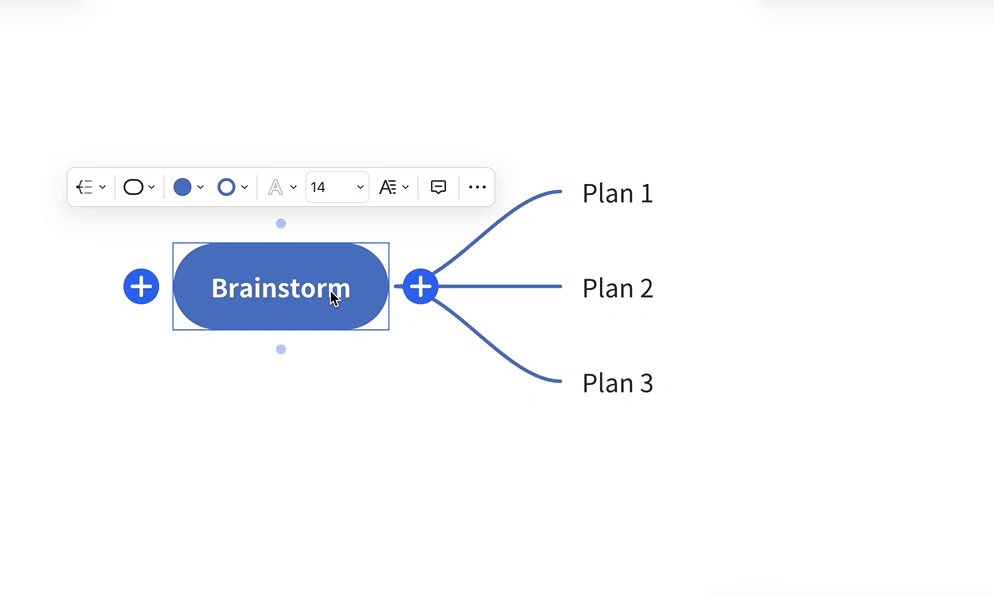
Outline and mind map dual view in Lark MindNotes
Lark MindNotes supports both outline view and mind map view, letting users capture ideas quickly in a text outline before switching to a diagram. This speeds up brainstorming sessions, as participants can type freely, then instantly see their ideas visualized. The dual view is especially useful in retrospectives or strategy sessions where clarity and structure evolve as the discussion grows.
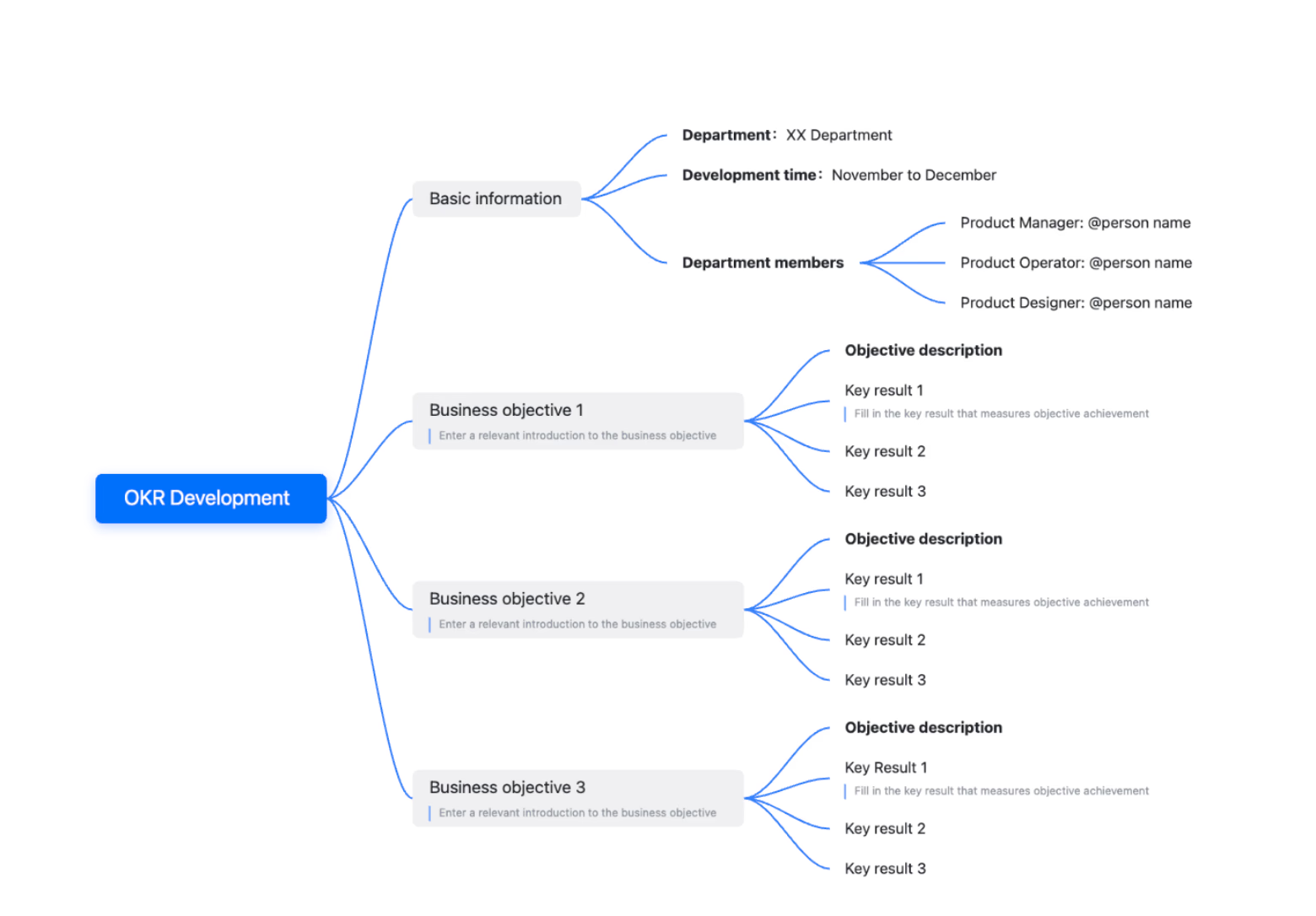
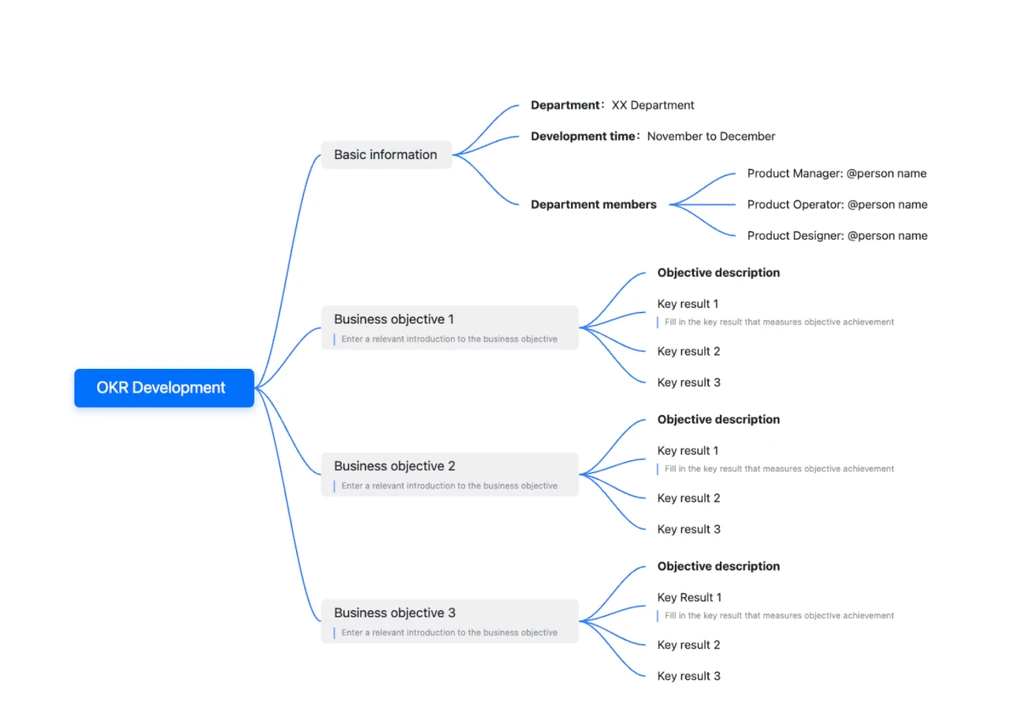
OKR mind map development
Setting and tracking OKRs is easier when they're visual. Lark's OKR mind map development template organizes department objectives, key results, and timelines in a single diagram. Each branch can include roles (e.g., Product Manager, Designer), descriptions, and measurable key results.
Teams benefit by seeing strategy at a glance while still being able to assign responsibilities and adjust priorities in real time. Because the template is built in Lark Docs and Board, objectives can be linked to Lark Tasks for follow-ups or stored in Lark Wiki as a reference. This makes OKRs not just visible but actionable across the organization.
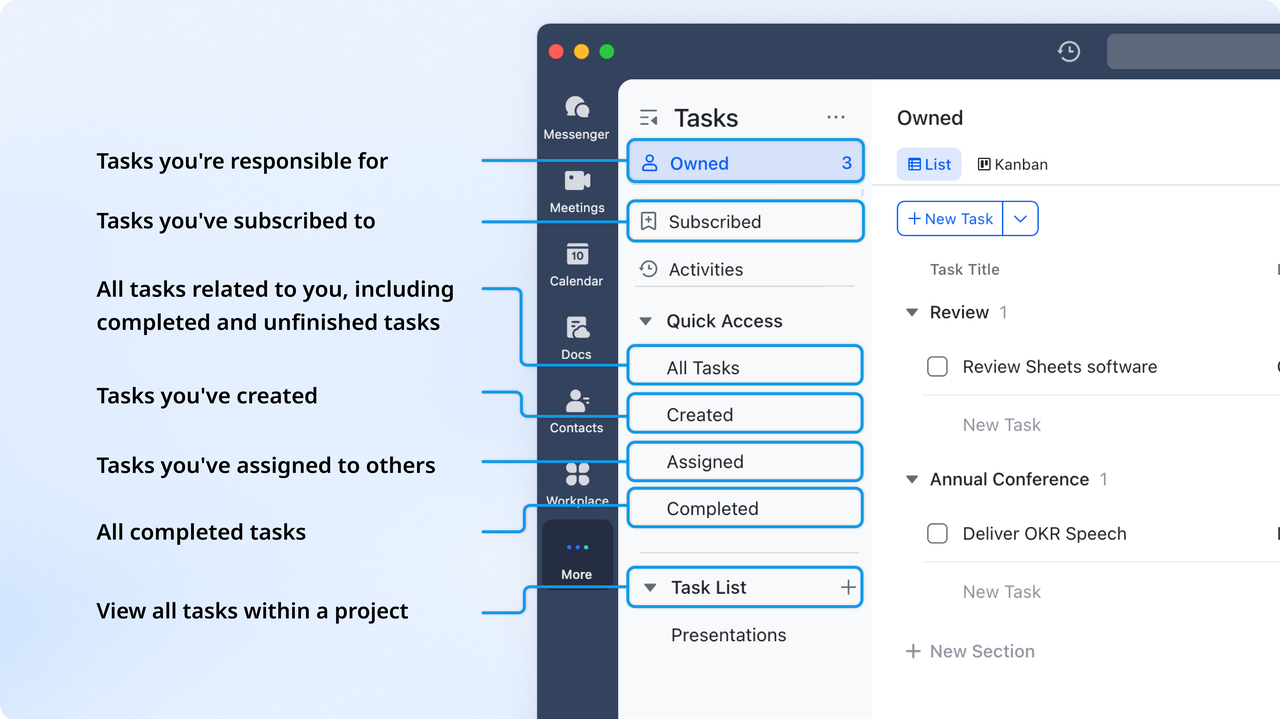
Convert mind map ideas into Lark Tasks
Ideas don't stop at brainstorming—Lark lets you create tasks directly from a Doc, ensuring that chosen nodes become actionable work items. These tasks sync with Lark Tasks, where deadlines, assignees, and reminders can be added. For bigger projects, teams can use the Mind Map template in Lark Base, turning branches into structured pipelines or Gantt charts. This bridges the gap between ideation and execution.
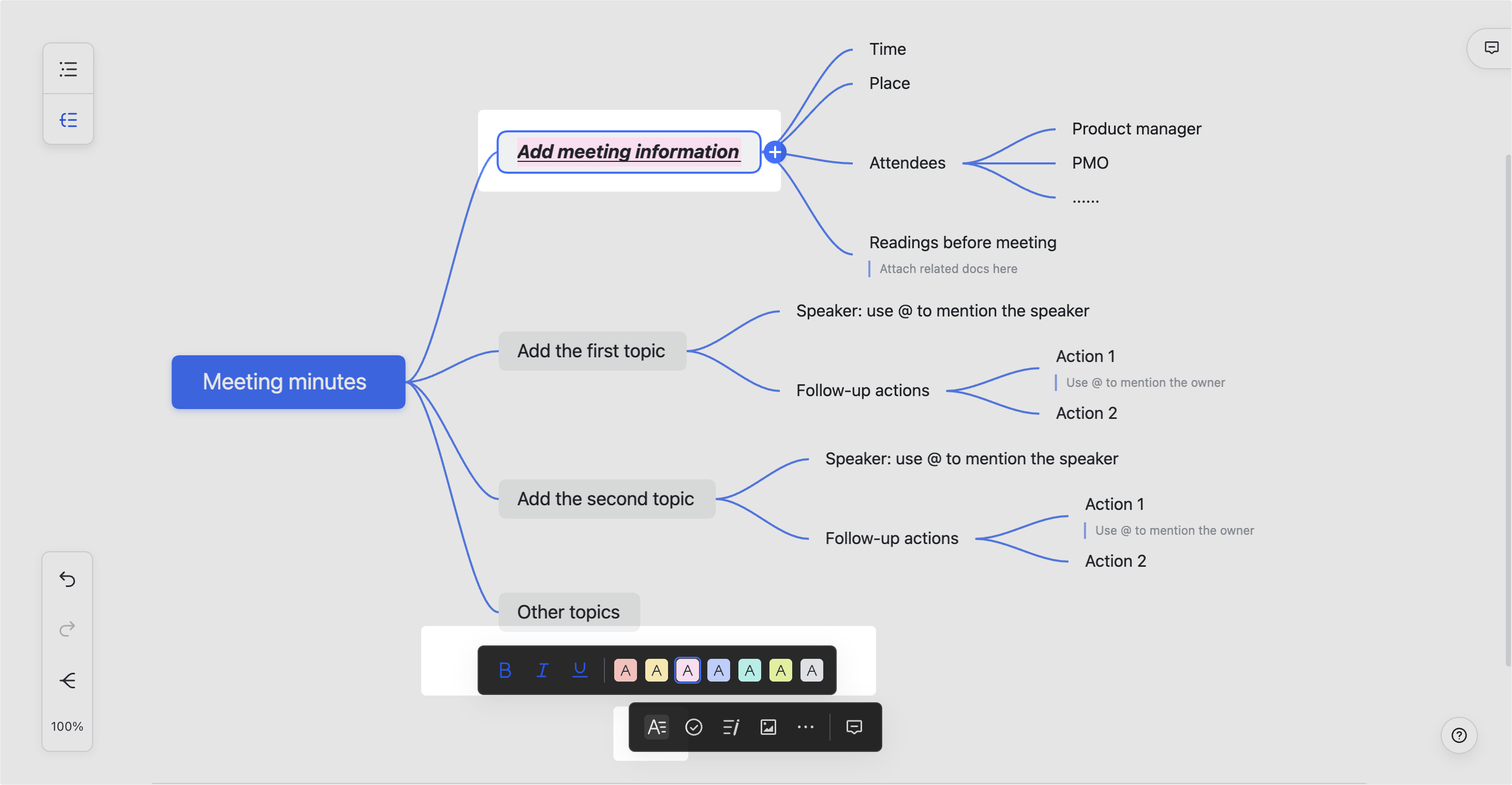
Collaborate in real time with Lark Messenger and Lark Meetings
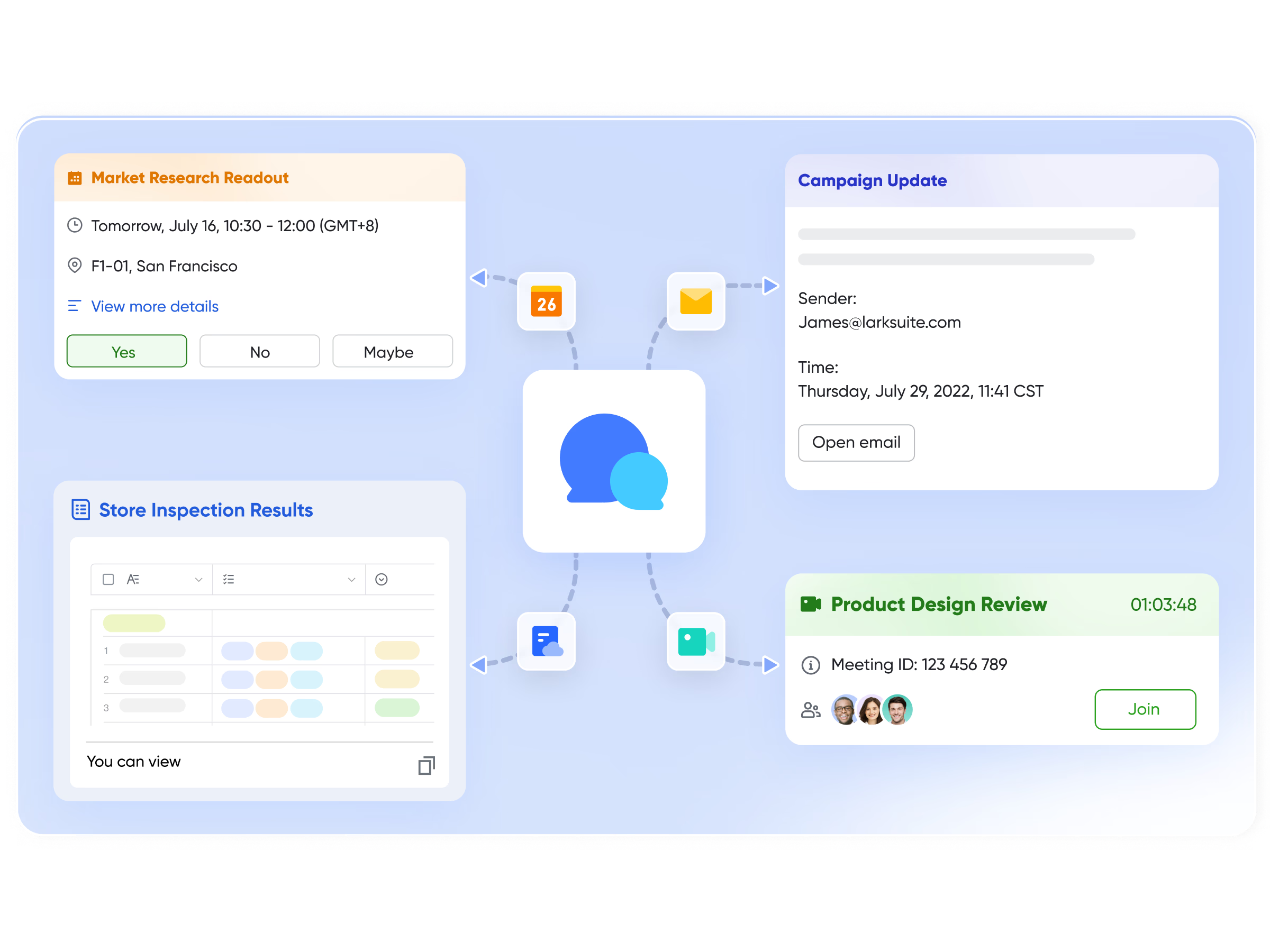
Mind maps in Lark aren't static—they're co-created in real time. Team members can edit maps together, leave comments, or use Lark Messenger to discuss ideas alongside the map. During planning meetings, teams can open a Lark Meetings, co-edit the map live, and rely on Lark Minutes to automatically capture key decisions and action items linked to the map.
Save, reuse, and scale with templates
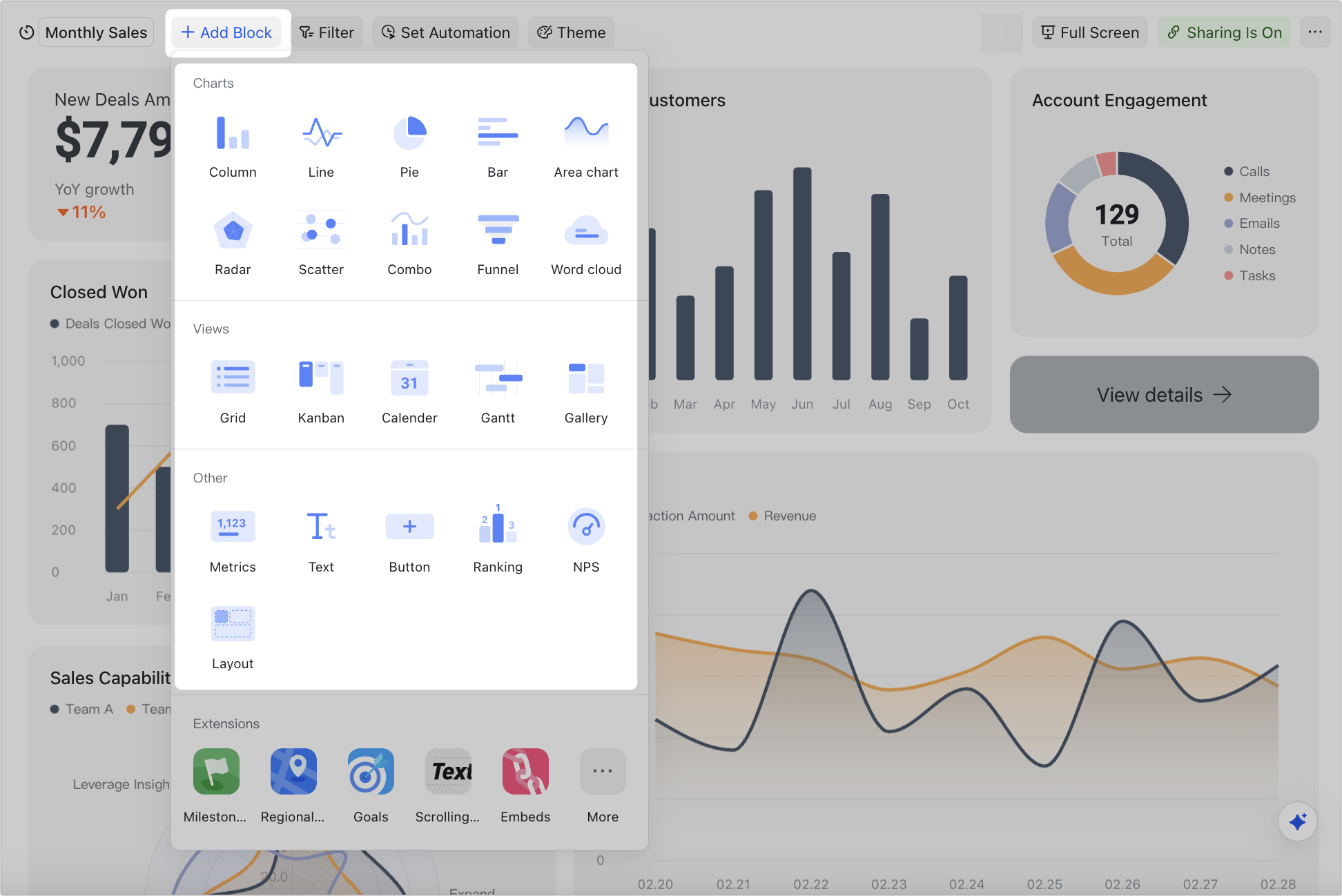
Lark Base lets teams save frequently used mind map structures as templates in Docs or Boards. For example, a marketing team can store a campaign planning map, or an HR team can reuse an onboarding mind map each quarter. Combined with Lark Base dashboards for tracking progress, these templates help scale brainstorming rituals into repeatable, productive workflows.
Pricing:
- Free plan: Includes 11 powerful products, supporting up to 20 users, 100 GB storage, 1,000 automation runs and unlimited AI translation in chats, docs and email.
- Paid plans: Starts at $12/user/month, supporting up to 500 users. Includes unlimited message history, 50,000 automated Base workflow executions per month.
- Enterprise plan: Contact sales for custom pricing. Supports unlimited users and includes even more automation runs and advanced security, compliance, and management features.
Real-world examples of mind map
Mind maps aren't just for sketching ideas—they become powerful when tied to workflows. With Lark Docs, Board, and Base, teams can brainstorm visually, then turn those maps into actionable plans. Here are practical mind map examples and how Lark makes them work:
- Project management mind map: Visualize milestones, tasks, and dependencies in a map. In Lark Docs, teams can map the project scope, then create tasks directly from nodes and sync them into Lark Base for Kanban or Gantt tracking.
- Business strategy planning mind map: Use a central hub for goals, KPIs, and initiatives. A mind map created in a Lark Board can be expanded into strategic objectives, then stored in Lark Wiki for easy reference during quarterly reviews.
- Marketing campaign mind map: Plan campaign channels, content ideas, and budget. Teams can co-edit in Docs during a kickoff meeting, then convert selected ideas into Lark Tasks with owners and deadlines.
- Brainstorming mind map: Capture free-flowing ideas in early ideation. Lark Board allow multiple contributors to drop ideas at once, while Lark Messenger discussions stay linked to the same board.
- SEO/content planning mind map: Organize topics, keywords, and outlines visually. The map can then be turned into structured content calendars in Lark Base, connecting brainstorming with publishing workflows.
- Time management mind map: Break down personal or team tasks into priorities. With MindNotes in Docs, individuals can create quick maps for daily or weekly planning, then convert urgent tasks into reminders in Lark Tasks.
- Creative writing/story planning mind map: Map characters, plotlines, and themes. Writers can use Docs to build maps collaboratively, while storing references in Lark Wiki for consistency across drafts.
- Note-taking and study mind map: Summarize lectures or subjects into branch structures. Students can capture mind maps in Docs, enrich them with images or links, and share them with peers for collaborative revision.Many also turn these mind maps into study sets using a flashcard maker, helping them revise faster and retain key concepts more effectively.
Best practices for designing mind maps
Even the best mind map examples lose impact if they're cluttered or unclear. Following these practices helps keep maps simple, creative, and effective for real-world use.
- Start with one clear central idea: Every map works best when it's anchored by a single theme, like "Product Launch" or "Exam Prep." This focus prevents confusion and gives all branches a clear direction. Think of it as the foundation for both simple mind map examples and more advanced ones.
- Limit branches to avoid clutter: Too many branches can overwhelm the map and make it unreadable. Group related ideas together and collapse nodes when necessary. A clean structure improves readability and keeps brainstorming sessions on track.
- Use colors and icons for categories: Visual cues help users quickly distinguish between topics. Assign colors to themes—like marketing in blue, finance in green—or add icons to make categories pop. This approach works well in creative mind map examples, where visuals enhance engagement.
- Keep node labels short and actionable: Mind maps should be easy to scan. Use short phrases like "Define Budget" instead of long sentences. Clear, concise labels make it easier to assign or convert nodes into tasks later.
- Regularly prune and update as projects evolve: A map is a living tool, not a static diagram. Remove outdated branches, refine categories, and add new insights as work progresses. Regular updates ensure the map reflects current priorities, keeping teams aligned.
Conclusion
Mind maps are more than diagrams—they're tools that spark creativity, improve planning, and bring clarity to complex ideas. From simple mind map examples for study to business mind map examples for strategy, they adapt to almost any need. Traditional templates are useful, but they often stop at visualization. What makes the difference is turning those ideas into action. That's where Lark stands out. By embedding mind maps inside Docs and Boards, and connecting them with Tasks, Base, and Meetings, Lark ensures brainstorming flows seamlessly into execution.
With collaboration in real time and workflows built-in, mind maps in Lark evolve into living plans that grow alongside your projects.
FAQs
What are some examples of mind maps for business?
Business mind maps can include project roadmaps, strategy planning, marketing campaigns, or process breakdowns. They help teams visualize goals and priorities in one place. With Lark Docs and Boards, you can create these maps directly in your workspace and connect them to tasks and dashboards for execution.
How do I create a simple mind map in Lark?
Creating a simple mind map is easy—start with one central idea and branch out into themes like "Tasks," "Budget," or "Timeline." In Lark Docs, you can insert a mind map with one click, then expand or collapse branches as needed. From there, nodes can be turned into Lark Tasks for follow-up.
Can Lark replace standalone mind map tools?
Standalone tools are good for visualizing ideas, but they often lack integration with work. Lark not only lets you design mind maps in Docs or Boards but also ties them to Lark Base, Tasks, and Meetings, turning brainstorming into actionable workflows.
What's the difference between a mind map and a concept map?
Mind maps focus on a single idea branching outward, while concept maps highlight relationships between multiple ideas with connecting phrases. Both have value, but in Lark, you can design either style and embed it into Docs or Boards for collaboration.
Are there free templates for mind maps in Lark?
Yes, Lark offers a template library with ready-to-use layouts for brainstorming, projects, or strategy planning. You can adapt these templates to fit your needs and save them for future use, making mind mapping faster and more consistent.
Related reading
Table of contents
Start using Lark today

Manage all your work in one place
Boost team efficiency by 10x
Save up to 70% on software costs
Table of contents
Start using Lark today
Manage all your work in one place
Boost team efficiency by 10x
Save up to 70% on software costs
Keep reading







2026 Lark Technologies Pte. Ltd.
Headquartered in Singapore with offices worldwide.






Explore: