














Best Online Gantt Chart Software for Teams and Project Planning

Ryan Tanner
Product Marketing Specialist
Sep 18, 2026
Ryan Tanner
Sep 18, 2026

21 min read


Online Gantt chart software has become vital for modern teams looking to manage projects with greater clarity and collaboration. With a variety of tools now available, teams can easily plan, assign, and track tasks using intuitive timelines and real-time updates. Whether your group needs advanced project management or a simple visual overview, the right Gantt solution can make all the difference.
In this blog, you'll discover how top online Gantt chart makers compare and which features matter most for your team's unique needs. Here is the list of tools:
1. Lark: Smart collaboration platform with Gantt charts
2. Jira: Agile Gantt chart planning
3. Trello: Simple Gantt chart power-up
4. Wrike: Advanced Gantt chart timelines
5. ClickUp: Customizable Gantt chart views
6. Asana: User-friendly online Gantt charts
7. Monday: Visual project Gantt boards
8. Zoho Projects: Scalable Gantt chart tool
9. OpenProject: Open-source Gantt chart maker
10. TeamGantt: Beginner-friendly online charts

Why online Gantt charts matter for teams
Online Gantt charts make project management simpler and more effective for teams. Their clear visual timelines help everyone see tasks, deadlines, and dependencies at a glance, making it easier to stay organized and on track.
- Simplify project scheduling and visualization: With drag-and-drop interfaces, building and adjusting project schedules is quick and intuitive. Teams can easily rearrange tasks or timelines as priorities shift, using features offered by the best online Gantt chart makers. This makes planning less tedious and adapts to changes fast.
- Improve collaboration and accountability: When team members have multi-user access, it becomes seamless to view task progress and share updates. Everyone can mark completion, leave comments, and check responsibilities, which fosters accountability and reduces miscommunication.
- Real-time progress tracking: Live dashboards provide instant updates on project health. Teams can monitor milestones, spot delays early, and react to risks efficiently. Using Gantt chart online tools ensures everyone is always working with the most current information, helping groups adjust promptly and keep projects moving forward.
Key features to look for in online Gantt chart software
With so many online Gantt chart tools available, it's important to focus on features that actually boost your team's productivity and collaboration. The right software goes beyond a basic timeline-it streamlines how teams assign tasks, track progress, and communicate every step of the way.
As you compare top online Gantt chart makers, keep these essential features in mind to ensure your project planning process is both efficient and adaptable.
- Task dependencies and milestones: A great Gantt chart online tool allows you to set up task dependencies, so teams know which steps must be finished before others begin. Milestones highlight important dates or deliverables, keeping everyone focused on key goals.
- Resource and workload management: Tracking who is working on each task helps balance workloads and prevents burnout. With online Gantt chart software, managers can easily assign tasks and ensure no one is overloaded, leading to smoother project flow.
- Collaboration and communication support: Built-in collaboration helps team members share updates, ask questions, or make quick changes. Many online Gantt chart makers offer commenting, file sharing, and notifications to keep everyone connected and informed.
- AI or automation features: Automation can save teams time by sending reminders or updating progress automatically. Some project management tools also use AI to suggest scheduling tweaks or optimize workflow, making project planning more efficient.
- Mobile and accessibility options: Remote access and mobile apps give teams flexibility to update and view their Gantt chart online from anywhere. Accessibility features make sure everyone can participate, regardless of location or device.
Comparison table for online Gantt chart tools for teams:
10 Top online Gantt chart tools for teams
1. Lark: Smart collaboration platform with Gantt charts
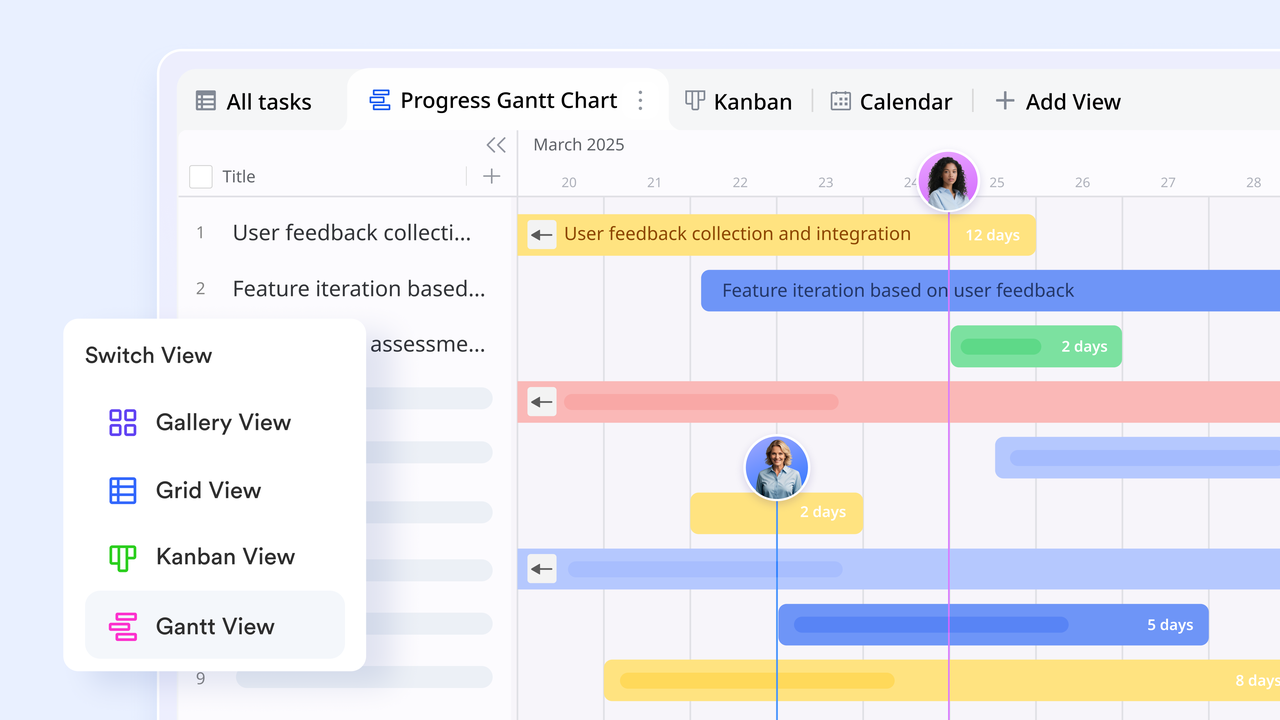
Managing projects without an organized system can easily spiral into confusion, missed deadlines, duplicated tasks, and unclear responsibilities. Lark's Gantt chart collaboration platform turns this chaos into clarity by bringing project planning, communication, and documentation together in one interface. It's designed for teams that want not just to plan but to work together effectively within the same digital environment.
Key features:
- Gantt-style timeline tracking (Lark Base): Lark Base allows teams to visualize every project phase in Gantt-style timelines. You can map dependencies, assign owners, and see progress updates in real time. When dates shift, the timeline automatically adjusts, ensuring full visibility for project managers.
Example: A marketing team plans a campaign at Lark Base. When the design phase delayed by two days, all dependent tasks, copywriting, ad testing, and client review, shift automatically, keeping deadlines realistic and visible to everyone.
- Automation and alerts for schedule accuracy (within Lark Base)
Lark Base supports automated notifications for overdue tasks, upcoming milestones, or status changes. This ensures that teams always stay informed and no critical date slips unnoticed.
Example: When a deliverable nears its due date, Lark automatically sends a reminder to the assignee and updates the team channel on Messenger, helping everyone stay proactive.
- Task linkage and progress automation (Lark Tasks + Lark Base): Each task created in Lark Tasks can be linked to its corresponding record in Base. Automated progress updates mean that when a team member completes a task, the overall Gantt timeline updates instantly without manual input.
Example: A product manager assigns feature testing to three engineers in Tasks. As they check off items, Lark Base reflects their progress on the Gantt timeline, showing the team how close they are to launch.
- Real-time collaboration and communication (Lark Messenger + Lark Docs): Unlike traditional Gantt tools that focus only on schedules, Lark enables real-time teamwork around the plan. Teams can discuss milestones in Lark Messenger, co-edit project briefs in Lark Docs, and attach documents directly to Base records — everything stays connected and context-rich.
Example: While viewing the Gantt chart in Base, a PM opens the related Doc to update the client brief and messages the designer in the same workspace all without switching apps.
- Centralized scheduling and visibility (Lark Calendar): All Gantt milestones and deadlines automatically appear in Lark Calendar, giving teams a single view of upcoming events and review sessions. Everyone stays aligned without manually syncing calendars or reminders.
Example: A project milestone automatically appears on each team member's Calendar, triggering reminders for review meetings and deliverables.
Pros:
- Unified workspace for planning, collaboration, and communication
- Real‑time Gantt chart updates with intuitive drag‑and‑drop scheduling
- Effective milestone and progress visualization to track success
- Automation features minimize routine task management
- Combine chat and video conferencing for faster decision‑making
Cons:
- May be overwhelming for small, short‑term projects
- Some automation features need initial setup and customization
- Starter plan: Free forever plan that includes 11 powerful tools for up to 20 users. It also comes with 100GB of storage, 1000 automation runs, AI translations, and more.
- Pro plan: $12/user/month (billed annually) for up to 500 users. It includes everything in Starter plus group calling for up to 500 attendees, 15TB of storage, 50,000 automation runs, and more.
- Enterprise plan: Contact sales for custom pricing. Supports unlimited users and includes even more automation runs and advanced security, compliance, and management features.
2. Jira: Agile Gantt chart planning
Jira is a powerful online Gantt chart maker designed for agile and software development teams. It helps teams visualize sprints, dependencies, and releases in one organized timeline. With its robust reporting and integration ecosystem, Jira simplifies complex project tracking for developers and managers alike.
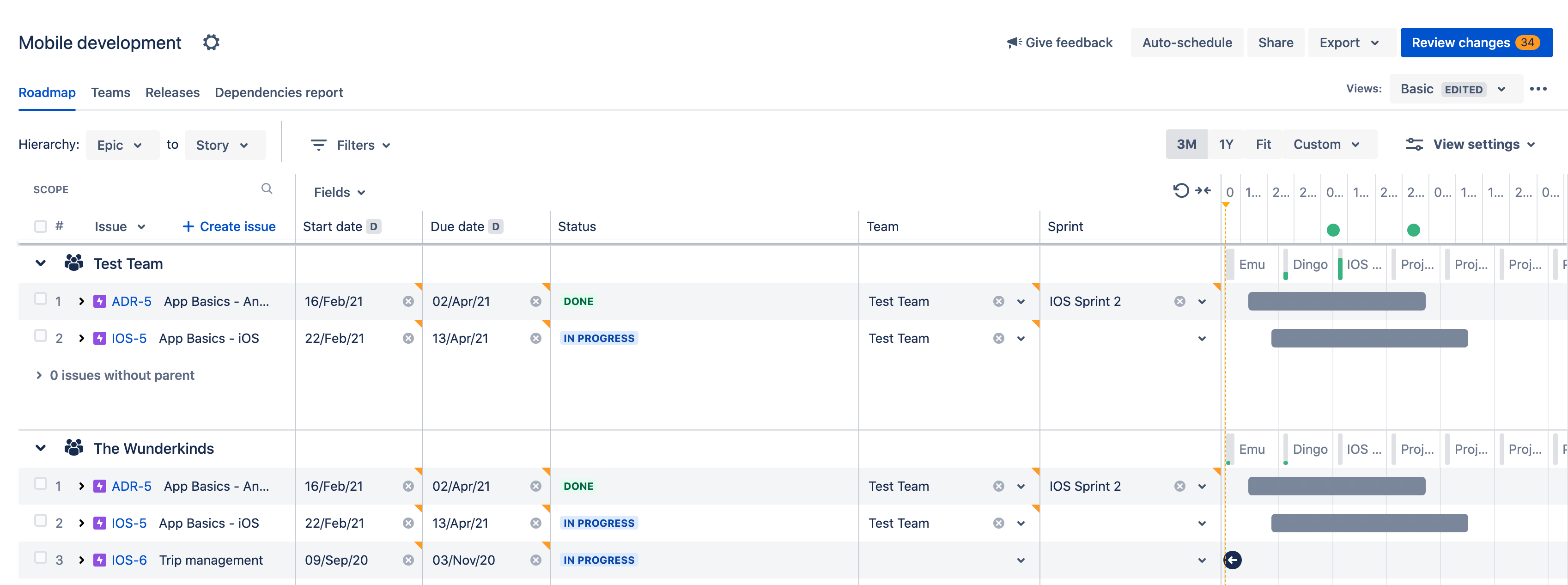
Image source: atlassian.com
Key features:
- Advanced sprint and backlog management
- Gantt-style roadmaps and dependency tracking
- Integration with Confluence and Bitbucket
- Customizable reporting and dashboards
- Automation for repetitive workflows
Pros:
- Ideal for agile teams and developers
- Real-time visibility into progress and bottlenecks
- Deep integrations with development tools
- Detailed issue tracking and version control
- Strong customization and reporting flexibility
Cons:
- Steep learning curve for beginners
- Overwhelming for non-technical users
Pricing: free for up to 10 users; standard plan $8.15/user/month; premium $16/user/month
3. Trello: Simple Gantt chart power-up
Trello offers a straightforward way to manage projects visually, with optional Gantt chart Power-Ups for advanced planning. It's an intuitive online Gantt chart tool perfect for individuals or small teams just starting with project visualization. Its drag-and-drop boards make tracking progress effortless and collaborative.
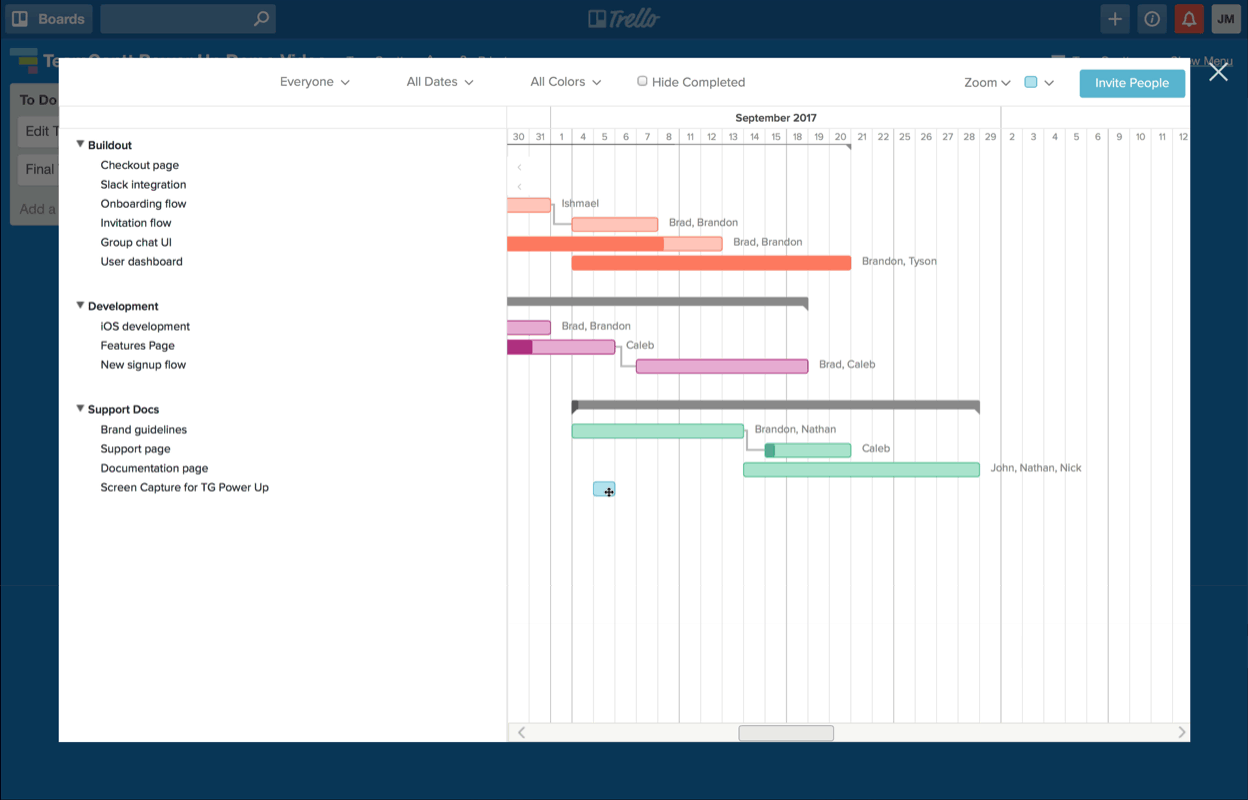
Image source: trello.com
Key features:
- Kanban-style boards with Gantt chart add-ons
- Easy drag-and-drop task management
- Butler automation for workflows
- Integration with Slack, Google Drive, and Jira
- Timeline and calendar views for scheduling
Pros:
- Extremely user-friendly interface
- Quick setup with minimal training
- Flexible integrations for various tools
- Affordable and accessible for startups
- Great visual overview for task tracking
Cons:
- Limited native Gantt chart functionality
- Lacks advanced reporting and analytics
Pricing: free basic plan; standard $5/user/month; premium $10/user/month
4. Wrike: Advanced Gantt chart timelines
Wrike delivers an enterprise-level online Gantt chart experience, suitable for large and distributed teams. It combines project timelines, workload balancing, and resource management in one platform. Wrike's detailed dashboards help leaders track performance and adjust schedules in real time.
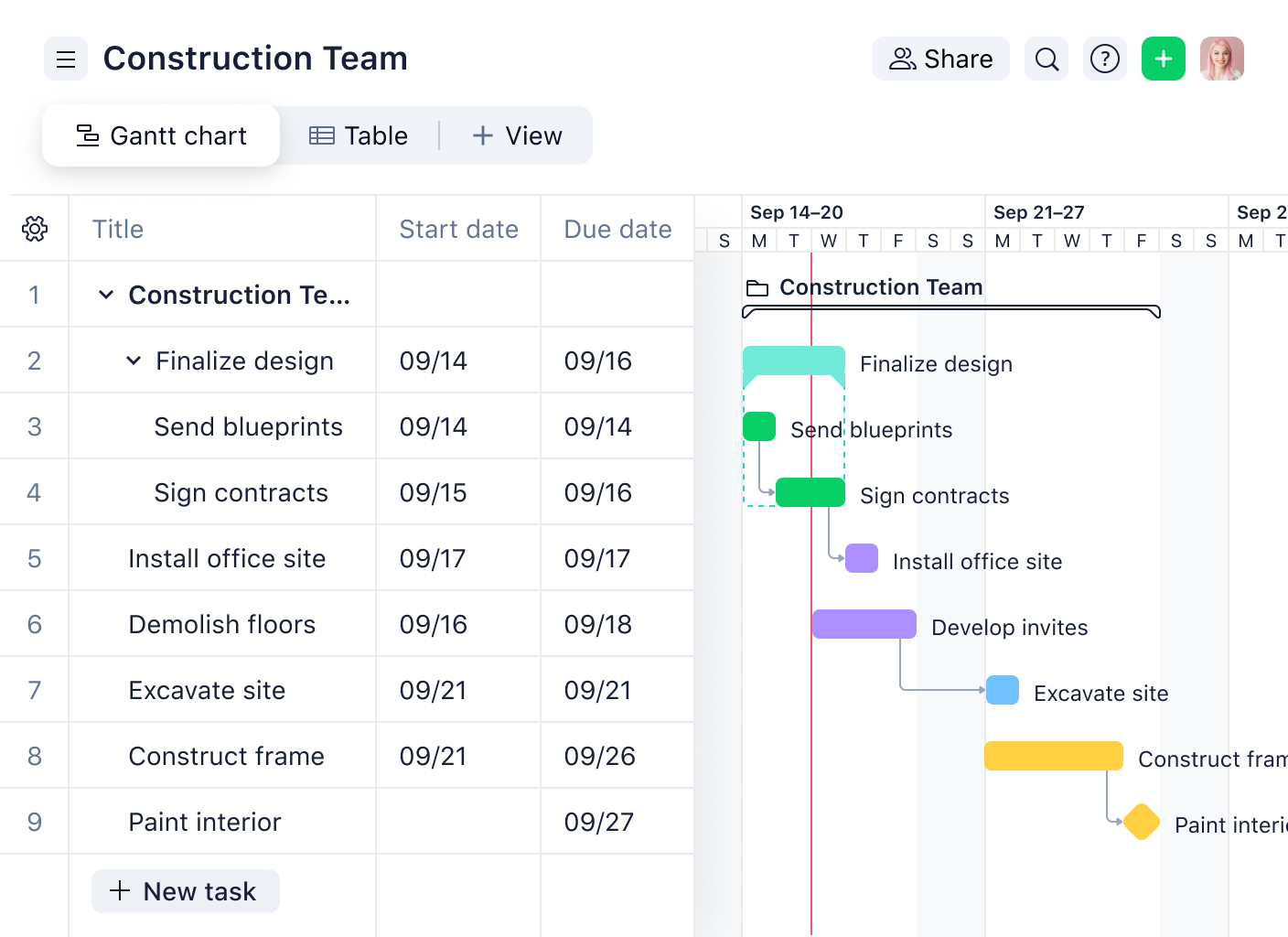
Image source: wrike.com
Key features:
- Interactive Gantt charts with dependencies
- Critical path analysis for projects
- Workload and resource balancing tools
- Custom request forms and automation
- Advanced analytics and reporting
Pros:
- Strong enterprise-grade capabilities
- Excellent resource allocation tracking
- Flexible dashboards and workflow templates
- Robust integrations with productivity tools
- Great visibility across multiple projects
Cons:
- Complex interface for new users
- Pricing increases quickly for larger teams
Pricing: free plan; team $9.80/user/month; business $24.80/user/month
5. ClickUp: Customizable Gantt chart views
ClickUp is an all-in-one productivity and project management platform offering rich online Gantt chart features. It enables teams to switch between multiple views like list, board, or Gantt for full flexibility. Its customizable setup caters to nearly every workflow or team type.
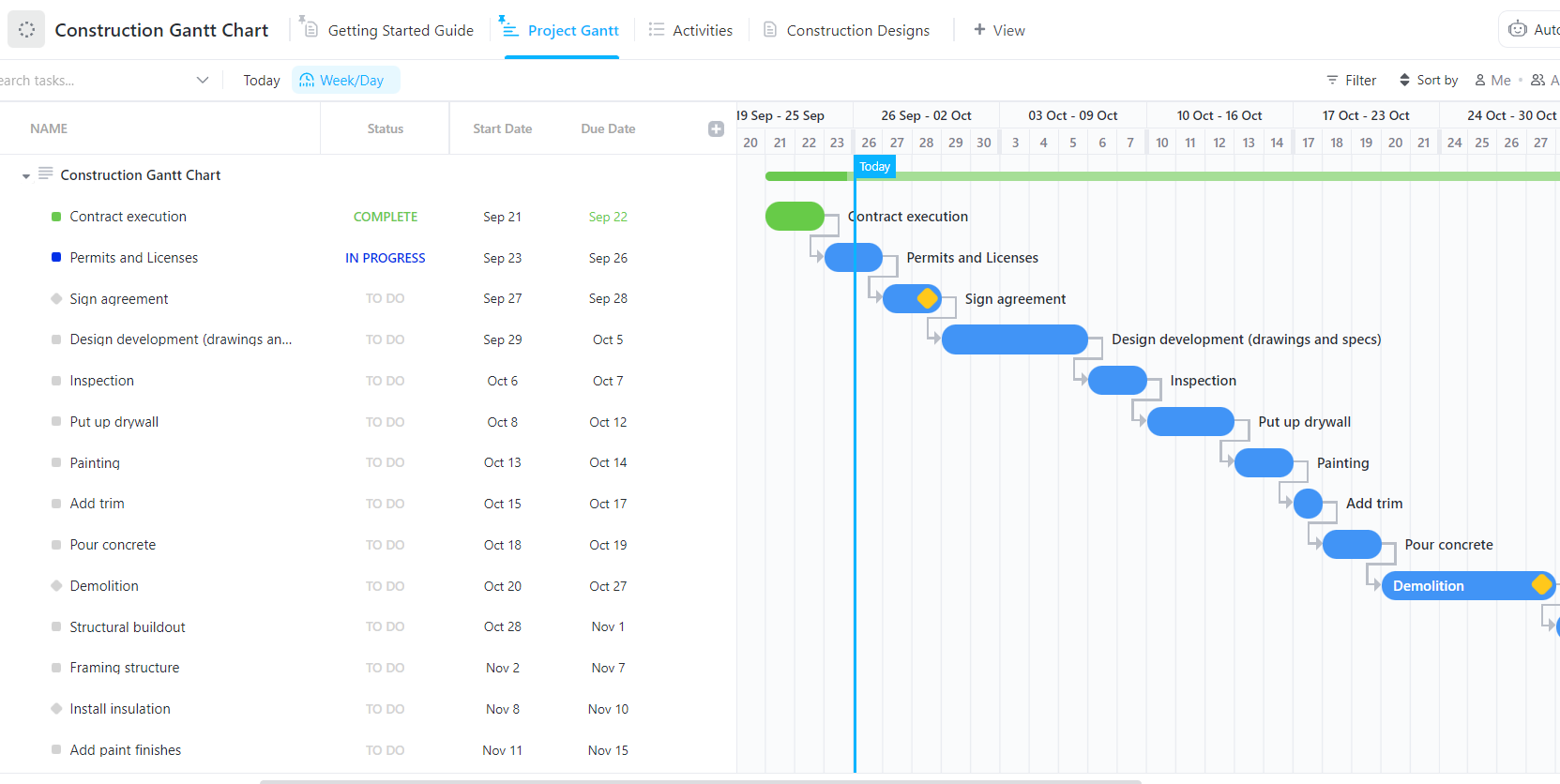
Image source: clickup.com
Key features:
- Gantt, list, and timeline view modes
- Goal tracking and progress visualization
- Automation for repetitive task updates
- Dependencies and recurring task scheduling
- Real-time dashboards and time tracking
Pros:
- Highly customizable workspace
- Multiple project views in one platform
- Affordable for feature depth offered
- Extensive automation capabilities
- Suitable for both small and large teams
Cons:
- Can feel cluttered for beginners
- Complex when managing too many fields
Pricing: free forever plan; unlimited $7/user/month; business $12/user/month
6. Asana: User-friendly online Gantt charts
Asana brings simplicity and structure to project planning with its timeline view. Its visual Gantt chart online makes tracking dependencies and deadlines effortless. Ideal for teams focused on clarity, Asana enhances accountability through intuitive design and real-time updates.
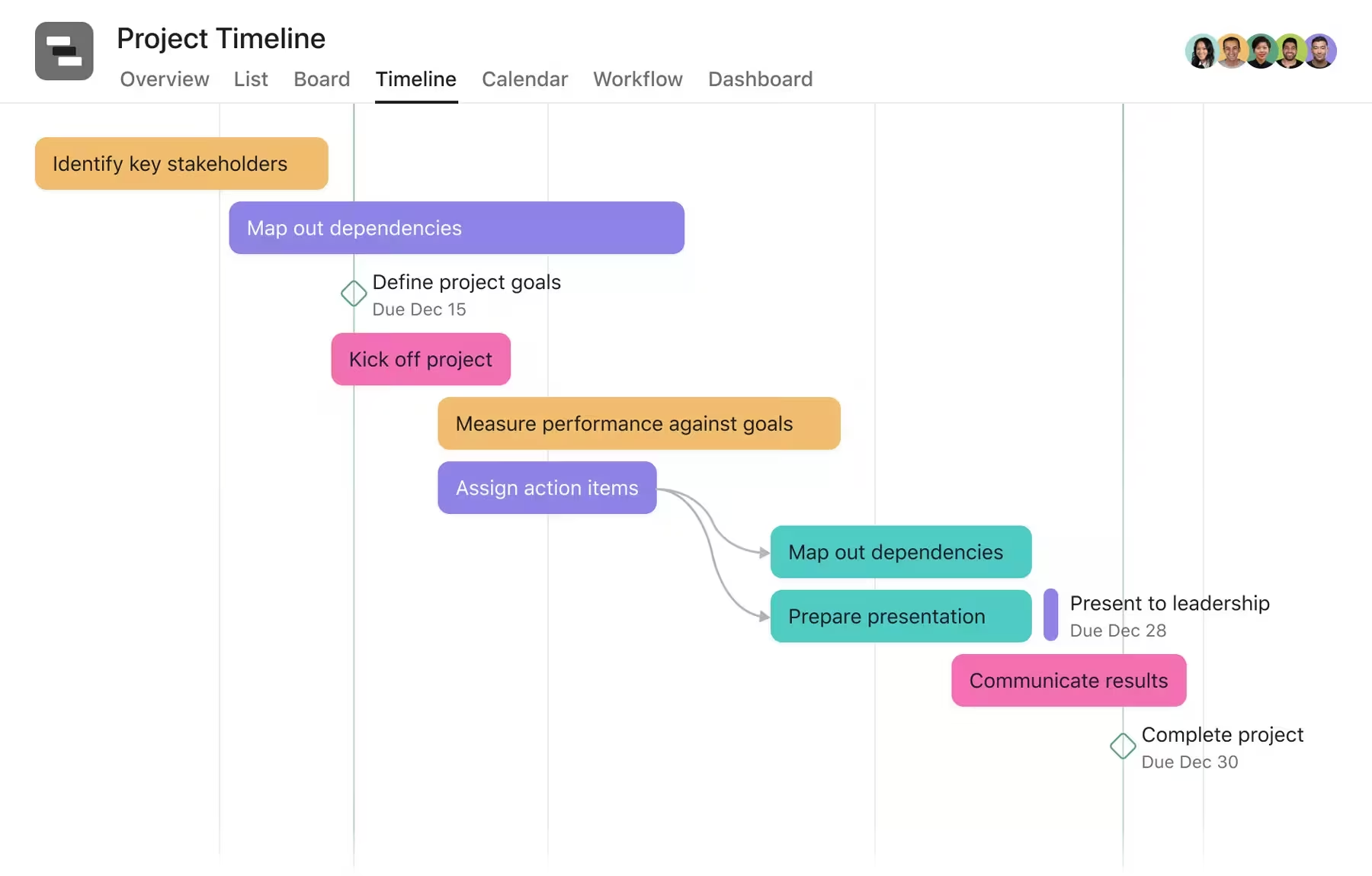
Image source: asana.com
Key features:
- Timeline view with dependencies
- Task and subtask organization
- Workload and portfolio management
- Automation with rules and triggers
- Integration with Slack, Google, and Zoom
Pros:
- Clean, minimalistic interface
- Quick adoption for new users
- Seamless collaboration with notifications
- Excellent task visibility and progress tracking
- Integrates well with other SaaS tools
Cons:
- Limited automation in free plan
- Some features locked behind paid tiers
Pricing: free for up to 15 users; starter $10.99/user/month; advanced $24.99/user/month
7. Monday: Visual project Gantt boards
Monday offers one of the most visually engaging online Gantt chart tools. Its vibrant dashboards and templates make it ideal for teams that thrive on visual organization. Monday's automation and timeline views simplify tracking across multiple projects.
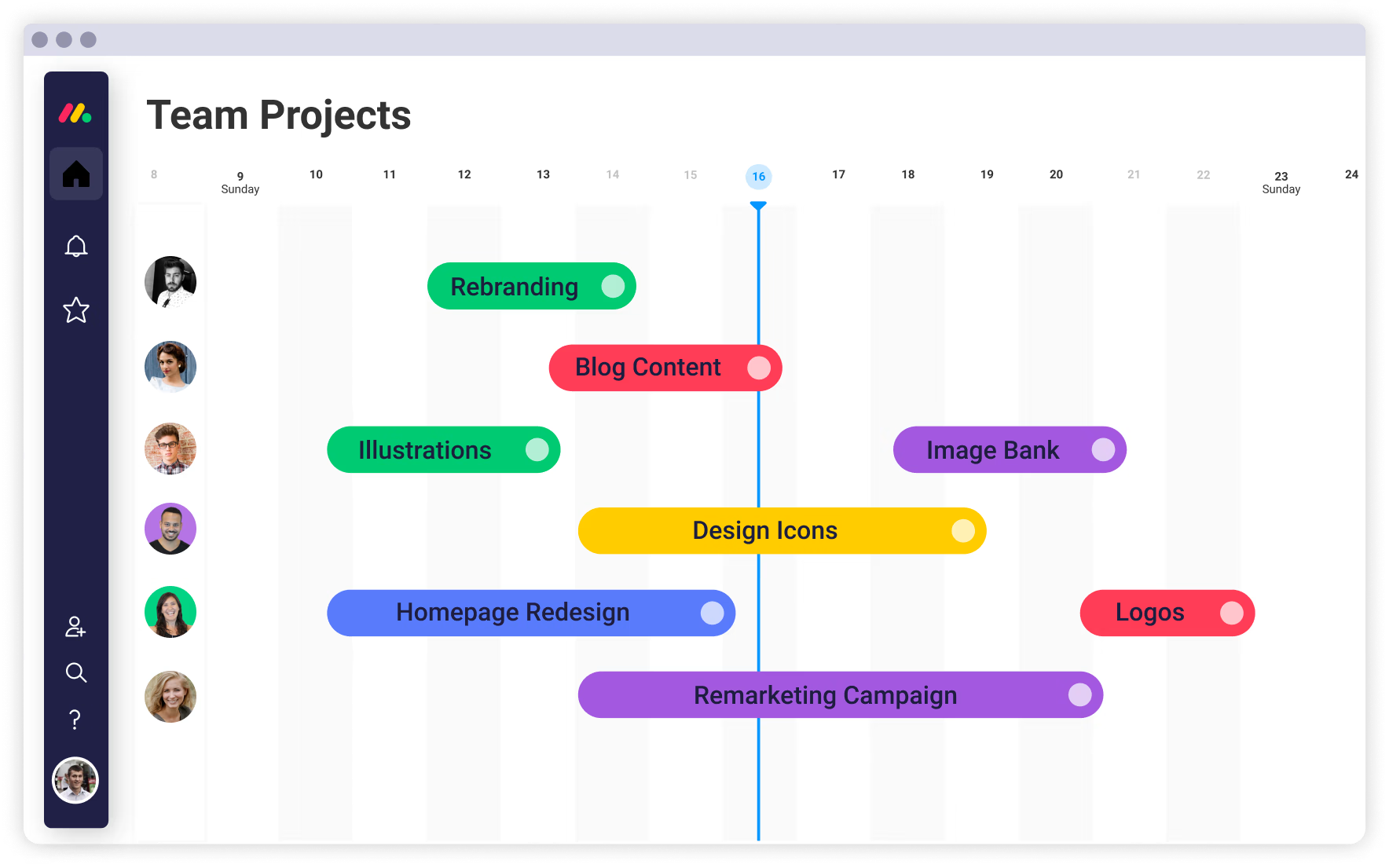
Image source: monday.com
Key features:
- Gantt, calendar, and workload views
- Drag-and-drop timelines for planning
- Built-in automation and notifications
- Over 200 pre-built templates
- Integration with Microsoft Teams, Slack, and Excel
Pros:
- Visually rich and engaging interface
- Excellent automation customization
- Wide variety of templates for quick setup
- Ideal for cross-functional collaboration
- Great overview of deadlines and dependencies
Cons:
- Can become costly for larger teams
- Limited advanced reporting in lower plans
Pricing: free individual plan; basic $9/user/month; standard $12/user/month; pro $19/user/month
8. Zoho Projects: Scalable Gantt chart tool
Zoho Projects combines scalability and affordability in a powerful online Gantt chart platform. Its integration with the Zoho suite makes it ideal for businesses seeking a connected ecosystem. It helps teams plan, monitor, and collaborate effectively across long-term projects.
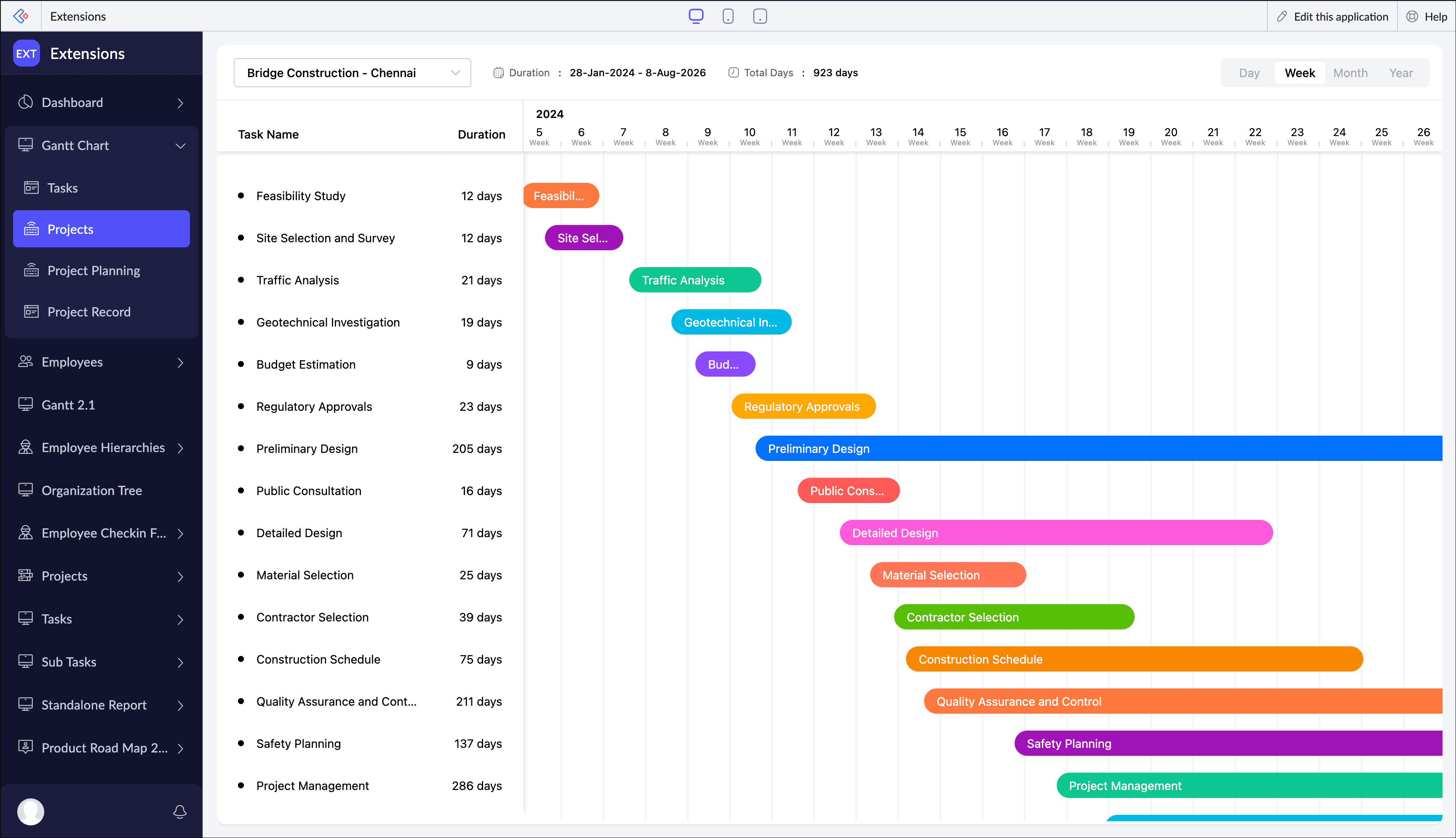
Image source: zoho.com
Key features:
- Gantt chart with milestones and dependencies
- Timesheets and workload tracking
- Automation with blueprints and workflows
- Integrations with Zoho CRM and third-party apps
- Resource utilization analytics
Pros:
- Highly cost-effective for SMBs
- Works seamlessly with other Zoho apps
- Scalable as teams grow
- Intuitive design for project tracking
- Great for long-term multi-phase planning
Cons:
- Interface looks dated compared to rivals
- Limited external app marketplace
Pricing: free for 3 users; premium $5/user/month; enterprise $10/user/month
9. OpenProject: Open-source Gantt chart maker
OpenProject gives teams full control through open-source online Gantt chart functionality. It's ideal for organizations prioritizing data privacy or needing custom deployment. Teams can host projects on-premises or use cloud versions for easier setup.
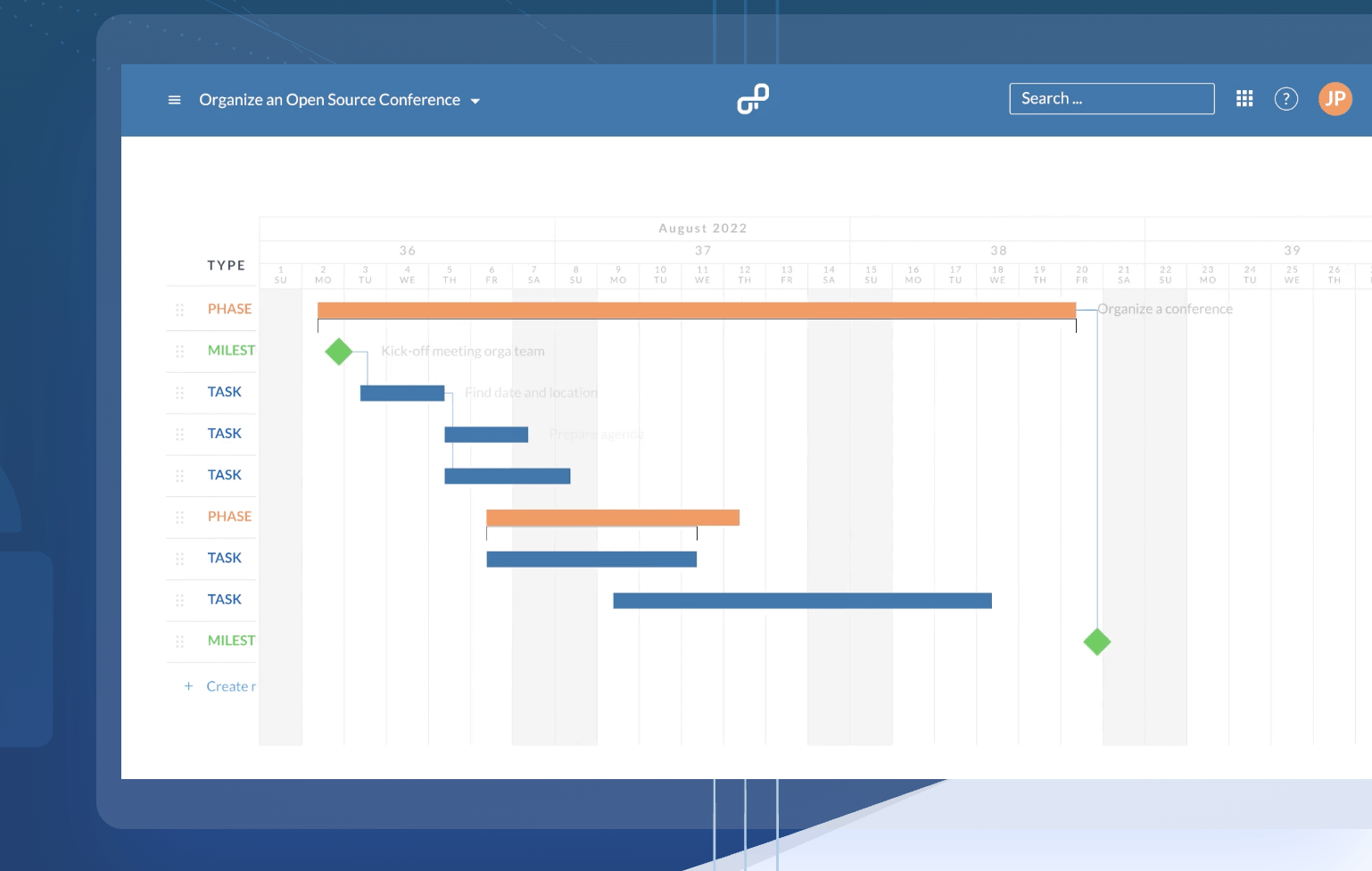 Image source: openproject.com
Image source: openproject.comKey features:
- Self-hosted or managed cloud Gantt charts
- Task dependencies and milestones
- Agile and Scrum module integration
- Time tracking and budgeting tools
- Role-based access and security settings
Pros:
- Open-source and fully customizable
- Great for privacy-focused organizations
- Combines agile and classic Gantt methods
- Transparent progress and milestone tracking
- Community-supported free version
Cons:
- Requires technical setup or IT resources
- Less polished interface than commercial tools
Pricing: community edition free; cloud from €5.95/user/month
10. TeamGantt: Beginner-friendly online charts
TeamGantt is a simple yet effective online Gantt chart maker designed for small teams and individuals. Its intuitive drag-and-drop design helps users create timelines in minutes. It's a perfect choice for quick, visual project planning without steep learning curves.
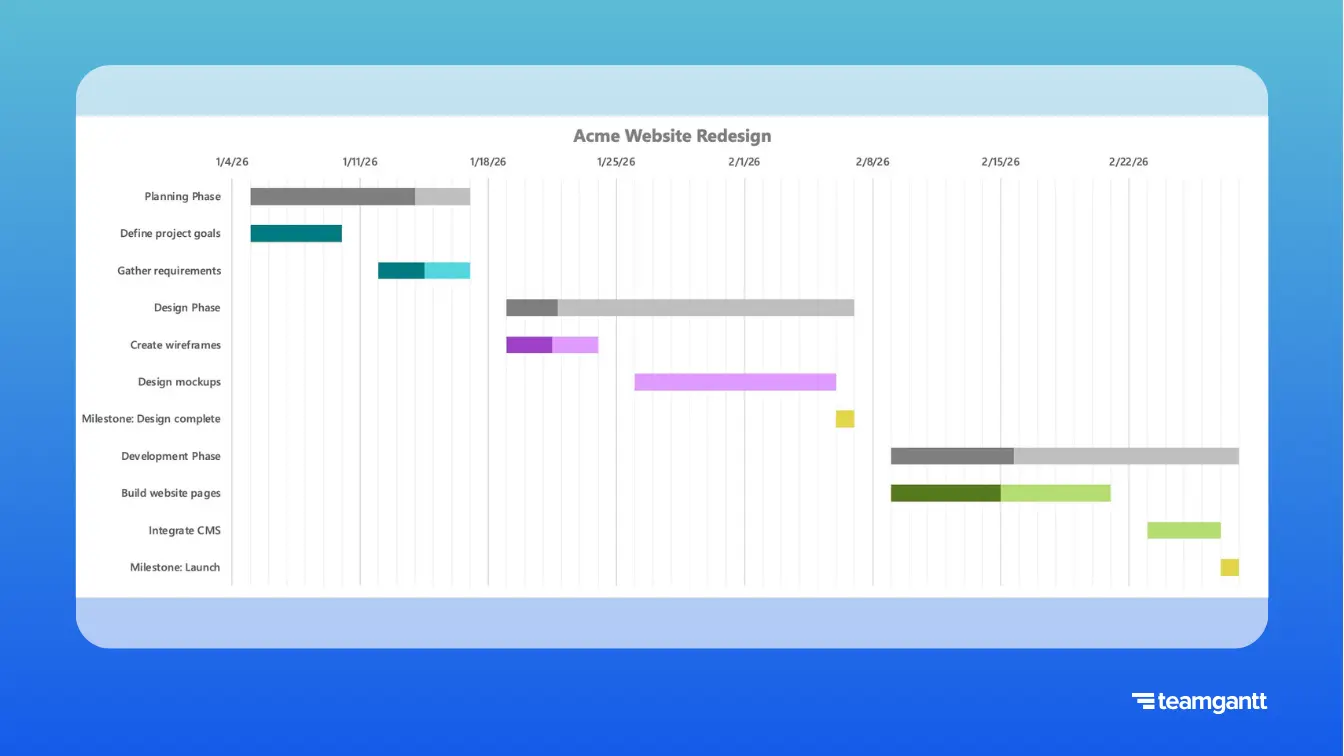
Image source: teamgantt.com
Key features:
- Drag-and-drop task scheduling
- Real-time collaboration and updates
- File sharing and commenting tools
- Time tracking and workload monitoring
- Project templates for quick setup
Pros:
- Incredibly easy to use and learn
- Fast setup with clean visuals
- Great for freelancers and small teams
- Supports collaboration in real time
- Excellent customer support and onboarding
Cons:
- Lacks complex resource management
- Limited analytics for advanced projects
Pricing: free for 3 users; paid plans from $24.95/month
Use cases by industry
Online Gantt chart software is a powerful tool adaptable to various industries, helping teams streamline processes, track progress, and meet deadlines with precision. Whether for construction, marketing, education, or event planning, Gantt charts online offer visibility, structure, and collaboration to ensure every project runs smoothly from start to finish.
- Construction: online Gantt chart software helps project managers schedule every stage of construction, from design to delivery. It tracks milestones, dependencies, and resource allocation, ensuring timely completion and budget control. Teams can monitor progress visually and adjust timelines as site conditions or priorities change.
- Marketing: marketing teams use online Gantt chart makers to plan campaigns, set deadlines, and manage cross-departmental coordination. Each campaign phase—from brainstorming to launch—is mapped visually, improving collaboration. Real-time updates keep teams aligned and prevent missed deliverables across multiple platforms.
- Software development: Gantt chart online tools simplify sprint planning, feature releases, and product roadmaps for agile teams. They make dependencies clear, reducing bottlenecks and improving coordination between developers, testers, and product owners. The visual timeline ensures milestones and deadlines stay visible throughout the cycle.
- Education: educators and students use free Gantt chart online platforms to organize academic schedules, research timelines, and project submissions. These tools help track assignments, coursework, and group projects efficiently. Clear task breakdowns ensure accountability and timely progress tracking in academic workflows.
- Event planning: online Gantt chart software enables planners to manage vendors, logistics, and event timelines effectively. It provides a structured view of every stage, from booking venues to coordinating suppliers. With live updates and dependencies, teams can ensure flawless event execution and timely delivery.
Future trends in online Gantt charts
- AI-powered project planning: online Gantt chart software is becoming smarter with artificial intelligence that predicts delays, reallocates resources, and suggests schedule adjustments automatically. These AI-driven tools help teams plan more accurately and adapt quickly to changing project conditions.
- Deeper automation of dependencies: modern online Gantt chart makers will offer enhanced automation where dependent tasks update automatically when one milestone changes. This reduces manual adjustments, minimises human error, and ensures real-time synchronisation across complex project timelines.
- Real-time analytics and reporting: future Gantt chart online tools will feature advanced dashboards that provide instant visibility into project performance, workload distribution, and risk indicators. These live analytics empower teams to make data-driven decisions and maintain project control at every stage.
Conclusion
Online Gantt chart software has become essential for modern teams seeking clarity, structure, and collaboration in project management. These tools simplify planning, track progress in real time, and ensure teams meet deadlines efficiently. From marketing campaigns to software releases, an online Gantt chart provides the visibility needed to stay organized and proactive. Among all solutions, Lark stands out as a leading choice for its all-in-one platform that combines communication, documentation, and workflow automation.
It enables teams to plan smarter, collaborate faster, and execute seamlessly—all within a single workspace. As project management continues to evolve, adopting the right online Gantt chart maker can transform how teams work, boosting productivity and accountability. Start exploring today to experience a more connected, efficient way to manage projects.
FAQs
What is the difference between online and offline Gantt charts?
Online Gantt charts are cloud-based, allowing real-time collaboration, automatic updates, and remote access, while offline Gantt charts are desktop-based and limited to local devices. Online tools also integrate easily with other project management apps, enhancing flexibility and teamwork.
Are free Gantt chart tools enough for large projects?
Free Gantt chart tools work well for small teams or basic projects but may lack advanced features like resource management, automation, or analytics. Large projects typically benefit from paid plans that support scalability and detailed reporting.
Which industries benefit most from Gantt charts?
Construction, marketing, software development, education, and event planning benefit most from online Gantt chart software. These industries rely on task dependencies, deadlines, and clear visual tracking to manage complex workflows efficiently.
Can Gantt charts be used for personal productivity?
Yes, online Gantt charts help individuals plan personal goals, organize tasks, and visualize progress. They're useful for freelancers, students, or entrepreneurs managing multiple responsibilities and deadlines.
How do Gantt charts compare to Kanban boards?
Gantt charts focus on timelines, dependencies, and scheduling, making them ideal for structured project planning. Kanban boards emphasize task flow and flexibility, better suited for agile or ongoing workflows. Many teams use both together for maximum efficiency.
Related reading:
Table of contents
Start using Lark today

Manage all your work in one place
Boost team efficiency by 10x
Save up to 70% on software costs
Table of contents
Start using Lark today
Manage all your work in one place
Boost team efficiency by 10x
Save up to 70% on software costs
Keep reading







2026 Lark Technologies Pte. Ltd.
Headquartered in Singapore with offices worldwide.






Explore: