It all starts with a single, painfully familiar scenario: You join a meeting link, only to find half the team is missing because the calendar invite didn't sync properly. Once everyone finally arrives, someone tries to share their screen, but the document link they paste in the chat requires you to request access.
We have all been there. As remote and hybrid work environments mature, the standard for online meetings software has drastically changed. It is no longer just about establishing a video connection; it is about how effectively your team can communicate, collaborate, and execute tasks before, during, and after the call.
I have spent extensive time testing and evaluating the best online meeting software available today. In this guide, I will break down the top platforms, highlighting where they shine, where they fall short, and how you can choose the right one to keep your team connected and productive.
What are online meetings software?
Online meeting apps, often referred to as , are digital platforms that enable individuals and teams to connect via live video and audio over the internet.
In the early days, virtual meetings required expensive, dedicated conference room hardware and complex installations. Today, the landscape has completely transformed. Modern online meeting software is predominantly cloud-based, meaning you can often join a fully featured meeting directly from your web browser or a lightweight mobile app without heavy infrastructure.
But these tools have evolved far beyond simple video dialers. They act as digital meeting rooms where real work gets done. Whether you are conducting a one-on-one performance review, presenting a massive external webinar, or with a global team, modern online meeting apps serve as the connective tissue for remote and hybrid workforces. They bridge the physical gap, ensuring that communication remains fluid, inclusive, and productive regardless of where your team is located.
10 best online meeting software in 2026
As becomes the global standard in 2026, online meeting software has evolved far beyond basic video calls into all-in-one collaboration hubs. The top solutions now combine reliable conferencing, AI-powered assistance, real-time sharing, and deep workflow integration to make every meeting more focused and productive. Below, I round up the 10 best online meeting platforms of 2026 to help you find the right fit for your team.
1. Lark: The ultimate unified workspace for growing teams
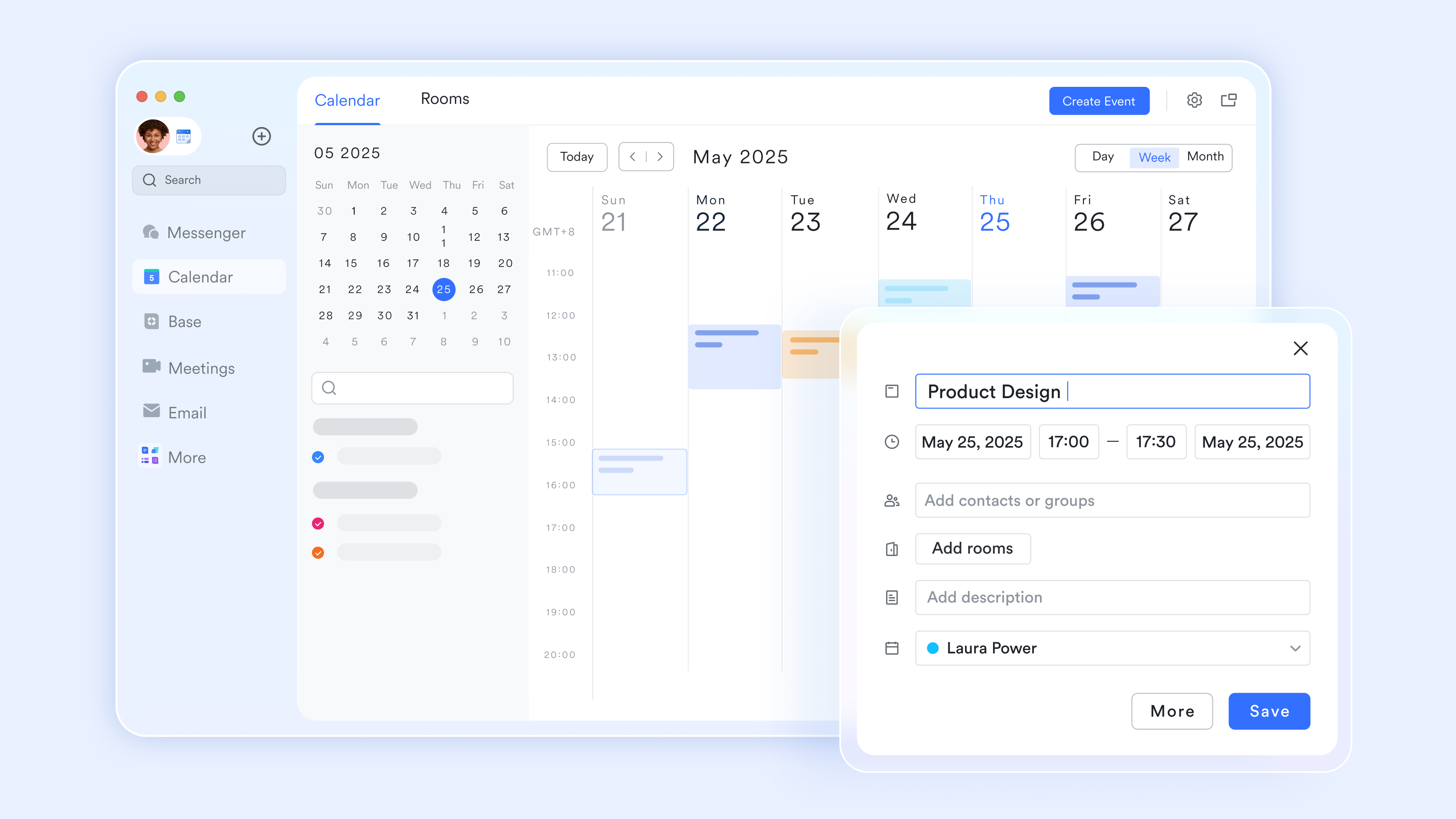
is an all-in-one platform that helps teams of every size communicate seamlessly and work smarter together. Lark directly tackles the "app fatigue" pain point by merging your essential daily workflows into a single, highly intuitive interface. Instead of juggling a separate video client, instant messaging app, and scattered document links, users experience a genuinely unified environment. During a video call, the interface allows participants to open and natively within the meeting window, eliminating the need to constantly share screens or ask for edit permissions. The user experience is designed to seamlessly connect asynchronous preparation (like shared calendars and OKR tracking) with real-time collaboration, making it exceptionally easy for global teams to stay aligned without losing information between disconnected apps. 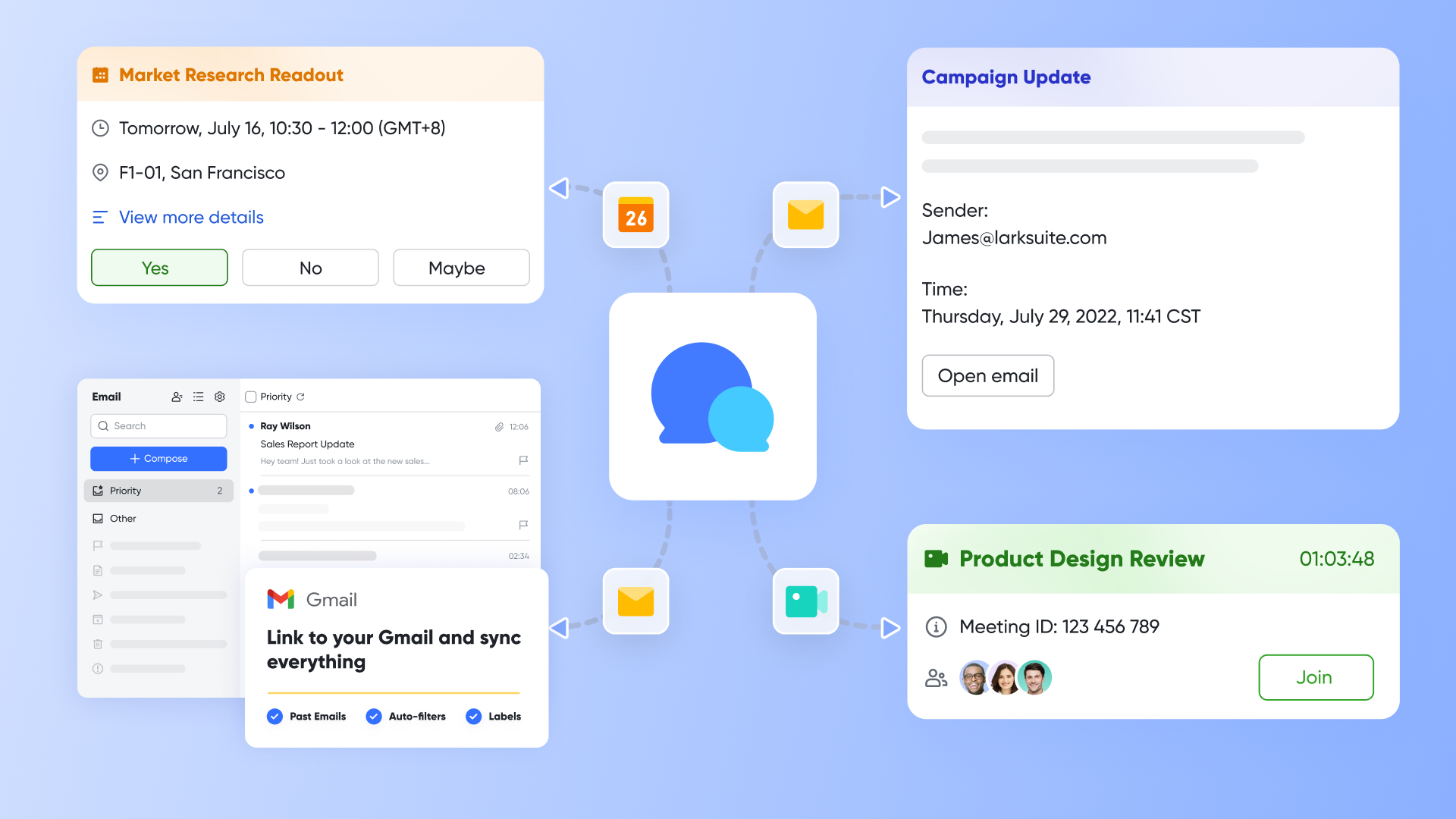
Pros:
From screen sharing to a real-time collaboration space
Traditional online meetings often become one-way presentations. One person shares their screen while everyone else just watches. changes this completely with Magic Share. Instead of sharing a static screen, the host shares live or whiteboard that everyone can interact with. Participants have two options: they can "Follow the Presenter" to stay in sync with the pace of explanation, or they can "View on My Own" to zoom in, scroll, and explore details independently. When ready, they can click to rejoin the presenter's view with one click. This dual-mode design lets everyone absorb information at their own pace while keeping the team aligned. 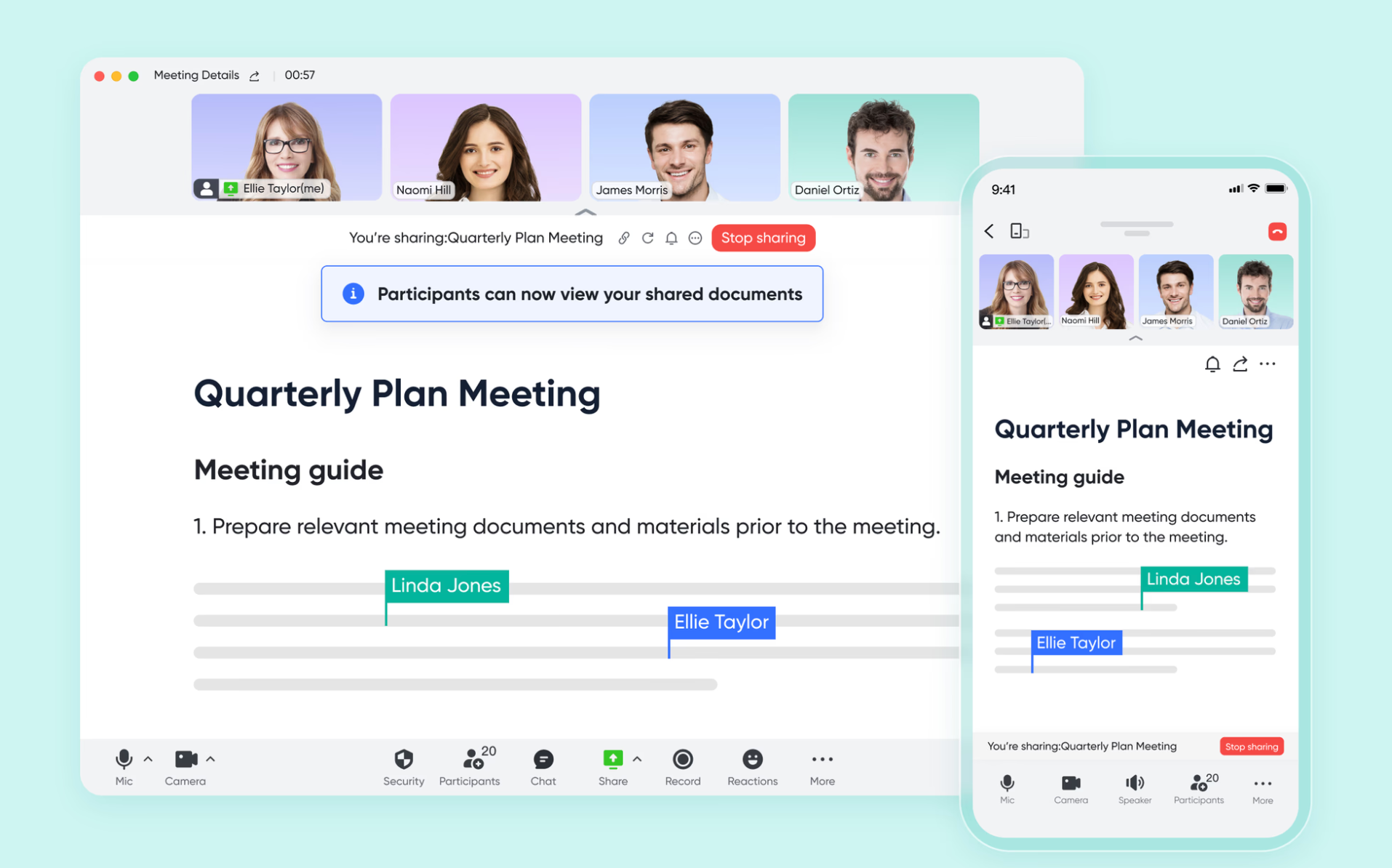
AI-powered meeting notes let teams focus on the discussion
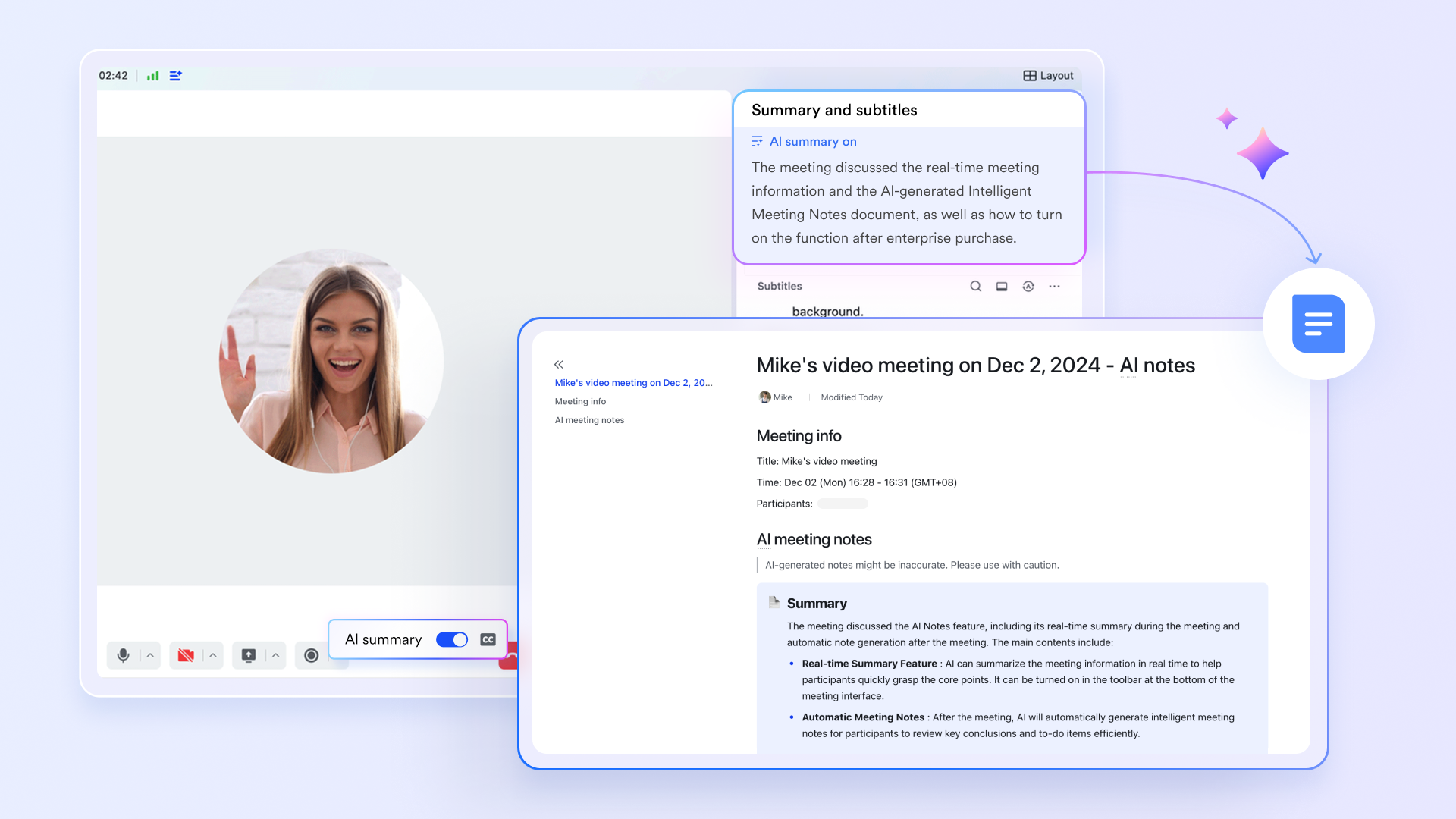
The biggest time-waster in meetings isn't the discussion itself—it's making meeting notes afterward. solves this. When you enable "AI Summary" during a meeting, it automatically identifies key discussion points and generates structured notes containing a meeting summary, action items, and smart chapters. After the meeting ends, the AI Meeting Notes is automatically created and sent to all participants via bot or shared in the meeting group chat. This means your team can focus entirely on the discussion without worrying about taking notes. The AI doesn't just capture key decisions—it also identifies action items and assigns them to the right people, ensuring every meeting has clear, trackable outcomes.
Turn every discussion into a searchable knowledge asset
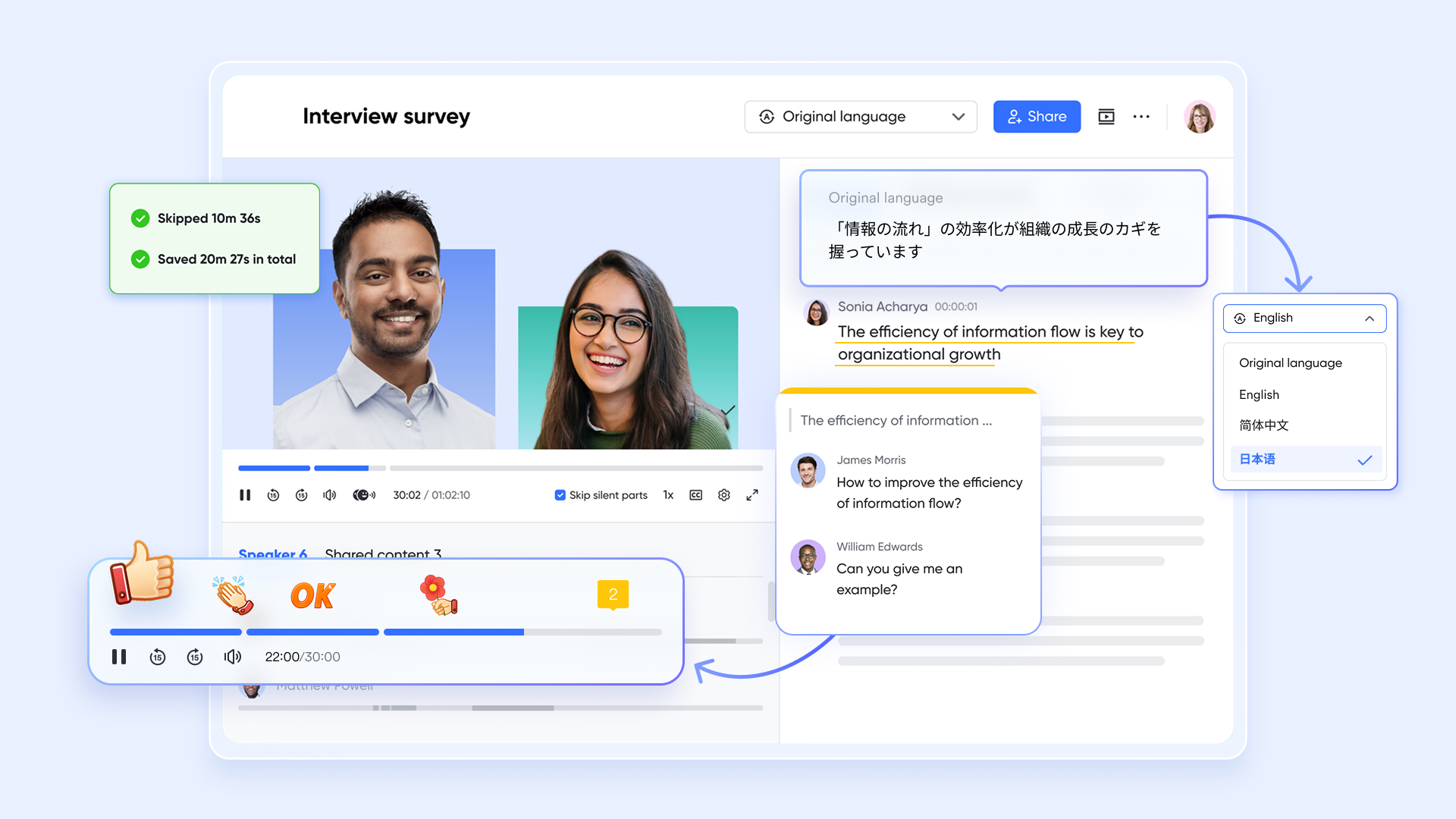
After meetings end, important discussions often get forgotten when the window closes. changes this by combining audio or video recordings with intelligent transcripts, creating a searchable, interactive knowledge asset. In Minutes, clicking any word in the transcript takes you directly to that moment in the recording. You can search for keywords, and the system automatically highlights all matching content. For global teams, Minutes also supports one-click translation of transcripts into multiple languages. These features make reviewing past meetings as easy as searching the web, ensuring every important piece of information can be found and reused quickly.
Seamless scheduling from calendar to meeting
Ineffective meetings often start with chaotic scheduling. is deeply combined with Meetings, making the entire process from scheduling to joining smooth and effortless. While chatting or viewing a colleague's calendar, you can see their availability directly and select a suitable time to create a meeting invitation with one click. Every calendar event contains the video meeting link, relevant documents, and the attendee list. Participants can join the meeting directly from their calendar. Calendar, chat, documents, and meetings connect seamlessly, so organizing and managing meetings is no longer a burden spread across multiple tools.
Cons:
- Adapting to Lark may take some time, but Lark's complete and well-organized offers thorough guidance and support throughout the entire transition process.
The verdict: Lark is best for remote and hybrid SMEs struggling with fragmented tool stacks and rising SaaS costs. It stands out by offering an unmatched, cost-efficient ecosystem that flawlessly merges asynchronous work with real-time video collaboration.
:
- Starter plan: Free forever plan that includes 11 powerful tools for up to 20 users. It also comes with 100GB of storage, 1000 automation runs, AI translations, and more.
- Basic plan: $6/user/month (billed annually) for up to 500 users. It includes everything in Starter plus group calling for up to 500 attendees, 5TB of storage, 1000 automation runs, and more. For more details, please .
- Pro plan: $12/user/month (billed annually) for up to 500 users. It includes everything in Basic plus group calling for up to 500 attendees, 15TB of storage, 50,000 automation runs, and more.
- Enterprise plan: for custom pricing. Supports unlimited users and includes even more automation runs and advanced security, compliance, and management features.
For small teams with simple communication needs

18 months message history
1000 Base automation runs/month
2000 rows per table in Base
Most POPULAR
For companies with comprehensive collaboration and management needs
Unlimited message history
500-participant video meetings
50k Base automation runs/month
20k rows per table in Base
For large companies with advanced security and organizational management needs
Get a personalized demo and pricing
Unlimited message history
500-participant video meetings
15 TB storage + 30 GB storage/user
500k Base automation runs/month
50k Base automation runs/month
Most POPULAR
For companies with comprehensive collaboration and management needs
Unlimited message history
500-participant video meetings
50k Base automation runs/month
20k rows per table in Base
2. Zoom Workplace: Ultra-reliable standalone video and web conferencing
Zoom Workplace remains the gold standard for pure, unadulterated video performance. Its interface is universally recognized, meaning external clients rarely struggle to join a call, effectively eliminating the friction of onboarding guests. It excels at maintaining stable audio and video streams even when participants are dealing with poor internet bandwidth. Recently, Zoom has expanded its UX to include integrated whiteboards and an AI Companion for meeting summaries, though its core strength remains the simplicity and reliability of getting dozens (or hundreds) of people into a stable virtual room quickly.
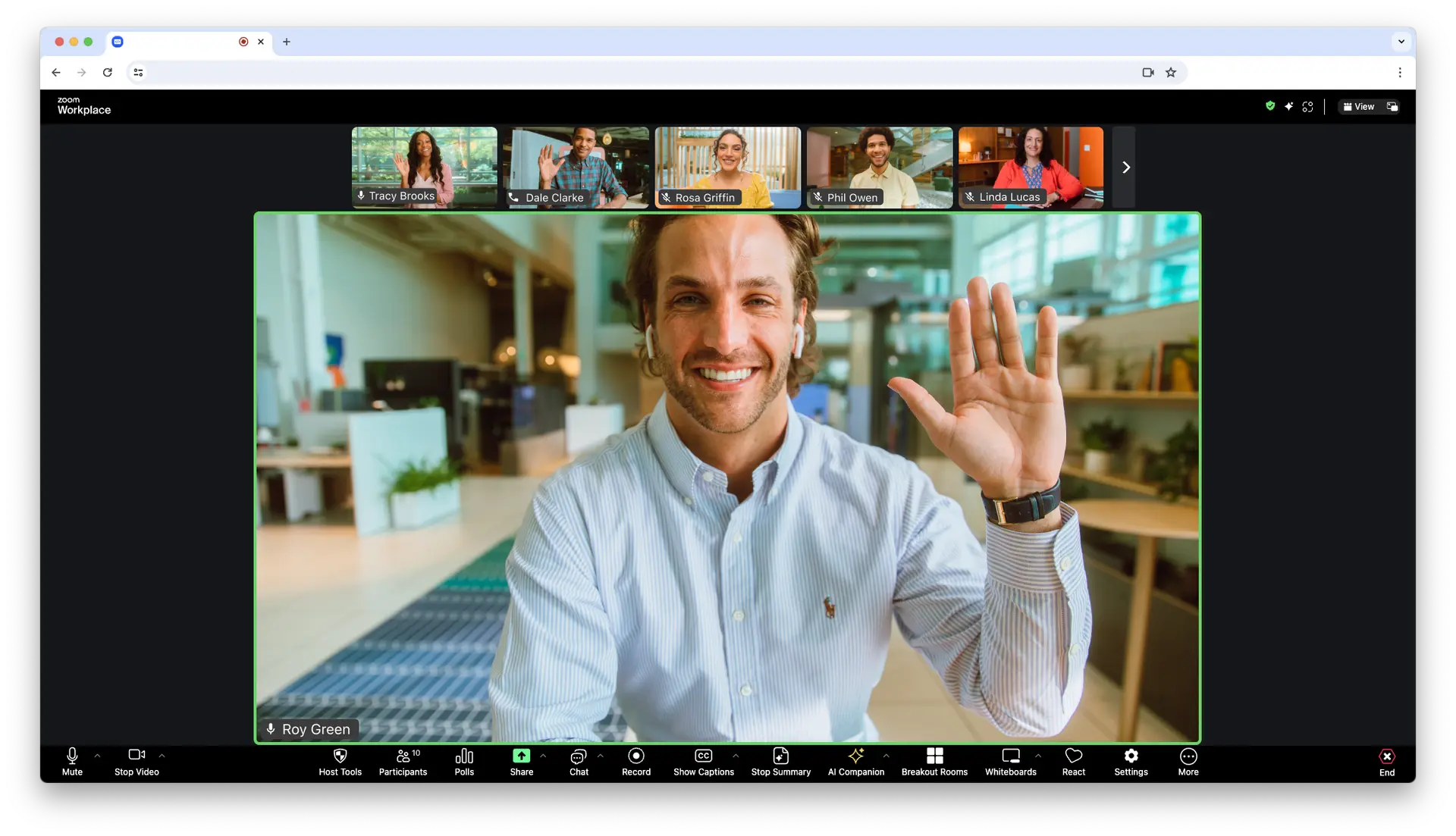
Image source: zoom.com
Pros:
- Exceptional video and audio stability that dynamically adjusts to poor network conditions.
- A universally recognized interface drastically reduces friction when inviting external clients or guests.
- Highly effective breakout room capabilities for managing large groups and workshops.
- Integrated AI companion efficiently generates post-meeting summaries and action items.
Cons:
- Deep project management and native document collaboration still require integrating third-party apps.
- Premium add-ons for webinars and advanced AI features can make scaling the platform expensive.
The verdict: Zoom Workplace is the ideal choice for organizations that prioritize flawless, external-facing video performance and widespread familiarity. It remains unparalleled for companies whose primary pain point is unreliable call quality with clients.
Pricing:
- Pro: $13.33/user/month (billed annually).
- Business: $18.32/user/month (billed annually).
3. Microsoft Teams: Powerful collaboration for Office 365 enterprises
Microsoft Teams is a heavy-duty hub engineered for complex enterprise collaboration. It leverages the massive infrastructure of Microsoft 365 to solve the pain point of centralized document security and compliance. The interface is densely packed, acting as a command center where video meetings, SharePoint file storage, and Outlook calendars intersect. While this depth is incredibly powerful for document version control and asynchronous channel discussions, it can feel resource-heavy and slightly cluttered for smaller teams just looking to host a quick video sync.
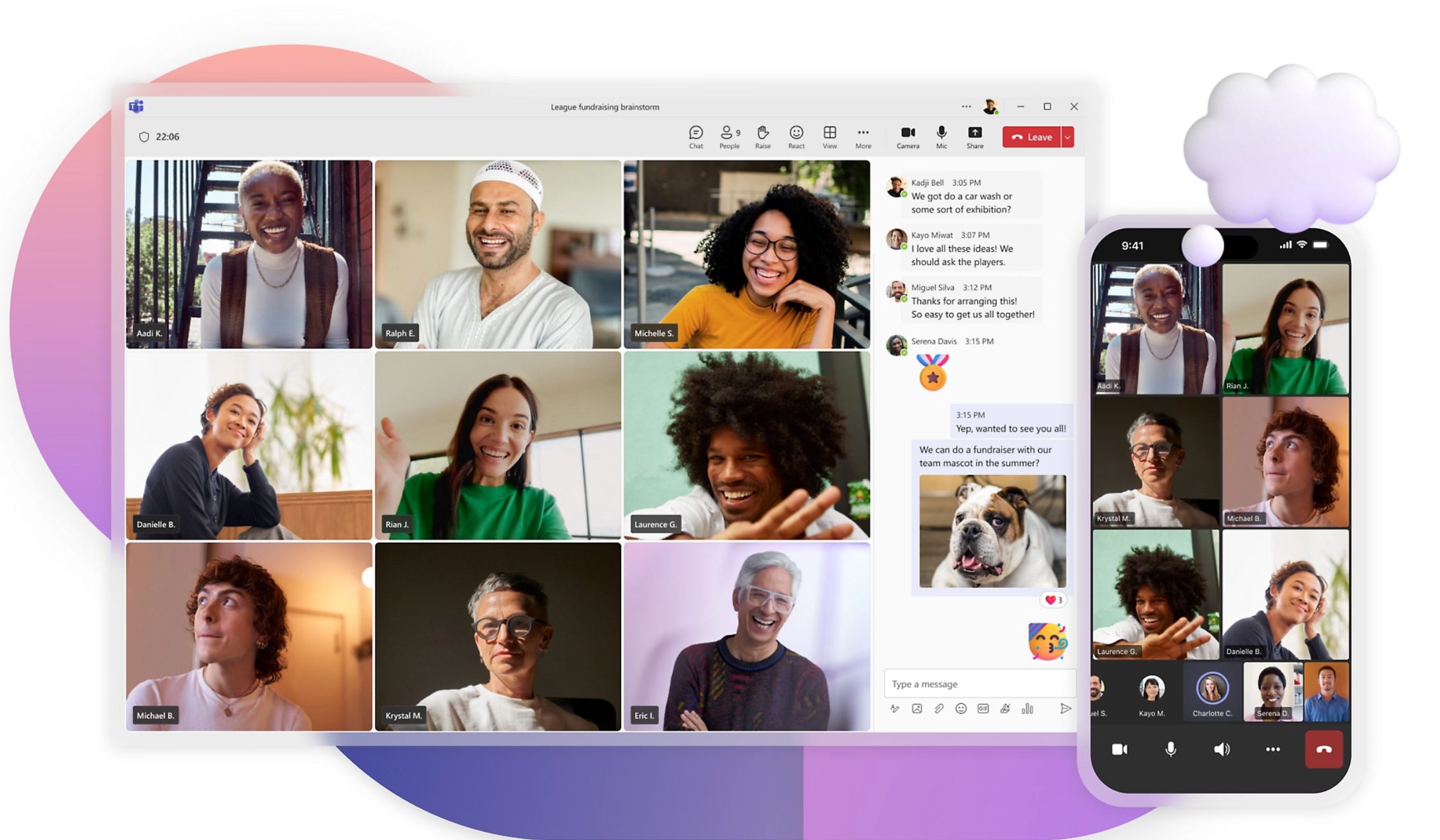
Image source: microsoft.com
Pros:
- Flawless, deep integration with the entire Microsoft 365 suite (Word, Excel, PowerPoint, SharePoint).
- Enterprise-grade security, data loss prevention, and compliance tools built in.
- Advanced meeting features like Together Mode, live transcripts, and comprehensive whiteboarding.
- Massive third-party app ecosystem accessible directly within the platform.
Cons:
- High system resource consumption can lead to sluggish performance on older devices.
- The deeply nested interface and complex channel structures present a steep learning curve.
The verdict: Microsoft Teams stands out as the ultimate powerhouse for large enterprises already fully invested in the Microsoft infrastructure. It is best for organizations demanding strict security, centralized file management, and deep Office integration.
Pricing:
- Microsoft Teams Essentials: $4.00/user/month (billed annually).
- Microsoft 365 Business Basic: $6.00/user/month (billed annually).
- Microsoft 365 Business Standard: $12.50/user/month (billed annually).
4. Google Meet: Frictionless browser-based video for Workspace users
Google Meet is designed around one core philosophy: absolute zero friction. By operating natively within web browsers, it eliminates the need for bulky desktop client downloads, solving the common pain point of guests arriving late because they had to update an app. The UX is incredibly clean and minimalist, tightly integrated with Google Calendar and Gmail—clicking a meeting link instantly drops you into the pre-call lobby. It also features highly accurate, real-time closed captioning, making it an excellent tool for accessibility.
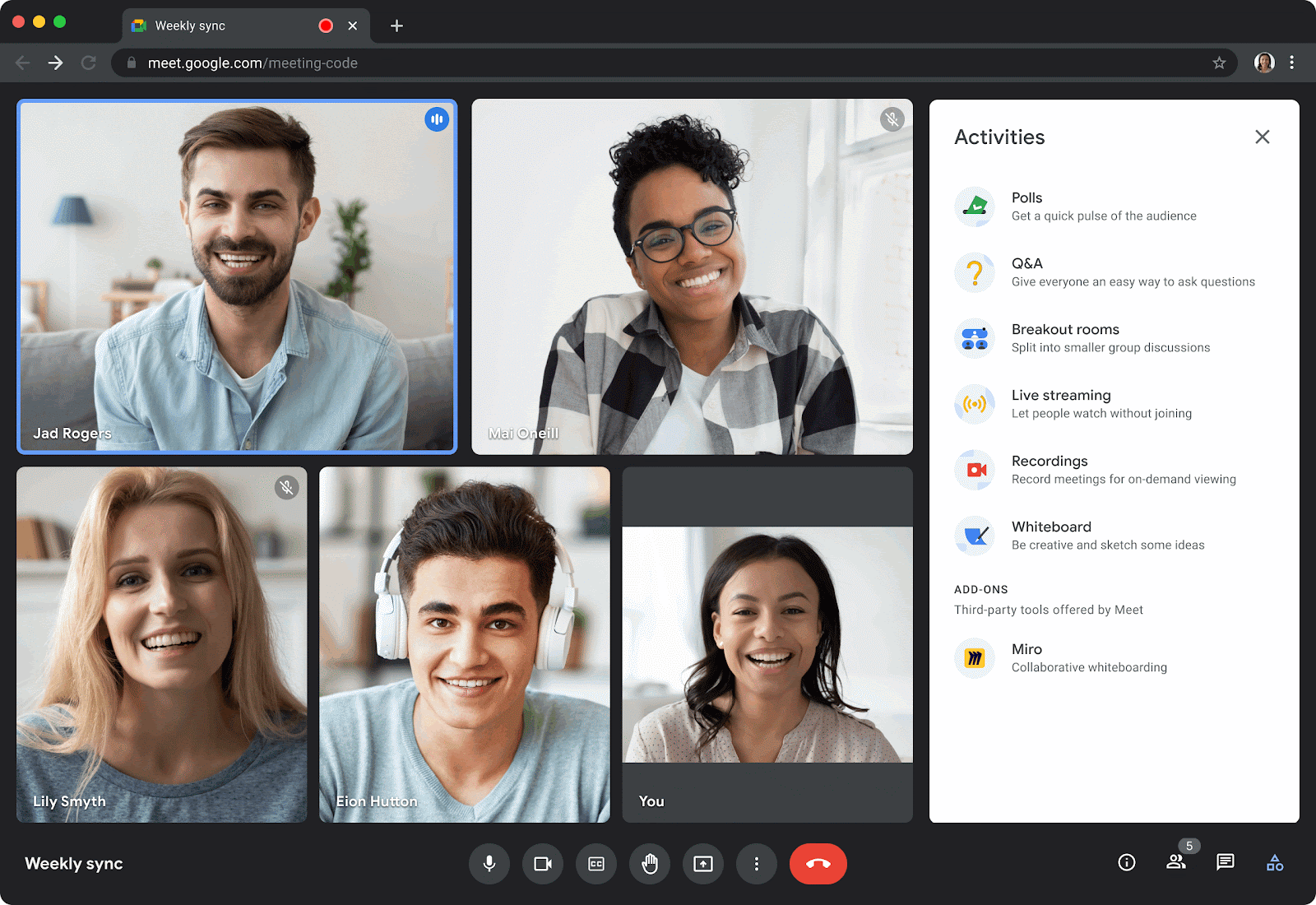
Image source: workspaceupdates.googleblog.com
Pros:
- Zero-download, browser-native experience ensures incredibly fast access for all participants.
- Perfect synchronization with Google Calendar and Gmail for effortless scheduling.
- Highly accurate live closed captioning improves accessibility and comprehension.
- Clean, minimalist user interface that requires virtually zero training to use.
Cons:
- Lacks a built-in native whiteboard without launching a separate Google app.
- Essential business features like meeting recordings and transcriptions are locked behind paid Google Workspace plans.
The verdict: Google Meet is best for fast-paced teams and educational institutions that live entirely within the Google ecosystem. It stands out by offering the absolute lowest barrier to entry for joining a high-quality video call.
Pricing:
- Starter: $9.40/user/month (billed annually).
- Standard: $15.07/user/month (billed annually).
- Plus: $29.40/user/month (billed annually).
- Enterprise: Contact sales.
5. Webex by Cisco: Highly secure video conferencing for large enterprises
Webex has long been the trusted standard for highly regulated industries. Backed by Cisco's networking infrastructure, it solves the pain point of corporate data vulnerabilities by providing industry-leading end-to-end encryption. The user experience is highly structured and professional, tailored for large-scale town halls and corporate broadcasts. While it features advanced AI audio intelligence (like aggressive background noise removal) and excellent physical hardware integrations for conference rooms, the interface can feel slightly rigid compared to agile, modern startup tools.
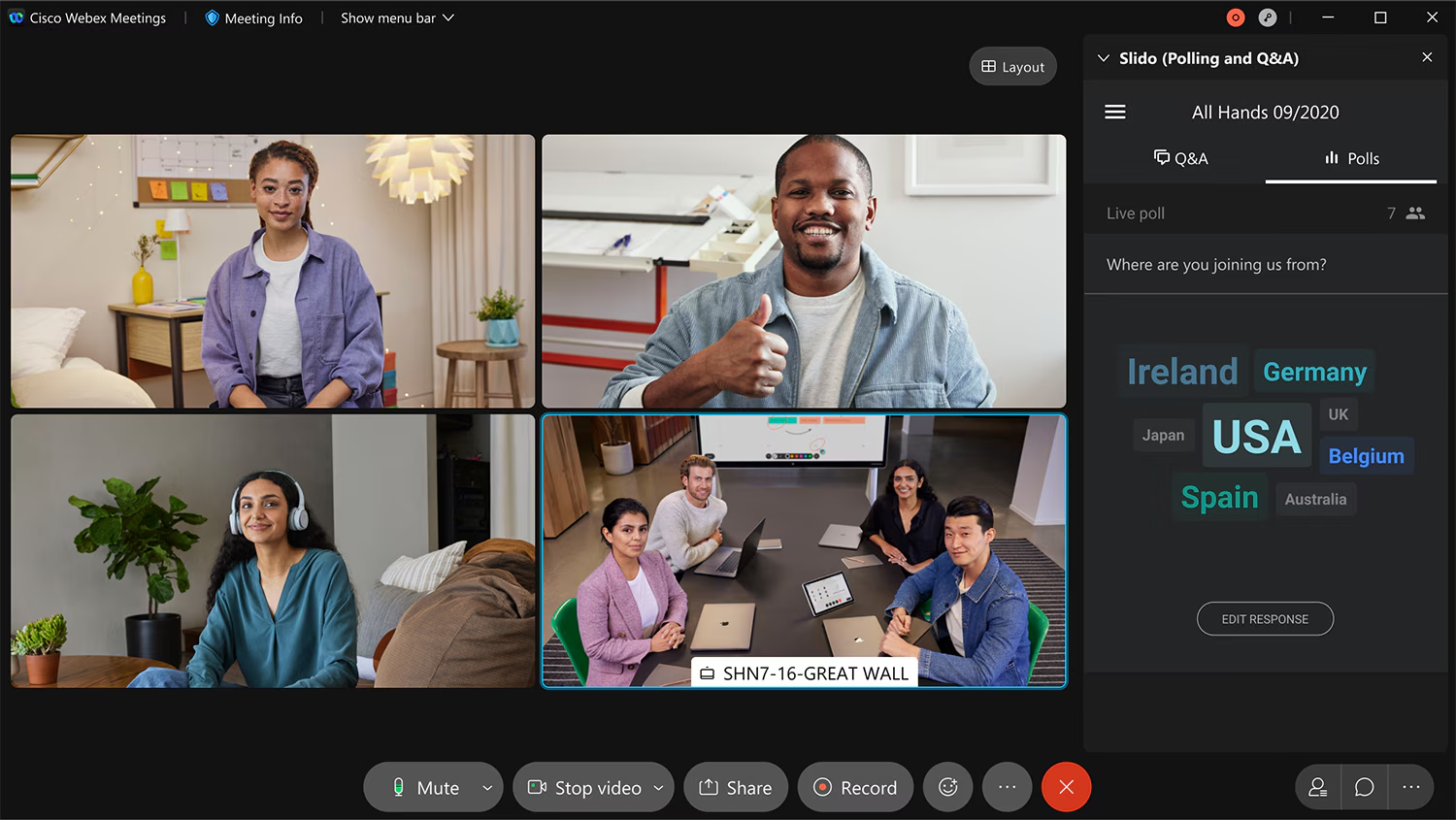
Image source: help.webex.com
Pros:
- Industry-leading end-to-end encryption and strict regulatory compliance standards.
- Flawless integration with Cisco's physical conference room hardware and screens.
- Advanced AI audio intelligence that effectively eliminates background noise.
- Massive scalability and reliability for hosting enterprise-wide town halls and events.
Cons:
- Setup, administration, and the general UI can feel complex and slightly dated.
- Pricing and deployment structures are often tailored for large-scale enterprise agreements, making it less accessible for small teams.
The verdict: Webex by Cisco is the definitive choice for healthcare, finance, and government sectors. It excels where data security, hardware integration, and strict administrative controls simply cannot be compromised.
Pricing:
- Starter: $12/user/month (billed annually).
- Business: $17/user/month (billed annually).
- Enterprise: Contact sales.
6. Slack: Best for quick, ad-hoc audio syncs
While Slack is primarily an asynchronous messaging app, its "Huddles" feature fundamentally changes how teams handle real-time collaboration. Huddles are designed to mimic a quick "desk drop-in." If a conversation in a chat channel becomes too complex, users can click a single button to instantly launch an audio or video sync. The interface allows for multi-cursor screen sharing and live drawing, solving the pain point of trying to explain visual coding bugs or design tweaks via text.
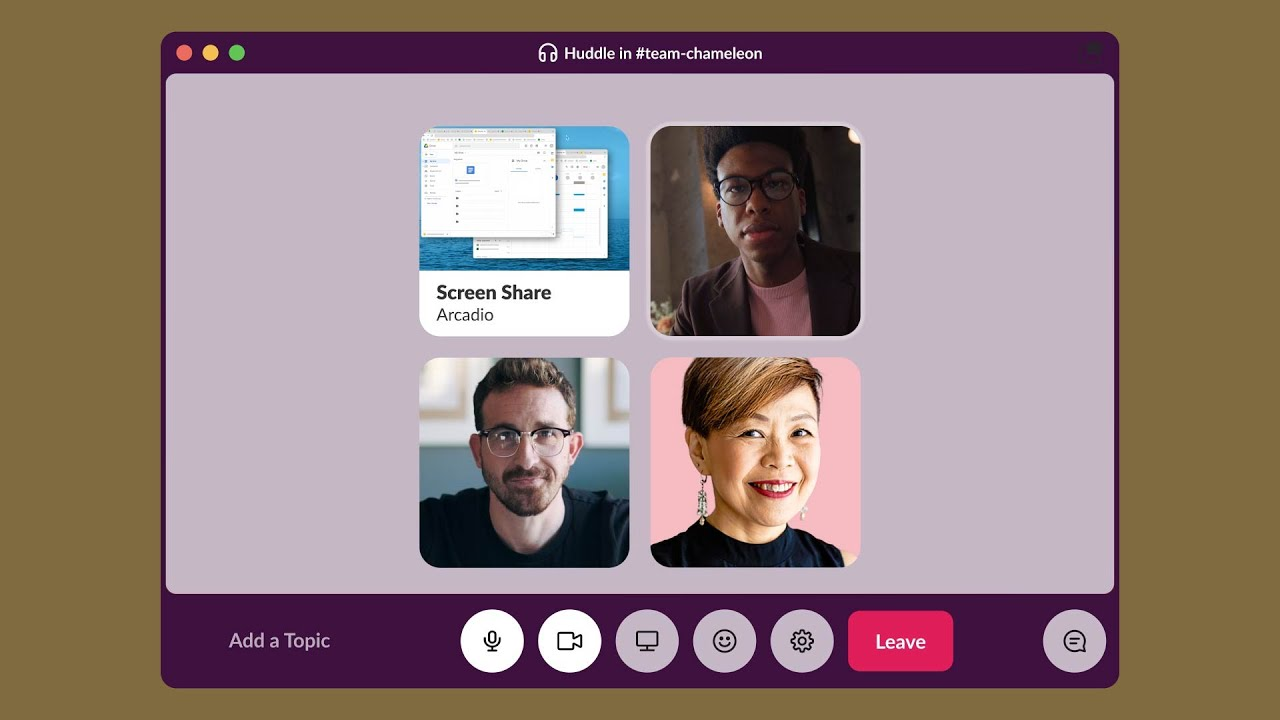
Image source: slack.com
Pros:
- Zero friction to transition from text-based chat to live voice or video within the same app.
- Multi-cursor screen sharing allows teams to actively co-work and draw on the screen.
- Keeps all communication centralized, preventing the need to generate external calendar links.
- Playful, informal UX (with ambient hold music) encourages quick problem-solving over formal meetings.
Cons:
- Lacks structured meeting tools like formal agendas, advanced host controls, or native cloud recording.
- Completely unsuitable for external webinars or large-scale, formal presentations.
The verdict: Slack is uniquely suited for agile internal teams, designers, and developers. It stands out by facilitating rapid, spontaneous collaboration to unblock tasks rather than relying on scheduled, formal video meetings.
Pricing:
- Professional: $8.75/user/month (billed annually).
- Advanced: $18/user/month (billed annually).
- Enterprise +: Contact sales.
7. GoTo Meeting: Reliable, no-nonsense traditional web conferencing
GoTo Meeting is a veteran in the online meetings space, historically praised for its absolute reliability when hosting external screen-sharing sessions. It provides a straightforward, highly focused user experience that avoids the bloatware of modern unified suites. It specifically solves the pain point of technical hiccups during critical sales pitches, offering a commuter-friendly mobile app and strong drawing tools. However, because it focuses heavily on traditional presentations, it lacks the deep asynchronous messaging and document-sharing features found in modern collaboration hubs.
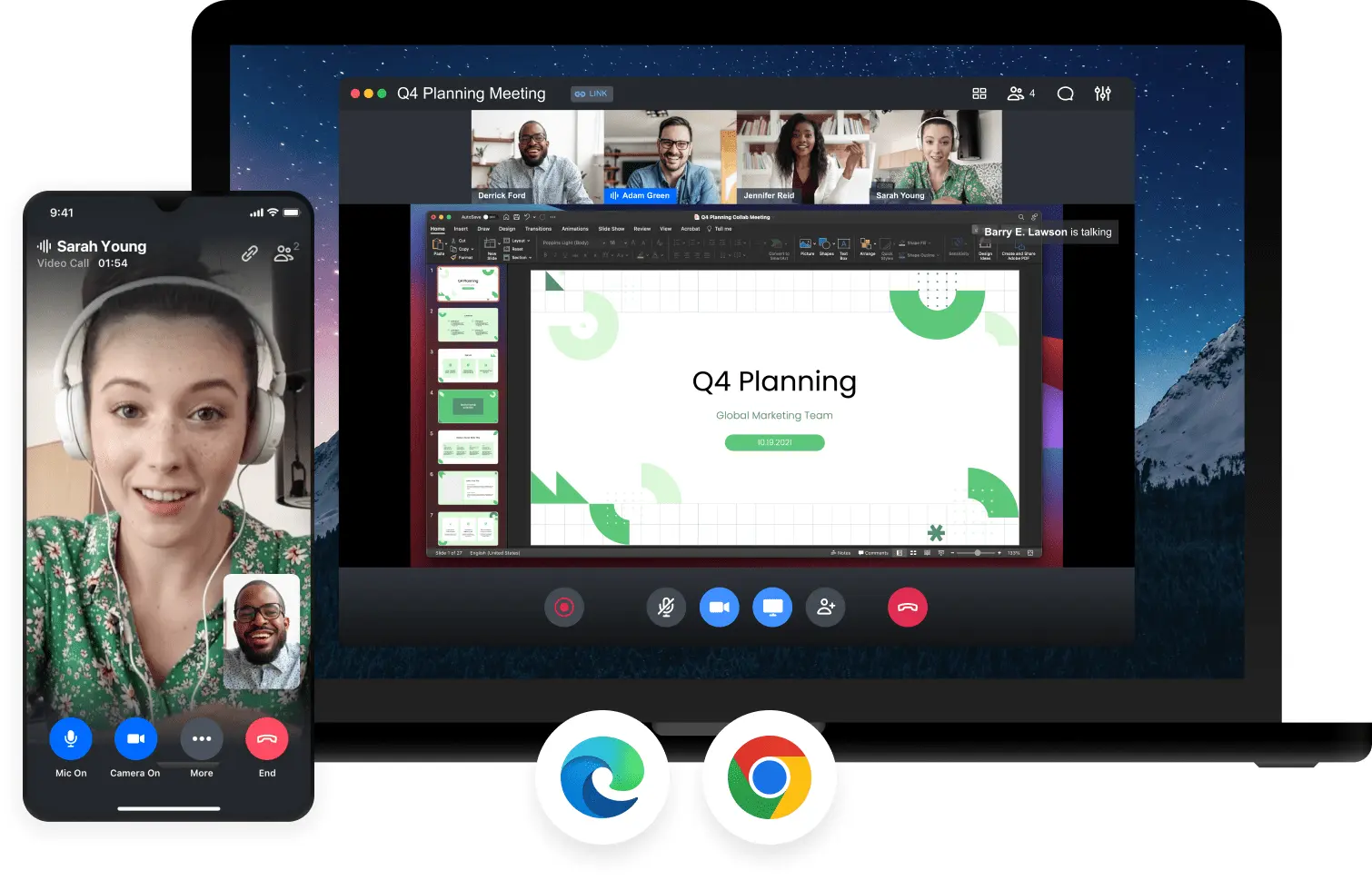
Image source: goto.com
Pros:
- Extremely reliable screen sharing optimized for external presentations and software demos.
- Commendable, highly stable mobile application for joining meetings on the go.
- Straightforward interface that avoids unnecessary, distracting bloatware.
- Excellent built-in drawing and annotation tools during live screen shares.
Cons:
- Lacks the modern, unified collaboration features (like integrated chat and docs) of newer workspace tools.
- The interface feels slightly legacy and purely functional compared to cutting-edge competitors.
The verdict: GoTo Meeting is best for sales professionals, trainers, and consultants. It shines as a rock-solid, traditional presentation tool to host external clients without any technical friction.
Pricing:
- Professional: $12/organizer/month (billed annually).
- Business: $16/organizer/month (billed annually).
- Enterprise: Contact sales.
8. RingCentral: The top unified voice, PBX, and video solution
RingCentral approaches the market from a telecommunications background, offering a platform that blends traditional cloud PBX business phone systems with modern HD video conferencing. It solves a very specific pain point for businesses: the need to replace aging physical desk phones while simultaneously adopting internet meeting software. The platform boasts incredible audio routing capabilities and integrates deeply with CRMs like Salesforce to log calls. However, its heavy focus on telephony means the interface can feel overwhelming if you are only looking for a simple video tool.
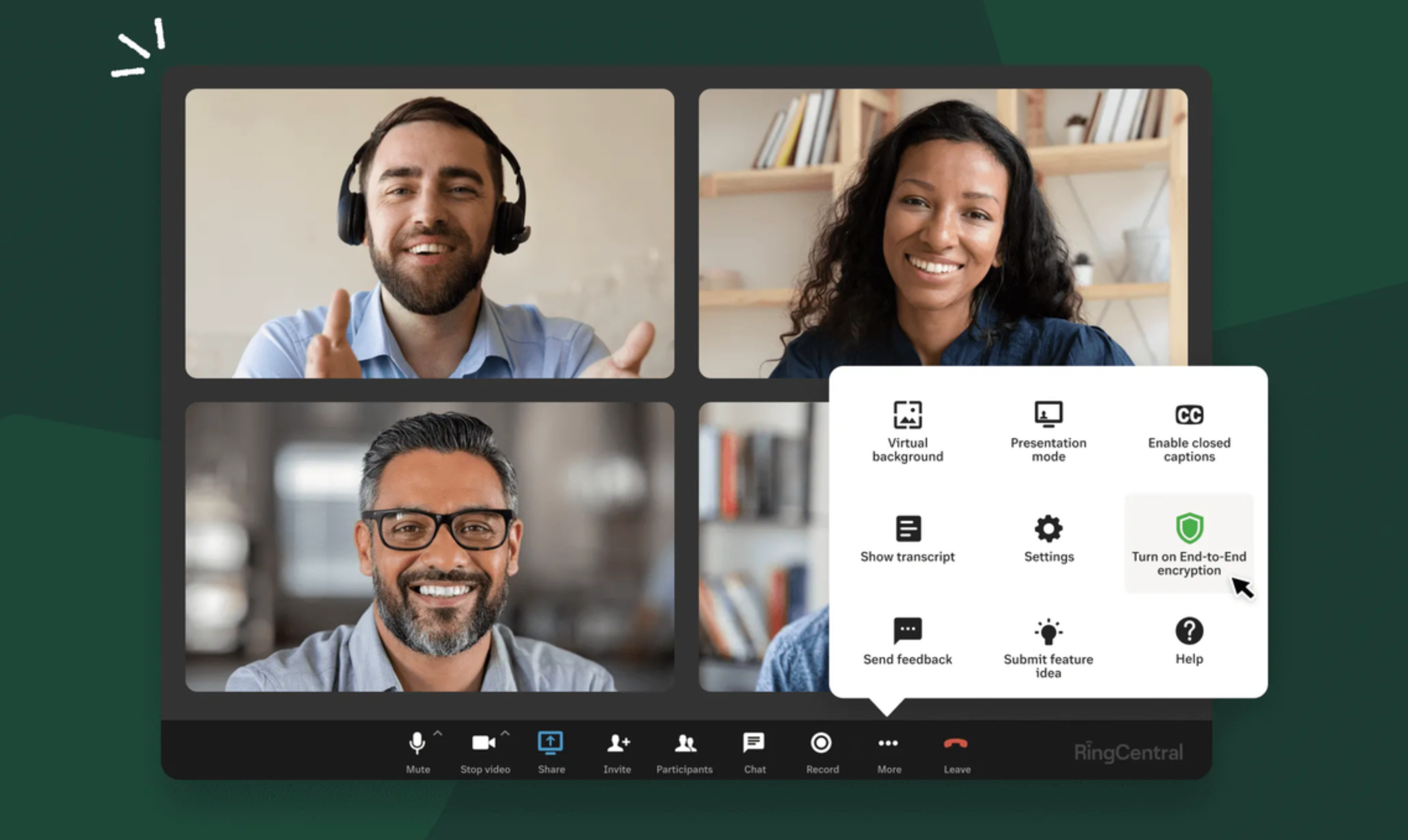
Image source: ringcentral.com
Pros:
- Brilliantly combines robust cloud PBX telephony with HD video conferencing in one app.
- High-quality audio architecture specifically designed for ultimate voice clarity.
- Exceptional administrative controls for call routing, forwarding, and central management.
- Strong integrations with major CRM platforms to automatically log calls and meetings.
Cons:
- Can be severe overkill and overly expensive if your team only requires video meetings.
- The heavy focus on telephony and dial pads clutters the interface for video-only users.
The verdict: RingCentral is the optimal solution for businesses transitioning from traditional desk phones to cloud communications. It is ideal for sales and support hubs needing both powerful VoIP telephony and integrated video.
Pricing:
9. Zoho Meeting: Budget-friendly and integrated browser-based calls
As part of the massive Zoho business suite, Zoho Meeting offers a highly accessible, browser-based solution for video calls and simple webinars. It solves the pain point of expensive software overhead for small businesses by providing a remarkably cost-effective alternative to premium giants. The interface is clean and functional, and it natively integrates with Zoho CRM and Zoho Projects, allowing users to launch meetings directly from an ongoing project task. While it handles basic meetings perfectly, it lacks the advanced cloud document collaboration of platforms like Lark or the heavy-duty security infrastructure of Webex.
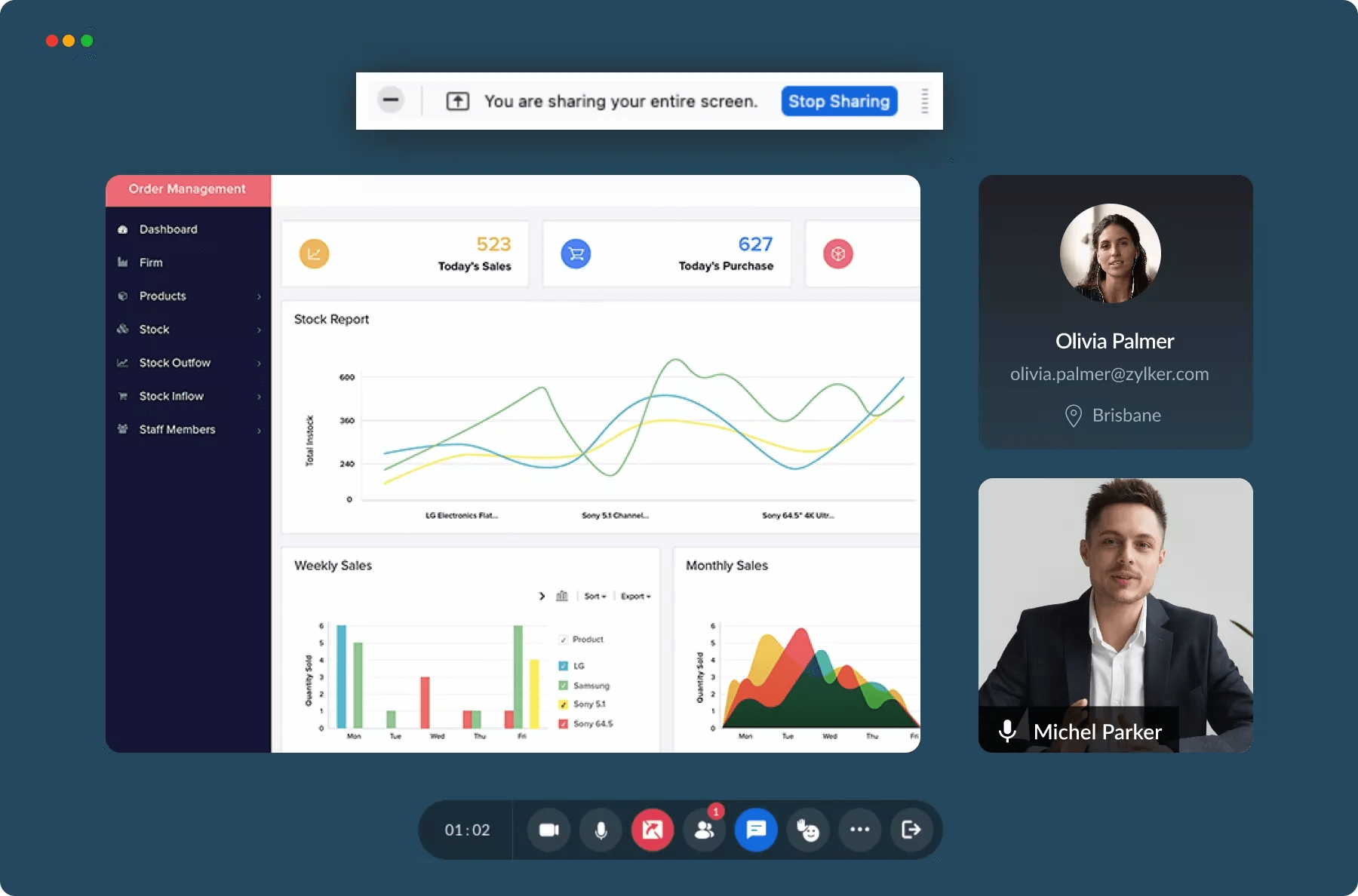
Image source: zoho.com
Pros:
- Highly affordable, making it accessible for startups and budget-conscious agencies.
- Clean, intuitive, browser-based interface that requires no downloads for guests.
- Flawless native integration with Zoho CRM, Zoho Mail, and Zoho Projects.
- Includes built-in tools for both standard team meetings and basic external webinars.
Cons:
- Lacks advanced collaboration depth (like cloud-native docs or advanced AI summaries).
- Video performance and features can feel basic when compared to specialized video giants.
The verdict: Zoho Meeting is perfectly suited for small businesses, agencies, and teams operating on a strict budget. It is the smartest choice if your company already manages its daily operations within the broader Zoho ecosystem.
Pricing:
- Standard: $1/per host/ month (billed annually).
- Professional: $3/per host/ month (billed annually).
10. ClickMeeting: Purpose-built for webinars and virtual training
ClickMeeting deviates from standard team communication apps by focusing intensely on one-to-many broadcasts. It solves the pain point of audience engagement during virtual events. The UX is tailored for marketers and educators, offering a suite of interactive tools like live polls, Q&A sessions, and interactive whiteboards. It also includes automated webinar flows and built-in monetization tools, allowing users to charge for access to training sessions. However, this heavy broadcast focus makes it entirely unsuited for fast-paced, daily internal team stand-ups.
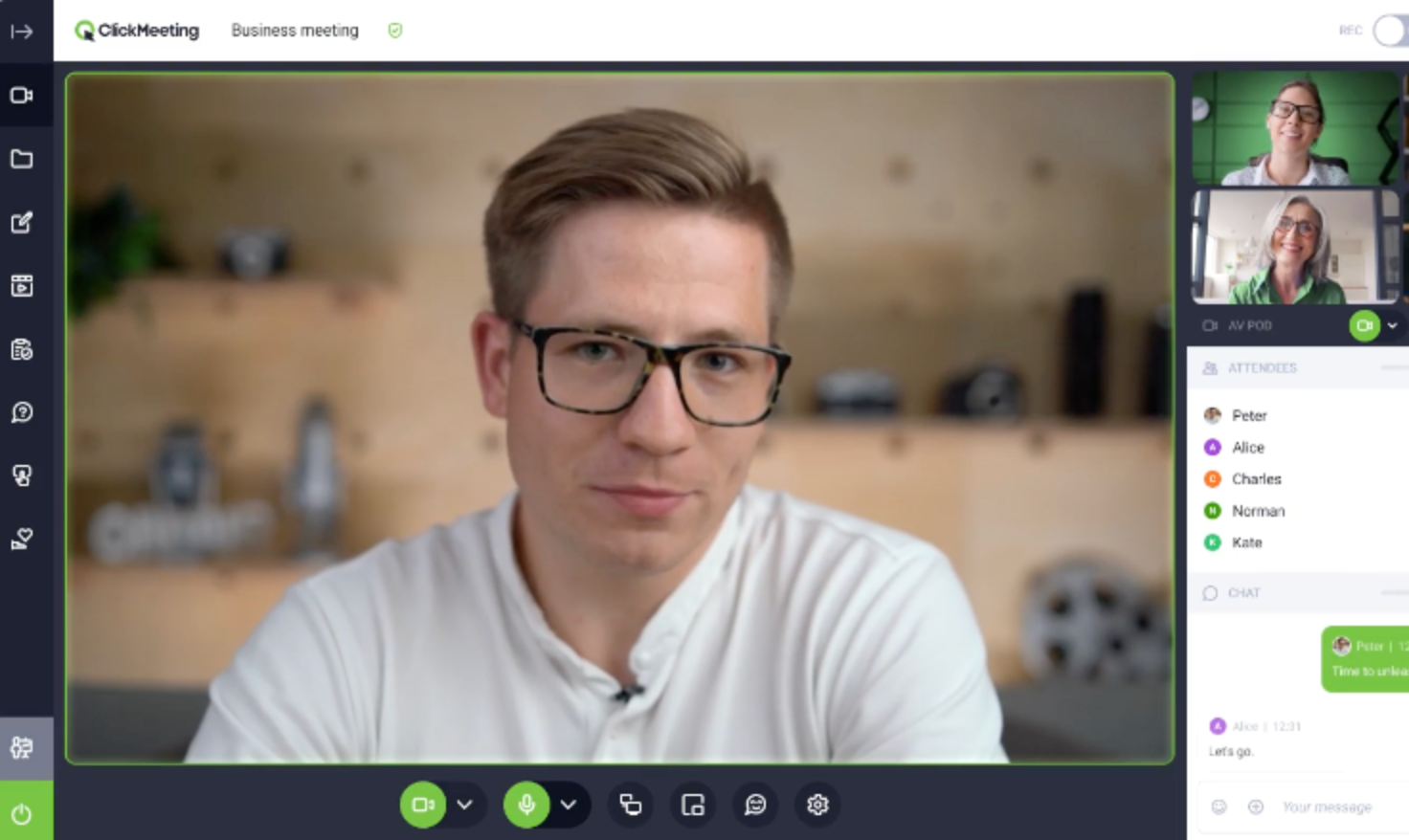
Image source: clickmeeting.com
Pros:
- Exceptional tools for audience engagement, including live polls, Q&A modules, and interactive whiteboards.
- Robust capabilities for automated webinar flows and pre-recorded broadcasting.
- Built-in monetization tools allow hosts to easily charge for paid virtual sessions.
- Strong custom branding options to personalize the virtual waiting rooms and meeting spaces.
Cons:
- Fundamentally not optimized for fast-paced, daily internal team collaboration or project syncs.
- Pricing is scaled by attendee capacity, which can quickly grow expensive for massive external audiences.
The verdict: ClickMeeting is the premier choice for marketers generating leads, HR teams running onboarding, and educators. It excels when you need to broadcast highly interactive content to an audience rather than collaborate with a team.
Pricing:
- Free: Free trial for 25 attendees.
- Live: $37/month for 50 attendees (billed annually).
- Automated: $48/month for 50 attendees (billed annually).
- Enterprise: Contact sales.
Stop comparison and try the best online meeting software now
Other online meetings software
While the platforms reviewed above represent the top contenders for most daily workflows, the market is vast. If you have highly specific needs, especially around virtual events or specialized networking, here are 10 other online meeting tools worth considering:
- Skype: This veteran platform remains a highly recognizable and consumer-friendly option for simple, informal video calls, though it lacks modern enterprise collaboration features.
- Dialpad Meetings: Built with a strong emphasis on voice intelligence, this platform offers real-time AI transcriptions and automated post-meeting summaries within a sleek, modern interface.
- Intermedia AnyMeeting: Designed primarily for small to medium-sized businesses, it provides a reliable, browser-based experience with robust webinar and screen-sharing capabilities.
- Airmeet: Tailored for virtual summits and community meetups, this tool stands out with its interactive "social lounge" that mimics the organic networking found at physical events.
- BigMarker: Operating entirely in the browser without requiring downloads, this platform is a powerhouse for marketers looking to host large-scale, interactive webinars.
- vFairs: Specializing in immersive 3D environments, it is the go-to software for hosting highly visual virtual trade shows, career fairs, and university open houses.
- Hubilo: Built for hybrid and virtual events, this platform focuses intensely on audience engagement through built-in gamification, live polling, and dedicated networking hubs.
- Remo: Featuring a unique, top-down 2D floor plan layout, it allows participants to freely move between virtual "tables" to simulate spontaneous, small-group networking.
- Accelevents: A versatile, all-in-one event management platform that smoothly handles everything from ticketing and registration to live broadcasting and interactive breakout sessions.
- Cvent: As an enterprise-grade giant in the event space, it offers an incredibly comprehensive suite designed to manage the complex logistics of massive hybrid and virtual conferences.
Important features of online meeting tools to look for
When evaluating different platforms, it is easy to get distracted by flashy marketing. However, based on my extensive testing, the best internet meeting software must nail a specific set of core functionalities. Here are the crucial features you should prioritize:
- Adaptive audio and video quality: Your internet connection will not always be perfect. The best software uses adaptive streaming technology that automatically adjusts video resolution based on your bandwidth, ensuring that your audio remains crystal clear even if your video feed needs to drop slightly in quality to prevent lagging.
- : Basic screen sharing is no longer enough. Look for platforms that offer multi-cursor whiteboarding, live polling, and the ability to co-edit documents seamlessly during the call (a feature where all-in-one suites like Lark truly excel).
- Breakout rooms and group management: If you run workshops or large team syncs, you need the ability to split participants into smaller, focused groups and bring them back to the main room with a single click.
- and recording: Automatically recording a meeting to the cloud and generating a searchable text transcript saves immense amounts of time on post-meeting note-taking. Some modern tools even offer real-time translation for multilingual teams.
- Robust security controls: Privacy is non-negotiable. Ensure the platform includes end-to-end encryption, customizable waiting rooms, and granular host controls (like the ability to mute all participants or lock the meeting) to prevent uninvited guests from dropping in.
How to choose online meeting apps
Finding the perfect fit for your team requires looking beyond standard feature lists. You need to align the software with your specific daily workflows. Here is a practical framework to guide your decision:
- Assess your primary use case and scalability: Are you primarily hosting quick, five-minute internal syncs, or are you running hour-long client presentations? If you host , you need a tool built for audience management (like Zoom or ClickMeeting). If you need a space for rapid, informal problem-solving, something like Slack Huddles might suffice. Ensure the software can scale gracefully as your user count and storage needs grow.
- Evaluate ecosystem integrations: The biggest productivity killer is disjointed software. Take inventory of the tools you already use. If you live in spreadsheets and calendars all day, you need a tool that natively syncs with them. Alternatively, if you want to reduce software costs and eliminate the hassle of integrations entirely, consider adopting a unified workspace like that natively bundles your meetings, chat, and cloud documents into one platform.
- Prioritize the guest experience (Ease of use): Think about the people you are inviting to your meetings. If you frequently meet with external clients, you want a platform with a frictionless joining process—ideally, a zero-download, browser-based link. If joining your meeting requires a 10-minute app update, you are starting the conversation on the wrong foot.
- Leverage free tiers for real-world testing: Never commit to an annual contract without testing the software under pressure. Take advantage of free trials and permanent free plans. Run a real project meeting, test the screen sharing, evaluate the background noise cancellation, and see how intuitively your team navigates the interface. The tool that requires the least amount of technical troubleshooting is usually the right choice.
Conclusion
Choosing the right online meetings software ultimately comes down to your team's workflow. If you primarily host external webinars, standalone video tools might suffice. However, if app fatigue is slowing your team down, migrating to a unified online meeting and collaboration software like can drastically improve productivity and cut costs. I recommend taking advantage of robust free tiers to test these platforms in real-world scenarios. Find the tool that bridges your communication gaps, aligns with your budget, and empowers your team to do their best work without the friction of constantly switching apps.
Make your team's meetings more efficient with Lark
FAQs
What is the best online meeting software?
The best online meeting software depends heavily on your team's specific workflow and daily collaboration needs. If you want a unified experience that eliminates app switching, Lark is a top choice because it seamlessly combines video calls, messaging, and cloud-native docs into one workspace. For massive, regulated enterprise ecosystems, Microsoft Teams remains a strong contender, while Google Meet is excellent for simple, frictionless browser-based calls.
What is replacing Zoom?
Many growing companies are replacing standalone video dialers like Zoom with comprehensive collaboration suites to reduce software costs and combat "app fatigue." Platforms like Lark are becoming increasingly popular alternatives because they allow teams to co-edit documents, track OKRs, and manage daily chat right alongside their video meetings. This industry shift helps remote and hybrid teams keep all their asynchronous and real-time work centralized in a single hub.
Why is Zoom no longer popular?
Zoom is still widely used, but its overwhelming market dominance has leveled off as organizations realize the hidden costs of paying for a standalone video tool alongside separate chat and project apps. Teams are increasingly frustrated by the context switching required when their video calls are completely disconnected from their daily workflows. Consequently, the market is shifting toward all-in-one productivity platforms that offer more holistic, built-in collaboration features rather than just high-quality video.
What is the best app for online meetings?
For mobile and hybrid workers, the best app for online meetings must seamlessly bridge the gap between desktop and smartphone experiences without losing core functionality. The Lark app excels here, offering a robust mobile interface where you can join video meetings, review shared project documents, and chat with your team effortlessly on the go. If you primarily need quick, informal audio drop-ins directly from your phone, Slack's mobile app with its Huddles feature is also a highly effective option.
Related reading



















![What Is a 2-2-3 Work Schedule? Explanation and More [2026]](https://framerusercontent.com/images/uKHRfkp4v7y4azRNTYUmuteNQz8.png)








