Managing inventory efficiently is essential for businesses of all sizes, ensuring that stock levels are optimized and operations run smoothly. Open source inventory management systems present a cost-effective and flexible solution to accommodate various business needs. These systems allow organizations to tailor functionalities to fit their specific requirements, making them an attractive alternative to proprietary software. This guide will explore top open source inventory management systems, their benefits, potential drawbacks, and introduce a modern alternative that can streamline inventory processes.
What is an open source inventory management system?
An open source inventory management system is a software solution that enables businesses to track and manage their inventory without the licensing costs associated with proprietary software. These systems provide users with the freedom to access, modify, and distribute the underlying code. This flexibility allows organizations to adapt the software to suit their unique inventory management needs.
Open source inventory management systems typically include core features that help businesses keep track of stock levels, manage reorders, monitor sales trends, and . Additionally, they often integrate with other business applications, creating a unified ecosystem that enhances operational efficiency.
Some popular aspects of open source inventory management systems include:
- Customization: The ability to modify the source code means that businesses can tailor functionalities and user interfaces to meet their exact specifications. This adaptability is particularly beneficial for organizations with niche inventory needs.
- Community support: Many open source systems are backed by active communities that contribute to continuous improvement. Users benefit from shared knowledge, tutorials, and forums where questions can be answered.
- Cost-effectiveness: Open source solutions typically do not require significant upfront payments or subscription fees, making them an appealing option for startups and small businesses.
For those looking to implement an open source inventory system, understanding its capabilities and advantages is the first step toward enhancing inventory management practices.
Compare inventory workflows in one workspace.
How open source inventory management evolved (2010–2026)
In the early 2010s, most small and medium-sized businesses managed inventory through spreadsheets or basic web apps. Purpose-built open source projects emerged from real-world necessity—OpenBoxes, for instance, was created after the 2010 Haiti earthquake to manage medical supply shipments for Partners In Health. It started as a simple tracker and grew into a multi-facility supply chain platform.
Between 2013 and 2016, browser-based inventory management became the norm. Projects like ERPNext and Odoo added integrated inventory modules with serial number support, lot tracking, and multi-warehouse visibility. Dockerized deployments emerged around 2017–2019, dramatically simplifying installation. REST APIs became standard, opening the door for integration with accounting, e-commerce, and ERP systems.
Since 2020, the landscape has matured further: cloud-hosted open source editions, mobile-friendly interfaces, barcode scanning, and offline support for low-connectivity environments are now common. Community-driven support has accelerated feature development, with active ecosystems delivering updates, plugins, and bug fixes at a pace that keeps many projects competitive with commercial alternatives. The convergence of inventory management, asset management, and IT hardware tracking is a defining trend of 2026.
Core features to expect in an inventory management system
Whether you choose open source or proprietary, here is the feature checklist that any inventory management system should cover in 2026.
Item and stock management:
Item catalog with structured categories, variants, and hierarchical classification
- Multi-location and bin-level tracking for warehouse operations
- Stock in/out, adjustments, and transfers across multiple locations
- Purchase order and sales order linking
Inventory control:
Reorder points and safety stock thresholds
- ABC inventory classification for prioritizing high-value items
- Cycle counts for ongoing accuracy
- Stock valuation methods: FIFO, LIFO, and average cost
- Stock control dashboards showing current inventory levels
Traceability and scanning:
Barcode and QR code integration, which reduces manual entry errors
- Batch/lot and serial number tracking for compliance
- Expiry date tracking—critical for the healthcare and food sectors
Reporting and analytics:
Low stock alerts and customizable reports
- Slow-mover and fast-mover analysis
- Demand forecasting and stock aging reports
- Reporting tools that generate insights on stock turnover rates
Advanced extras:
REST API for integration flexibility
- Plugin or modular architecture
- Role-based access control and audit logs
- Support for multiple languages
Top 12 open source inventory management systems in 2026
As businesses continue to adapt to evolving market demands, open source inventory management systems remain a compelling choice for organizations seeking flexibility, cost-effectiveness, and customization. In 2026, here are twelve of the top open source inventory management systems that stand out for their features and capabilities.
1. Odoo Inventory: Integrated with a complete suite of applications
Odoo offers an integrated suite of business applications, including a powerful inventory management module built for open source stock management. The Odoo Inventory module allows users to manage stock, track deliveries, and optimize supply chains. It integrates seamlessly with other Odoo applications, creating a fully connected management system and one of the most complete open source inventory management systems available.
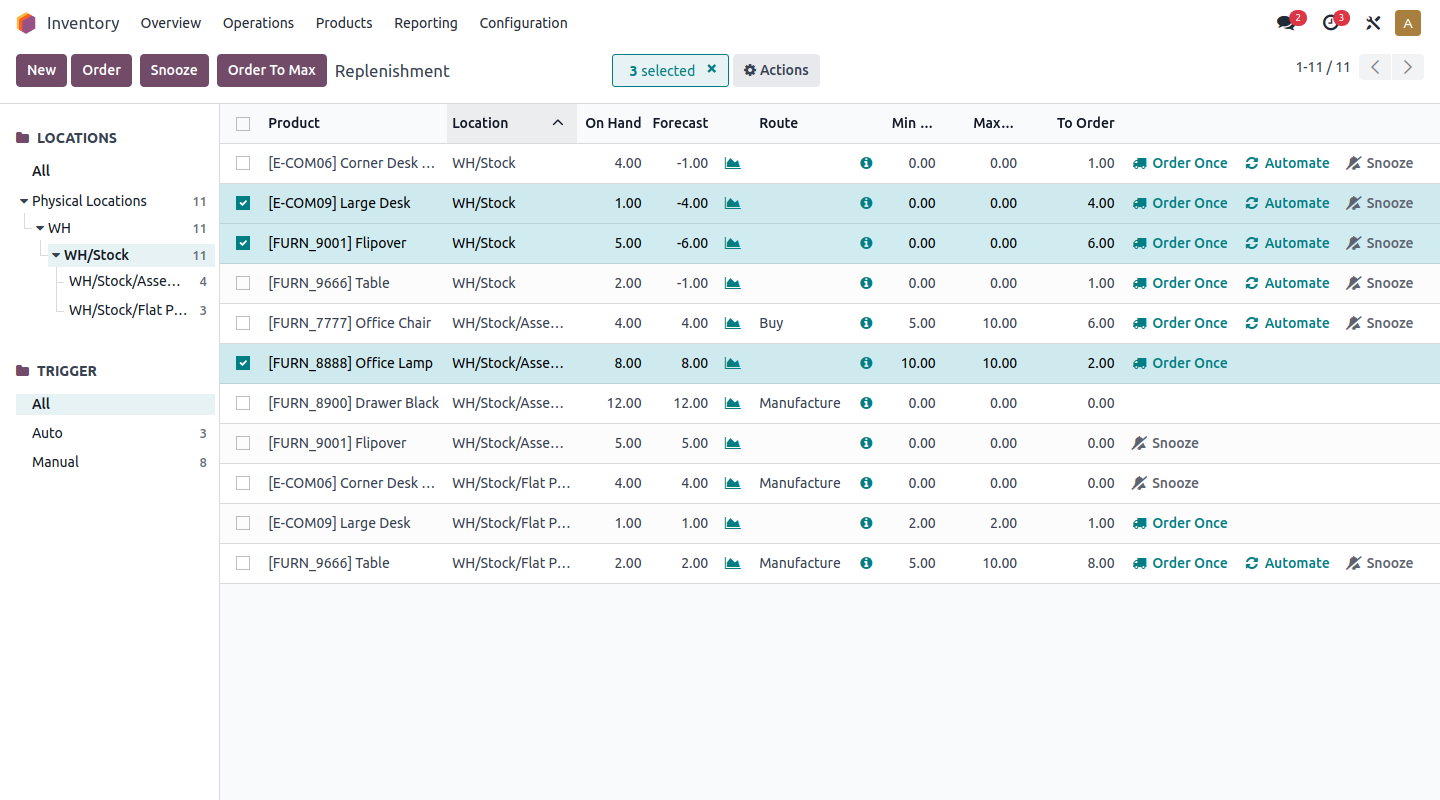
Image source: odoo.com
Advantages:
- Extremely versatile with numerous applications within the Odoo ecosystem.
- Strong reporting tools provide actionable insights to improve inventory management.
- Intuitive user interface and great documentation enhance user experience.
- Automated inventory replenishment functionality streamlines stock management.
- Regular updates and community contributions keep the software current and effective.
Disadvantages:
- The pricing model can become expensive as more modules are added.
- Implementation may require technical assistance.
Why Odoo Inventory makes the list: Odoo's comprehensive suite of applications makes it suitable for businesses that want a holistic management tool, enabling smooth operations across departments.
Best use cases: Best for companies looking for a full ERP system that includes inventory management alongside CRM, accounting, and eCommerce solutions.
Pricing: Free for a limited number of users; paid plans start at $24/user/month for full functionality.
2. ERPNext: Comprehensive ERP with inventory management features
ERPNext is a comprehensive open source Enterprise Resource Planning (ERP) system that provides a robust inventory management module, so it doubles as a full open source inventory management system. It is designed to bring diverse business functions into one platform, including finance, sales, and warehouse management. With a user-friendly interface, ERPNext makes it easy for businesses to manage their inventory efficiently, track orders, and assess stock levels.
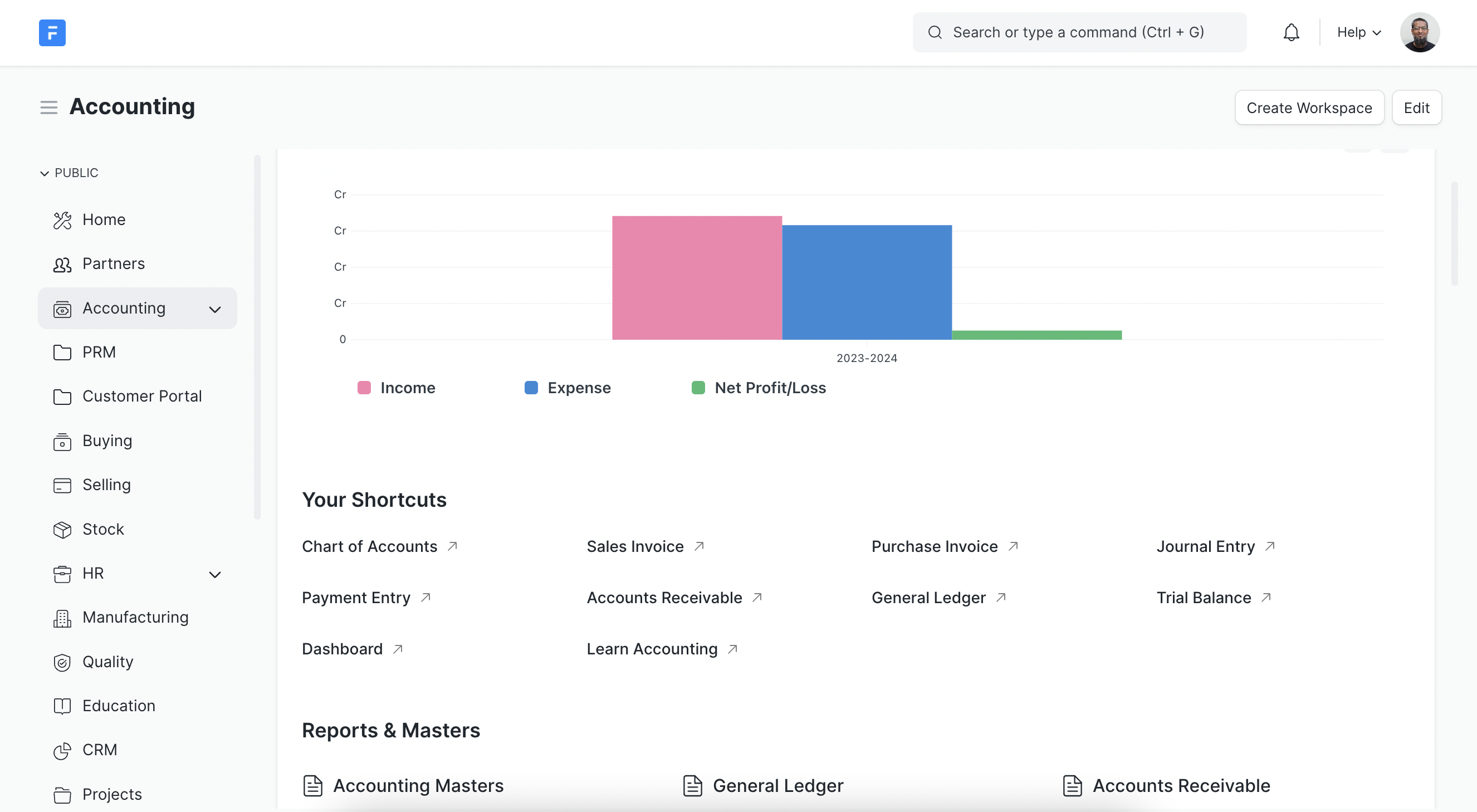
Image source: en.wikipedia.org
Advantages:
- Versatile and modular, providing a full ERP solution spanning multiple business functions.
- Customizable to fit specific industry needs, allowing for unique workflows and inventory practices.
- Strong community support, with extensive documentation and forums for assistance.
- Integrated reporting tools enable users to generate insights on stock levels and sales trends.
- Multilingual capabilities enhance usability for global teams.
Disadvantages:
- Can be complex to set up for users unfamiliar with ERP systems.
- Higher resource requirements may be needed for larger databases.
Why ERPNext makes the list: Its comprehensive features, including project management and HR modules, make it an attractive choice for businesses looking for an all-in-one solution rather than a standalone open source inventory system.
Best use cases: Ideal for small to medium-sized enterprises needing a full suite of business management tools, especially in manufacturing and retail.
Pricing: Free for self-hosted versions; paid plans start at approximately $10/user/month for hosted solutions.
3. Snipe-IT: Purpose-built tracking for IT assets and licenses
Snipe-IT is a free IT asset management platform that treats laptops, monitors, license seats, accessories and consumables as individually tracked records rather than bulk stock. Every item can be checked out to a person, a location or another asset, and the built-in label generator turns each record into a scannable QR or barcode. With more than 28 million pulls of its official Docker image, it is one of the most widely deployed open source inventory management systems inside IT teams.
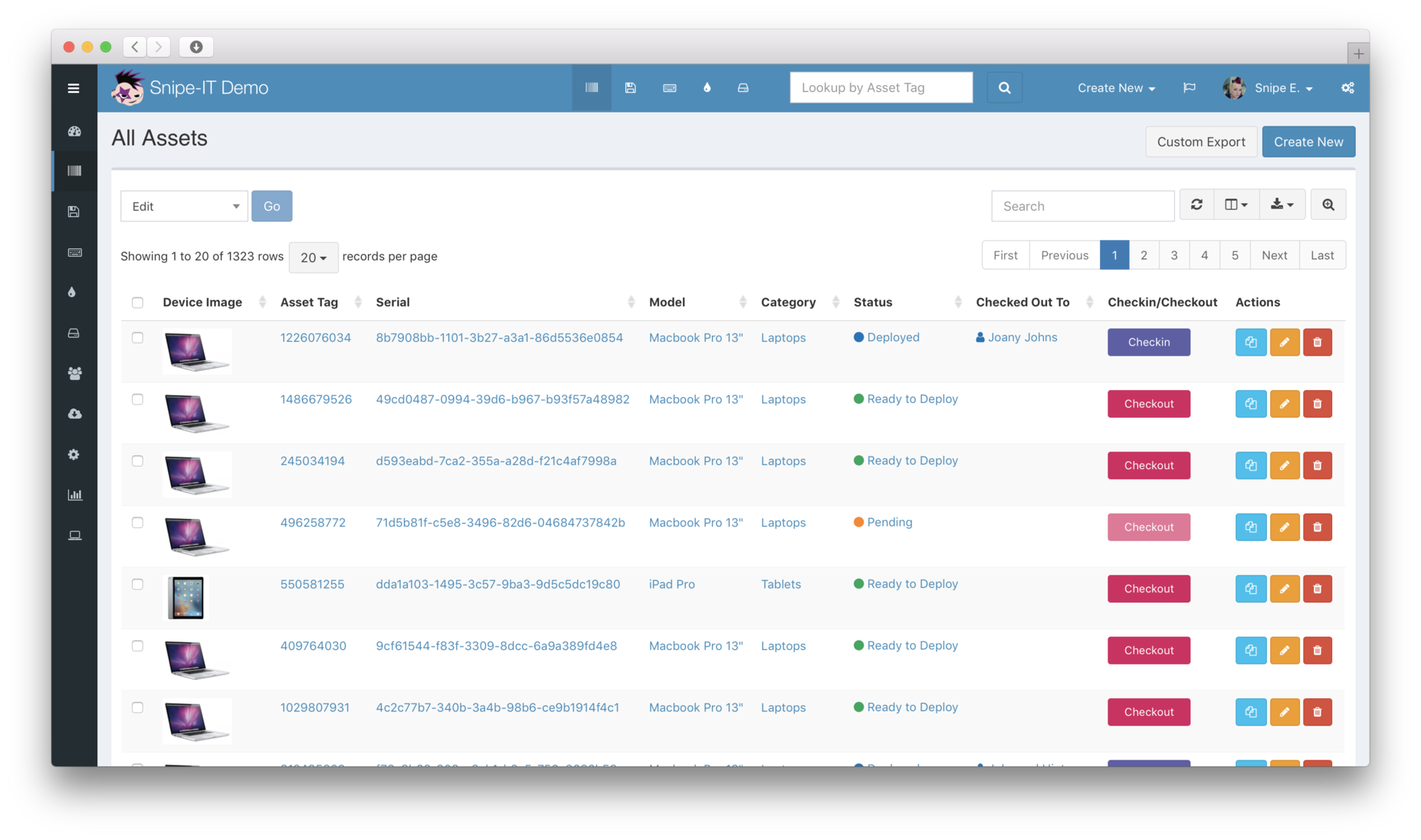
Image source: snipeitapp.com
Advantages:
- Check-in and check-out workflows tie every device, monitor or license seat to a named owner, location or parent asset.
- Custom fieldsets per asset model keep specialist data such as IMEI, MAC address or warranty terms structured instead of buried in notes.
- Built-in QR and barcode label generation makes physical audits possible with nothing more than a phone camera.
- License seat and expiry tracking with email alerts prevents renewal surprises and compliance gaps.
- A documented REST API, webhooks, LDAP or Active Directory sync and SAML single sign-on slot it into an existing IT stack.
Disadvantages:
- There is no discovery agent, so records arrive through manual entry, CSV import or the API and data quality depends on process discipline.
- Long-standing requests such as custom fields for non-asset records and nested locations remain open, and sysadmins report that keeping self-hosted instances patched is tedious.
Why Snipe-IT makes the list: It is the default recommendation in IT asset threads because it does one job extremely well: a trustworthy hardware and license register that a small team can stand up in an afternoon, which makes it the best open source inventory management system for device-heavy teams.
Best use cases: IT and operations teams that need to know who is holding which device, where it lives, and when warranties or license terms expire.
Pricing: Free and self-hosted under AGPLv3; managed hosting starts at $39.99/month ($399.99/year), with dedicated tiers for larger estates.
4. InvenTree: Focused on parts and components management
InvenTree is a simple yet effective open source inventory management system that focuses primarily on managing parts and inventory. It offers an easy-to-use web interface that enables users to manage stock, run reports, and integrate with manufacturing tools. InvenTree is particularly useful for electronics and manufacturing sectors.
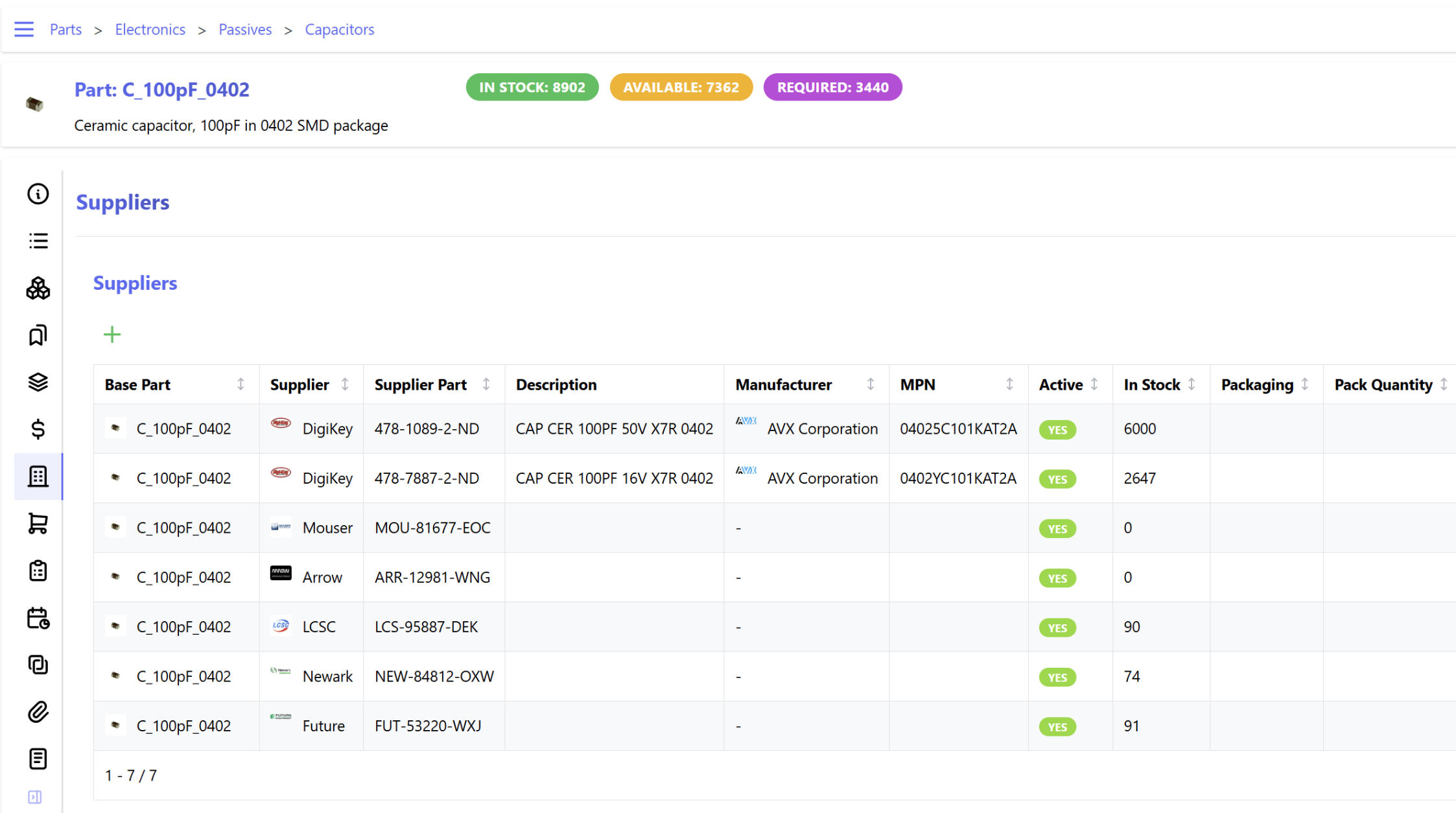
Image source: inventree.com
Advantages:
- User-friendly and straightforward interface makes it accessible for all users.
- Strong focus on parts and components tracking, making it ideal for manufacturing.
- Activates community support and regular updates, ensuring continuous improvement.
- Offers barcode scanning capabilities for efficient inventory management.
- Users can create custom fields and attributes to better fit their inventory types.
Disadvantages:
- Limited features compared to more comprehensive ERP systems.
- May not cover all inventory scenarios in complex setups.
Why InvenTree makes the list: Its specialization in parts management makes it a go-to solution for industries dealing with hardware components and manufacturing supplies.
Best use cases: Ideal for small to medium-sized manufacturing businesses and electronics firms looking for niche inventory management solutions.
Pricing: Free to use; optional paid support available.
5. OpenBoxes: Specialized software for healthcare supply chains
OpenBoxes is an open-source inventory management system designed primarily for supply chain management in healthcare settings. It allows users to track inventory levels, manage orders, and monitor supplies in real time, making it a practical solution for . Its focus on healthcare makes it a valued tool for hospitals and clinics needing to manage medical supplies effectively.
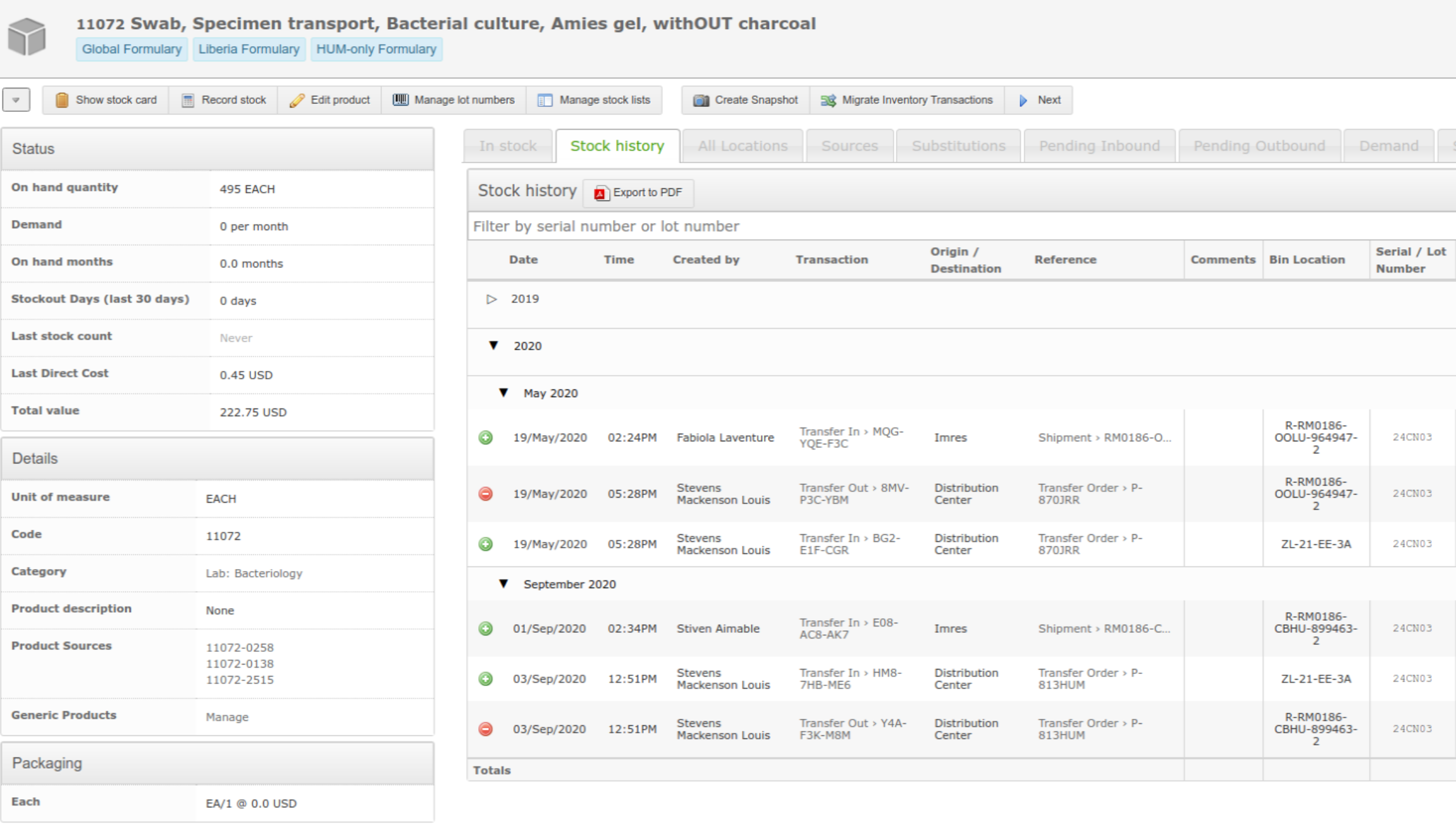
Image source: openboxes.com
Advantages:
- Tailored specifically for healthcare inventory management, enhancing accuracy in tracking critical supplies.
- Offers analytics tools for calculating stock levels and forecasting needs.
- A simple interface that requires minimal training reduces the onboarding time.
- Facilitates integration with other healthcare software for enhanced functionality.
- Supports multi-location inventory management, beneficial for larger healthcare organizations.
Disadvantages:
- Limited features outside the healthcare industry.
- Specific focus means it may not suit other sectors.
Why OpenBoxes makes the list: Its dedicated approach to healthcare supply management sets it apart as a specialized tool for critical environments.
Best use cases: Best for hospitals, clinics, and healthcare organizations that need to maintain precise inventory control over medical supplies, where open source stock management still has to satisfy auditors.
Pricing: Open source and free to use; optional paid hosting available through vendors.
6. Apache OFBiz: Highly customizable framework for tailored solutions
Apache OFBiz is an open-source framework that provides a wealth of tools for developing custom applications, including inventory management. It features a robust data model and offers various functionalities, such as product catalog management, procurement, and order fulfillment. OFBiz is especially suitable for businesses that require extensive customization.
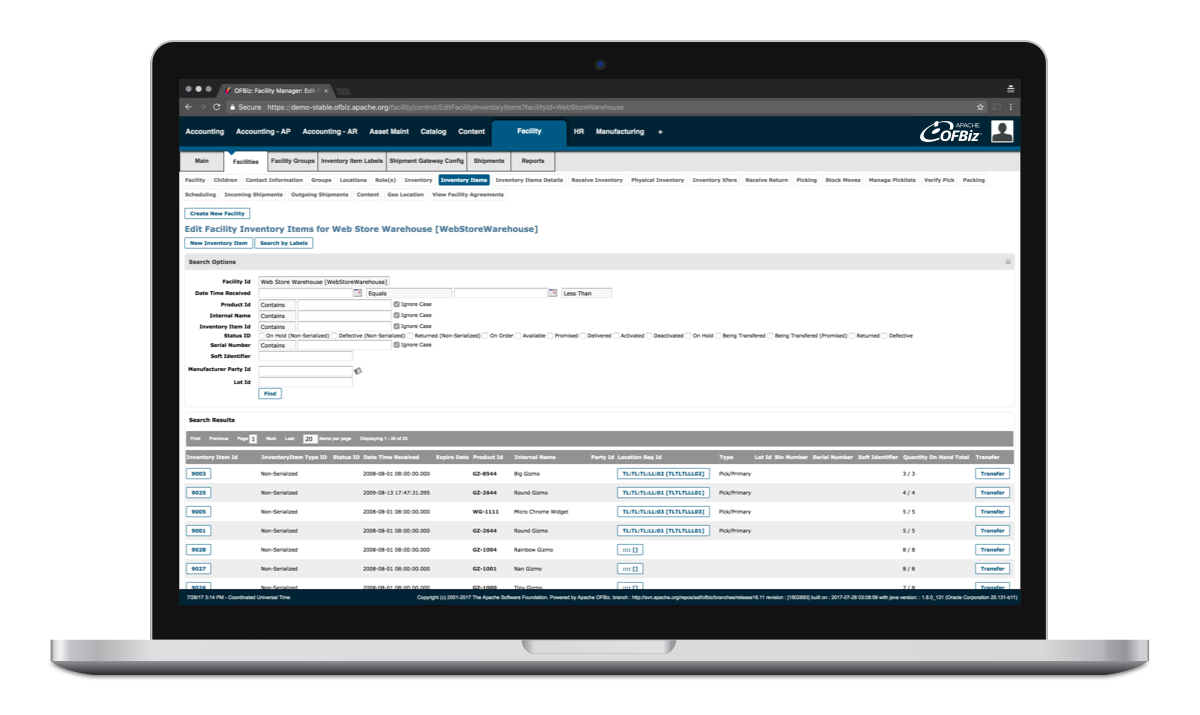
Image source: ofbiz.apache.org
Advantages:
- Highly customizable and flexible architecture, allowing businesses to adapt the software to their needs.
- Integrates various business functions into one platform, providing a holistic view of operations.
- Strong community and extensive documentation, facilitating support and collaboration.
- Supports multiple languages and currencies, which is beneficial for global businesses.
- Continuous updates ensure the software stays relevant and secure.
Disadvantages:
- Requires development skills for customization and deployment.
- Users may find the learning curve steep without previous experience.
Why Apache OFBiz makes the list: Its ability to serve as a foundation for custom applications, combined with strong enterprise features, stands out for tech-savvy organizations.
Best use cases: Best for companies with specific and complex workflows that desire a tailored approach to inventory management that off-the-shelf open source inventory management systems cannot deliver.
Pricing: Free, as it is an open source solution.
7. GLPI: Asset discovery and service desk in one platform
GLPI pairs a configurable CMDB with a full service desk, so assets, tickets, contracts and depreciation live in the same database. The free GLPI Agent inventories Windows, Linux and macOS endpoints automatically, while SNMP scans pick up printers, switches and other agentless devices. Version 11 arrived in late 2025 and has been on a steady maintenance cadence through 2026.
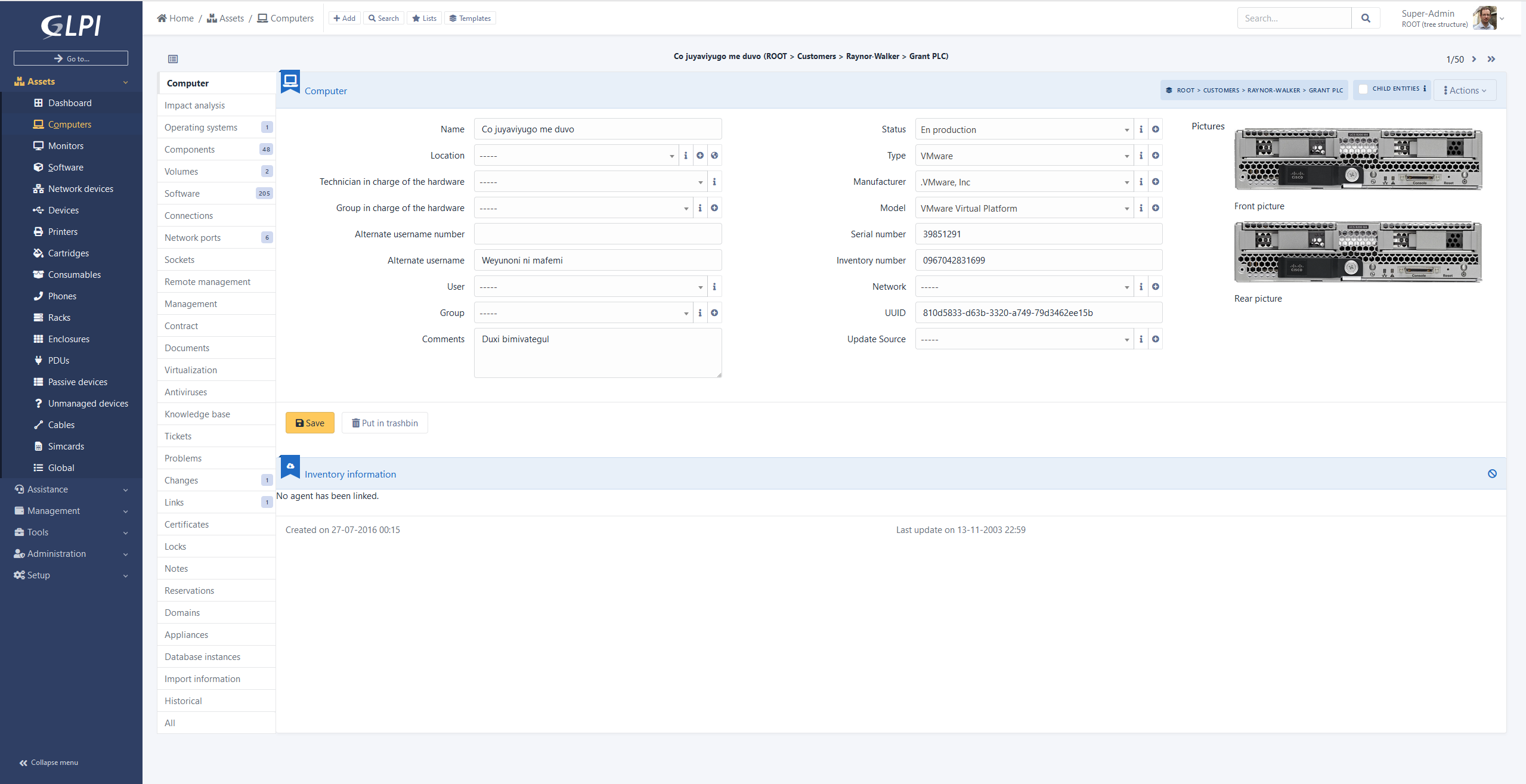
Image source: glpi-project.org
Advantages:
- The GLPI Agent plus SNMP network discovery keeps hardware and software inventories current without manual data entry.
- A relational CMDB links assets to users, suppliers, contracts and tickets, which makes impact analysis practical rather than theoretical.
- Consumable stock such as cartridges and spare parts supports alert thresholds, so replenishment happens before a queue forms.
- Financial fields for purchase cost, warranty and depreciation turn the asset register into a budgeting tool.
- A large plugin ecosystem, including OCS import, IPAM and data injection, extends the core without forking it.
Disadvantages:
- Major upgrades carry real risk: the public issue tracker documents failed migrations between major versions and broken interfaces after minor updates.
- The interface is dense, plugin compatibility lags each major release, and some of the deepest documentation still originates in French.
Why GLPI makes the list: When automated discovery matters more than a polished interface, GLPI is the tool sysadmins keep recommending, because it inventories the estate and manages the tickets that estate generates.
Best use cases: IT departments with 50 or more endpoints that want discovery, helpdesk, contracts and asset finance in one free, open source inventory management system.
Pricing: Free under GPLv3; self-hosted GLPI Network support starts around €100/month and the official cloud is €19/user/month with a 25-user minimum.
8. Dolibarr ERP & CRM: All-in-one stock, sales and invoicing
Dolibarr is a modular ERP and CRM in which the stock module sits directly beside quotes, invoices, purchase orders and shipments, so a small commercial team can run everything from one install. You switch on only the modules you need, which keeps the interface manageable as the business grows. Release 24 landed in 2026, and the project still records roughly 230,000 downloads a year on SourceForge alone.
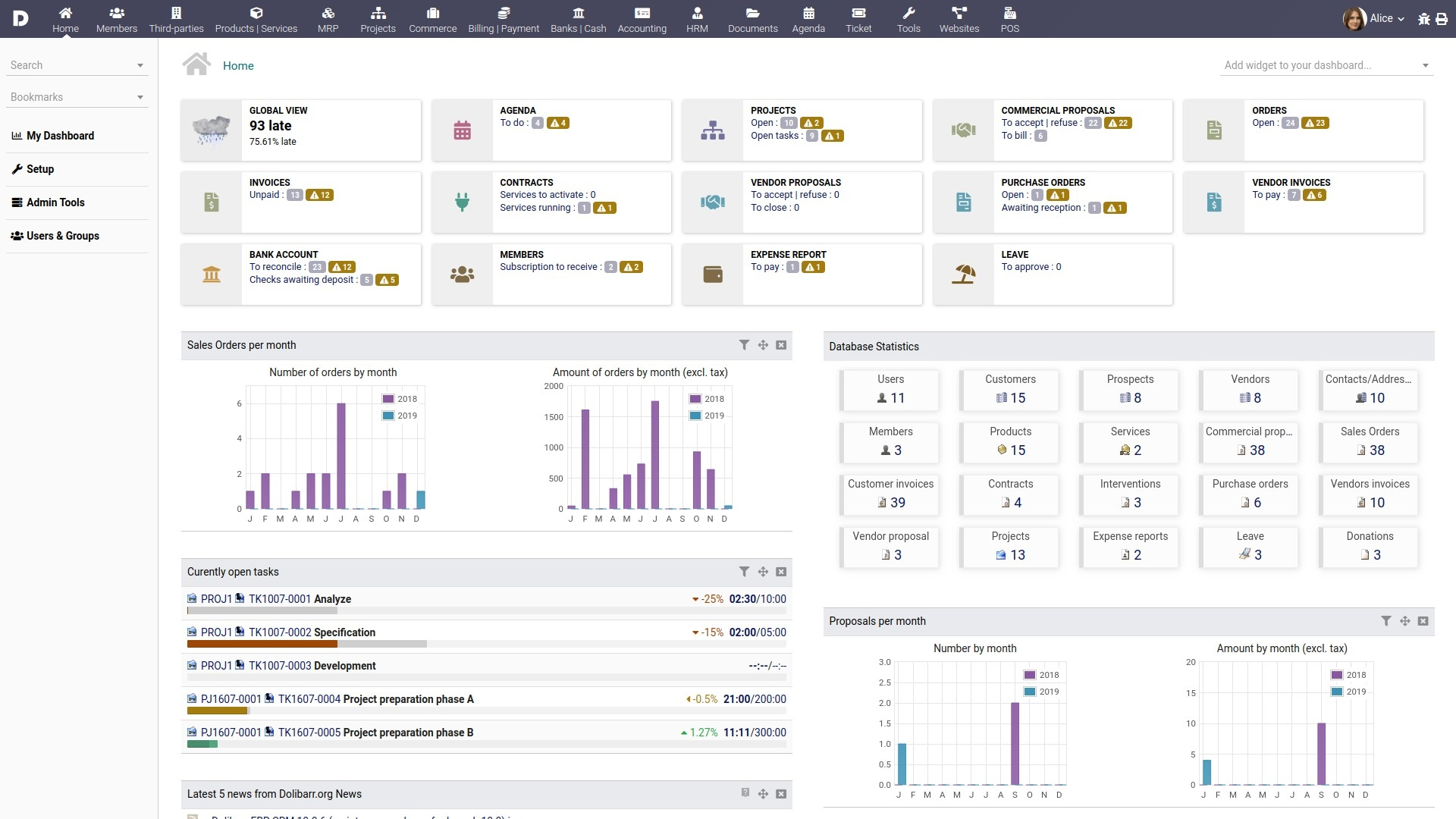
Image source: dolibarr.org
Advantages:
- Multi-warehouse stock with transfers, full movement history and per-warehouse valuation.
- Batch or lot numbers, serial numbers and expiry dates for regulated, perishable or warranty-bound goods.
- A dedicated inventory module for stock takes, so counted quantities can be reconciled against the ledger.
- Reorder rules and low-stock alerts feed supplier orders before a stockout reaches customers.
- Barcode and EAN support, a REST API and a large module marketplace for niche requirements.
Disadvantages:
- Module quality is uneven, and reviewers note that some add-ons are incomplete, paid, or need PHP skills to finish.
- With batch and lot tracking enabled, stock is only deducted when a shipment is validated, which surprises teams expecting real-time deduction.
Why Dolibarr ERP & CRM makes the list: Very few open source inventory management systems bundle stock control, purchasing, invoicing and CRM into one lightweight PHP application that a single administrator can maintain.
Best use cases: Small and mid-sized distributors, retailers and service firms that want inventory, sales and basic accounting in one self-hosted system.
Pricing: Free under GPLv3; the official DoliCloud hosting starts at €14/user/month.
9. OCS Inventory NG: Automated hardware and software discovery
OCS Inventory NG takes the opposite approach to manual registers: lightweight agents on Windows, Linux and macOS report hardware and software over HTTPS, while IP, ARP and SNMP scans find devices that cannot run an agent. The same console can then push software packages to the machines it has inventoried. Many teams run it as the discovery engine behind GLPI, and version 2.12 remained in active maintenance through 2026.
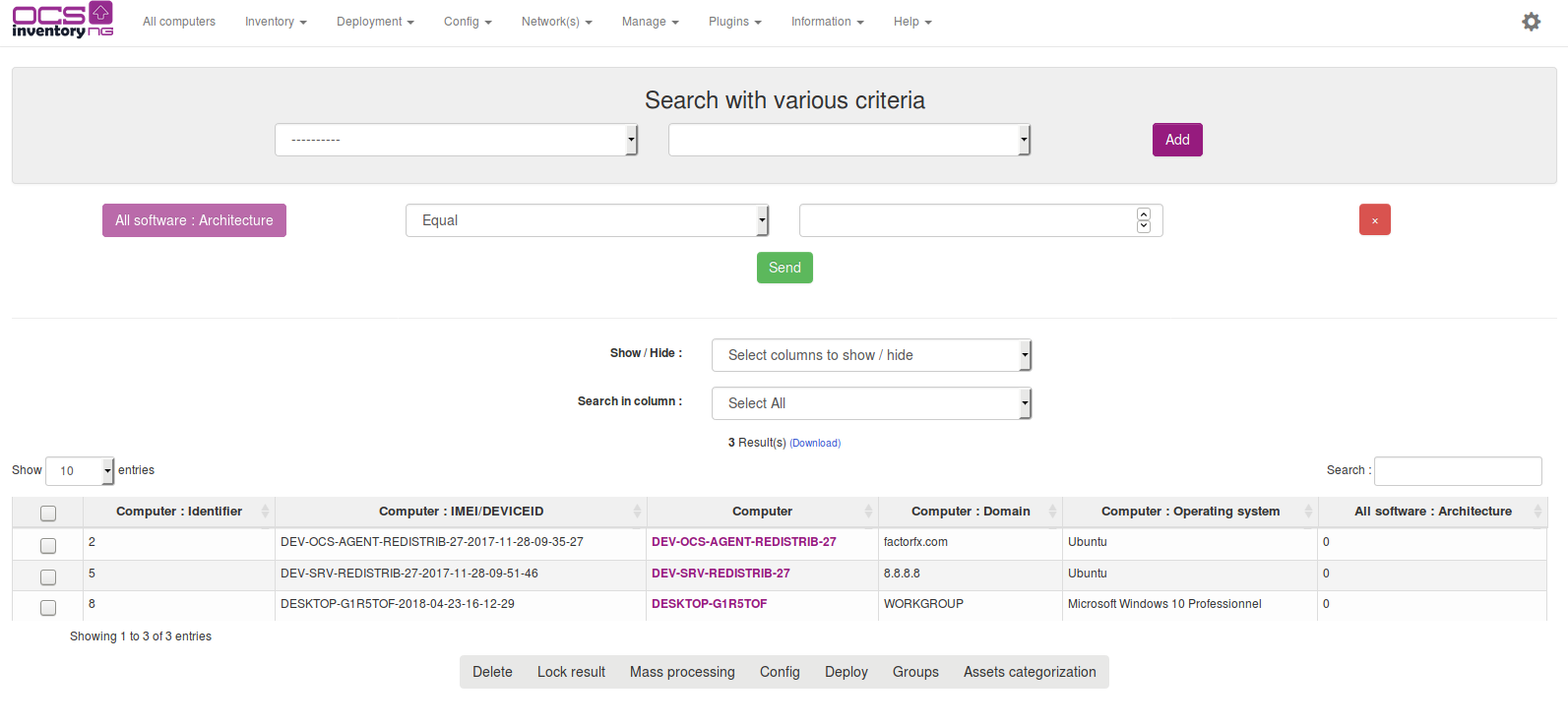
Image source: ocsinventory-ng.org
Advantages:
- Cross-platform agents build a complete hardware and software inventory with no input from end users.
- Network discovery and SNMP scanning surface printers, switches and unmanaged devices that manual processes miss.
- Package deployment pushes software and scripts to inventoried machines and reports the result centrally.
- A REST web service and native GLPI integration let it feed a wider ITSM or CMDB stack.
- Plugins on both the agent and the server side allow custom data collection for unusual estates.
Disadvantages:
- The four-part architecture of communication server, console, database and agents is the most error-prone installation in this guide.
- Development moves slowly, community feature requests can sit for years, and the GLPI Agent now overlaps much of its original value.
Why OCS Inventory NG makes the list: For fleets that already run OCS agents, it is still the most direct route to an always-current inventory of every machine on the network, and few open source inventory systems automate that work so thoroughly.
Best use cases: IT teams that need automated discovery and software deployment across mixed operating system fleets, particularly alongside GLPI.
Pricing: Free under GPLv2; the OCS Professional offer adds hosting, support response targets and maintenance credits, with pricing on request.
10. Part-DB Server: Electronic components down to the bin
Part-DB is a web application built for the inventory problem that generic tools handle badly: thousands of small electronic components spread across drawers, bins and projects. Each part carries categories, footprints, manufacturers, datasheets, supplier prices and multiple storage locations, and project bills of materials show how many units you could actually build right now. It is the actively maintained successor to PartKeepr, with releases landing throughout 2026.
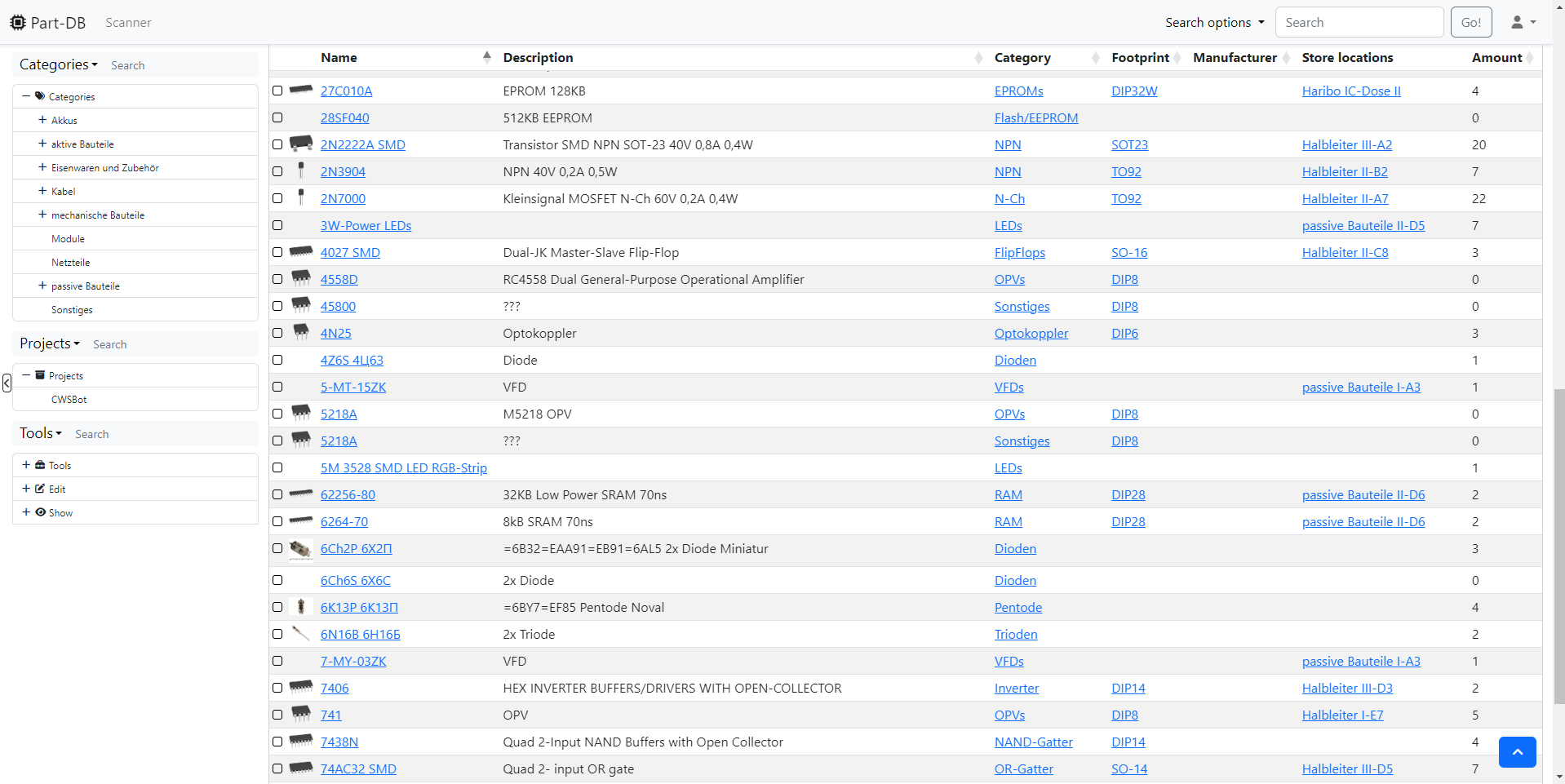
Image source: docs.part-db.de
Advantages:
- Parts model categories, footprints, manufacturers, several storage locations and price history per supplier.
- Information providers such as Digi-Key, Mouser, Farnell, TME and Octopart pull specifications and datasheets automatically.
- Label and barcode generation plus webcam scanning make bin-level stock keeping realistic in a small lab.
- Project bills of materials calculate buildable quantities and withdraw every required part in one action.
- A REST API, KiCad integration and a full event log with revert for every change.
Disadvantages:
- It is effectively a single-maintainer project, so the bus factor is a genuine risk for business-critical deployments.
- There is no purchasing or approval workflow, and imports from PartKeepr often need manual cleanup.
Why Part-DB Server makes the list: No other free tool gets this close to component-level accuracy, which is exactly what electronics teams need from an inventory open source option.
Best use cases: Hardware startups, electronics labs, makerspaces and repair shops tracking thousands of small parts against active projects.
Pricing: Free under AGPLv3 with no paid edition; the official Docker image has passed one million pulls.
11. Grocy: Household and consumables stock with expiry dates
Grocy describes itself as an ERP beyond your fridge, and that is a fair summary: stock with best-before dates, first-in first-out consumption, chores, recipes and automatic shopping lists in a single PHP application backed by SQLite. It is the easiest system here to stand up, which is why it dominates open source home inventory management discussions.
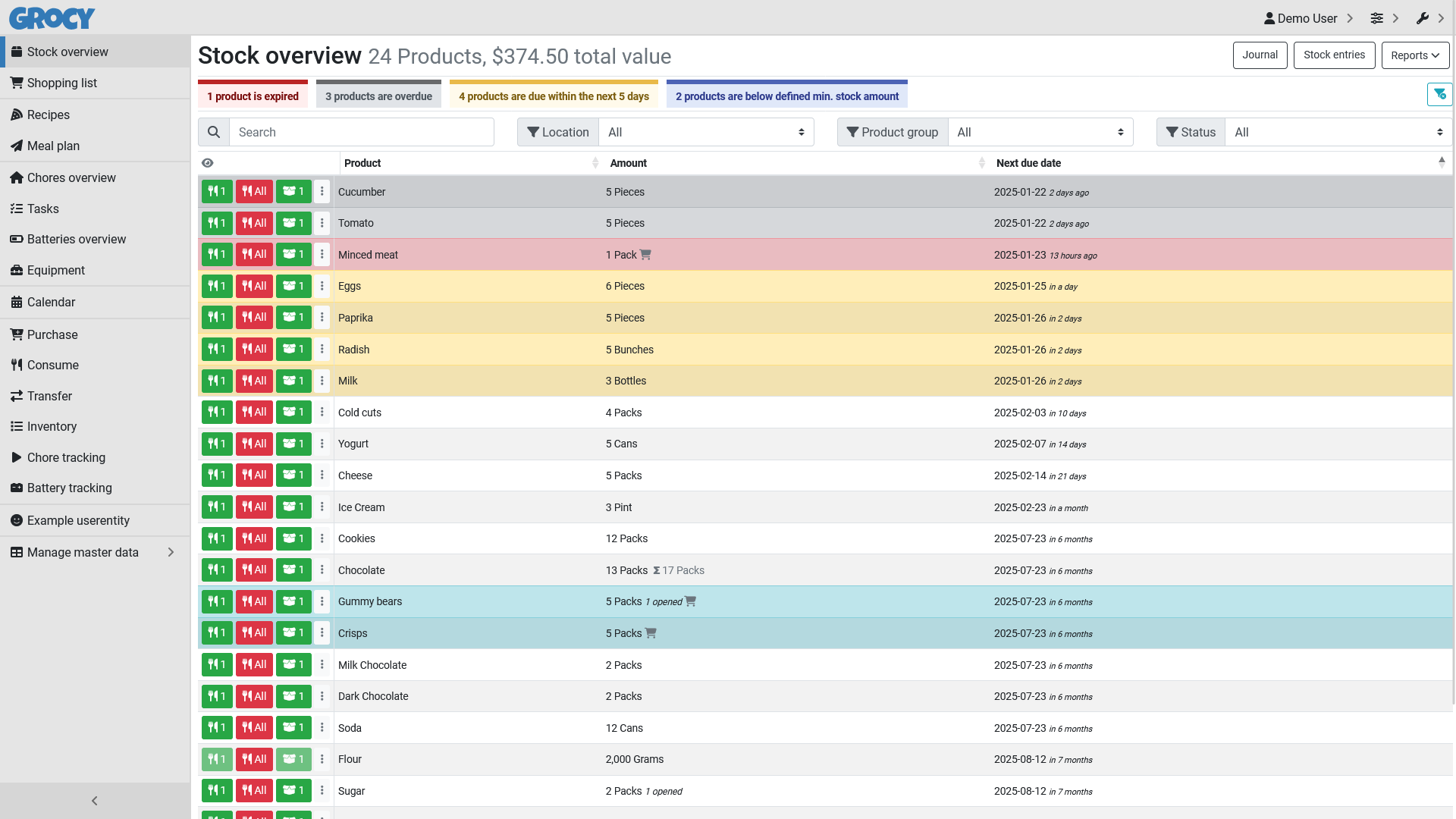
Image source: grocy.info
Advantages:
- Best-before dates with first-in first-out logic ensure the oldest stock is consumed first and expiring items surface early.
- Barcode scanning, including 2D and QR codes, plus barcode lookup speeds up receiving without dedicated hardware.
- Minimum stock amounts generate shopping lists automatically, so consumables are reordered without a spreadsheet.
- Multiple locations, transfers and unit conversions let you buy in cases and consume in single units.
- A complete REST API powers integrations such as the Home Assistant add-on and community mobile clients.
Disadvantages:
- The camera barcode scanner requires HTTPS, a recurring annoyance for quick LAN-only deployments.
- Its breadth of chores, tasks and recipes can feel overwhelming if all you wanted was stock tracking, and requests such as sublocations are still open.
Why Grocy makes the list: For homes, kitchens and small workshops, nothing else in open source inventory management combines expiry tracking, barcode scanning and shopping lists with a five-minute install.
Best use cases: Households, shared kitchens, labs and small workshops tracking consumables, tools and expiry dates rather than commercial stock.
Pricing: Free under the MIT license; self-host with Docker or the Home Assistant add-on.
12. Tryton: Modular Python ERP with rigorous stock logic
Tryton is a three-tier Python and PostgreSQL ERP whose stock modules model warehouses, shipments, lots and production with unusual precision. Where lighter tools store a quantity field, Tryton records every move, so historical valuation and traceability hold up to an audit. The 8.0 series shipped in 2026, and major series receive five years of long-term support, a release discipline that is rare among open source inventory management systems.
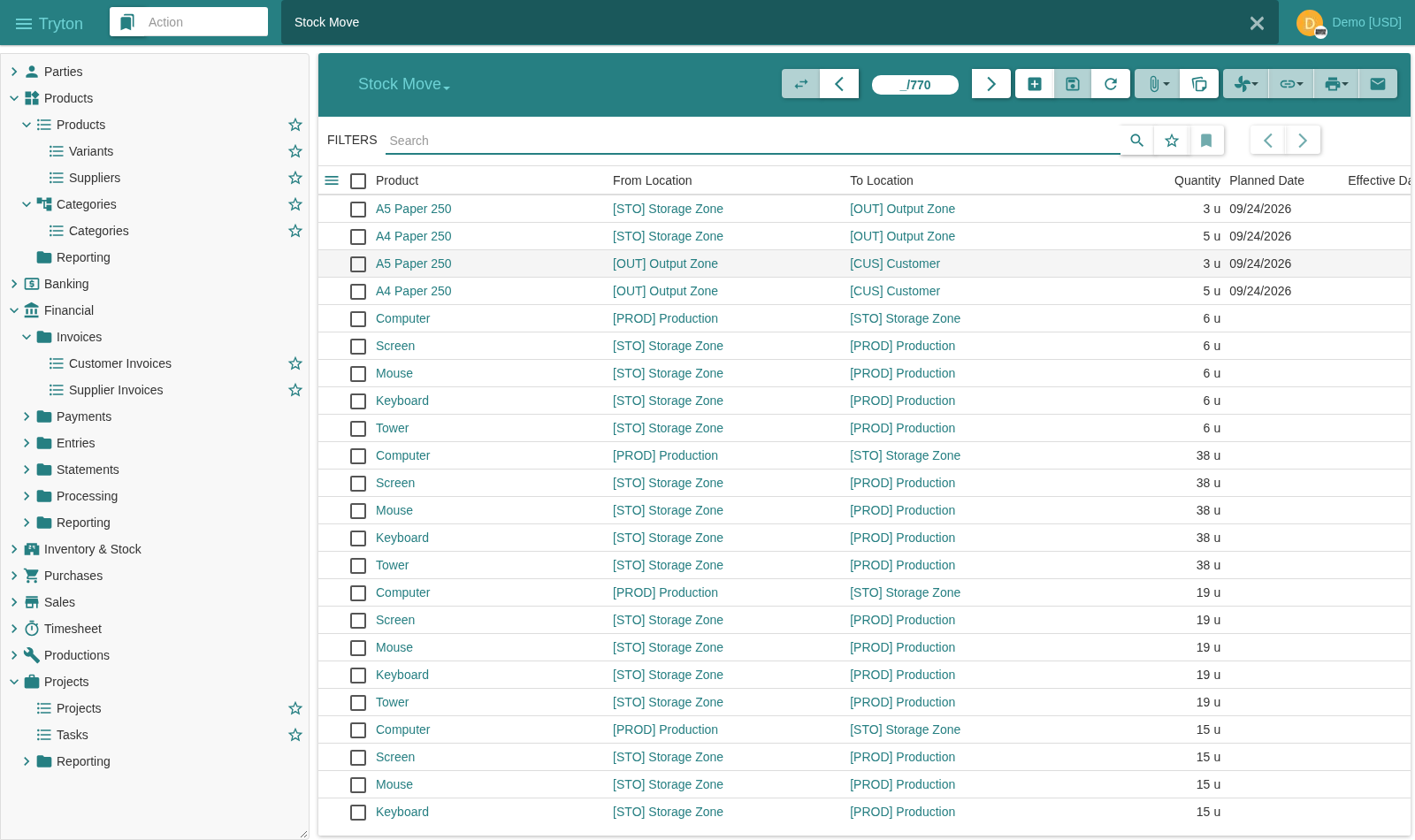
Image source: tryton.org
Advantages:
- Location hierarchies with incoming, outgoing and internal shipments model real warehouse flows instead of approximating them.
- Lot and serial tracking with expiry dates, plus automatic stock periods for reliable historical valuation.
- Supply computation converts demand into purchase requests and production orders across companies.
- Native multi-company and multi-warehouse support without bolt-on modules.
- Predictable release policy, including five-year long-term support for major series, which makes upgrade planning realistic.
Disadvantages:
- It runs on PostgreSQL only and is aimed at implementers, so expect a developer or partner for the initial build.
- Non-LTS series are supported for about a year, and the English-speaking community is small next to Odoo.
Why Tryton makes the list: Tryton is the most disciplined codebase in this comparison, and the only one that treats stock accounting as seriously as financial accounting.
Best use cases: Manufacturers, wholesalers and multi-entity groups that want an auditable ERP core and have access to technical help.
Pricing: Free under GPLv3; hosting, implementation and support are sold by third-party partners, so costs vary by region.
The other 8 open source inventory management systems
In addition to the top twelve, several other notable open source inventory management systems are worth considering. These systems offer unique functionalities that can suit diverse business needs. Here are eight more options that stand out:
13. iTop: Configurable CMDB with ITSM workflows
iTop combines an AGPL-licensed, highly configurable CMDB with incident, change and service management, so assets are always tracked in the context of the services they support. A data synchronization engine, spreadsheet import and a REST API keep records aligned with other systems, while optional extensions add rack and IP address inventory. Version 3.3 shipped in 2026; note that there is no barcode or checkout workflow, so it suits CMDB-centric IT organizations rather than warehouses.
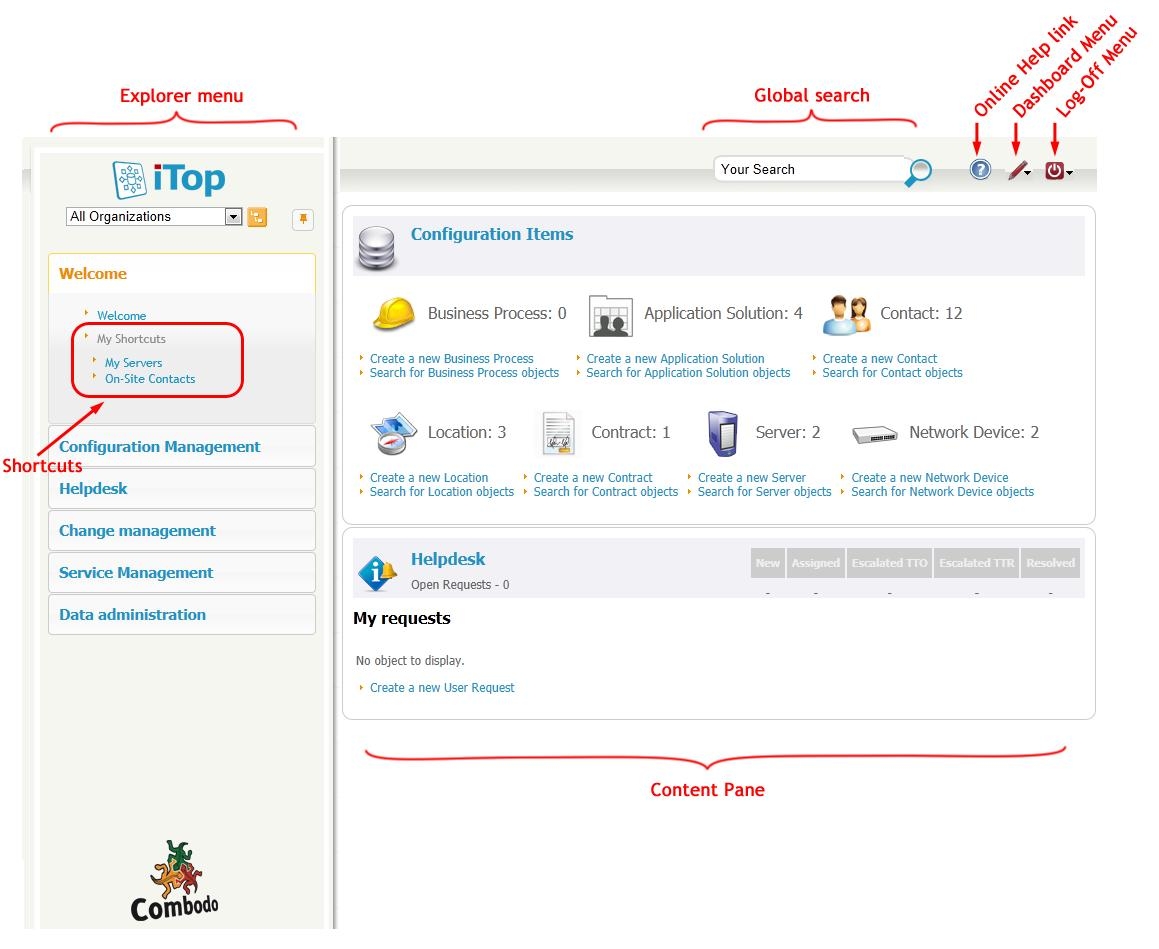
Image source: itophub.io
Advantages: Highly configurable CMDB, incident, change and service management, data synchronization and REST API. Disadvantages: No barcode or checkout workflow for warehouses. Best use cases: IT asset and service inventory for CMDB-centric organizations. Pricing: Free (AGPL) with paid support and extensions.
14. Ralph: Data center asset management and DCIM
Ralph is the Apache-licensed asset management and DCIM platform that Allegro built for its own infrastructure, written in Django with rolling releases through 2026. Among open source inventory systems it is unusually data-center focused, covering hardware lifecycle across racks and halls plus suppliers, purchase orders, licenses, asset transitions and barcode identifiers, all exposed through a REST API. Documentation is thin and the community is small, so it fits infrastructure teams that are comfortable reading source code.
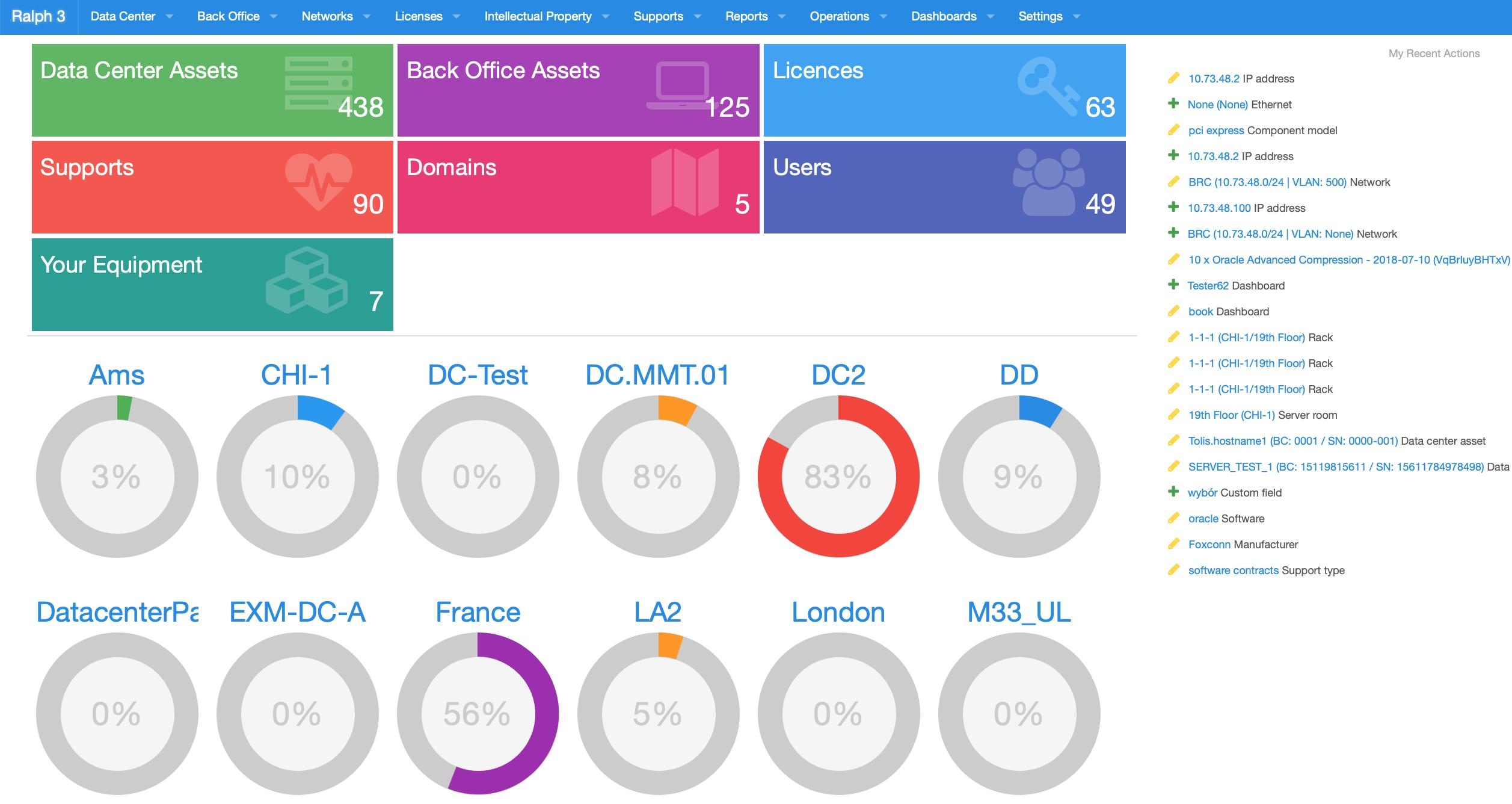
Image source: github.com/allegro/ralph
Advantages: Data-center-focused hardware lifecycle, suppliers, purchase orders, licenses and REST API. Disadvantages: Thin documentation and a small community. Best use cases: Infrastructure and DCIM teams. Pricing: Free (Apache-2.0).
15. NetBox: Data center infrastructure and IP inventory
NetBox is the open source DCIM/IPAM platform used by thousands of organizations to document racks, devices, cables, circuits and IP addresses in a data center. Built on Django with a REST and GraphQL API, it keeps infrastructure inventory consistent through an object-based data model, custom fields and change records.
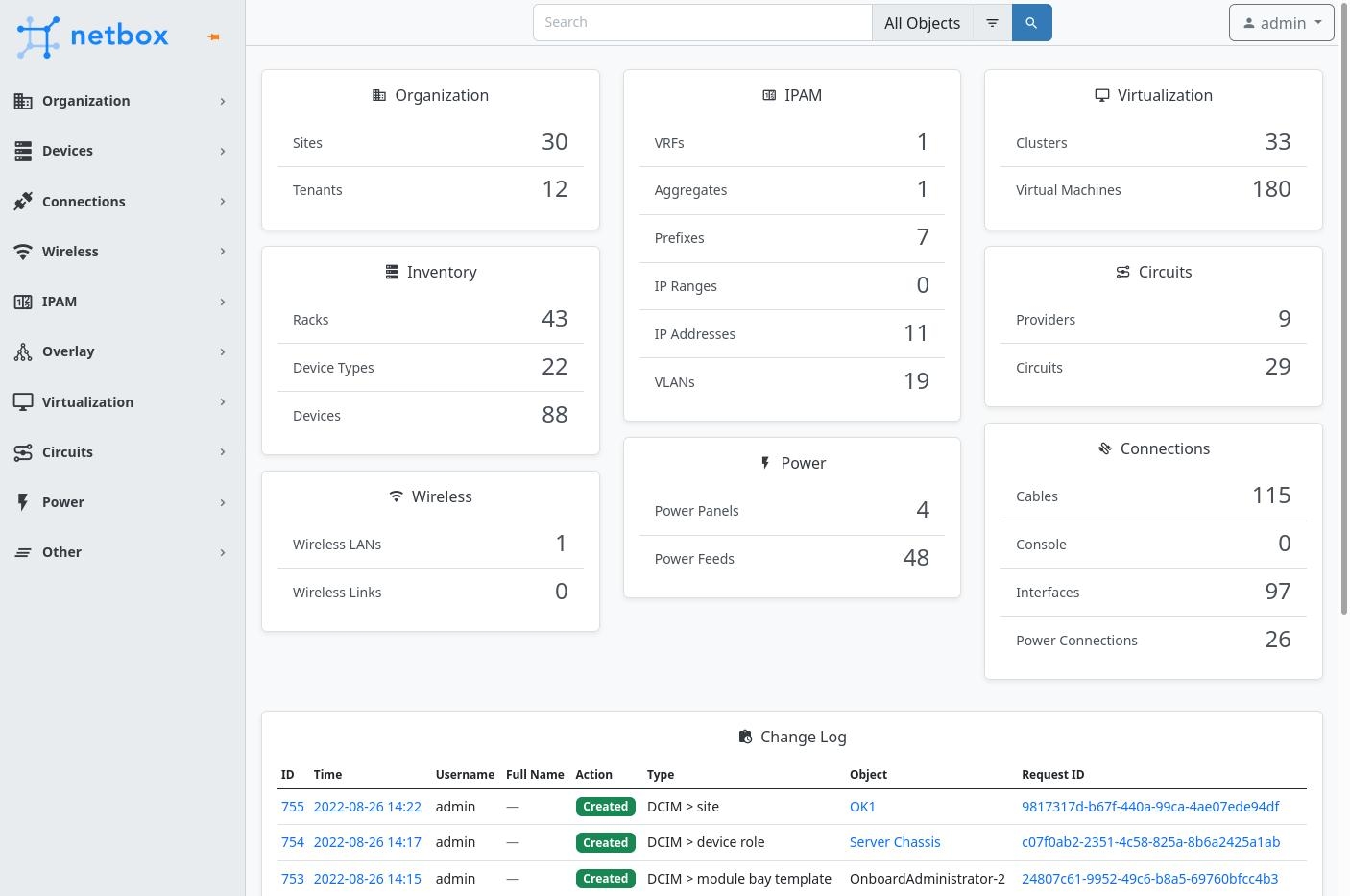
Image source: netbox.dev
Advantages: Standardized infrastructure data model, REST and GraphQL APIs, active open source community. Disadvantages: Not a warehouse stock system; it tracks hardware inventory rather than sellable goods. Best use cases: Data center and IT infrastructure inventory. Pricing: Free (Apache-2.0) with paid enterprise support.
16. PrestaShop: Ecommerce platform with built-in stock control
PrestaShop tracks quantities for every product and combination, logs stock movements, emails low-stock alerts and separates physical, reserved and available stock, which is enough for most single-warehouse stores. The advanced multi-warehouse stock management of the 1.6 era was dropped in the 1.7 rebuild, so distributed warehouses now depend on paid modules. It suits merchants who want inventory management open source software wired directly into the storefront.
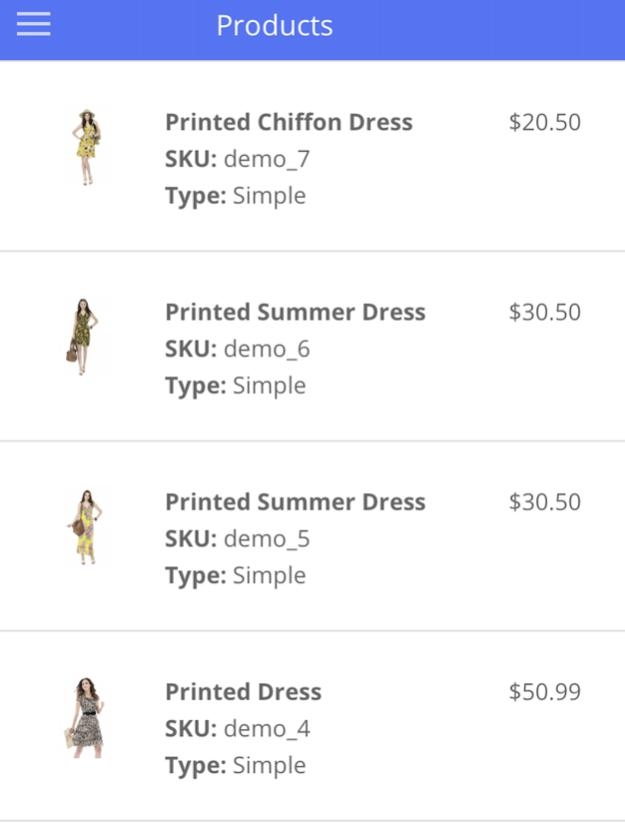
Image source: prestashop-project.org
Advantages: Native stock movement tracking, low-stock alerts and storefront integration. Disadvantages: Distributed-warehouse stock management depends on paid modules. Best use cases: Online stores that want storefront-integrated stock control. Pricing: Free core (OSL 3.0) with paid modules and services.
17. HomeBox: Self-hosted inventory for homes and small teams
HomeBox is an actively maintained, self-hosted inventory app written in Go and Vue for tracking items, quantities, locations, labels and photo records, with QR-code scanning and import/export. It is deliberately lightweight rather than an ERP, so it suits households, workshops and small labs that want an open source inventory system without per-user fees; larger warehouses should look at InvenTree or ERPNext instead.
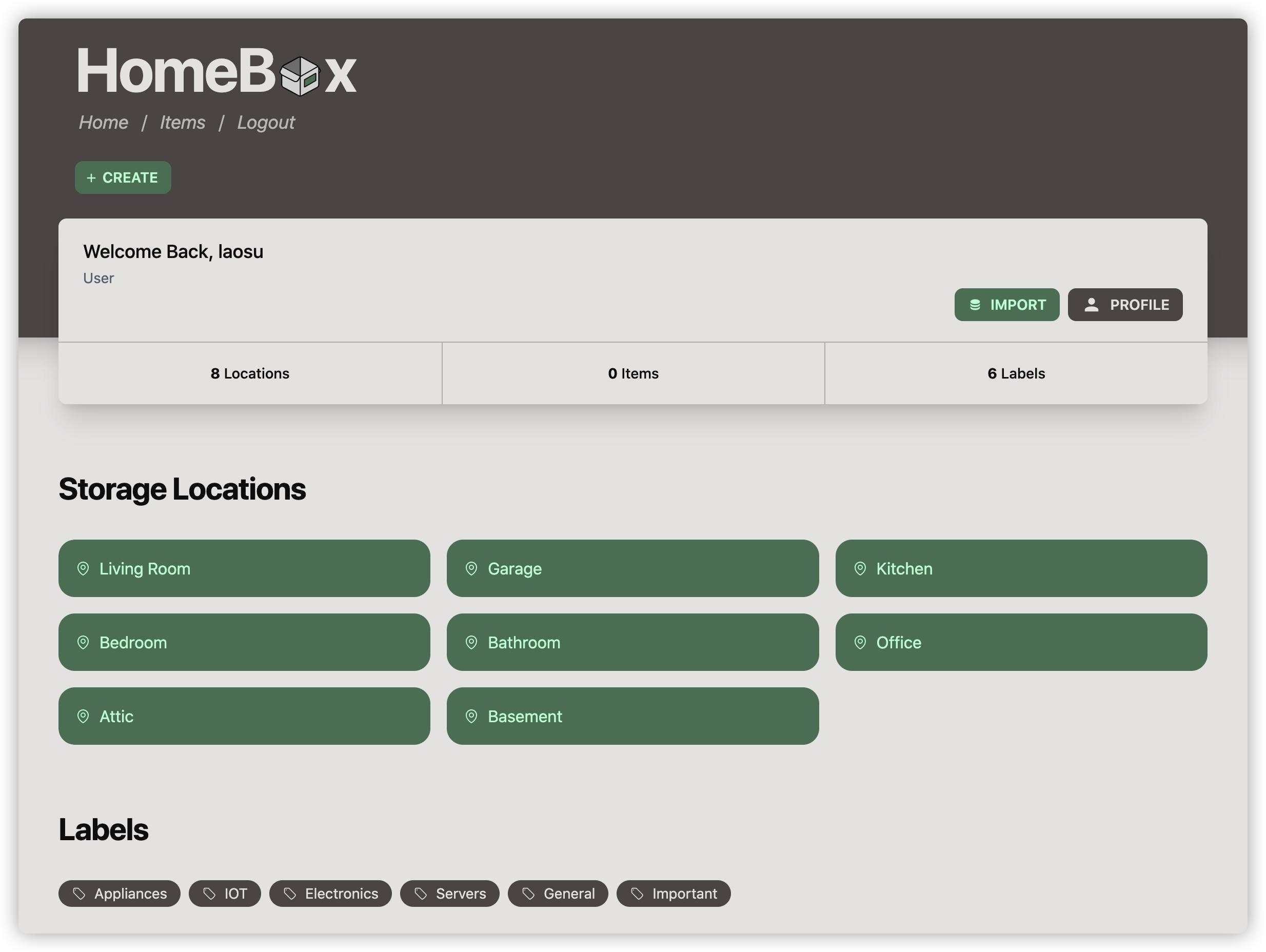
Image source: github.com/hay-kot/homebox
Advantages: Simple self-hosted setup, QR-code scanning and photo records, no per-user fees. Disadvantages: Lightweight scope — no purchasing, invoicing or advanced warehouse logic. Best use cases: Households, workshops and small labs. Pricing: Free and open source (GPL-3.0).
18. osCommerce: Long-running open source cart with basic stock
osCommerce is one of the oldest open source ecommerce projects, and its stock handling is deliberately simple: product quantities, automatic deduction on order, out-of-stock behavior and a low-stock report, with no lots, serials or multiple warehouses. The original repository has seen little movement since 2023, and most maintenance now happens in the community Phoenix Cart fork. Treat it as a maintenance option for existing stores rather than a new open source inventory system project.
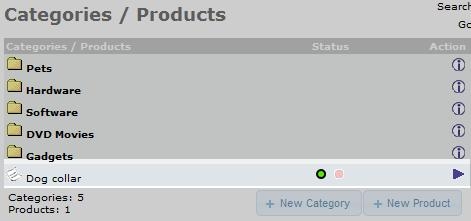
Image source: oscommerce.com
Advantages: Simple stock deduction, out-of-stock handling and a long project history. Disadvantages: No lots, serials or multi-warehouse support; the original repository has seen little movement since 2023. Best use cases: Maintaining existing stores. Pricing: Free (GPL).
19. OpenCart: Lightweight storefront with stock alerts
OpenCart remains an actively developed GPL storefront, with release 4.1 shipping in 2026. Stock control covers quantities per product and option, automatic deduction on order, out-of-stock status, minimum order quantities, stock alert emails and a low-stock report; batch tracking and multiple warehouses require extensions. The recurring complaint is migration between major versions, where third-party extensions often break.
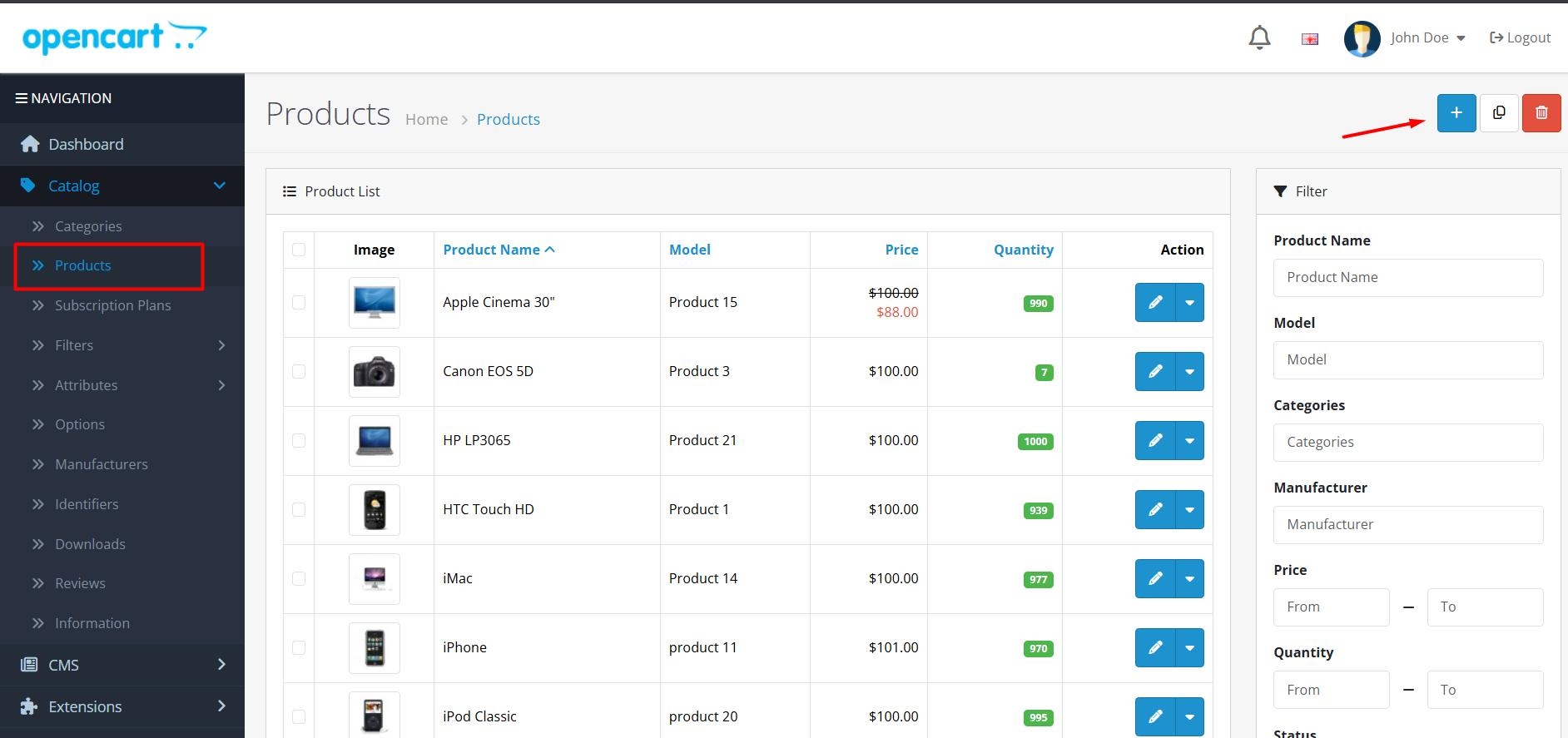
Image source: opencart.com
Advantages: Active development, stock alerts and low-stock reports. Disadvantages: Batch tracking and multi-warehouse support require extensions; major-version upgrades can break third-party extensions. Best use cases: Lightweight storefronts. Pricing: Free (GPL) with paid extensions.
20. RackTables: Open source DCIM for documenting hardware
RackTables is a long-running open source DCIM for documenting servers, switches, IP addresses, cables, VLANs and rack space in data centers and wiring closets. It stores objects with attributes and photos, maps port connections and tracks the physical location of every device. Development is slow and the interface is dated, but for teams that mainly need structured hardware inventory rather than stock movement, it remains a dependable option.
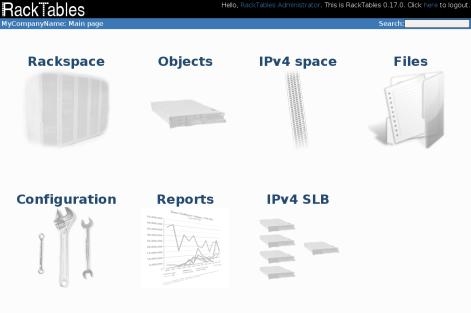
Image source: racktables.org
Advantages: Structured rack, IP, cable and VLAN records with photos and port mapping. Disadvantages: Slow development and dated interface; no stock movement or purchasing workflows. Best use cases: Data center and wiring-closet hardware documentation. Pricing: Free and open source (BSD).
Retired or archived projects: PartKeepr was archived in July 2025 and no longer receives releases; new component-inventory deployments should start with Part-DB and follow the official migration guide.
Roll-your-own approach: Filament is a Laravel admin-panel framework rather than an inventory product; developers can use it to assemble product, stock, supplier and purchase-order screens. Choose this route only when you want to shape everything yourself, and check each repository for a license file before commercial use.
Compare inventory workflows in one workspace.
Benefits of open source inventory management software
Open-source inventory management software offers a range of advantages that can significantly enhance inventory control processes for businesses. Here are some key benefits:
- Cost-effectiveness: Open source solutions typically do not require hefty licensing fees or expensive subscriptions. This makes them an attractive option for startups and small businesses looking to manage inventory without straining their budgets.
- Flexibility and customization: The source code is accessible to users, enabling them to customize the software according to their specific needs and processes. This adaptability allows businesses to create tailored solutions that better reflect their inventory management strategies. When you choose inventory management open source, you own the code rather than renting a seat—eliminating vendor lock-in and allowing you to adapt features as your catalog grows.
- Community support: Many open-source projects have active communities established around them, providing resources such as forums, documentation, and tutorials. This community support can be invaluable for troubleshooting and enhancing the software's functionalities. Community-driven development also means that popular projects—often discussed on open source inventory management system reddit threads and GitHub repositories—receive frequent updates and security patches.
- Continuous improvement: Open source software often benefits from regular updates and contributions from community developers. This ensures that the software stays up-to-date with the latest technological advancements and user requirements.
- Data ownership: Using open-source software allows organizations to maintain complete control over their data, reducing dependency on third-party vendors. Businesses can manage their data securely and ensure it remains private and confidential.
When open source inventory management software falls short
While open-source inventory management software has many benefits, there are situations where it may not fully meet the needs of certain organizations. Here are some potential drawbacks:
- Technical expertise required: Customization and implementation of open-source software often necessitate a certain level of technical expertise. Businesses without in-house IT resources may face challenges during setup and ongoing maintenance. Initial setup complexity can be significant—especially for teams without a dedicated DevOps function.
- Limited customer support: Unlike that typically include dedicated customer service, open-source systems may rely on community support. This can result in longer resolution times for issues and a lack of personalized assistance.
- Potential for bugs and inconsistencies: As software releases are often community-driven, users may encounter bugs or inconsistencies. While updates are frequent, relying on community contributions can lead to varying levels of software stability.
- Scalability limitations: Some open-source inventory management systems may not scale efficiently for larger organizations with complex inventory needs. It's essential to evaluate whether the chosen system can grow alongside the business. Demand forecasting beyond simple trend analysis is another common shortcoming; statistical or AI-driven forecasting typically requires custom development.
- Integration challenges: Integrating open-source software with existing systems can be complicated, particularly when dealing with diverse platforms used across different departments. This can result in increased time and resource investments during implementation.
When these technical limits overlap, custom builds are often required. For example, ScienceSoft with a medicinal herbs provider to deliver an inventory system integrated with electronic scales, successfully eliminating manual data errors for field workers.
Avoid these open-source challenges in Lark
Lark as a managed alternative to self-hosted inventory tools
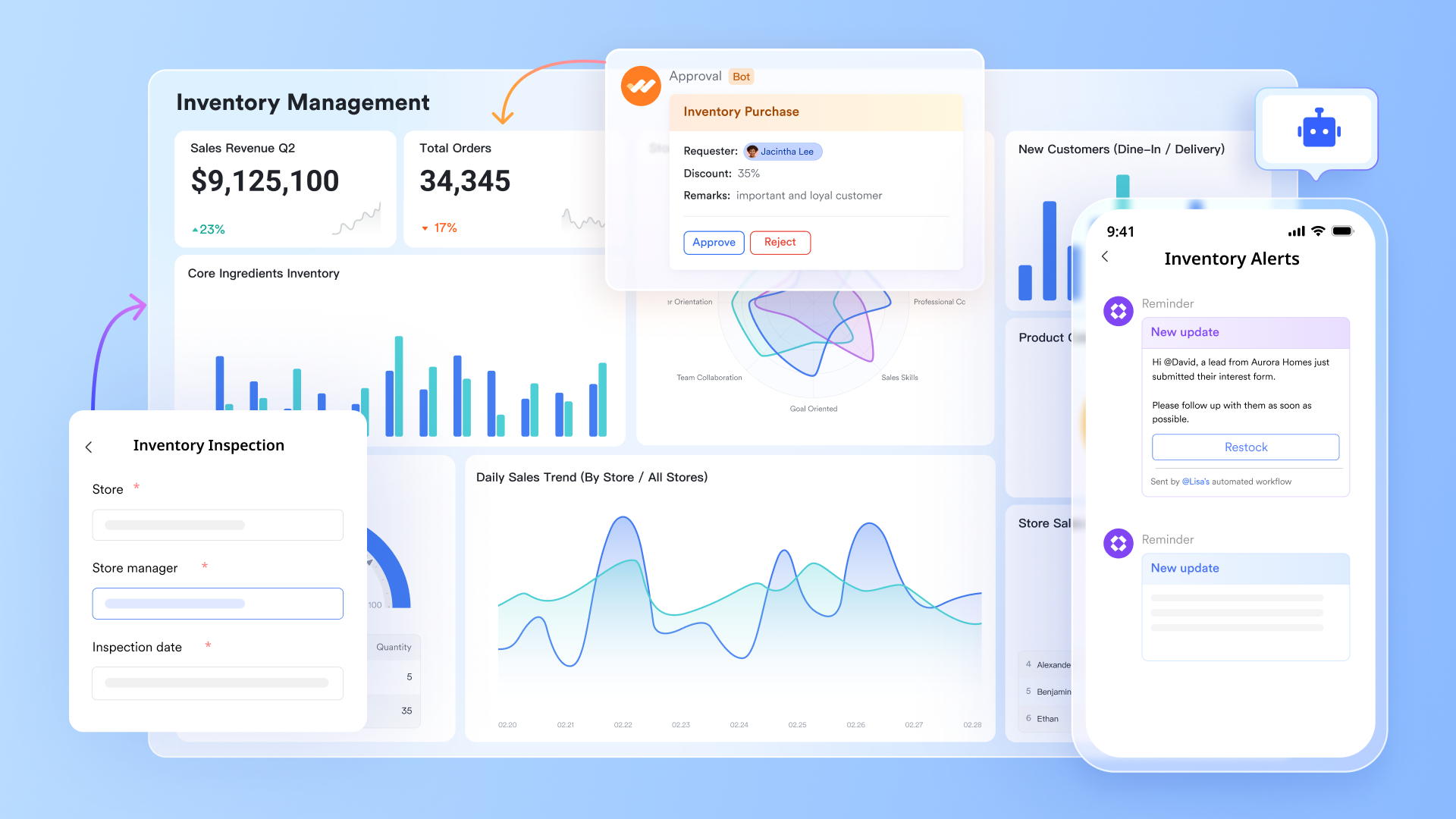
In the evolving landscape of inventory management, offers a managed alternative to traditional open-source systems, covering essential inventory workflows with built-in collaboration, automation and analytics. The sections below compare Lark with the open source tools reviewed above.
Deeper customization and automation without coding burdens
The core appeal of open-source systems lies in their customizability. However, this usually requires a professional development team to carry out secondary development, deploy servers, and take on long-term operational maintenance responsibilities. For instance, ScienceSoft partnered with a North American medicinal herbs provider to deliver a custom web-based inventory management system in three weeks. The agile team integrated the software with electronic scales, eliminating manual tracking errors for field workers. With , you gain robust database-like customization capabilities—completely code-free. You can customize fields, views (Kanban view, calendar view, Gantt view, and so on), and data relationships like building with blocks. 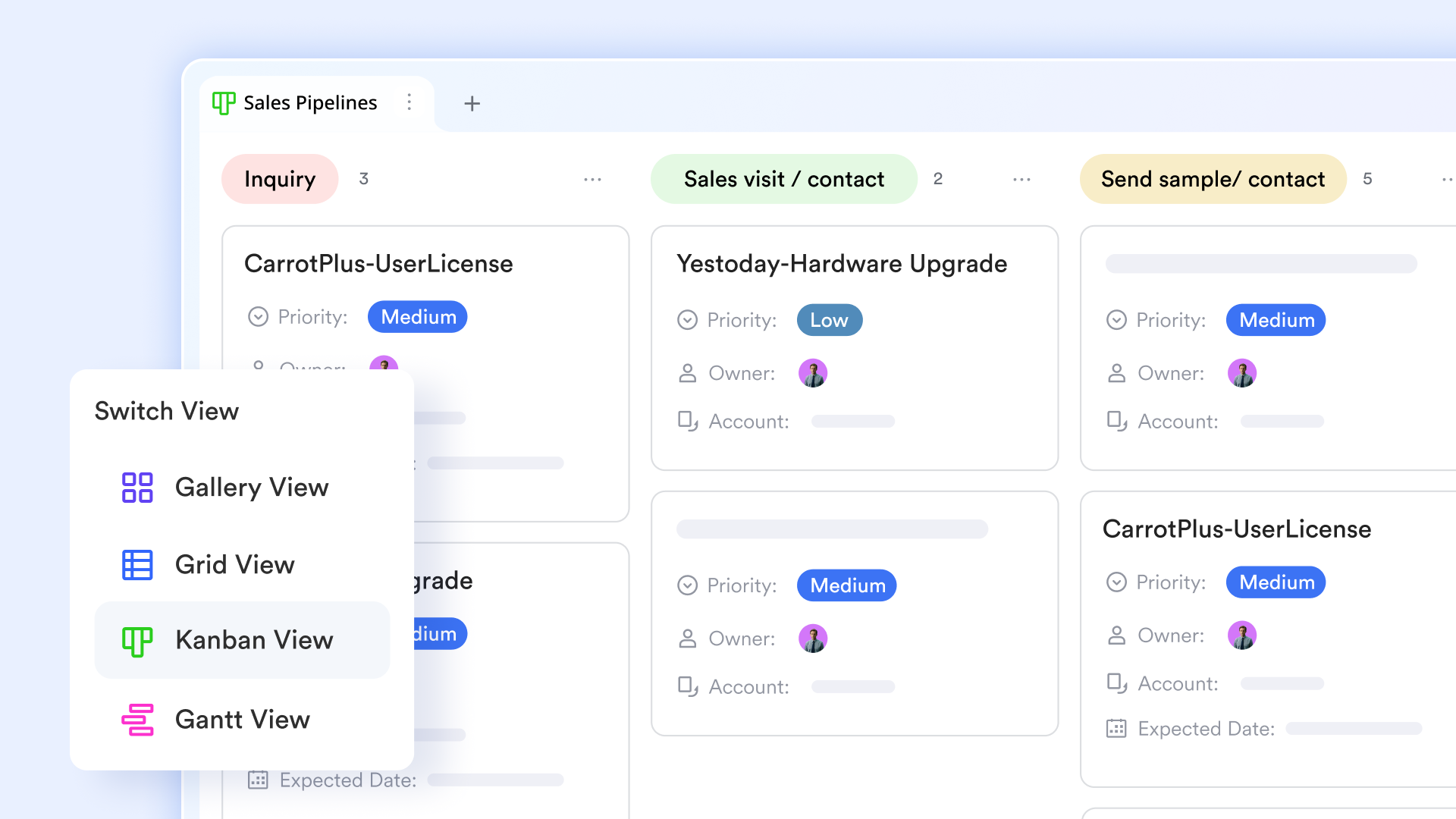
More importantly, Lark Base automation lets you visually configure complex business logic. For example, you can drag and drop to set up a rule: "When inventory levels drop below the threshold, automatically create a new record in the procurement approval workflow." This delivers the same level of customization depth while eliminating the heavy technical overhead and long-term costs associated with coding, server deployment, and script monitoring. It empowers business users to quickly build and adjust systems on their own. 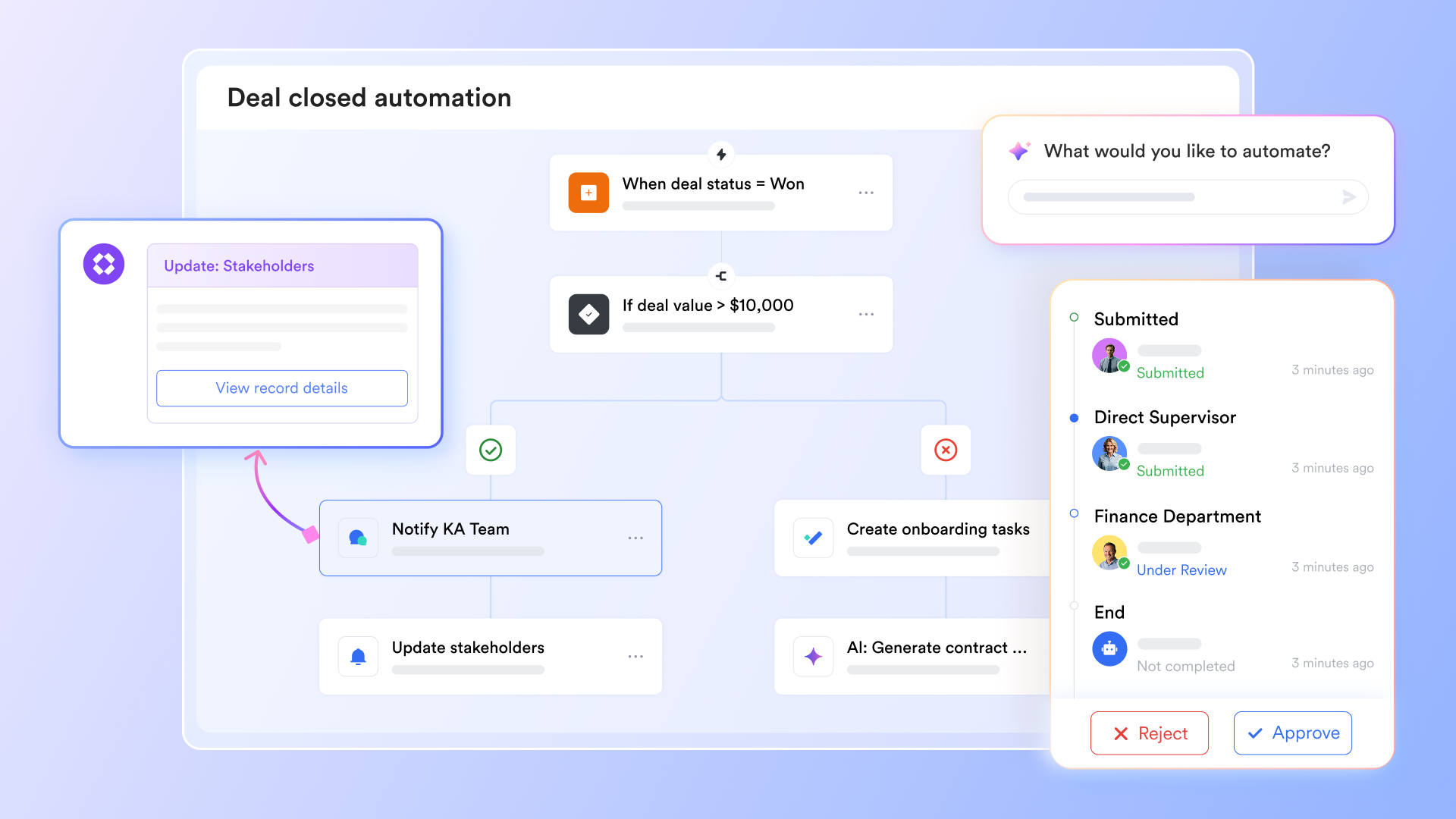
Advanced analytics and reporting
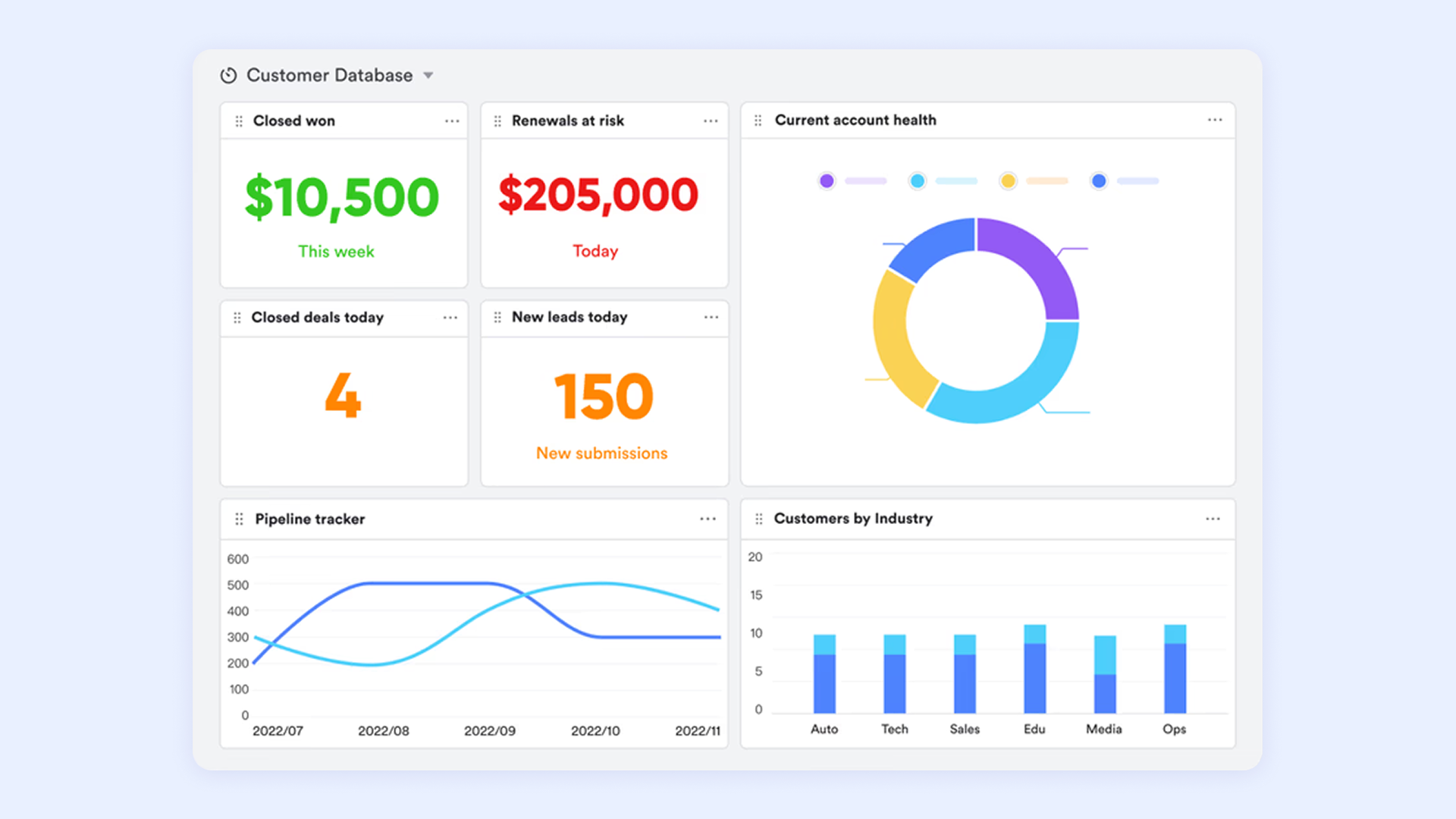
While open-source solutions often provide basic reporting functionalities, Lark takes analytics a step further with advanced features. Users can generate customized reports that visualize inventory trends, sales forecasts, and performance metrics in real time. This capability enables businesses to make informed decisions based on accurate data, enhancing their ability to optimize stock levels and reduce carrying costs.
Build a mobile workbench for frontline staff
The mobile experience of open-source systems is often a weak point—either lacking features or requiring additional development. This forces frontline core users like warehouse managers and store staff to rely on paper documents or backdate data entry on computers later, leading to information lag and error-proneness.
Lark Base apps perfectly resolve this pain point. You can convert a complex inventory management Base into a simple, focused mobile app with one click. When frontline employees open the Lark Base apps, it appears like a mini-program right before them. They can quickly scan product barcodes, check inventory details in real time, record stock in and out on their phones, and even take photos to report damaged goods. 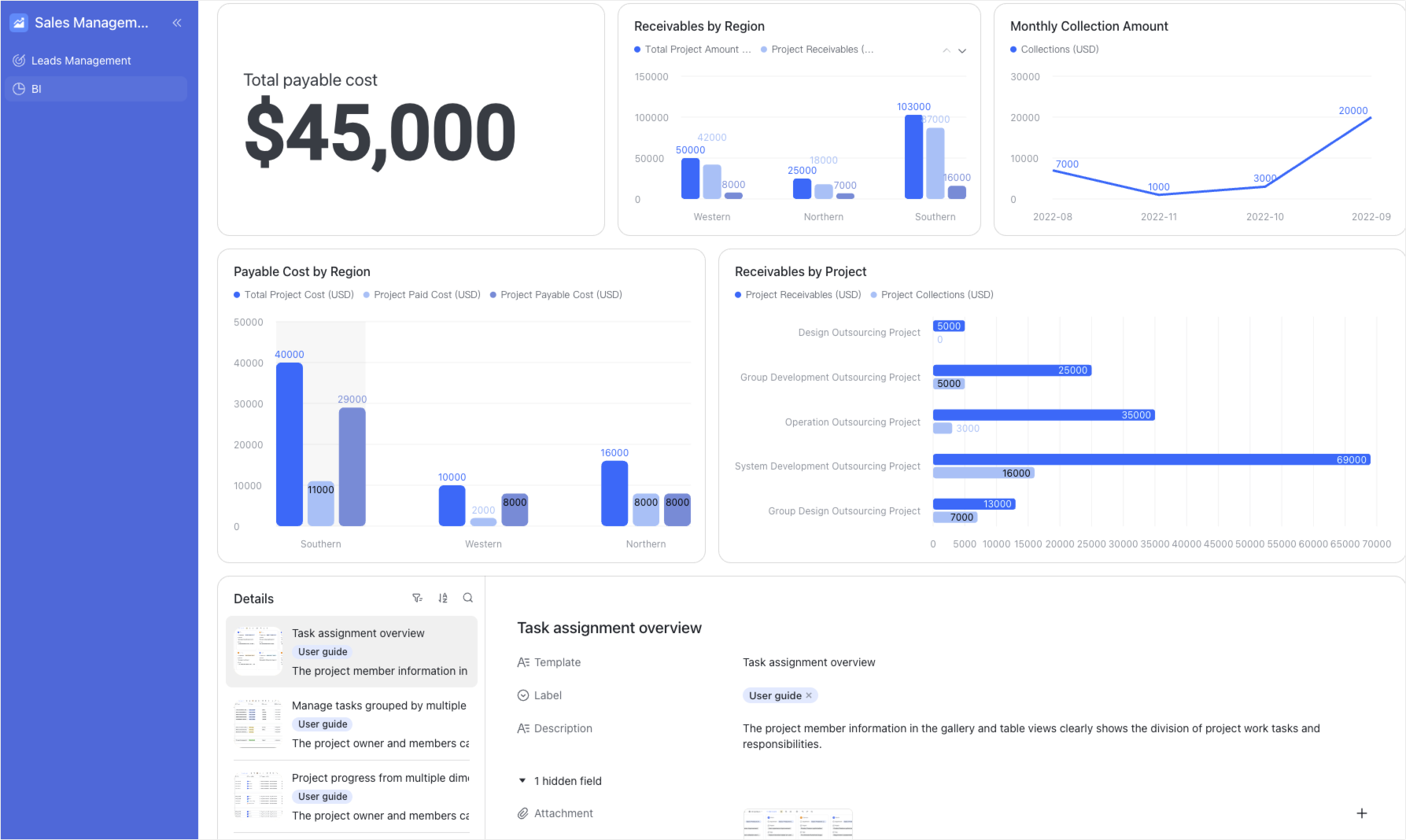
Get an out-of-the-box user experience
Open-source inventory systems are usually just standalone databases on their own. To connect them to e-commerce platforms, customer service systems, or financial software, you have to develop API interfaces yourself or find compatible plugins. This process is cumbersome, unstable, and hard to maintain.
Lark, however, is a work platform that already integrates instant , , , , and automation. Its inventory management system is not an isolated module; instead, it natively connects with all these collaboration tools. When an automated inventory alert is triggered, notifications can be sent directly to the relevant person's Lark Messenger. The person in charge can even approve restock requests with one click right in the chat. This deep, native integration delivers a smooth experience that open-source software can rarely achieve through external add-ons, completely solving the "integration hell" problem.

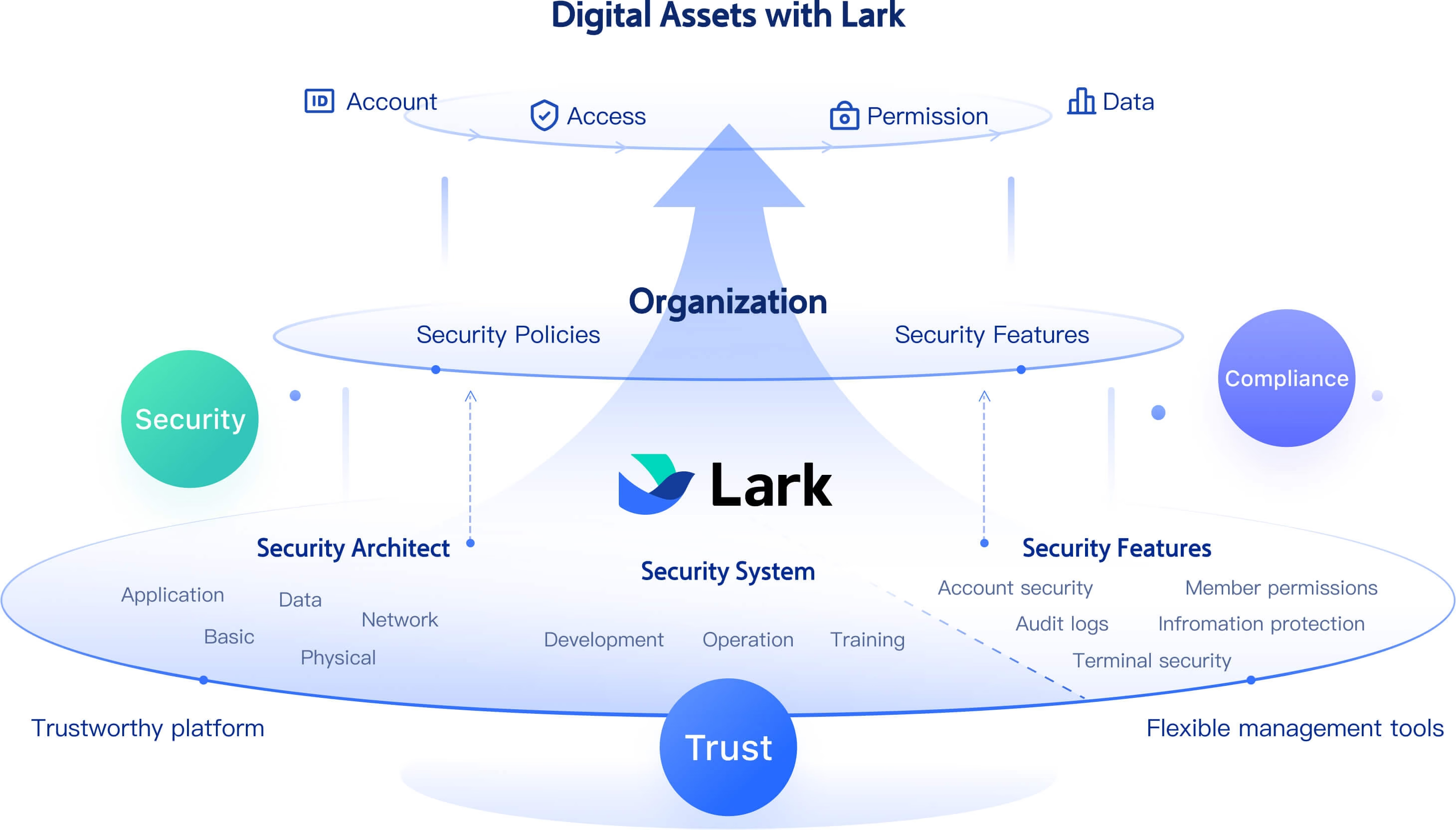
Enhanced security and data control
and security are crucial concerns for businesses utilizing open-source software. In some cases, users face challenges around data privacy, particularly when relying on third-party hosting or community support. Lark addresses these concerns by offering and compliance with industry standards. Businesses can trust that their data is secure while still retaining control over their inventory management processes.
Here's how real teams are using Lark to improve collaboration, streamline operations, and move faster every day.

"Partnering with Lark is helping us connect teams faster, cut down delays, and create conditions for better decisions every day. It's a critical step toward building a more responsive, data-driven organization."

Francis Medina
Operations Division Director
:
- Starter plan: Free forever plan that includes 11 powerful tools for up to 20 users. It also comes with 100GB of storage, 1000 automation runs, AI translations, and more.
- Pro plan: $12/user/month (billed annually) for up to 500 users. It includes everything in Starter plus group calling for up to 500 attendees, 15TB of storage, 50,000 automation runs, and more.
- Enterprise plan: for custom pricing. Supports unlimited users and includes even more automation runs and advanced security, compliance, and management features.
For small teams with simple communication needs

18 months message history
1000 Base automation runs/month
2000 rows per table in Base
Most POPULAR
For companies with comprehensive collaboration and management needs
Unlimited message history
500-participant video meetings
50k Base automation runs/month
20k rows per table in Base
For large companies with advanced security and organizational management needs
Get a personalized demo and pricing
Unlimited message history
500-participant video meetings
15 TB storage + 30 GB storage/user
500k Base automation runs/month
50k Base automation runs/month
Most POPULAR
For companies with comprehensive collaboration and management needs
Unlimited message history
500-participant video meetings
50k Base automation runs/month
20k rows per table in Base
Conclusion
Choosing the right inventory management system is essential for businesses aiming to enhance their operational efficiency and respond to market demands effectively. The best open source inventory management system depends on your industry, team size, and technical capacity—whether you need a full ERP like Odoo or ERPNext, a parts tracker like InvenTree, a home stock manager like Grocy, or an IT asset tool like Snipe-IT. is a good fit when you want a managed workspace that combines inventory records with collaboration, approvals and automation out of the box. Teams with highly specialized warehouse workflows—serial and lot tracking, kitting, multi-warehouse fulfillment—may still find a dedicated open source system like InvenTree or ERPNext better suited to their needs.
Unlock advanced inventory control now
FAQs
What is inventory management software, and why is it important?
Inventory management software helps businesses track stock levels, manage orders, and optimize supply chains. It ensures that the right products are available at the right time, reducing costs and minimizing shortages. Tools like Lark provide a comprehensive solution that integrates inventory management with collaboration and analytics for improved efficiency.
How does Lark compare to open-source inventory management systems?
Lark offers a user-friendly interface, advanced automation, and dedicated customer support that many open-source systems lack. While open-source software provides flexibility, Lark enhances overall productivity with seamless team collaboration and real-time data insights, making it an excellent choice for businesses looking for reliability.
Can Lark accommodate a growing business's inventory needs?
Absolutely! Lark is designed to scale with your business, providing advanced reporting, analytics, and automation features that adapt as your inventory requirements evolve. This adaptability ensures that your inventory management processes remain efficient, no matter how much your business grows.
Is it easy to integrate Lark with other business tools?
Yes, Lark is built to integrate smoothly with various business applications, allowing for a unified approach to inventory and resource management. This makes it easy to streamline workflows across departments while maintaining a centralized system for inventory tracking and data analysis.
Which open source inventory management system do Reddit users recommend?
Search for open source inventory management system Reddit threads and two answers dominate. Discussions in r/sysadmin usually split two ways: GLPI when you want automatic discovery and a helpdesk in the same tool, and Snipe-IT when you simply need a clean device and license register. In r/selfhosted, InvenTree and Grocy come up most often for parts and household stock. The recurring warning is about upkeep rather than features, with admins describing patching and major upgrades as the real cost of running an open source inventory system.
Where can I find open source inventory management system GitHub projects worth trusting?
Most of the tools in this guide develop in the open, so GitHub is the fastest place to judge them. Check the date of the latest release, how quickly issues get answers, and whether a license file exists at all. As a reference point, Snipe-IT sits near 15,000 stars, Grocy near 9,500 and Part-DB near 1,800, while an archived repository such as PartKeepr shows what a stalled project looks like before you commit to it.
Related reading
































