














Pipeline Software: What It Is, Benefits, and 10 Best Tools

Ryan Tanner
Product Marketing Specialist
Sep 18, 2026
Ryan Tanner
Sep 18, 2026

23 min read


Today's business environment has depicted that, pipeline software is essential for managing deals, projects, and workflows efficiently. It allows sales, marketing, and project teams to visualize progress, track tasks, and maintain accountability across stages. By automating repetitive actions and providing real-time insights, teams can prevent delays, improve forecasting accuracy, and ensure that no critical task or deal falls through the cracks. Tools like Lark, HubSpot, CRM, Freshsales, Airtable, Trellow, and Zoho CRM offer a centralized platform where pipeline tracking, task management, and collaboration coexist.
In this guide, we'll explain different types of pipeline software, their key features, and highlight certain tools to help teams succeed.
- Lark: All-in-one pipeline and collaboration hub
- HubSpot CRM: Free and scalable sales pipeline software
- Pipedrive: Intuitive visual pipeline for sales teams
- Monday Sales CRM: Customizable boards for deal and project tracking
- Zoho CRM: Feature-rich CRM with automation and analytics
- ClickUp: Multi-purpose task and project pipeline management
- Asana: Visual workflow tool for managing project pipelines
- Trello: Simple Kanban-style pipeline tracking
- Airtable: Flexible, spreadsheet-style database for pipelines
- Freshsales: AI-driven sales pipeline software with automation tools

What is pipeline software?
Pipeline software is a digital tool that helps teams track, manage, and optimize sequential processes, such as sales deals, project stages, or workflow tasks. It provides a visual representation of each stage, making it easier to monitor progress, identify bottlenecks, and ensure accountability. By integrating task management, automation, and reporting, pipeline software enables teams to streamline operations, reduce manual work, and improve forecasting accuracy.
It also facilitates collaboration by centralizing communication, documentation, and approvals in one platform. In short, pipeline software helps organizations maintain efficiency, visibility, and consistency across sales, projects, and cross-department workflows.
Image source: unsplash.com
Types of pipeline software
Pipeline software comes in several forms, each designed to meet specific business needs. Managing sales leads to tracking complex projects or automating workflows, the right type of software ensures teams stay organized and efficient. Choosing the right pipeline tool depends on your workflow, team size, and objectives. Below are the main types of pipeline software with real-life examples.
- Sales pipeline software: This software tracks leads, opportunities, and conversions through every stage of the sales process. The sales team tracks leads from initial contact to deal closure. When a lead progresses to the proposal stage, follow-up tasks are automatically assigned to the responsible account manager, and revenue forecasts are updated. Sales managers can monitor conversion rates, deal statuses, and overall pipeline health in real time.
- Project pipeline software: Designed to manage project stages, tasks, and milestones, this software helps teams plan, assign, and track work efficiently. Once a deal is secured, the project team organizes tasks, sets deadlines, and monitors milestones for implementation. Each task is linked to a specific stage in the project workflow, ensuring accountability and timely delivery of services or products.
- Workflow automation pipeline: Workflow automation pipelines streamline repetitive processes across departments, reducing manual effort and ensuring consistency. Cross-department processes, such as approvals, notifications, and handoffs, are automated. For example, once a contract or task is approved, notifications are sent to the relevant teams for billing, operations, or onboarding, keeping workflows seamless and reducing manual errors.
- Data pipeline software: Used by engineering and analytics teams, data pipeline software moves, integrates, and transforms data between systems. This ensures that performance dashboards, reporting tools, and analytics platforms receive accurate, up-to-date information. Teams can then make informed decisions based on reliable data insights.
Key features of effective pipeline software
Effective pipeline software provides teams with the tools they need to manage deals, projects, and workflows efficiently. By combining visibility, automation, and collaboration, it ensures no task or opportunity is overlooked. The right software helps organizations streamline operations, maintain accountability, and make data-driven decisions. Below are the essential features that make pipeline software truly effective.
- Customizable stages and views (Kanban, list, timeline): Teams can tailor pipelines to match their workflow and preferences. Visual boards like Kanban, tables, or timelines help track progress at a glance. Customization ensures that every stage—from lead generation to project completion—is clear and manageable.
- Task and contact management: Pipeline software allows users to assign ownership, set deadlines, and manage contacts efficiently. Each task can be linked to a deal, project, or workflow stage. This centralizes responsibilities and improves accountability across teams.
- Workflow automation and triggers: Automated rules handle repetitive tasks, such as sending notifications, updating statuses, or assigning follow-ups. Teams can reduce manual work and minimize errors. Triggers keep workflows moving smoothly across departments.
- Collaboration tools (chat, comments, shared dashboards): Integrated communication tools let teams discuss tasks and deals in context. Comments, tagging, and shared dashboards make collaboration transparent. Everyone stays aligned without switching between multiple apps.
- Reporting and analytics for forecasting: Dashboards and reports provide real-time insights into performance, conversion rates, and project progress. Teams can analyze trends, identify bottlenecks, and plan strategically. Data-driven forecasting improves decision-making and resource allocation.
- Mobile access and real-time notifications: Mobile compatibility allows team members to stay updated on the go. Instant notifications alert users to changes, deadlines, or approvals. Teams can respond quickly, maintaining productivity even remotely.
- Integration with CRMs, email, and communication tools: Pipeline software often connects with other systems to centralize workflows. Integration ensures seamless data sharing and reduces duplication of effort. Teams can manage sales, projects, and communications from one unified platform.
10 Best pipeline software for your team
1. Lark: All-in-one pipeline and collaboration hub
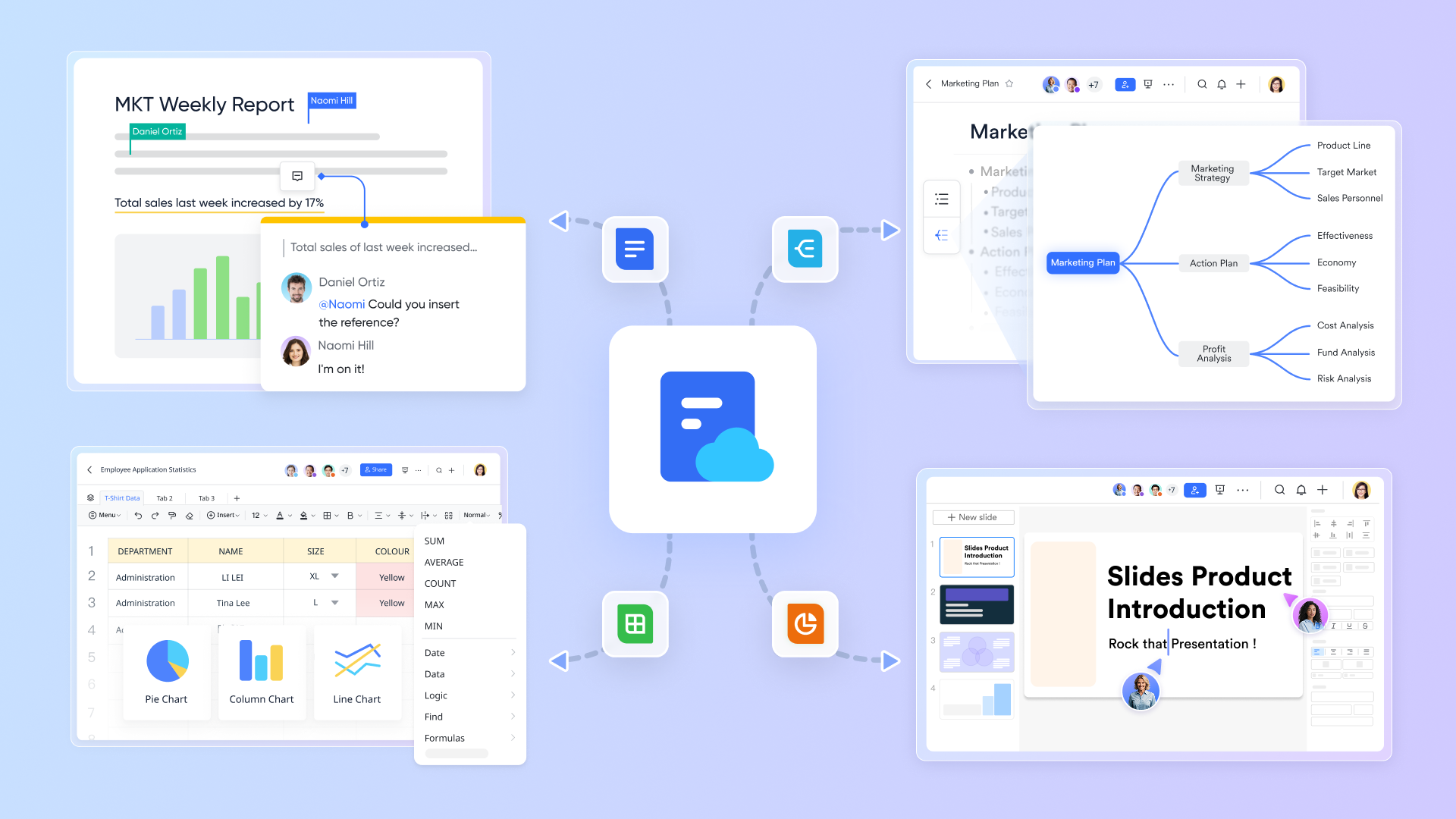
Lark provides a connected workspace that brings pipeline tracking, automation, communication, and documentation together. Instead of juggling multiple tools for CRM, updates, and approvals, teams manage every deal, task, and milestone within one hub. Here's how each Lark feature supports seamless pipeline management:
Lark Base: Visual pipeline management and automation
Lark Base is the foundation for building and managing your sales or project pipeline. It enables teams to create customizable visual boards—in Kanban, table, or Gantt views—to monitor deals, leads, or project stages in real time. Each record includes essential details such as the deal owner, client name, stage, priority, and expected close date.
But Base isn't just a tracker—it's also an automation engine. You can design rule-based workflows that handle repetitive tasks automatically, keeping the pipeline moving smoothly. For more than five days, Base can alert the account manager or escalate the record for review. These automated workflows eliminate manual updates, reduce human error, and maintain momentum through every stage of the pipeline. With Base, your team always works with accurate, up-to-date data—without wasting time on repetitive admin work.
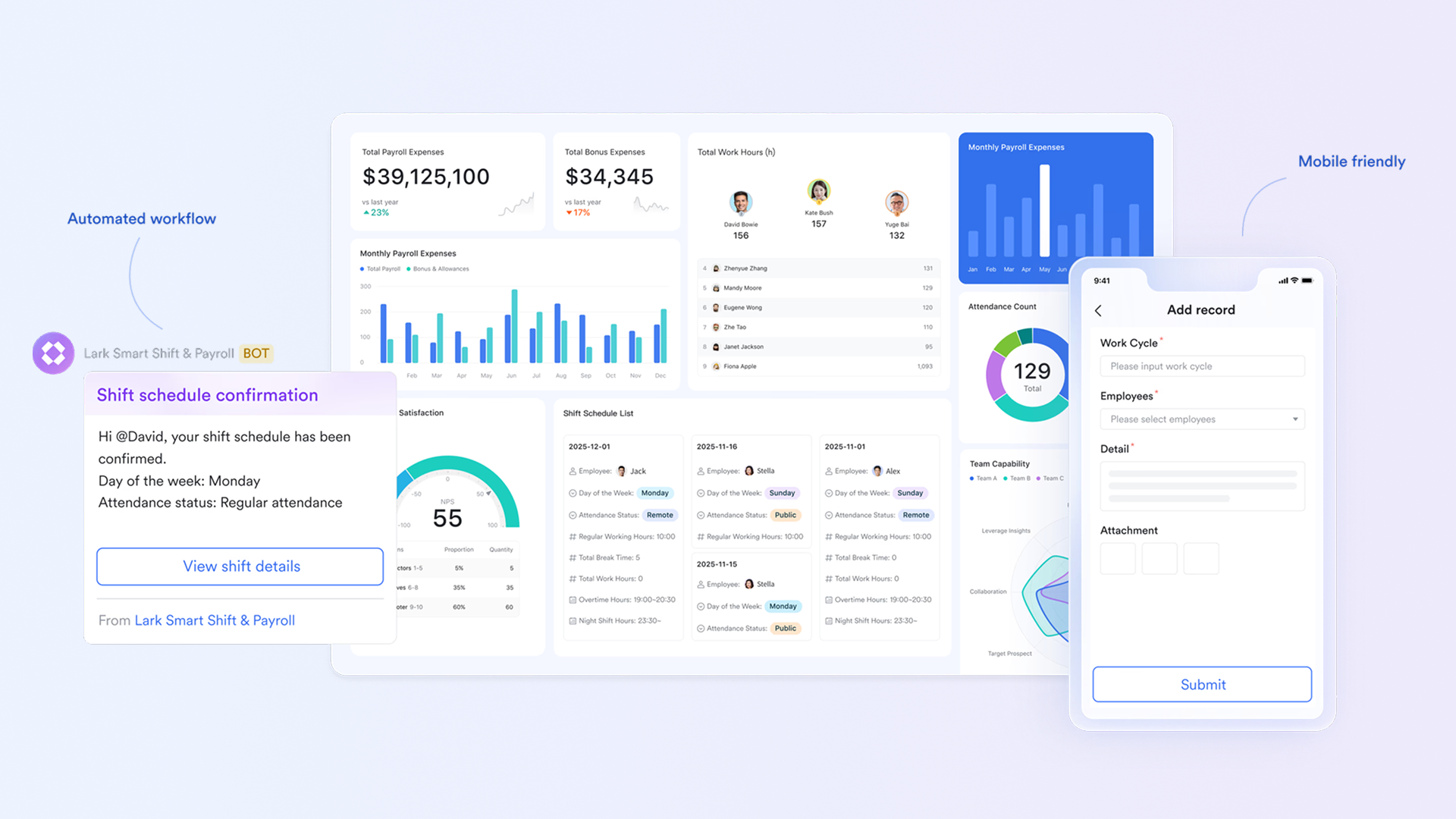
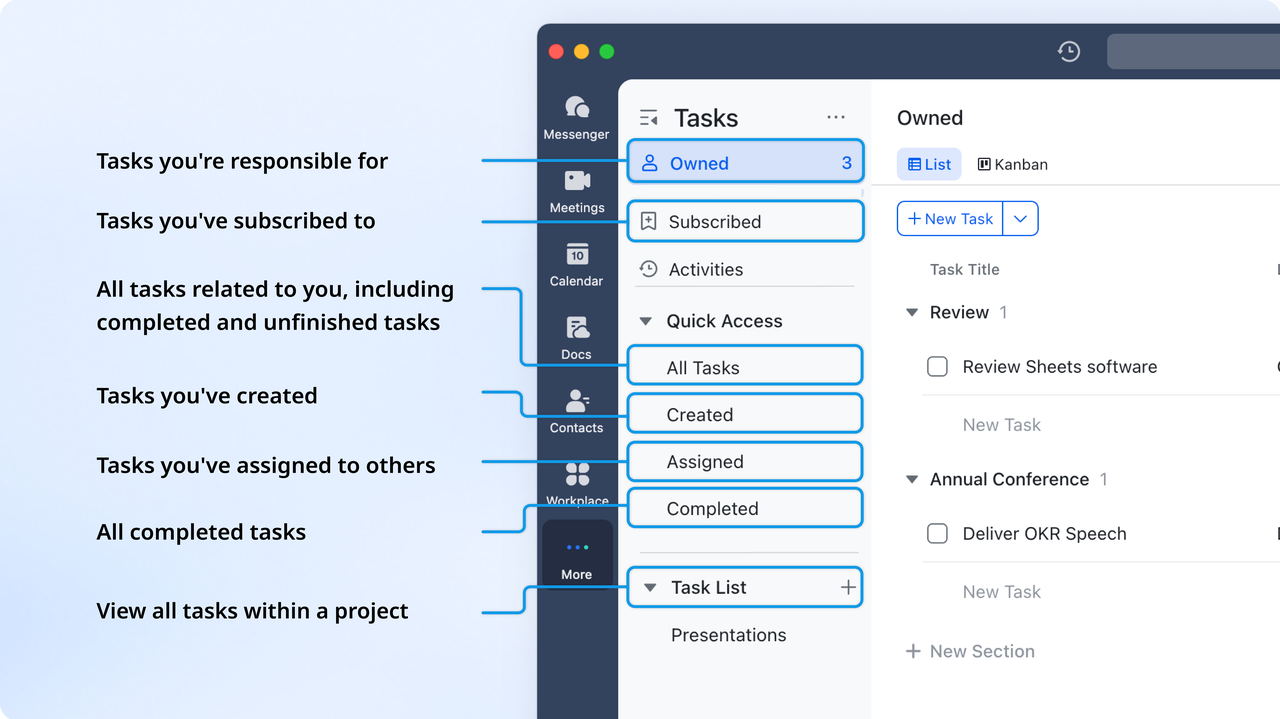
Lark Tasks: Keep ownership and accountability clear
Every stage of a pipeline requires clarity on who's doing what. Lark Tasks makes this effortless by assigning clear ownership, deadlines, and statuses for every action item. Teams can organize tasks by deal, client, or sprint and switch between list, Kanban, or timeline views to match their preferred workflow. You can sync information from task lists to a Base, allowing you to track and visualize task progress in a centralized location.
For instance, when a deal moves to "Negotiation" in Base, a linked task can automatically appear for the legal team to review the contract. This tight linkage between task and pipeline keeps everyone aligned and accountable.
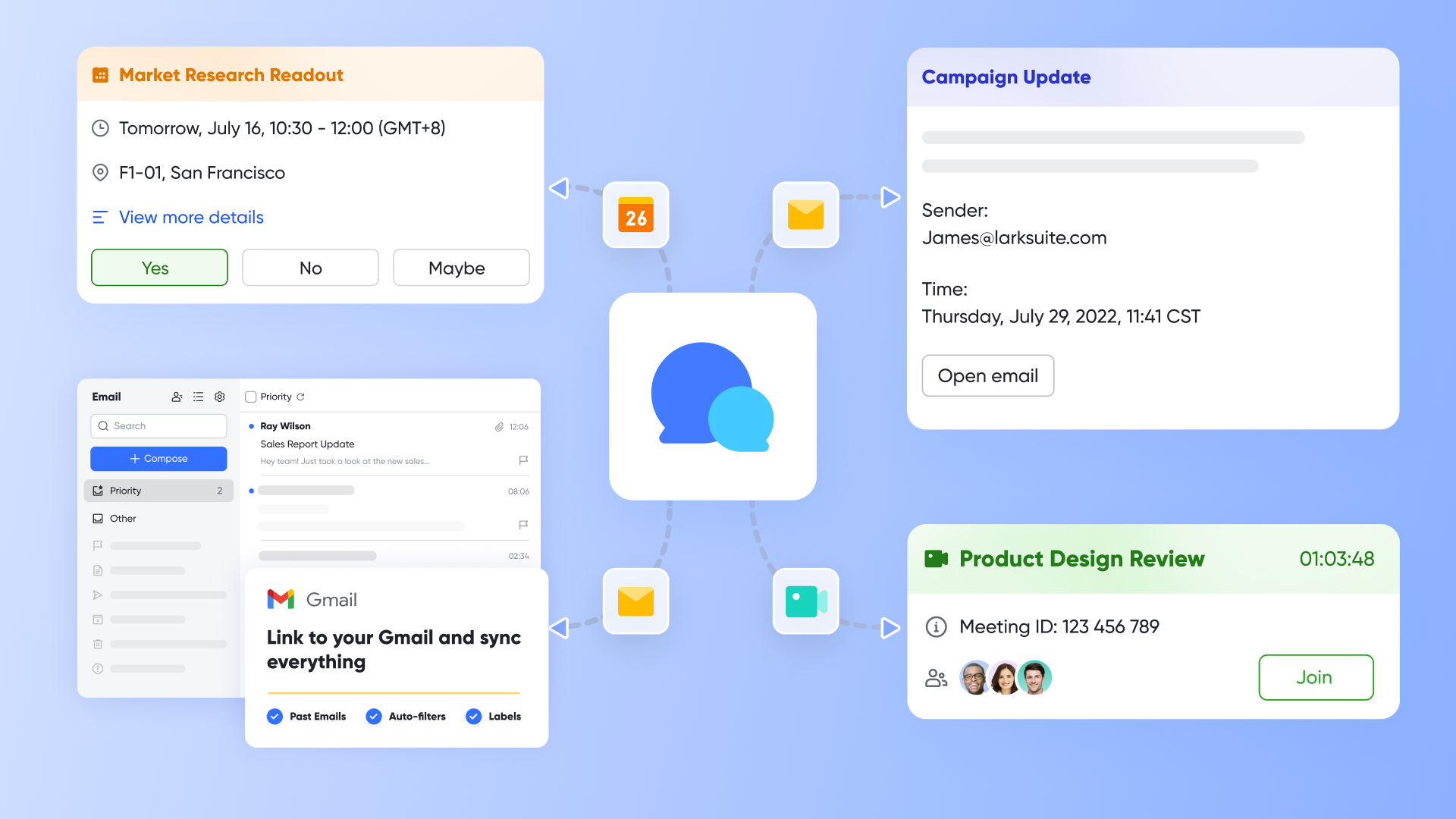
Lark Messenger & Meetings: Communicate in context
Pipeline management depends on fast, clear communication—and that's exactly what Lark Messenger delivers. Instead of switching between emails and CRM notes, teams can discuss deals directly where the data lives. A sales manager can open a record in Base, start a chat thread in Messenger, tag teammates for quick input, and even launch Lark Meetings for an instant follow-up discussion. After the meeting, action items and notes are saved automatically to the relevant record. This tight connection between communication and execution means no information is lost, no update is missed, and no deal falls through the cracks.
Lark Docs & Lark Sheets: Centralized documentation and performance tracking
Lark Docs gives teams a collaborative space for creating proposals, sales scripts, onboarding playbooks, or project documentation—all editable in real time. Comments, highlights, and version history make collaboration transparent and traceable.
Meanwhile, Lark Sheets transforms raw pipeline data into actionable insights. You can track conversion rates, monitor KPIs, and visualize deal progress through dynamic charts and dashboards. Sheets automatically pull data from Base, giving teams live performance updates without manual input. Together, Docs and Sheets keep your pipeline reporting, insights, and reference material all in one accessible place.
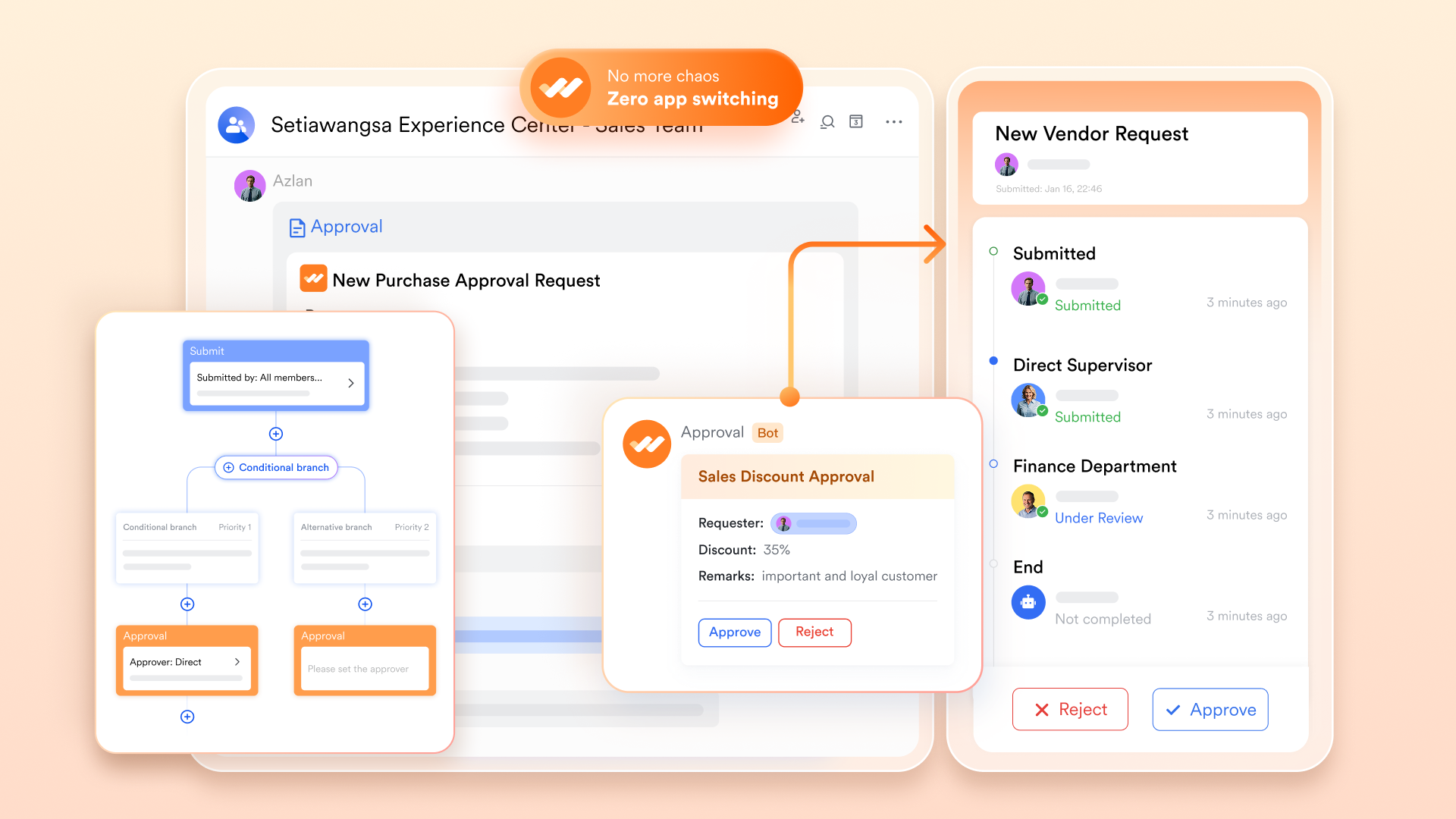
Lark Approval: Streamlined validation at every stage
Lark Approval simplifies formal sign-offs, such as contract approvals, pricing validations, or client onboarding confirmations. Approvers can review requests directly within chat or via mobile notifications—saving hours otherwise lost in email loops.
Each approval flow is trackable and timestamped, ensuring compliance and audit readiness. For example, once a sales manager approves a deal, the system can notify Finance for invoicing or automatically transition the record in Base to "Closed Won."
This ensures every approval step is both efficient and accountable, removing bottlenecks that often slow down pipeline progress.
- Starter plan: Free forever plan that includes 11 powerful tools for up to 20 users. It also comes with 100GB of storage, 1000 automation runs, AI translations, and more.
- Pro plan: $12/user/month (billed annually) for up to 500 users. It includes everything in Starter plus group calling for up to 500 attendees, 15TB of storage, 50,000 automation runs, and more.
- Enterprise plan: Contact sales for custom pricing. Supports unlimited users and includes even more automation runs and advanced security, compliance, and management features.
2. HubSpot CRM: Free and scalable sales pipeline software
HubSpot CRM is a widely-used sales pipeline software designed for teams of all sizes. It offers an intuitive interface, making it easy to manage leads, track deals, and automate routine tasks. The platform provides real-time insights into sales performance and pipeline health. Its scalability allows small teams to start for free and grow into advanced features as business needs increase. With integrated reporting and collaboration tools, HubSpot CRM helps teams maintain visibility and efficiency throughout the sales process.
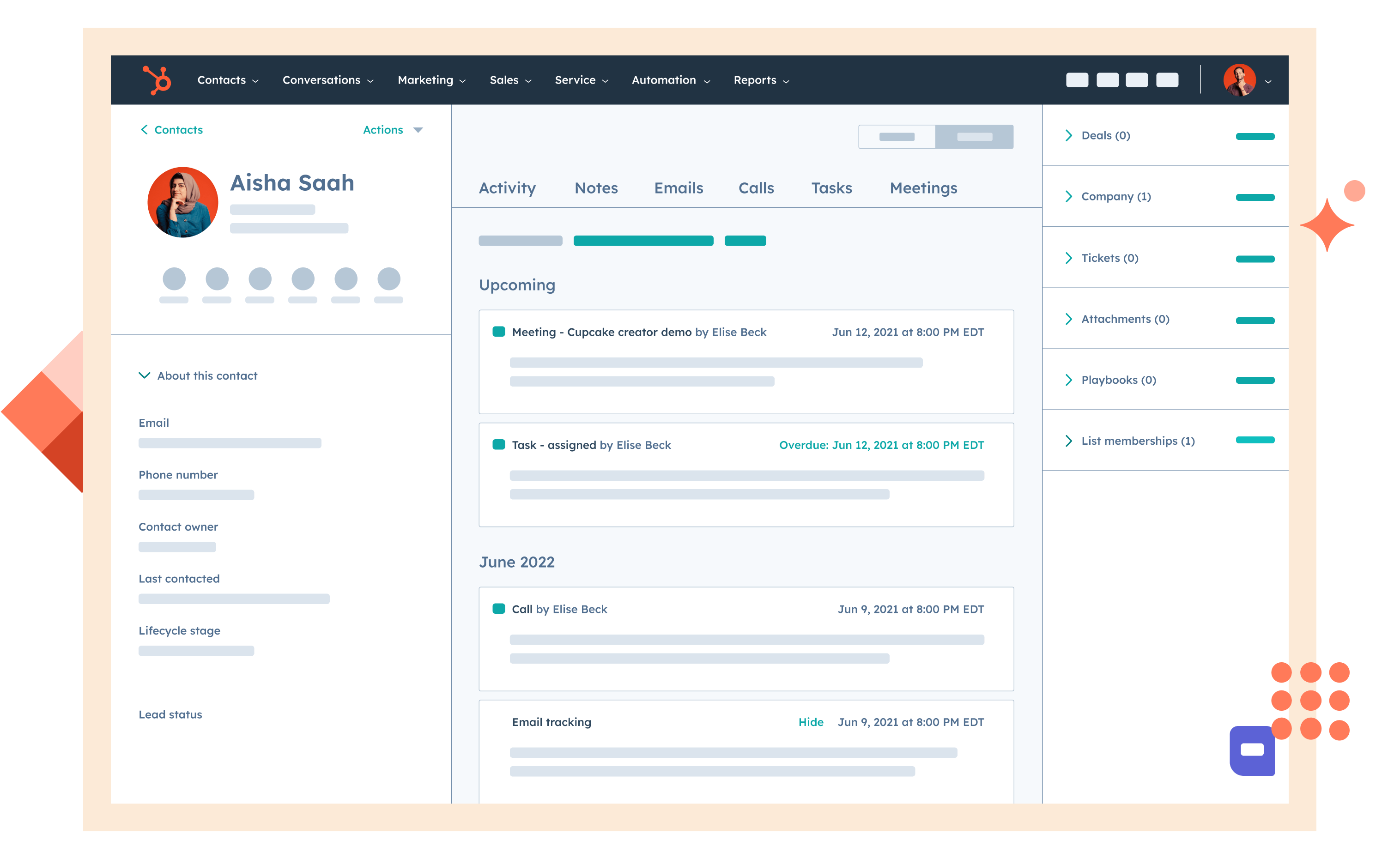
Image source: hubspot.com
Capabilities
- Track leads, deals, and customer interactions in one central platform.
- Automate repetitive tasks such as follow-ups and notifications.
- Visualize sales pipelines using Kanban boards or custom views.
- Monitor conversion rates, sales performance, and team activity.
Reasons to choose it
- Free plan available for small teams and startups.
- Easy-to-use interface with minimal setup required.
- Scalable for growing businesses with advanced features.
- Provides detailed analytics and reporting for sales forecasting.
When it's not ideal
- Limited customization in the free version.
- Advanced automation features require paid plans.
Pricing
- Starter Plan: $25/user/month (billed monthly).
- Professional Plan: $80/user/month (billed monthly).
- Enterprise Plan: $320/user/month (billed monthly).
3. Pipedrive: Intuitive visual pipeline for sales teams
Pipedrive is a visual sales pipeline software built to help teams focus on the most important deals. Its intuitive interface allows users to track opportunities, set reminders, and automate repetitive tasks. The platform emphasizes pipeline visibility and activity-based selling. Teams can easily monitor deal progress, assign tasks, and collaborate across departments. With customizable views and integration options, Pipedrive suits small to mid-sized sales teams aiming to streamline their pipeline management efficiently.
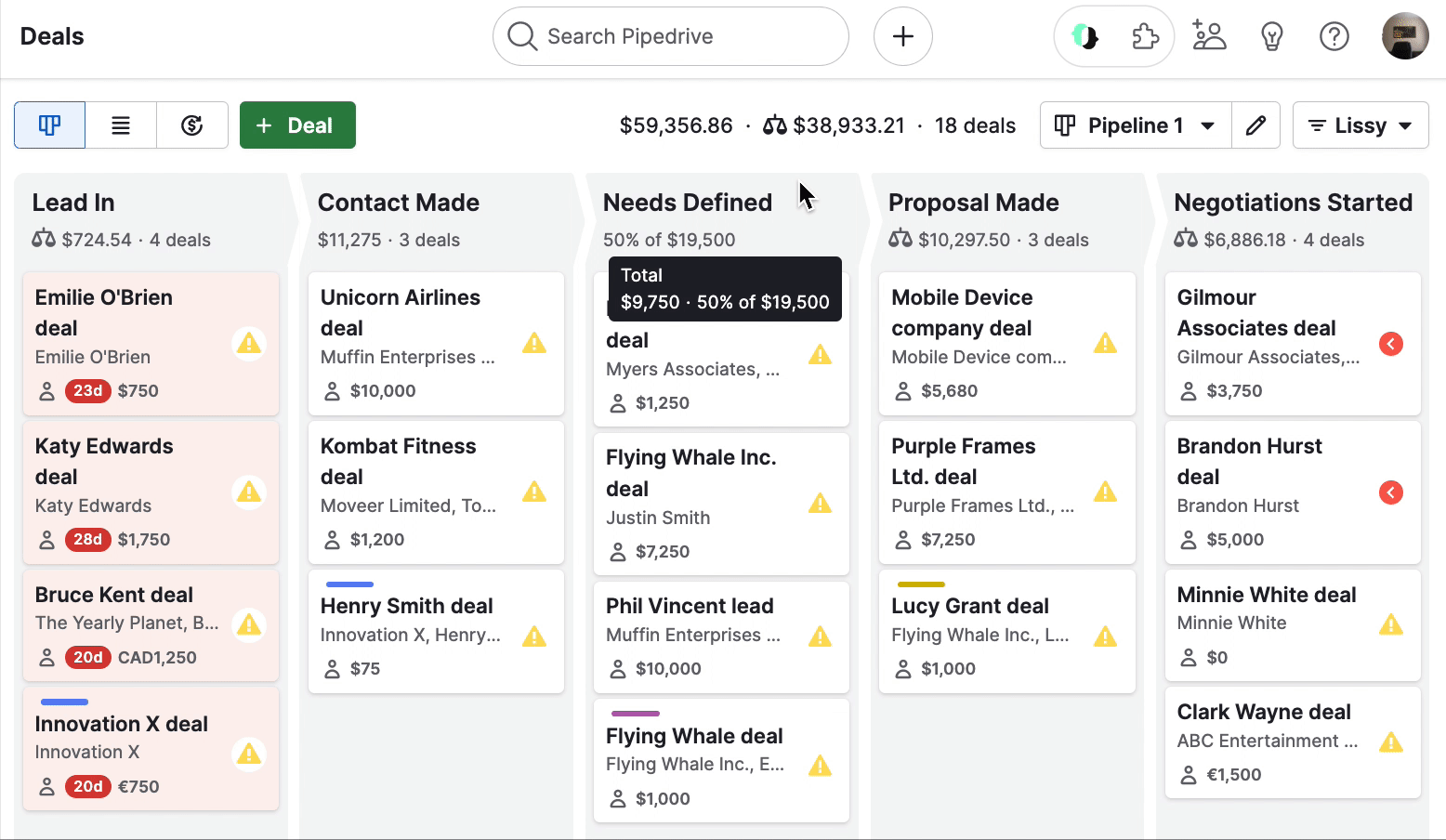
Image source: pipedrive.com
Capabilities
- Visual Kanban-style pipelines for managing deals.
- Automation of repetitive actions and reminders.
- Lead scoring and activity tracking for prioritization.
- Customizable stages, fields, and filters.
Reasons to choose it
- User-friendly interface ideal for sales-focused teams.
- Strong visual representation of pipelines and activities.
- Automation saves time and reduces manual errors.
- Flexible customization to match sales workflows.
When it's not ideal
- Limited project management features outside sales pipelines.
- Reporting features are basic in lower-tier plans.
Pricing
- Essential Plan: $14.90/user/month (billed monthly).
- Advanced Plan: $24.90/user/month (billed monthly).
- Professional Plan: $49.90/user/month (billed monthly).
- Enterprise Plan: $99/user/month (billed monthly).
4. Monday Sales CRM: Customizable boards for deal and project tracking
Monday Sales CRM is a flexible pipeline software that helps teams manage both sales deals and project workflows. Its highly visual boards allow teams to track stages, assign tasks, and monitor progress in real-time. Automation features streamline repetitive actions and reduce errors, while dashboards provide insights into performance and resource allocation. The platform supports cross-department collaboration, ensuring that sales, marketing, and project teams stay aligned. With customizable templates and multiple views, Monday Sales CRM adapts to different workflows and team needs.
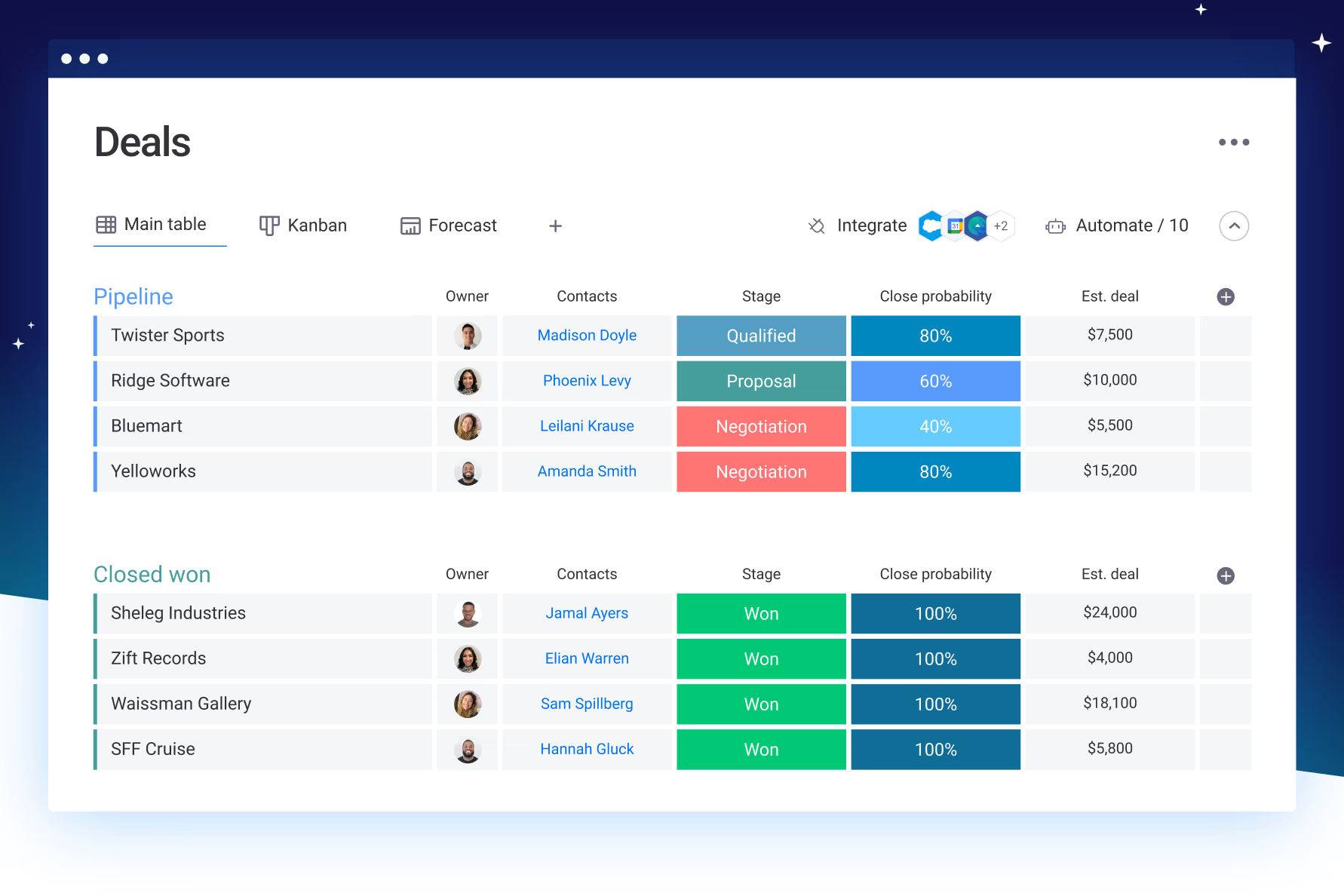
Image source: monday.com
Capabilities
- Customizable boards for sales deals and project tasks.
- Automations to handle repetitive updates and notifications.
- Timeline, Kanban, and table views for workflow visualization.
- Centralized dashboards for performance tracking and analytics.
Reasons to choose it
- Highly flexible for both sales and project pipelines.
- Visual boards make progress tracking intuitive.
- Workflow automation saves time and reduces errors.
- Easy collaboration across multiple teams and departments.
When it's not ideal
- Can be overwhelming for small or beginner teams.
- Advanced features are only available in higher-tier plans.
Pricing
- Basic Plan: $10/user/month (billed monthly).
- Standard Plan: $12/user/month (billed monthly).
- Pro Plan: $20/user/month (billed monthly).
- Enterprise Plan: Custom pricing
5. Zoho CRM: Feature-rich CRM with automation and analytics
Zoho CRM is a comprehensive pipeline software designed to manage sales, marketing, and customer relationships in one platform. It offers automation tools, analytics, and AI-powered insights to streamline workflows and improve team productivity. With customizable pipelines, teams can track deals, tasks, and milestones while maintaining visibility across departments. Zoho CRM supports integrations with email, social media, and other business tools, allowing organizations to centralize communication and data. Its scalability makes it suitable for small businesses as well as large enterprises aiming to optimize pipeline management efficiently.
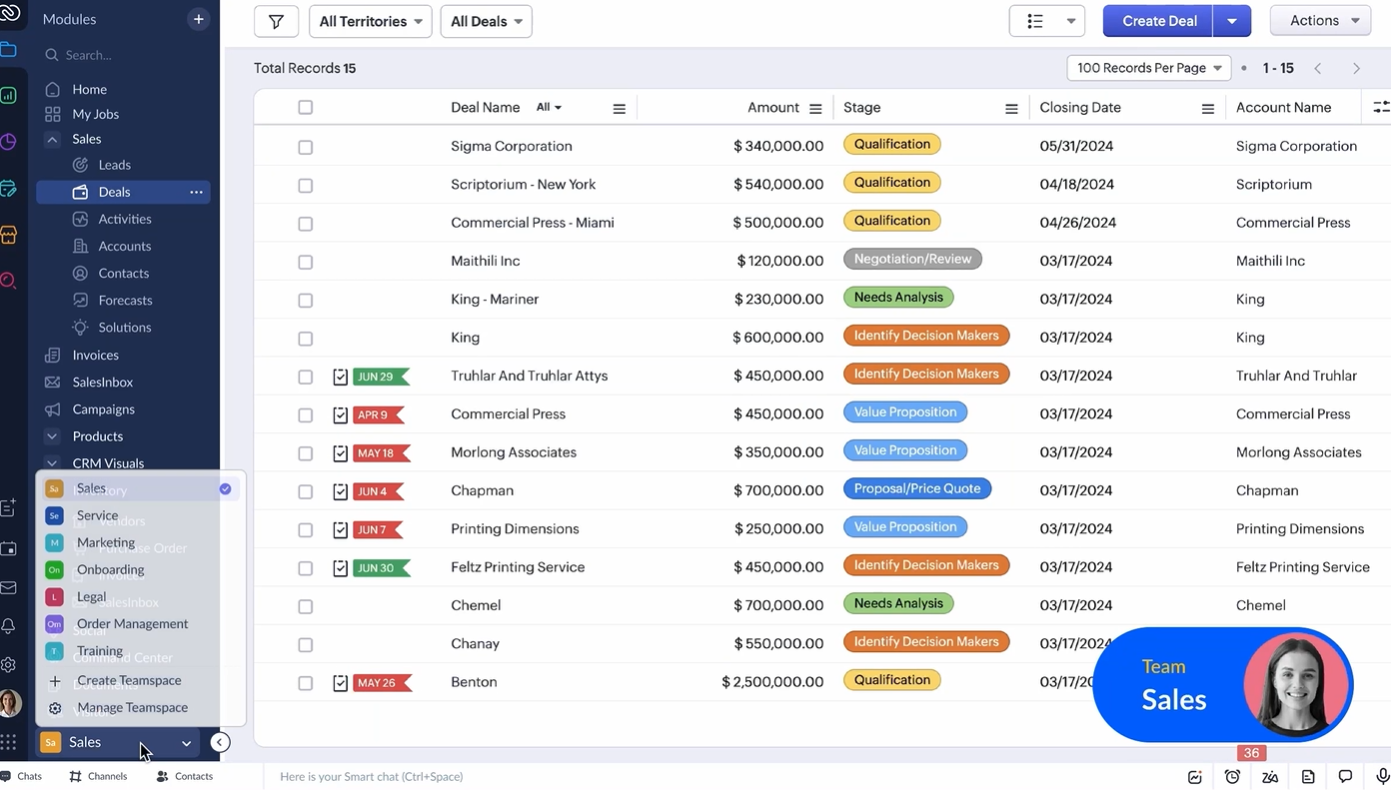
Image source: zoho.com
Capabilities
- Manage sales pipelines with customizable stages and deal tracking.
- Automate tasks, follow-ups, and workflow rules.
- AI-driven insights for lead scoring and predictive analytics.
- Track team performance with dashboards and reports.
Reasons to choose it
- Scalable for both small teams and large enterprises.
- Automation reduces manual tasks and increases efficiency.
- Customizable pipelines fit different sales workflows.
- Advanced analytics and reporting improve forecasting accuracy.
When it's not ideal
- May be complex for teams that need only basic CRM functions.
- Customization options can be overwhelming for small teams.
Pricing
- Standard Plan: $14/user/month (billed monthly).
- Professional Plan: $23/user/month (billed monthly).
- Enterprise Plan: $40/user/month (billed monthly).
- Ultimate Plan: $52/user/month (billed monthly).
6. ClickUp: Multi-purpose task and project pipeline management
ClickUp is a versatile pipeline software that combines task management, project tracking, and workflow automation in a single platform. Teams can create customized pipelines to monitor deals, projects, and operational tasks. Its multiple views—Kanban, list, Gantt, and timeline—allow teams to visualize work according to their preferences. Automation and collaboration features reduce manual effort and enhance accountability. ClickUp is suitable for teams of all sizes looking for an all-in-one solution to manage sales, project pipelines, and cross-department workflows efficiently.
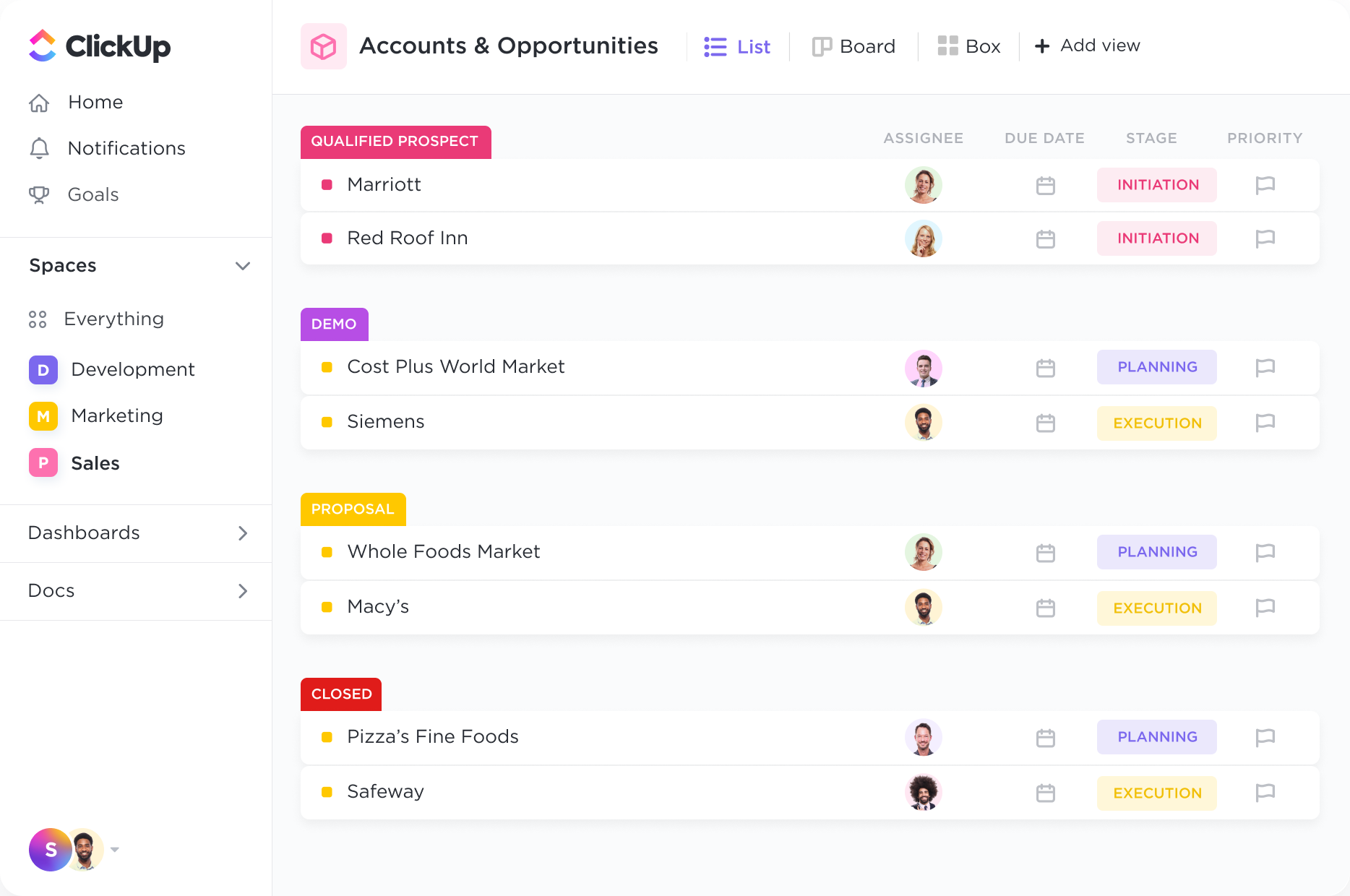
Image source: clickup.com
Capabilities
- Customizable pipelines and task views for projects and deals.
- Automate repetitive tasks and notifications with workflow rules.
- Track goals, milestones, and deadlines for project visibility.
- Collaboration tools including comments, file sharing, and notifications.
Reasons to choose it
- Flexible platform for managing both projects and sales pipelines.
- Reduces manual work with automation features.
- Multiple views support different team workflows.
- Enhances cross-team collaboration and accountability.
When it's not ideal
- Initial setup may be time-consuming for large projects.
- Some users report occasional interface clutter with many pipelines.
Pricing
- Unlimited Plan: $5/user/month (billed monthly).
- Business Plan: $12/user/month (billed monthly).
- Business Plus Plan: $19/user/month (billed monthly).
7. Asana: Visual workflow tool for managing project pipelines
Asana is a popular pipeline software designed to manage projects, tasks, and workflows in a visual and collaborative way. Teams can create pipelines to track project stages, assign responsibilities, and monitor deadlines. Multiple views, such as list, board, timeline, and calendar, allow flexibility in managing work. Automation features streamline repetitive actions, while dashboards provide insights into progress and team performance. Asana is ideal for teams looking to improve project visibility, ensure accountability, and maintain collaboration across departments.
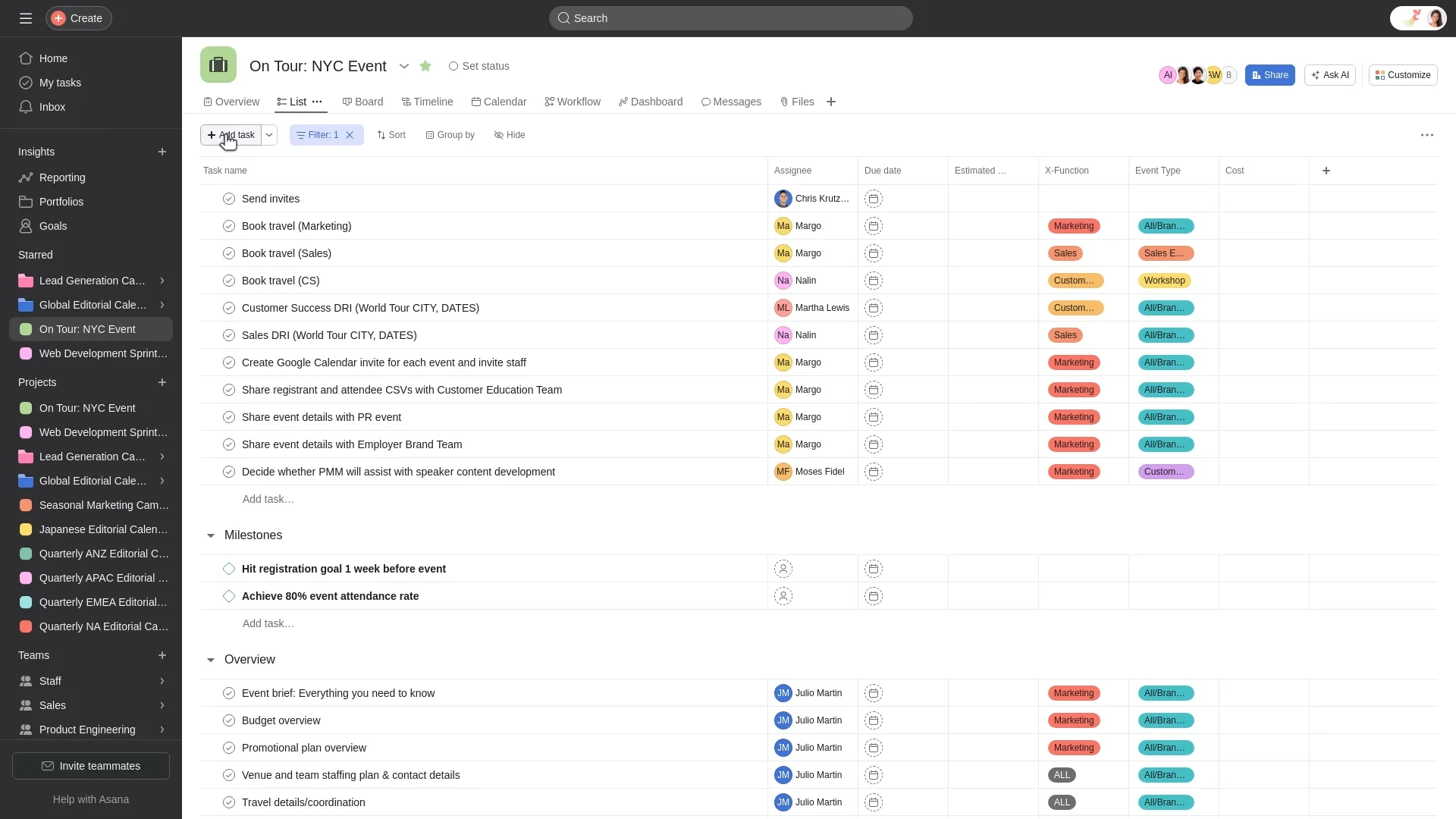
Image source: asana.com
Capabilities
- Visual project pipelines with customizable stages.
- Automate recurring tasks, notifications, and approvals.
- Assign tasks, set deadlines, and track progress.
- Collaborate with team members through comments and file sharing.
Reasons to choose it
- Intuitive interface suitable for project-focused teams.
- Flexible views adapt to different workflows.
- Automation saves time and reduces errors.
- Enhances cross-team collaboration and transparency.
When it's not ideal
- Automation rules are restricted in lower-tier plans.
- Reporting customization may be limited for complex projects.
Pricing
- Premium Plan: $10.99/user/month (billed monthly).
- Business Plan: $24.99/user/month (billed monthly).
- Enterprise Plan: Custom pricing.
8. Trello: Simple Kanban-style pipeline tracking
Trello is a visual pipeline software that uses a Kanban-style board to track tasks, deals, and project stages. Its simplicity makes it easy for teams to organize workflows, assign tasks, and monitor progress at a glance. Trello's drag-and-drop interface allows teams to move cards between stages, while checklists, labels, and due dates help maintain accountability. Collaboration is streamlined through comments, attachments, and notifications. Trello is ideal for small to mid-sized teams seeking an easy-to-use, visual tool to manage project and sales pipelines without unnecessary complexity.
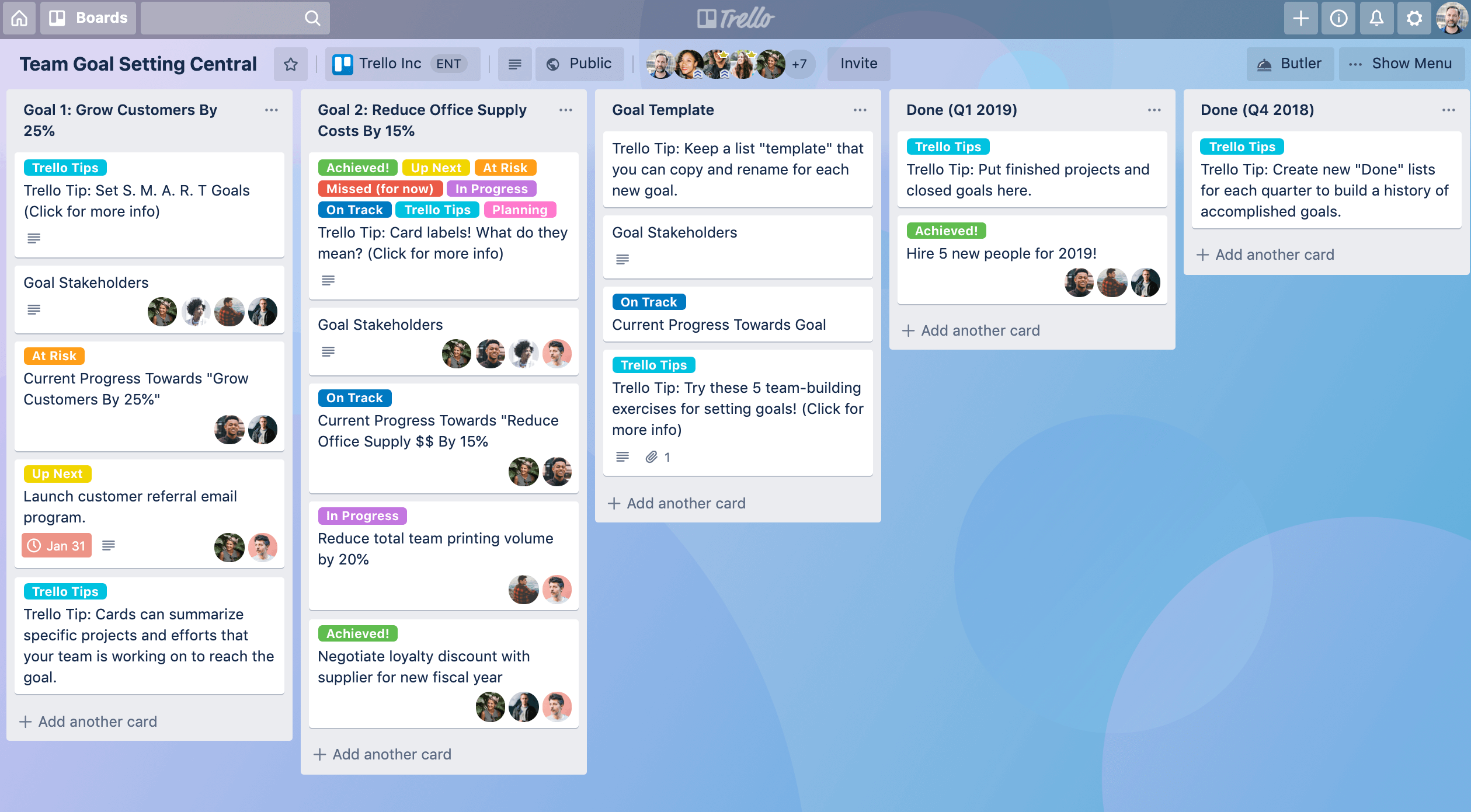
Image source: trello.com
Capabilities
- Kanban-style boards for visual task and deal tracking.
- Assign tasks, set due dates, and add checklists.
- Attach files and leave comments for team collaboration.
- Use labels and filters to prioritize and organize work.
Reasons to choose it
- Extremely user-friendly and quick to set up.
- Visual boards make workflow tracking intuitive.
- Supports collaboration through comments and attachments.
- Automation reduces repetitive work with minimal setup.
When it's not ideal
- Lacks in-depth CRM or sales pipeline features.
- Advanced automation requires paid plans.
Pricing
- Standard Plan: $5/user/month (billed monthly).
- Premium Plan: $10/user/month (billed monthly).
- Enterprise Plan: Custom pricing.
9. Airtable: Flexible, spreadsheet-style database for pipelines
Airtable is a versatile pipeline software that combines the familiarity of spreadsheets with the power of a database. Teams can track deals, projects, and workflows in customizable tables, linking records across different stages. Multiple views—grid, Kanban, calendar, and gallery—help visualize data in ways that suit different workflows. Automation, collaboration, and integration features streamline repetitive tasks and enhance team communication. Airtable is ideal for teams that need flexibility, structured data management, and a centralized platform for both sales and project pipelines.
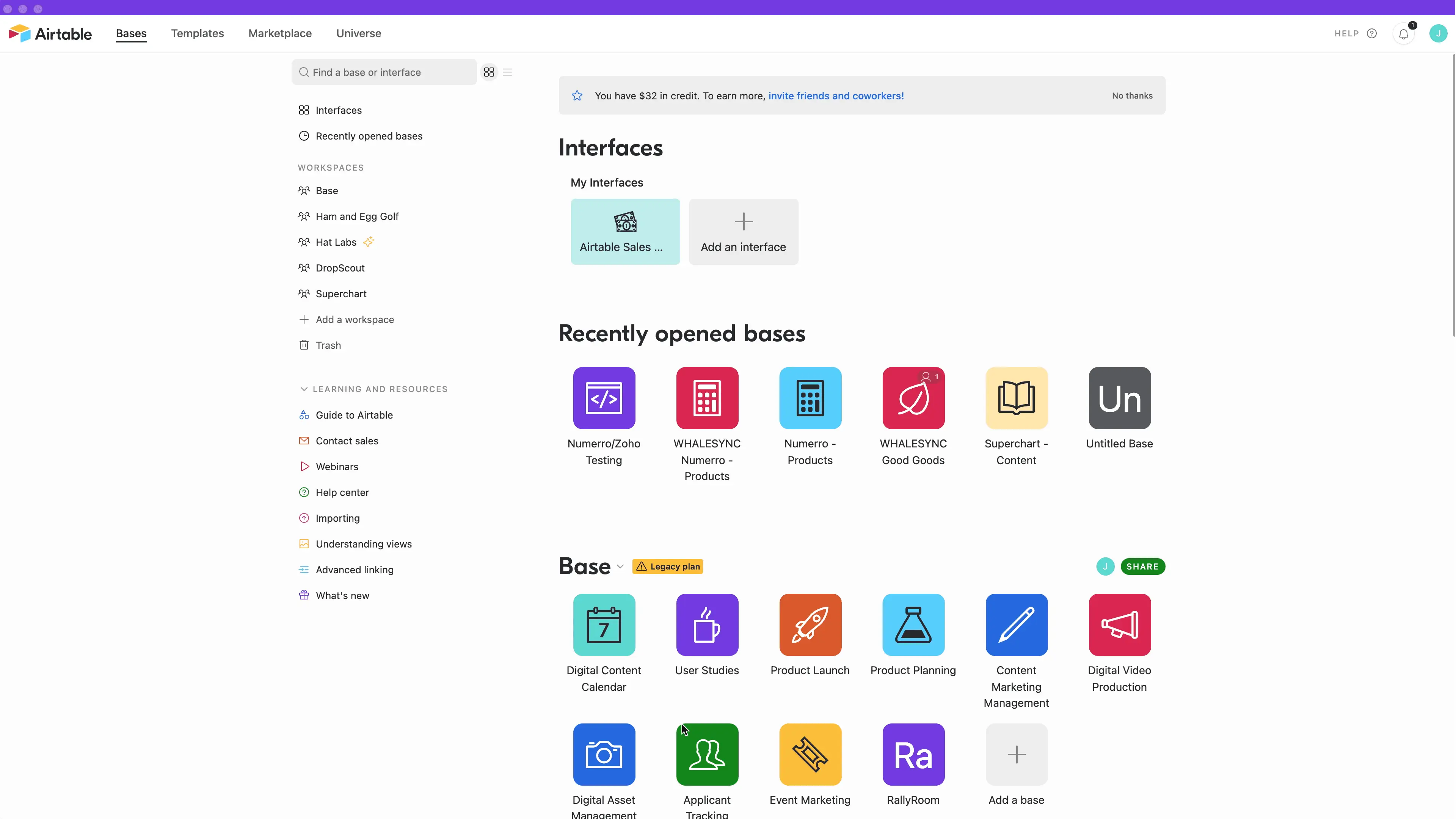
Image source: airtable.com
Capabilities
- Multiple views including grid, Kanban, calendar, and gallery.
- Automate repetitive actions such as notifications and record updates.
- Collaborate with comments, attachments, and shared records.
- Integration with apps, email, and communication tools for streamlined workflows.
Reasons to choose it
- Combines spreadsheet simplicity with database functionality.
- Supports automation to save time and reduce errors.
- Enhances collaboration across teams and departments.
- Scalable for small teams and large enterprises alike.
When it's not ideal
- Reporting and analytics can be limited without integration.
- Not specialized for purely sales-focused pipelines.
Pricing
- Plus Plan: $10/user/month (billed monthly).
- Pro Plan: $20/user/month (billed monthly).
- Enterprise Plan: Custom pricing.
10. Freshsales: AI-driven sales pipeline software with automation tools
Freshsales is a sales-focused pipeline software designed to help teams manage leads, deals, and customer relationships efficiently. It combines AI-driven insights, automation, and reporting to streamline workflows and improve conversion rates. Teams can track deals through each stage, assign tasks, and collaborate across departments seamlessly. Automation reduces manual work while AI provides predictive insights for better forecasting. Freshsales is ideal for sales teams looking to enhance pipeline visibility, accelerate deal closures, and maintain accountability across all stages of the sales process.
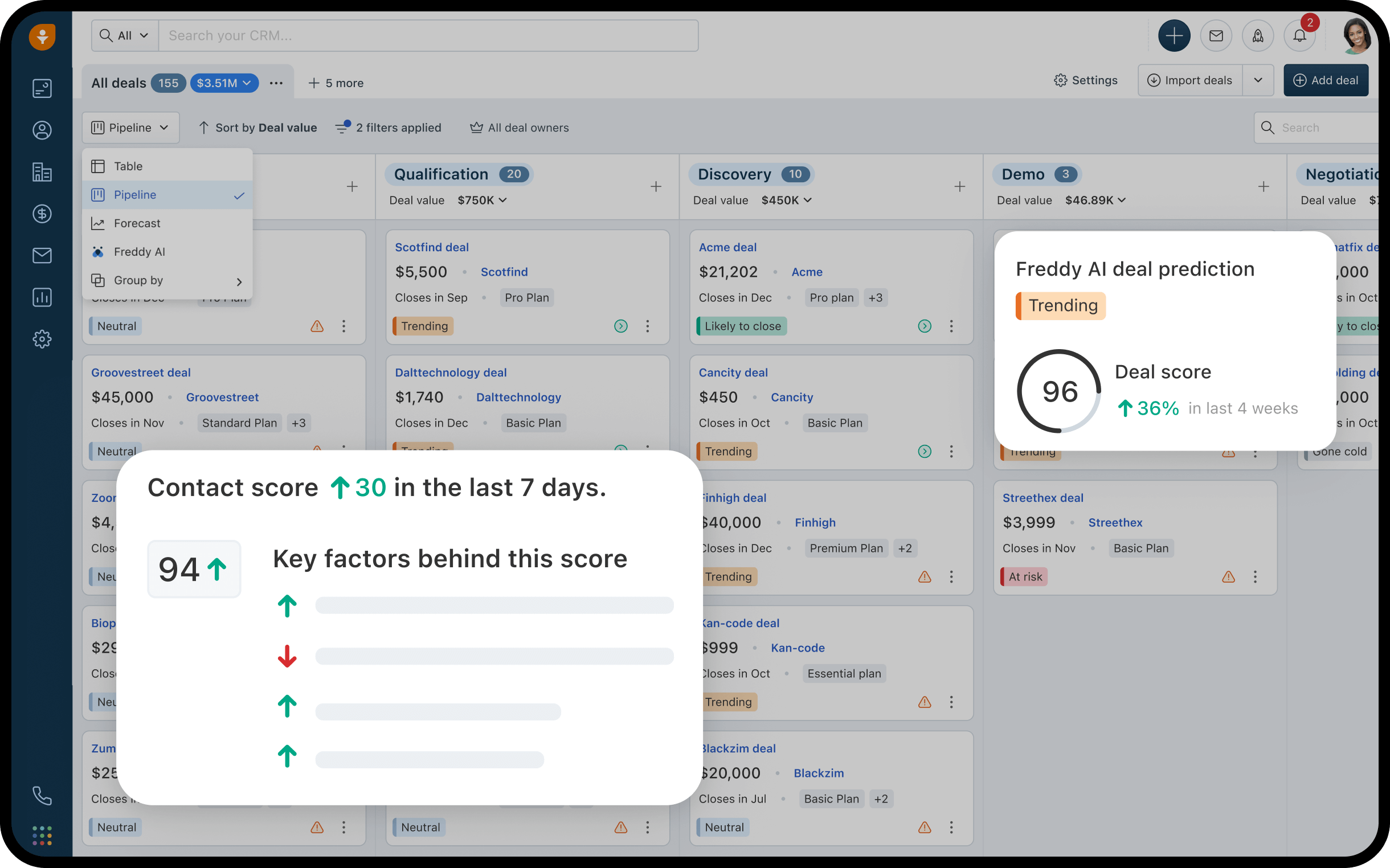
Image source: freshsales.com
Capabilities
- AI-powered lead scoring and deal insights.
- Automate repetitive tasks, notifications, and follow-ups.
- Collaboration tools including notes, emails, and shared dashboards.
- Reporting and analytics for performance tracking and forecasting.
Reasons to choose it
- Automation reduces manual work and errors.
- Provides clear visibility of the sales pipeline.
- Integrates easily with emails, calendars, and other tools.
- Scalable for small teams and large sales organizations.
When it's not ideal
- Learning curve for new users unfamiliar with CRM systems.
- Reporting may be less flexible for very large teams.
Pricing
- Growth Plan: $15/user/month (billed monthly).
- Pro Plan: $39/user/month, advanced analytics (billed monthly).
- Enterprise Plan: $69/user/month (billed monthly).
Choosing the right pipeline software
Selecting the right pipeline software is crucial for ensuring efficient workflows, accurate forecasting, and team collaboration. Different teams have varying needs, so understanding your workflow type and evaluating software capabilities is essential. The ideal solution should combine automation, reporting, and collaboration while remaining easy to use. Considering scalability and mobile access ensures your pipeline management software grows with your team and supports work from anywhere.
- Define your workflow type (sales, project, or hybrid): Determine whether your team primarily manages deals, projects, or a combination of both. Choosing sales pipeline software for lead tracking or project pipeline software for task management ensures the tool aligns with your objectives. A hybrid approach may require pipeline management software that handles multiple workflows seamlessly.
- Evaluate automation and reporting capabilities: Look for software that automates repetitive tasks such as follow-ups, notifications, and status updates. Strong reporting and analytics allow teams to monitor KPIs, conversion rates, and resource allocation. Automation and data insights improve efficiency and help maintain pipeline integrity across stages.
- Prioritize ease of use and scalability: Choose tools with intuitive interfaces that minimize the learning curve for team members. Scalable pipeline CRM software or deal pipeline software ensures the system grows as your team and business expand. Ease of use promotes adoption and reduces errors in managing the pipeline.
- Look for real-time collaboration and mobile compatibility: Teams should be able to communicate, share files, and update tasks in real time within the platform. Mobile access allows team members to track deals, project stages, or data pipelines on the go. Real-time collaboration and notifications ensure no opportunity or task falls through the cracks.
Why teams need pipeline management software
In today's complex business landscape, teams managing multiple deals, projects, and data workflows need pipeline management software to stay organized and efficient. By centralizing tasks, communication, and performance metrics, teams gain clarity on progress and accountability. This type of software also integrates with other systems, allowing for pipeline CRM software functionality and smoother collaboration across departments. With automation and reporting, organizations can prevent missed opportunities, optimize resources, and maintain pipeline integrity, ensuring that projects, deals, and data move seamlessly from start to finish.
- Prevents missed deals or project delays: Sales pipeline software tracks every lead, task, and milestone in one visual interface. Automated alerts notify teams of deadlines and status changes. This ensures that no deals, project tasks, or deliverables are overlooked.
- Provides visibility into performance metrics and progress: Dashboards and analytics within pipeline project management software provide real-time insights into pipeline health. Managers can monitor conversion rates, task completion, and project stages. Clear visibility helps teams identify bottlenecks and optimize performance.
- Automates follow-ups and handoffs between departments: The best automated sales pipeline software enables rule-based triggers for notifications, approvals, and task assignments. Departments stay synchronized without manual intervention. Workflows flow seamlessly from one stage to the next, improving efficiency.
- Improves forecasting accuracy and resource allocation: Pipeline integrity management software ensures data is accurate and up-to-date, allowing managers to forecast sales, project timelines, and resource needs. This improves planning and decision-making across teams.
- Unifies collaboration between sales, marketing, and project teams: By centralizing communication and documentation, pipeline software enables cross-functional teams to work together effortlessly. Shared dashboards, comments, and updates reduce silos and improve alignment on deals, projects, and workflows.
How to build your first pipeline successfully (example use case)
A mid-sized consulting firm wants to streamline its sales process and project onboarding. Previously, the team relied on multiple tools—emails for communication, spreadsheets for tracking deals, and separate task managers for projects—which led to missed deadlines and fragmented visibility. By building a centralized pipeline in Lark, the sales and project teams can manage leads, track progress, automate follow-ups, and collaborate seamlessly—all in one place.
- Create a Base table with stages: Set up a visual table representing each stage of the sales or project process. Each deal or client is added as a record that moves through these stages. This structure allows teams to see the entire pipeline at a glance and monitor progress in real time.
- Add fields for client, deal value, owner, and due date: Include essential information for every record to provide context and accountability. Assign an owner to each deal or task to ensure responsibilities are clear. Setting due dates helps track deadlines and prioritize follow-ups effectively.
- Use automation to trigger follow-ups when deadlines approach: Automations can send reminders to team members or notify managers if a deal or task is nearing its due date. This prevents delays and ensures timely action on critical opportunities. Automation also reduces manual tracking, saving time and minimizing errors.
- Collaborate through Messenger or Docs for proposals: Teams can discuss deals or projects directly within Lark using Messenger or attach supporting documents in Docs. All communication and files are linked to the relevant record, keeping information centralized. Collaboration in context ensures everyone stays aligned and reduces the risk of missed updates.
- Review performance in Sheets at month-end: Use Lark Sheets to record and predict pipeline data. Teams can track KPIs, conversion rates, and overall performance without exporting data. This provides actionable insights for forecasting, planning, and identifying areas for improvement.
Result: By building this pipeline, the consulting firm achieves complete visibility into every deal and task. Sales, project, and support teams remain aligned, automated workflows reduce manual effort, and all updates are centralized—eliminating the need to switch between multiple apps.
Conclusion
Pipeline software is essential for teams managing sales, projects, and workflows efficiently. By centralizing tasks, communication, and data, it ensures no deal, milestone, or task is missed. While traditional tools help visualize progress, Lark takes it further by combining automation, collaboration, and documentation in a single hub. Teams can streamline follow-ups, maintain accountability, and gain real-time insights into performance. This unified approach improves forecasting, reduces manual effort, and enhances efficiency across departments.
For organizations seeking visibility, speed, and seamless teamwork, an effective pipeline software solution is indispensable for managing workflows without complexity.
FAQs
What is pipeline software used for?
Lark helps teams visualize, manage, and track workflows across sales, projects, and tasks. Pipeline software ensures no deals, project milestones, or tasks are missed, while providing real-time insights, automation, and performance reporting. It improves collaboration, accountability, and forecasting for teams of all sizes.
What's the difference between sales pipeline and project pipeline software?
Sales pipeline software focuses on managing leads, deals, and conversions, helping teams prioritize opportunities and forecast revenue. Project pipeline software tracks tasks, stages, and milestones to ensure projects are delivered on time. Some tools combine both for hybrid workflows.
How does Lark compare to tools like Pipedrive or Monday CRM?
Lark provides an all-in-one workspace combining pipeline tracking, automation, communication, and documentation. Unlike standalone tools, it reduces the need to switch between apps, giving teams a unified hub for sales, projects, and collaboration.
Can I automate tasks in Lark's pipeline view?
Yes. Lark allows teams to set triggers and workflow rules that automatically update statuses, send notifications, and assign tasks. Automation reduces manual work and ensures pipeline integrity across all stages.
Does Lark offer a free plan for small teams?
Yes. Lark offers a free plan that includes essential tools for up to 20 users, enabling small teams to manage pipelines, collaborate, and automate basic workflows without any cost.
Related reading
Table of contents
Start using Lark today

Manage all your work in one place
Boost team efficiency by 10x
Save up to 70% on software costs
Table of contents
Start using Lark today
Manage all your work in one place
Boost team efficiency by 10x
Save up to 70% on software costs
Keep reading









2026 Lark Technologies Pte. Ltd.
Headquartered in Singapore with offices worldwide.






Explore: