I recently spoke with an operations director at a mid-sized marketing firm who confessed that her team spends more time updating their software than actually doing the work. They chat in one app, host video calls in another, track tasks in a third, and draft documents in a fourth. This fragmented approach is a familiar reality for many modern businesses.
While the market is flooded with productivity and collaboration tools, throwing more software at your team rarely solves workflow bottlenecks. What growing companies need is not another isolated app, but a strategy for consolidation. In this guide, I will break down how the best platforms on the market compare and show you why centralizing your team's communication and task management is the most effective way to regain control of your workday. And here, I listed the five best productivity and collaboration tools for project management for you to have a quick view:
1. Lark: Best for all-in-one team collaboration
2. Rocketlane: Best for onboarding and service delivery
3. Zoho Projects: Best for integrated project tracking
4. ProjectManager: Best for agility and accuracy
5. Wrike: Best for customizable workflows
What are productivity and collaboration tools?
When operations managers ask me to audit their software stacks, the first hurdle is usually defining what we are actually looking at. The software market is incredibly crowded, and the lines between a simple chat app and a full-scale work management platform can get blurry.
At their core, productivity and are applications designed to facilitate teamwork, communication, and coordination across an organization. They provide a centralized digital workspace where team members can connect, share information, and execute tasks regardless of their physical location. According to industry classifications, a true collaboration platform goes beyond basic messaging; it combines , file sharing, and task coordination into a single, accessible hub. Instead of treating work as a fragmented process—where you talk in one place and work in another—these tools bring the conversation and the actual project deliverables under one roof.
Benefits of productivity and collaboration tools
For business leaders, convincing a team to change how they work requires a clear return on investment. The transition requires effort, but the operational advantages of implementing productivity and collaboration tools for project management are substantial. Based on market analysis and direct user feedback, here are the primary benefits your organization can expect:
- Streamlined communication: By centralizing your team's conversations, you eliminate the need to track down fragmented discussions scattered across emails, instant messages, and phone calls. This leads to faster decision-making and fewer misunderstandings.
- Centralized : When teams collaborate on a single platform, version control issues disappear. Everyone works from a single source of truth, ensuring that no one wastes time editing an outdated spreadsheet or hunting down a lost attachment.
- Significant cost savings: Consolidating your tool stack often leads to a direct reduction in software licensing fees. Furthermore, built-in communication features reduce reliance on external telephony or specialized video conferencing subscriptions, while strong remote capabilities can cut down on physical travel expenses.
Explore what collaboration tools like Lark can offer
Top 10 Productivity and Collaboration Tools Compared
To find the right fit for your organization, you have to look beyond a simple feature list. We evaluate these platforms based on their Total Cost of Ownership (TCO), the depth of their core capabilities, and how well they support remote or .
1. Lark: Best for all-in-one team collaboration
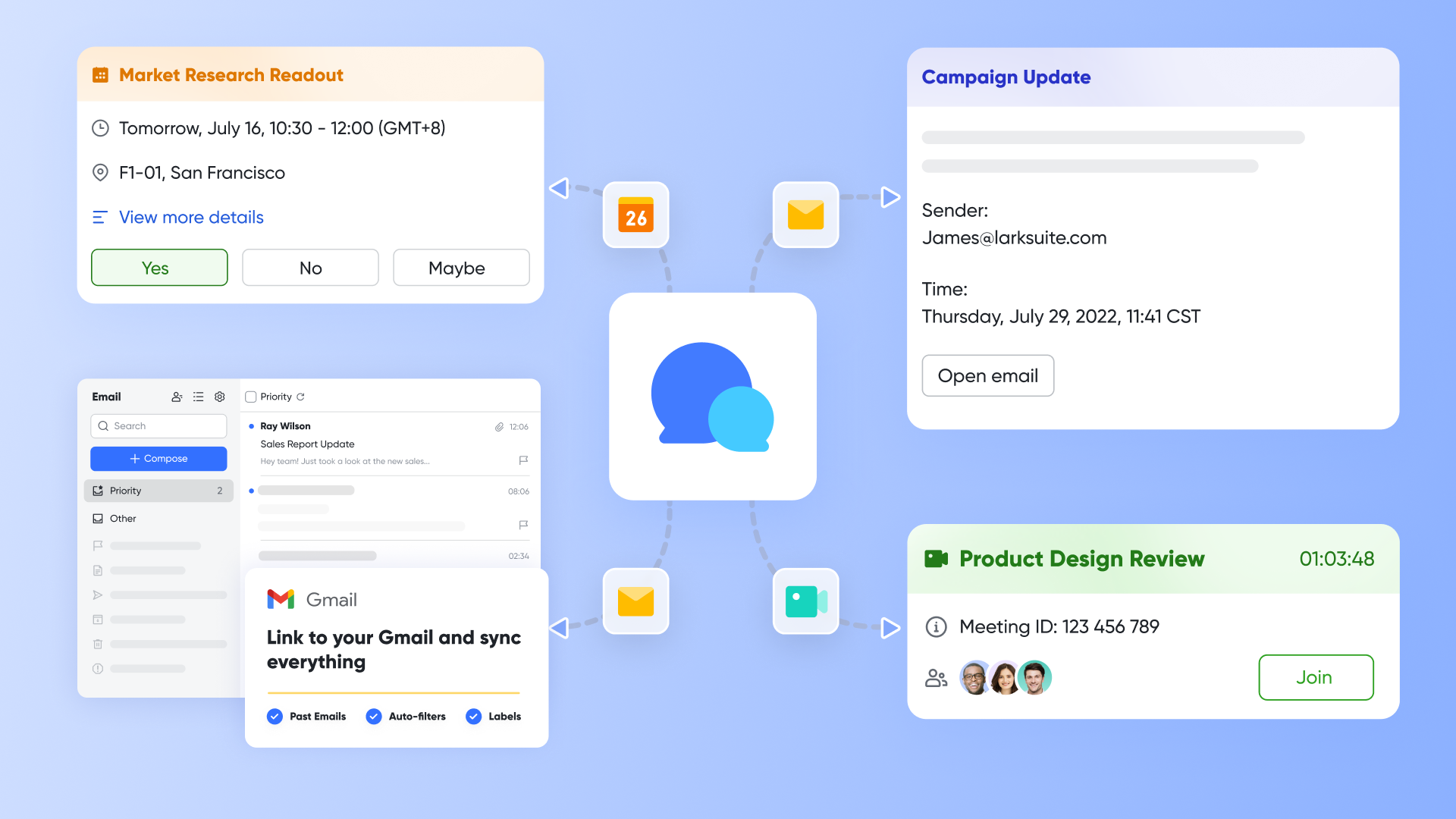
If your team is constantly switching between a chat app, a video conferencing tool, and a separate project tracker, you are losing valuable time to context switching. This fragmented approach not only slows down execution but also drives up software licensing costs. is an all-in-one platform that helps teams of every size manage projects and work smarter together. In the realm of project management, Lark completely changes the game by unifying real-time chat, task management (), cloud-native documents, and AI-powered workflows into a single workspace. Lark's native ensures your team finds project specs without leaving the chat window, keeping everyone aligned and preventing costly project delays.
Pros:
Replace scattered spreadsheets with a flexible database
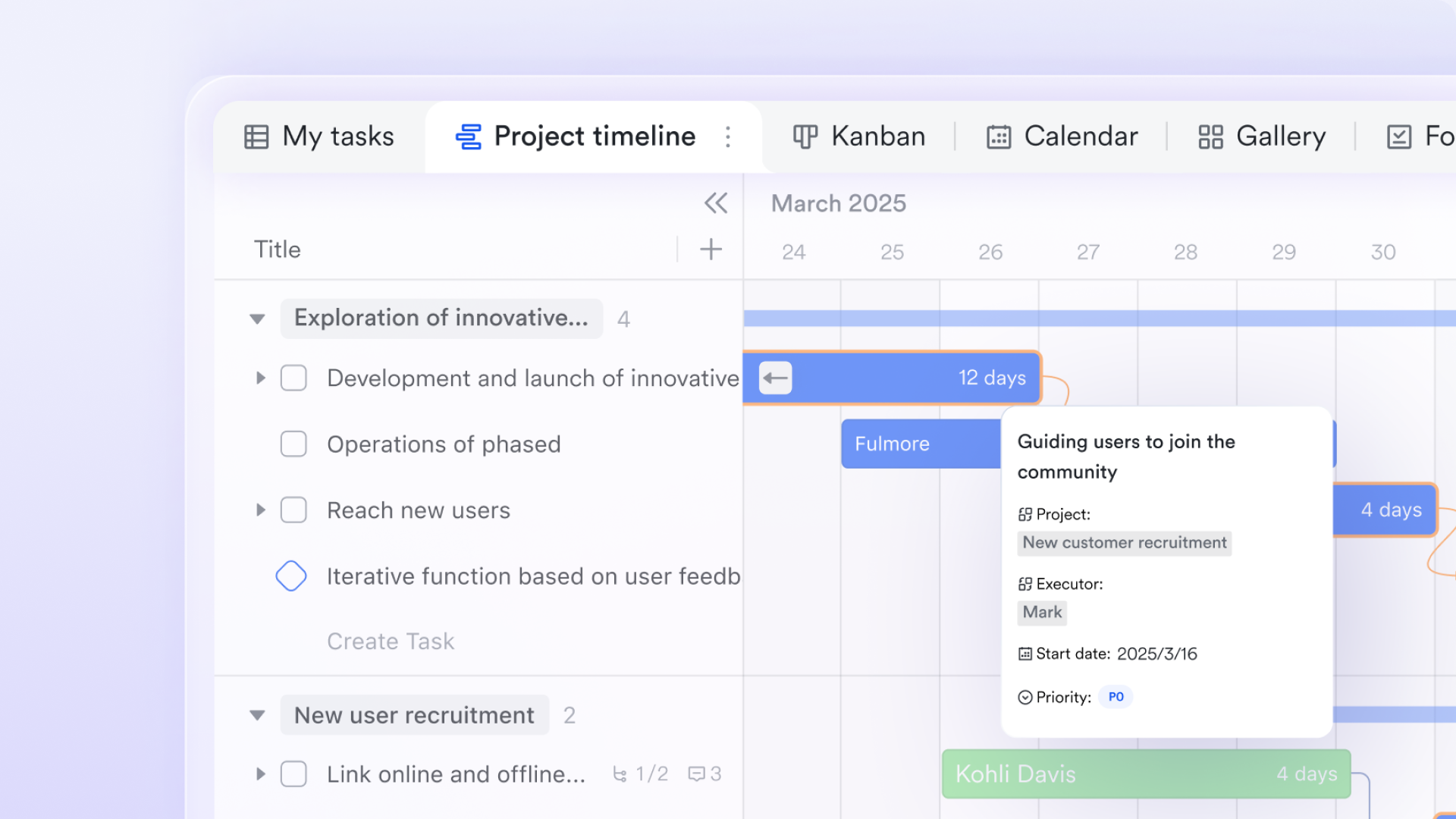
Team productivity often suffers from scattered information—project progress in one Excel file, customer data in another spreadsheet, task lists in a third document. provides a unified database where you can manage all your business data in one place. More importantly, it supports multiple views: use Kanban to track task progress, Gantt to plan project timelines, and table view for batch editing. All views draw from the same data. Update once, and everything syncs. Your team no longer needs to hunt for the latest version across multiple files.
Replace email attachments with real-time collaborative Docs
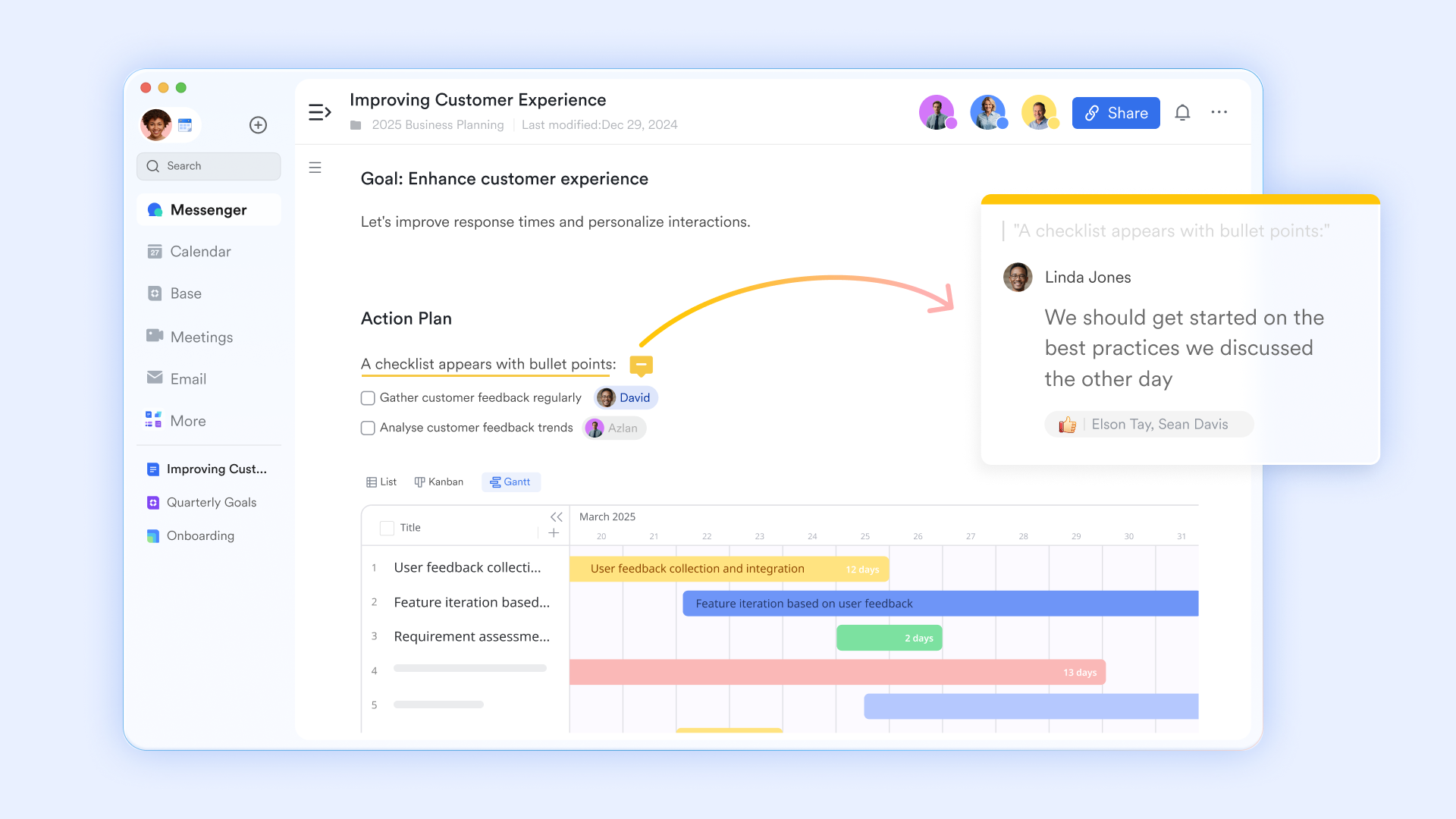
Traditional document workflows rely on email attachments, leading to version confusion. lets multiple people edit the same document simultaneously, with all changes visible in real time. You can @mention colleagues in a doc, turn discussion points into tasks in Lark Tasks with one click, or embed live data tables from Base. When the embedded data updates, the doc refreshes automatically. This turns documents from static files into the center of team collaboration.
Turn meetings from information sync to value creation
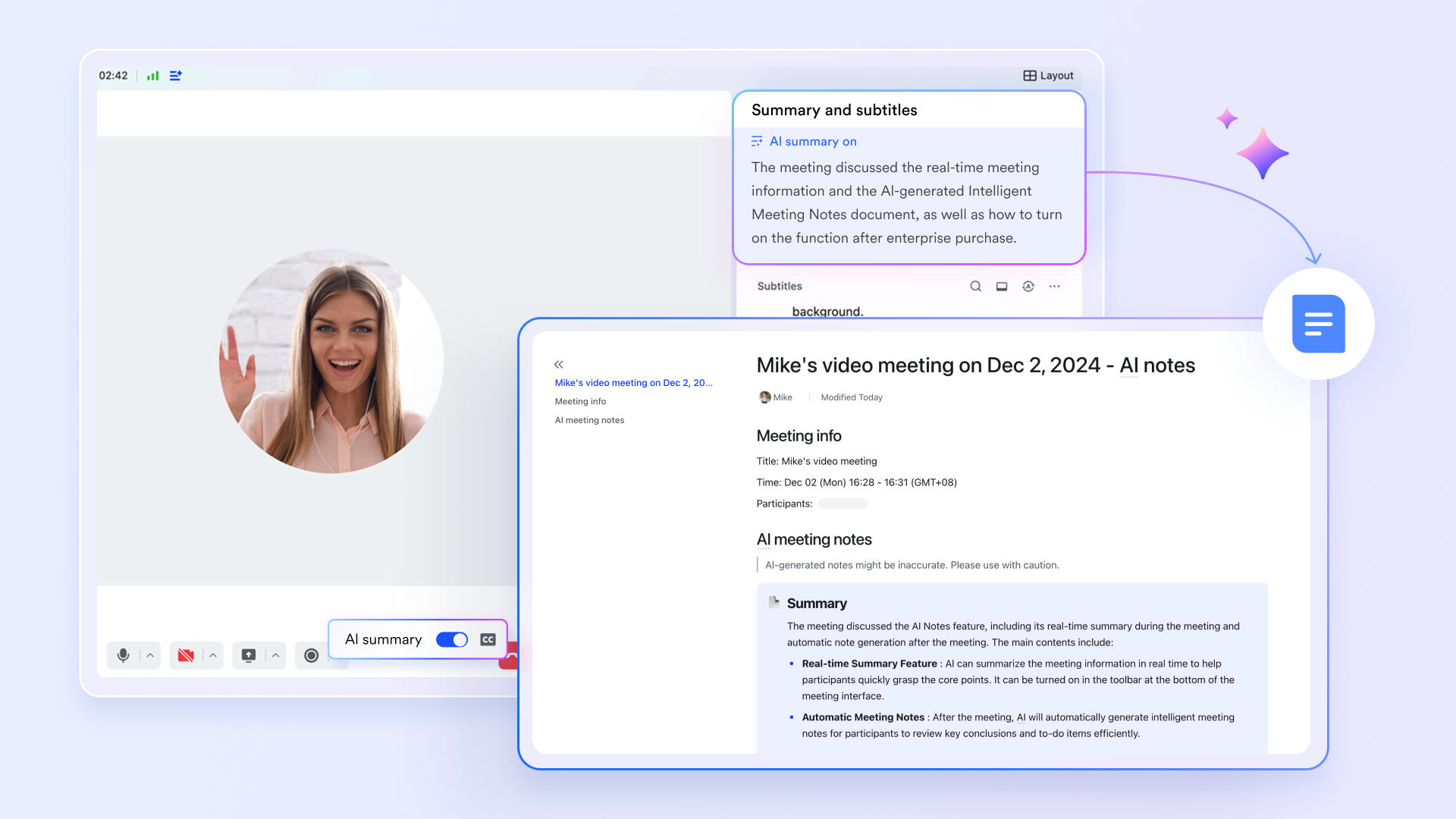
Meetings can be productivity black holes. combined with help meetings create real value. AI automatically identifies discussion points and generates structured notes with meeting summaries and action items. After the meeting, the notes document is automatically shared with all attendees. You can turn action items into tasks with one click. Teams no longer need to spend extra time organizing meeting notes. Every meeting has clear, trackable outcomes.
Turn chat into the starting point for action
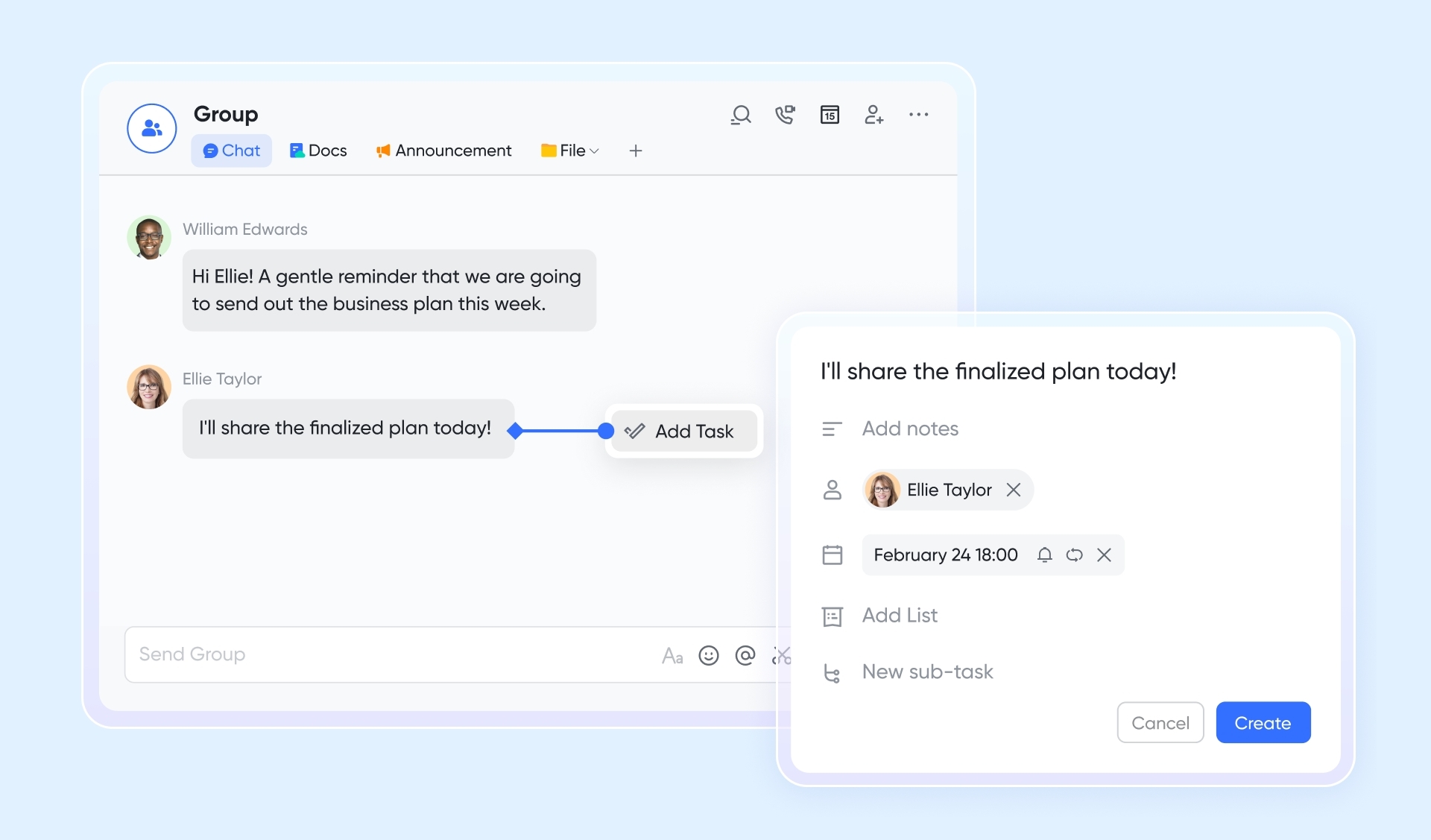
Team conversations generate valuable information, but it often gets buried in chat history. lets you turn any message into a task with one click—assign an owner, set a due date, and the task appears automatically in Lark Tasks and syncs to your calendar. For global teams, real-time translation removes language barriers and keeps communication flowing. Message threads let multiple topics run in parallel without getting mixed up. Chat becomes an engine for getting work done, not a black hole for information.
Connect scheduling seamlessly with work context
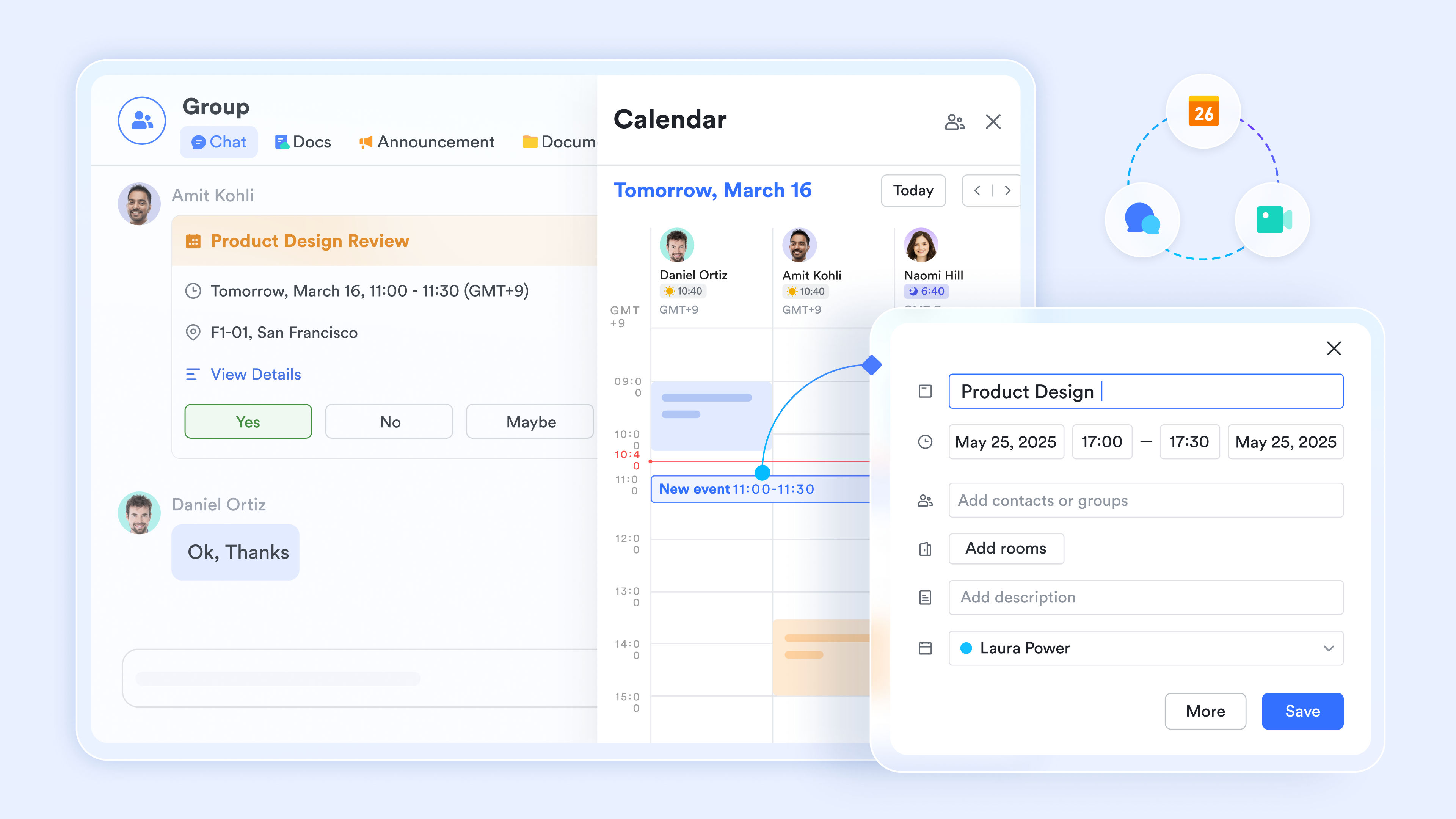
Busy teams spend too much time coordinating schedules. lets you see colleagues' availability directly and create meeting invites with one click. Each calendar event includes the video meeting link, relevant documents, and attendee list. When you check your calendar for the day, tasks due that day from Lark Tasks show up alongside your meetings. This means you can see all your commitments—meetings, tasks, deadlines—in one view, without switching between multiple tools.
Cons:
- Advanced customization and features may require initial learning, though guidance is available through the Lark Help Center.
The verdict: Lark is the ideal choice for growing SMEs and large enterprise teams looking to streamline their operations and cut software costs. It stands out by replacing a disjointed tech stack with a single, highly capable workspace.
:
- Starter plan: Free forever plan that includes 11 powerful tools for up to 20 users. It also comes with 100GB of storage, 1000 automation runs, AI translations, and more.
- Basic plan: $6/user/month (billed annually) for up to 500 users. It includes everything in Starter plus group calling for up to 500 attendees, 5TB of storage, 1000 automation runs, and more. For more details, please .
- Pro plan: $12/user/month (billed annually) for up to 500 users. It includes everything in Basic plus group calling for up to 500 attendees, 15TB of storage, 50,000 automation runs, and more.
- Enterprise plan: for custom pricing. Supports unlimited users and includes even more automation runs and advanced security, compliance, and management features.
For small teams with simple communication needs

18 months message history
1000 Base automation runs/month
2000 rows per table in Base
Most POPULAR
For companies with comprehensive collaboration and management needs
Unlimited message history
500-participant video meetings
50k Base automation runs/month
20k rows per table in Base
For large companies with advanced security and organizational management needs
Get a personalized demo and pricing
Unlimited message history
500-participant video meetings
15 TB storage + 30 GB storage/user
500k Base automation runs/month
50k Base automation runs/month
Most POPULAR
For companies with comprehensive collaboration and management needs
Unlimited message history
500-participant video meetings
50k Base automation runs/month
20k rows per table in Base
2. Rocketlane: Best for onboarding and service delivery
Rocketlane is designed specifically for customer onboarding, offering collaborative project management tailored to efficiently deliver client services. It positions itself as a specialized platform that excels in managing projects, resources, and customer interactions in a transparent way. For teams searching for productivity and collaboration tools focused on client-facing workflows, Rocketlane shines by offering dynamic templates and automated workflows that give you 360° visibility into project milestones and potential risks.
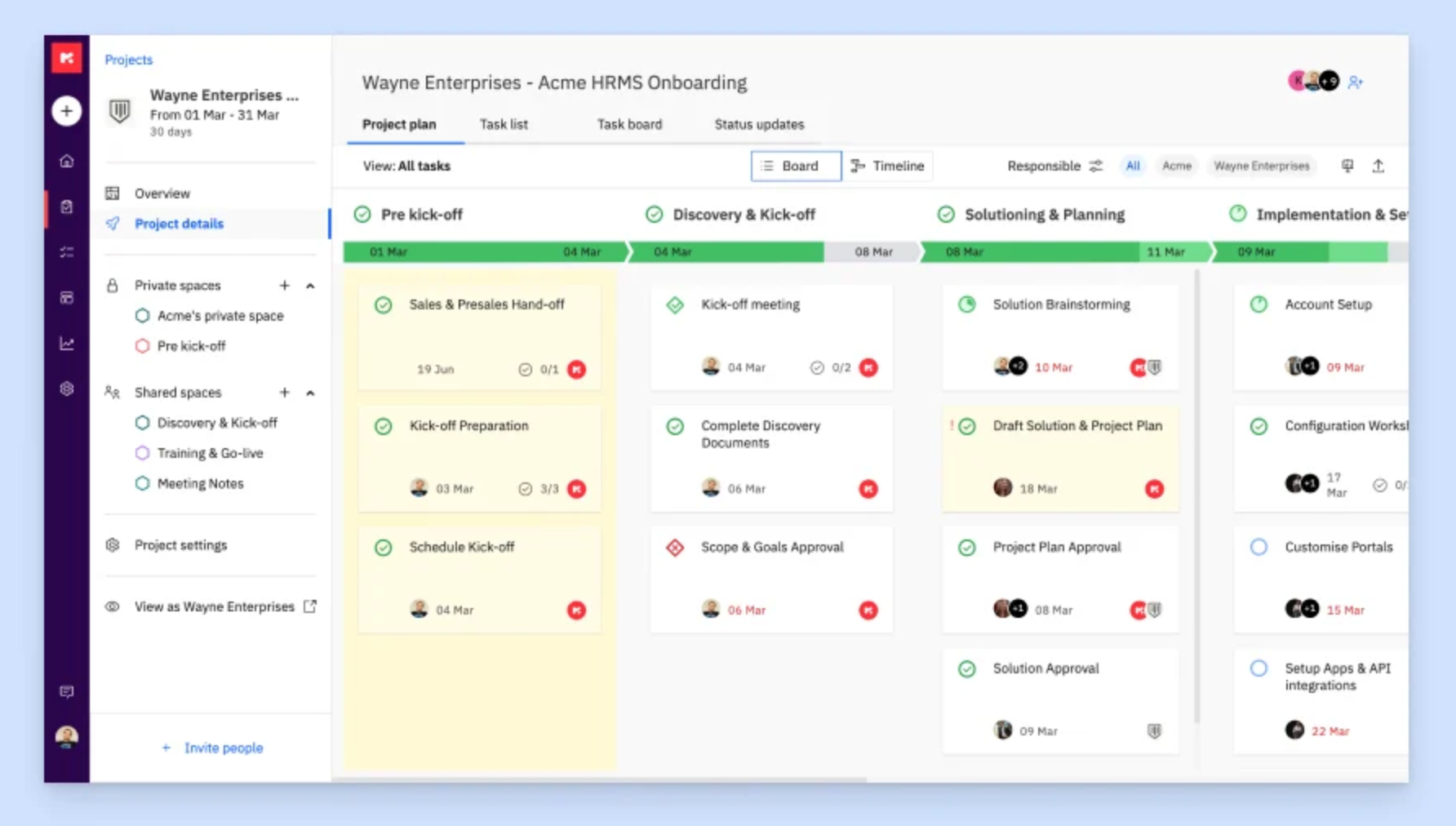
Image source: rocketlane.com
Pros:
- Dynamic templates allow for fast, standardized project setups.
- Automated workflows reduce manual administrative work.
- Real-time collaboration features keep both internal teams and external clients aligned.
- Deep integrations with CRM platforms like Salesforce and HubSpot.
- Excellent visibility into project milestones and resource allocation.
Cons:
- Complex initial setup. Teams will need to dedicate time to configure their onboarding templates properly before seeing a return on investment.
- Limited offline access. Users need a stable internet connection to manage their service delivery workflows effectively.
The verdict: Rocketlane is best suited for service delivery teams and agencies that handle complex client onboarding processes. It stands out due to its specialized focus on external collaboration and dynamic project templates.
Pricing:
- Essential: $19/user/month
- Standard: $49/user/month
- Enterprise: $99/user/month
3. Zoho Projects: Best for integrated project tracking
Zoho Projects streamlines project management through advanced tools for task automation, time tracking, and team collaboration in an integrated environment. As a cloud-based project management software, it helps teams plan, track, collaborate, and achieve project goals with high visibility. When evaluating productivity and collaboration tools, Zoho Projects is particularly effective due to its Gantt charts, issue tracking capabilities, and seamless integration with the broader Zoho ecosystem.
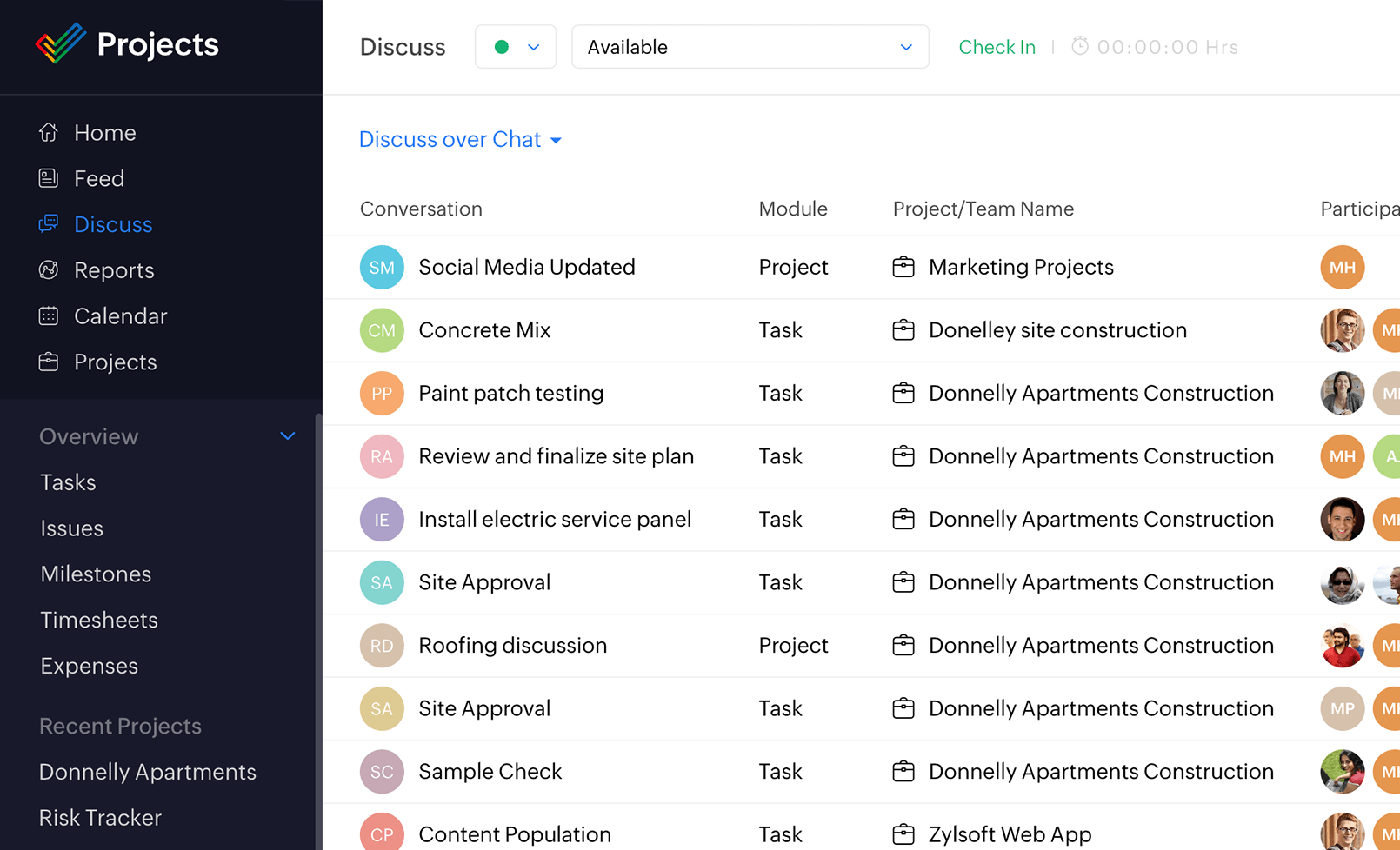
Image source: zoho.com
Pros:
- Highly competitive pricing compared to similar enterprise tools.
- User-friendly interface that simplifies task management.
- Comprehensive feature set including robust time tracking and issue management.
- Excellent Gantt charts for visual project planning.
- Deep native integration with Zoho Books, Zoho Cliq, and other Zoho apps.
Cons:
- Limited customization options. Teams with highly unconventional workflows may find the rigid structure somewhat limiting, but standard project management methodologies work perfectly.
- Initial learning curve. Providing a brief training session for new employees can easily overcome this hurdle.
The verdict: Zoho Projects is a fantastic choice for businesses that need to monitor project progress closely and are looking for strong value for their money. It is especially powerful for organizations already using the Zoho software suite.
Pricing:
- Free plan: Up to 5 users
- Premium plan: $4/user/month
- Enterprise plan: $9/user/month
- Ultimate plan: $14/user/month
4. ProjectManager: Best for agility and accuracy
ProjectManager keeps teams aligned and productive with real-time project tracking, planning, and collaboration tools. It offers an advanced suite of tools designed to manage complex projects, resources, and everyday tasks across various methodologies. For managers needing robust productivity and collaboration tools, ProjectManager delivers with its real-time dashboards, project portfolios for high-level overviews, and Kanban boards tailored for Agile task management.
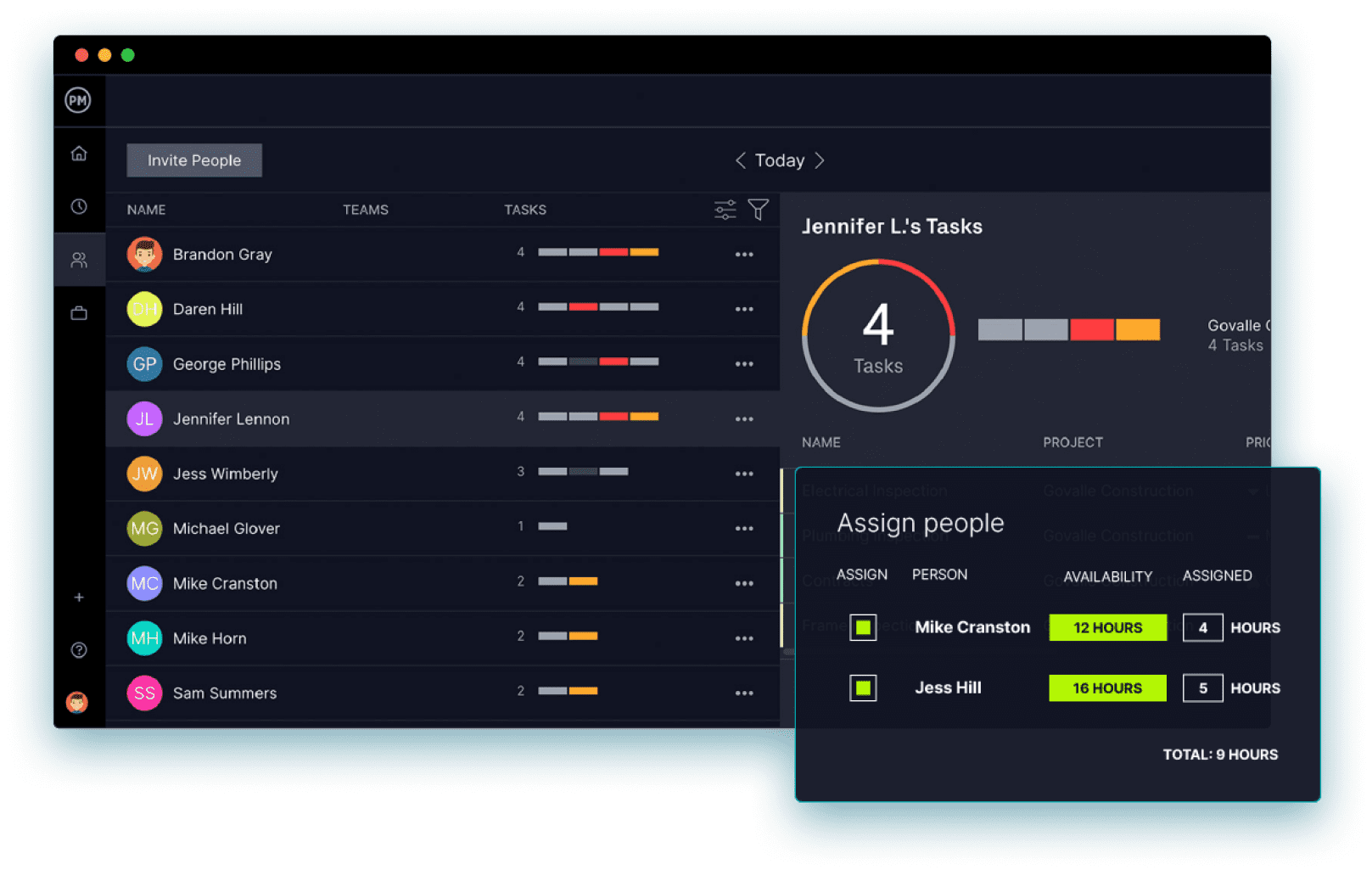
Image source: projectmanager.com
Pros:
- Advanced reporting capabilities provide deep insights into team performance.
- Real-time collaboration ensures team members are always looking at the latest data.
- Comprehensive feature set that supports both Agile and Waterfall methodologies.
- Interactive Gantt charts for setting milestones and tracking progress.
- Strong resource management features to balance team workloads.
Cons:
- Learning curve for new users. The platform's extensive capabilities require dedicated onboarding, but utilizing the provided templates can speed up adoption.
- Limited third-party integrations. Users may need to rely on Zapier to connect some of their niche specialized apps.
The verdict: ProjectManager is ideal for mid-to-large-sized teams that require a blend of traditional planning and Agile execution. It stands out because of its versatile real-time dashboards and detailed planning capabilities.
Pricing:
- Business: $28/user/month
- Enterprise: Custom pricing
5. Wrike: Best for customizable workflows
Wrike boosts project collaboration with customizable workflows, real-time updates, and seamless integrations with other essential tools. It is built to handle complex, cross-functional work, offering a highly adaptable workspace that can be tailored to fit unique team processes. As a heavy-hitting productivity and collaboration tool, Wrike features dynamic request forms, advanced automation, and collaborative proofing tools that streamline the review process for creative and operational teams alike.
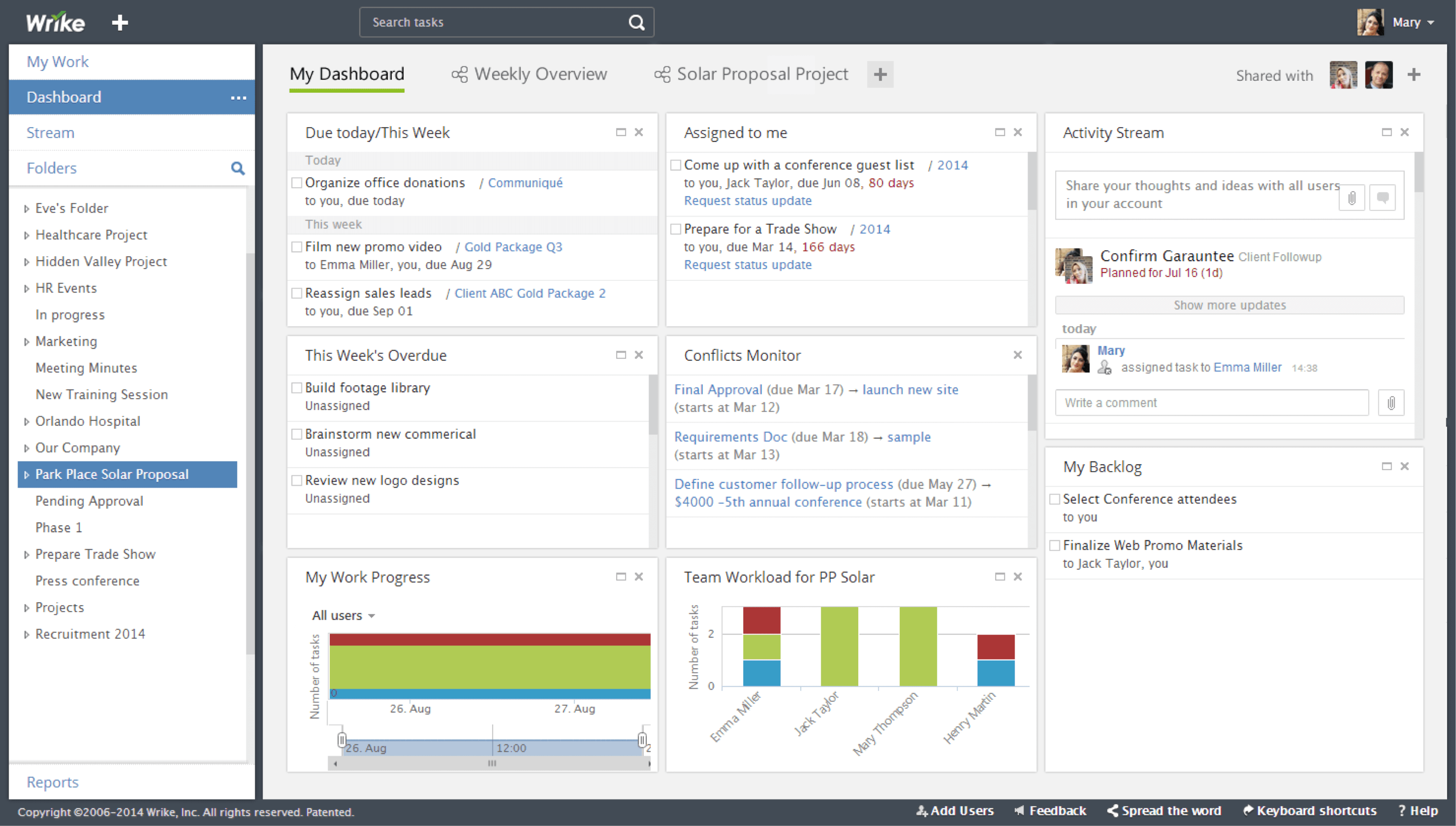
Image source: wrike.com
Pros:
- Comprehensive project views (including interactive Gantt charts).
- Advanced automation capabilities to streamline repetitive tasks.
- Highly customizable workflows that adapt to specific departmental needs.
- Dynamic request forms simplify the intake of new projects.
- Powerful AI tools for work intelligence and risk prediction.
Cons:
- Steeper learning curve. Teams will need to invest time in setting up their workspace correctly to maximize the tool's potential.
- Can become overwhelming with too many features. Administrators should carefully restrict views and permissions so everyday users only see what they need to execute their tasks.
The verdict: Wrike is an excellent option for large agencies, marketing teams, and enterprises that manage complex, multi-step projects. It excels in providing deep customization and powerful workflow automation.
Pricing:
- Free plan: $0/user/ month
- Team plan: $10/user/month
- Business plan: $25/user/month
- Enterprise plan: Custom pricing
6. Asana: Best for connecting work to company goals
Asana provides a centralized hub to organize projects, track deadlines, and connect daily tasks to overarching company goals. The dashboard beautifully organizes tasks, subtasks, and milestones, giving supervisors a clear top-down view of team progress. Within the landscape of productivity and collaboration tools, Asana is widely praised for its automated workflows, portfolio views, and recently introduced AI capabilities that help draft smart goals and summarize project statuses.
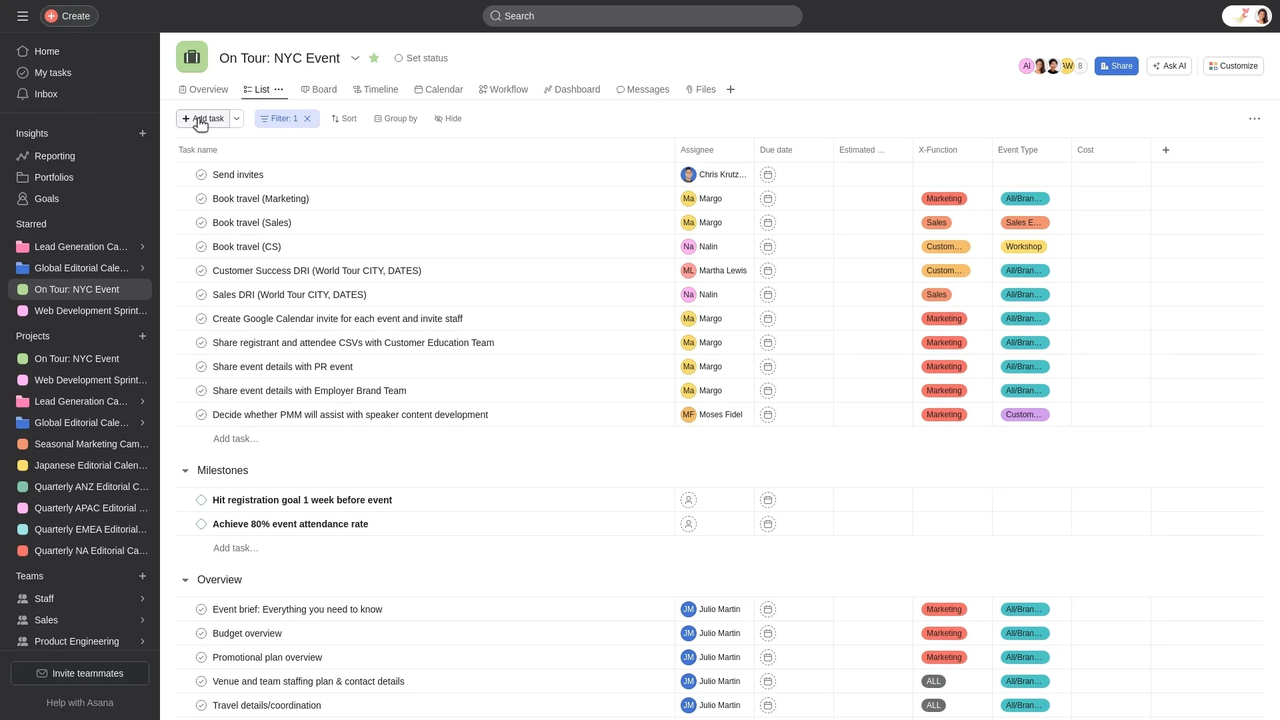
Image source: asana.com
Pros:
- Intuitive, modern interface that is easy to navigate.
- Numerous, versatile work management features that suit various departments.
- Convenient automations and integrations with hundreds of third-party apps.
- In-depth progress tracking through advanced Portfolio and project views.
- Strong reporting features that track data over time to identify workflow trends.
Cons:
- AI add-ons can get expensive. Teams on a strict budget can still leverage Asana's powerful core task management features without paying for premium AI tiers.
- Too many task customization features can result in a steep learning curve. Managers should standardize templates to keep team inputs consistent.
The verdict: Asana is perfect for organizations that need a structured, visually appealing way to assign tasks and track project timelines. It stands out by effortlessly connecting granular daily tasks to high-level strategic objectives.
Pricing:
- Personal plan: Free forever
- Starter plan: $10.99/user/month
- Advanced plan: $24.99/user/month
- Enterprise: Contact sales
7. Monday.com: Best for visual project tracking
Monday.com offers highly customizable visual organizers that help teams manage projects, client relations, and complex data in one place. Acting as a flexible Work OS, it allows users to create colorful, intuitive dashboards that display data in multiple formats, including tables, Kanban boards, and timelines. For teams seeking versatile productivity and collaboration tools, Monday.com delivers with its drag-and-drop automations, integrated document collaboration, and highly adaptable board structures.
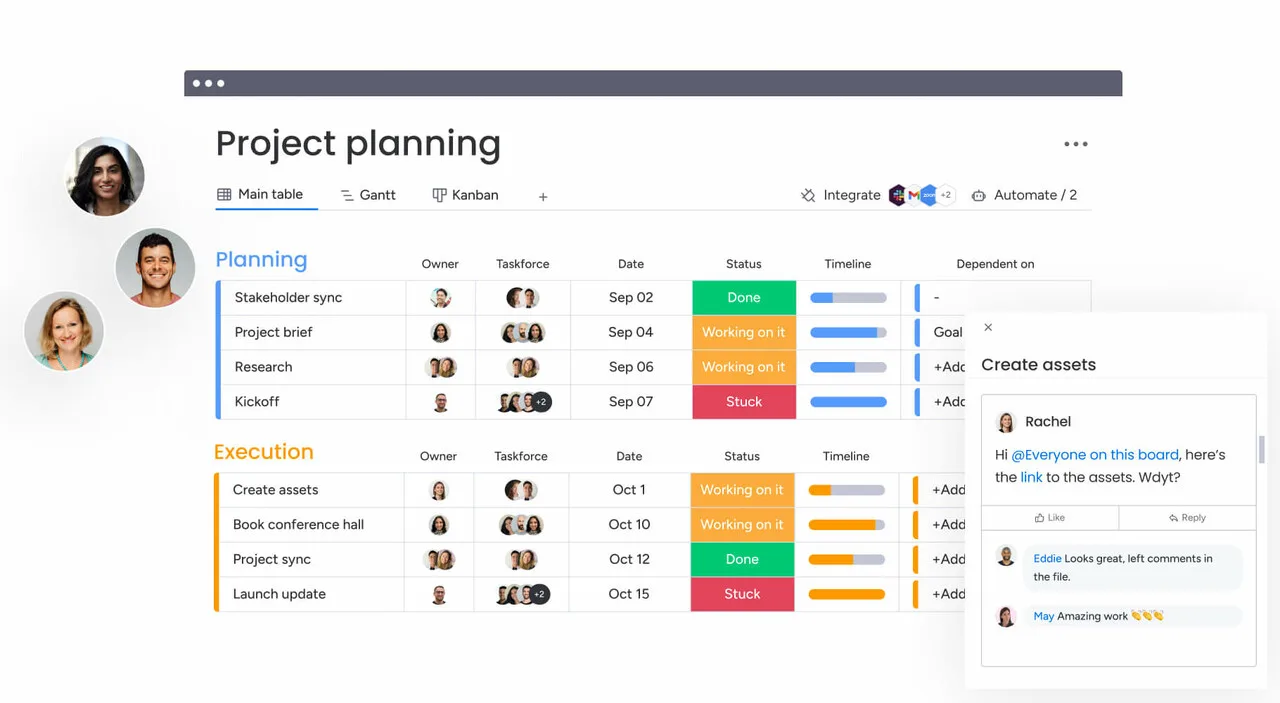
Image source: monday.com
Pros:
- Task-formatting and dashboard display options are surprisingly easy to customize.
- Users can quickly switch between data display styles (Kanban, Gantt, Calendar).
- Form, doc, and workflow creation tools require absolutely no coding knowledge.
- Includes over 200 customizable templates to jumpstart any project.
- Guest access features make it easy to collaborate with external clients.
Cons:
- Features require a large screen, making the mobile app feel difficult to use. Users should reserve complex board building for desktop and use mobile primarily for quick updates.
- No native real-time chat feature. Teams will need to integrate a dedicated communication tool like Slack or Microsoft Teams for instant messaging.
The verdict: Monday.com is best for visual thinkers and teams that desire a high level of customization in how they track their work. It is a standout choice for its colorful interface and adaptable data visualization.
Pricing:
- Free plan: $0 freeforever (up to 2 users)
- Basic plan: $9/seat/month
- Standard plan: $12/seat/month
- Pro plan: $19/seat/month
8. ClickUp: Best for all-in-one project management
ClickUp positions itself as the "one app to replace them all," combining task management, document creation, goal tracking, and whiteboarding into a single interface. It provides immense flexibility, allowing users to customize almost every aspect of their workspace. As a comprehensive productivity and collaboration tool, ClickUp enables teams to organize work via multiple views (mind maps, timelines, boards) and collaborate seamlessly using in-app video recording and real-time document editing.
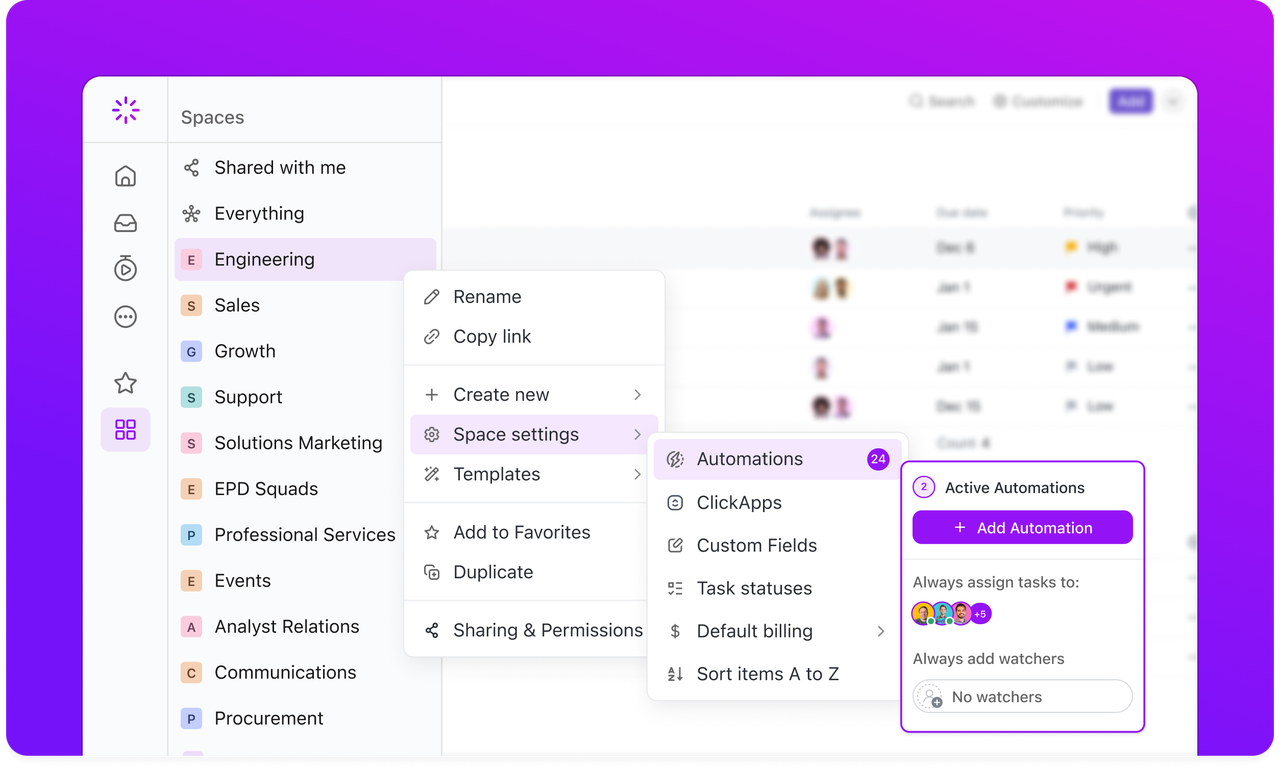
Image source: clickup.com
Pros:
- Collaboration tools and task-customization options are incredibly deep.
- Offers several unique task-customization tools like embedded mind maps.
- Integrates with several email platforms directly within the task view.
- Built-in document editing tool with rich formatting and real-time co-authoring.
- In-app video recording helps team members share quick visual updates asynchronously.
Cons:
- All the features and customization fields make the dashboard feel cluttered. Users should take advantage of ClickUp's customizable views to hide unnecessary data fields.
- Lacks a native integration with Salesforce. Teams relying heavily on Salesforce can utilize Zapier or custom APIs to bridge the data gap.
The verdict: ClickUp is ideal for teams that want absolute control over how their projects are structured and are willing to invest time into customizing their workspace. It stands out by offering an exceptionally wide array of features in one platform.
Pricing:
- Unlimited plan: $7/user/month
- Business plan: $12/user/month
- Enterprise: Custom pricing
9. Smartsheet: Best for scalable project solutions
Smartsheet combines the familiarity of traditional spreadsheets with powerful project management tools, enabling seamless team collaboration and workflow automation at scale. It is designed to handle projects of varying complexities, making it a staple for large enterprises. For organizations that rely heavily on grid-based data, this productivity and collaboration tool offers advanced reporting, digital asset management, and secure request management while maintaining a highly structured environment.
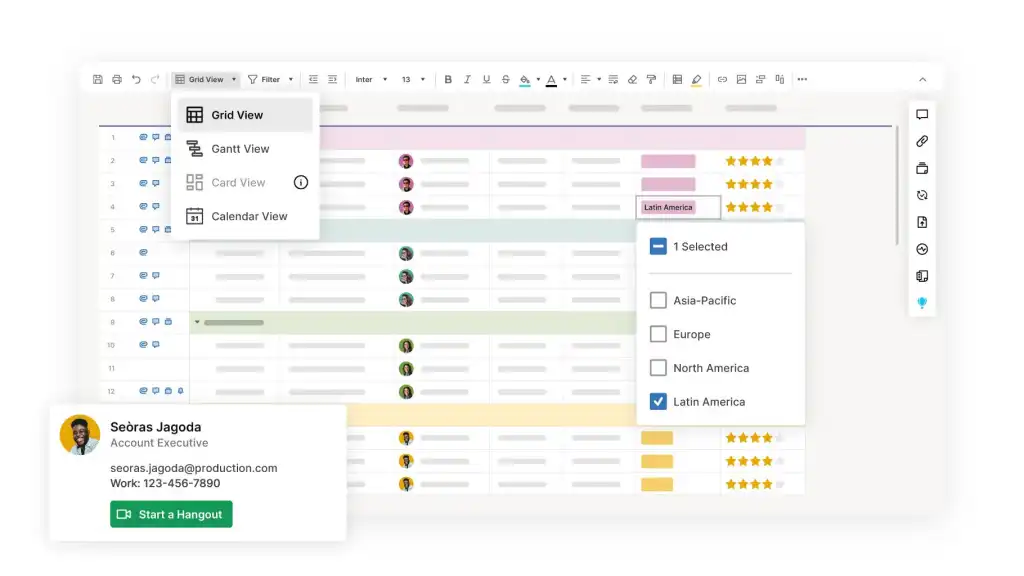
Image source: smartsheet.com
Pros:
- Comprehensive project management features built on a familiar spreadsheet interface.
- Extensive integrations with enterprise tools like Power BI, Tableau, and Salesforce.
- Highly scalable, capable of supporting both small teams and massive enterprise deployments.
- Intelligent workflows automate repetitive data entry and approval processes.
- No-code work apps allow teams to build custom solutions on top of their data.
Cons:
- The mobile app lacks the full functionality of the desktop version. Users should rely on the desktop client for heavy data manipulation and report building.
- Learning curve for new users. Teams transitioning from basic to-do lists will need proper training to utilize the advanced formulas and automations.
The verdict: Smartsheet is the go-to solution for enterprise teams and operations managers who love spreadsheets but need modern automation and collaboration features. It excels in scaling complex, data-heavy projects across large organizations.
Pricing:
- Pro plan: $9/member/month
- Business plan: $19/member/month
- Enterprise plan: Custom pricing
10. Hive: Best for democratically-built features
Hive enhances team productivity by combining task management, messaging, and analytics in a single, unified platform. What makes Hive unique is its democratically-built product roadmap, meaning users actually vote on which features the development team should build next. As a responsive productivity and collaboration tool, Hive offers comprehensive project views, built-in time tracking, and an AI-driven email organizer (Buzz Mail) that helps prioritize communications.
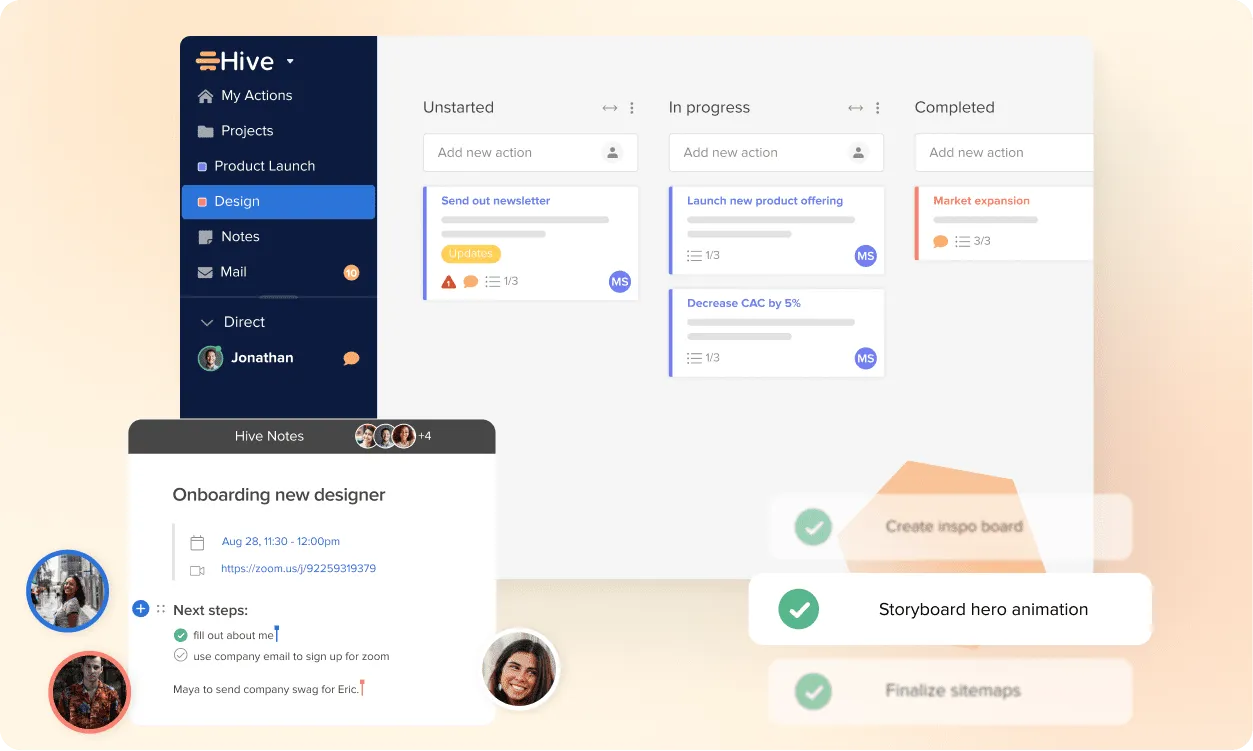
Image source: hive.com
Pros:
- User-driven feature development ensures the platform actually solves real user pain points.
- Comprehensive project views including Kanban, Gantt, timeline, and calendar.
- Extensive integrations with tools like Google Drive, Salesforce, and Zoom.
- Built-in forms for gathering feedback and managing internal requests.
- Native time tracking and resourcing features built directly into the workspace.
Cons:
- Limited customization compared to highly flexible tools like Monday or ClickUp. However, this rigidity makes the platform faster to deploy and easier to standardize across teams.
- Overwhelming interface for new users. Sticking to the basic list or Kanban views initially can help ease the onboarding process.
The verdict: Hive is an excellent choice for fast-moving teams that want a comprehensive, all-in-one project management tool that continuously evolves based on user feedback. It stands out for its unique community-driven development approach.
Pricing:
- Free plan: $0/free forever
- Starter plan: $1/user/month
- Teams plan: $3/user/month
- Enterprise plan: Custom pricing
Core features of cloud-based productivity and collaboration tools
If you are evaluating productivity and collaboration tools for project management or general team alignment, you need to know which features actually move the needle. A modern solution should do more than just send texts; it should act as the central nervous system for your business. Here are the functional pillars to look for:
- Unified messaging and : Communication should not be separated from work. The most effective tools allow you to escalate a quick chat directly into a video call without requiring anyone to generate a new meeting link or open a separate browser tab.
- Cloud-native document collaboration: Team members need to co-edit wikis, meeting notes, and spreadsheets in real time. Having documents live securely in the cloud ensures everyone works off the most recent version, eliminating the dreaded "Final_v3_USE_THIS_ONE.docx" email attachments.
- and integrated approvals: Routine administrative tasks drag productivity down. Look for platforms that allow you to build custom approval flows. For example, instead of managing a PTO request through email, an employee should be able to submit a form that pings their manager for a one-click approval right inside the team chat.
- Goal alignment and OKR tracking: Transparency is crucial, especially for hybrid or remote teams. Integrating your company's Objectives and Key Results (OKRs) into your daily workspace keeps high-level goals visible so individuals can see exactly how their daily tasks contribute to the bigger picture.
Explore all these powerful features in Lark
How to implement collaboration and productivity tools
Purchasing a new software license is the easy part; getting your team to actually use it is where most companies struggle. Throwing a new platform at your employees and expecting an overnight transformation rarely works. Implementation requires a deliberate strategy.
- Assess and define the pain points: Before rolling out the software, talk to your team. Identify exactly what frustrates them about their current workflow (e.g., losing client feedback in email threads).
- Run a targeted pilot: Do not migrate the entire company at once. Start with a small, tech-savvy team. Let them test the system, set up initial folder structures, and figure out the best practices for your specific company culture.
- Focus on workflow training, not just feature training: During onboarding, do not just show employees where the "create task" button is. Show them a specific scenario. For example, demonstrate exactly how to move a campaign from the initial chat directly into a trackable project board.
- Identify internal champions: Find the team members who naturally adapt to the new system and encourage them to guide their peers. Peer-to-peer assistance is often much more effective than top-down mandates.
Trends for cloud-based productivity and collaboration tools
If you are evaluating platforms for long-term use, you need a solution that will adapt to the future of work rather than one that will become obsolete in a few years. The landscape is shifting rapidly, moving away from fragmented, specialized apps toward intelligent, unified workspaces. Here is what is currently shaping the market:
- Integrated communication platforms: The era of juggling a dozen different apps is ending. We are seeing a massive shift toward platforms that integrate chat, video, document editing, and email into a single interface. This centralization reduces the mental fatigue of jumping between applications and keeps team coordination tight.
- The rise of AI tools for and productivity: AI is no longer just a buzzword; it is actively taking over routine administrative tasks. Modern tools are increasingly equipped with features that can automatically summarize long video meetings, extract action items from chat threads, and intelligently optimize team schedules based on individual availability and project deadlines.
- Highly customizable workflows: Teams are demanding more flexibility. Instead of forcing your business processes to fit the rigid structure of a software tool, modern cloud-based productivity and collaboration tools allow managers to build custom applications and automated approval flows—often without needing to write a single line of code.
Conclusion
Building an efficient work environment is rarely about acquiring more specialized apps. For most teams, the smartest approach is consolidation. A fragmented tech stack drives up hidden costs and forces employees to waste time jumping between disconnected interfaces. By moving toward a unified platform that combines communication, documents, and project tracking, leaders cut software expenses and give their teams a focused place to work. If you want to stop paying for separate chat, video, and task apps, try today. It is a cost-effective, all-in-one workspace designed to keep your team aligned without the app-switching tax.
Keep your team aligned more effectively with Lark
FAQs
What are productivity and collaboration tools?
Productivity and collaboration tools are software platforms designed to help teams communicate, coordinate tasks, and manage projects effectively from any location. They replace scattered emails and isolated spreadsheets with centralized digital workspaces. Modern solutions like Lark take this a step further by combining messaging, video meetings, document creation, and project tracking into one unified interface, eliminating the need to jump between multiple apps.
What are the 5 C's of collaboration?
The 5 C's of collaboration are Communication, Coordination, Cooperation, Consensus, and Commitment. These core principles form the foundation of highly effective teams, ensuring that everyone shares ideas openly and aligns on project goals. When organizations build their workflows around these five pillars, they reduce operational friction, minimize misunderstandings, and execute their strategies with much greater precision and shared accountability.
What is the best tool for collaboration?
The best tool depends heavily on your team's specific workflow, but platforms that minimize context switching usually offer the highest return on investment. For organizations looking to cut software costs and centralize their work, Lark stands out as a top choice. Because it brings team chat, video conferencing, cloud-native documents, and task approvals into a single workspace, it prevents information silos and keeps your team completely aligned.
What are the four types of productivity tools?
The four main categories include communication software (like team chat and video meetings), task and project management platforms, file creation and cloud storage systems, and time tracking or shared calendar apps. Historically, businesses purchased separate applications for each of these functions. However, the current industry trend is moving heavily toward unified suites that combine all four types into a single, cohesive dashboard to reduce software sprawl.
Related reading



















![What Is a 2-2-3 Work Schedule? Explanation and More [2026]](https://framerusercontent.com/images/uKHRfkp4v7y4azRNTYUmuteNQz8.png)








