Creating a clear and convincing project proposal can be challenging, especially when teams use different formats, approval workflows, and documentation styles. A project proposal template simplifies this process by giving you a structured starting point for outlining goals, scope, timelines, and expected outcomes without reinventing the wheel each time.
In this guide, you'll learn what makes an effective template, how various formats like Word, Google Docs, and PDFs differ, and the essential steps for writing proposals that move smoothly from draft to approval. You'll also see how tools such as Lark support collaborative drafting and review cycles without disrupting your existing workflow.
Try a more organized way to plan and manage projects
What is a project proposal template?
A project proposal template is a that helps teams present a project idea clearly and consistently. Instead of starting from a blank page, a template provides predefined sections—such as objectives, scope, deliverables, budget, risks, and timelines—so anyone preparing a proposal can focus on the content rather than layout.
A well-designed proposal template for project planning ensures stakeholders understand what the project aims to achieve, why it matters, and what resources are required. It also standardizes submissions across departments, making comparisons and approvals faster. In project-driven organizations, a proposal template is essential for aligning expectations, improving decision-making, and ensuring that proposed initiatives move smoothly from concept to evaluation.
Types of project proposals
Project proposals vary depending on purpose, stakeholders, and complexity. Understanding these types helps you choose the correct format and the right template for project proposal planning.
- Internal project proposals: Used within an organization to request resources or initiate improvements. These often follow a and may use a simple project proposal template for clarity and speed.
- External client proposals: Created for customers or partners to outline deliverables, pricing, and timelines. These documents aim to win business and typically require polished formatting and persuasive detail.
- Renewal or continuation proposals: Submitted when an existing project needs more time, funding, or an expanded scope. They focus on , unmet objectives, and justification for extension.
- Research or feasibility proposals: These explore whether a concept is viable and worth investment. Early-stage teams often seek a free project proposal template to structure initial findings.
- Informal or concept proposals: Short, used to float an idea before drafting a full proposal. They help stakeholders decide whether the concept warrants a more detailed plan next.
Top 10 project management proposal templates
Below are the most common project proposal template formats, what each is best for, and when to use them—so you can choose the option that matches your .
Project planning & implementation
The project planning & implementation template helps teams translate ideas into with clear milestones, timelines, and ownership. It provides sections for scope definition, resource planning, and risk tracking, ensuring nothing is overlooked before work begins. This template is ideal for projects that require detailed coordination across teams from proposal to implementation.
Short-term project plan proposal
The short-term project plan proposal is designed to help teams efficiently plan and manage time-sensitive initiatives. It provides a comprehensive structure for outlining project introductions, clear objectives, and defining weekly milestones. By centralizing crucial information, including task breakdowns and regular meeting updates, the template enhances team collaboration and communication.
Web3 project funding proposal
This template provides a structured format essential for securing funding for any Web3 project, including DeFi platforms or blockchain solutions. It guides founders and project managers in outlining crucial details such as the technology stack, tokenomics, funding sought, and ROI projections
Client proposal template for commercial projects
The client proposal template for commercial projects helps teams present offerings, pricing, timelines, and value propositions in a clear, client-ready format. It supports structured sections for deliverables, terms, and , ensuring transparency from the first interaction. This template is ideal for agencies, service providers, and commercial teams looking to create polished, persuasive proposals that win business.
Project budget proposal
The budget proposal template is designed to clearly outline projected costs, , and financial justifications for a project. It helps teams organize expenses into structured categories, making it easy for stakeholders to review and approve funding. This template is ideal for proposals where budget clarity and financial transparency are essential for decision-making.
Digital transformation project budget plan
The digital transformation budget plan template helps organizations map out technology investments, implementation costs, and long-term operational impacts. It provides structured sections for tools, infrastructure, training, and ROI justification to support informed decision-making. This template is ideal for teams or launching digital initiatives that require precise financial planning.
Word (DOCX) project proposal template by Smartsheet
Word templates are widely used for detailed business or client proposals that require structured formatting and printing. They offer high layout control for branding, tables, and multi-page documents. However, collaboration is slower because version changes are shared through email attachments or manual file tracking.
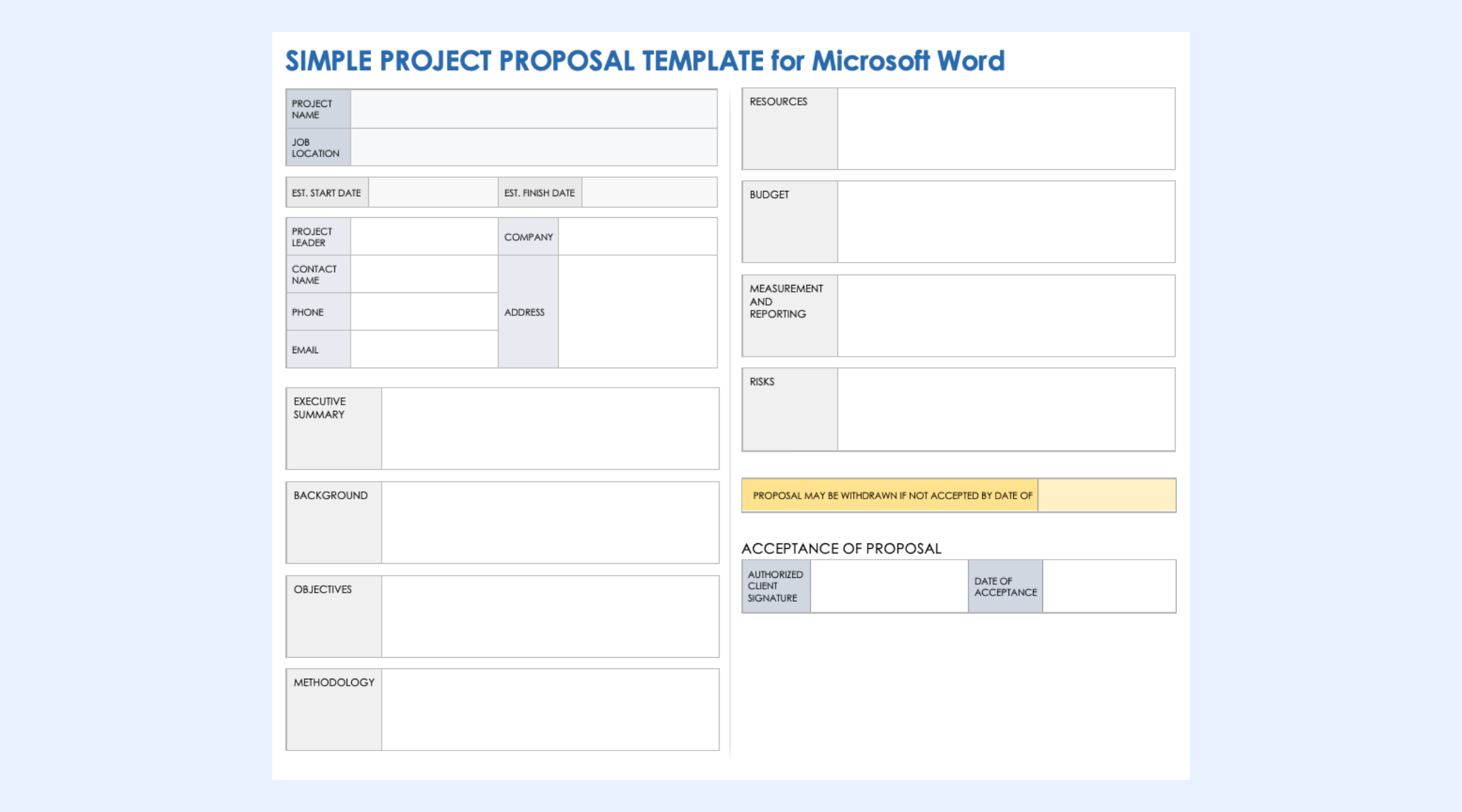
Image source: smartsheet.com
Project proposal template by Google Docs
Google Docs templates allow multiple reviewers to comment, edit, and suggest changes simultaneously. They're ideal for or across departments. While easy to share and revise, formatting options are more limited, and connecting proposals to follow-up workflows or task tracking often requires separate .
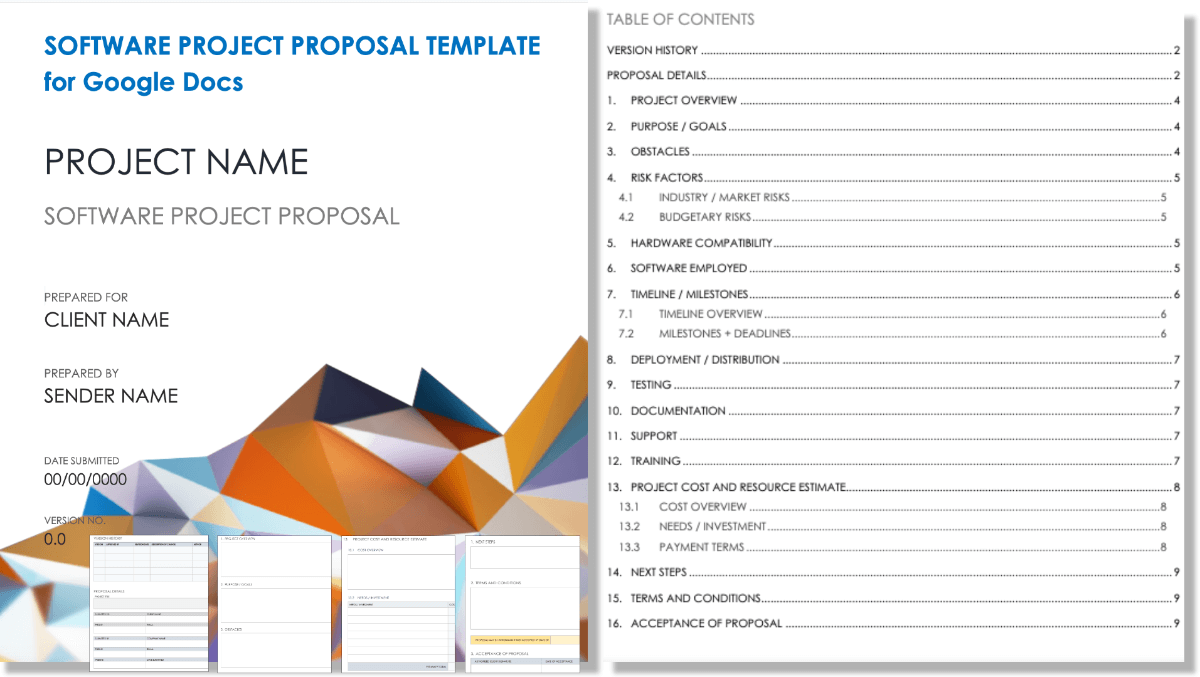
Image source: smartsheet.com
One page PDF project proposal template by Template.net
One-page templates compress the essentials—, scope, budget, timeline, and ownership—into a single-page summary. This format works well for executive approvals, internal submissions, or early-stage concepts where speed matters more than deep detail.
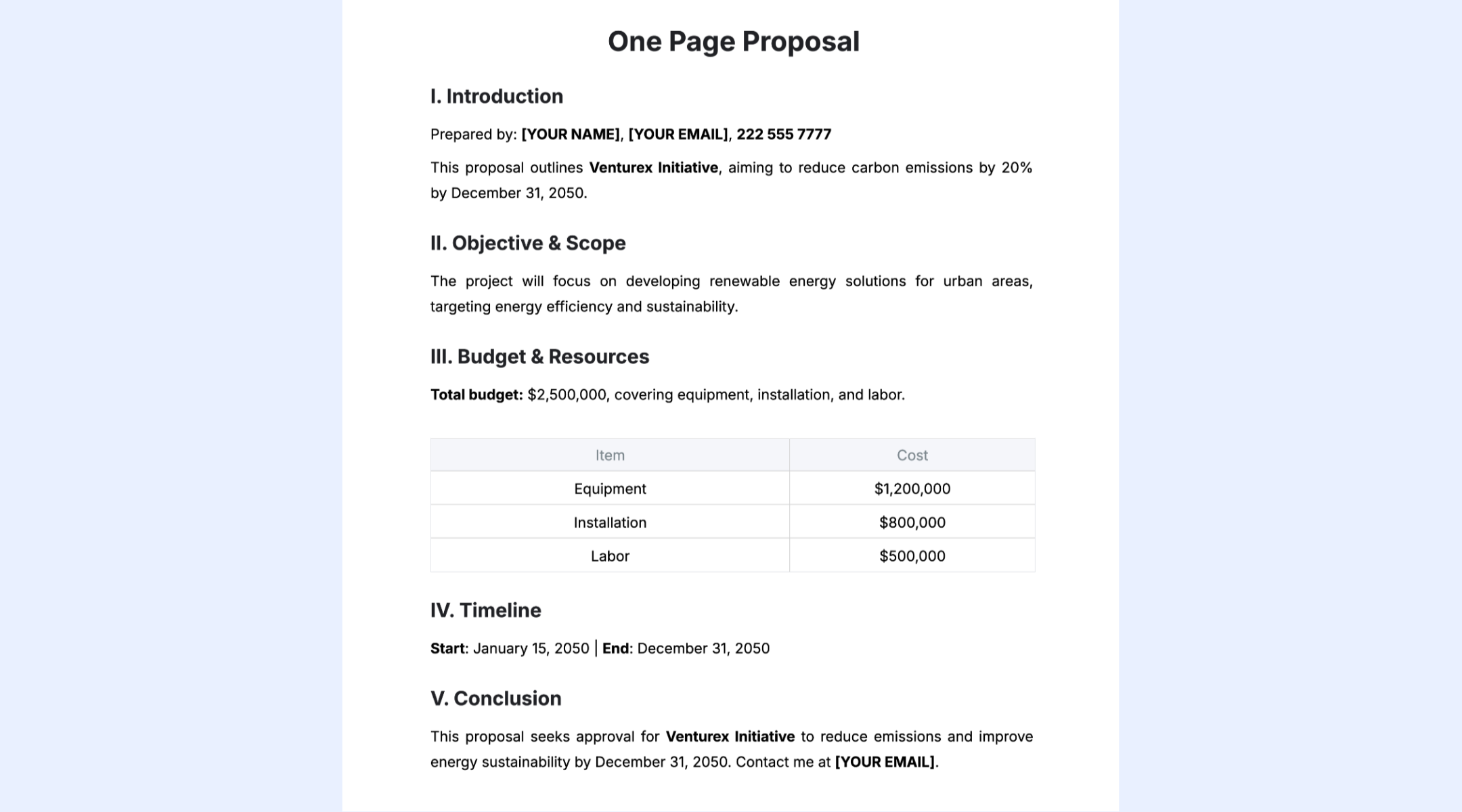
Image source: template.net
PowerPoint (PPTX) project proposal template by Slidesgo
PowerPoint versions use slide layouts to walk stakeholders through project objectives, milestones, budgets, and . These templates are effective for board meetings or live pitches, but are not designed for document collaboration or version-controlled reviews.
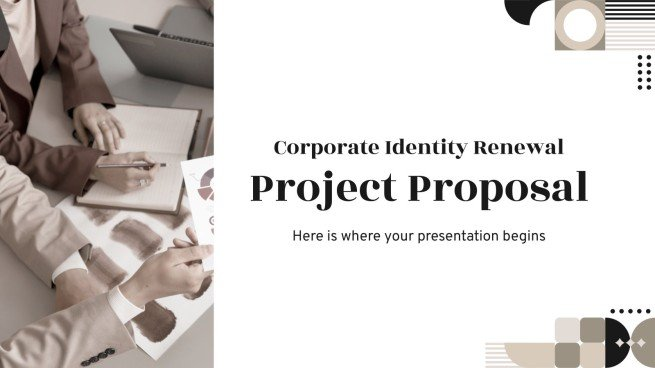
Image source: slidesgo.com
Problems with static project proposal templates
Traditional proposal formats like Word or PDF are easy to draft but difficult to manage as teams grow and projects become more complex. Static files often slow down collaboration, consistency, and .
- Version-control chaos: Different team members often edit separate copies of the same file, leading to confusion. Tracking the "latest version" becomes complex and error-prone.
- Disconnected approvals: Approvals usually happen through scattered emails or messages. This makes it hard to track who has reviewed what and where the proposal stands.
- Manual follow-ups: Teams must repeatedly follow up with stakeholders for updates or confirmations. This creates delays and increases the chances of missed notifications.
- No link between the proposal and future execution: Once approved, the proposal often remains isolated from . This causes gaps when transitioning from documented intentions to real project delivery.
Discover a simpler approach to drafting proposals
How Lark improves project proposals
transforms from static documents into collaborative, actionable workflows that support every stage—drafting, review, approval, execution, and long-term management. Its integrated tools allow teams to write, comment, and revise proposals in real time without juggling multiple file versions. Approvals are streamlined through , while budgets, tasks, and milestones connect directly to execution tools for a smooth transition from planning to delivery. This unified environment keeps every discussion, update, and decision traceable, reducing friction and ensuring proposals move forward with clarity and accountability.
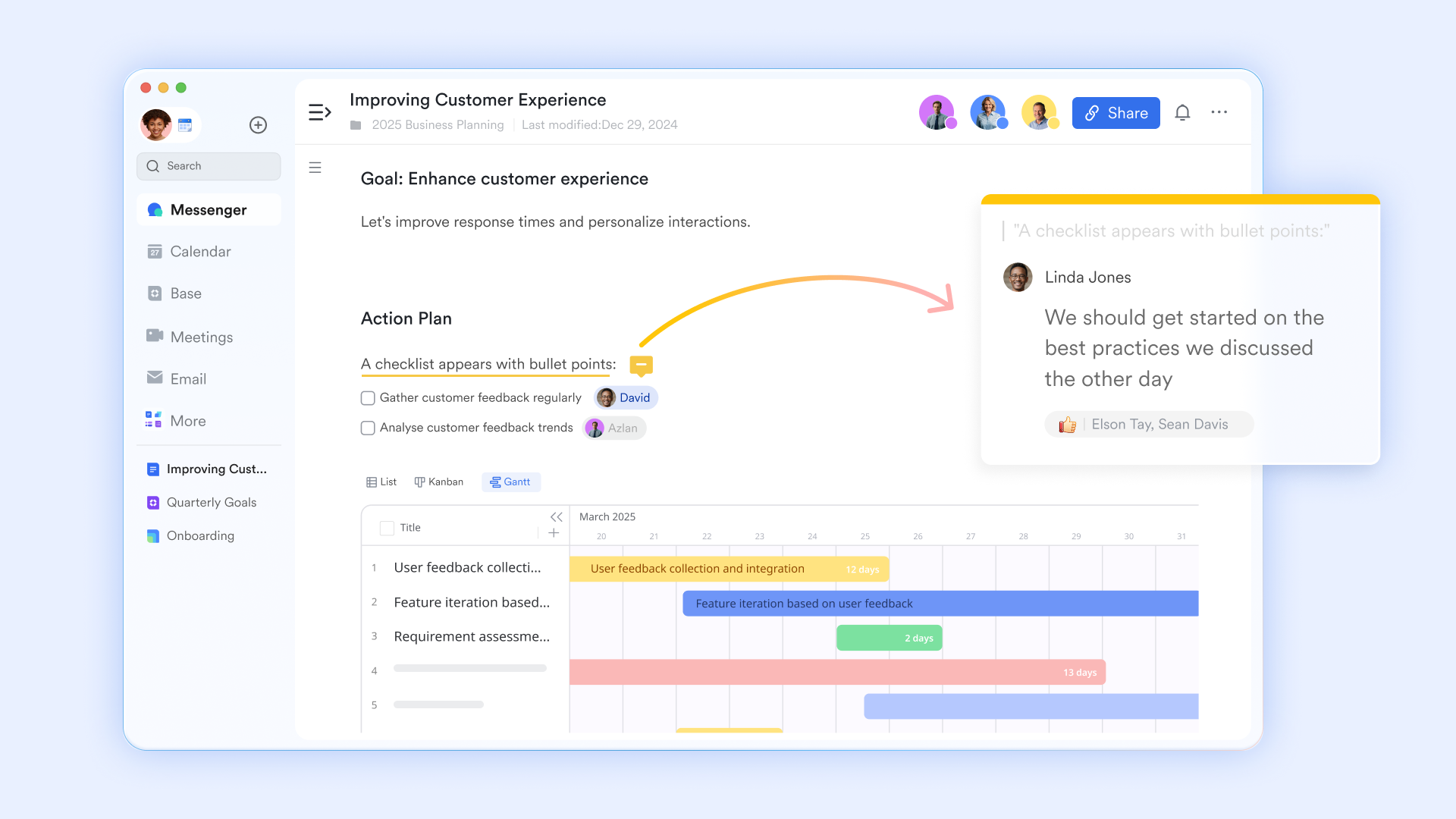
Lark Docs: Proposal drafting and real-time collaboration
is the primary workspace for writing project proposals. Multiple contributors can edit the same document simultaneously, add inline comments, tag teammates for feedback, and review version history to track changes. Key proposal sections—objectives, scope, timelines, budgets, risks, and deliverables—can be structured using tables, checklists, and visual blocks. This eliminates file versioning issues common with Word and PDF documents while accelerating edit cycles and stakeholder reviews.
Lark Sheets: Budget modeling and data planning
Lark Sheets adds a data-focused layer to proposal planning, ideal for financial estimates and resource calculations. Teams use Sheets to build cost breakdowns, staffing plans, material estimates, and timeline forecasts that support the proposal narrative contained in Docs. Formulas allow automatic cost rollups, scenario adjustments, and budget validations. Sheets can be linked directly to Docs, so reviewers see live budget data embedded in proposals—avoiding separate spreadsheets or outdated attachments and improving confidence in decisions during approvals. 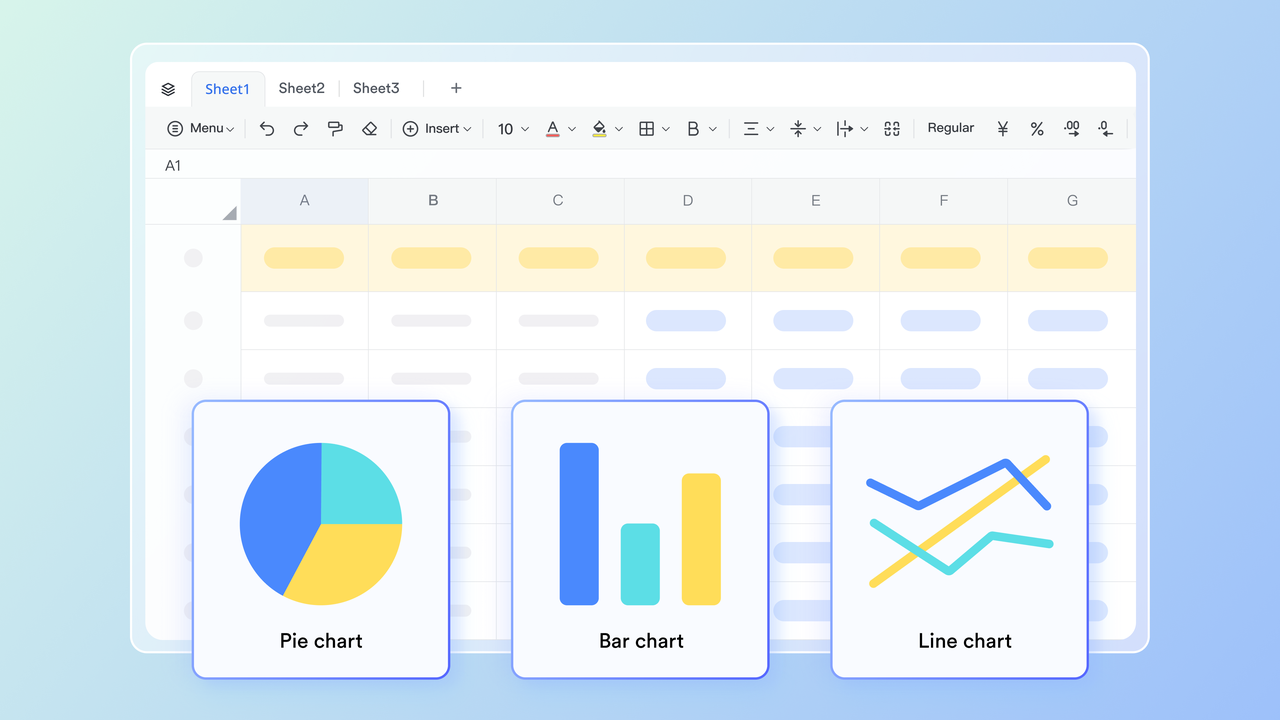
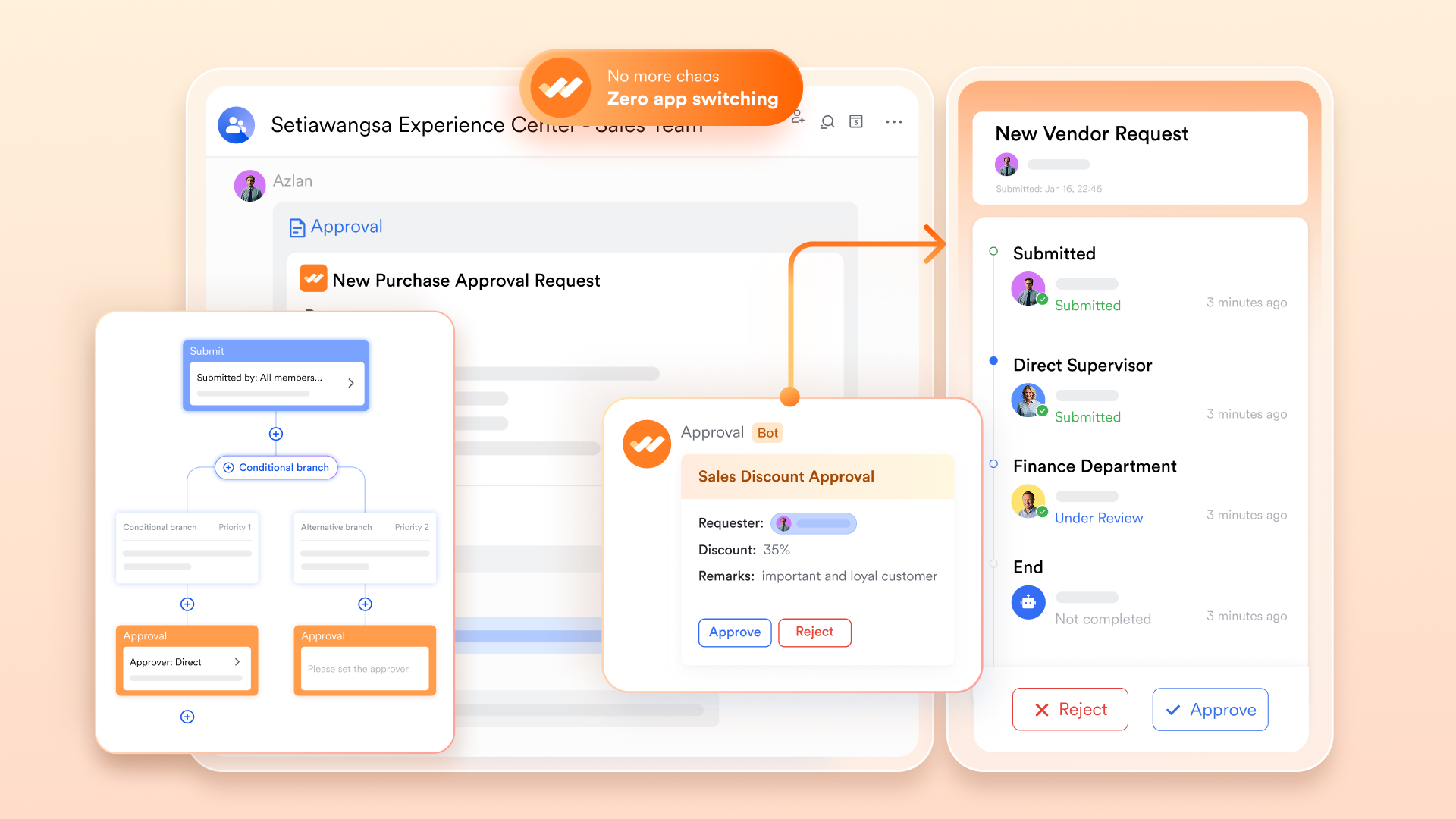
Lark Approval: Instant stakeholder sign-offs
replaces slow email routing with structured, . Proposals submitted from Docs are routed to the appropriate stakeholders—executives, finance leaders, or department heads—in sequence or parallel. Approvers can review documents directly and approve with a single click. All actions are logged, ensuring transparency and traceability while dramatically reducing approval turnaround times and preventing lost confirmations.
Lark Tasks: Converting proposals into delivery plans
Once approved, proposal deliverables can be transformed directly into actionable tasks within Lark Tasks. Teams assign owners, deadlines, priorities, and statuses for each milestone or workstream defined in the proposal. Subtasks support department-level breakdowns, while gives leadership visibility into ongoing execution. This ensures proposals don't remain theoretical documents but become fully operational project plans. 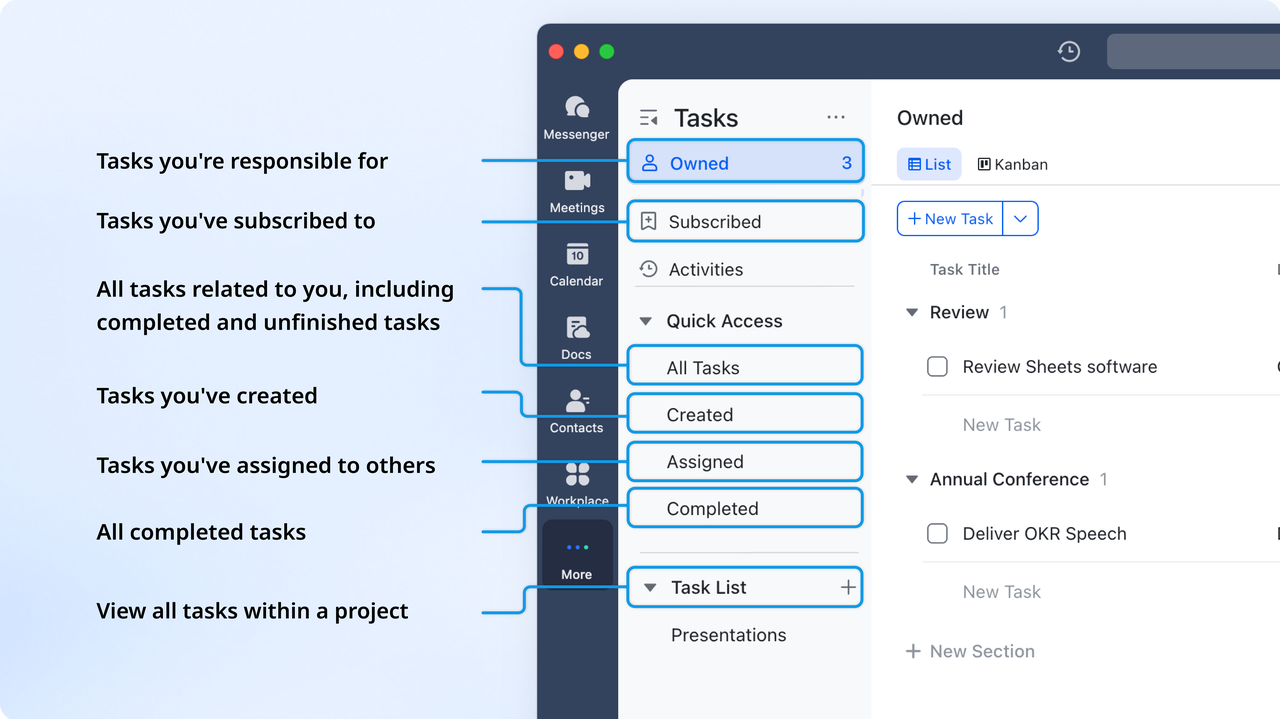
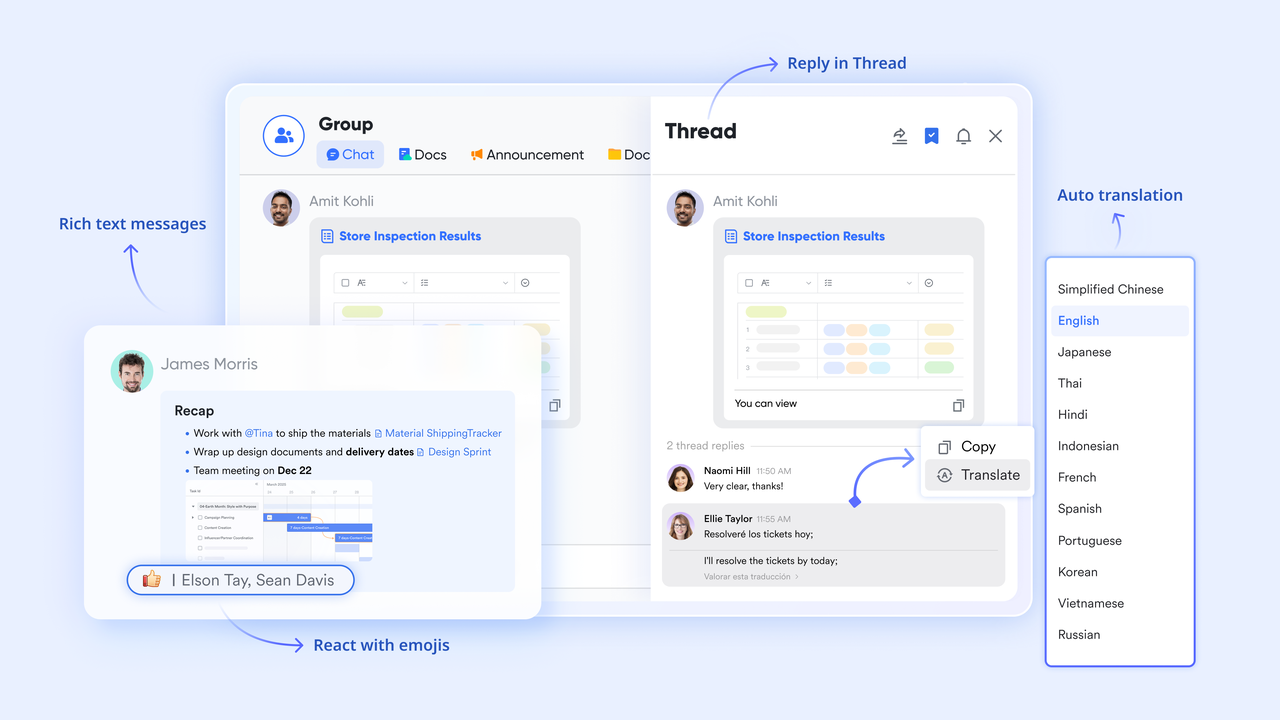
Lark Messenger: Contextual feedback and revision cycles
centralizes all proposal-related communication. Reviewers can discuss changes, request clarifications, and coordinate edits while sharing links to specific Docs sections or Sheets within chat threads. This keeps to live documents instead of being fragmented across email chains, improving clarity and speeding up revision rounds.
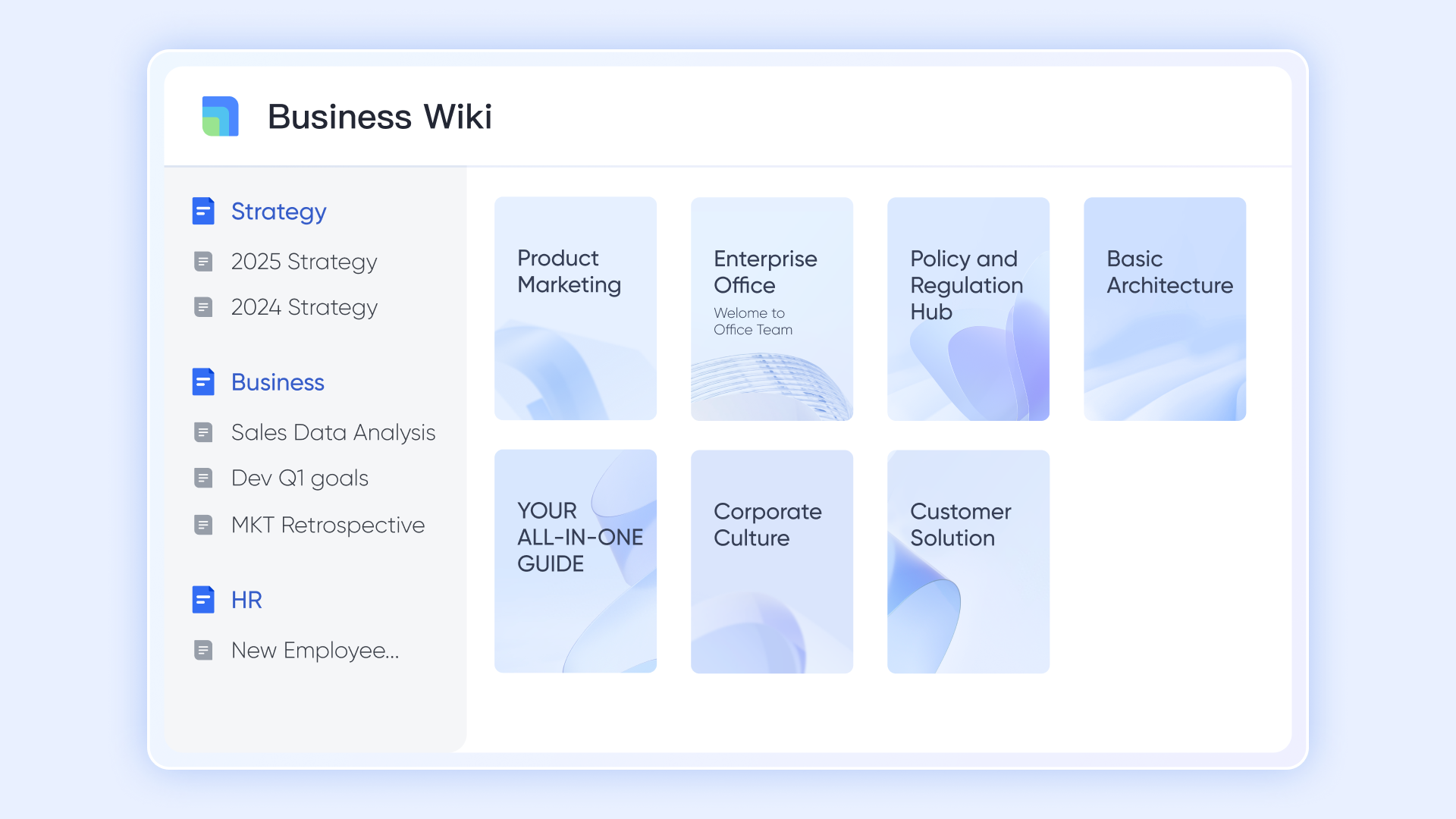
Lark Wiki: Template libraries and knowledge management
provides a structured repository for proposal templates, finalized submissions, and internal best-practice examples. Teams organize templates by project type—such as business initiatives, construction bids, or internal operations—and control permissions at the folder or document level. ensures the most up-to-date templates are always used while archiving older proposals for reference or audits. This consistency helps teams standardize proposal quality while accelerating future proposal creation.
:
- Starter plan: Free forever plan that includes 11 powerful tools for up to 20 users. It also comes with 100GB of storage, 1000 automation runs, AI translations, and more.
- Basic plan: $6/user/month (billed annually) for up to 500 users. It includes everything in Starter plus group calling for up to 500 attendees, 5TB of storage, 1000 automation runs, and more. For more details, please .
- Pro plan: $12/user/month (billed annually) for up to 500 users. It includes everything in Basic plus group calling for up to 500 attendees, 15TB of storage, 50,000 automation runs, and more.
- Enterprise plan: for custom pricing. Supports unlimited users and includes even more automation runs and advanced security, compliance, and management features.
For small teams with simple communication needs

18 months message history
1000 Base automation runs/month
2000 rows per table in Base
Most POPULAR
For companies with comprehensive collaboration and management needs
Unlimited message history
500-participant video meetings
50k Base automation runs/month
20k rows per table in Base
For large companies with advanced security and organizational management needs
Get a personalized demo and pricing
Unlimited message history
500-participant video meetings
15 TB storage + 30 GB storage/user
500k Base automation runs/month
50k Base automation runs/month
Most POPULAR
For companies with comprehensive collaboration and management needs
Unlimited message history
500-participant video meetings
50k Base automation runs/month
20k rows per table in Base
How to choose the best project proposal template
Selecting the proper proposal template depends on how detailed your project is, who needs to review it, and how your . Evaluating these factors ensures your format supports both clarity and efficient decision-making.
- Complexity of project: More complex projects require templates with detailed sections for scope, risks, budgets, and milestones. Simpler initiatives benefit from streamlined formats that focus only on essential information.
- Number of stakeholders: If multiple teams or departments are involved, use a template that supports structured inputs and clear ownership. Fewer stakeholders allow for lighter, more concise formats.
- Approval speed requirements: For fast-moving projects, choose a template optimized for and rapid sign-offs. Longer, formal documents work better when decisions require thorough review.
- Collaboration methods: Teams working across locations or functions need templates that support real-time editing and comments. Co-located teams may rely on simpler, static formats if collaboration is minimal.
- Integration with downstream delivery workflows: Select a template that connects easily to , timelines, and budgeting tools. This ensures the proposal transitions smoothly from planning to execution without duplication.
Conclusion
A well-structured project proposal is essential for turning ideas into approved, actionable plans. Using a project proposal template helps teams present goals, scope, budgets, risks, and timelines with clarity while ensuring consistency across submissions. Choosing the correct format—whether Word, Google Docs, PDF, or presentation-style—depends on your project's complexity, stakeholder needs, and collaboration style.
While static templates provide a reliable starting point, they often fall short when teams need , streamlined approvals, or smooth transitions from planning to execution. Considering that, offers an environment that removes these barriers by connecting documents, approvals, tasks, and communication in one place. This helps teams move proposals from draft to decision with greater transparency and efficiency.
Get started with smarter project workflows today
FAQs
Can project proposal templates handle multi-department approvals?
Yes, most templates can support multi-department reviews, but the process often becomes slow when handled through email chains or static files. Teams using a construction project proposal template may face even more complexity due to cross-functional inputs. Lark streamlines this by routing approvals automatically and keeping every decision visible in one .
Do proposal tools support version comparisons?
Many traditional tools offer limited version tracking, especially when documents are saved offline. This becomes challenging when working with a detailed business project proposal template that requires frequent updates. Lark solves this with built-in version history, allowing teams to compare edits and restore earlier drafts instantly.
Can AI generate project proposal drafts accurately?
AI can create structured drafts, summaries, and outlines, helping teams shorten the initial writing phase. It works exceptionally well when starting from a word project proposal template that provides predefined sections. Within Lark, AI can assist with drafting and refining proposals while keeping content aligned with real-time .
What security is required for confidential client proposals?
Confidential proposals require encryption, access permissions, and audit trails to protect sensitive information. This is especially important when handling client financials or strategic details in any template format. Lark enhances security with permission controls and data governance tools, and protects document sharing for peace of mind.
Are proposal templates legally binding contracts?
A proposal template itself is not legally binding unless formally accepted and converted into a contract. It primarily serves as a structured document that outlines objectives, deliverables, and expectations for review. Lark helps teams maintain clear records of approvals and revisions, supporting the transition from proposal to contractual agreement when required.
Related reading





























