














8 Best Rocket.Chat Alternatives for Enterprise Teams in 2026

Donna Shao
Content Specialist
Nov 3, 2026
Donna Shao
Nov 3, 2026

11 min read
Add to preferred sources


Rocket.Chat has earned its place as a popular open-source messaging platform, particularly for organizations requiring strict data sovereignty. However, many IT leaders quickly discover that open-source software is rarely free. The heavy burden of server maintenance, complex configurations, and the constant need for security patches often push companies to seek Rocket.Chat alternatives. If you are spending more time managing your communication tools than actually collaborating, it might be time for a change. I have reviewed the market to help you find a platform that balances enterprise security with a consumer-grade user experience.
Why are teams looking for Rocket.Chat alternatives?
When operations teams evaluate their software stack, the conversation often shifts from acquiring new features to reducing technical debt. While an open-source platform looks fantastic on a budget spreadsheet initially, the reality of running it in a production environment tells a different story.
Consider a common scenario: Your team experiences a critical server glitch right before a major product launch. Instead of focusing on the launch, your network engineers spend their weekend digging through community forums to troubleshoot a database error. This is a primary reason organizations transition away from self-hosted communication tools.
The hidden costs of open-source maintenance
The Total Cost of Ownership (TCO) for an open-source tool goes far beyond the software license. It includes the hard costs of server hosting, but more importantly, the expensive hours of your IT staff. Managing an internal communication network requires dedicated personnel to handle regular security updates, backup protocols, and instance scaling as your company grows.
For many small to mid-sized enterprises, dedicating highly skilled engineering resources to maintain a basic chat application is simply an inefficient use of talent. Those engineers should be building your core product, not managing your internal messaging infrastructure.
Configuration hurdles and fragmented workflows
Another major friction point is usability. Setting up advanced features, configuring user permissions, or connecting external business tools to a self-hosted instance often requires a steep learning curve. Non-technical teams find themselves relying on IT for every minor adjustment.
Furthermore, traditional chat platforms often isolate conversations from the actual work. Team members discuss a project in a chat window, then switch to a browser to edit a document, and open another tab to update a project tracker. This constant context-switching kills productivity and scatters critical context across multiple disconnected applications.

How to choose the right Rocket.Chat competitor for your team
Finding the right replacement means stepping back and evaluating how your team actually works. You need a platform that supports your operational needs without adding unnecessary complexity to your daily routines.
Here is a practical method for making your decision:
Cloud-based vs. self-hosted deployment
Your first major decision is choosing between keeping your data on your own servers or moving to a cloud-based Unified Communications as a Service (UCaaS) provider.
Self-hosting gives you absolute data autonomy, which is sometimes required by strict regulatory compliance frameworks. However, a cloud-based deployment removes the entire infrastructure management burden from your plate. The vendor handles uptime, security patches, and global scaling. For most growing businesses, the predictability and reliability of a cloud solution far outweigh the desire to own the physical server.
The security vs. user adoption dilemma
There is a known trade-off in IT management: highly secure, custom-built environments often suffer from poor user interfaces. If a tool is difficult to navigate, employees will simply bypass it. They will start using unauthorized, consumer-grade messaging apps to get their work done, a phenomenon known as shadow IT, which is a massive security risk in itself.
The goal is to find a platform that delivers enterprise-grade security (like end-to-end encryption and robust data compliance) out of the box, while offering an intuitive design that requires zero onboarding time. True operational efficiency happens when the most secure tool is also the easiest one for your team to use.
Top 8 alternatives to Rocket.Chat in 2026
If the burden of self-hosting and configuration has become too much, the market offers plenty of robust communication platforms. Below is an evaluation of the top contenders, organized by deployment type, target audience, and core strengths, to help you find the right fit for your organization.
1. Lark: The best all-in-one unified workspace
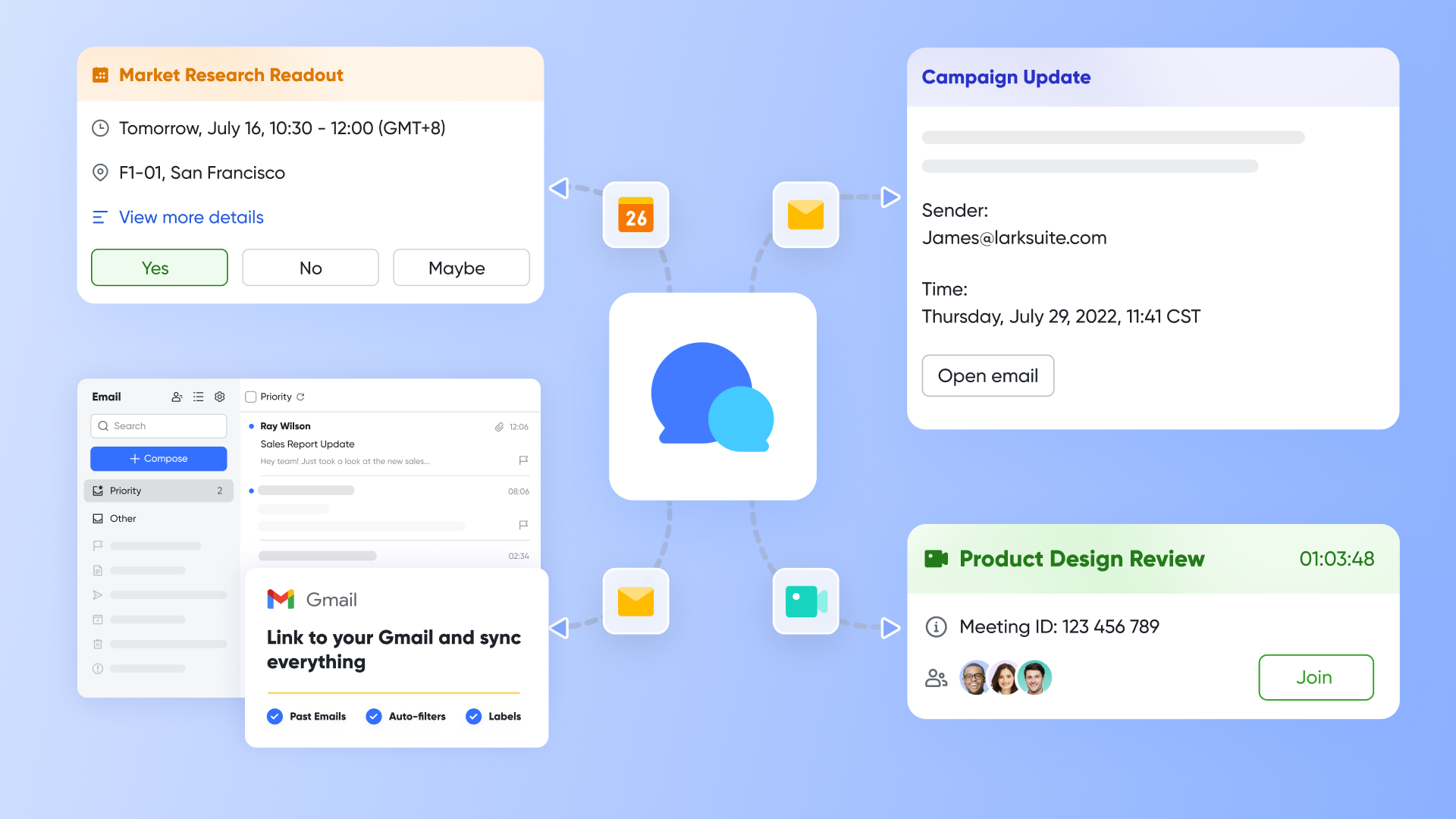
Lark replaces scattered tools with one powerful platform. It combines messaging, video, documents, and automation, ending constant app-switching.
At its heart, Lark connects conversations directly to work. Teams can discuss, edit docs, and plan projects, all in one view, boosting efficiency. Lark simplifies IT. As a fully managed cloud service, it offers enterprise security and multilingual support with zero maintenance. Global teams connect effortlessly.
Key features:
Dynamic conversation experience
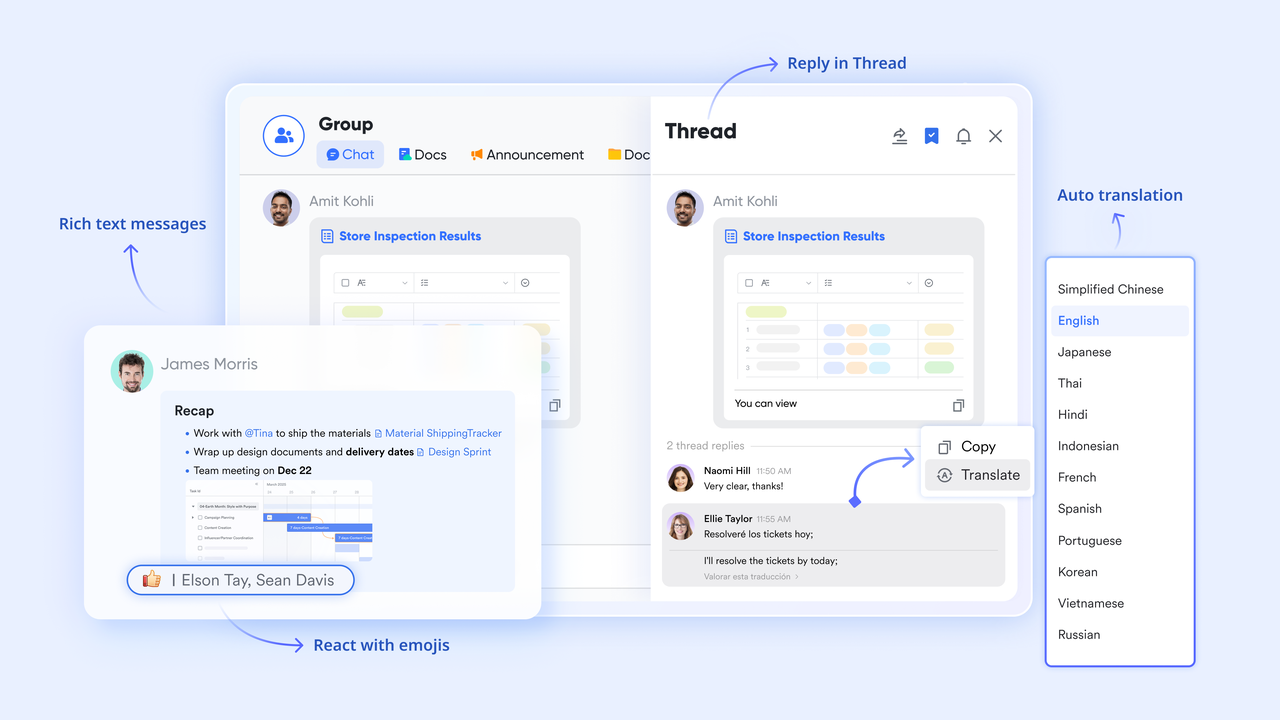
Move beyond flat, linear chat interfaces. Lark offers rich text formatting, direct code block insertion, and threaded replies, ensuring every discussion stays focused and deeply contextual. Lark Messenger understands the importance of message delivery: "Schedule Send" ensures messages arrive at the optimal time, while "Urgent" buzzers cut through the noise, guaranteeing critical announcements reach every team member without delay. This is more than just chatting; it's intelligent information dispatch.
Dialogue-to-Action Workflow
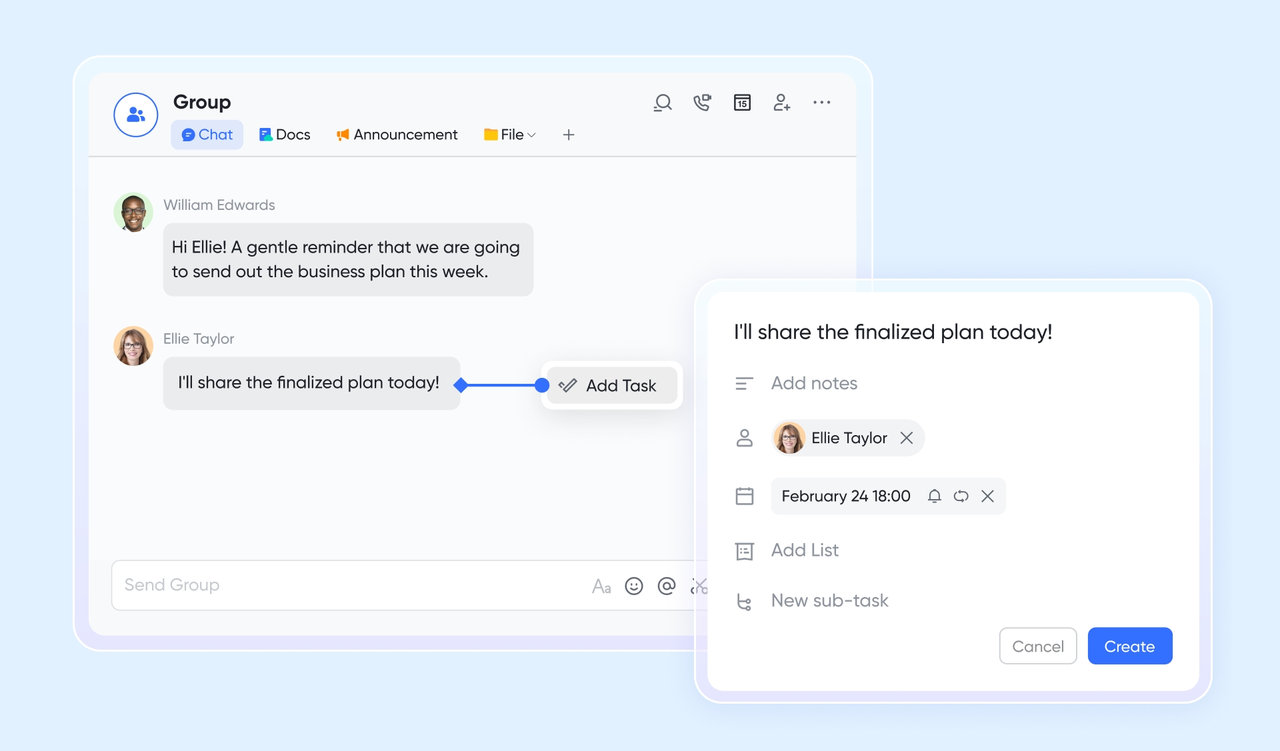
The gap between discussion and execution is where many teams falter. Lark bridges this divide: with a single click, you can turn any chat message into a trackable task, assigning due dates and owners immediately. This built-in task management mechanism ensures that brilliant ideas sparked in group chats are proactively channeled into completed projects, rather than fading away forgotten over time.
Effortless in-document collaboration
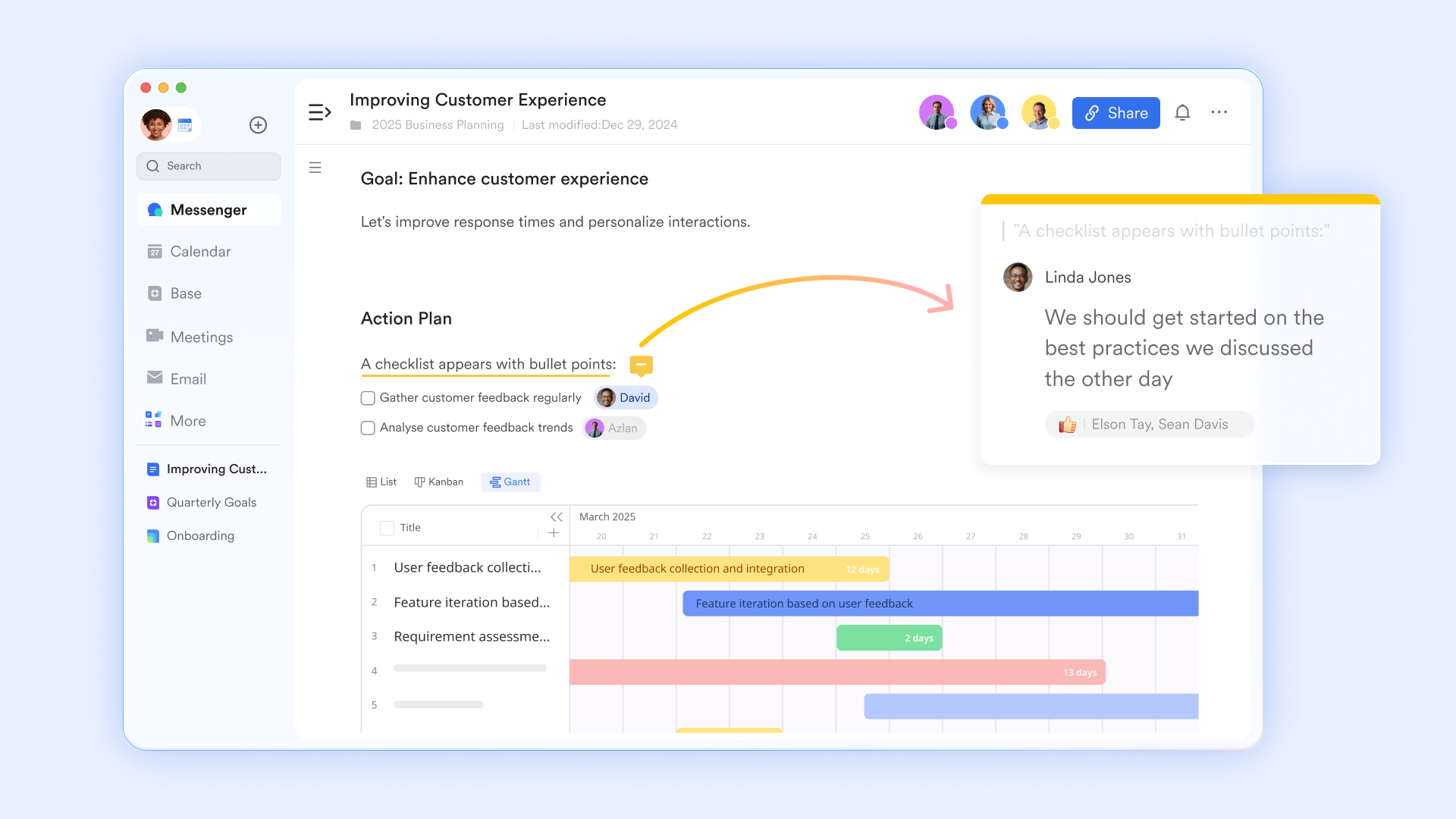
Traditional platforms often force you to toggle between chat and document editing, interrupting your workflow. Lark Docs eliminates this friction. You can directly embed and edit documents within your chat streams, fostering a continuous and highly efficient collaboration. Need input from a colleague? Simply @mention them inside the document, and they'll receive an instant notification in the chat, keeping feedback loops tight and ensuring your team stays aligned without leaving the current interface.
AI-powered meeting brilliance
Say goodbye to a collection of scattered third-party meeting applications. Lark provides high-quality, native video calls, ready for immediate use without any extra configuration. What's more, Lark's AI capabilities automatically generate smart meeting notes and comprehensive transcripts. This transforms spoken discussions and video calls into searchable, text-based assets, ensuring every insight is captured and every decision is documented.
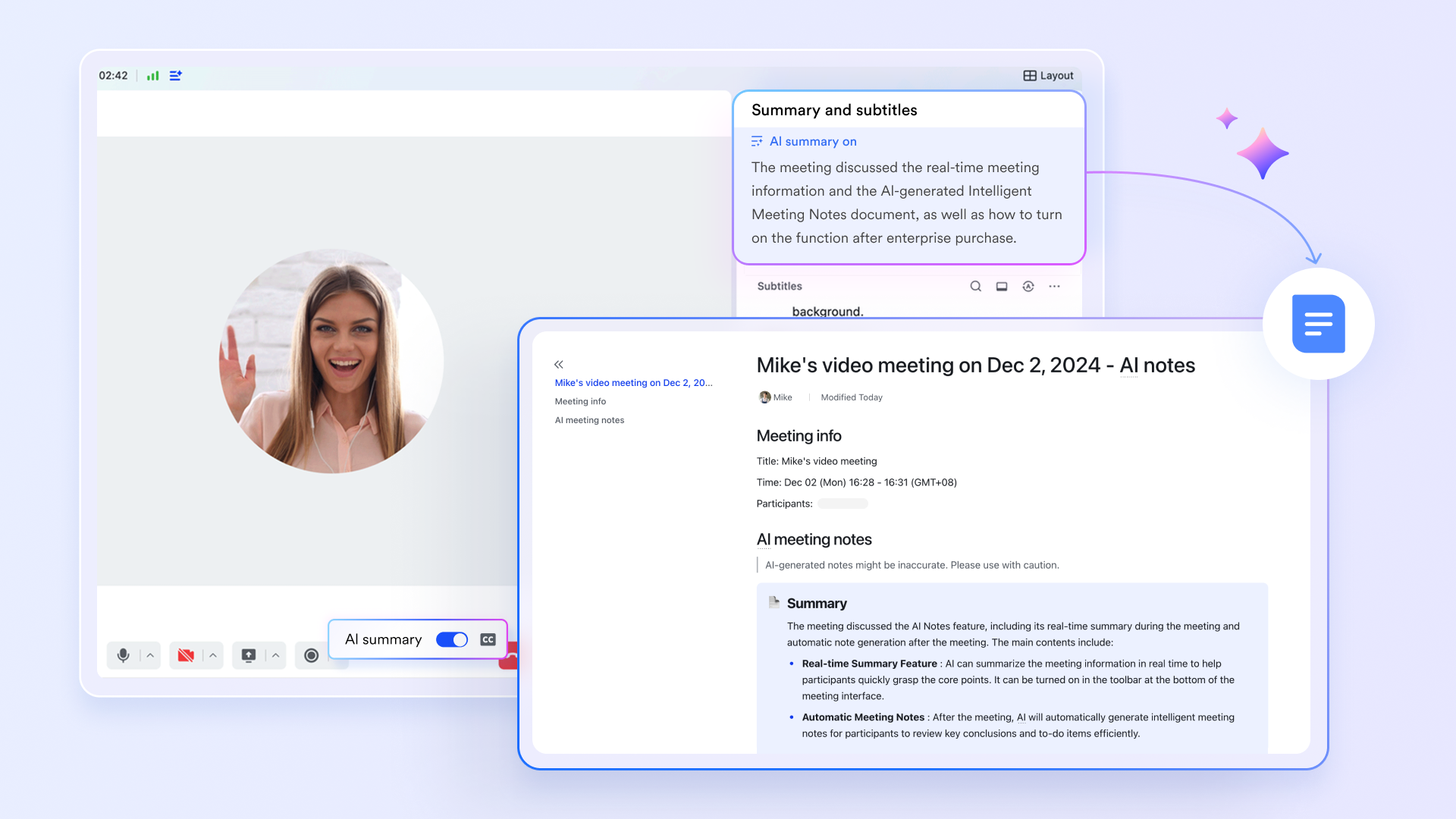
Comprehensive project organization tools
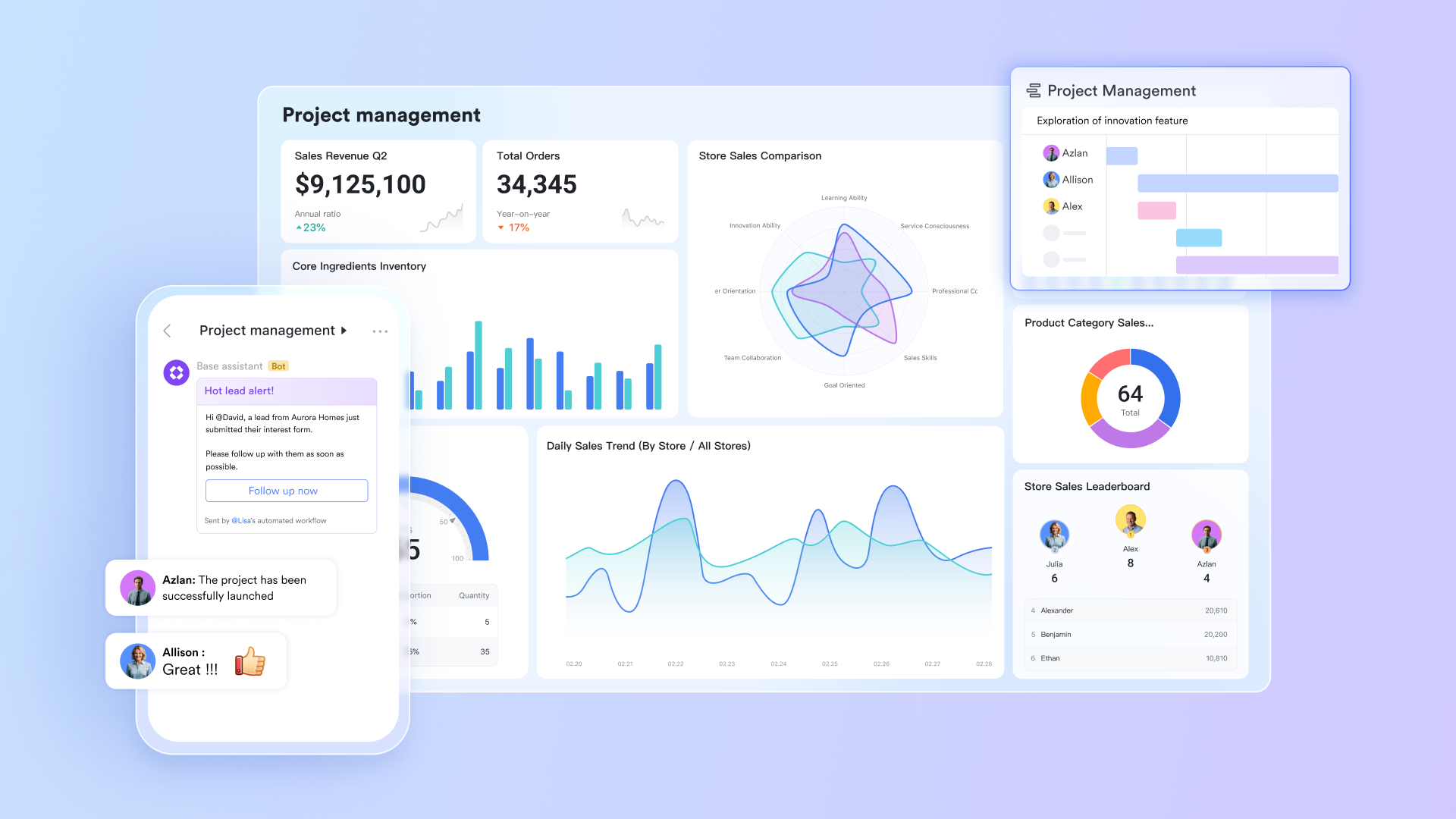
Why pay for separate project management software when your communication platform can do it all? Lark Base offers a powerful database and project organization suite. You can visualize your workflows with intuitive Kanban boards, detailed Gantt charts, and grid views – all within the same application. Because these tools are native to Lark, you can pull project status updates directly into relevant chats, providing your team with real-time visibility and context, free from complex configurations.
Pros:
- Zero IT maintenance compared to open-source alternatives, freeing up engineering resources.
- Combines messaging, cloud-native documents, Base, and video meetings in one seamless window.
- Unlike many messaging-first tools, Lark keeps communication close to action. Teams can move from a conversation into a task, a document update, an approval, or a meeting without breaking momentum.
Cons:
- Migrating a deeply entrenched legacy system into a unified workspace requires an initial adjustment period for staff.
- Starter plan: Free forever plan with 11 powerful tools for up to 20 users, 100GB storage, 1,000 automation runs, AI translations, and more. No credit card needed.
- Basic plan: $6/user/month (billed annually) for up to 500 users. Includes everything in Starter plus unlimited message history, 5TB storage, 1,000 automation runs, and more. Some users may need to contact sales to purchase.
- Pro plan: $12/user/month (billed annually) for up to 500 users. Includes everything in Basic plus group calling for up to 500 attendees, 15TB storage, 50,000 automation runs, and more.
- Enterprise plan: Contact sales for custom pricing. Supports unlimited users and includes advanced automation, security, compliance, and management features.

Starter
Pro
Enterprise
Starter
For small teams with simple communication needs
$0
/ user / month
20 users max
18 months message history
1-on-1 video meetings
100 GB storage
Lark Docs & Mail
1000 Base automation runs/month
2000 rows per table in Base
Pro
For companies with comprehensive collaboration and management needs
$12
/ user / month
500 users max
Unlimited message history
500-participant video meetings
15 TB storage
Lark Docs & Mail
50k Base automation runs/month
20k rows per table in Base
Enterprise
For large companies with advanced security and organizational management needs
Get a personalized demo and pricing
Unlimited users
Unlimited message history
500-participant video meetings
15 TB storage + 30 GB storage/user
Lark Docs & Mail
500k Base automation runs/month
50k Base automation runs/month
Single sign-on (SSO)
Pro
For companies with comprehensive collaboration and management needs
$12
/ user / month
500 users max
Unlimited message history
500-participant video meetings
15 TB storage
Lark Docs & Mail
50k Base automation runs/month
20k rows per table in Base
2. Microsoft Teams: The standard corporate suite
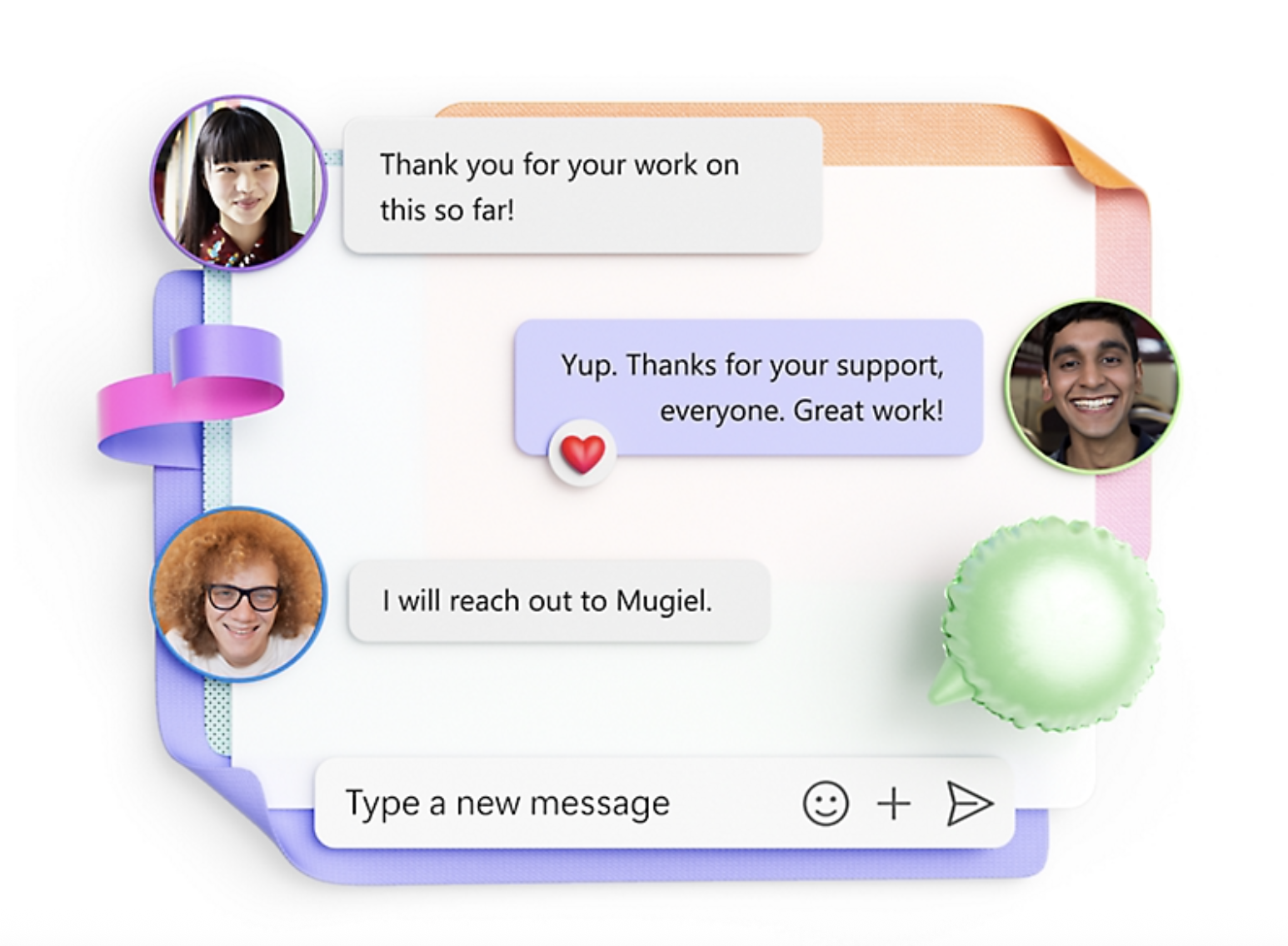
Image source: microsoft.com
Microsoft Teams is ideal for large enterprises deeply in the Microsoft ecosystem, offering enterprise telephony and document collaboration. Bundled with Office 365, it dominates the market.
It's a central hub for organizations using Word, Excel, and SharePoint, supporting massive deployments with strict compliance needs.
However, Teams is resource-heavy, slowing older hardware. Its complex administration requires specialized IT knowledge for channel permissions, guest access, and data retention, incurring high management costs.
Pros:
- Bundled with existing Microsoft 365 subscriptions, making it a financially logical choice for current Microsoft customers.
- High capacity for video conferencing and massive enterprise deployment.
- Ranked highly on Gartner Peer Insights for its transformative communication capabilities.
Cons:
- High hardware resource consumption on desktop devices often leads to sluggish performance.
- Complex admin portal requires dedicated IT training and active management.
Pricing & Free Plan:
Microsoft Teams is typically bundled with Microsoft 365 plans (like Business Basic, starting around $6/user/month). A basic free version exists but features restrictive limits on meeting durations and file storage.
3. Slack: The channel-based messaging favorite
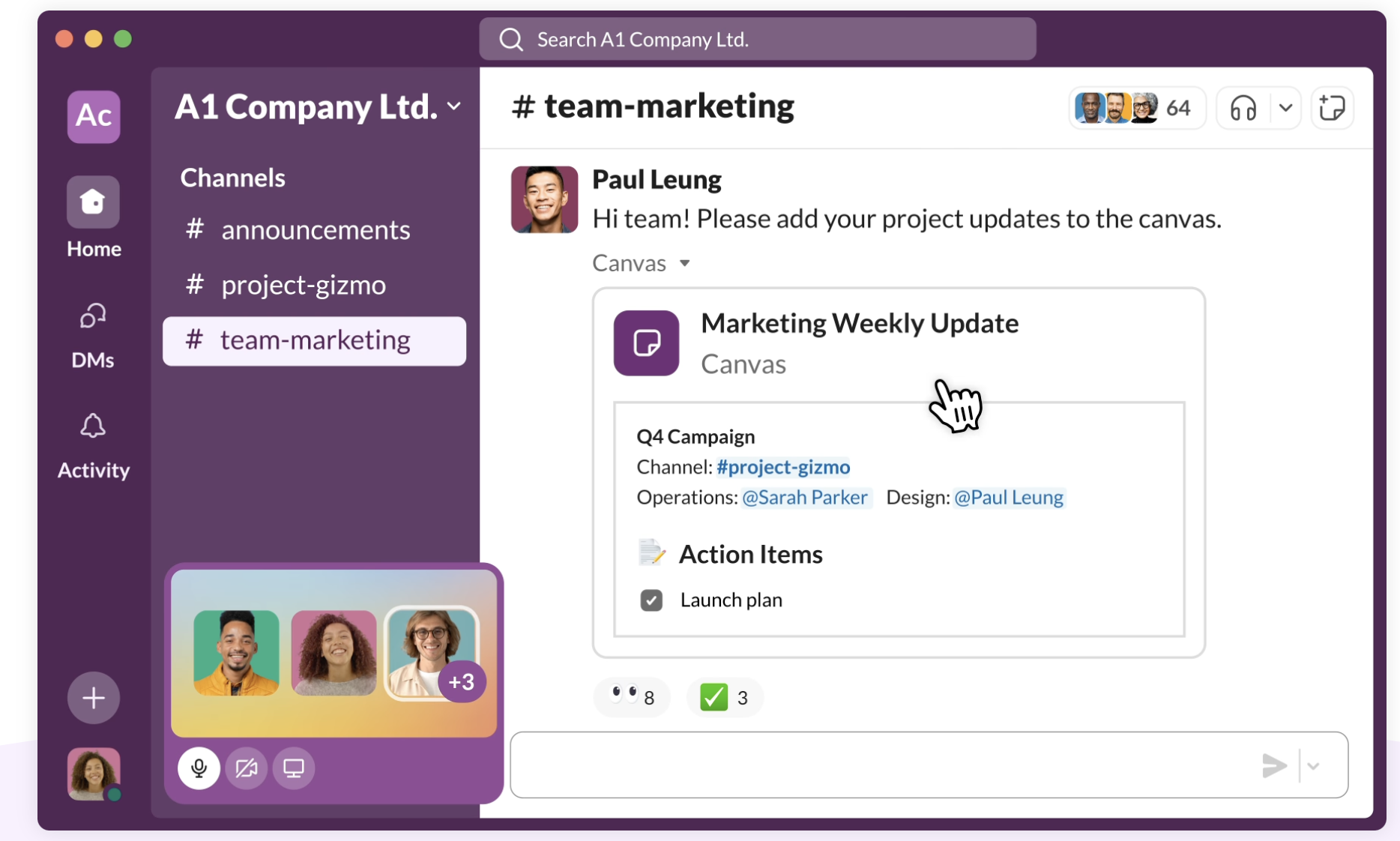
Image source: slack.com
Slack is preferred by fast-moving teams for its intuitive, channel-based communication and extensive third-party app connections. Its user-friendly design is widely praised.
Engineers favor Slack over self-hosted alternatives, citing ease of setup and resource savings. It excels in messaging, defining modern workplace chat.However, Slack is a communication hub, not a full workspace. It lacks native document editing or robust task tracking, requiring heavy reliance on other tools like Google Workspace or Asana. For growing organizations, combining Slack's premium fees with other software licenses can become costly.
Pros:
- Exceptional, intuitive user interface that drives high user adoption rates.
- Massive library of third-party app connections to customize workflows.
- Incredibly easy to set up and manage compared to on-premise open-source tools.
Cons:
- Subscription costs scale aggressively as team sizes grow.
- Lacks native document creation tools, forcing reliance on an external tech stack.
Pricing & Free Plan:
Slack offers a free plan with a limited 90-day message history. Paid plans start at roughly $8.75/user/month depending on billing cycles. Enterprise Grid requires contacting sales for custom pricing.
4. Mattermost: The strict compliance open-source option
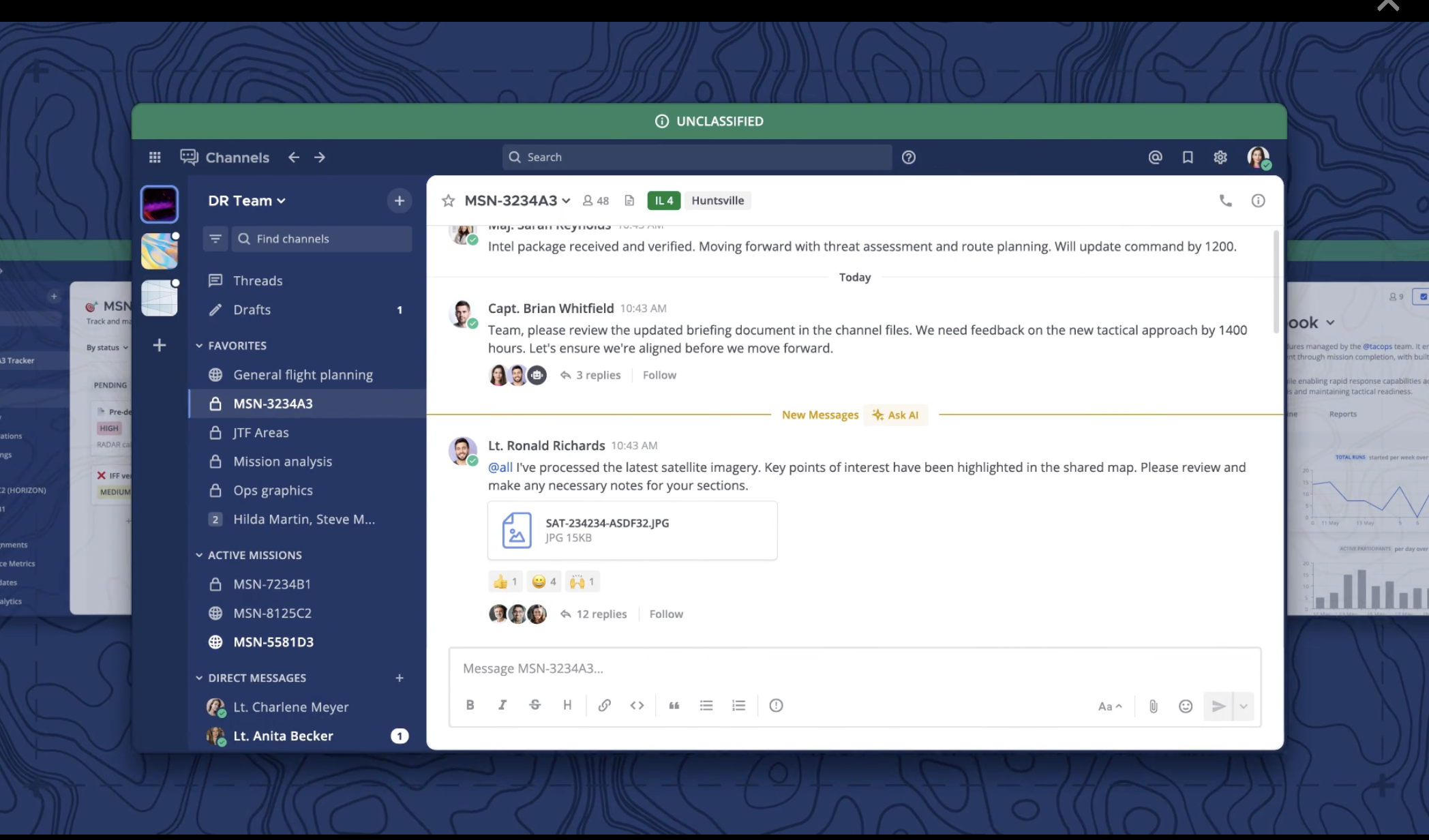
Image source: mattermost.com
Mattermost is a strong alternative for engineering and IT teams needing self-hosted, open-source infrastructure. It offers deep control and scales well for complex enterprise compliance requirements, often surpassing Rocket.Chat.
Crucial for sectors like healthcare, finance, or defense, Mattermost provides absolute data sovereignty. Its robust self-hosted solution meets strict compliance demands, often preferred when Rocket.Chat struggles with stability or scale.Built for developer workflows, it features extensive command-line controls and custom webhooks. However, Mattermost demands significant IT maintenance. Organizations must allocate engineers for database management, security updates, and server uptime, diverting resources from core business.
Pros:
- Full data sovereignty and deep compliance capabilities for heavily regulated industries.
- Designed specifically with robust developer workflows and technical teams in mind.
- Open-source flexibility prevents vendor lock-in.
Cons:
- Requires significant internal IT resources for deployment, hosting, and continuous maintenance.
- The user interface is functional but less consumer-friendly compared to cloud-native competitors.
Pricing & Free Plan:
Mattermost offers a free open-source edition for self-hosting. Professional and Enterprise versions, which include enhanced support and compliance features, require contacting sales for custom pricing.
5. Troop Messenger: The on-premise security contender
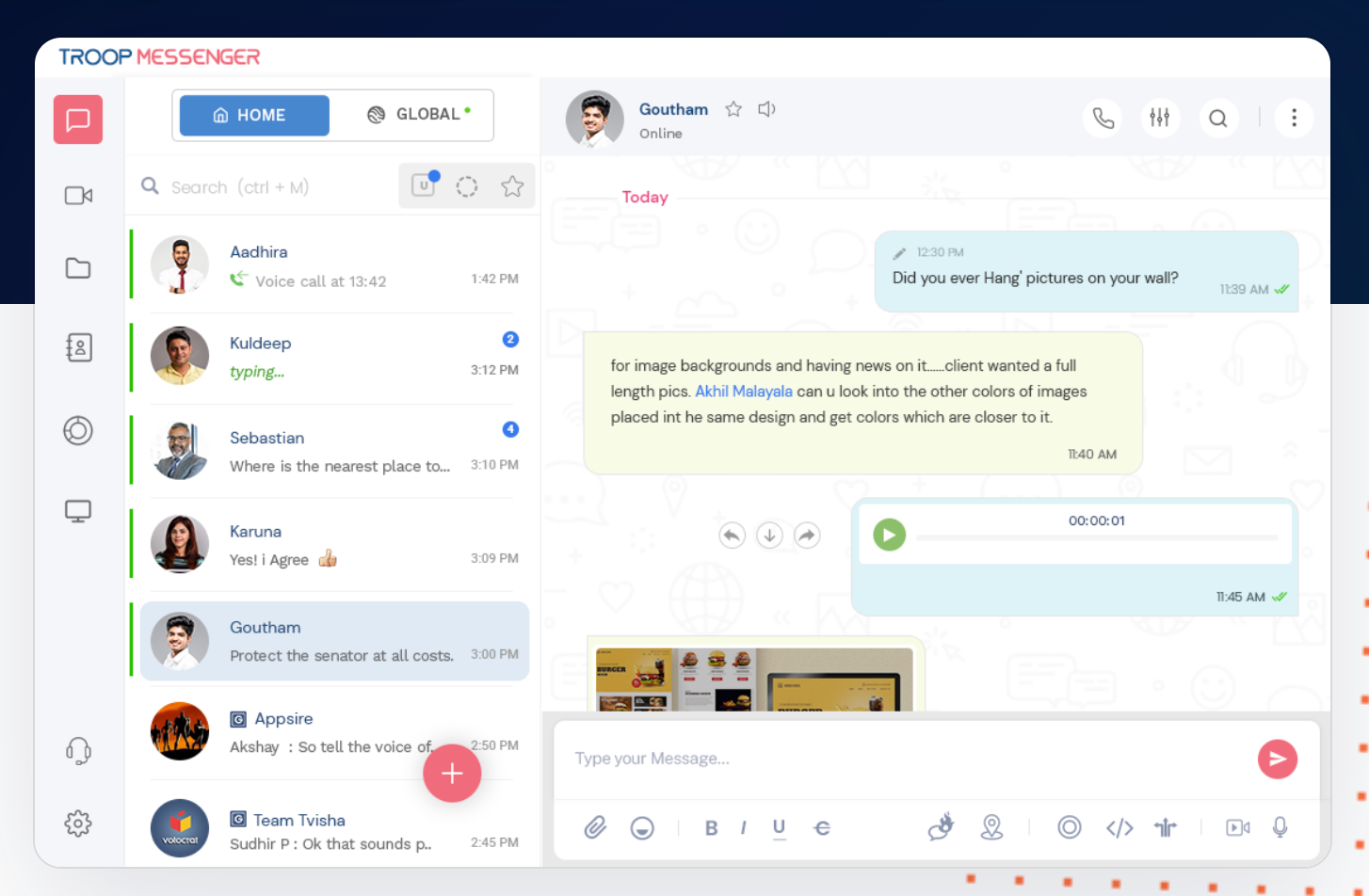
Image source: troopmessenger.com
Troop Messenger targets government and defense-level organizations prioritizing absolute data ownership and unique security features over broad ecosystem connectivity. It’s a highly secure, self-hosted communication platform.
It directly challenges Rocket.Chat with a secure, self-hosted model, allowing complete data ownership. Features include passcode protection, fingerprint access, and a "Burnout Window" for incognito chats, leaving no trace.However, its focus on security comes at the cost of broad collaborative capabilities. It lacks mature document editing, robust OKR tracking, or complex task management. Moreover, managing an on-premise communication network presents significant administrative challenges often downplayed by its security-first promotion.
Pros:
- Unique security features like the Burnout Window and strict access controls.
- Supports active directory syncing and custom data retention policies.
- Offers flexibility with both SaaS and self-hosting delivery models.
Cons:
- Lacks a mature ecosystem for rich document collaboration or project management.
- On-premise deployment still carries the heavy weight of internal IT maintenance.
Pricing & Free Plan:
Troop Messenger offers Premium and Enterprise tiers that generally start at $2.5/user/month . They lean heavily toward having prospective buyers schedule a personalized demo rather than offering a straightforward, feature-rich free tier online.
6. TrueConf: The video-first collaboration platform
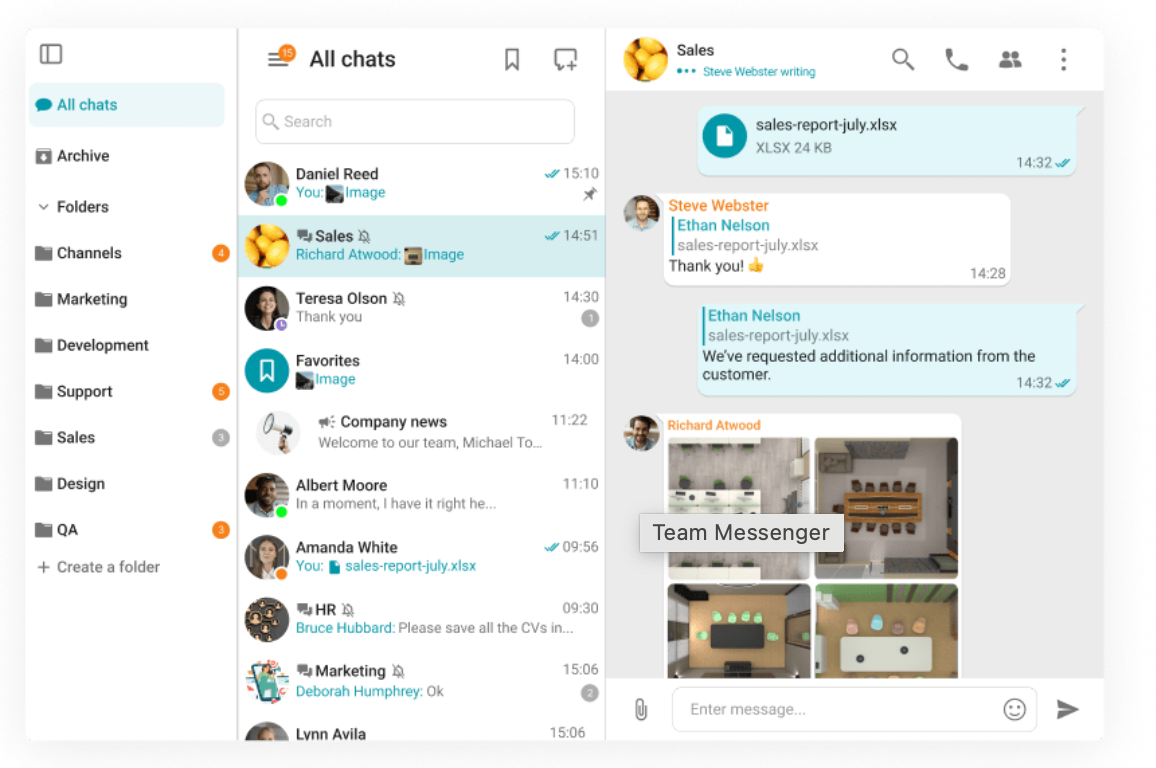
Image source: trueconf.com
TrueConf excels in secure, high-definition video conferencing, especially for massive internal town halls. It offers robust on-premises video capabilities.
Unlike text-focused platforms, TrueConf supports 4K UltraHD calls with up to 2,000 participants. This makes it ideal for large-scale, secure internal broadcasts, ensuring full data autonomy and protecting sensitive feeds with two-factor authentication.However, TrueConf is video-first. Its messaging and collaboration features are secondary, falling short for heavy asynchronous text, cloud documents, or task tracking. Pairing it with other tools creates a fragmented software stack.
Pros:
- Supports massive conference sizes up to 2,000 participants.
- Delivers high-quality 4K UltraHD video conferencing.
- Ensures full data autonomy with robust on-premises deployment options.
Cons:
- Text messaging and asynchronous collaboration tools are basic compared to dedicated chat apps.
- Requires significant hardware and network infrastructure to host large video streams internally.
Pricing & Free Plan:
TrueConf offers a free version for small teams (usually up to 10-12 users) with basic video capabilities. Paid on-premises licenses scale based on user count and concurrent connections, requiring a custom quote from their sales team.
7. ClickUp: The project management hybrid
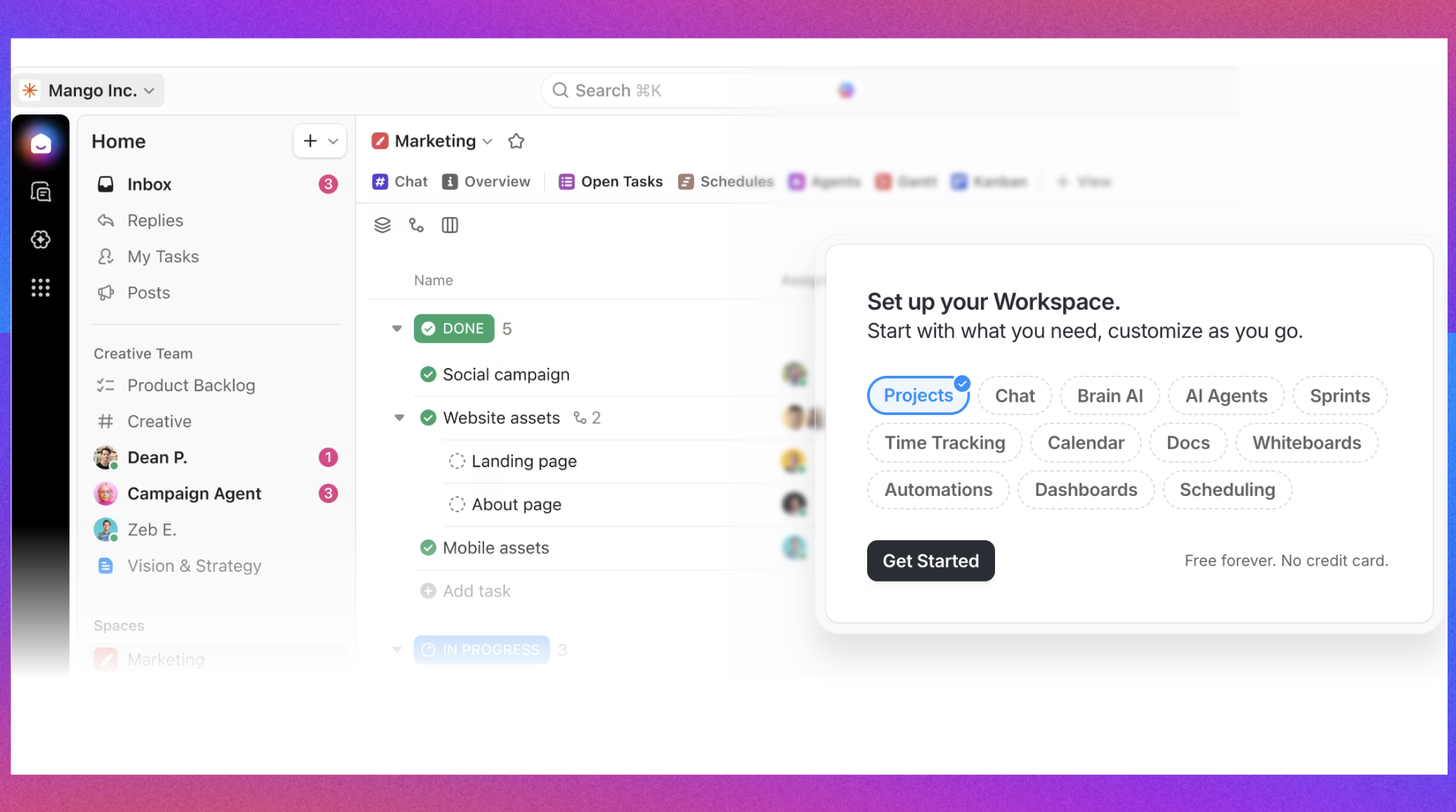
Image source: clickup.com
ClickUp is best for teams that want to center their communication directly around project management and specific tasks. It is ideal for operations that prioritize tracking deliverables over casual real-time chatting.
ClickUp positions itself as the app to replace them all, focusing primarily on deep project management. Unlike Rocket.Chat, where conversation is the core function, ClickUp treats communication as a layer on top of tasks. You can use its chat views and comment threads to discuss projects exactly where the work lives. This drastically reduces context switching, as you never have to leave the task board to ask a colleague a question.
However, ClickUp is a project management tool first and a communication tool second. Its real-time chat functionality is not as robust or snappy as a dedicated messenger. If your team relies heavily on quick back-and-forth banter, casual brainstorming channels, or spontaneous voice calls, ClickUp will feel clunky. It also suffers from feature bloat, which can make the initial setup and daily navigation overwhelming for non-technical users.
Pros:
- Keeps conversations tied directly to specific tasks and project deliverables.
- Highly customizable views for different team workflows.
- Reduces the need for a separate task management tool.
Cons:
- Real-time messaging features feel secondary and less responsive.
- Steep learning curve due to significant feature bloat.
Pricing & Free Plan:
ClickUp offers a generous free forever plan with basic task and chat features. Paid plans start at $7/user/month, unlocking advanced reporting, automations, and unlimited storage.
8. Zoho Cliq: Chat platform for Zoho ecosystem users
Zoho Cliq serves as an ideal and practical communication hub for businesses already integrated into the broader Zoho suite, leveraging products like Zoho CRM, Zoho Projects, or Zoho Desk. It goes beyond basic messaging, offering channels, calls, and lightweight automation functionalities directly within this familiar ecosystem. This deep integration provides significant convenience and efficiency gains for existing Zoho customers, fostering a more connected workflow.
By centralizing communications, Cliq enables users to collaborate on projects, discuss customer interactions, or address support tickets without ever leaving the Zoho environment. Its ability to seamlessly pull information from other Zoho applications or trigger actions within them streamlines operations, reduces context switching, and enhances overall productivity for teams already committed to the Zoho platform.
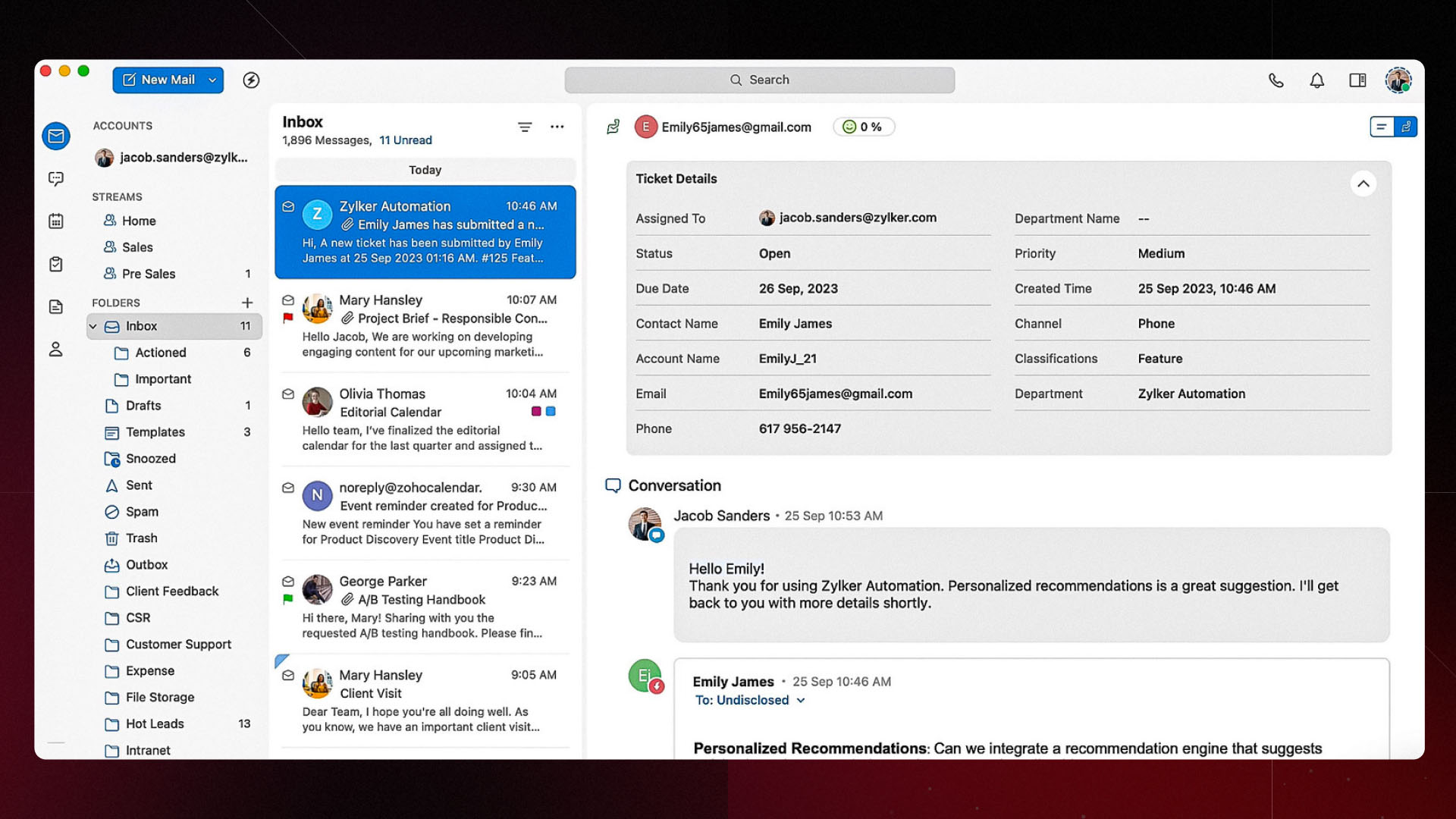
Image source: zoho.com
Pros:
- Extremely cost-effective for a broad suite of business applications.
- Includes email, cloud storage, and chat under one license.
- Strong privacy policies for business data.
Cons:
- The user interface feels dated and less intuitive.
- Transitioning between different apps within the suite can feel clunky.
Pricing & Free Plan:
Zoho offers a basic free tier. Standard paid plans are highly competitive, Professional tier starting at $1.80/user/month ( mimimum 10 users).
Streamlining daily operations with integrated tools
Rocket.Chat, while powerful for secure communication, often necessitates relying on external tools for core business functions like project management, document collaboration, and calendaring. This fragmented approach forces users to constantly switch between applications, leading to context switching, lost information, and decreased productivity. A truly unified platform, however, unifies these functionalities directly within your communication hub, transforming conversations into actionable outcomes.
Unlike traditional chat-centric solutions, Lark embraces a holistic approach. It’s designed to be your team's single workspace, where messaging is just the starting point. All your essential tools—from documents and spreadsheets to video conferencing and project tracking—are natively built-in and interconnected. This eliminates the "app-hopping" fatigue and creates a seamless flow from discussion to execution, making it an ideal Rocket.Chat replacement for teams seeking true operational efficiency.
Moving from chat to action: A unified workflow example
Discussing work in a chat window is only half the battle; executing that work is what actually moves the needle. When evaluating a Rocket.Chat replacement, look for a platform that allows you to move directly from conversation to action.
Let us look at a practical example using a unified platform like Lark for a daily engineering standup.
First, the team manager sets an automated reminder in the team chat group. Before the meeting starts, team members open a shared cloud-native document pinned right inside the chat window. They type their updates simultaneously, with no need to open a separate browser tab.
During a video call launched directly from a Lark chat group, a manager can use the Share Docs feature to share and concurrently edit a document in real-time. If a critical bug is reported in that document, it can be managed within the group chat. Bots can be used to collect and assign the bug to a developer, and relevant personnel can be tagged and assigned tasks, including setting a deadline. Lark Base can be utilized for project management.
The developer instantly receives a notification about the assigned task in their chat feed. They update the task status in Base, which automatically updates the project dashboard. The entire cycle from communication to documentation to task assignment happens in one window. This eliminates the friction of copying text from a chat app, pasting it into a separate task manager, and sending an email to confirm.
Conclusion
Moving away from self-hosted platforms like Rocket.Chat is a strategic step toward reducing IT overhead and improving team agility. While open-source tools offer control, the invisible costs of server upkeep and clunky interfaces hold modern teams back. Whether you choose the deep Microsoft ecosystem, the channel-based familiarity of Slack, or a fully unified workspace like Lark, prioritize a solution that combines enterprise security with a zero-maintenance cloud infrastructure. Evaluate your team's specific workflow, select a platform that reduces context switching, and let your IT team focus on building your business rather than maintaining your chat servers.
FAQs
What is the best free alternative to Rocket.Chat?
Lark offers one of the most comprehensive free plans on the market. Its Starter plan is free forever for up to 20 users, providing 100GB of storage, robust chat capabilities, cloud documents, and video meetings without requiring a credit card.
Can I migrate my data from Rocket.Chat to a cloud-based platform?
Yes, most major UCaaS platforms provide migration tools or APIs to transfer your message history, files, and user directories. However, the complexity depends on your current database setup. Cloud providers often offer detailed documentation or support teams to assist with the transition.
Why do companies move away from open-source communication tools?
Organizations usually transition because of the high Total Cost of Ownership (TCO). Managing open-source communication software requires dedicated IT hours for hosting, manual security patching, and resolving configuration errors, pulling valuable engineering resources away from core business projects.
Related Reading
Table of contents
Start using Lark today

Manage all your work in one place
Boost team efficiency by 10x
Save up to 70% on software costs
Table of contents
Start using Lark today
Manage all your work in one place
Boost team efficiency by 10x
Save up to 70% on software costs
Keep reading
![What Is a 2-2-3 Work Schedule? Explanation and More [2026]](https://p16-hera-overseas.larksuitecdn.com/tos-mya-i-lojyj5t9n9/44878bb7037d480a833a337eb2613ae4~tplv-lojyj5t9n9-png:0:0.png)






2026 Lark Technologies Pte. Ltd.
Headquartered in Singapore with offices worldwide.






Explore: