














Software Requirement Document Template: Guide and Examples Included

Prathyusha
Freelance Content Creator
Nov 3, 2026
Prathyusha
Nov 3, 2026

15 min read
Add to preferred sources


A well-structured software requirement document (SRD) is the foundation of every successful software project. It defines what the system must accomplish, outlines how it should behave, and clarifies the standards it must meet. This alignment ensures that product managers, developers, designers, and QA engineers stay on the same page from concept to delivery.
Modern teams often face version chaos, scattered comments, and disconnected files when documenting requirements. That's where Lark transforms the process. Lark combines documents, tasks, databases, and communication in one collaborative workspace, helping teams plan, review, and execute requirements seamlessly. Let's explore what SRD actually means and make one sample of your own.

What is a software requirement document (SRD)?
A software requirement document is a detailed blueprint that describes what a software system should do, how it will perform, and what constraints must be considered. It serves as a single source of truth, connecting technical expectations with business goals.
Main purposes include:
- Clarify project scope and deliverables: The software requirement document template helps define exactly what needs to be built. It ensures that all stakeholders share a common understanding of features, user expectations, and objectives before development begins. A clear scope prevents confusion and scope creep later in the project.
- Avoid misunderstandings during development: Miscommunication can easily derail projects. A structured SRD provides developers and testers with detailed, testable requirements. This minimizes rework and helps teams make informed technical decisions.
- Serve as a reference point for testing and validation: QA teams use the requirement document template for a software project to verify that every feature performs as intended. Linking test cases to specific requirements also ensures complete coverage and accountability.
- Ensure accountability for product performance and quality: The SRD keeps all contributors aligned on success criteria and deliverables. When a requirement fails or changes, teams can trace responsibility and adjust efficiently.
A well-structured SRD brings clarity to every stage, helping business leaders and engineers move in sync. Use this template to organize your documentation process and keep all project details accessible in one shared space.
Types of software requirement documents
Different projects call for different types of requirement documentation. Each serves a distinct purpose depending on who the audience is and how detailed the content needs to be.
- Business Requirement Document (BRD).
A BRD defines high-level business objectives, the target audience, and success metrics. It describes why the software is being developed and what problems it aims to solve. For example, a software business requirement document template might specify the need to improve customer response time by 30%. It serves as a guiding vision for all downstream documents.
- Functional Requirement Document (FRD).
The FRD translates business goals into system functionality. It lists user interactions, workflows, inputs, outputs, and system behavior. A functional requirement document ensures that every user action maps to a defined function in the system. Teams often use visual aids like flowcharts to complement the written sections.
- Software Requirements Specification (SRS).
The software requirement specification document template combines both functional and non-functional requirements. It also defines performance benchmarks, design constraints, and data models. The SRS becomes the definitive guide for engineers and QA teams throughout the lifecycle of a software product.
- Technical Requirement Document (TRD).
A TRD focuses on architecture, APIs, data structures, and technical dependencies. It's often used by backend engineers or DevOps teams. For example, it might outline supported programming languages, server configurations, and third-party integrations.
Each of these documents can stand alone or combine into one comprehensive SRD, depending on project size and complexity.
Ready-to-use software requirement document templates
Requirements document template
This template helps teams create a complete software requirement document with a clear structure that includes purpose, functional details, dependencies, and acceptance criteria. It is ideal for teams that want a standard format they can reuse across projects. The layout makes it easier to collect inputs from product managers, developers, and stakeholders without missing sections. Using this software requirement document template also improves consistency when sharing drafts across teams.
Requirements management and bug management template
This template combines requirement tracking with defect tracking so teams can keep all progress and issue data in one view. It is especially useful in agile projects where requirements evolve alongside active development and testing. Each item can be tagged by owner, sprint, and status, which helps eliminate confusion during handoffs. The template makes requirement reviews, bug resolutions, and status reporting easier for cross-functional teams.
Requirements gathering template
This template is designed for early-stage discussions when stakeholder feedback, project goals, and user expectations are still being collected. It helps organize interviews, survey data, feature requests, and priority inputs into one structured place. Teams can later transfer approved items into a full software requirement specification document template. Using it prevents information from being lost across emails, chats, or spreadsheets.
Technical application document template
This template is best suited for documenting technical requirements related to architecture, API behavior, data models, and environment configuration. Engineering teams use it to define how the system will work behind the scenes, while still keeping alignment with product expectations. It allows developers to set constraints and assumptions early, reducing risk during development. This makes it a strong fit for projects with complex backend or integration needs.
StudyLib software requirements specification template
This structured template provides a ready-to-use format for drafting comprehensive software requirements specifications. It includes detailed sections and placeholders that guide users through defining system objectives, functions, and constraints. Ideal for formal documentation in large or regulated projects, it ensures clarity and consistency across teams and stakeholders.
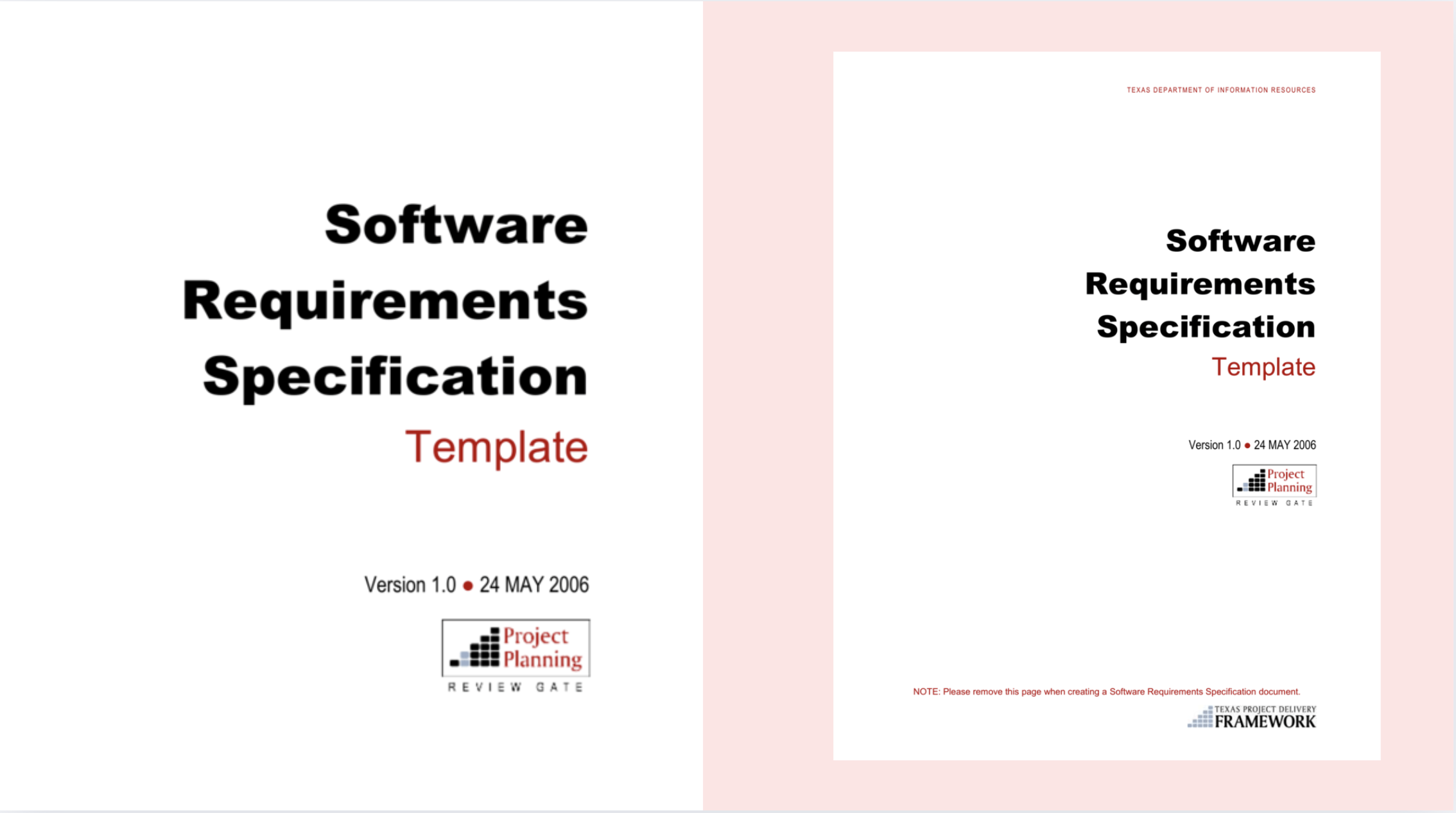
Image source: studylib.net
Bit.ai software requirements document template
Bit.ai's software requirements document template helps teams collaborate efficiently from the start of a project. It replaces scattered notes and disconnected emails with a single, organized workspace for defining product features, user needs, and technical requirements. With easy sharing and real-time editing, this template keeps all contributors aligned and projects on track.
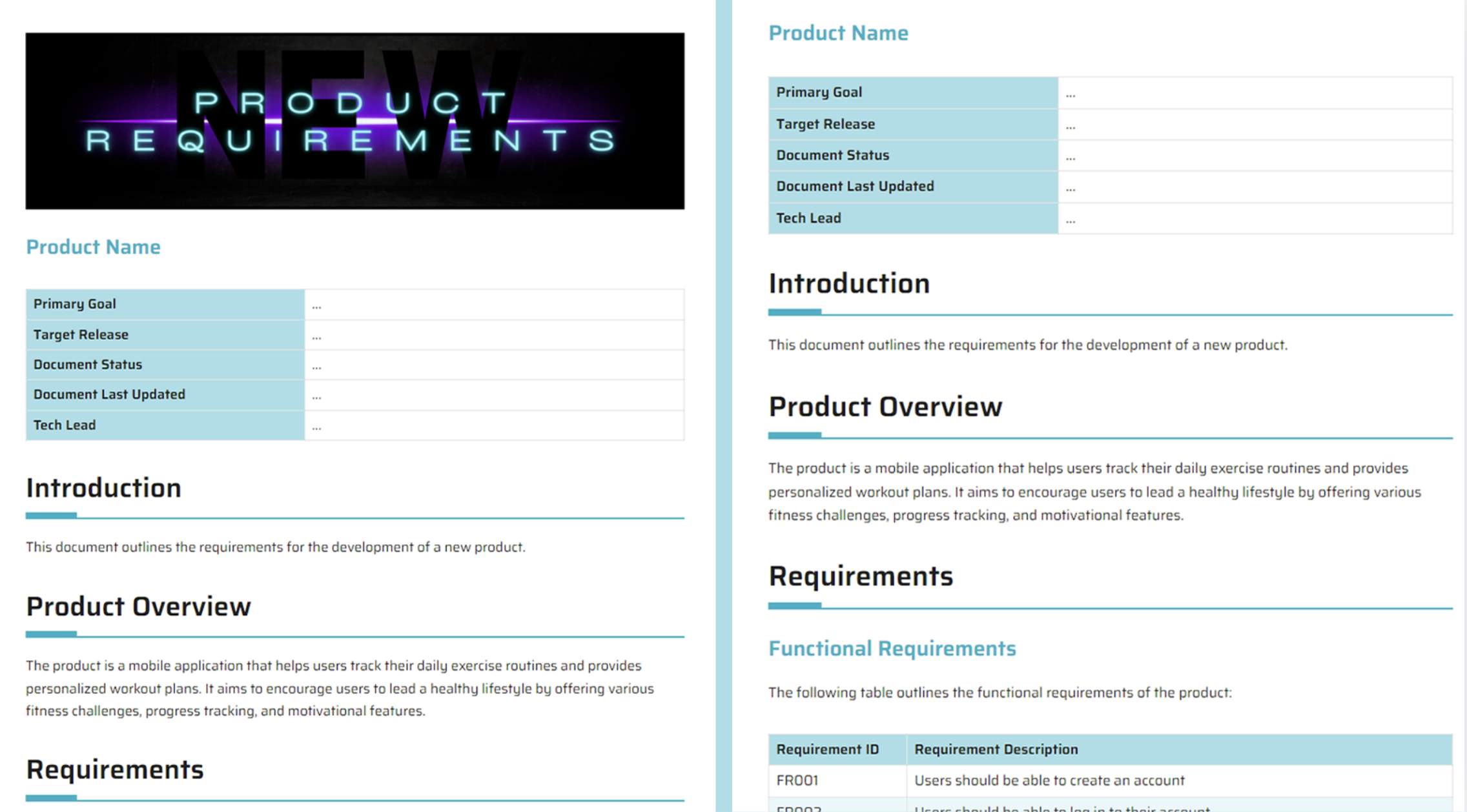
Image source: bit.ai
Smartsheet project requirements templates
Smartsheet's collection of project requirement templates supports teams in managing tasks, tracking progress, and clarifying deliverables. Designed for sponsors, analysts, developers, and stakeholders, these templates simplify requirement gathering and documentation. They are especially useful for software, IT, and small project teams aiming to boost productivity and communication.
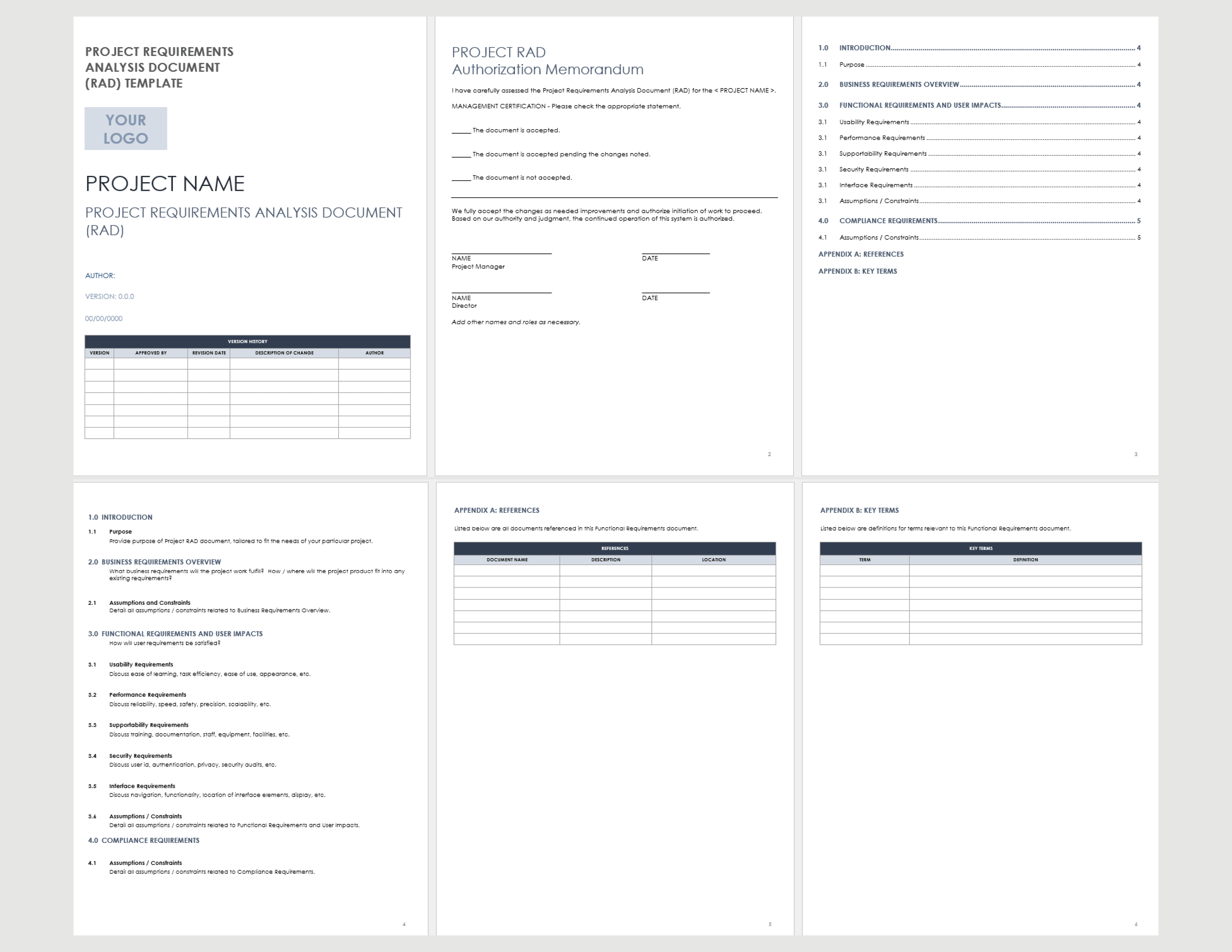
Image source: smartsheet.com
Meet your tool: Try Lark to create, co-edit, and refine the requirement document
When multiple teams contribute to a project, managing requirement documents through disconnected files or long email chains quickly becomes inefficient. Lark, one of the most versatile project management tools, solves this challenge by connecting document workflows, tasks, and communication in one unified workspace. Every update, discussion, and review stays tied to the same source of truth, eliminating version confusion and ensuring everyone works from the latest context. From drafting SRDs to tracking progress and verifying outcomes, Lark helps teams collaborate smoothly across every stage of the requirement lifecycle.
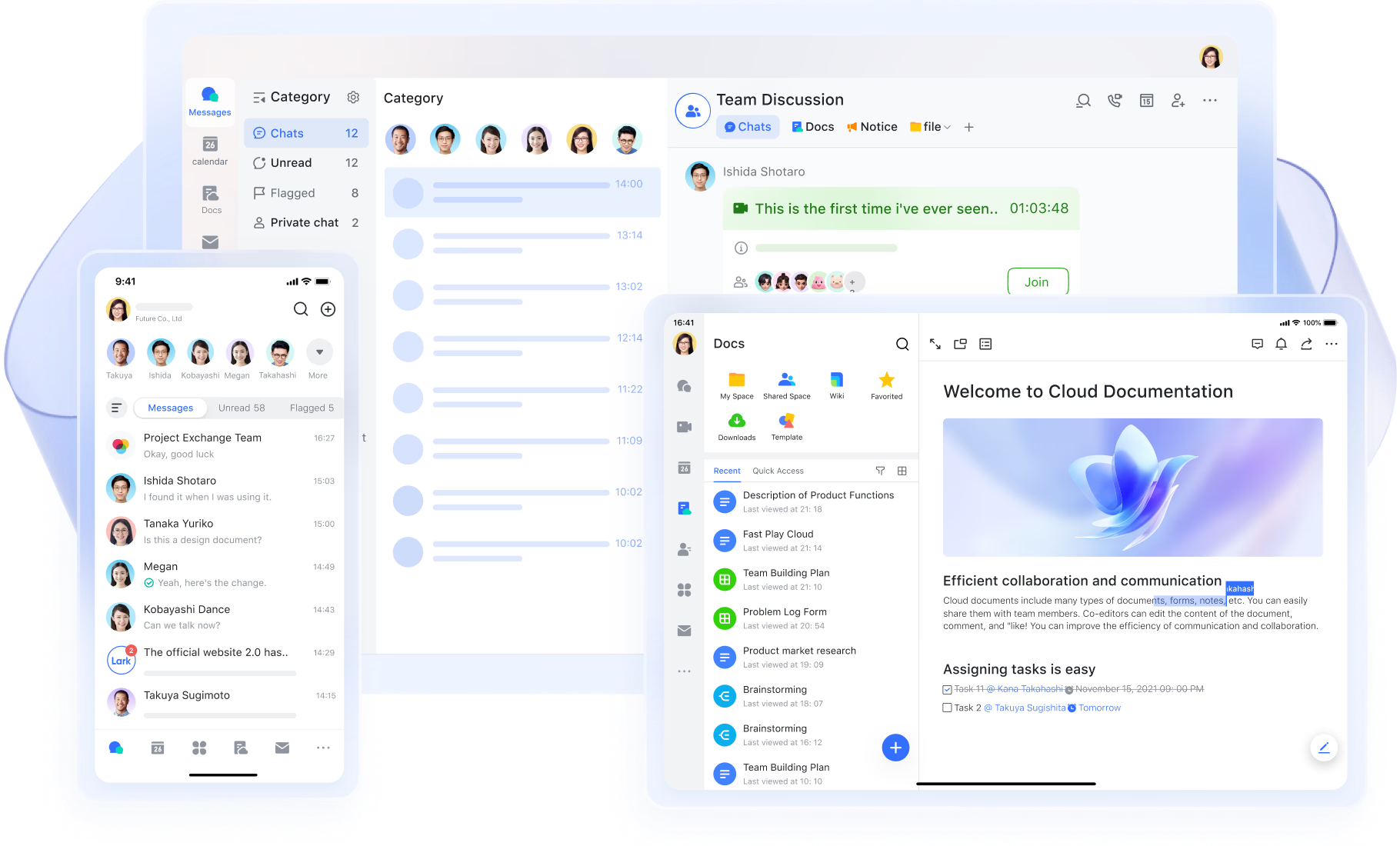
Lark Docs: Write and refine requirements collaboratively
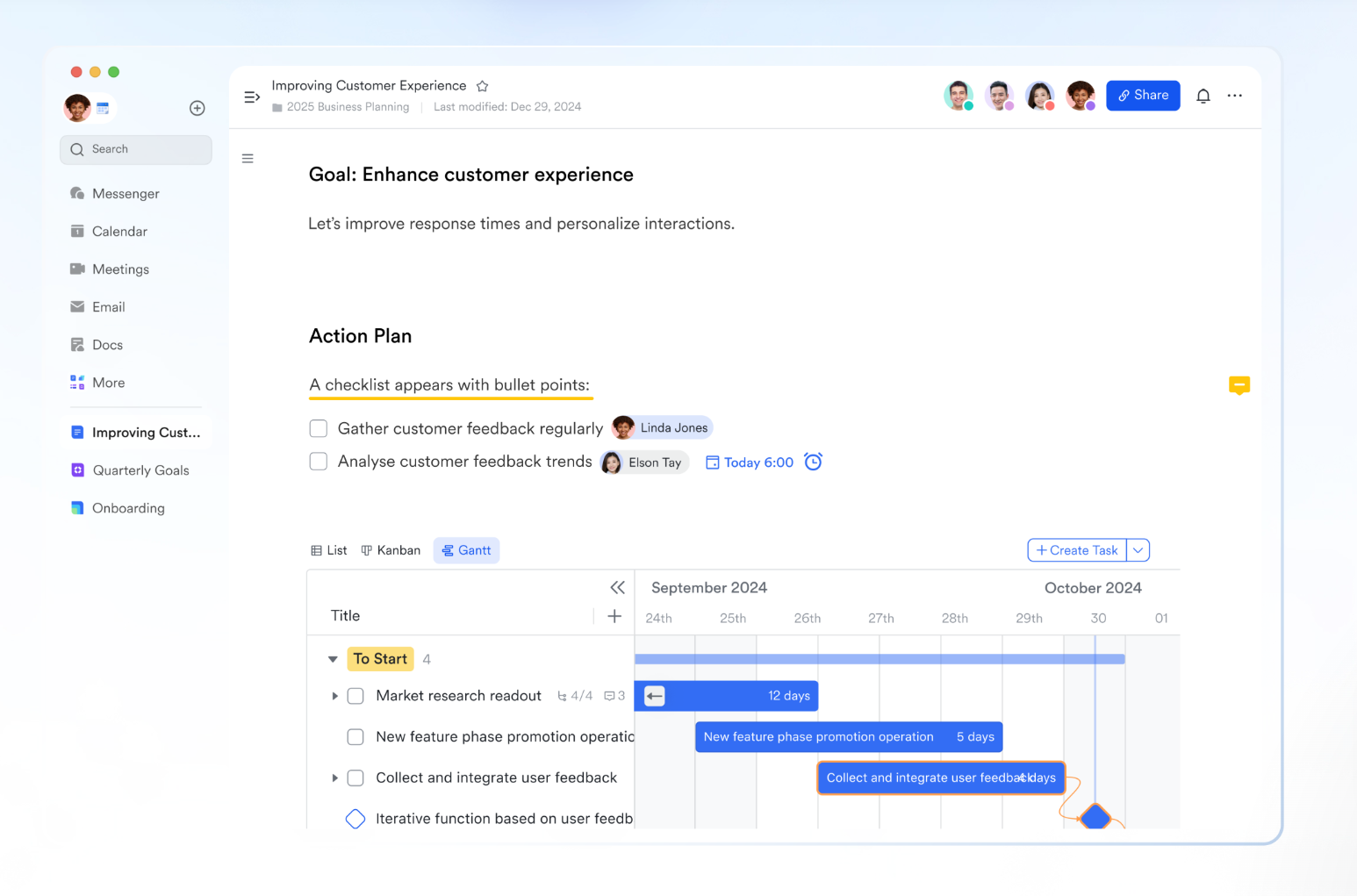
Lark Docs allows teams to co-author software requirement documents in real time. Product managers and engineers can work together in one file adding structure with headings, tables, and checklists. Comments and mentions let reviewers ask questions or suggest improvements directly within the document. For example, during a feature discussion, a developer can tag a designer to clarify UI behavior without switching tools. Version history ensures traceability by recording every edit and decision. This transparency removes the guesswork of tracking changes manually. Teams can quickly revisit earlier versions when requirements evolve.
Lark Base: Centralized database for requirements tracking
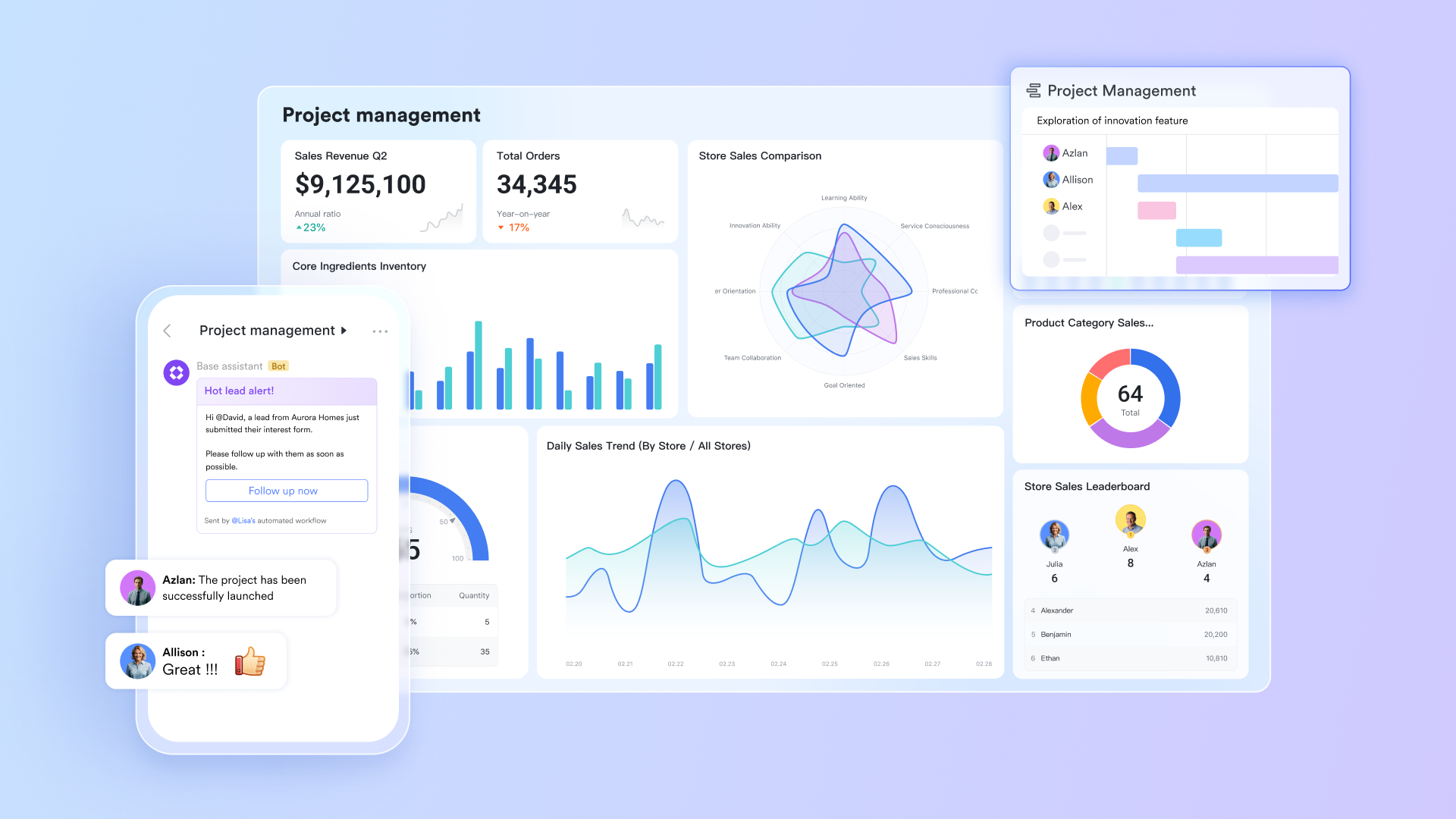
Lark Base transforms static requirement lists into dynamic, searchable databases. Each requirement can be stored as a record with attributes such as ID, owner, sprint, and status. Teams can visualize these requirements using grid, Kanban, or dashboard views. This flexibility helps project managers spot bottlenecks, track dependencies, and monitor progress at a glance.
Also, dashboards highlight metrics like the number of requirements pending approval or under testing. For instance, a manager can filter "High priority" requirements scheduled for the next release and see which are still awaiting sign-off. With Lark Base, requirement tracking becomes actionable rather than administrative.
Lark Tasks: Connect planning to execution
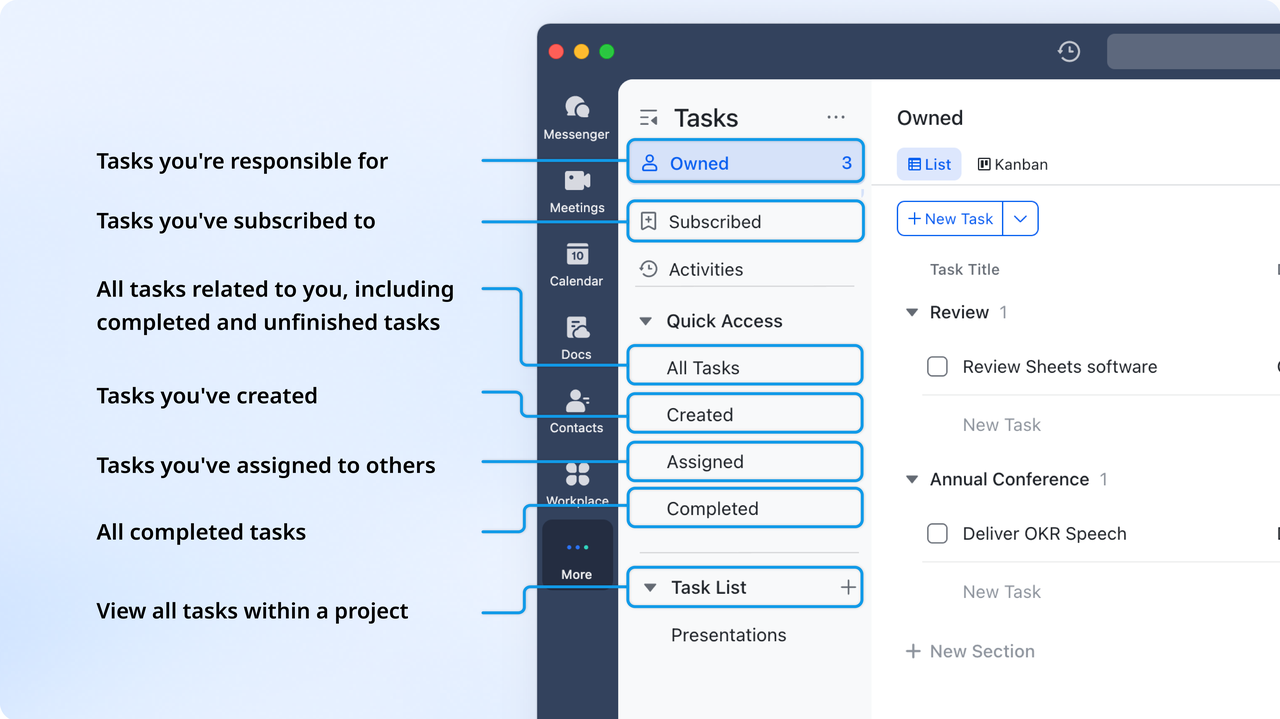
After requirements are approved, Lark Tasks bridges planning with execution. Within Lark Tasks, each requirement can be converted into a task, complete with owner, due date, and dependency chain. Tasks can be linked and managed in Base, with features to track status, progress, and receive reminders for deadlines. This ensures developers and testers always reference the original requirement when performing work. Visual timelines make it easy to follow progress and identify delays.
For instance, when the requirement "Implement two-factor authentication" is finalized, Lark automatically generates linked development and QA tasks. This keeps accountability transparent from definition to release.
Lark Messenger: Keep conversations contextually tied
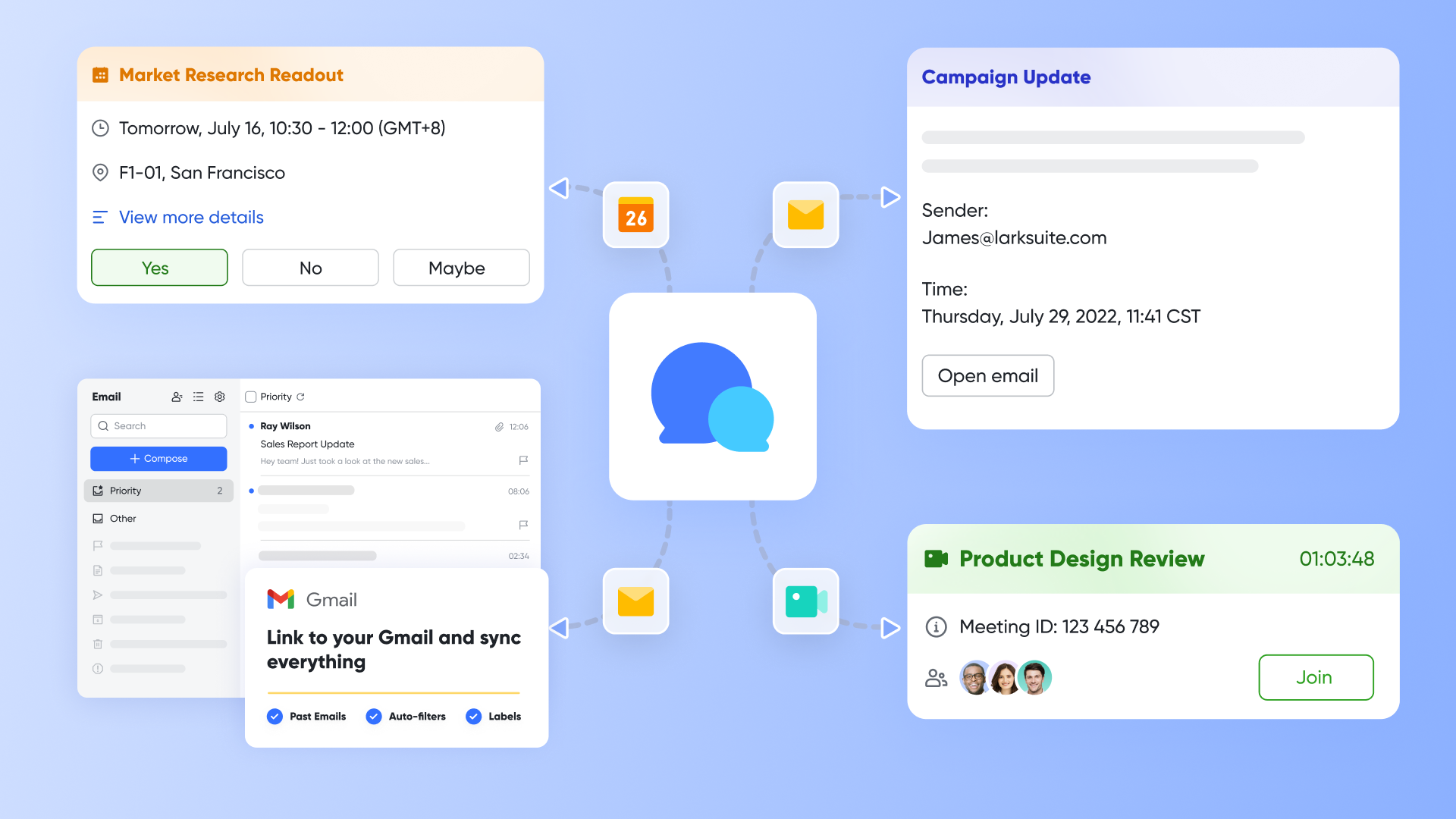
Lark Messenger keeps conversations aligned with ongoing work. Team members can follow key Docs to get instant notifications on updates and changes. You can share, view, and adjust collaboration permissions for requirement documents directly within chats. Messenger also notifies you when documents are commented on or liked, ensuring everyone stays in the loop.
This eliminates the need for scattered chat apps and ensures all discussions remain recorded alongside the actual work. The result is clearer communication and faster resolution cycles.
Lark Meetings: Review SRDs and assign actions in real time
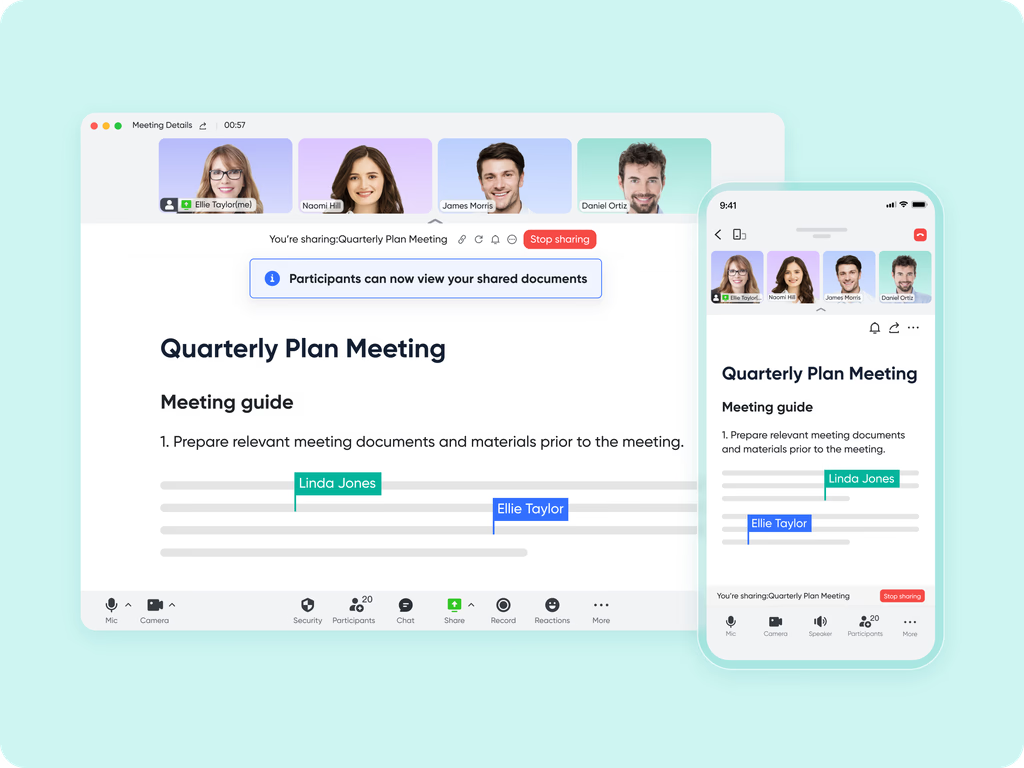
Requirement reviews often involve multiple participants and long follow-ups. Via Magic Share, Lark Meetings allows teams to display live documents or base dashboards directly within a meeting. Participants can edit fields, comment, or assign tasks without leaving the call.
For example, during a sprint planning meeting, teams can review pending software requirement specification document templates, adjust acceptance criteria, and assign next steps in one session.
- Starter plan: Free forever plan that includes 11 powerful tools for up to 20 users. It also comes with 100GB of storage, 1000 automation runs, AI translations, and more.
- Pro plan: $12/user/month (billed annually) for up to 500 users. It includes everything in Starter plus group calling for up to 500 attendees, 15TB of storage, 50,000 automation runs, and more.
- Enterprise plan: Contact sales for custom pricing. Supports unlimited users and includes even more automation runs and advanced security, compliance, and management features.
Check time: What should be included in a standard software requirement document
A well-written software requirement analysis document template includes key sections that ensure structure, consistency, and clarity. Each section contributes to better communication and alignment across teams.
- Introduction
- This section provides the purpose, project overview, and list of key stakeholders. It sets the context by explaining why the system is being developed, who will use it, and what problems it will solve. The introduction also defines how this document fits within the larger development process.
- Functional requirements
- Functional requirements describe specific system behaviors, workflows, and user interactions. Each function should be measurable and testable. For instance, "The system shall allow users to reset passwords via an email link" is a clear, verifiable statement. Grouping requirements into modules or user stories makes them easier to manage.
- Non-functional requirements
- Non-functional requirements outline performance, scalability, reliability, and security standards. These define how well the system performs, rather than what it does. For example, "The system must handle 5000 concurrent users with 2-second response time" helps engineers benchmark performance during testing.
- Dependencies and assumptions
- This section lists third-party services, APIs, or hardware needed for the system to function. It also records assumptions such as "Internet connection required for authentication." Tracking these early prevents delays caused by missing or incompatible tools.
- Acceptance criteria
- Acceptance criteria define when a requirement is considered complete. Each condition should be objective and verifiable. Clear acceptance criteria help testers validate outcomes and product owners approve deliverables with confidence.
- Appendix
- Supporting materials like diagrams, references, and glossaries belong here. Visual aids make it easier for readers to understand workflows and relationships between components.
Following this structure ensures that the software requirement document template remains readable and actionable for every team involved.
Conclusion
A software project succeeds when teams are aligned on what needs to be built, how it should work, and how success will be measured. That is why a clear software requirement document template is more than a formality. It removes ambiguity, improves handoffs, and gives every contributor a shared point of reference from planning to release. When requirements are structured well, teams avoid rework, manage project scope changes confidently, and stay focused on delivering value instead of debating interpretations.
Traditional tools often break this flow by scattering versions, feedback, and approvals across files and inboxes. Lark solves this by bringing requirement writing, discussion, tracking, and execution into one connected workspace. Documents, tasks, databases, meetings, and chat all stay linked to the same requirement source, so nothing gets lost during development. Whether a team is drafting new features or reviewing changes, Lark keeps context, accountability, and collaboration in one place, making software delivery faster and more reliable.
FAQs
What is the difference between an SRD and an SRS?
An SRD outlines what the software should achieve at a high level and is typically used to align business goals and expectations. An SRS provides a more detailed breakdown of functional and non-functional requirements that engineers and testers rely on to build and validate the system. Many teams start with an SRD and expand it into a structured SRS as details become clearer. Lark supports both formats by allowing teams to co-author documents, track revisions, and keep all required versions in one place.
How do I ensure my requirements are testable and measurable?
A requirement becomes testable when it includes clear acceptance criteria, measurable success indicators, and enough detail for validation. Instead of vague statements like "the page should load fast," use quantifiable statements such as "the page loads within two seconds on a 4G connection." Linking each requirement to a related test case also helps confirm full coverage during QA. Lark makes this easier by keeping requirements, comments, and test-related updates in a shared workspace where nothing gets lost.
Can I create software requirement documents in Lark?
Yes. Teams can create and update software requirement documents directly in Lark Docs, where multiple contributors can collaborate without version conflicts. Comments, mentions, and structured formatting tools make it easier to discuss details while editing. When teams need to track ownership, status, or dependencies, those same requirements can be stored and filtered in Lark Base. This keeps documentation and execution closely connected instead of scattered across folders or email chains.
What's the best format for an SRD?
The ideal format depends on project size and team workflow. Smaller projects can use a simple checklist or table format, while larger or regulated projects benefit from a full SRS-style structure with separate sections for functional, non-functional, and technical requirements. The key is clarity, consistency, and traceability, so requirements are easy to interpret and update. Lark supports both lightweight and detailed formats by letting teams structure documents with headings, tables, and linked records without changing tools.
How often should requirement documents be updated during development?
Requirement documents should be updated continuously whenever information changes, new constraints appear, or user feedback alters priorities. Treating the SRD or SRS as a living document reduces misunderstandings later in the project and ensures everyone is working from the latest version. Teams also benefit from keeping edits visible instead of buried in email threads. Lark helps maintain this continuity by storing documents, updates, and discussions together, so every change stays traceable from draft to release.
Related reading
Table of contents
Start using Lark today

Manage all your work in one place
Boost team efficiency by 10x
Save up to 70% on software costs
Table of contents
Start using Lark today
Manage all your work in one place
Boost team efficiency by 10x
Save up to 70% on software costs
Keep reading







2026 Lark Technologies Pte. Ltd.
Headquartered in Singapore with offices worldwide.






Explore: