














Sprint Board: The Ultimate Guide for Agile Teams

Prathyusha
Freelance Content Creator
Nov 3, 2026
Prathyusha
Nov 3, 2026

20 min read
Add to preferred sources


In Agile project management, sprint boards are the heartbeat of every iteration. They bring visibility, focus, and structure to fast-moving teams who need to deliver value within tight timelines. Whether you're managing software releases, marketing campaigns, or internal projects, a sprint board ensures every task moves smoothly from planning to completion.
Unlike static task lists, sprint boards visualize the flow of work, helping teams quickly identify bottlenecks, track accountability, and stay aligned on goals. This guide breaks down everything you need to know—from types and setup to the best tools like Lark, Jira, Trello, Asana, and Monday—so you can run more effective Agile sprints with clarity and confidence:
1. Lark: Plan, track, and collaborate in one place
2. Jira Sprint board: Powerful sprint boards for developers
3. Trello: Simple Sprint boards for small teams
4. Asana: User-friendly boards for Agile planning
5. Monday.com: Visual Sprint boards with reporting

What is a Sprint board and how does it work?
A sprint board is a visual framework that helps Agile and Scrum teams track tasks throughout a sprint cycle. It represents the workflow—typically through columns such as To Do, In Progress, Review, and Done—showing exactly what's being worked on and by whom.
In Agile and Scrum methodologies, sprint boards serve as a single source of truth for the entire team. They align everyone on sprint goals, task ownership, and progress toward completion.
Unlike traditional task lists that offer limited visibility, sprint boards make workflow movement dynamic and transparent. Every update or change is reflected in real time, keeping the team adaptable to evolving priorities.
Different forms of sprint boards include:
- Agile sprint board – for managing active sprint tasks.
- Sprint planning board – for organizing backlog items into upcoming sprints.
- Sprint retro board – for reviewing what went well and what can be improved post-sprint.
Whether digital or physical, sprint boards empower teams to visualize work, manage accountability, and maintain focus through every sprint phase.
Why Sprint boards matter in Agile project management
Sprint boards are fundamental to Agile because they make abstract workflows tangible. By visualizing every stage of a sprint, teams gain:
- Improved visibility: Everyone knows what's happening, who's responsible, and where tasks stand.
- Better collaboration: Team members can discuss blockers, progress, and dependencies directly around the board.
- Increased accountability: Task owners are clearly visible, driving ownership and timely completion.
- Agile adaptability: The board structure makes it easy to reassign or reprioritize work mid-sprint.
Teams across industries—from software and marketing to operations and HR—rely on sprint boards for structure. Developers track issues and features; marketers manage campaign timelines; HR teams coordinate onboarding workflows.
Types of Sprint boards
- Agile sprint board: An Agile sprint board is a visual workflow tool showing tasks in progress during a sprint. It maps every user story or task through defined stages, enabling quick visibility into what's blocked or completed. Agile sprint boards are typically digital and updated daily during standups.
- Sprint planning board: A sprint planning board helps teams prepare for upcoming sprints by pulling tasks from the backlog and allocating them based on capacity. It ensures balanced workloads and helps define sprint scope clearly before work begins.
- Sprint retro board: A sprint retro board is used after a sprint ends to reflect on successes and pain points. Teams record what went well, what didn't, and what actions can improve future sprints. It's an essential learning tool in the Agile cycle.
- Digital vs. physical sprint boards: Physical sprint boards (whiteboards or sticky notes) work well for small co-located teams, but digital boards are now the standard for distributed and hybrid teams. Tools like Lark, Jira, and Trello let teams update boards in real time, connect discussions, and track sprint analytics from anywhere.
Take a glance at the best Sprint board tools
5 popular sprint board tools you should explore
1. Lark: Plan, track, and collaborate in one place
Lark offers a unified platform where Agile teams can plan, execute, and review sprint cycles seamlessly. Unlike single-purpose tools, it combines boards, communication, and documentation—allowing teams to manage everything in one connected workspace.
- Lark Base (Kanban + Gantt views) and dashboards
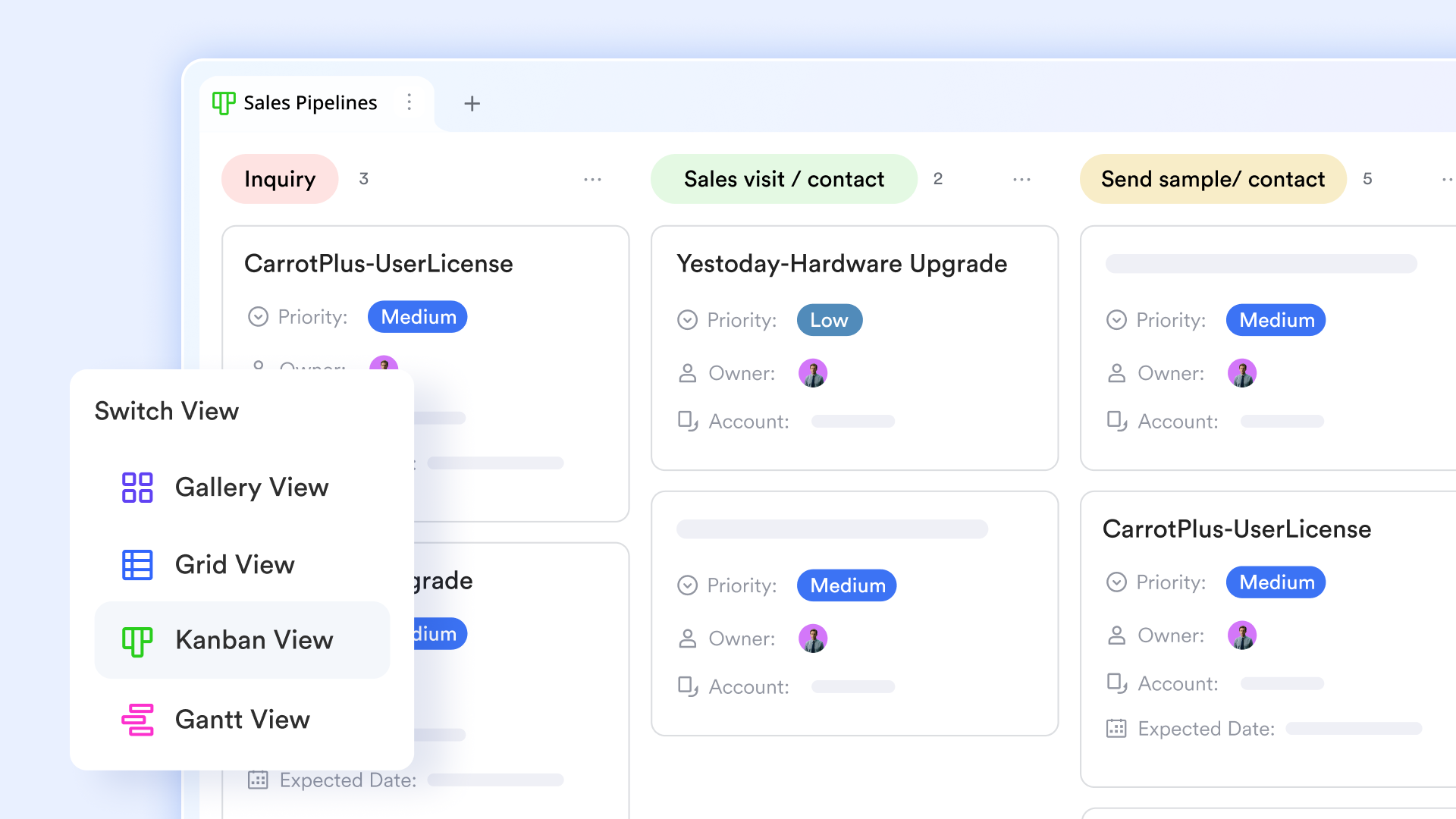
At the heart of Lark Base lies its dual visualization power: Kanban boards and Gantt charts—two essential views for Agile teams managing sprints.
Kanban boards in Lark Base help teams see every sprint task at a glance. Each card represents a user story or task that can be easily moved between stages such as To Do, In Progress, Review, and Done. For example, a development team working on a new feature can drag a task card from In Progress to Review once the code is ready for testing. Each card can include assignees, subtasks, checklists, due dates, and file attachments, making it a living unit of work rather than just a static note.
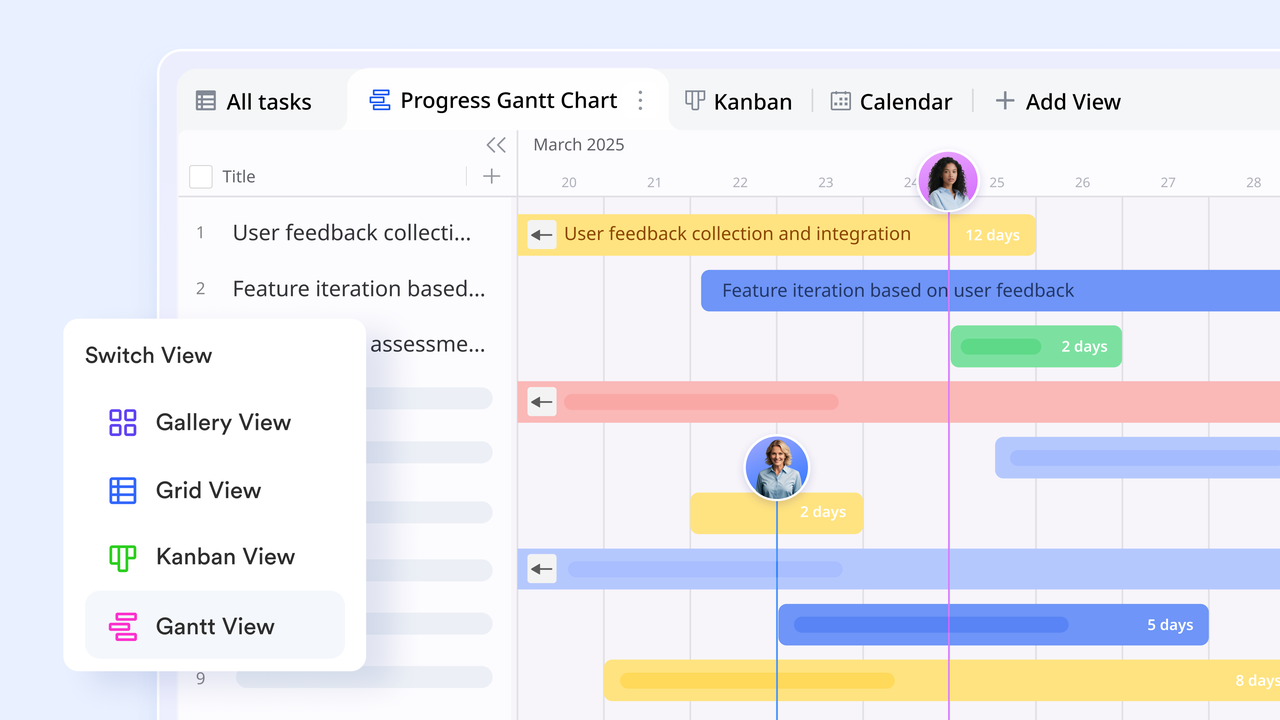
The Gantt view complements this by adding timeline clarity. When teams need to understand how sprint tasks depend on each other, the Gantt chart visually maps out relationships, overlaps, and deadlines. A marketing team, for instance, might use the Gantt view to see how "Ad Copy Creation" aligns with "Landing Page Design" and "Campaign Launch." Adjusting one task's duration automatically updates the related items, keeping dependencies transparent.
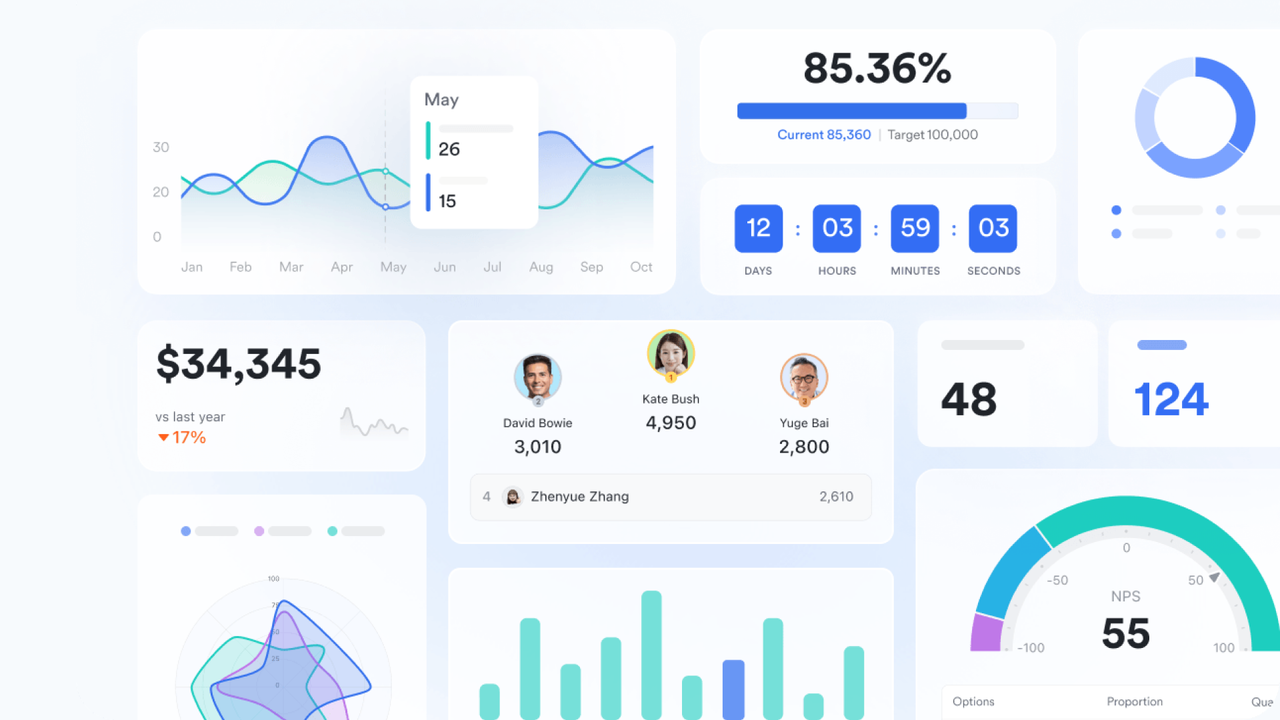
Meanwhile, Dashboards in Base provide real-time visibility into sprint performance. You can track burndown charts, velocity trends, task completion rates, and overdue items all in one place. Teams often pin these dashboards during daily standups to quickly review progress and spot bottlenecks. This combination of Kanban, Gantt, and dashboards transforms Lark Base into a comprehensive hub for sprint visibility, progress tracking, and continuous improvement.
- Lark Tasks (assign & automate follow-ups)
Lark Tasks ensures sprint accountability stays intact from planning to delivery. Each sprint item can be assigned an owner, deadline, and priority level, making ownership crystal clear.
Example: Teams can plan sprint stories such as "Fix Payment API Error" in Lark Base and directly turn them into actionable items in Lark Tasks—complete with assignee details and due dates—ensuring smooth handoff from planning to execution. Automated follow-ups can remind the assignee before deadlines, or trigger notifications when dependent tasks are completed—no manual check-ins needed.
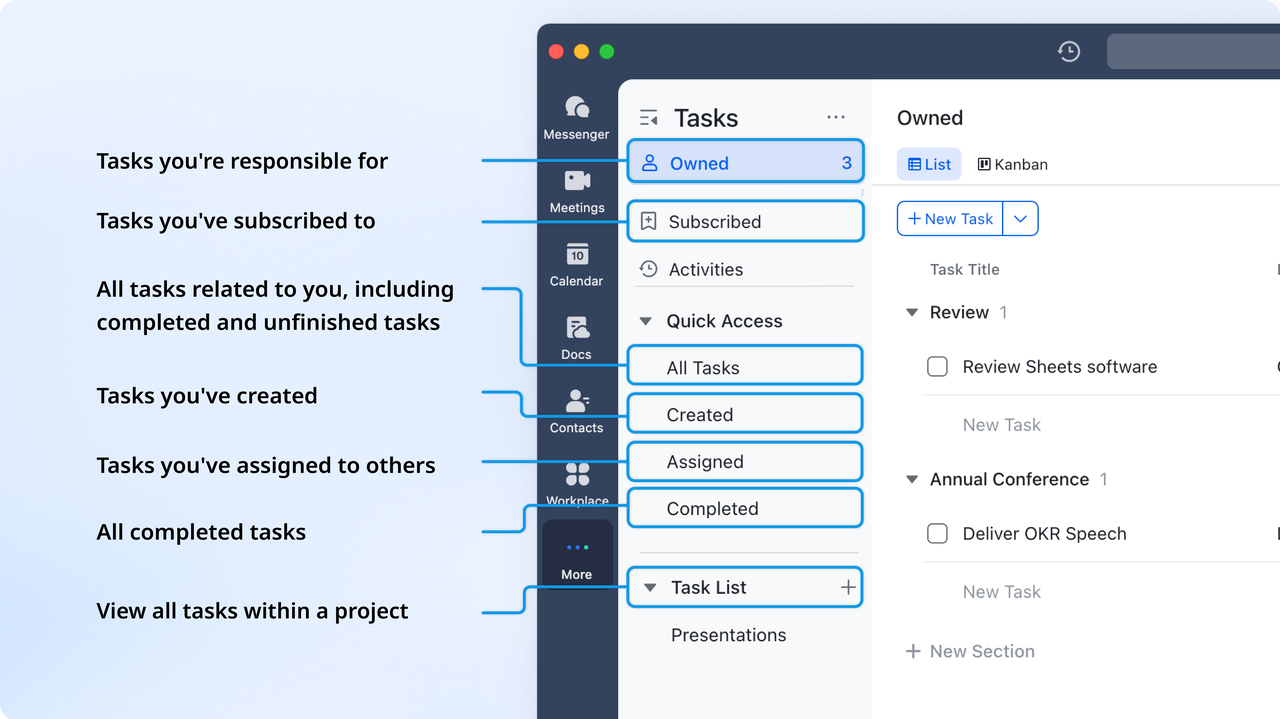
Lark Tasks also supports recurring tasks, which are ideal for repetitive sprint ceremonies like "Daily Standup Notes" or "Retro Preparation." Teams can use filters and labels to view tasks by sprint phase, priority, or owner, ensuring nothing falls through the cracks.
Because all updates appear instantly in the workspace, managers and team leads always have a real-time snapshot of workload balance, upcoming deadlines, and blockers—a crucial advantage for sprint velocity consistency.
- Lark Docs & Wiki (store sprint goals, retros, playbooks)
In Agile, documentation must evolve with each sprint—and Lark Docs and Lark Wiki make that easy.
Lark Docs is perfect for storing sprint goals, acceptance criteria, and retrospectives. For instance, before a new sprint starts, the product owner can outline sprint goals in a shared Doc titled "Sprint 12 Objectives." Team members can add comments inline, assign action items directly within the document, and tag specific owners for follow-ups. During retrospectives, Docs become collaborative reflection spaces—where lessons learned and process improvements are captured in real time.
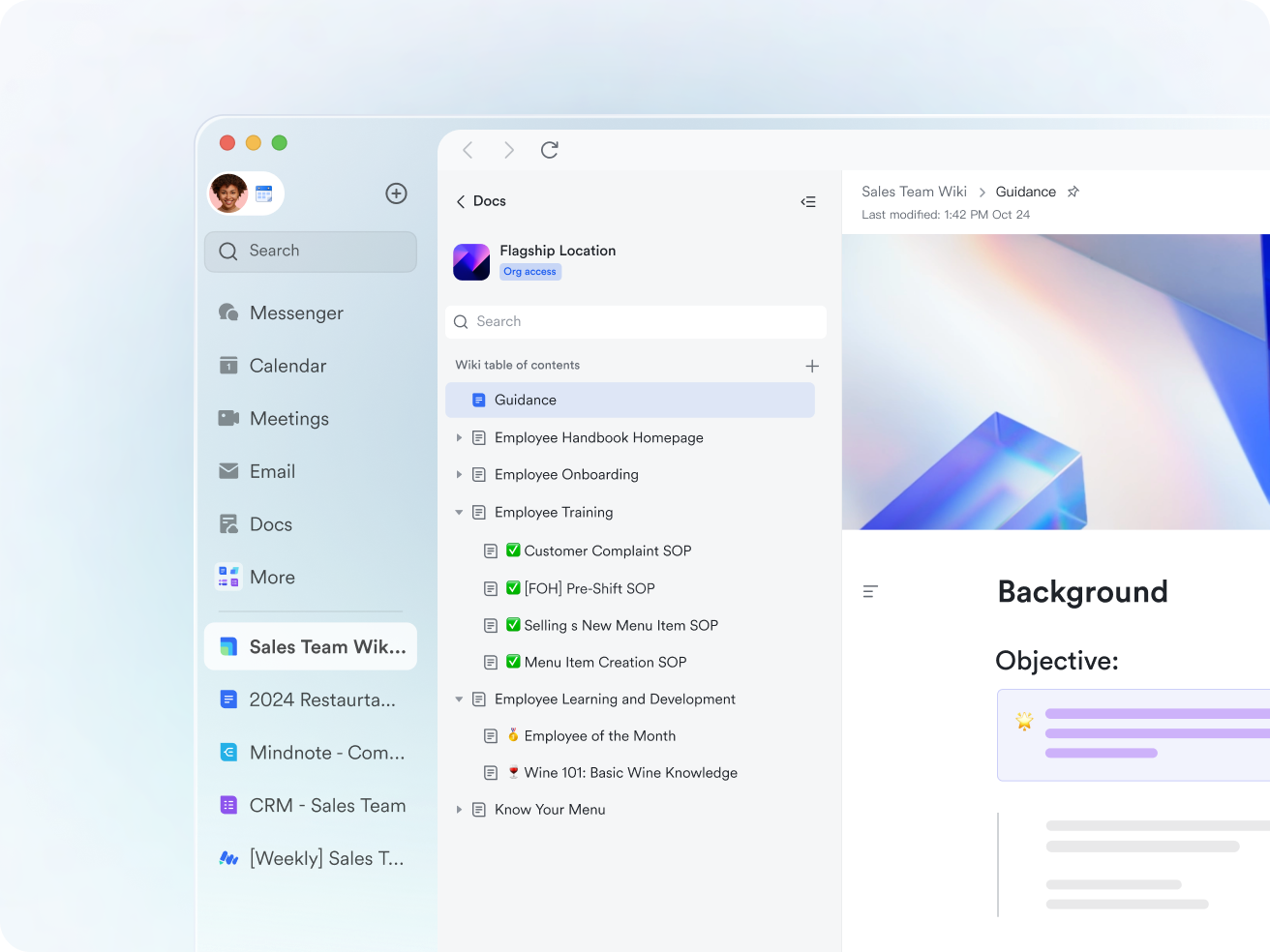
Lark Wiki, on the other hand, acts as a centralized knowledge hub. Teams can build a structured library of playbooks, recurring sprint guidelines, and Agile rituals. A Scrum Master, for example, might maintain a Wiki section titled "Retrospective Best Practices" with checklists, templates, and past examples. The Wiki's version history and search functionality ensure that every insight remains traceable and accessible for future reference.
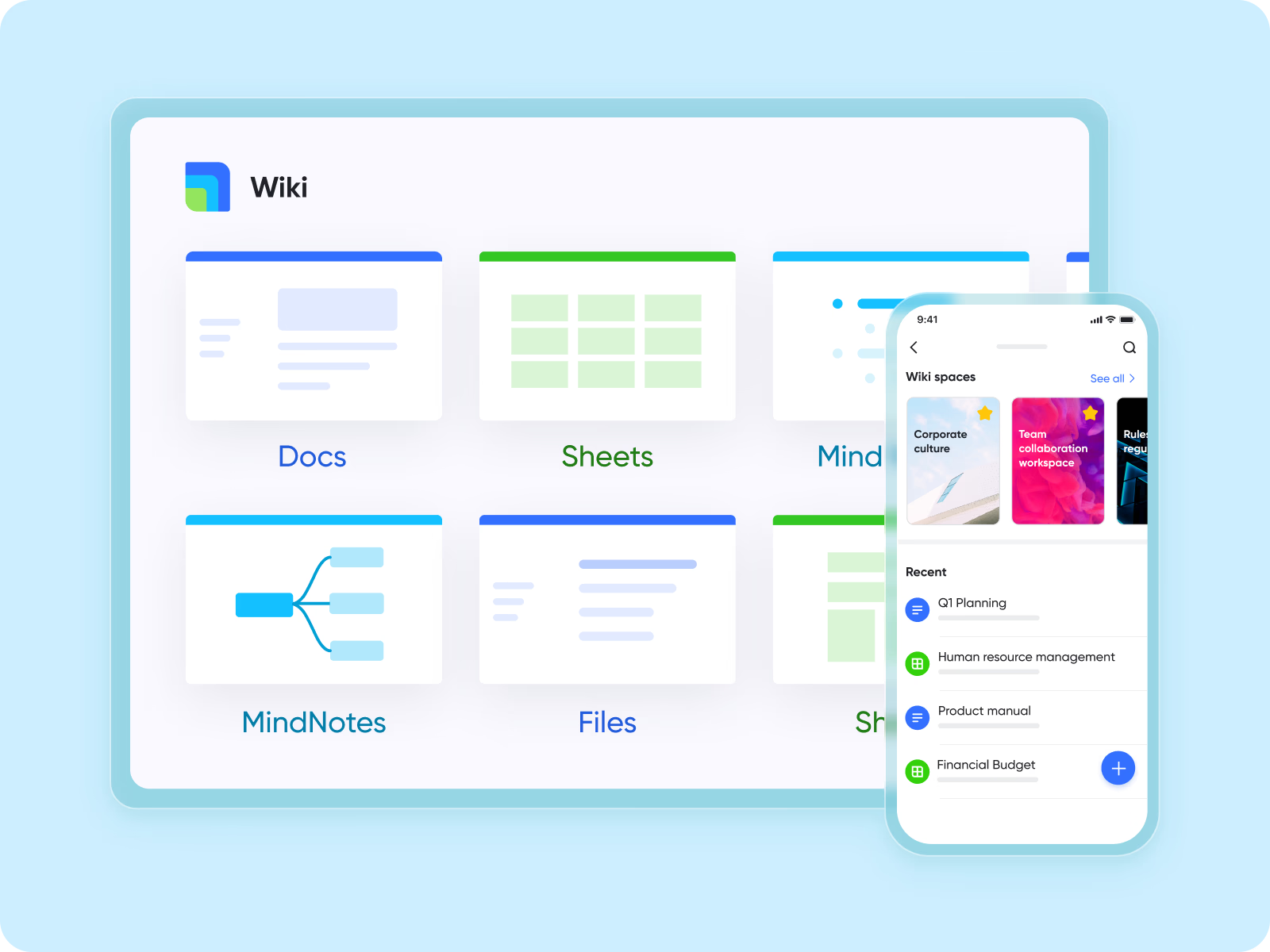
Together, Docs and Wiki help Agile teams close the feedback loop—ensuring what they learn in one sprint directly informs the next.
- Lark Messenger & Meetings (standups & reviews tied to board updates)
Agile thrives on communication, and Lark Messenger and Lark Meetings make that communication structured yet effortless.
In Lark Messenger, sprint discussions stay directly connected to the tasks or boards they relate to. For instance, if a tester finds a bug during a sprint, they can tag the related task or Base card right in a chat. The card link shows live status updates, meaning no one has to switch between tabs or dig through different systems to see progress. Teams can also create dedicated "Sprint Channel" chats to share daily updates, blockers, and achievements—turning Messenger into a virtual standup space.
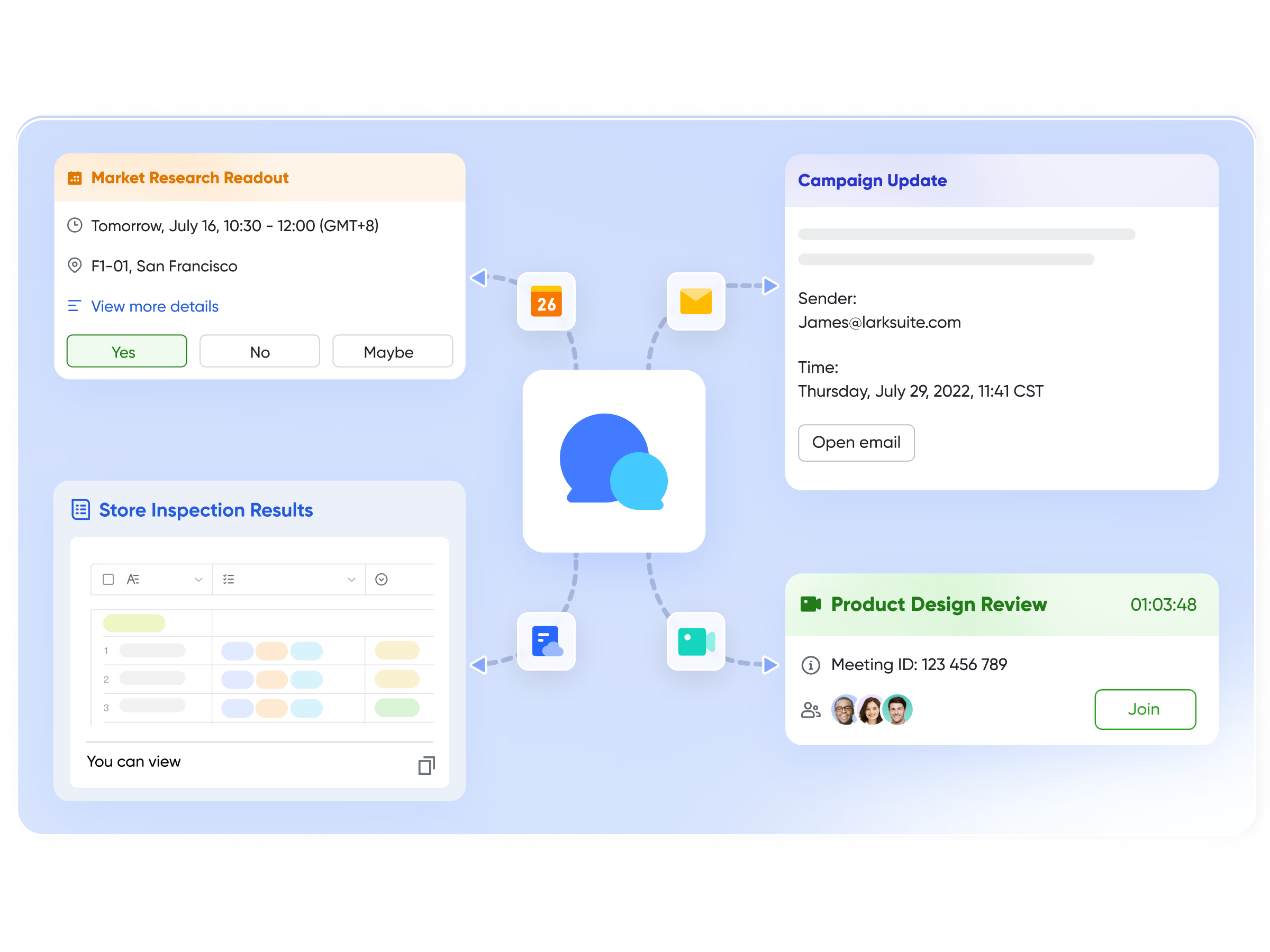
Lark Meetings enhances sprint reviews and retrospectives by tying discussions back to action. During a sprint review, screen-sharing the Lark Base board allows teams to walk through each completed task visually. The built-in Minutes feature automatically captures meeting notes and creates tasks from decisions made during the call. For example, if the team agrees to "Refactor Login Flow in Next Sprint," a follow-up task can be instantly generated and assigned before the meeting even ends.
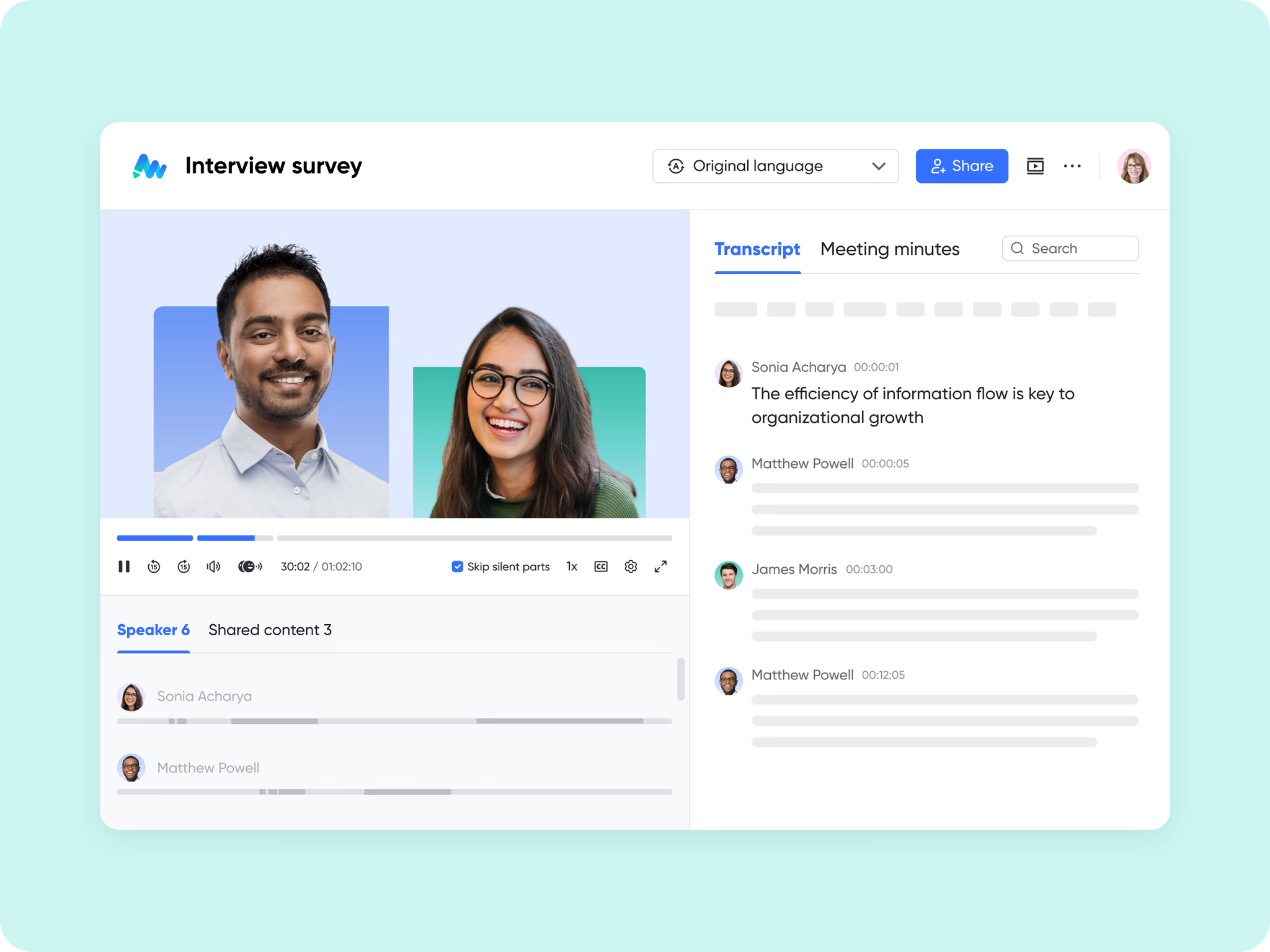
This seamless flow between conversations, tasks, and boards helps Agile teams maintain focus and eliminate context loss—a common pain point in traditional sprint management setups.
Scenario: A cross-functional team uses Lark to plan in Docs, visualize work in Base, assign tasks in Tasks, and review progress through Messenger and Meetings—creating a seamless loop from sprint planning to retrospective.
Pros:
- Unified workspace for tasks, boards, communication, and retros.
- Kanban + Gantt flexibility.
- Powerful dashboards and automations.
- Supports large and distributed teams.
Cons:
- Feature-rich setup may require short onboarding for first-time users.
- Starter plan: Free forever plan that includes 11 powerful tools for up to 20 users. It also comes with 100GB of storage, 1000 automation runs, AI translations, and more.
- Pro plan: $12/user/month (billed annually) for up to 500 users. It includes everything in Starter plus group calling for up to 500 attendees, 15TB of storage, 50,000 automation runs, and more.
- Enterprise plan: Contact sales for custom pricing. Supports unlimited users and includes even more automation runs and advanced security, compliance, and management features.
2. Jira Sprint board: Powerful sprint boards for developers
Jira is one of the most trusted tools in Agile and Scrum environments, particularly for software development teams. Designed by Atlassian, it provides developers with a structured sprint management system that handles everything from backlog organization to sprint reporting. With powerful automation and deep customization, Jira enables teams to manage complex projects, track issues, and maintain delivery precision across every sprint. Its scalability makes it ideal for large organizations running multiple development teams simultaneously.
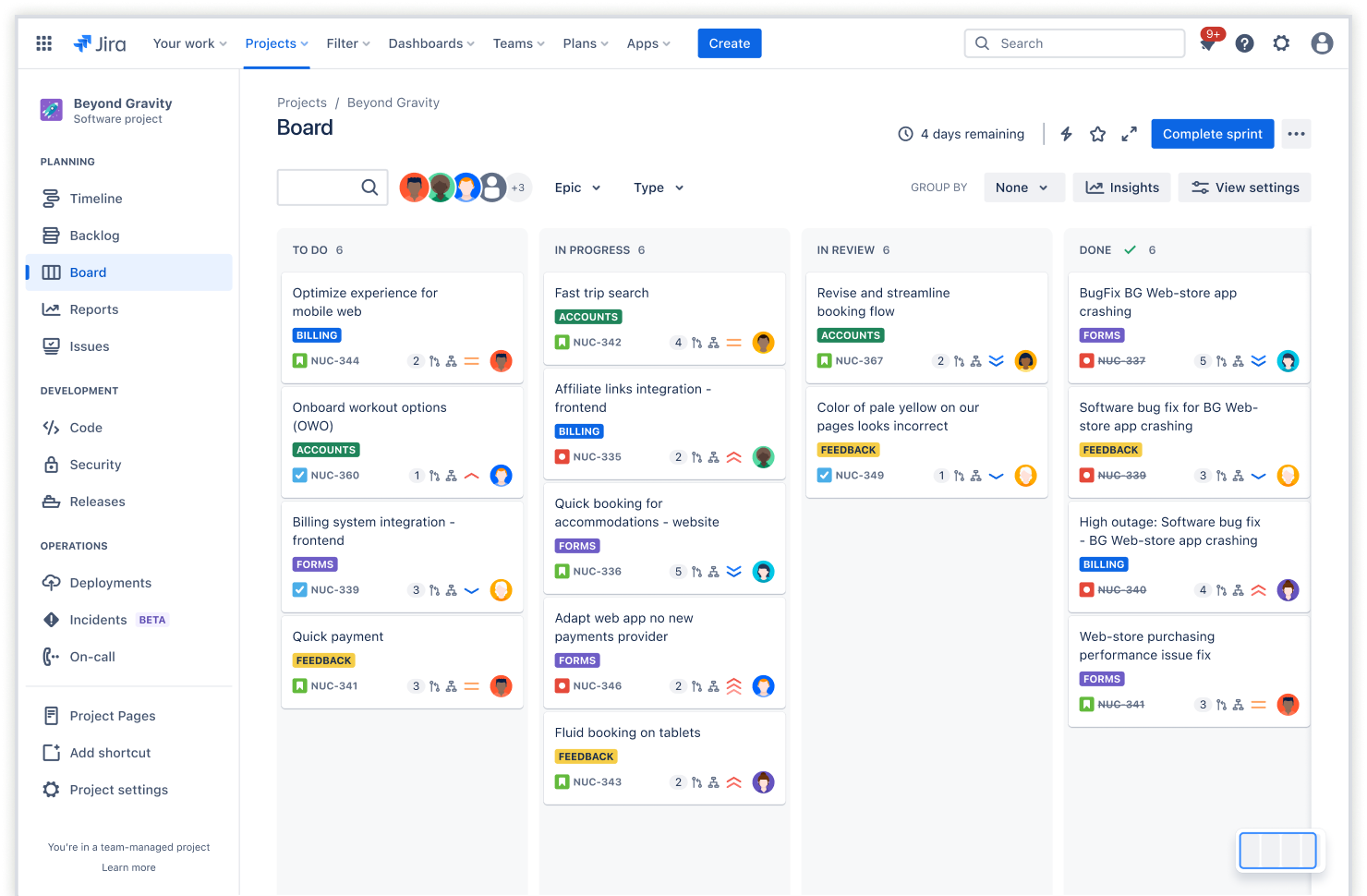
Image source: jira.com
Features:
- Customizable Scrum and Kanban boards for sprint visibility.
- Sprint planning tools with backlog grooming and story point estimation.
- Detailed reporting dashboards including burndown and velocity charts.
- Automation for recurring processes and workflow transitions.
- Developer-friendly environment with Git, Bitbucket, and CI/CD tool connections.
Pros:
- Excellent for tracking software development sprints.
- Extensive workflow customization options.
- Strong reporting and analytics for Agile metrics.
- Supports multiple Agile methodologies (Scrum, Kanban, hybrid).
Cons:
- Steeper learning curve for new users.
- Can feel heavy for small or non-technical teams.
Pricing:
- Free plan: Up to 10 users.
- Standard plan: $8.15/user/month.
- Premium plan: $16/user/month.
- Enterprise plan: Custom pricing for advanced governance and scale.
3. Trello : Simple sprint boards for small teams
Trello is a lightweight visual sprint board tool built for simplicity and collaboration. Using its signature card-and-column interface, Trello helps small teams plan, execute, and review sprints effortlessly. It's perfect for non-technical teams like marketing, HR, or design that need clarity and ease of use over complex configuration. Trello's visual appeal and drag-and-drop setup make it one of the most approachable sprint management tools for startups and freelancers.
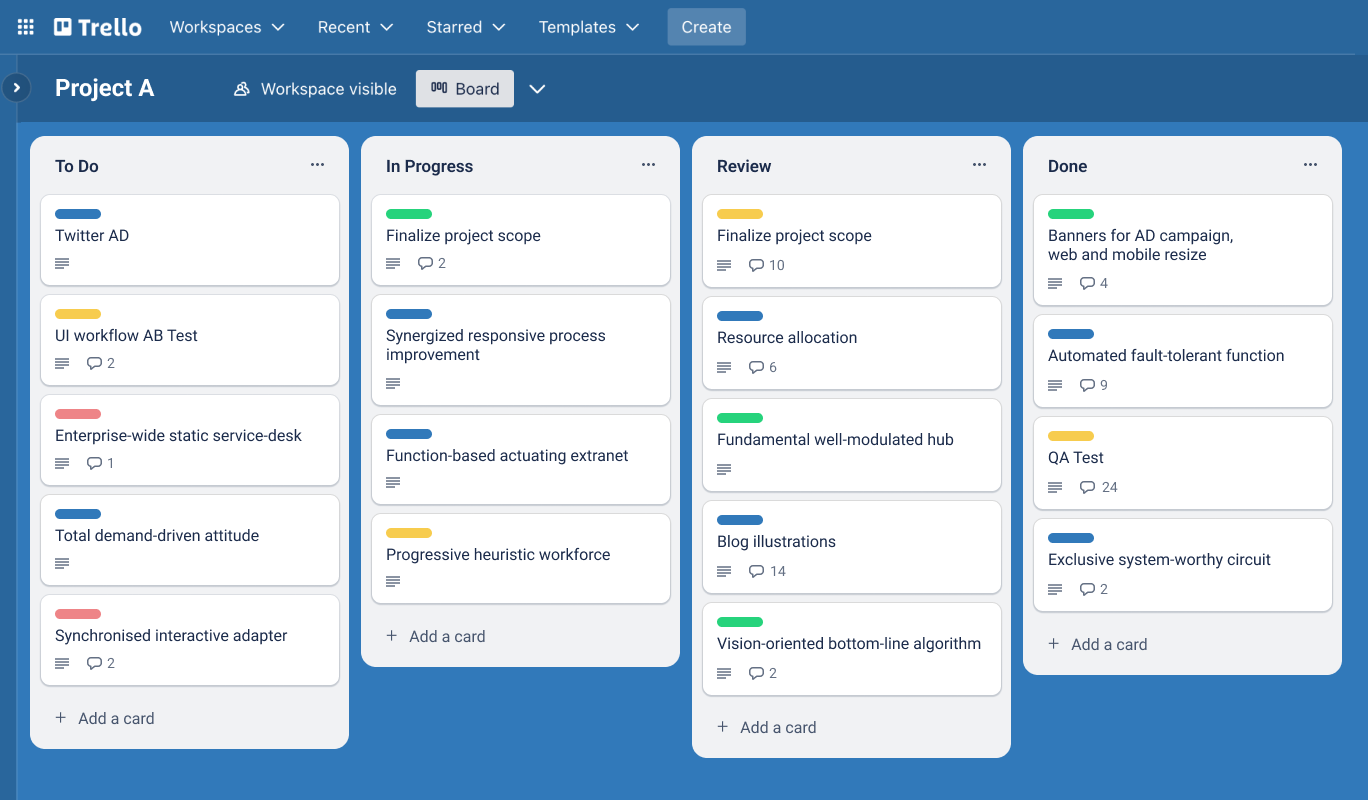
Image source: trello.com
Features:
- Kanban-based visual boards for task tracking.
- Customizable lists, labels, and checklists for sprint tasks.
- Power-Ups for automation and advanced workflows.
- Real-time collaboration and file attachments on cards.
- Sprint templates and automation rules for recurring tasks.
Pros:
- Extremely easy to use with minimal setup.
- Ideal for smaller Agile or hybrid teams.
- Excellent visual organization and customization options.
- Works well across web, desktop, and mobile platforms.
Cons:
- Limited Agile reporting (no native burndown or velocity charts).
- Lacks advanced automation for large-scale project tracking.
Pricing:
- Free plan: Basic Kanban boards and unlimited cards.
- Standard plan: $5/user/month.
- Premium plan: $10/user/month with views and automation.
- Enterprise plan: $17.50/user/month for large teams.
4. Asana: User-friendly boards for Agile planning
Asana combines clean design with powerful task and sprint planning capabilities, making it a popular choice for Agile teams across industries. Its flexible structure supports multiple views—from Kanban boards to timelines and calendars—allowing teams to visualize their sprints in the way that fits them best. Asana is particularly effective for cross-functional teams managing marketing campaigns, design work, or feature releases that need clear ownership and easy progress tracking.
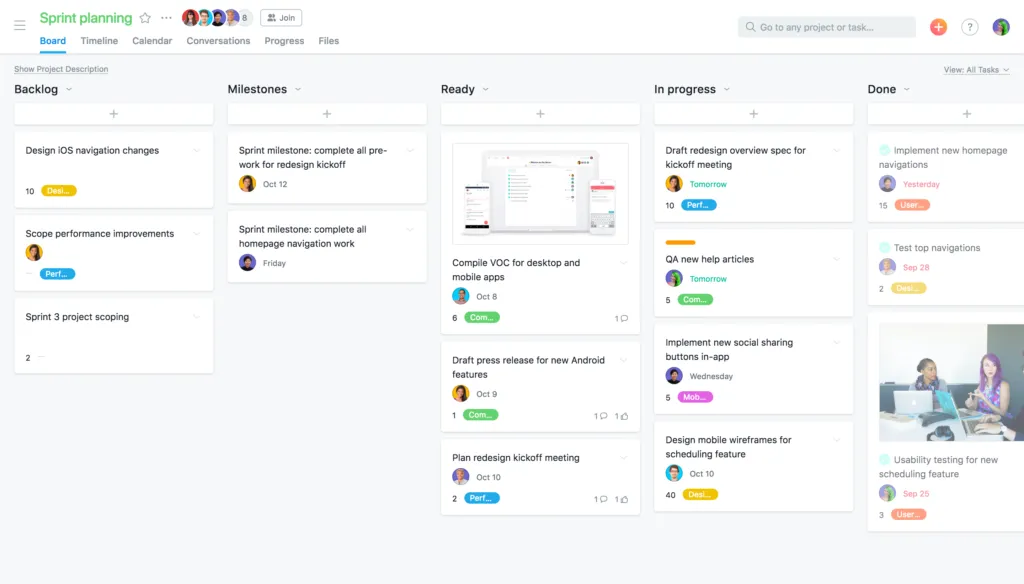
Image source: asana.com
Features:
- Multiple project views (List, Board, Timeline, and Calendar).
- Custom fields and templates for sprint planning.
- Goal tracking and progress dashboards.
- Task dependencies, subtasks, and milestone management.
- Built-in automation for repetitive task flows.
Pros:
- Intuitive interface suitable for both technical and non-technical users.
- Great balance between simplicity and depth.
- Flexible views support Agile, hybrid, and traditional workflows.
- Strong collaboration with comments, mentions, and file attachments.
Cons:
- Lacks advanced Scrum metrics like velocity charts.
- Limited customization in reporting for complex Agile use cases.
Pricing:
- Basic plan: Free with unlimited projects and tasks.
- Premium plan: $10.99/user/month.
- Business plan: $24.99/user/month with advanced workflow automation.
- Enterprise plan: Custom pricing.
5. Monday.com: Visual Sprint boards with reporting
Monday.com is a visually rich work management platform that helps Agile teams plan, track, and deliver projects efficiently. Its sprint boards are fully customizable, allowing teams to tailor workflows to their preferred style—whether it's Scrum, Kanban, or hybrid. With automation, dashboards, and timeline views, Monday.com provides a strong visual structure that keeps sprint progress transparent across departments. It's especially useful for teams that value aesthetics, reporting, and quick adaptability in their Agile setup.
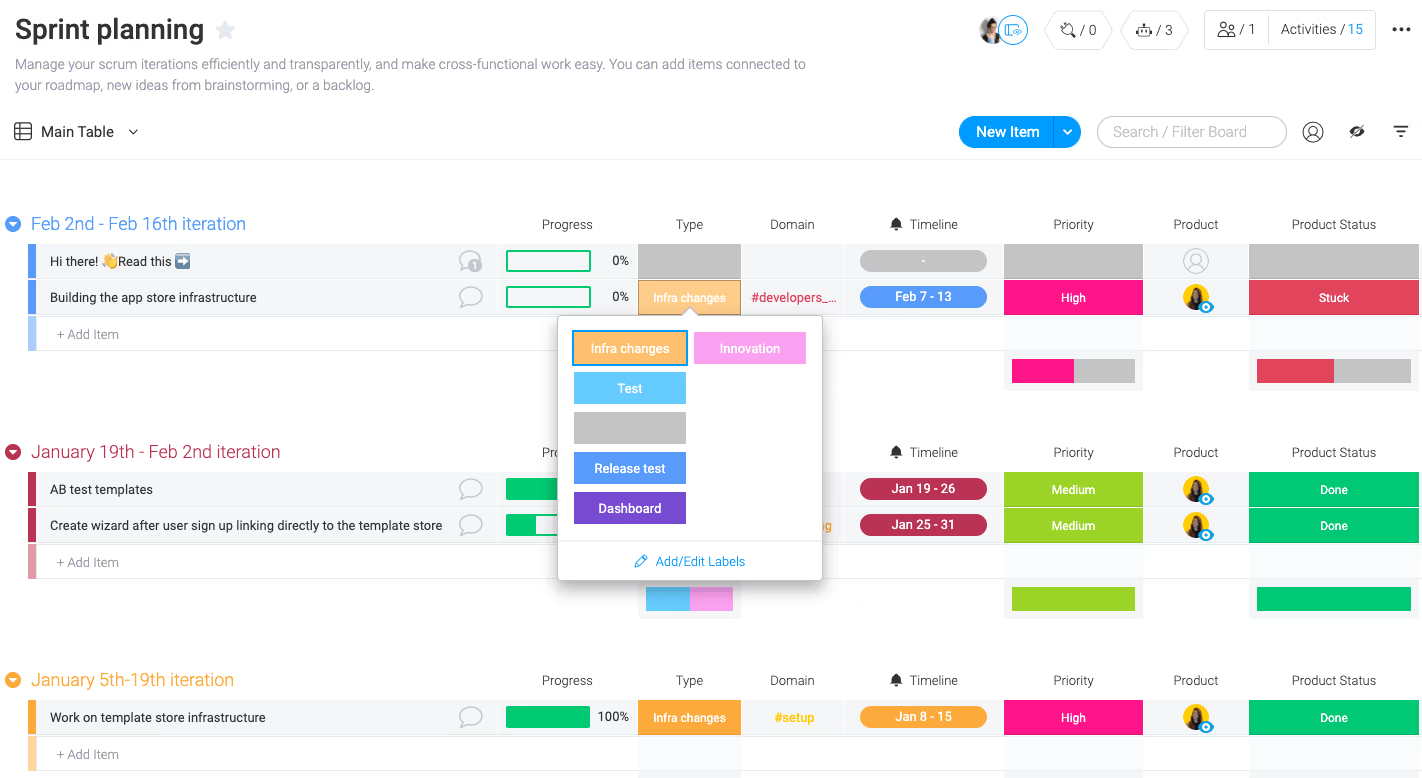
Image source: monday.com
Features:
- Customizable boards and templates for sprint cycles.
- Timeline and Gantt views for sprint scheduling.
- Dashboard reports for workload, progress, and dependencies.
- Built-in automation for status updates and notifications.
- Time tracking and team workload visibility.
Pros:
- Highly visual and customizable for different Agile workflows.
- Excellent reporting dashboards for sprint analytics.
- Easy onboarding for cross-functional teams.
- Supports automation for repetitive sprint processes.
Cons:
- Pricing can increase quickly with larger teams.
- Lacks native Scrum-specific tools like story points or velocity charts.
Pricing:
- Individual plan: Free for up to 2 users.
- Basic plan: $9/user/month.
- Standard plan: $12/user/month.
- Pro plan: $19/user/month.
- Enterprise plan: Custom pricing for advanced governance.
Bonus tips: How to create a Sprint board in Lark
To set up a Sprint board in Lark, follow these simple steps:
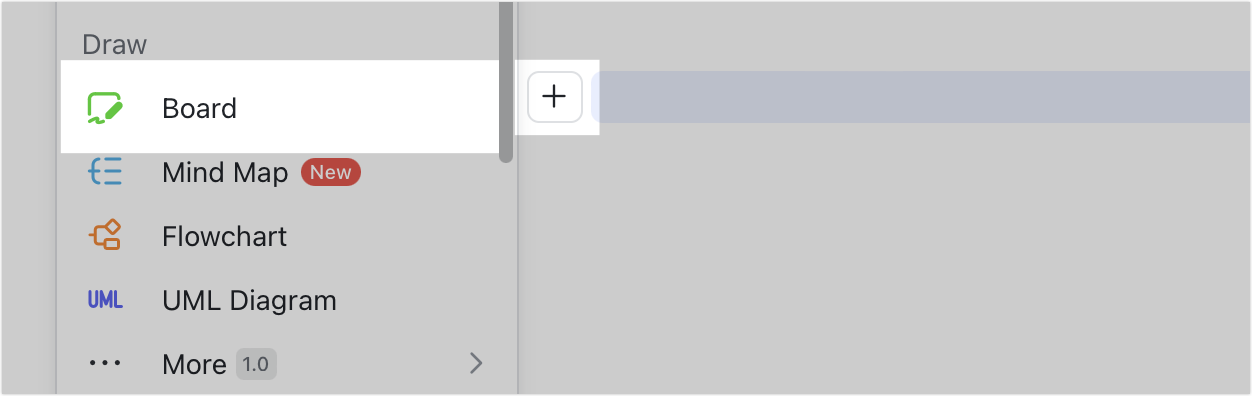
Step 1: From your Docs homepage, click "New → Board" to start a new board. You can also add a board directly within a document by clicking the "+" icon or typing "/" and selecting Board from the menu.
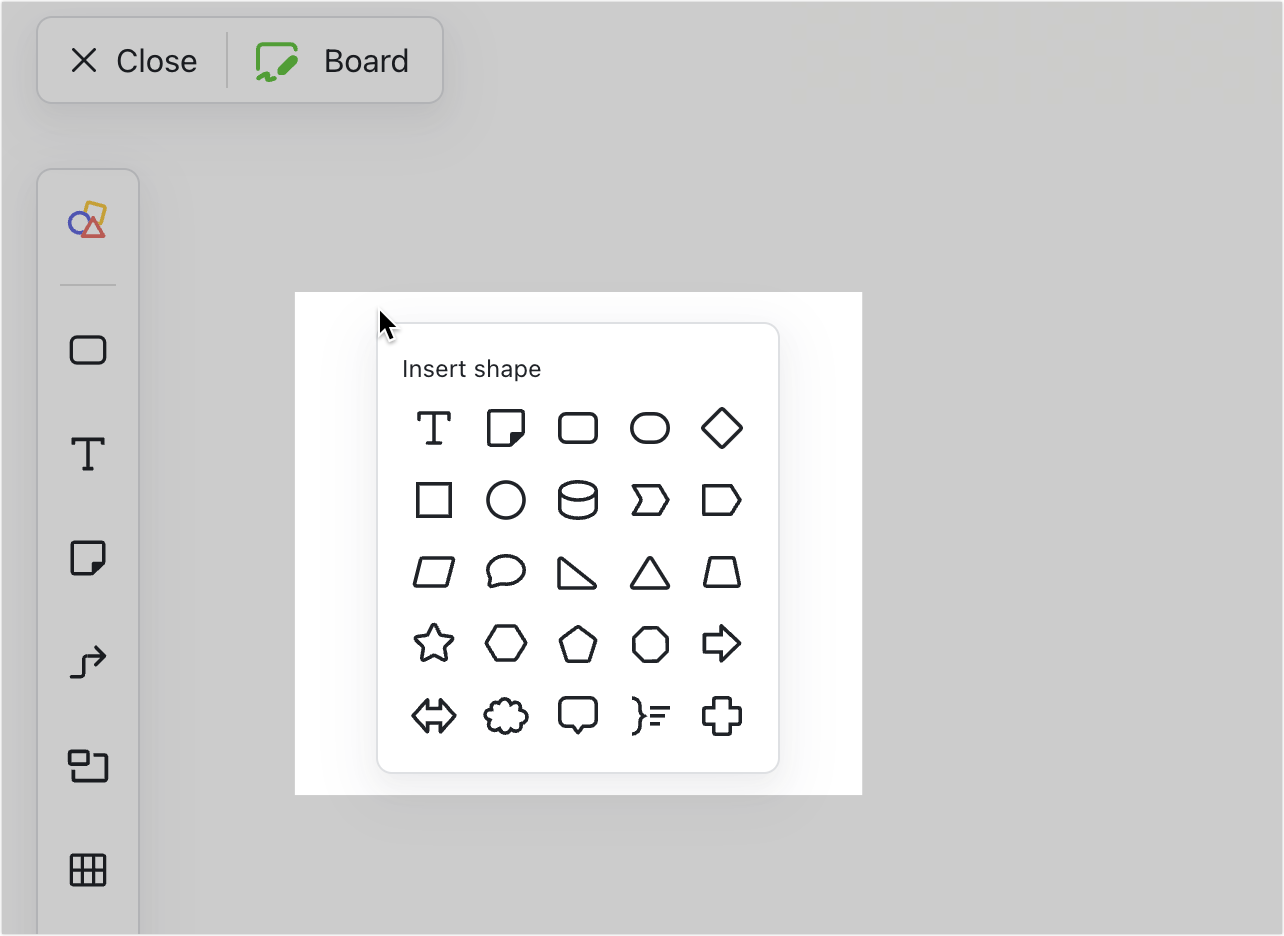
Step 2: On the board editing page, use shapes, text boxes, tables, or lines to design your sprint workflow and visualize task stages.
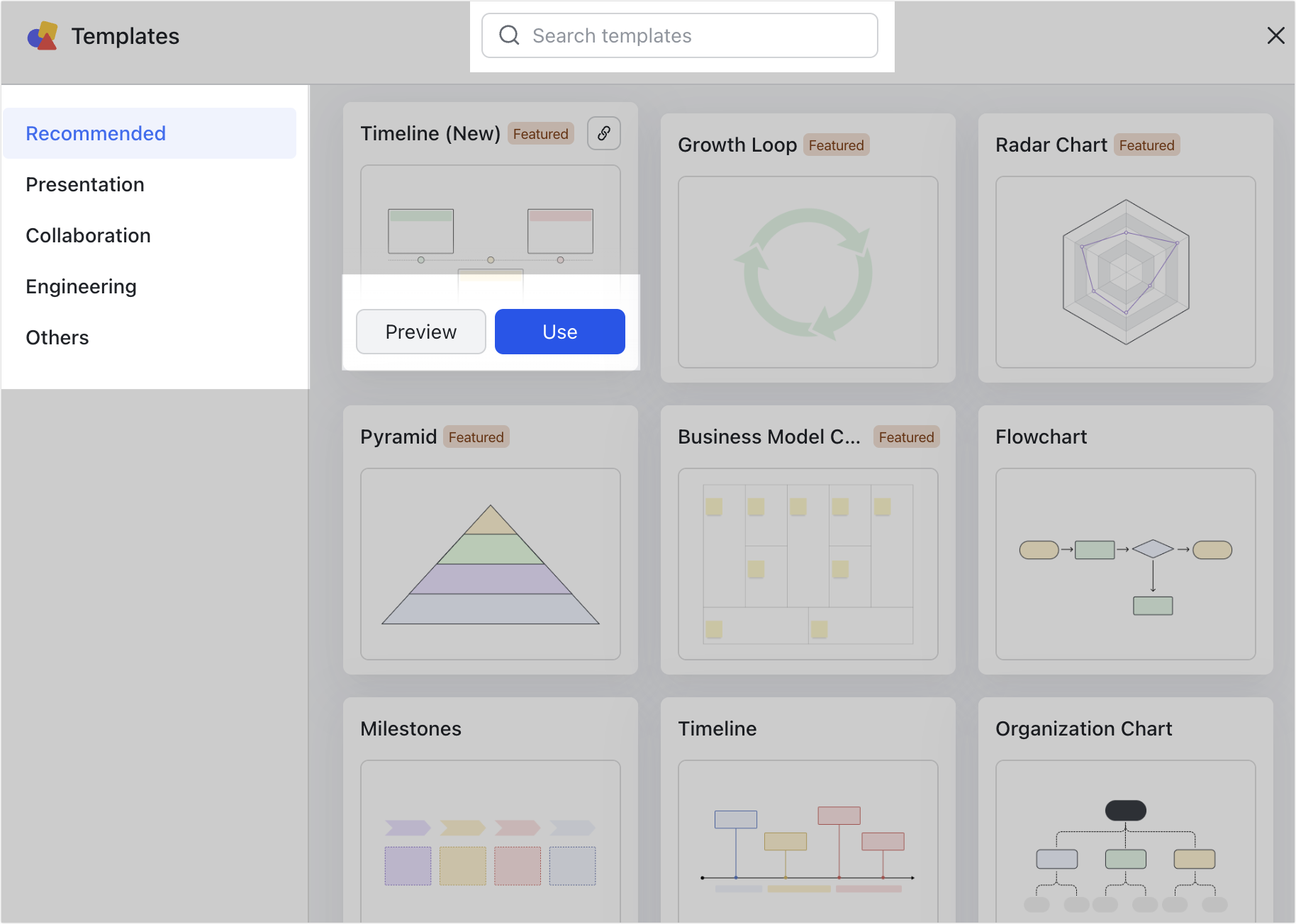
Step 3: For a quick start, open the template gallery by clicking "Templates" in the center of the blank board or selecting the Template Gallery icon on the left toolbar. From there, choose a ready-made layout that best fits your sprint planning needs.
Sprint board examples in action
- Software development team tracking feature delivery: A development team uses a sprint board to manage feature releases and bug fixes within two-week sprints. Each task moves from To Do to In Progress to Review, giving visibility into code, testing, and deployment stages. With real-time updates, developers and QA can collaborate seamlessly to maintain sprint velocity and meet release deadlines.
- Marketing team planning campaigns: Marketing teams rely on sprint boards to plan content calendars, campaign assets, and launch milestones. Tasks such as copywriting, design, and ad scheduling are tracked visually across stages, ensuring every piece is completed before launch. Daily check-ins around the board keep campaigns running smoothly and aligned with deadlines.
- Product team coordinating a launch: Product managers use sprint boards to synchronize activities across design, development, and marketing teams during a product launch. Each column reflects critical launch phases—planning, testing, rollout, and review—so dependencies stay visible. This helps ensure teams stay aligned, blockers are addressed quickly, and launch timelines remain on track.
- HR team managing onboarding tasks: HR teams use sprint boards to guide new employee onboarding, from offer acceptance to first-week training. Each task—like equipment setup, access permissions, and orientation—moves through defined stages for accountability. The clear visual flow ensures every new hire receives a consistent and timely onboarding experience.
Conclusion
A sprint board is more than a visual tool—it's the foundation for Agile focus, transparency, and continuous improvement. From planning and execution to retrospectives, boards keep teams aligned, accountable, and efficient.
Project management tools like Lark bring every aspect of sprint management together—combining boards, tasks, documents, and communication into a unified workspace. With Lark, teams move from backlog to delivery faster and smarter using connected workflows.
FAQs
What is a sprint board used for?
A sprint board is used to visualize and manage all tasks within a sprint cycle, helping Agile teams track progress, identify blockers, and maintain accountability. It gives every team member visibility into what's being worked on and by whom, ensuring focus on sprint goals.
With Lark Base, teams can easily create Kanban-style sprint boards and switch to Gantt views for timeline clarity—helping Agile teams move smoothly from planning to delivery while maintaining transparency across all tasks.
How is an Agile sprint board different from a Kanban board?
While both visualize workflows, an Agile sprint board focuses on short, time-boxed sprints (usually one to four weeks), whereas a Kanban board is continuous and flow-based, without fixed timelines. Agile sprint boards often include burndown charts and sprint metrics, while Kanban boards emphasize ongoing task optimization.
In Lark Base, teams can use Kanban boards for sprint execution and add dashboards to track velocity, burndown, and progress—combining the strengths of both Agile and Kanban within a single workspace.
Which tools are best for sprint boards?
Some of the most popular sprint board tools include Lark, Jira, Trello, Asana, and Monday.com. Each serves a different need—Jira for developers, Trello for small teams, and Lark for all-in-one collaboration across departments.
Lark stands out because it merges task tracking (via Base and Tasks) with team communication (Messenger and Meetings) and documentation (Docs and Wiki), giving Agile teams everything they need to run sprints in one connected workspace.
Can sprint boards be used outside software development?
Absolutely. Sprint boards are valuable for any team that works in cycles or phases—including marketing, product, HR, and operations. For example, marketing teams can plan campaigns in sprints, while HR teams can manage hiring or onboarding workflows visually.
With Lark, non-technical teams can use sprint boards in Base to plan tasks, track progress, and collaborate in real time—making Agile methods accessible to every department, not just developers.
How does Lark compare to Jira sprint boards?
Jira is ideal for software development teams needing deep technical workflows, issue tracking, and integrations with dev tools. Lark, however, goes beyond development—offering a single platform for every team to plan, communicate, and document their work.
While Jira focuses on engineering, Lark connects the entire organization: product managers plan in Base, developers track progress in Tasks, and teams review updates through Messenger and Meetings—all while storing sprint goals and retrospectives in Docs and Wiki.
Related reading
Table of contents
Start using Lark today

Manage all your work in one place
Boost team efficiency by 10x
Save up to 70% on software costs
Table of contents
Start using Lark today
Manage all your work in one place
Boost team efficiency by 10x
Save up to 70% on software costs
Keep reading








2026 Lark Technologies Pte. Ltd.
Headquartered in Singapore with offices worldwide.






Explore: