If you have ever spent twenty minutes digging through your emails, chat logs, and separate project management apps just to find one specific document, you are not alone. In my experience working with various organizations, the modern workday is often plagued by fragmentation. We use so many different applications that the actual work gets lost in the transitions.
This is where the concept of a centralized digital hub comes into play. Well-designed team workspaces reduce this friction, bringing your people, data, and conversations into one unified environment. And as we will explore later, solutions are redefining what is possible by putting all these tools in one place. A truly effective workspace doesn't just store files; it reduces app fatigue, connects daily tasks to larger business goals, and empowers teams to do their best work without constant context switching. Let's dive into how to build a digital environment that actually works for your team.
What is a team workspace?
At its core, a team workspace is a centralized digital location where teams communicate, share resources, and manage projects. A team workspace is a shared location for team collaboration. Think of it as the digital equivalent of an open-plan office combined with your company's filing cabinets and meeting rooms.
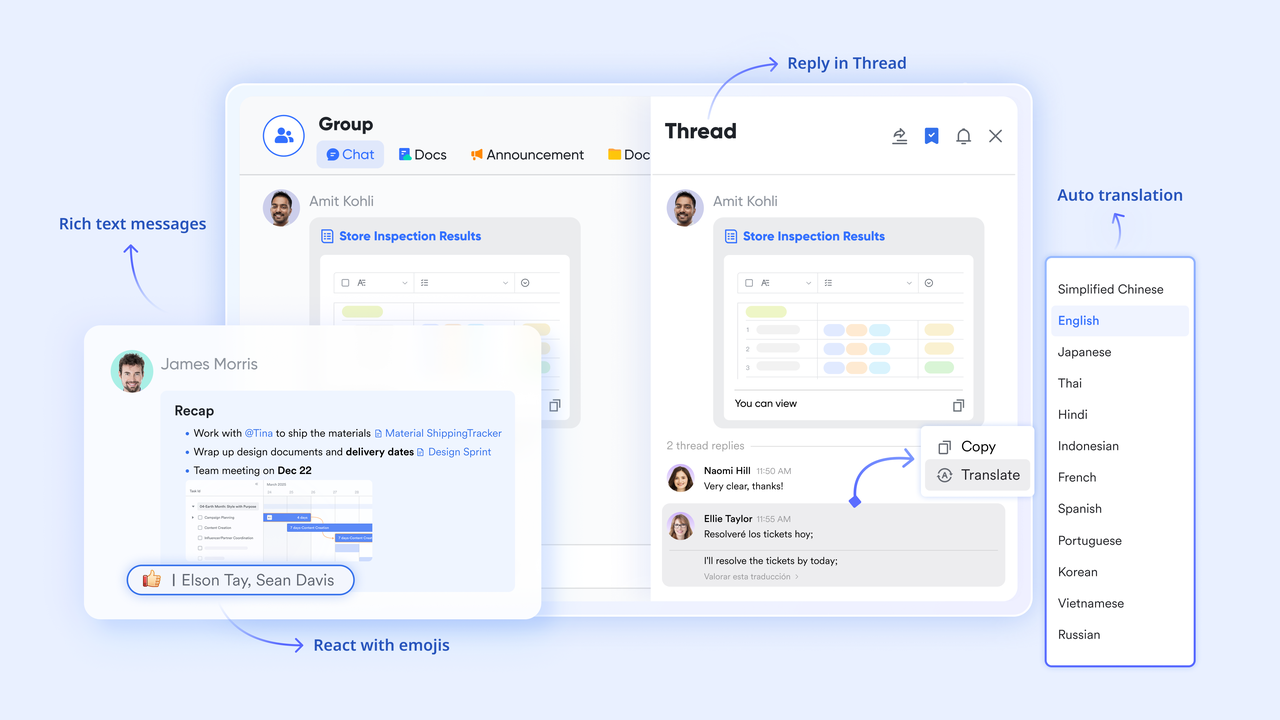
The concept has evolved significantly. A decade ago, a "workspace" might have just been a shared network drive and an email distribution list. Today, modern workspaces are dynamic ecosystems. Team workspaces can be organized and managed in folders and subfolders, often referred to as spaces, to help teams structure their collaboration and resources efficiently. They range from simple communication channels to comprehensive suites—like Lark—that unify messaging, cloud-native documents, video meetings, and complex approval workflows into a single interface, similar to other leading .
It's important to understand the difference between personal workspaces and team workspaces. Personal workspaces provide a private area for individual productivity within team collaboration tools, while team workspaces are designed for shared access, collaboration, and resource management among multiple team members.
Why your business needs dedicated team workspace software
The primary pain point I see in growing businesses today is tool sprawl. When a company uses one app for chatting, another for video calls, a third for document storage, and a fourth for tracking goals, the resulting "app fatigue" drains productivity.
Implementing dedicated team workspace software solves this by centralizing context. When communication and work happen in the same place, you eliminate information silos. Furthermore, for global or remote teams, a dedicated workspace significantly improves asynchronous communication, especially when powered by an all‑in‑one suite designed for remote collaboration and communication. It ensures that when an employee logs on from a different time zone, they have immediate access to the entire history of a project, streamlining onboarding and preserving institutional knowledge. Unlock powerful collaboration for your team
The different types of workspaces on the market
Not all digital environments are built the same way. Depending on your primary operational bottlenecks, you might encounter a few distinct models, and larger organizations may lean toward robust to support complex teams:
- Task-focused environments: Some teams rely heavily on task managers to structure their day. Solutions like Todoist team workspaces are often used for lightweight task management, helping individuals check off daily to-dos. However, they usually require integrations with other chat or document tools to form a complete picture. Platforms such as Microsoft Teams also offer personal workspaces, allowing users to customize their environment for better organization and productivity.
- Virtual and spatial offices: Platforms like Gather. town or SoWork attempt to simulate physical presence. They focus heavily on building team culture for remote workers through 2D avatars and spontaneous voice chats, though they often lack heavy-duty enterprise features like native document co-authoring or advanced workflow automation.
- Unified productivity suites: This is the most comprehensive approach. Instead of buying piecemeal software, suites like Lark combine chat, video, documents, calendars, and goal tracking into an all-in-one system. Digital hubs like Microsoft Teams or Slack provide a virtual office where files, real-time messaging, and project tracking are unified, and many teams now compare these options against newer to find the best fit. As we'll discuss later, this model is often the most cost-efficient and scalable way to eliminate fragmented tool stacks.
Essential features of a high-performing teamwork workspace
If you are looking to upgrade your digital infrastructure, a robust team workspace should include a few non-negotiable elements to truly drive productivity.
- Real-time cloud-native documents: Your team must be able to co-edit texts and spreadsheets simultaneously without worrying about version control conflicts. Real-time co-authoring tools like Google Workspace and other modern allow multiple members to edit the same document at once, seeing each other's changes instantly.
- Calendar: A unified calendar is essential for scheduling, sharing, and coordinating both personal and team events, ensuring everyone stays aligned. Some built-in calendars offer limited functionality, such as restricted shared access or weekly-only views, often forcing teams to sync with more comprehensive platforms to achieve full visibility and coordination.
- Messaging platforms secure team workspaces: Enterprise-grade security is critical. IT administrators need strict access controls and data protection protocols built directly into the team's primary communication hub to keep sensitive project data safe.
- Goal and OKR tracking: Daily tasks should never be disconnected from broader business objectives. The best workspaces have built-in OKR (Objectives and Key Results) tracking so everyone knows why they are doing the work, often powered by dedicated .
- Workflow automation and integration: Routine requests, such as time-off approvals or budget requests, shouldn't require manual email chains. Modern workspaces allow you to build custom approval workflows directly within the platform and integrate with other tools your team already uses to streamline processes.
How to choose the right workspace team software
Selecting the right infrastructure requires a careful audit of your current operations. First, look at your existing app stack. Are you paying for separate subscriptions for video conferencing, chat, and document storage? Identifying these redundancies is the first step toward finding a platform that can consolidate those costs. Managing user access, permissions, and billing at the account level is also crucial, as it ensures the right people have the appropriate roles and access within your team workspaces.
Next, consider the specific needs of your workspace team. Are they fully remote, hybrid, or in-office? Remote teams often require stronger asynchronous tools, like built-in wikis and multilingual support for cross-border collaboration, which become even more critical when you are . When evaluating pricing and scalability, note that paid plans often unlock advanced features and administrative controls. Team workspace charges are typically based on the number of seats within a workspace rather than per user email, making it easier to scale as your team grows. Finally, prioritize scalability. The tool you choose should be able to support you seamlessly as you grow from a small enterprise to a large organization without requiring a massive IT overhaul.
Overcome common collaboration hurdles easily
Effective Project Management in Your Team Workspace
Managing projects efficiently within your team workspace is essential for seamless collaboration and increased productivity. By centralizing project management, teams can easily create, assign, and track tasks within a shared workspace, ensuring all team members stay aligned and focused on common goals. All-in-one features such as calendars, task lists, and file-sharing tools help simplify workflows, allowing teams to monitor progress and adjust plans as needed.
A well-structured team workspace enables breaking down projects into actionable tasks, setting clear deadlines, and visualizing progress at every stage. This transparency streamlines project execution and supports the timely delivery of results. Collaboration tools—including real-time messaging, document co-editing, and video meetings—keep everyone connected and informed throughout the project lifecycle.
By leveraging these capabilities, teams can manage projects from start to finish within a single platform, reducing miscommunication and missed deadlines. For example, platforms like Lark unify project management with communication and document collaboration, providing a unified environment that enhances teamwork and efficiency. Additionally, upgrading your team workspace plan can unlock advanced features and remove limitations, further optimizing your project workflows.
Streamlining Your Workflow with Lark
While standalone communication and project management apps are powerful, they often introduce friction into the workflow. You have to create multiple accounts, manage separate subscriptions, and constantly switch between your video call window, your chat app, and your document browser tabs. With Lark, any credit from previous subscriptions is tracked and can be used for future payments or upgrades, making account and billing management more seamless. You can also upgrade your team workspace to remove limits and unlock more powerful features. Lark takes a unique approach by integrating all essential team workspace tools directly into one unified ecosystem where your work already happens, continuously improving to make everyday collaboration smoother and more efficient.
Here are five ways Lark's built-in features create a truly unified team workspace:
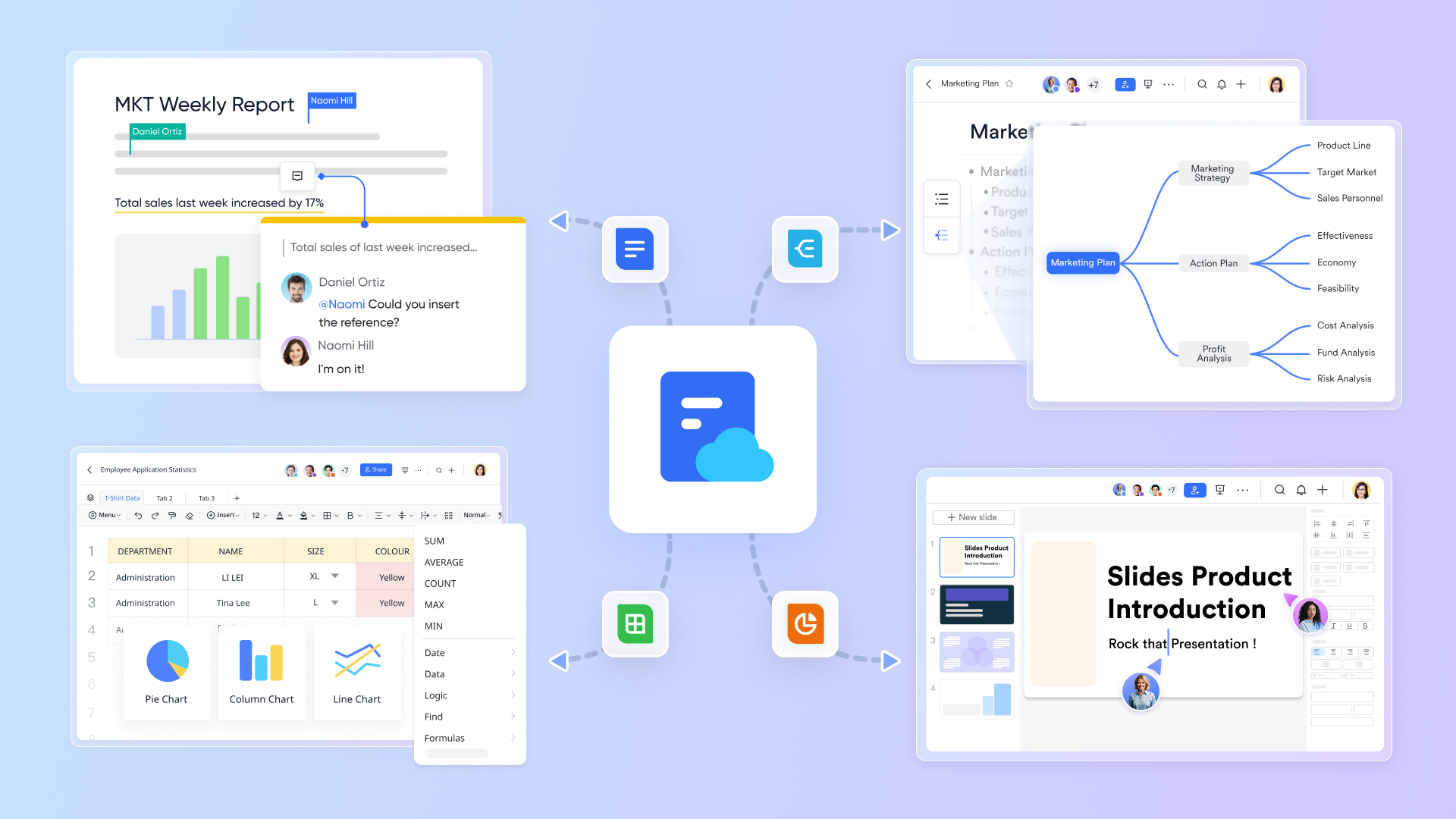
Cloud-native documents embedded in messaging
Most team communication happens in chat, while the actual work lives separately in document apps. This separation forces team members to hunt for links to understand the full picture.
allows you to create, share, and edit and sheets directly within your messaging interface. You can easily copy and share a link to any document or resource, making it simple for team members to access specific content right from the workspace. This is not a static preview; it is a fully functional window into the work. A product manager can share a Product Requirements Document (PRD) in a group chat, and team members can open and edit it without ever leaving the chat environment. Additionally, you can create and organize notes directly within the workspace, helping teams capture and manage information efficiently. This ensures that the conversation and the project's actual "truth" are always aligned with the written requirements.
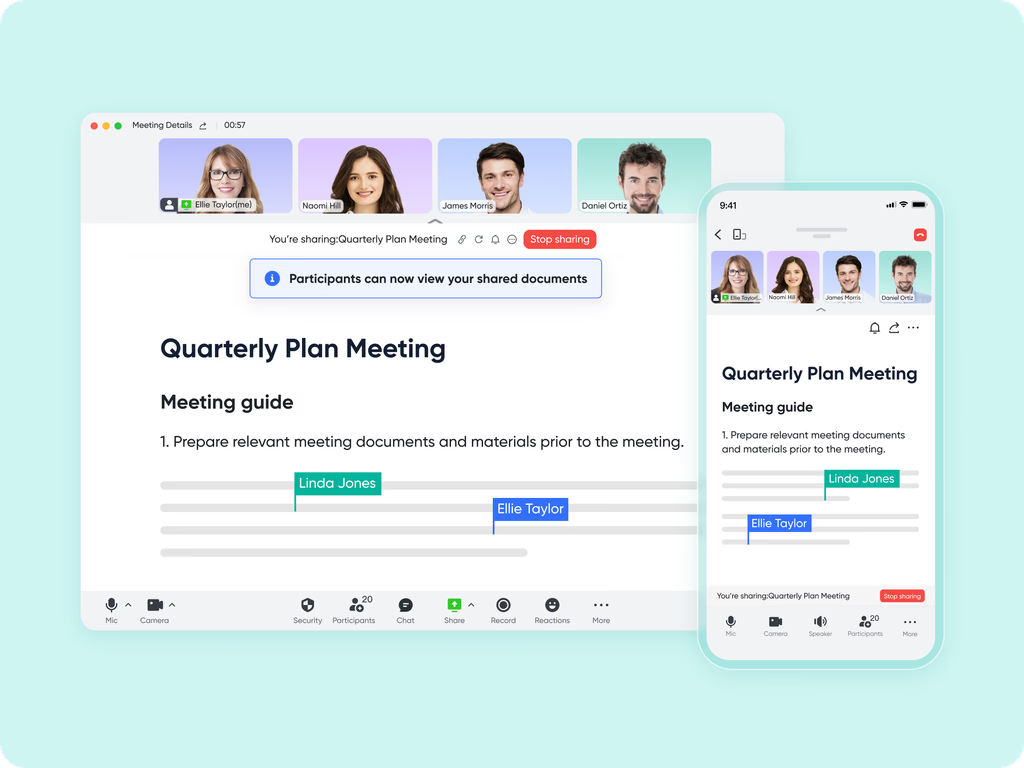
Magic Share for interactive video meetings
The biggest pain point in most remote team meetings is the "tab toggle." Usually, one person shares their screen to show a document while everyone else watches passively, or everyone has to minimize the video window to find the browser tab where the file is hosted. This kills engagement.
Lark solves this with . When you review a document or sheet during , it doesn't just share a video feed of your screen; it pushes the actual interactive document to every participant's meeting window. Everyone can edit, comment, and type directly inside the video interface while still seeing their teammates' video feeds. The power of these interactive features dramatically boosts and collaboration, making it easy for even casual participants to start contributing.
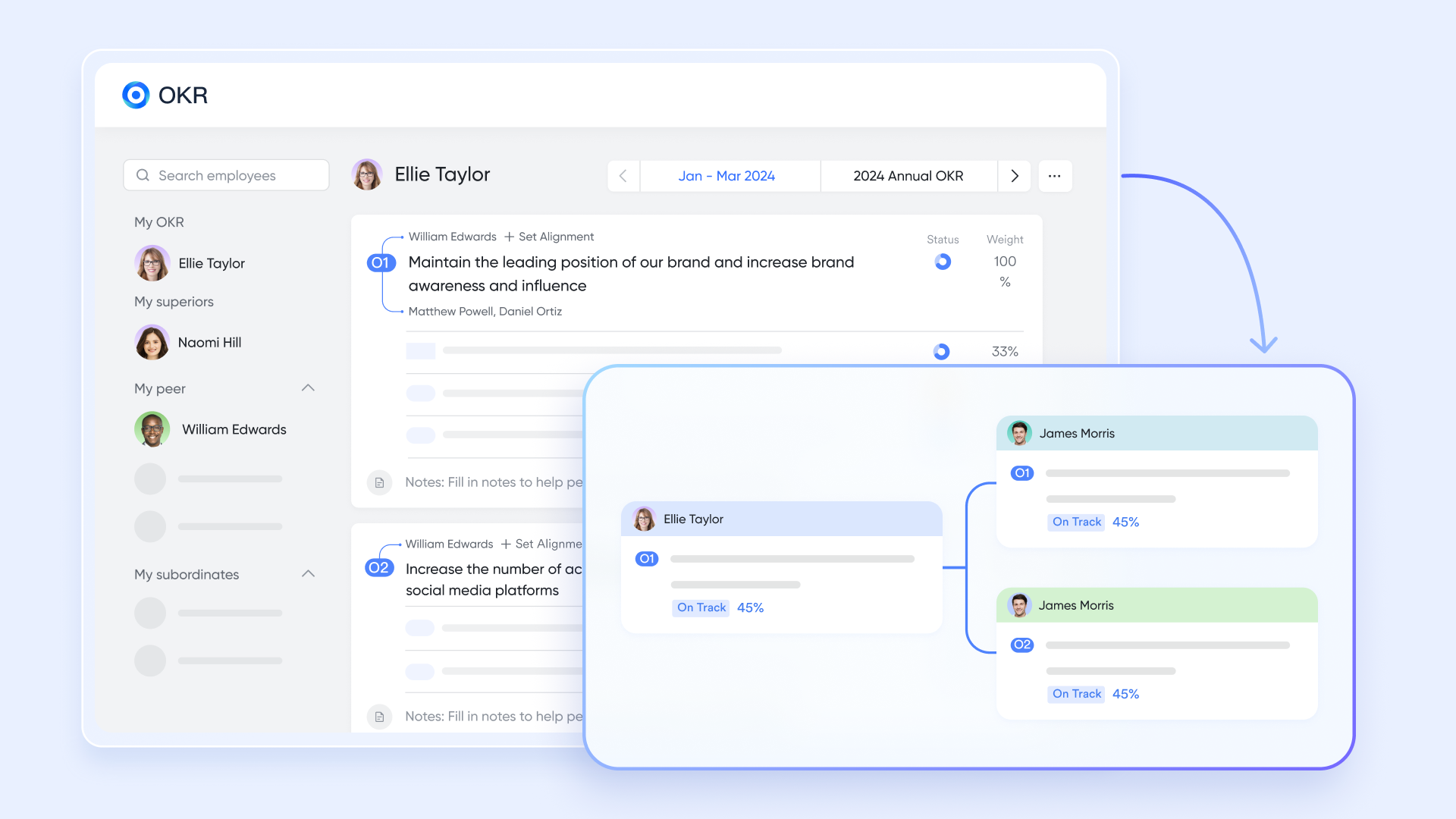
Native goal and OKR tracking
Setting team goals offers immense potential, but keeping them visible during daily operations can be daunting. Usually, s live in a forgotten spreadsheet, disconnected from daily tasks, which slows down alignment.
Lark solves this by building goal/OKR tracking natively into the workspace. Assignments can be organized and tracked alongside goals and OKRs, so team members always know their responsibilities and progress. Whether it's for weekly team alignments or quarterly reviews, your OKRs are built directly into employee profiles and team dashboards, making it easier to apply best practices for . This saves valuable setup time, ensures strategic consistency across your remote teams, and allows everyone to dive directly into meaningful execution rather than searching for their targets.
Automated approval workflows within chat
In many organizations, requests for approvals or workflow updates get buried in an email chain or a separate HR/finance portal. When you need to check the status two weeks later, you have to dig through multiple systems.
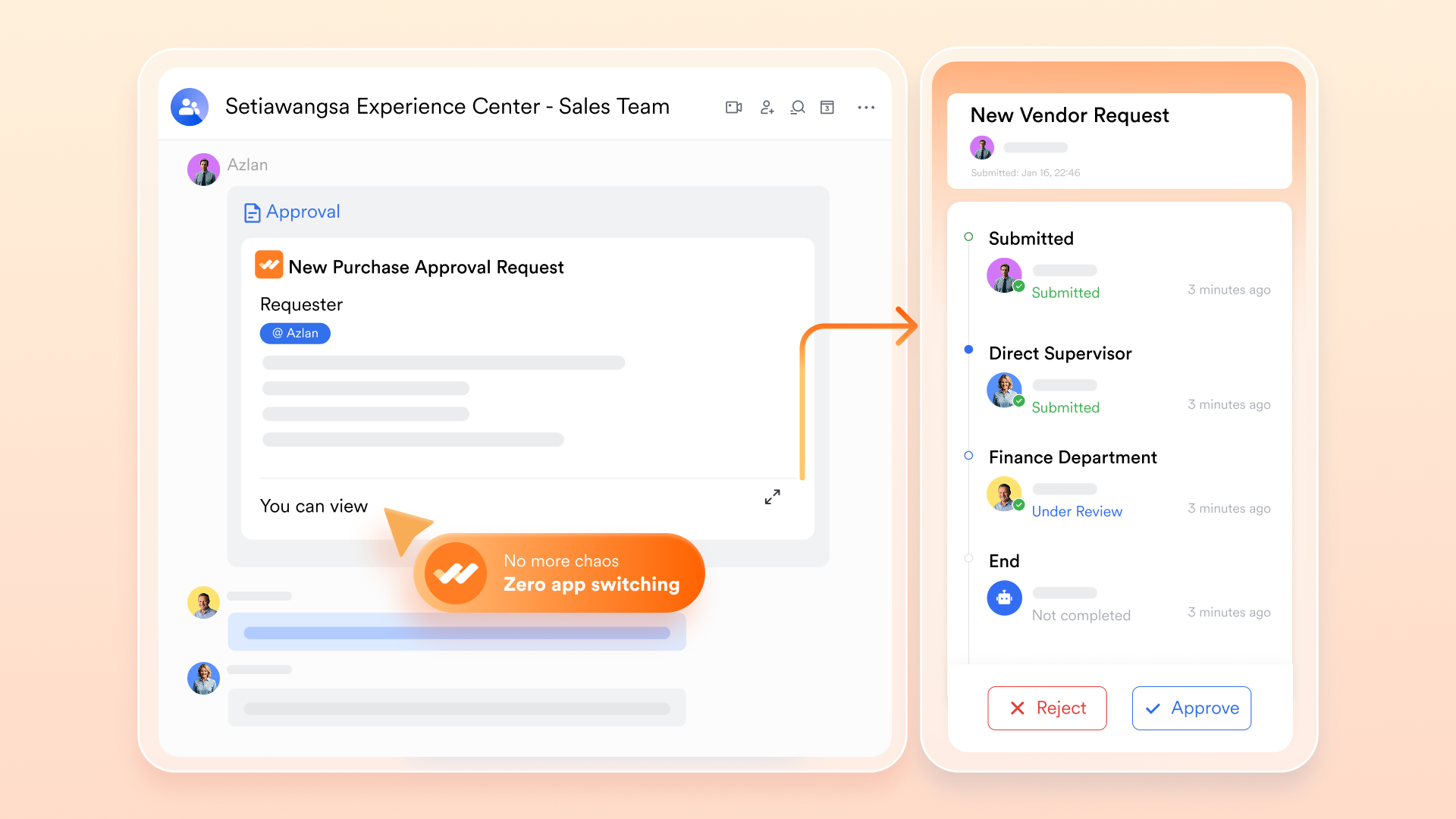
With , workflows and automation tools are native citizens of the chat. Lark supports triggering and processing approval flows via Approval Bot message cards and the workspace sidebar Approval icon with badge alerts for pending items. Because these workflows live in persistent chat history and dedicated approval centers, the context is preserved. Approval workflows can also include organizing research materials, project and meeting notes, and relevant resources for easy access and reference within the team workspace. If a team manager needs to approve a budget, they simply open the chat notification, click approve, and the automated workflow continues seamlessly.
Unified Wiki for persistent knowledge management
A common flaw in fast-paced messaging workspaces is that important decisions and finalized documents get lost in the endless scroll of the chat history. New hires often struggled to find institutional knowledge.
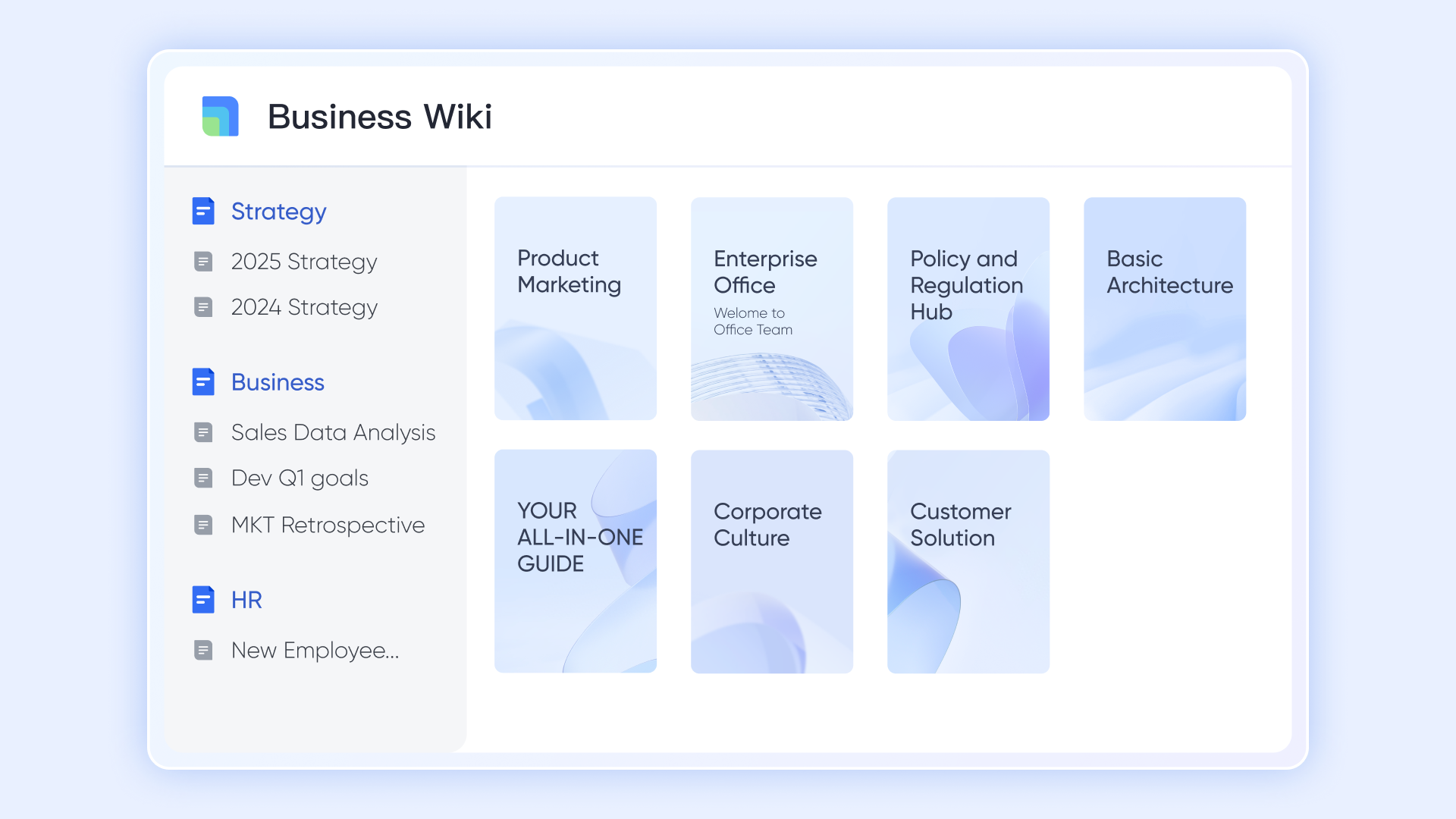
Lark addresses this with a deeply unified system. Instead of leaving finalized scattered in individual chats, teams can instantly organize them into a structured, searchable knowledge base. The Wiki also makes it easy to capture and share ideas among team members, so brainstorming sessions and creative input are preserved and accessible for future reference. This means your team's best practices, onboarding guides, project archives, and ideas are always readily available, ensuring that the workspace acts as a long-term brain for your company, not just a short-term communication tool.
:
- Starter plan: Free forever plan that includes 11 powerful tools for up to 20 users. It also comes with 100GB of storage, 1000 automation runs, AI translations, and more.
- Basic plan: $6/user/month (billed annually) for up to 500 users. It includes everything in Starter plus group calling for up to 500 attendees, 5TB of storage, 1000 automation runs, and more. For more details, please .
- Pro plan: $12/user/month (billed annually) for up to 500 users. It includes everything in Basic plus group calling for up to 500 attendees, 15TB of storage, 50,000 automation runs, and more.
- Enterprise plan: for custom pricing. Supports unlimited users and includes even more automation runs and advanced security, compliance, and management features.
For small teams with simple communication needs

18 months message history
1000 Base automation runs/month
2000 rows per table in Base
Most POPULAR
For companies with comprehensive collaboration and management needs
Unlimited message history
500-participant video meetings
50k Base automation runs/month
20k rows per table in Base
For large companies with advanced security and organizational management needs
Get a personalized demo and pricing
Unlimited message history
500-participant video meetings
15 TB storage + 30 GB storage/user
500k Base automation runs/month
50k Base automation runs/month
Most POPULAR
For companies with comprehensive collaboration and management needs
Unlimited message history
500-participant video meetings
50k Base automation runs/month
20k rows per table in Base
Best Practices for Transitioning Your Team to a Digital Workspace
Transitioning your team to a centralized digital workspace can dramatically improve collaboration, productivity, and overall work satisfaction. As part of this shift, it’s worth reviewing leading to ensure your chosen tools align with your team’s needs. Here are some best practices to ensure a smooth and effective transition:
- Assess Your Current Tools and Workflows: Begin by auditing the apps and platforms your team currently uses. Identify redundancies, gaps, and pain points that a unified workspace could address.
- Choose the Right Platform for Your Team: Select a workspace solution that aligns with your team’s needs, whether it’s robust document collaboration, integrated communication, workflow automation, or goal tracking. Consider scalability and ease of use.
- Define Clear Roles and Permissions: Establish who will be admins, members, and guests within the workspace. Clear role assignment ensures security and smooth management of projects and data.
- Plan Structured Onboarding and Training: Provide comprehensive training and resources to help team members understand how to use the new tools effectively. Encourage adoption by demonstrating how the workspace simplifies their daily tasks.
- Encourage Continuous Feedback and Iteration: Regularly gather input from users to identify issues and opportunities for improvement. Use this feedback to refine workflows, permissions, and integrations.
By following these best practices, organizations can reduce friction, enhance team productivity, and fully realize the benefits of a unified digital workspace.
Scaling Your Business Operations via a Unified Workspace
To effectively scale your business operations, adopting a unified workspace is crucial. Integrating tools that support both individual productivity and collaborative projects enables your team to manage personal tasks and shared goals seamlessly. Features such as unlimited members, flexible role assignments, and the ability to invite external clients or partners ensure your workspace grows alongside your business needs. Continuously collecting feedback from team members and other users helps optimize workflows and maintain a productive environment. Leveraging automation, insightful analytics, and carefully selected within your workspace streamlines project execution, enhances task management, and unlocks the full potential of a centralized digital hub designed to support your expanding operations.
Conclusion
Transitioning to a centralized digital hub is one of the most impactful decisions an organization can make. By moving away from a chaotic web of disconnected apps and adopting a unified team workspace, you reduce friction, secure your data, and give your employees the clarity they need to focus on actual work.
I highly encourage leadership teams to audit their current software stack and consider a more streamlined approach. If you’re ready to eliminate tool fragmentation and empower your team with a truly cohesive environment, ’s all-in-one workspace provides everything you need—from chat to docs and meetings—under one roof. Start your journey with Lark today and see how a unified platform can scale with your ambition.
Unlock powerful collaboration for your team
FAQs
What are teams' workspaces?
Teams' workspaces are centralized digital environments designed to facilitate collaboration, communication, and project management. They serve as a single hub where employees can chat, share files, co-author documents, and track goals, replacing the need for physical office proximity or heavily fragmented software stacks.
What are the 5 pillars of teamwork?
While models vary, the five core pillars of teamwork are generally considered to be trust, effective communication, commitment, accountability, and a focus on collective results. A well-structured digital workspace directly supports these pillars by providing transparent communication channels, clear task tracking for accountability, and unified OKR dashboards to align the team on results.
How to create a team workspace?
To create an effective workspace, start by defining your team's core workflows and identifying the tools you currently use. Next, select a unified software platform that can consolidate those needs (like chat, documents, and meetings). Set up logical access controls and permissions, build dedicated channels or folders for specific projects, and finally, run a structured onboarding process to ensure your team understands how to use the new environment effectively.
Related reading




















![What Is a 2-2-3 Work Schedule? Explanation and More [2026]](https://framerusercontent.com/images/uKHRfkp4v7y4azRNTYUmuteNQz8.png)








