














The Ultimate Best Practices Guide to Choosing a Time Attendance Application

Cecilia Lane
Go-to-Market Associate
Sep 18, 2026
Cecilia Lane
Sep 18, 2026


17 min read


In a dynamic work environment, effectively tracking employee hours through a reliable time attendance application is more crucial than ever. As organizations adopt hybrid work models, flexible schedules, and deploy teams in the field, traditional attendance methods are no longer sufficient to meet compliance standards and operational needs. A comprehensive time attendance application should go beyond merely recording hours; it must also automate processes and reduce administrative burdens. The right solution not only ensures accurate timekeeping but also enhances accountability among employees and fosters improved collaboration across your entire business. By implementing a modern time attendance application, companies can gain valuable insights into workforce productivity and make informed decisions that support both management and employees. As a result, choosing the right tool is essential to adapting to complexities while optimizing time management practices.
What is a time attendance application?
Core purpose and main benefits
Tracking working hours and attendance
At its heart, a time attendance application is a tool for recording when employees start and finish work. This might sound simple, but digital solutions eliminate errors, reduce manual admin, and provide a reliable record for payroll and audits.
Managing leave and schedules
Modern attendance solutions do more than just track time. Employees can request time off, check remaining leave, and view their schedules just by logging in. For managers, handling approvals and detecting absentee trends is easier than ever.
Promoting transparency and accountability
Digital attendance systems offer both employees and employers clear visibility. Working hours, overtime, absences, and late arrivals are tracked automatically. This transparency helps to build trust—and also supports compliance with local labor regulations.
How modern time attendance applications work
Cloud and mobile-first
Employees can clock in or out from a web browser, a mobile app, or even directly from messages and collaborative project boards. For distributed and remote teams, this is a game-changer.
Automated and integrated
Data flows automatically to payroll or HR software. Some applications even allow managers to see attendance data alongside other team activities, streamlining approvals, and raising alerts if something needs attention.
Real-time insights
With instant reporting dashboards, HR and business leaders no longer have to wait for the end of the month to spot overtime, recurring absences, or potential scheduling conflicts.
From punch clocks to integrated workflows
In the past, tracking time meant piles of paper or endless spreadsheets. Today, leading time attendance applications bring together real-time tracking, shift scheduling, and collaboration—all in a single, secure space. Some advanced systems go even further by embedding attendance features in everyday workplace apps, so logging time, approving vacation, or managing shifts happens right where the work gets done.

What makes the best time attendance application?
Must-have features for every growing business
Effortless user experience
Employees and managers should find the application easy and intuitive on any device, whether clocking in on-site, from home, or on the go.
Flexible scheduling and automation
The best solutions allow for dynamic shift planning, quick approvals, and automated rule enforcement (like overtime alerts or break reminders). Automations save time for both HR and team leaders.
Integration with core business tools
Seamless syncing with payroll, HRIS, and collaboration platforms isn’t a luxury—it’s essential. This reduces double entry, minimizes errors, and ensures accurate, timely payroll.
Accurate, secure, and compliant
From biometric verification to geofencing, leading apps prioritize accuracy and fraud prevention. Automated compliance checks keep teams aligned with local labor laws, and data security features protect sensitive employee information.
What modern businesses expect
Mobile-first experience
Teams want to handle time tracking the same way they do everything else—on their phones or within their favorite work apps.
Real-time insights
Dashboards and analytics turn attendance data into decision support, helping managers spot trends, optimize resources, and improve team well-being.
Workflow integration
Some of the most innovative applications position time attendance as part of a total workflow. For example, you might approve leave requests within a project dashboard or review team presence alongside your weekly schedule.
Why choosing the right time attendance application matters
- Prevent payroll errors and reduce administrative busywork
- Support flexible, remote, or hybrid working styles
- Empower employees with self-service and clear communication
- Stay compliant and audit-ready
- Build a data-driven approach to resource planning
The best time attendance applications at a glance
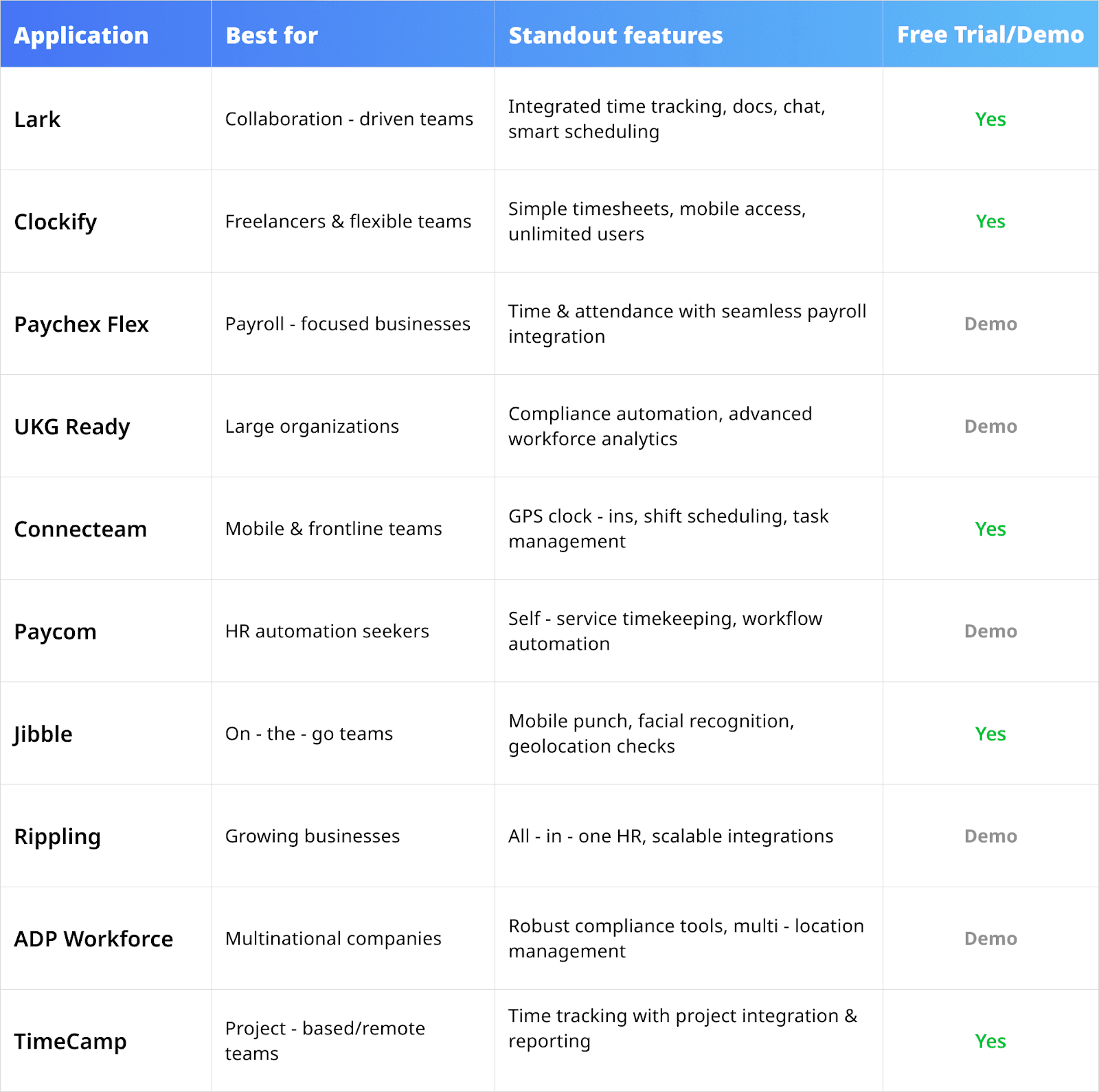
In-depth reviews: top 10 time attendance applications explored
1. Lark: Integrated time attendance at the heart of collaboration
Overview
Lark is a comprehensive collaboration and productivity suite that seamlessly integrates essential office management tools into a single platform. Perfectly designed for businesses of all sizes, Lark combines features such as messaging, video conferencing, document sharing, calendars, email, and an advanced time attendance application that simplifies attendance management. With Lark Attendance, employees can easily clock in and out, request leave, and monitor their work hours—all in one user-friendly interface. Managers gain the ability to view attendance data in real time and swiftly approve requests, enhancing workforce efficiency. For businesses that require detailed tracking of work hours and shifts, Lark Base allows for the creation of custom databases tailored to these needs. Particularly beneficial for industries like retail and hospitality, Lark’s time attendance application simplifies not only time tracking but also shift management, employee communication, and task coordination. If an employee is assigned to a different location, their attendance exceptions can be easily recorded, processed, and approved. With flexible mobile access and seamless integration, Lark’s time attendance application keeps both managers and employees connected, making attendance tracking more efficient, accurate, and hassle-free.
Key features
- Lark Base as your attendance control center
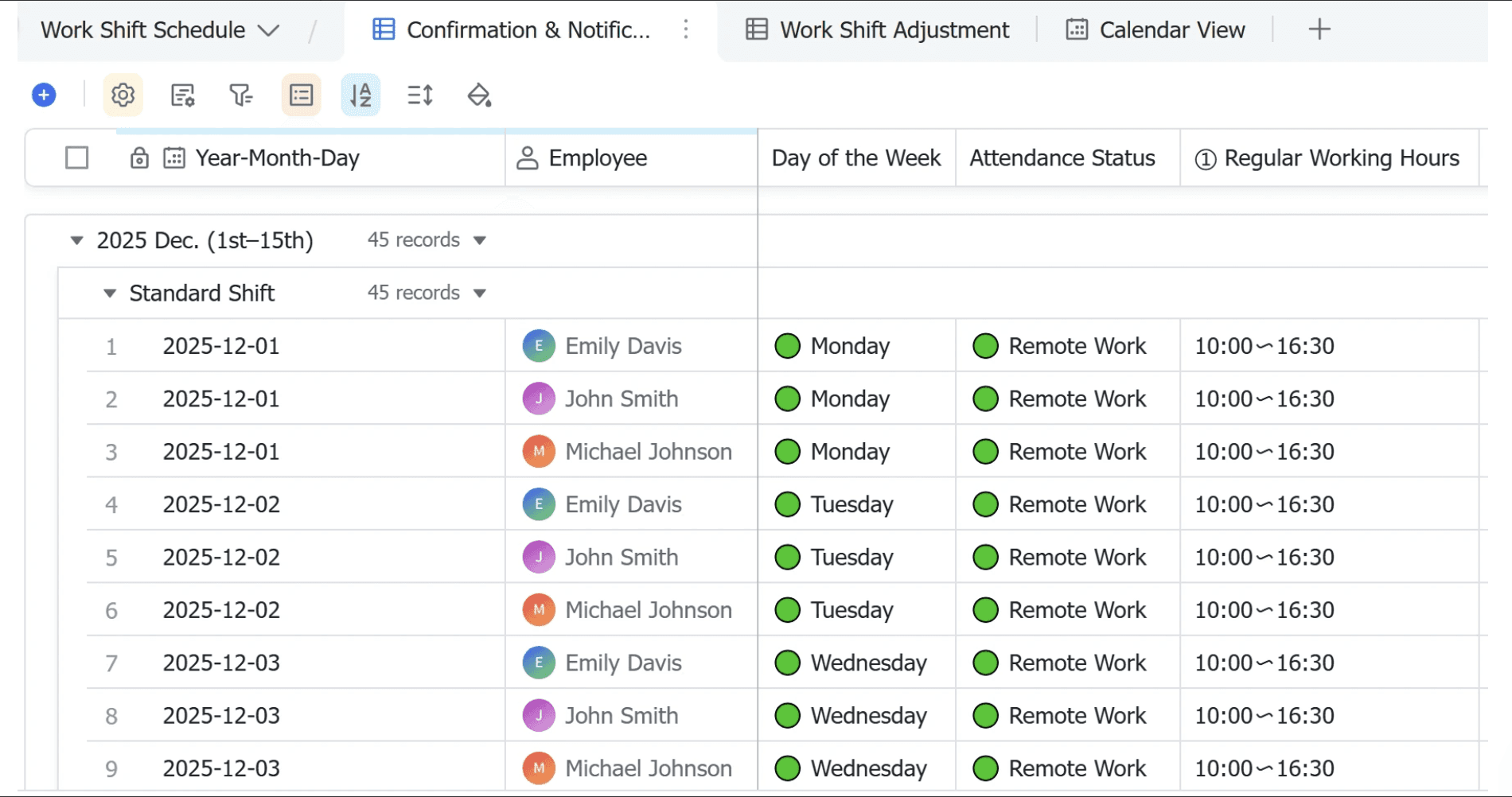
- Lark Base allows you to build a custom attendance database without needing to write any code. This feature enables organizations to centralize entry collection, ensuring consistent data management across multiple locations.
- With automated synchronization of shift records, Lark Base helps flag anomalies swiftly. This process reduces errors often associated with manual record-keeping and enhances the accuracy of attendance data.
- Lark Attendance as your automated time tracking solution
- Real-time tracking guarantees accurate records across all locations and reduces discrepancies. This feature allows managers to maintain oversight and quickly rectify any timekeeping issues.
- Automating leave requests enhances efficiency by integrating these processes into the Lark ecosystem. Instant notifications for approvals further streamline operations, making it easy for teams to stay informed.
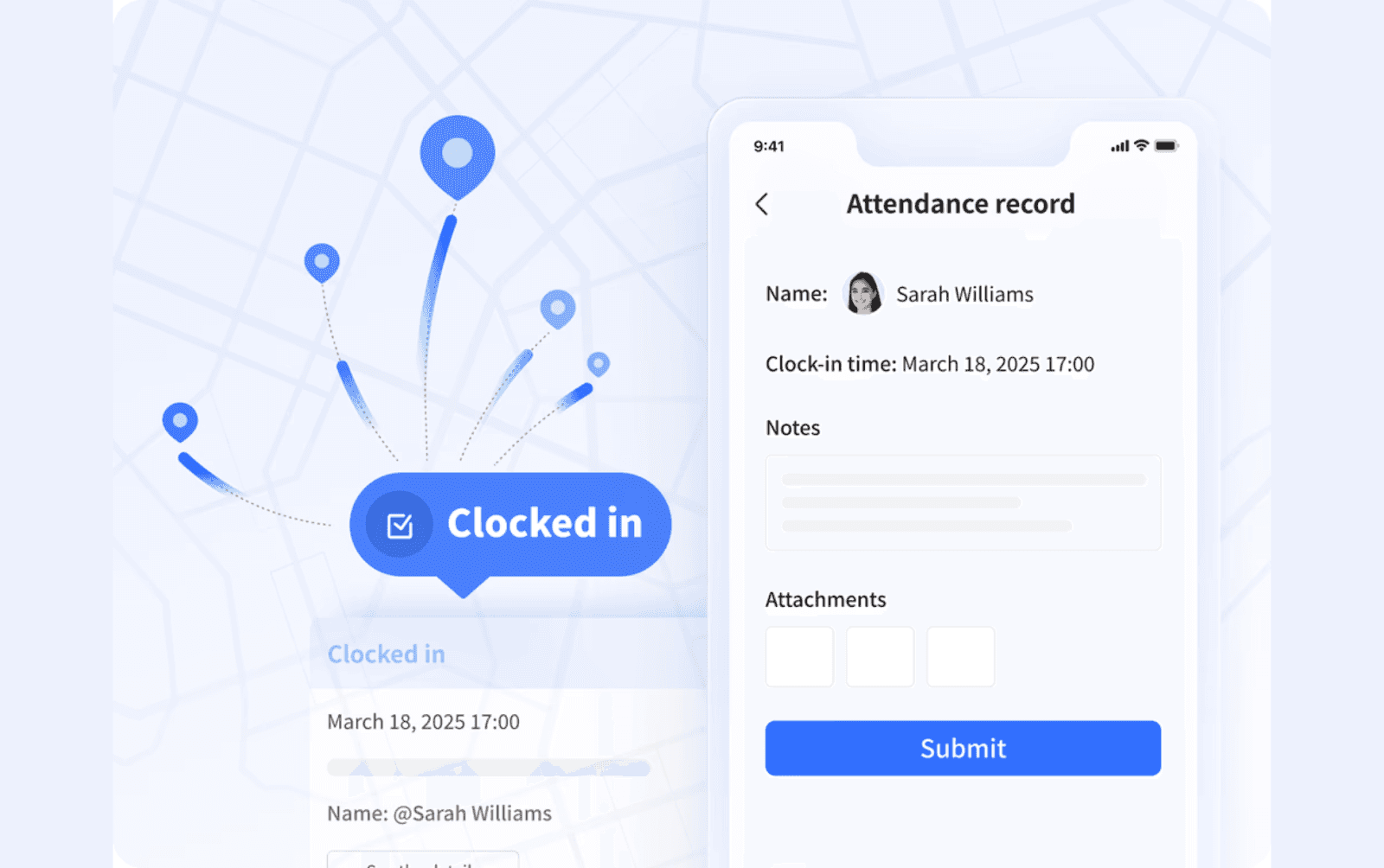
- Collaboration at every step
- Integrated calendar and scheduling features that sync with Lark’s communication tools for efficient meeting scheduling and time management. Advanced features for tracking time, managing shifts and leave requests, and offering comprehensive insights into team attendance patterns.
Price
- Free plan: Includes 11 powerful products, supporting up to 20 users, 100 GB storage, 1,000 automation runs and unlimited AI translation in chats, docs and email.
- Paid plans: Starts at $12/user/month, supporting up to 500 users. Includes unlimited message history, 50,000 automated Base workflow executions per month.
- Enterprise plan: Custom pricing.
👉Try Lark’s Savings Calculator: Switching to Lark’s Pro plan can lead to significant cost savings— for example, a 100-employee company using Slack, Google Workspace, and Airtable could save approximately $25,200 annually by consolidating their tools with Lark.
Reviews
Highly praised for streamlining time attendance processes, especially in distributed and fast-growing teams. Users love the transparency, automation, and how easily attendance integrates with daily collaboration—making compliance painless and boosting operational trust.
Best for
Organizations managing hybrid, flexible, or cross-border teams who want a collaborative, automation-first time attendance application—with everything from real-time clock-in to compliance tracking inside one secure platform.
2. Clockify: Effortless scheduling and timesheets for flexible teams
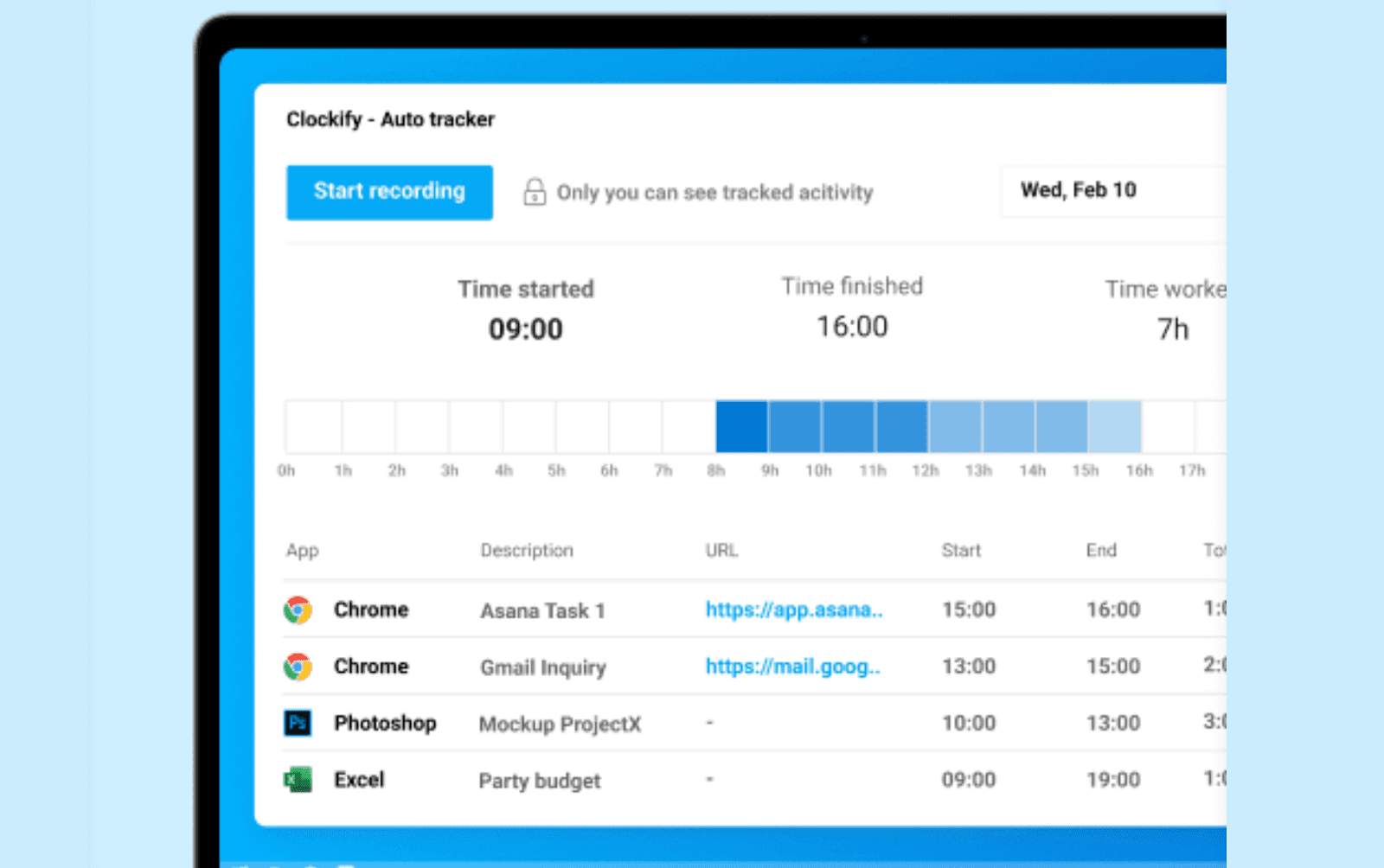 Image source: clockify.me
Image source: clockify.meOverview
Clockify is a cloud-based time attendance application designed for any team needing fast, reliable tracking without added complexity. Its simple interface hides a surprisingly robust tool for recording start/stop times, tracking work duration, and generating timesheets across devices.
Key features
- Absence and time-off tracking: Employees submit leave requests, managers review and approve—all in the same system.
- Weekly and monthly reporting: Get summaries of hours worked, overtime, and unapproved absences for easy payroll transfer.
Limitations
Deeper scheduling and compliance management require paid tiers. It provides core tracking rather than advanced workforce management—analytics are basic compared to more comprehensive solutions.
Price
Free for unlimited users with basic time tracking. Paid plans unlock features such as approval workflows and advanced reports.
Reviews
Users value its no-nonsense timesheet features, clean mobile experience, and unlimited seats on the free plan.
Best for
Small businesses, freelance teams, or anyone needing an intuitive time attendance application that makes daily tracking simple and fast.
3. Paychex Flex: Payroll-centric attendance tracking for growing businesses
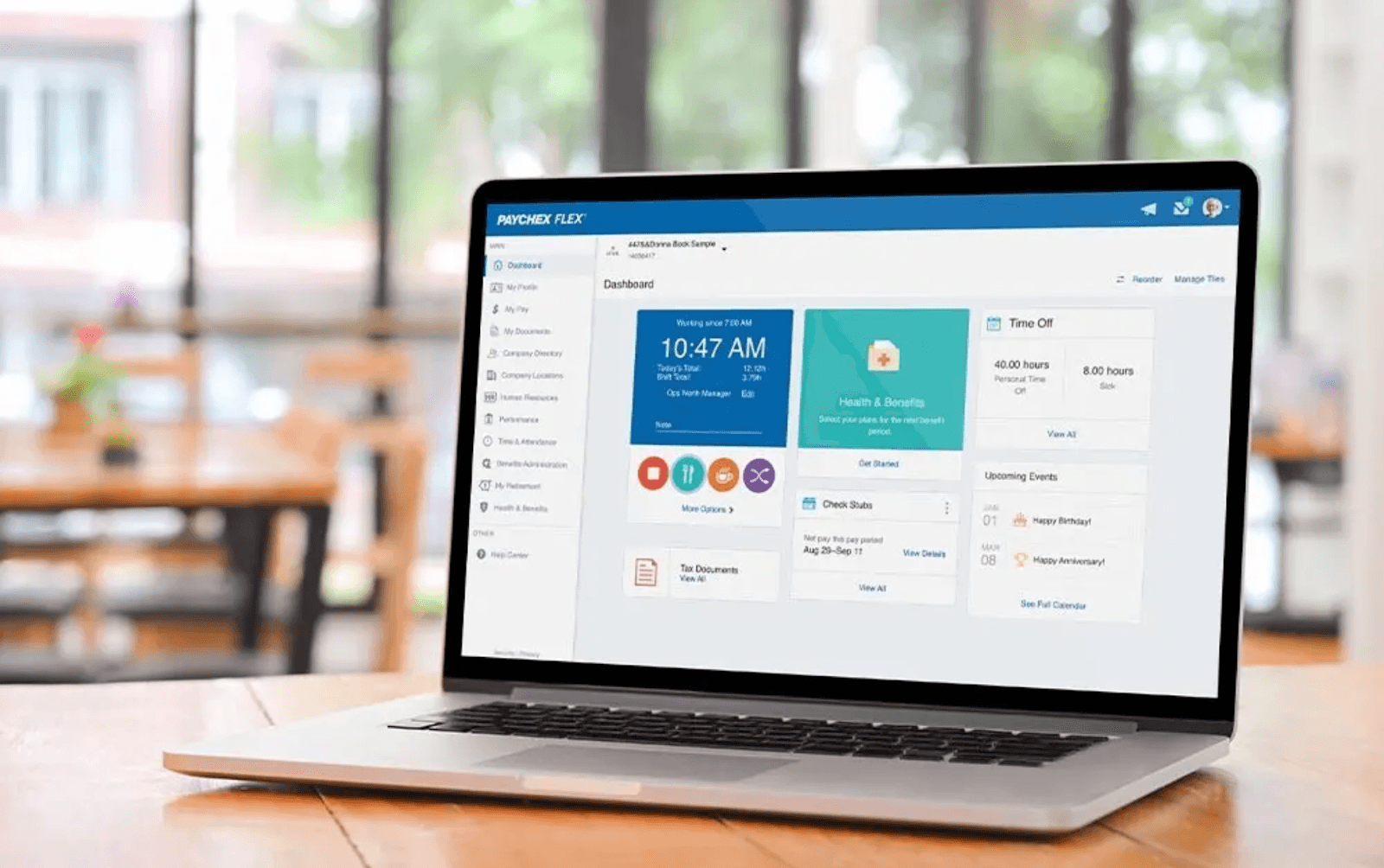 Image source: paychex.com
Image source: paychex.comOverview
Paychex Flex merges time attendance application features with robust payroll and HR tools, making it a convenient choice for companies prioritizing pay-exact accuracy and compliance.
Key features
- Rule-based scheduling: Supervisors set up work rules for pay rates, overtime, and break requirements to automatically calculate correct hours.
- GPS and mobile clock-in: Field workers record attendance from approved locations, improving accountability.
Limitations
Not as customizable as open database platforms, and some advanced reporting features are only available in higher pricing tiers.
Price
Custom, quote-based according to team size and required add-ons.
Reviews
Clients like its “set it and forget it” integration between time, attendance, and payroll, but note a moderate learning curve for HR configuration.
Best for
Businesses wanting a one-stop shop for HR, payroll, and attendance, especially those looking to minimize manual intervention at every step.
4. UKG Ready: Enterprise-grade workforce and time management
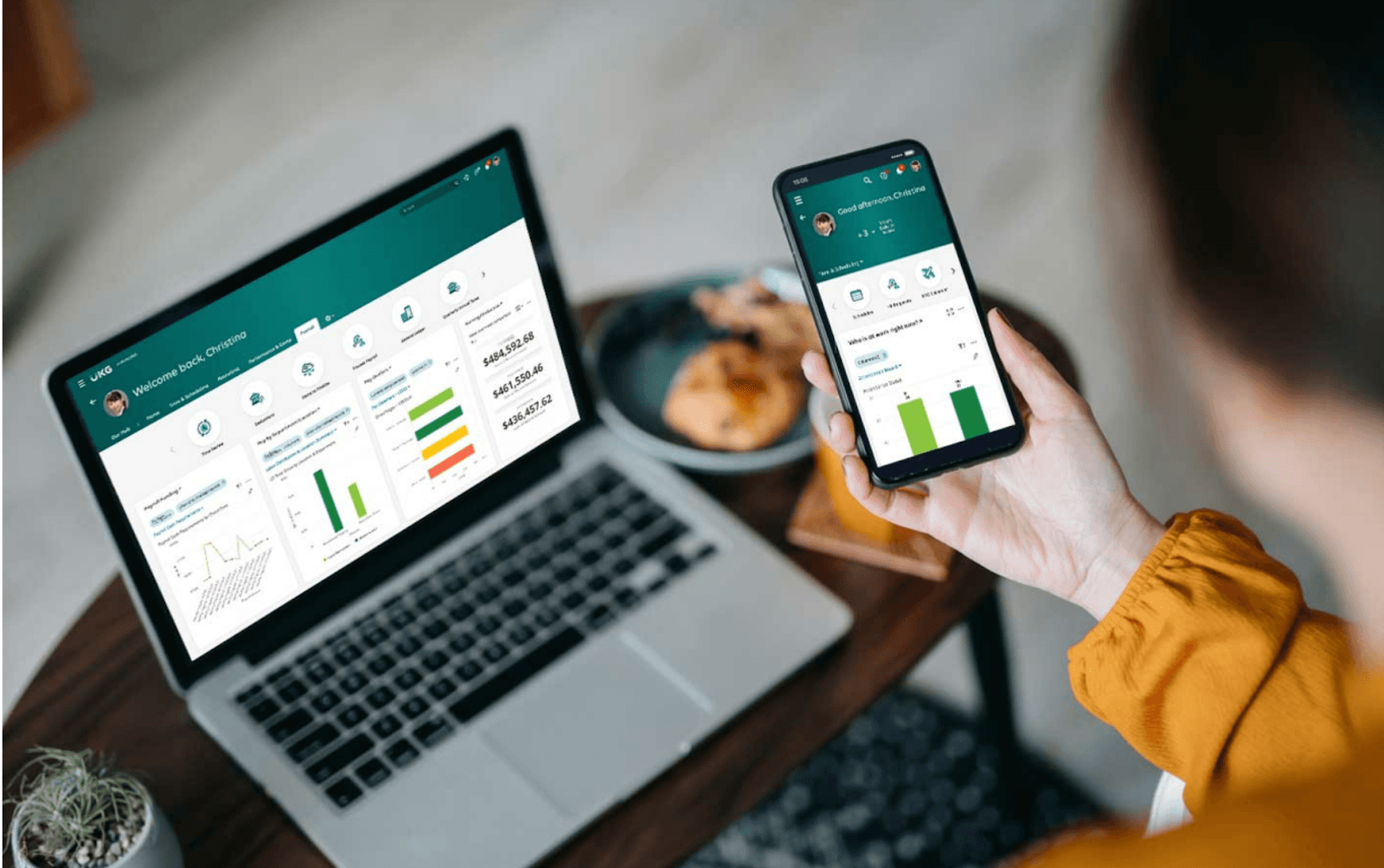 Image source: ukg.com
Image source: ukg.comOverview
UKG Ready offers a time attendance application with advanced workforce management, suited for mid-sized to enterprise organizations with diverse scheduling and compliance demands.
Key features
- Dynamic scheduling and shift planning: Automate large, complex rosters with drag-and-drop tools, including support for rotating and custom shifts.
- Self-service portals: Employees manage their own clock-ins, absences, and time-off requests—approvals and policy enforcement happen automatically.
Limitations
Rollout and configuration can take time for highly customized setups. Designed for businesses with complex rules; may be overwhelming for smaller teams.
Price
Custom-quoted based on organization size and function depth.
Reviews
Acknowledged for its scale and compliance reliability, especially in multi-location/shift-heavy sectors.
Best for
Larger businesses or organizations in healthcare, logistics, hospitality, or manufacturing with sophisticated time and attendance requirements.
5. Connecteam: Field team time tracking with GPS confidence
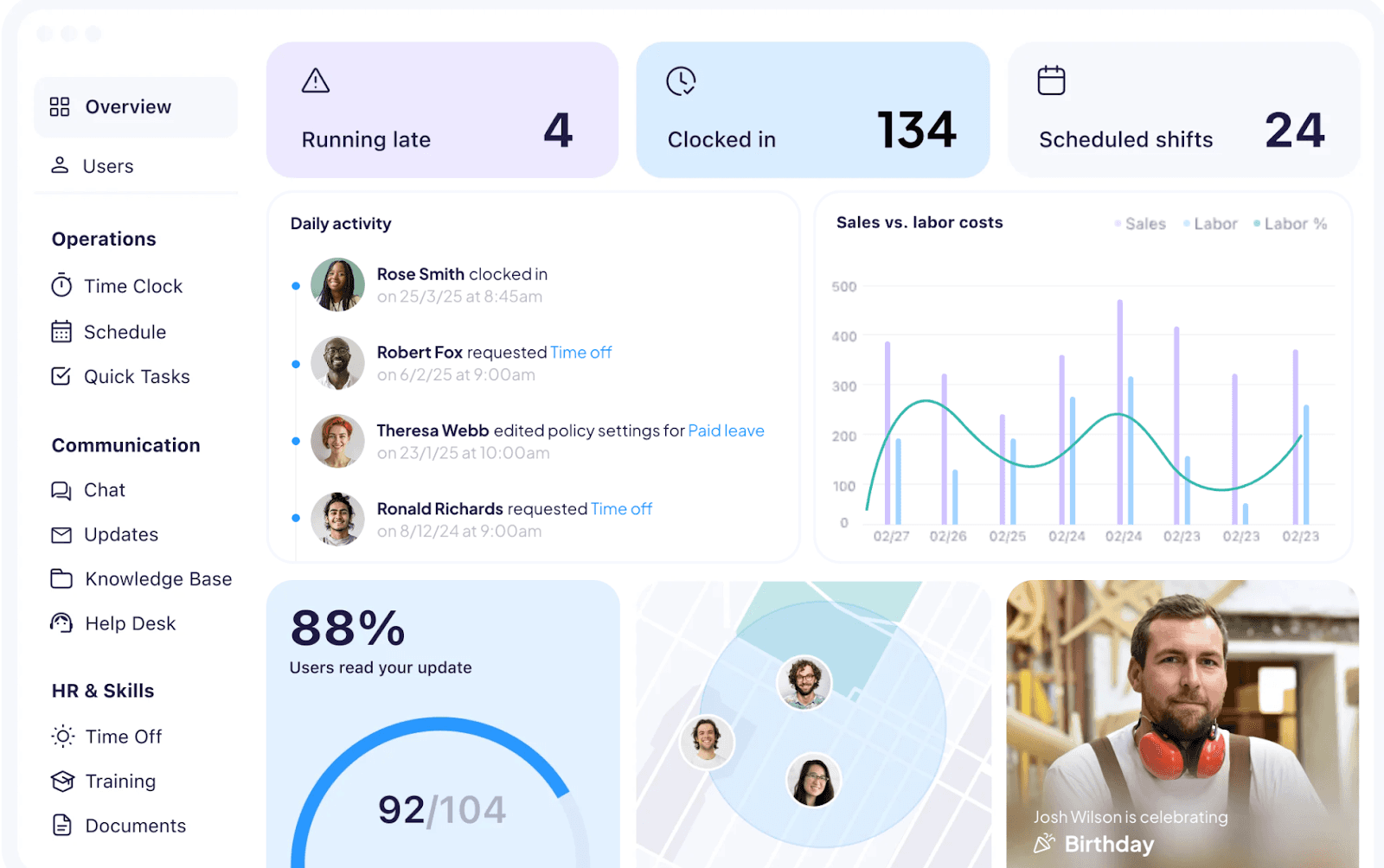 Image source: connecteam.com
Image source: connecteam.comOverview
Connecteam is a mobile-first time attendance application, made for businesses with distributed, frontline, or shift-based workforces. It brings all clock-ins, scheduling, and communication directly into employees’ hands, wherever they are.
Key features
- GPS-enabled mobile clock-ins: Attest exactly where and when employees start work using their smartphones.
- Role-based scheduling and shift swapping: Workers can claim shifts, swap schedules, and see calendar updates on the go.
Limitations
Focused on field and shift work—less suited for companies with complex project/time tracking or knowledge work.
Price
Tiered pricing per user/month, with a well-featured free plan for very small teams.
Reviews
Team leads consistently praise its ease of onboarding and the peace of mind from GPS attendance records.
Best for
Retail, hospitality, logistics, security, and any business with people on the move needing reliable, location-based time attendance application support.
6. Paycom: Automated, scalable attendance for HR-centric teams
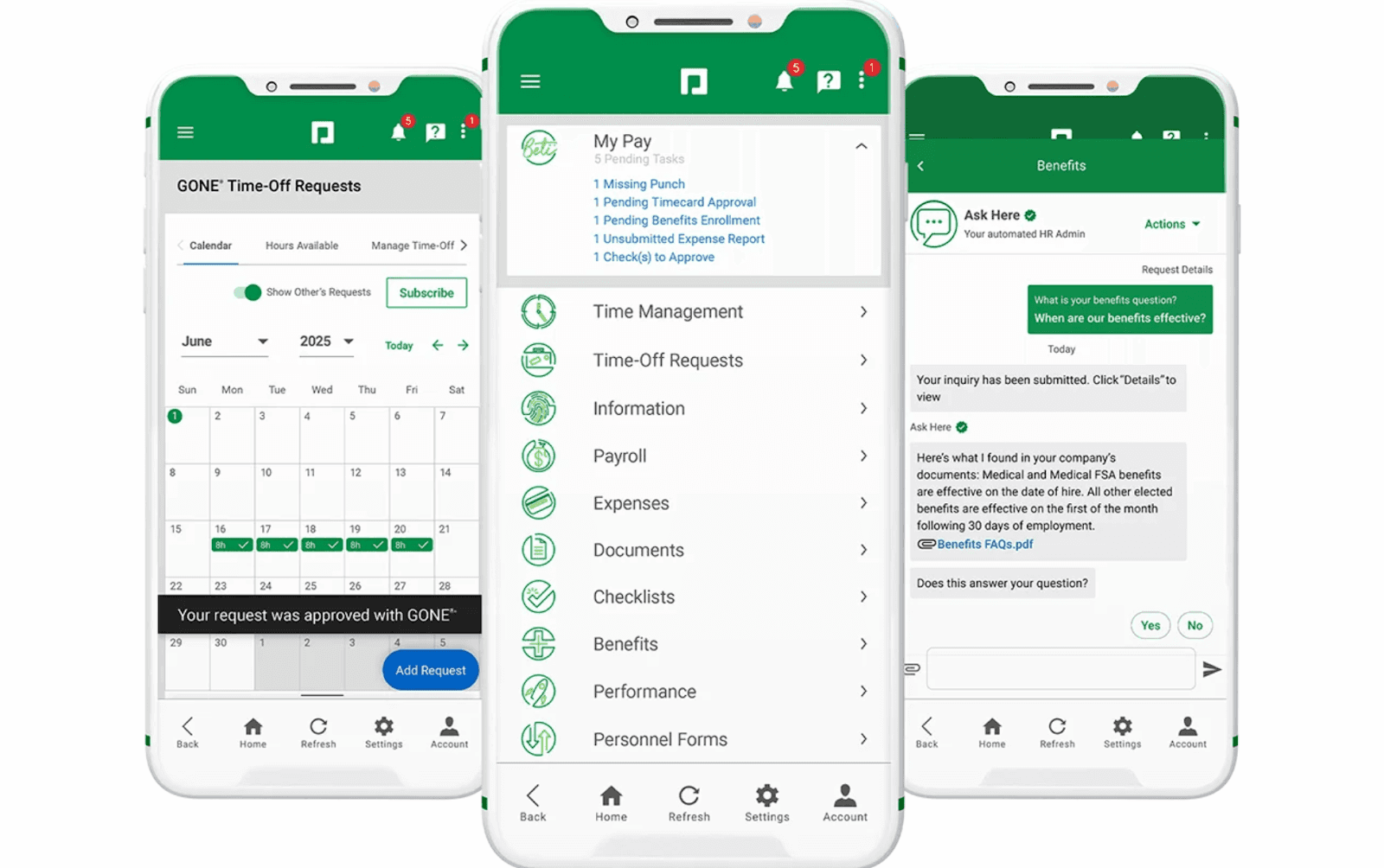 Image source: paycom.com
Image source: paycom.comOverview
Paycom is a powerful HR platform with a deeply integrated time attendance application. It focuses on automating manual work and connecting attendance seamlessly to every step of employee lifecycle management.
Key features
- Self-service attendance corrections and approvals: Staff can submit missed punches or adjustments for manager review—streamlining payroll.
- Automated overtime and labor compliance: Prevents unauthorized overtime and manages required breaks in accordance with company and regulatory rules.
Limitations
Has a feature-rich environment that may require training, and is best suited for companies scaling HR operations.
Price
Customized quotes; setup fees commonly apply for implementation.
Reviews
Appreciated for drastically reducing payroll disputes and manual corrections. Some administrative interfaces can feel complex.
Best for
HR-focused organizations needing compliance automation and unified workforce management with their time attendance application.
7. Jibble: Biometric time attendance for secure, distributed teams
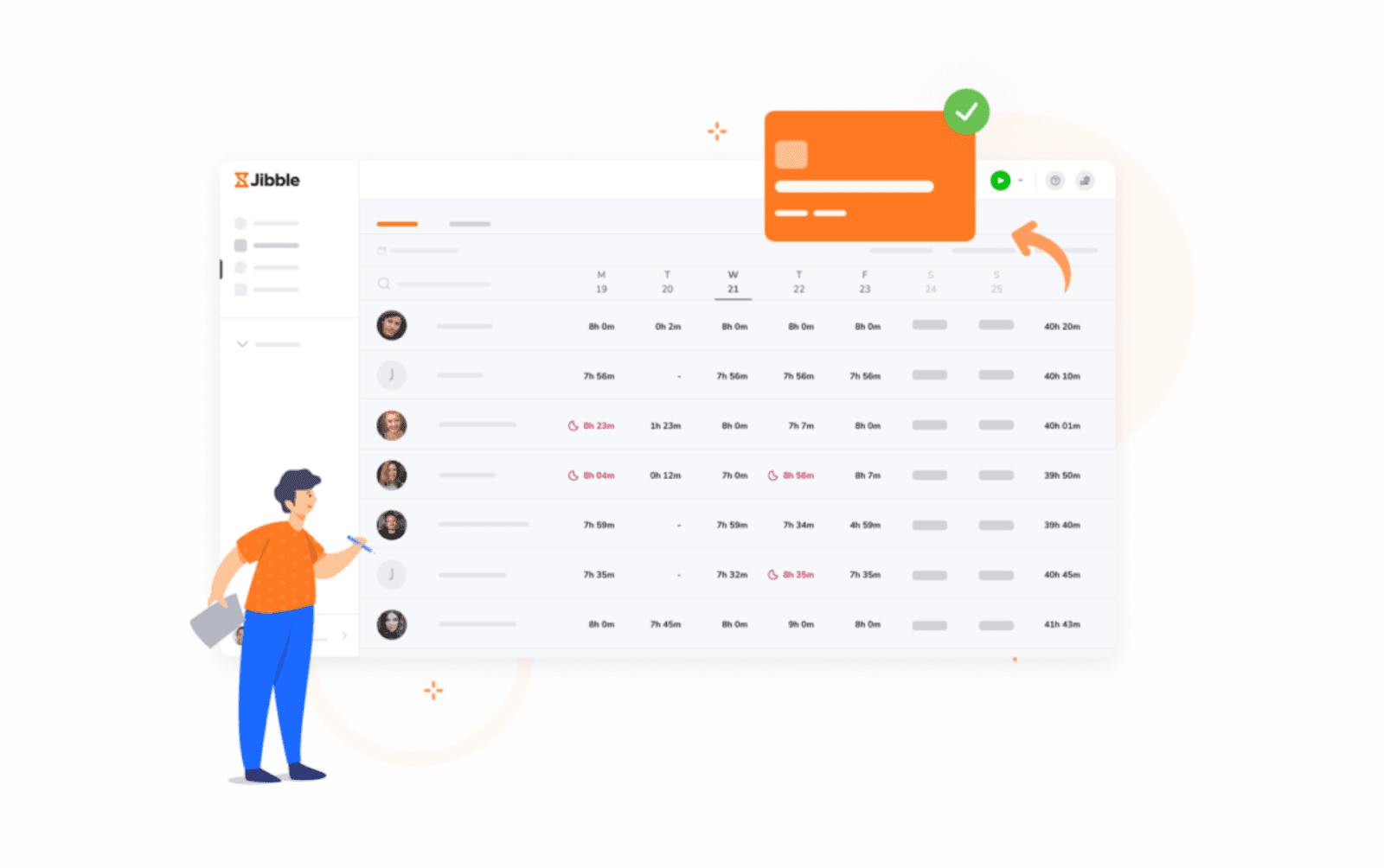 Image source: jibble.io
Image source: jibble.ioOverview
Jibble specializes in secure and flexible cloud-based time attendance solutions, perfect for organizations that need to verify on-site or mobile work.
Key features
- Face recognition and biometric clock-ins: Prevent buddy punching and ensure real attendance.
- Geolocation verification: Require clock-ins from approved locations, ideal for remote or field staff.
Limitations
Custom reporting, rule automation, and deep integrations are limited in entry-level plans.
Price
A generous free plan is available; paid features open up API access and advanced attendance automation.
Reviews
Praised for mobile intuitiveness and high-security features, though some users wish for more advanced built-in analytics.
Best for
Field service, remote work, or multi-location businesses needing verified, secure time attendance.
8. Rippling: All-in-one HR & IT with smart time attendance
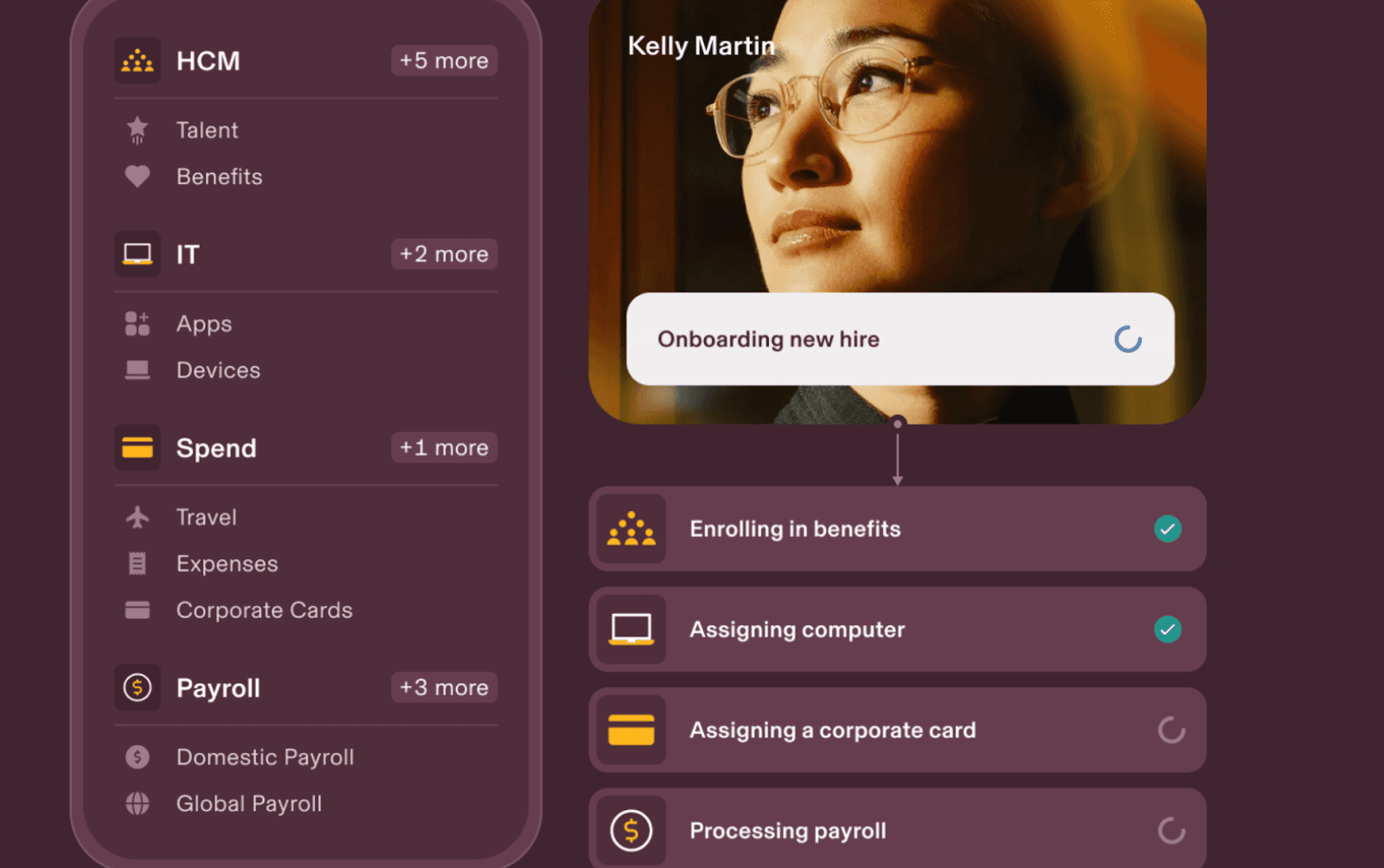 Image source: rippling.com
Image source: rippling.comOverview
Rippling connects HR, IT, and time attendance application features in a modular, automation-ready platform. It’s built to scale with growing businesses that want to minimize manual handoffs.
Key features
- Unified platform: Attendance data is part of the same record as HR, payroll, and device management—simplifying onboarding and audits.
- Customizable approval flows and policies: Tailor time-off and attendance logic without coding.
Limitations
Designed to be comprehensive—smaller companies may pay for features they don’t need.
Price
Tiered, per-user model, quotes based on selected modules.
Reviews
Celebrated for its time-saving automations, especially for startups and scaling global teams.
Best for
Growing companies seeking a centralized, all-in-one system for attendance, payroll, onboarding, and IT management.
9. ADP Workforce: Compliance-first attendance for global enterprises
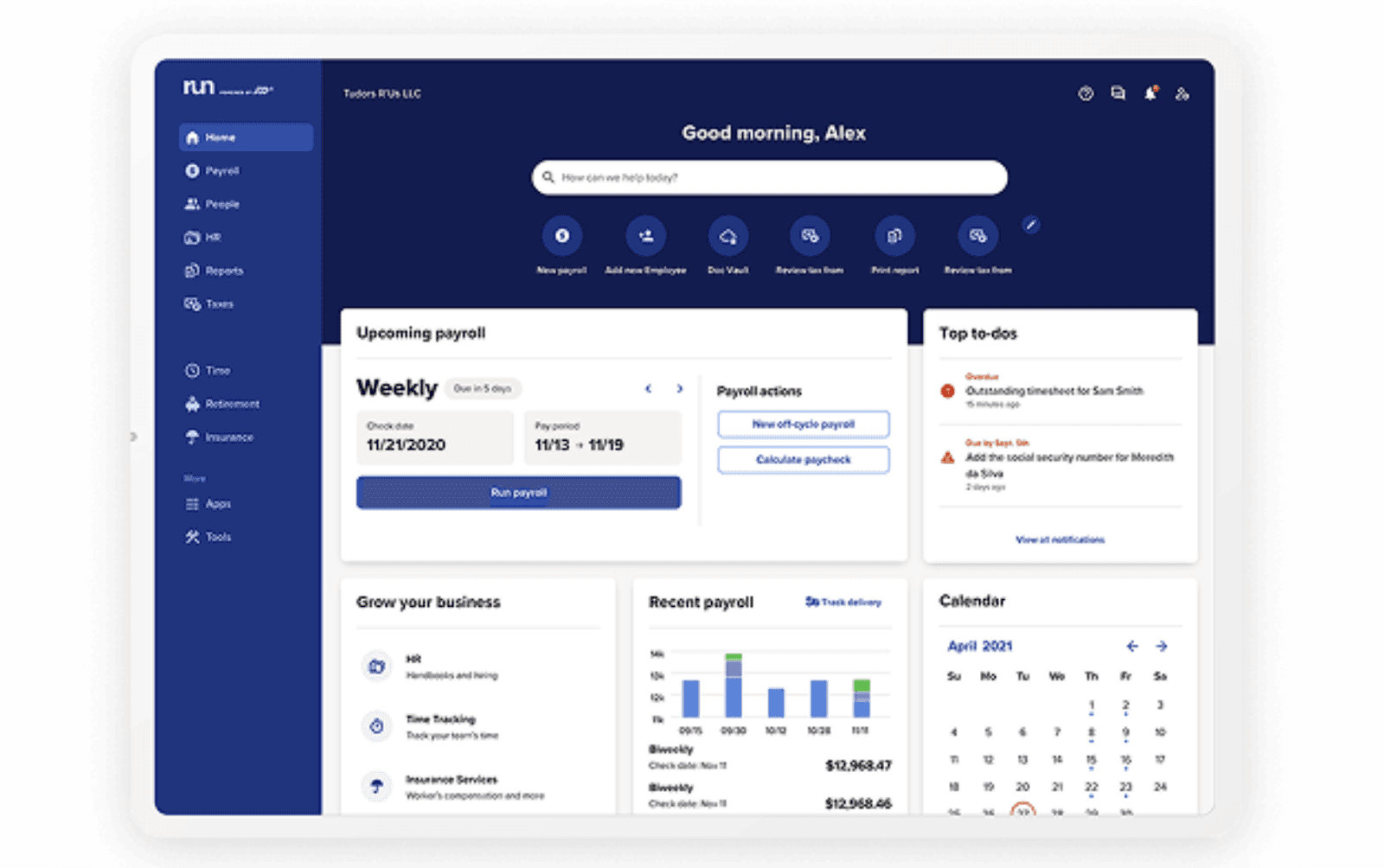 Image source: adp.com
Image source: adp.comOverview
ADP Workforce’s time attendance application is built to serve multinational companies, providing robust regulatory controls and multi-site data management.
Key features
- Extensive compliance rules: Configure local policies for labor laws, overtime limits, and mandatory rest.
- Multi-site scheduling and analytics: Track attendance by country, region, or business unit—see trends, absences, and exceptions instantly.
Limitations
Interfaces may feel more conservative; very small teams may find the power (and price) overkill.
Price
Custom quotes based on scope, users, and regions covered.
Reviews
Global HR teams note reliability and peace of mind on compliance, especially across borders.
Best for
Enterprises and multinationals with strict compliance needs and distributed HR operations.
10. TimeCamp: Project and attendance synergy for digital work
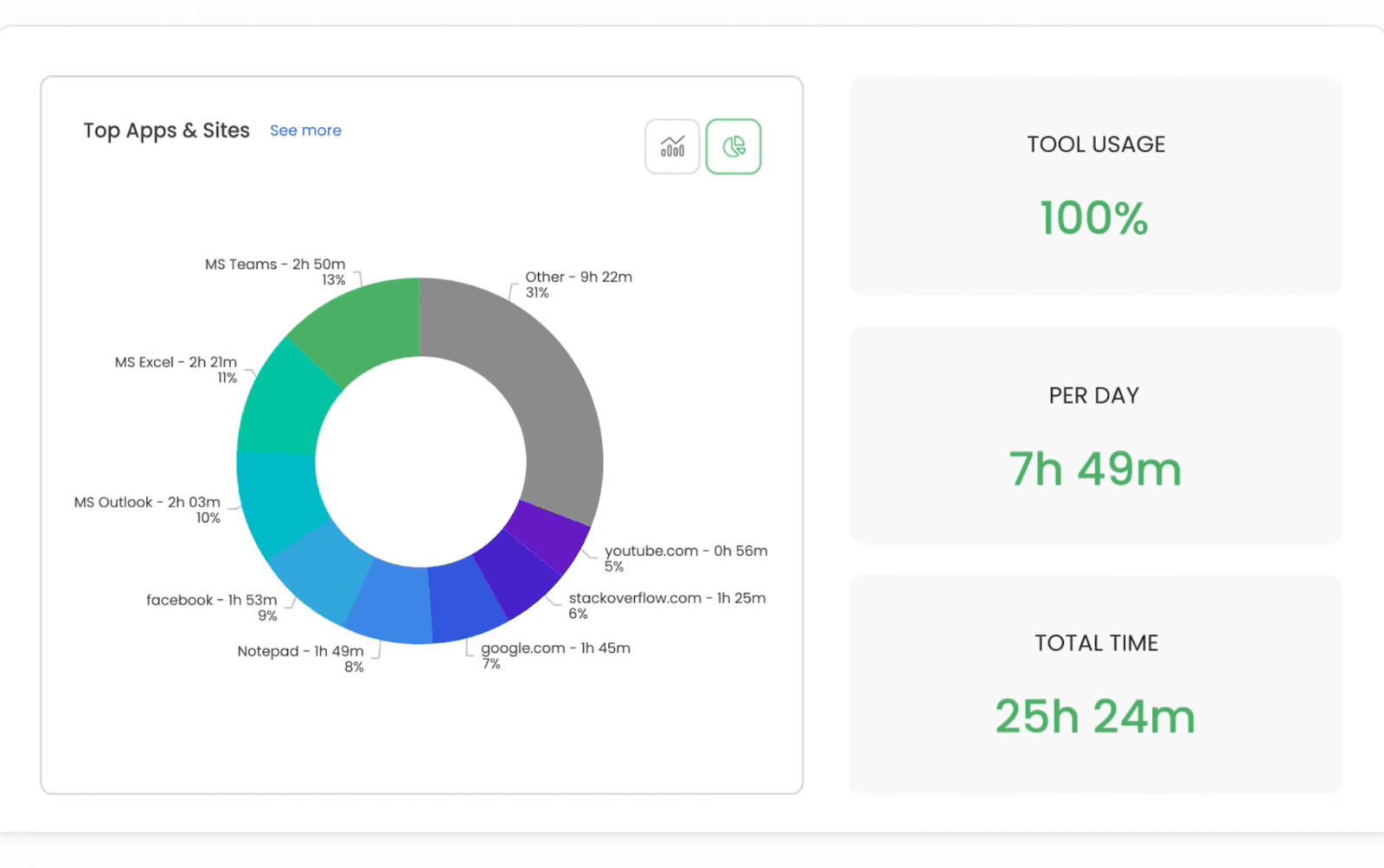 Image source: timecamp.com
Image source: timecamp.comOverview
TimeCamp is a time attendance application that bridges daily attendance with granular project tracking—making it an outstanding fit for digital agencies, consultancies, and remote teams.
Key features
- Automatic time capture by project or task: Match attendance to real client work, not just daily hours.
- Absence and time-off management: Customizable categories fit modern leave policies.
Limitations
Overkill for teams with simple punch-in/out needs; best benefits arise when project-based tracking matters.
Price
Free tier available; paid plans scale with user count and feature depth.
Reviews
Users love its at-a-glance project/attendance blending; learning curve noted for new hires.
Best for
Remote or project-focused teams who want attendance and billable insights in one place.
How to choose the best time attendance application: a step-by-step checklist
Define your core needs and objectives
Clarify your major attendance challenges and must-fix pain points—such as remote clock-in, overtime tracking, compliance, or automated reporting. Gather input from HR, team leads, and employees to align priorities.
List essential features and nice-to-haves
Identify must-have functions (mobile attendance, shift scheduling, leave management, real-time dashboards, payroll integration) and features that would be helpful, like biometric/GPS support or workflow customization.
Shortlist and compare solutions
Research leading time attendance applications that match your needs. Compare features, ease of use, mobile capabilities, integration options, and user reviews. Focus on solutions that best fit your team size and work style.
Test real-world scenarios
Take advantage of free trials or live demos. Let actual users try out daily clock-in/out, leave requests, approval flows, and reporting. Evaluate usability for both staff and managers.
Assess integration, customization, and compliance
Choose a solution that connects smoothly with your payroll or HR system. Check if it supports flexible workflows, customizable rules, data security, and compliance with local labor laws for future scalability.
Conclusion
Choosing the right time attendance application is a strategic move that impacts your company’s daily efficiency and long-term growth. A flexible, user-friendly solution streamlines attendance, reduces paperwork, and ensures accurate payroll—saving both time and resources. With real-time visibility and powerful automation, you eliminate manual errors and boost compliance with labor laws. Integrated platforms promote teamwork and transparency, helping managers make smarter decisions based on reliable data. Whether your team is in-office, remote, or field-based, the right application adapts as your business evolves. Investing in a robust time attendance tool not only empowers your workforce but also builds a foundation for scalable success and lasting employee satisfaction. Take your operations to the next level by selecting a platform that grows with you.
FAQs
What key features should I look for in a time attendance application?
Look for core abilities like mobile clock-in/out, shift scheduling, real-time attendance analytics, leave management, and reliable payroll integration. Advanced apps may offer GPS, biometric options, or customizable approval workflows.
Are these systems secure and compliant with labor laws?
Most leading applications use strong encryption, role-based permissions, and compliance checks for regional labor laws. Be sure to confirm security and privacy certifications before choosing.
Can a time attendance application support remote or field teams?
Yes. Solutions such as Lark, Jibble, and Connecteam provide mobile apps with GPS and flexible verification, making them suitable for remote, field, or hybrid teams.
How does integration with payroll or HR systems work?
Modern applications often offer built-in integrations or APIs to sync attendance data directly to payroll, HR, or other business tools, reducing data entry and minimizing errors.
How do I ensure employees adopt a new time attendance application?
Pick an intuitive platform, provide clear onboarding and communication, and highlight benefits like time savings and accurate records. Inviting staff feedback and addressing concerns helps with smoother adoption.
Related reading
Table of contents
Start using Lark today

Manage all your work in one place
Boost team efficiency by 10x
Save up to 70% on software costs
Table of contents
Start using Lark today
Manage all your work in one place
Boost team efficiency by 10x
Save up to 70% on software costs
Keep reading









2026 Lark Technologies Pte. Ltd.
Headquartered in Singapore with offices worldwide.






Explore: