














What is Airtable? An Ultimate Guide in 2026

Alex Miller
Technical Product Marketing Specialist
Sep 18, 2026
Alex Miller
Sep 18, 2026


15 min read


Keeping your work and data organized can feel overwhelming, especially when juggling multiple projects, teams, or deadlines. Many tools promise to help but end up being either too simple or too complex. Airtable strikes a nice balance—it’s powerful enough to handle detailed data but friendly enough for anyone to get started quickly.
More people and teams have been discovering Airtable as a go-to solution in 2025. Whether you’re managing a marketing campaign, tracking an event, organizing customer information, or even planning personal projects, Airtable makes it all easier.
This guide will walk you through what Airtable is, why it’s so useful, and how it might just be the tool you’re looking for. You’ll also find practical tips, pricing details, and alternatives so you can decide if Airtable fits your needs perfectly.
What is Airtable? A simple way to organize your data
Airtable is an easy-to-use platform that combines the best parts of spreadsheets and databases. Instead of just rows and columns like a usual spreadsheet, Airtable lets you link different pieces of data together. This makes it much more flexible and powerful without being complicated.
The beauty of Airtable is that you don’t have to be a tech expert to use it. It offers many views like spreadsheet-style grids, calendars, Kanban boards, and even gallery layouts. And it allows teams to work together easily, automate tasks, and customize the way information is shown. This makes Airtable a smart choice for managing projects, keeping track of content, or organizing almost any kind of data you can think of.
Comparison: Databases vs spreadsheets
When exploring what is Airtable, it’s important to compare it with two familiar tools: databases and spreadsheets. Both organize information but serve different needs. Airtable sits right between them, offering unique advantages.
 Image source: airtable.com
Image source: airtable.com
1. Spreadsheets
- Organize data in rows and columns
- Easy for lists, basic calculations, and quick edits
- Great for simple tasks and small datasets
- Managing complex or linked data can get tricky
- Limited options for automation and collaboration
2. Databases
- Store and manage large datasets with complex relationships
- Support linking data across multiple tables
- Allow for advanced queries and data integrity
- Usually require technical knowledge to set up and maintain
- Less intuitive for non-technical users
Airtable’s strong database capabilities made simple
- Supports relational data by linking tables seamlessly
- Offers rich field types like attachments, checkboxes, dropdowns, and formulas
- Enables users to design customized workflows without coding
- Provides multiple flexible views tailored to your needs
- Built-in automation options to reduce repetitive tasks
- Real-time collaboration with user permissions and commenting
- Cloud-based with easy sharing and integration with other tools
Airtable gives you the power of a database without the usual complexity. You can organize complex data sets, create meaningful connections between information, and automate processes — all within an intuitive environment anyone can use.
Airtable offers a user-friendly way to manage data, but if you're looking for an alternative that combines similar database capabilities with seamless collaboration features, Lark Base is worth exploring. Base integrates deeply with other Lark tools like chats, calendars, and documents, making teamwork more efficient and connected. Additionally, its flexible automation and customizable templates help teams streamline workflows without needing extensive technical skills.

Key features of Airtable you need to know
Airtable combines the ease of spreadsheets with the power of a database, wrapped in a user-friendly interface designed for teams and individuals alike.
Here are the key features to understand how does Airtable works:
1. Understanding Airtable’s core building blocks
 Image source: airtable.com
Image source: airtable.comBefore diving deeper, it helps to know a few key terms that make up Airtable’s structure:
- Bases: Think of a base as a complete project or database. Each base contains related data all organized in one place.
- Tables: Each base contains one or more tables, which are like individual sheets or categories for your data—such as Contacts, Projects, or Inventory.
- Fields: These are the columns in a table, defining the type of data you store—like text, numbers, attachments, or dropdown lists.
- Records: The rows in a table; each record represents a single item or entry, like a customer, a task, or a product.
- Views: Different ways to display your data, such as a grid, calendar, Kanban board, or gallery, helping you see and manage information in the best format.
- Workspace: The top-level container where you organize multiple bases, usually by team or department, keeping everything neatly grouped.
2. Flexible data organization with linked tables
 Image source: airtable.com
Image source: airtable.comAirtable allows you to create links between records in different tables inside a base. This relational database feature helps you connect related information easily—like linking clients to orders or projects to deadlines—without complicated steps.
3. Multiple customizable views
 Image source: airtable.com
Image source: airtable.comAirtable’s views let you switch between different layouts based on your needs:
- Grid view for spreadsheet-like data entry
- Calendar view to track dates and deadlines
- Kanban view perfect for managing workflows and task stages
- Gallery view to display images or product catalogs attractively
- Gantt view for visualizing project schedules and manufacturing process
- Timeline view for tracking sequential tasks and order progress
- Dashboard view provides an overview of key metrics and production OKRs in one place
This flexibility helps teams work the way they prefer and stay organized.
4. Rich fields and data types
Beyond simple text or numbers, Airtable supports attachments (like images and files), checkboxes, dropdown menus, ratings, formulas, and more. This variety helps you store detailed and meaningful information in one place.
5. Automation and integrations to save time
 Image source: airtable.com
Image source: airtable.comWith Airtable’s built-in automation, you can create rules to send alerts, update records, or start workflows automatically. Integrations with apps like Slack, Zapier, and others help connect Airtable to your broader toolkit seamlessly.
6. Collaboration tools for teams
Real-time collaboration features allow users to comment on records, assign tasks, and manage permissions. This keeps everyone in sync while protecting sensitive data.
7. Mobile and desktop accessibility
Airtable works smoothly on both desktop and mobile devices, with offline access so you never lose work when the internet is unavailable.
Who needs Airtable?
Airtable works well for a wide range of users, from individuals to teams.
1. Small business owners and startups
Many find Airtable ideal for managing projects, tracking sales pipelines, and organizing customer data without complicated tools. Its flexibility helps small teams stay agile and efficient.
2. Project managers and marketing teams
With multiple views and automation, Airtable simplifies campaign planning, content calendars, and progress tracking, making collaboration smoother across departments.
3. Creative professionals and event planners
Airtable’s visual layout options like gallery and calendar views help organize assets, schedules, and tasks visually, which is perfect for creative workflows.
4. Nonprofits and educators
Managing donors, volunteers, and lesson plans becomes easier with Airtable’s user-friendly database features and sharing options.
5. Anyone overwhelmed by spreadsheets or complex databases
If you’ve struggled to keep data organized or found traditional databases too technical, Airtable offers a fresh balance between power and simplicity.
How to use Airtable: A step-by-step guide for beginners
If you’re curious about how to get started with Airtable, this step-by-step guide will help you make the most of its powerful yet approachable features. Whether you’re new to Airtable or want to refine your workflow, these practical steps will set you up for success.
Step 1: Set up your workspace and create a base
When you first sign in to Airtable, you’ll start by creating a workspace—this is your overarching environment that can contain multiple projects or bases. Think of a workspace as your team's or personal hub for organizing different databases.
Next, create a base, which is essentially your main project or database. Airtable provides templates to get you started if you prefer, or you can start from scratch. Choose a name relevant to your project, such as “Marketing Campaign” or “Product Inventory.”
Step 2: Build tables and define fields
Within your base, add tables to organize various categories of information. For example, a marketing project base might include tables for Contacts, Campaigns, and Budgets.
Each table consists of fields—these are like columns that define data types. Airtable supports various field types, including:
- Single line text
- Attachments (images, documents)
- Dropdown select
- Checkbox
- Date and time fields
- Formulas and rollups
Customizing your fields helps keep your data clean and effortlessly accessible.
Step 3: Enter records and link related data
Add records—the rows in your table—which represent individual entries, such as a contact or a task. One of Airtable’s standout features is the ability to link records between tables without any complex database knowledge. For example, link a contact record to a specific campaign to create relationships that help you understand your data better.
Step 4: Customize views for better data visualization
Airtable offers multiple views to help you visualize your data in the way that suits you best. Switch between:
- Grid view
- Calendar view
- Kanban view
- Gallery view
- Gantt view
- Timeline view
- Dashboard
Adjust filters, groupings, and sorting within each view to create tailored dashboards for different team members or goals.
Step 5: Collaborate in real-time with your team
Invite teammates to your workspace and assign permissions based on roles—view-only, editor, or creator rights. Use Airtable’s commenting feature to discuss specific records or leave feedback without leaving the platform. With real-time collaboration, everyone stays on the same page, significantly improving productivity.
Step 6: Automate repetitive tasks
One of Airtable’s biggest time-savers is its automation capabilities. Set up triggers such as “when a record is updated” or “when a date arrives,” to automatically send notifications, update records, or integrate with other apps. This frees your team from manual follow-ups and keeps workflows streamlined.
Step 7: Use Airtable on the go
Finally, don’t forget to download Airtable’s mobile app. This allows you to check your data, update records, or collaborate wherever you are—perfect for fast-paced teams or professionals who travel frequently.
Pro tips for using Airtable AI to boost your productivity
With AI integrations becoming more important to efficient workflows, understanding how to use Airtable AI helps you unlock smarter automation, enhanced data insights, and faster project management.

1. Automate routine data tasks with Airtable AI
Airtable AI can assist in automating repetitive tasks like data entry, record updates, and even generating summaries. Setting up AI-powered workflows frees up your time to focus on more strategic work, reducing manual errors and speeding up project progress.
2. Use AI to generate insights and identify trends
By combining Airtable’s relational databases with AI, you can ask natural language questions about your data and receive instant analysis. This means quickly spotting trends, forecasting outcomes, or uncovering patterns without needing deep technical skills. It’s a smart way to make data-driven decisions easier and faster.
3. Enhance collaboration with AI-assisted suggestions
Airtable AI also helps teams collaborate better by offering smart suggestions on task assignments, deadline adjustments, and workflow optimizations. This proactive support keeps projects on track and everyone aligned, even in fast-moving environments.
Airtable pricing explained: Choose the right plan for your needs
Airtable offers a range of pricing tiers designed to match different levels of needs, from individuals to large organizations:
Free plan
- Unlimited bases
- 1,000 records per base
- Up to 5 editors
- 1 GB of attachments per base
- 100 automation runs
- Interface Designer
Team plan: Starts at $20/seat/month
- 50,000 records per base
- 25,000 automation runs
- 20 GB of attachments per base
- Standard sync integrations
- Extensions
- Gantt and timeline view
- Expanded color, formatting, and calendar options
- Airtable AI trial: 500 AI credits per user
Business plan: Starts at $45/seat/month
- 125,000 records per base
- 100,000 automation runs
- 100 GB of attachments per base
- Premium sync integrations
- Verified data
- Two-way sync
- Admin panel
- SAML-based single sign-on
- App Sandbox
- Airtable AI trial: 500 AI credits per user, AI Admin controls
Enterprise plan: Custom pricing
- 500,000 records per base
- 500,000 automation runs
- 1,000 GB of attachments per base
- On-premises sync integrations
- App Library
- HyperDB
- Enterprise Hub
- Enhanced security and admin controls
- Enterprise API
- Extension and integration management
- Audit logs and DLP
- Airtable AI trial: 500 AI credits per user, AI Admin controls
 Image source: airtable.com
Image source: airtable.com
Limitations of Airtable
1. Scalability challenges for very large data sets
While Airtable works well for small to medium-sized projects, managing extremely large volumes of data can slow down performance. This makes it less ideal for enterprise-grade, high-scale databases.
2. Limited advanced database functionality
Airtable simplifies databases, but it lacks some advanced features found in traditional database systems, such as complex queries, triggers, or highly customizable relational logic. This can limit power users or specialized applications.
3. Cost increases with scale and features
As your team grows or requires more automation and storage, Airtable’s pricing can become expensive compared to simpler spreadsheet tools. Budget-conscious users should weigh features versus costs carefully.
4. Dependency on internet connection
Airtable primarily works online. Although offline access exists, it is limited, so a stable internet connection is essential for seamless use, which might be a drawback in some environments.
Lark: The best Airtable alternative for you to consider
When evaluating whether Airtable fits your needs, it’s worth considering Lark—a modern, all-in-one productivity platform that offers a more powerful database solution combined with seamless collaboration tools. Here’s why Lark stands out as the best Airtable alternative.
Lark Base: A more powerful database solution
Lark Base is a zero-code data management platform designed for diverse use cases such as project management, product development, CRM, sales tracking, and mobile workforce management.
Here are what Lark Base offers:
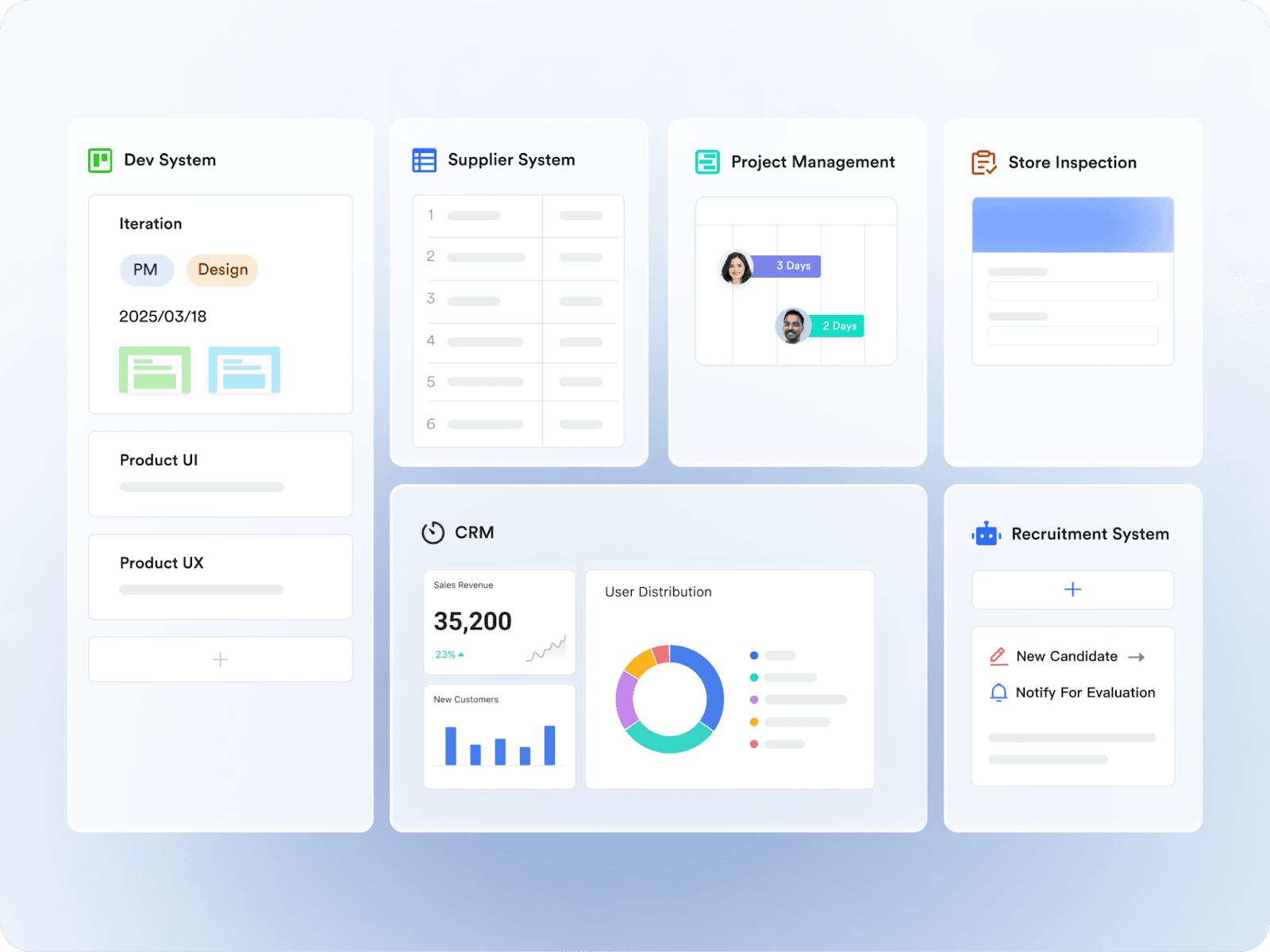
- Diverse view types including Grid, Gantt charts, Kanban boards, Calendar, Gallery, and Forms, allowing you to visualize your data exactly how you need.
- A rich dashboard system with various chart and block types to track KPIs or OKRs and monitor progress in real-time, helping to catch issues early and meet deadlines.
- AI Extensions to automate data cleaning, import/export processes and more, enabling advanced workflow customization.
- Powerful automations and workflows offering conditional logic and looping, making repetitive tasks easier to manage and reducing manual overhead.
- Advanced permission controls ensuring sensitive data is protected, while simplifying user access management.
- Designed with user-friendliness in mind, Lark Base allows anyone, regardless of technical skill, to create and modify fields effortlessly.
All-in-one collaboration features for seamless teamwork
Lark combines cloud documents, spreadsheets, messaging, video conferencing, translation, and calendar functions into one platform:
- Real-time collaboration on docs and sheets means teams can edit simultaneously without version conflicts.
- Integrated messaging and HD video calls reduce the need for multiple apps, keeping conversations and meetings directly linked to your work.
- A smart calendar that syncs meetings and tasks, helping teams schedule across time zones and avoid conflicts effortlessly.
- Built-in translation feature allows global teams to communicate smoothly across language barriers, making Lark ideal for multinational collaboration.
- Secure cloud storage with fine-grained permissions offers strong data security for files and documents.
- Cross-platform access and offline mode, so work continues smoothly whether you’re on desktop, mobile, or temporarily offline.
 Pricing:
Pricing:- Free plan: Includes 11 powerful products, supporting up to 20 users, 100 GB storage, 1,000 automation runs and unlimited AI translation in chats, docs and email.
- Paid plans: Starts at $12/user/month, supporting up to 500 users. Includes unlimited message history and 50,000 automated Base workflow executions per month.
- Enterprise plan: Custom pricing.
👉Try Lark’s Savings Calculator: Switching to Lark’s Pro plan can lead to significant cost savings— for example, a 100-employee company using Slack, Google Workspace, and Airtable could save approximately $25,200 annually by consolidating their tools with Lark.
Why Lark is better: Stronger database and enhanced collaboration
While Airtable centers on flexible database and spreadsheet hybrid functionality, Lark goes beyond by integrating stronger database features with next-level collaboration tools. This means you get a more comprehensive platform to manage projects, communicate clearly, and automate workflows—all in one place.
Frequently asked questions
What exactly is Airtable used for?
Airtable acts as a flexible mix of a spreadsheet and a database, helping users organize and manage data visually and interactively. It’s widely used for project management, CRM, content calendars, and even personal task tracking.
How is Airtable different from traditional spreadsheets?
Unlike typical spreadsheets, Airtable supports relational data, multiple views (like Kanban and Gantt), and automation, making it much more powerful for complex workflows without needing deep technical skills.
Can Airtable integrate with other tools?
Yes! Airtable offers extensive integrations with popular apps, as well as automation features that save time by linking workflows across platforms like Slack, Google Workspace, and more.
Is Airtable suitable for beginners?
Absolutely. Airtable’s user-friendly interface and templates make it accessible for teams and individuals of all skill levels while offering advanced features for power users.
Conclusion
Airtable empowers teams and individuals to organize data with flexibility, combining powerful views, automation, and integrations that fit diverse workflows. Its user-friendly interface demystifies database functions, making data management accessible without advanced technical skills.
This year, Airtable remains a strong choice for those who need a customizable, visual platform to streamline projects, manage tasks, and track information. Whether you’re in marketing, product development, or event planning, Airtable offers versatile tools to keep work transparent and efficient.
However, as work environments become more integrated and global, the need for next-level collaboration and advanced communication grows. With its all-in-one platform combining a powerful database, integrated messaging, video conferencing, smart calendar, and translation features, Lark is an excellent choice for teams seeking a seamless, scalable workspace.
Related reading
Table of contents
Start using Lark today

Manage all your work in one place
Boost team efficiency by 10x
Save up to 70% on software costs
Table of contents
Start using Lark today
Manage all your work in one place
Boost team efficiency by 10x
Save up to 70% on software costs
Keep reading



Lark recognized in 2023 Gartner® Collaborative Content Workspaces and Meeting Solutions reports
Lark, the global superapp for productivity, is delighted to announce it receives recognition in the Gartner's 2023 Innovation Insight for Collaborative Content Workspaces and Market Guide for Meeting Solutions.





2026 Lark Technologies Pte. Ltd.
Headquartered in Singapore with offices worldwide.






Explore: