














The Complete Guide to Work Breakdown Structure Software

Cecilia Lane
Go-to-Market Associate
Sep 18, 2026
Cecilia Lane
Sep 18, 2026


15 min read


Complex projects rarely fail overnight; they drift. Scope expands, dependencies are missed, and teams lose context across disconnected tools. A clear work breakdown structure (WBS) is the blueprint for predictable delivery, yet static charts in spreadsheets or presentations quickly become outdated. When a WBS lives outside daily workflows, teams struggle with duplicated effort and reporting gaps.
The solution is purpose-built work breakdown structure software, which transforms a static hierarchy into a dynamic system for project governance. This guide defines the WBS in practical terms, explains why software is critical for visibility, and introduces a curated list of the best tools. It will highlight key capabilities—like collaborative editing, integrated docs, and reusable templates—that empower teams to move from plan to progress seamlessly. I highly recommend the following products:
- Lark: your collaborative WBS and workspace in one
- Microsoft Project: for enterprise-grade project control
- Smartsheet: for a powerful, spreadsheet-driven WBS
- Miro: for visual WBS brainstorming
- Jira: for an agile development WBS
- GanttPRO: for a timeline-focused WBS
- Basecamp: for a simple, list-based WBS
- ProjectManager: for a dedicated WBS planning view
What is a work breakdown structure?
A work breakdown structure is a deliverable-oriented, hierarchical decomposition of all work required to achieve a project’s objectives. It organizes and defines the total scope by breaking the final goal into major deliverables, and then into smaller, manageable work packages. Each package must be small enough to be reliably estimated, planned, assigned, and tracked.
A comprehensive WBS Dictionary is a crucial companion document, providing detailed descriptions, boundaries, acceptance criteria, and assumptions for each component. A standard numbering scheme (e.g., 1.1.1) gives each element a unique identifier for consistent reference across schedules and budgets. While formats like tree diagrams or indented lists vary, the goal is to make the scope explicit and verifiable, always remaining focused on deliverables, not just activities.

Why businesses need work breakdown structure software
Streamline planning and reduce scope creep
Dedicated work breakdown structure software standardizes how teams define project scope. By using reusable WBS templates and libraries of common work packages, new initiatives start from a proven foundation. This structured approach significantly reduces ambiguity, minimizes scope creep, and makes the planning phase faster and more predictable.
Enhance collaboration and centralize visibility
Modern WBS software supports real-time collaboration, allowing multiple stakeholders to refine the project scope without version conflicts. Features like role-based permissions and inline commenting provide control while encouraging participation. This creates a single source of truth, offering clear, centralized visibility for team members and executive leadership alike.
Ensure integration and data integrity
A WBS is most valuable when it connects to other project management systems. Effective work breakdown structure software integrates with scheduling, cost, and resource planning tools, ensuring data consistency. This creates a traceable link from deliverables to tasks and budgets, while features like baselining are essential for managing change and maintaining a clear audit trail.
Drive efficiency with automation and intelligence
Automation within WBS software eliminates repetitive administrative work. Rules can be set to flag incomplete items, notify team members of dependencies, or roll up progress for status reports. Advanced platforms may use AI to suggest initial decompositions or identify risks, making planning both faster and smarter.
The best work breakdown structure software at a glance

Detailed reviews of the top work breakdown structure software
1. Lark: Your collaborative WBS and workspace in one
 Overview
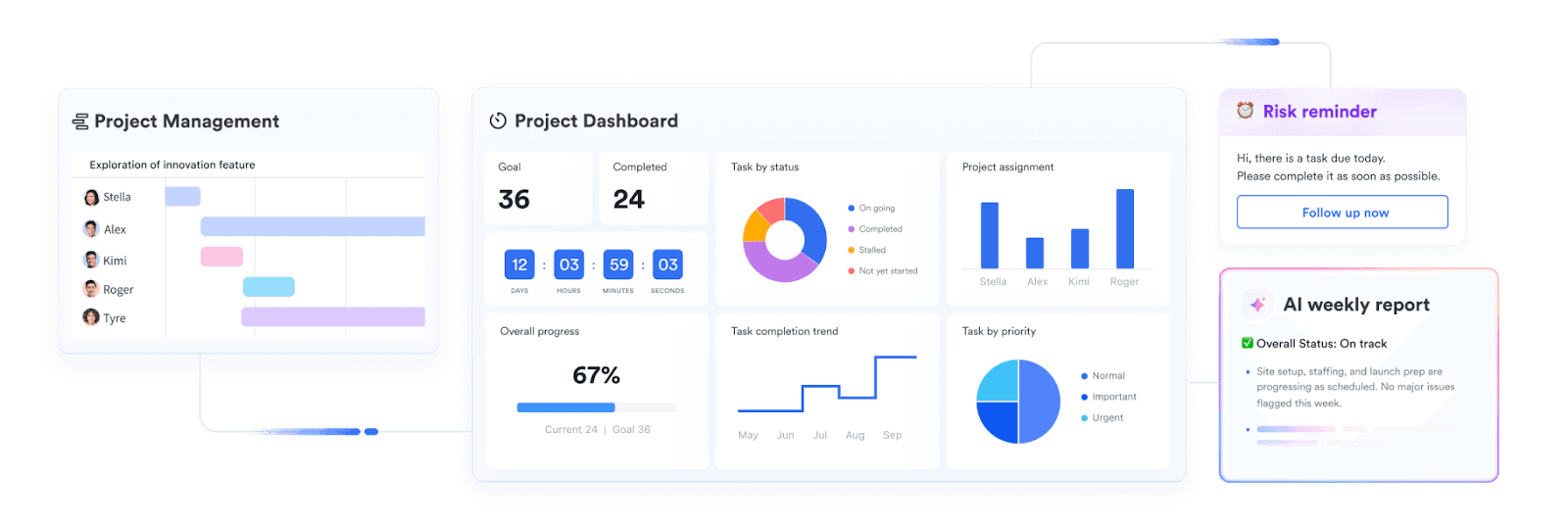
Overview Lark, one of the most versatile project management tools, is an all-in-one collaboration suite that uniquely combines a powerful database-like tool, Lark Base, with Docs, Messenger, and Calendar. Its approach to a work breakdown structure is not as a standalone chart but as a living, collaborative database at the center of your project workspace. This allows teams to build a detailed WBS and connect it directly to every conversation, document, and approval, creating a single source of truth for project scope and execution.
Key features
Flexible hierarchical structure: In Lark Base, you can easily create parent-child relationships to form a multi-level WBS. Each row can represent a deliverable or work package, and you can indent items to build out the hierarchy visually.
Customizable WBS dictionary: You can add custom fields to serve as your WBS dictionary. Create columns for "WBS Code," "Description," "Acceptance Criteria," "Budget," and "Owner," ensuring all critical scope information lives directly within the structure itself.
Multiple views for different stakeholders: A single WBS in Lark Base can be viewed in multiple ways without altering the data. Use the Grid view for a spreadsheet-like feel, a Gantt view to visualize the timeline and dependencies, or a Kanban view to track the status of work packages.
 Integrated documentation and communication: This is where Lark stands out. You can @-mention a specific work package from your WBS directly in a chat or a Lark Doc. This means you can discuss a deliverable with your team, and the conversation is automatically linked back to the WBS item for context. The WBS dictionary can even be a rich Lark Doc embedded within a record.
Integrated documentation and communication: This is where Lark stands out. You can @-mention a specific work package from your WBS directly in a chat or a Lark Doc. This means you can discuss a deliverable with your team, and the conversation is automatically linked back to the WBS item for context. The WBS dictionary can even be a rich Lark Doc embedded within a record.
 Automation for governance: Set up automated workflows to support your WBS process. For example, automatically assign an owner when a work package is created, send a reminder when a due date is approaching, or notify a project manager when a deliverable is marked for review.
Automation for governance: Set up automated workflows to support your WBS process. For example, automatically assign an owner when a work package is created, send a reminder when a due date is approaching, or notify a project manager when a deliverable is marked for review.

- Starter plan: Free forever plan that includes 11 powerful tools for up to 20 users. It also comes with 100GB of storage, 1000 automation runs, AI translations, and more.
- Pro plan: $12/user/month (billed annually) for up to 500 users. It includes everything in Starter plus group calling for up to 500 attendees, 15TB of storage, 50,000 automation runs, and more.
- Enterprise plan: Contact sales for custom pricing. Supports unlimited users and includes even more automation runs and advanced security, compliance, and management features.
 👉Try Lark’s Savings Calculator: Switching to Lark’s Pro plan can lead to significant cost savings— for example, a 100-employee company using Slack, Google Workspace, and Airtable could save approximately $25,200 annually by consolidating their tools with Lark.
👉Try Lark’s Savings Calculator: Switching to Lark’s Pro plan can lead to significant cost savings— for example, a 100-employee company using Slack, Google Workspace, and Airtable could save approximately $25,200 annually by consolidating their tools with Lark.Reviews
Users frequently praise Lark for centralizing their work, highlighting how connecting their WBS in Base to chats and docs eliminates tool-switching and keeps everyone aligned.
Best for
Teams seeking a unified platform to build a collaborative work breakdown structure and manage the entire project lifecycle in one place.
2. Microsoft Project: For enterprise-grade project control
 Image source: microsoft.com
Image source: microsoft.comOverview
Microsoft Project is the long-standing industry heavyweight for formal project management. It treats the WBS as a foundational element for scheduling, resource allocation, and cost control, offering unparalleled depth for traditional, large-scale projects.
Key features
WBS code generation: Automatically generates and maintains hierarchical WBS codes for every task and deliverable.
Baseline management: Easily set and compare multiple baselines to track scope changes against the original plan.
Earned value management (EVM): Provides robust, built-in tools for calculating cost and schedule variances based on the WBS.
Limitations
The interface can feel dated and complex for new users, and its real-time collaboration features are less fluid than modern cloud-native tools.
Price
Cloud-based plans start at around $10 per user/month, with more powerful desktop versions priced higher.
Reviews
Users value its power and precision for managing complex project scopes, though many note its steep learning curve.
Best for
Certified project managers and large enterprises requiring rigorous, PMBOK-aligned project controls.
3. Smartsheet: For a powerful, spreadsheet-driven WBS
 Image source: smartsheet.com
Image source: smartsheet.comOverview
Smartsheet brings the familiarity of a spreadsheet to project management, but with far more power. Its grid-based interface is a natural fit for creating an indented, hierarchical work breakdown structure.
Key features
Row hierarchy: Creating the WBS is as simple as indenting rows, which automatically establishes parent-child relationships.
Automated workflows: Build rules to automate actions like sending approval requests or updating status based on changes in the WBS.
Dashboard and reporting: Roll up data from your WBS into real-time dashboards for stakeholder visibility.
Limitations
While powerful, it can become expensive as user counts and feature needs grow. The core experience remains spreadsheet-centric, which may not suit all users.
Price
Starts at approximately $7 per user/month (billed annually), with Business and Enterprise plans offering more features.
Reviews
Users love its flexibility and automation capabilities, often describing it as "spreadsheets on steroids."
Best for
Teams that love spreadsheets and need a robust tool to manage a WBS and automate related processes.
4. Miro: For visual WBS brainstorming
 Image source: miro.com
Image source: miro.comOverview
Miro is a digital whiteboard designed for real-time collaboration. It excels at the initial, creative phase of building a work breakdown structure through mind mapping and visual brainstorming before the details are formalized.
Key features
Mind map templates: Start your WBS with a central idea and branch out visually to define deliverables and work packages.
Infinite canvas: Provides unlimited space for teams to break down complex scopes without constraints.
Integration with task tools: Convert shapes and nodes from your visual WBS into tasks in tools like Jira or Asana.
Limitations
Miro is not a project management tool. It lacks features for scheduling, dependency tracking, and detailed management of the WBS post-planning.
Price
Offers a free plan for basic use; paid plans start at around $8 per user/month (billed annually).
Reviews
Teams praise Miro for its ability to unlock creative thinking and facilitate collaborative planning workshops remotely.
Best for
Facilitating collaborative workshops to visually map out a project's scope before execution.
5. Jira: For an agile development WBS
 Image source: atlassian.com
Image source: atlassian.comOverview
Jira is the go-to tool for agile software development. While not a traditional WBS tool, its native hierarchy of Epics, Stories, and Sub-tasks serves as an effective, iterative work breakdown structure for development teams.
Key features
Issue hierarchy: The Epic -> Story -> Sub-task structure naturally breaks down large features into manageable chunks of work.
Backlog grooming: The backlog acts as a dynamic list where the WBS can be continuously refined and prioritized.
Scrum and Kanban boards: Visualize the status of WBS components as they move through the development lifecycle.
Limitations
Its terminology and structure are heavily geared toward software development, making it less intuitive for non-technical or waterfall projects.
Price
Has a free plan for up to 10 users; standard plans start around $8.50 per user/month.
Reviews
Development teams consider it indispensable for managing their workflow, but others find it overly complex for general project management.
Best for
Agile software teams that need a WBS structure that aligns directly with their sprints and development backlog.
6. GanttPRO: For a timeline-focused WBS
 Image source: ganttpro.com
Image source: ganttpro.comOverview
GanttPRO is a project management tool built around the Gantt chart. For users of this tool, the work breakdown structure is the very foundation of the project timeline, with every task and dependency visually mapped out.
Key features
Interactive Gantt chart: Building your WBS is an intuitive drag-and-drop process of creating tasks and indenting them to form a hierarchy.
Dependency management: Easily create finish-to-start, start-to-start, and other dependencies between WBS elements.
Critical path analysis: Automatically highlights the sequence of tasks that determines the project's total duration.
Limitations
The focus is heavily on the Gantt chart view, which may feel restrictive for teams that prefer other visualization methods like Kanban boards.
Price
Team plans start at approximately $8 per user/month when billed annually.
Best for
Project managers who plan and manage their projects primarily through a timeline and critical path.
7. Basecamp: For a simple, list-based WBS
 Image source: basecamp.com
Image source: basecamp.comOverview
Basecamp prioritizes simplicity and clear communication over complex features. It handles a work breakdown structure through its To-Do Lists, which can be organized to represent deliverables and their associated tasks.
Key features
Hierarchical to-do lists: Create a main list for each major deliverable and add to-dos for the work packages within it.
Centralized communication: Every to-do list has its own message board, ensuring discussions about scope are kept in context.
File and document sharing: Attach specs, mockups, or other files directly to the relevant part of your WBS.
Limitations
It lacks Gantt charts, dependency management, and any form of advanced project controls, making it unsuitable for complex projects.
Price
Starts at a flat rate of $15 per user/month.
Reviews
Users appreciate its simplicity and focus on communication, but acknowledge it's not built for formal or complex project management.
Best for
Small teams and agencies that need a simple, communication-first way to organize project work.
8. ProjectManager: For a dedicated WBS planning view
 Image source: projectmanager.com
Image source: projectmanager.comOverview
ProjectManager is a well-rounded project management tool that offers a dedicated, visual work breakdown structure feature. It allows teams to mind map their project scope and then seamlessly convert it into an executable plan.
Key features
WBS mind map view: Visually break down your project into deliverables and tasks in a dedicated brainstorming view.
One-click conversion: Convert your WBS mind map into a Gantt chart or task list with a single click.
Multiple project views: Switch between Gantt, Kanban, and list views to manage the plan created from your WBS.
Limitations
Some users find the interface to be less polished and intuitive compared to newer competitors in the market.
Price
Team plans start at $13 per user/month (billed annually).
Reviews
Users who appreciate a formal planning process often praise the dedicated WBS view as a great starting point for building a detailed project plan.
Best for
Teams wanting a traditional project management tool that provides a specific, visual feature for WBS creation.
How to use work breakdown structure software to grow your business
Improve project success rates and client retention
Successful projects lead to happy clients, repeat business, and powerful referrals. WBS software minimizes scope creep and budget overruns by creating an unambiguous source of truth. When clients and teams are perfectly aligned on deliverables from day one, projects are delivered on time and on budget, building the trust that fuels growth.
Scale operations without the chaos
Growth means taking on more projects. WBS software allows you to scale gracefully by using templates and reusable work package libraries. Instead of starting from scratch every time, you can standardize your project kickoffs, ensuring quality and consistency even as your workload increases. This efficiency allows you to take on more clients without overwhelming your team.
Boost team productivity and profitability
Clear ownership is profitable. When a WBS clearly assigns every work package to a specific owner, confusion and delays are eliminated. Integrating your WBS with resource management tools ensures you are deploying your most valuable asset to your team effectively. Over time, this reveals capacity insights, helping you optimize resource allocation and maximize billable hours.
Make smarter, data-driven business decisions
Integrated WBS software provides real-time visibility into project health, team performance, and resource utilization across your entire portfolio. This data empowers leaders to move beyond guesswork. You can make informed decisions on pricing new projects, planning capacity for future growth, and identifying your most profitable service offerings.
Conclusion
Choosing the right work breakdown structure software is about finding the platform that best clarifies your scope and integrates with your team’s daily work. The goal is to transform the WBS from a static planning artifact into a dynamic, central hub for project execution and communication. Whether you need the rigorous control of traditional tools or the flexibility of modern platforms, the key is to adopt a system that reduces ambiguity and keeps everyone aligned. For teams looking to unify their planning, communication, and execution, an all-in-one platform like Lark provides a powerful and seamless way to bring your WBS to life.
FAQs
What software is used for WBS?
Teams use a wide range of tools, from dedicated project management software like Microsoft Project to visual whiteboards like Miro. For a truly integrated approach, modern all-in-one platforms like Lark are excellent, as they allow you to build the WBS directly alongside your team's communication and documents.
What is the work breakdown structure of software?
In a software project, a WBS typically breaks down the final product into major features or modules (epics). These are further decomposed into smaller, deliverable user stories and finally into specific work packages or sub-tasks that the development team can build and test.
Can you create a WBS in Excel?
Yes, you can create a basic WBS in Excel using indented rows to show the hierarchy and adding columns for your WBS dictionary. However, it lacks automation, real-time collaboration, and integration with other project management functions, making it difficult to maintain as a single source of truth.
Can Microsoft Project create a WBS?
Yes, Microsoft Project is exceptionally good at creating a detailed, formal WBS. It includes features for auto-generating WBS codes, setting baselines to track changes, and integrating the structure directly with schedule and cost management, making it a top choice for traditional project managers.
Related reading
Table of contents
Start using Lark today

Manage all your work in one place
Boost team efficiency by 10x
Save up to 70% on software costs
Table of contents
Start using Lark today
Manage all your work in one place
Boost team efficiency by 10x
Save up to 70% on software costs
Keep reading








2026 Lark Technologies Pte. Ltd.
Headquartered in Singapore with offices worldwide.






Explore: