From internal off-sites to large conferences, every event involves dozens of moving parts. Tasks, vendors, timelines, budgets, and communications must all align to deliver a smooth experience. Without structure, deadlines slip, details get lost, and costs rise unexpectedly.
That's why many teams use an event organizer template. Instead of starting from scratch each time, a template offers a repeatable system for planning, tracking, and executing events. It centralizes tasks, responsibilities, and budgets in one place, helping teams stay on schedule. Tools like Lark make it easier to keep these templates collaborative, organized, and accessible throughout the entire planning process.
What is an event planning template?
An event planning template is a structured document or digital workspace used to organize every aspect of an event. It acts as a central system where planners can track tasks, budgets, timelines, vendors, and communication notes in one place. Instead of from scratch for each event, teams rely on an event organizer event planner template to follow a consistent, repeatable process.
These templates are often created in spreadsheets, documents, or collaborative platforms. A common example is an Excel event organizer event planner template, which allows planners to manage task lists, cost breakdowns, guest details, and schedules in a familiar format. More advanced templates may include automation, task assignments, and .
5 key components of an effective event planning organizer template
An effective event planning organizer template provides a clear structure for managing every stage of an event. It helps teams stay aligned on timelines, responsibilities, budgets, and communications. With the right components in place, organizers can reduce confusion and execute events more smoothly.
- Event timeline and milestones: A clear timeline maps out key dates, milestones, and checkpoints from planning to post-event wrap-up. It ensures that critical steps like bookings, promotions, and rehearsals happen on schedule. Many teams build this structure using an Excel event organizer template to visualize deadlines and dependencies.
- Task ownership and deadlines: Assigning each task to a specific owner prevents confusion and missed responsibilities. Clear deadlines create accountability and make it easier to track progress across teams. In a shared event organizer website template, can be updated in real time, so everyone stays informed.
- Vendor and venue details: Keeping all vendor and venue information in one place avoids last-minute searches and miscommunication. Contact details, contracts, payment terms, and setup requirements should be easy to access. This central record helps organizers coordinate smoothly with caterers, decorators, and venue managers.
- Budget tracking and approvals: A budget section allows teams to monitor estimated versus actual costs. It also helps for deposits, vendor payments, and marketing spend. With clear visibility into finances, organizers can control expenses and avoid unexpected overruns.
- Communication notes and updates: A dedicated space ensures important discussions, changes, and decisions are documented. This prevents repeated conversations and keeps everyone aligned with the latest updates. Centralized communication records also help teams quickly brief new members or vendors.
Organize your entire event in one place
Ready-to-use event organizer event planner template
A ready-to-use event organizer template provides teams with a practical starting point rather than building plans from scratch. It provides a , tasks, budgets, and vendor details. With a prebuilt format, organizers can focus more on execution than setup. This helps teams move faster while maintaining consistency across different events.
Event planning
An event planning template provides a structured framework for organizing timelines, tasks, budgets, and vendor details in one place. It helps teams stay aligned, track progress, and reduce last-minute confusion. With a clear template, organizers can plan events more efficiently and repeat the process for future projects.
Event planning mind map
An event planning mind map visually organizes all elements of an event around a central theme. It helps teams brainstorm ideas, connect tasks, and see how different components—like logistics, marketing, vendors, and budgets—relate to each other. This format makes complex plans easier to understand and adjust as the event evolves.
Web3 event planning
A Web3 event planning template is designed for blockchain, crypto, or decentralized technology events. It helps organizers manage unique elements, including speaker lineups, community partnerships, token-based access, sponsor integrations, and digital promotions. With a structured template, teams can coordinate technical setups, , and on-site logistics more efficiently.
Media event planning guide
A media event planning guide template helps teams organize press-focused events with clarity and precision. It typically includes sections for press lists, invitation schedules, briefing notes, run-of-show timelines, and spokesperson coordination. With a structured template, organizers can manage media interactions, ensure consistent messaging, and deliver a smooth experience for journalists and attendees.
Press release distribution plan for events
A press release distribution plan for events template helps teams schedule, track, and manage how event announcements are shared with media outlets. It usually includes sections for target publications, contact lists, distribution dates, messaging angles, and follow-up actions. With a structured template, organizers can coordinate outreach, monitor coverage, and ensure the event receives consistent and timely media attention.
Press event itinerary for journalists
A press event itinerary for journalists template outlines the full schedule and key details reporters need during the event. It typically includes arrival times, , interview slots, speaker information, and contact points for media support. With a clear itinerary, journalists can navigate the event easily, stay on schedule, and focus on covering the most important moments.
Event planning checklist for media
An event planning checklist for media template helps teams prepare every detail required for smooth press coverage. It typically includes items such as media invitations, press kits, spokesperson briefings, interview schedules, and technical setup. With a , organizers can ensure nothing is missed and create a professional, well-coordinated experience for journalists.
Event planner template
Smartsheet's templates are highly functional, focusing on the "workback schedule" method to ensure you hit your final deadline. It excels at defining task dependencies (e.g., "you can't book the caterer until the venue is secured") and setting milestones.
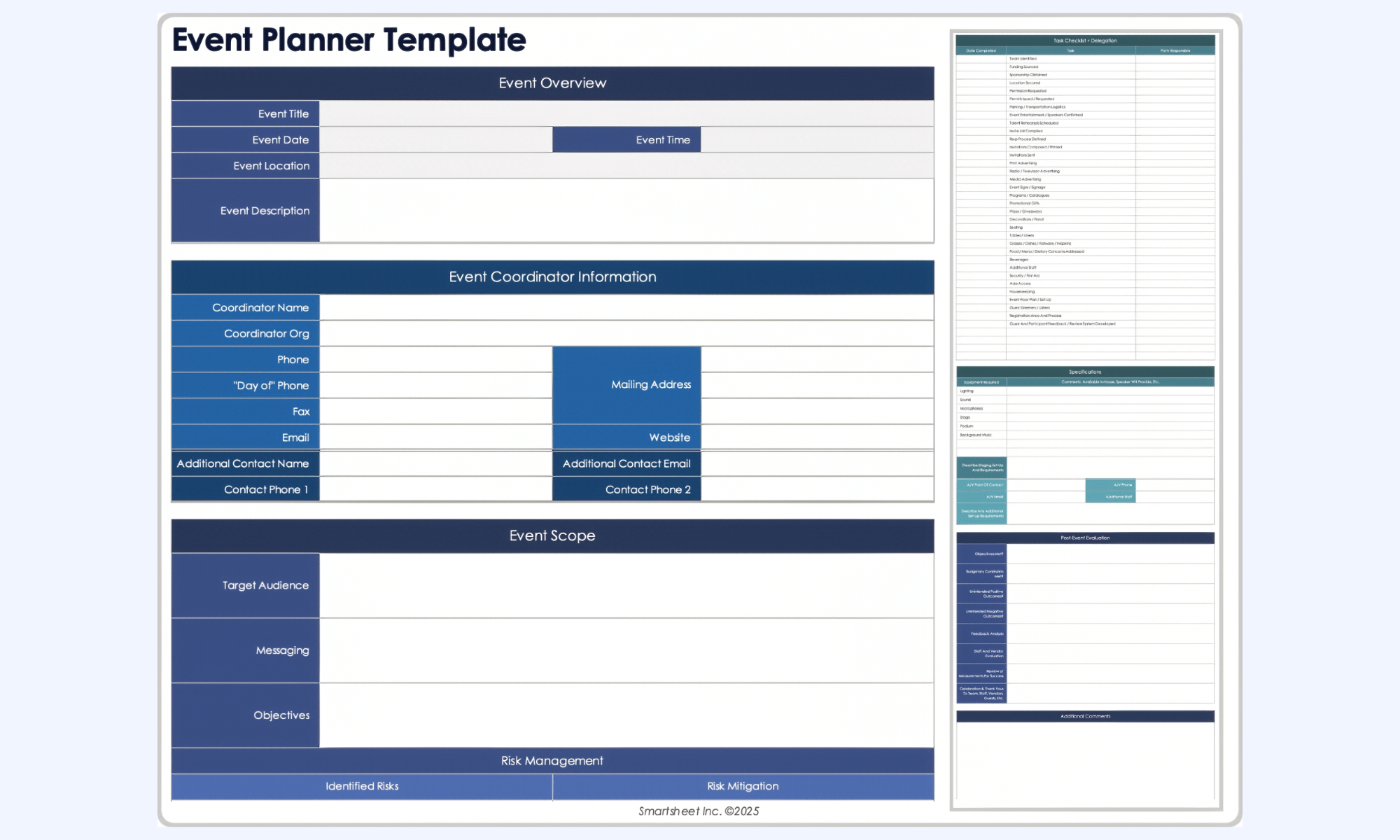
Image source: smartsheet.com
Event plan template
This template is built for planners who want a high-level visual of their event's lifecycle. ProjectManager.com provides a structured framework that bridges the gap between a static Excel sheet and professional PM software.
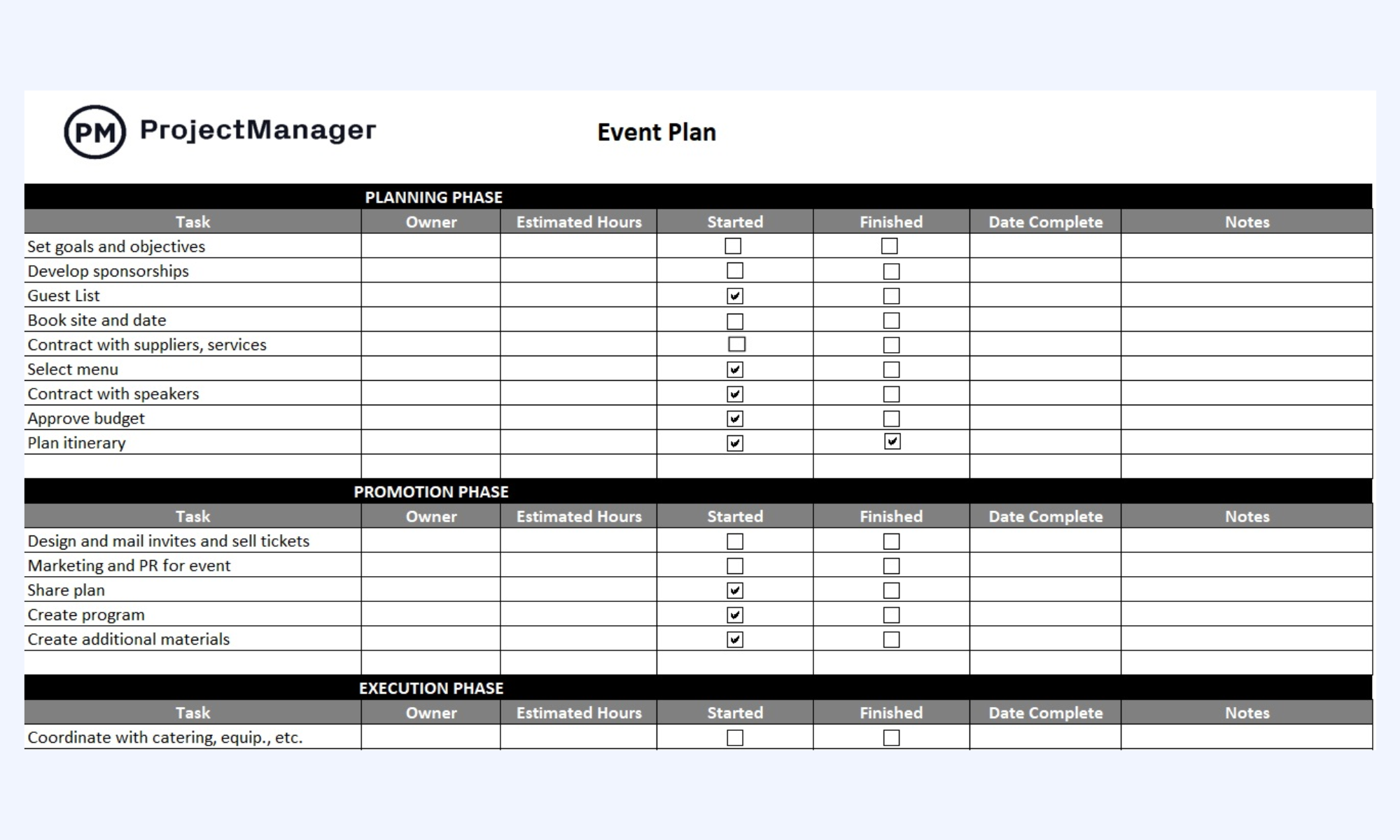
Image source: projectmanager.com
Event planning timeline
Unlike the spreadsheet-heavy options above, Creately focuses on a "diagram-first" approach. This template is ideal for the early stages of planning when you need to communicate the overall flow of an event to a team or client in a way that is easy to digest.
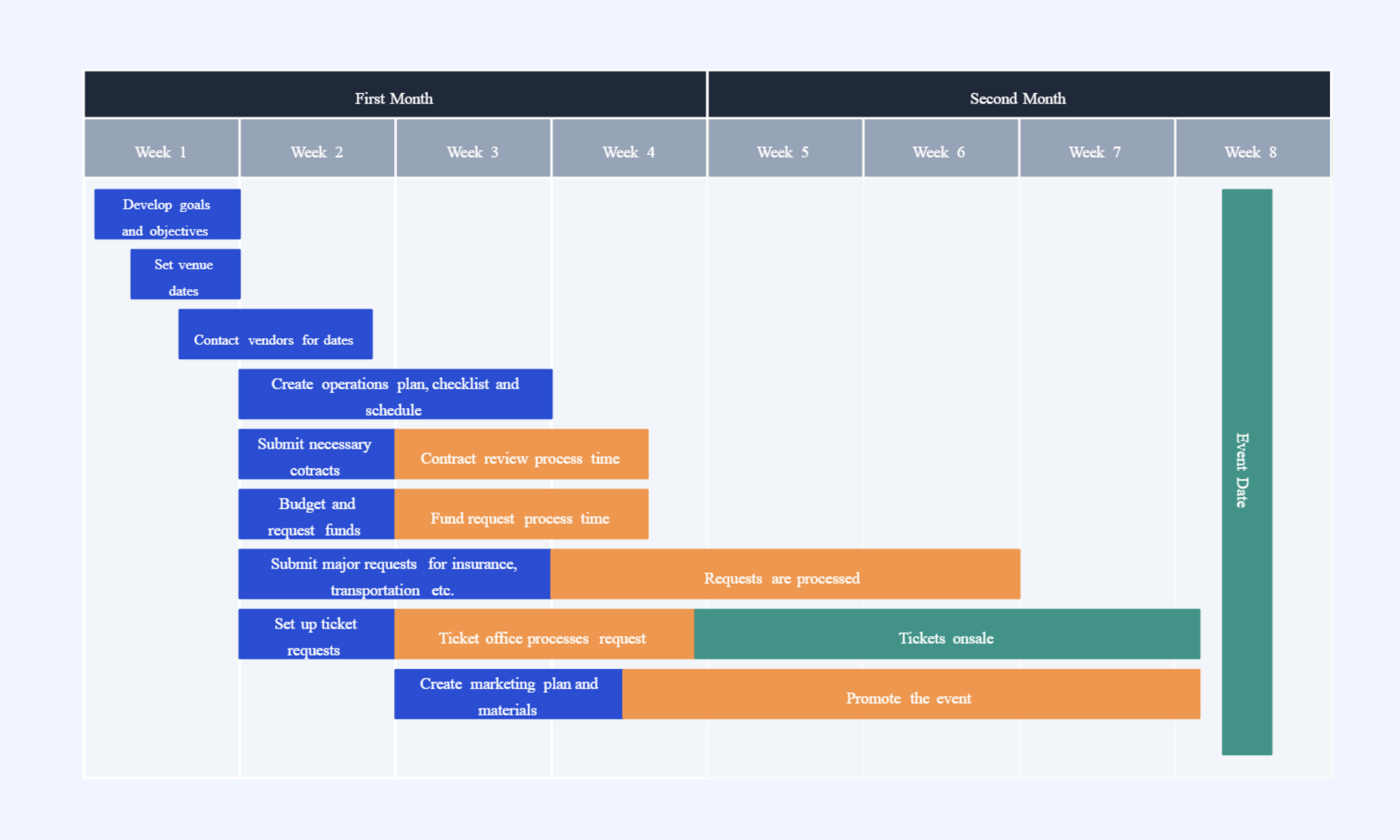
Image source: creately.com
Adapting templates for different event types
Adapting templates for different event types helps teams handle unique goals, audiences, and logistics. While the core structure remains similar, each event category requires specific sections and priorities. Customizing the template ensures smoother planning and more relevant tracking.
- Corporate events and conferences: Corporate events often involve multiple speakers, sessions, and vendor contracts. An event organizer contract template helps track agreements, payment terms, and . This ensures legal clarity and smooth coordination with venues, sponsors, and service providers.
- Marketing and promotional events: Marketing events focus on brand visibility, lead generation, and audience engagement. Planners often use an event organizer Excel template to track campaign timelines, budgets, and promotional tasks. This helps teams align marketing efforts with event milestones.
- Internal team events and off-sites: Internal events prioritize , collaboration, and logistics. Templates for these events often include travel details, activity schedules, and team assignments. A simplified structure keeps planning efficient without unnecessary complexity.
- Client-facing or public events: Public or client-facing events require careful coordination of guest lists, communications, and on-site experiences. Templates usually include registration tracking, customer touchpoints, and service workflows. This helps teams maintain professionalism and deliver a positive impression to attendees.
Meet Lark: One shared workspace for events, tasks, and documentation
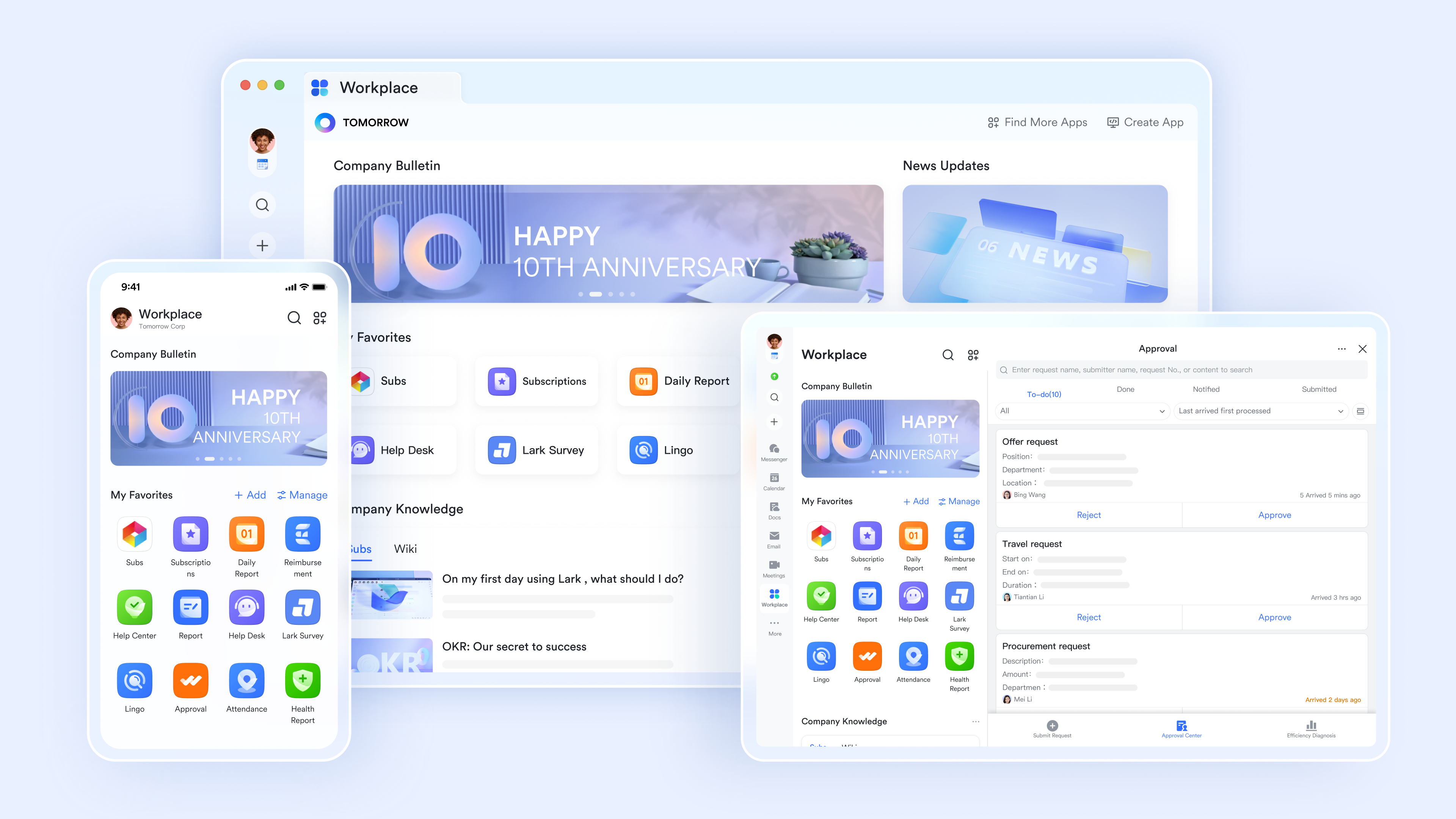
Planning an event involves a chaotic mix of vendor contracts, guest lists, and minute-by-minute schedules. Lark is a unified workspace that bridges the gap from to the final "doors open" moment. By consolidating tools that typically reside in separate tabs—such as group chats, budget spreadsheets, and task lists— ensures event organizers can maintain a 360-degree view of their operations without the friction of context switching.
Comprehensive event command center
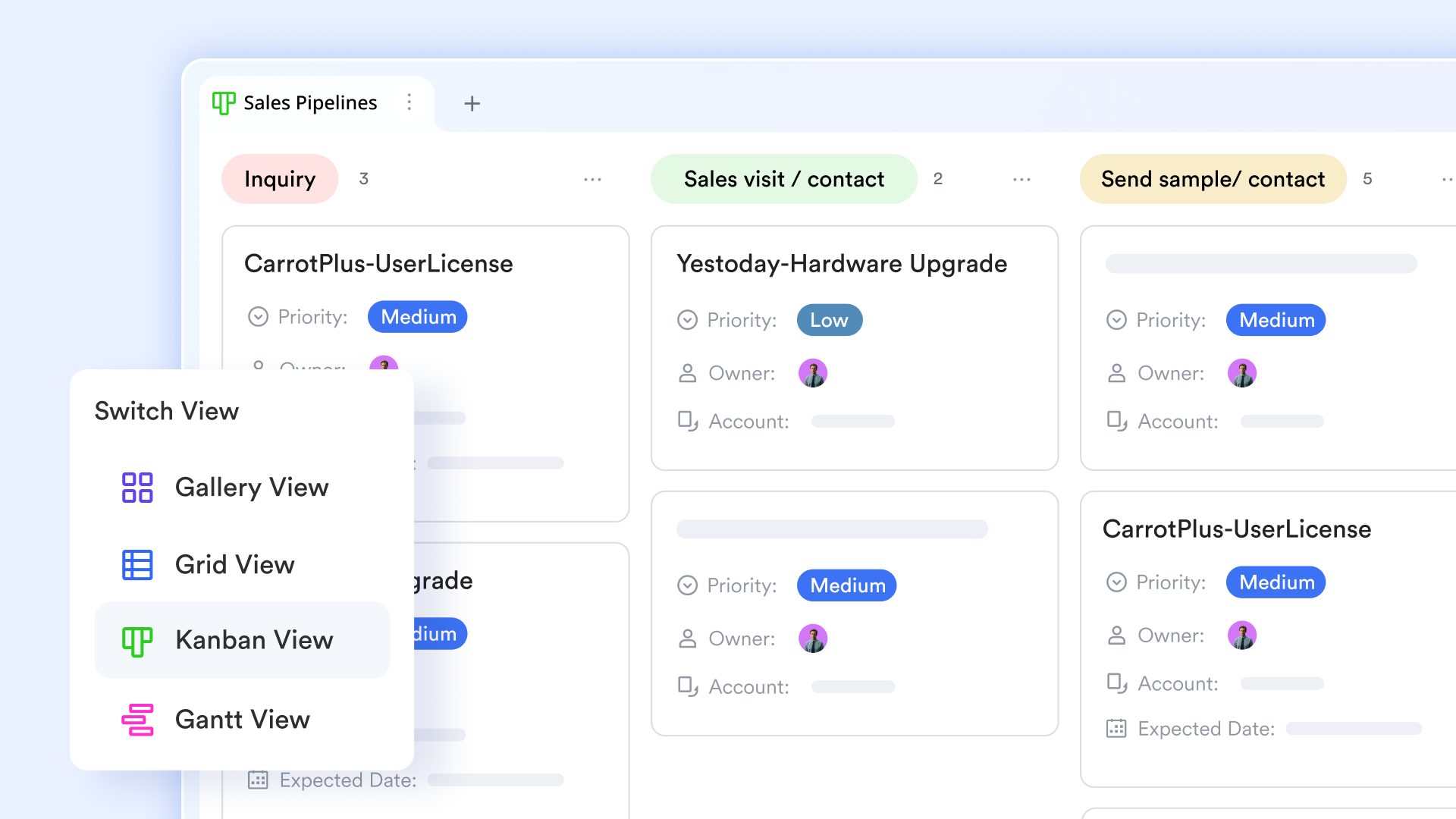
is a powerful relational database that serves as a high-IQ event-organizing template. It allows you to track everything from attendee registrations to catering orders in one place. Unlike static sheets, you can view your data as a Gantt chart to track build-out timelines, a for task status, or a Gallery view for venue photos, ensuring every stakeholder sees exactly what they need.
Contextual communication hub
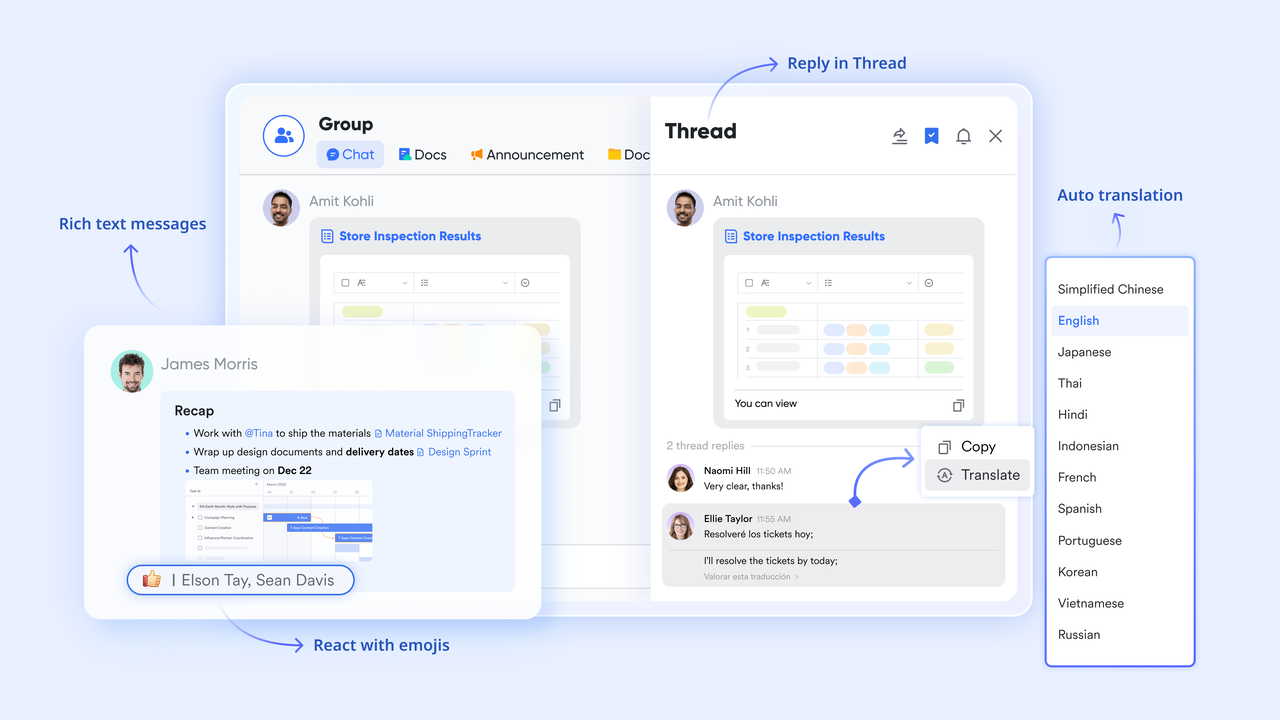
Communication is the lifeblood of event management, and keeps it organized by linking directly to your project data. Instead of digging through endless email threads, organizers can within a specific task or budget item. This ensures that conversations about vendor quotes or equipment rentals stay attached to the relevant records for easy reference.
Collaborative run-of-show and briefings
allows multiple the event's run-of-show, speaker bios, or press releases in real-time. With the ability to embed live Lark Base views or Lark Tasks directly into the document, your briefing notes are never out of date. This ensures that the entire on-site team is working from the latest version of the schedule, even as last-minute adjustments occur. 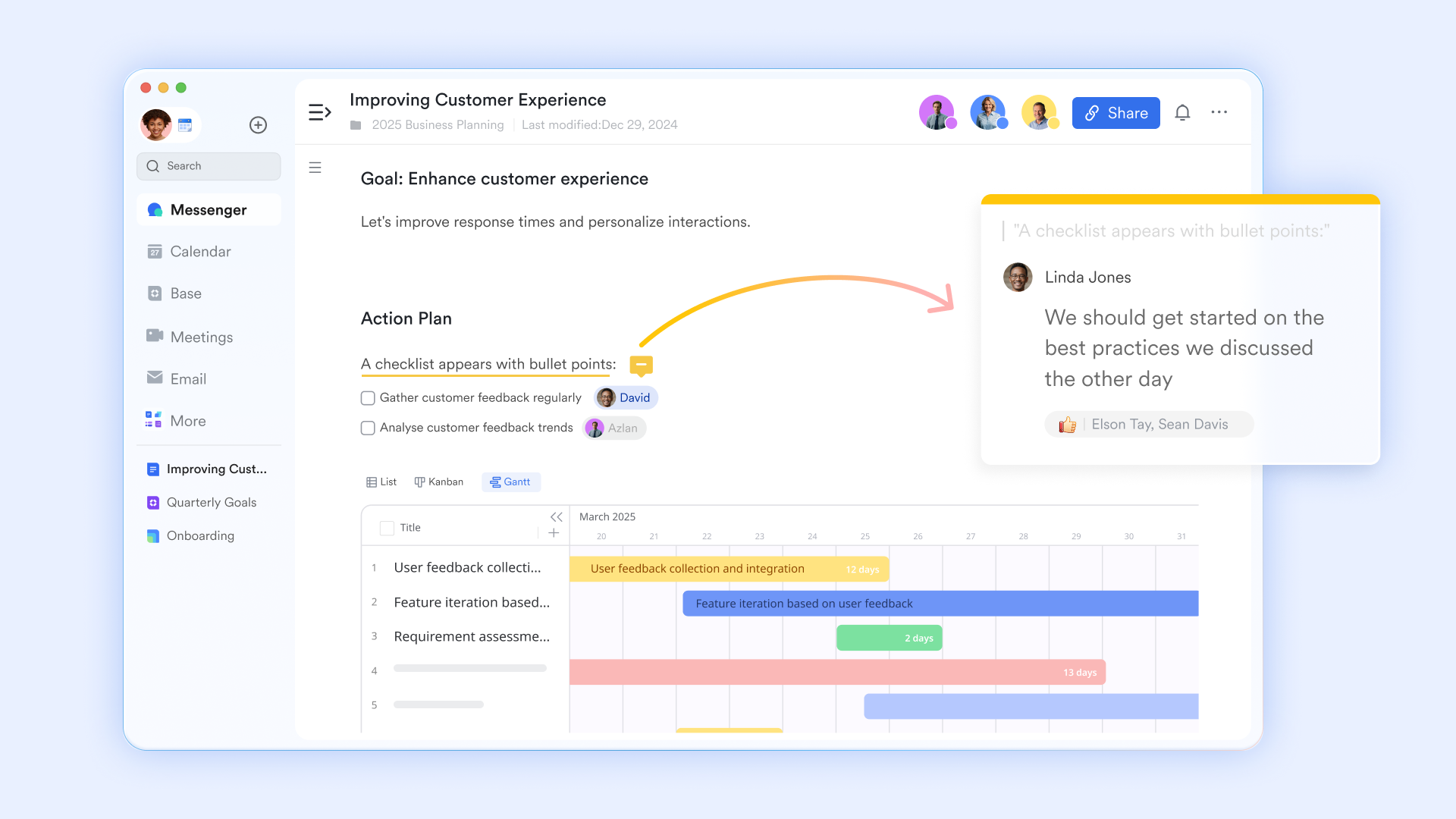
Streamlined budget and vendor sign-offs
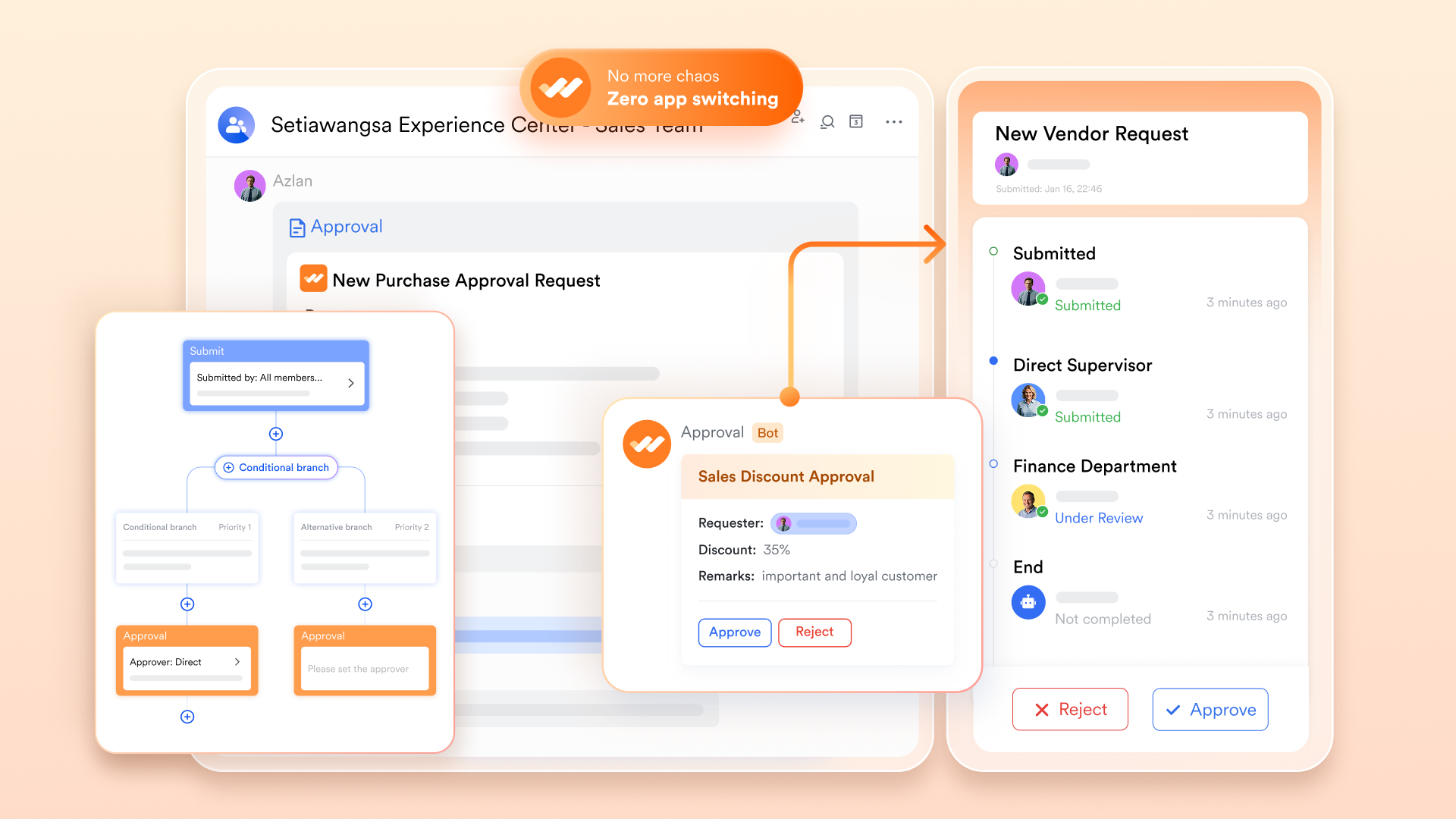
Event planning often involves rapid financial decisions, and ensures those decisions don't get stuck in an inbox. You can create for venue deposits, marketing spend, or contract signatures. Approvers receive notifications in Lark Messenger and can authorize expenditures with a single tap on their mobile device, keeping the project moving at high speed.
Clear execution across the event lifecycle
Lark Tasks ensures that no detail—from the florist delivery to the microphone check—is overlooked. By assigning tasks with specific deadlines and reminders, organizers can across different workstreams. Because Lark Tasks integrates with your calendar and chat, team members receive automated nudges, ensuring that critical milestones are met well before the event date. 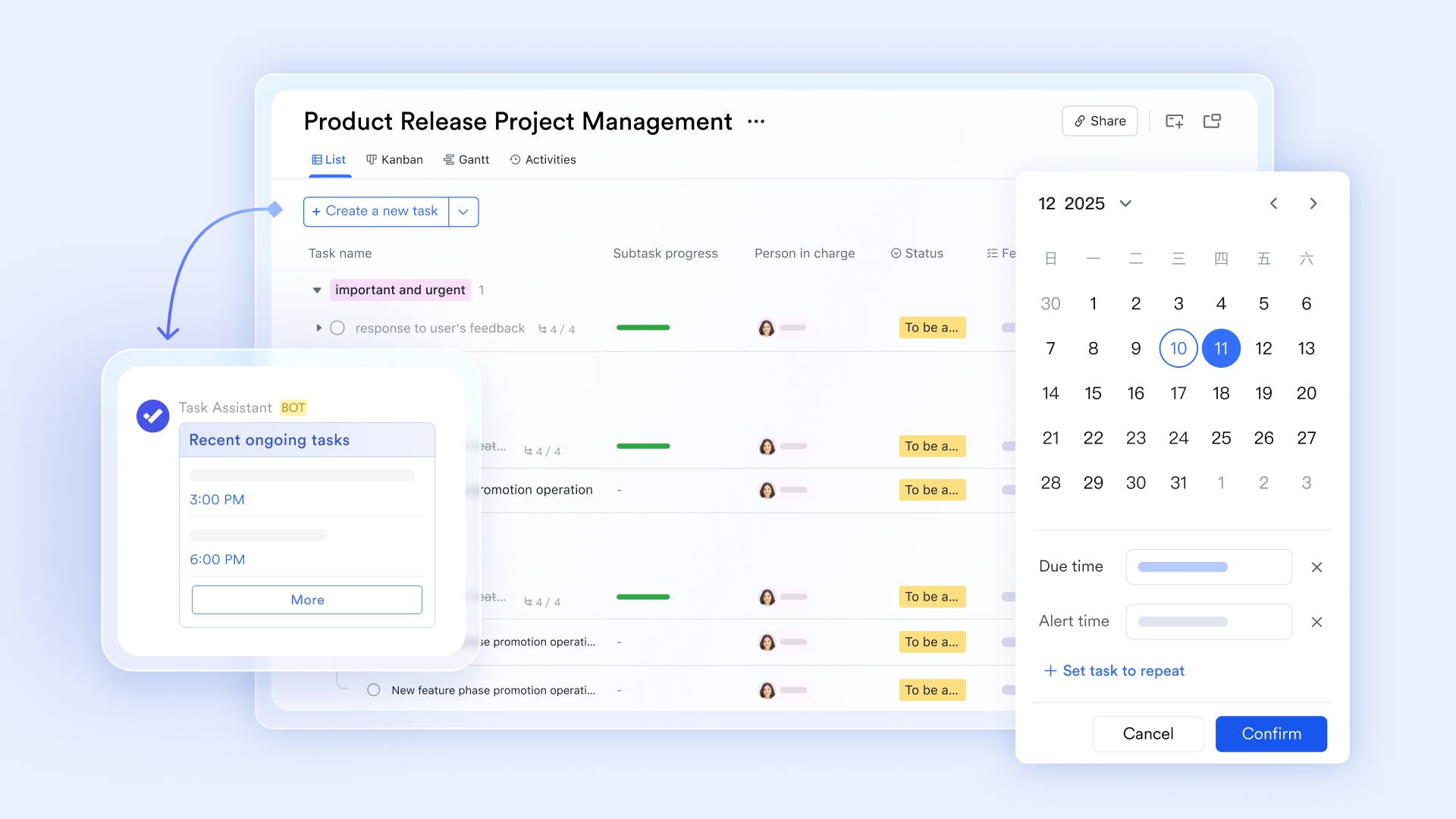
:
- Starter plan: Free forever plan that includes 11 powerful tools for up to 20 users. It also includes 100GB of storage, 1000 automation runs, AI translation, and more.
- Pro plan: $12/user/month (billed annually) for up to 500 users. It includes everything in Starter plus group calling for up to 500 attendees, 15TB of storage, 50,000 automation runs, and more.
- Enterprise plan: for custom pricing. Supports unlimited users and includes even more automation runs and advanced security, compliance, and management features.
For small teams with simple communication needs

18 months message history
1000 Base automation runs/month
2000 rows per table in Base
Most POPULAR
For companies with comprehensive collaboration and management needs
Unlimited message history
500-participant video meetings
50k Base automation runs/month
20k rows per table in Base
For large companies with advanced security and organizational management needs
Get a personalized demo and pricing
Unlimited message history
500-participant video meetings
15 TB storage + 30 GB storage/user
500k Base automation runs/month
50k Base automation runs/month
Most POPULAR
For companies with comprehensive collaboration and management needs
Unlimited message history
500-participant video meetings
50k Base automation runs/month
20k rows per table in Base
Best practices for using event organizer templates at scale
Using event organizer templates at scale requires more than just a standard checklist. As teams handle multiple events, consistency, visibility, and . Following a few best practices ensures templates remain useful, adaptable, and efficient across different projects.
- Standardize the core template structure: Create a master template with consistent sections for timelines, tasks, budgets, and vendors. This ensures every event follows the same planning logic. Standardization makes it easier for teams to understand and adopt the process.
- Customize sections for each event type: Adapt the template to match the specific needs of conferences, promotions, or internal events. Add or remove sections based on audience, scale, and objectives. This keeps the template relevant without making it overly complex.
- Assign clear ownership for every task: Ensure each task has a responsible owner and a deadline. This prevents confusion and improves accountability across teams. Clear ownership also helps track progress more accurately.
- Use shared, real-time collaboration tools: Store templates in a shared workspace where updates are visible to everyone. Real-time access reduces version confusion and improves coordination. It also allows teams to respond quickly to changes.
- Track budgets and approvals centrally: Keep all financial details, estimates, and approvals in one place. This helps avoid overspending and ensures transparency. Centralized also simplifies post-event reporting.
- Review and improve the template after each event: Conduct a short post-event review to identify gaps or inefficiencies. Update the template based on lessons learned. Continuous improvements make future events easier to plan and execute.
Conclusion
An event organizer template brings structure, clarity, and consistency to every stage of event planning. From and timelines to assigning tasks, managing vendors, and tracking budgets, a well-designed template helps teams stay aligned and avoid last-minute surprises. It also makes it easier to repeat successful processes across different event types, whether you're planning a conference, a marketing launch, or an internal offsite. As events grow in size and complexity, having a shared, collaborative workspace becomes even more important.
Tools like allow teams to manage plans, tasks, documents, and communication in one place, reducing confusion and improving coordination. Instead of juggling multiple tools and versions, teams can keep everything connected and up to date. If you're looking to simplify planning and keep every detail organized, try building your next event workflow in Lark.
Keep every event detail under control
FAQs
What are the 5 C's of an event?
The 5 C's of an event are Concept, Coordination, Control, Culmination, and Closeout. These stages cover the entire lifecycle, from initial idea through execution to post-event evaluation. A template event organizer in tools like Lark helps teams structure each phase in a single shared workspace.
What are the 7 P's of event management?
The 7 P's typically include Product, Price, Place, Promotion, People, Process, and Physical evidence. These elements guide how an event is designed, marketed, and delivered to attendees. Using a template event organizer in Lark helps teams track each of these aspects in a clear, organized format.
What's the difference between an event organizer and an event planner role?
An typically focuses on creative and strategic aspects, including themes, experiences, and guest engagement. An event organizer handles logistics, coordination, and execution details. A shared template event organizer in Lark helps both roles collaborate and stay aligned on tasks and timelines.
How do teams manage last-minute changes using templates?
Templates centralize tasks, timelines, and communications, making it easier to adjust plans quickly. Teams can update schedules, reassign tasks, or revise budgets without losing track of details. With a digital template event organizer in Lark, changes are visible to everyone in real time.
Are digital event organizer templates better than Excel files?
Digital templates enable , automation, and easier cross-team tracking. Unlike static spreadsheets, they allow comments, task assignments, and version control in one place. A template event organizer in Lark combines these features while still providing the familiarity of spreadsheet-style views.
Related reading

















