Three weeks before a major event, it's easy to feel overwhelmed: Inbox flooded, spreadsheets multiplying, vendors waiting, speakers slipping on deadlines, and leaders asking for constant updates. At that point, a simple checklist is not enough. You need a structured event project management tool that brings goals, timelines, tasks, and approvals into one place, with clear ownership and real‑time visibility.
In this guide, I'll walk through a practical, list‑based approach to event project management so you can run predictable events, from small customer meetups to large flagship conferences. We'll clarify what event project management really means, why it matters, and which tools actually help—especially modern all‑in‑one collaboration platforms with built‑in chat, docs, calendar, meetings, tasks, approvals, and a no‑code database with automation.
Key takeaways: Best 5 event project management tools
Before we dive deep, here are the top five I would seriously put at the top of any shortlist for event project management, and what each one is best at. I'll go into full detail on all twelve tools later.
- Lark: Built‑in collaboration and no‑code project hub
- Monday.com: Visual boards for cross‑functional event workflows
- ClickUp: Highly customizable tasks and docs for events
- Smartsheet: Spreadsheet‑style planning for complex event portfolios
- Asana: Structured task timelines for event teams
These five combine strong planning capabilities with collaboration and, to different degrees, event-specific features.
What is event project management?
At its core, event project management is the application of principles to the entire event lifecycle, from the initial idea to the final report. Rather than viewing an event as merely a long checklist, it is treated as a structured project with defined goals, a start and end date, a budget, a resource plan, and a clear decision-making model. Additionally, effective event management includes identifying dependencies, risks, success metrics, and conducting a post-event review.
This approach means managing your event as you would any significant strategic initiative. Concepts such as work breakdown structures, critical paths, risk registers, and issue logs are translated into event-friendly documents like run-of-show schedules, , and escalation plans.
Benefits of using event project management process
When you adopt a consistent, structured event project management process, supported by carefully chosen and truly robust event project management software, the benefits show up quickly.
Fewer last-minute crises
A clear plan with defined roles and visible dependencies helps identify risks early, reducing surprises such as unconfirmed speakers or missing permits. This proactive approach emphasizes and mitigation rather than reactive solutions.
Clearer communication and accountability
When tasks, timelines, and decisions reside in a shared system like Lark, everyone can easily see their responsibilities and deadlines. This creates a single source of truth, reducing lengthy and enhancing accountability among team members.
Better alignment with business goals
Events require substantial investment, so leaders need to evaluate their impact. A strong project management approach starts with clear goals and , ensuring outcomes are measurable. This enables teams to track results over merely checking boxes, ensuring that events contribute to overall business objectives.
Less burnout and more sustainable workloads
Robust event distributes tasks evenly and highlights potential overloads early. This approach prevents late nights and last-minute scrambles, fostering a more manageable workload and protecting team well-being.
Experience all these benefits in an all-in-one solution
Detailed analysis of top 12 event project management tools
In this chapter, we'll go through twelve tools that frequently show up in discussions about event project management. Some are pure event platforms; others are broader collaboration or project tools that event teams use as their operational backbone.
1. Lark: Best all‑in‑one project management & collaboration
Overview
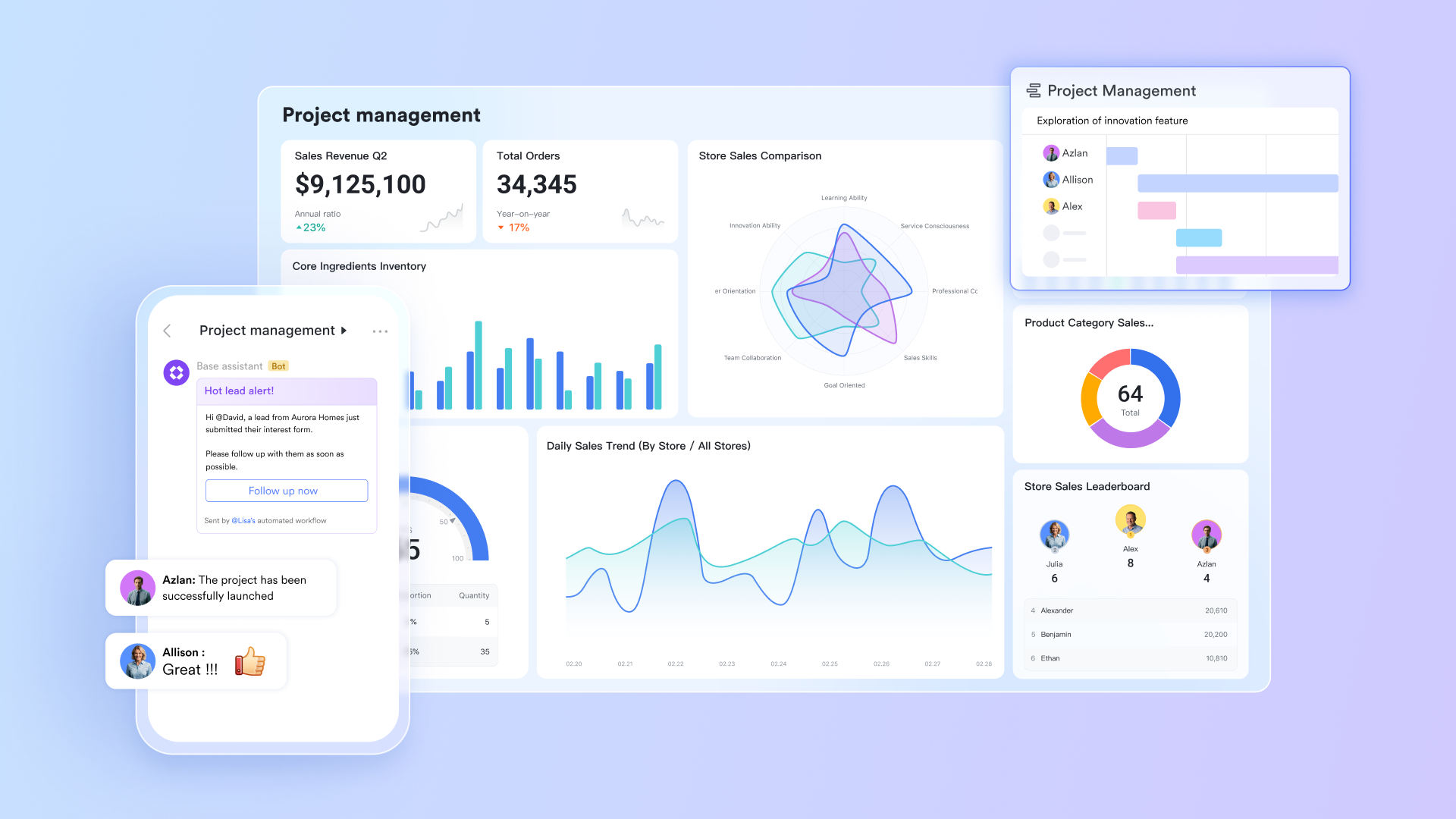
is a modern collaboration platform that brings built‑in chat, docs, calendar, meetings, , no‑code database, automation, and approvals into a single, cohesive workspace. For event teams, that means your project can live entirely inside one environment instead of being spread across multiple disconnected tools.
Rather than relying on integrations between separate apps, Lark focuses on built‑in components that work together by design. This makes it particularly powerful for highly complex event and project management scenarios where misalignment and version confusion are common.
Key features
Centralized event management hub:
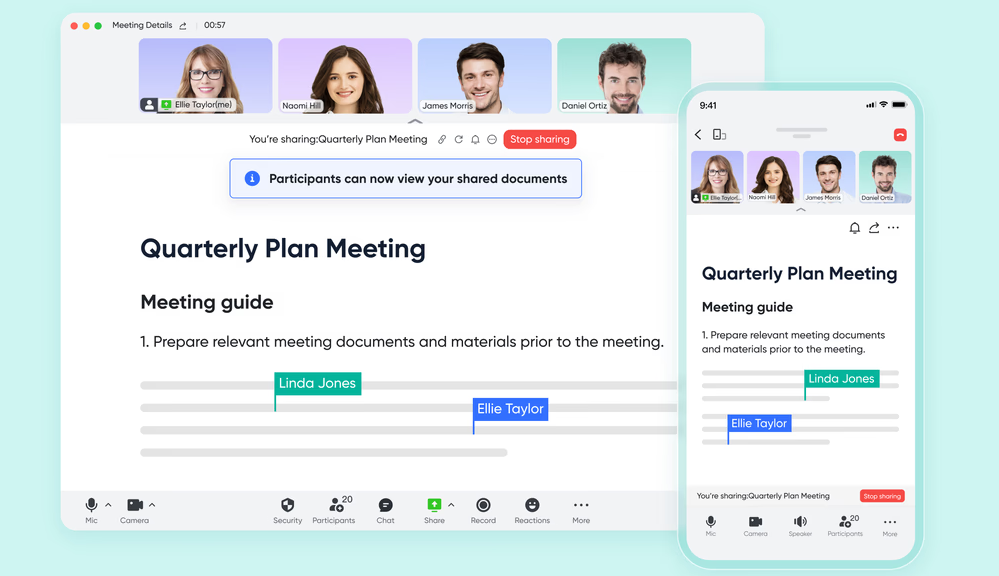
Lark Base serves as an all-in-one platform tailored for event planners, addressing the unique challenges of organizing complex events. It enables teams to create and , workflows, and task lists in one centralized location. With event-specific templates, users can effortlessly , budgets, and timelines. Key features include customizable workflows designed to meet specific project needs, helping teams stay organized and efficiently manage the myriad details of event planning. Lark Base also automates repetitive tasks, reducing the risk of last-minute crises. The intuitive interface allows teams to visualize project data through formats like Kanban boards and , enhancing decision-making and providing a clear overview of progress. This centralized hub , ensuring all team members access the latest updates—crucial when juggling different aspects of events, from logistics to participant engagement. By leveraging Lark Base, organizations can transform the event planning process, minimizing stress and maximizing the potential for successful, well-coordinated events.
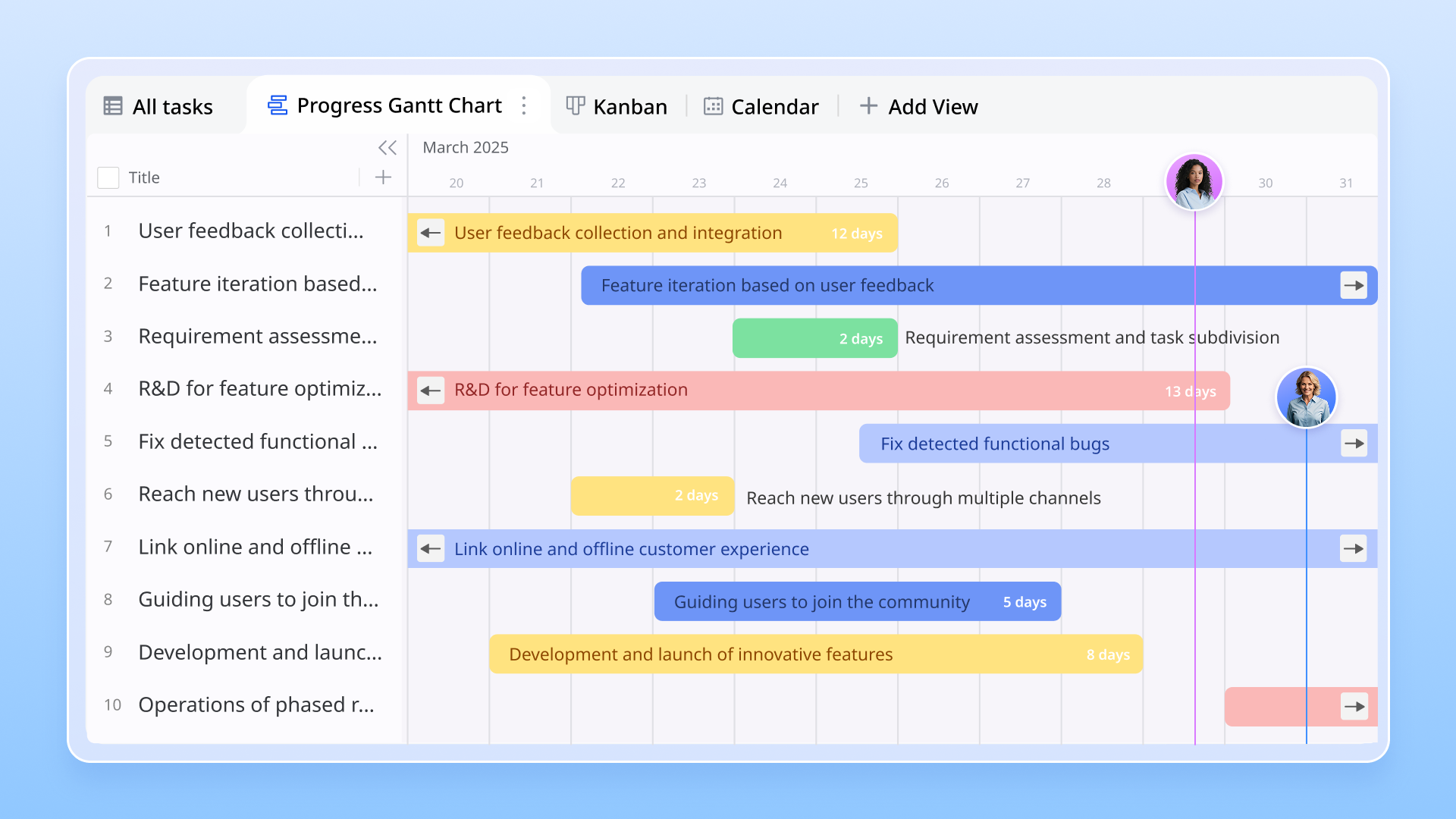
Streamlined communication for teams:
Lark Messenger for event planning teams with real-time messaging and collaboration features. By reducing lengthy email exchanges, team members can quickly share ideas, updates, and feedback through direct messaging and . The built-in connection with other Lark tools ensures that discussions are linked to relevant tasks and projects, addressing common pain points in event management. This collaborative environment is crucial for coordinating logistics, addressing last-minute changes, and ensuring that all team members stay aligned for successful event execution.
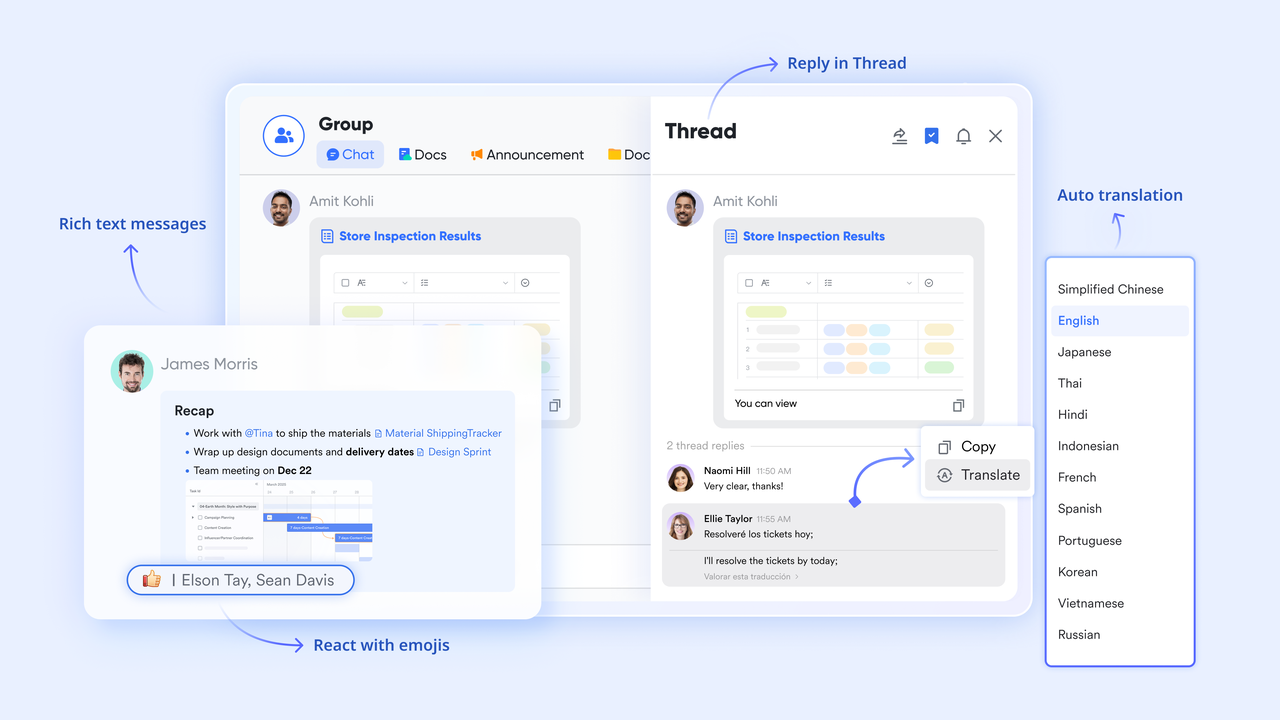
Efficient coordination and collaboration:
Lark Meetings streamlines the organization of virtual events and team gatherings, enabling users to schedule and conduct meetings effortlessly. Additionally, the combination of AI Meeting Notes and Minutes ensures that discussions are accurately captured and easily accessible for future reference.
- : It transforms how teams document discussions during meetings. By automatically generating , it ensures that important points and action items are accurately captured without requiring additional manual input. This allows event planners to focus on strategic discussions rather than note-taking, making it easier to follow up on tasks post-meeting.
- : It combines audio and visual recordings with a smart, searchable, and interactive transcript. Besides, it supports simultaneous interpretation, providing records in both original and target languages for enhanced accessibility and accountability.
Incorporating Lark's suite of tools enhances the event project management process, offering streamlined communication, , and robust documentation capabilities that drive successful event execution.
Who should choose Lark
- Marketing and event teams that want one workspace for planning, communication, and documentation
- Companies running recurring or multi‑region events that need repeatable playbooks
- Organizations tired of juggling separate chat, docs, calendar, task tools, and spreadsheets
- Teams that want to build no‑code event dashboards and without a developer
Pros
- True all‑in‑one hub, with built-in chat, docs, calendar, meetings, email, base, approvals, and automation
- Excellent for distributed teams with real‑time and async collaboration
- Easy to clone an entire workspace as a reusable event template
Cons
- A little learning curve. Although user-friendly, new users may require time to adapt to its functionalities. But can assist users with potential problems.
:
- Starter plan: Free forever plan with 11 powerful tools for up to 20 users, 100GB storage, 1,000 automation runs, AI translations, and more. No credit card needed.
- Basic plan: $6/user/month (billed annually) for up to 500 users. Includes everything in Starter plus unlimited message history, 5TB storage, 1,000 automation runs, and more. Some users may need to to purchase.
- Pro plan: $12/user/month (billed annually) for up to 500 users. Includes everything in Basic plus group calling for up to 500 attendees, 15TB storage, 50,000 automation runs, and more.
- Enterprise plan: for custom pricing. Supports unlimited users and includes advanced automation, security, compliance, and management features.
For small teams with simple communication needs

18 months message history
1000 Base automation runs/month
2000 rows per table in Base
Most POPULAR
For companies with comprehensive collaboration and management needs
Unlimited message history
500-participant video meetings
50k Base automation runs/month
20k rows per table in Base
For large companies with advanced security and organizational management needs
Get a personalized demo and pricing
Unlimited message history
500-participant video meetings
15 TB storage + 30 GB storage/user
500k Base automation runs/month
50k Base automation runs/month
Most POPULAR
For companies with comprehensive collaboration and management needs
Unlimited message history
500-participant video meetings
50k Base automation runs/month
20k rows per table in Base
2. Monday.com: Visual boards for complex event workflows
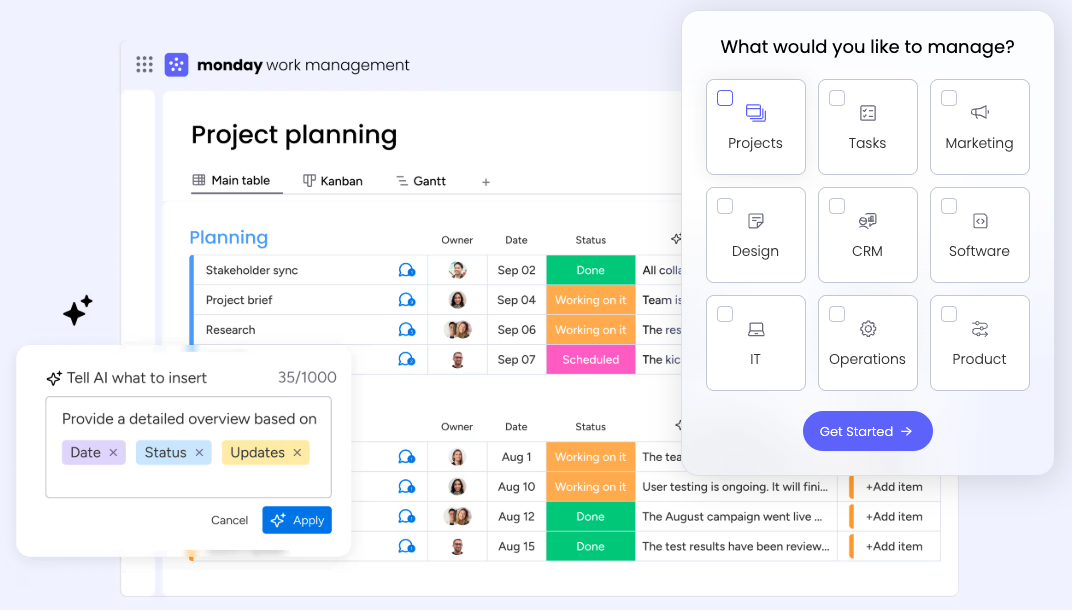
Image source: monday.com
Overview
Monday.com is a highly visual project management platform that many event teams use to track tasks, owners, and timelines. It offers flexible boards, dashboards, and automations that can adapt to different event planning project management workflows.
While not event‑specific, Monday.com's templates and views lend themselves well to tracking milestones, content production, and stakeholder updates across a busy event calendar.
Key features
- Customizable boards with status, owner, deadline, and custom columns
- Timeline and Gantt views suitable for any event management project
- Automations for reminders and status updates
- Dashboards for cross‑project visibility
- Marketplace apps, including some geared toward event use cases
- Who should choose Monday.com
- Teams that like kanban‑style or visual board planning
- Agencies managing multiple client events at once
- Organizations that need flexible workflows but not deep registration features
Pros
- Easy for non‑technical users to get started
- Color‑coded status and timelines make it easy to see bottlenecks
- Can model many different event and project management workflows
- Strong app ecosystem and integrations
Cons
- Collaboration (docs, chat, meetings) still relies on other tools
- Complex boards and automations can become harder to maintain
- Not purpose‑built for attendee registration or on‑site operations
- Costs can scale up quickly for large teams
Pricing
- Free plan: Available for up to 2 users
- Paid plan: Start at $12/month per user (free trial available)
3. ClickUp: Flexible work hub for custom event projects
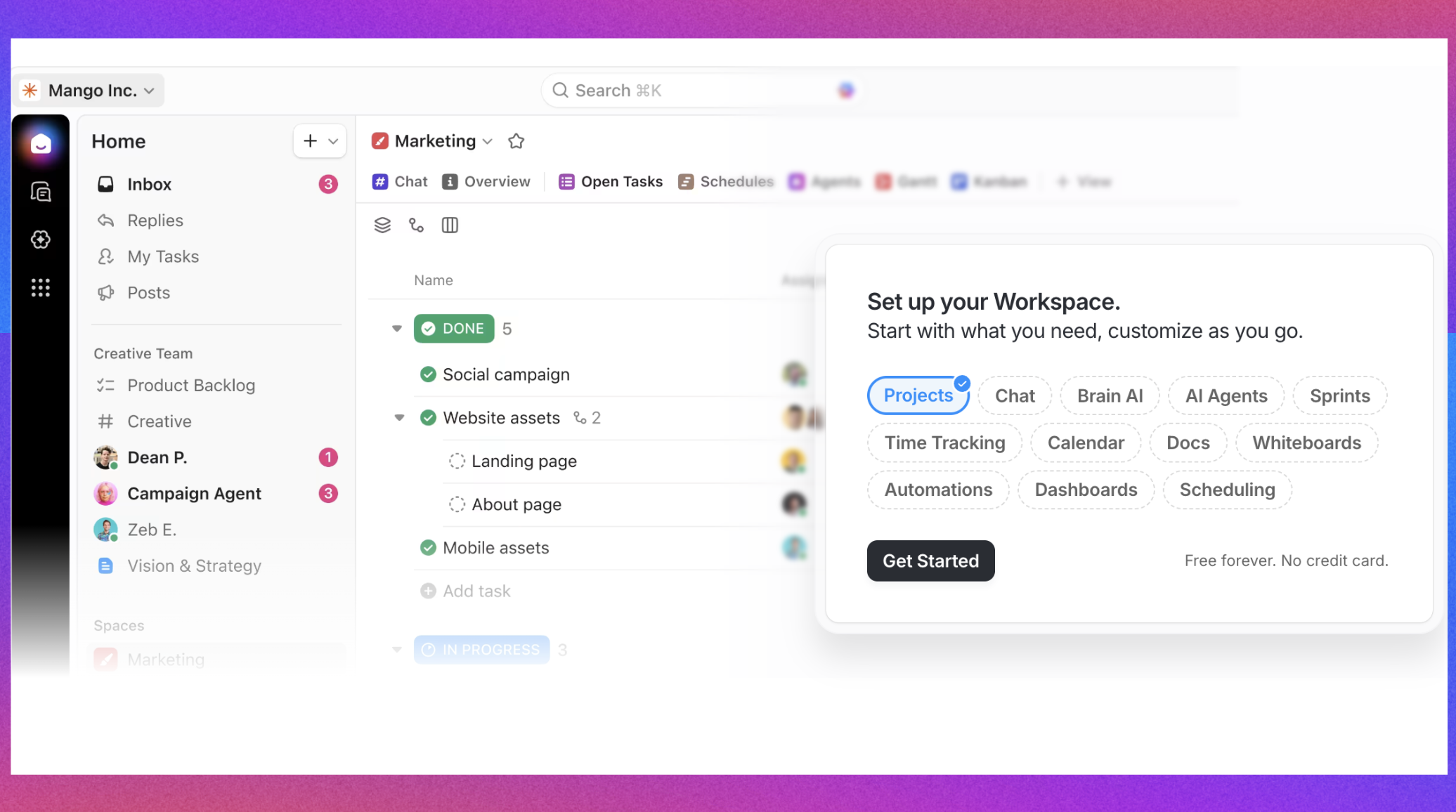
Image source: clickup.com
Overview
ClickUp is a flexible work management platform that combines tasks, docs, whiteboards, and dashboards. It's often used by teams who want one tool to cover many kinds of work, including project management event planning for campaigns and events.
For event planners, ClickUp can effectively serve as a central hub for timelines, checklists, content production, and cross‑team communication, especially when paired with other specialized event tools.
Key features
- Tasks with multiple views: list, board, Gantt, calendar, workload
- Docs and whiteboards for brainstorming and run‑of‑show planning
- Custom fields and statuses for different event phases
- Automations to trigger notifications and status changes
- Goal tracking to align events with business outcomes
Who should choose ClickUp
- Teams that want a highly flexible task and document system
- Event teams that run many types of events and need customizable templates
- Organizations that want to consolidate multiple project tools into one
Pros
- Very flexible for many event management project structures
- Strong hierarchy for organizing events, campaigns, and internal projects
- Built‑in docs make it easier to consolidate information
- Good value for teams that use it as a central work platform
Cons
- Abundance of features and settings can overwhelm new users
- Performance may lag for very large workspaces
- Still requires other tools for registration, on‑site management, and deep analytics
Pricing
- Paid plans: Start at $7 per user/month
4. Smartsheet: Spreadsheet‑style control for event portfolios
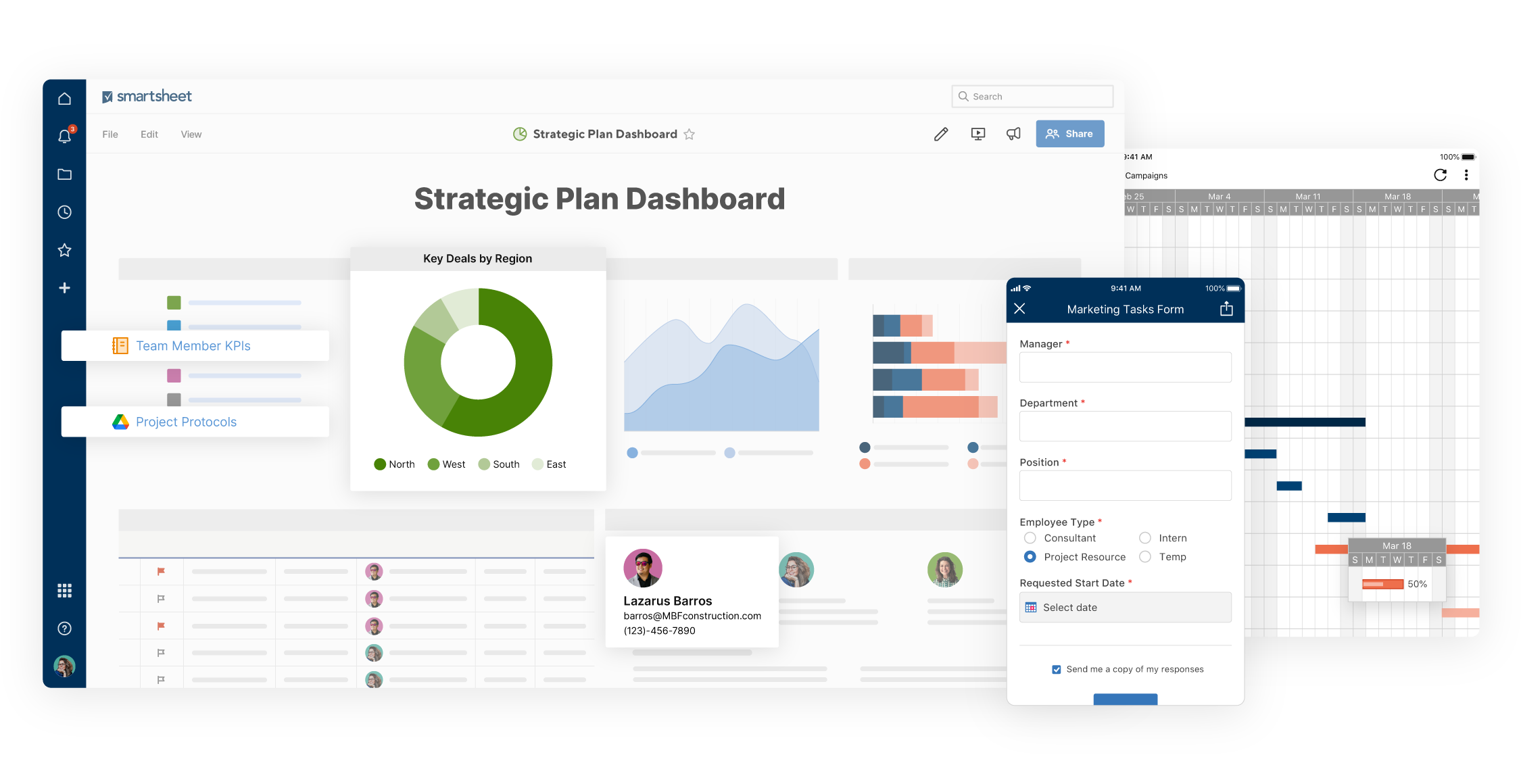
Image source: smartsheet.com
Overview
Smartsheet brings spreadsheet‑like interfaces to advanced project and portfolio management. Many large organizations use it for complex programs, and it can be very effective for multi‑event portfolios that require strict control and reporting.
If you're already comfortable in spreadsheets but need more structure and automation for your event and project management, Smartsheet can feel like a natural evolution.
Key features
- Grid, Gantt, card, and calendar views
- Powerful formulas and conditional formatting
- Robust reporting across many sheets
- Automation for alerts, approvals, and updates
- Control center (on higher tiers) for managing project templates at scale
Who should choose Smartsheet
- Enterprises or agencies running many concurrent events
- Teams that love spreadsheets but need more structure and automation
- Program managers overseeing multiple event management project efforts
Pros
- Familiar spreadsheet metaphor reduces learning curve for Excel users
- Strong capabilities for portfolio‑level reporting
- Good fit for organizations that run many standardized event types
- Flexible enough to support complex, multi‑year event plans
Cons
- UI can feel heavy compared to lighter tools
- Collaboration experience (chat, docs) is more limited than all‑in‑one platforms
- Requires thoughtful design of sheets and reports to avoid sprawl
Pricing
- Paid plans: Start at $9 per user/month(free trial available)
5. Asana: Structured task timelines for event teams
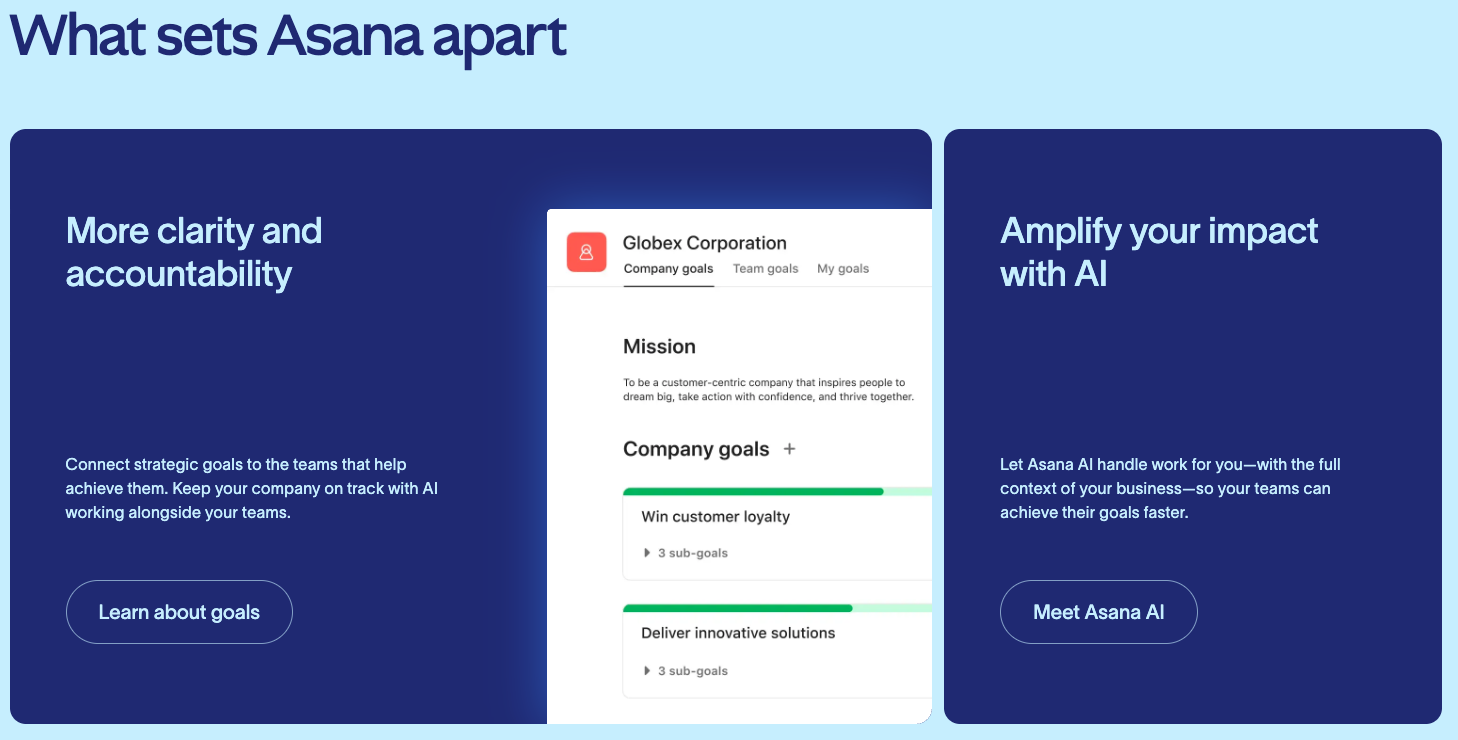
Image source: asana.com
Overview
Asana is a popular work management tool that many marketing and event teams already use for campaigns, launches, and recurring work. It provides list, board, and timeline views and is a solid backbone for project management for event planners who want task clarity and timelines.
While it doesn't handle registration or on‑site logistics out of the box, Asana can anchor the planning and coordination side of your events.
Key features
- Tasks, subtasks, and dependencies
- Timeline and calendar views for event schedules
- Templates for common workflows, including some event examples
- Portfolios and goals for high‑level visibility
- Integrations with communication and file tools
Who should choose Asana
- Teams already using Asana for other projects
- Marketing and comms teams planning multi‑channel events and campaigns
- Planners who want clear, structured tasks and dependencies
Pros
- Clean interface and easy task organization
- Timelines are helpful for visualizing project management event planning
- Good for cross‑team coordination and approvals
- Rich template gallery to speed up setup
Cons
- No built‑in docs or database comparable to a no‑code platform
- Limited for attendee management, ticketing, or room planning
- Advanced portfolio features require higher‑tier plans
Pricing
- Paid plans: Start at $10.99 per user/month
6. Trello: Simple kanban boards for smaller events
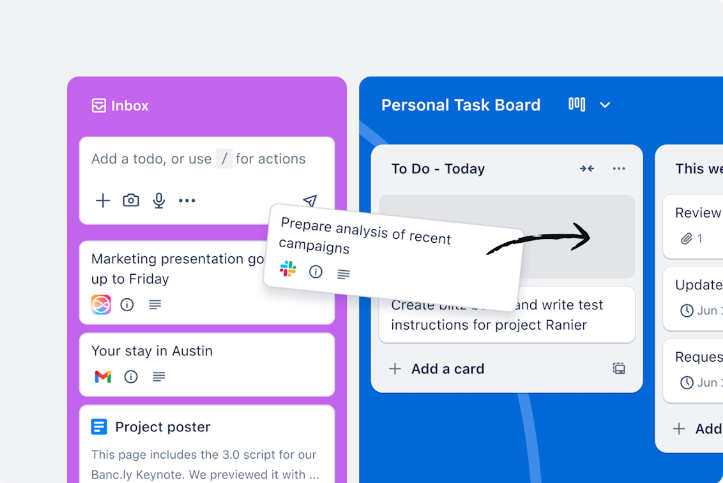
Image source: trello.com
Overview
Trello is a lightweight, card‑based project management tool that's popular for simple boards and checklists. Some event teams use Trello as an accessible way to track tasks and status, particularly on smaller events or as a visual complement to other systems.
For more sophisticated event planning project management, Trello can feel limited, but its simplicity is a strength in the right context.
Key features
- Kanban boards with lists and cards
- Checklists, due dates, labels, and attachments
- Power‑ups to add calendar views, custom fields, and integrations
- Butler automation for simple rule‑based workflows
Who should choose Trello
- Small teams planning straightforward events
- Volunteers and non‑profits who need simple structure
- Planners who need a quick, visual task board instead of full‑scale event project management software
Pros
- Very easy to get started
- Great for visualizing work at a glance
- Flexible enough for many lightweight event management project setups
- Free and low‑cost options
Cons
- Limited native reporting and cross‑board visibility
- Collaboration features weaker than full collaboration platforms
- Scaling complex events across many boards becomes messy
Pricing
- Paid plans: Start at $5 per user/month
7. Wrike: Enterprise workflows with approvals for events
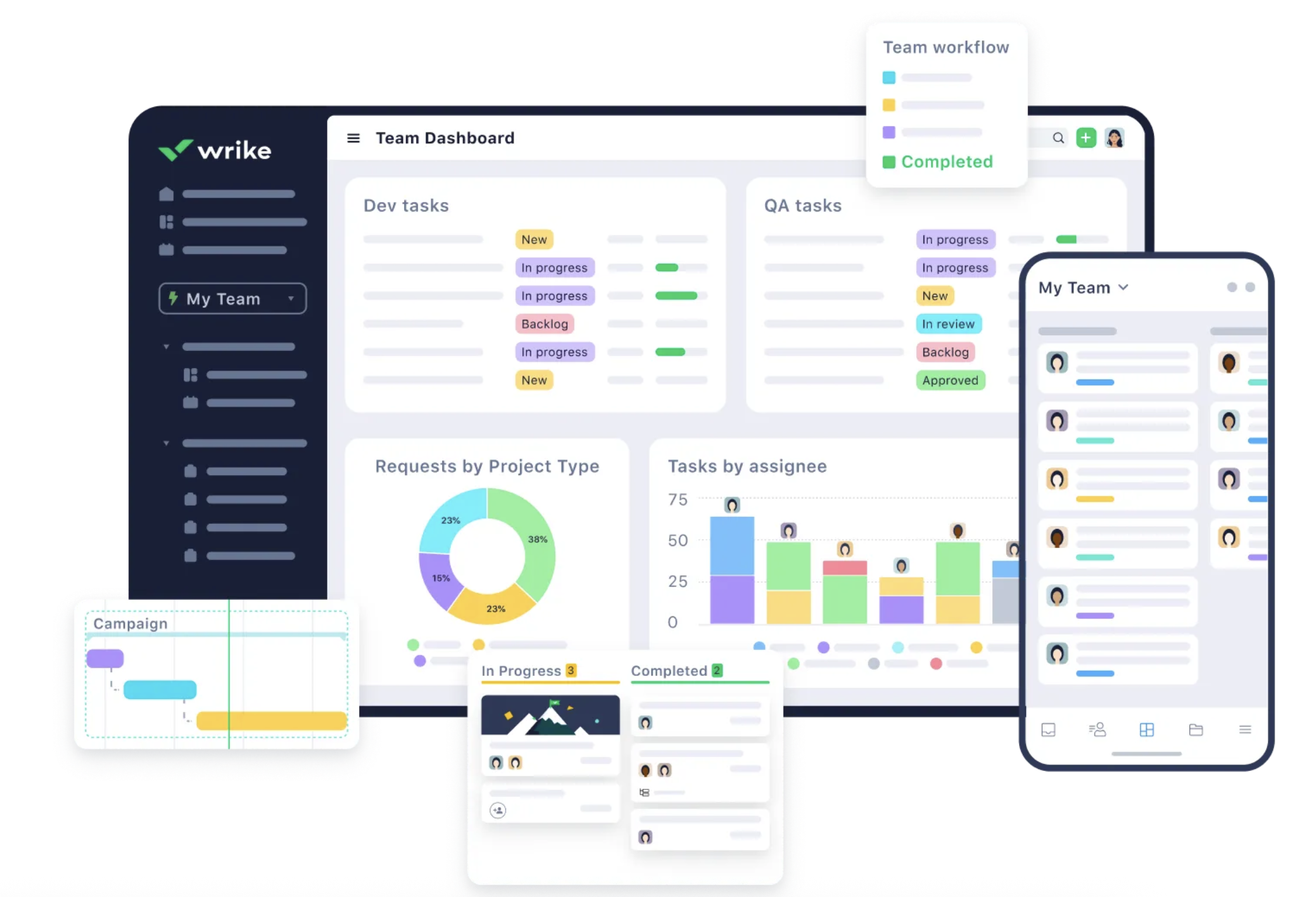
Image source: wrike.com
Overview
Wrike is a robust project management platform aimed at teams with complex, multi‑stakeholder workflows. Marketing and professional services organizations often use it, and it can support large event programs with detailed task structures and approvals.
As a backbone for serious event and project management, Wrike excels at structure, reporting, and workloads.
Key features
- Hierarchical tasks and folders
- Gantt charts, calendars, and workload views
- Built‑in proofing and approvals
- Request forms and custom workflows
- Detailed reporting and analytics
Who should choose Wrike
- Larger teams or agencies running big event portfolios
- Organizations that need formal approvals and workload management
- Teams that want deep reporting on project performance
Pros
- Powerful for complex, multi‑phase event management project work
- Strong approval and proofing features for creative assets
- Good for cross‑functional collaboration with different departments
Cons
- Can feel heavy and complex for smaller teams
- Requires careful setup to avoid cluttered workspaces
- Doesn't handle registration, ticketing, or attendee apps directly
Pricing
- Paid plans: Start at $10 per user/month
8. ProjectManager.com: Classic Gantt planning for detailed events
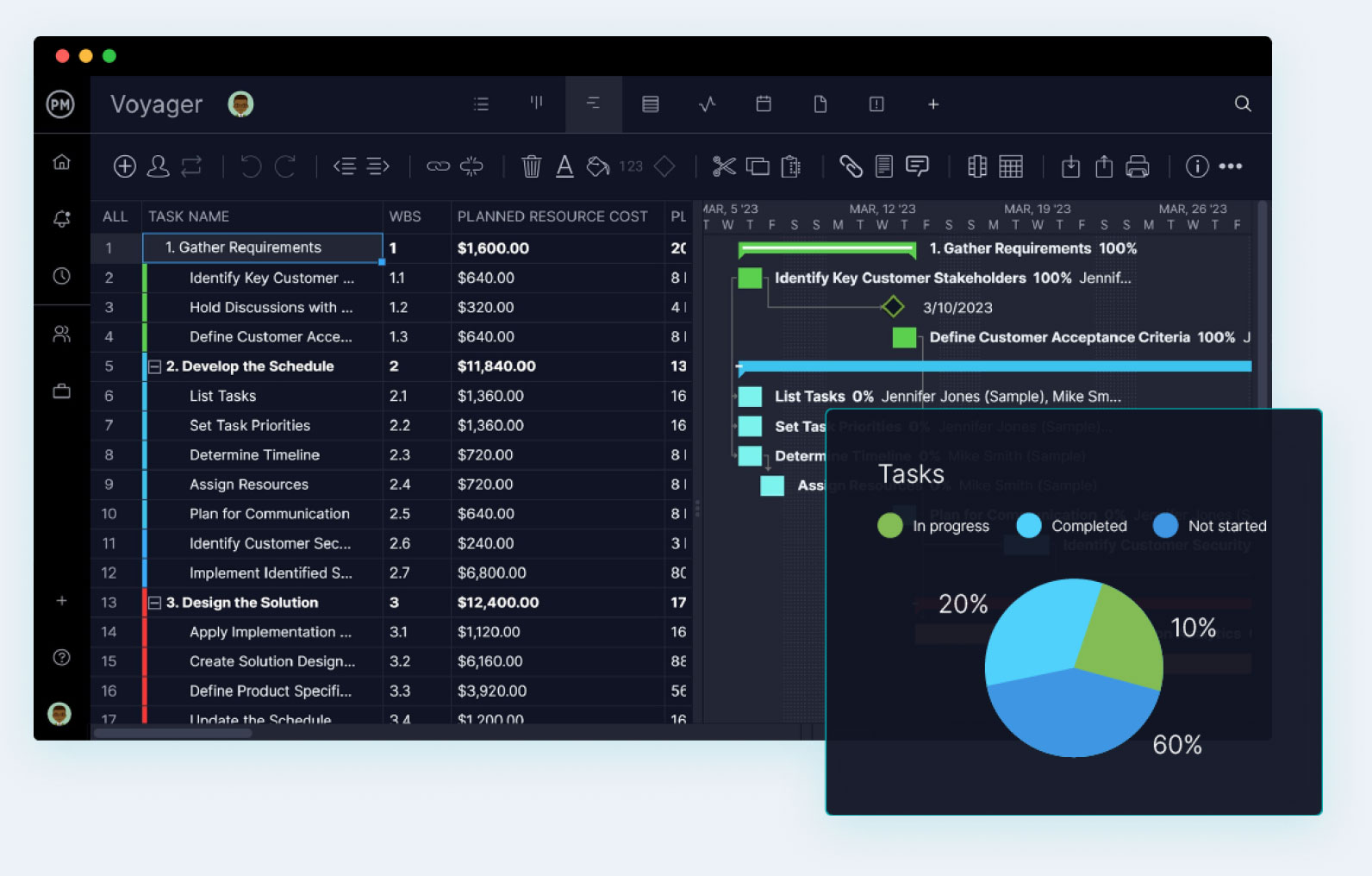
Image source: projectmanager.com
Overview
ProjectManager.com focuses on detailed project planning and tracking with Gantt charts and resource management. Event teams that approach planning with a traditional project management mindset often find it a natural fit.
As a somewhat specialized event project management software option, it's better for planning and control than registrations or engagement.
Key features
- Gantt charts with dependencies
- Task lists and kanban boards
- Time tracking and resource management
- Dashboards for project health and progress
- Templates for common project types
Who should choose ProjectManager.com
- Teams with a strong traditional PM background
- Organizations that need detailed timelines and resource charts
- Planners who want rigorous control over complex event timelines
Pros
- Strong Gantt and resource planning tools
- Good for multi‑phase, multi‑stakeholder event planning project management
- Helps project managers bring their existing discipline into events
Cons
- Less friendly for non‑PM stakeholders compared to lighter tools
- Limited collaboration features compared to full work hubs
- Not designed for ticketing or attendee experience
Pricing
- Free plan: Not available (free trial available)
- Paid plans: Start at $14 per user/month
9. Notion: Wiki‑style workspace for event playbooks
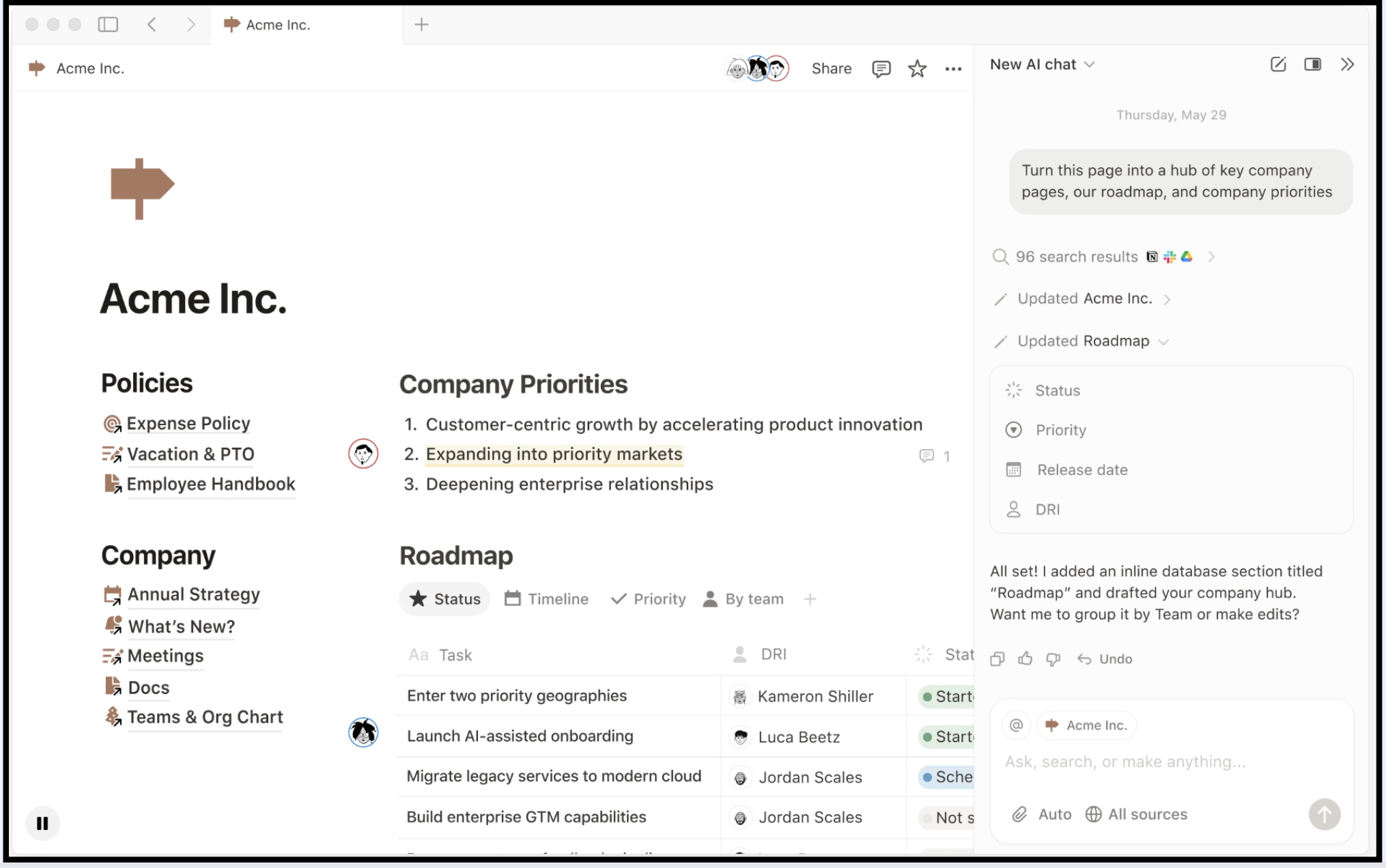
Image source: notion.com
Overview
Notion is a flexible workspace that combines pages, databases, and wikis. Many event teams use it to build internal hubs, playbooks, and content trackers. With some creativity, it can also serve as the central planning space for your event management project.
For teams that want a "wiki plus database" approach rather than strict task management, Notion works well.
Key features
- Pages for run‑of‑show, guidelines, and SOPs
- Databases with table, board, timeline, and calendar views
- Templates for recurring event structures
- Comments and mentions for collaboration
- Embeds and integrations to pull in external content
Who should choose Notion
- Teams that value documentation and knowledge sharing
- Event teams that want to build internal playbooks and hubs
- Planners who prefer a document‑first approach over traditional PM tools
Pros
- Extremely flexible knowledge and planning hub
- Good for capturing institutional memory of past events
- Multiple views make it useful for project management event planning and documentation
Cons
- Not a full‑fledged project management system out of the box
- Limited native automation compared to dedicated no‑code tools
- Large workspaces can become unwieldy without governance
Pricing
- Paid plans: Start at $10 per user/month
10. Basecamp: All-in-One Team Hub for Event Coordination
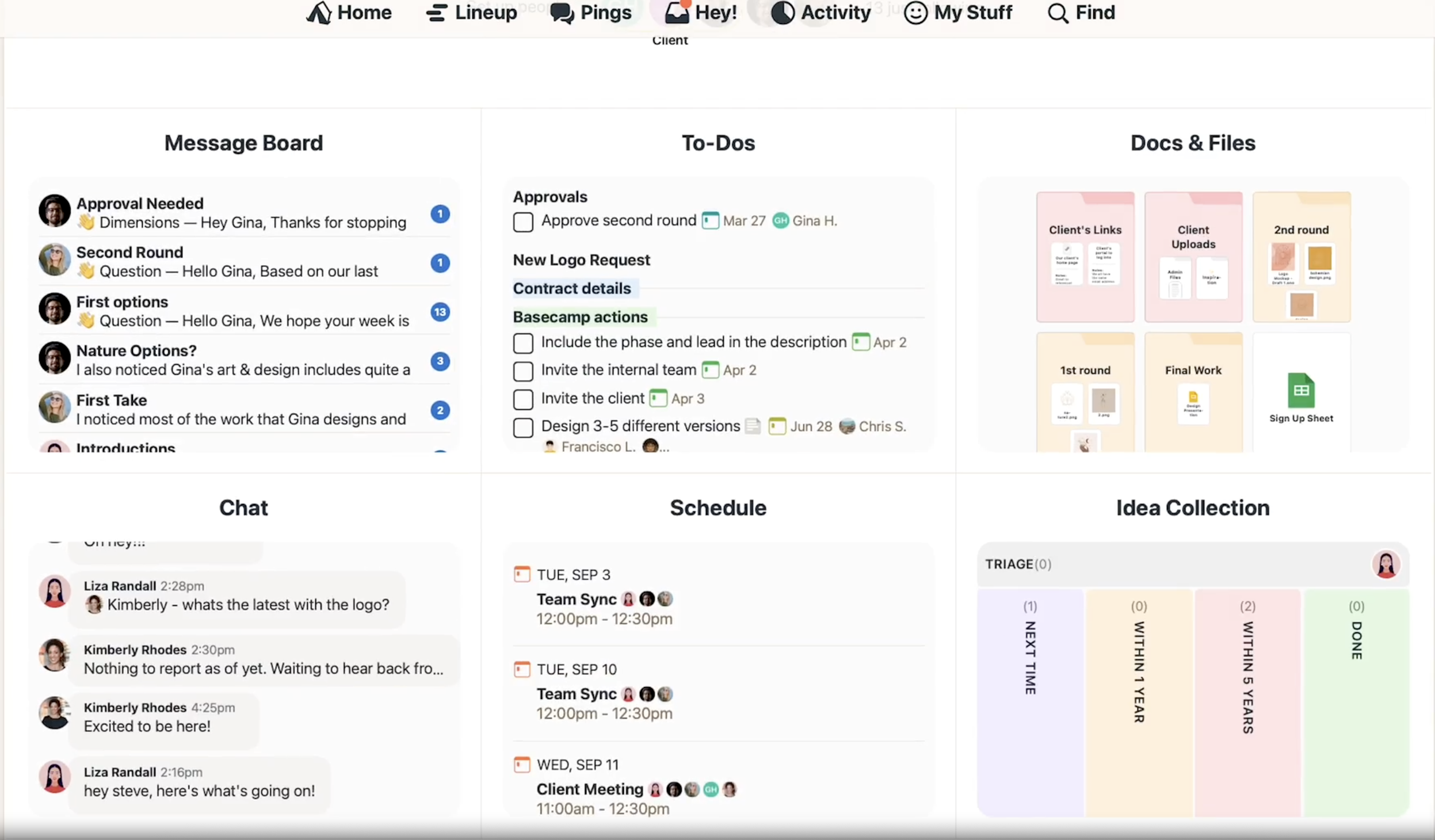
Image source: basecamp.com
Overview
Basecamp is a popular, user-friendly project management and team collaboration platform designed to centralize tasks, communication, and file sharing. For event teams, it acts as a single source of truth, replacing lengthy email threads and keeping everyone—including clients—on the same page. While not built specifically for events, its integrated toolkit is highly effective for managing internal workflows, vendor coordination, and stakeholder updates.
Key features
- Message boards & campfire chat: Organize topic-based discussions and enable real-time communication for quick decision-making.
- To-do lists: Create tasks, assign them to team members with deadlines, and track progress.
- Schedule (calendar): A shared calendar to track deadlines, meetings, and key event milestones.
- Docs & files: Centralized storage for all event-related documents, contracts, and assets.
- Automatic check-ins: Reduce meeting needs by automatically prompting team for periodic status updates.
Who should choose Basecamp
- Event teams and agencies that value simplicity and an all-in-one solution over complex, specialized features.
- Projects requiring transparent collaboration with clients or external stakeholders.
- Teams managing multiple events who prefer a flat-rate pricing model over per-user fees.
Pros
- Intuitive and easy to adopt with a clean, user-friendly interface.
- Unified platform reduces the need to switch between multiple apps for communication and task management.
- Flat-rate pricing for the "Pro Unlimited" plan can be cost-effective for larger teams.
Cons
- Lacks advanced event-specific features like registration, ticketing, or session agendas.
- Limited customization for teams with highly specialized or complex workflows.
- Search functionality can be a drawback when trying to find specific items among large volumes of past data.
Pricing
- Basecamp Per-User: $15/month per user.
- Basecamp Pro Unlimited: $299/month flat rate for unlimited users.
- A free trial is available.
11. Whova: Dedicated Platform for Attendee Engagement
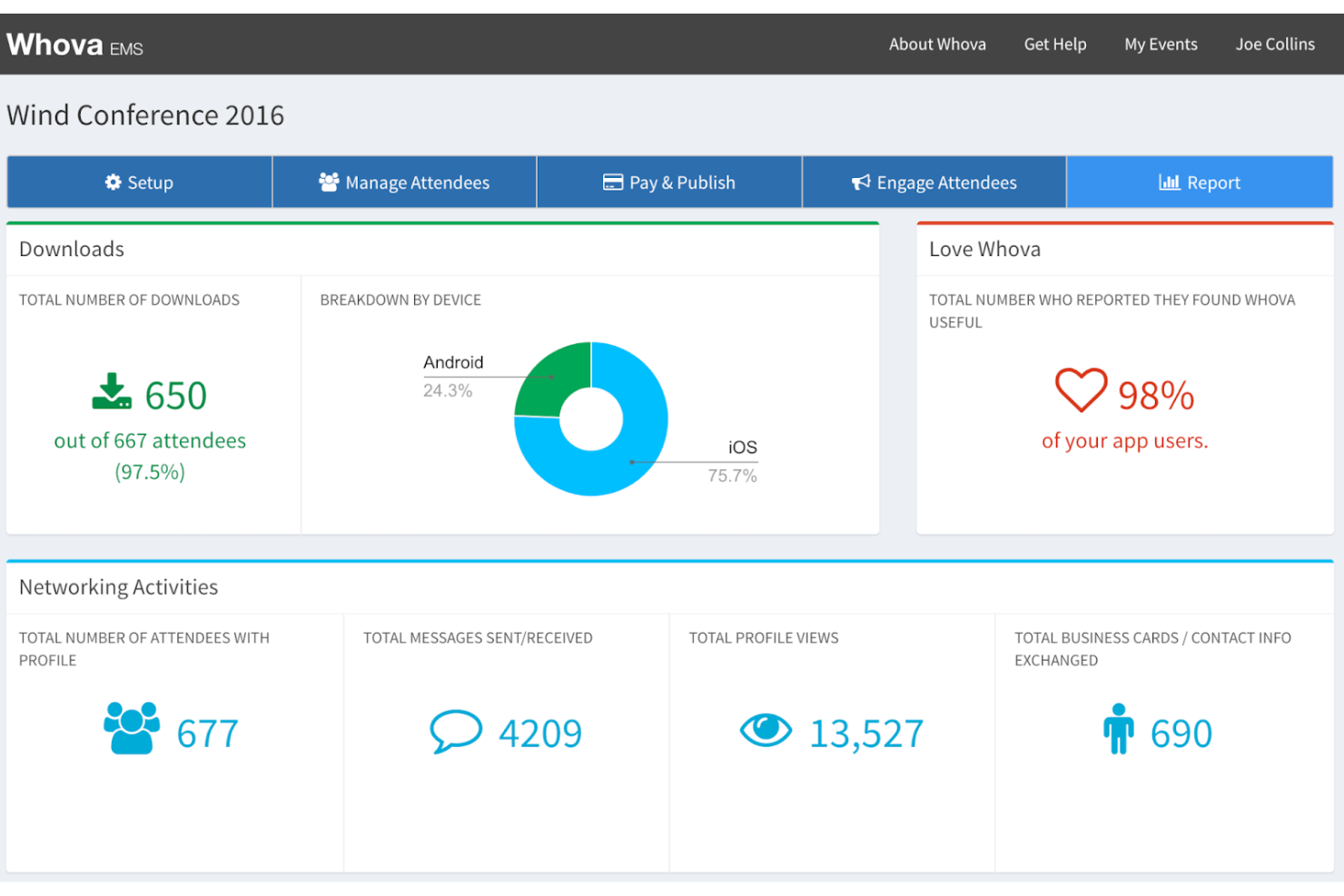
Image source: whova.com
Overview
Whova is an event management platform designed specifically to host and enhance virtual, hybrid, and in-person events. It goes beyond project management to provide tools that engage attendees directly. Its core value lies in creating a branded digital hub for an event, replacing paper guides and fostering networking among participants.
Key features
- Event app & web portal: A mobile app and browser-based portal for attendees to access all event information.
- Online registration & website builder: Tools to create event pages and handle attendee sign-ups without coding.
- Attendee engagement tools: Features like live Q&A, polls, chat, community boards, and gamification (leaderboards) to boost interaction.
- Personalized agendas: Allows attendees to browse sessions and build their own schedules.
- Networking & profiles: Encourages connection by allowing attendees and speakers to create and edit professional profiles.
Who should choose Whova
- Event organizers whose primary need is to manage the attendee experience, from registration to post-event engagement.
- Conferences, trade shows, or large meetings that benefit from networking and interactive features.
- Organizations looking for a dedicated, branded space to centralize all event information and communication.
Pros
- Purpose-built for events with comprehensive features for attendee management and engagement.
- Easy-to-use website builder with customizable templates allows for quick event page creation.
- Facilitates valuable networking before, during, and after the event, increasing its overall value.
Cons
- Not designed for internal project management workflows like task assignment and complex timeline tracking.
- As a specialized platform, it may involve a steeper cost compared to generic project tools.
- Reviews indicate some users find cons outweigh pros, suggesting it may not fit all event types.
Pricing
- Pricing information is not listed in the provided search results. Whova typically operates on a quote-based model tailored to the event's size and needs.
12. Slack: The Communication Hub for Event Communities
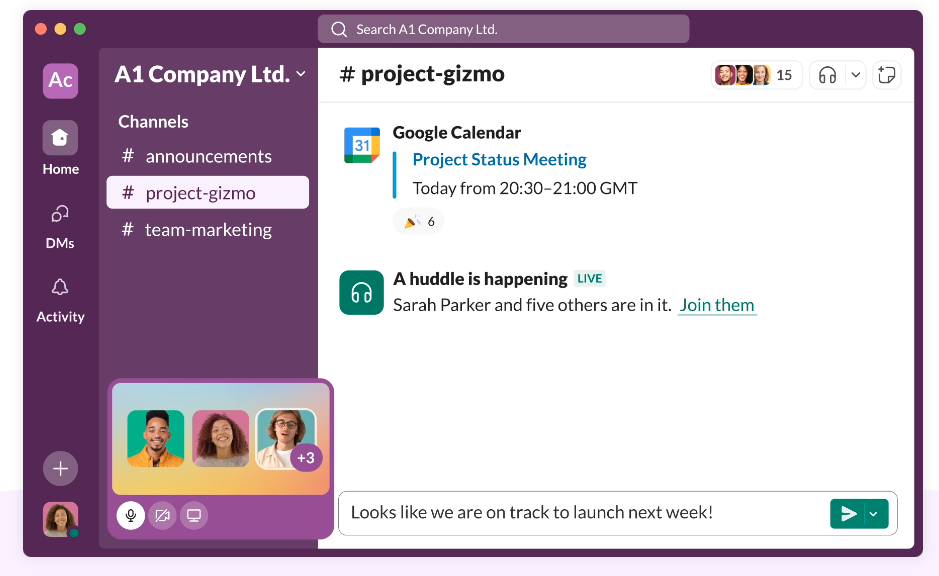
Image source: slack.com
Overview
Slack is a channel-based messaging platform that can be powerfully adapted to serve as the central nervous system for event communication. It excels at creating a dedicated, organized space for event organizers, volunteers, and even attendees to connect, share updates, and answer questions in real time, throughout the event lifecycle.
Key features
- Dedicated event workspace: Set up a separate Slack workspace to keep all event communication centralized and on-topic.
- Organized channels: Use channels like #announcements, #q-and-a, #logistics, and #intros to structure conversations.
- Direct messaging & group chat: Enables private conversations and small group collaboration.
- Huddles (audio/video meetings): Launch quick audio or video meetings directly from any channel for up to 50 people.
- Canvas for notes: Collaboratively create and share meeting agendas or notes that are saved within the relevant channel.
Who should choose Slack
- Event teams wanting to build a community and facilitate discussion among organizers and participants.
- Conferences or multi-day events that need a real-time, central help desk and information channel.
- Organizations already using Slack internally, extending its use to manage an event's communication layer.
Pros
- Excellent for real-time, centralized communication, drastically reducing email clutter.
- Promotes community and networking by allowing organic conversations to continue before and long after the event.
- Freemium model allows for cost-effective use, especially for smaller events.
Cons
- Requires setup and management (e.g., creating channels, setting guidelines) to avoid chaos.
- Zero project management features like task assignment, timelines, or file versioning—must be integrated with other tools.
- Privacy considerations need management, as member email addresses may be visible by default.
Pricing
- Free plan: Available with limited message history and basic features.
- Paid plans: Start at $8.75 a monthly per-user fee.
Maximize value with minimum cost in Lark
Ready-to-use templates boosting your event project management
When organizing an event, having a structured plan is crucial for success. Utilizing can significantly streamline the event project management process, enabling teams to focus on execution rather than getting bogged down in administrative tasks. Here, we explore three practical templates from Lark's extensive template library that can enhance your efforts.
1. Multi-project tracker template
In the realm of event project management, juggling multiple projects simultaneously is a common challenge. The Multi-Project Tracker Template from Lark is designed to simplify this process, offering a centralized location for managing various event initiatives. This template allows and teams to oversee multiple events, keeping all relevant information organized and accessible in one place.
Use case
Imagine you're in charge of planning several corporate events over the course of the year, such as product launches, marketing conferences, and team-building retreats. Each event has its own set of tasks, deadlines, and team members involved. The Multi-Project Tracker Template enables you to input all these events into a single document, where you can assign tasks, set deadlines, and monitor progress across all projects.
Purpose
The purpose of the Multi-Project Tracker Template is to enhance visibility and among different event initiatives. By using this template, project managers can quickly identify which projects are on track, which need immediate attention, and where team resources should be allocated. It fosters accountability by allowing team members to see their assigned tasks and due dates, ensuring that everyone is aligned on their responsibilities. Additionally, the template's ability to consolidate information reduces the risk of miscommunication and helps teams maintain a streamlined workflow, ultimately leading to successful event outcomes.
2. Project roadmap Gantt chart template
A well-structured plan is essential for the success of any event. The Project Roadmap Gantt Chart Template from Lark offers a visual representation of your event timeline, allowing teams to map out key tasks, deadlines, and dependencies effectively. By leveraging this template, event planners can gain clarity on the project trajectory and ensure all activities are coordinated and on schedule.
Use case
Consider a scenario where you are organizing a large-scale conference that includes multiple phases, such as venue selection, speaker coordination, marketing campaigns, and final logistics. The Project Roadmap Gantt Chart Template enables you to outline each phase in chronological order, assigning start and end dates to tasks. This visual representation makes it easy to see how different components of the event interconnect and highlights critical milestones that need to be met along the way.
Purpose
The purpose of the Project Roadmap Gantt Chart Template is to provide a comprehensive overview of the entire event planning process. By using this template, project managers can easily communicate the timeline and key milestones to stakeholders and team members, ensuring everyone is aware of their roles and deadlines. Additionally, it allows teams to identify potential bottlenecks early in the planning phase, enabling proactive adjustments to keep the project on track. The Gantt chart not only enhances organization but also boosts accountability, as team members can in relation to the overall event roadmap, leading to a more coordinated and efficient planning process. 3. Project planning & implementation template
Effective planning and implementation are crucial for the success of every event. The Project Planning & Implementation Template from Lark provides a structured framework for organizing every aspect of an event project from inception to execution. With this template, event managers can streamline the planning process, ensuring that no detail is overlooked and all team members are aligned throughout the .
Use case
Imagine you are tasked with organizing a multi-day workshop that involves various activities, sessions, and collaborations with multiple vendors. The Project Planning & Implementation Template allows you to break down the event into manageable phases, detailing each task's timelines, responsibilities, and resources needed. For instance, you can outline phases such as pre-event logistics, session development, attendee registration, and post-event follow-up.
Purpose
The purpose of the Project Planning & Implementation Template is to facilitate clear organization and execution of event projects. By using this template, project managers can ensure all team members understand their roles and responsibilities, as it provides visibility into who is accountable for each task and when it is due. This clarity minimizes miscommunication and enhances collaboration, allowing teams to in real time. Additionally, the template supports effective resource allocation, ensuring that all necessary tools, personnel, and budgetary considerations are accounted for. Ultimately, this structured approach leads to well-executed events that meet objectives and deliver exceptional experiences for attendees.
Utilizing ready-to-use templates from Lark can tremendously elevate your event project management process, making it more organized and efficient. Each template not only simplifies specific aspects of event planning but also promotes collaboration among team members. By , event managers can devote more time to creating exceptional experiences for attendees, ultimately leading to more successful events.
For further exploration, visit Lark's to find these and other templates tailored to meet your event management needs.
How to choose your ideal event project management tool
With numerous tools available, selecting the right event project management setup can be overwhelming. Here's a practical approach to guide your decision based on real-world needs.
Clarify what must live in one place
Begin by mapping where your work is currently happening, including planning, content, communication, and budgets. Determine which aspects should be centralized in a robust project management hub and which can remain in specialized tools. Typically, planning and communication are best managed together, while registration data can be handled by dedicated platforms.
Decide how central collaboration should be
Some tools excel in planning while lacking collaboration features. If is essential, opt for all-in-one suites like Lark, which combines chat, documents, calendars, and automation in one platform. This enhances teamwork and keeps everyone aligned throughout the event planning process.
Match complexity to your event portfolio
Assess the scale and complexity of your events honestly. For simpler needs, lighter tools like Trello or Notion may suffice, especially for occasional meetups. However, as your portfolio expands to include multiple conferences or virtual events, consider more robust solutions like Lark or Monday.com, which offer enhanced capabilities.
Think about data flow and reporting
Effective project management extends beyond the event itself. Choose tools that allow for easy integration with registration platforms, CRMs, and analytics tools, enabling seamless data flow and insightful reporting. This capability is crucial for evaluating event performance and making data-driven decisions.
Plan for governance and templates
Finally, consider how easily you can standardize workflows and create templates for recurring events. A thoughtful project management approach ensures that templates and governance are prioritized. Look for tools that facilitate cloning successful workspaces and managing permissions, ensuring a clean structure as your program grows.
By following these guidelines and leveraging comprehensive platforms like Lark, you can efficiently streamline your event project management, reducing complexity and .
Conclusion
Events are complex and high-stakes initiatives that can easily become chaotic without structured management. By adopting a practical, list-based approach to event project management—with the right mix of planning, collaboration, and tools—you provide your team the framework to deliver outstanding experiences. This transforms events from stressful endeavors into a predictable part of your growth strategy, allowing your team to enjoy their hard work. Utilizing platforms like can enhance organization and collaboration, ensuring every detail is managed effectively and efficiently.
Ready to try your ideal event PM tool?
FAQs
What is event project management?
Event project management is the structured planning, coordination and control of an event from idea to post‑event review. It applies project management principles—scope, timeline, budget, risks and KPIs—to deliver predictable, repeatable results instead of one‑off, ad‑hoc "event firefighting."
What does a project manager do in events?
An event project manager defines goals, plans timelines and budgets, coordinates teams and vendors, manages risks and changes, and ensures the event delivers on its objectives. They act as the central decision hub, keeping everyone aligned before, during and after the event.
What are the 5 C's of event management?
The 5 C's are typically:
- Culmination (event execution)
- Closeout (evaluation and follow‑up)
They provide a simple framework to think through the entire lifecycle of an event.
What are the 7 stages of event planning?
A common 7‑stage model is:
- Feasibility and budgeting
- Promotion and registration
- Logistics and rehearsals
- Evaluation and reporting
It turns complex events into clear, manageable phases.
What tools are best for event project management?
Cvent, Bizzabo or Eventbrite are strong for registration and attendee experience, while Monday.com or Asana help with task tracking—but they're often fragmented. Lark gently stands out by combining built‑in chat, docs, calendar, meetings, approvals and a no‑code database in one workspace.
Related reading































