A project timeline template helps teams organize tasks, dates, and milestones in a clear visual format. For example, many people start with a basic project timeline template in Excel or Google Sheets because it is quick to set up for small schedules. Also, many planners begin with a project management timeline template Excel file or a simple project timeline template Excel format because these tools are easy to adjust in the early stages. Others download a free project timeline template to speed up setup for small projects. Considering those needs, this guide will introduce the top project timeline templates and help you arrange an agenda without effort.
Support real-time teamwork with a clean project timeline
What is a project timeline?
A is a structured view that shows tasks, dates, and dependencies across the lifespan of a project. It serves as a visual plan that helps everyone understand how work progresses from start to finish. Project managers use timelines to clarify responsibilities, sequence activities, and identify potential scheduling conflicts. A timeline can also act as a for stakeholders who want a clear snapshot of deadlines and progress.
Timelines often include task owners, durations, and milestone checks. Teams rely on them to anticipate delays and measure whether a project is on track. While the format may vary across industries, the purpose remains the same. Timelines bring structure to complex coordination and help teams manage the more proactively.
Different types of project timelines
Project timelines come in many formats depending on complexity and reporting needs. Some teams use a timeline project template for simple sequencing, while others rely on a project management timeline template for structured planning. Below are the most common timeline structures used by teams.
- : Gantt charts show tasks as horizontal bars arranged over a calendar. They help visualize dependencies, sequence tasks, and understand how long each activity will take. This format works well for detailed project scheduling.
- : Calendar timelines place tasks directly on a date grid. This is helpful for teams that plan week by week or rely heavily on calendar-based scheduling. It provides a familiar layout that mirrors personal and work calendars. Many users even convert a project manager timeline template into a calendar format to view week-by-week planning for meetings and tasks.
- : Kanban boards organize tasks into columns based on status. They are useful for workflow-based teams that prefer a flexible view. Timelines can be inferred from movement across stages rather than fixed dates.
- : Roadmaps show major phases and goals over months or quarters. This format works well for strategic planning, product launches, and long-term initiatives. It simplifies complex work into high-level time ranges.
- Linear timeline: A linear timeline places events along a straight line to show sequence rather than dates. It is typically used for storytelling, marketing planning, or early-stage project outlines where precision is not yet required.
9 Ready-to-use project timeline templates
Project timeline template
This template provides a complete structure for building timelines that map tasks, milestones, and dependencies. It gives teams a clear layout for across multiple weeks or months. Users can organize schedules into phases and assign ownership to ensure clarity. The template also supports quick adjustments when priorities shift. It is suitable for cross-functional teams that need a central timeline for coordination. It delivers a straightforward and flexible foundation for everyday planning activities.
Event planning timeline
This template breaks complex event work into manageable phases so teams can coordinate all moving parts. It helps track vendors, venues, promotions, attendee tasks, and final checks. Users can map pre-event, live event, and post-event activities clearly. Dates and milestones guide planning sessions and reduce oversight risks. It supports , marketing departments, and external event planners. It keeps preparations organized from the first concept to final execution.
Google Docs timeline template
This template blends narrative planning with structured scheduling for teams that prefer document-based workflows. It allows users to embed visuals, summaries, and context around the timeline. It is helpful when presenting project progress to stakeholders or preparing cross-department reports. The structure supports both high-level explanations and detailed task planning. It works well for teams that want to combine storytelling with timeline visualization. It provides flexibility for both planning and communication.
Feature roadmap and timeline
This template helps product managers and development teams outline release cycles and long-term strategy. It organizes features into stages that show how work progresses toward launch. Teams can prioritize tasks, track dependencies, and align contributions from engineering, design, and marketing. The structure supports quarterly or annual planning. It guides conversations around capability growth and customer milestones. It gives a clear picture of how product ideas travel from concept to delivery.
Project management Gantt chart overview
This template delivers a detailed view of tasks arranged over time so managers can see the sequence and duration clearly. Gantt bars help teams understand how activities overlap and where bottlenecks may appear. It includes fields for dates, owners, and dependencies to support deeper analysis. It is effective for teams managing technical, operational, or multifaceted projects. It helps stakeholders stay aligned on the schedule impacts. It also supports scenario planning when teams need to adjust timelines quickly.
OKR task subdivision and progress control
This template connects objectives with the tasks required to achieve them, giving teams a structured way to monitor progress. It helps clarify how daily work supports departmental or organizational goals. Users can break into measurable results and track timelines for each activity. Visual indicators show progress and highlight areas that need attention. It is ideal for quarterly planning cycles and performance reviews. It helps teams maintain alignment between strategy and execution.
Project timeline template for software development
This template helps software teams plan and manage the full development lifecycle—from requirements gathering and sprint planning through testing, deployment, and post-release support. Tasks are organized by phases with clear dependencies, milestones, and due dates, making it easy to visualize progress across engineering, QA, design, and product stakeholders. Teams can assign ownership, adjust timelines as priorities shift, and track delivery risks early. The structured layout supports agile or while keeping all documentation, discussions, and updates connected to execution.
Student project timeline
Designed for academic teams and individual learners, this timeline template helps , assignments, group work, and presentation preparation into a clear project schedule. Students can break objectives into manageable tasks, set deadlines, track milestones, and delegate responsibilities for collaborative projects. Visual progress tracking encourages consistent pacing and reduces last-minute rushes before submissions. Educators and mentors can also use the template to monitor progress, provide feedback checkpoints, and maintain alignment throughout the academic term.
Project timeline template for movie production
This template structures the complex phases of film production—including pre-production planning, casting, location scouting, shooting schedules, editing, and post-production delivery—into a single visual timeline. Teams can map scene deadlines, crew assignments, equipment bookings, and review cycles with clear dependencies and milestones. It helps producers coordinate multiple departments while accommodating timeline shifts caused by weather, location changes, or cast availability. The template ensures all stakeholders remain aligned from concept development through final release.
How Lark upgrades timeline planning with its all-in-one workspace
, one of the most versatile , consolidates timeline planning, communication, documentation, and execution into a single workspace. Instead of juggling spreadsheets for schedules, messaging tools for discussions, and documents for reporting, teams build and manage every timeline directly inside one platform. This keeps planning conversations, task updates, and schedule changes connected to one live source of truth, reducing misalignment and duplicate work.
Structured database for multiple views
enables sophisticated project tracking by structuring data with fields for milestone, owner, objective, and progress, where each row represents a task. To visualize your entire timeline, you can easily add a Gantt view, which displays milestones and progress bars, making it simple to monitor status and create key deadlines. Other multiple views, such as Kanban, allow you to track task progress by status. Additionally, you can efficiently group and filter tasks within the Gantt view to organize the timeline by priority or owner. 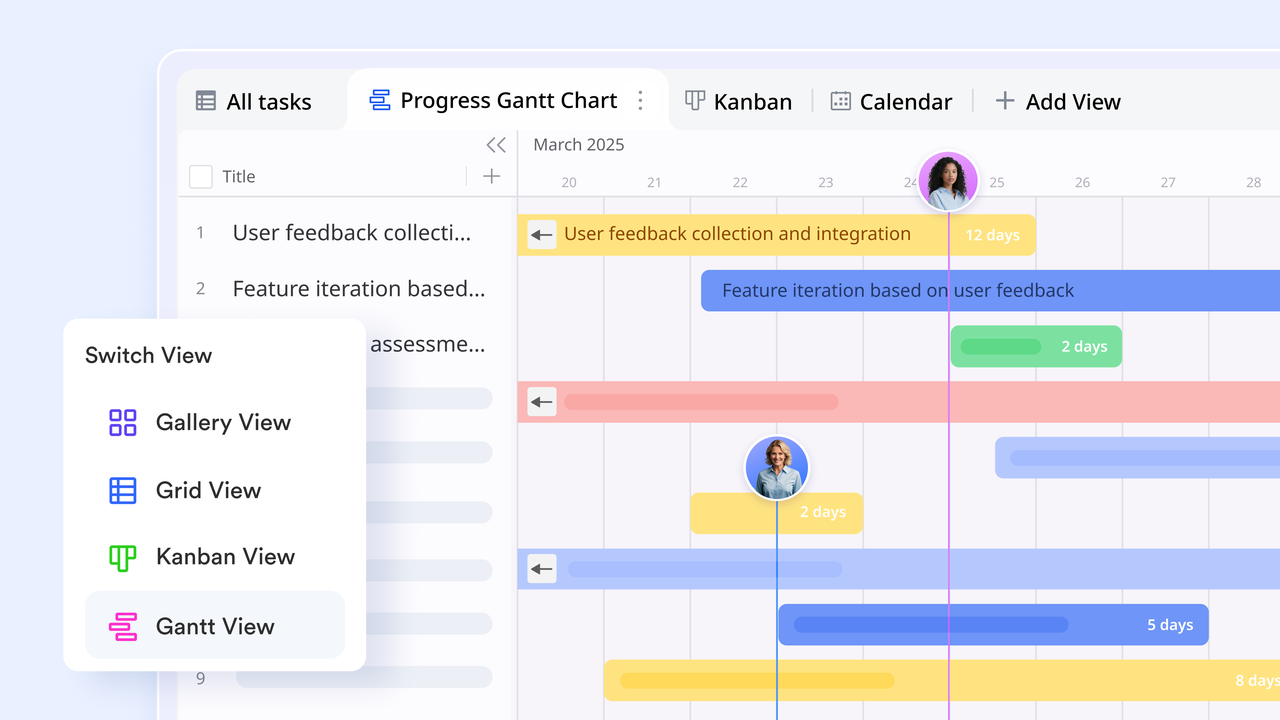
Collaborative document platform with timeline add-on
streamlines project planning and tracking by providing dedicated tools for visual timeline management. You can use the Timeline add-on to create clear visual representations of project schedules, milestones, and delivery dates, allowing you to edit nodes and display key details easily. Crucially, Lark Docs supports real-time collaboration, enabling team members to leave comments and update information simultaneously, ensuring everyone stays perfectly aligned throughout the project's timeline. 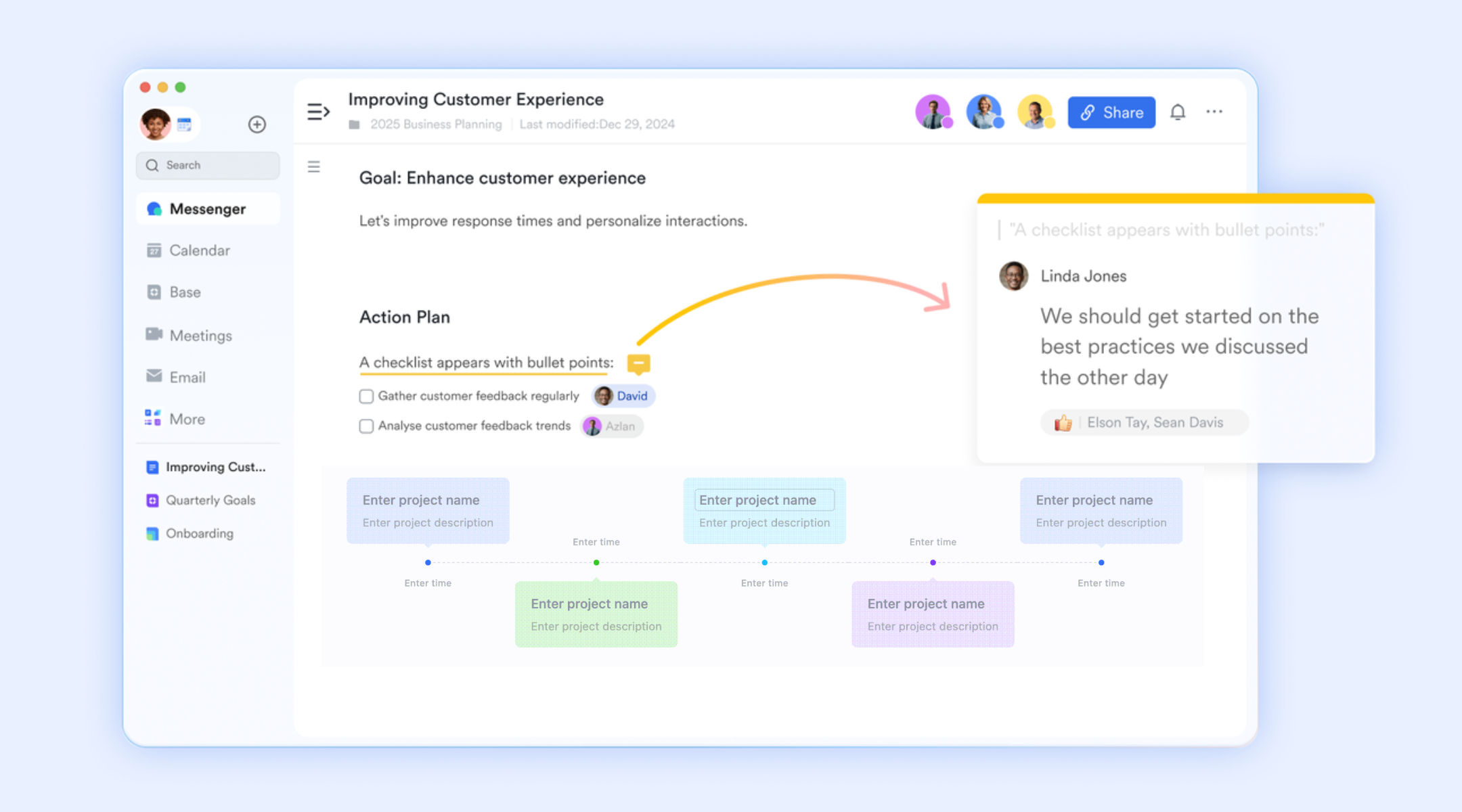
Task-level execution and timeline process
Lark Task provides powerful visualization capabilities by allowing you to switch to a Gantt chart view easily. This feature instantly displays all your tasks on the left alongside their timelines on the right, making it simple to plan complex projects and track all . This visual representation allows for clear progress monitoring and effective communication with stakeholders. Additionally, you can highlight the critical path directly within the Gantt view, immediately identifying the tasks that are most essential to maintaining the project's overall timeline. 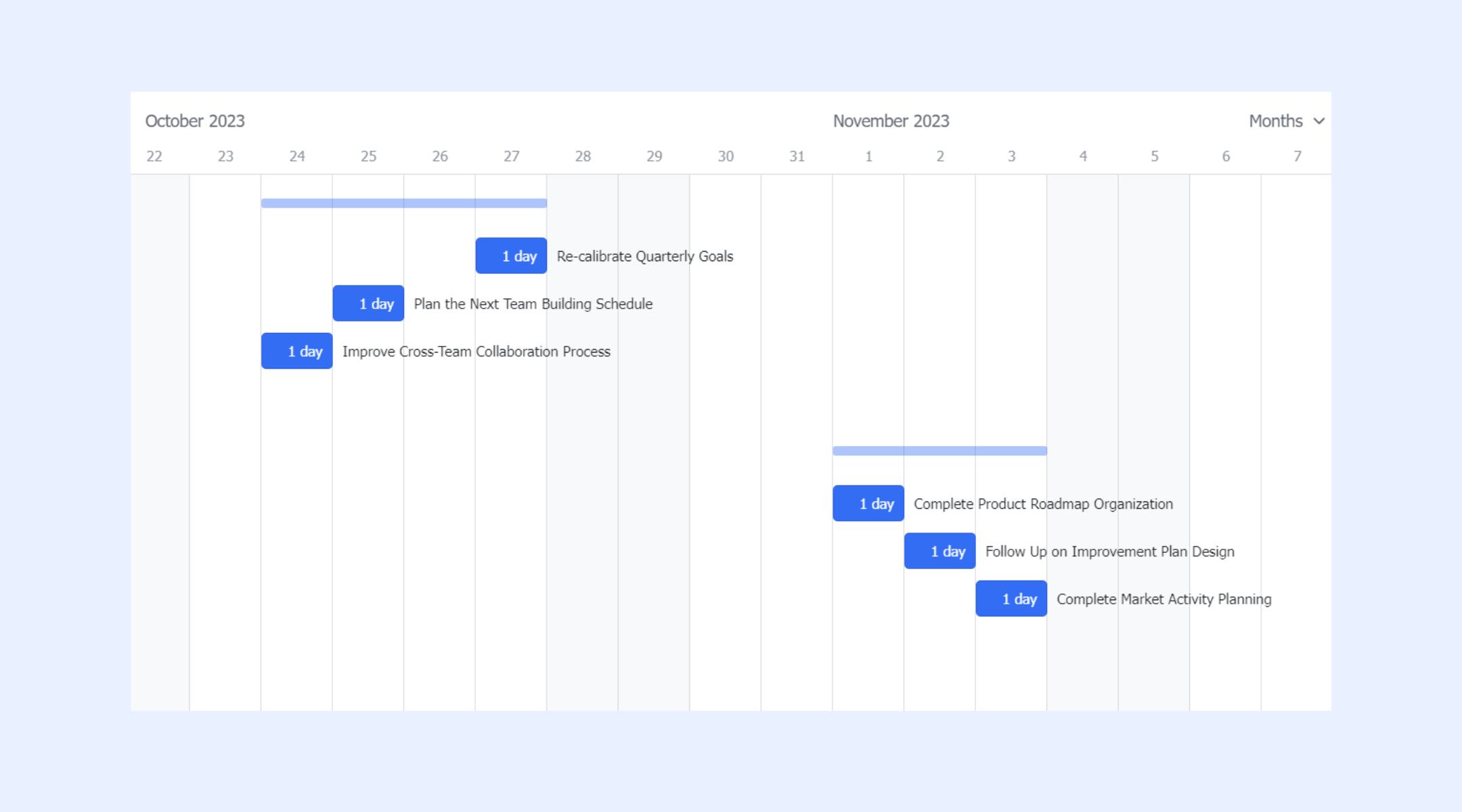
Connected communication and collaboration
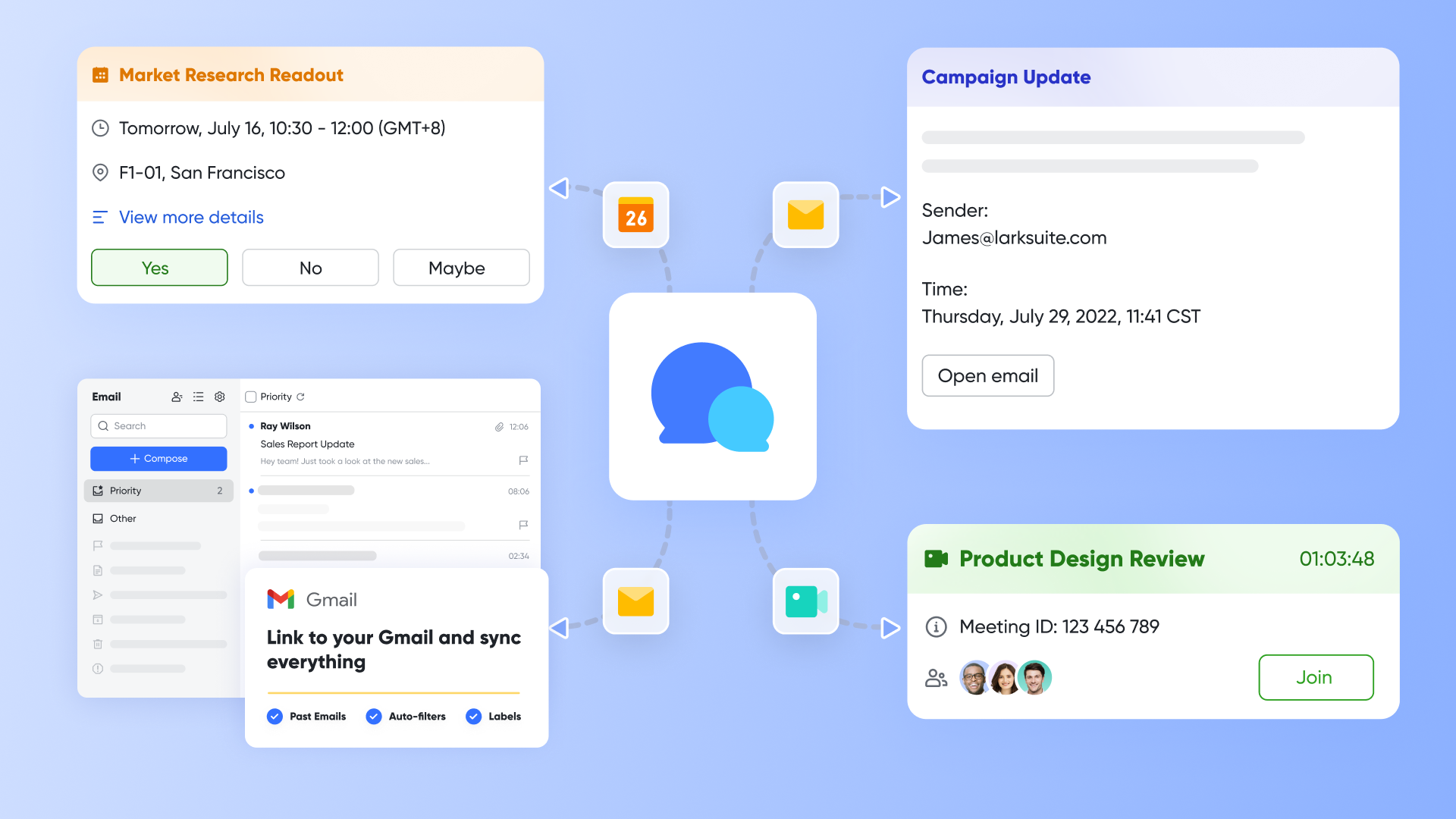
While and handle timeline creation, , , and connect planning with execution conversations. Task discussions can happen directly alongside schedule edits without switching apps. Teams can schedule milestone reviews via Calendar or host live planning sessions with Meetings while editing timelines together. This unified collaboration ensures decisions are instantly reflected in the schedule itself instead of living separately in chat or email threads.
Seamless time data migration
Lark provides several user-friendly methods for seamless data migration from external files. For Lark Base, you can easily import Excel or CSV data by selecting "Import" from the options menu or using the "Convert Excel To Base" tool, which generates a new structured table. For Lark Docs, the process is even simpler: you can quickly upload Excel files by selecting "Upload File" on the Docs homepage, or by simply dragging and dropping the file directly into your workspace
:
- Starter plan: Free forever plan that includes 11 powerful tools for up to 20 users. It also comes with 100GB of storage, 1000 automation runs, AI translations, and more.
- Basic plan: $6/user/month (billed annually) for up to 500 users. It includes everything in Starter plus group calling for up to 500 attendees, 5TB of storage, 1000 automation runs, and more. For more details, please .
- Pro plan: $12/user/month (billed annually) for up to 500 users. It includes everything in Basic plus group calling for up to 500 attendees, 15TB of storage, 50,000 automation runs, and more.
- Enterprise plan: for custom pricing. Supports unlimited users and includes even more automation runs and advanced security, compliance, and management features.
For small teams with simple communication needs

18 months message history
1000 Base automation runs/month
2000 rows per table in Base
Most POPULAR
For companies with comprehensive collaboration and management needs
Unlimited message history
500-participant video meetings
50k Base automation runs/month
20k rows per table in Base
For large companies with advanced security and organizational management needs
Get a personalized demo and pricing
Unlimited message history
500-participant video meetings
15 TB storage + 30 GB storage/user
500k Base automation runs/month
50k Base automation runs/month
Most POPULAR
For companies with comprehensive collaboration and management needs
Unlimited message history
500-participant video meetings
50k Base automation runs/month
20k rows per table in Base
Lark timelines vs spreadsheet templates
Spreadsheet templates work well for simple timelines but become difficult to update as projects change. PowerPoint supports visuals but cannot manage or ownership. Lark offers a connected approach that links scheduling, communication, and workflow execution in one place. This comparison shows how each format performs when project complexity increases.
Conclusion
Project timeline templates are helpful when teams need simple schedules without frequent updates. Whether using a project management timeline template excel file, a simple project timeline template excel layout, or a powerpoint project timeline template for reporting, templates help organize early ideas into clear timelines. However, challenges appear when projects grow and require frequent updates or. Static tools like an excel project timeline template or a timeline project template cannot keep up with shifting deadlines and complex ownership. This often leads teams to explore modern platforms like that connect communication, scheduling, tasks, and documentation in one real-time workspace.
Plan projects with tools that support accuracy and teamwork
FAQs
How can AI generate project timelines automatically
AI reads task details, estimates durations, and predicts dependencies based on similar projects. It can automatically place tasks on a timeline and adjust them when new information appears. Some platforms also analyze patterns to detect risk or overload. As teams grow, they sometimes explore systems like Lark to support AI-assisted planning in a connected workspace. How do regulatory industries manage timeline audits
Regulated sectors need clear histories of schedule changes, approvals, and task ownership. Audit trails document when dates shift and who authorized modifications. This creates transparency that supports compliance requirements. Some organizations later consider connected tools like Lark when they need stronger documentation that links communication with timelines.
Can timelines integrate financial cost tracking
Cost tracking becomes useful when teams want to measure budget impact alongside schedule changes. Some templates include fields for estimated and actual costs. Larger organizations look for systems that connect tasks, spending, and reporting in one place. Lark may enter the conversation when teams evaluate tools that tie operational data together.
How can remote teams handle real-time deadline changes across time zones
Remote teams rely on shared platforms that update timelines automatically when dates shift. Notifications alert members across time zones so changes do not go unnoticed. Clear visibility helps avoid scheduling gaps and misalignment. Teams sometimes assess tools like Lark when they need synchronized communication and timelines together.
What tools best connect timelines with risk management systems
works best when systems link issues, deadlines, and task updates. Some tools allow teams to flag risks directly on the timeline. Others integrate trackers that show how delays might affect milestones. When organizations want a combined view of risks, communication, and schedules, they sometimes explore platforms like Lark.
Related reading





























