In a world where teams are increasingly distributed, fast-moving, and digitally connected, traditional project plans stored in spreadsheets or static documents often fall short. Modern teams need flexible, collaborative, and transparent ways to manage tasks, align stakeholders, and track progress in real time—making a project plan online an essential part of everyday work.
An online project plan is more than a digital file. It brings people, timelines, resources, and communication into a shared workspace that evolves as the project moves forward. With the right tools, including platforms like Lark, teams can collaborate more smoothly, reduce version conflicts, and make informed decisions using up-to-date project data.
What does project plan online mean?
A online is a digital, cloud-based version of a traditional project plan that is created, shared, and managed through web-based tools rather than offline documents or spreadsheets. It brings all the key project information—goals, timelines, resources, and responsibilities—into a single, accessible workspace that team members can view and update in real time.
In an online project environment, collaboration becomes more dynamic because multiple users can work on the same plan simultaneously, leave comments, track changes, and receive instant notifications about updates. This reduces miscommunication and ensures everyone is working from the most current version of the plan.
A project plan online also supports visual tools like Gantt charts, , and dashboards to monitor progress and identify risks early. Centralizing communication and documentation, it helps teams stay aligned, improve accountability, and manage projects more efficiently from anywhere.
Why teams are switching to online project planning
Teams are increasingly adopting online project planning to keep pace with fast-changing work environments and distributed teams. Digital make it easier to stay aligned, reduce delays, and ensure everyone has access to the latest project information from a single source of truth.
- Real-time collaboration: With a free online project plan, team members can work on the same tasks and documents at the same time without waiting for file updates. This encourages faster feedback, , and fewer misunderstandings across departments.
- Version control: Using free project management software with Gantt chart features, teams can track changes, view edit histories, and restore earlier versions when needed. This eliminates confusion caused by multiple file copies and outdated plans.
- Remote accessibility: An online project setup allows team members to access plans, timelines, and files from any device or location. This flexibility supports remote and hybrid teams while keeping everyone connected.
- Faster approvals: With free software, stakeholders can visually review timelines and progress and approve changes directly within the platform. This shortens feedback loops and helps projects move forward smoothly.
- Centralized documentation: All project-related files, discussions, and updates are stored in one shared workspace, making it easy to find information quickly. This improves onboarding, knowledge sharing, and long-term project visibility.
Build your next project plan on Lark for free.
Key elements of an effective online project plan
An effective online project plan provides a clear framework that helps teams move from idea to execution with confidence. By structuring goals, tasks, and in one place, teams can stay aligned and adapt quickly as project needs change.
- Objectives and milestones: Clear objectives define what success looks like and keep the team focused on the end goal. Milestones act as checkpoints that help measure progress and ensure the project stays on schedule.
- Task breakdown structure: Breaking the project into smaller, manageable tasks makes complex work easier to organize and assign. This structure also highlights dependencies, helping teams avoid delays and bottlenecks.
- Resource allocation: Assigning the right people, time, and budget to each task ensures balanced workloads and efficient use of resources. Visibility into resource use helps managers prevent burnout and overspending.
- Risk tracking: Identifying potential risks early allows teams to plan mitigation strategies before problems escalate. Regularly updating risk status keeps everyone prepared for challenges.
- Progress monitoring: Dashboards and status updates provide real-time visibility into what's on track and what needs attention. This enables faster decisions and continuous improvement throughout the .
How to create a project plan online step-by-step
Creating a project plan online helps teams bring structure, clarity, and visibility to every stage of their work. By following a simple, step-by-step process, you can turn high-level goals into actionable tasks that are easy to track and manage in one shared workspace.
Step 1: Define objectives
Start by clearly outlining the project's aims and how success will be measured. guide decision-making and keep everyone aligned on priorities.
Step 2: Break down tasks
Divide the project into smaller, manageable tasks that can be completed within realistic time frames. This makes complex work easier to organize and helps teams understand dependencies.
Step 3: Assign owners
Allocate each task to a specific team member to create accountability and clarity. Clear ownership ensures questions, updates, and decisions are directed to the right person.
Step 4: Set timelines
Establish deadlines and milestones to keep the project moving forward. Timelines help balance workloads and highlight potential delays early.
Step 5: Monitor progress
and overall performance using dashboards or status updates. Regular monitoring allows teams to adjust plans and stay on course.
Ready-to-use online project plan templates
Here are pre-built Lark project plan online templates designed to help teams jumpstart planning and management. These templates provide structure for common project needs, including timelines, task tracking, and resource allocation:
Roadmap
The roadmap template in Lark helps teams visualize project goals, phases, and key milestones on a clear, high-level timeline. It provides a structured way to communicate priorities and expected outcomes to stakeholders. By keeping everything in a single shared view, teams can easily adjust plans as project scope or timelines evolve.
Project management Gantt chart
The project management Gantt chart template in Lark lets teams map tasks to timelines for a clear view of dependencies and deadlines. It helps identify critical paths and potential scheduling conflicts early. With a shared, real-time view, teams can update progress and keep everyone aligned on delivery dates.
Multi-project tracker
The multi-project tracker template in Lark helps teams manage several projects from a single, centralized dashboard. It provides visibility into timelines, owners, and status across different workstreams. This makes it easier to prioritize resources, spot bottlenecks, and keep stakeholders informed at a glance.
Project planning & implementation
The project planning & implementation template in Lark guides teams from initial setup through execution in a . It helps organize objectives, tasks, timelines, and responsibilities in one shared space. This makes it easier to track progress, manage changes, and keep everyone aligned throughout the project lifecycle.
OKR task subdivision and progress control
The OKR task subdivision and progress control template in Lark helps teams break high-level objectives into clear, actionable tasks. It links daily work directly to measurable key results, improving alignment. With built-in , teams can monitor performance and adjust priorities as goals evolve.
Outline the project for your team today
Action time: Plan your projects with collaborative thinking in Lark
offers a practical approach to managing a project plan online by bringing planning, communication, and tracking into a single digital workspace. Instead of relying on separate tools for chat, documents, and task management, teams can coordinate their work in one connected environment. This helps reduce context switching and keeps project information easy to find. With , team members can stay aligned as updates happen. For organizations looking to streamline their online project workflows, Lark provides a flexible, structured solution.
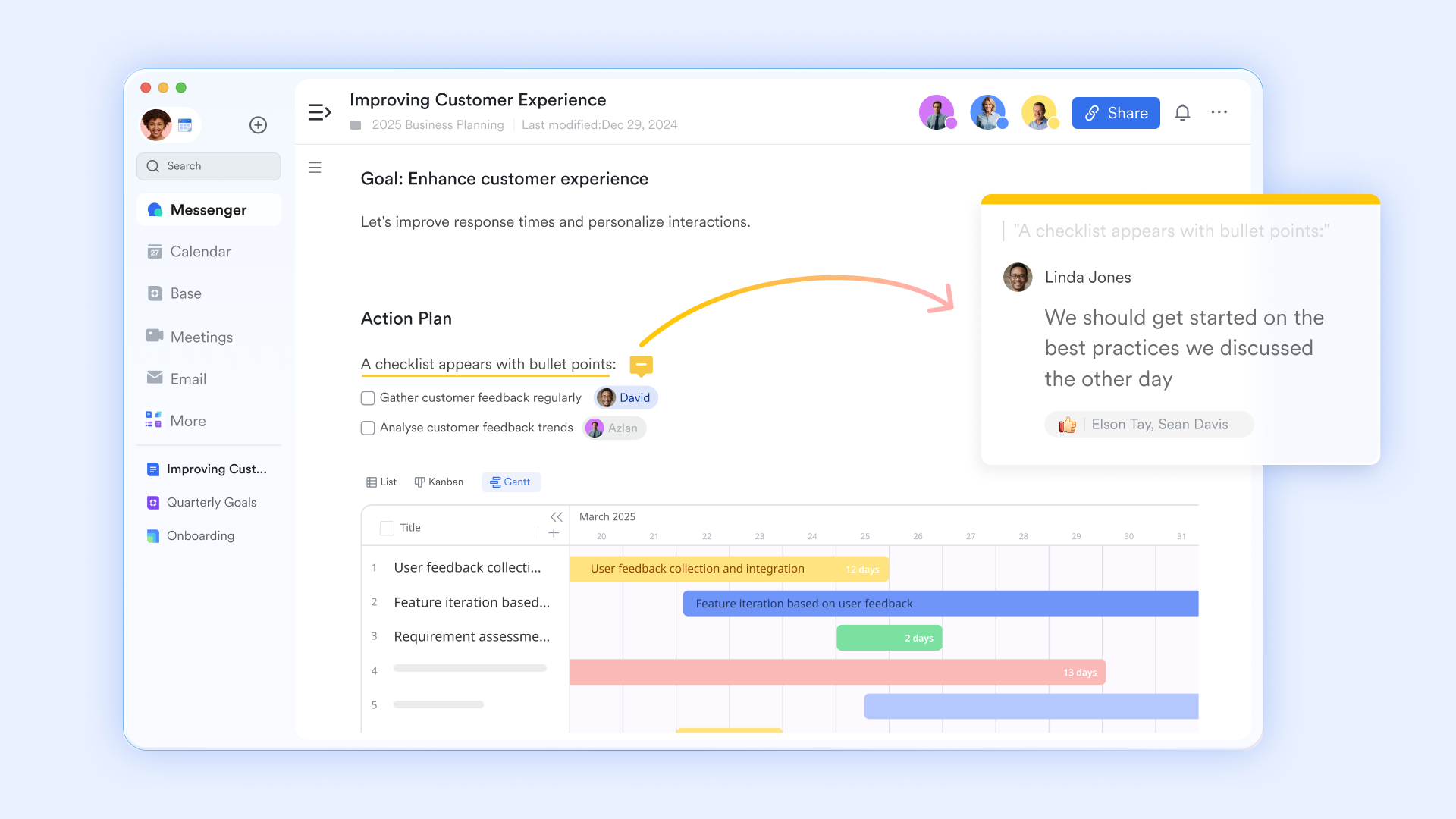
Real-time collaboration in Docs
lets multiple team members simultaneously, so everyone sees updates as they happen. Built-in comments and mentions make it easy to provide feedback directly in context. Version history helps track edits and restore previous drafts when needed. Tables, checklists, and embedded links keep content structured and actionable.
Interactive plan review sessions
During the pre-project review, uses Magic Share to facilitate collaborative planning. Instead of having one person present a static deck, the entire leadership team can co-edit the project plan live during the meeting. This allows for real-time adjustments to budgets, timelines, and responsibilities, ensuring that the final plan has full stakeholder buy-in before the "Go" signal is given. 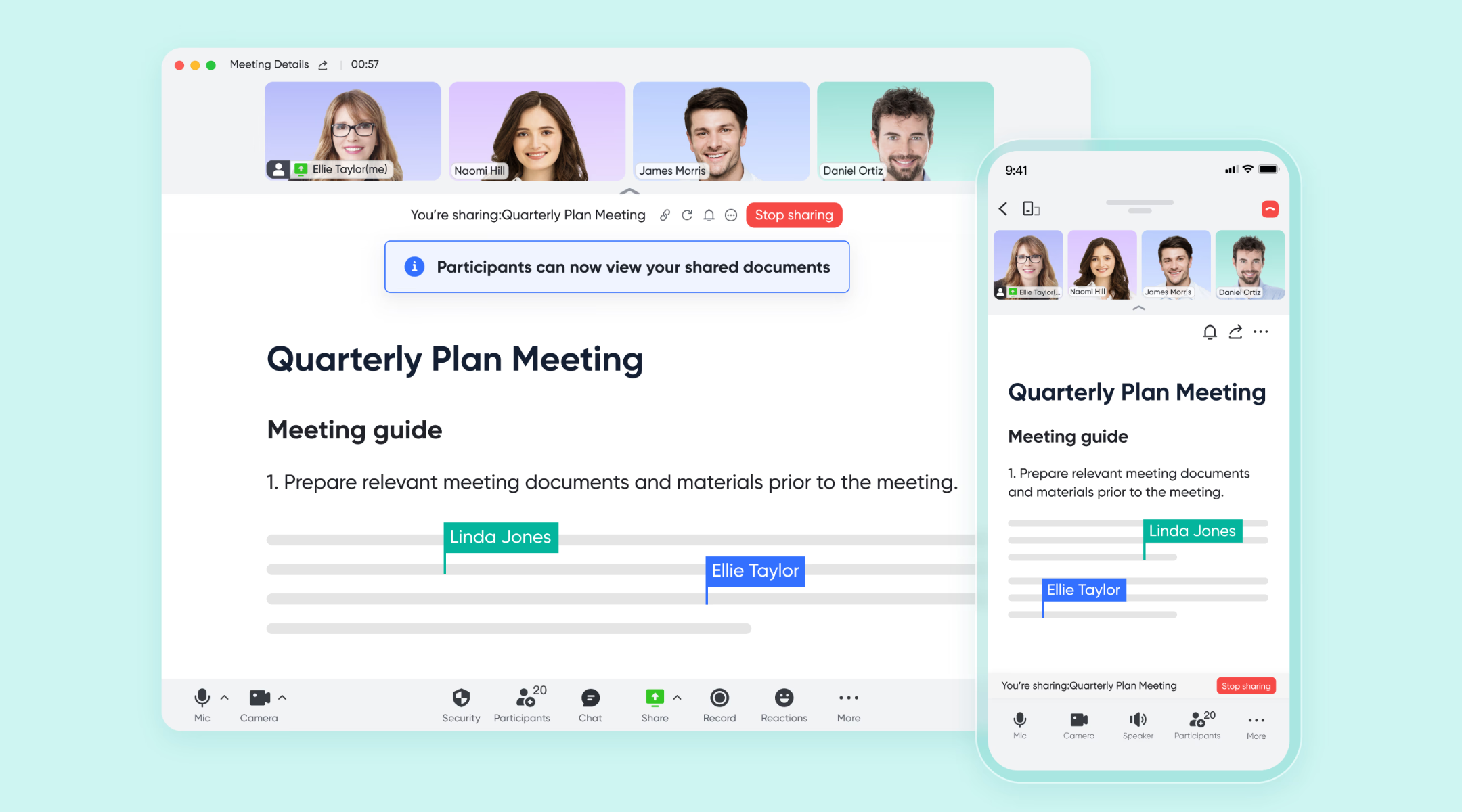
Strategic timeline & resource mapping
Before the project kicks off, you must visualize the feasibility of your deadlines. The Gantt view in allows you to map out the project phases and identify potential bottlenecks. By setting up task dependencies and milestones in this view, you can simulate different timelines and ensure that resource allocation is realistic before committing the team to a start date. 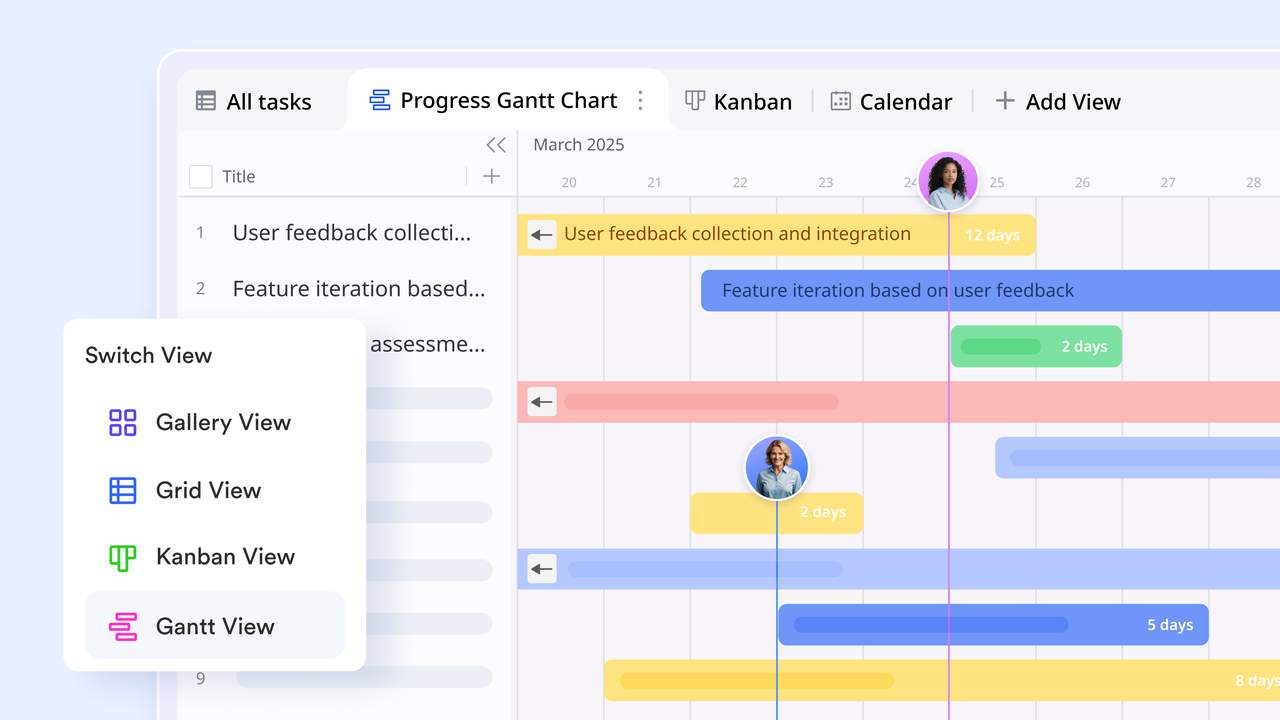
Synchronized resource allocation
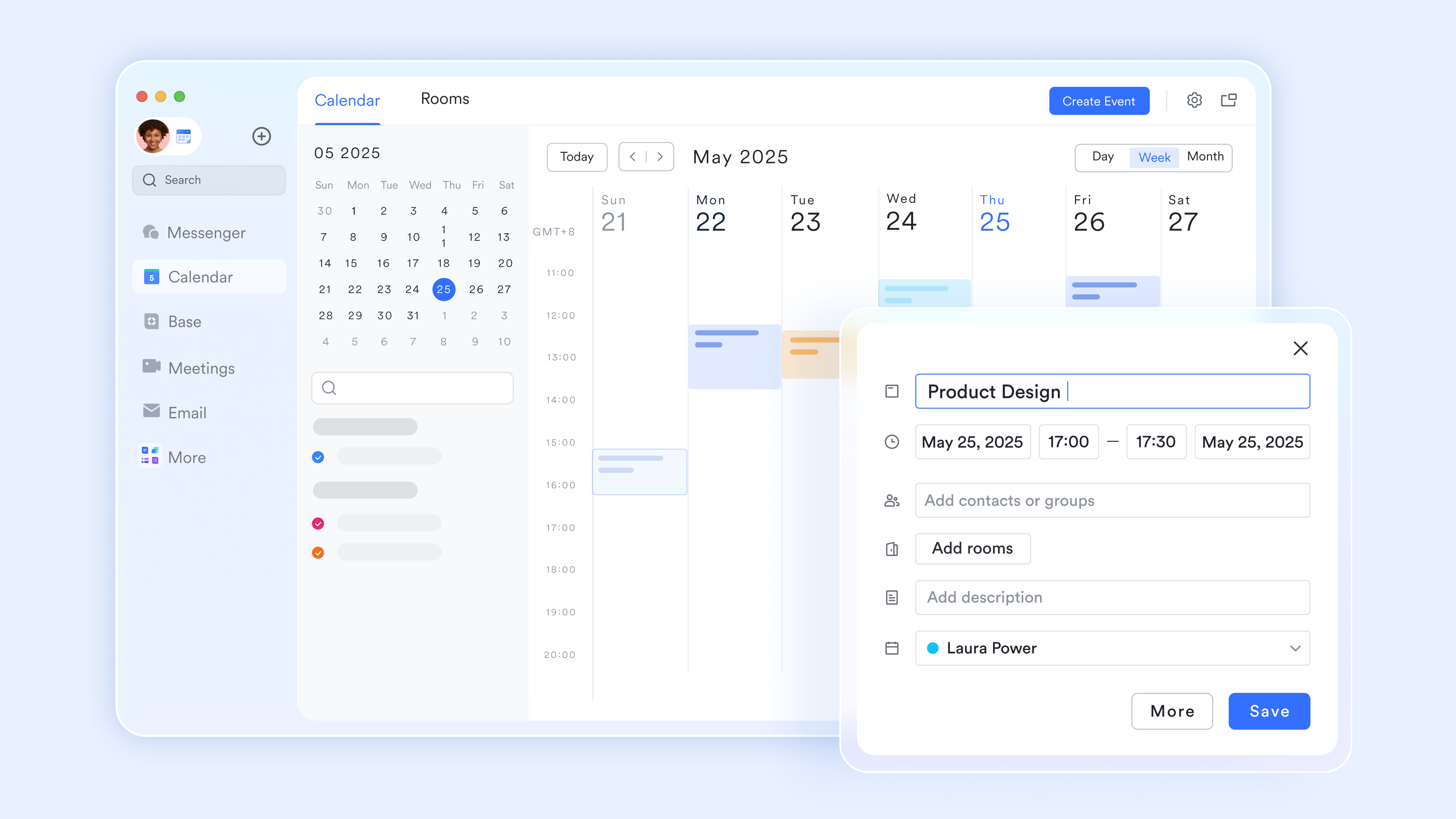
A project plan is only viable if the team is available. allows you to create a "Project calendar" that overlays with your team's individual schedules. During the planning stage, you can use this to check for public holidays, pre-existing commitments, or "crunch periods." By inviting the team to a planning event, you can see everyone's availability at a glance, ensuring the project timeline respects the team's actual capacity.
Goal-driven alignment
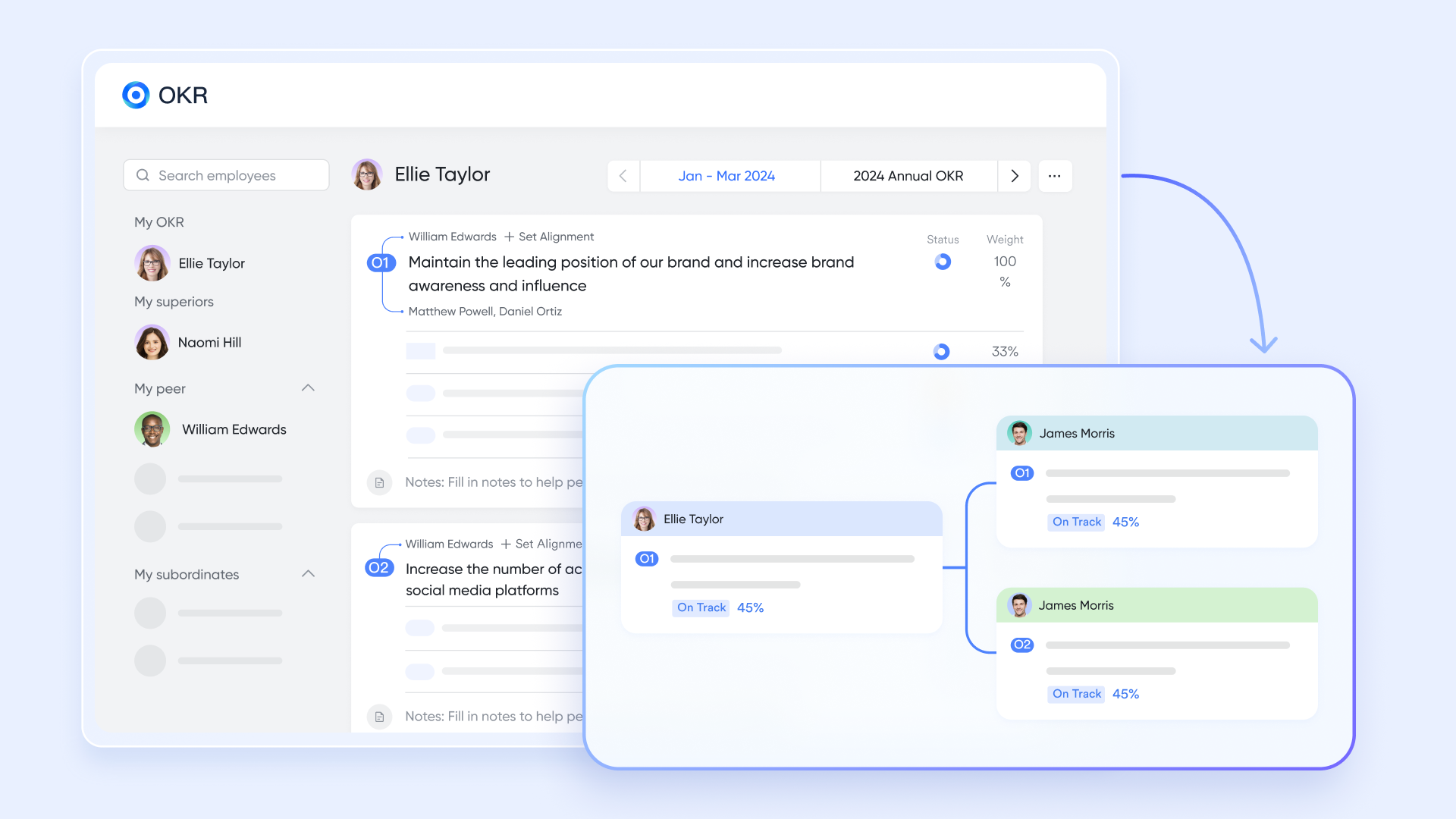
A project plan is only effective if it serves a larger purpose. is used in the planning phase to anchor your project to specific company objectives. By defining your key results early, you ensure that every planned activity has a measurable outcome. This alignment phase prevents "scope creep" by ensuring only tasks that contribute to the OKRs are included in the final plan.
:
- Starter plan: Free forever plan that includes 11 powerful tools for up to 20 users. It also includes 100GB of storage, 1,000 automation runs, AI translations, and more.
- Pro plan: $12/user/month (billed annually) for up to 500 users. It includes everything in Starter, plus group calling for up to 500 attendees, 15 TB of storage, 50,000 automation runs, and more.
- Enterprise plan: for custom pricing. Supports unlimited users and includes even more automation runs and advanced security, compliance, and management features.
For small teams with simple communication needs

18 months message history
1000 Base automation runs/month
2000 rows per table in Base
Most POPULAR
For companies with comprehensive collaboration and management needs
Unlimited message history
500-participant video meetings
50k Base automation runs/month
20k rows per table in Base
For large companies with advanced security and organizational management needs
Get a personalized demo and pricing
Unlimited message history
500-participant video meetings
15 TB storage + 30 GB storage/user
500k Base automation runs/month
50k Base automation runs/month
Most POPULAR
For companies with comprehensive collaboration and management needs
Unlimited message history
500-participant video meetings
50k Base automation runs/month
20k rows per table in Base
Future of online project planning
The future of online project planning is shaped by intelligent technologies that help teams move from reactive management to proactive decision-making. As , projects will become more adaptive, data-driven, and easier to manage at scale.
- AI-generated project plans: Artificial intelligence can help create structured project plans based on goals, timelines, and past performance data. This reduces setup time and provides teams with a strong starting framework.
- Predictive timelines: Predictive tools analyze historical trends and current progress to forecast potential delays or early completions. This allows teams to adjust schedules before issues impact delivery.
- Automated risk alerts: Systems can and dependencies to detect warning signs of potential risks. Teams receive alerts early, enabling faster mitigation and better decision-making.
- Smart workload balancing: Workload insights help distribute tasks more evenly across team members based on availability and capacity. This supports productivity while reducing burnout and resource strain.
Conclusion
Online project planning has transformed the way teams organize work, collaborate, and deliver results. By moving from static documents to dynamic, shared workspaces, teams gain better visibility into objectives, tasks, timelines, and risks at every stage of a project. With the right tools and templates, it becomes easier to stay aligned, respond to changes, and keep stakeholders informed in real time. From visual tracking and automation to and collaboration, a well-structured project plan online supports both day-to-day execution and long-term strategy.
If you're looking to simplify how your team plans, tracks, and communicates around projects, offers a unified platform to bring everything together in one place. Explore how Lark can support your workflows and help your team plan smarter, work more efficiently, and move projects forward with greater confidence.
Organize and track your projects today
FAQs
Can I use an online project plan offline if I lose internet access?
With an online project plan, Lark allows limited access to selected documents and files when connectivity is unstable. Any changes made during this time can sync automatically once you're back online. This helps teams stay productive during travel or temporary network disruptions.
How secure is my project data in online planning tools?
As a project plan online tool, Lark uses permission controls, access management, and features to safeguard project information. Teams can define who can view, edit, or share specific content. This helps maintain confidentiality and compliance with internal security policies.
Can online project plans integrate with my existing software?
Using a project plan tool online like Lark, teams can connect calendars, email, and other workplace tools into a unified workflow. This reduces duplicate data entry and keeps information consistent across systems. Integrations also improve efficiency and reporting accuracy.
How easy is it to migrate from spreadsheets to an online project plan?
With an online project plan, Lark supports importing spreadsheet data into structured tables and boards. Tasks, owners, and timelines can be transferred with minimal setup. This makes the shift from manual tracking to a digital workspace smoother and faster.
What should I look for in scalability as my team grows?
As a project plan online tool, Lark offers flexible user limits, storage options, and automation capacity for expanding teams. Permission settings can be adjusted as roles and departments change. This ensures the platform continues to support long-term growth and complexity.
Related reading





























