You run your resume through a checker, it spits out a score, and suddenly you're staring at a list of "issues" like it's a homework assignment. The score isn't the problem. The problem is what happens next: you tweak random lines, change a few words, maybe swap a template—and nothing really improves.
Treat the score like a diagnostic, not a grade
If you're using to generate a draft and get a quick score/check, use that score as your starting point for every application—it's a fast way to spot gaps, tighten phrasing, and align your resume to the job description before you save a clean version and move on to submitting.
Now turn the feedback into a repeatable routine. Every time you get a score/check, answer these three questions before you touch a single bullet:
- What's missing for this role?
Look at the job description and list the skills/tools/workflows that appear multiple times. If you genuinely have them, make sure they show up naturally in your bullets—especially in the most recent, most relevant roles. This isn't about stuffing keywords; it's about removing ambiguity. A reviewer shouldn't have to guess whether you used Salesforce, SQL, Jira, or stakeholder reporting—you should make it obvious.
- What's vague or unprovable?
Scoring tools and humans both react badly to fluffy phrasing because it doesn't prove anything. Scan for verbs like helped, assisted, supported, and responsible for—then rewrite using one of these "proof-first" patterns:
- Action + what + metric: "Built X that improved Y by Z%."
- Action + what + scope: "Owned X across 3 regions / 12 stakeholders / 80+ tickets weekly."
- Action + what + before/after: "Reduced cycle time from 10 days to 6."
- If you don't have perfect metrics, don't freeze—use an honest scope. Volume, frequency, team size, budget size, and systems touched can still communicate seniority and credibility.
- What's slowing down the first scan?
Even strong experience can underperform if it's hard to parse. Common culprits:
- bullets that bury the result at the end
- long paragraphs instead of scannable bullets
- inconsistent section headings (so the resume parses poorly)
- clutter (older roles, unrelated bullets, repetitive responsibilities)
- A simple fix: put the "so what" in the first half of the bullet. If someone only reads the first line, they should still understand your impact.
Build your "Resume Improvement Board" in Lark, so edits actually happen
Feedback fails when it stays trapped in one place: a PDF report, a browser tab, a note you never revisit. Your fix is to create one home for inputs, actions, versions, and outcomes—so you're not "starting over" for every application.
Step A: Create a simple table (6 columns that do the heavy lifting)
In Lark, build a tracker-style table with:
- Role / Company (e.g., "Sales Ops Analyst — B2B SaaS")
- Resume Version (Master, v1, v2, Final)
- Score Snapshot (score + top 2–3 issues)
- Fix List (tasks, not paragraphs)
- Status (Draft → Ready → Submitted → Interview)
- Next Action Date (follow-ups + reminders)
If you want a shortcut, start from and rename the fields to match this workflow. The point is not perfection—it's consistency.
Step B: Convert feedback into "one-edit" tasks
This is where people get stuck: they paste a feedback block and feel productive, but nothing changes. Your Fix List should be made of small, testable tasks you can complete in 10–20 minutes each.
Examples that work:
- Rewrite 3 bullets in the most relevant role to include metric + timeframe
- Add 5 truthful keywords (tools + workflows) where they naturally fit
- Remove 2 older bullets that don't match the role's scope
- Standardize headings so they parse cleanly (Experience / Projects / Skills)
- Tighten summary to 2 lines, tailored to role (not a bio)
Pro tip: add a "Effort" tag (S/M/L). It stops you from putting off easy edits and over-focusing on cosmetic changes.
Step C: Create a "Metrics Bank" (so you're not scrambling each time)
Most resumes don't lack experience—they lack measurable proof. Create a small "Metrics Bank" doc where you collect:
- Time saved (hours/week, days/month)
- Volume (tickets/week, accounts managed, leads processed)
- Impact (revenue influenced, conversion lift, churn reduction)
- Scope (team size, regions, budget, systems)
When you're tailoring, you'll draw from this bank rather than rewrite from scratch. Even if the numbers are estimates, you can often quantify scope honestly: "supported a 12-person team," "handled 80+ tickets/week," "owned pipeline reporting across 3 regions."
Use the "Job Description → Resume Patch" method (tailor faster, rewrite less)
People hear "tailor your resume" and imagine rewriting everything. Don't. Tailoring should feel like patching: adjusting emphasis and wording so your most relevant proof shows up first.
Here's the patch method you can repeat for every role:
- Copy the job description into a doc
- Highlight repeated requirements in three buckets:
- Tools/skills (SQL, HubSpot, Jira, stakeholder management, etc.)
- Outcomes (increase efficiency, improve reporting, reduce cycle time)
- Signals (ownership, cross-functional, ambiguous problems)
- Create a checklist of 10–15 terms/ideas you should reflect on naturally
If you want a clear explanation of "match the JD without copying it," is a solid reference: keep it readable, stay honest, and make relevance obvious.
Now apply your checklist using three edits that usually produce the biggest lift:
Edit 1: Reorder before you add anything new
If the role is analytics-heavy, move the analytics project up. If it's customer-facing, lead with client outcomes. Same experience—better sequence.
Edit 2: Convert duties into outcomes (use a simple pattern)
Try this rewrite formula:
Action + What + Why it mattered + Proof
Before: "Responsible for weekly reporting."
After: "Built a weekly KPI report that reduced manual updates by 4 hours/week and improved leadership visibility into pipeline health."
Before: "Worked with cross-functional teams."
After: "Partnered with Sales and RevOps to define handoff criteria, cutting lead rework by 18% over one quarter."
Before: "Helped implement a CRM."
After: "Supported CRM rollout by cleaning 12K records and creating a standardized field schema, improving data accuracy for forecasting."
You don't need to inflate. You just need to move from vague to specific.
Edit 3: Mirror terminology carefully (without keyword stuffing)
If the job says "customer onboarding" and you wrote "client setup," decide whether "onboarding" describes what you did. If yes, align it. If no, don't force it. The goal is clarity for the reader—and clean parsing for systems.
Why build this routine in Lark
If your process lives across five tools, it's easy to lose momentum—scores stay in tabs, edits stay in drafts, and follow-ups get missed. is an all-in-one productivity platform that brings your tools and workflows into one connected workspace, so you can move from feedback → edits → submission without constantly switching apps.
Here's how the Lark suite maps to this resume-improvement routine:
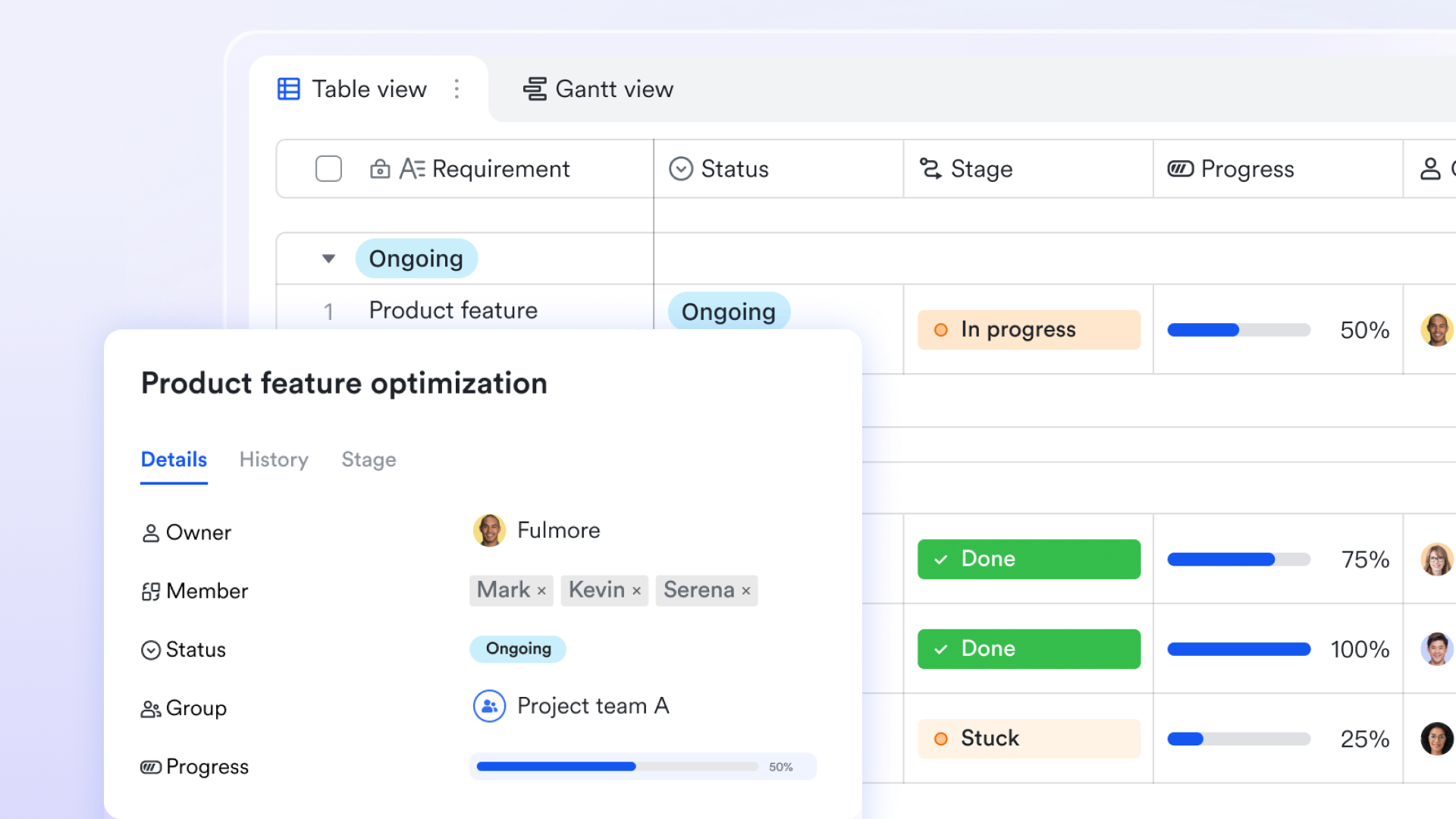
(tracker + pipeline control): Build a simple "Resume Improvement Board" to track "Role/Company," "Resume Version," "Score Snapshot," "Fix List," "Status," and "Next Action Date." Because it's structured, you can filter what's stuck, sort by priority, and keep every application moving. In addition, teams can also build customizable, automated workflows with pre-set triggers. When the status is done, relevant team members can receive reminders and move on to the next step.
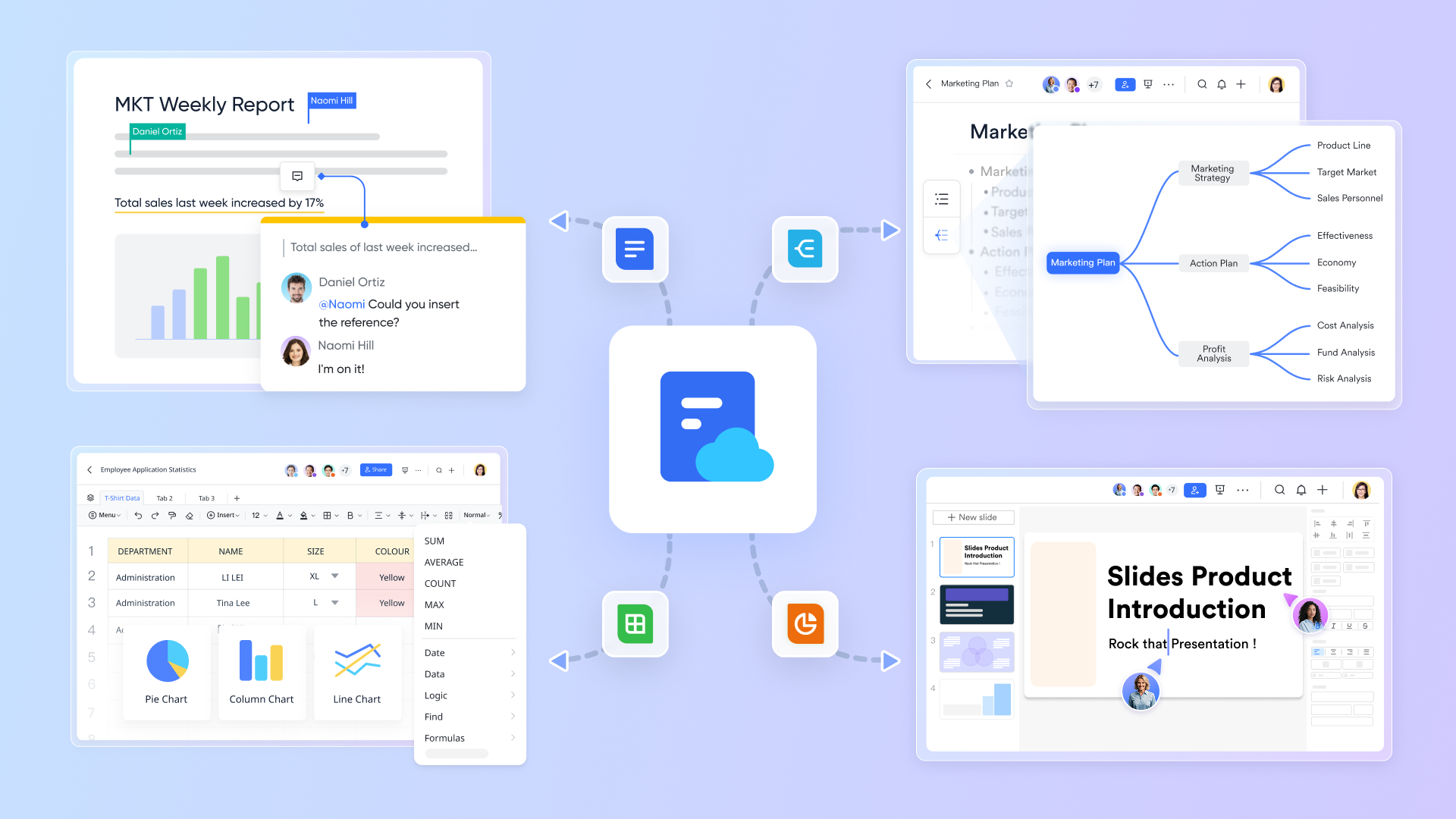
(writing + version clarity): Keep your master resume, tailored variants, and reusable bullet "patches" in one place. Docs also works well for a lightweight "Metrics Bank" you can copy from when you need numbers, scope, or before/after results.
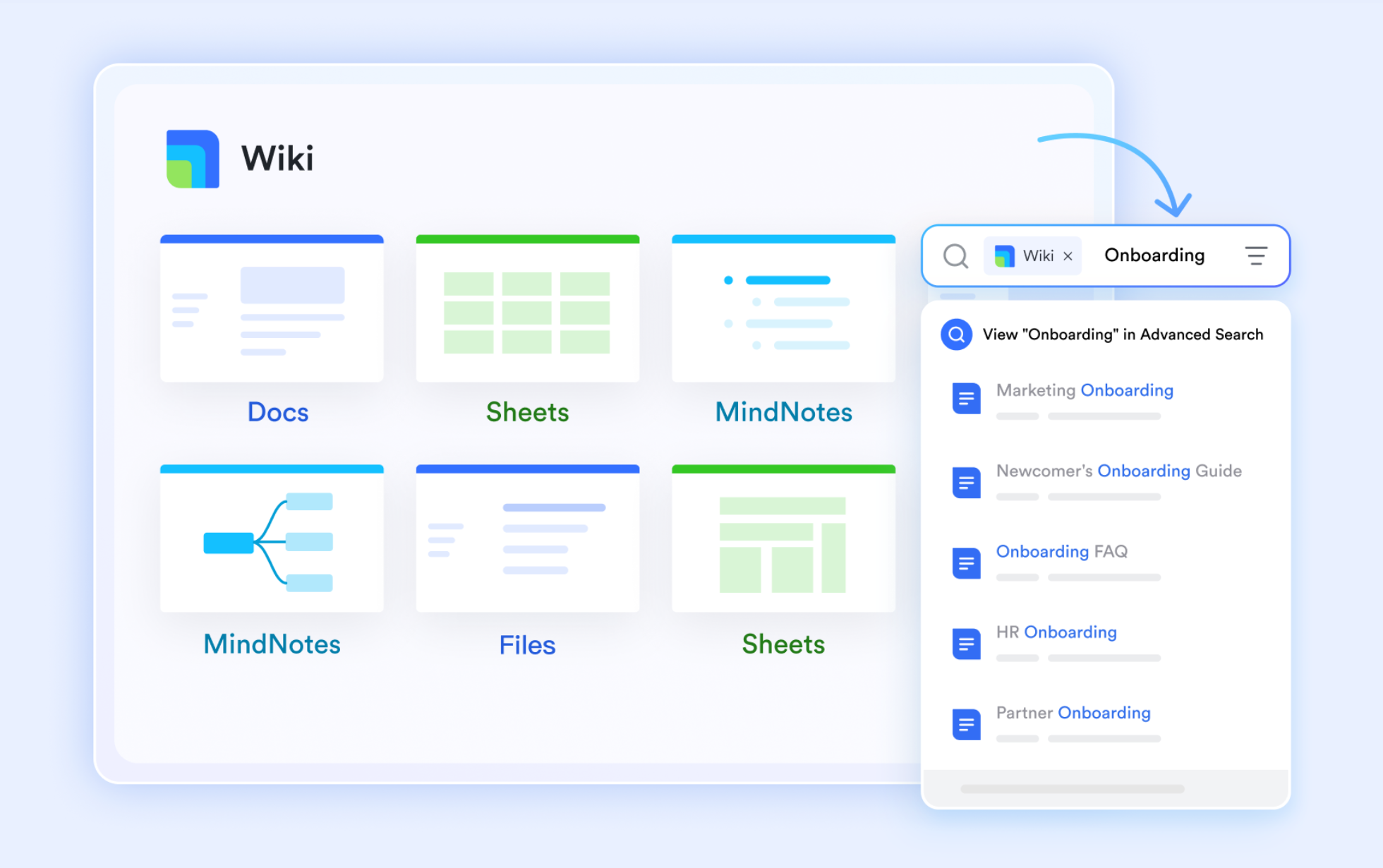
(one source of truth): Store resumes, team handbooks, and materials relevant to your teams' daily work, and its role-based permission setting makes sure that no important data or information is at risk.
Lark Tasks (turn feedback into action): Convert fix items into small, finishable tasks (10–20 minutes each), assign due dates, and avoid the "I'll rewrite everything later" trap. Tasks make progress visible even when you're busy, and team members can get reminders via chatbots in Lark Messenger to know which tasks are close to the due date. Tasks' list, kanban, or Gantt chart view helps users to manage tasks more effectively. 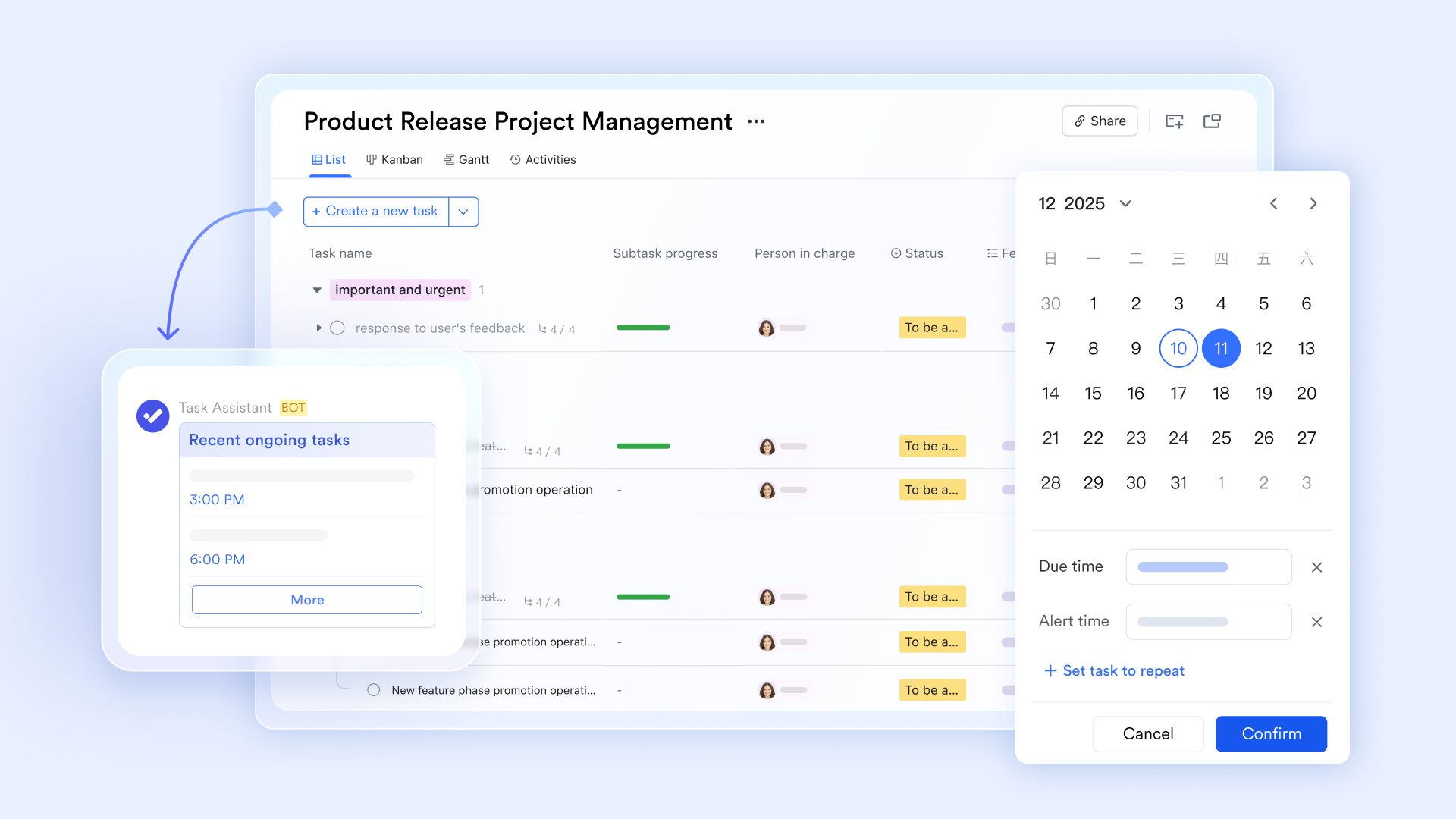
(faster reviews, fewer back-and-forths): If you're getting feedback from a mentor, friend, or recruiter, you can review changes live, agree on what to edit next, and keep the decision close to the document—so feedback doesn't drift into a forgotten message.
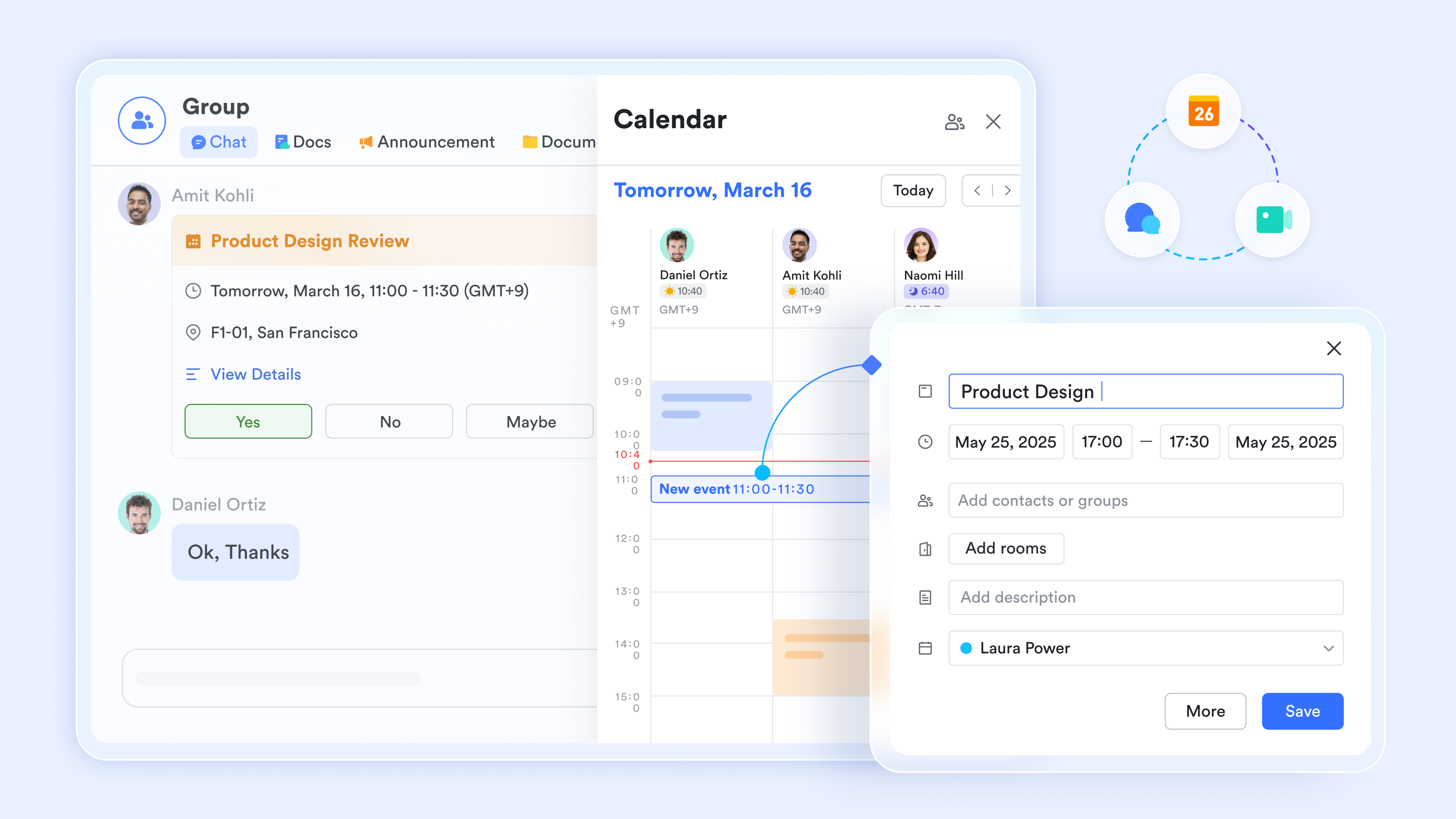
+ Intelligent Search (keep context connected): Team members can reply to each message in a threaded conversation, which means that there is no need to find the context. In addition, when a certain file is needed, users can type the name in the search bar in Lark Messenger to find the relevant file.
With everything connected, this stops being "resume fixing" and becomes a repeatable system. Now let's build a simple "Resume Improvement Board" in Lark.
:
- Starter plan: that includes 11 powerful tools for up to 20 users. It also comes with 100GB of storage space, 1000 automation runs, AI translations, and more. No credit card needed.
- Pro plan: (billed annually) for up to 500 users. It includes everything in Starer plus group calling for up to 500 attendees, 15TB of storage space, 50,000 automation runs, and more.
- Enterprise plan: for custom pricing. Supports unlimited users and includes even more automation runs and advanced security, compliance, and management features.
For small teams with simple communication needs

18 months message history
1000 Base automation runs/month
2000 rows per table in Base
Most POPULAR
For companies with comprehensive collaboration and management needs
Unlimited message history
500-participant video meetings
50k Base automation runs/month
20k rows per table in Base
For large companies with advanced security and organizational management needs
Get a personalized demo and pricing
Unlimited message history
500-participant video meetings
15 TB storage + 30 GB storage/user
500k Base automation runs/month
50k Base automation runs/month
Most POPULAR
For companies with comprehensive collaboration and management needs
Unlimited message history
500-participant video meetings
50k Base automation runs/month
20k rows per table in Base
Close the loop: submit earlier, follow up cleaner, learn from outcomes
A better resume helps, but workflows compound results: fewer missed follow-ups, fewer duplicate applications, and less "what did I even send them?" stress.
Track a few numbers like you mean it
In your Lark table, track:
- Applications submitted per week
- Interview requests per 10 applications
- Time-to-submit (finding role → submitting)
- Top recurring gaps (metrics missing, domain mismatch, keyword gaps)
Make follow-ups part of the system (not a vibe)
Add Next Action Dates for:
- 48 hours after submitting: quick check—anything missing?
- 5–7 business days: polite follow-up
- After each interview: thank-you + recap
If you want context on what happens after you hit "submit," and why formatting and keyword relevance matter, gives a practical overview of how applicants get sorted and reviewed.
And if you're applying to larger organizations, it's worth knowing ATS usage is widespread in enterprise hiring; adds a helpful perspective on how standardized screening can be.
Do a weekly 15-minute "resume + pipeline" review
Pick one day (Friday works well) and run a quick check:
- What's stuck in Draft—and why?
- Which two roles will you tailor for next week?
- What's one global improvement you'll make to the master resume?
(Example: "Add metrics to my top 5 bullets," or "clarify scope in leadership bullets.")
This is where interview requests start showing up. Not because you found a magic trick—but because you're consistently improving the inputs and tightening execution.
Conclusion
A resume score won't get you hired. But it can save you time—if you use it the same way every time. Turn the feedback into a short list of edits, update your master version, and track what you sent so you're not guessing later. Do that for a couple of weeks, and you'll stop "fixing your resume" all the time… because it'll actually be getting better.
FAQs
Why do I get a "high resume score" but still no interview calls?
Many "resume scoring" tools overweight formatting and keyword coverage, while interview invites depend on deeper fit signals:
- Whether your experience is explicitly aligned to the role (responsibilities, capabilities, outcomes)
- Whether you show verifiable impact (metrics, scope, difficulty)
- Whether you pass both ATS filtering and a hiring manager's 10-second scan
So the goal shouldn't be a high score—it should be fast-to-understand evidence of role fit.
What's a simple, reusable workflow I can apply to every application?
A 5-step workflow (typically 20–40 minutes per application):
- Break down the JD: extract 5–8 hard requirements (skills/years/domain) + 3–5 soft requirements (collaboration/ownership)
- Pick evidence: map each requirement to 1–2 proof points from your projects (STAR/XYZ)
- Rewrite the summary: 2–3 lines at the top that clearly state "you = what this role needs"
- Rewrite bullets: "action + approach + quantified result + scope/impact"
- Check consistency: resume, portfolio, LinkedIn (or similar), and interview stories use consistent wording
If I only have time to change three things, what's the highest ROI?
Prioritize in this order:
- Impact-driven bullets: use metrics, scale, before/after; reduce "job duty" descriptions
- JD-to-evidence mapping: include the role's core nouns/skills in your proof points (don't keyword-stuff)
- Readability & structure: a hiring manager should see "who you are, what you did, what changed" in 10 seconds
Visual polish (templates/colors) usually comes later.
How can I tell if the new version actually improves interview conversion?
Track a measurable application funnel:
- Impressions → resume views/downloads (if the platform shows it)
- Applications → first-round interview rate (e.g., improve from 3% to 8%)
- Rejection reason tags: skill mismatch / level mismatch / domain mismatch / communication
Run an A/B test: for similar role families, submit "old vs. new" versions for 2–3 weeks, then iterate based on data.
Related reading