














The Best AI Automation Software in 2026 for Smarter Workflows

Alex Miller
Technical Product Marketing Specialist
Sep 18, 2026
Alex Miller
Sep 18, 2026


15 min read


AI tools are gaining more attention as businesses look for ways to improve efficiency and reduce repetitive work. By applying AI technologies to specific parts of workflows, companies can simplify everyday tasks and free up time for their teams to focus on higher-value work.
Whether it’s automatically generating content, sending timely notifications, sorting data intelligently, summarizing reports, or spotting trends, AI automation tools help make processes smoother and more efficient. These tools reduce errors, save time, and allow teams to collaborate better.
In this article, we explore the best tools to help you automate your workflows and improve productivity. We didn't just read marketing claims; we spent months evaluating these platforms in real-world scenarios and analyzed what teams actually run in production daily. This 2026 hands-on review cuts through the hype to show you which AI automation tools deliver genuine ROI.
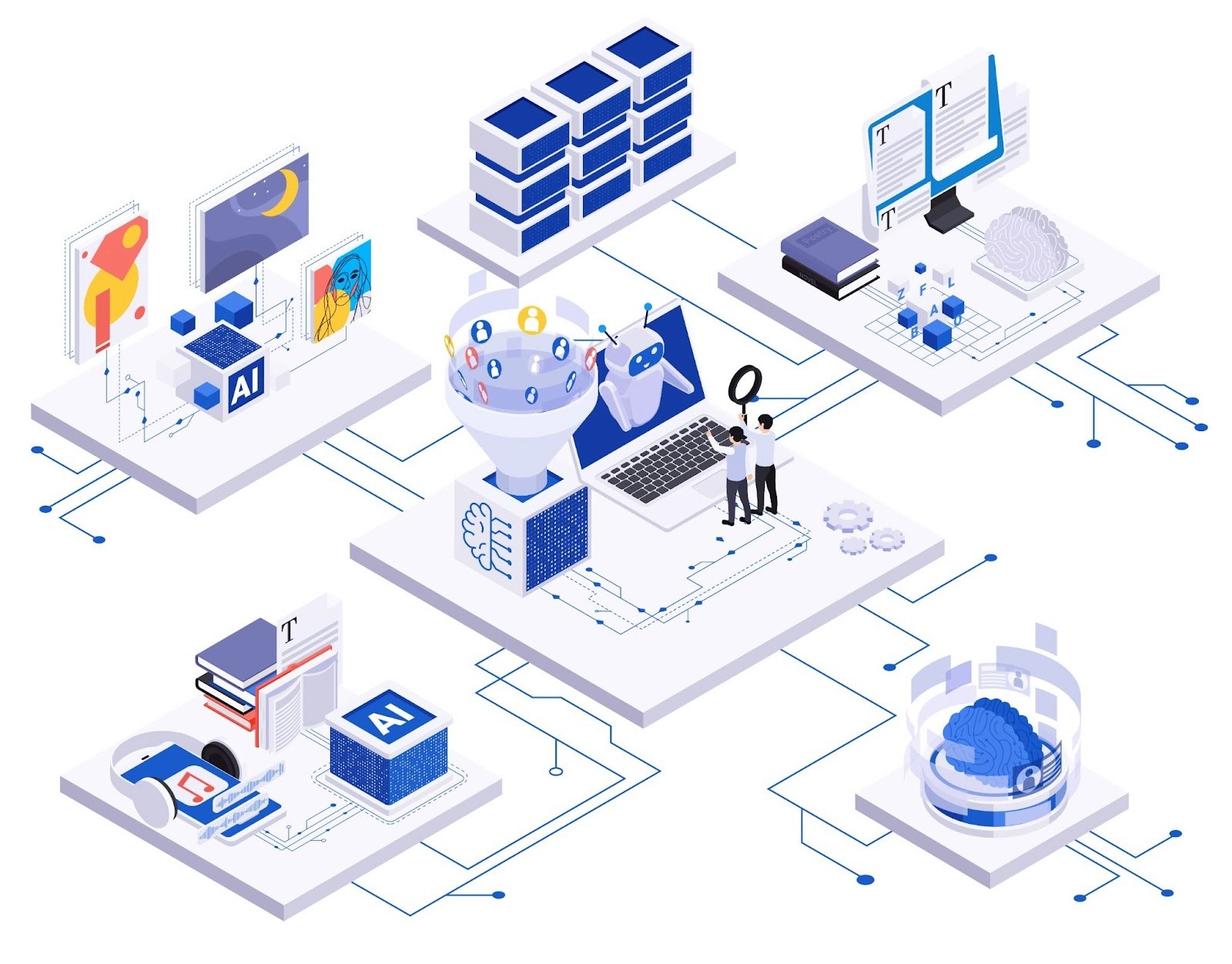 Image source: freepik.com
What is AI automation?
At its core, AI automation refers to software solutions that leverage AI technologies—such as natural language processing (NLP), machine learning, and advanced data analysis—to automate individual parts of business workflows. By combining AI-powered assistants, businesses can move beyond rigid rule-based systems to create workflows that are adaptive and intelligent. For any AI software development company, this approach reduces manual workload and human error while improving speed and operational consistency.
One key advantage of modern AI automation software is its accessibility—many platforms offer user-friendly interfaces and integrations with popular business apps like customer relationship management (CRM) systems, marketing platforms, or helpdesk tools. This allows teams without extensive technical skills to implement AI-enhanced workflows that address their specific challenges.
In essence, AI automation software empowers businesses to handle important routine tasks more efficiently and with greater insight, helping them stay competitive and agile in a fast-changing marketplace.
Exploring the different types of AI automation tools
When we talk about AI automation software, it’s important to understand the kinds of AI tools available and how they can fit different business needs. Broadly speaking, AI automation software can be grouped into several types based on their primary functions:
- Content automation tools: These help generate, edit, or optimize text, images, or even videos automatically. From brainstorming ideas, drafting marketing content to creating reports, these tools reduce time spent on creative but repetitive tasks. You can also use an AI video generator to streamline video creation as part of your workflow.
- Communication automation platforms: Designed to automate messaging and notifications, these tools enable businesses to send timely, personalized messages to customers or internal teams without manual intervention.
- Data classification and analysis tools: AI excels at sifting through large amounts of data quickly. These tools help categorize emails, documents, or customer feedback that support decision-making.
- Intelligent reporting and summarization tools: Producing concise summaries from complex data or lengthy texts becomes easier, saving time to generate data-driven reports.
Each type of AI tools fulfills a distinct role but often overlaps in capabilities. Many platforms combine several functionalities to offer an integrated automation experience tailored to different industries and workflow complexities.
Six practical AI automation software use cases that boost business efficiency
Custom task automation with AI integration is rapidly changing the way companies handle everyday processes, enabling teams to work smarter and faster. Let’s dive into six powerful use cases where AI automation tools deliver real impact across various industries:
1. Automated content generation to speed marketing efforts
Creating high-quality content consistently is a challenge for many businesses. AI automation software built with AI development services can draft blog posts, social media updates, product descriptions, and email newsletters in minutes. This helps marketing teams reduce turnaround time and focus on crafting strategy while leaving routine writing to AI-powered assistants. To make the content more relatable and brand-aligned, teams can also use an AI humanizer to refine tone and ensure the output sounds natural and engaging.
2. Personalized, timely notifications that engage customers
Using customer data and behavior patterns, AI automation platforms can send highly relevant notifications, offers, or reminders exactly when users are most receptive. These targeted communications increase engagement and conversion rates without requiring manual effort from marketing or customer service teams.
3. Intelligent email and document classification for faster workflow
Sorting high volumes of emails or documents manually slows down productivity and increases the chance of mistakes. AI automation tools can categorize and prioritize incoming messages by topic, urgency, or sentiment—ensuring important issues get attention promptly and freeing teams from repetitive sorting tasks.
4. Data summarization to streamline decision-making
Managers often face overwhelming data from reports, surveys, or feedback forms. AI-enabled summarization tools analyze large datasets and produce concise, actionable summaries that highlight key insights. This makes it easier to identify trends and make informed decisions quickly.
5. Predictive analytics to stay ahead of market trends
AI automation software excels at analyzing historical data to forecast future outcomes. Whether it’s predicting sales performance, customer churn, or inventory needs, this capability provides businesses with a competitive edge by enabling proactive planning and resource allocation.
6. Enhanced customer support with AI-driven automation
Customer service teams benefit from AI automation through chatbots and virtual assistants that handle common questions and basic troubleshooting instantly. This reduces wait times, improves customer satisfaction, and allows human agents to focus on more complex or sensitive issues.

Benefits of AI automation software for your business
AI automation software offers several key advantages that help businesses operate more efficiently and effectively:
- Save time and boost productivity: Automating repetitive tasks frees teams to focus on higher-value work, speeding up overall processes.
- Increase accuracy: AI reduces human errors in tasks like data entry and classification, leading to more reliable results.
- Scale with ease: These tools adapt as your business grows, handling increased workloads without extra effort.
- Enhance customer experience: Personalized, timely interactions triggered by AI improve engagement and satisfaction.
- Cut costs and improve ROI: Automating routine operations lowers expenses and accelerates outcomes for better returns.
- Gain actionable insights: AI-powered analytics help identify trends and support smarter decision-making.
How to choose the best AI automation software for your business
Selecting the best AI automation tool can feel overwhelming given the variety of options and features available today. Here are some important factors to consider to ensure you find a solution that aligns with your unique business requirements and goals:
1. Identify the specific tasks you want to automate
Start by mapping out your workflows and determine which repetitive or time-consuming tasks could benefit most from AI-enhanced automation. Clear goals help narrow down suitable tools.
2. Ease of use and accessibility
Choose software with an intuitive interface and AI-powered assistants that empower both technical and non-technical team members to build and manage automation workflows. This reduces reliance on IT teams and accelerates adoption.
3. Integration with existing systems
Ensuring the AI automation software works smoothly with your current business applications—like CRM software, marketing platforms, or helpdesk tools—is crucial for seamless data flow and operational harmony.
4. Customization and scalability
Look for platforms that offer flexible configurations so you can tailor automation routines to your unique processes and grow along with your business needs.
5. Reliability and support
Evaluate the software provider’s track record for uptime, security, and customer support. Responsive service helps keep your automation running smoothly and addresses issues promptly.
6. Advanced AI capabilities
Assess the depth of AI features offered, such as natural language processing, machine learning models, and predictive analytics — these can enhance automation quality and business insights.
7. Pricing and ROI
Compare pricing models aligned with your budget, and consider the potential ROI based on time and cost savings, improved accuracy, and business growth. For users who need access to several capabilities without paying for multiple separate tools, comparing the best value AI subscription options can help identify which platform offers the most useful features and reasonable usage limits for the price.
By carefully weighing these factors, you can select AI automation software that not only fits your immediate needs but also supports your business goals long-term.
Best AI automation software by use case
The right AI automation software depends on the workflow you want to improve. Some tools are better for daily team operations, while others are built for sales, technical orchestration, enterprise RPA, document workflows, or product demos. Use the categories below to find the best fit for your team.
1. Best for everyday business workflow automation
Best picks: Lark, Zapier, Make, Microsoft Power Automate
These tools are best for teams that want to automate routine work without heavy technical setup. Lark is a strong fit for teams that want automation connected with collaboration, approvals, projects, docs, and communication. Zapier works well for simple app-to-app workflows and highlights automated workflows across connected apps. Make is useful for visual, multi-step workflow building. Microsoft Power Automate is a good choice for teams already using Microsoft 365, Teams, SharePoint, or Dynamics.
2. Best for Sales AI and GTM automation
Best picks: Lark, Zapier, Supademo, Tray.ai, Nintex
Sales AI automation often includes lead routing, CRM updates, demo follow-ups, approvals, and onboarding. Lark helps sales teams coordinate tasks, customer handoffs, and internal approvals. Zapier is useful for connecting forms, CRMs, spreadsheets, and communication tools. Supademo is best for interactive product demos, sales enablement, onboarding, and customer education. Tray.ai fits more technical GTM workflows such as lead routing and system orchestration. Nintex is useful when sales workflows involve documents, approvals, or eSignatures.
3. Best for Developer AI and technical orchestration
Best picks: Workato, Tray.ai, Make, Microsoft Power Automate
Developer AI automation is best for teams that need API orchestration, data flows, conditional logic, and internal system automation. Tray.ai is a strong option for AI-ready integration and enterprise automation. Workato is suitable for enterprise integration and workflow orchestration. Make gives technical teams visual control over branching, routing, and data transformation. Microsoft Power Automate can support IT and low-code automation across Microsoft services, cloud flows, and desktop flows.
4. Best for enterprise RPA and agentic process automation
Best picks: UiPath, Automation Anywhere, Microsoft Power Automate, Nintex
These tools are best for large companies that need automation across legacy systems, regulated workflows, approvals, and high-volume processes. UiPath is built for enterprise automation across AI, orchestration, document processing, and testing-related capabilities. Automation Anywhere focuses on agentic process automation with AI agents, RPA, APIs, documents, and human expertise. Microsoft Power Automate is a practical choice for Microsoft-based organizations. Nintex works well when process management, documents, and eSignatures are central to the workflow.
5. Best for document, approval, and process automation
Best picks: Lark, Nintex, Microsoft Power Automate, UiPath
These tools are best for teams that manage forms, approvals, contracts, documents, signatures, and audit trails. Lark is useful when approvals, docs, communication, and project work need to stay in one workspace. Nintex is a strong fit for workflow automation, process management, document automation, eSign, and RPA. Microsoft Power Automate works well for document and approval workflows across Microsoft 365, SharePoint, Teams, and Dynamics. UiPath is better for document workflows that are part of a larger enterprise automation program.
6. Best for product demo, onboarding, and customer education automation
Best picks: Supademo, Lark, Zapier
Supademo is the strongest fit for this category because it focuses on AI interactive product demos, guided product experiences, onboarding, sales enablement, and customer education. Lark can support the follow-up workflows around demos, such as assigning tasks, sharing feedback, and coordinating onboarding. Zapier can connect demo actions with CRMs, forms, email tools, and team notifications.
10 best AI automation software to boost your business
Choosing the best tools can truly transform how your business operates, saving time, reducing errors, and unlocking new efficiencies. With so many options available, I’ve compiled a list of ten top AI automation software tools that stand out in 2026 for their features, ease of use, and versatility. Each tool caters to different needs, whether you’re looking to automate marketing, customer support, workflow processes, or data management.
Let’s explore these solutions in detail to help you find the best AI automation software for your business.
Quick comparison: 10 AI automation software tools in 2026
1. Lark
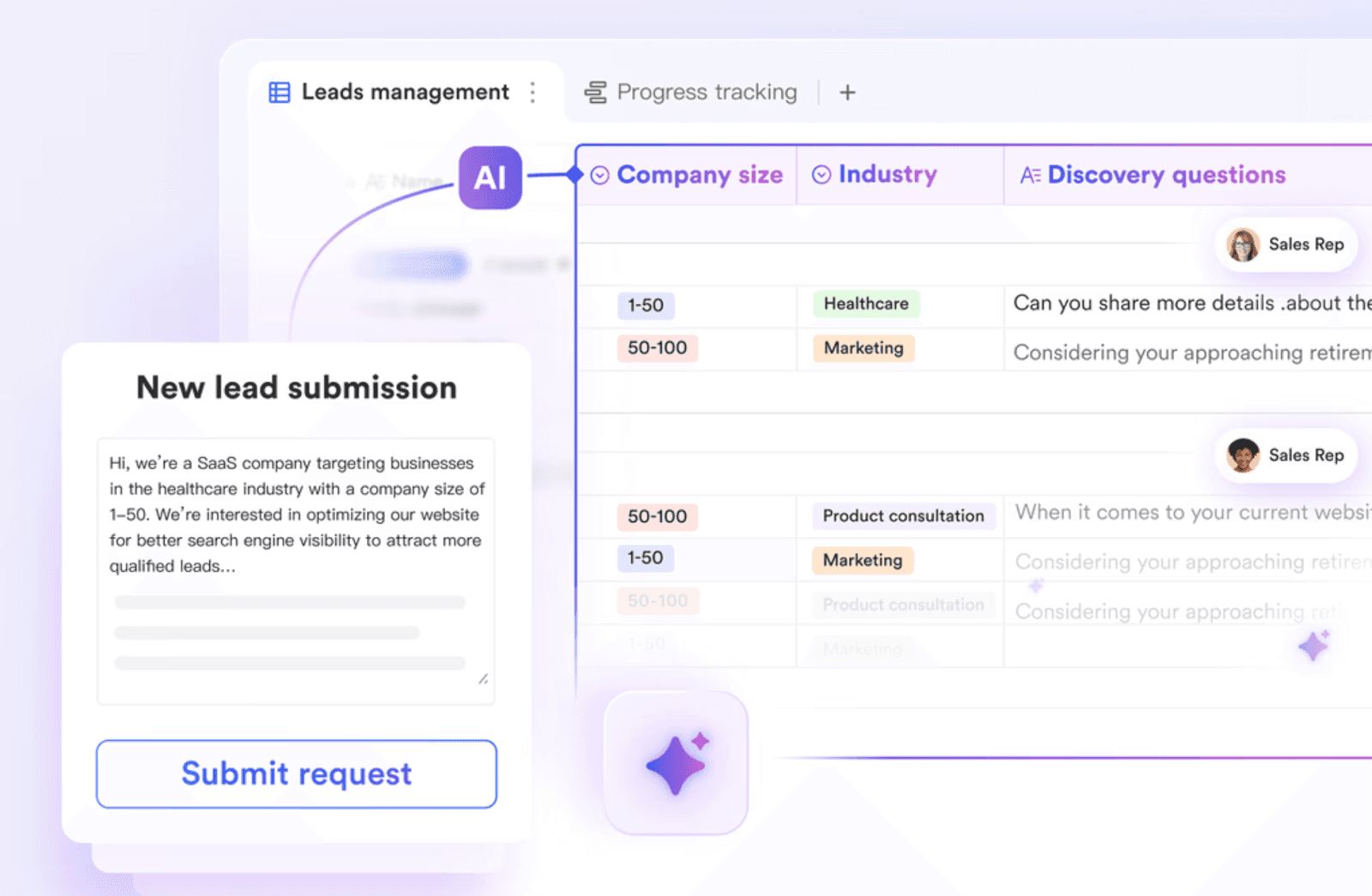
Lark is an all-in-one collaboration platform that integrates databases, messaging, video calls, collaborative documents, calendars, and tasks into a single, secure workspace. At the core of this platform, Lark Base enhances your workflow by streamlining and automating operational routines. Built to support teams of any size, Lark streamlines communication and project management while maintaining strong security with features like access control.
Key features:
- Smart data management automation: AI-driven tagging, extraction, categorization and summarization on Lark Base organize content according to custom rules, simplifying data handling and reducing manual efforts.
- Tailored AI workflows: Users can craft personalized AI prompts on Lark Base to fit unique business needs, ensuring that automation adapts precisely to existing workflows.
- Automated meeting minutes generation: AI automatically transcribes and summarizes meetings, providing clear, concise minutes that save time and keep everyone aligned.
- Seamless multilingual collaboration: Automated real-time translation across 12 languages breaks down language barriers, allowing teams across the globe to communicate smoothly.
- Pre-designed templates: Lark offers ready-made AI automation templates for common business scenarios, enabling quick deployment and helping teams accelerate productivity without starting from scratch.
AI automation applications:
- Content workflows automation: AI automatically analyzes and summarizes incoming content requests, generates briefing documents, and triggers scheduling notifications.
- Sales process automation: Lead data can be automatically categorized and enriched, while personalized discovery questions are generated by AI, speeding up the client engagement process for the sales team.
- Automated customer feedback handling: Feedback can be translated, summarized, and categorized in real time by AI; sentiment analysis and personalized response generation further streamline the feedback loop and improve customer satisfaction.
- Streamlined IT support via automation: Support tickets are automatically classified by urgency and type, handlers are assigned without delay, and responses are generated in multiple languages.
- Real-time, automated analytics for decision making: AI-powered dashboards continuously track feedback trends and key metrics, enabling management to quickly identify critical insights and make informed decisions with minimal manual data crunching.
Best for:
- Teams and organizations seeking an all-in-one platform combining communication and AI-driven automation
- Businesses aiming to boost collaboration efficiency without juggling multiple software
- Remote and hybrid teams looking for real-time, AI-powered productivity solutions
2. Zapier
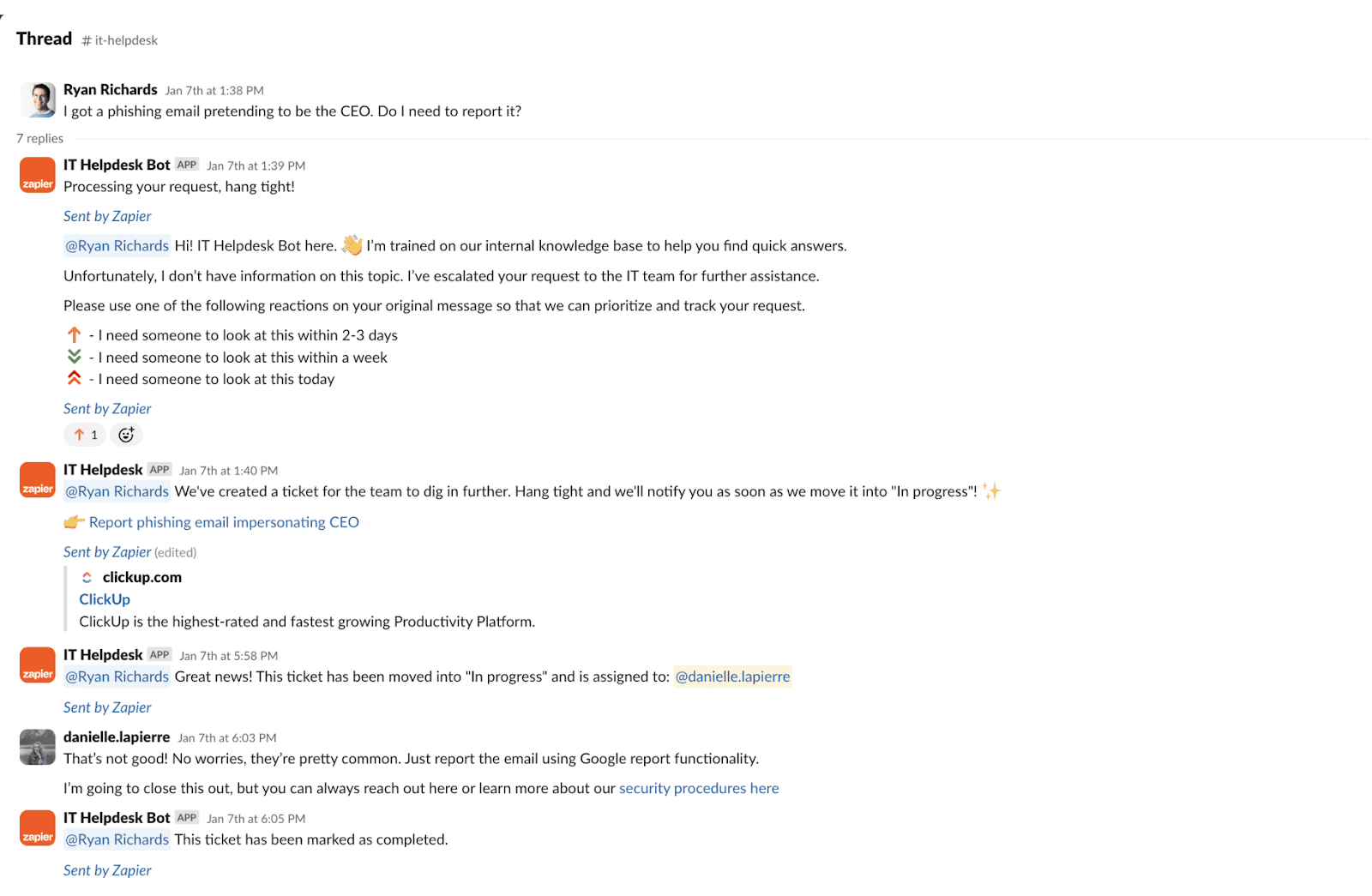 Image source: zapier.com
Image source: zapier.comKey features:
- Connects and automates workflows across web apps without coding
- Easy-to-use drag-and-drop editor for creating “zaps” that trigger actions automatically
- Multi-step workflows with conditional logic and delays
- Supports a vast library of app integrations, including CRMs, email, marketing, and project management tools
- AI-powered natural language commands to simplify automation setup
Best for:
- Small to medium-sized businesses and startups need to automate repetitive web-based tasks
- Non-technical users looking for a simple, no-code automation solution
- Teams that rely on multiple SaaS services and want to seamlessly sync data between them
3. UiPath
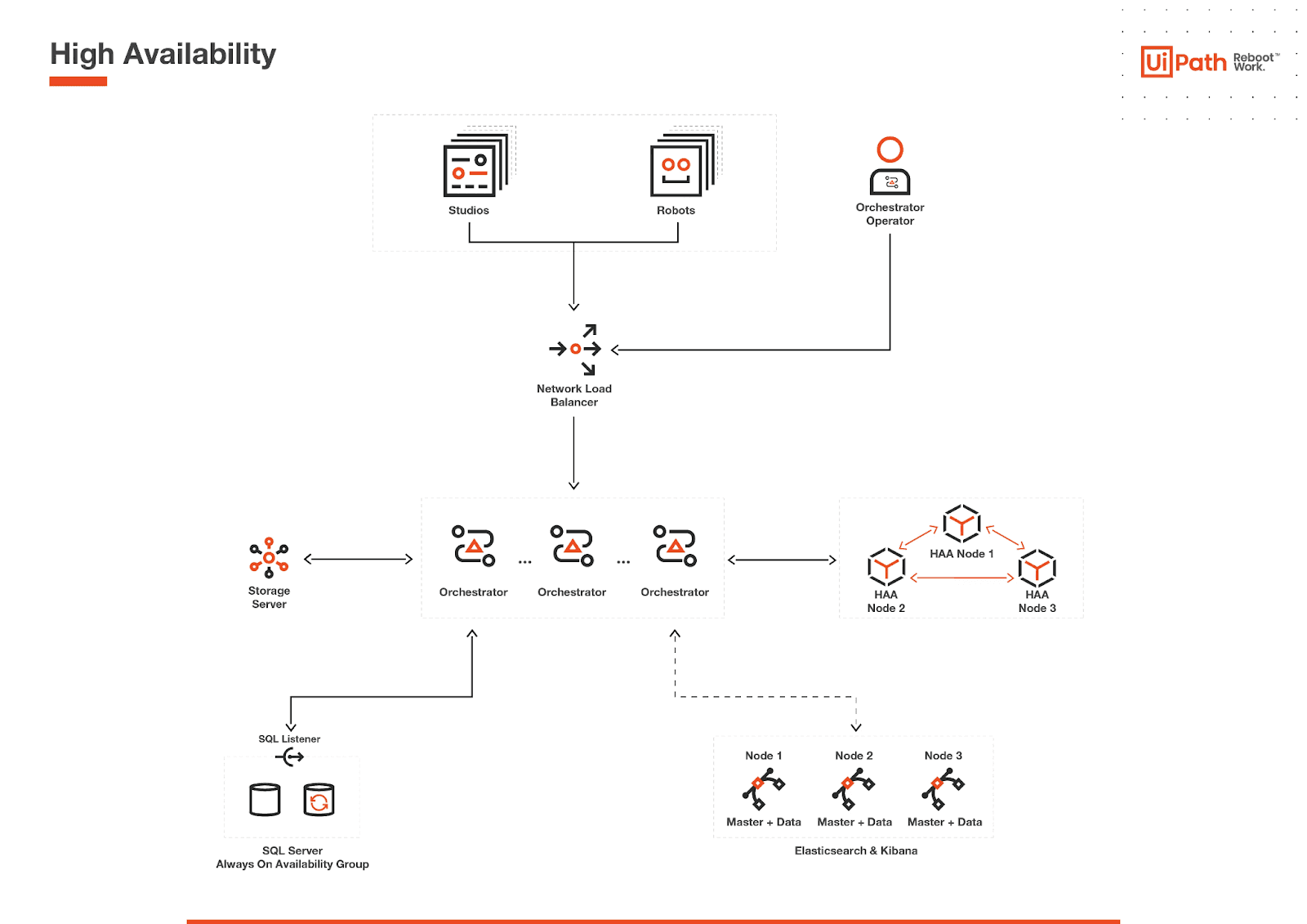 Image source: uipath.com
Image source: uipath.comKey features:
- Advanced robotic process automation (RPA) platform with AI agents
- Capable of automating tasks on desktop and web applications
- Built-in AI and machine learning models to improve process accuracy and efficiency over time
- Visual workflow designer with drag-and-drop functionality and reusable components
- Strong enterprise features, including governance, compliance, and scalability
Best for:
- Large enterprises with complex, rules-based workflows that require automation at scale
- Industries like finance, healthcare, and manufacturing, where precision and security are critical
- Organizations seeking to integrate AI-powered RPA into their digital transformation strategies
4. Microsoft Power Automate
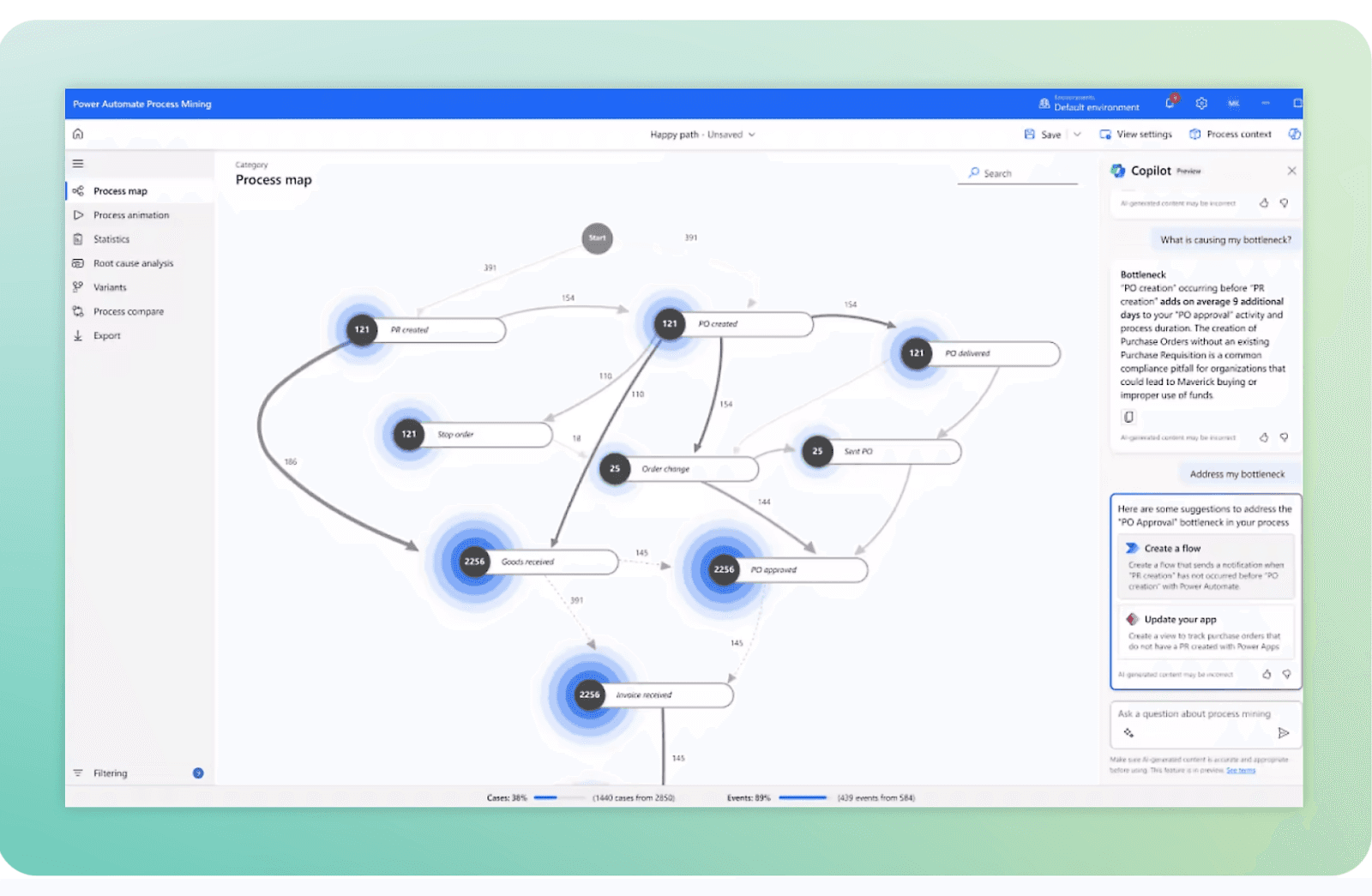 Image source: microsoft.com
Image source: microsoft.comKey features:
- Seamless integration with Microsoft 365 suite, Dynamics 365, and Azure services
- AI Builder for adding AI models like form processing, object detection, and prediction without coding
- Prebuilt templates and connectors for quick automation setup
- Drag-and-drop workflow designer supporting multi-step flows and conditional branching
- Strong data security and compliance aligned with Microsoft standards
Best for:
- Businesses deeply invested in the Microsoft ecosystem
- Teams looking to automate routine Office 365 tasks and integrate AI insights effortlessly
- Organizations needing enterprise-grade security combined with user-friendly automation
5. Supademo
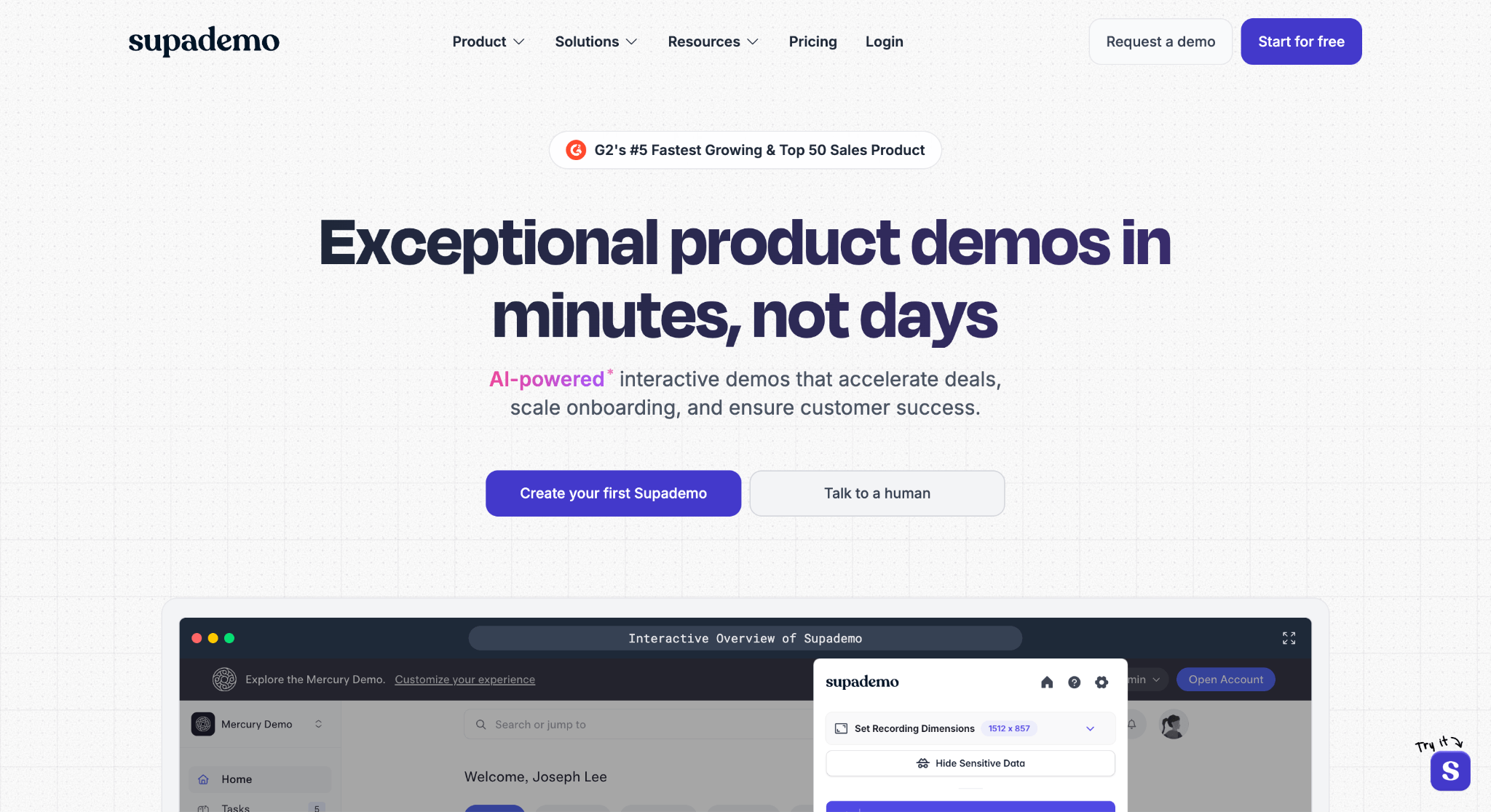
Image source: supademo.com
Key features:
- AI demo agents that handle inbound queries, answer FAQs, educate users, qualify leads, and route high-intent prospects to sales with context
- RouteHub to create dynamic, personalized demo paths based on viewer intent
- AI voiceovers, translation, and voice cloning for seamless global localization
- AI-powered data editing to personalize demos at scale for different audiences
- AI demo audits to identify drop-offs, optimize engagement, and improve conversions
- Supademo MCP to connect with tools like ChatGPT and Claude, enabling fast updates, edits, and personalization using natural language
Best for:
- GTM, product marketing, and sales teams creating interactive product demos at scale
- Businesses looking to automate top-of-funnel qualification and improve conversion rates
- Global teams needing localized demos with minimal manual effort
- Supporting complex buyer journeys with tailored, self-serve demos across segments and regions
- Driving pipeline efficiency by connecting marketing, product, and sales through a unified demo layer
6. Make
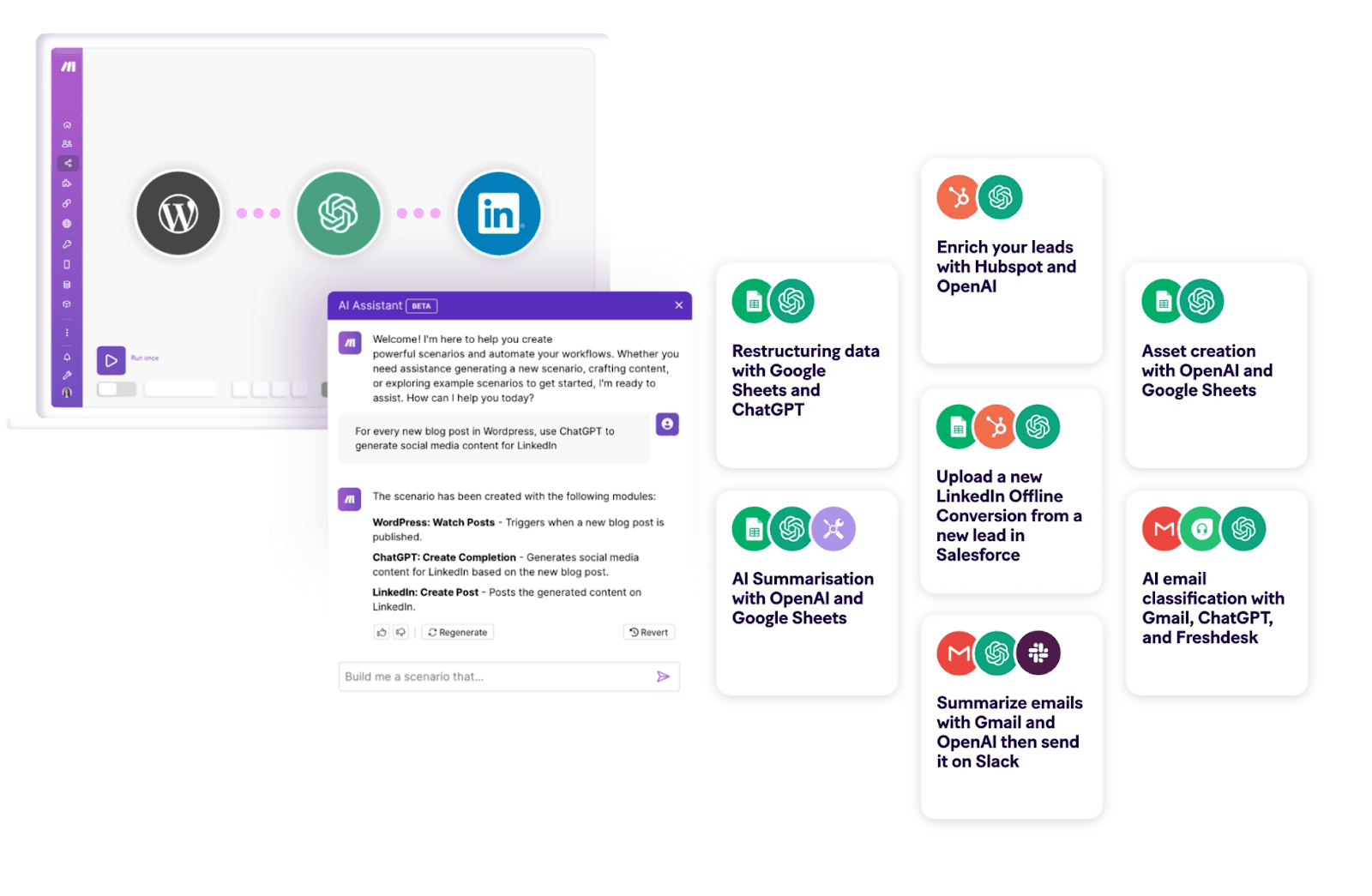 Image source: make.com
Image source: make.comKey features:
- Visual automation platform ideal for creating complex, multi-step workflows
- Supports conditional logic, real-time data synchronization, and advanced data transformations
- Wide range of integrations covering messaging, social media, CRM, and e-commerce apps
- Detailed scenario monitoring with error handling and logging
- Scalable for both simple automations and complex system integrations
Best for:
- Businesses and developers needing granular control over automation processes
- Teams that require deep integration and data manipulation capabilities
- Users comfortable with designing multi-step, conditional automation scenarios
7. Automation Anywhere
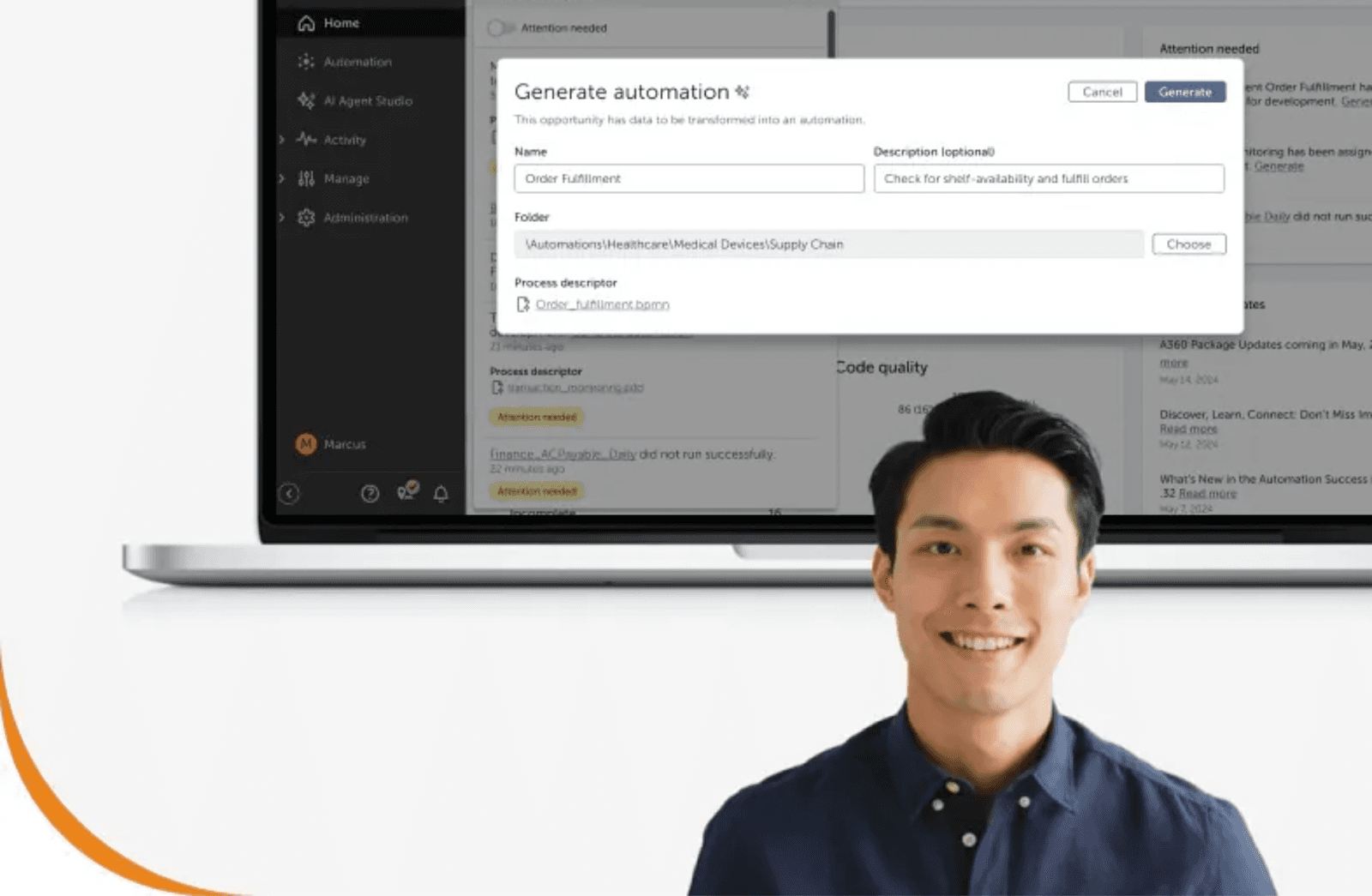 Image source: automationanywhere.com
Image source: automationanywhere.comKey features:
- Enterprise-grade robotic process automation platform with AI-enhanced cognitive bots
- Capable of handling unstructured data using natural language processing and machine learning
- Scalable automation supporting high-volume task execution with strong governance
- Analytics dashboard to track bot performance and process efficiency
- Secure architecture meeting compliance and regulatory standards
Best for:
- Large enterprises with significant automation requirements across departments
- Regulated industries such as finance and healthcare requiring secure and compliant automation
- Organizations looking to deploy AI-powered bots for complex, end-to-end workflows
8. Workato
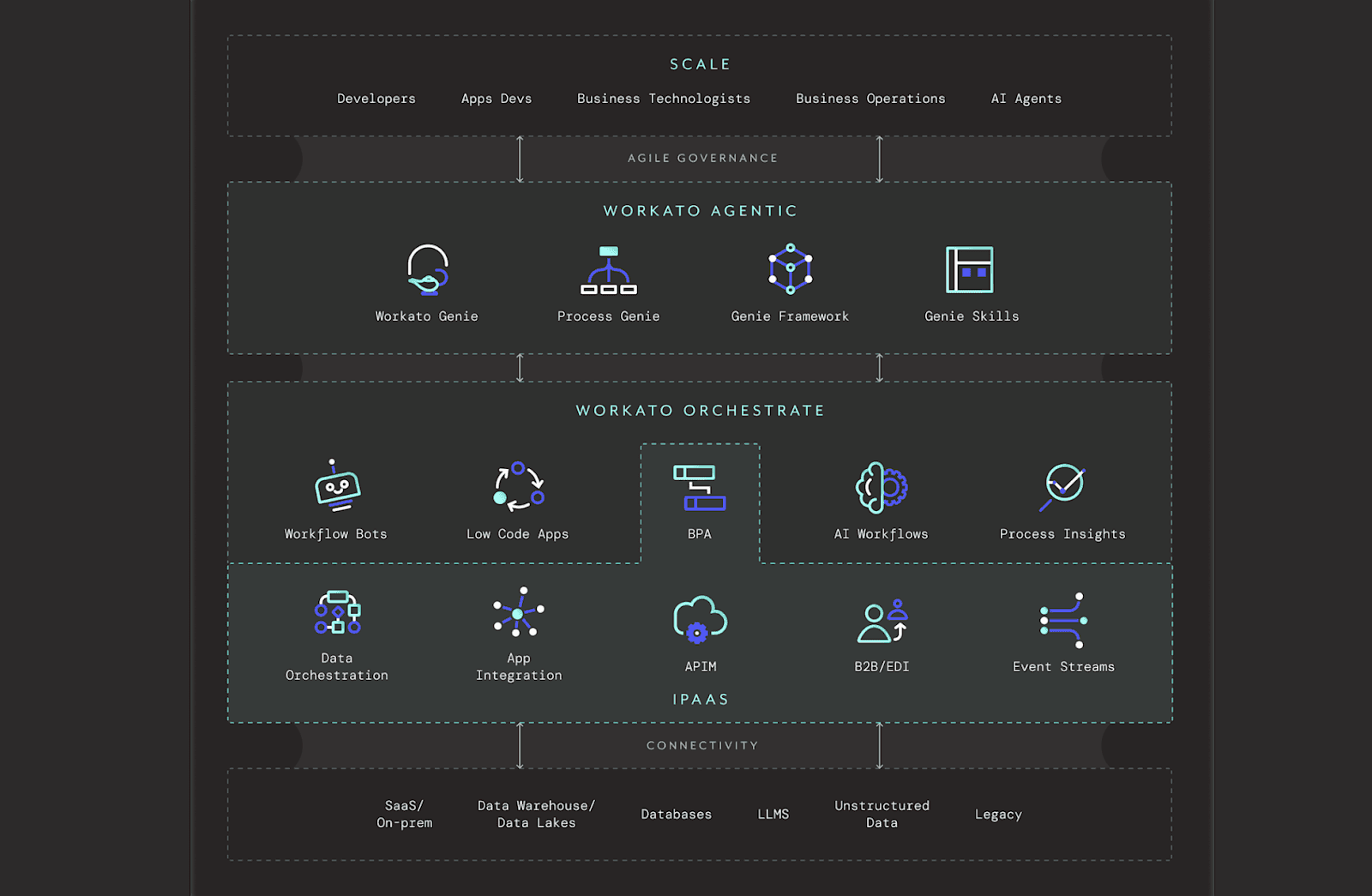 Image source: workato.com
Image source: workato.comKey features:
- Combines RPA with AI-driven intelligent automation
- Supports machine learning models to enable decision-making and predictive automation
- Extensive prebuilt connectors covering marketing, sales, IT, and customer service apps
- Real-time workflow monitoring and error handling for smooth operations
Best for:
- Businesses seeking intelligent automation across multiple departments
- Teams that want to combine AI insights with streamlined workflow automation
- Companies looking for a scalable, easy-to-use platform without needing extensive IT support
9. Tray.ai
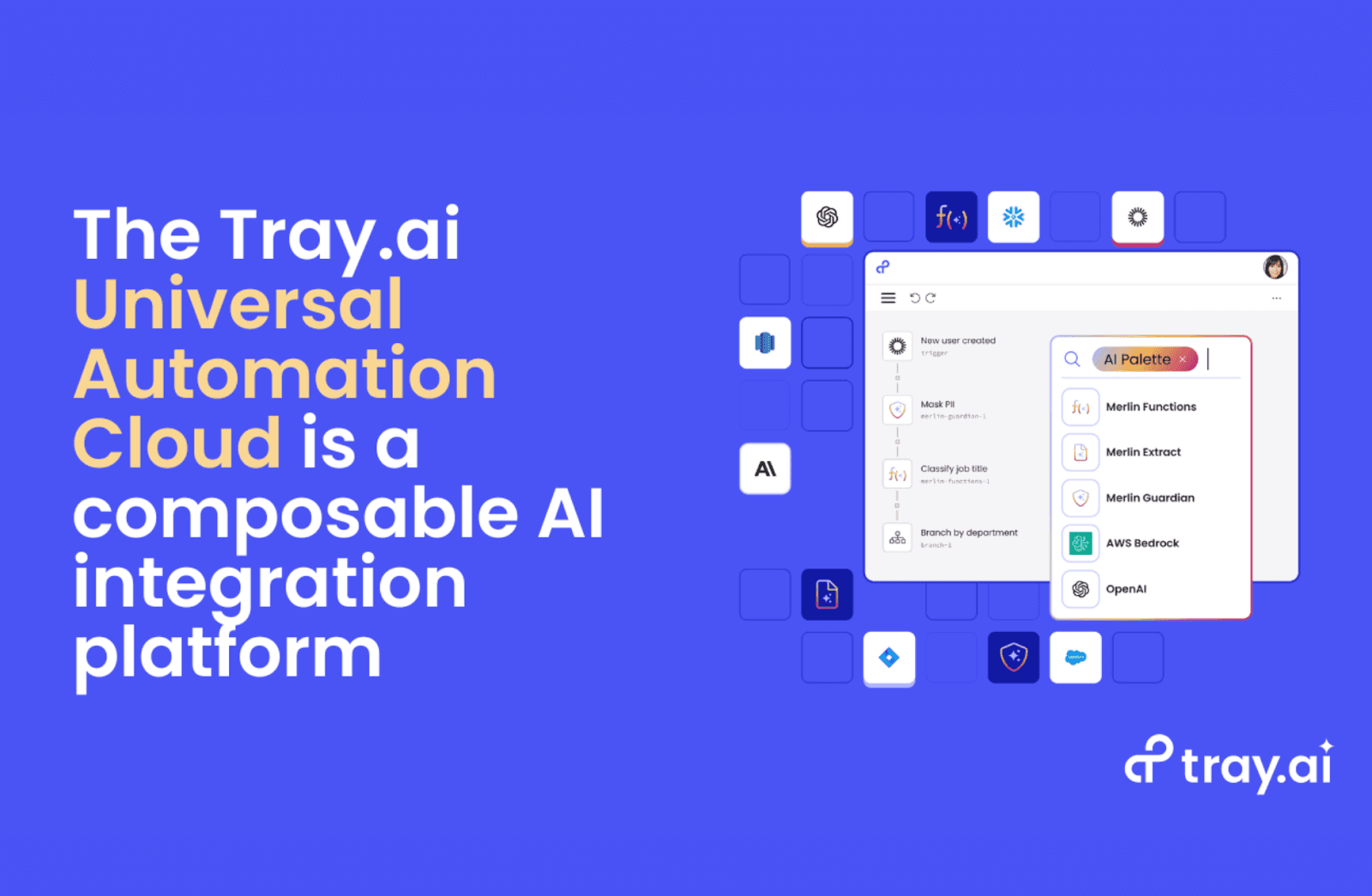 Image source: tray.ai
Image source: tray.aiKey features:
- API-centric automation platform allowing complex integrations and custom workflows
- Supports advanced data transformations and branching logic
- Offers custom connector development for unique business applications
- Scalable cloud infrastructure designed for enterprise-level automation
- Visual drag-and-drop designer tailored for technical and non-technical users
Best for:
- Organizations with diverse software ecosystems relying heavily on APIs
- Businesses needing flexible, customizable workflows that integrate deeply into their tech stack
- Technical teams looking for powerful tools to build scalable automation solutions
10. Nintex
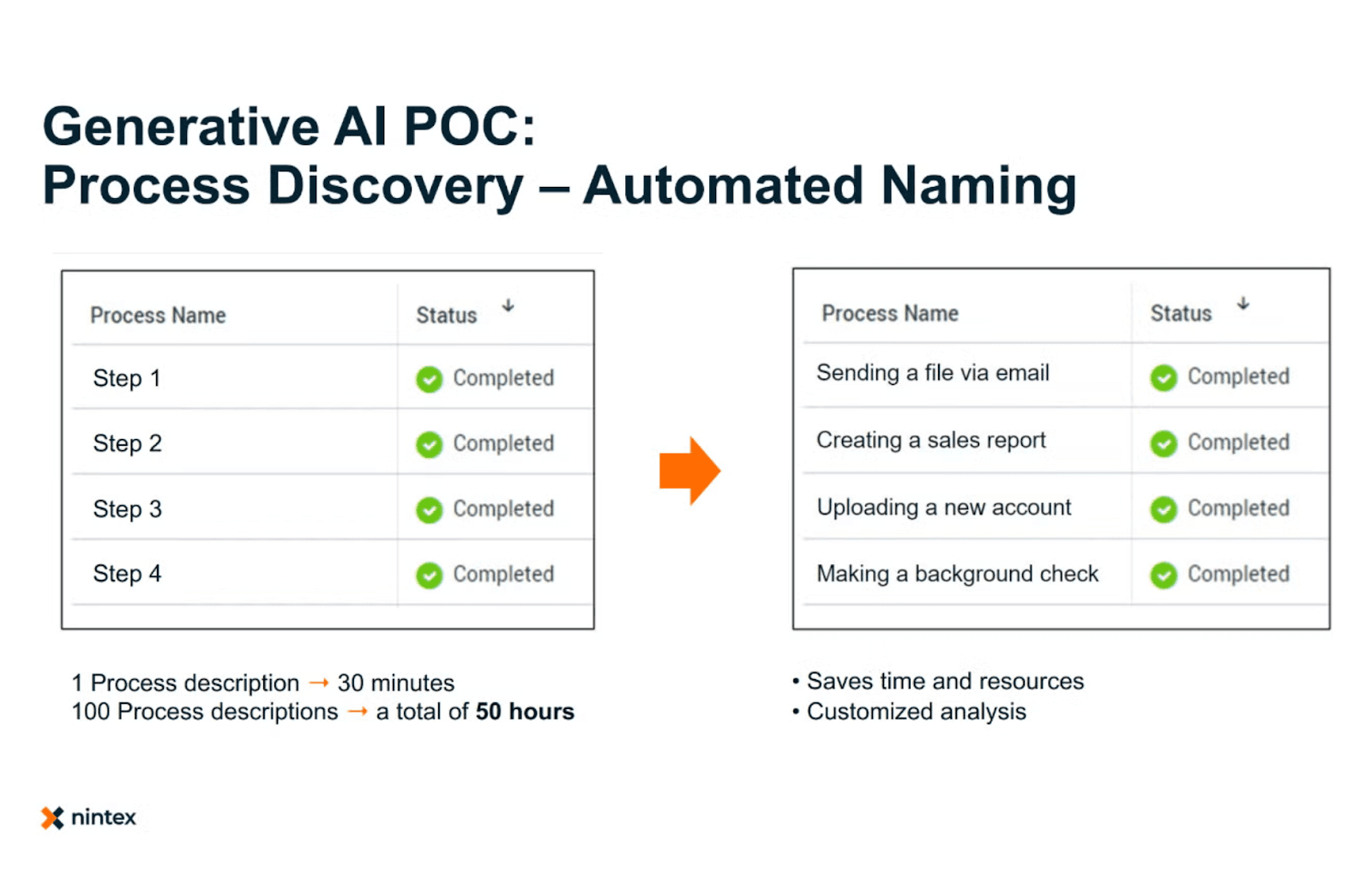 Image source: nintex.com
Image source: nintex.comKey features:
- Workflow and process automation combined with AI-powered process mining
- Identifies automation opportunities through data-driven insights and analytics
- Supports document generation, e-signatures, and mobile forms as part of automation
- Easy-to-use drag-and-drop interface with strong governance and compliance features
- Integrates well with SharePoint, Office 365, and other enterprise systems
Best for:
- Enterprises focusing on optimizing business processes with AI insights
- Organizations requiring compliance-friendly workflow automation
- Teams looking for a comprehensive automation platform with strong analytics support
Frequently asked questions
What exactly is AI automation software?
AI automation software uses artificial intelligence to perform tasks with minimal human involvement. This means it can conduct routine workflows and automated approval, analyze data, generate insights, and even handle customer interactions, saving you time and improving accuracy.
How does AI automation software differ from traditional automation?
Traditional automation follows preset rules to perform repetitive tasks, but AI automation incorporates machine learning and natural language processing to handle more complex, dynamic workflows, making it smarter and adaptable.
Is AI automation software suitable for small businesses?
Absolutely! Many AI automation tools are designed with scalability in mind, offering user-friendly interfaces and pricing that fit small to medium-sized businesses alongside large enterprises.
What should I consider when choosing AI automation software?
Look for ease of integration with your existing tools, scalability, customization options, and robust customer support. Security features are also critical to protect your data.
Can AI automation software improve customer experience?
Yes, by automating responses, analyzing customer sentiment, and personalizing interactions, AI automation can enhance responsiveness and satisfaction levels.
Conclusion
Choosing the right AI automation software is crucial for boosting efficiency and staying competitive. Lark offers an intuitive, powerful platform that integrates intelligent automation across multiple business functions. From automating routine tasks like content summarization and lead management to enhancing team collaboration with real-time insights and multilingual support, Lark helps you get more done with less manual effort.
Looking ahead, AI tools will continue to evolve, becoming even more accessible and integrated into everyday business processes. As machine learning advances, expect smarter, more predictive automation that anticipates needs before they arise.
Don’t wait to transform your business operations. Explore the right automation tools today and unlock your company’s full potential. Start your automation journey now!
Related reading
Table of contents
Start using Lark today

Manage all your work in one place
Boost team efficiency by 10x
Save up to 70% on software costs
Table of contents
Start using Lark today
Manage all your work in one place
Boost team efficiency by 10x
Save up to 70% on software costs
Keep reading







2026 Lark Technologies Pte. Ltd.
Headquartered in Singapore with offices worldwide.






Explore: