Finding the right talent often feels like running an obstacle course. Recruitment teams spend more than half of their week on repetitive tasks: copying resume data, sending follow-up emails, and coordinating open calendar slots. While the promise of ai in recruitment is massive, many businesses struggle with execution.
True optimization does not require purchasing a complex, stand-alone AI platform. Instead, the answer lies in connecting your everyday work tools with smart, structured workflows. By setting up automated systems that combine messaging, document collaboration, and smart databases, you can shorten hiring timelines, minimize manual work, and make better decisions.
What is ai in recruitment?
At its core, ai in recruitment refers to the application of machine learning, natural language processing, and generative models to optimize the talent acquisition process. Rather than relying on manual labor to move candidates from stage to stage, modern systems analyze, sort, and process hiring data automatically.
In the past, recruitment automation was limited to basic, keyword-based resume filters. If an applicant’s resume did not contain the exact phrase "project manager," the system discarded it—frequently missing exceptional talent with alternative titles like "agile lead" or "delivery director." Today, semantic search and natural language processing allow systems to understand the context of a candidate's experience, rather than mere keywords.
For a hiring manager, this shift means moving from rigid, disjointed software to dynamic, collaborative systems. When your communication channels, candidate databases, and document hubs talk to each other directly, AI can work across your entire process. It can summarize resumes within your shared document editor, send directly to team chat channels, and update tracking boards in real time.
The business benefits of ai in recruitment
Implementing ai in hr is not just about keeping up with technology trends; it is about driving clear operational gains. By introducing intelligent automation to your workflows, your talent team can expect three main outcomes:
Shorter time-to-hire
do not stay on the job market long. When your screening process takes weeks, top-tier talent accepts other offers. AI-powered automation solves this bottleneck by taking over repetitive tasks. For example, when a candidate submits an application, automated workflows can instantly parse the resume, score it against key job criteria, and update their status in your tracking board. This allows recruiters to schedule interviews within hours rather than days, preventing candidate drop-off.
Mitigating unconscious bias
Human evaluation is naturally prone to systemic shortcuts. Unconscious bias can skew resume screening based on names, universities, or previous employers. By utilizing objective criteria-matching models, you can configure systems to evaluate profiles based purely on skills, certifications, and direct work accomplishments. Standardizing this first-stage evaluation ensures every candidate receives a fair assessment based on their capabilities.
Better candidate experiences
The "resume black hole" is a major complaint among modern job seekers. Candidates frequently submit applications and never hear back. allow you to send instant, personalized touchpoints at every stage. For example, as soon as a recruiter moves a candidate's status to "first interview" on a collaborative tracking board, an automated script can instantly send a personalized email to the candidate with scheduling options, keeping them informed and engaged.
By transitioning to a collaborative workspace with automated data tables, the process changes completely. Now, when a developer applies, their profile is automatically parsed into a central tracking board. An automated notification ping goes straight to the team's group chat with a neat summary of the applicant's top projects. Sarah no longer copies and pastes a single file; instead, she opens her workspace to find a pre-sorted list of top-tier candidates, allowing her to focus entirely on personal outreach and interviewing.
Explore the efficient solution to managing talents with Lark
Core ai use cases in recruitment across the hiring lifecycle
To build a hiring process that consistently brings in top talent, you need to understand how to apply machine learning and natural language processing at different stages of the candidate journey. This explores how these technologies transform every step of the hiring process. Here is how modern talent acquisition teams break down the key applications of using AI in recruitment across the lifecycle.
Efficient sourcing and matching
Finding qualified candidates remains one of the most of hiring. Instead of manually combing through job boards, utilize semantic search algorithms to scour local databases, professional networks, and historical applicant pools. By analyzing past successful hires, these systems identify passive candidates whose career paths align with your open roles.
Furthermore, advanced resume parsing converts unstructured documents into structured profiles, instantly highlighting matching skills, years of experience, and industry background.
Generative ai in recruitment outreach
Attracting talent requires highly tailored messaging, yet recruiters rarely have the time to draft unique outreach letters for hundreds of prospects. Generative models solve this by analyzing a candidate’s public profile or resume and instantly drafting personalized emails.
Beyond outreach, generative tools assist in writing clear, gender-neutral, and optimized job descriptions. By feeding specific role requirements into a text generation system, you can produce job postings designed to attract diverse, highly qualified applicants.
Smart screening and skill assessments
Evaluating early-stage candidates is historically where pipelines bottleneck. With smart screening tools, resumes are scored objectively against customizable rubrics.
Rather than filtering out candidates who lack a specific keyword, natural language models evaluate the depth of a candidate's achievements. Some organizations utilize interactive chatbots during the initial application phase to ask pre-screening questions, verify salary expectations, and confirm geographic availability, ensuring recruiters only spend time on viable profiles.
Structured interview evaluation
When candidates reach the interview stage, maintaining consistency across different interviewers is difficult. AI helps by generating standardized evaluation scorecards and customized behavioral questions tailored to the specific candidate's resume gaps. After the interview, rather than waiting days for fragmented feedback, collaborative systems prompt interviewers to log scores into a unified table, summarizing evaluation notes so decision-makers can compare candidates side-by-side.
Explore a smarter way to organize your hiring process
The "AI-first ATS" illusion: Why tool fragmentation is slowing you down
There is a common belief in the HR space that solving recruitment struggles requires purchasing a highly specialized, standalone, AI-powered Applicant Tracking System (ATS). Software vendors promise that these expensive, isolated systems will automate your entire workflow.
In practice, introducing another single-purpose platform often creates more problems than it solves, leading to severe tool fragmentation.
The hidden costs of a fragmented hiring stack
When you buy a siloed ATS, your recruitment data sits in a separate bubble, forcing your team to work in silos. This fragmentation slows down your operations in three distinct ways:
- Endless context-switching: Your team has to constantly jump between their daily communication app (where they discuss candidates), their shared calendar (where they book interviews), their cloud documents (where they write evaluation rubrics), and the ATS (where candidate records live). This constant tab-hopping drains productivity and delays time-to-hire.
- Rigid, complex setups: Legacy enterprise systems are notoriously rigid. Customizing a hiring pipeline or setting up a new automation rule in a traditional ATS often requires specialized administrative support or complex coding, leaving non-technical recruiters stuck with manual workarounds.
- Data transfer bottlenecks: In a fragmented stack, recruiters must manually copy and paste data back and forth between team chats, calendar apps, document hubs, and the standalone ATS just to keep everyone on the same page.
Comparison: Fragmented stack vs. unified workspace
To understand how tool fragmentation actively delays your hiring, consider the operational difference between these two approaches:
The fragmented approach (the legacy way)
- The recruiter receives a resume in the standalone ATS.
- The recruiter manually copies the candidate's details and pastes them into a team chat to alert the hiring manager.
- The team discusses the candidate in chat, but the feedback is lost because it is never synced back to the ATS.
- The recruiter manually toggles to a calendar app to schedule the interview, then manually emails the candidate.
The unified approach (the Lark way)
In contrast, a unified workspace runs automation natively because your database, team chat, document creation tools, and calendar are already connected.
With a unified suite, a single, seamless workflow handles the heavy lifting:
- Instant processing: An applicant's resume is received directly into your shared database.
- Automated summaries: The system generates a structured candidate summary document.
- Real-time notifications: An interactive candidate card is instantly shared in a team group chat where interviewers can discuss the profile and align on next steps in real time.
By keeping your database, chat, and documents in the same environment, updates happen instantly without human intervention—eliminating manual data transfers and keeping your entire hiring team aligned.
How to use ai in recruitment: A practical workflow blueprint
You do not need an enterprise software development team to build an automated, intelligent hiring system. By using a multidimensional table and built-in automation rules in a collaborative workspace like Lark, you can set up a high-performing pipeline in three simple steps.
Step 1: Setting up an automated intake and application database
The foundation of an efficient pipeline is a central database. In a collaborative multidimensional table (such as Lark Base), create a sheet with custom fields for candidate name, email, resume attachment, status, and AI assessment score.
Next, generate a public-facing form linked directly to this table. You can embed this form on your careers page or link it in job postings. When a candidate submits their application and uploads their resume, a new row is automatically generated in your database. No manual data entry is required.
Step 2: Automating candidate screening and context extraction
Once the candidate's data lands in your database, set up an automated workflow to handle the initial review. You can configure an automation rule:
- Trigger: When a new record is created in the table.
- Action: Send the attached resume to the workspace’s built-in AI assistant.
- Prompt: You can instruct the system to analyze the resume, extract the candidate's top three technical skills, calculate their total years of relevant experience, and provide a short summary of their background.
The system automatically writes these extracted details directly back into corresponding text columns in your database.
To go a step further, set up a conditional rule that automatically flags promising candidates. For example, if the candidate's parsed experience exceeds five years and includes a required programming language, the system automatically changes their status field to "Screening Passed."
Step 3: Coordinating interview loops and real-time feedback cards
Once a candidate is marked as "Screening Passed," another automated workflow triggers an internal notification. Instead of sending an email that might get ignored, the system sends an interactive candidate card directly to your recruitment team’s group chat. This card displays the applicant's name, core experience, key skills, and the AI-generated summary alongside clear buttons to approve the profile or archive it.
When a hiring manager clicks the approval button directly on the chat card, the system automatically updates the status column in the database and generates a shared, collaborative document for the interview loop. This document comes pre-populated with standardized behavioral questions and evaluation sections.
Using linked calendar schedules, the system books the interview panel, eliminating the typical email back-and-forth and drastically reducing your overall time-to-hire.、
Discover a new way to support structured team hiring
Choosing the right setup for your talent acquisition team
When evaluating how to structure your hiring technology stack, you must weigh the capabilities, limitations, and financial implications of different setups. While legacy, single-purpose recruitment platforms often come with restrictive pricing plans, multi-year contracts, and steep learning curves, a unified workspace allows your team to collaborate naturally and scale operations on demand.
Lark offers a complete, unified suite of applications that changes how . Instead of paying for a disjointed collection of software, Lark houses your entire recruitment pipeline under one roof, keeping information clear and teams connected.
How hiring teams run their entire lifecycle inside Lark
replaces your fragmented apps with a coordinated, native environment. Here is how your talent acquisition team can execute recruitment stages using Lark’s primary tools:
Centralize databases and stage tracking
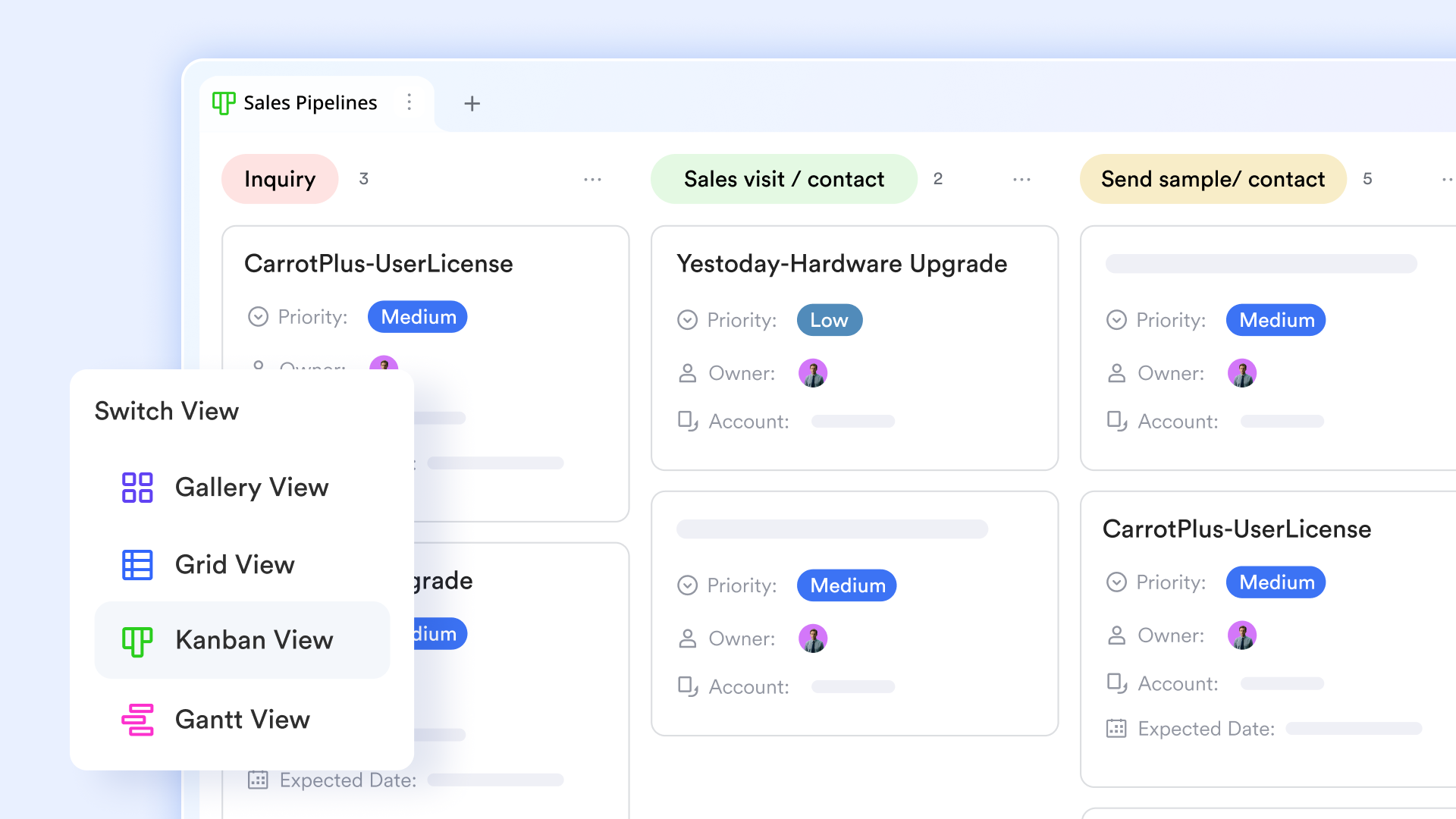
Recruiters can use to build custom candidate tracking sheets. While it is not designed to replace dedicated, standalone resume parsers, it allows you to manually input candidate profiles or collect applications easily via linked . Using Base's Kanban view, teams can visually drag candidate cards to update interview stages and set up simple built-in automations to automatically update owners or notify team members when a candidate's status changes.
Coordinate team notifications in chat
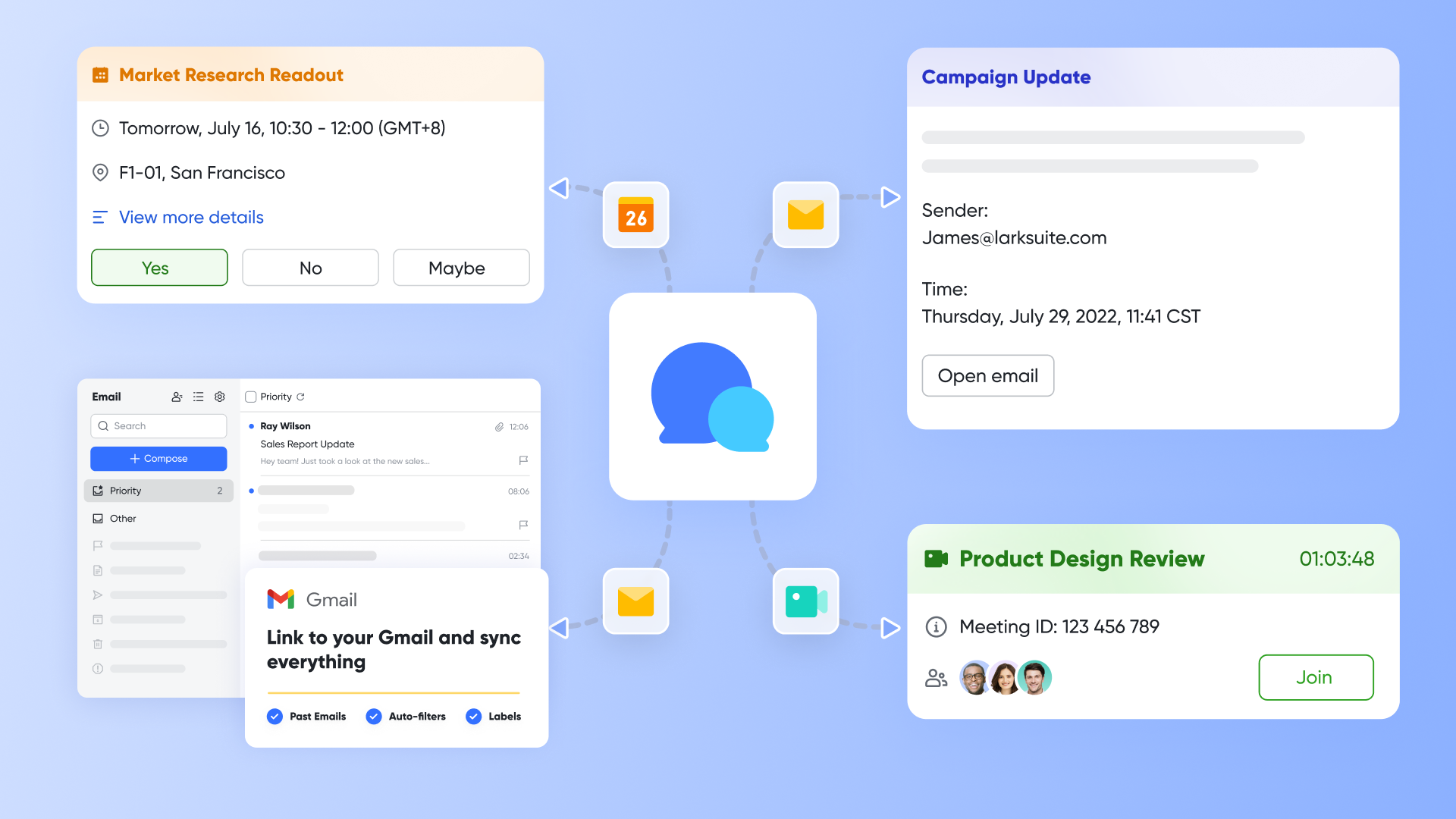
The power of Lark lies in breaking down information silos. When you update a candidate's status to "Schedule Interview" in , the system can automatically send a notification card directly to the corresponding group chat. Group members can click the card to jump straight to that candidate’s record in Base, allowing everyone to tag colleagues and discuss next steps in chat without the hassle of toggling between different software.
Collaborate on feedback and comparison
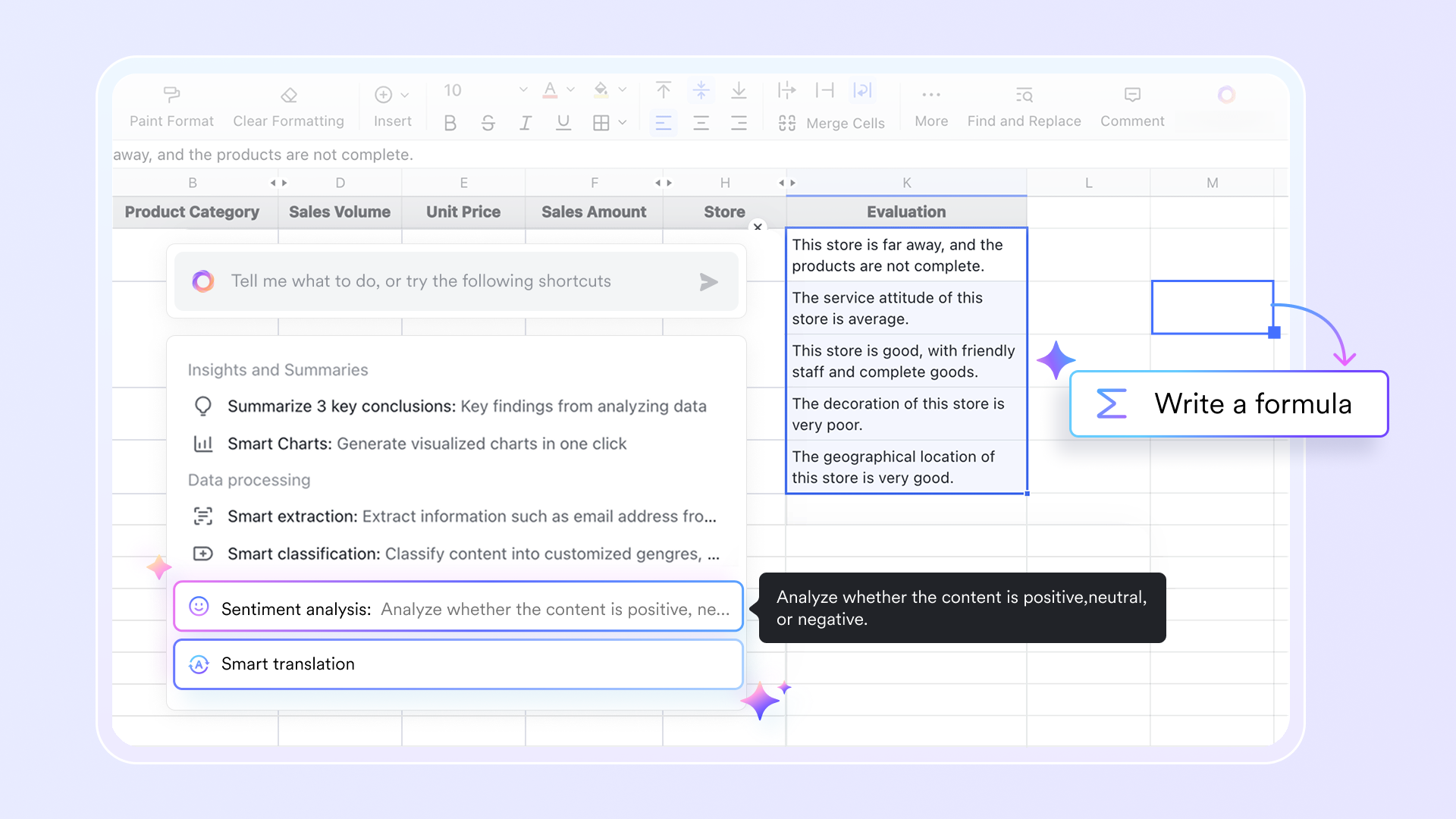
Interviewers no longer need to send scattered feedback via external messages or emails. Multiple interviewers can co-author detailed candidate evaluations in real time within , tagging colleagues or leaving targeted comments on specific sentences. Simultaneously, HR can use to compile scorecards and salary expectations, making it easy to perform clear, side-by-side comparisons in a single shared sheet.
Manage basic emails and standard approvals
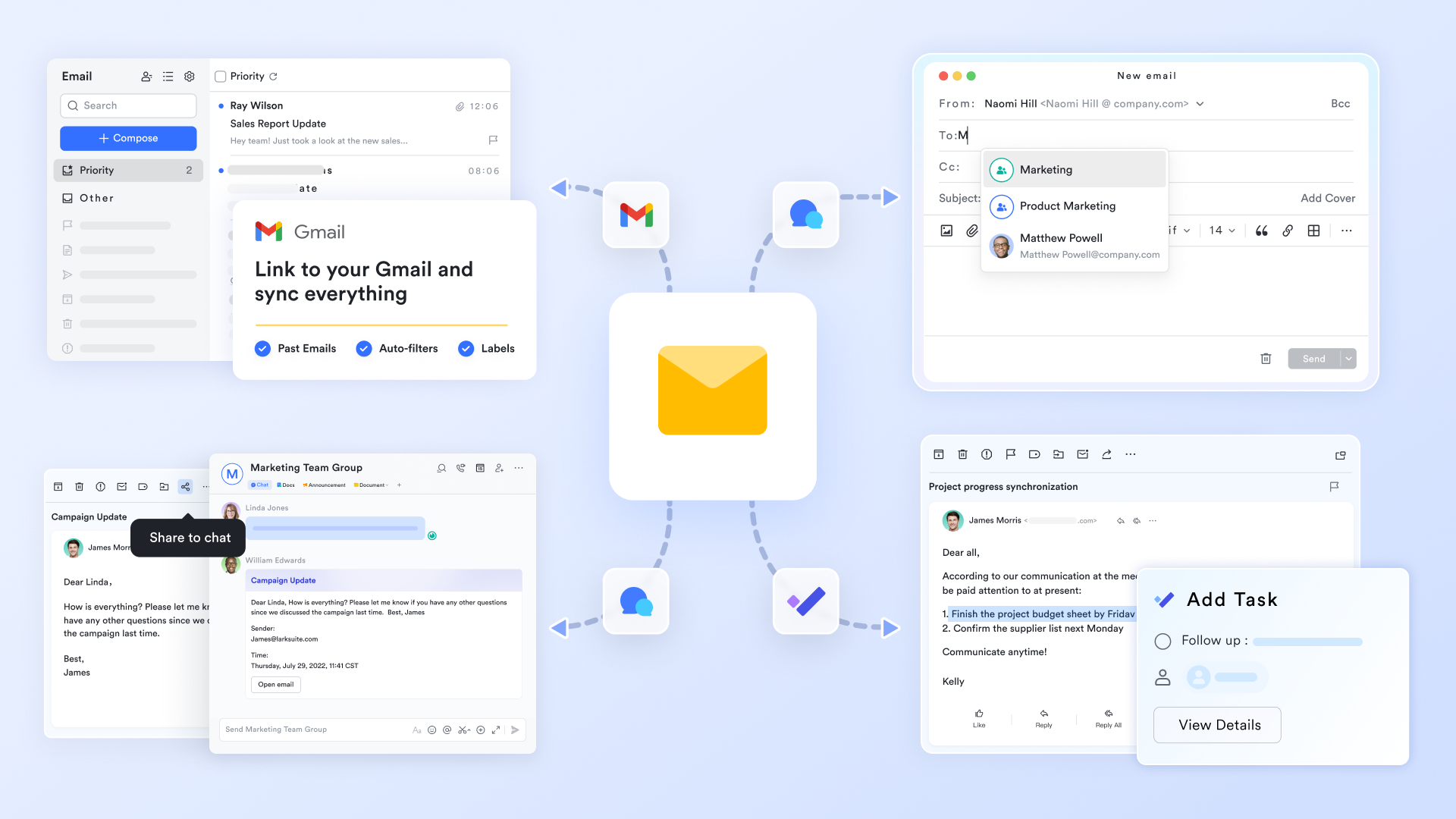
Recruiters can connect their individual or team inbox to handle candidate correspondence directly inside the workspace using , keeping communication histories connected and organized. Once a final candidate is selected, HR can launch standard headcount or offer workflows through . The approval request is pushed directly as a message to the decision-maker, who can click "Approve" instantly from their mobile or desktop chat feed to keep the process moving efficiently.
Scalable pricing designed for growing businesses
Lark's pricing plans offer unmatched cost-efficiency, ensuring you only pay for what your business actually needs while securing top-tier tools:
:
- Starter plan: that includes 11 powerful tools for up to 20 users. It also comes with 100GB of storage space, 1000 automation runs, AI translations, and more. No credit card needed.
- (Optional)Basic plan: (billed annually) for up to 500 users. It includes everything in Starter and unlimited message history, 5TB of storage space, 1,000 automation runs, and more. Some users may need to to purchase this plan.
- Pro plan: (billed annually) for up to 500 users. It includes everything in Basic plus group calling for up to 500 attendees, 15TB of storage space, 50,000 automation runs, and more.
- Enterprise plan: for custom pricing. Supports unlimited users and includes even more automation runs and advanced security, compliance, and management features.
For small teams with simple communication needs

18 months message history
1000 Base automation runs/month
2000 rows per table in Base
Most POPULAR
For companies with comprehensive collaboration and management needs
Unlimited message history
500-participant video meetings
50k Base automation runs/month
20k rows per table in Base
For large companies with advanced security and organizational management needs
Get a personalized demo and pricing
Unlimited message history
500-participant video meetings
15 TB storage + 30 GB storage/user
500k Base automation runs/month
50k Base automation runs/month
Most POPULAR
For companies with comprehensive collaboration and management needs
Unlimited message history
500-participant video meetings
50k Base automation runs/month
20k rows per table in Base
Transform your hiring operations with a smarter technology investment
Selecting a pricing plan is more than just a budgetary decision; it is a strategic step toward modernizing your entire talent acquisition infrastructure. In today’s competitive talent market, the speed at which you identify, interview, and offer roles to top-tier candidates determines your growth trajectory. When your technology stack is fragmented, your recruiters spend more time managing administrative friction—such as copying candidate data, chasing down email feedback, and waiting for manual approvals—than they do engaging with potential hires.
By upgrading to a unified workspace, you are not simply replacing one tool with another; you are fundamentally changing how your team collaborates. Removing the financial and operational barriers of legacy enterprise systems allows your organization to build a seamless, highly responsive hiring pipeline. The transition from scattered, manual tasks to an automated environment ensures that no high-quality candidate slips through the cracks due to internal delays.
With structured, transparent, and scalable pricing options that align with your business size, you can confidently control your software spend while equipping your HR team with enterprise-grade capabilities. The foundation for an agile, efficient, and collaborative recruitment process is now within reach, paving the way for sustainable organizational growth.
Conclusion
Building a high-performing recruitment pipeline does not require complex, isolated enterprise software. True optimization comes from connecting your candidate data, team communication, and scheduling into a single, unified workspace. By setting up automated workflows to handle resume screening, profile summaries, and team notifications, you can eliminate manual admin bottlenecks and cut down your overall time-to-hire. Start setting up your automated applicant tracking system today to secure top-tier talent before your competitors do: sign up for today to transform your hiring workflow and experience the power of a truly unified workspace.
Streamline your hiring workflow with Lark
FAQs
Does using AI in recruitment eliminate human bias?
Not automatically. AI models learn from historical data, which can carry past human prejudices. If your historic hiring data favors certain backgrounds, the machine learning system will replicate that pattern. To minimize this, teams should configure clear, skills-based grading criteria and routinely audit automated decisions to maintain fairness.
Will AI tools replace human recruiters?
No. Hiring is fundamentally built on human connections and cultural alignment. While automated systems excel at analyzing data, parsing text, and coordinating calendars, they cannot build authentic trust with a high-performing passive candidate or assess alignment with company values. The technology exists to handle administrative work, freeing up human professionals to focus on relationship-building.
What are the most common mistakes when introducing AI to the hiring process?
The biggest mistake is relying on isolated software systems that do not share data with your team's primary communication channels. This leads to data fragmentation and forces staff to copy information between different apps. Another error is neglecting human review, which can result in missed talent due to overly rigid automated rules.
How can smaller companies start using AI in hiring without a massive budget?
You do not need an expensive enterprise-grade platform. Smaller teams can utilize collaborative databases with built-in automation rules. By linking standard application forms to a shared table and setting up basic automated alerts, you can run a sophisticated, automated screening process without high software costs.
Related reading






























