Sales representatives spend hours typing repetitive email variations, manually updating status fields, and copying contact data across disconnected browser tabs. Relying on isolated software tools creates broken context gaps that slow your revenue velocity down. Implementing AI sales automation allows growing teams to automate administrative data entry, enrich prospect lists from public signals, and focus human effort on live closing conversations. Instead of adding more single-use browser extensions, high-performing sales organizations are shifting toward unified environments where communication and data sit together natively.
At a glance: Top AI sales systems compared
- Lark: Best for teams looking to consolidate internal communication, lead tracking, and automated approval workflows into a single workspace.
- Clay: Best for complex, multi-source lead enrichment and automated waterfall research lists.
- Apollo.io: Best for teams requiring a massive built-in B2B contact database paired with baseline sequencing.
- Outreach.io: Best for enterprise sales operations running complex multi-channel outbound cadences.
- HubSpot Sales Hub: Best for businesses requiring classic CRM tracking with centralized automation rules.
What is AI sales automation?
Legacy sales tools rely heavily on rigid, rule-based logic—if a prospect fills out a form, send email template A. If they do not reply in three days, send text template B. While this approach keeps sequences moving, it completely lacks context. It treats every prospect like a static row in a spreadsheet.
True artificial intelligence changes this approach by introducing language comprehension and contextual reasoning. Rather than just blasting messages faster, modern sales systems analyze intent signals. They look at corporate announcements, public social media discussions, or hiring trends to answer three critical operational questions:
1. Who should we contact right now?
2. Why do they care about our solution today?
3. What specific problem are they trying to solve?
By executing these checks in the background, software agents can build deep personalization profiles before a single message goes out. This keeps your delivery systems highly relevant and increases reply rates without requiring a massive army of business development reps.
Key benefits of using AI sales tools
- Eliminating application fatigue: Transitioning away from single-use tools into a unified workspace eliminates context-switching friction, preventing valuable customer signals and internal communication from slipping through the cracks.
- Drastically shortening research cycles: Advanced AI data enrichment algorithms can cascade across dozens of separate external directories simultaneously, giving reps high-coverage verified email addresses and target buyer context in seconds.
- Automating repetitive pipeline operations: Implementing digital workers or automated ensures that administrative tasks—like data logging, follow-up scheduling, and tracking deal risks—happen 24/7 without manual intervention.
- Accelerating global outreach speed: Built-in translation features and localized sequence configurations make it highly efficient to launch highly tailored across international sales territories.
Ready to eliminate tool fatigue?
What to look for when choosing AI sales assistant software?
When evaluating the market for new sales infrastructure, revenue leaders should prioritize systems based on three critical performance criteria:
- Workflow coverage and workspace depth: Look for solutions that manage structural lead tracking, conversation context, and cross-team in a centralized . Point tools that require multiple external API connectors often lead to higher integration costs and broken handoffs over time.
- Native automation versus configuration friction: Choose platforms that run complex automation steps directly within your active databases and messaging layers. Systems should be intuitive enough for non-technical managers to deploy conditional sequences .
- Data quality and contextual awareness: Your tool must accurately log real-time buyer intent signals—such as email opens, website traffic views, and historical call context—and display those insights exactly where your sales development representatives communicate daily.
How we test and evaluate sales AI tools
Evaluating the software landscape requires looking past slick product demonstrations. Many applications look exceptional when processing a single clean profile but fall apart when plugged into a messy, real-world corporate pipeline.
To build this guide, we evaluated each platform against three operational benchmarks:
- Workflow integration depth: Does the tool live in an isolated browser tab, or does it plug directly into the databases, team chats, and documents your reps use every day?
- Context retention: Can the system pass lead background data across cross-functional departments without losing historical interaction details?
- Administrative time reduction: Does the tool actually save human hours, or does it simply shift the workload into managing complex external integration apps?
Our evaluation favors systems that prioritize a clean architectural footprint. The goal is always to maximize sales capacity while keeping structural subscription costs lean.
Top tools for modern AI sales execution
Tool comparison overview
1. Lark: Consolidated workspace and automated lead pipelines
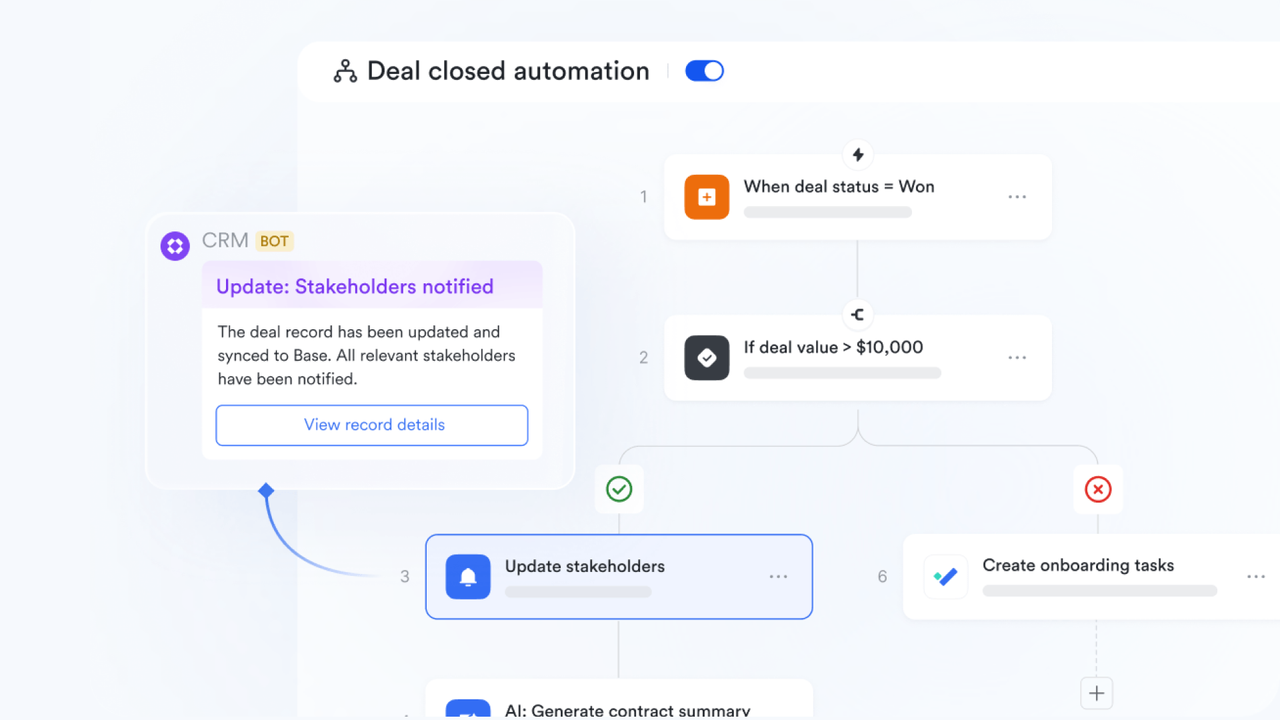
is an all-in-one productivity powerhouse, providing growing sales engineering and go-to-market teams with a unified platform to manage projects and work smarter together. It is an ideal fit for distributed organizations that need to completely eliminate the high cost and mental friction of jumping between fragmented single-use applications. Are your sales reps wasting hours copying contact details from chat groups into separate spreadsheet trackers, then switching to another tool just to send an approval request to a manager? This constant context switching creates severe communication gaps, lowers deal momentum, and leads to human error. solves this operational crisis by integrating messaging, video calls, cloud-native , and within a single interface, ensuring your revenue pipeline stays unified and efficient.
Lark Base: This advanced, tool allows your sales team to build interactive lead tracking pipelines, track customer engagement context, and view sales pipelines dynamically without relying on external tables.
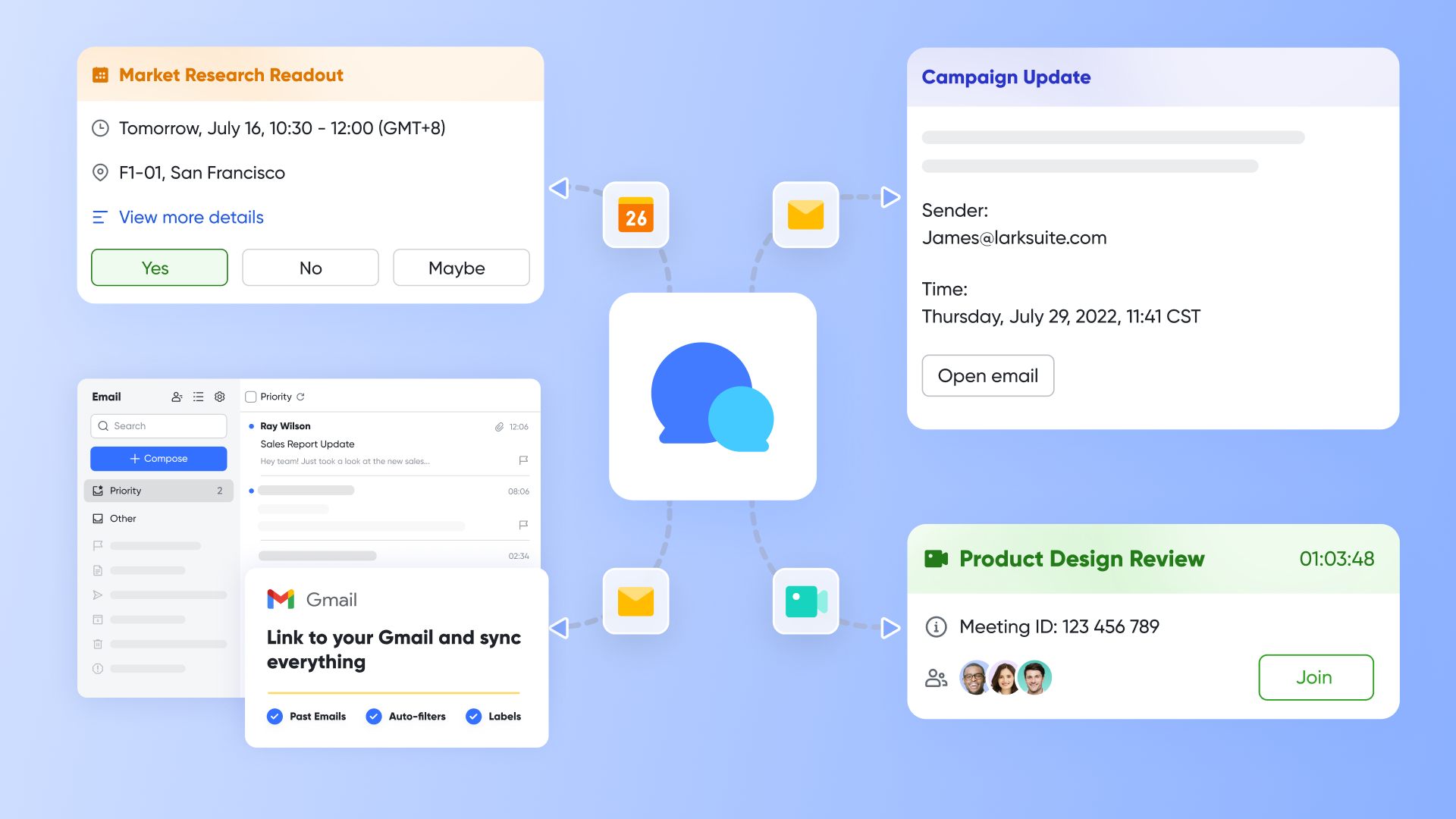
Lark Messenger: Keeps lead discussions contextualized by connecting real-time directly to active customer database rows, preventing information from getting lost.
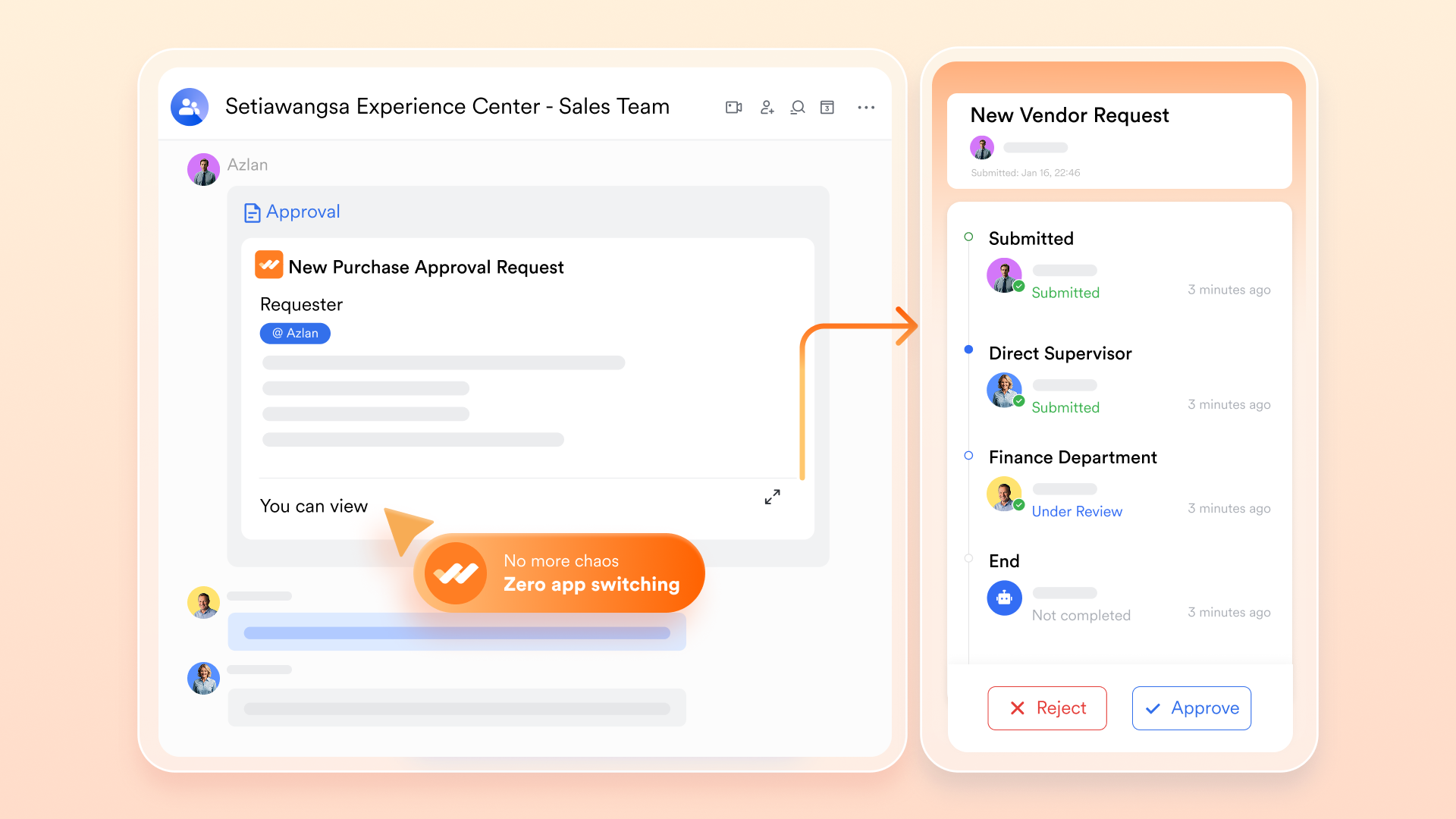
Lark Approval: for contract exceptions or localized outreach campaigns directly from active document windows, removing delivery bottlenecks.
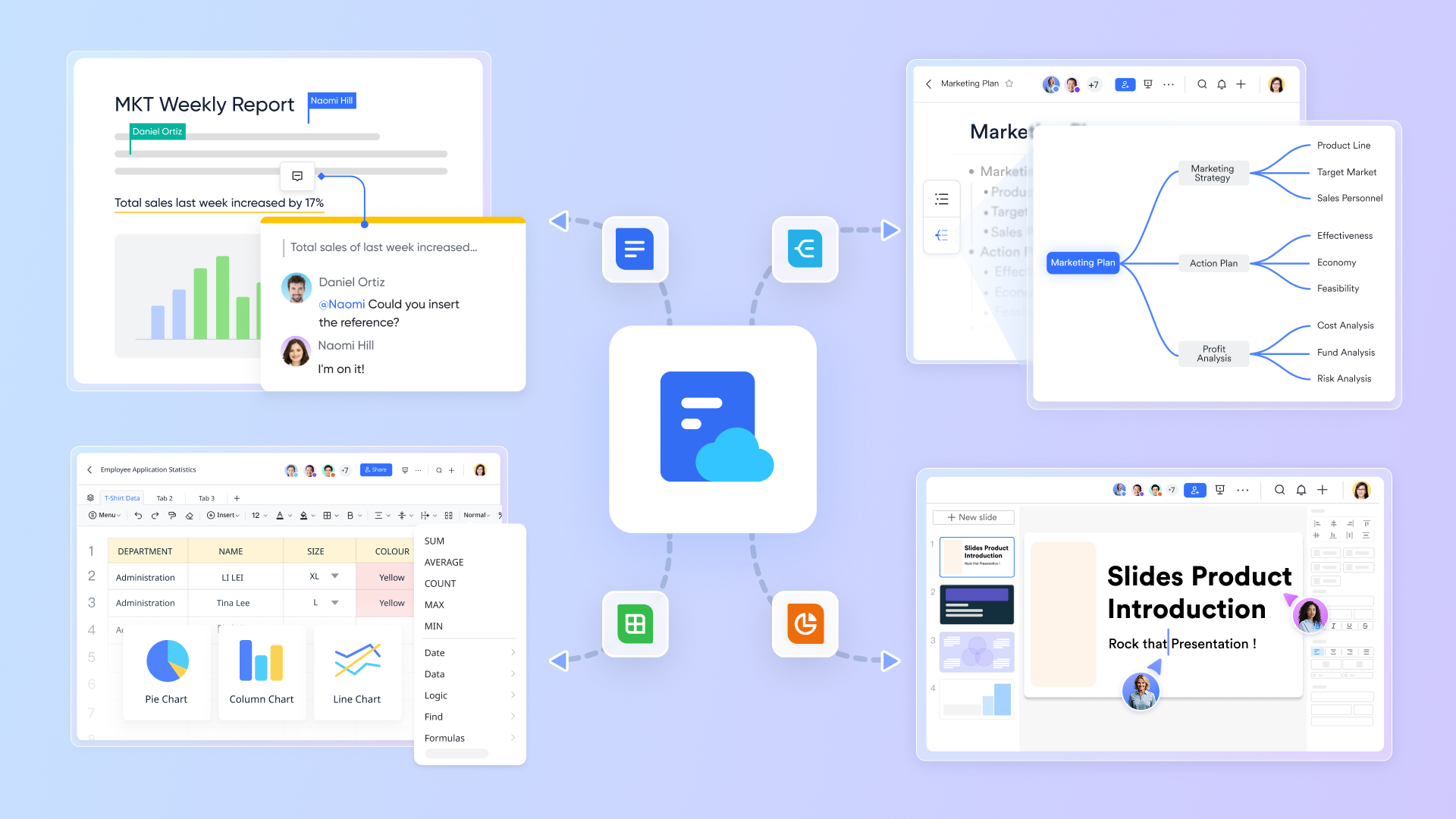
Lark Docs: Supports , ensuring your team finds project specs without leaving the chat window.
Pros:
- Consolidates up to 11 separate productivity applications to lower total software spending.
- Native automation runs function perfectly without requiring third-party integration connectors.
- Built-in enterprise AI translation features remove language friction across international sales territories.
Cons:
- There are just so many features on the platform that it takes some time to try them out. The initial switch from using spreadsheets to Lark Base also took some getting used to, but the help center made it painless.
:
- Starter plan: that includes 11 powerful tools for up to 20 users. It also comes with 100GB of storage space, 1000 automation runs, AI translations, and more. No credit card needed.
- (Optional)Basic plan: (billed annually) for up to 500 users. It includes everything in Starter and unlimited message history, 5TB of storage space, 1,000 automation runs, and more. Some users may need to to purchase this plan.
- Pro plan: (billed annually) for up to 500 users. It includes everything in Basic plus group calling for up to 500 attendees, 15TB of storage space, 50,000 automation runs, and more.
- Enterprise plan: for custom pricing. Supports unlimited users and includes even more automation runs and advanced security, compliance, and management features.
For small teams with simple communication needs

18 months message history
1000 Base automation runs/month
2000 rows per table in Base
Most POPULAR
For companies with comprehensive collaboration and management needs
Unlimited message history
500-participant video meetings
50k Base automation runs/month
20k rows per table in Base
For large companies with advanced security and organizational management needs
Get a personalized demo and pricing
Unlimited message history
500-participant video meetings
15 TB storage + 30 GB storage/user
500k Base automation runs/month
50k Base automation runs/month
Most POPULAR
For companies with comprehensive collaboration and management needs
Unlimited message history
500-participant video meetings
50k Base automation runs/month
20k rows per table in Base
2. Clay: Multi-source waterfall data enrichment
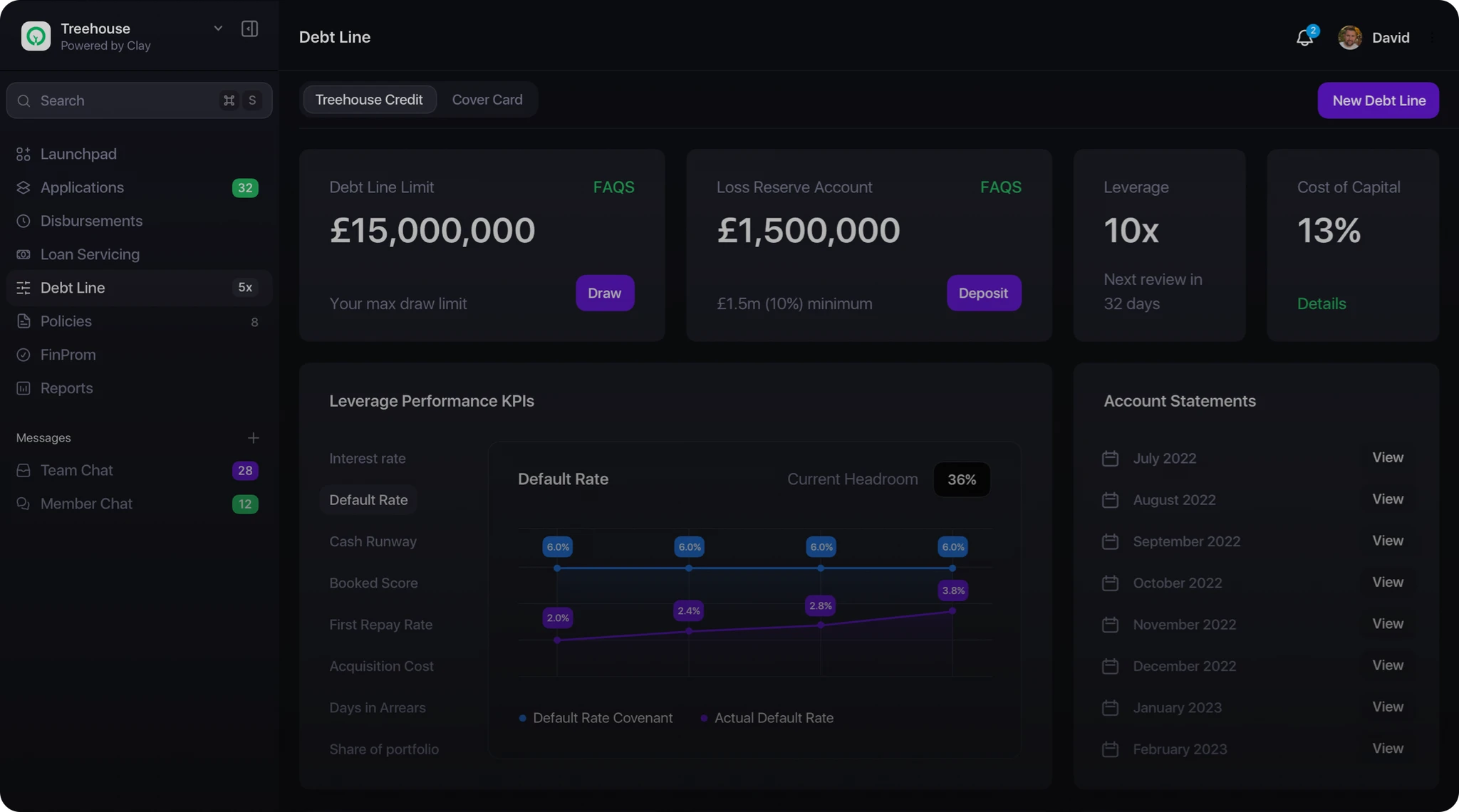
Image source: clay.so
Clay is best for data-driven outbound operations that need to combine multiple background directories into high-coverage prospect charts. It replaces manual background research with automated data cascades.
Reps often waste hours cross-referencing a lead's profile across different platforms to find a verified corporate email or phone number. Clay removes this manual burden by chaining over fifty data providers into a single spreadsheet interface. If the first directory cannot find the data, the row automatically checks the next data source.
The interface feels like an advanced spreadsheet built for growth engineers. It uses specialized AI research web scraping bots to extract specific data details from company websites, creating highly personalized outbound profiles.
Pros:
- Data waterfall efficiency: Minimizes empty contact fields by cascading through directories automatically.
- AI research capabilities: Scans corporate sites for niche indicators like specific software usage or job postings.
Cons:
- Technical learning curve: Configuring the underlying data matching rules requires operational software expertise.
Pricing:
- Credit systems: Paid packages start around $2750 per month, scaling based on data credit consumption rules.
3. Apollo.io: B2B contact directory and automated outreach sequences
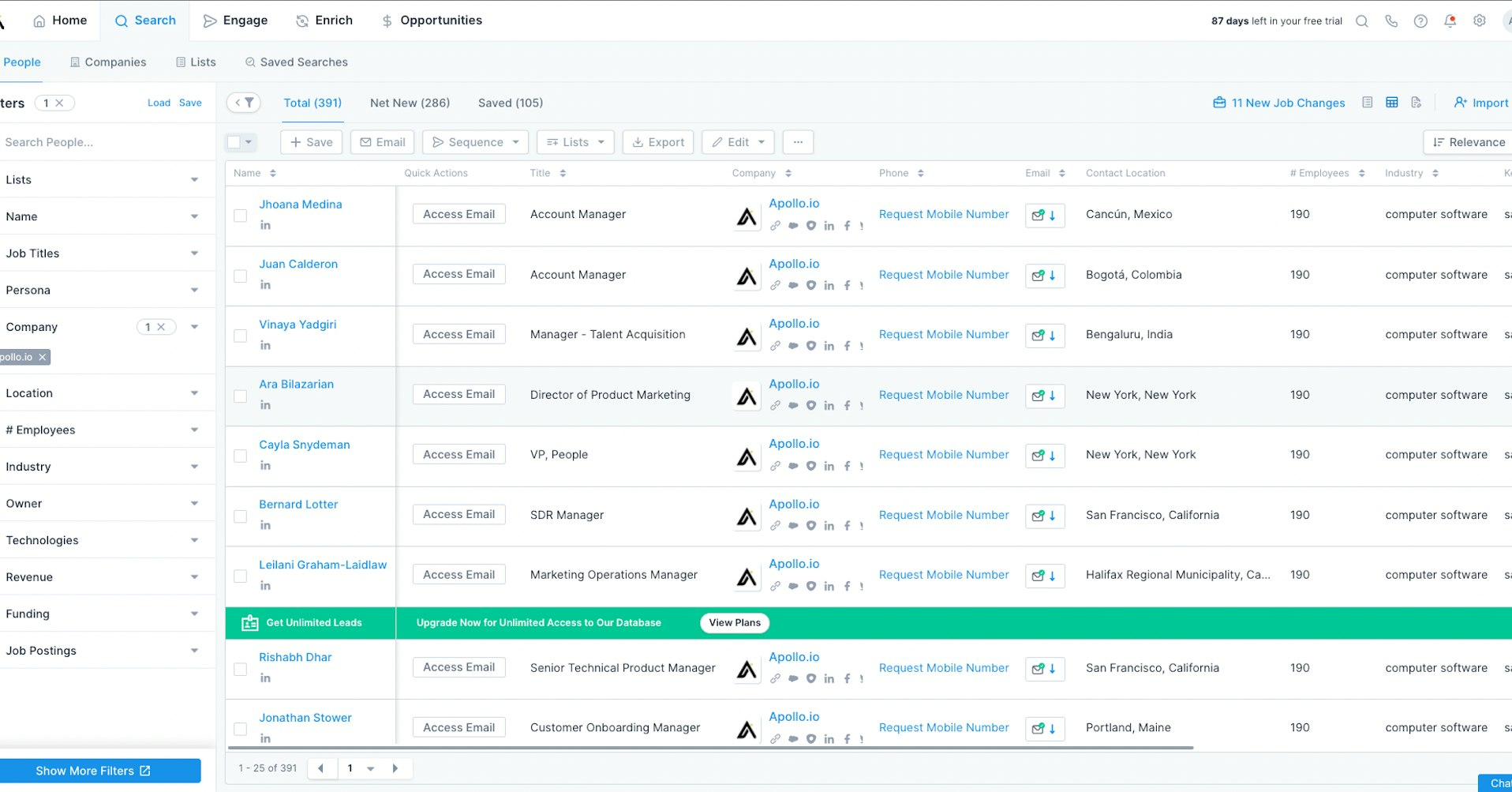
Image source: coda.io
Apollo fits sales departments that need a massive, built-in database combined with basic email sequencing capabilities. It offers an accessible point of entry for outbound prospecting.
Finding fresh lead lists usually requires purchasing an expensive external directory database and exporting files into a separate cold email tool. Apollo.io combines these steps inside one interface. You search for prospects using corporate filters and push them directly into multi-step outreach cadences.
The system focuses on simplicity for outbound execution. While it serves top-of-funnel outbound campaigns exceptionally well, it does not provide deep internal project coordination or advanced multi-tier organizational approval paths.
Pros:
- Large built-in index: Gives sales reps immediate access to millions of verified B2B profiles.
- Streamlined sequencing: Lets you search and launch email cadences without exiting the app interface.
Cons:
- Data freshness updates: Data decay means some phone numbers or email records require manual verification.
Pricing:
- Tiered options: Free basic tier with limited export allowances; professional models start at $49 per user/month.
4. Outreach.io: Enterprise campaign sequencing and revenue governance
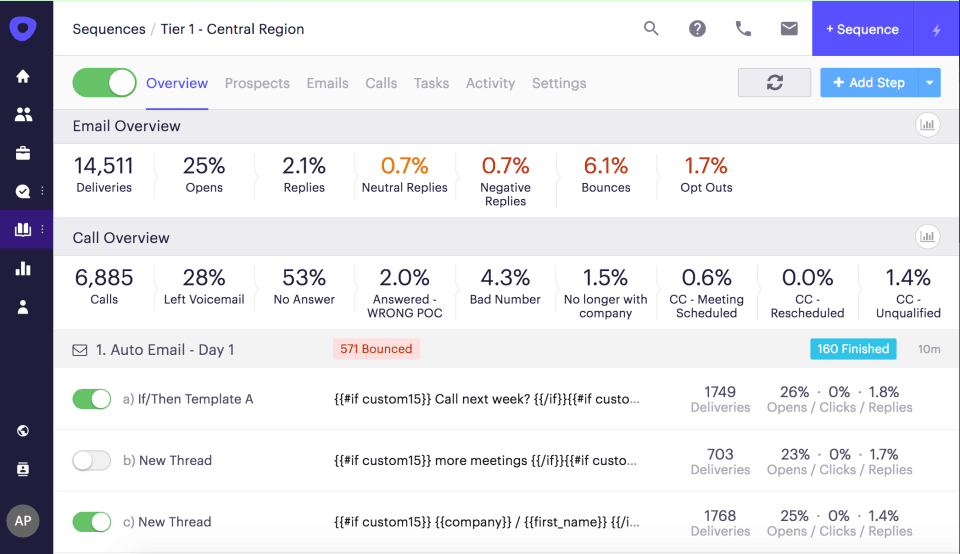
Image source: hopeszymanski.com
Outreach.io is designed for enterprise sales departments that execute high-volume multi-channel outreach across massive territories. It prioritizes strict administrative control and conversation intelligence.
Large enterprise sales organizations struggle to maintain messaging compliance and monitor activity metrics across hundreds of remote reps. Outreach.io solves this infrastructure challenge by enforcing strict campaign sequencing rules. It ensures every rep follows corporate playbooks across phone calls, emails, and LinkedIn interactions.
The platform provides advanced deal intelligence dashboards that analyze buyer interaction signals. It alerts managers when an active deal stalls, helping corporate teams protect quarterly revenue predictions.
Pros:
- Enterprise compliance controls: Enforces structured playbooks across massive, multi-tier sales departments.
- Advanced deal insights: Highlights pipeline risks by analyzing historical buyer interaction patterns.
Cons:
- High entry commitments: Contract structures require larger budgets, making it less accessible for early startups.
Pricing:
- Quote models: Custom enterprise pricing based on team deployment parameters; rates are public-hidden.
5. Hubspot sales hub: Integrated crm tables and customer relationship tracking
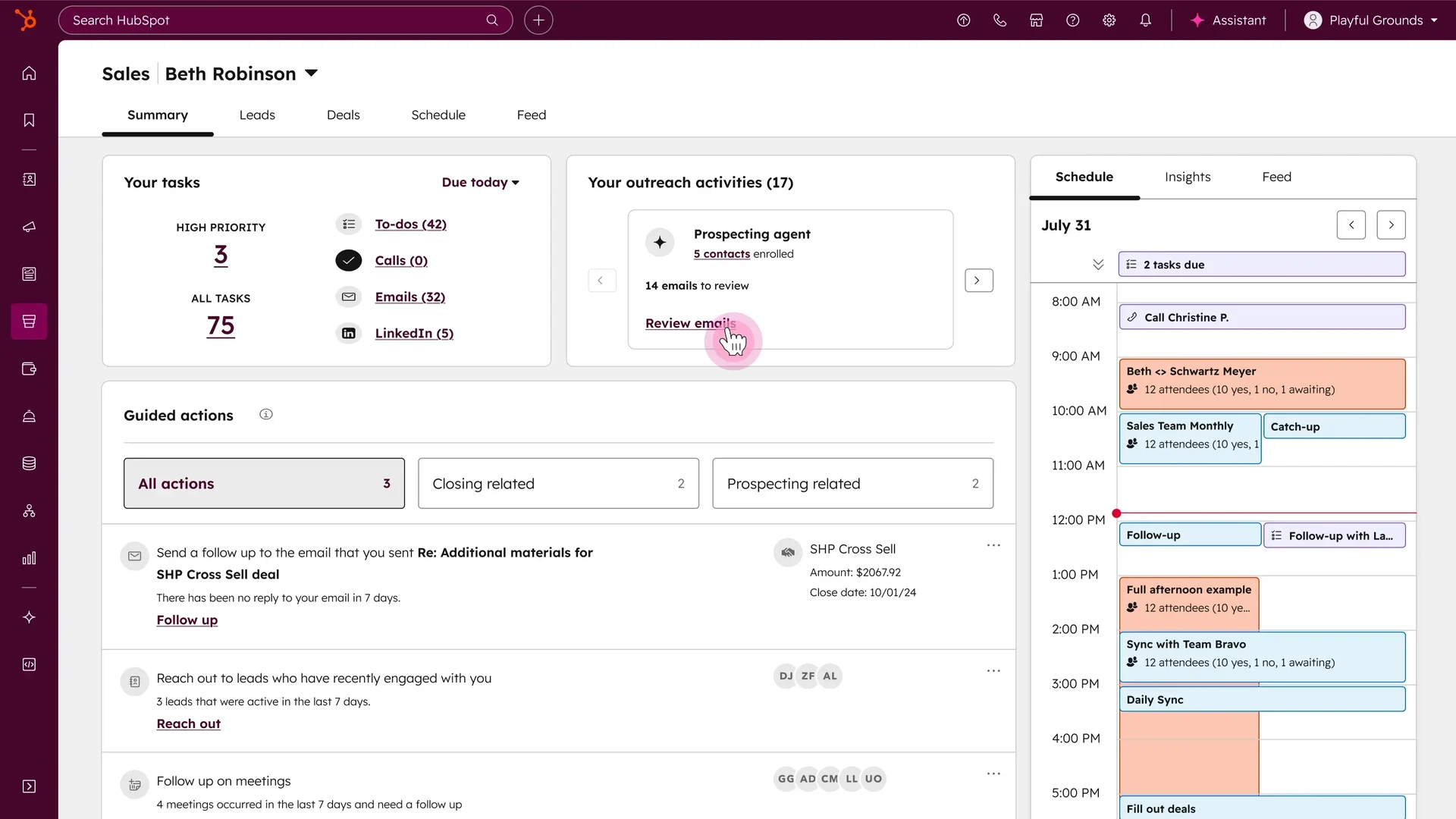
Image source: hubspot.com
Hubspot Sales hub is optimized for organizations that require an all-in-one classic crm database to bridge marketing, sales, and support channels. It values data centralization and traditional pipeline visibility.
When marketing data sits in one application and sales activity lives in another, teams suffer from broken context and missed revenue targets. HubSpot binds these operations to a single customer record table. The system logs every touchpoint automatically, from initial ad clicks to final contract signatures.
The workspace centers around clear visual dashboards and pipeline deal pipelines. It provides automated workflow rules to maintain database hygiene, making it a reliable foundation for standard mid-market companies.
Pros:
- Unified customer data: Keeps marketing, sales, and customer service teams aligned around identical records.
- User onboarding speed: The friendly visual design allows new reps to start tracking deals quickly.
Cons:
- Scaling price structures: Software licensing costs increase significantly as you scale contact volumes or add advanced pipeline automation.
Pricing:
- Package tracking: Free basic CRM tools available; professional team bundles begin at $90 per month and scale up rapidly.
6. 11x alice: Digital worker platform for autonomous sales workflows
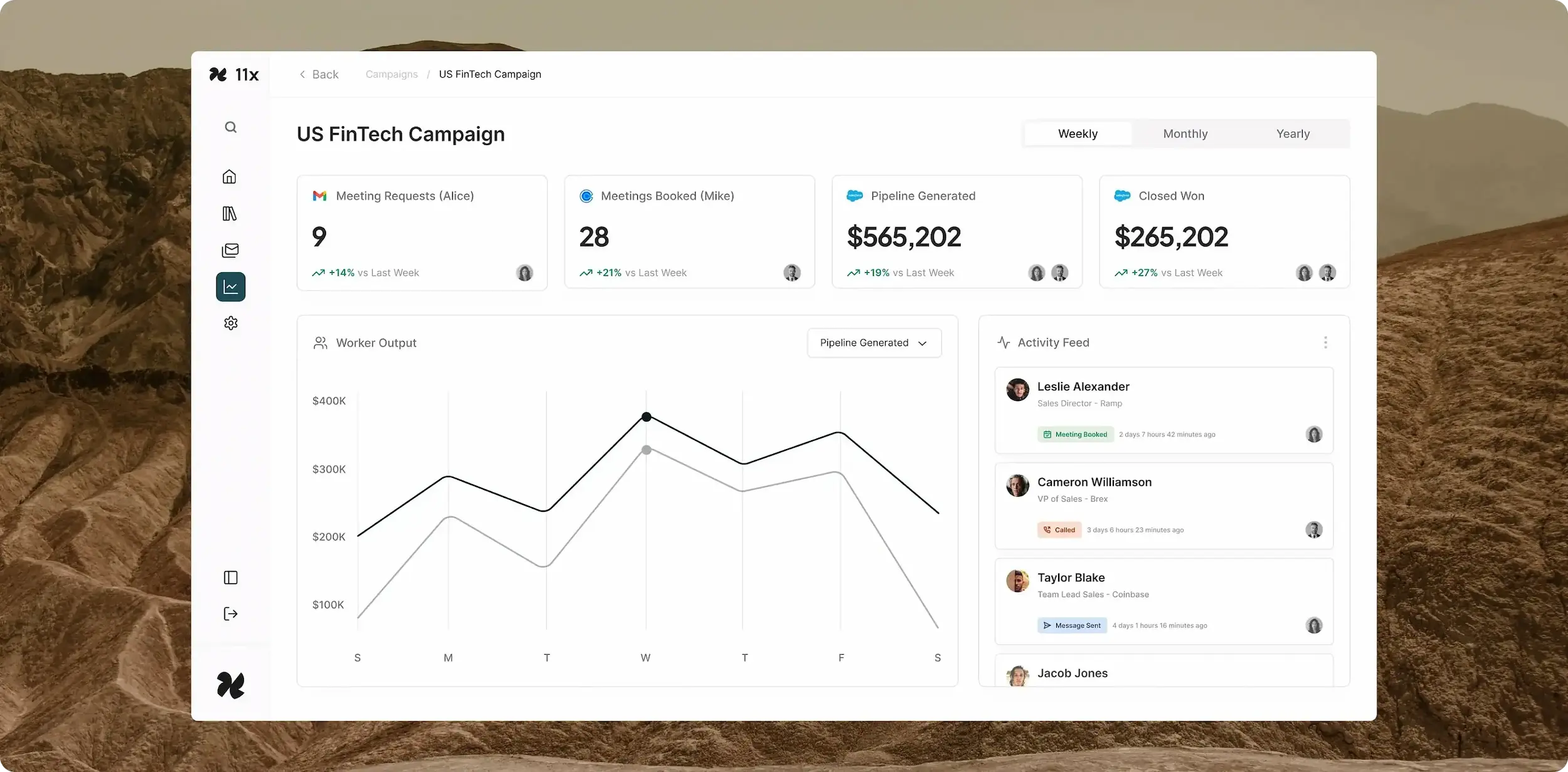
Image source: 11x.ai
11x alice stands out as a fully autonomous AI sales development representative capable of running entire outbound campaigns without human assistance. It moves beyond traditional point solutions by operating as a complete digital team member.
Instead of just assisting a human representative with messaging outlines, Alice independent handles end-to-end prospecting workflows. The agent targets prospects based on behavioral indicators, researches background documents through integrated knowledge base systems, writes customized multi-channel copy, and directly manages early-stage email conversations to book meetings on sales calendars.
The application is highly specialized for teams seeking to expand pipeline scale without linear headcount additions. It provides a continuous, 24/7 outbound motion across channels like email and LinkedIn while automatically syncing outcomes with your primary CRM.
Pros:
- True autonomous operations: Handles initial pipeline generation, prospect filtering, and message writing without constant human intervention.
- Multi-language scale: Capable of launching localized sales sequences in over 105 languages to support fast global territory expansion.
Cons:
- Premium entry pricing: High operational entry costs make it less practical for very small startups or low-volume outreach runs.
Pricing:
- Growth plans: Enterprise deployments are quoted upon direct consultation.
7. Fireflies.ai: AI meeting assistant and conversation notes
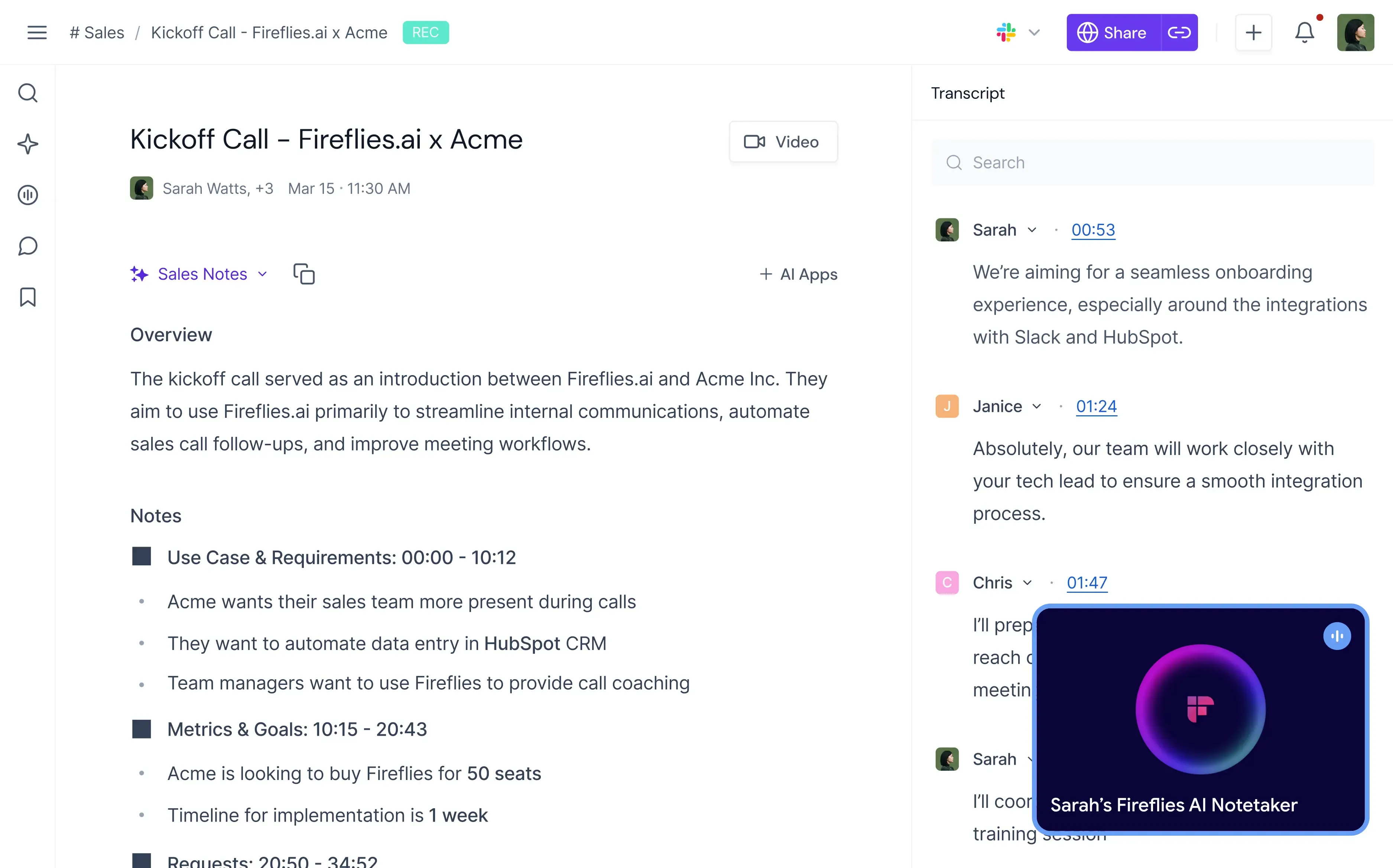
Image source: fireflies.ai
Fireflies.ai is built for sales forces that need an automated way to capture, transcribe, and search through call recordings. It converts voice conversations into organized reference documents.
When sales reps move from call to call, important customer requirements and action items easily get lost in manual notes. Fireflies.ai fixes this operational gap by inviting a virtual assistant to join your video conference rooms automatically. The system transcribes the entire conversation, flags key structural topics, and extracts specific commitments.
The environment serves as a searchable knowledge directory for your conversation history. It allows managers to review call metrics, track keyword mentions, and drop notes into CRM fields without re-listening to hour-long audio files.
Pros:
- Automated record keeping: Eliminates manual note-taking errors by capturing high-accuracy transcripts and summaries instantly.
- Conversation searchability: Allows teams to search across historical call databases to find specific pricing or feature mentions.
Cons:
- Limited outbound pipeline depth: The tool focuses entirely on meeting analysis and does not handle lead sourcing or sequence execution.
Pricing:
- Tier structures: Offers a limited free tier; paid packages start with accessible pro and business models tailored to growing teams.
8. Gong.io: Revenue intelligence and customer interaction analytics
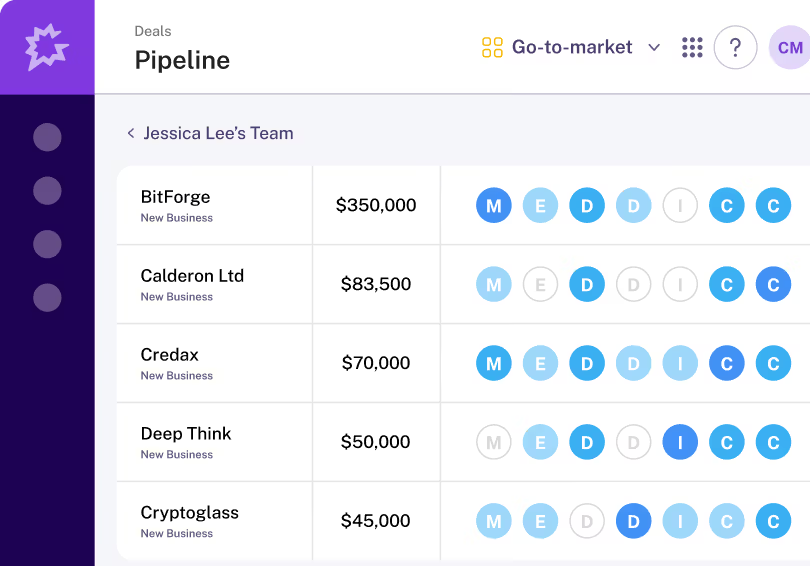
Image source: gong.io
This solution is ideal for mid-market and enterprise revenue operations that want total visibility into customer interaction trends across entire accounts. It shifts sales coaching from guesswork to data-backed pattern recognition.
Without clear interaction transparency, sales leadership cannot tell why certain deals fall apart while others close successfully. Gong logs customer touchpoints across phone calls, emails, and web meetings to provide an analytical view of pipeline health. It alerts teams to critical indicators, like when a prospect avoids pricing discussions or mentions a primary competitor.
The workspace is heavily tuned for leadership analytics and revenue forecasting. It aggregates communication metrics to help managers identify top-performing behavioral patterns and replicate them across the entire global sales force.
Pros:
- Deal risk identification: Flags stalling opportunities automatically based on communication frequency and keyword context.
- Data-driven coaching: Outlines exact behavioral adjustments for reps by comparing call metrics against top performers.
Cons:
- Enterprise implementation focus: The advanced reporting systems and contract structures match larger corporate operations rather than small startups.
Pricing:
- Custom quoting: Pricing structures are fully customized based on team size and data storage needs, following an enterprise-only model.
9. Salesloft: Revenue orchestration and team execution
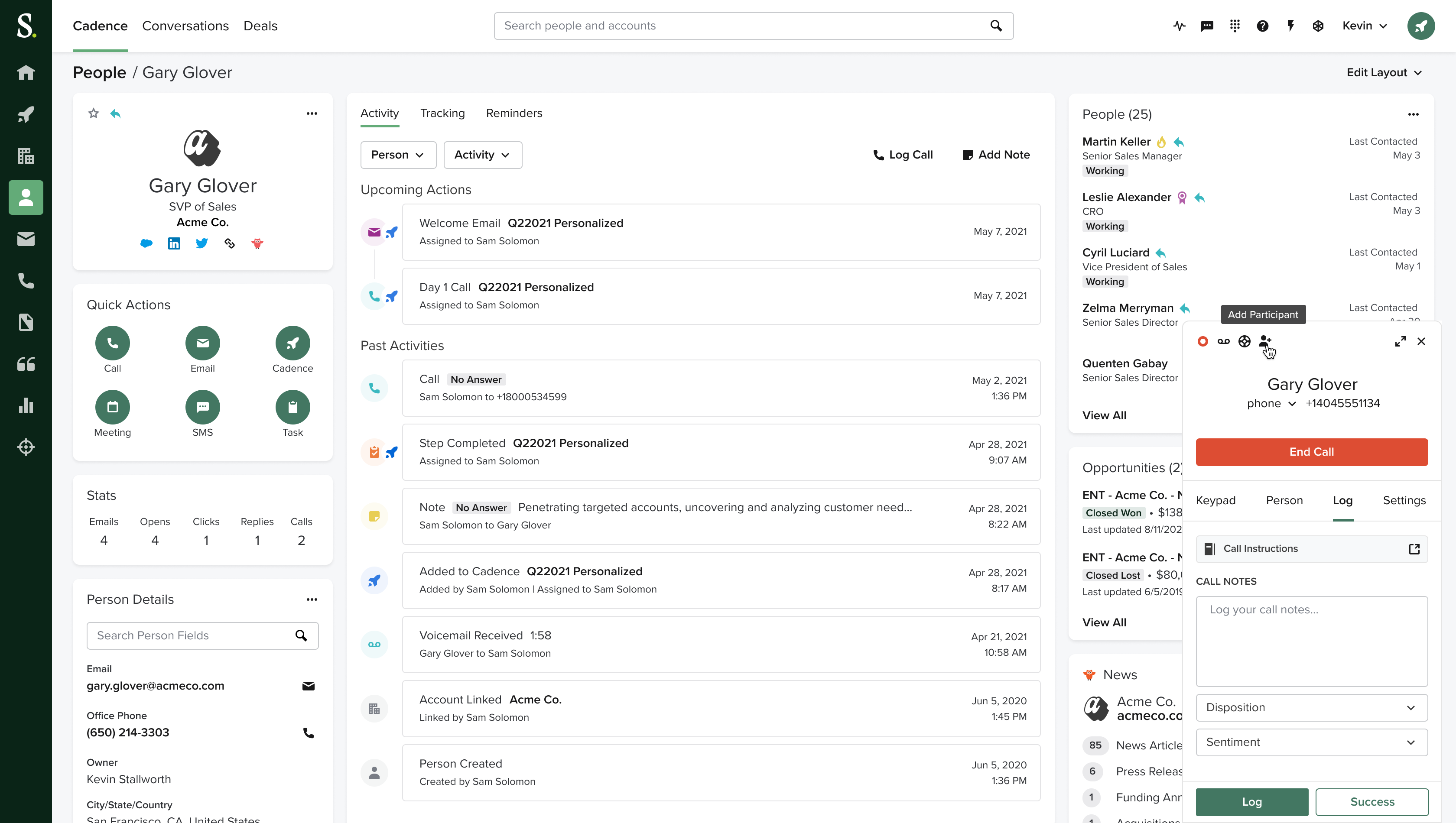
Image source: salesloft.com
This platform is highly optimized for structured digital sales teams that need an integrated environment to run repeatable multi-channel plays. It excels at guiding representatives through daily action queues.
When sales operations scale, reps can lose track of daily priorities, causing follow-ups to fall behind schedule. Salesloft organizes tasks into a centralized workspace that serves up the next best action, whether that is executing a custom phone script, sending a tracked email, or connecting on social platforms.
The software functions as an execution dashboard for pipeline managers. It connects closely with core enterprise CRMs to keep field data updated while tracking interaction performance across every outbound rep.
Pros:
- Structured workflow paths: Guides reps systematically through daily tasks to maintain uniform pipeline activity.
- Integrated dialer options: Offers built-in calling tools and tracking mechanisms directly within the campaign sequence.
Cons:
- Platform complexity barriers: Managing large-scale shared playbooks requires a dedicated revenue operations specialist.
Pricing:
- Custom packages: Provides tiered modular packages tailored to specific sales roles, available via direct corporate consultation.
10. Salesforce einstein: AI-powered customer insights and crm automation
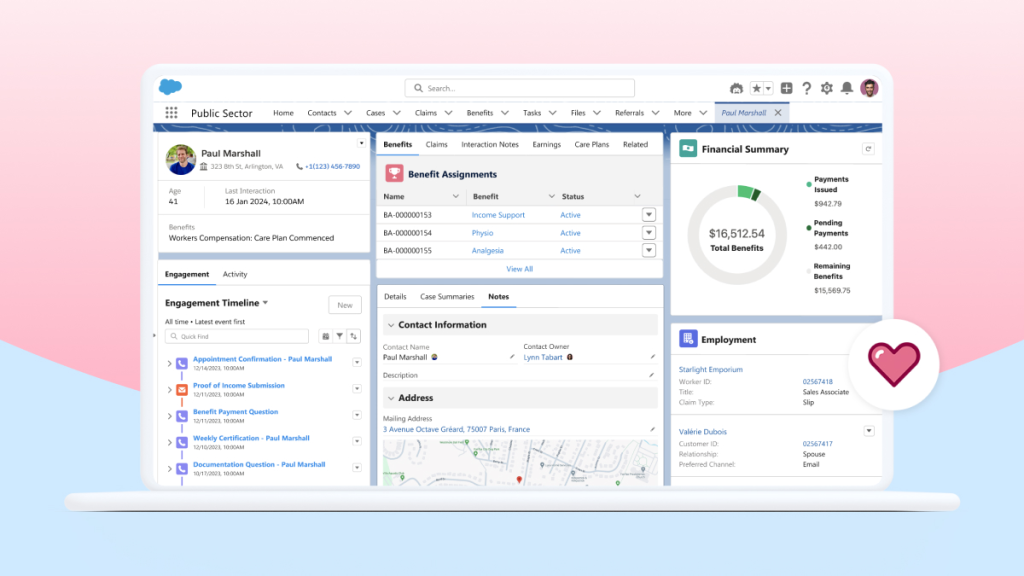
Image source: salesforce.com
This system fits large institutions already running salesforce who want native AI intelligence layered directly onto their legacy customer files. It maximizes the utility of massive internal enterprise records.
For organizations managing millions of data points, finding hidden upsell opportunities or predicting contract renewals manually is nearly impossible. Salesforce Einstein embeds intelligence directly into your existing data records. It calculates lead scores automatically, predicts close probabilities, and surfaces key insights without forcing reps to export files to external dashboards.
The architecture is built for comprehensive enterprise scale. It serves as an internal assistant that guides reps toward high-value opportunities and automates repetitive CRM updates, ensuring system records stay clean and current.
Pros:
- Deep native data integration: Functions directly inside the core Salesforce database, removing external synchronization delays.
- Predictive deal analytics: Uses historical account signals to forecast pipeline outcomes and prioritize valuable accounts.
- Automated record hygiene: Reduces manual entry fatigue by logging interaction insights directly onto customer profiles.
Cons:
- High platform dependency: The software functions strictly within the Salesforce product ecosystem, requiring a full platform commitment.
Pricing:
- Enterprise add-on models: Available as a premium license upgrade added onto core Salesforce subscription packages.
Top AI sales automation use cases
AI sales automation spans the entire revenue funnel—from prospecting to post-sale renewal. Below are the most impactful ways modern revenue teams are deploying these tools today.
Not every use case requires a separate tool. Platforms like handle lead scoring, pipeline tracking, and automated workflows natively—reducing the integration burden that point-solution stacks create.
Stop paying for broken integrations.
How to implement AI in your sales process
Successful AI adoption follows a disciplined, incremental path. Rather than deploying every available feature at once, high-performing teams start with one high-impact use case and scale from there.
1. Audit your current sales workflow
Map every step from lead capture to closed-won. Identify where reps spend the most manual time—data entry, follow-up scheduling, pipeline updates—and flag those as automation candidates.
2. Start with one high-impact use case
Choose a single, measurable workflow: lead scoring, email sequencing, or call transcription. Prove value with a small pilot group before expanding.
3. Choose tools that integrate with your existing stack
Prioritize platforms that connect natively with your CRM, messaging, and calendar systems. Every additional integration layer adds cost and fragility.
4. Train your team and establish AI usage guidelines
Define when AI-assisted decisions require human review. Create clear playbooks for how reps should interpret AI recommendations and when to override them.
5. Measure results and scale incrementally
Track conversion rates, cycle times, and rep productivity against baseline. Expand to additional use cases only after the pilot demonstrates measurable improvement.
The future of AI in sales
AI sales technology is evolving rapidly. Understanding emerging trends helps revenue leaders invest in platforms that will remain relevant as capabilities advance.
The following vendor matrix compares each platform across core capability barriers and workspace depths to help leaders choose the right infrastructure strategy.
Transform your sales execution with Lark.
Conclusion
AI is transforming sales automation, but the teams seeing real results aren't chasing every shiny tool—they're starting with one focused use case, keeping their data clean, and choosing a platform their reps actually want to use. That's where stands out: instead of stitching together a CRM, messaging app, video conferencing tool, and automation engine, your team gets all of it in one unified workspace. Fewer integrations, lower costs, faster adoption—the 70% that actually determines whether AI works for your sales team. Start small, measure what matters, and let handle the rest.
FAQs
How can I use AI to automate my sales process?
Map your workflow from lead capture to closed-won, identify the most manual tasks, and start with one pilot—lead scoring, email sequencing, or call transcription—before expanding.
What are the best AI sales automation tools available?
For most teams, is the strongest choice because it combines CRM, messaging, video conferencing, and workflow automation in a single platform—eliminating the integration overhead and cost creep of stacking separate tools. If you need specialized capabilities, Clay excels at data enrichment and personalized outbound, Apollo.io offers affordable B2B prospecting at scale, and Outreach.io remains the enterprise standard for sales engagement—but Lark's all-in-one approach means your reps work from one unified workspace instead of juggling multiple logins.
Will AI replace sales reps entirely?
No. AI handles repetitive tasks like data entry and outreach, but relationship building, negotiation, and closing remain human. A Reddit thread asking this question drew 394 responses with broad agreement that AI augments, not replaces, reps.
What is the 10/20/70 rule for AI in sales?
BCG's principle: 10% algorithms, 20% technology and data, 70% people and processes. Most teams fail by over-investing in the tool (10%) while neglecting data quality and adoption (70%).
Has anyone actually seen real sales results from AI tools?
Yes, but only with clean data and focused use cases. Reddit users report 15–30% efficiency gains when starting small with speed-to-lead or lead scoring. Teams that over-automate or stack too many tools see disappointing results.
Are autonomous AI SDR tools like 11x Alice worth the investment?
Only if your data foundation is solid. A Reddit early adopter called 11x Alice "worthless" after a year. Start with AI-assisted workflows where humans review output before moving to fully autonomous agents.
Related Reading






























