Building custom machine learning tools used to mean months of waiting and a massive budget for developers. That reality is shifting. Today, a no code AI platform allows managers to create smart workflows and connect multiple models without writing any scripts. I have seen how this shift reduces data silos and speeds up execution. In this guide, we will explore the top options available, helping you find the best tool to streamline your enterprise operations and team collaboration.
What is a no-code AI platform?
A no code AI platform is a visual environment where you can build, train, and deploy artificial intelligence models using drag and drop interfaces. Instead of relying on engineers to code algorithms, you use pre-built modules to connect data sources directly to AI capabilities.
Consider a customer support lead who needs to categorize daily feedback tickets. Instead of filing an IT request, they open an AI app builder no code platform, connect their ticket database, select a sentiment analysis model, and create an automated tagging system in a single afternoon.
These tools handle everything from natural language processing to predictive analytics, placing immense computational power directly into the hands of business operators.
Why enterprise managers are moving away from traditional AI development
The traditional approach to software creation often causes severe bottlenecks. When every requires engineering resources, simple operational improvements take months to launch.
- High costs: Hiring specialized developers takes a significant portion of the budget, making small automation projects financially unviable.
- Long timelines: Traditional cycles involve scoping, coding, testing, and deployment, which stalls immediate business needs.
- Disconnected tool stacks: Managing standalone applications causes fragmented data, requiring constant manual updates between systems.
By adopting visual development methods, teams bypass these hurdles. Managers can take control of their tech solutions and deploy custom applications that .
Key features to look for in an AI app builder no code platform
When evaluating options, specific capabilities determine whether a tool will save time or just .
- Multiple AI models: The ability to select different foundational models based on the specific task ensures you always have the right tool for the job.
- Workflow automation: Triggers and actions that connect your AI output directly to business operations minimize manual data entry.
- Enterprise security: Strong privacy controls guarantee that company data remains protected during processing.
- Unified workspace connections: Platforms that link directly with your existing chat, , and databases prevent information silos and keep your team aligned.
Build no-code workflows and automate tasks with Lark
12 best no code AI platforms
Evaluating the market reveals a wide range of tools designed to bypass traditional coding bottlenecks. Some platforms focus on building mobile interfaces, while others excel at connecting disparate web applications or organizing internal knowledge. Below is a detailed look at the leading options available this year, breaking down what they do best, their core strengths, and where they might fall short for enterprise needs.
1. Lark: Best for unifying workflows and collaboration
is an all-in-one productivity powerhouse designed for growing SMEs and large enterprises, especially remote or hybrid teams, aiming to eliminate . It consolidates communication, collaboration, and project management into a single, cost-efficient unified workspace.
Its drag-and-drop capabilities extend to automation runs, translations, and OKR tracking, addressing the common issue of disconnected tool stacks. This approach ensures that enterprise data does not remain trapped in isolated systems, providing a centralized location for both real-time collaboration and backend data management.
Relational database building for non technical teams
enables teams to construct structured databases and versatile dashboards through visual drag and drop configurations. Options like drop down menus, calculated formulas, linked records, and assignee allocations become available instantly. Staff members outside the IT department easily assemble client trackers, stock monitors, and project boards within hours instead of weeks. 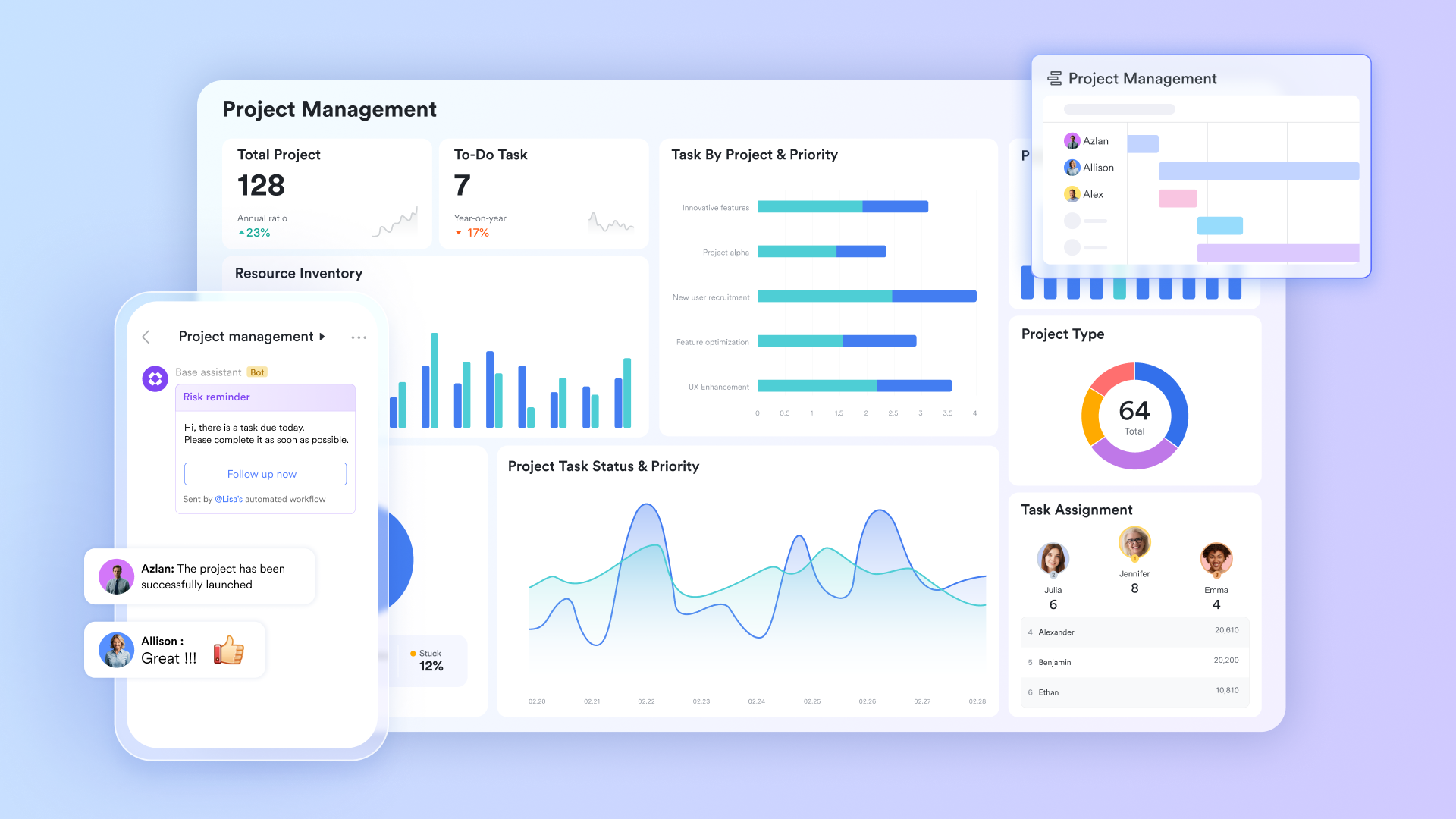
Rule based task sequences without programming
Lark Base Automation allows users to establish trigger and action sequences through an intuitive condition maker. Utilizing visual branching logic, anyone can map out custom processes for daily tasks. If a status shifts, a deadline approaches, or someone submits a form, the system automatically sends an alert, edits a specific cell, or generates a fresh entry. Developers are completely unnecessary. 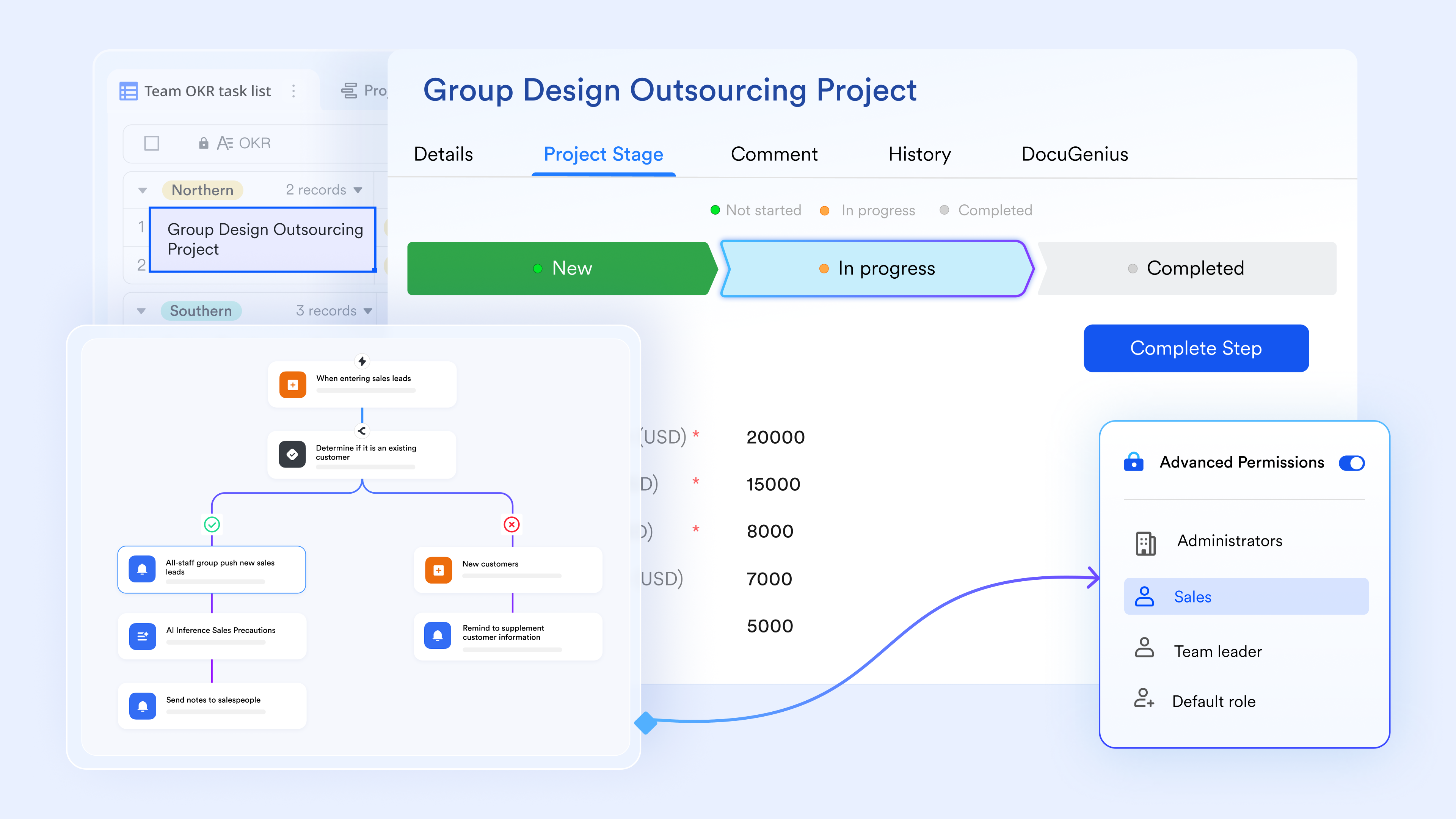
Smart information handling and text processing
Enhance your data processes using Lark AI field shortcuts that introduce smart capabilities directly to your spreadsheets. These quick additions enable specialized columns to execute advanced functions. You can translate languages, classify items, condense lengthy texts, and pull out essential facts without manual intervention, matching perfectly with Lark Forms for custom data collection. 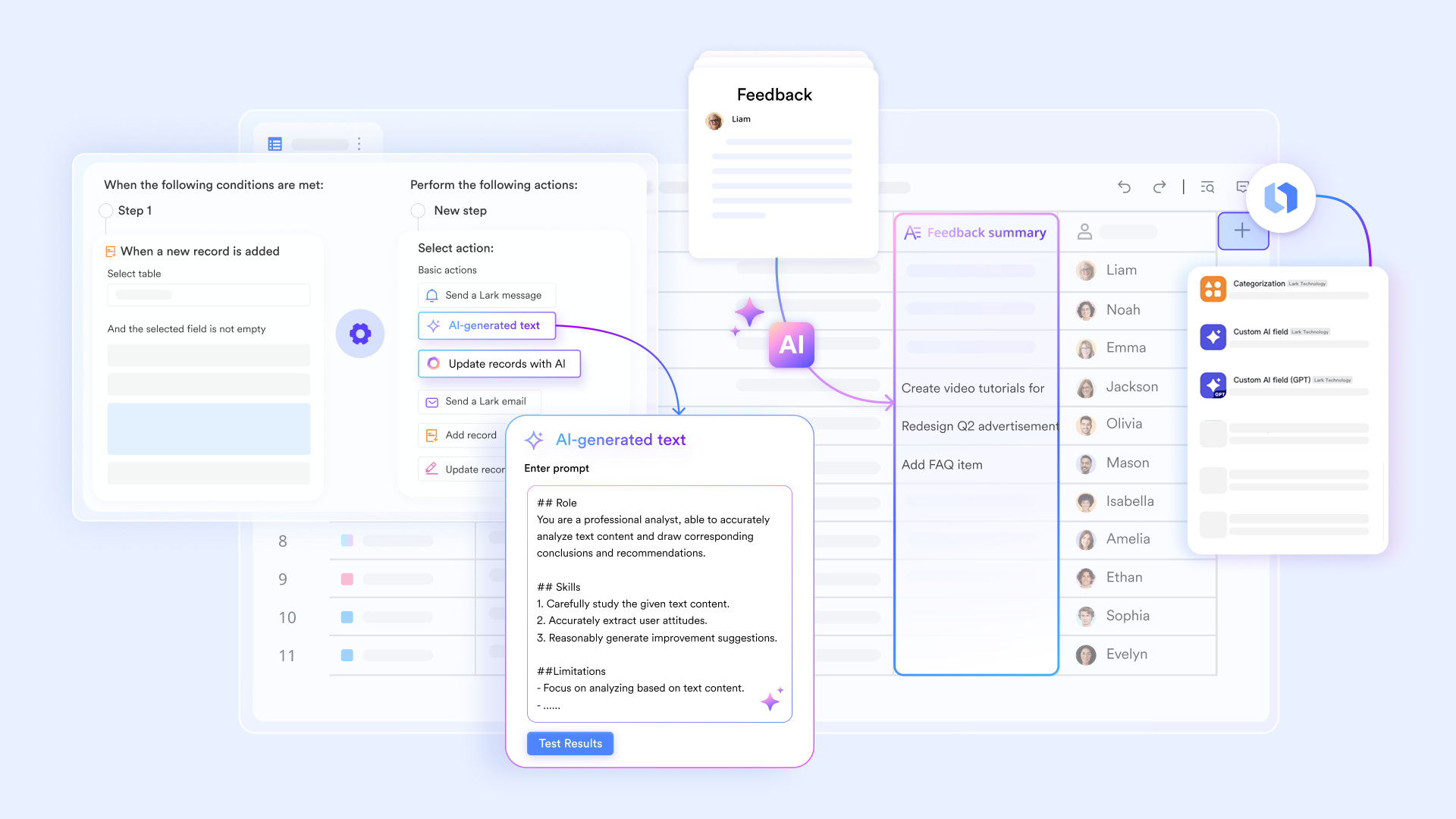
Conditional sign off routing without IT involvement
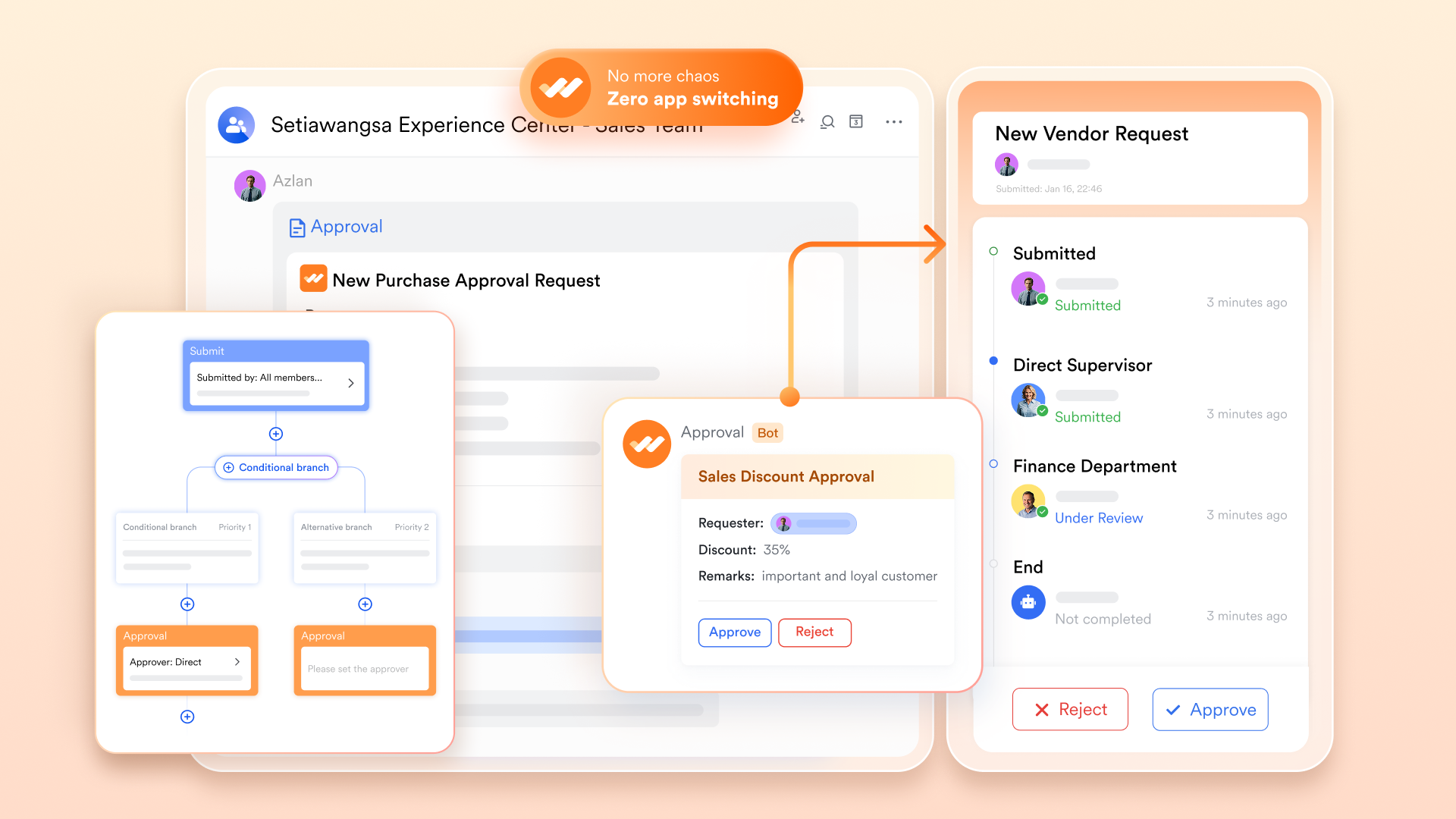
Operations and human resources staff can map out conditional paths, custom input forms, and role specific reviewer chains using a graphical builder. Routine items like vacation requests, reimbursement submissions, buying orders, and new hire checklists flow automatically through without backend configuration.
Pros:
- Combines chat, documents, and databases in a unified workspace
- Offers a highly functional free tier suitable for growing teams
- Provides robust automation tools to reduce manual administrative tasks
Cons:
- Requires team-wide adoption to fully realize its collaborative benefits
- Initial setup of complex custom workflows takes time to map out properly
- Starter plan: Free forever plan with 11 powerful tools for up to 20 users, 100GB storage, 1,000 automation runs, AI translations, and more. No credit card needed.
- Basic plan: $6/user/month (billed annually) for up to 500 users. Includes everything in Starter plus unlimited message history, 5TB storage, 1,000 automation runs, and more. Some users may need to to purchase.
- Pro plan: $12/user/month (billed annually) for up to 500 users. Includes everything in Basic plus group calling for up to 500 attendees, 15TB storage, 50,000 automation runs, and more.
- Enterprise plan: for custom pricing. Supports unlimited users and includes advanced automation, security, compliance, and management features.
For small teams with simple communication needs

18 months message history
1000 Base automation runs/month
2000 rows per table in Base
Most POPULAR
For companies with comprehensive collaboration and management needs
Unlimited message history
500-participant video meetings
50k Base automation runs/month
20k rows per table in Base
For large companies with advanced security and organizational management needs
Get a personalized demo and pricing
Unlimited message history
500-participant video meetings
15 TB storage + 30 GB storage/user
500k Base automation runs/month
50k Base automation runs/month
Most POPULAR
For companies with comprehensive collaboration and management needs
Unlimited message history
500-participant video meetings
50k Base automation runs/month
20k rows per table in Base
2. Airtable: Best for relational database applications
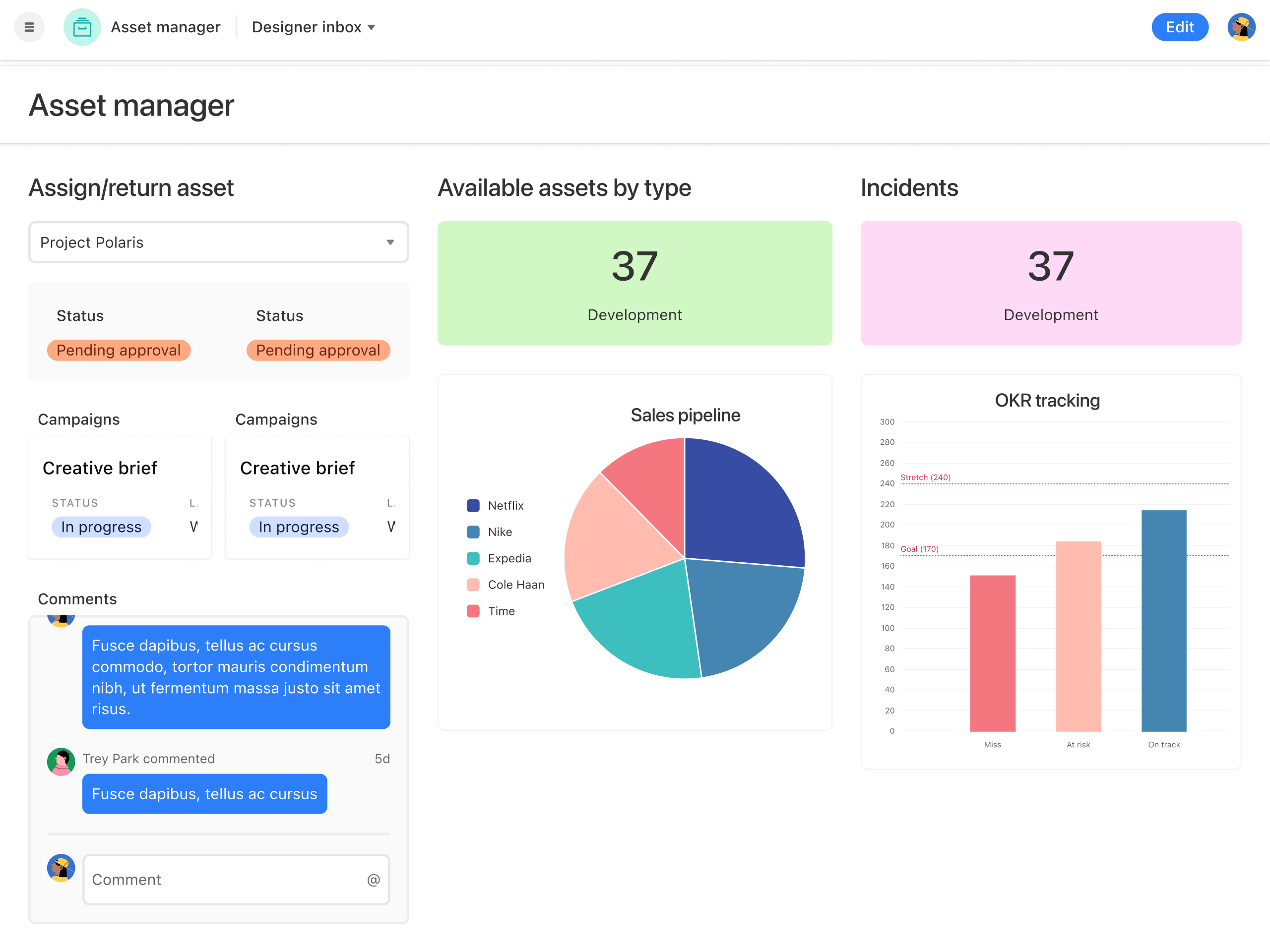
Image source: airtable.com
Airtable allows you to connect related records and build complex visual relationships between your data points. You can design interfaces on top of your databases, giving your team custom views of the information they need to do their jobs. A marketing team, for instance, can link a content calendar to a separate database of freelancers, automatically tracking project status and payment approvals in one view.
The platform provides a solid foundation for managing structured data while offering flexibility through visual app building. Users can map out intricate operational procedures without managing SQL servers or hiring backend developers.
Pros:
- Transforms flat data into relational databases effortlessly
- Offers customizable interface designer for different team roles
- Provides strong visual data representation through multiple views
Cons:
- Can become expensive as record limits increase on lower tiers
- Complex base architecture requires careful initial planning
Pricing:
- Team plan: $20/seat/month
- Business plan: $45/seat/month
- Enterprise scale: Custom pricing
3. Zapier: Best for automating workflows across web apps
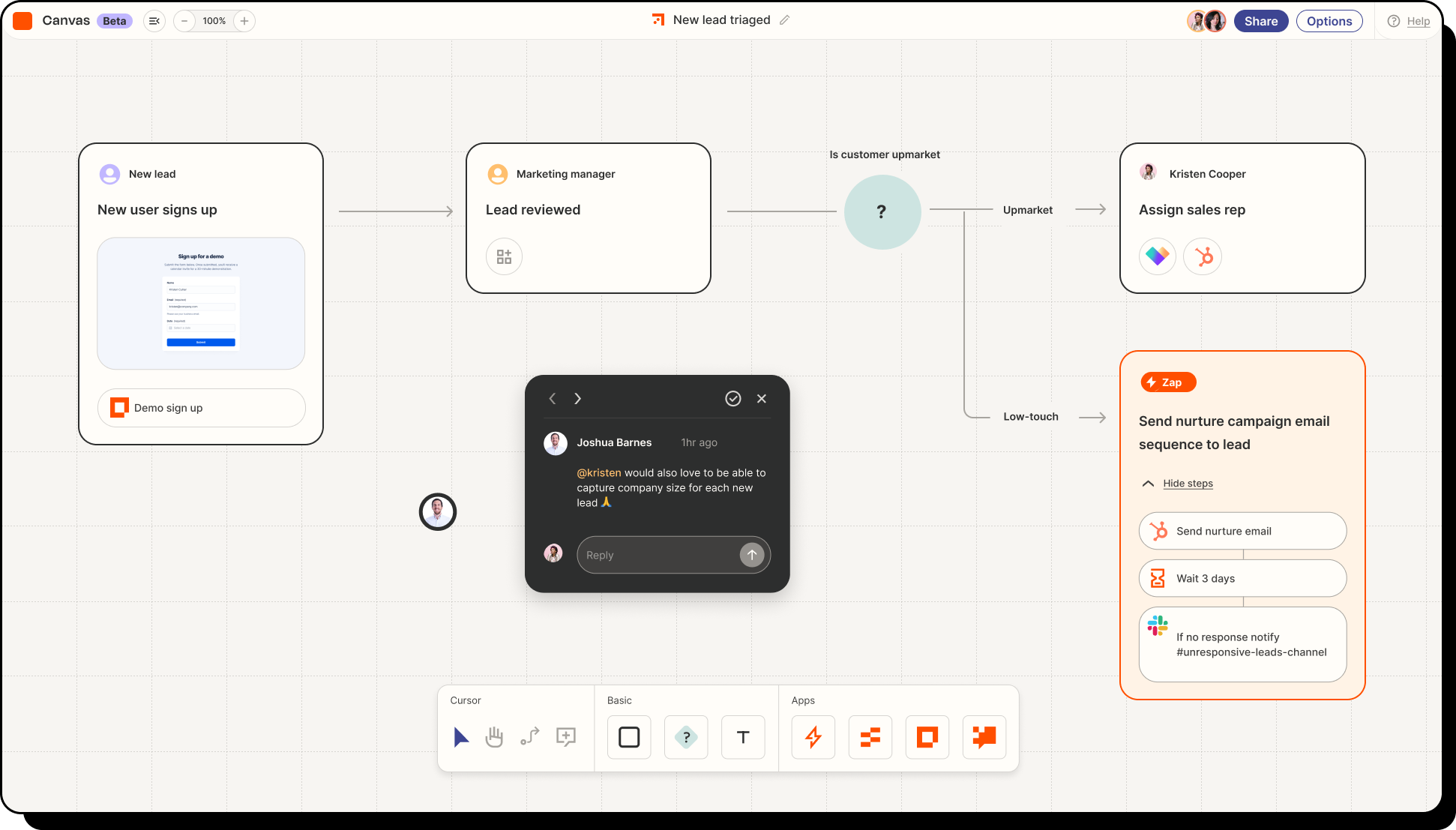
Image source: zapier.com
Zapier connects thousands of separate web tools, allowing you to pass data between them automatically. You build "Zaps" by selecting a trigger in one application and defining the subsequent actions in others, effectively building a customized backend process visually. If a new lead signs up via a web form, you can configure the system to add them to your CRM, send a welcome email, and notify your sales team in their chat app.
This tool acts as the glue for companies that rely on a large, fragmented tech stack. It removes the need to manually copy and paste information, ensuring data consistency across different departments.
Pros:
- Supports connections with thousands of popular web applications
- Features a simple visual editor for creating complex logic paths
- Reduces manual data entry errors across disconnected platforms
Cons:
- High volume tasks quickly consume monthly task allowances
- Troubleshooting multi-step logic errors requires patience
Pricing:
- Zapier provides a Free plan strictly limited to 100 tasks per month and single-step automations.
- Paid plans begin around $19.99 per month (billed annually).
4. Bubble: Best for building full-stack web applications
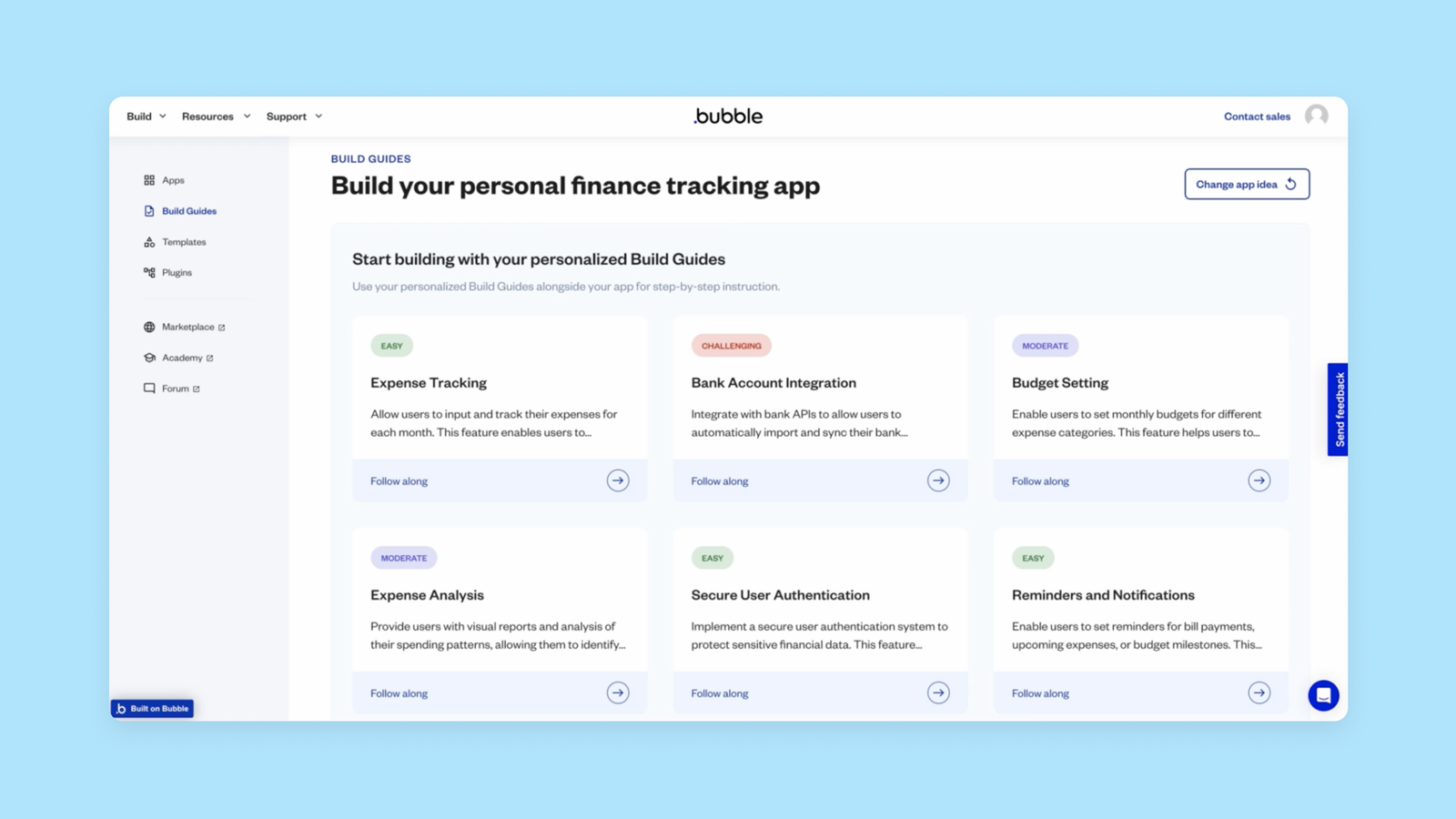
Image source: bubble.io
Bubble offers deep control over both the visual design and backend logic of web applications. Users can design pixel-perfect layouts, construct complex databases, and define external connections without writing code. An entrepreneur could build a complete marketplace platform, handling user registration, payment processing, and dynamic content rendering entirely within the visual editor.
It provides a level of depth that rivals traditional coding, making it suitable for launching complex software products. This extensive functionality requires users to invest significant time in learning the platform's mechanics.
Pros:
- Delivers extensive control over both frontend design and backend logic
- Supports complex database operations and external system connections
- Enables the creation of scalable, production-ready software
Cons:
- Steep learning curve compared to simpler application builders
- Performance optimization requires specific technical understanding
Pricing:
- Enterprise plan: Contact sales
5. Glide: Best for turning data into mobile interfaces
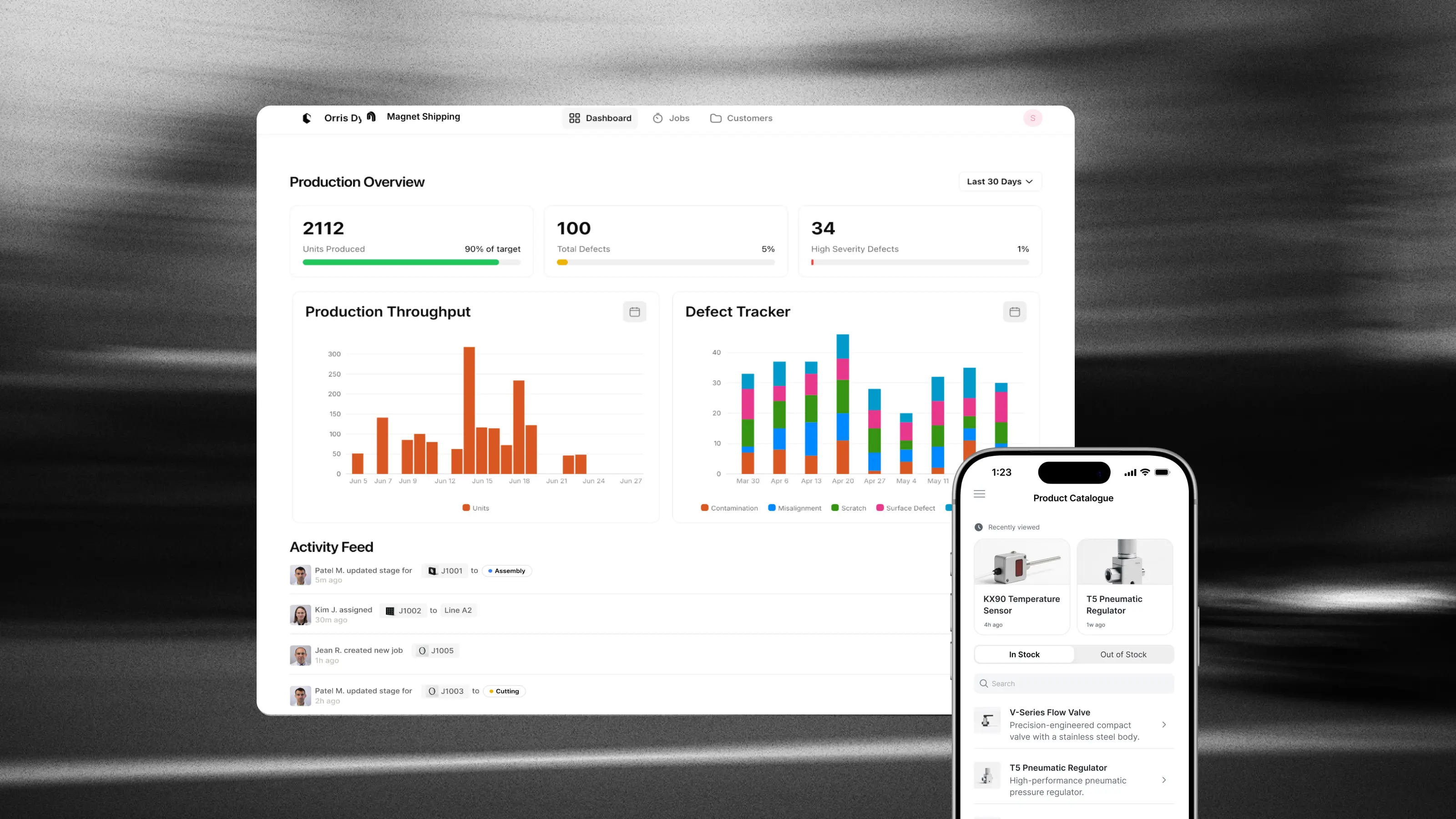
Image source: glideapps.com
Glide reads data from spreadsheets or databases and automatically generates functional, mobile-friendly applications. You connect your data source, customize the layout components, and deploy the app instantly. A retail manager can connect an inventory spreadsheet and immediately generate a mobile app for staff to check stock levels on the warehouse floor.
The platform prioritizes speed and ease of use, focusing on creating polished interfaces with minimal configuration. It is an excellent choice for operational teams needing quick access to centralized data on mobile devices.
Pros:
- Generates functional applications rapidly from existing spreadsheets
- Produces highly responsive, mobile-first interface designs natively
- Requires minimal configuration to achieve a polished final product
Cons:
- Complex backend logic is difficult to implement within the platform
- Customization options are restricted by pre-defined layout templates
Pricing:
- Business plan: $199/month/billed yearly
- Enterprise plan: Custom quote
6. Make: Best for mapping complex logic routing
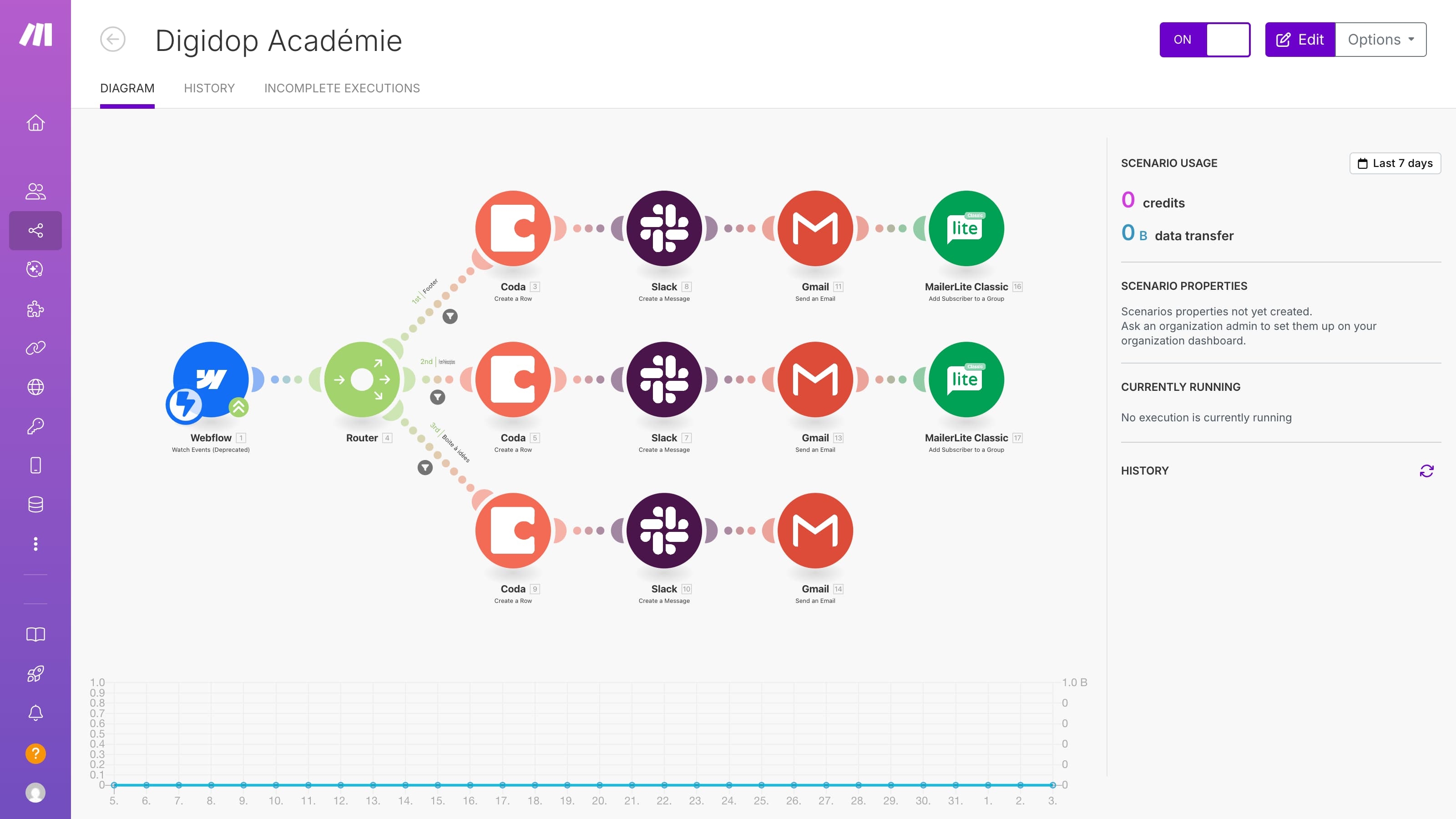
Image source: digidop.com
Make provides a visual canvas where you connect different apps and services using circular modules, clearly displaying how data flows between systems. You can set up complex scenarios with conditional routing, iterators, and error handlers. An e-commerce manager can build a process that captures a new order, checks inventory, sends a Slack notification if stock is low, and emails the customer a receipt.
The visual nature of the platform makes it easier to understand and debug intricate workflows compared to linear lists. It caters to users who need advanced control over their data manipulation processes.
Pros:
- Features a highly visual canvas for mapping complex data flows
- Includes advanced routing tools like iterators and conditional paths
- Provides clear visual feedback for debugging and error handling
Cons:
- Understanding advanced data structures requires technical aptitude
- Complex scenarios can become visually cluttered and hard to manage
Pricing:
- Make offers a Free plan that includes up to 1,000 credits per month.
- Paid plan pricing varies by user count and billing option — check the Make pricing calculator for the latest rates.
7. Retool: Best for building internal tools fast
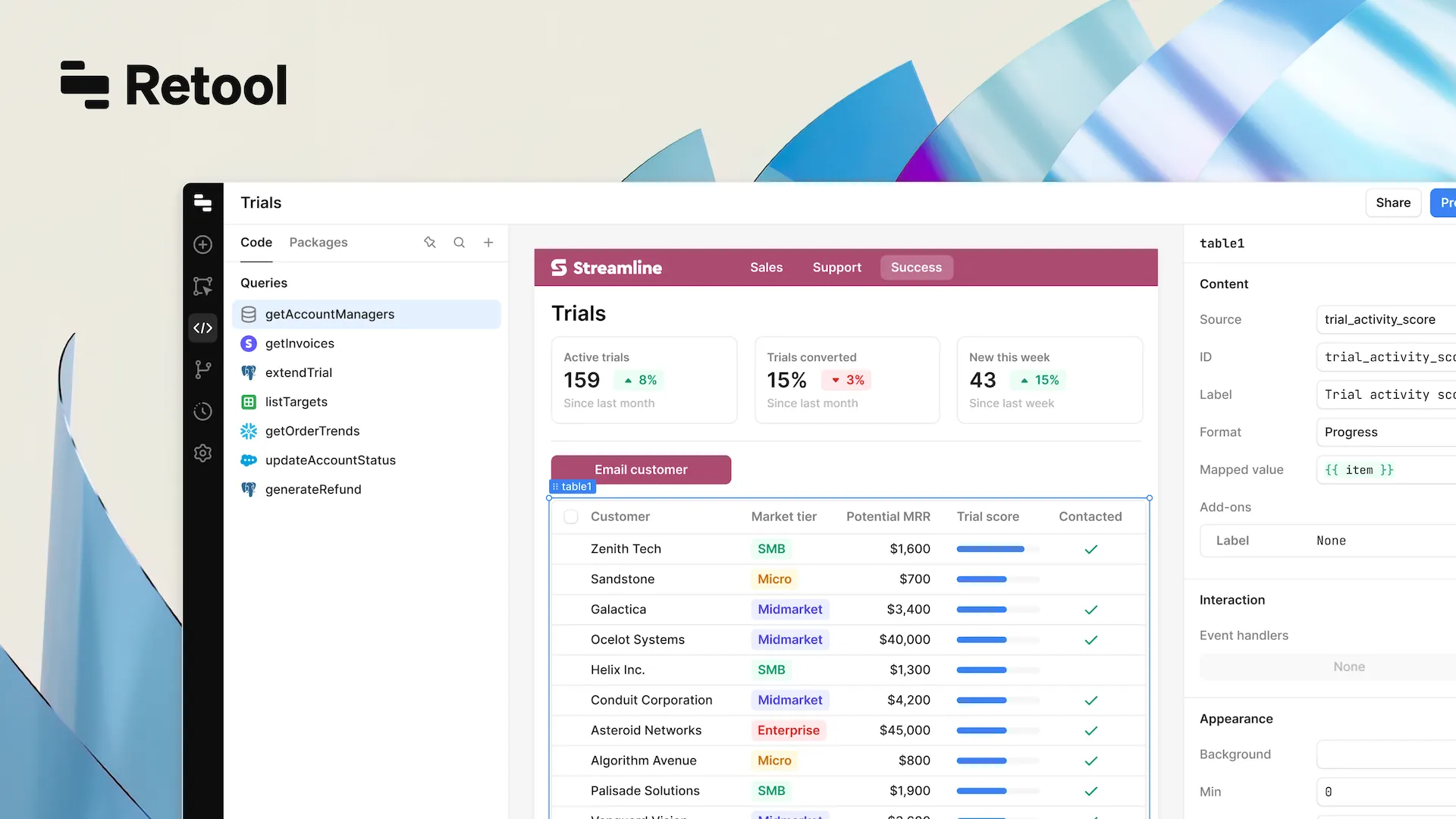
Image source: retool.com
Retool allows teams to connect to any database or API and build robust internal dashboards using a drag-and-drop interface. While it requires some SQL or JavaScript knowledge for maximum utility, it removes the need to build UI components from scratch. An operations team can connect their Postgres database and build a custom dashboard to manage user refunds and account statuses in days instead of months.
It bridges the gap between traditional development and visual building, focusing entirely on functional internal tooling rather than consumer-facing applications.
Pros:
- Connects easily to nearly any SQL database or external API
- Provides a comprehensive library of pre-built UI components natively
- Accelerates the development of complex internal operational tools
Cons:
- Requires knowledge of SQL or JavaScript for complex configurations
- Not designed for building public-facing consumer applications
Pricing:
- Team plan: $10/month/builder + $5/month/internal user
- Business plan: $50/month/builder + $15/month/internal user
- Enterprise plan: Custom pricing
8. Notion: Best for flexible document creation
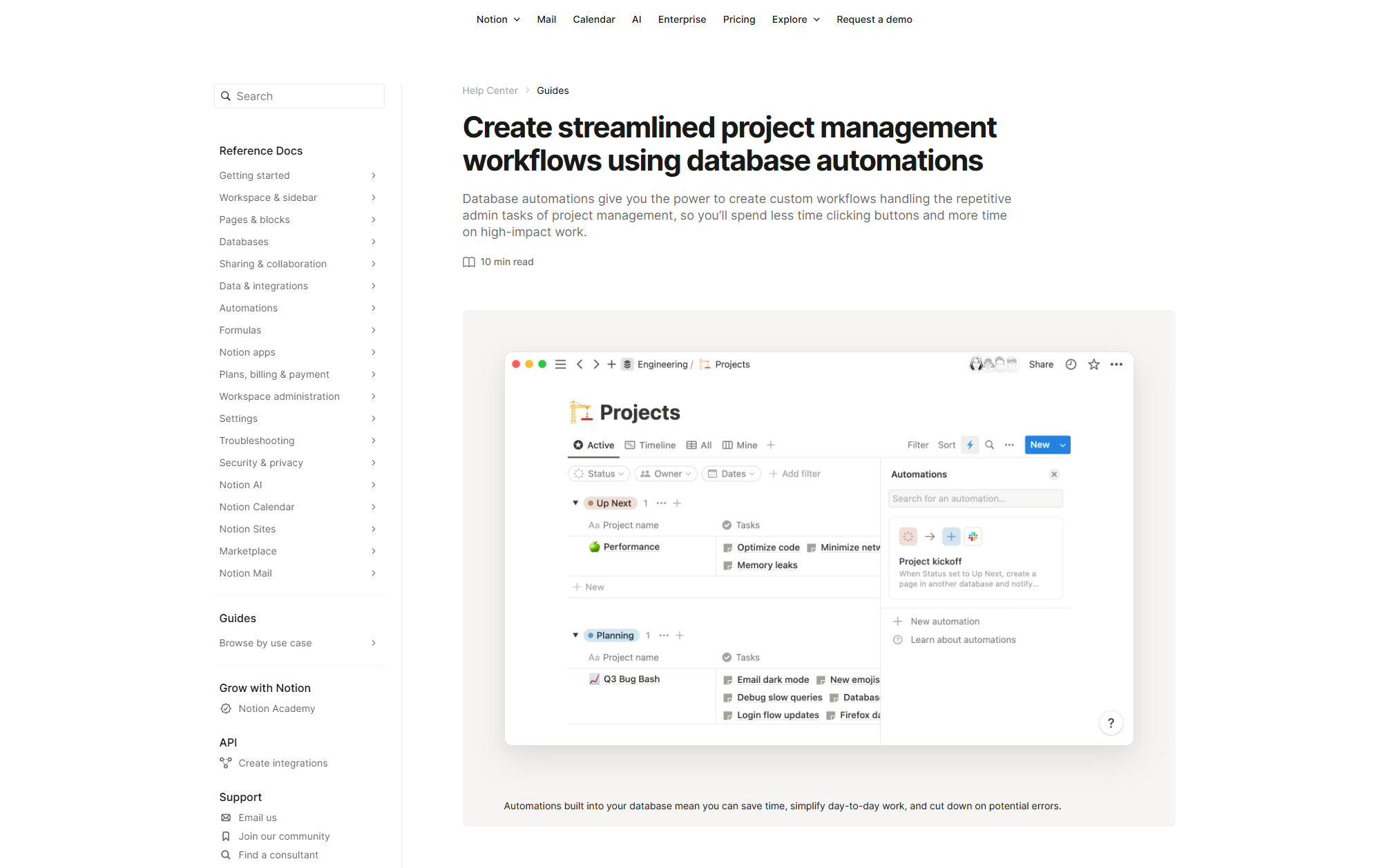
Image source: notion.com
Notion offers a blank canvas where teams can combine text, databases, Kanban boards, and calendars into connected workspaces. You can build customized company wikis or track complex project deliverables within a single document. A product team can create a central hub containing meeting notes, feature roadmaps, and embedded design files, ensuring all context remains in one place.
Its flexibility allows teams to design their workspace exactly as they see fit. However, this lack of rigid structure means teams must establish strong organizational habits to prevent information chaos.
Pros:
- Combines varied content types into highly flexible, connected documents
- Provides robust database capabilities for tracking tasks and projects
- Serves as an excellent foundation for company wikis and knowledge bases
Cons:
- The blank canvas approach can lead to disorganized information structures
- Lacks native, robust workflow automation without external connections
Pricing:
- Free plan: $0 /user/month, unlimited for individuals; limited for teams.
- Plus plan: $12 /user/month, for small teams and professionals.
- Business plan: $24 /user/month, for growing businesses with enhanced permissions and security.
- Enterprise: Custom pricing for full-scale organizations.
The hidden cost of multiple AI models: Why a unified workspace matters
There is a common assumption in that buying highly specialized software for every distinct task leads to peak productivity. My experience shows the exact opposite. Relying on separate applications for text generation, data analysis, and project management introduces several hidden costs:
- Massive data silos: Information gets trapped when tools do not share a common foundation. Employees spend valuable hours manually exporting data from a database, uploading it to an AI generation tool, copying the result, and pasting it into a separate chat application to share with colleagues.
- Mental context switching: Moving constantly between different interfaces drains focus. Team members lose momentum when they have to navigate disjointed user experiences just to complete one single task.
- Frictionless information flow: A unified workspace removes these barriers by keeping communication channels, document editors, and databases in the exact same environment. You can build a system that reads a chat message, processes the request through a language model, and logs the outcome in a shared team base without anyone switching browser tabs.
- Lower costs and higher adoption: Keeping all your operations under one roof reduces administrative friction and lowers subscription costs. Most importantly, it ensures your team actually uses the tools you provide.
Automate your team processes using Lark for free
How to choose the best no code AI platform for your team
Choosing a platform comes down to matching the software to your actual working environment rather than buying features you might never use. I recommend evaluating options based on a practical judgment framework:
- Assess technical readiness: Review your team's current skill level. If your staff struggles with basic spreadsheet formulas, will only cause frustration. Choose a platform with an intuitive user interface and pre-built templates to ease the learning curve.
- Calculate total cost of ownership: The monthly subscription fee is only a fraction of the actual cost. You must account for the hours spent training employees, the ongoing cost of adding premium connections between different software, and the operational time lost when those external connections break.
- Target a specific bottleneck: Avoid massive, company-wide rollouts. Start with one operational pain point, such as a slow expense approval process. Pilot an app builder to create a simple form, set up automated routing for manager sign-off, and test it with a single department. Expand the platform's usage only after that initial workflow proves successful and saves actual time.
Conclusion
Shifting to visual development gives business leaders direct control over their operational workflows. Instead of waiting in IT queues, you can build custom applications that fit your exact requirements. The most effective approach is to start small by automating one specific bottleneck. By prioritizing a unified workspace over a fragmented collection of apps, you keep your team aligned and your company data secure, paving the way for sustainable and scalable growth. excels in this, providing an all-in-one platform with robust automation and low-code capabilities. It seamlessly integrates tools to build custom workflows and unify your team, directly addressing these exact needs for efficient, secure growth.
Create and launch your AI platform with Lark
FAQs
What is a no-code AI platform?
It is a environment. It allows users to build applications, process data, and automate daily tasks using drag and drop components rather than writing text based code.
What are the pros and cons of using an AI app builder?
The main advantages include faster deployment times, lower engineering costs, and high accessibility for non technical staff. The drawbacks often include platform lock in, limited customization for highly complex logic, and pricing models that scale rapidly with usage volume.
Can a no code AI agent platform handle sensitive company data?
Yes, provided you select an enterprise grade platform. You must review their security compliances, data storage policies, and ensure they offer role based access controls to protect your internal business information.
Related reading
















