Most IT leaders I speak with share the same frustration: we bought dozens of specialized tools to boost productivity, but now spend half our day moving data between them. Traditional automation promised a fix, yet often breaks from a simple typo or unpredictable email.
In 2026, the solution is AI Workflows. Unlike basic rule-based automation, agentic workflows leverage AI's autonomous decision-making capabilities to understand context, process unstructured data, and execute complex goals without human intervention. In this guide, I will break down how agentic automation works, the hidden costs of fragmented tools, and the best platforms to consider.
What is an AI workflow?
An AI workflow is a sequence of automated tasks that uses artificial intelligence to make decisions, process data, and execute actions across different software applications.
To understand its value, it helps to look at what came before it. Traditional automation—like Robotic Process Automation (RPA) or platforms—relies on rigid, rule-based logic. It operates on strict "if-then" parameters. If an invoice arrives in a specific folder, move it to the accounting software. But if that invoice is a scanned PDF instead of a spreadsheet, traditional automation stops working.
AI workflows are fundamentally different because they are context-aware. By leveraging machine learning and natural language processing, these workflows can evaluate unpredictable situations and adapt. They don't just move data from point A to point B; they analyze the data, extract the relevant points, categorize it, and then decide on the next best action. This shift allows businesses to move beyond automating simple, repetitive clicks to automating complex, cognitive processes.
Workflow vs. AI Orchestration: What's the Difference?
As organizations scale their AI initiatives, it's crucial to understand the technical distinction between traditional workflow automation and true orchestration:
- Workflow Automation: Focuses on executing a predefined sequence of tasks within a single, bounded process (e.g., routing a customer support ticket to a specific department based on predefined keywords). It efficiently handles the how of a linear task.
- AI Orchestration: Acts as the strategic "brain," coordinating multiple complex systems, APIs, and independent AI agents across the enterprise. It delegates tasks to specialized agents to achieve broader business outcomes (e.g., autonomously managing the end-to-end employee onboarding lifecycle across HR, IT, and Finance software).
Agentic workflows bridge this gap, bringing the intelligence of orchestration down to the everyday workflow level, making your processes dynamic rather than static.
The hidden costs of building AI-powered workflows
There is a common misconception in the SaaS industry right now: if you want a smarter business, you just need to connect your existing apps using an AI integration tool. While this sounds great in theory, stitching together a fragmented tool stack creates a significant financial and operational burden.
When evaluating AI workflow tools, you have to look at the Total Cost of Ownership (TCO). If you rely on third-party iPaaS (Integration Platform as a Service) providers to build your AI workflows, you are essentially paying three times for a single process:
1. You pay the subscription for your core productivity apps (chat, email, docs).
2. You pay a monthly fee for the iPaaS connector based on how many tasks you automate.
3. You pay for the API token usage every time the AI model processes a prompt.
Consider this scenario: Your team wants to automate meeting summaries. You use an AI bot to join a video call on Platform A. The bot sends the transcript to an iPaaS connector, which invokes an external AI model to summarize it, then pushes the summary to a document on Platform B, and finally messages the team on Platform C.
If any one of those API connections updates or fails, the entire workflow breaks. This fragmented approach not only drains IT budgets but also introduces security and governance risks, as your company's data is constantly bouncing between different third-party servers.
How AI workflow automation handles unstructured data
The real power of an AI workflow lies in its ability to handle unstructured data. In a typical workday, the vast majority of the information we process—emails, chat messages, video meeting transcripts, and customer feedback—is unstructured. It doesn't fit neatly into the rows and columns of a database.
Traditional automation engines require structured data to function. AI workflows, however, use large language models (LLMs) to "read" and comprehend unstructured inputs, extracting the necessary variables to trigger an automated sequence, much like broader does across other business processes.
To see this in action, consider how these agentic templates operate across different departments using a unified workspace like Lark.
- In HR, you can build a Resume Screening Agent: when a candidate submits their experience via a form, AI evaluates the text against your job requirements and triggers an automated message to the hiring manager’s chat with a precise recommendation.
- For customer support, a Ticket Triage Agent intercepts queries, uses AI to suggest solutions from your internal wiki, and accurately routes unresolved issues to the correct engineering group.
- For sales, a Lead Processing Agent transforms unstructured meeting notes: once a rep pastes raw text into a designated record, the AI automatically extracts contact details, budgets, and action items into their respective CRM columns.
Building these workflows used to require complex coding, but modern all-in-one platforms now allow you to configure these exact templates without leaving your daily workspace.
Build an automated AI workflow easily with Lark
Top AI workflow tools to consider in 2026
The market for automation software has exploded, but the tools generally fall into three distinct categories based on how they handle architecture and pricing, and it often helps to consult dedicated when evaluating options:
To help you navigate this crowded landscape and choose the right approach for your team, here is a detailed breakdown of the eight best AI workflow tools available today. Below, we evaluate their core strengths, ideal use cases, and pricing structures so you can find the perfect fit for your daily operations.
1. Lark: An all-in-one productivity powerhouse with built-in automation
stands out as an all-in-one productivity powerhouse, providing users with a unified platform to manage projects effectively. Instead of paying for a separate chat application, document editor, and third-party automation connector, Lark brings ,,, and AI-powered workflows into a single digital workspace. This architecture inherently solves the problem of unstructured data bouncing between different vendors, keeping your company information secure and your operational costs low.
Because the AI operates within the environment where your team actually works, it has immediate context. It can summarize a meeting transcript using , translate a chat message, or trigger an IT support flow without relying on fragile API bridges. For teams struggling with fragmented tool stacks, Lark offers a modern, cost-effective solution that integrates essential workflows within a single interface, ensuring team alignment and speed.
Native AI automation runs
Lark includes built-in automation capabilities that allow users to trigger actions across chats, documents, and project boards, making it comparable to leading . You can set rules to automatically notify specific channels when a project status changes, entirely eliminating manual follow-ups and keeping stakeholders informed.
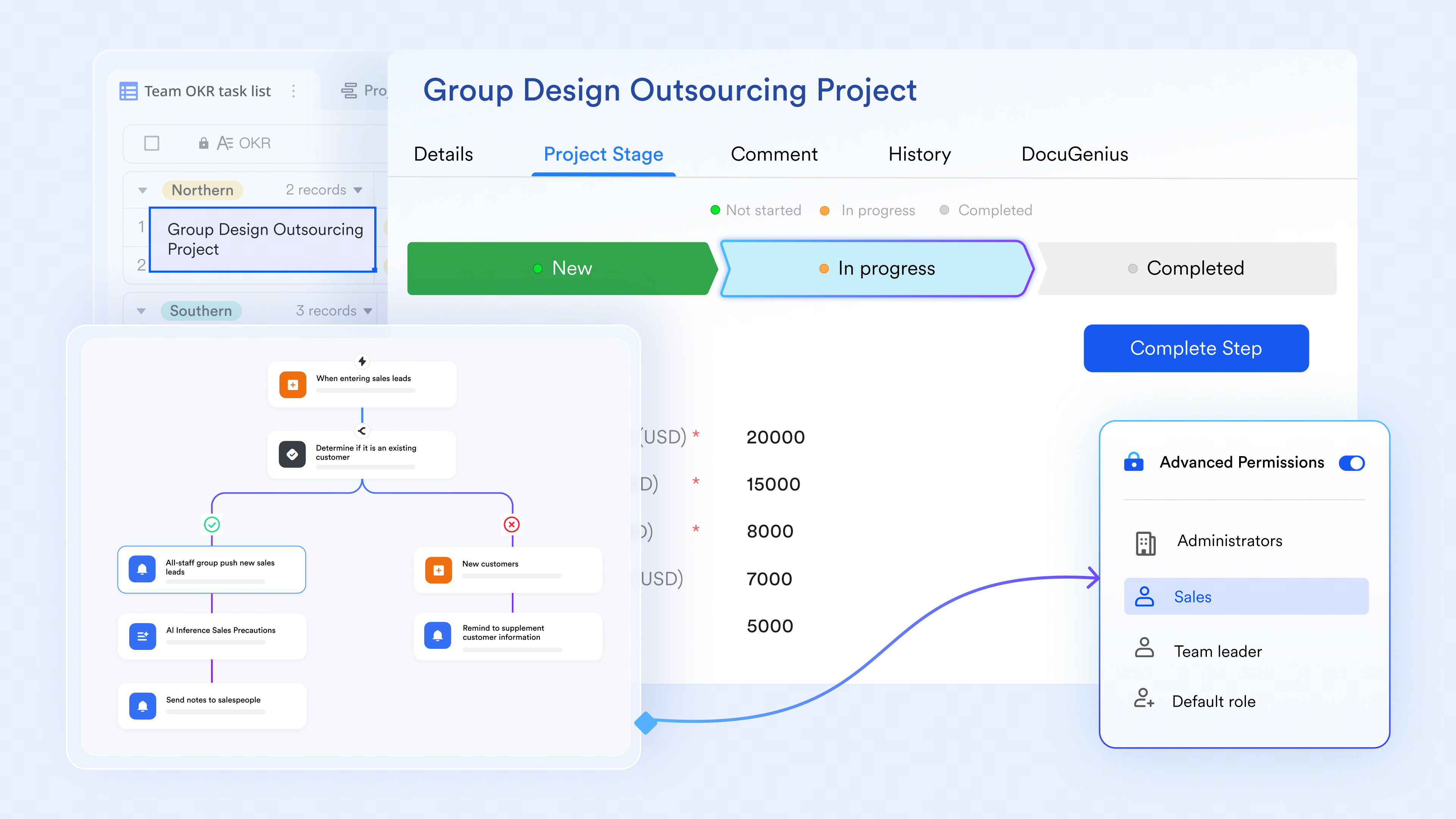
Automated workflows with Lark Base
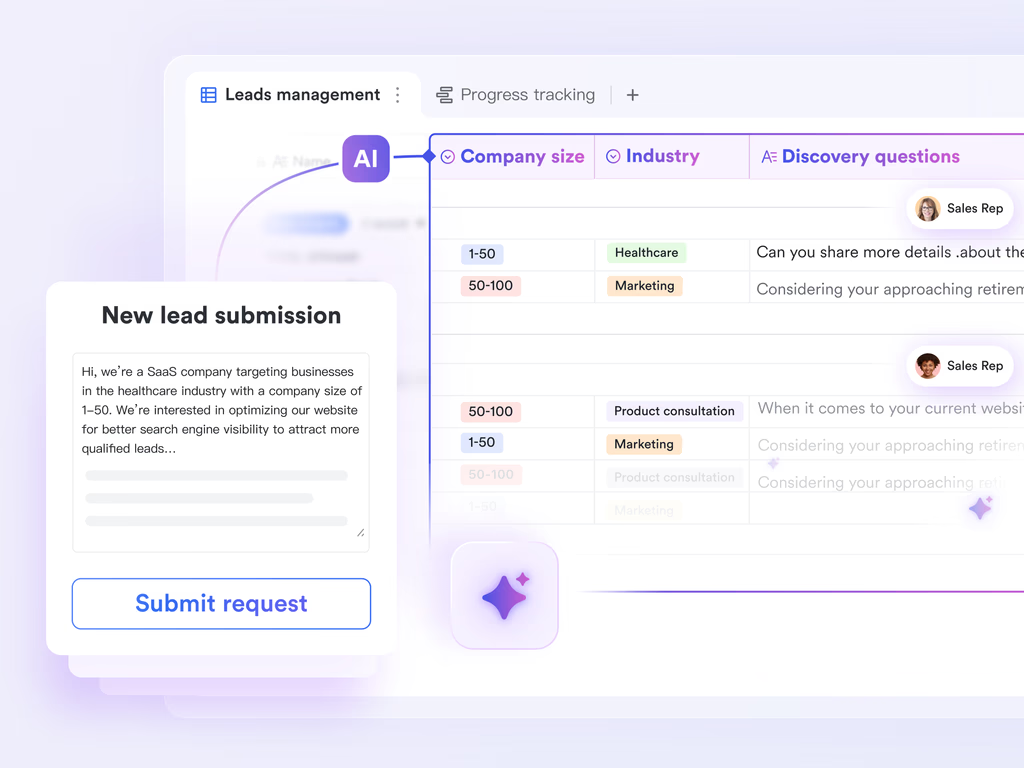
Transform unstructured lead submissions into actionable next steps. AI automatically fills table fields and generates custom discovery questions from text inputs, eliminating manual data entry and complex formulas.
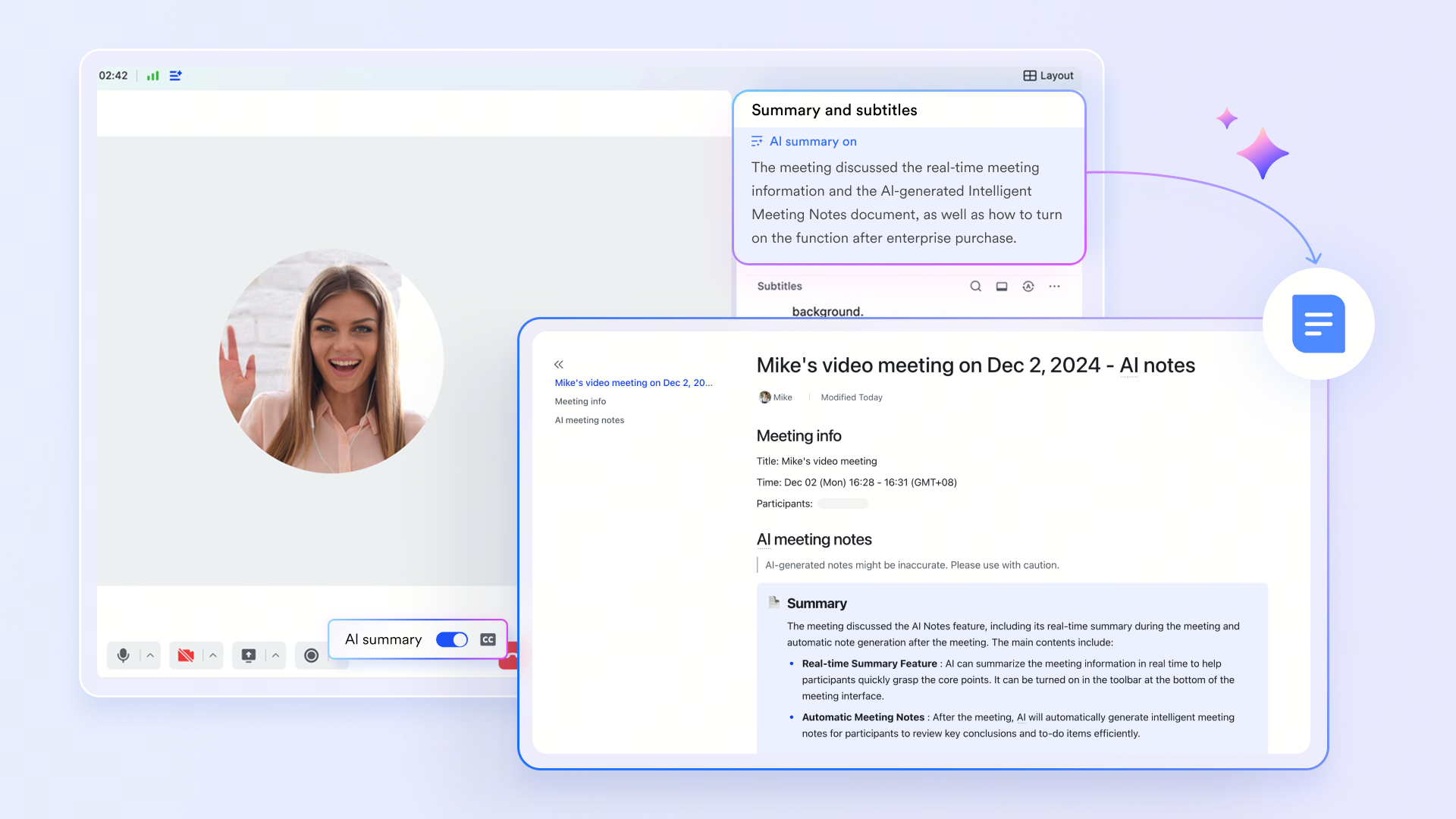
AI-powered meeting summaries and transcripts
Transform how your team captures and acts on information during syncs. automatically transcribes video calls in real-time and generates smart, actionable summaries. This AI workflow ensures you never lose a critical insight, completely eliminating the need to pay for external third-party transcription tools.
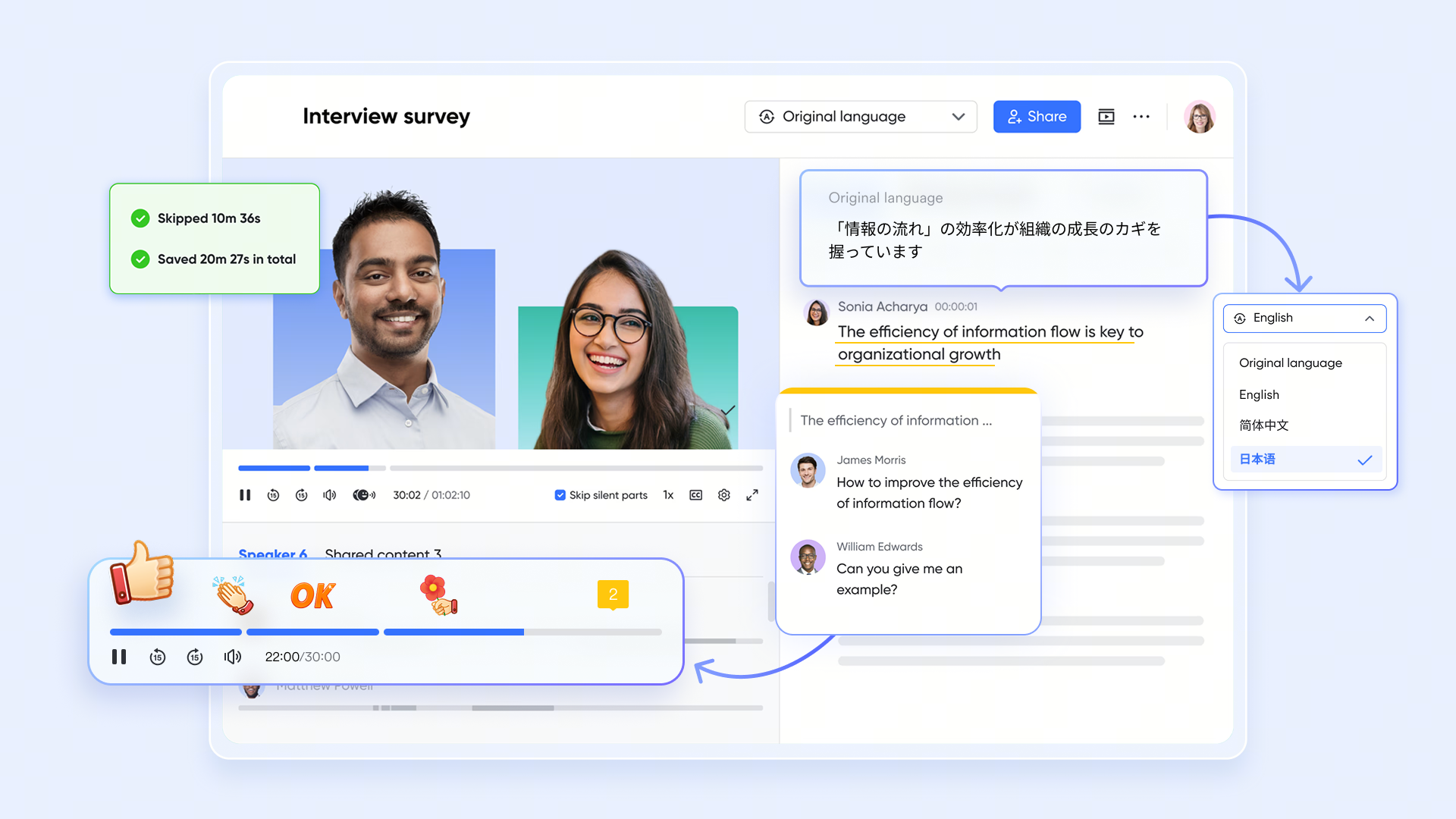
Unified knowledge management and AI translations
Break down language barriers instantly while keeping company information perfectly organized. By combining real-time document collaboration in with a centralized company Wiki, your team can draft and edit seamlessly. Furthermore, built-in AI translations function across live chats, video meetings, and cloud-native documents, making it the perfect solution for multinational and hybrid teams.
Pros
- Unified environment: Combines chat, documents, meetings, and automation in one place, significantly reducing context switching.
- Cost efficiency: The free plan includes robust features like 1,000 automation runs and 100GB of storage, avoiding the high costs of metered iPaaS tools.
- Global collaboration: Native AI translations function instantly across messages and documents, supporting remote and multilingual teams naturally.
Cons
- Although it may require new beginner onboarding time, its provides step-by-step guides for them.
The verdict
Lark is best for growing SMEs to large enterprises, especially remote or hybrid teams, that want to eliminate the high costs and technical fragility of fragmented tool stacks by bringing all work and automation into one unified platform.
:
- Starter plan: Free forever plan that includes 11 powerful tools for up to 20 users. It also comes with 100GB of storage, 1000 automation runs, AI translations, and more.
- Basic plan: $6/user/month (billed annually) for up to 500 users. It includes everything in Starter plus group calling for up to 500 attendees, 5TB of storage, 1000 automation runs, and more. For more details, please .
- Pro plan: $12/user/month (billed annually) for up to 500 users. It includes everything in Basic plus group calling for up to 500 attendees, 15TB of storage, 50,000 automation runs, and more.
- Enterprise plan: for custom pricing. Supports unlimited users and includes even more automation runs and advanced security, compliance, and management features.
For small teams with simple communication needs

18 months message history
1000 Base automation runs/month
2000 rows per table in Base
Most POPULAR
For companies with comprehensive collaboration and management needs
Unlimited message history
500-participant video meetings
50k Base automation runs/month
20k rows per table in Base
For large companies with advanced security and organizational management needs
Get a personalized demo and pricing
Unlimited message history
500-participant video meetings
15 TB storage + 30 GB storage/user
500k Base automation runs/month
50k Base automation runs/month
Most POPULAR
For companies with comprehensive collaboration and management needs
Unlimited message history
500-participant video meetings
50k Base automation runs/month
20k rows per table in Base
2. Zapier: The standard iPaaS connector for non-technical users
Zapier operates as a massive integration hub, allowing users to connect over 6,000 different web applications without writing code. Its primary strength lies in its intuitive visual builder, making it highly accessible for marketing and sales teams wanting to link disparate SaaS tools. Recently, Zapier integrated AI steps, allowing users to parse unstructured data or draft emails mid-workflow. However, because it acts as a middleman, heavy reliance on Zapier can lead to a fragile infrastructure where workflows break if a single external API updates.
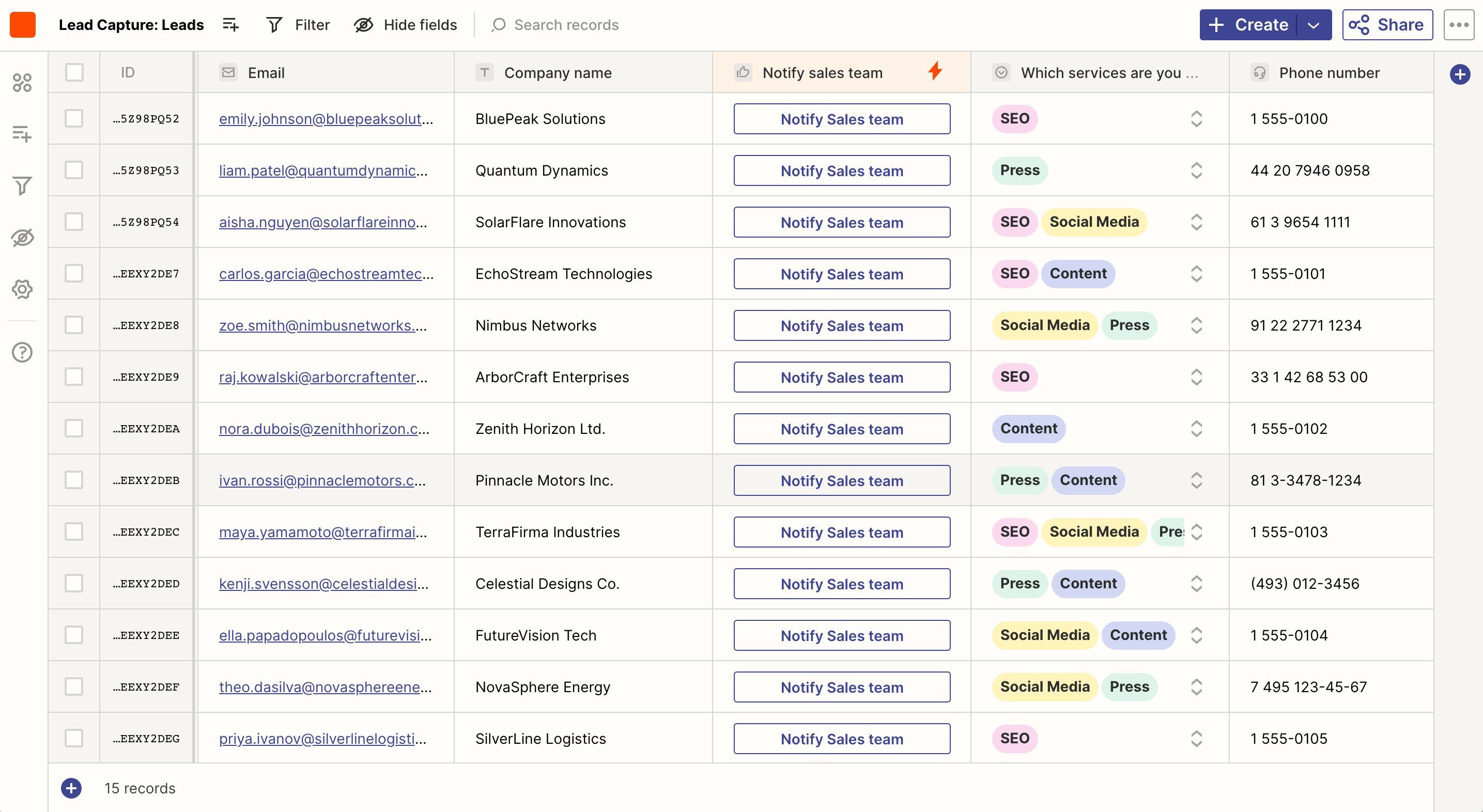
Image source: zapier.com
Pros
- Massive app directory: Connects with thousands of popular software applications natively.
- No-code interface: Drag-and-drop builders make it simple for anyone to set up basic automated tasks.
- Built-in AI formatting: Features like Zapier Interfaces and AI steps help process raw text into usable data points.
Cons
- Escalating costs: Pricing is based on task volume, which becomes expensive quickly as your business scales its automation.
- Fragmented governance: Managing company data as it passes through multiple third-party tools creates security and compliance challenges.
The verdict
Zapier is best for marketing and operations teams that rely on a highly fragmented tech stack and need a simple, visual way to pass data between specialized external applications.
Pricing
- Free plan: $0 for 100 tasks per month.
- Starter plan: $19.99/month (billed annually) for 750 tasks.
- Professional plan: $69.00/month (billed annually) for 2,000 tasks.
3. Make: Advanced visual workflows for complex logic
Make provides a highly visual, canvas-based approach to building automated workflows. Unlike linear automation tools, Make allows users to design complex, multi-step integrations with branching logic and multiple data routing paths. This makes it a favorite among operations managers who need to manipulate data from various sources before pushing it into a CRM or database. While it offers powerful data manipulation, the visual interface can be overwhelming for users who only need simple, point-to-point connections.
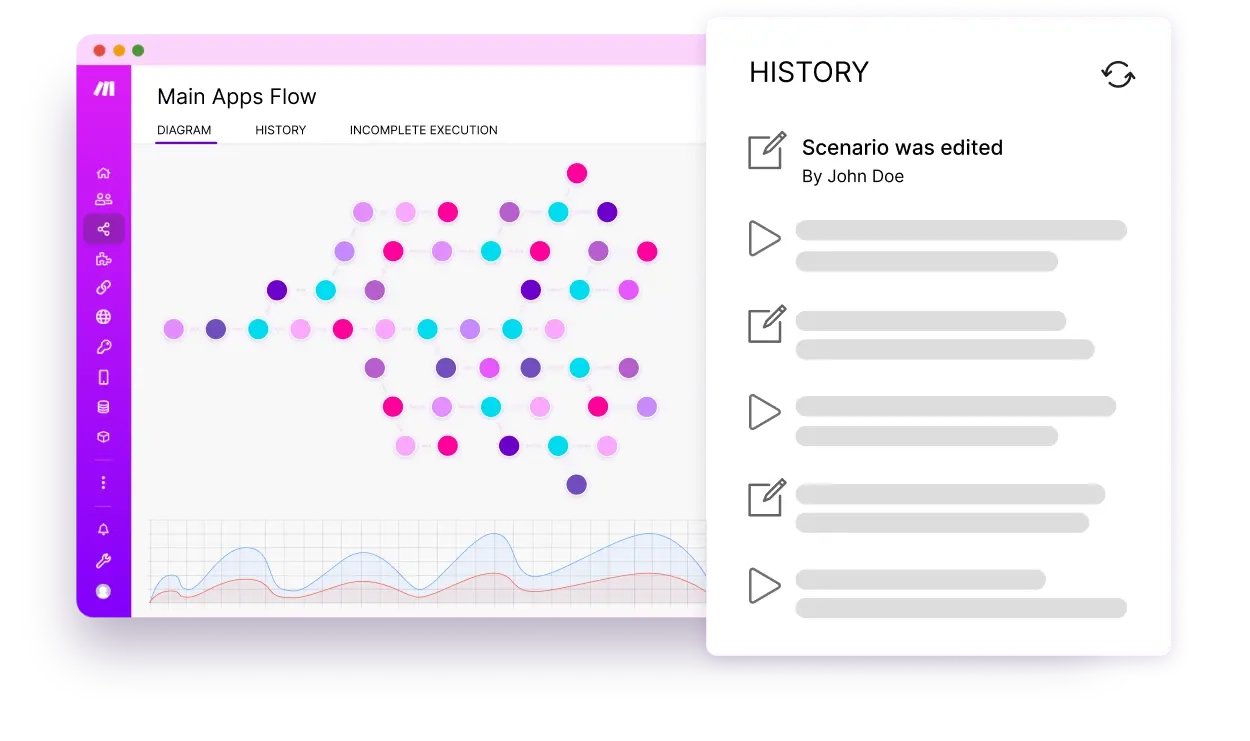
Image source: make.com
Pros
- Visual canvas: The drag-and-drop interface allows users to clearly see and manage complex branching logic.
- Cost-effective scaling: Generally offers a more generous task limit per dollar compared to other major iPaaS competitors.
- Advanced data manipulation: Built-in iterators and aggregators allow for deep processing of data arrays.
Cons
- Steep learning curve: The terminology and layout require a deeper understanding of APIs and data structures than simpler alternatives.
- Error handling: Troubleshooting failed executions within complex branches can be tedious without technical knowledge.
The verdict
Make is best for technical operations managers and IT professionals who need to build complex, multi-step integrations with advanced data manipulation capabilities.
Pricing
- Free plan: $0 for 1,000 operations per month.
- Core plan: $9.00/month (billed annually) for 10,000 operations.
- Pro plan: $16.00/month (billed annually) for custom execution environments.
4. n8n: Flexible automation for technical teams
n8n is a workflow automation tool that appeals directly to developers and technical IT teams due to its fair-code model. You have the option to host the platform on your own servers, giving you complete control over your data security and avoiding per-task pricing models. It supports custom JavaScript within the workflow, allowing for highly specific data transformations that visual-only tools cannot handle. While it offers immense power and flexibility, it is not designed for the average business user seeking a quick setup.
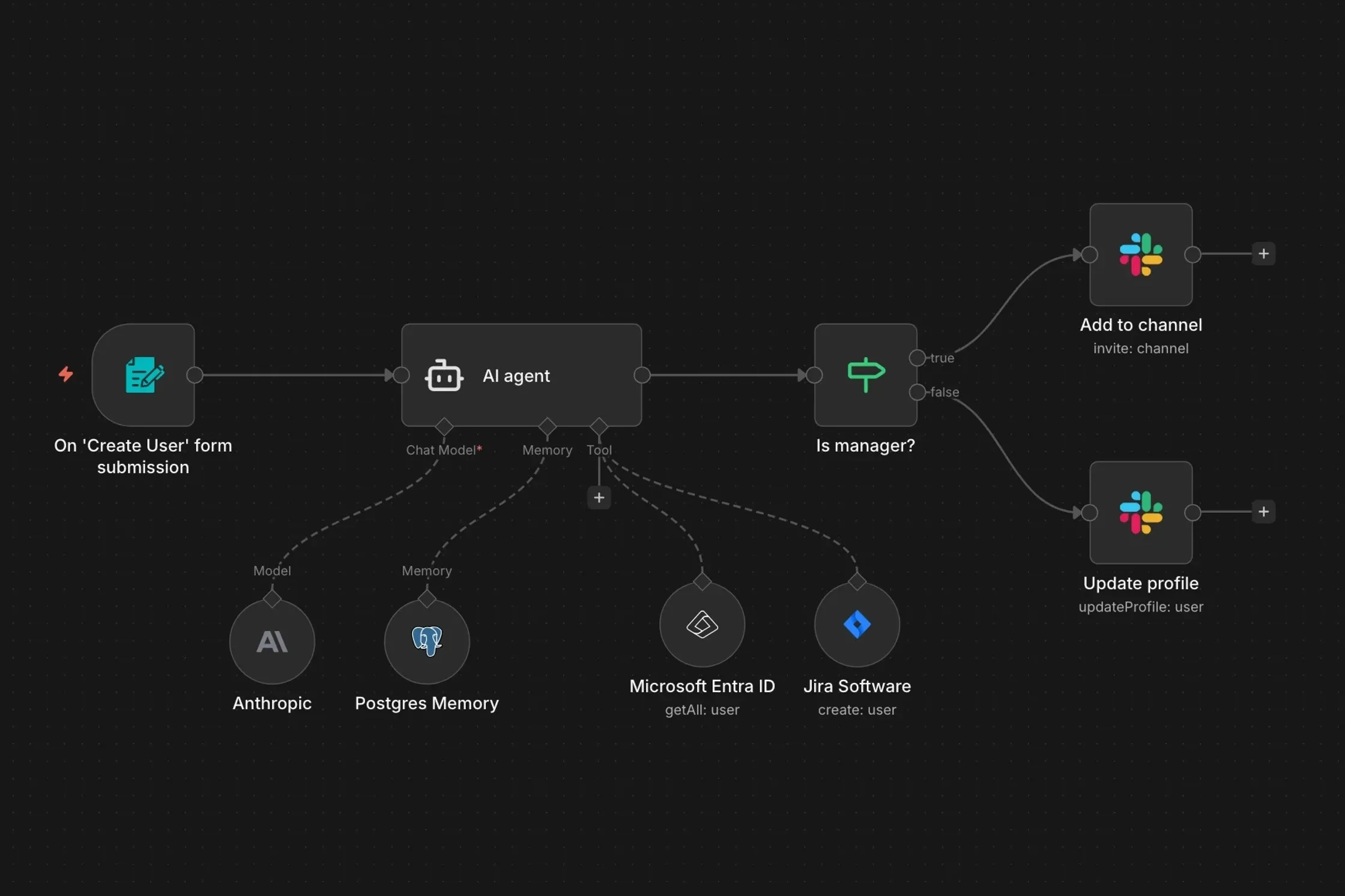
Image source: n8n.com
Pros
- Self-hosting option: Allows organizations to maintain strict data privacy and compliance by keeping data in-house.
- Code-friendly: Users can write custom JavaScript snippets directly inside nodes to manipulate complex data.
- Fair pricing model: Self-hosted versions bypass the aggressive metered billing typical of cloud-based iPaaS tools.
Cons
- Requires technical expertise: Not suitable for non-technical users, as setting up and maintaining the system requires development knowledge.
- UI complexity: The interface is dense and lacks the polished simplicity of consumer-grade automation software.
The verdict
n8n is best for engineering teams and IT departments that require strict data governance, custom code flexibility, and the ability to self-host their automation infrastructure.
Pricing
- Starter cloud plan: €20.00/month (billed annually) for 2,500 executions.
- Pro cloud plan: €50.00/month (billed annually) for 10,000 executions.
Note: As a European-based provider, all billing and pricing are currently processed only in Euros.
5. Workato: Enterprise-grade integration and governance
Workato is an enterprise automation platform designed to handle the heavy lifting for large organizations. It combines robust iPaaS capabilities with strict IT governance, ensuring that automated processes comply with corporate security standards. The platform is highly resilient, capable of processing massive volumes of data between legacy on-premise systems and modern cloud applications. Because of its enterprise focus, it involves significant deployment time and high upfront licensing fees, making it inaccessible for smaller businesses.
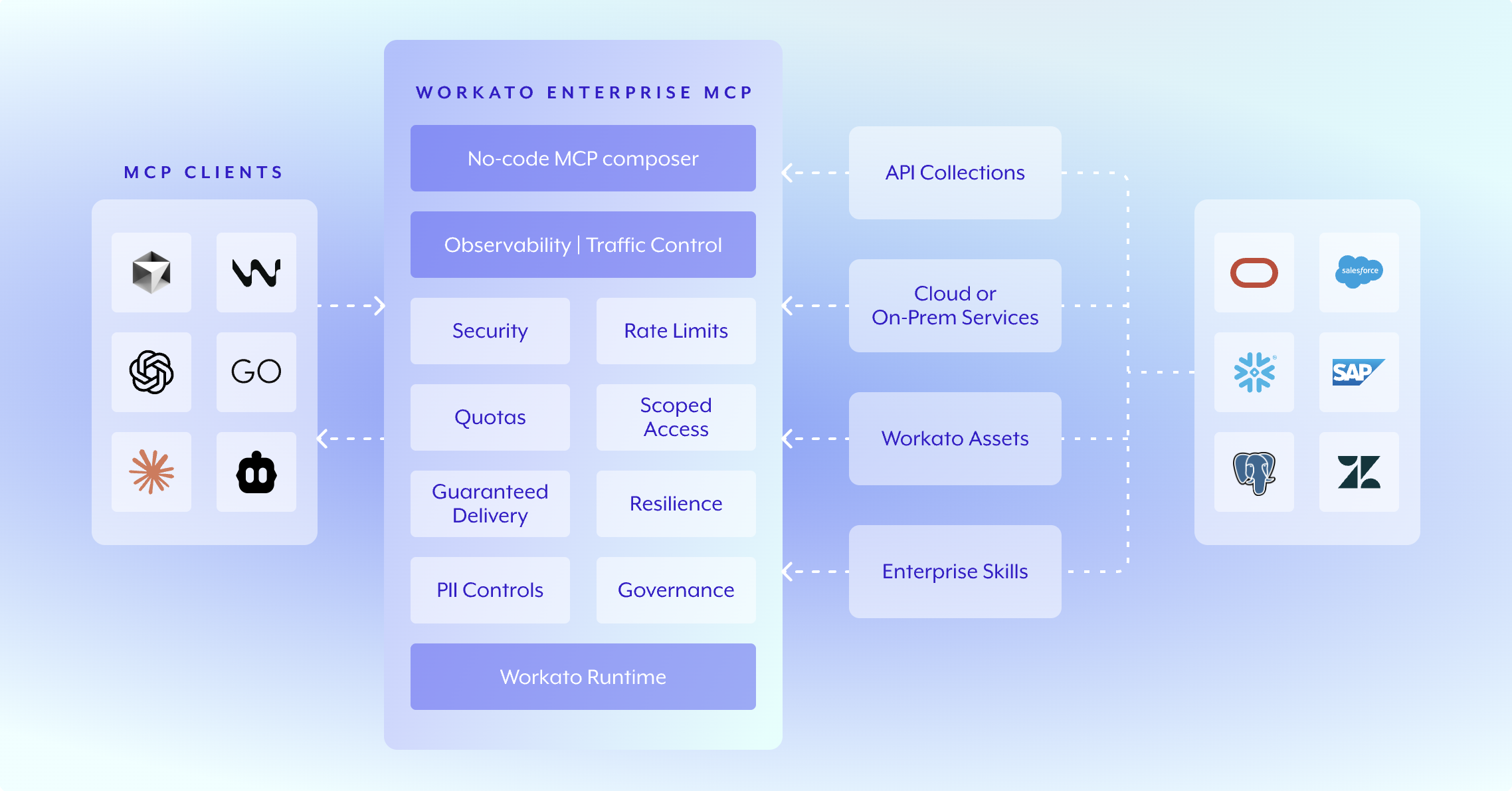
Image source: workato.com
Pros
- Enterprise security: Features advanced access controls, audit logs, and compliance certifications suitable for large corporations.
- IT governance: Allows IT teams to set guardrails while still empowering business units to build their own automations.
- Massive scalability: Designed to handle millions of data transactions without performance degradation.
Cons
- High barrier to entry: Extremely expensive compared to market alternatives, requiring a significant budget commitment.
- Implementation time: Setting up the environment and mapping legacy systems takes considerable time and dedicated resources.
The verdict
Workato is best for large enterprise IT departments that need to integrate legacy on-premise systems with cloud applications while maintaining strict security and governance standards.
Pricing
- Base workspace: Contact sales (Pricing is highly customized based on workspace needs and recipe packs).
6. Gumloop: AI-native automation for unstructured data
Gumloop is a newer entrant focused entirely on making AI workflows accessible. Instead of just passing data between apps, Gumloop is designed to bring large language models directly into the automation sequence. It excels at taking messy, unstructured inputs like raw web scrapes or messy PDF documents and using AI to format, categorize, and act on that data. It simplifies the process of building AI agents without needing to manage separate API keys for LLMs.
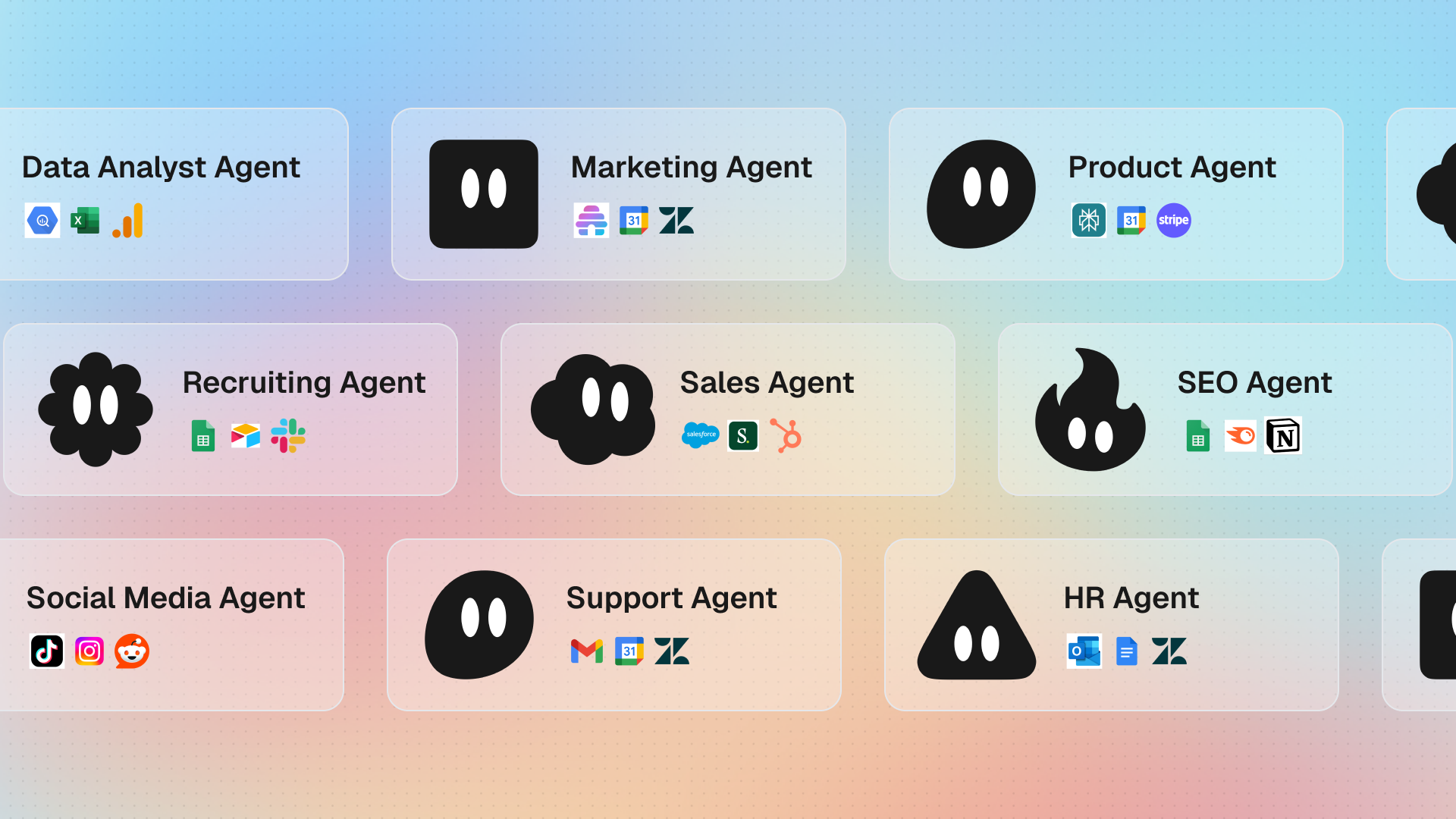
Image source: gumloop.com
Pros
- AI-first architecture: Built specifically to leverage LLMs for data extraction and decision-making within workflows.
- Unstructured data handling: Easily parses through messy text, PDFs, and web scrapes that traditional tools fail to process.
- No-code agents: Allows business users to deploy custom AI agents without writing Python scripts.
Cons
- Smaller integration library: Lacks the massive ecosystem of native app connectors found in older iPaaS platforms.
- Emerging platform stability: As a newer tool, the interface and feature set are still evolving rapidly.
The verdict
Gumloop is best for operations and growth teams that need to process large amounts of unstructured text or web data using AI models without dealing with complex coding.
Pricing
- Free plan: $0 for basic AI executions.
- Standard plan: $37.00/month (billed annually) for increased execution limits and premium models.
7. Relay.app: Human-in-the-loop workflow automation
Relay.app differentiates itself by acknowledging that not every process should be entirely automated. It specializes in human-in-the-loop workflows, where the AI handles the data collection and drafting, but pauses to require human approval before executing the final action. This makes it an excellent choice for sensitive processes like finalizing client contracts or sending mass external communications, where AI hallucinations could cause significant business risk.
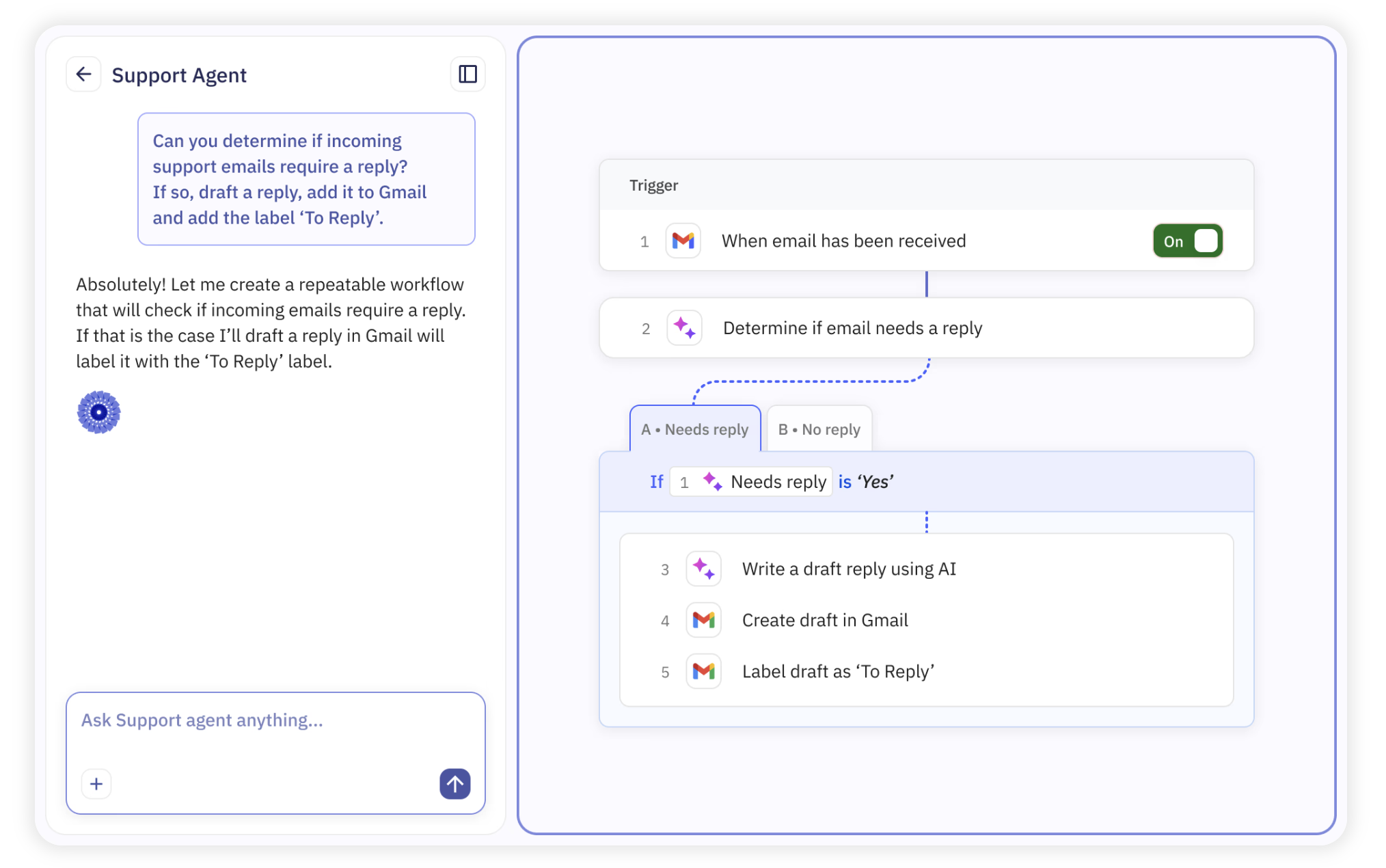
Image source: relay.app
Pros
- Built-in approval steps: Natively supports pausing workflows for human review before proceeding to the next step.
- Intuitive interface: Very clean, modern design that makes it easy for non-technical users to map out processes.
- Role-based routing: Easily assigns manual review tasks to specific team members based on the workflow context.
Cons
- Limited complex logic: Not as robust as Make or n8n for building deep, multi-branching technical integrations.
- Smaller ecosystem: Supports fewer niche applications compared to industry giants.
The verdict
Relay.app is best for teams managing sensitive operational processes who want the efficiency of AI automation combined with mandatory human oversight and approval checkpoints.
Pricing
- Free plan: $0 for basic use.
- Team plan: $9.00/user/month (billed annually) for unlimited automated runs and premium integrations.
8. Pipedream: Serverless integration platform for developers
Pipedream targets developers who want to connect APIs quickly without managing server infrastructure. It allows engineers to write Node.js, Python, or Go code directly into the browser to manipulate data between steps. This serverless approach means you can build highly customized integrations and webhook catchers in minutes. While it is incredibly fast for developers, it offers no visual builder for business users, making it strictly a technical tool.
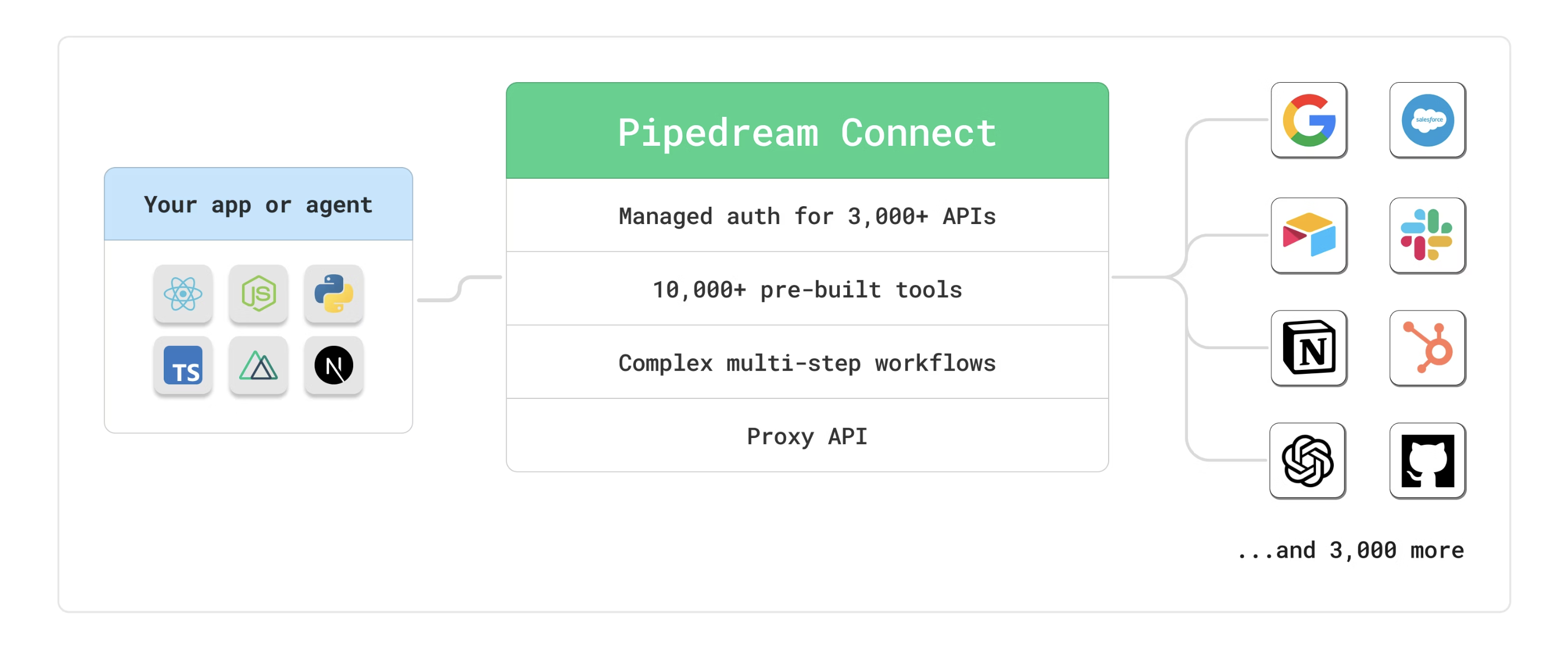
Image source: pipedream.com
Pros
- Developer-first: Supports writing custom code in multiple languages directly within the workflow steps.
- Serverless architecture: No need to spin up or maintain servers to handle webhook payloads or scheduled jobs.
- Free tier generosity: Offers a strong free plan for developers testing and building basic API connections.
Cons
- Code required: Completely inaccessible for users without programming knowledge.
- State management: Handling long-running processes or complex state management across executions can be challenging.
The verdict
Pipedream is best for software engineers and technical builders who need a fast, serverless environment to write code that connects disparate APIs and webhooks.
Pricing
- Developer plan: $0 for basic serverless executions.
- Basic cloud plan: $19.00/month (billed annually) for increased compute time and connected accounts.
Challenges of an AI workflow
Employee concerns
Employees might get nervous about companies introducing an AI workflow into their daily processes. Leaders must communicate how an AI workflow is meant to be additive, freeing them up to do more meaningful work rather than replacing them, especially when pairing automation with the right .
Initial setup and upskilling
Setting up an AI workflow requires organizations to analyze their current processes and determine where automation fits best. Because this creates a learning curve, stakeholders need to invest in upskilling their teams so they can confidently manage the new AI workflow, including designing clear .
Possibility of mistakes
While an AI workflow helps avoid human error, AI is not infallible. Organizations need humans to check the data produced by AI, ensuring that experienced employees serve as the final determinant of what an AI workflow produces. This human-in-the-loop approach is especially critical when deploying , where data quality directly impacts revenue.
Benefits of an AI workflow
Automating repetitive tasks
Implementing an AI workflow can eliminate the need for employees to focus on time-consuming tasks that are better automated. An AI workflow frees up human workers to devote more time to customers or partners. Recently, for example, IBM tripled its number of open entry-level positions, planning to train early career workers in more intuitive, human-specific skills rather than manual data processing.
Driving cost savings
Organizations that rely on an AI workflow can save their employees from wasting time on unnecessary manual tasks. Those employees can focus on high-value projects and tasks that drive extra revenue. An optimized AI workflow also reduces friction and inefficiencies in information-sharing, creating a smarter organization that decides faster.
Eliminating human error
Team members might make mistakes, especially when doing complex tasks. For activities that are better automated, an AI workflow can accomplish them more quickly and with a much higher degree of accuracy, ensuring data integrity across the board.
Enhancing decision-making
An AI workflow can remove bottlenecks by acting without needing human intervention. It can perform real-time data analysis impacting several business units. By designing , teams can automatically optimize ad campaigns or prioritize top‑performing segments based on real-time dashboard metrics.
Improving the customer experience
Organizations that create an AI-driven workflow are likely to be more efficient than those organizations that rely on manual processes. Organizations can use an AI workflow to power advanced chatbots and virtual assistants and support remote collaboration and communication across distributed teams. For example, Avid Solutions reduced the time it takes to onboard new customers by 25% by using an agentic AI workflow. Streamlining and optimizing processes, at scale
AI-based automation software can easily manage many processes that an organization depends on. An AI workflow easily routes information and processes across the organization, so executives and employees have real-time information. Organizations evaluating options should compare the to find tools that align with their scale and complexity. Where traditional growth requires proportional headcount, an AI workflow allows organizations to increase volume with minimal additional investment.
Stop paying for isolated AI tools
Conclusion
Transitioning to an intelligent AI workflow is no longer just a competitive advantage—it’s a business necessity for processing unstructured data and eliminating operational bottlenecks. While piecing together fragile third-party integrations can quickly drain your IT budget, choosing a unified workspace like allows you to natively combine communication, documents, and automation in one secure place. By reducing tool fragmentation, you empower your employees to focus on high-impact, strategic work. Identify your team's most time-consuming daily task and start building your first AI workflow today.
Transform your workflow with Lark's built-in AI today
FAQs
What is the difference between AI workflow automation and traditional RPA?
Traditional Robotic Process Automation (RPA) follows strict rules and works best with highly structured data, like moving numbers from a spreadsheet to a CRM. AI workflow automation uses machine learning to understand unstructured data, like reading the intent behind a customer email, allowing it to handle unpredictable scenarios without breaking.
How do I handle the high cost of Zapier or Make running out of tasks?
This is a frequent complaint for growing teams, as you are billed for every single step a third-party connector takes. To fix this, teams are migrating to unified workspaces where automation is a built-in feature rather than a metered third-party add-on, eliminating the escalating cost per action.
Can I build an AI workflow without knowing how to code?
Yes. Modern platforms use a low-code or no-code approach. Instead of writing Python scripts, users can set up triggers and actions using visual drag-and-drop builders or simply by typing out what they want the workflow to do using natural language prompts.
Related reading































