The role of a Project Management Office (PMO) has evolved dramatically. No longer just an administrative oversight body, today's PMO is a strategic powerhouse, driving organizational efficiency and ensuring projects align with overarching business goals. In this increasingly complex landscape, selecting the best PMO software isn't merely about managing tasks; it's about empowering your organization with the tools to navigate intricate project portfolios, optimize resources, and make data-driven decisions that propel success.
Overview: Top 5 platforms for project management office
Evaluating different tools side by side helps teams identify what aligns best with their workflows and operational scale. Factors like core strength also play a critical role in decision-making. The comparison below highlights five leading platforms to help you make an informed choice.
Why PMO software is no longer optional in 2026
In the dynamic business environment of 2026, PMOs face a unique set of challenges that demand sophisticated solutions. The traditional reliance on disparate tools like spreadsheets, email, and basic task managers often leads to a fragmented view of project health, creating significant inefficiencies and hindering strategic oversight. Consider a scenario where a global enterprise is managing dozens of interdependent projects across different departments and time zones. Without a unified PMO software, project managers might struggle with:
- Fragmented information: Data is spread across various systems, making it difficult to get a consolidated, real-time view of project statuses, budgets, and resource allocation. This leads to endless meetings trying to piece together information.
- Resource bottlenecks: Inability to accurately track team capacity and skill sets across the entire portfolio, resulting in over-allocation in some areas and under-utilization in others. This impacts project timelines and team morale.
- Lack of strategic alignment: Difficulty in connecting individual project outcomes to the organization's broader strategic objectives and key results (OKRs). Projects might be completed successfully, but fail to deliver the expected business value.
These challenges aren't just operational hurdles; they translate into high financial costs. Research suggests that a lack of structured work and poor visibility can cost a knowledge worker an average of $16.5k annually due to wasted time. For a large enterprise, this quickly scales to millions of dollars in lost productivity and missed opportunities. Modern PMO software directly addresses these pain points by centralizing information, automating processes, and providing the insights needed to transform chaos into clarity.
Distinguishing project management software from PMO software
While the terms "project management software" and "PMO software" are often used interchangeably, they serve distinct purposes, particularly for organizations seeking strategic oversight.
Project management software primarily focuses on the execution of individual projects and applying core . These tools are excellent for:
- Task management: Breaking down projects into smaller tasks, assigning ownership, and tracking progress.
- Scheduling: Creating timelines, setting deadlines, and managing dependencies (e.g., using ).
- Team collaboration: Facilitating communication, file sharing, and feedback within a specific project team by leveraging modern project management tools.
Think of it as the workbench for a single project team. A marketing team, for instance, might use a project management tool to plan a new campaign, manage content creation, and track social media deliverables.
PMO software, on the other hand, operates at a higher, more strategic level. It's designed for the project management office to oversee an entire portfolio of projects, programs, and strategic initiatives. Its core functions include:
- Portfolio management: Gaining a holistic view of all ongoing projects, their statuses, interdependencies, and strategic value, similar to how supports large-scale oversight. This allows PMOs to prioritize initiatives that best align with organizational goals.
- Enterprise-wide resource management: Optimizing the allocation of human and financial resources across multiple projects, preventing overallocation, and identifying skill gaps at a company level.
- Standardization and governance: Establishing consistent project methodologies, processes, and reporting standards across the organization to ensure quality and compliance.
- Strategic reporting and analytics: Providing executive-level dashboards and predictive analytics to inform strategic decision-making, identify trends, and forecast potential risks across the entire portfolio.
For example, a PMO at a large software company wouldn't just manage the development of a single feature; they would oversee the entire product roadmap, ensuring all development projects contribute to the company's long-term growth, allocating engineering resources optimally, and reporting on the overall health of the product portfolio to the executive board. This requires a tool with capabilities extending far beyond basic task tracking.
Maintain consistency and efficiency with Lark
Top 13 best PMO software solutions for 2026: An in-depth comparison
Choosing the right PMO software is a pivotal decision that impacts an organization's strategic agility and operational efficiency. Here, we delve into 13 leading solutions, evaluating their strengths and how they cater to the intricate needs of modern PMOs. Our goal is to provide a comprehensive overview that empowers you to make an informed choice for your enterprise.
1. Lark: The all-in-one collaboration powerhouse
Lark is an all-in-one suite that combines messaging, video meetings, cloud-native documents and sheets, calendar, email, wiki, approval workflows, goal/OKR tracking, and automation tools into a unified workspace. For PMOs, this integrated approach streamlines project management by reducing context switching and centralizing communication and documentation, making it a compelling choice for businesses looking to enhance collaboration and productivity.
The verdict: Lark is ideal for growing SMEs to large enterprises, especially remote and hybrid teams struggling with fragmented tool stacks. It excels in providing a unified workspace that streamlines project communication, documentation, and approval workflows, ultimately boosting efficiency and collaboration.
Deep dive: Lark's strength lies in its "super app" design, bringing together critical business functions into a single interface.
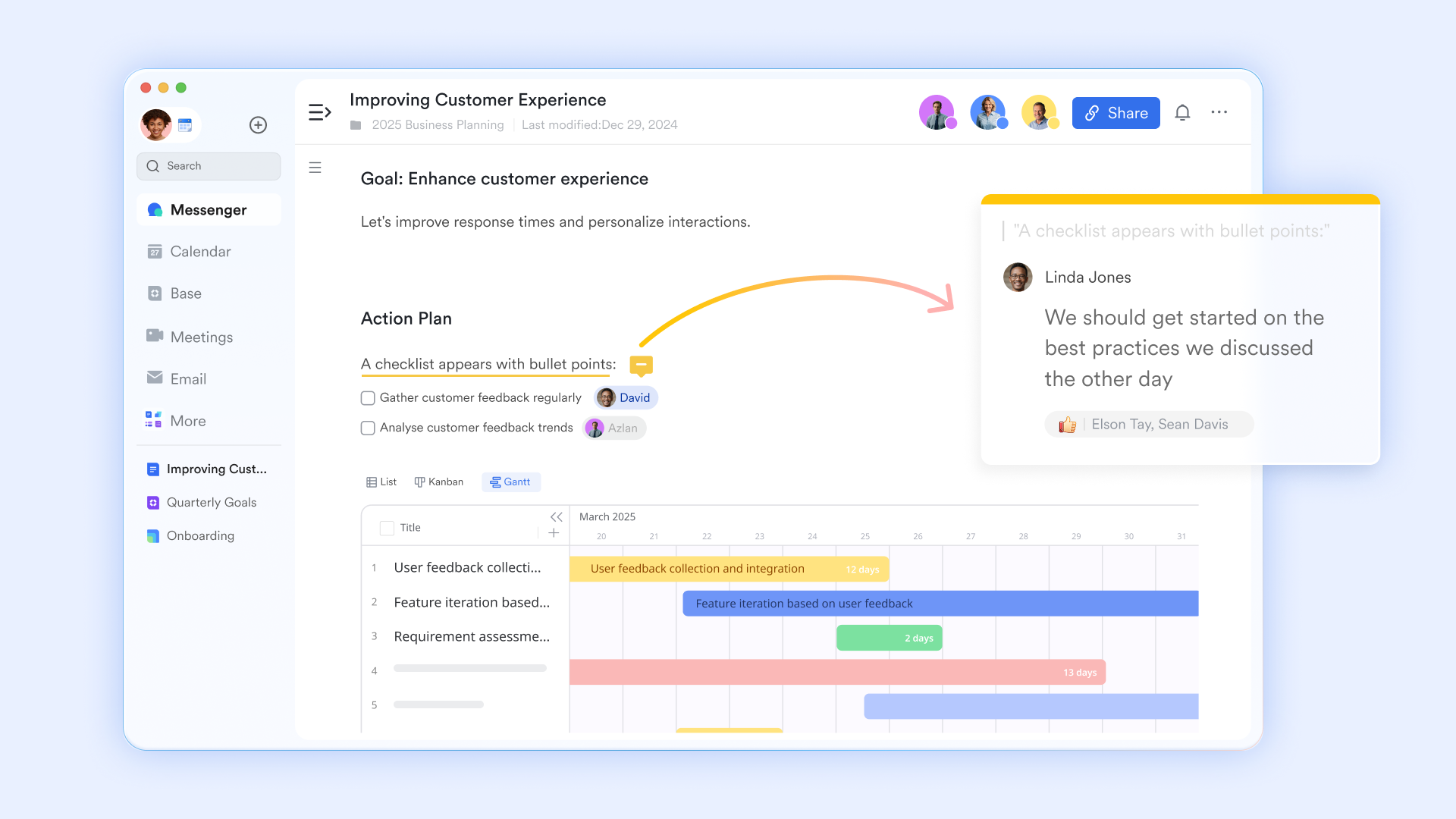
Centralized project documentation with Lark Docs
PMOs can leverage for detailed project plans, scope definitions, and progress reports. Its real-time co-editing and version history ensure that all stakeholders are working on the most current information, fostering transparency and reducing misunderstandings.
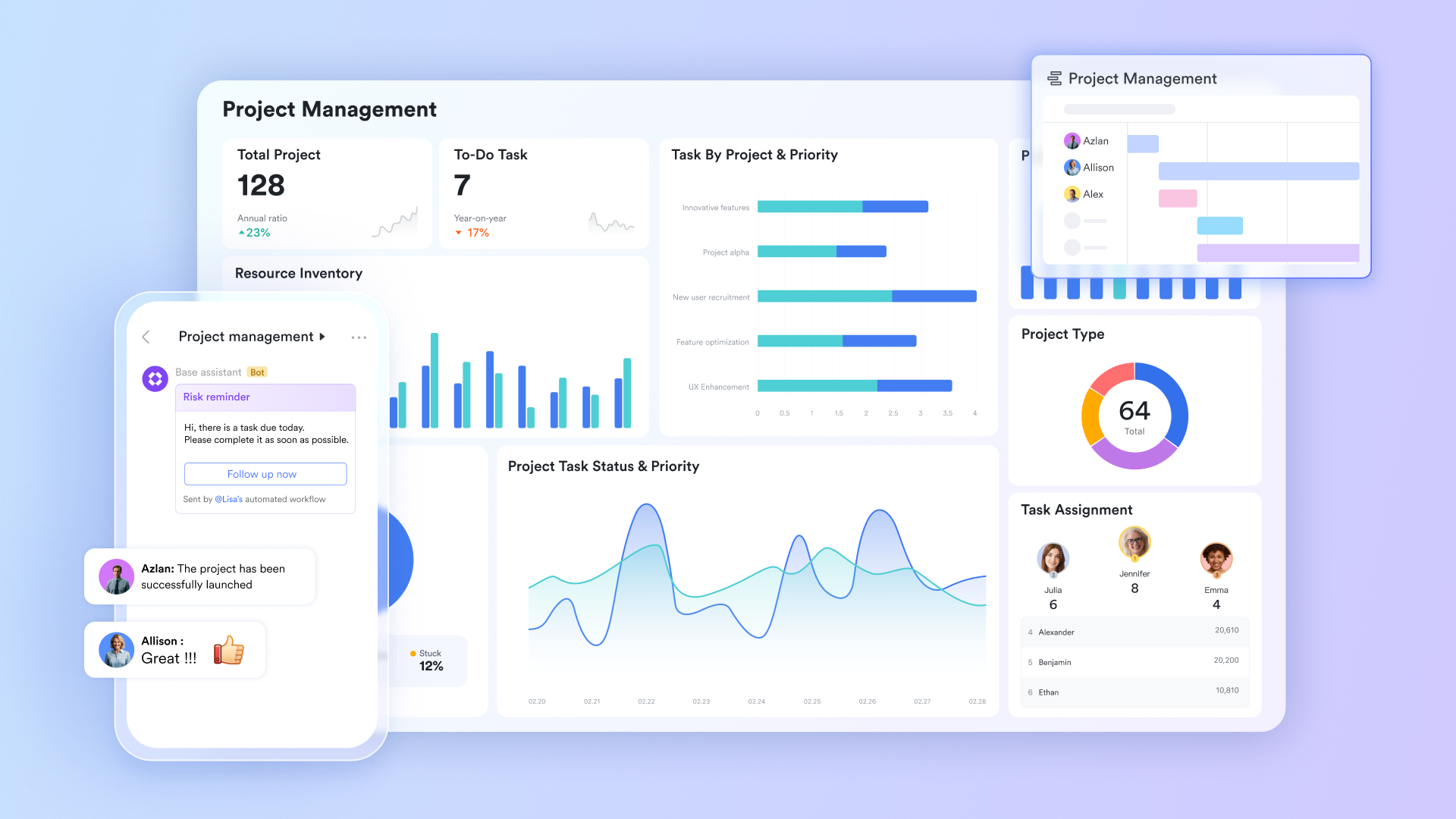
Flexible data management and task tracking with Lark Base
For flexible data management and task tracking, allows PMOs to create custom databases for resources, risks, issues, and project tasks. This adaptability enables tailored solutions for diverse project needs, providing a comprehensive overview of project components.
Streamlined workflows and approvals with Lark Approval
Automated decision-making processes are crucial for efficiency. allows PMOs to design and implement custom approval workflows for budget requests, change management, or resource allocation, ensuring that decisions are processed quickly and systematically. The integrated chat and video conferencing further ensure real-time communication, which is crucial for distributed PMO teams. This comprehensive integration means fewer third-party tools, simplifying IT management and reducing overhead.
Pros:
- Unified workspace: Consolidates messaging, meetings, documents, and project tools, drastically reducing tool sprawl and context switching.
- Robust workflow automation: Enables PMOs to automate routine tasks, approval processes, and data flows, improving efficiency and governance.
- Integrated OKR tracking: Aligns project efforts with strategic objectives, providing clear visibility into progress towards company goals.
- Cost-effective scalability: Offers a free-forever plan for smaller teams and competitive pricing tiers that scale efficiently with organizational growth.
- Multilingual support: Facilitates seamless collaboration for global or diverse teams with built-in AI translation.
Cons:
- Rich feature set: While comprehensive, the extensive range of features might present a learning curve for new users. However, Lark offers an intuitive user interface and extensive resources in its and on YouTube to facilitate quick onboarding and adoption.
:
- Starter plan: Free forever plan that includes 11 powerful tools for up to 20 users. It also comes with 100GB of storage, 1000 automation runs, AI translations, and more.
- Basic plan: $6/user/month (billed annually) for up to 500 users. It includes everything in Starter plus group calling for up to 500 attendees, 5TB of storage, 1000 automation runs, and more. For more details, please .
- Pro plan: $12/user/month (billed annually) for up to 500 users. It includes everything in Basic plus group calling for up to 500 attendees, 15TB of storage, 50,000 automation runs, and more.
- Enterprise plan: for custom pricing. Supports unlimited users and includes even more automation runs and advanced security, compliance, and management features.
For small teams with simple communication needs

18 months message history
1000 Base automation runs/month
2000 rows per table in Base
Most POPULAR
For companies with comprehensive collaboration and management needs
Unlimited message history
500-participant video meetings
50k Base automation runs/month
20k rows per table in Base
For large companies with advanced security and organizational management needs
Get a personalized demo and pricing
Unlimited message history
500-participant video meetings
15 TB storage + 30 GB storage/user
500k Base automation runs/month
50k Base automation runs/month
Most POPULAR
For companies with comprehensive collaboration and management needs
Unlimited message history
500-participant video meetings
50k Base automation runs/month
20k rows per table in Base
2. Microsoft Project: The enterprise standard for complex schedules
Microsoft Project is a powerful project management solution designed for complex projects and programs, offering robust scheduling, resource management, and financial capabilities. It's a long-standing tool in the industry, particularly favored by organizations deeply embedded in the Microsoft ecosystem.
The verdict: Microsoft Project is best suited for large enterprises that require granular control over project schedules, resource allocation, and budget management, especially those already heavily invested in Microsoft's suite of products.
Deep dive: Microsoft Project excels in creating detailed project plans, tracking progress, and managing complex dependencies with features like Gantt charts, critical path analysis, and baselining. Its integration with other Microsoft tools, such as Excel, SharePoint, and Power BI, allows for comprehensive data analysis and reporting. For PMOs, its strength lies in its ability to manage large-scale, multi-project environments, providing tools for resource leveling and portfolio analysis to optimize resource utilization across different projects. However, its comprehensive nature can lead to a steeper learning curve, and it may require significant training for new users.
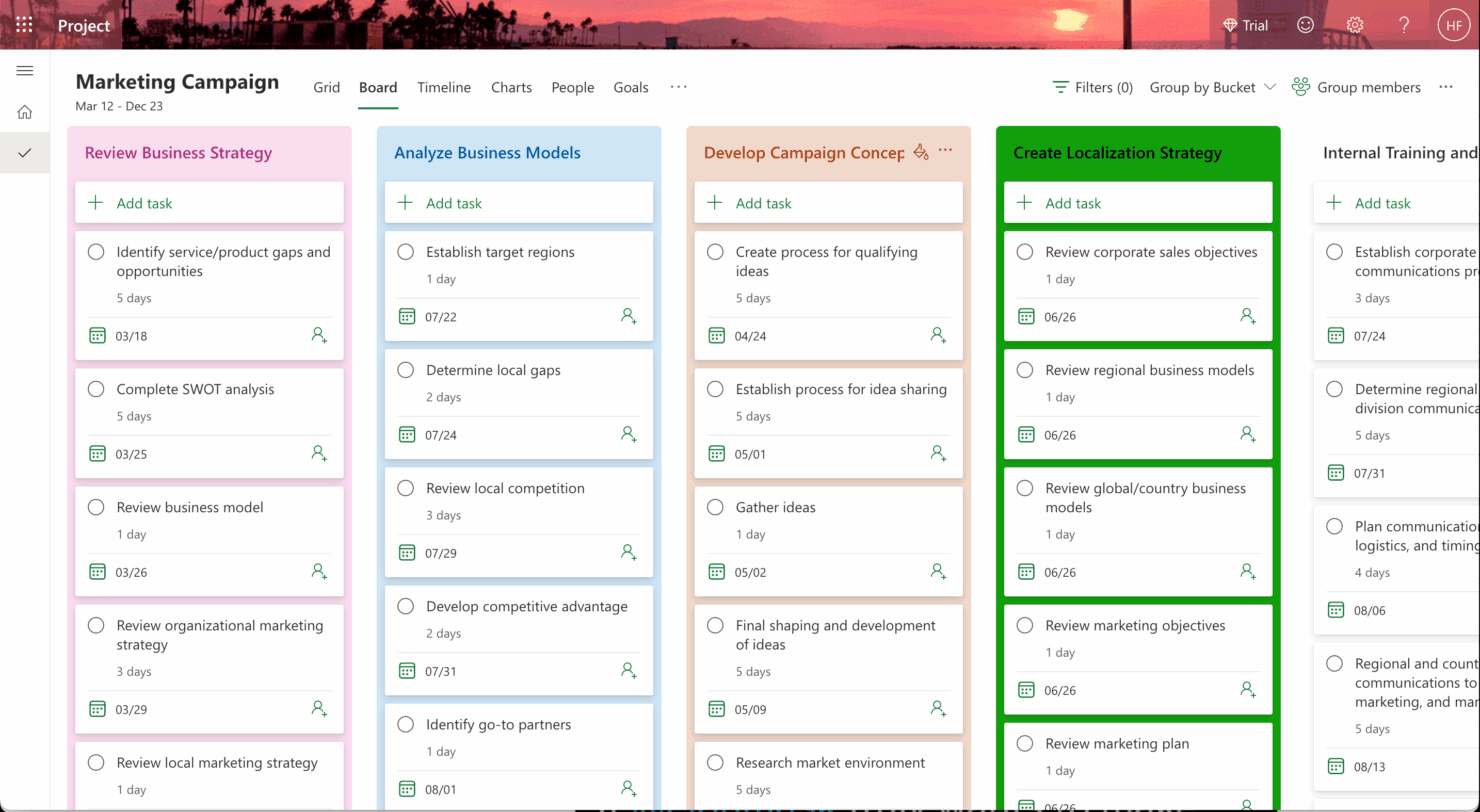
Image source: microsoft.com
Pros:
- Advanced scheduling capabilities: Offers sophisticated tools for detailed planning, dependency management, and timeline control.
- Robust resource management: Provides in-depth features for resource allocation, tracking, and capacity planning across multiple projects.
- Strong integration with Microsoft ecosystem: Seamlessly connects with other Microsoft products for enhanced data management and reporting.
Cons:
- Steep learning curve: Its extensive feature set can be overwhelming for new users, requiring significant training.
- Desktop-centric legacy: While cloud versions exist, its roots in desktop applications can sometimes feel less agile than cloud-native competitors.
Pricing & Free Plan:
- Project plan 1: $10/user/month (billed annually).
- Project plan 3: $30/user/month (billed annually).
- Project plan 5: $55/user/month (billed annually).
3. Jira Align: For scaled Agile transformation
Jira Align is an enterprise Agile planning platform designed to connect strategy with execution for large organizations adopting scaled Agile frameworks like SAFe. It provides real-time visibility into portfolio health, program execution, and team-level progress, bridging the gap between business objectives and development teams.
The verdict: Jira Align is an indispensable tool for large enterprises committed to implementing and scaling Agile methodologies, providing comprehensive visibility and alignment across multiple Agile teams and portfolios.
Deep dive: Jira Align's core strength lies in its ability to provide a unified view of work across all levels of an Agile enterprise, from individual team tasks in Jira Software to strategic portfolio decisions. It helps PMOs manage program increments, track dependencies across numerous Agile release trains, and align outcomes with strategic themes and epics. This enables PMOs to understand the actual throughput and value delivery of their Agile initiatives, rather than just individual project efficiency. It offers robust reporting and analytics specifically tailored for Agile metrics, helping PMOs identify bottlenecks and optimize their scaled Agile processes.
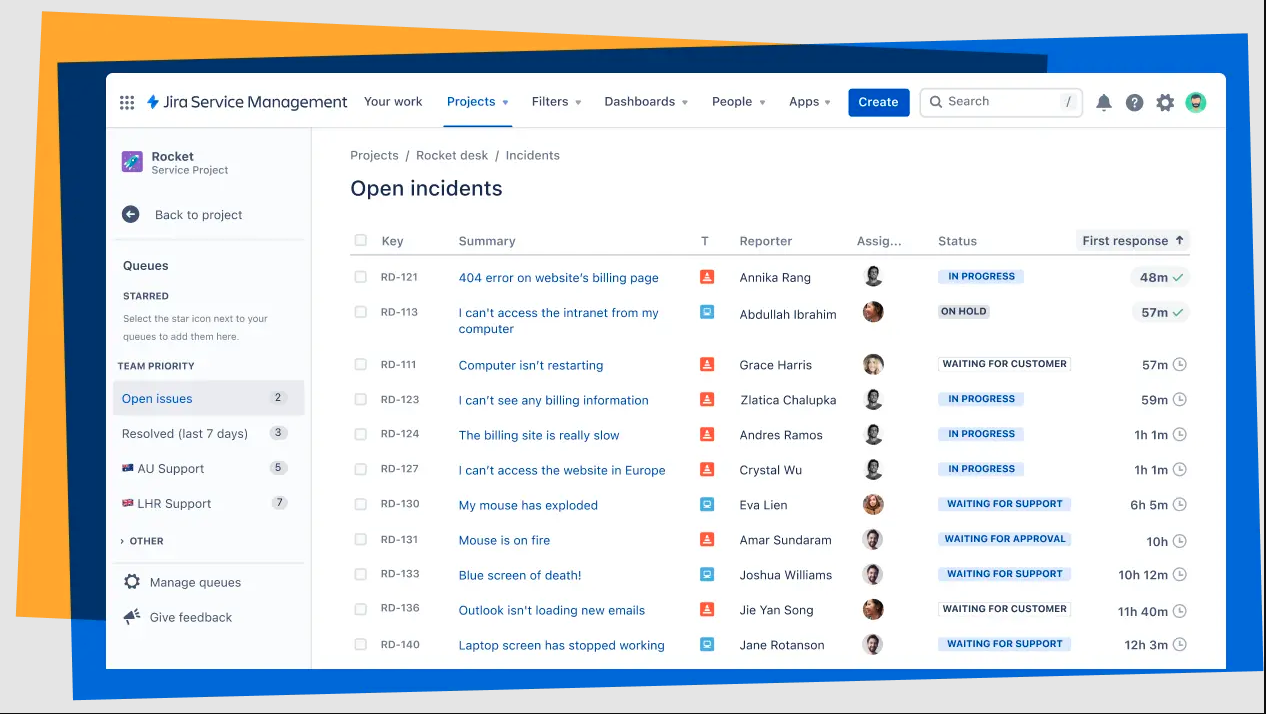
Image source: jira.com
Pros:
- Scaled Agile Framework (SAFe) support: Purpose-built for implementing and managing enterprise-level Agile transformations.
- Strategy to execution alignment: Connects portfolio-level strategy with team-level execution, ensuring all work contributes to business goals.
- Real-time portfolio visibility: Provides comprehensive dashboards and reports for tracking progress across multiple Agile programs and teams.
Cons:
- Complexity: Its extensive features and specific focus on scaled Agile can make it complex for organizations new to Agile or with simpler needs.
- Cost: As an enterprise-grade solution, it typically comes with a higher price point, often requiring custom quotes.
Pricing & Free Plan:
- Jira Align pricing is typically custom, requiring direct contact with sales.
- No free plan; free trial available.
4. monday.com: The visual work OS for flexible PMOs
monday.com is a highly customizable and visual work operating system (Work OS) that can be adapted for various use cases, including project management and PMO functions. Its intuitive interface, vibrant visual dashboards, and flexible board structures make it a popular choice for teams seeking adaptability and ease of use.
The verdict: monday.com is ideal for PMOs that prioritize flexibility, visual project tracking, and ease of customization to adapt to diverse project types and team workflows.
Deep dive: monday.com allows PMOs to create custom dashboards and workflows to manage project portfolios, track resource allocation, and monitor key performance indicators. Its strength lies in its highly visual nature, enabling stakeholders to quickly grasp project statuses and identify potential issues. For instance, a PMO can set up a "Portfolio overview" board to track the progress of all strategic initiatives, with columns for status, budget, and responsible leads, easily customizable to their specific reporting needs. The platform offers a vast template library, which can accelerate setup for common PMO activities like demand management or risk registers. While highly adaptable, some advanced PMO functionalities, like deep financial management or complex resource leveling across an entire enterprise, might require additional integrations or custom setups.
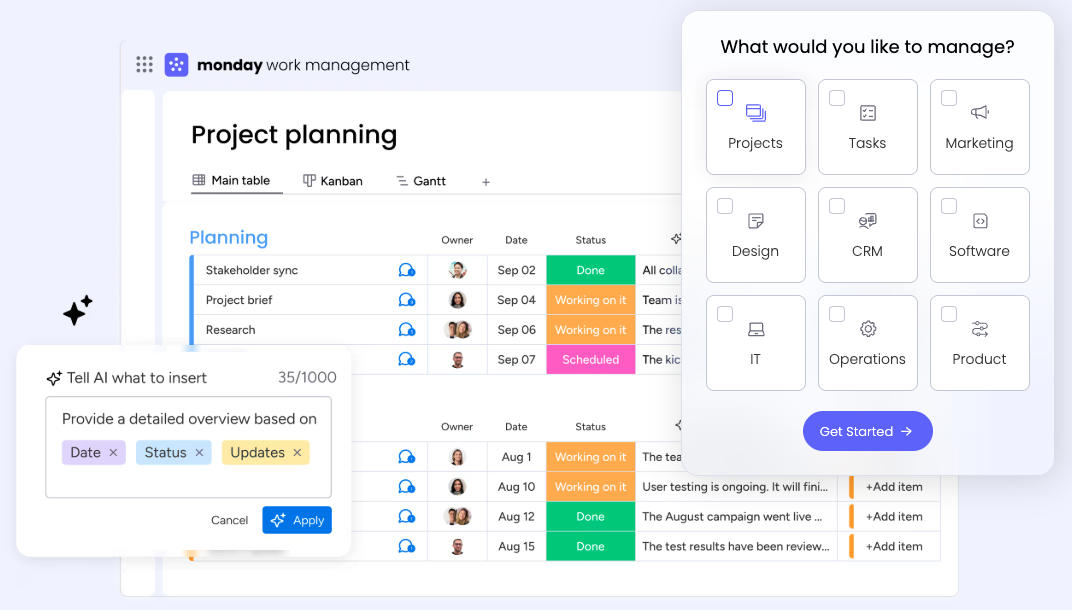
Image source: monday.com
Pros:
- Highly customizable workflows: Easily adapts to various PMO processes and project types with flexible board structures and automation.
- Intuitive visual interface: Offers clear, color-coded dashboards and boards that make project tracking and reporting visually engaging.
- Extensive template library: Provides ready-to-use templates for common PMO and project management needs, speeding up implementation.
Cons:
- Advanced features require customization: While flexible, some highly specialized PMO functionalities may need extensive customization or integrations.
- Pricing can scale: For larger teams with many users and advanced features, the cost can add up.
Pricing & Free Plan:
- Individual: Free forever for up to 2 users, with basic features.
- Unlimited: $7/user/month (billed annually).
- Business: $12/user/month (billed annually).
- Enterprise: Custom pricing.
5. Wrike: Versatile work management for the enterprise
Wrike is a versatile work management platform that provides robust features for project management, team collaboration, and advanced reporting. It's designed to cater to a wide range of organizations, from marketing teams to large enterprises, offering customizable workflows, real-time visibility, and strong integration capabilities.
The verdict: Wrike is best for enterprises that need a highly customizable work management solution with strong reporting capabilities and the flexibility to manage diverse project types and team structures.
Deep dive: Wrike offers PMOs a centralized platform to manage project portfolios, track resource availability, and gain insights through customizable dashboards and reports. Its strength lies in its ability to provide granular control over tasks and projects, coupled with a high degree of customization for workflows and reporting. For example, a PMO can define custom project statuses, create tailored request forms for new projects, and generate detailed performance reports for specific portfolios. The platform's collaborative proofing tools are particularly useful for PMOs overseeing creative or documentation-heavy projects, allowing for streamlined feedback and approval cycles. While powerful, some users might find the initial setup and customization process requires a dedicated effort to truly unlock its full potential for complex PMO operations.
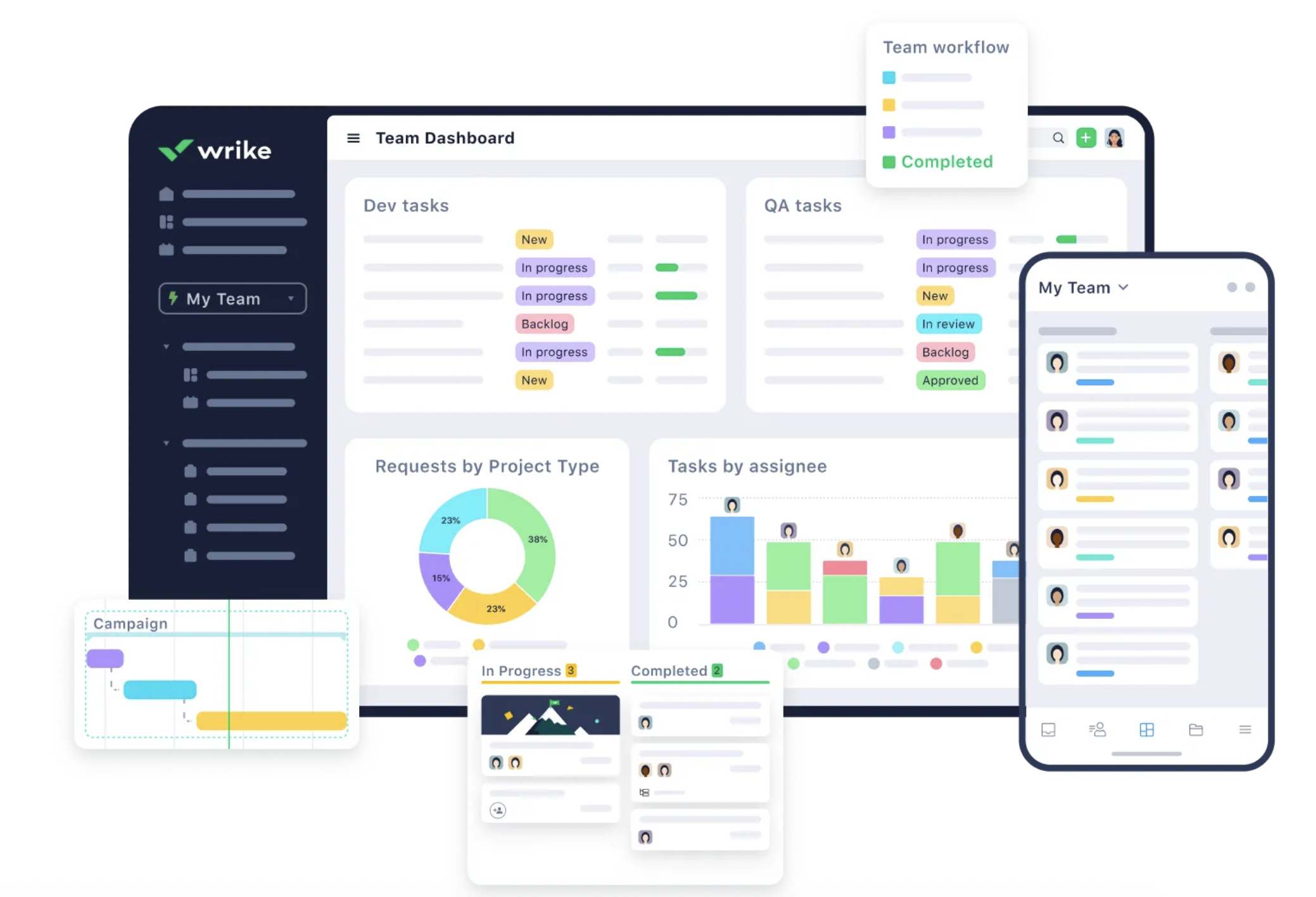
Image source: wrike.com
Pros:
- Extensive customization options: Allows PMOs to tailor workflows, dashboards, and reports to their specific needs and processes.
- Advanced reporting and analytics: Provides deep insights into project and portfolio performance with customizable dashboards and templates.
- Collaborative features: Includes collaborative proofing, shared Gantt charts, and real-time editing for enhanced team collaboration.
Cons:
- Complexity for setup: Initial setup and extensive customization for complex PMO needs can require a significant investment of time.
- Cost for full features: To access the most powerful PMO-centric features, users often need to opt for higher-tier plans.
Pricing & Free Plan:
- Free: For up to 5 users.
- Team: $9.80/user/month (billed annually).
- Business: $24.80/user/month (billed annually).
- Enterprise: Custom pricing.
- Pinnacle: Custom pricing.
6. Asana: Agile project management with strong collaboration
Asana is a popular work management platform known for its intuitive interface, flexible project views (lists, boards, timelines), and strong collaboration features. While often used for individual teams, its robust reporting and portfolio management capabilities make it suitable for PMOs looking to streamline work across multiple projects and departments.
The verdict: Asana is an excellent choice for PMOs that need a user-friendly platform with strong collaboration and reporting features, particularly for managing agile projects and initiatives that require cross-functional visibility.
Deep dive: Asana empowers PMOs to create project portfolios, track progress across different teams, and manage resource allocation at a higher level. Its "Portfolios" feature allows PMOs to monitor the health of all strategic initiatives in one place, while "Workload" helps visualize team capacity. The platform's strength lies in its ability to provide clear visibility into who is doing what by when, making it easier for PMOs to identify potential bottlenecks and ensure timely delivery. Integrations with hundreds of other tools further extend its capabilities.
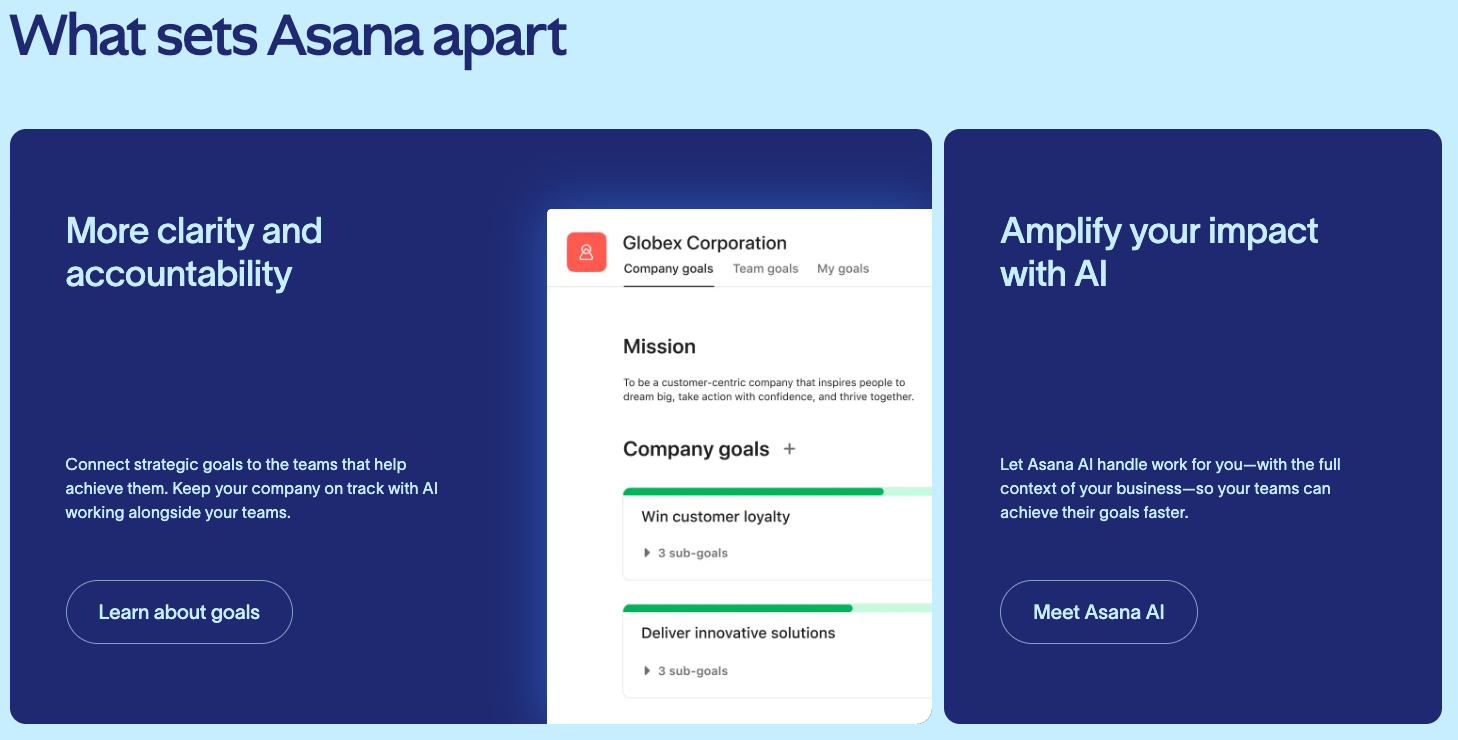
Image source: asana.com
Pros:
- User-friendly interface: Intuitive design makes it easy for teams to adopt and manage their work effectively.
- Flexible project views: Offers various ways to visualize projects (lists, boards, timelines) to suit different team preferences.
- Strong collaboration features: Facilitates communication, task assignments, and file sharing within and across teams.
Cons:
- Advanced resource management: While it has workload management, it might lack some of the deeper, enterprise-level resource leveling features of more specialized PMO tools.
- Cost for premium features: Full portfolio and advanced reporting capabilities are typically available in higher-tier plans.
Pricing & Free Plan:
- Basic: Free for individuals and teams getting started with project management.
- Premium: $10.99/user/month (billed annually).
- Business: $24.99/user/month (billed annually).
- Enterprise: Custom pricing.
7. ClickUp: The all-in-one productivity platform
ClickUp positions itself as "one app to replace them all," offering a highly customizable platform that caters to various work management needs, from task management to complex project and portfolio oversight. It boasts an extensive set of features designed for maximum flexibility and efficiency.
The verdict: ClickUp is suitable for PMOs seeking a highly customizable and feature-rich platform that can consolidate various tools, especially those that value flexibility in adapting to unique workflows and reporting requirements.
Deep dive: ClickUp provides PMOs with granular control over how projects are managed, offering multiple views (List, Board, Box, Calendar, Gantt, etc.) and custom fields to track specific data points. Its "Portfolios" and "Workload" features allow for strategic oversight and resource capacity planning across the entire organization. The platform's automations can streamline routine PMO tasks, such as updating project statuses or notifying stakeholders of critical changes. While its vast array of features offers immense power, it can sometimes lead to a steeper learning curve for new users, requiring time to configure and optimize for specific PMO needs.
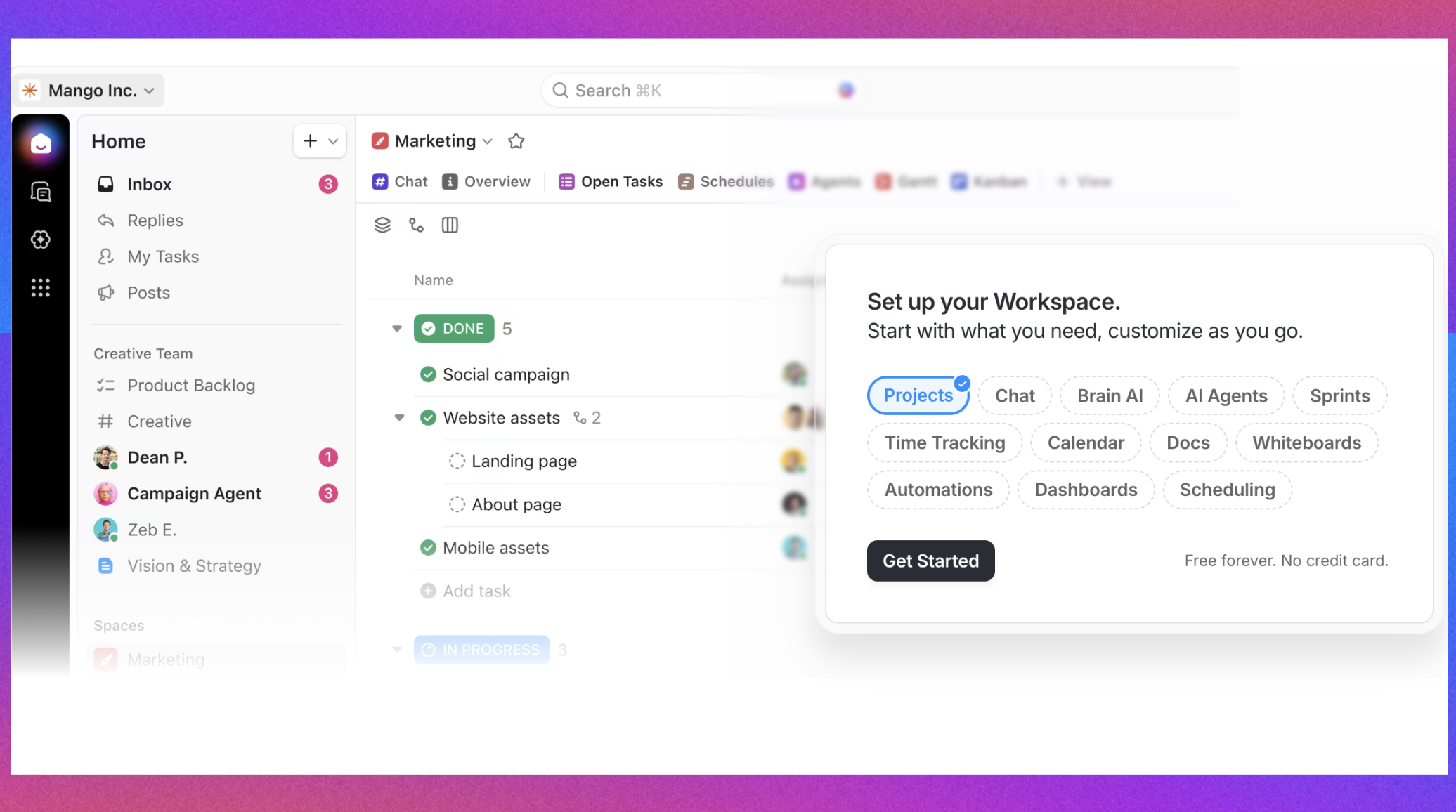
Image source: clickup.com
Pros:
- Extremely customizable: Highly flexible to adapt to any PMO workflow or project methodology.
- Feature-rich: Offers a comprehensive suite of tools for task management, project planning, reporting, and collaboration.
- Multiple views: Provides diverse ways to visualize projects and data, catering to different preferences and reporting needs.
Cons:
- Overwhelming for new users: The sheer number of features can be daunting for those new to the platform, requiring significant setup time.
- Performance issues: Some users report occasional performance lags due to the platform's extensive features.
Pricing & Free Plan:
- Free forever: For personal use, with limited features.
- Unlimited: $7/user/month (billed annually).
- Business: $12/user/month (billed annually).
- Enterprise: Custom pricing.
8. Smartsheet: Dynamic work management for PMOs
Smartsheet is a dynamic workspace platform that combines the familiarity of spreadsheets with robust project management, automation, and reporting capabilities. It's particularly strong for PMOs that need to manage complex processes, centralize data, and drive consistent execution across large teams.
The verdict: Smartsheet is an excellent fit for PMOs that need a powerful, spreadsheet-like interface for managing complex projects and portfolios, with strong automation and reporting features to ensure data accuracy and operational consistency.
Deep dive: Smartsheet empowers PMOs to create interconnected sheets for various aspects of project portfolio management, from resource planning to budget tracking and risk management. Its automation features can streamline routine PMO tasks, such as sending alerts for missed deadlines or generating status reports. The platform's strength lies in its ability to handle large amounts of data while maintaining a user-friendly interface. PMOs can build executive dashboards to visualize portfolio health, track key metrics, and identify trends. The ability to integrate with various business intelligence and CRM tools further enhances its utility for strategic decision-making.
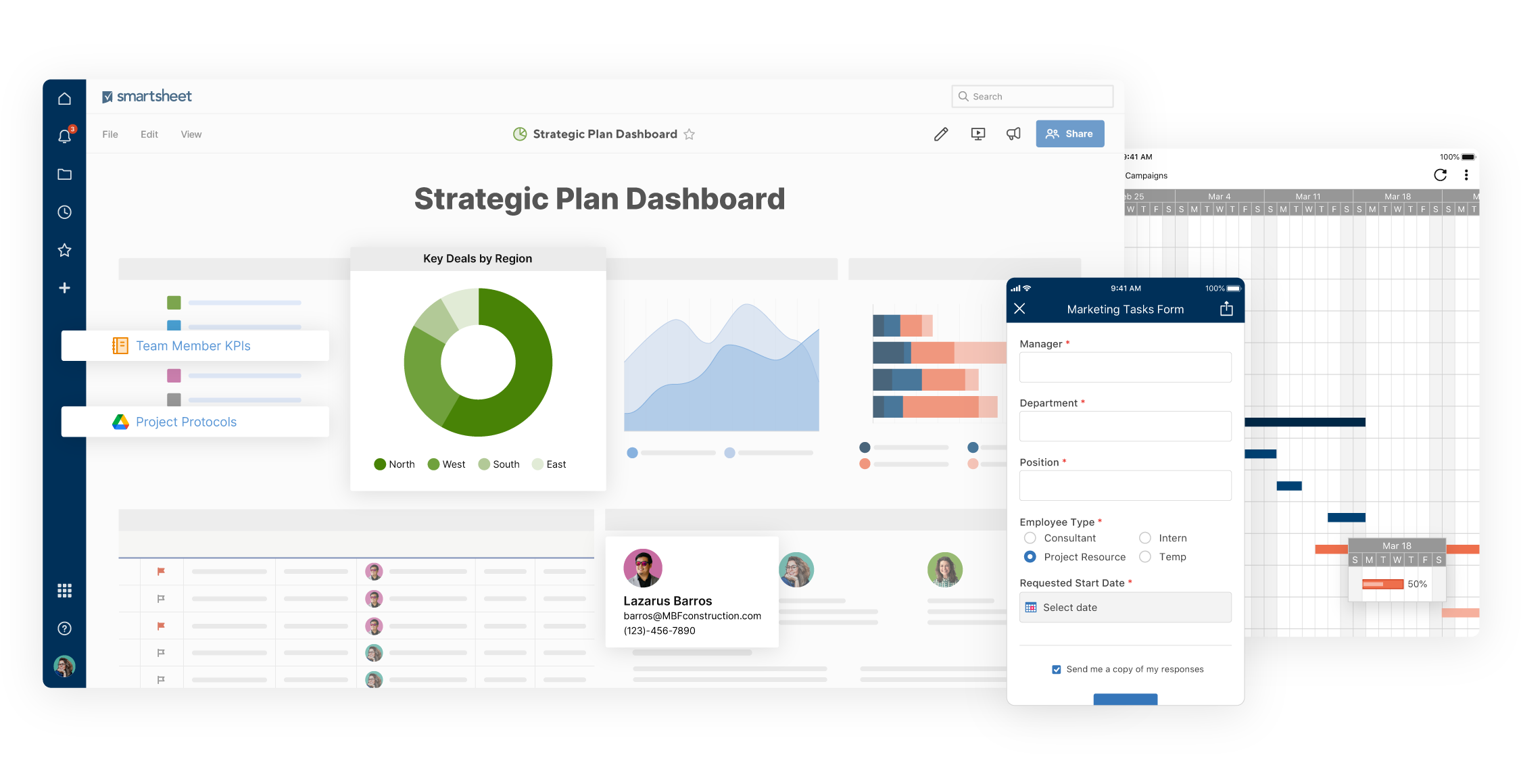
Image source: smartsheet.com
Pros:
- Familiar spreadsheet interface: Easy for users to adopt due to its familiar, intuitive design, yet with enhanced functionalities.
- Robust automation: Automates workflows, alerts, and approvals, reducing manual effort and improving efficiency.
- Powerful reporting and dashboards: Provides flexible tools to create custom reports and executive dashboards for real-time insights.
Cons:
- Can become complex: For very large and intricate portfolios, managing numerous interconnected sheets can become complex.
- Limited native communication tools: While it integrates with communication tools, its native chat capabilities are not as robust as dedicated collaboration platforms.
Pricing & Free Plan:
- Free: For a single user.
- Pro: $7/user/month (billed annually).
- Business: $25/user/month (billed annually).
- Enterprise: Custom pricing.
9. Planview Enterprise One: Strategic portfolio management
Planview Enterprise One is a comprehensive strategic portfolio management (SPM) solution designed for large enterprises and PMOs that need to align their investments with strategic objectives. It provides a holistic view across portfolios, programs, and projects, enabling organizations to make informed decisions about resource allocation and value delivery.
The verdict: Planview Enterprise One is ideal for large, mature PMOs and enterprises that require a robust, all-encompassing solution for strategic portfolio management, financial planning, and resource optimization across complex organizational structures.
Deep dive: Planview Enterprise One provides deep capabilities for financial management, capacity planning, and demand management, allowing PMOs to optimize their investment portfolios. It helps PMOs prioritize initiatives based on strategic value and return on investment, ensuring resources are allocated effectively. The platform offers extensive reporting and analytics, enabling executives to gain a clear understanding of portfolio performance, risks, and benefits. Its strength lies in its ability to integrate various aspects of enterprise planning, from ideation to execution, providing a unified platform for strategic decision-making.
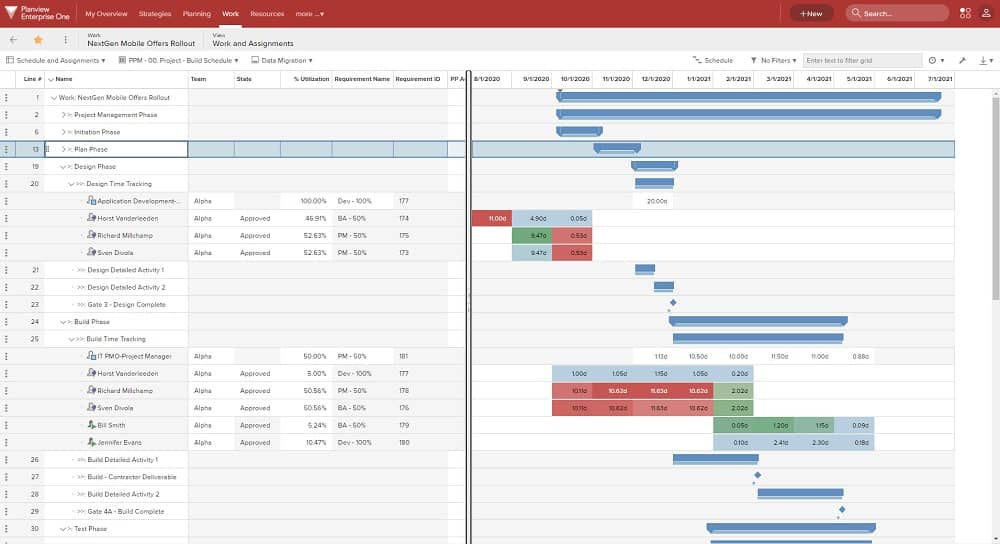
Image source: planview.com
Pros:
- Comprehensive strategic portfolio management: Offers powerful tools for aligning investments with strategic goals and optimizing portfolios.
- Robust financial management: Provides in-depth capabilities for budget tracking, cost analysis, and financial forecasting across projects.
- Advanced resource capacity planning: Enables detailed planning and optimization of human and non-human resources across the enterprise.
Cons:
- High complexity and cost: As an enterprise-grade solution, it typically comes with a significant price tag and requires substantial implementation and training.
- Steep learning curve: Its extensive feature set and sophisticated functionalities can be challenging for new users to master.
Pricing & Free Plan:
- Custom pricing; contact sales for details.
10. Zoho Projects: Affordable project management suite
Zoho Projects is a cloud-based project management solution that is part of the broader Zoho One suite. It offers features for planning, tracking, and collaborating on projects, making it a viable option for PMOs looking for an affordable yet comprehensive solution, especially if they are already using other Zoho products.
The verdict: Zoho Projects is an excellent choice for PMOs within small to medium-sized businesses or those already utilizing the Zoho ecosystem, seeking an affordable, integrated project management solution with solid features for planning and tracking.
Deep dive: Zoho Projects provides PMOs with tools for Gantt charts, task management, time tracking, and issue management. Its integration with other Zoho applications, such as Zoho CRM and Zoho Books, creates a unified business environment, allowing for seamless data flow between different departments. For PMOs, this means better visibility into project-related customer interactions, sales pipelines, and financial data. While it offers a good range of features, its advanced portfolio management and enterprise-level reporting might not be as extensive as some more specialized PMO software, making it better suited for PMOs with simpler portfolio needs.
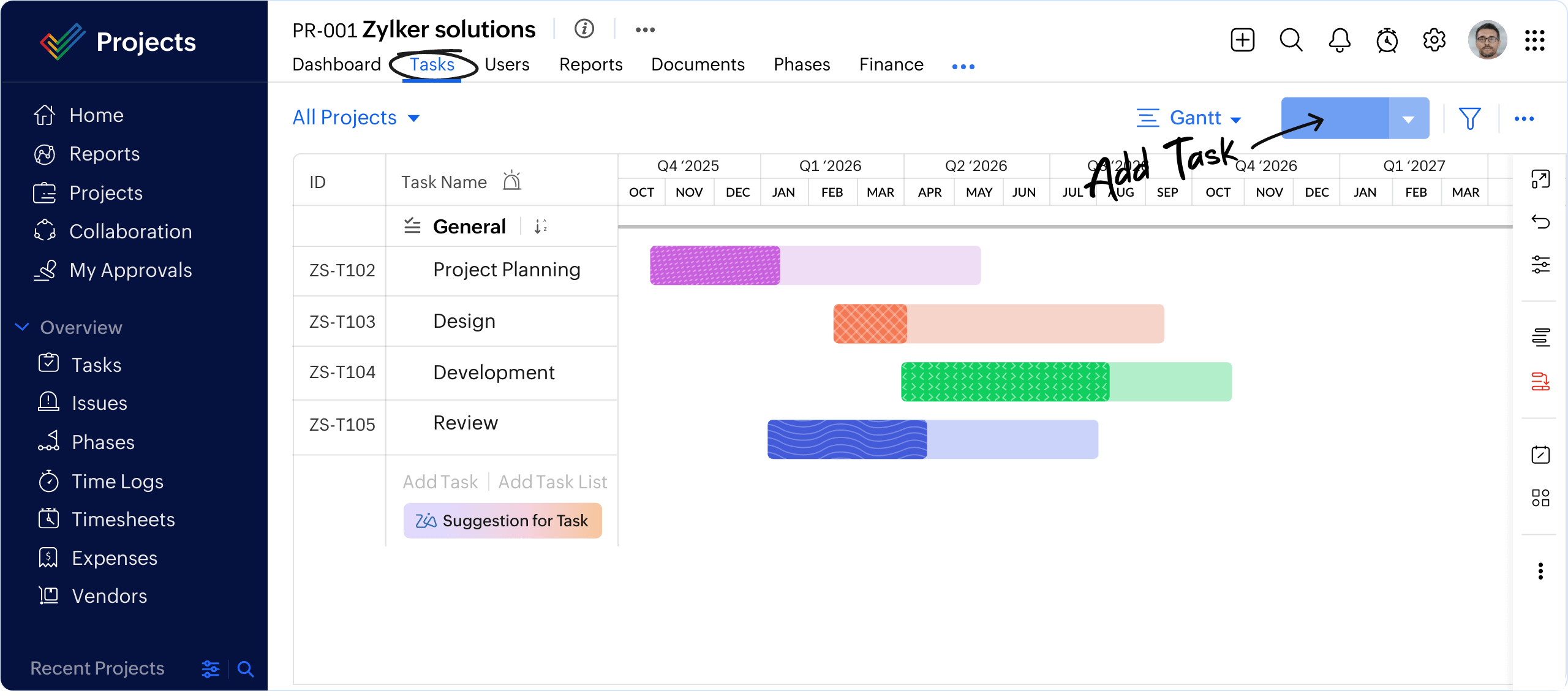
Image source: zoho.com
Pros:
- Affordable pricing: Offers competitive pricing, making it accessible for budget-conscious PMOs and SMBs.
- Seamless Zoho integration: Integrates well with other Zoho products, providing a comprehensive business suite.
- Good feature set for SMBs: Covers essential project planning, tracking, and collaboration needs effectively.
Cons:
- Limited enterprise PMO features: May lack some advanced portfolio management and deep resource leveling capabilities found in enterprise-focused tools.
- Interface can feel dated: Compared to more modern platforms, some users might find its interface less intuitive or visually appealing.
Pricing & Free Plan:
- Free: Up to 3 users, 2 projects, and basic features.
- Premium: $4/user/month (billed annually).
- Enterprise: $9/user/month (billed annually).
11. Scoro: Work management with financial insights
Scoro is an all-in-one work management software that combines project management, CRM, billing, and reporting into a single platform. It's particularly strong for PMOs that need to closely link project execution with financial performance and client management.
The verdict: Scoro is best for PMOs in service-oriented businesses or consultancies that require integrated project management with robust financial tracking, client management, and comprehensive reporting capabilities.
Deep dive: Scoro provides PMOs with a unified dashboard to oversee projects, track budgets, manage client relationships, and generate detailed financial reports. Its strength lies in its ability to provide a holistic view of business operations, allowing PMOs to understand the profitability of projects and optimize resource utilization based on financial metrics. For example, a PMO can track billable hours against project budgets, monitor client contracts, and generate invoices—all within the same platform. While it offers extensive features, it might be more tailored to service-based organizations, and PMOs in product-centric companies might find some features less relevant.
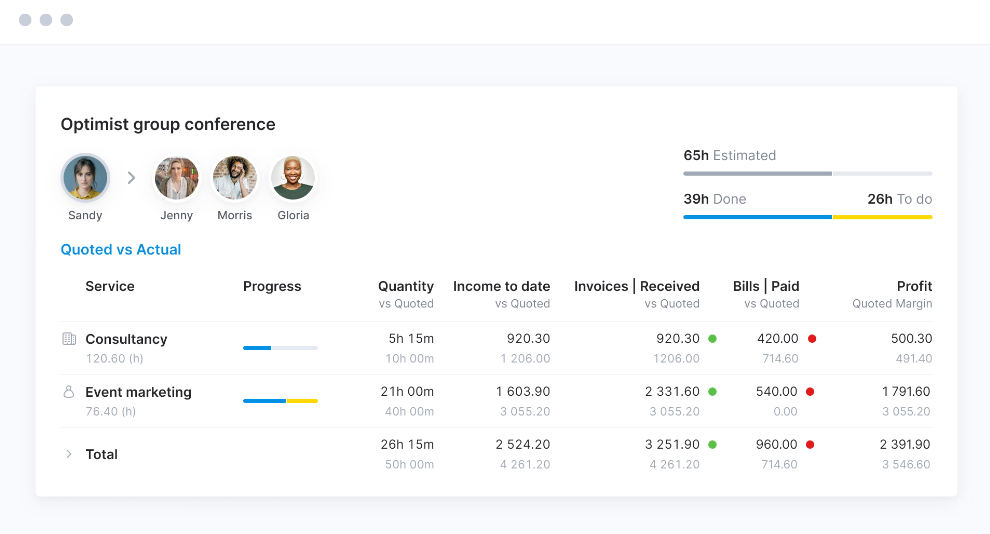
Image source: scoro.com
Pros:
- Integrated business management: Combines project management with CRM, billing, and reporting for a holistic view of operations.
- Strong financial tracking: Provides detailed insights into project profitability, budgets, and invoicing.
- Comprehensive reporting: Offers robust tools for generating custom reports on various business metrics.
Cons:
- Learning curve for full integration: Due to its extensive features across multiple business functions, it can have a steeper learning curve.
- Pricing for comprehensive features: To unlock its full capabilities across all modules, the pricing can be higher.
Pricing & Free Plan:
- Essential: $26/user/month (billed annually).
- Standard: $37/user/month (billed annually).
- Pro: $61/user/month (billed annually).
- Ultimate: Custom pricing.
12. Celoxis: Robust project portfolio management
Celoxis is a comprehensive project portfolio management (PPM) solution designed for mid-sized to large enterprises. It offers a powerful set of features for project planning, resource management, time tracking, expense management, and reporting, aiming to provide a 360-degree view of all projects and portfolios.
The verdict: Celoxis is an excellent choice for mid-to-large PMOs that require a robust, all-in-one PPM solution with strong resource management, financial tracking, and highly customizable reporting capabilities to manage complex project landscapes.
Deep dive: Celoxis empowers PMOs with detailed project scheduling, advanced resource leveling across multiple projects, and sophisticated financial controls. Its strength lies in its ability to provide real-time insights into project and portfolio performance through customizable dashboards and reports. For example, a PMO can track resource utilization across the entire organization, analyze budget variances, and forecast project completion dates with high accuracy. The platform also offers robust demand management features, allowing PMOs to prioritize new projects based on strategic alignment and resource availability. While powerful, its comprehensive nature can sometimes translate into a more complex user experience, especially during initial setup and configuration.
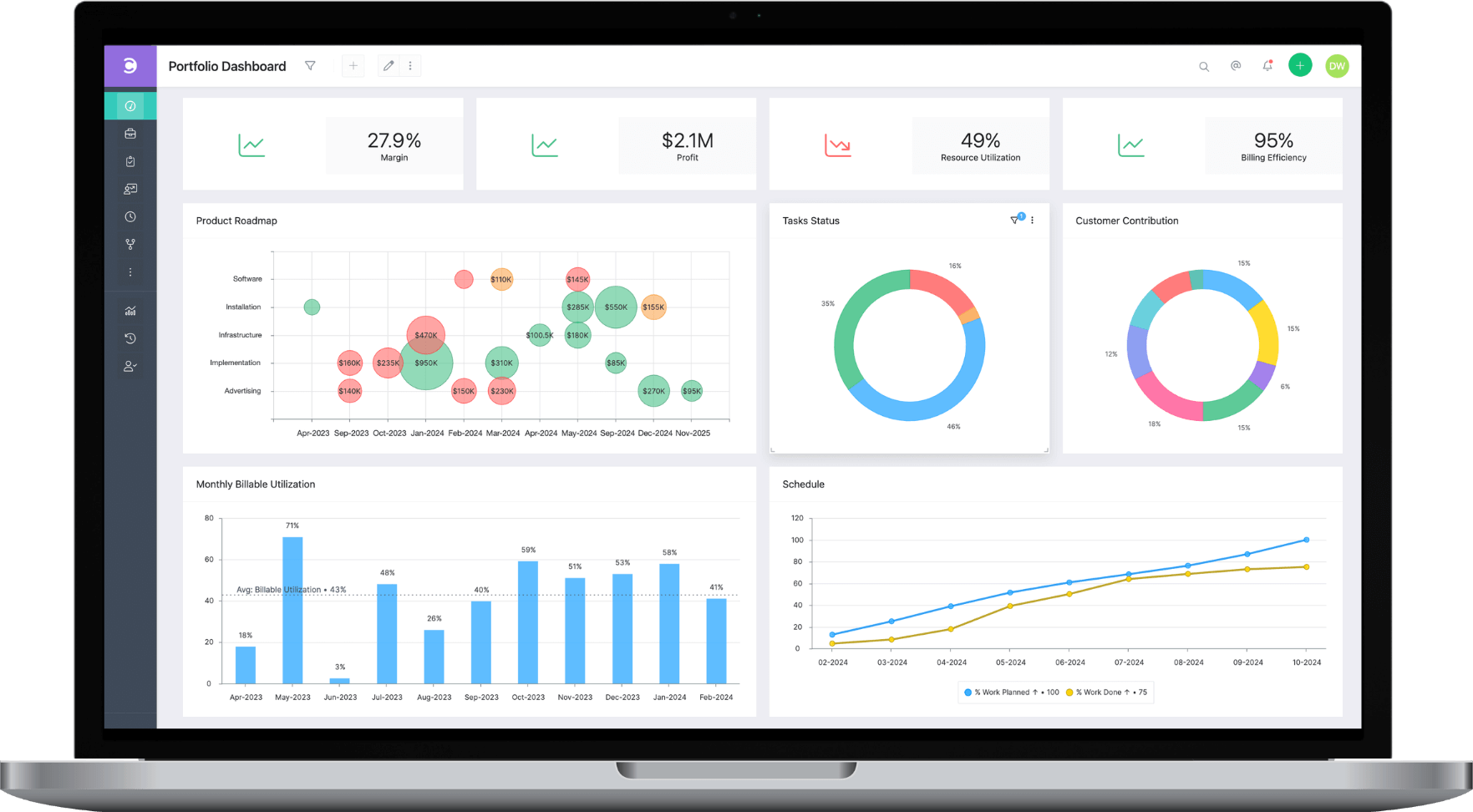
Image source: celoxis.com
Pros:
- Comprehensive PPM capabilities: Offers a wide array of tools for project, program, and portfolio management.
- Advanced resource management: Provides powerful features for resource allocation, capacity planning, and workload balancing.
- Customizable reporting: Enables PMOs to generate highly tailored reports and dashboards for strategic insights.
Cons:
- Interface can be dense: The feature-rich interface can sometimes feel overwhelming, requiring some time to master.
- Pricing for full scale: While competitive, accessing its full enterprise-grade features can lead to a higher investment.
Pricing & Free Plan:
- Cloud: $25/user/month (billed annually).
- On-premise: Custom pricing.
13. ProjectManager.com: Cloud-based PMO management
ProjectManager.com is a cloud-based project management software designed to help teams plan, track, and report on projects. It offers a blend of features that cater to various project methodologies, including Gantt charts, kanban boards, and task lists, making it adaptable for PMOs overseeing diverse projects.
The verdict: ProjectManager.com is well-suited for PMOs that need a flexible, cloud-based solution for managing a variety of projects, with a good balance of traditional and agile tools, and a focus on real-time tracking and reporting.
Deep dive: ProjectManager.com provides PMOs with real-time dashboards to monitor project progress, track team workload, and manage risks. Its strength lies in its intuitive interface and its ability to offer multiple project views, allowing PMOs to choose the best visualization for each project or portfolio. For example, a PMO can use Gantt charts for detailed planning of sequential projects and switch to kanban boards for agile initiatives. The platform's reporting features enable PMOs to generate quick status updates and performance reports for stakeholders. While it offers solid project management capabilities, some of the deeper strategic portfolio management features, like advanced financial modeling or very granular resource leveling across an entire enterprise, might be less comprehensive than specialized PPM tools.
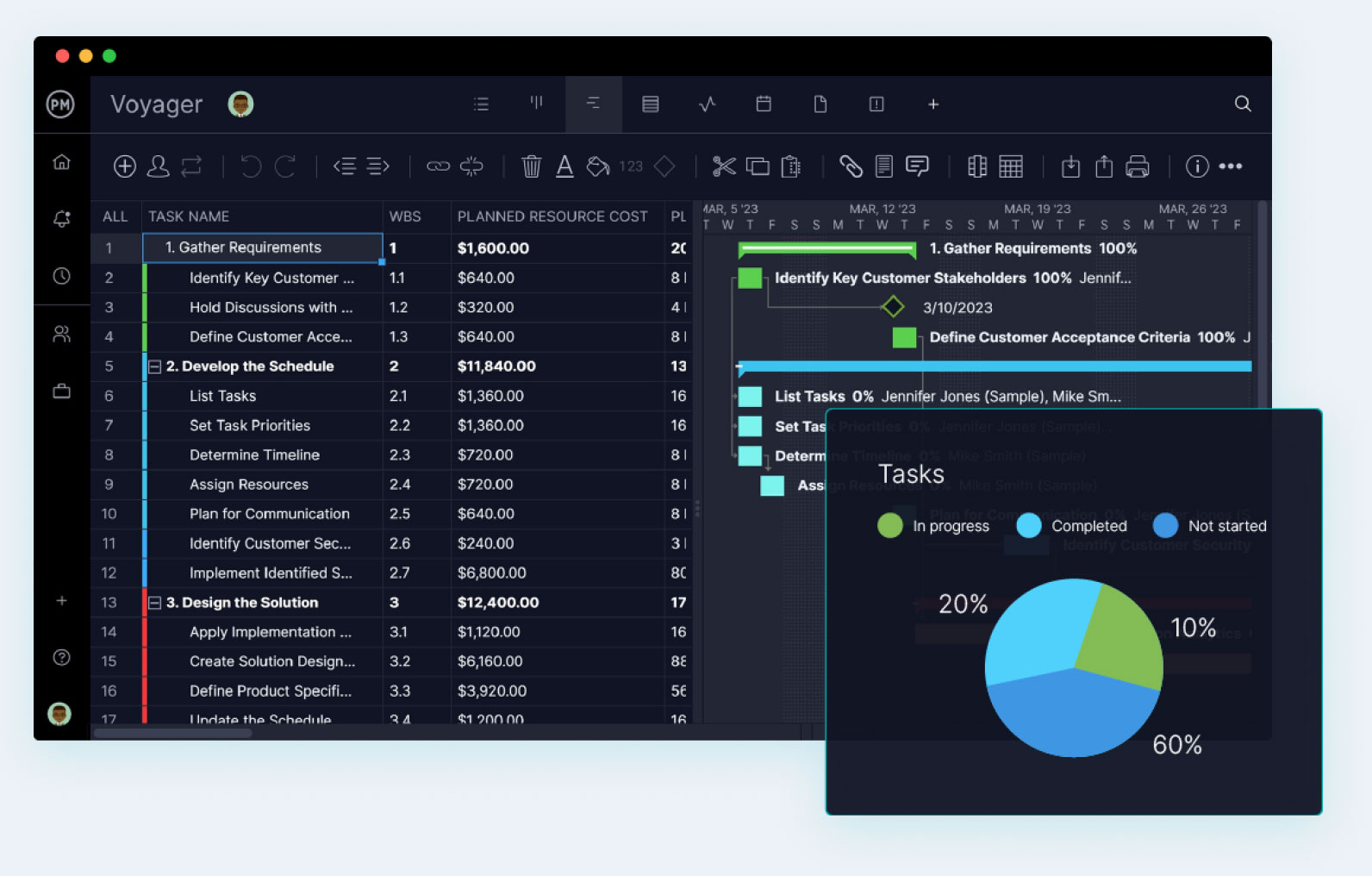
Image source: projectmanager.com
Pros:
- Versatile project views: Supports various methodologies with Gantt charts, kanban boards, and task lists.
- Real-time tracking and reporting: Provides instant insights into project progress, workload, and performance.
- Cloud-based accessibility: Allows teams to collaborate and access project information from anywhere.
Cons:
- Limited advanced portfolio features: While it offers portfolio views, some of the more sophisticated strategic portfolio management tools may be less developed.
- Integrations can be basic: Integrations with other enterprise systems might be less extensive or require more manual setup compared to competitors.
Pricing & Free Plan:
- Team: $13/user/month (billed annually).
- Business: $24/user/month (billed annually).
- Enterprise: Custom pricing.
How to choose the right PMO software for your organization: A step-by-step approach
Selecting the optimal best PMO software for your organization requires a methodical approach, ensuring the chosen solution aligns perfectly with your strategic objectives and operational realities. It’s not simply about picking the tool with the most features, but rather the one that best addresses your specific needs and can grow with your business.
- Assess your PMO's specific needs: Begin by conducting a thorough internal audit. Portfolio size and complexity: How many projects and programs does your PMO oversee? Are they highly interdependent or relatively standalone? Project methodologies: Do you primarily use Agile, Waterfall, or a hybrid approach? Team structure: Are your teams co-located, remote, or hybrid? Understanding these aspects will help you identify must-have features versus nice-to-haves. For instance, a PMO managing a global portfolio with dispersed agile teams will prioritize robust real-time collaboration and scaled agile framework support.
- Define your budget and consider the total cost of ownership (TCO): Beyond the subscription fees, factor in potential costs for implementation, training, integrations, and ongoing support. Pricing tiers: Evaluate how different plans align with your current and future user counts and feature requirements. Sometimes, a slightly higher per-user cost for an all-in-one solution can be more cost-effective than combining multiple specialized tools with their individual subscriptions and integration challenges.
- Prioritize scalability and future growth: Your PMO software should not only meet today's needs but also accommodate future expansion. User growth: Can the platform easily scale to more users without significant performance or cost penalties? Feature evolution: Does the vendor have a clear roadmap for new features and improvements that align with emerging PMO trends and the ? Choosing a platform that can grow with you avoids the disruptive and costly process of migrating to a new system later.
- Evaluate integration with your existing tech stack: PMO software rarely operates in isolation. API accessibility: Does the solution offer robust APIs for connecting with your , ERP, HR, communication, or business intelligence tools? Pre-built connectors: Look for existing integrations that can streamline data flow and automate cross-system workflows with , preventing data silos and improving overall operational efficiency.
- Emphasize the importance of demos and free trials: Don't just rely on feature lists. Hands-on experience: Encourage key stakeholders from your PMO, IT, and project teams to actively participate in demos and utilize free trials. This allows for a realistic assessment of usability, interface design, and how the software performs with your actual data and workflows before making a significant investment.
Key features to look for in enterprise PMO software
When evaluating PMO software, a robust solution goes beyond simple task lists. Here are the essential features that empower PMOs to drive strategic success:
- Comprehensive portfolio management: The ability to visualize, track, and manage multiple projects and programs simultaneously. This includes tools for project prioritization, dependency mapping, and scenario planning to ensure resources are focused on the most impactful initiatives.
- Advanced resource management: Effective PMO software provides a clear overview of human and financial resources across the entire organization. Look for features like resource capacity planning, skill tracking, workload balancing, and forecasting to prevent burnout and optimize utilization.
- Strategic alignment & OKR tracking: A critical function of any PMO is ensuring projects contribute directly to business objectives. The best PMO software offers built-in goal-setting and , allowing PMOs to link project outcomes to higher-level strategic goals and monitor progress towards them while also understanding the differences between OKRs and KPIs.
- Real-time reporting & analytics: Data-driven decisions are paramount. Look for customizable , real-time analytics, and predictive insights that provide a clear picture of project and portfolio health, identifying potential risks, budget variances, and performance trends before they escalate.
- Workflow automation & governance: To maintain consistency and efficiency across diverse projects, PMO software should support customizable workflow automation for routine tasks, approvals, and reporting, often orchestrated through a centralized . This also includes robust governance features to enforce project methodologies and compliance standards.
- Communication & collaboration tools: While PMO software focuses on strategic oversight, it must also facilitate effective communication and transparent goal tracking through free OKR software for team alignment. Integrated messaging, document sharing, and meeting management capabilities ensure that all stakeholders, from project teams to executives, are informed and aligned.
Build a high-performance PMO with Lark
The future of PMO software: Emerging trends in 2026 and beyond
The landscape of project management and PMO operations is continuously evolving, driven by technological advancements and shifting work paradigms. Looking ahead to 2026 and beyond, several key trends are shaping the development and adoption of PMO software:
- AI-driven recommendations and predictive analytics: Artificial intelligence is moving beyond basic automation to offer more sophisticated support for PMOs. We're seeing a rise in that can predict project risks: identifying potential delays or budget overruns before they occur. They also provide resource optimization suggestions: recommending the best allocation of talent across projects based on skills, availability, and project priority. This empowers PMOs to make proactive, data-informed decisions rather than reactive adjustments.
- Enhanced support for hybrid and remote work models: The distributed workforce is here to stay, and PMO software is adapting to meet its unique demands. Expect more features focused on virtual collaboration tools: integrated video conferencing, real-time document co-editing, and asynchronous communication channels. There's also an emphasis on global team coordination: functionalities that account for different time zones, languages (like AI translations), and cultural nuances to ensure seamless cross-border project execution.
- Focus on data security and compliance: As PMOs handle sensitive project and organizational data, robust security features are paramount. The future will bring more advanced end-to-end encryption: protecting data in transit and at rest. Increased emphasis will be placed on regulatory compliance features: helping PMOs adhere to industry-specific regulations (e.g., GDPR, HIPAA) and internal governance policies. This ensures that strategic project information remains secure and meets all necessary legal and ethical standards.
- Increased demand for unified, all-in-one platforms: The era of fragmented tool stacks is fading. PMOs are increasingly seeking integrated solutions that consolidate multiple functionalities into a single interface. This means platforms offering comprehensive work management: combining project planning, , task tracking, , communication, and document management. The goal is to reduce context switching: minimizing the need to jump between different applications, thereby boosting productivity and providing a more cohesive overview of all project activities.
Conclusion
Selecting the best PMO software is a strategic imperative for any organization aiming to optimize its project portfolio, enhance collaboration, and drive successful outcomes in 2026 and beyond. The right solution moves beyond mere task management, empowering your PMO to gain real-time visibility, make data-driven decisions, and ensure every project aligns with your overarching business goals. By carefully assessing your specific needs, evaluating key features, and considering the future trends shaping PMO operations, you can identify a platform that not only streamlines your current workflows but also scales with your growth and strategic ambitions. Tools like , with its unified workspace and robust automation, offer a compelling path to achieving greater efficiency and strategic alignment across your entire project landscape.
Elevate your PMO’s strategic impact with Lark
FAQs
Which project management software is most used?
The "most used" project management software varies significantly by industry, team size, and specific needs. However, tools like Jira (especially for software development and Agile teams), Asana, Lark, and Microsoft Project are consistently among the top contenders in various surveys and market analyses due to their widespread adoption and versatility.
Is Jira a PMO tool?
While Jira (specifically Jira Software) is a powerful tool for Agile project management at the team level, it is not inherently a PMO tool on its own. For enterprise-level portfolio management and strategic alignment required by PMOs, Atlassian offers Jira Align. Jira Align integrates with Jira Software to provide a comprehensive solution for scaled Agile transformations, connecting team-level execution with strategic business objectives.
What is the 80/20 rule for project managers?
The 80/20 rule, also known as the Pareto Principle, suggests that roughly 80% of effects come from 20% of causes. In project management, this often translates to:
- 80% of the project value comes from 20% of the tasks. This encourages PMOs to prioritize critical tasks and focus resources effectively.
- 80% of problems are caused by 20% of issues. This helps PMOs identify and address the root causes of major setbacks.
- 80% of project delays come from 20% of risks. This emphasizes proactive risk management on high-impact areas.
What is the best PPM software?
The "best" Project Portfolio Management (PPM) software depends heavily on an organization's specific context, including its size, industry, complexity of portfolios, and budget. For large enterprises with complex strategic needs, solutions like Planview Enterprise One or Celoxis are often highly rated. For organizations looking for a unified, all-in-one approach with strong collaboration, a platform like Lark that integrates various functionalities can be highly effective. The key is to match the software's capabilities with your PMO's unique requirements and strategic goals.
Related reading































