














10 Best Project Management Calendar Tools to Streamline Your Workflow

Satvik Saxena
Content Specialist
Oct 30, 2026
Satvik Saxena
Oct 30, 2026

25 min read
Add to preferred sources


Managing projects without a clear visual timeline can quickly lead to confusion, missed deadlines, and communication gaps. A calendar for project management brings structure and clarity by turning complex workflows into a shared, visual plan. It helps teams align on tasks, milestones, and dependencies, keeping everyone accountable and informed.
Unlike standard calendars or simple task lists, project management calendars combine scheduling, collaboration, and progress tracking in one view. In this guide, we'll explain how to use project calendars effectively and explore the 10 best tools. Here is the list of the top 10 project management calendar tools:
- Lark: Best for an all-in-one calendar and collaboration
- Monday.com: Best for visual timelines and automation
- ClickUp: Best for customizable project calendars and flexible workflows
- Wrike: Best for enterprise project planning and advanced scheduling
- Asana: Best for task scheduling and cross-team visibility
- Smartsheet: Best for spreadsheet-based project calendars
- Trello: Best for simple project calendars and visual task tracking
- Teamwork: Best for agencies and client projects
- Notion: Best for flexible project and calendar collaboration
- Microsoft Project: Best traditional and complex projects

What is a project management calendar?
A project management calendar is a centralized tool that helps teams map out timelines, milestones, dependencies, and responsibilities in one shared, visual workspace. It allows project managers and team members to see how every task fits within the overall project plan, ensuring that deadlines are met and workloads are balanced.
Beyond simply marking dates, a project management calendar acts as a strategic planning framework—enabling teams to visualize progress, anticipate bottlenecks, and align on priorities. Whether managing product launches, marketing campaigns, or construction schedules, a well-structured calendar transforms scattered activities into a coordinated workflow that everyone can follow.
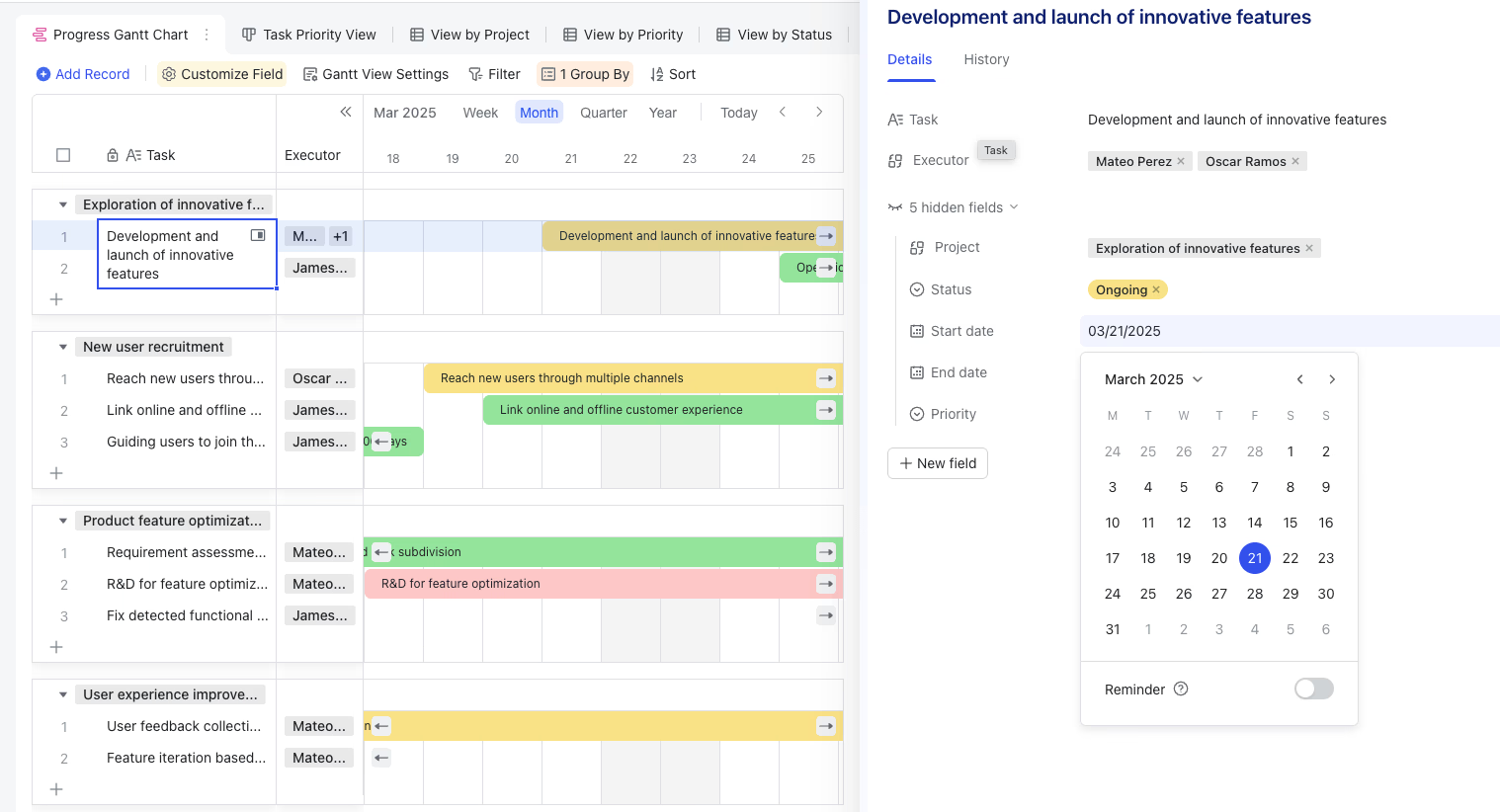
Why does a calendar for project management matter?
A calendar for project management is more than just an organizational tool—it's the backbone of efficient teamwork. Here's why it matters for every modern team:
- Keep everyone aligned on deadlines and deliverables: A shared calendar ensures that all stakeholders know what needs to be done, by whom, and by when.
- Prevent scheduling conflicts: It highlights overlapping deadlines or resource constraints, helping managers redistribute workloads before issues arise.
- Enhance transparency and accountability: Team members can see the full project scope, track progress, and take ownership of their individual responsibilities.
- Support resource planning and time tracking: By visualizing timelines and dependencies, managers can allocate resources effectively and monitor productivity across the team.
- Improve collaboration and communication: Centralized scheduling eliminates the need for endless status updates or scattered task lists, keeping everyone on the same page.
A well-implemented project management calendar gives your team structure, visibility, and control—key ingredients for delivering projects on time and within scope.
Core capabilities of an effective project management calendar
The best calendar tools for project management combine scheduling, collaboration, and automation. Here are the essential capabilities that make them effective:
- Task and milestone scheduling: Break down projects into smaller tasks and assign deadlines and responsibilities to keep momentum steady.
- Start and end dates with dependencies: Establish logical connections between tasks so that one automatically triggers or affects the next.
- Visual views (day, week, month, timeline, or Gantt): Enable flexible perspectives to suit different planning needs—from daily check-ins to long-term forecasting.
- Drag-and-drop rescheduling: Easily adjust dates and timelines as priorities change without disrupting the entire plan.
- Notifications and recurring tasks: Automate reminders and repeat schedules for ongoing responsibilities or recurring milestones.
- Team sharing and permission control: Manage who can view, edit, or assign tasks, ensuring smooth collaboration and data security.
- Integration with tools like Google Calendar, Outlook, or Slack: Connect your project calendar with existing communication and scheduling tools to keep everything synchronized.
When these features come together, a project management calendar becomes more than just a planner—it becomes a central command hub for managing projects efficiently from start to finish.
Comparison table: Top 10 project management calendar tools
10 Top calendar tools for project management
Choosing the right calendar for project management can make the difference between smooth execution and missed deadlines. The best tools go beyond basic scheduling—they combine task management, collaboration, automation, and real-time tracking to keep projects on course. Whether you're managing agile sprints, marketing campaigns, or enterprise operations, these platforms provide the structure and visibility teams need. Below are the top 10 project management calendar tools that help teams plan smarter, collaborate better, and deliver projects on time.
1. Lark: The ultimate unified calendar for seamless team collaboration
Lark is an all-in-one collaboration and productivity platform that unites messaging, meetings, documents, tasks, and calendars in a single connected workspace. Designed for modern teams, Lark simplifies how organizations plan, communicate, and execute projects by combining scheduling, collaboration, and automation under one roof. From startups managing multiple projects to enterprises handling cross-department collaboration, Lark provides real-time visibility and seamless coordination without switching between apps.
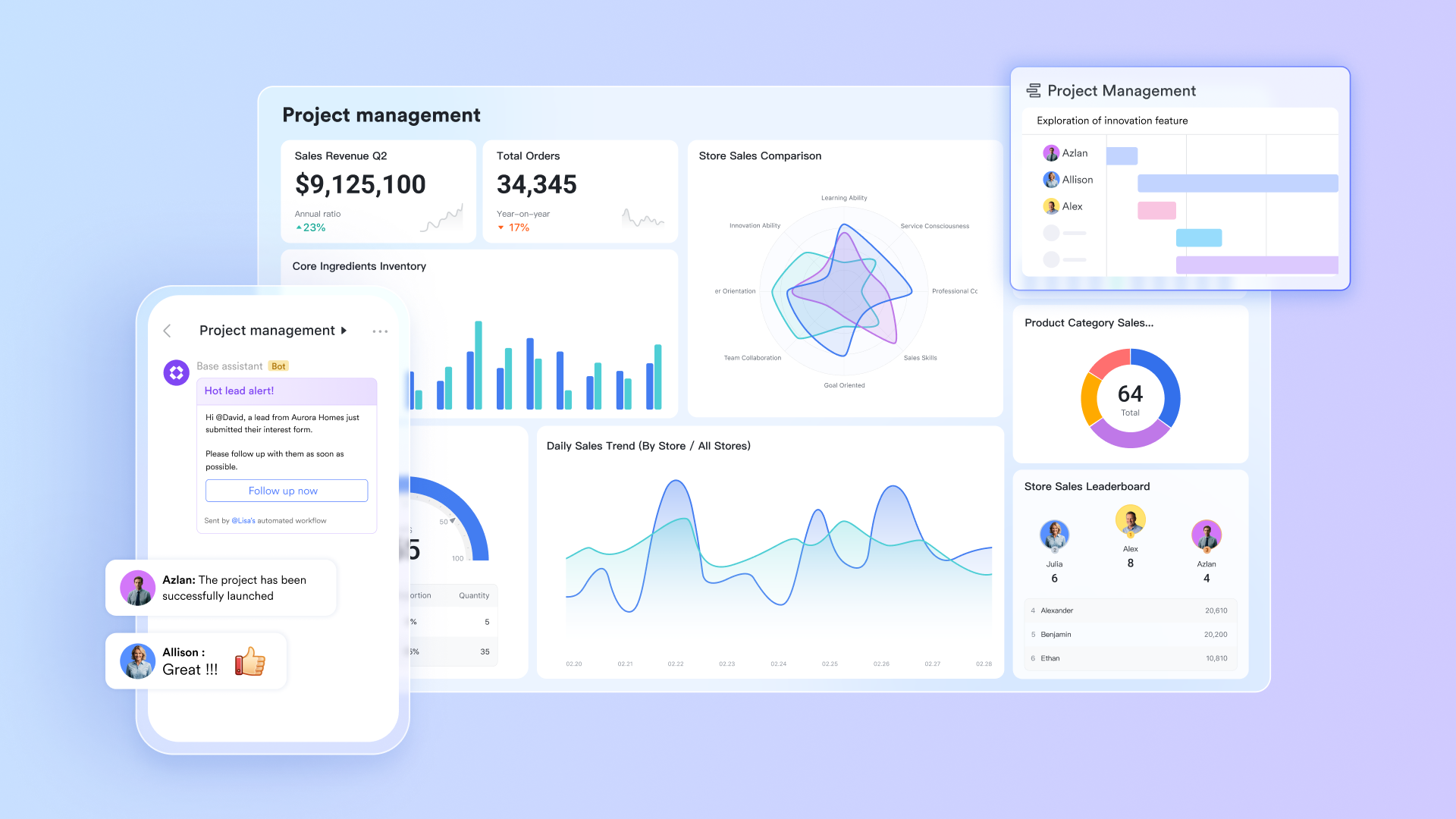
Key features:
Lark Calendar: Schedule tasks, events, and milestones with visibility across teams
Lark Calendar is more than a scheduling tool — it's a dynamic project management calendar that gives teams a clear view of all activities in progress. You can create shared calendars for projects, departments, or even specific deliverables, ensuring everyone has visibility into timelines and priorities. Events, milestones, and meetings can be color-coded, categorized, and synced across teams to prevent overlaps and missed deadlines.
It connects seamlessly with Lark Tasks and Lark Meetings so when you assign a due date or schedule a meeting, it automatically appears on everyone's calendar. Lark supports two-way sync with Google Calendar and Outlook (Exchange Calendar), which helps events stay updated across platforms.
This synchronization keeps every stakeholder informed, reduces scheduling conflicts, and ensures smooth coordination across departments — making Lark Calendar an essential tool for transparent, efficient project management.
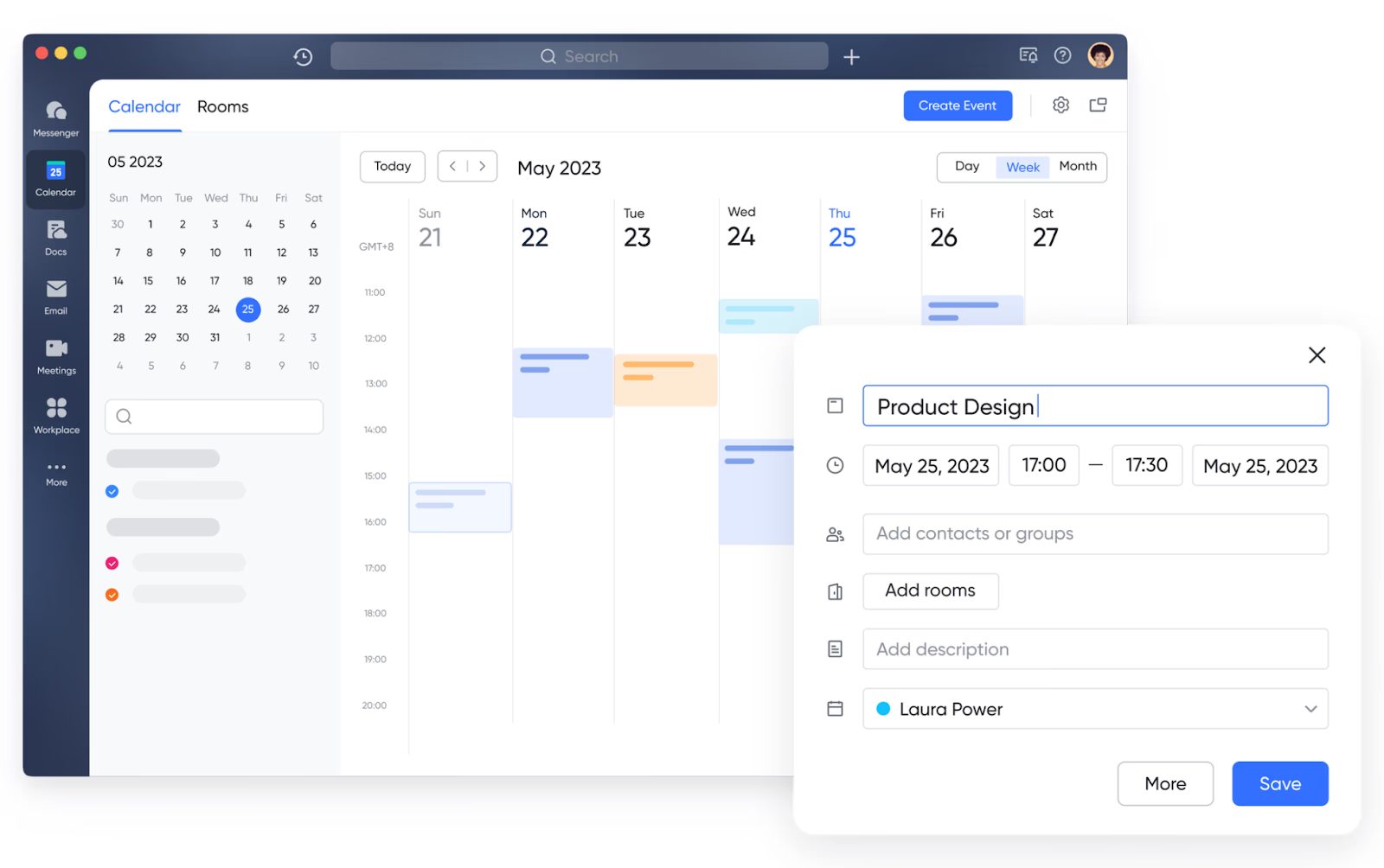
Lark Tasks: Convert discussions or documents into actionable tasks with due dates
Lark Tasks bridges the gap between planning and execution. Instead of manually transferring notes or messages into a task list, you can instantly turn any conversation, document, or message into an actionable item with an owner, deadline, and priority level. Tasks appear on your calendar and can be tracked directly within the platform, providing a unified view of progress. The built-in reminder and notification system keeps team members accountable and ensures nothing slips through the cracks.
For project managers, this feature makes it easy to monitor deliverables, dependencies, and team workloads in one place.
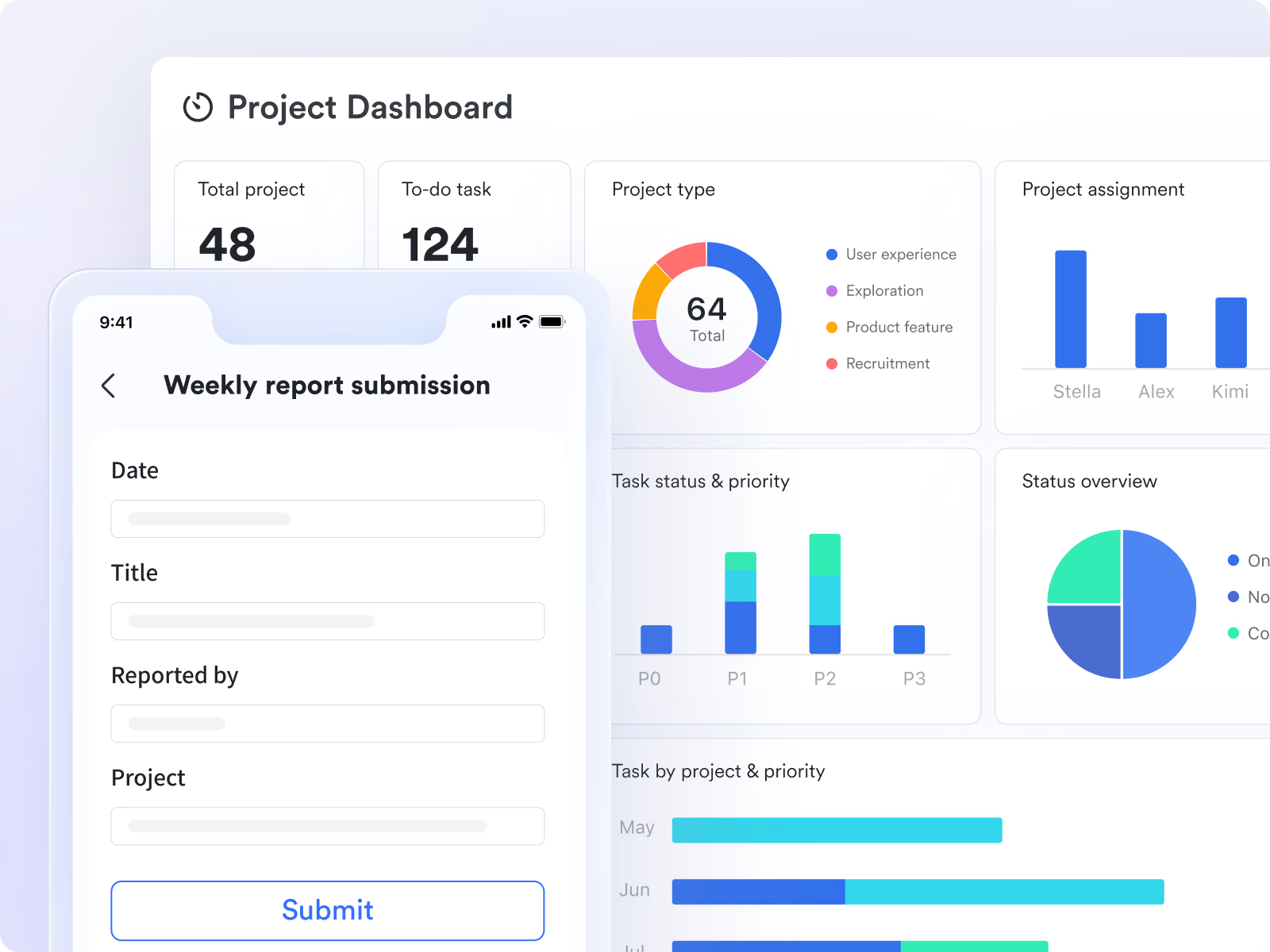
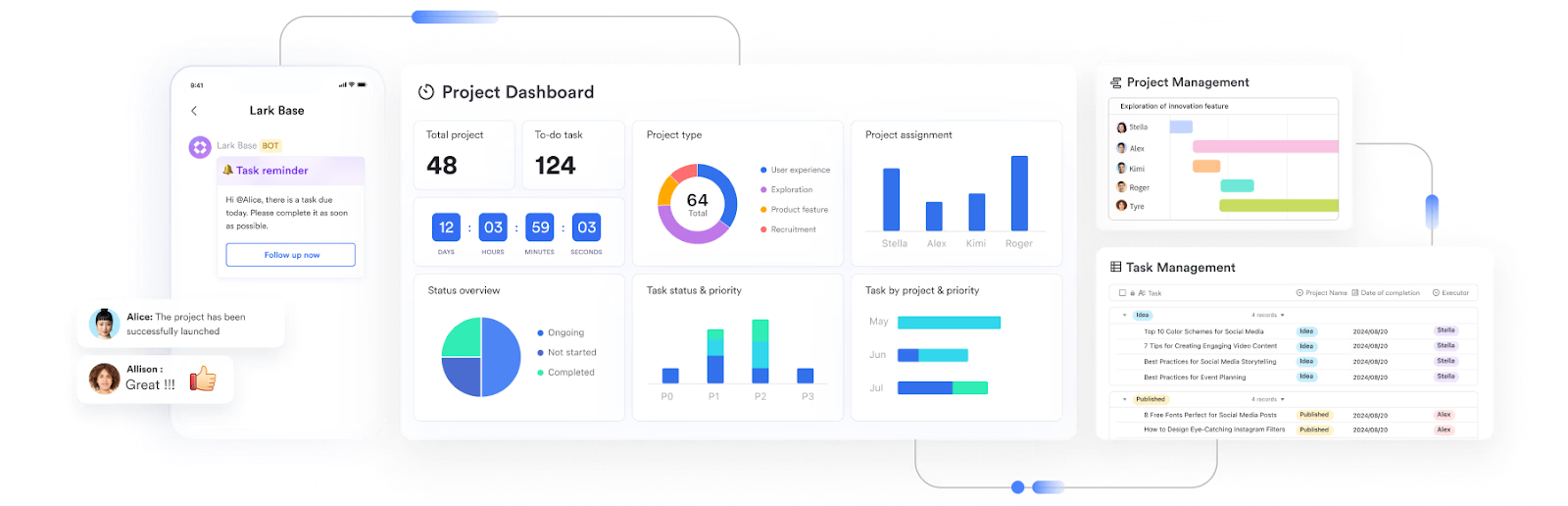
Lark Base: Build custom workflows and dashboards that feed directly into your project calendar
Lark Base acts as the data and workflow engine behind your projects. It allows you to design custom project databases, automate recurring tasks, and visualize project information through tables, kanban boards, or dashboards. Every entry in Lark Base—whether it's a task, milestone, or resource—can be linked to the calendar, creating a live, data-driven project timeline. For example, when a project phase status changes in Base, the update automatically reflects in the calendar view. This flexibility allows teams to create tailor-made project management solutions without coding, ideal for organizations that manage multiple workflows or departments simultaneously.
Lark Messenger: Discuss updates and share calendar invites seamlessly
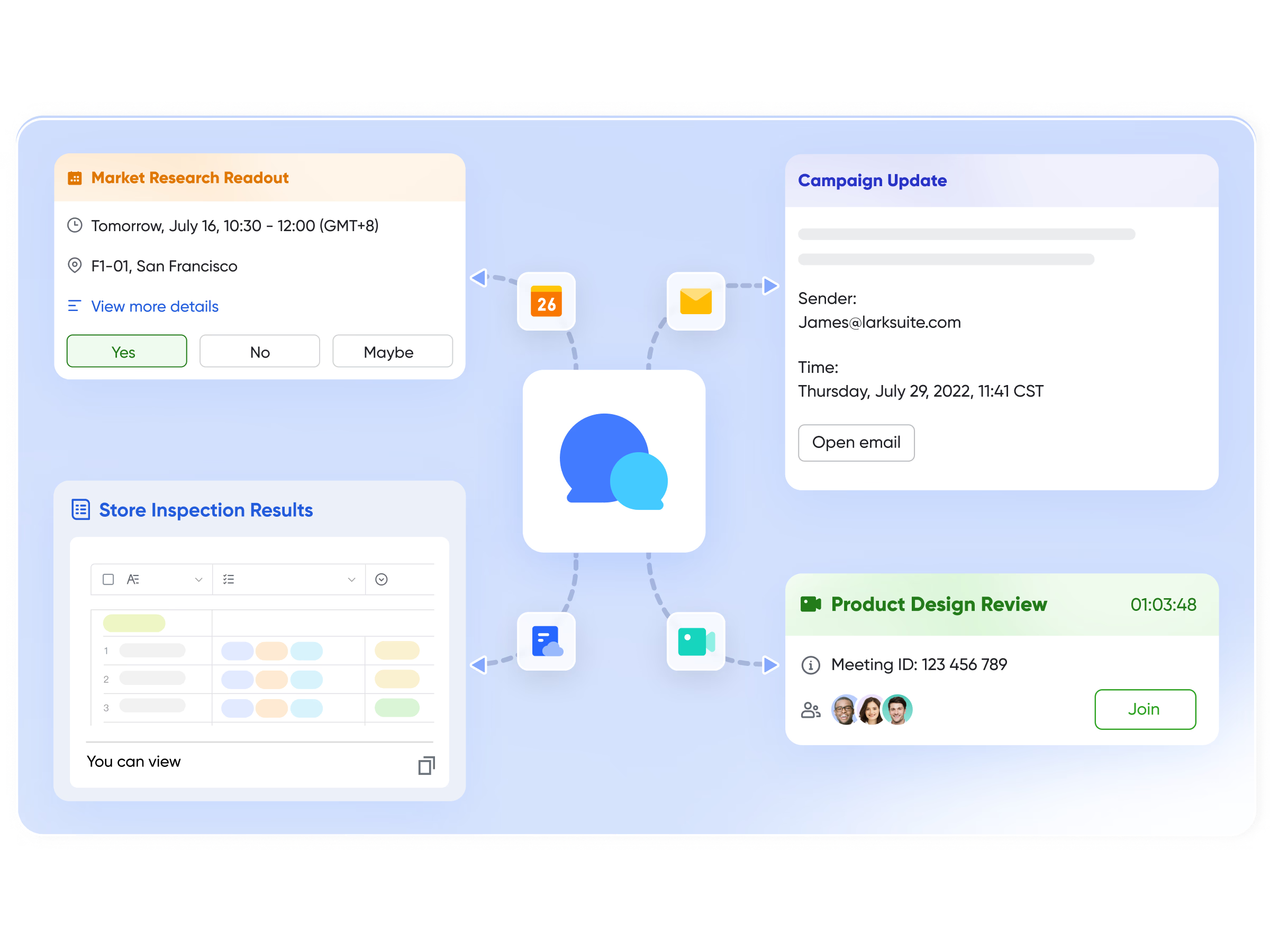
Lark Messenger brings collaboration right into your workflow by connecting communication and scheduling. Instead of switching between chat apps and project tools, you can discuss updates, share calendar invites, or attach tasks directly within chat threads. Messages can be pinned, converted into tasks, or linked to meeting events, ensuring context is never lost. The smart search and threaded conversations make it easy to track project discussions, decisions, and file sharing—all within the same interface. This collaboration eliminates fragmentation, keeping your team conversations tightly connected to the project's calendar and progress.
Lark Meetings: Schedule, join, and track meetings directly from the calendar
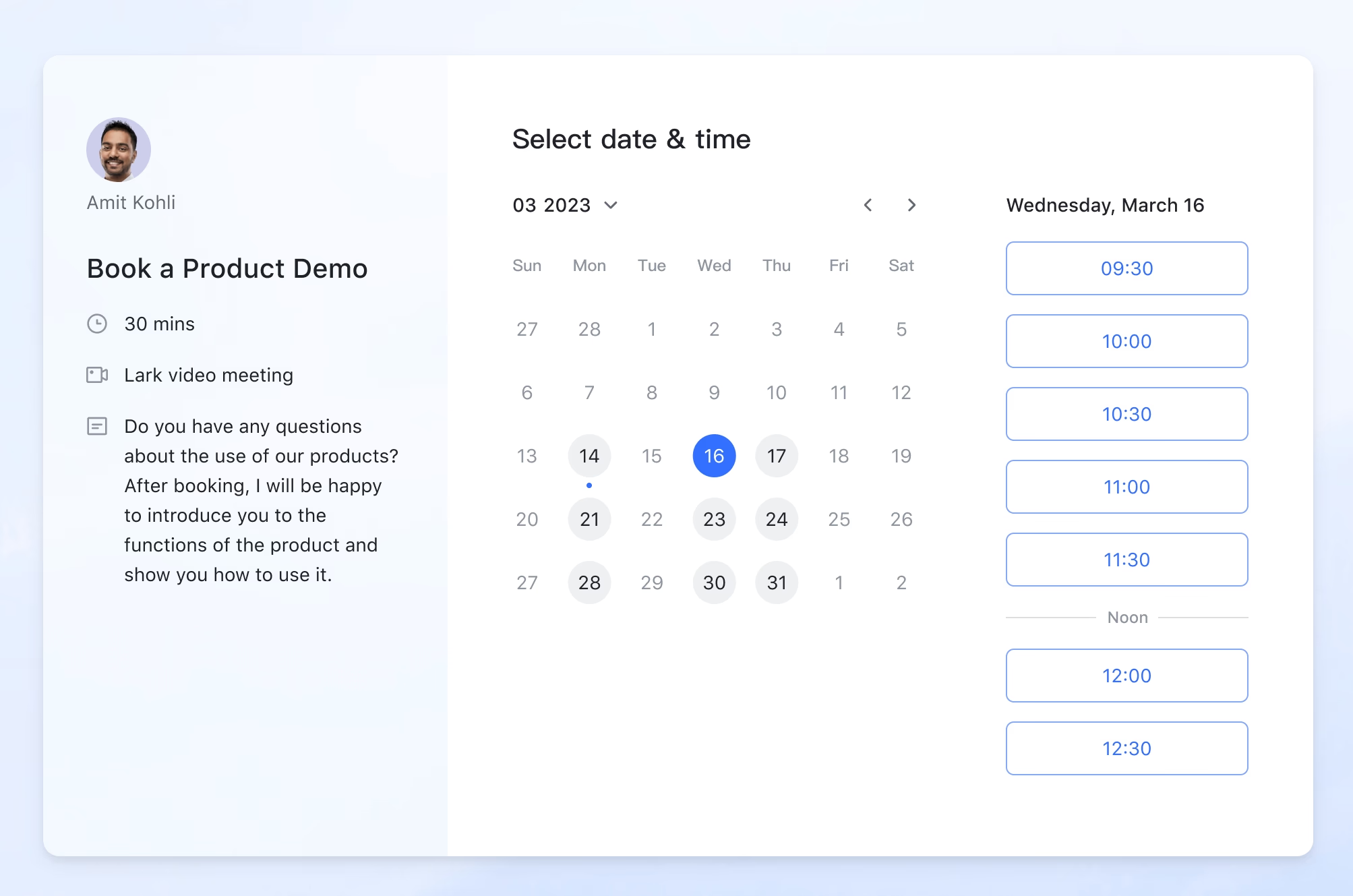
Lark Meetings transforms your calendar into a meeting command center. You can schedule, start, or join video calls directly from Lark Calendar without needing a separate conferencing app. Meeting invites automatically sync with attendees' calendars, complete with agendas and documents. The meeting interface supports live transcription, note-taking, and screen sharing, helping teams capture decisions and assign follow-up tasks immediately. Post-meeting, recordings and notes can be linked back to relevant tasks or events, maintaining a complete record of progress in one connected space.
Why Lark stands out: Unlike many project management tools that depend on multiple integrations to function cohesively, Lark delivers an entire collaboration ecosystem out of the box. Scheduling, communication, documentation, and task management are seamlessly intertwined, eliminating the inefficiency of switching between fragmented tools.
This unified environment helps teams make faster decisions, maintain visibility across all workflows, and ensure accountability at every level. For hybrid and global teams, Lark's synchronization and real-time updates mean everyone stays in sync—no matter where they work.
Best for:
- Cross-functional teams coordinating across departments and time zones.
- Startups and growing businesses looking for an all-in-one workspace that scales.
- Fast-moving organizations that value automation, transparency, and unified collaboration.
- Starter plan: Free forever plan that includes 11 powerful tools for up to 20 users. It also comes with 100GB of storage, 1000 automation runs, AI translations, and more.
- Pro plan: $12/user/month (billed annually) for up to 500 users. It includes everything in Starter plus group calling for up to 500 attendees, 15TB of storage, 50,000 automation runs, and more.
- Enterprise plan: Contact sales for custom pricing. Supports unlimited users and includes even more automation runs and advanced security, compliance, and management features.
2. Monday.com: Best for visual timelines and automation
Monday.com is a visual project management platform designed to help teams plan, track, and deliver work efficiently. Its colorful boards, timeline views, and automation tools make managing complex projects simple and transparent. With flexible layouts and real-time dashboards, teams can stay organized, monitor progress, and keep everyone aligned with goals.
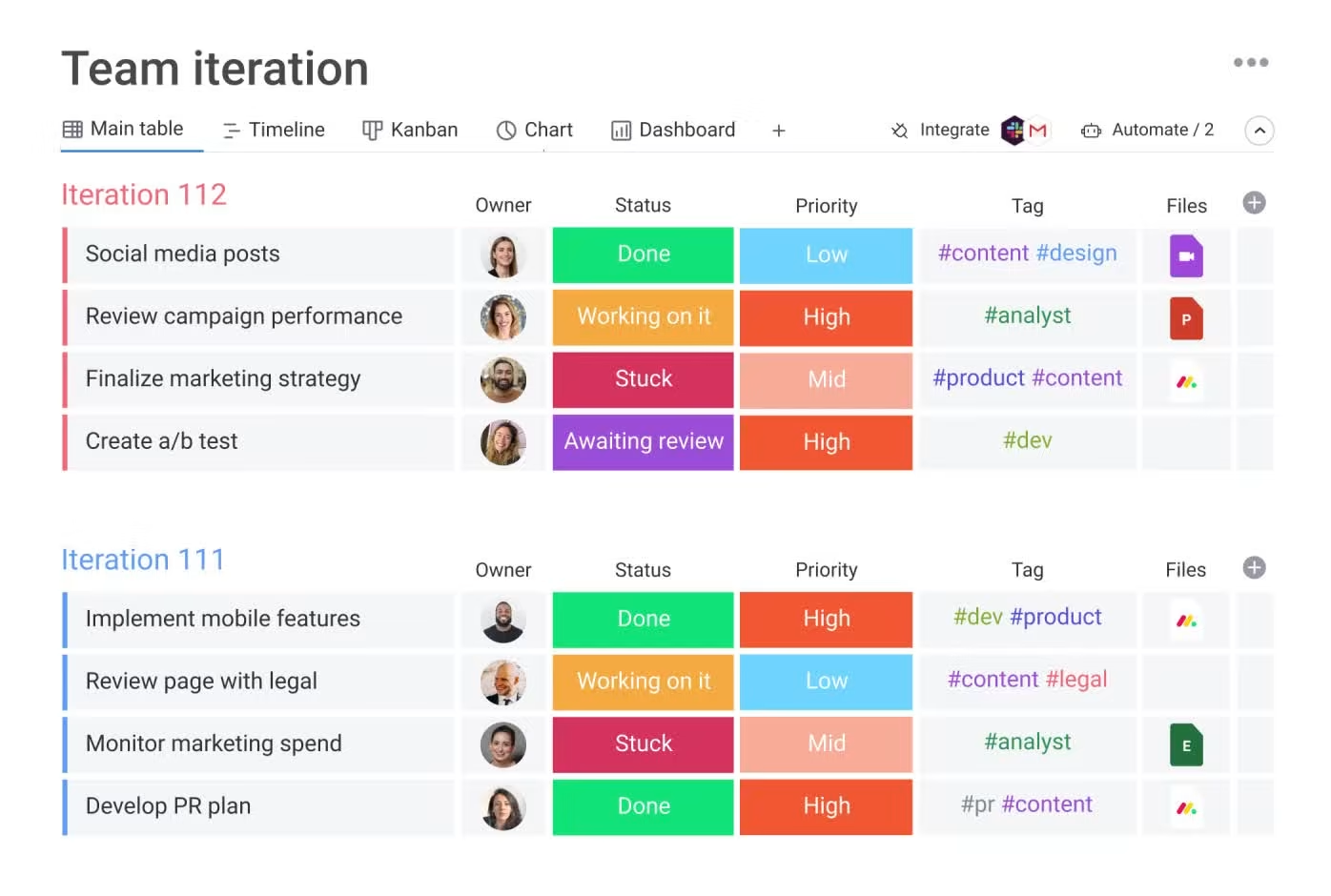
Image source: monday.com
Key features:
- Multiple views: Switch between timeline, Gantt, and calendar views to visualize work from different perspectives.
- Automation: Automate recurring tasks, reminders, and status updates to save time.
- Color-coded tracking: Quickly see project progress and task ownership at a glance.
- Integrations: Connect with Google Calendar, Outlook, Slack, and Zoom for seamless scheduling.
- Dashboards: Use real-time dashboards to monitor team workload and project status.
Why it stands out: Monday.com combines powerful workflow automation with a simple, visually engaging interface. It's easy to use yet robust enough to manage multiple projects across teams. The automation and dashboard features make it especially effective for tracking progress and keeping projects on schedule.
Best for:
- Teams that prefer visual, color-coded project tracking.
- Marketing, operations, and creative teams manage multiple campaigns or deliverables.
Pricing: Free plan for individuals; paid plans start at $9 per user per month, with advanced automation and dashboard features available in higher tiers. Enterprise pricing is available on request for larger teams.
3. ClickUp: Most customizable calendar tool
ClickUp is a highly flexible project management tool that adapts to any team's workflow. It combines task lists, boards, calendars, and timelines in one workspace, allowing teams to visualize projects exactly how they want. With deep customization options and automation features, ClickUp helps teams plan, track, and deliver projects efficiently while maintaining complete visibility across all tasks.
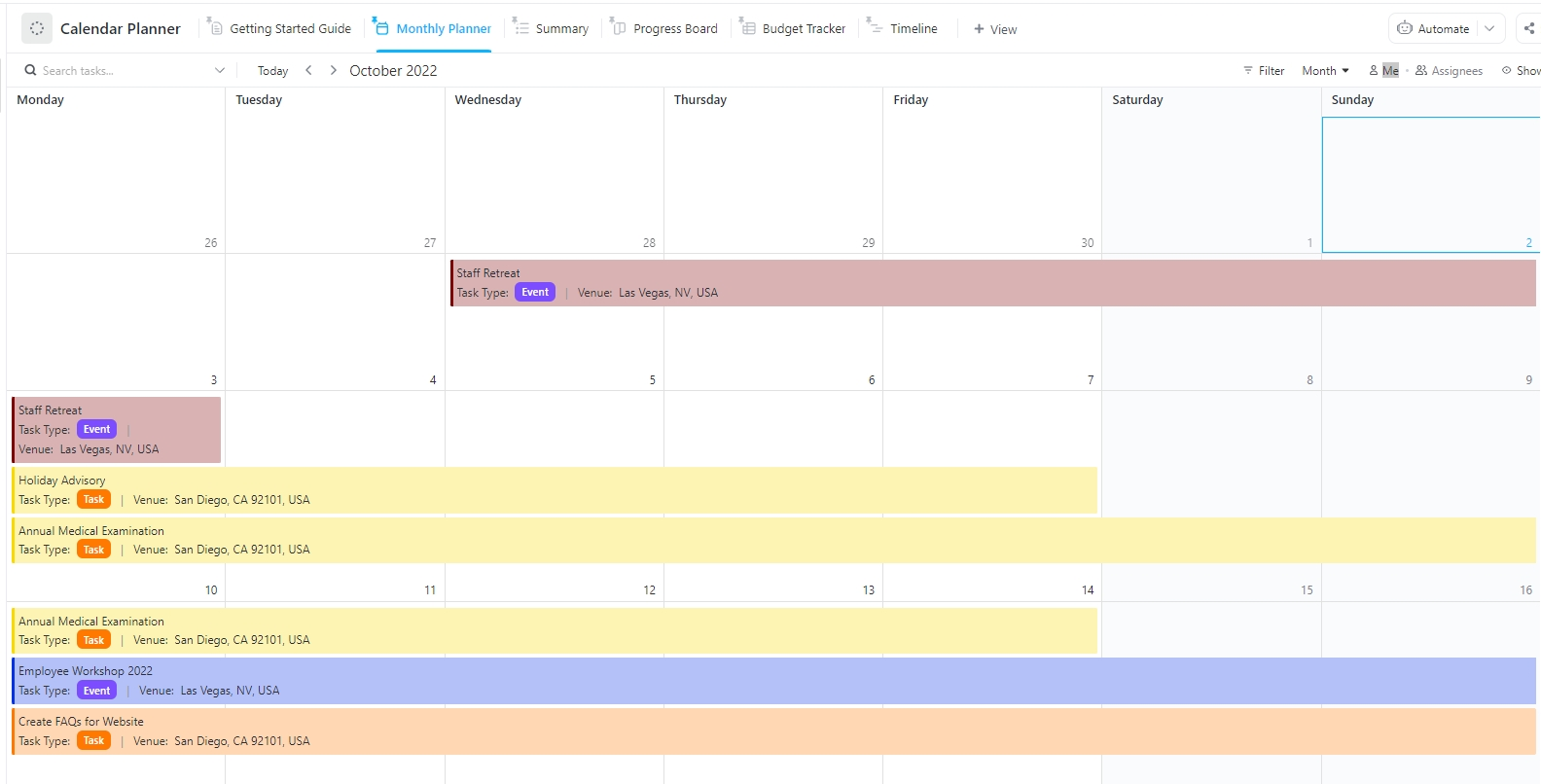
Image source: clickup.com
Key features:
- Customizable views: Choose from list, board, calendar, and Gantt views to organize work your way.
- Real-time calendar sync: Integrate with Google Calendar and Outlook for automatic updates and reminders.
- Task dependencies: Link related tasks to manage timelines and avoid scheduling conflicts.
- Automation: Automate routine actions like status changes, due dates, or recurring tasks.
- Collaboration tools: Comment, attach files, and tag teammates directly within tasks.
Why it stands out: ClickUp's strength lies in its adaptability. It allows teams to tailor their workspace for any workflow from agile sprints to long-term project planning. Its mix of calendar, list, and Gantt views ensures flexibility without sacrificing structure, making it one of the most versatile calendar tools for project management available today.
Best for:
- Teams that need deep customization and multiple view options.
- Remote and hybrid teams managing complex or multi-department projects.
Pricing: Free plan available with core features; paid plans start at $7 per user per month, with advanced automation and goal tracking in higher tiers.
4. Wrike: Great for enterprise project planning
Wrike is a powerful project management platform built for enterprise teams that manage complex projects across departments. It combines Gantt charts, shared calendars, and workload views to give managers complete visibility into project timelines, resource allocation, and team performance. Its flexibility and real-time tracking make it ideal for organizations handling multiple projects simultaneously.
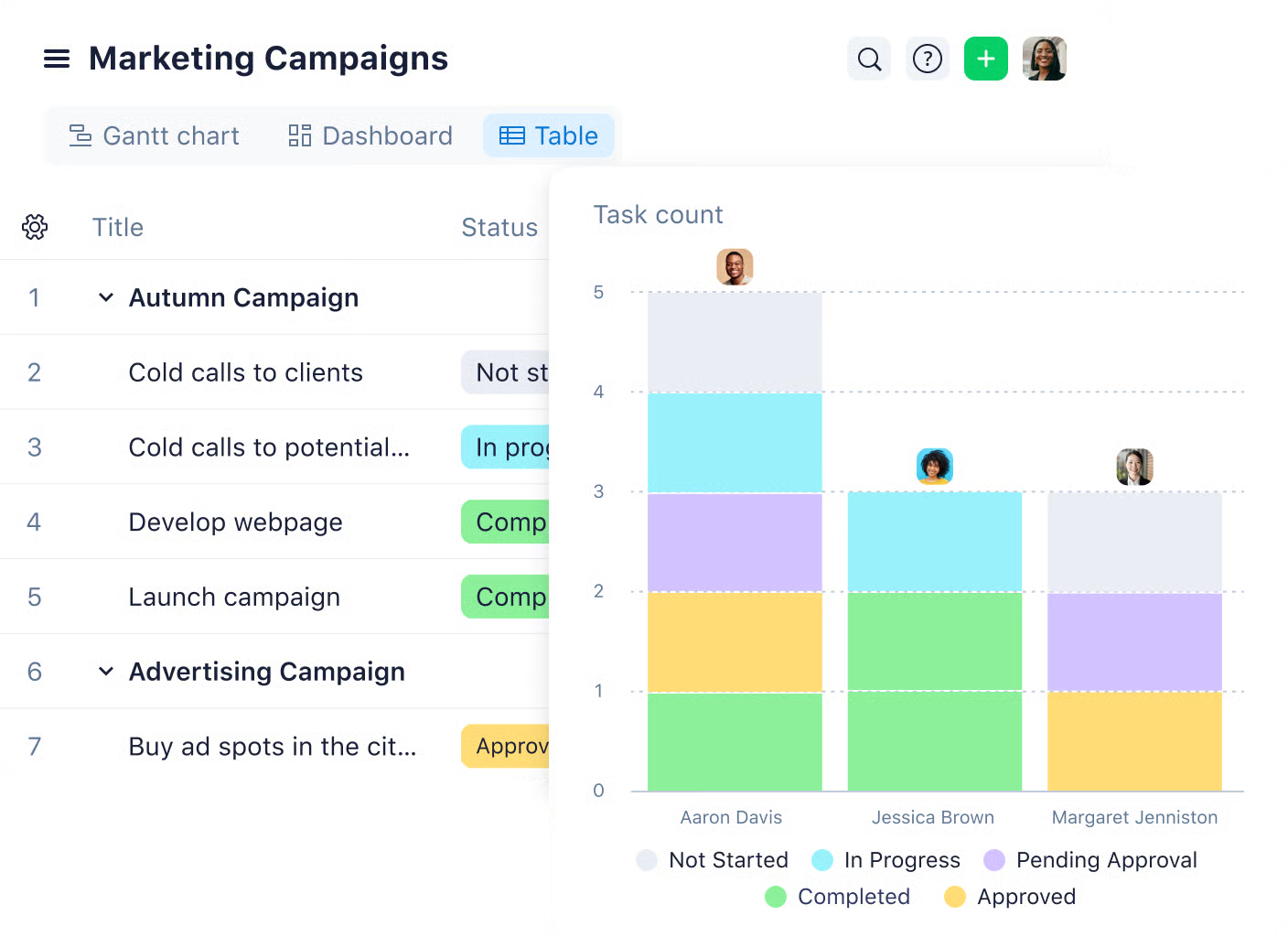
Image source: wrike.com
Key features:
- Shared project calendars: Create and manage calendars to coordinate deadlines across teams.
- Gantt chart integration: Plan dependencies and adjust timelines visually with drag-and-drop simplicity.
- Resource management: Track team workloads and redistribute tasks to prevent burnout.
- Custom dashboards: Monitor progress and KPIs in real time for better decision-making.
- Automation and integrations: Streamline approvals and connect with tools like Google Drive, Slack, and Outlook.
Why it stands out: Wrike stands out for its scalability and control. It's built for large teams that require detailed oversight, offering deep visibility into every phase of a project. The combination of calendars, Gantt charts, and workload management helps managers plan, execute, and optimize resources effectively.
Best for:
- Enterprises and PMOs managing multiple large-scale projects.
- Cross-departmental teams needing centralized visibility and reporting.
Pricing: Free plan available for small teams; paid plans start at $9.80 per user per month, with enterprise features such as advanced automation, analytics, and custom permissions in higher tiers.
5. Asana: Great for task scheduling and cross-team visibility
Asana is one of the most popular project management tools for organizing tasks, timelines, and deadlines in a clean and user-friendly interface. It helps teams break projects into actionable steps, visualize progress, and stay aligned on priorities. With its built-in calendar and timeline views, Asana makes it simple to manage work schedules and ensure everyone stays on track.
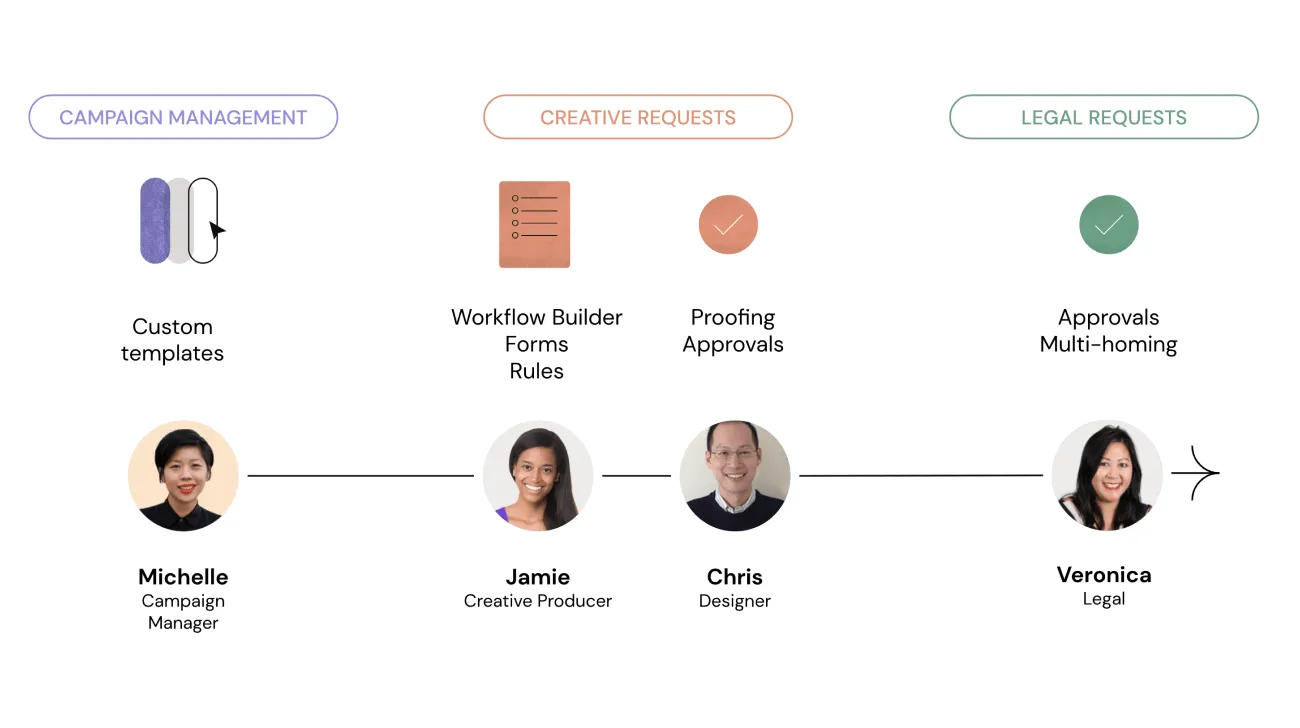
Image source: asana.com
Key features:
- Task and timeline management: Create tasks, assign owners, and view progress in calendar or timeline mode.
- Workflow automation: Set up recurring reminders, task rules, and automated status updates.
- Collaboration tools: Add comments, attach files, and tag teammates directly within tasks.
- Integrations: Sync with Google Calendar, Slack, Outlook, and Microsoft Teams for real-time coordination.
- Reporting and workload tracking: Use dashboards to track productivity, workloads, and deadlines.
Why it stands out: Asana stands out for its intuitive design and balanced functionality. It's simple enough for beginners yet powerful enough for large teams managing multiple workflows. Its shared calendar and automation features help teams stay connected, reduce manual tracking, and maintain project momentum.
Best for:
- Teams seeking a clean, easy-to-use interface for daily task and project tracking.
- Organizations managing multi-department or cross-functional projects.
Pricing: Free plan available for individuals and small teams. Paid plans start at $10.99 per user per month, offering timeline views, advanced reporting, and automation tools.
6. Smartsheet: Best for spreadsheet lovers
Smartsheet combines the familiarity of spreadsheets with the power of modern project management. It's designed for teams that prefer data-driven planning but need real-time collaboration, automation, and visualization. With its flexible grid, Gantt, and calendar views, Smartsheet helps teams manage complex schedules, resources, and dependencies all in one platform.
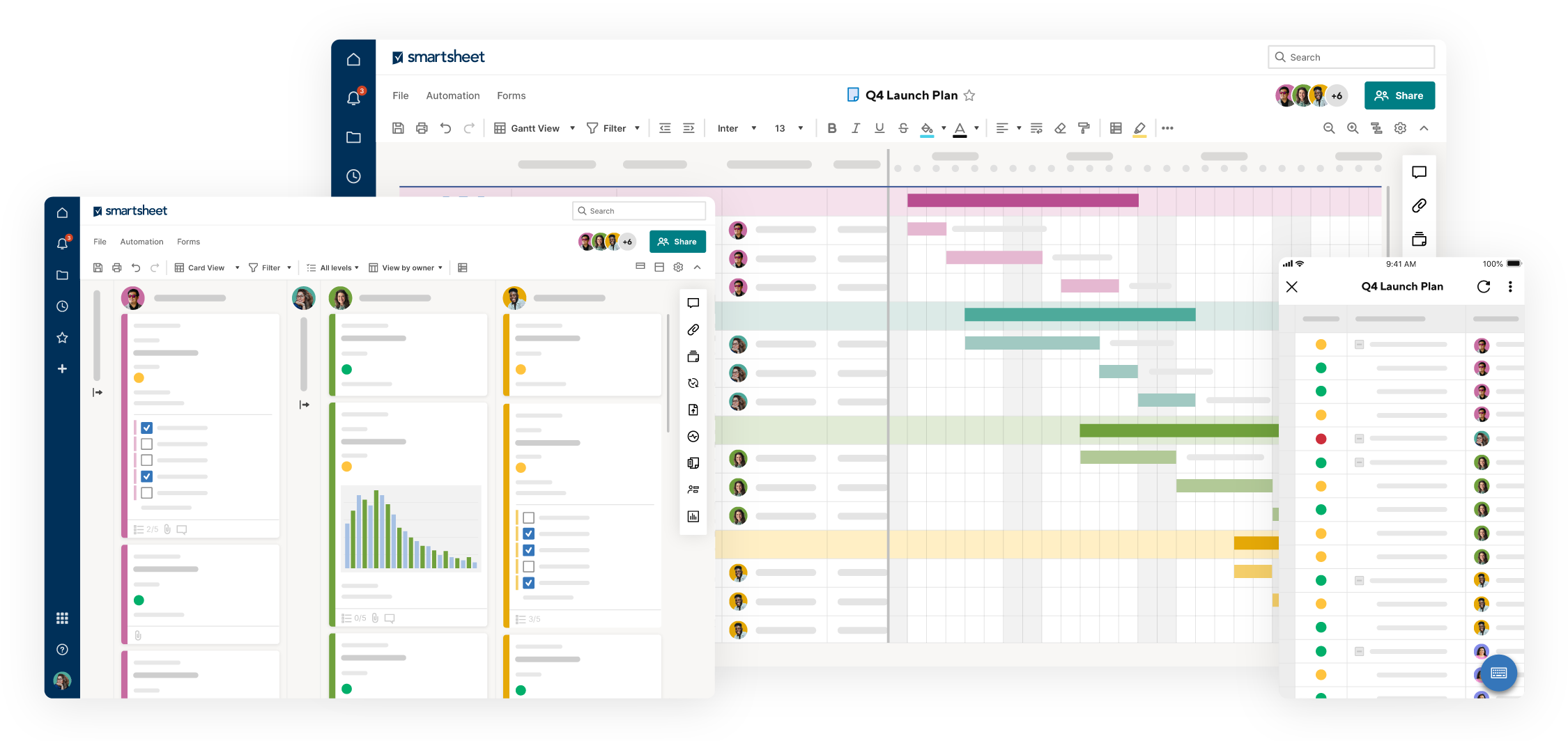
Image source: smartsheet.com
Key features:
- Multiple views: Switch between spreadsheet, Gantt chart, and calendar views to plan and track projects from different angles.
- Automation: Automate approvals, reminders, and status updates to save time and reduce manual work.
- Resource management: Track workloads, budgets, and team capacity to optimize performance.
- Integrations: Connect with Microsoft 365, Google Workspace, Slack, and Jira for seamless collaboration.
- Reporting dashboards: Create real-time dashboards to visualize KPIs and project health instantly.
Why it stands out: Smartsheet stands out for blending the structure of spreadsheets with dynamic project tracking features. It's ideal for teams that rely on data analysis and need to translate complex plans into visual timelines. The built-in automation tools make managing multiple projects more efficient while maintaining visibility across all departments.
Best for:
- Data-driven teams that prefer spreadsheet-style interfaces for project scheduling.
- Organizations manage large projects requiring budget, resource, and timeline control.
Pricing: Free trial available. Paid plans start at $7 per user per month, with enterprise-level automation, reporting, and resource management in higher tiers.
7. Trello: Best for simple project calendars
Trello is a lightweight, easy-to-use project management tool built around visual boards, lists, and cards. It helps teams organize tasks, track progress, and collaborate in real time without unnecessary complexity. With its calendar power-up and timeline view, Trello makes it easy to visualize deadlines and manage project schedules with drag-and-drop simplicity.
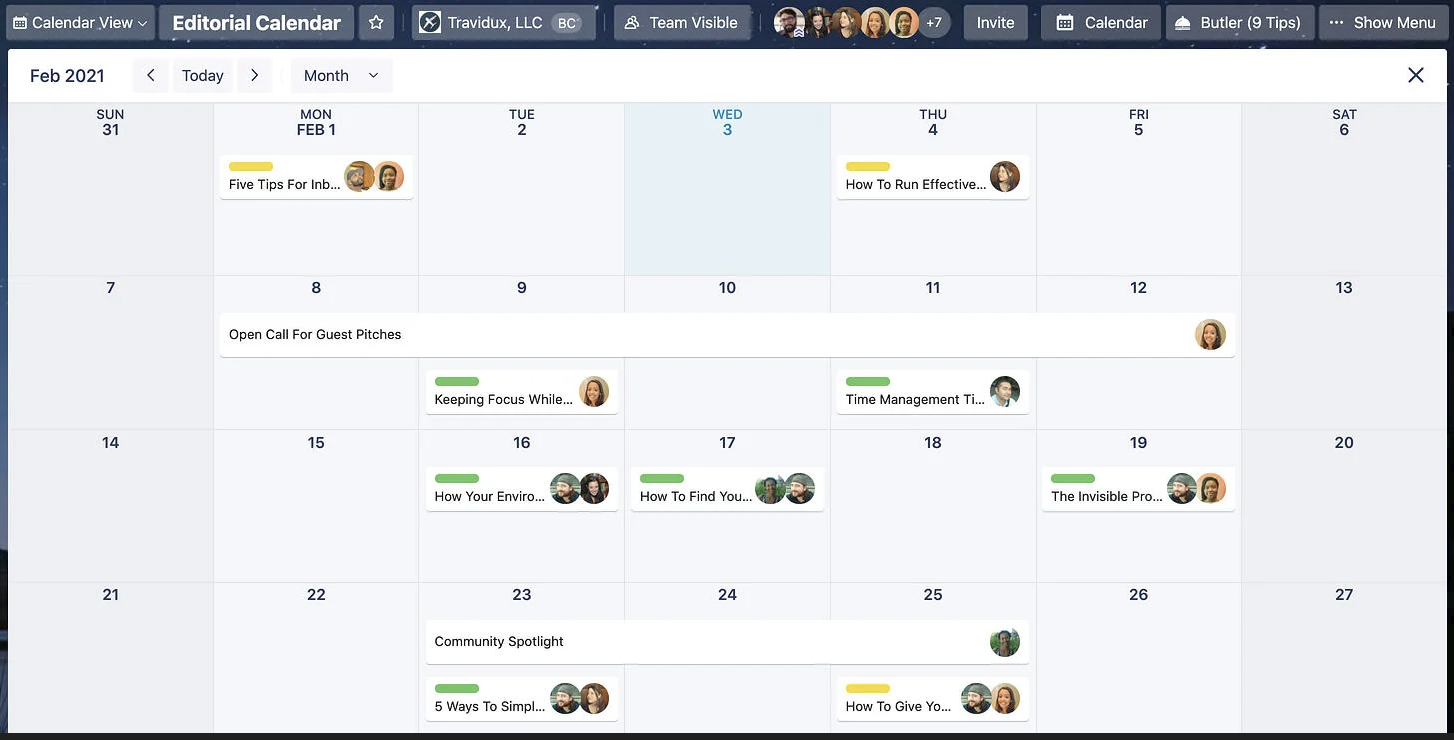
Image source: trello.com
Key features:
- Kanban boards: Manage tasks visually using customizable boards, lists, and cards for each stage of a project.
- Calendar power-up: Add deadlines and due dates to your board for an instant visual timeline.
- Automation (Butler): Automate recurring actions like moving cards, sending reminders, or changing due dates.
- Collaboration tools: Comment, tag teammates, and attach files directly to cards for smoother communication.
- Integrations: Connect with Google Calendar, Slack, Jira, and other tools for unified workflows.
Why it stands out: Trello stands out for its simplicity and visual appeal. It's perfect for smaller teams or individuals who want to manage projects quickly without advanced configurations. The calendar power-up adds an extra layer of visibility, helping teams stay on top of tasks and deadlines in a clean, intuitive layout.
Best for:
- Small teams and startups looking for an easy-to-use project scheduling tool.
- Creative teams managing content calendars, events, or simple workflows.
Pricing: Free plan available with unlimited cards and up to 10 boards. Paid plans start at $5 per user per month, offering advanced views, automation, and workspace features.
8. Teamwork: Best for agencies and client projects
Teamwork is a project management platform designed specifically for agencies and client-focused businesses. It helps teams plan projects, manage client communication, and track time and budgets—all in one place. Its built-in calendar view provides clear visibility into project timelines, ensuring that deadlines, meetings, and deliverables stay perfectly aligned across teams and clients.
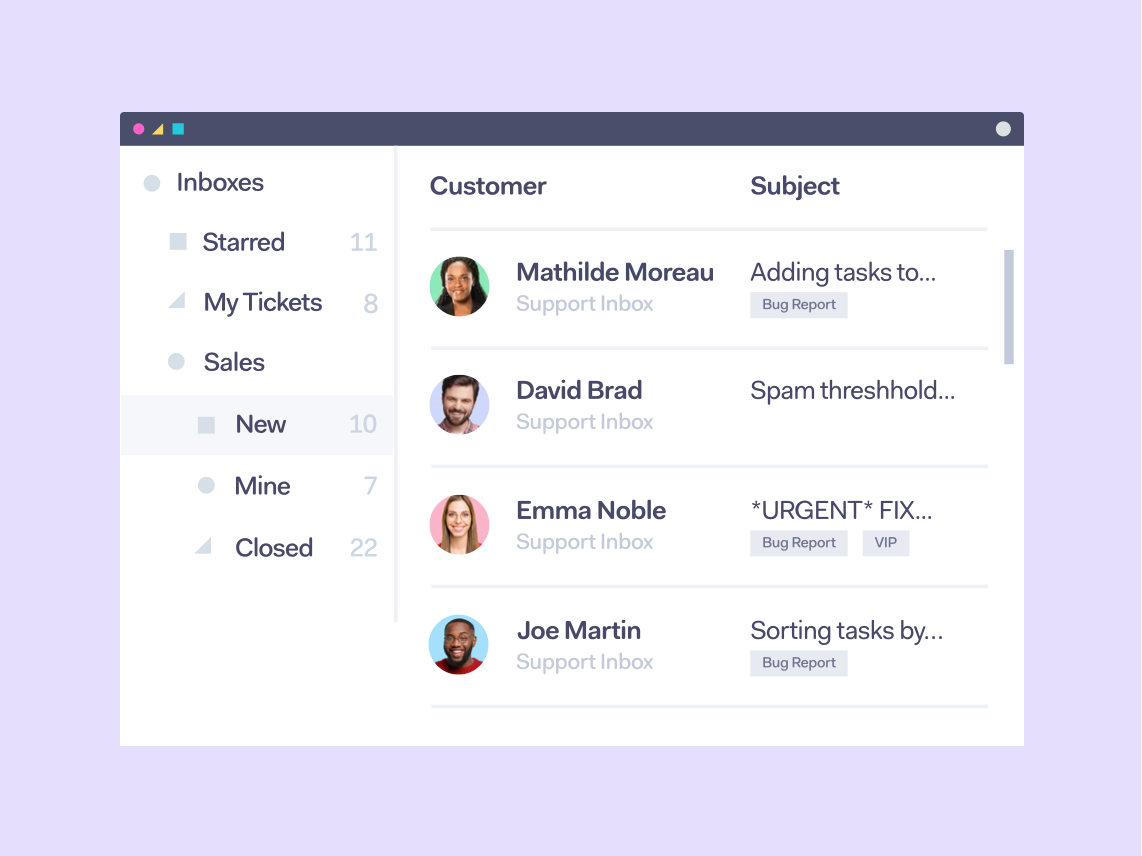
Image source: teamwork.com
Key features:
- Project and task calendars: Visualize project timelines, milestones, and deadlines in a shared calendar view.
- Time tracking: Log billable hours directly within tasks and generate accurate client reports.
- Resource planning: Manage team workloads and allocate resources efficiently to prevent overbooking.
- Client collaboration: Give clients controlled access to project progress and reports in real time.
- Automation and templates: Use project templates and task automation to streamline recurring client work.
Why it stands out: Teamwork stands out for its client-centric approach. It combines powerful project management tools with time tracking, billing, and reporting—features often missing from general PM software. The platform is ideal for agencies that manage multiple clients, ensuring transparency, accountability, and on-time delivery for every project.
Best for:
- Agencies and consultancies manage multiple client projects simultaneously.
- Service-based teams need integrated time tracking and invoicing tools.
Pricing: Free plan available for small teams. Paid plans start at $8 per user per month, with advanced time tracking, workload, and client management tools included in higher tiers.
9. Notion: Best for flexible project + calendar collaboration
Notion is an all-in-one workspace that combines notes, databases, calendars, and task management into a single flexible platform. It's designed for teams that value customization and want to build their own project management system. With timeline, board, and calendar views, Notion makes it easy to visualize projects, track progress, and manage deadlines in a collaborative environment.
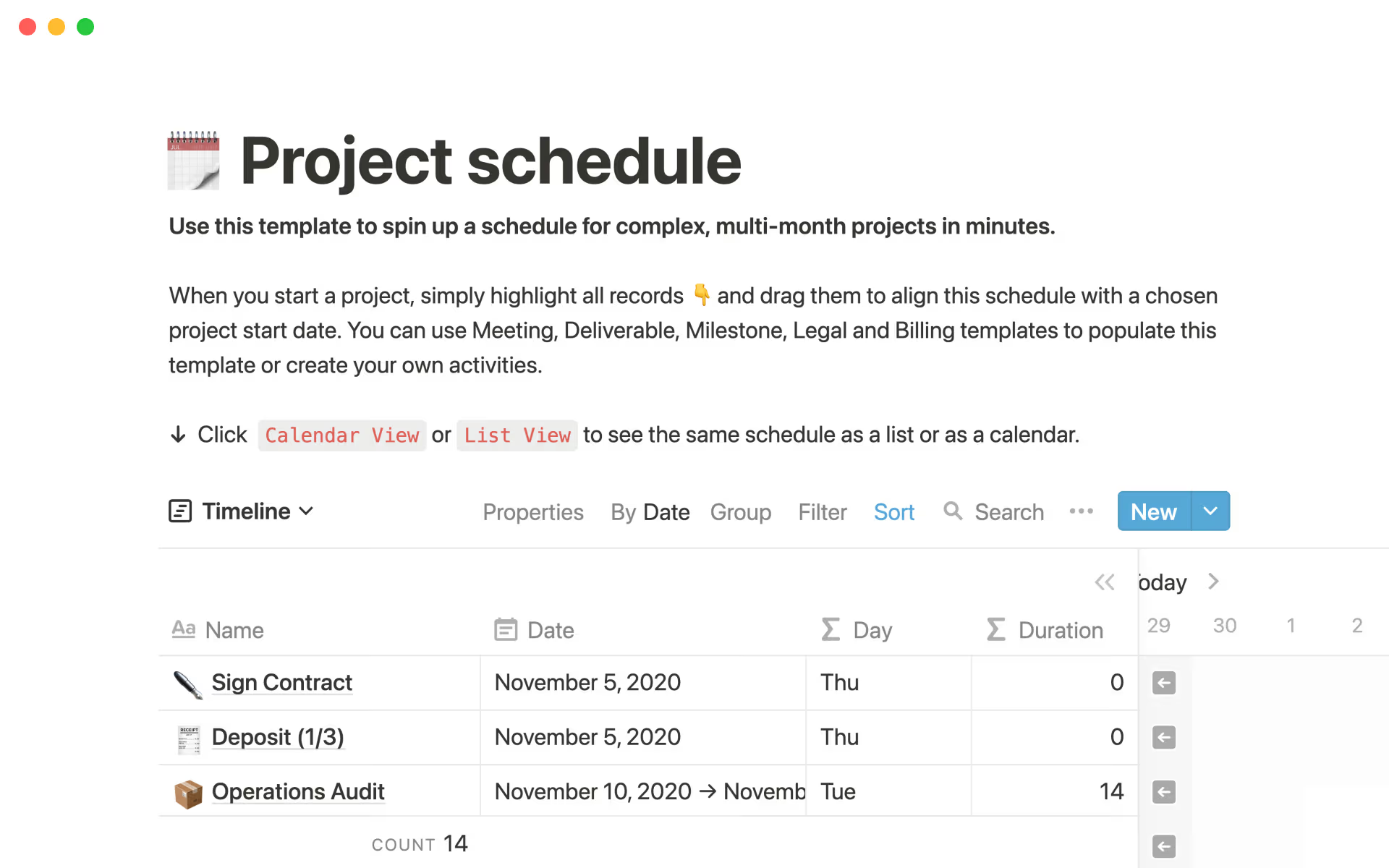
Image source: notion.com
Key features:
- Customizable databases: Create project databases to track tasks, milestones, and deliverables in one place.
- Calendar and timeline views: Visualize schedules and deadlines directly from your task database for a clear project overview.
- Templates: Use pre-built project templates for content planning, sprints, and product roadmaps.
- Collaboration tools: Comment, mention teammates, and share pages to keep everyone aligned.
- Integrations: Sync with Google Calendar, Slack, and other tools for unified project visibility.
Why it stands out: Notion stands out for its flexibility and modular structure. Teams can design project calendars and dashboards that fit their exact workflows—whether that's for product development, marketing campaigns, or creative planning. It merges documentation and scheduling seamlessly, allowing teams to manage both ideas and execution in one connected space.
Best for:
- Teams looking for a customizable, all-in-one workspace for planning and tracking projects.
- Small to mid-sized organizations that need both collaboration and knowledge management.
Pricing: Free plan available for individuals and small teams. Paid plans start at $10 per user per month, offering unlimited pages, advanced collaboration, and integrations.
10. Microsoft Project: Best for traditional and complex projects
Microsoft Project is one of the most established tools in project management, built for structured planning, resource allocation, and large-scale scheduling. It provides comprehensive control over timelines, budgets, and dependencies, making it ideal for organizations that manage complex or multi-phase projects. With its combination of Gantt charts, calendars, and workload views, Microsoft Project helps managers plan, monitor, and deliver projects with precision.
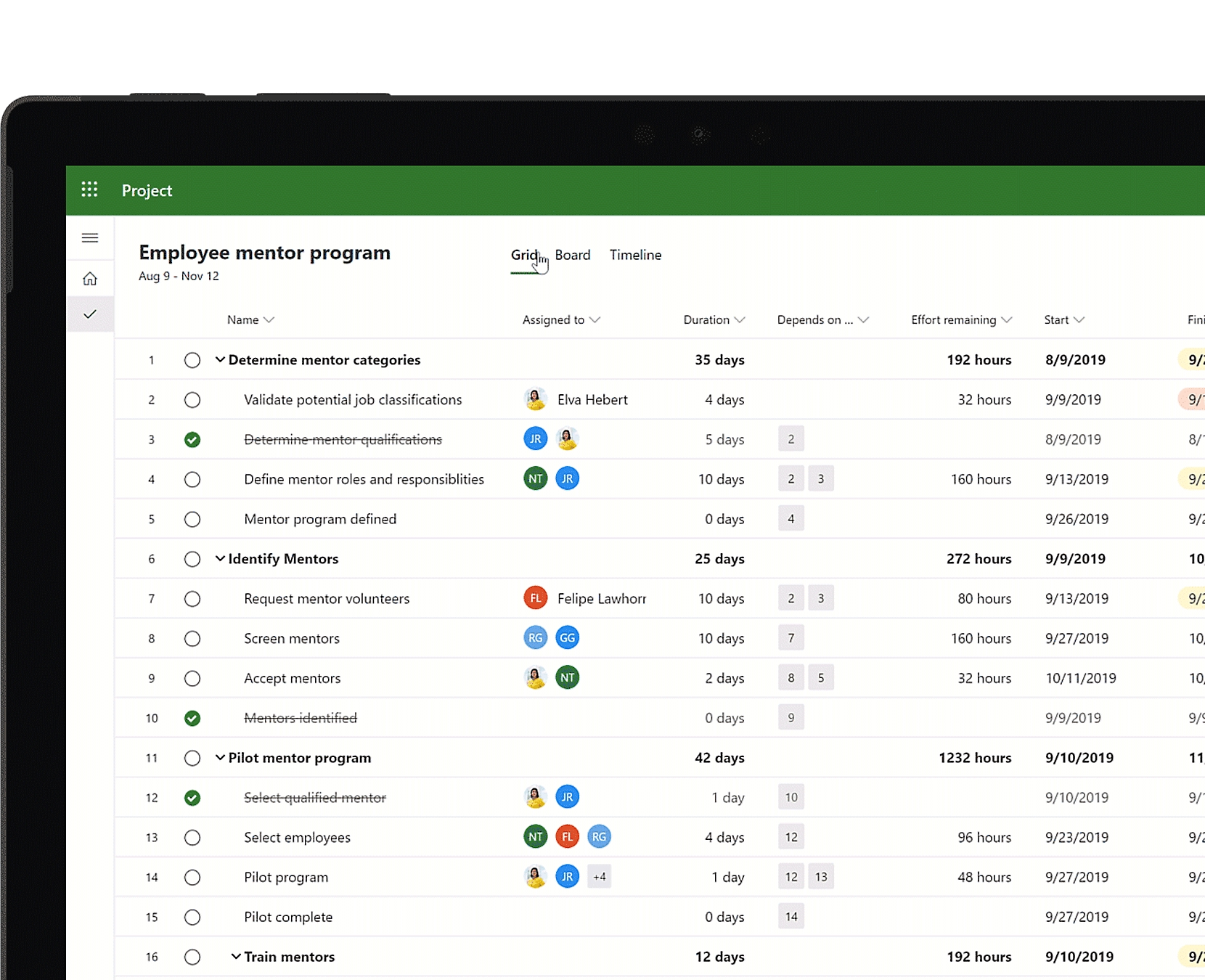
Image source: microsoft.com
Key features:
- Detailed scheduling: Create precise project timelines using Gantt charts, calendars, and task dependencies.
- Resource management: Allocate and balance workloads effectively across multiple teams or departments.
- Budget tracking: Monitor costs, forecasts, and performance metrics in real time.
- Integrations: Works seamlessly with Microsoft 365 apps such as Teams, Excel, and Power BI.
- Reporting and analytics: Generate visual reports on timelines, resources, and project performance.
Why it stands out: Microsoft Project stands out for its depth and reliability. It's built for organizations that need complete control over scheduling, budgeting, and resource planning. While its interface may feel more traditional compared to newer tools, its advanced capabilities make it indispensable for enterprise-level project management.
Best for:
- Large organizations managing multiple, interdependent projects.
- Project managers who need detailed control over budgets, resources, and schedules.
Pricing: Paid plans start at $10 per user per month for cloud-based access, with advanced enterprise options available for on-premise and large-scale deployments.
Bonus guide: Build up your project calendar in Lark
A well-built project calendar in Lark turns planning into a shared, real-time roadmap. It keeps everyone aligned on milestones, deadlines, and meetings—reducing confusion and keeping projects on schedule.
Step 1: Go to Calendar in Lark
- Open Lark and choose the workspace for your project.
- Click the Calendar icon in the sidebar (desktop) or tap the calendar icon in the upper-right corner (mobile).
- Confirm the time zone to keep all events accurate.
- If you manage multiple projects, check that you're in the correct workspace.
Pro tips:
- Set the calendar's default time zone to your team's base location.
- Create separate calendars for each project or department to avoid overlap.
Step 2: Add a new calendar
- Click Create Event (desktop) or tap the Calendar icon → New calendar (mobile).
- Name it clearly (for example: Website Redesign – Q1 2025).
- Add a color and a short description so team members understand its purpose.
Pro tips:
- Use naming conventions like Project – Phase – Year.
- Assign distinct colors for high-priority projects.
Step 3: Set basic info, permissions, and shared people
- Define visibility (private, team, or organization-wide).
- Add members or groups and assign permission levels—owner, editor, or viewer.
- Configure reminders and default notifications for upcoming milestones.
Pro tips:
- Add groups instead of individuals to simplify team updates.
- Set at least two reminders (24 hours and 1 hour before key events).
- Appoint one or two "calendar maintainers" for version control.
Step 4: Mark key project dates and milestones
- Add events for major milestones (kickoff, deliverables, reviews, launch).
- Use all-day events for milestones and timed events for tasks or meetings.
- Link related Lark Tasks, Docs, or Base items for quick reference.
Pro tips:
- Apply color coding or status tags (on track, delayed, blocked).
- Add dependency notes or attach relevant documents.
- Restrict milestone edits to calendar owners to preserve accuracy.
Step 5: Schedule regular meetings for coordination
- Create recurring events for daily stand-ups, weekly reviews, or sprint planning.
- Add meeting agendas and attach notes or slides.
- Assign follow-ups directly from meeting records using Lark Tasks.
Pro tips:
- Leave a 10–15 minute buffer between back-to-back meetings.
- Use Lark's built-in meeting features for recording and note-taking.
- Link post-meeting actions back to the calendar to maintain accountability.
Warm reminder:
- Review and update the calendar weekly or biweekly.
- Keep it as the single source of truth for project timelines.
- Use timeline or month views to spot conflicts early.
- Sync with external calendars (Google, Outlook) for unified scheduling.
Building a project calendar in Lark creates a single, organized space where scheduling, collaboration, and accountability come together. By setting clear milestones, automating updates, and centralizing communication, teams can manage projects with clarity and confidence. Once your calendar is in place, the next step is integrating multiple calendars across projects to ensure complete visibility and coordination.
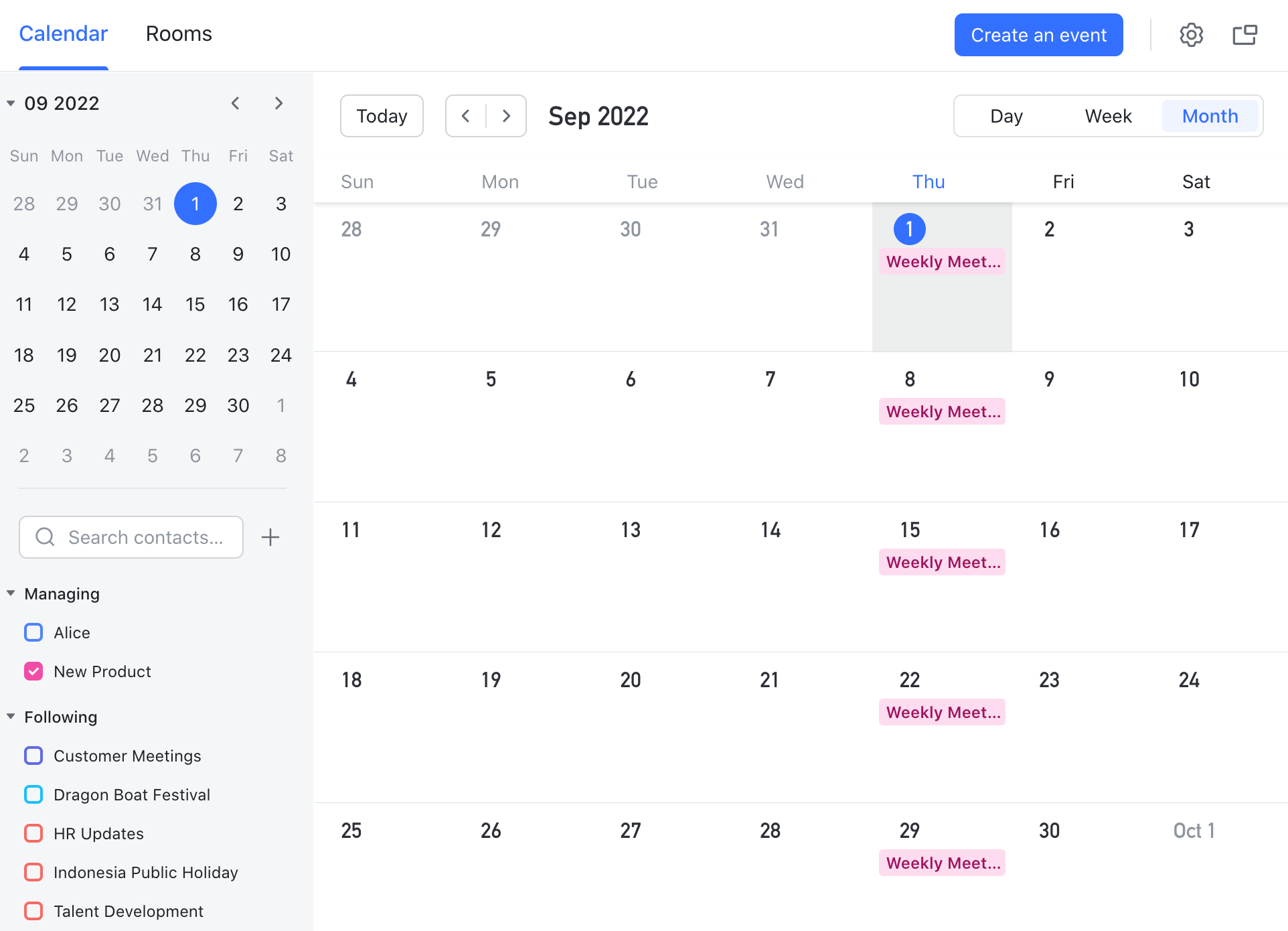
Integrating multiple calendars across projects
As teams grow and projects multiply, maintaining a single view of timelines becomes critical. Lark simplifies this by allowing you to manage multiple project calendars within one unified workspace. Use shared team calendars to track overlapping schedules and ensure dependencies across departments remain clear. Color-code projects to differentiate clients, phases, or priority levels at a glance. Lark supports two-way sync with Google Calendar and Outlook (Exchange Calendar), which helps events stay updated across platforms.
For resource management, use workload and availability views to identify overbooked team members or underutilized resources. This real-time visibility across calendars keeps your entire organization coordinated, even when projects overlap.
Conclusion
A calendar for project management is more than a visual schedule—it's a powerful visibility and collaboration tool. It helps teams connect timelines, responsibilities, and progress across every project in one shared view. When combined with communication and documentation tools, it becomes the foundation for efficient, transparent teamwork. Lark leads this transformation by bringing together tasks, meetings, and project calendars in a single connected workspace. Its synchronization, automation, and collaboration features eliminate silos and make managing multiple projects effortless.
Choosing the right calendar tool for project management depends on your team's size, workflow, and integration needs, but for organizations seeking clarity and unity, Lark delivers the complete solution.
FAQs
What is a project management calendar?
A project management calendar is a shared planning tool that visually maps out tasks, milestones, and deadlines. It helps teams organize timelines, manage dependencies, and track progress across multiple projects. By centralizing schedules, it keeps everyone aligned and aware of key deliverables, improving accountability and on-time execution.
Why should teams use a calendar for project management?
Using a calendar for project management enhances transparency, collaboration, and efficiency. It gives every team member visibility into deadlines and responsibilities while preventing scheduling conflicts. Teams can easily adjust plans as priorities shift, ensuring smoother coordination and timely delivery of results.
What are the best calendar tools for project management?
The best calendar tools for project management include Lark, Monday.com, ClickUp, Wrike, Asana, Smartsheet, Trello, Teamwork, Notion, and Microsoft Project. These platforms combine scheduling, task tracking, and collaboration to give teams unified visibility across all projects.
Can I use Google Calendar for project management?
Yes, Google Calendar can support simple project scheduling by allowing shared events, reminders, and recurring deadlines. However, it lacks advanced project management features like dependencies, automation, and reporting. For complex projects, tools like Lark or Wrike offer better control and integration options.
How do I choose the best calendar for project management?
The best calendar depends on your project complexity, team size, and workflow. Look for tools that offer shared visibility, task integration, and automation. If your team values unified communication and scheduling, an all-in-one platform like Lark ensures everything stays connected and up to date.
Related reading
Table of contents
Start using Lark today

Manage all your work in one place
Boost team efficiency by 10x
Save up to 70% on software costs
Table of contents
Start using Lark today
Manage all your work in one place
Boost team efficiency by 10x
Save up to 70% on software costs
Keep reading







2026 Lark Technologies Pte. Ltd.
Headquartered in Singapore with offices worldwide.






Explore: