








Top 16 Cloud-Based Accounting Tools To Use In 2026

Ryan Tanner

Product Marketing Specialist

Sep 18, 2026

Ryan Tanner

Product Marketing Specialist

Sep 18, 2026

Try Lark for free
12 min read
Cloud accounting software has become essential for businesses managing finances in distributed and digital-first environments. It allows teams to handle invoicing, expenses, payroll, and reporting in real time while reducing reliance on local systems. ​
In 2026, cloud-based accounting software supports more than bookkeeping by enabling automation, collaboration, and scalability. Accounting software in the cloud improves accuracy, accessibility, and compliance, making it a preferred choice for organizations seeking efficient and flexible financial management.​
​

Key takeaways: 5 best cloud accounting software

​
​
Below are the top five tools selected for accounting firms based on usability, scalability, and client management features. These picks represent the strongest options, while a detailed review of additional platforms is provided later in this guide.​
1. Lark: Best for team collaboration and workflow management​
2. QuickBooks Online: Best for small business accounting needs​
3. Xero: Best for growing accounting firms and scalability​
4. FreshBooks: Best for freelancers and service-based businesses​
5. Zoho Books: Best for SMEs and automation features​
​

Snapshot: Best 5 cloud accounting software

​
​
This table breaks down the core differences between the five shortlisted platforms, focusing on scalability, support, and pricing. It's designed to help you quickly compare options before exploring each tool's in-depth review further down the page.​
​
Tool​
Best for​
Scalability​
Support quality​
Pricing (USD/annual)​
Lark​
Finance collaboration & workflow management​
High​
Email, help center, live chat​
Free plan available; paid from $6/user/month​
QuickBooks Online​
Small businesses​
Medium to high​
Phone, chat, community​
Free trial available (30 days); paid from $19/month​
Xero​
Growing companies​
High​
24/7 online support​
Free trial available (30 days); paid from $5.80/month​
FreshBooks​
Freelancers & agencies​
Medium​
Email, chat​
Paid from $8.40/month​
Zoho Books​
SMEs​
High​
Live chat, email, phone​
Free plan available; paid from $15/price/org/month ​
​
​

See how the top choice streamlines accounting flows

​
​
Information source: Official vendor sites​
Update time: 2026-01-22​
Note: Pricing and plan details reflect publicly available data as of the update date and may vary based on region, billing cycle, and number of agents.​
​

What is cloud accounting software?

​
​
Cloud accounting software refers to accounting applications that run entirely online rather than on local devices. Financial data is stored securely in the cloud and accessed through web browsers or mobile apps. This allows real-time updates and collaboration across teams.​
Unlike non-cloud-based accounting software, cloud accounting software receives automatic updates and backups from the provider. It reduces reliance on internal IT infrastructure while improving accessibility. For many organizations, cloud-based accounting has become the default accounting model.​
​

Cloud accounting software vs non-cloud-based accounting software

​
​
This section highlights the key differences between cloud and non-cloud accounting software in terms of accessibility, cost, scalability, and maintenance. Understanding these differences helps businesses choose the right accounting approach based on flexibility, growth plans, and operational needs.​
​
Aspect​
Cloud accounting software​
Non-cloud-based accounting software​
Accessibility​
Access from anywhere with the internet​
Limited to installed devices​
Updates​
Automatic updates by the provider​
Manual software updates​
Data storage​
Stored securely online​
Stored locally on computers​
Setup​
Quick setup, no hardware needed​
Requires installation and setup​
Cost structure​
Subscription-based pricing​
One-time license fee​
Collaboration​
Multiple users can work in real time​
Limited multi-user access​
Scalability​
Easily scales as business grows​
Scaling requires new licenses​
Data backup​
Automatic backups​
Manual backups required​
Security​
Encrypted cloud security​
Depends on local system security​
Maintenance​
Managed by a software provider​
Handled by the internal IT team​
​
In a nutshell, cloud accounting software offers greater accessibility, automatic updates, and built-in scalability compared to non-cloud-based accounting software. It reduces infrastructure overhead while improving collaboration and data reliability. These advantages make accounting software in the cloud a practical choice for modern businesses.​
​

Compare leading cloud accounting software platforms

​
​
​

16 best cloud accounting software for businesses ​​

​
​
This section reviews the leading cloud accounting software platforms, highlighting tools that help businesses manage finances, automate workflows, and scale efficiently.​
​

1. Lark: Finance collaboration and accounting workflow management

​
​
Lark supports cloud accounting workflows by combining finance collaboration, automation, and reporting in one workspace. Instead of acting as a traditional ledger, it helps teams manage approvals, financial tracking, and real-time visibility alongside daily operations.​
​Lark: Finance collaboration and accounting workflow management​​
Currency and formula fields ​
In cloud accounting, handling multiple currencies and automated calculations is essential. The currency field in Lark Base allows you to store financial data with specific symbols and decimal precision, while formula fields use functions like SUM, ROUND, and IF to automate tax calculations, margin analysis, and total balances. This ensures that your digital ledger updates instantly as new transaction records are added, reducing the risk of manual entry errors.​
​Lark Base table showing financial data using formula fields​​
Multi-level approval flows​
Lark provides a dedicated Approval app that is critical for financial combinations. You can design custom Approval Flows for expense reimbursements, procurement requests, or invoice payments. These flows can include conditional branches—for example, automatically routing any expense over $5,000 to the CFO for a secondary signature. Because approvals happen directly within Lark Messenger, financial bottlenecks are cleared faster than in traditional email-based systems.​
​Workflow diagram in the Lark Approval app​​
Metric blocks and pivot tables in dashboards​
To maintain a real-time view of financial health, Lark dashboards aggregate data from Base into visual reports. The metric block function is used to highlight "Key performance indicators" (KPIs) like Total Revenue or Net Profit at the top of a page. Meanwhile, the pivot table function allows finance teams to group data by category or time period, making it easy to generate monthly profit and loss (P&L) statements or track spending by department without exporting data to Excel.​
​Lark dashboard displaying in metric blocks​​
Automated "Send a message" actions​
Timely notifications are vital for accounts receivable and payable. Using Lark Base automations, you can set a trigger for "When a record matches certain conditions" (e.g., when an "Invoice Status" is "Overdue"). The system can then execute a send a message action to automatically nudge the assigned account manager in chat. This ensures that no payment deadline is missed and that the cash flow remains steady through proactive alerts.​
​Automation setup in Lark Base​​
Pros:​
  • Automates accounting workflows such as approvals and notifications​
  • Supports real-time financial dashboards and reporting​
  • Enables strong cross-team collaboration in one workspace​
  • Scales easily for growing finance teams​
Con:​
  • Initial setup may require guidance, with step-by-step resources available through the Lark Help Center​
  • Starter plan: Free forever plan that includes 11 powerful tools for up to 20 users. It also comes with 100GB of storage, 1000 automation runs, AI translations, and more.​
  • Basic plan: $6/user/month (billed annually) for up to 500 users. It includes everything in Starter plus group calling for up to 500 attendees, 5TB of storage, 1000 automation runs, and more. For more details, please contact sales.​
  • Pro plan: $12/user/month (billed annually) for up to 500 users. It includes everything in Basic plus group calling for up to 500 attendees, 15TB of storage, 50,000 automation runs, and more.​
  • Enterprise plan: Contact sales for custom pricing. Supports unlimited users and includes even more automation runs and advanced security, compliance, and management features.​
​
Starter
Pro
Enterprise

Starter

For small teams with simple communication needs

$0

/ user / month

Try for free

No credit card needed

20 users max
18 months message history
1-on-1 video meetings
100 GB storage
Lark Docs & Mail
1000 Base automation runs/month
2000 rows per table in Base

Pro

For companies with comprehensive collaboration and management needs

$12

/ user / month

Billed annually

500 users max
Unlimited message history
500-participant video meetings
15 TB storage
Lark Docs & Mail
50k Base automation runs/month
20k rows per table in Base

Enterprise

For large companies with advanced security and organizational management needs

Get a personalized demo and pricing

Unlimited users
Unlimited message history
500-participant video meetings
15 TB storage + 30 GB storage/user
Lark Docs & Mail
500k Base automation runs/month
50k Base automation runs/month
Single sign-on (SSO)

Pro

For companies with comprehensive collaboration and management needs

$12

/ user / month

Billed annually

500 users max
Unlimited message history
500-participant video meetings
15 TB storage
Lark Docs & Mail
50k Base automation runs/month
20k rows per table in Base
​
​
​

2. QuickBooks: Popular cloud accounting software for small businesses

​
​
QuickBooks Online is one of the most widely used cloud accounting software solutions for small businesses. It supports invoicing, expense tracking, payroll, and tax preparation in one platform. Many accountants recommend it for its familiarity and ecosystem. For ecommerce businesses and retailers, using QuickBooks alongside their sales channels can further streamline their finances with dedicated retail accounting software to automate transaction syncing across platforms.​
​Cloud accounting dashboard for small businesses​​
Image source: quickbooks.intuit.com​
Key features:​
  • Invoicing and billing​
  • Expense and receipt tracking​
  • Payroll integration​
  • Financial reporting​
Pros:​
  • Easy to use for beginners​
  • Large accountant network​
  • Strong third-party integrations​
  • Reliable reporting tools​
Cons:​
  • Pricing increases with features​
  • Limited workflow customization​
  • Collaboration can feel basic​
Pricing: ​
  • Free trial: 30 days​
  • Simple start plan: $19/month​
  • Essentials plan: $37.50/month​
  • Plus plan: $57.50/month​
  • Advanced plan: $137.50/month​
​

3. Xero: Scalable cloud accounting platform for growing companies

​
​
Xero is designed for businesses that expect steady growth and higher transaction volumes. It focuses on automation, real-time reporting, and scalability. Accounting firms often choose Xero for managing multiple clients.​
​Scalable cloud accounting software interface​​
Image source: xero.com​
Key features:​
  • Bank reconciliation​
  • Automated invoicing​
  • Multi-currency accounting​
  • App marketplace​
Pros:​
  • Strong automation capabilities​
  • Scales well for growing teams​
  • Clean user interface​
  • Global support availability​
Cons:​
  • Payroll limitations in some regions​
  • Add-ons increase overall cost​
  • Learning curve for advanced features​
Pricing: ​
  • Free trial: 30-day​
  • Starter plan: $5.80/month​
  • Standard plan: $10/month​
  • Premium plan: $15/month​
​

4. FreshBooks: Accounting software for freelancers and agencies

​
​
FreshBooks is built for freelancers, consultants, and service-based agencies. It simplifies invoicing, time tracking, and client billing. The platform prioritizes ease of use over complex accounting features.​
​Freelancer-friendly cloud accounting interface​​
Image source: freshbooks.com​
Key features:​
  • Time tracking​
  • Client invoicing​
  • Expense management​
  • Online payments​
Pros:​
  • Easy onboarding​
  • Strong invoicing tools​
  • Client-friendly experience​
  • Good customer support​
Cons:​
  • Limited inventory features​
  • Not ideal for complex accounting​
  • Pricing scales by clients​
Pricing: ​
  • Lite plan: $8.40/month​
  • Plus plan: $15.20/month​
  • Premium plan: $26/month​
  • Select plan: Custom pricing​
​

5. Zoho Books: Cloud-based accounting for small enterprises

​
​
Zoho Books is part of the broader Zoho ecosystem and targets small enterprises. It emphasizes automation, compliance, and reporting. Businesses already using Zoho products benefit from native integrations.​
​Cloud-based accounting software dashboard​​
Image source: zoho.com​
Key features:​
  • GST and tax compliance​
  • Workflow automation​
  • Financial reporting​
  • Client portal​
Pros:​
  • Strong automation tools​
  • Affordable pricing​
  • Seamless Zoho integrations​
  • Compliance-friendly​
Cons:​
  • Interface can feel complex​
  • Limited third-party apps​
  • Setup takes time​
Pricing: ​
  • Free plan: $0​
  • Standard plan: $15/price/org/month ​
  • Professional plan: $40/price/org/month ​
  • Premium plan: $60/price/org/month ​
  • Elite plan: $120/price/org/month ​
  • Ultimate plan: $240/price/org/month ​
​

6. Wave: Free cloud accounting software for startups

​
​
Wave offers free cloud accounting software for startups and micro-businesses. It covers basic accounting needs without subscription fees. The platform is best for simple bookkeeping.​
​Free cloud accounting software dashboard​​
Image source: waveapps.com​
Key features:​
  • Invoicing​
  • Expense tracking​
  • Financial reports​
  • Receipt scanning​
Pros:​
  • Free core features​
  • Simple setup​
  • Good for startups​
  • Easy invoicing​
Cons:​
  • Limited scalability​
  • Paid add-ons required​
  • Basic support options​
Pricing: ​
  • Starter plan: $0​
  • Pro plan: $19/month​
​

7. Sage: Accounting platform for professional firms

​
​
Sage supports accounting firms and mid-sized businesses with compliance-focused tools. It provides strong reporting and payroll features. The platform is well known in regulated environments.​
​Professional accounting software platform​​
Image source: sage.com​
Key features:​
  • Financial reporting​
  • Payroll processing​
  • Compliance tools​
  • Inventory management​
Pros:​
  • Strong compliance support​
  • Reliable customer service​
  • Scales for firms​
  • Industry credibility​
Cons:​
  • Complex user interface​
  • Higher pricing​
  • Slower onboarding​
Pricing: ​
  • Free plan: 30 days​
  • Start plan: $12.33/month​
  • Standard plan: $23.67/month(2 users)​
​

8. NetSuite: Enterprise cloud accounting management system

​
​
NetSuite delivers enterprise-grade cloud accounting combined with ERP capabilities. It supports complex financial structures and global operations. Large organizations benefit most from their depth.​
​Enterprise cloud accounting management system​​
Image source: netsuite.com​
Key features:​
  • Financial consolidation​
  • Global accounting​
  • Compliance reporting​
  • Advanced analytics​
Pros:​
  • Enterprise scalability​
  • Deep functionality​
  • Strong governance​
  • Global support​
Cons:​
  • High cost​
  • Long implementation time​
  • Overkill for small businesses​
Pricing:​
  • NetSuite Starter Edition: $20,000–$65,000/annually​
  • NetSuite Emerging Edition: $35,000–$85,000/annually​
  • NetSuite Mid-Market Edition: $35,000–$125,000/annually​
  • NetSuite Enterprise Edition: $250,000+/annually​
​

9. Kashoo: Simple bookkeeping cloud solution

​
​
Kashoo focuses on straightforward bookkeeping for small businesses. It removes unnecessary complexity while covering essentials. The platform suits freelancers and solopreneurs.​
​Simple bookkeeping cloud software interface​​
Image source: kashoo.com​
Key features:​
  • Income tracking​
  • Expense categorization​
  • Tax reporting​
  • Financial summaries​
Pros:​
  • Easy to use​
  • Affordable pricing​
  • Clean interface​
  • Fast setup​
Cons:​
  • Limited integrations​
  • Basic reporting​
  • Not highly scalable​
Pricing: ​
  • Truly small. accounting plan: $20/month​
  • Kashoo plan: $30/month​
​

10. Patriot: Payroll-friendly cloud accounting tool

​
​
Patriot combines accounting with payroll services for small businesses. It simplifies employee payments and tax filings. The tool works best for payroll-heavy teams.​
​Payroll-friendly cloud accounting software​​
Image source: patriotsoftware.com​
Key features:​
  • Payroll processing​
  • Accounting basics​
  • Tax filing​
  • Employee management​
Pros:​
  • Strong payroll focus​
  • Affordable pricing​
  • Simple interface​
  • Helpful support​
Cons:​
  • Limited advanced accounting​
  • Few integrations​
  • Basic analytics​
Pricing: ​
  • Free plan: 30 days​
  • Accounting basic: $10/month​
  • Accounting premium: $15/month​
  • Basic payroll: $8.50/month​
  • Full Service Payroll: $18.50/month​
​

11. FreeAgent: Accounting software for UK businesses

​
​
FreeAgent is built specifically for UK freelancers and small businesses. It supports VAT, invoicing, and local tax compliance. The platform simplifies UK accounting requirements.​
​FreeAgent cloud accounting software​​
Image source: freeagent.com​
Key features:​
  • VAT management​
  • Invoicing​
  • Expense tracking​
  • Tax reporting​
Pros:​
  • UK compliance support​
  • Easy to use​
  • Clear reports​
  • Reliable support​
Cons:​
  • Limited global use​
  • Smaller ecosystem​
  • Pricing tiers​
Pricing: ​
  • Free plan: 30-day​
  • Billed monthly: $13.50/month​
  • Billed annually: $135/year​
​

12. ZipBooks: Affordable cloud accounting platform

​
​
ZipBooks targets small businesses seeking affordable cloud accounting software. It offers basic accounting with a modern design. The tool suits early-stage companies.​
​Affordable cloud accounting software interface​​
Image source: zipbooks.com​
Key features:​
  • Invoicing​
  • Expense tracking​
  • Financial reports​
  • Simple dashboards​
Pros:​
  • Low cost​
  • Easy setup​
  • Clean UI​
  • Good invoicing​
Cons:​
  • Limited advanced features​
  • Few integrations​
  • Not enterprise-ready​
Pricing: ​
  • Starter plan: Free​
  • Smarter plan: $15/month​
  • Sophisticated plan: $35/month​
​

13. Odoo: Modular accounting software in the cloud

​
​
Odoo offers modular cloud accounting software as part of its ERP platform. Businesses can enable accounting alongside inventory and CRM. It suits teams needing customization.​
​Modular cloud accounting software platform​​
Image source: odoo.com​
Key features:​
  • Modular accounting​
  • Inventory integration​
  • Automation​
  • Financial reporting​
Pros:​
  • Highly customizable​
  • ERP integration​
  • Open-source option​
  • Scalable modules​
Cons:​
  • Complex setup​
  • Requires configuration​
  • Learning curve​
Pricing: ​
  • One app free: $0​
  • Standard plan: $24.90/user/month​
  • Custom plan: $37.40/user/month​
​

14. Akaunting: Open-source cloud accounting tool

​
​
Akaunting is an open-source cloud-based accounting solution. It appeals to cost-sensitive users and developers. The platform supports basic accounting needs.​
​Open-source cloud accounting tool interface​​
Image source: akaunting.com​
Key features:​
  • Invoicing​
  • Expense tracking​
  • Multi-currency support​
  • Open-source access​
Pros:​
  • Free core version​
  • Customizable​
  • Community-driven​
  • Lightweight​
Cons:​
  • Limited official support​
  • Basic UI​
  • Manual setup required​
Pricing: ​
  • Standard cloud: $8/month​
  • Premium cloud: $24/month​
  • Elite cloud: $56/month​
  • Eliminate cloud: $145/month​
​

15. OneUp: Accounting and inventory software in the cloud

​
​
OneUp combines cloud accounting with inventory management. It supports product-based businesses. The platform focuses on automation and simplicity.​
​Cloud accounting and inventory software dashboard​​
Image source: smallbusiness.oneup.com​
Key features:​
  • Inventory tracking​
  • Accounting tools​
  • CRM features​
  • Financial reporting​
Pros:​
  • Inventory support​
  • Affordable pricing​
  • Automation features​
  • Simple interface​
Cons:​
  • Limited scalability​
  • Few integrations​
  • Basic analytics​
Pricing: ​
  • Free trial: 30-day free​
  • Self plan: $9/month(1 user)​
  • Pro plan: $19/month(2 users)​
  • Plus plan: $29/month(3 users)​
  • Team plan: $69/month(7 users)​
  • Unlimited plan:$169/month​
​

16. Brex: AI-powered finance and accounting automation
​
​
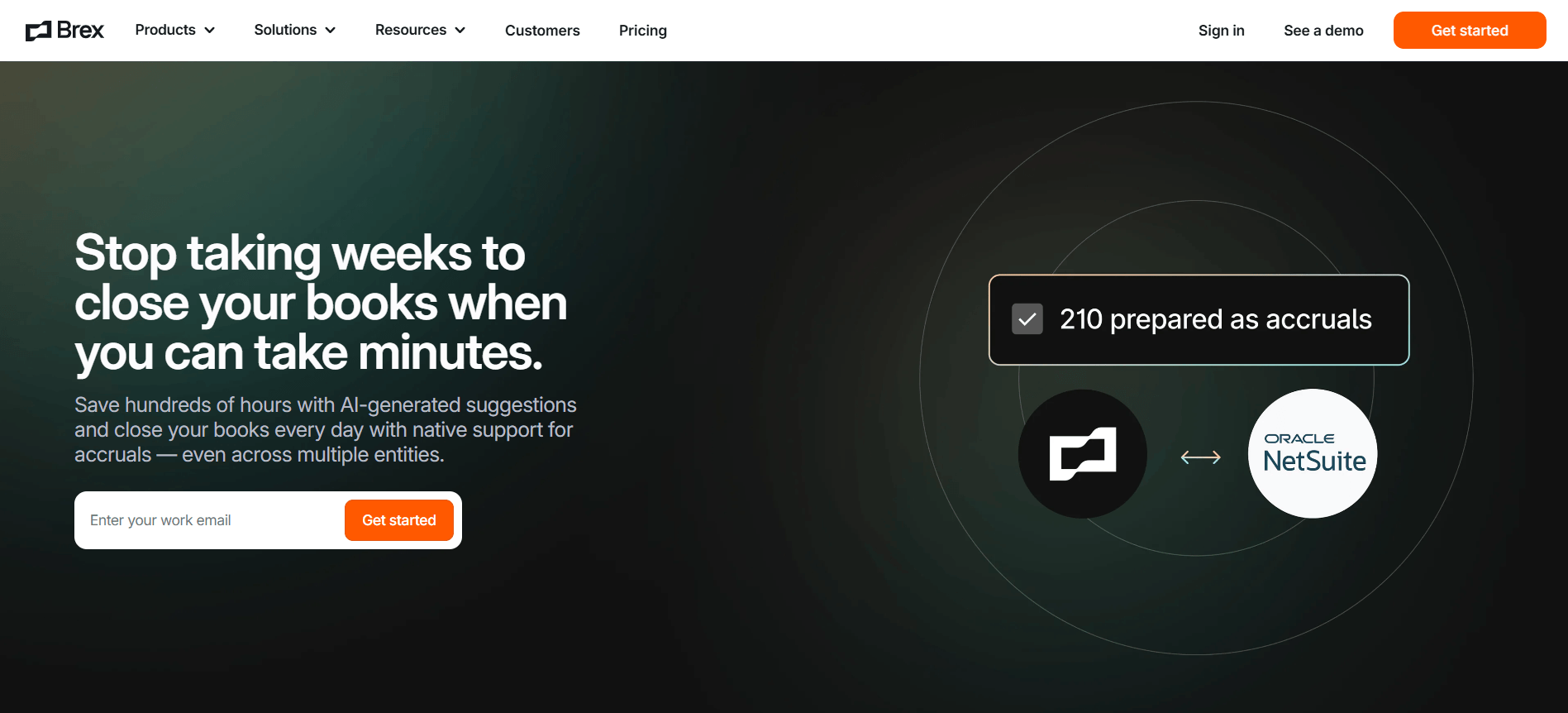
Brex is a modern financial platform that integrates corporate cards, expense management, and business accounts. It is specifically designed to automate cloud accounting workflows for fast-growing companies and global enterprises. By leveraging AI for receipt capture and real-time categorization, Brex reduces manual entry and ensures seamless reconciliation with popular accounting software like QuickBooks, Xero, and NetSuite.​
​​​
image source: brex.com​
Key features:​
  • Corporate cards with built-in, granular spending controls​
  • AI-powered expense tracking and automated receipt matching​
  • Global reimbursements and payments in 120+ currencies​
  • Direct, real-time accounting integrations and automation​
Pros:​
  • No personal guarantee required for many venture-backed companies​
  • High rewards on travel, software, and advertising spend​
  • Streamlines month-end close with automated data syncing​
  • Strong support for international team expansion​
Cons:​
  • Primarily optimized for mid-market and venture-backed firms​
  • Some advanced features are limited to the Premium tier​
Pricing:​
  • Essentials: $0/month (Free core features)​
  • Premium: $12/user/month​
  • Enterprise: Custom pricing available​
​
​
​

How to pick the best cloud accounting software for your business

​
​
Selecting the right cloud accounting software requires understanding your business workflows, growth plans, and budget. Evaluating the factors below helps ensure the platform you choose supports both current needs and future expansion.​
  • Identify your core needs: Start by defining which accounting functions matter most, such as invoicing, payroll, inventory, or reporting. This helps narrow down cloud accounting software that aligns with your daily operations.​
  • Check scalability: Choose cloud-based accounting software that can grow with your business. Scalable platforms handle increasing transaction volumes and users without requiring a system change.​
  • Evaluate ease of use: User-friendly accounting software in the cloud reduces training time and improves adoption. An intuitive interface helps teams work efficiently and avoid errors.​
  • Assess support and resources: Reliable customer support, documentation, and learning resources are essential for long-term success. Strong support ensures issues are resolved quickly when they arise.​
  • Compare pricing and features: Review pricing models carefully to understand what features are included at each tier. Comparing costs against functionality helps you select the best value cloud accounting software.​
​

Conclusion

​
​
Cloud accounting software has become an essential tool for businesses seeking flexibility, accuracy, and real-time financial visibility. By moving accounting software to the cloud, organizations can streamline invoicing, expense tracking, payroll, and reporting while reducing reliance on manual processes and local systems. The right cloud accounting software also supports collaboration across finance teams and adapts easily as business needs evolve.​
As you evaluate cloud-based accounting software options for 2026, focus on scalability, ease of use, and long-term value. Some platforms now extend beyond traditional accounting by supporting approvals, reporting, and finance workflows in a single workspace. For teams looking to connect accounting processes more closely with daily operations, exploring flexible solutions like Lark can be a practical next step.​
​

Unified cloud accounting workflows for teams

​
​
​

FAQs

​
​
​

Is cloud accounting suitable for large enterprises?

​
​
Yes, many cloud accounting software platforms are built to support large enterprises with complex financial structures. Enterprise-ready tools offer scalability, compliance features, and advanced reporting. In addition to core accounting systems, platforms like Lark can help large teams coordinate approvals, reporting, and finance workflows more efficiently.​
​

How secure is accounting software in the cloud?

​
​
Most accounting software in the cloud uses encryption, access controls, and regular security updates to protect financial data. Cloud providers also handle backups and system maintenance. Workflow platforms such as Lark complement these systems by offering secure collaboration and permission-based access for finance teams.​
​

Does cloud accounting support inventory tracking?

​
​
Many cloud-based accounting and inventory software solutions include inventory management features. These tools help businesses track stock levels, costs, and sales in real time. For teams managing inventory-related approvals and reporting, solutions like Lark can help centralize coordination alongside accounting data.​
​

Can cloud accounting software replace traditional accountants?

​
​
Cloud accounting software does not replace accountants but automates routine tasks like data entry and reconciliation. This allows accountants to focus more on compliance, analysis, and advisory work. Platforms such as Lark can support accountants by organizing approvals and finance workflows.​
​

How difficult is it to switch from non-cloud-based accounting software?

​
​
Moving from non-cloud-based accounting software to cloud accounting software is usually manageable with proper planning. Most tools offer migration support and data import features. Platforms like Lark can help teams coordinate the transition and internal approvals smoothly.​
​

Related reading

​
​

Ryan Tanner

Product Marketing Specialist

Ryan is a Product Marketing Specialist. Having helped over 150 project managers overcome challenges, Ryan delivers actionable strategies and forward-thinking insights to elevate your team's performance by leveraging innovative methods for revolutionary project execution.

Keep reading







