A few years ago, the market was dominated by rigid, single-purpose software. Then came the era of the "all-in-one" workspace, a concept that promised to unify our scattered workflows. Coda was a pioneer in this space, introducing a novel way to blend documents with applications.
However, as business needs become more sophisticated, the tools that once served us well can sometimes become bottlenecks. Perhaps the steep learning curve is proving too difficult for new employees. Maybe the formulas have become so complex that only one person in the company knows how to fix them when they break. Or perhaps you simply need a solution that runs with greater speed on mobile devices.
In this comprehensive guide, we will explore the best coda alternatives available today. We have extensively researched the competition, analyzing features, pricing, and real-world use case scenarios. Whether you need better project management, a more user friendly interface, or a great alternative that unifies chat and data, this list has something for you.
Key takeaways: Top 5 Coda alternatives at a glance
- Lark: The unified superapp for seamless team collaboration
- Notion: The master of design and documentation simplicity
- Airtable: The robust database specialist for structured data
- ClickUp: The "One App" solution for comprehensive project management
- Monday.com: The visual Work OS for intuitive process management
What is Coda?
At its core, is a cloud-based collaboration platform that redefines the concept of a standard file. It was built on the premise that teams should not have to jump between separate apps for writing text and managing data. Instead, Coda offers a unified surface that blends the flexibility of documents with the utility of spreadsheets.
Unlike traditional editors like Google Docs, a Coda page is an interactive canvas. You can use powerful formulas, building blocks, and buttons to create custom tools—from project trackers to inventory systems—without writing code. It allows "makers" to build a bespoke solution that fits their specific workflow. While it provides extensive capabilities for editing and automation, this "blank slate" approach is also what creates the complexity that drives some users to seek alternatives.
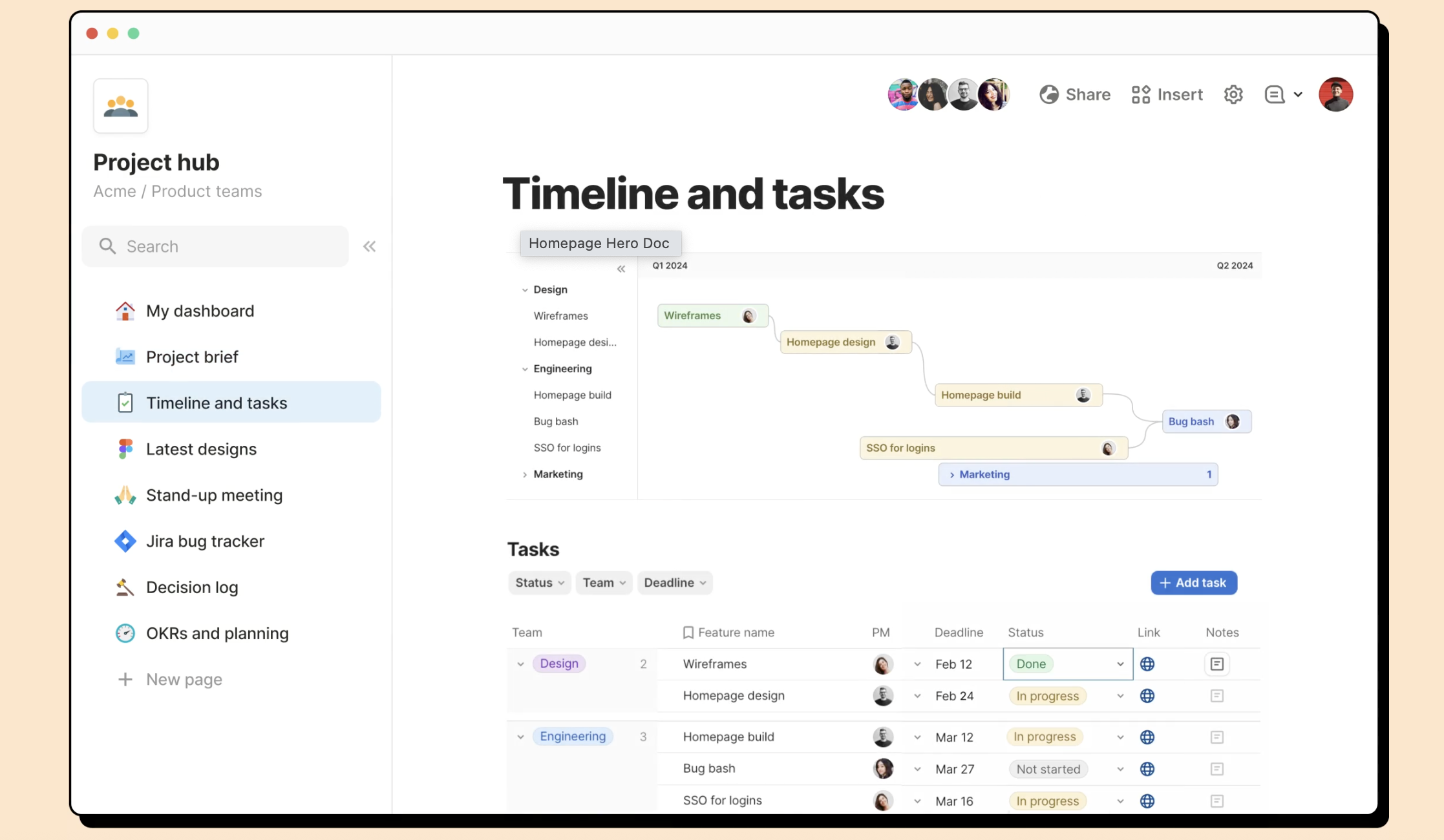
Image source: coda.io
Understanding the limitations: Why look for alternatives?
Before we dive into the list of competitors, it is helpful to understand why users migrate away from Coda. While Coda is a powerful tool, it is not a one-size-fits-all solution. In the course of scaling a business, you might encounter specific friction points.
The performance bottleneck
One of the most cited reasons for seeking alternatives is . Coda is built on a canvas model. As you add more tables, images, and cross-doc lookups, the browser has to work incredibly hard to render the site. For a team managing thousands of rows of data, this lag can kill productivity. Users often find themselves waiting for a document to load, which is far from efficient.
The complexity barrier
Coda positions itself as a tool for "makers." It empowers you to create almost anything. However, this freedom comes with a cost: complexity. The formula language is robust, but it is not no code in the truest sense; it is often "low code." For a marketing manager or an HR specialist, having to learn a proprietary syntax just to organize a list or filter a view can be daunting. Enabling non-technical staff to collaborate effectively requires a tool that is intuitive from day one.
Fragmented communication
While Coda excels at housing information, it often creates a silo. You do your work in the doc, but you talk about the work in Slack or Microsoft Teams. This context switching disrupts focus. Truly versatile platforms are now moving toward a "Superapp" model, where and documentation live side-by-side, allowing for seamless access to insights without toggling tabs.
Stop waiting for slow docs to load
Top 8 Coda alternatives to empower your team
Here is our curated list of the best Coda alternatives, ranging from powerful project management suites to lightweight notes apps.
1. Lark: The unified superapp for seamless team collaboration
If you are looking for the best coda alternative that fundamentally upgrades how your organization operates, Lark is the top contender. goes beyond being just a document editor; it is a complete digital headquarters. It really solves the fragmentation problem by combining messaging, document editing, video calls, and project database management into a single, fluid interface.
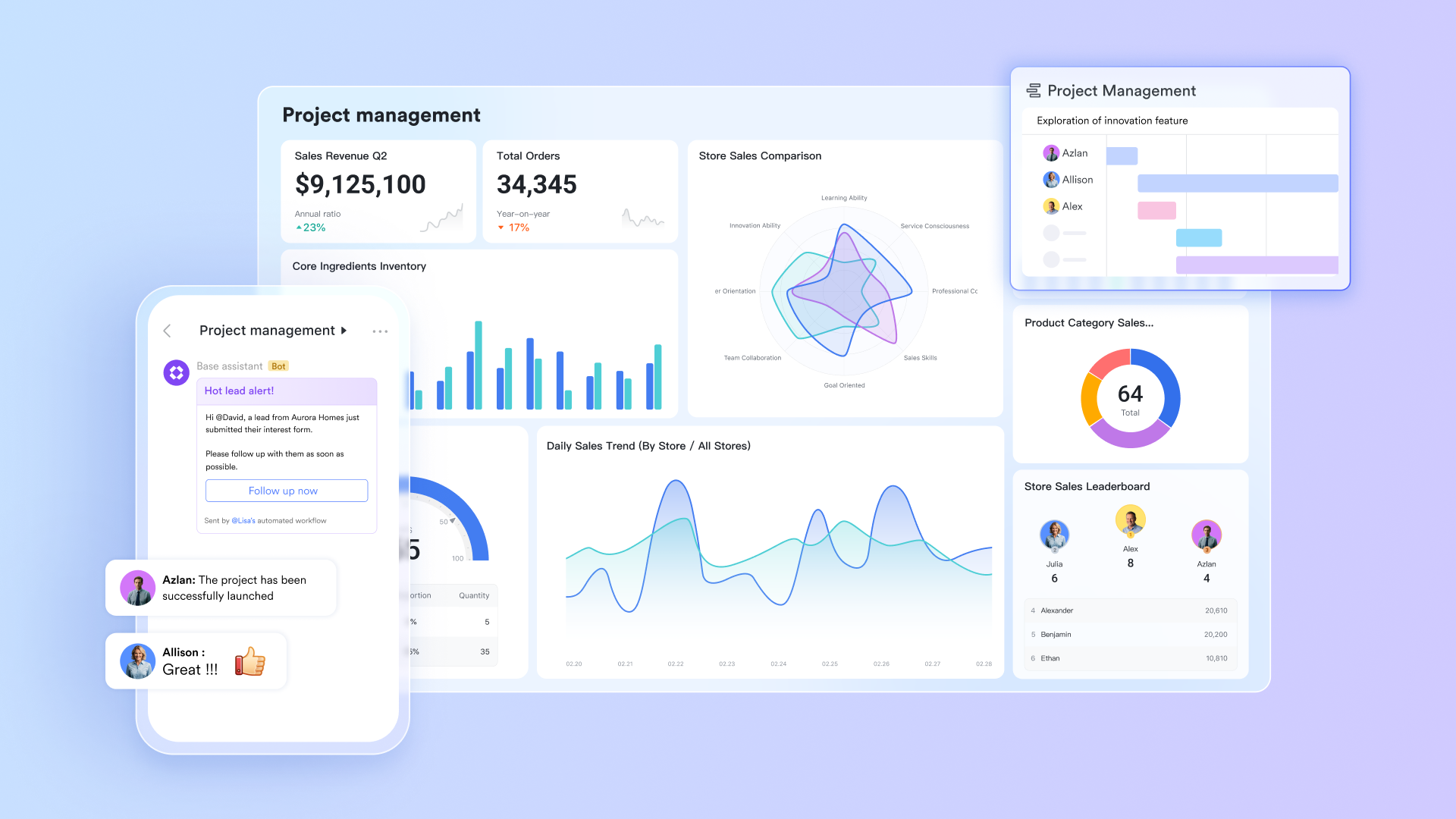
Key strength overview
Lark distinguishes itself by offering a that is exceptionally convenient for distributed teams. Unlike Coda app, where mobile editing can be clumsy and limited, Lark’s interface is responsive, fast, and intuitive. It allows you to manage your entire business from your pocket without sacrificing power.
While Coda offers a blank canvas that requires you to build apps, Lark provides a ready-made all-in-one ecosystem where and live side-by-side. This unique architecture eliminates the steep learning curve associated with complex tools, enabling your team to collaborate efficiently from day one without needing to master a coding language.
Key features
Versatile document suite: goes beyond simple text, supporting a wide range of file types including Sheets, Slides, and MindNotes. This allows teams to collaborate on any format—from financial data to brainstorming sessions—with seamless real-time editing and in-context comments. 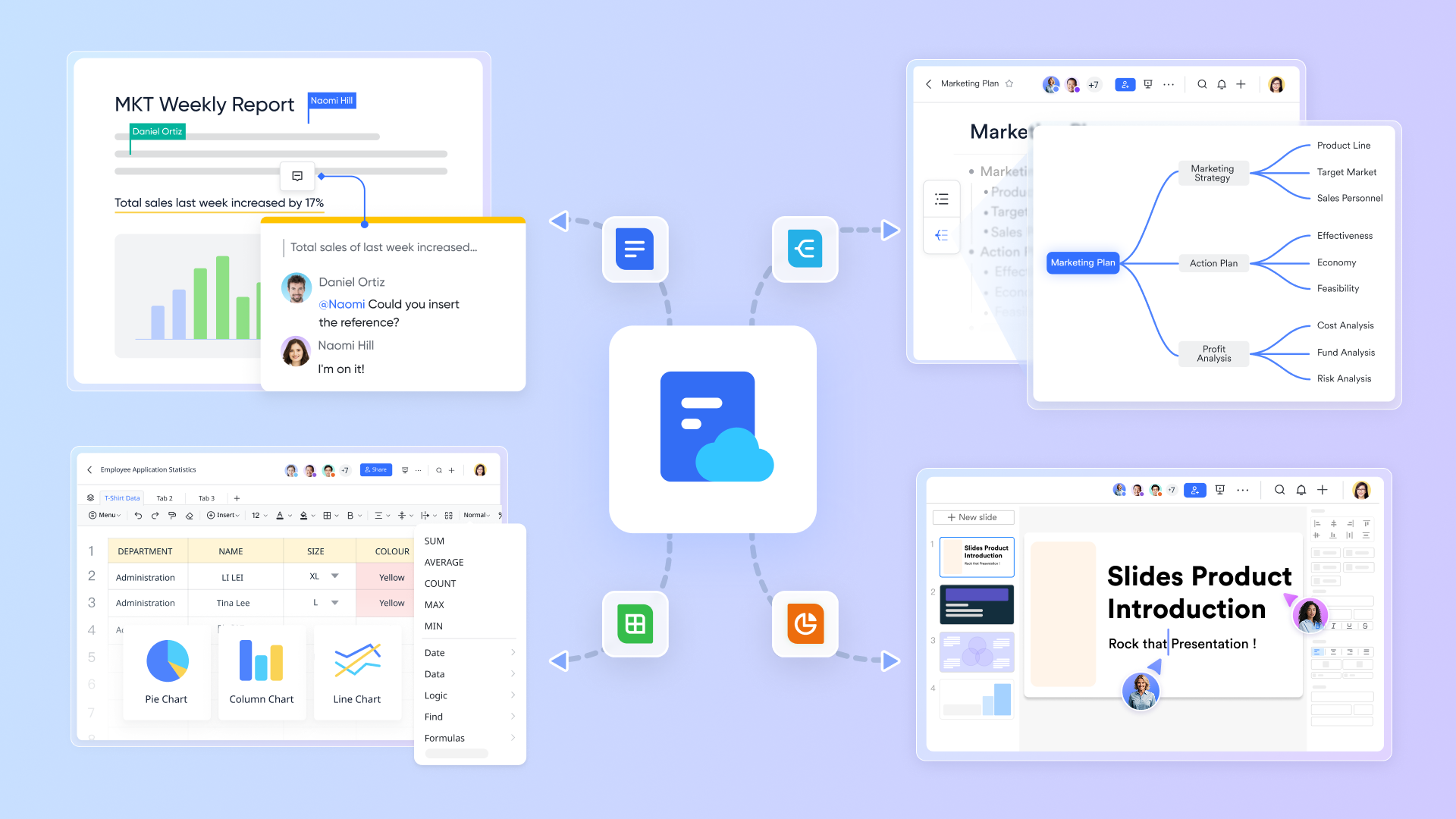
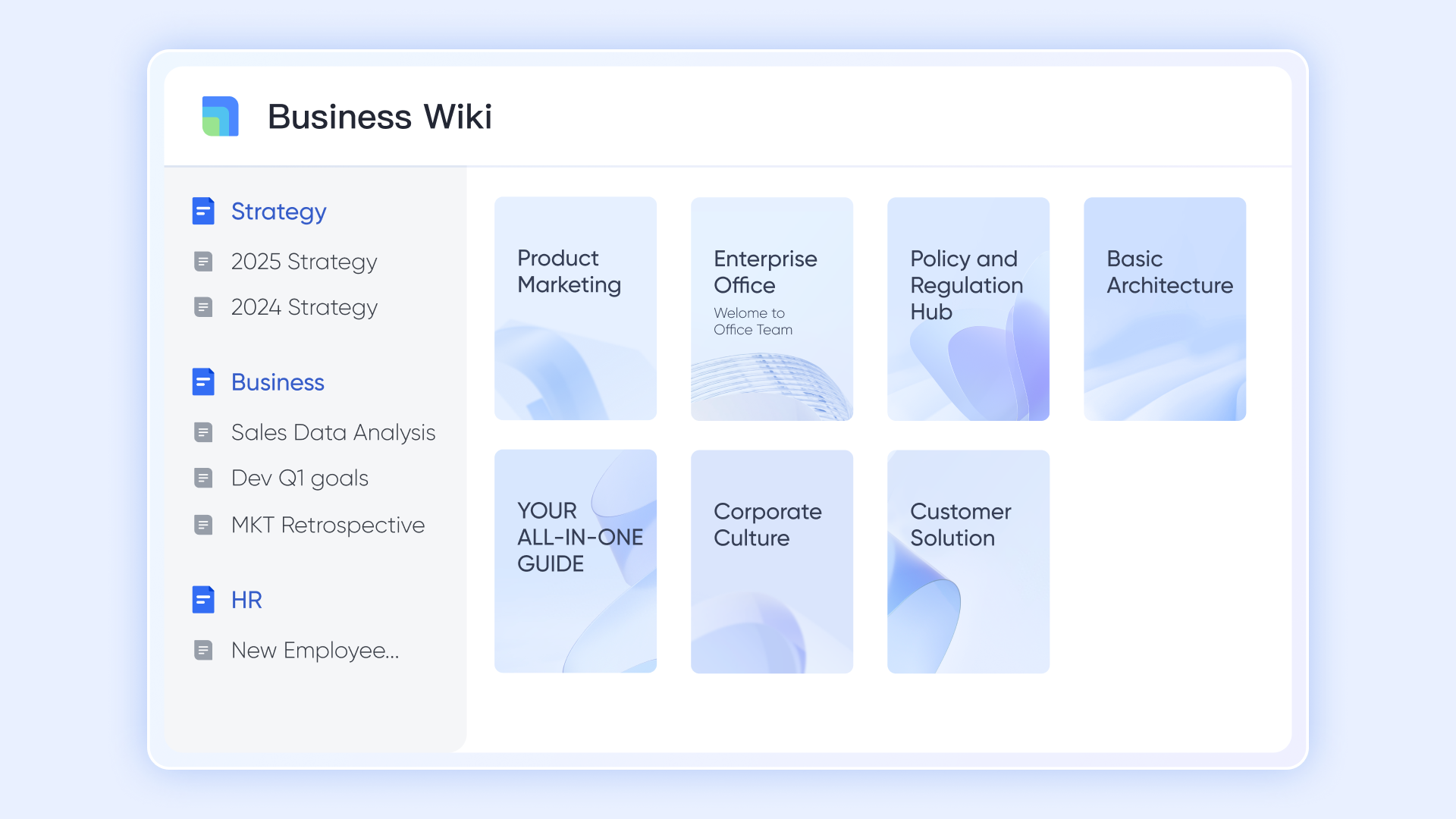
Centralized knowledge management: Forget about lost files in scattered folders. serves as a unified hub to store, organize, and manage all your company documentation. It acts as a single source of truth, ensuring every user has easy access to vital information.
Powerful no-code workflows: Streamline your operations with robust no-code automation in Lark Base. You can easily configure workflows to automatically assign tasks, send notifications, and update project statuses, reducing manual work without relying on complex scripts. 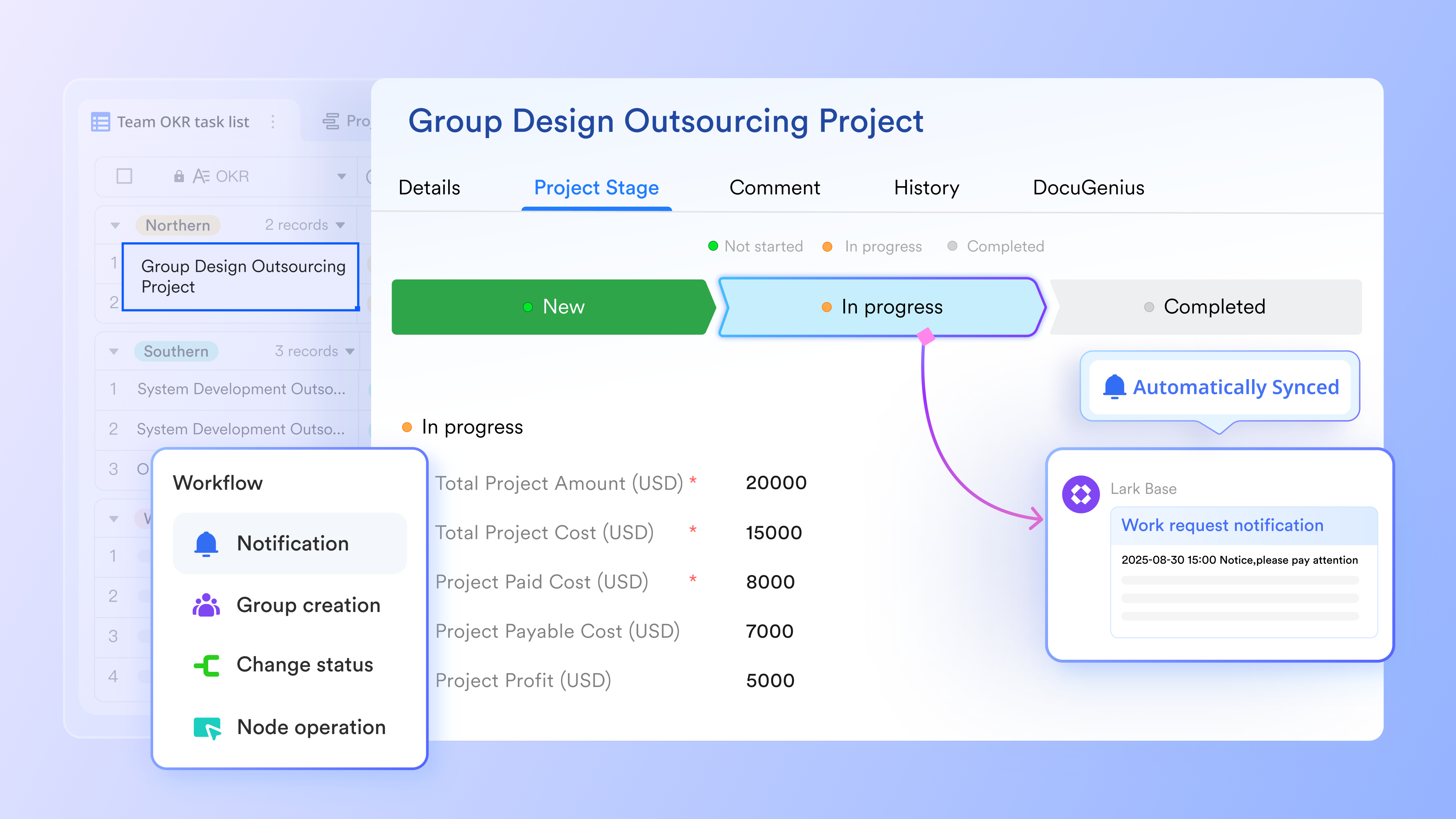
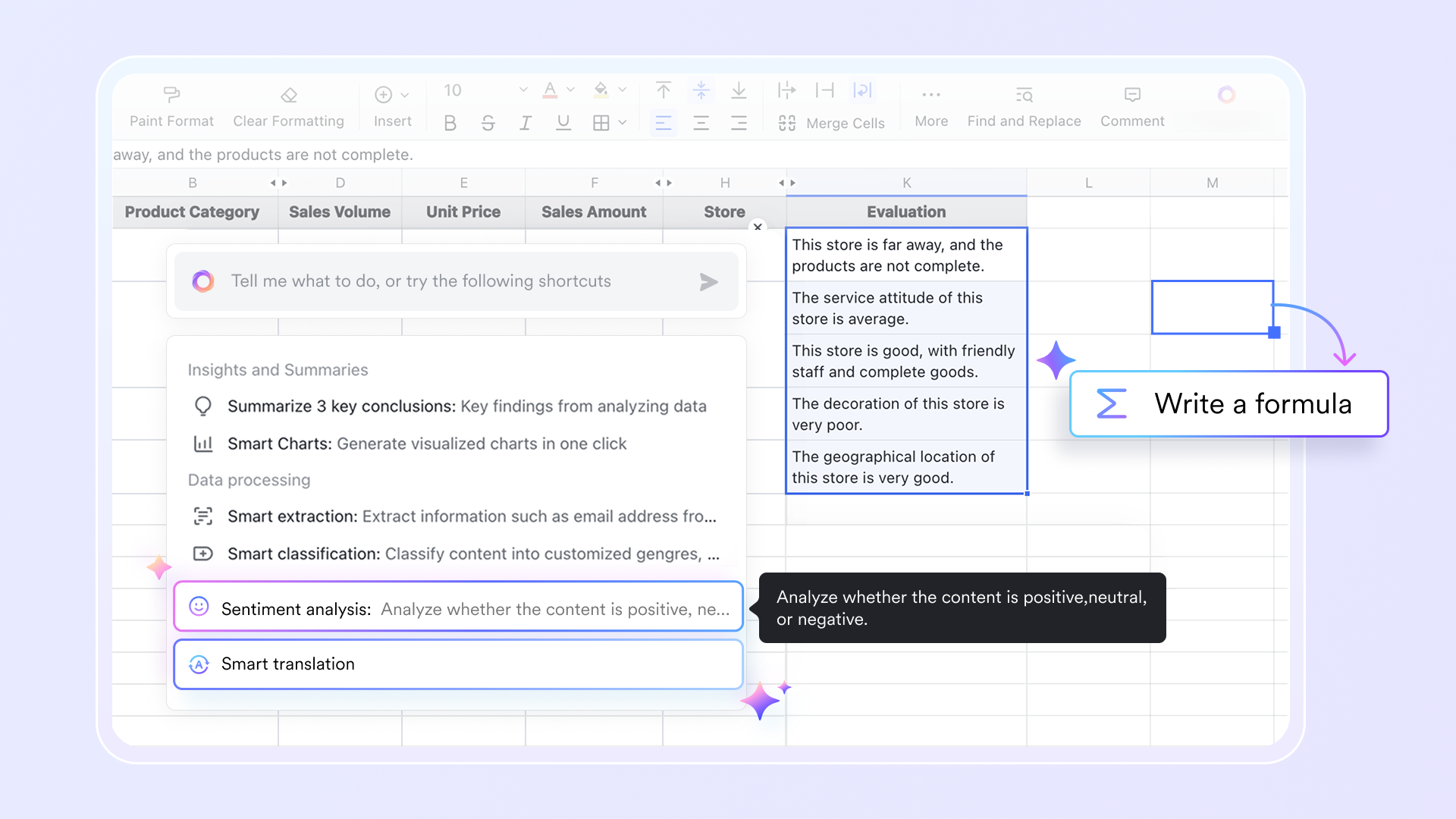
AI-powered efficiency: Lark is equipped with advanced AI to speed up your work. It helps manage data by auto-labeling records and can even write complex for you instantly, lowering the learning curve and providing deeper insights into your data.
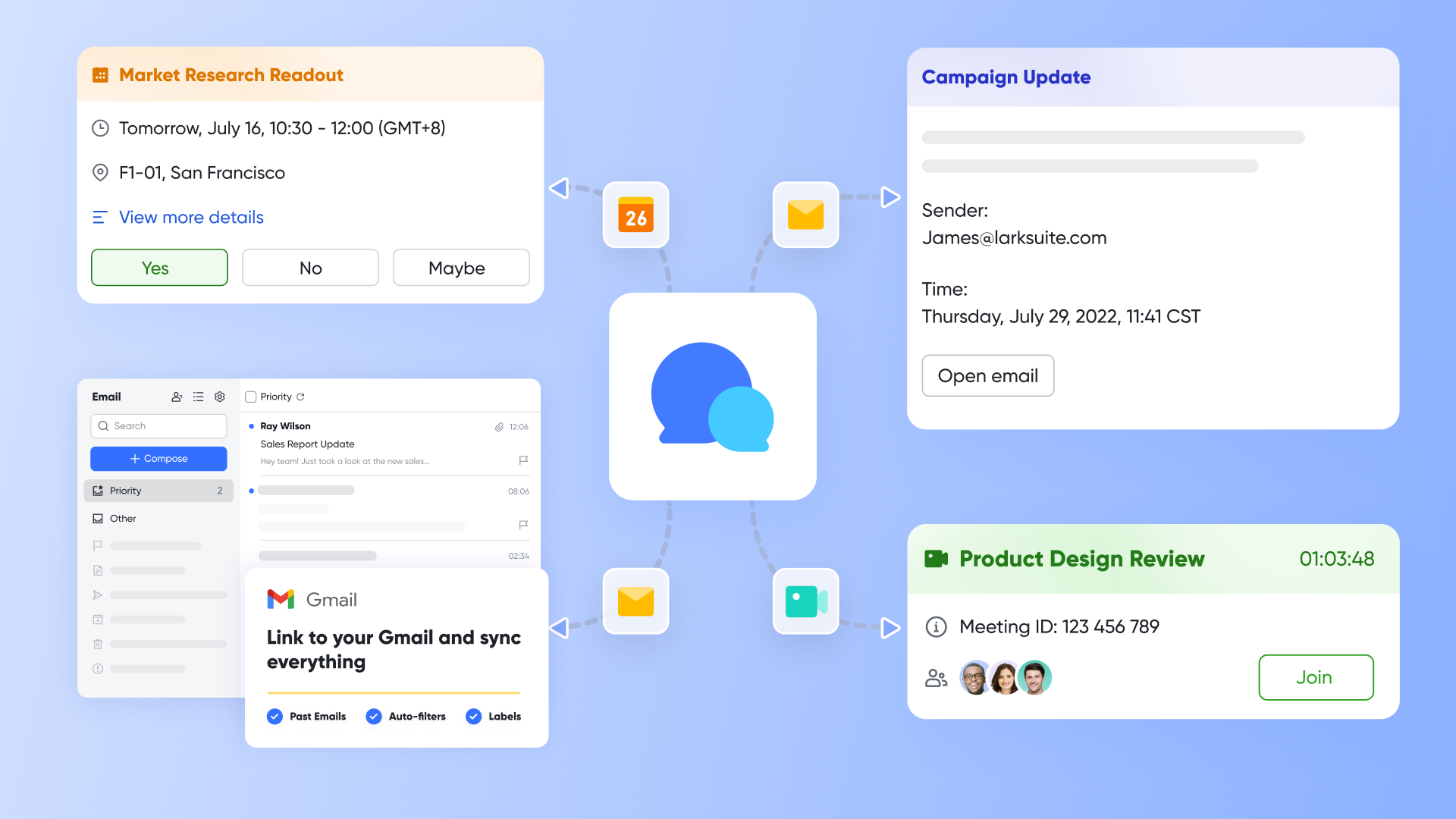
Unified team communication: Lark eliminates silos by combining Messenger, Mail, Calendar, and Video Meetings into one platform. This ensures that happens right alongside your work, keeping your team aligned and focused without constantly switching apps.
- Starter plan: Free forever plan with 11 powerful tools for up to 20 users, 100GB storage, 1,000 automation runs, AI translations, and more. No credit card needed.
- Basic plan: $6/user/month (billed annually) for up to 500 users. Includes everything in Starter plus unlimited message history, 5TB storage, 1,000 automation runs, and more. Some users may need to to purchase.
- Pro plan: $12/user/month (billed annually) for up to 500 users. Includes everything in Basic plus group calling for up to 500 attendees, 15TB storage, 50,000 automation runs, and more.
- Enterprise plan: for custom pricing. Supports unlimited users and includes advanced automation, security, compliance, and management features. A closer look at and can help businesses determine whether the platform fits their budget.
For small teams with simple communication needs

18 months message history
1000 Base automation runs/month
2000 rows per table in Base
Most POPULAR
For companies with comprehensive collaboration and management needs
Unlimited message history
500-participant video meetings
50k Base automation runs/month
20k rows per table in Base
For large companies with advanced security and organizational management needs
Get a personalized demo and pricing
Unlimited message history
500-participant video meetings
15 TB storage + 30 GB storage/user
500k Base automation runs/month
50k Base automation runs/month
Most POPULAR
For companies with comprehensive collaboration and management needs
Unlimited message history
500-participant video meetings
50k Base automation runs/month
20k rows per table in Base
2. Notion: The master of design and documentation simplicity
Notion is arguably the most famous name in this market. It is often the first stop for people leaving Google Docs who want more structure but still crave flexibility. Notion’s primary strength is its block-based editing system, which makes it incredibly easy to customize the look and feel of a page.
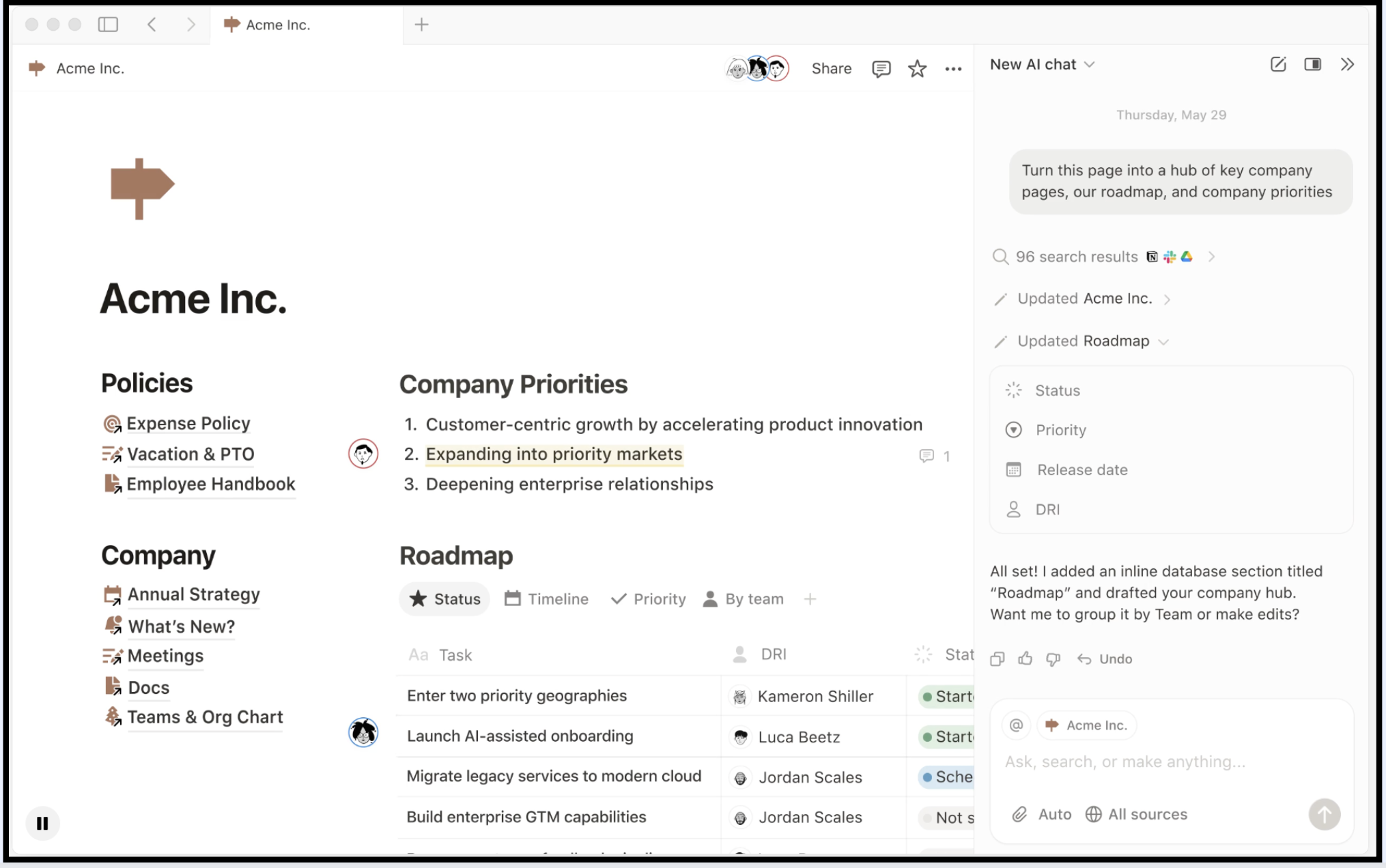
Image source: notion.com
Key strength overview
Notion is fantastic for building wikis, knowledge bases, and design documents where aesthetics matter. It is incredibly user friendly, allowing you to drag and drop blocks to organize layouts, add images, and embed media effortlessly. While its database capabilities are not as rigorous as Coda or Airtable—making it less ideal for complex inventory logic—they are sufficient for most general use case scenarios like content calendars or meeting notes. It provides a clean and efficient workspace that encourages writing, making it a great alternative for teams that prioritize narrative and simplicity over complex data processing.
Key features
- Wiki capabilities: Notion excels at linking pages together to create a comprehensive web of knowledge for your company.
- Templates: The community has created thousands of templates, so you rarely have to start from scratch when setting up a new space.
- Guest access: It is easy to invite clients into a specific page without giving them access to your whole workspace, keeping your internal data secure.
Pricing
With a free plan for individuals to organize personal projects. Paid plans start at $10/member/month.
3. Airtable: The robust database specialist for structured data
If you used Coda primarily for its tables and found yourself wishing for more raw power and fewer "document" features, Airtable is the answer. It is essentially a database that looks like a spreadsheet—think Google Sheets on steroids—but with relational superpowers.
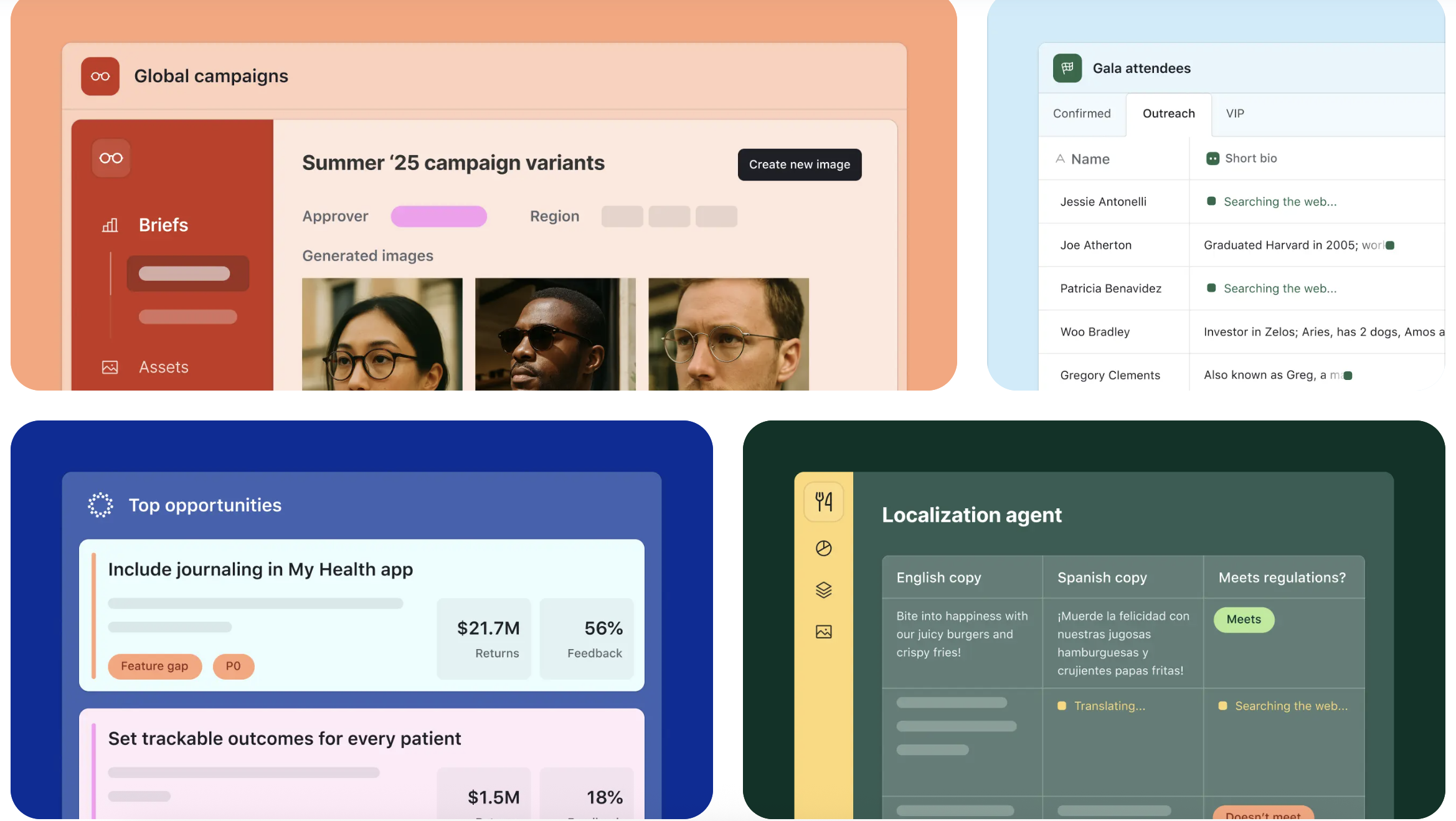
Image source: airtable.com
Key strength overview
Airtable is focused extensively on managing structured data. It is the go-to tool for teams that need to manage inventory, complex content calendars, or detailed product roadmaps. Unlike the blank canvas of Coda, Airtable forces structure, which helps maintain data integrity as you scale. It has a vast range of integrations and add ons that allow you to connect it to almost any other software, acting as the backend for your no-code operations. However, because it is not a document writer, you will often need to use other tools alongside it for long-form content.
Key features
- Interface designer: This feature allows you to build custom dashboards for your team, hiding the raw data grids and showing only what is relevant to their specific role.
- Automations: You can set up advanced logic to trigger emails, Slack messages, or status updates based on changes in records.
- Views: It offers Calendar, Gallery, Kanban, and Grid views that are highly versatile and easy to configure.
Pricing
Airtable has a Free tier limited by record count (usually 1,000 records). Paid plans start at 20/user/month.
4. ClickUp: The "One App" solution for comprehensive project management
ClickUp is an aggressive competitor in the project management space. Its marketing slogan is "One app to replace them all," which targets the exact same audience as Coda, but approaches the solution from a task-first perspective rather than a doc-first one.
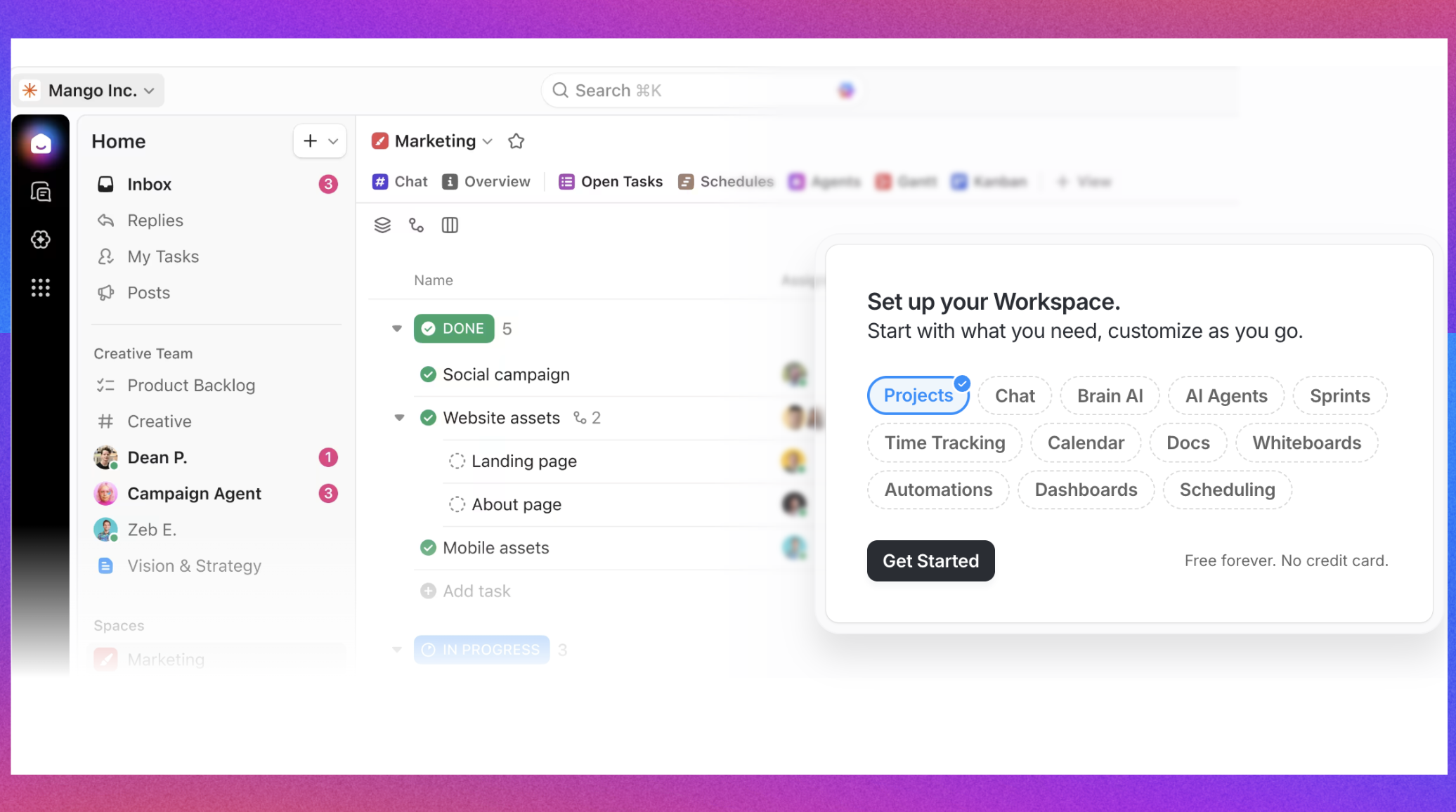
Image source: clickup.com
Key strength overview
ClickUp is packed with features designed to create a structured environment for task management. Unlike Coda, where you have to build the task tracker yourself using tables and formulas, ClickUp provides it out of the box. It is particularly strong for agile teams who need sprints, points, and detailed tracking. While it aims to replace multiple apps, its primary focus is on execution and delivery. It is a powerful solution for teams that found Coda’s open-ended nature too chaotic and need a system that enforces deadlines and accountability.
Key features
- Mind maps: ClickUp creates visual mind maps to help you brainstorm ideas and convert them directly into actionable tasks.
- Everything view: Managers can see tasks across the entire company in a single list, providing unmatched visibility into workload.
- Whiteboards: Built-in visual collaboration spaces allow you to brainstorm and plan without leaving the site.
Pricing
With a free plan for limited features. Paid plans start at $7/user/month.
5. Monday.com: The visual Work OS for intuitive process management
Monday.com focuses heavily on the visual aspect of project management. If your team found the text-heavy nature of Coda boring, difficult to parse, or simply overwhelming, Monday.com provides a colorful, button-driven interface that boosts engagement.
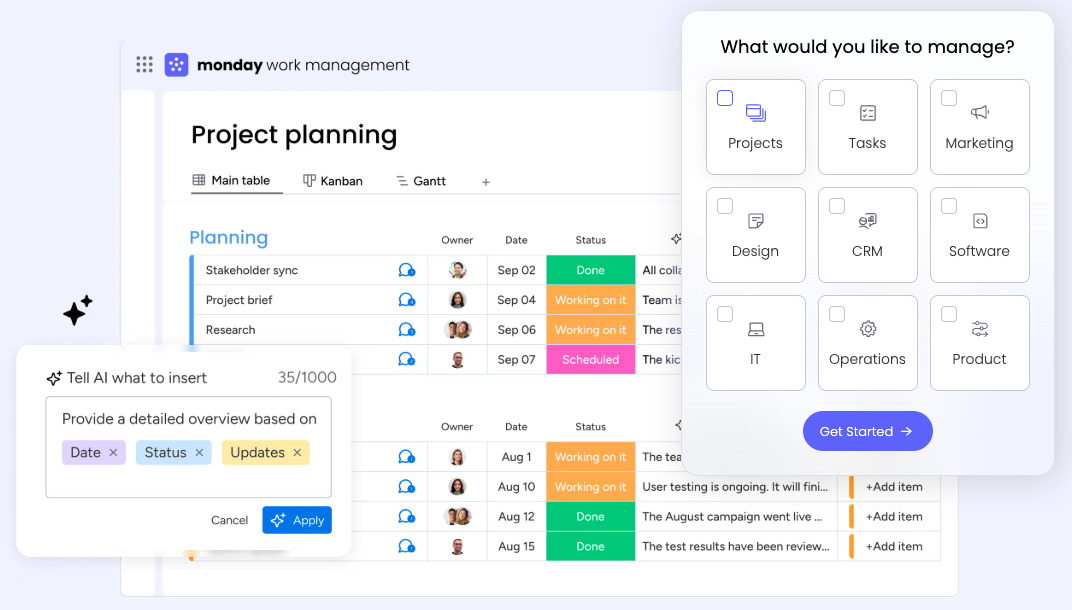
Image source: monday.com
Key strength overview
This platform is built around "boards" that are visually distinct and easy to understand at a glance. It is very efficient for tracking high-level processes like sales pipelines, marketing campaigns, or creative requests. It is designed to be intuitive; there is almost no learning curve compared to Coda. The platform empowers non-technical users to build workflows using simple "recipes" rather than code. If your goal is to organize a team that isn't tech-savvy, Monday.com’s user friendly design makes adoption much smoother than competitors.
Key features
- Dashboards: You can create high-level widgets that summarize data from multiple boards to visualize real-time insights.
- Automations: Monday’s automation builder is based on simple "If this, then that" logic, which is much easier to master than Coda formulas.
- Apps marketplace: You can extend the platform's functionality with third-party widgets and integrations.
Pricing
With a free plan for 2 users. Paid plans start at $9/user/month.
6. Nuclino: The lightweight speedster for instant knowledge access
For teams that prioritize speed above all else and find heavy tools frustrating, Nuclino is a breath of fresh air. It is often described as the collective brain of a team, focusing purely on fast, frictionless knowledge sharing.
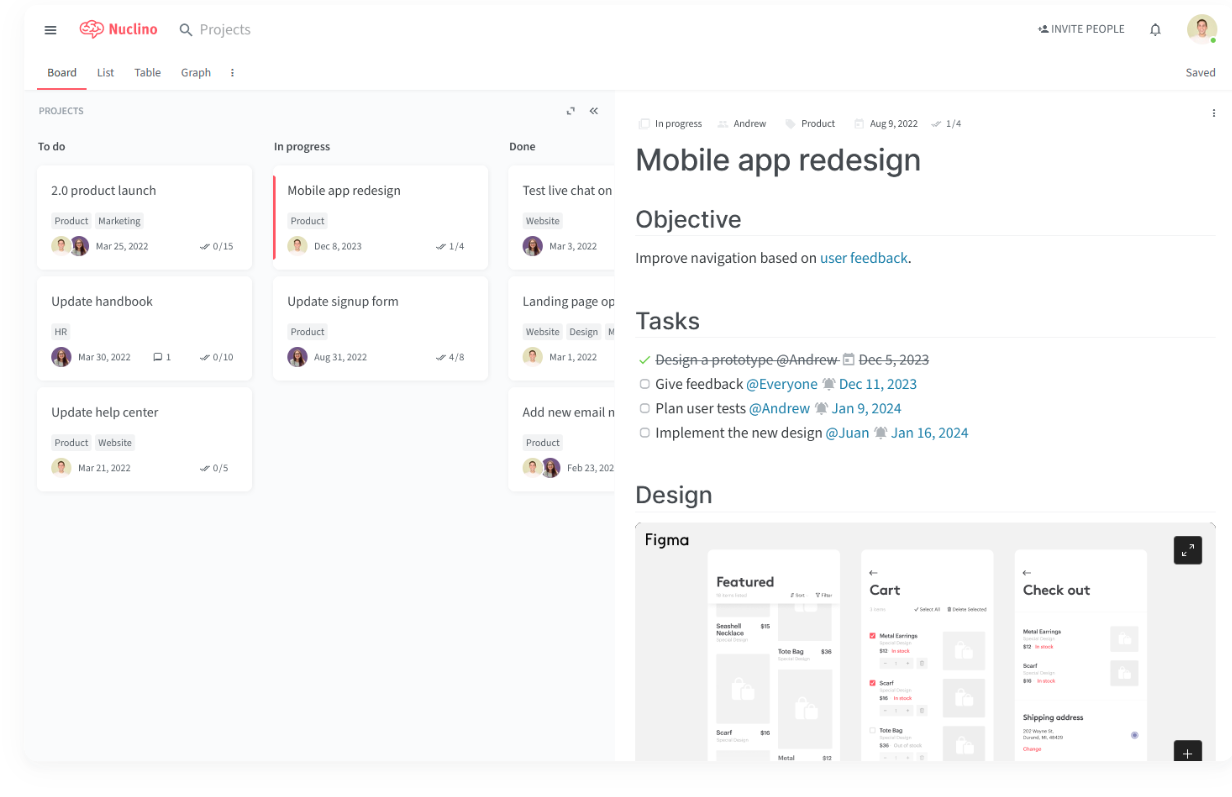
Image source: nuclino.com
Key strength overview
Nuclino strips away the complex widgets and heavy features that bloat other tools. It focuses on text, simple lists, and fast linking between documents. It is an excellent solution for engineering wikis, game design documents, and standard operating procedures where quick access is critical. By removing the distractions, it ensures that the focus remains on the content itself. If you are tired of waiting for Coda pages to load, Nuclino’s instant performance will feel like a significant upgrade. It is arguably the simplest tool to scale across a large organization.
Key features
- Graph view: It visualizes the connections between documents, helping you find related notes instantly and see the structure of your knowledge.
- Real-time editing: The collaboration experience is instantaneous with zero lag, even when multiple users are typing.
- Simplicity: There are very few formatting options, which keeps documents clean, consistent, and easy to read on any device.
Pricing
Nuclino has a free plan with very limited features and storage. Paid plans start at $6/user/month.
7. Smartsheet: The enterprise-grade upgrade from Excel and Google Sheets
Smartsheet is often the choice for larger enterprises moving away from Excel or Google Sheets that need more governance. It retains the grid-based interface that finance and operations teams love but adds powerful project management capabilities.
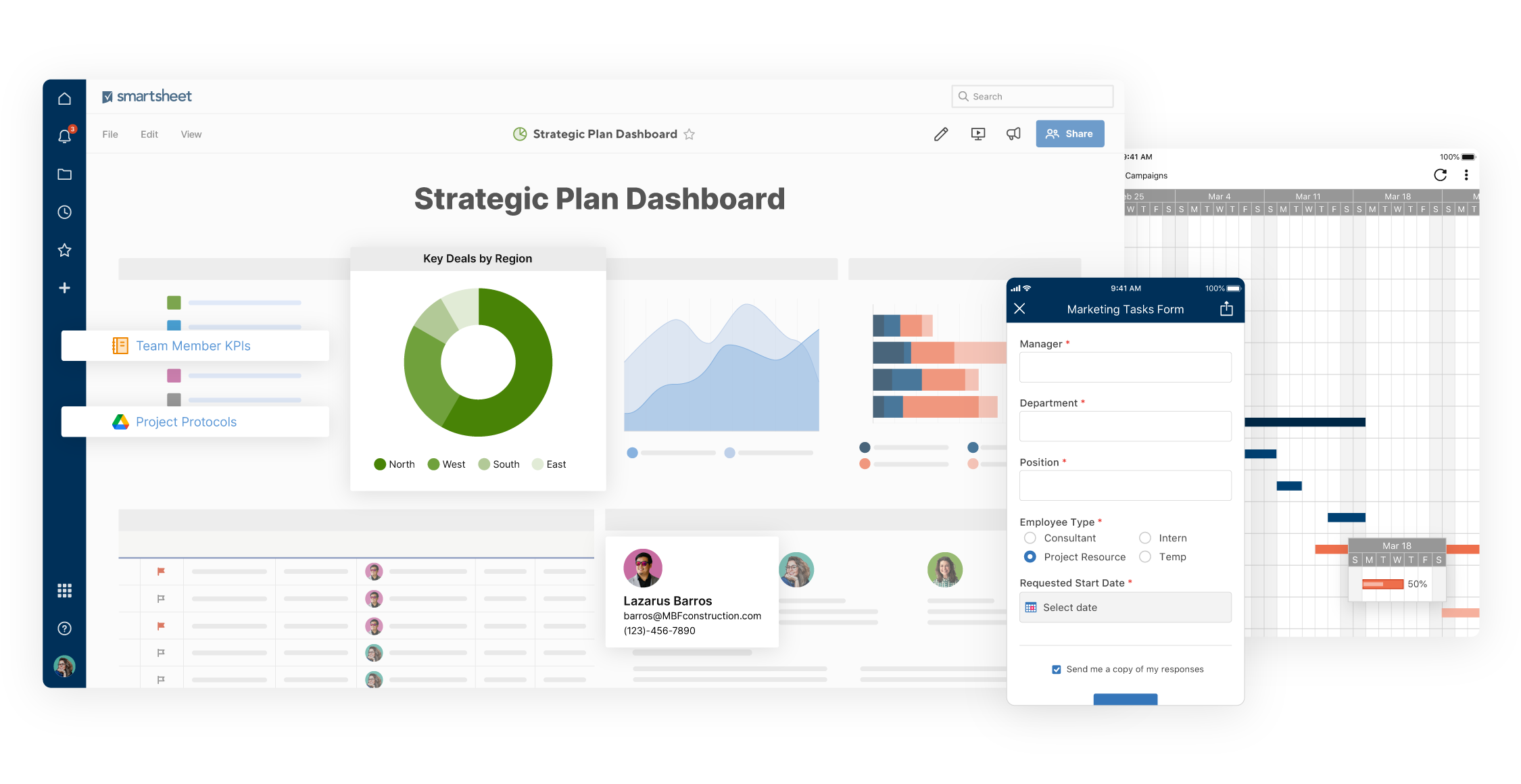
Image source: smartsheet.com
Key strength overview
Smartsheet is less about "docs" and more about "sheets." It is rigorous, structured, and data-centric. If your use case involves strict project timelines, critical path analysis, or heavy resource management, Smartsheet is superior to Coda. It bridges the gap between a simple spreadsheet and complex project software. While it may lack the "app-building" feel of Coda, it compensates with enterprise-grade security and reliability. It is the standard for industries like construction and operations where data accuracy is non-negotiable.
Key features
- Gantt charts: It offers professional-grade Gantt charts that auto-adjust based on task dependencies, perfect for waterfall projects.
- Forms: You can build robust intake forms that populate rows in the sheet automatically, streamlining data entry.
- Control center: This allows admins to manage huge portfolios of projects with consistent templates and reporting.
Pricing
With no free plan. Paid plans start at $9/member/month.
8. Baserow: The open-source, no-code database for total data control
In an era where data privacy and sovereignty are paramount, some clients and businesses require self-hosted options. Baserow is an open-source alternative to Coda that puts you in the driver's seat.
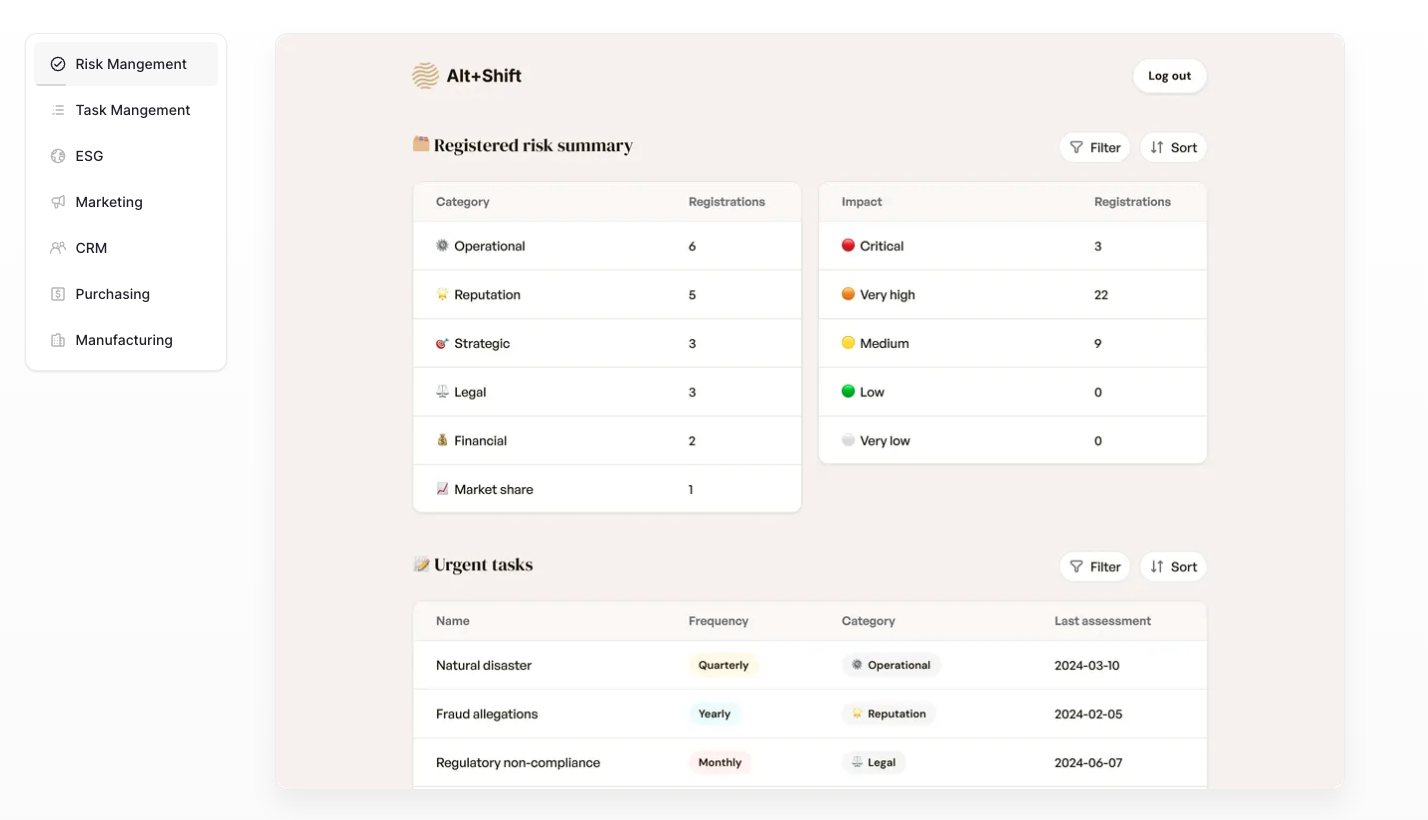
Image source: baserow.io
Key strength overview
Baserow allows you to install the software on your own servers. This gives you total control over your data and eliminates the risk of vendor lock-in. It is a no code database tool that is rapidly gaining popularity among developers and privacy-conscious organizations. Unlike SaaS tools where you are limited by API rate limits or storage caps, Baserow allows you to scale according to your own infrastructure. It offers a familiar database interface but with the added benefit of being completely transparent and customizable.
Key features
- Open source: You can audit the code and modify it if you have the technical capabilities, ensuring it meets your security standards.
- No vendor lock-in: You own your system and your files; you are not renting access to your own business intelligence.
- API first: It is designed to be integrated extensively with other custom applications and frontend tools.
Pricing
The self-hosted version has a generous Free tier (you pay for your own server). Paid plans start at $10/user/month.
Empower non-tech teams with intuitive tools
Beyond the tools: Choosing the right path
Selecting the right software is about more than just comparing feature lists. It is about understanding the culture of your team and how you want to collaborate.
The "Superapp" vs. "Best of Breed" debate
When looking at other tools, you generally have two choices. You can buy separate tools for separate functions (e.g., Asana for tasks, Slack for chat, Google Docs for writing) and try to glue them together. Or, you can choose a unified platform like .
The fragmented approach often leads to higher costs and scattered information. customers and clients generally prefer a streamlined experience. If your goal is to consolidate your tech stack and reduce the number of tabs your employees have open, a superapp is the logical direction.
Assessing your "No Code" readiness
Coda and similar platforms rely heavily on the concept of "no-code" or "low-code." They ask the user to become a builder. While this is empowering, it is not always practical. Ask yourself: Do my employees want to build apps, or do they just want to use them?
If your team needs to hit the ground running, platforms with pre-built modules (like Lark's Base and Tasks modules) are often more efficient than asking your manager to design an approval system from scratch using formulas.
Conclusion
The era of the "all-in-one" doc was a significant step forward, but the industry continues to evolve. While Coda remains a strong contender for specific use cases, the limitations regarding speed, mobile functionality, and complexity have opened the door for a new generation of alternatives.
Don't let a steep learning curve or a loading screen slow down your progress. Evaluate these competitors which we recommend to you, test their free versions, and find the solution that fits your workflow.
If you are ready to experience a platform that combines powerful databases, seamless docs, and real-time chat in one fluid interface, we invite you to try . It is designed to help you focus on your work, not your tools.
Consolidate Slack and Coda into one platform
FAQs
Is there a free alternative to Coda?
Yes, several competitors offer generous free tiers. Lark is a standout choice, providing a comprehensive free plan for up to 50 users that includes unlimited chat, docs, and video meetings. Notion and ClickUp also offer "free forever" plans for personal or small team use, though they often restrict file upload limits or advanced automation features to paid subscriptions.
Why is Coda so slow, and which alternative is faster?
Coda can experience lag because it renders complex docs filled with formulas and tables directly in the browser. For a faster experience, choose tools with optimized database architectures. Lark Base and Airtable handle thousands of records without performance drops. For pure documentation, Nuclino is designed specifically for speed, loading pages instantly by removing heavy widgets and scripts.
What is the best Coda alternative for project management?
While Coda is flexible, dedicated project management tools are often more efficient. ClickUp and Asana are superior choices if you need built-in features like recurring tasks, dependencies, and resource planning without "building" them yourself. For teams that prefer visual tracking, Monday.com offers intuitive, colorful dashboards that are easier for non-technical users to navigate than Coda’s interface.
Can I migrate my data from Coda to other tools?
Yes, but with some limitations. You can export your Coda tables as CSV files and import them directly into platforms like Lark Base, Airtable, or Notion. However, Coda’s specific formulas and button logic are proprietary and will not transfer. You will need to map your data columns and recreate your automation workflows within your new tool’s environment.
Related reading






























