














Coda Pricing Comparison: Which Plan Fits Your Team Best?

Nidhi
Freelance Content Writer
Oct 30, 2026
Nidhi
Oct 30, 2026

15 min read
Add to preferred sources


Coda pricing brings a clear look at how the platform structures its plans for individuals, teams, and enterprises. The updated tiers reflect Coda's focus on flexibility: offering scalable access to docs, automation, and collaboration features without overcomplicating billing. This year's changes also highlight expanded workspace controls and improved usage limits. While other tools like Lark provide connected workflows for teamwork, Coda's model continues to attract users seeking an all-in-one document platform. In this guide, we'll unpack each pricing level to help you decide which plan best fits your team's productivity goals.

Coda pricing plans overview
Coda pricing plans are designed to scale with your team's needs: from individuals creating their first doc to large enterprises managing complex workflows. Each tier builds on the last, unlocking more automation, control, and customization. You can start for free, then upgrade as your workspace grows. Companies looking to optimize software spending frequently compare their options against Google Workspace pricing and ClickUp pricing.
Whether you're focused on collaboration, governance, or performance, Coda's flexible pricing adapts to your goals. Here's a closer look at what each plan offers and how costs compare across billing cycles.
Information source: Official vendor websites
Update time: 2025-11-12
Note: Pricing and plan availability are based on publicly available data as of the update date. Actual prices may vary depending on region, user count, and billing frequency.
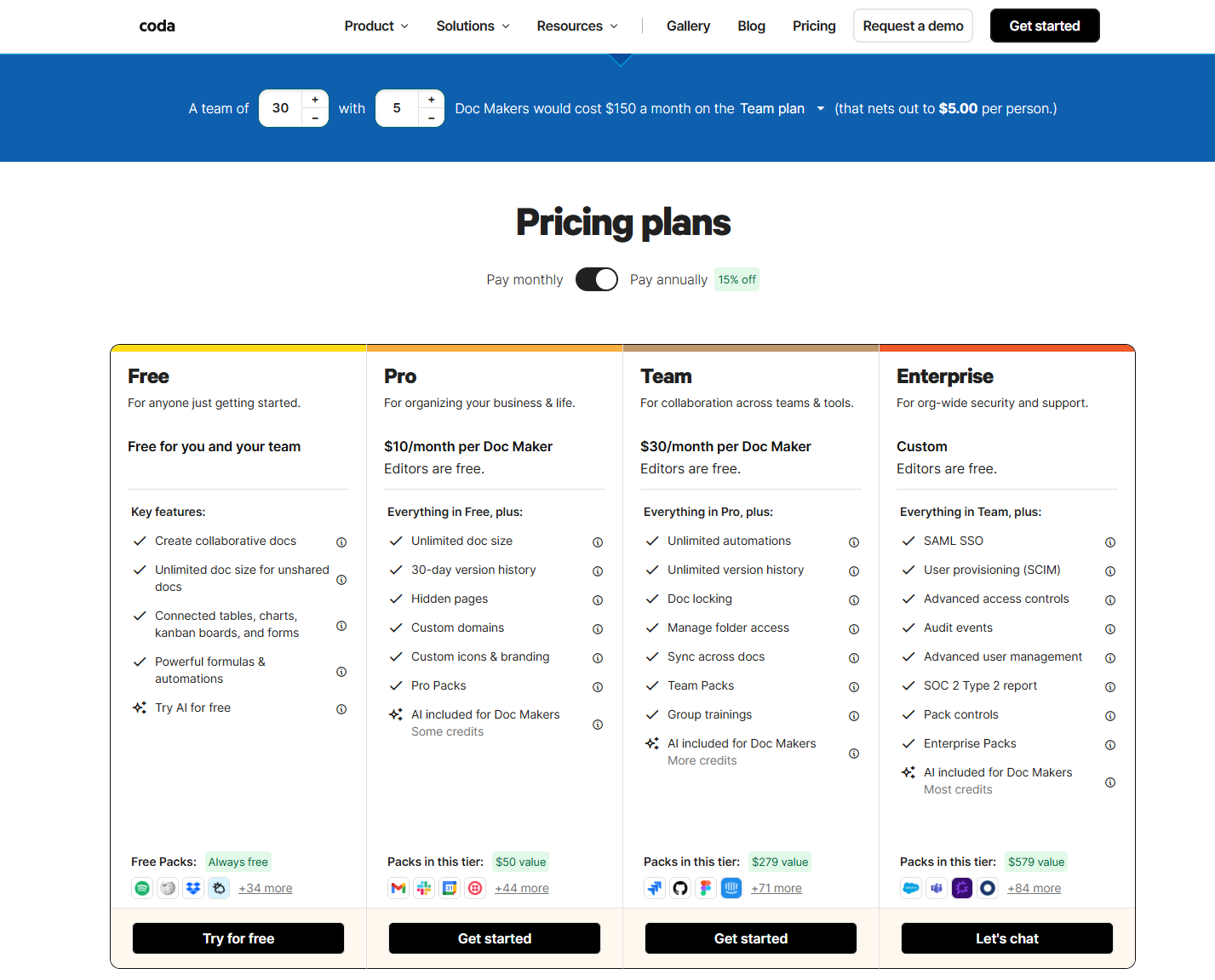
Image source: coda.com
What is Coda?
Coda is an all-in-one document and data platform that combines the flexibility of documents with the power of spreadsheets and automation. Unlike traditional tools, it allows teams to create custom workspaces where text, tables, and workflows live together in a single doc. Each document can include interactive elements such as buttons, formulas, and integrations known as "Packs," making Coda highly adaptable for project management, CRM, or reporting.
At its core, Coda transforms how teams organize information and automate repetitive tasks. It's part of the growing no-code movement, letting users design tools that fit their exact processes: without writing code. With transparent Coda pricing and options like Coda AI pricing for intelligent automation, users can choose plans that scale with their needs. Whether you explore Coda.io pricing for personal use or team-level collaboration, it's built to simplify complex workflows in one unified system.
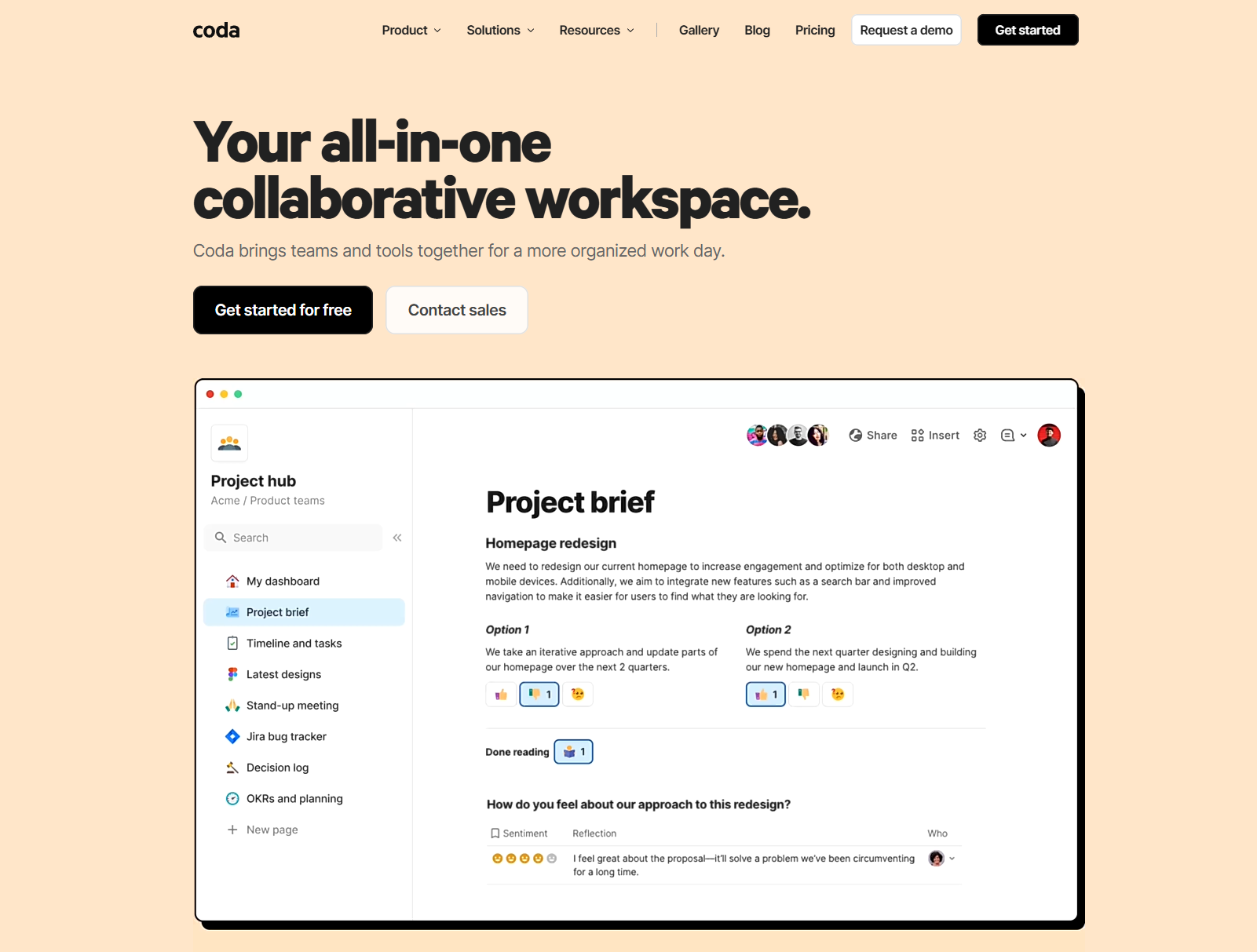
Image source: coda.com
Coda key features
Understanding Coda key features helps you see why it stands out as more than a traditional document editor. Each capability is built to make your workflows smarter, more interactive, and deeply customizable for any team setup.
Docs + Tables
Coda blends text and structured data in one powerful interface. You can write notes, manage tasks, and track metrics side by side: all in a single doc. This combination makes it easy to build dashboards, plans, or reports without switching between apps.
Automations
Coda's automation engine lets you trigger actions such as reminders, data updates, or task assignments automatically. These automations save time by reducing manual steps and keeping projects on track. Even in the lower Coda pricing plans, teams can use simple rules to boost productivity.
Packs & APIs
With Packs and APIs, Coda connects seamlessly to external tools like Slack, Gmail, or Jira. These extensions help you pull in live data, send updates, or sync information across platforms. It's an effective way to create a connected system without writing code.
Collaboration
Coda supports real-time collaboration through shared docs, comments, and permission controls. Multiple users can edit simultaneously, add feedback, and manage access for different teams. This makes coordination effortless, whether you're co-authoring a proposal or maintaining a shared project tracker.
Coda pricing plans explained
Here's an overview of Coda's pricing structure, based on official information from their website.
Free plan
- Price: $0 per workspace: unlimited Editors/Viewers.
- Includes basic features: collaborative docs, connected tables, charts, and forms.
- Best for individuals or small teams just getting started.
- Limitations: smaller version history, fewer automations, and shared-doc size limits.
Pro plan
- Price: $10/month per Doc Maker if billed annually (or about $12/month when billed monthly).
- Adds features like unlimited doc size, 30-day version history, hidden pages, and custom domain/branding.
- Designed for small-to-medium teams that need more flexibility but don't yet require enterprise governance.
- Consideration: You're still paying per "Doc Maker" (who creates docs): costs rise if many people need creator access.
Team plan
- Price: $30/month per Doc Maker (when billed annually) : or ~$36 when billed monthly.
- Includes everything in Pro, plus unlimited automation runs, unlimited version history, folder access controls, doc locking, cross-doc syncing.
- Ideal for larger teams where Coda becomes central to workflow and governance begins to matter.
- Note: Per-Doc-Maker billing still applies, so expansion may increase cost.
Enterprise plan
- Price: Custom/contact sales for tailored solutions, designed for large organizations with advanced security/compliance needs.
- Features: SAML SSO, user provisioning (SCIM), audit logs, dedicated support, and advanced governance.
- Best suited for enterprises in regulated industries or with large-scale deployment and integration requirements.
Pros of Coda's pricing model
Coda pricing is built to give teams flexibility and control over how they scale. Here's what makes its structure appealing to individuals and growing organizations alike.
- Pay only for Doc Makers, viewers, and editors are free: One of the biggest advantages of Coda pricing is its "Doc Maker" model. You only pay for those who create documents. Team members who simply view or edit docs can collaborate at no extra cost, making it cost-efficient for larger groups.
- Offers flexible document-based pricing, scalable for small teams: Because billing is based on document creators, smaller teams can start with minimal costs and expand only when needed. This scalability ensures that Coda remains accessible without requiring a full per-user subscription from day one.
- Includes robust integrations ("Packs") for major tools: Coda's "Packs" system connects your workspace to external apps like Slack, Google Calendar, and Jira. These integrations streamline data sharing and automate updates, extending functionality without complex setup or extra add-ons.
Cons of Coda's pricing model
While Coda pricing offers flexibility, certain limitations can affect larger teams or those needing deeper collaboration tools. Here are a few drawbacks to consider before choosing your plan.
- Cost scales quickly if many team members create documents: Since Coda charges per "Doc Maker," costs can rise fast when multiple users need to build or own docs. This pricing structure may limit flexibility for teams that prefer equal access for all members, especially in creative or fast-moving environments.
- Limited automation runs in lower tiers: Lower Coda pricing plans include only a basic number of automation runs each month. Teams that rely heavily on automated updates or reminders may find these limits restrictive unless they upgrade to higher tiers like Team or Enterprise.
- No centralized workspace for full collaboration: Coda focuses on documents rather than a unified communication platform. There's no built-in chat, video, or task-tracking system, meaning teams often rely on multiple tools for messaging and project management, reducing overall efficiency.
How Lark offers more value when compared to Coda
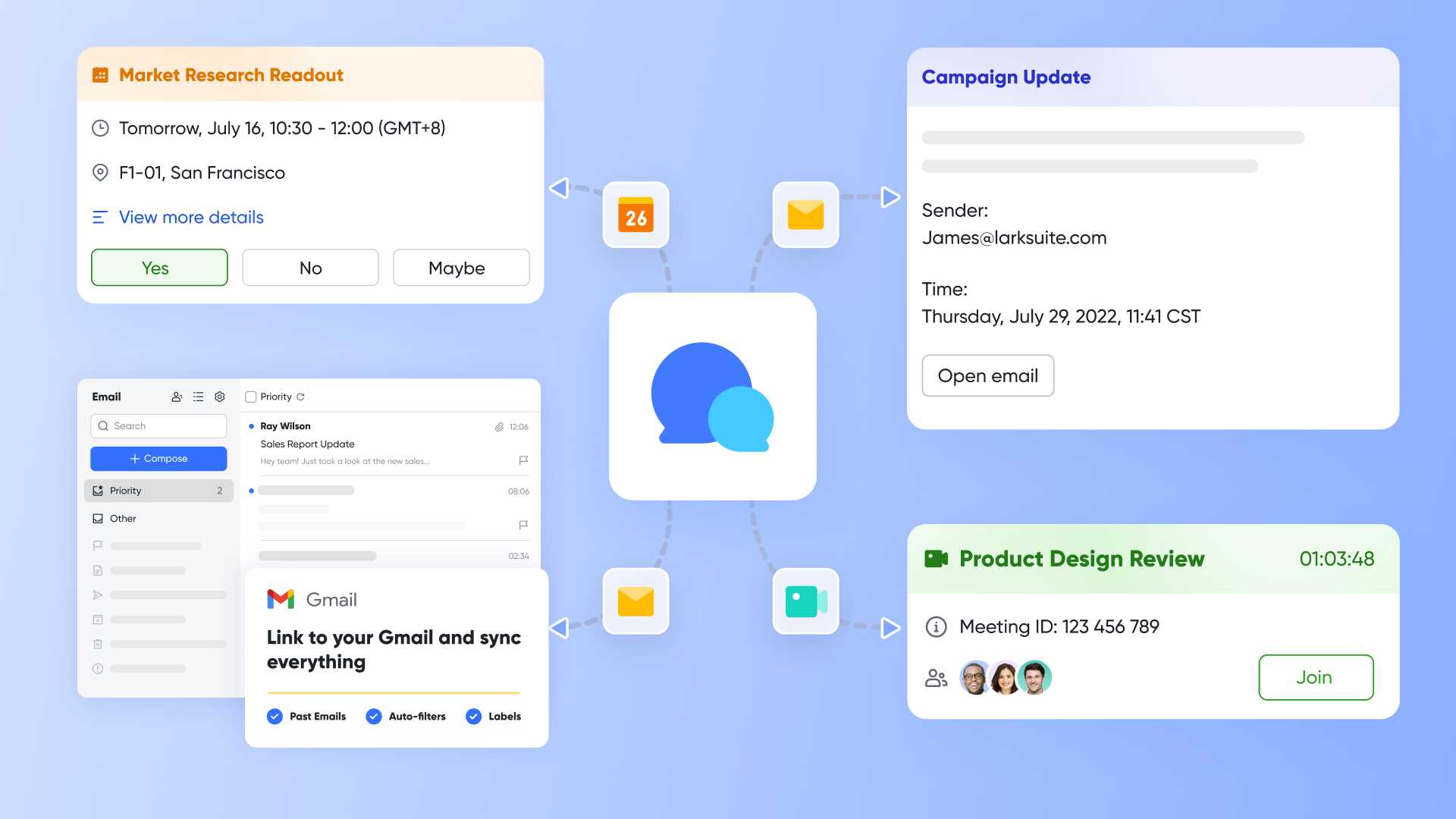
While Coda focuses primarily on document creation and customization, Lark provides an entire connected workspace built for teamwork: combining communication, documentation, scheduling, automation, and task management under a single, affordable pricing structure. Every team member, regardless of role, gains full access to Lark's suite of tools, including Docs, Messenger, Calendar, Base, Mail, Meetings, Tasks, Wiki, and Approval, without additional licensing costs or hidden usage fees. This ensures predictable pricing as teams grow and projects expand.
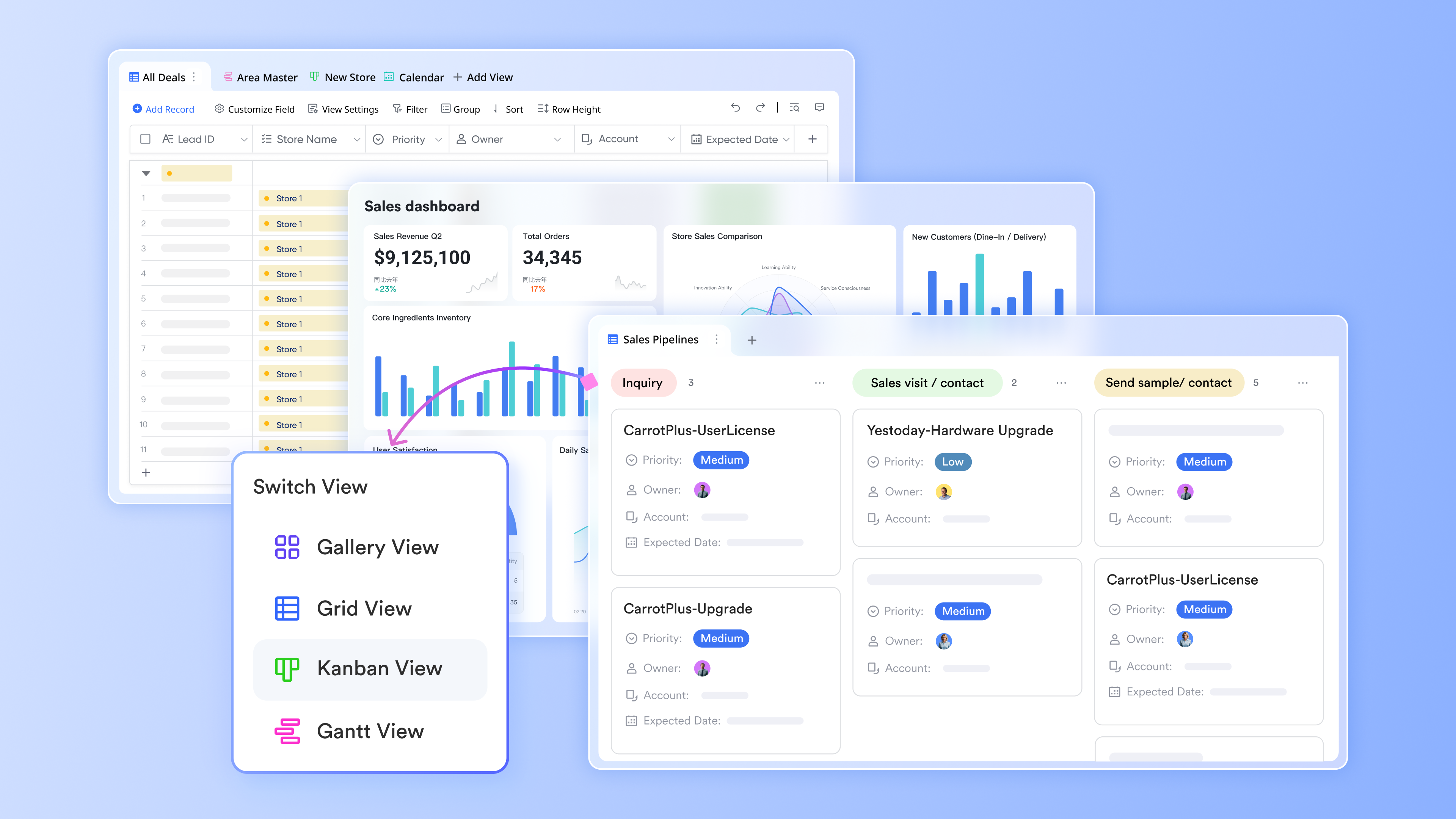
Lark Base: Smart workflow and data management
At the core of Lark's workspace is Lark Base, a versatile tool that acts as both a database and workflow builder. Teams can design custom tables to track anything—projects, leads, budgets, event registrations—and visualize them as lists, Kanban boards, calendars, or dashboards.
What sets Base apart is its built-in automation engine. Without external plug-ins or code, users can create rule-based workflows that trigger notifications, update records, assign tasks, or generate reports automatically. For example:
- When a new form submission arrives, Base can create a linked Task, send a Messenger alert, and update the relevant dashboard.
- When a project status changes, it can notify stakeholders and log a timestamp in the activity history.
This level of automation—available within Lark's standard subscription—removes manual repetition and maintains consistency across processes.
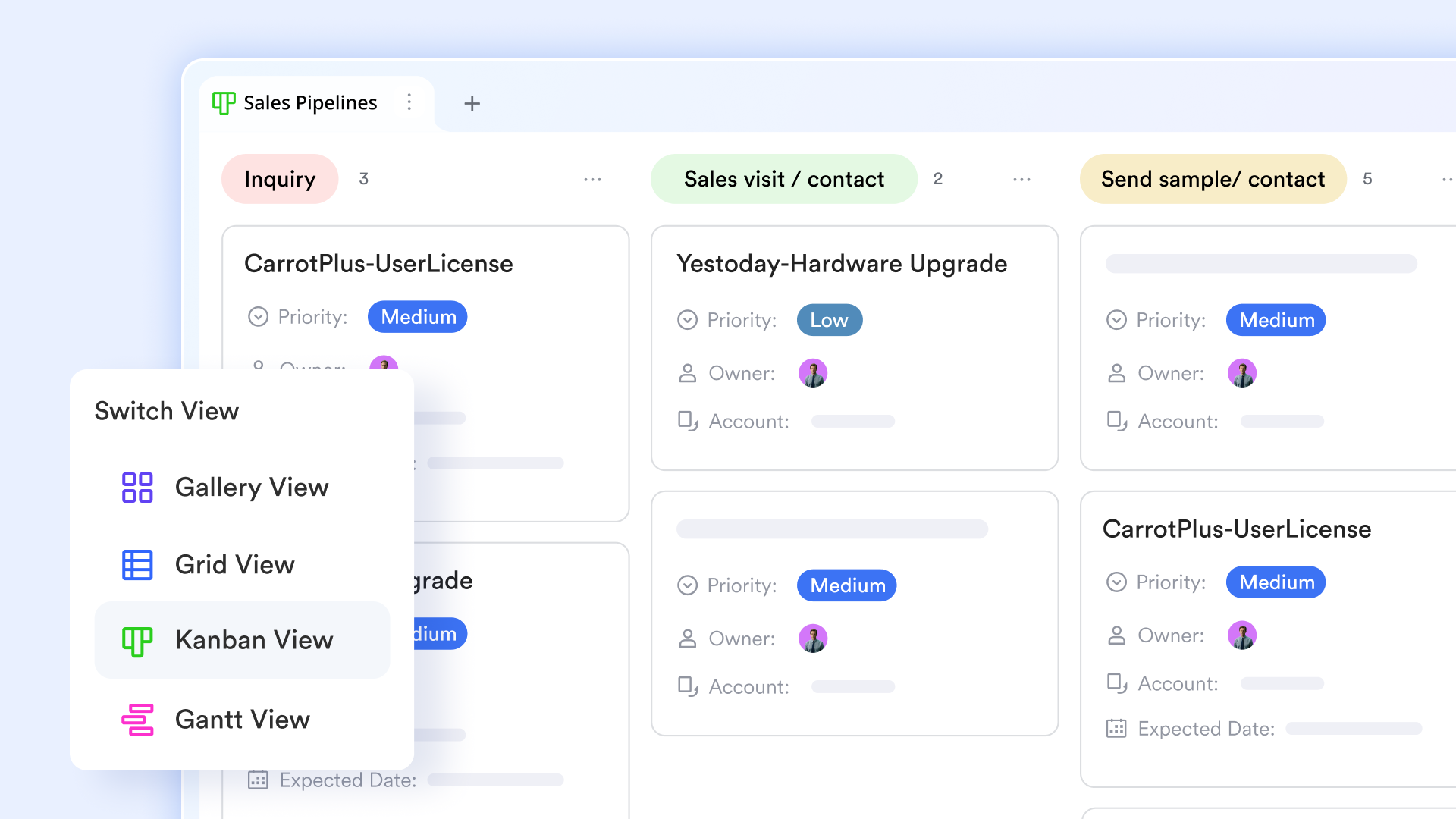
Lark Messenger & Meetings & Calendar: Communication meets coordination
Lark Messenger goes beyond basic chat. Conversations stay linked to the work they reference—you can open a Doc, a Base record, or a Task directly from the chat window. Threaded discussions, topic-based channels, and AI-powered search make it easy to locate information quickly.
Meanwhile, Lark Calendar syncs with Meetings in real time. You can check teammates' availability, propose meeting times, and insert calendar invites directly into emails or chats. During meetings, AI Meeting Notes capture discussions automatically, summarize key points, and even assign follow-up tasks—ensuring action items are documented without extra effort.
Lark Docs and Wiki: Knowledge and collaboration without boundaries
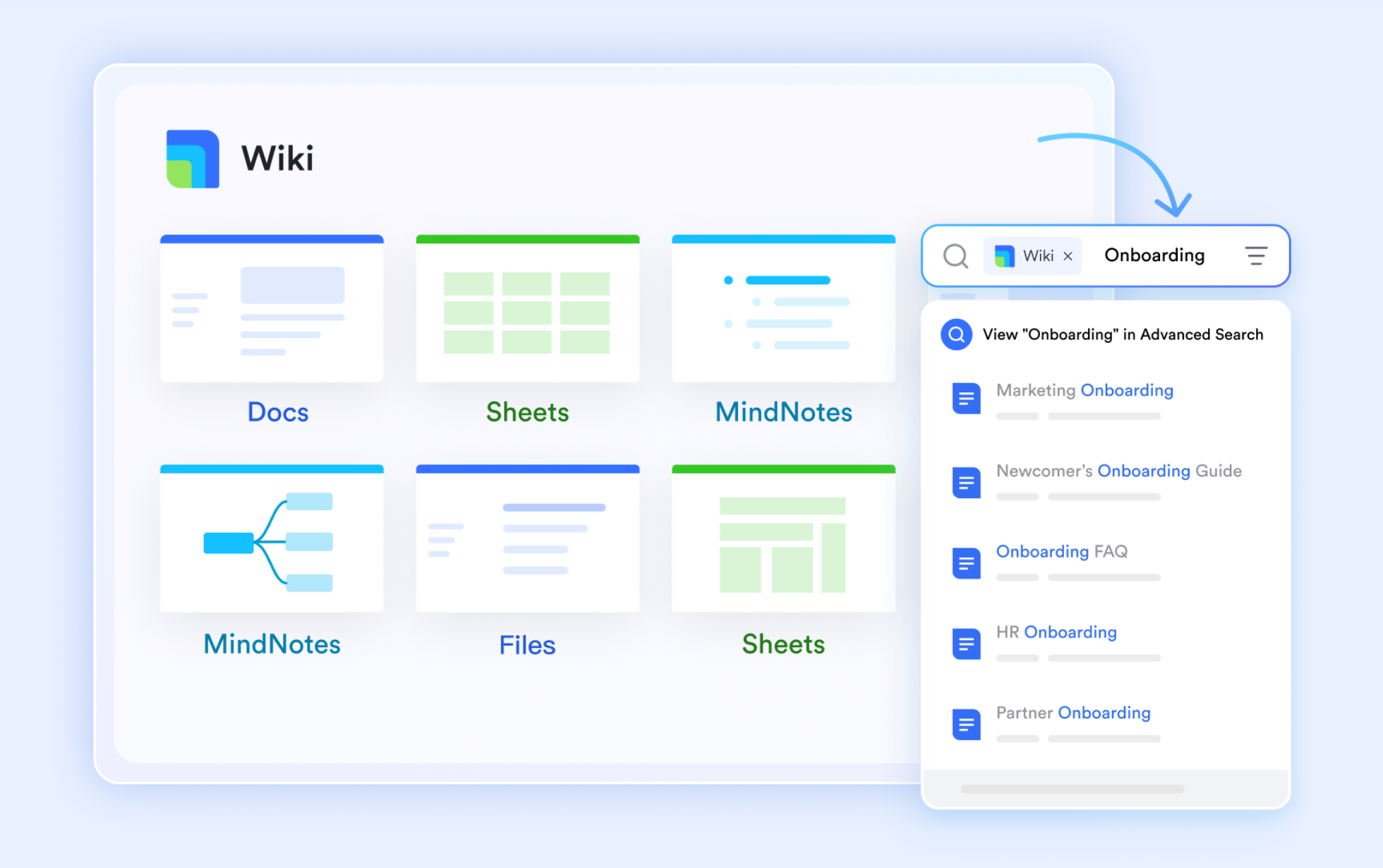
Lark Docs combines real-time co-editing, inline commenting, and task linking in a single collaborative document space. Users can embed live Base tables, task boards, or charts directly within a document, turning static notes into dynamic, data-connected workspaces.
When documents evolve into established references or policies, they can be published in Lark Wiki, the organization's central knowledge hub. Wiki pages remain searchable and permission-controlled, making onboarding and reference workflows easier to manage without external tools.
Lark Approval: Streamline requests and approvals
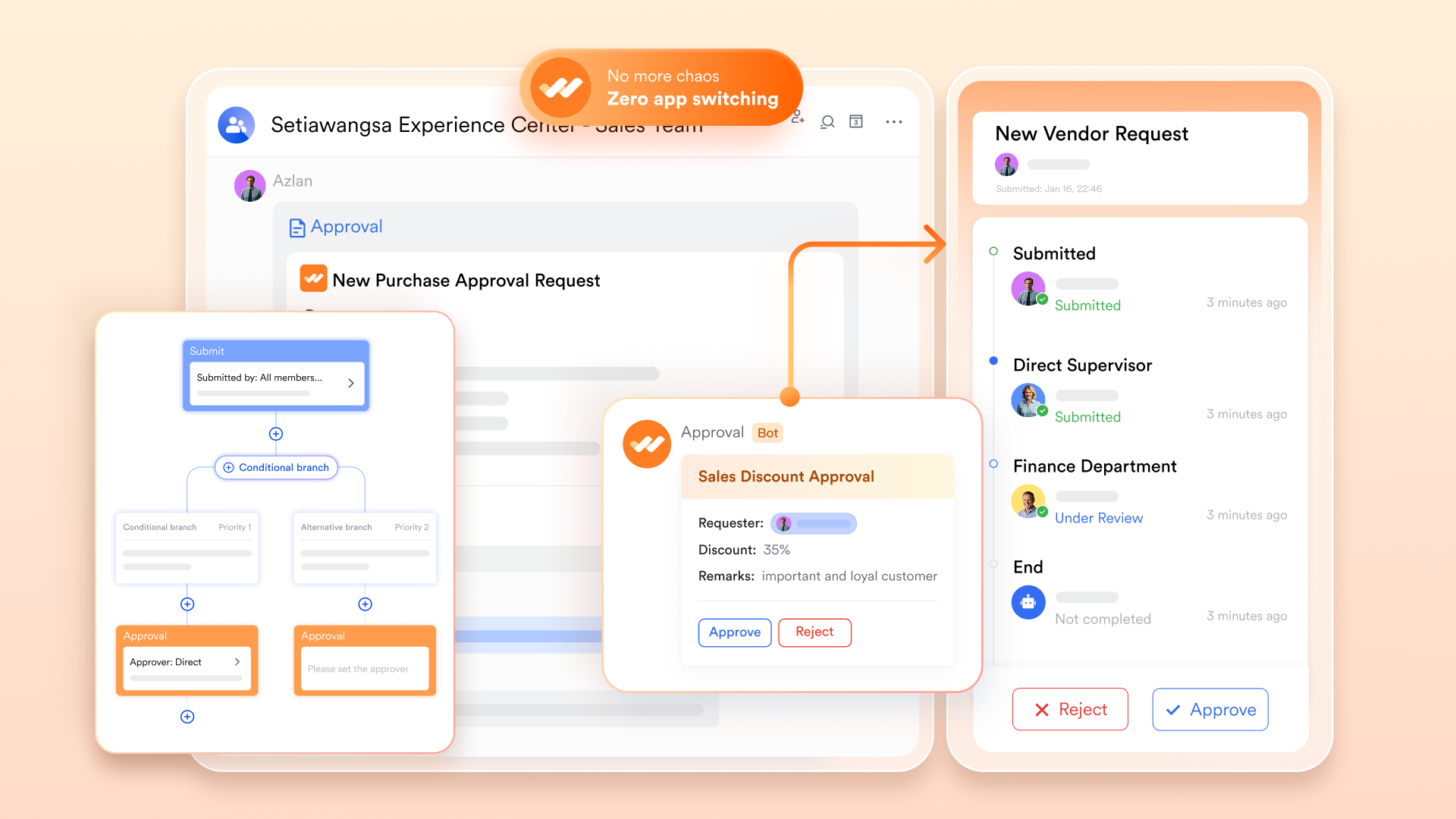
Lark Approval is a comprehensive tool for managing leave, business trips, reimbursements, and other organizational approvals. It provides a wide range of templates, highly customizable forms, and workflows. Approval requests can be discussed through comments or group chats, shared with relevant team members, and synced with Base for centralized data management and analysis. Approvers and CC recipients can be flexibly configured according to roles, departments, or specific individuals, ensuring smooth and transparent approval processes.
- Starter plan: Free forever plan that includes 11 powerful tools for up to 20 users. It also comes with 100GB of storage, 1000 automation runs, AI translations, and more.
- Basic plan: $6/user/month (billed annually) for up to 500 users. It includes everything in Starter plus group calling for up to 500 attendees, 5TB of storage, 1000 automation runs, and more.
- Pro plan: $12/user/month (billed annually) for up to 500 users. It includes everything in Basic plus group calling for up to 500 attendees, 15TB of storage, 50,000 automation runs, and more.
- Enterprise plan: Contact sales for custom pricing. Supports unlimited users and includes even more automation runs and advanced security, compliance, and management features.

Starter
Pro
Enterprise
Starter
For small teams with simple communication needs
$0
/ user / month
20 users max
18 months message history
1-on-1 video meetings
100 GB storage
Lark Docs & Mail
1000 Base automation runs/month
2000 rows per table in Base
Pro
For companies with comprehensive collaboration and management needs
$12
/ user / month
500 users max
Unlimited message history
500-participant video meetings
15 TB storage
Lark Docs & Mail
50k Base automation runs/month
20k rows per table in Base
Enterprise
For large companies with advanced security and organizational management needs
Get a personalized demo and pricing
Unlimited users
Unlimited message history
500-participant video meetings
15 TB storage + 30 GB storage/user
Lark Docs & Mail
500k Base automation runs/month
50k Base automation runs/month
Single sign-on (SSO)
Pro
For companies with comprehensive collaboration and management needs
$12
/ user / month
500 users max
Unlimited message history
500-participant video meetings
15 TB storage
Lark Docs & Mail
50k Base automation runs/month
20k rows per table in Base
Try Lark's savings calculator: Switching to Lark's Pro plan can lead to significant cost savings— for example, a 100-employee company using Slack, Google Workspace, and Airtable could save approximately $25,200 annually by consolidating their tools with Lark.
Lark vs Coda: Unified collaboration comparison
Choosing between Lark and Coda depends on how your team prefers to work and collaborate. While Coda pricing revolves around document creation and automation, Lark delivers a unified experience across chat, docs, and project management. This comparison highlights how each platform supports teamwork, automation, and scalability. Whether you prioritize flexible document workflows or an all-in-one collaboration suite, the table below outlines how the two tools differ in focus, features, and value.
The bottom line
While Coda excels in document flexibility, it still relies heavily on manual coordination and third-party integrations for collaboration and automation. Lark, on the other hand, offers a truly unified digital workspace—connecting chat, documents, data, and scheduling into one intelligent system.
With pricing starting at just $6 per user per month, Lark provides enterprise-grade capabilities—AI collaboration, workflow automation, and cross-tool synchronization—at a fraction of the cost of running multiple standalone solutions. In essence, Lark replaces the patchwork of tools and plug-ins with one connected, real-time workspace where teams communicate, create, and execute together.
Conclusion
Coda's flexible pricing and document-based model make it a strong choice for teams that prioritize custom workflows and smart automation. Its "Doc Maker" structure works well for small groups but can become costly as collaboration scales. While Coda excels at blending documents, data, and automations, it lacks built-in communication and project management features. For teams seeking a more connected environment with predictable costs, Lark offers a unified workspace that brings together messaging, meetings, tasks, and docs, delivering powerful collaboration and automation within a single, streamlined platform.
FAQs
What happens if multiple people edit the same Coda doc?
Coda supports real-time collaboration, allowing multiple users to edit a document simultaneously. Changes appear instantly, and version history helps you track updates or revert when needed. Depending on your Coda pricing plan, you can also manage permissions and locking settings to control who can view, comment, or modify content within shared workspaces.
Does Coda's AI cost extra across all plans?
Yes. Coda AI pricing is an add-on that costs $10 per user per month, regardless of your main subscription tier. It's designed to enhance productivity with AI-powered writing, data analysis, and automation. While it adds useful features, teams should consider the extra cost alongside their regular Coda pricing plans to estimate total expenses.
Can Coda replace full project management software?
Coda offers many project management tools, including task tracking, automation, and dashboards. However, it lacks built-in communication features like chat or video, which many project management platforms provide. Depending on your needs, Coda can handle smaller workflows effectively but may require other tools for end-to-end project collaboration and real-time team communication.
Does Lark offer offline document access like Coda?
Yes. Lark supports offline access for key features like Docs and Sheets, allowing users to continue editing without an internet connection. Changes automatically sync once you're back online. This functionality ensures teams stay productive anywhere, similar to Coda's offline capabilities, but within a more unified workspace experience that includes chat, mail, and tasks.
How secure is Lark compared to Coda's SOC 2 compliance?
Coda maintains SOC 2 Type II compliance and enterprise-grade security controls. Lark, on the other hand, also meets international standards like ISO 27001, ISO 27018, and GDPR compliance. It offers advanced data encryption, access controls, and admin oversight, ensuring that enterprise users enjoy strong protection and governance across all collaboration tools in one platform.
Related reading
Table of contents
Start using Lark today

Manage all your work in one place
Boost team efficiency by 10x
Save up to 70% on software costs
Table of contents
Start using Lark today
Manage all your work in one place
Boost team efficiency by 10x
Save up to 70% on software costs
Keep reading


Lark recognized in 2023 Gartner® Collaborative Content Workspaces and Meeting Solutions reports
Lark, the global superapp for productivity, is delighted to announce it receives recognition in the Gartner's 2023 Innovation Insight for Collaborative Content Workspaces and Market Guide for Meeting Solutions.






2026 Lark Technologies Pte. Ltd.
Headquartered in Singapore with offices worldwide.






Explore: