














CRM Data Migration: Ensuring Smooth Transitions and Data Accuracy

Ryan Tanner
Product Marketing Specialist
Sep 18, 2026
Ryan Tanner
Sep 18, 2026

12 min read


As businesses grow, upgrading or switching CRM systems becomes a natural step toward better efficiency. Whether it's transitioning from legacy software to cloud-based tools like HubSpot or Dynamics, or unifying multiple data sources, CRM data migration is both essential and intricate. The process affects how smoothly teams manage customer relationships and maintain sales continuity. A well-planned migration ensures critical data—contacts, leads, and deals—moves accurately and without disruption.
This guide explores practical steps and best practices for achieving a seamless, secure, and accurate CRM data migration, along with how modern platforms such as Lark help teams streamline workflows and maintain data consistency.

Why businesses embark on CRM data migration
Businesses embark on CRM data migration to modernize their operations, improve efficiency, and gain clearer visibility into customer interactions. As organizations grow, legacy systems often struggle to support complex data structures or advanced analytics, leading many to shift to modern, cloud-based solutions such as HubSpot or Microsoft Dynamics.
A custom CRM migration allows companies to align data models with evolving business goals, ensuring that customer information—from leads to transactions—remains accurate and accessible. For enterprises using multiple platforms, CRM data migration services help consolidate fragmented records into a single source of truth, enhancing collaboration and reporting. Whether leveraging a Dynamics CRM data migration tool or automating workflows through platforms like Lark, the objective is the same: to move critical customer data securely and efficiently, enabling sales, marketing, and service teams to deliver consistent, data-driven experiences without disruption.
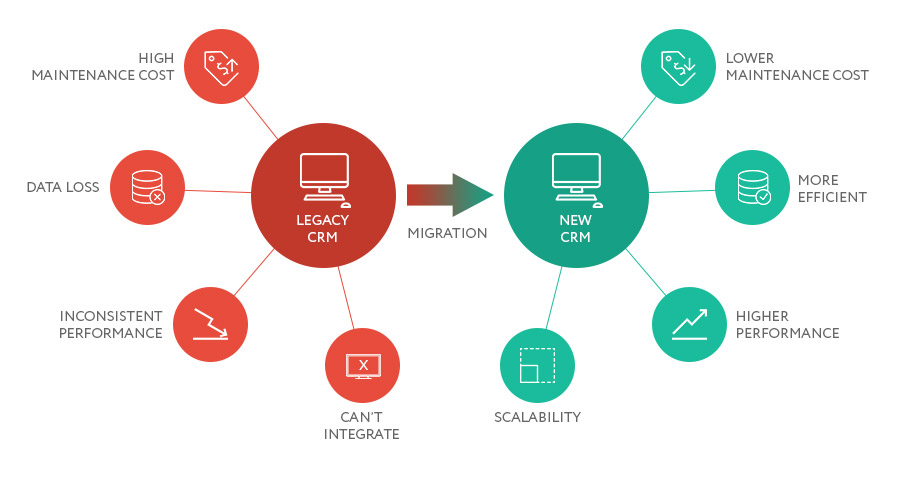
Image source: velvetech.com
Planning and scoping the migration
Planning and scoping are the foundation of a successful CRM data migration. This stage ensures that all stakeholders share a clear understanding of what data will move, how it will be managed, and the criteria for success. Proper scoping helps avoid duplication, downtime, and compliance risks while ensuring that migrated data supports long-term business goals. A structured plan also improves collaboration across teams and sets the stage for accurate, seamless transitions.
- Define objectives and success criteria: Establish clear goals for the migration process, such as improving data accuracy, optimizing workflows, or consolidating customer records. Setting measurable KPIs helps track progress and evaluate outcomes. In projects involving data migration CRM systems, well-defined success metrics prevent scope drift and align technical teams with business objectives.
- Identify scope: Determine exactly which entities and datasets will be transferred. This may include customer profiles, sales history, and related attachments. During HubSpot CRM data migration or Microsoft CRM data migration, documenting every field and object ensures no critical information is left behind.
- Distinguish "nice-to-have" vs "must-have" data: Not all data is equally valuable. Identify which records are essential for daily operations and which can be archived. This step reduces clutter, improves system performance, and saves effort when using CRM data migration tools or automation scripts for transfer.
- Set timeline, budget, roles & responsibilities: Outline a realistic timeline with milestones and assign responsibilities to ensure accountability. Budget for potential contingencies, software licenses, and external CRM data migration services if required. Having clear ownership improves coordination between IT, sales, and data management teams.
- Risk assessment and governance: Identify possible risks such as data corruption, compliance gaps, or mismatched mappings between systems. Establish governance policies to oversee permissions and approvals throughout the project. Following structured oversight models ensures best practices for secure CRM data migration, especially in complex enterprise environments.
With a clear roadmap and migration plan in place, the focus turns to making the process faster and more reliable. Lark provides the tools teams need to automate data workflows, maintain data accuracy, and collaborate seamlessly during CRM transitions.
Action on your own: Streamline CRM data migration with Lark
Migrating CRM data isn't just about transferring information—it's about maintaining consistency, accuracy, and long-term usability once the data reaches its new system. With Lark, teams can automate repetitive tasks, sync records intelligently, and validate information in real-time. With robust migration tools and built-in products, Lark facilitates CMR data migrations through orderly steps and comprehensive guides for various data types.
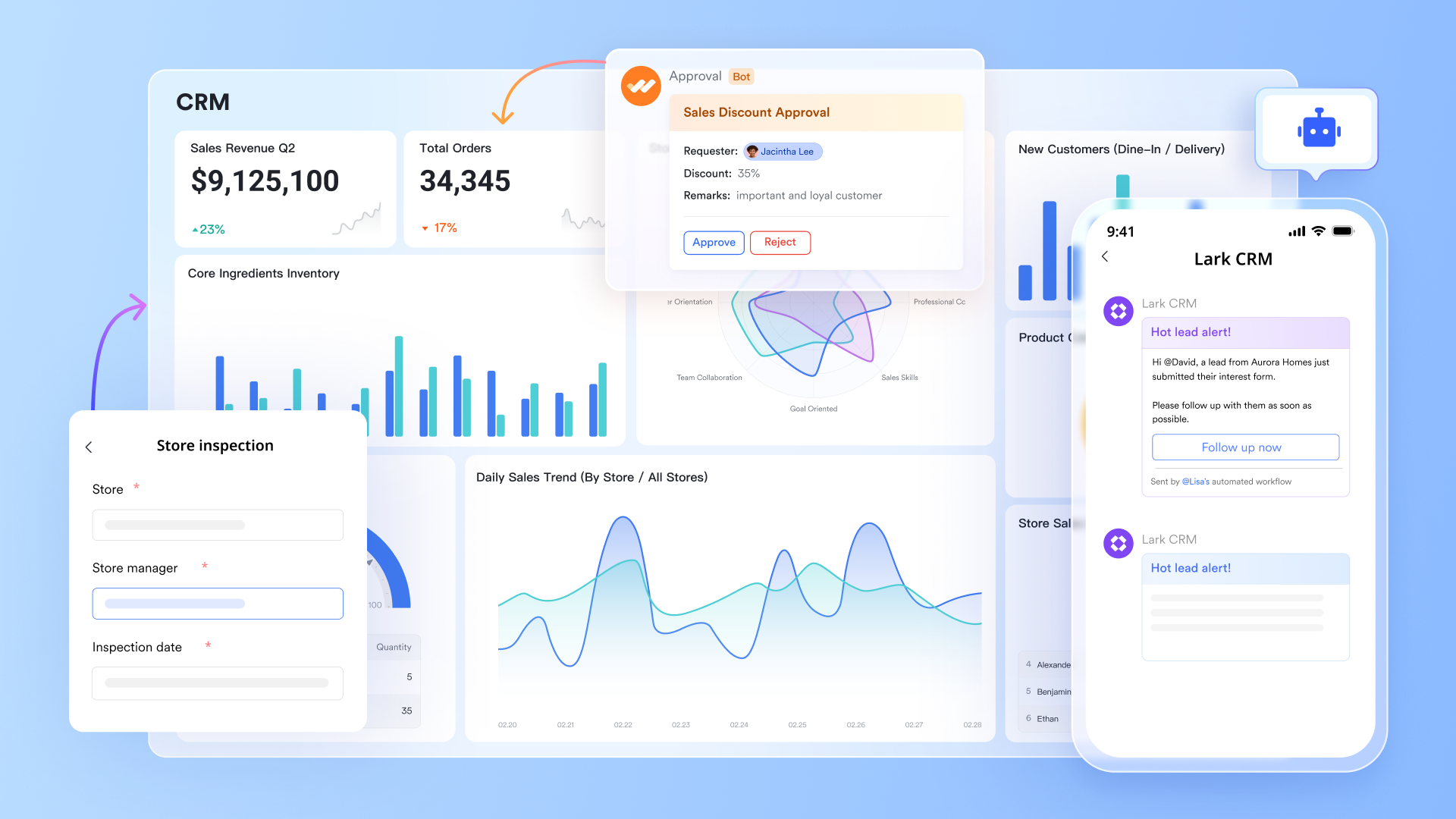
Lark Base Mini App: Streamline CRM data access and updates
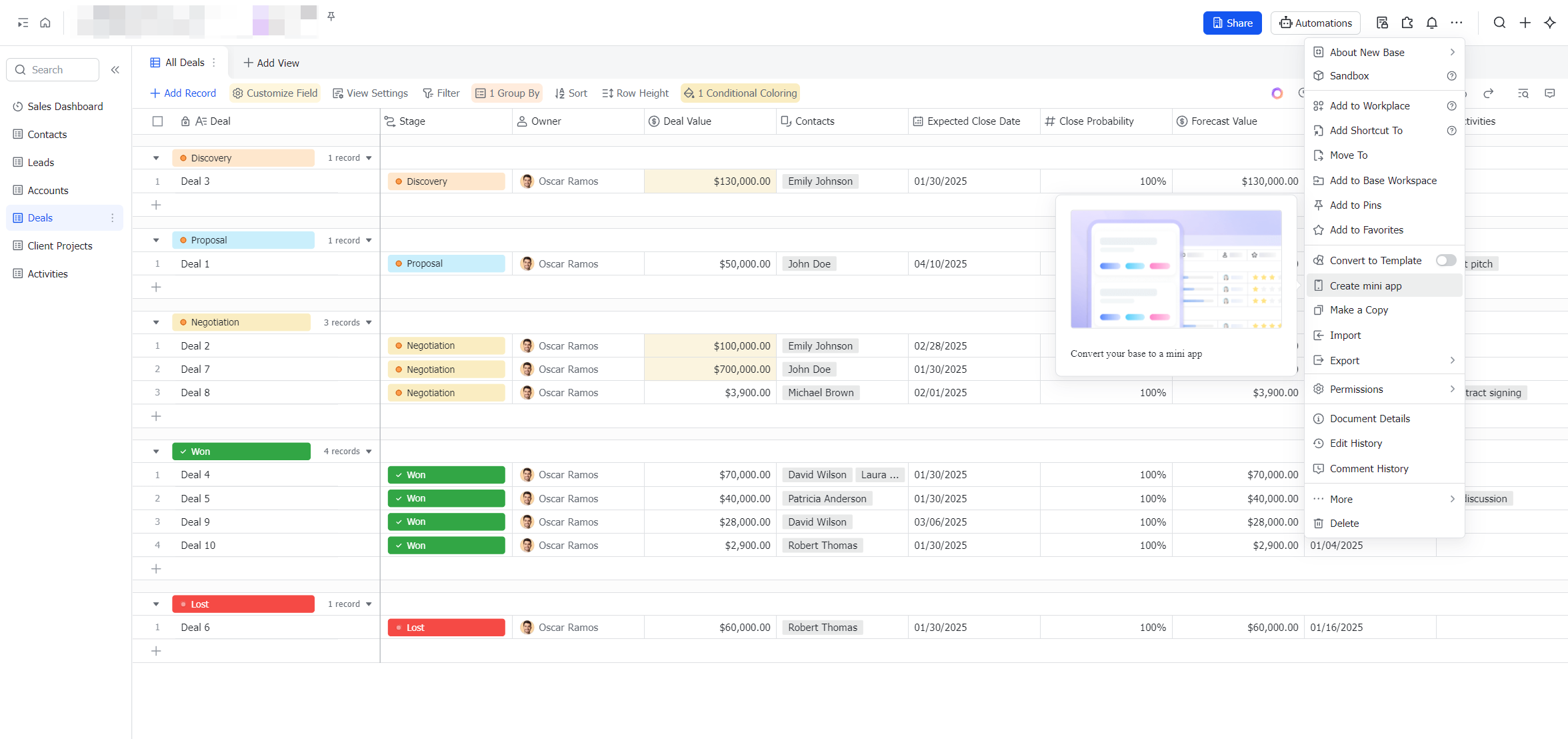
The Lark Base Mini App streamlines CRM data access and migration by letting frontline staff view and update tables like Leads, Opportunities, Clients, Orders, and Contracts directly from their phones. With table cards for easy navigation, team members can track opportunity progress and record customer follow-ups on the go. This mobile-friendly approach enhances efficiency, promotes adoption, and ensures that CRM data remains current and accurate in real-time.
Lark Sheets: Import Excel or CSV files for CRM data migration
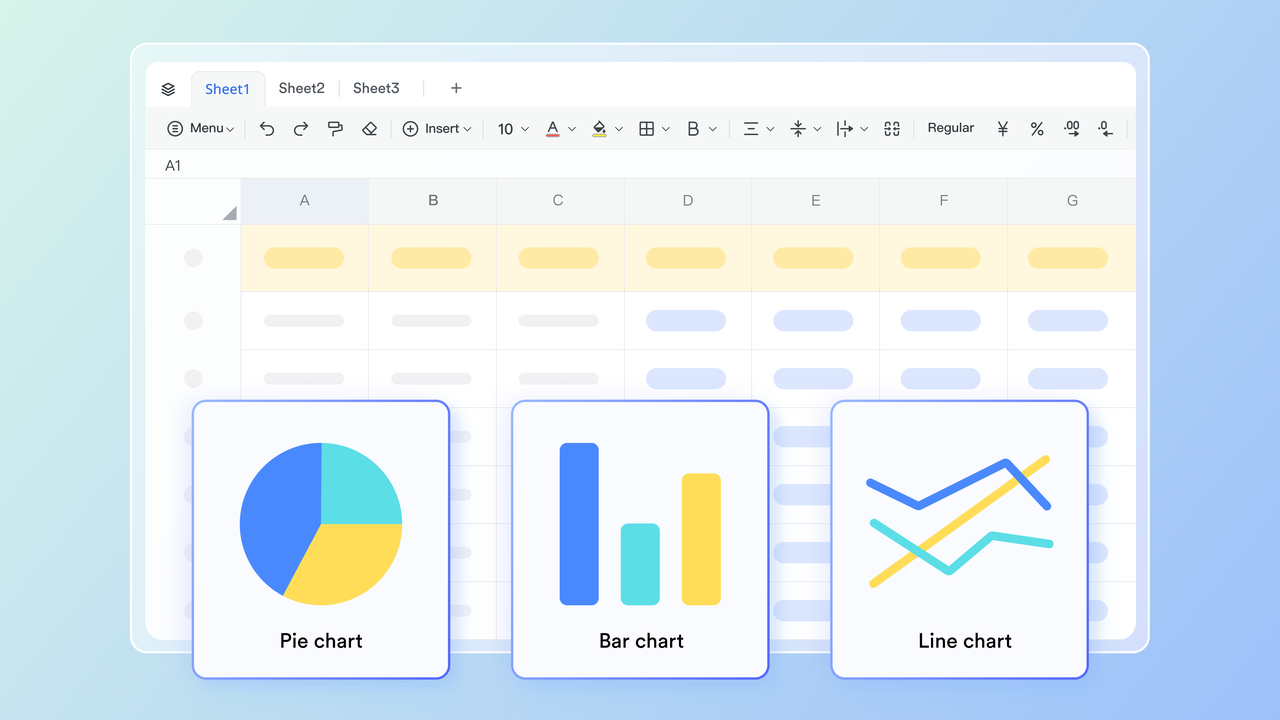
Lark Sheets simplifies CRM data migration by allowing users to import Excel or CSV files directly into the platform. Whether the files are stored locally or on Lark Drive, they can be quickly converted into Lark Sheets, preserving data structure for easy use. This enables teams to manage, update, and analyze CRM information seamlessly within Lark. By centralizing data in Sheets, organizations reduce manual entry, improve accuracy, and ensure real-time accessibility across the team.
Lark Approval: Connect third-party approval systems
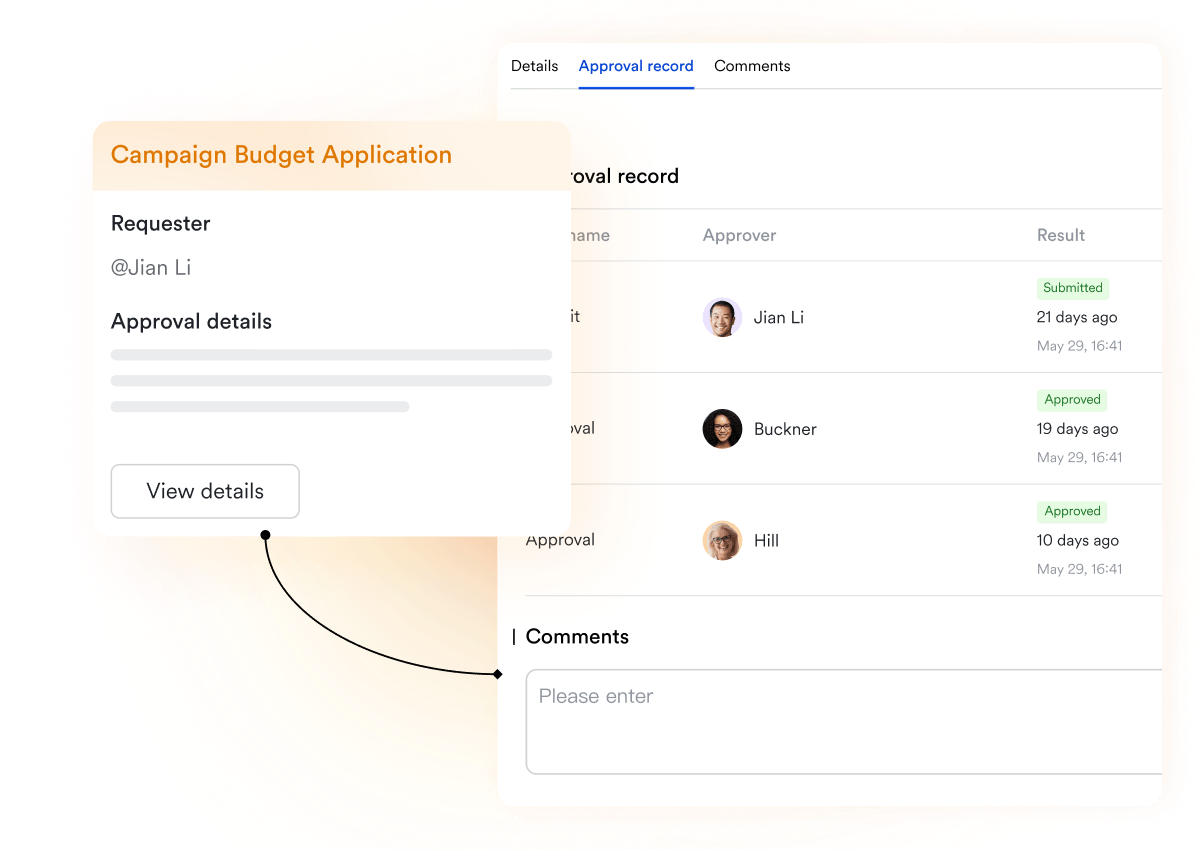
Lark Approval helps CRM data migration by centralizing approval workflows from third-party systems directly within Lark. Approvals from CRM platforms, as well as OA or ERP systems, can be synced into Lark Approval for unified processing. Administrators can integrate these external approvals via the Lark Approval Admin, ensuring all tasks are visible and actionable in one place. API integration supports the migration of approval-related data, while custom modules or batch processing can be developed to handle complex workflows efficiently. This streamlines data consolidation and keeps CRM approval records consistent during migration.
Robust integration & sync: Multiple migration options between Lark and other tools
Lark supports CRM data migration by offering robust integration and sync tools. It enables you to connect and synchronize data from platforms like Google Workspace (for directory accounts), Slack (for team data), email systems such as Gmail and Outlook, and document platforms like Google Drive or Confluence. This means that your lead, opportunity, contract, and client datasets can be consolidated into a single unified workspace. With these tools, you reduce redundant manual imports, align data across systems, and ensure your CRM information stays consistent as you migrate.

- Starter plan: Free forever plan that includes 11 powerful tools for up to 20 users. It also comes with 100GB of storage, 1000 automation runs, AI translations, and more.
- Pro plan: $12/user/month (billed annually) for up to 500 users. It includes everything in Starter plus group calling for up to 500 attendees, 15TB of storage, 50,000 automation runs, and more.
- Enterprise plan: Contact sales for custom pricing. Supports unlimited users and includes even more automation runs and advanced security, compliance, and management features. Evaluating Google Workspace pricing and ClickUp pricing alongside competing platforms can provide useful budgeting insights.
Identifying and addressing common CRM migration challenges
Even with the best planning, CRM data migration projects often encounter obstacles that can slow progress or compromise data accuracy. These challenges typically stem from inconsistent data structures, lack of validation, or limited user readiness. Recognizing them early allows teams to implement preventive measures and use the right CRM data migration tools to ensure smooth execution. Proactive troubleshooting helps maintain system integrity, compliance, and user confidence during and after migration.
- Data quality issues: Poor-quality data can lead to inaccurate reporting and inefficient workflows. Before migration, teams should cleanse, standardize, and validate datasets to eliminate errors. Using automated checks and data enrichment methods ensures more reliable results, especially during large-scale data migration CRM projects.
- Structural mismatches: Different CRMs handle fields, relationships, and objects uniquely, creating compatibility issues. Detailed mapping and transformation scripts are essential to preserve data relationships. In cases like custom CRM migration, schema alignment ensures that fields and dependencies transfer correctly without loss.
- Security + compliance risks: Sensitive customer information must comply with laws such as GDPR or CCPA. Establish access controls and encryption standards before initiating migration. Partnering with trusted CRM data migration services helps ensure adherence to regional compliance requirements and internal governance policies.
- Downtime and disruption: Extended downtime can interrupt sales operations and customer engagement. To minimize disruption, schedule migrations during off-peak hours or in phased rollouts. Many organizations leverage dynamics CRM data migration tool automation to manage transfers efficiently and reduce downtime risks.
- User adoption hurdles: Even after a technically successful migration, poor user adoption can limit ROI. Employees need guidance to navigate the new system confidently. Providing early communication, documentation, and hands-on training supports smoother transitions and strengthens overall CRM data migration best practices.
Best practices for successful CRM data migration
Executing a CRM data migration requires not just technology but a disciplined approach built on proven methods. Following best practices ensures the process remains smooth, accurate, and compliant while reducing the risk of errors. From data cleaning to automation, each step plays a vital role in maintaining business continuity and system reliability. Adopting structured workflows and utilizing modern CRM data migration tools enables organizations to achieve secure and efficient transitions at scale.
- Clean your data before moving — not after: Data cleanup is the foundation of a successful migration. Standardize formats, remove duplicates, and correct incomplete fields before transferring records. In projects such as hubspot CRM data migration, clean datasets help prevent post-migration errors and ensure consistent reporting.
- Test frequently and validate every batch: Conducting multiple test migrations ensures mapping accuracy and field integrity. Validation helps identify mismatched or missing records early in the process. Using automated testing within data migration CRM platforms improves efficiency and minimizes the risk of data corruption.
- Keep all documentation centralized: Centralized documentation improves transparency and reduces confusion during execution. Maintain mapping sheets, audit reports, and workflow logs in a shared repository. This practice is essential when using microsoft CRM data migration tools, as it provides clear traceability and accountability.
- Communicate frequently across departments: Cross-functional communication keeps everyone aligned throughout the migration. Regular status updates and feedback sessions ensure technical teams and business users stay informed. Clear communication also supports CRM data migration services by helping identify issues before they escalate.
- Automate wherever possible to save time and reduce human error: Automation accelerates the migration process while maintaining accuracy and consistency. Setting up workflow automations can handle repetitive updates, notifications, and validations. For enterprises, dynamics CRM data migration tool integrations and platforms like Lark simplify automation without requiring complex coding.
Conclusion
A successful CRM data migration is more than a technical task—it's a strategic initiative that ensures business continuity, data accuracy, and stronger customer relationships. From planning and data cleaning to automation and testing, every step contributes to a smooth transition between systems. By following structured best practices and using trusted CRM data migration tools, organizations can minimize disruption and maintain the integrity of their customer information. Platforms like Lark make this process even more efficient by combining automation, collaboration, and data management in one place. Teams can streamline migration workflows, reduce manual effort, and ensure data consistency across departments. Whether you're performing a custom CRM migration or upgrading to a new system, the right tools make all the difference. Start simplifying your CRM data migration journey and experience seamless collaboration with Lark.
FAQs
What is the difference between CRM data migration and CRM data integration?
Lark helps teams understand that CRM data migration is a one-time process of transferring information from one CRM to another, often during upgrades or platform shifts. In contrast, CRM data integration ensures continuous synchronization between multiple systems. Integration keeps customer data updated in real time across connected tools, enabling consistent collaboration and decision-making without manual effort.
How do you ensure data accuracy after CRM migration?
Data accuracy depends on rigorous validation and user verification. Run post-migration tests comparing record counts, field values, and relationships between systems. Using audit dashboards and automated reporting helps identify discrepancies quickly. Engaging end-users to review key records ensures that missing or mismatched data is caught early and corrected efficiently.
How long does a typical CRM data migration take?
Timelines vary based on data size and complexity. Smaller CRM data migration projects may finish in days, while larger enterprise migrations can span weeks or months. Factors like data quality, schema mapping, and testing cycles influence duration. Proper planning and automation tools help streamline the process significantly.
What are the key risks to avoid during CRM data migration?
Major risks include incomplete exports, incorrect field mapping, and overwriting live records. Skipping backups or test runs increases the chance of data loss. Establishing validation checkpoints and rollback options minimizes these risks. Regular stakeholder reviews and proper version control maintain transparency and prevent migration errors.
Can CRM automations or workflows be migrated too?
Yes, but with limitations depending on system compatibility. Basic automations like notifications or task triggers can often be recreated in the new CRM. However, complex scripts and conditional logic may require manual rebuilding. Keeping detailed documentation of existing workflows ensures functionality is preserved post-migration.
Related reading
Table of contents
Start using Lark today

Manage all your work in one place
Boost team efficiency by 10x
Save up to 70% on software costs
Table of contents
Start using Lark today
Manage all your work in one place
Boost team efficiency by 10x
Save up to 70% on software costs
Keep reading









2026 Lark Technologies Pte. Ltd.
Headquartered in Singapore with offices worldwide.






Explore: