














Manage Documents Like a Pro: 10 Best Systems

Prathyusha
Freelance Content Creator
Nov 4, 2026
Prathyusha
Nov 4, 2026

25 min read
Add to preferred sources


Managing business documents has evolved far beyond shared folders. Today, organizations rely on document management to organize, secure, and collaborate on digital files efficiently. From contracts and onboarding materials to reports and product specs, every document must remain accessible, version-controlled, and protected. Effective document management streamlines workflows, reduces errors, and ensures compliance across teams.
In this guide, we explore what document management means in the digital era, how it enhances productivity and security, and highlight ten of the best document management systems available today.The management systems are:
1. Lark: All-in-one document management and collaboration platform
2. SharePoint: Enterprise-Grade Solution
3. Google Workspace: Collaborative document management tools
4. Zoho Docs: Cloud document management with automation
5. Dropbox Business: Secure document storage & sharing
6. DocuWare: Intelligent workflow automation
7. PaperOfficeAI: Powered digital document management
8. NetSuite: Integrated document management for enterprises
9. M-Files: Intelligent document management system
10. OpenText: Enterprise document management for large organizations

What document management really means in the digital era
In the digital era, document management goes beyond storing files—it's about creating, organizing, sharing, and securing information across the entire organization. A document management system (DMS) provides a structured way to handle digital files, ensuring that every document is easily searchable, traceable, and accessible from anywhere.
Modern document management software integrates collaboration tools, version control, and workflow automation, allowing teams to co-edit files in real time and maintain data integrity. Businesses benefit from improved compliance, reduced manual effort, and faster decision-making. Whether cloud-based or on-premises, a digital document management system centralizes company knowledge, connects teams, and replaces outdated paper-driven processes. From HR and legal departments to sales and operations, adopting an electronic document management system ensures that organizations stay efficient, secure, and ready for growth in an increasingly digital workplace.
Image source: unsplash.com
Mastering document management: Processes that streamline work
Mastering document management requires more than adopting the right tools—it demands a structured approach to how information is created, stored, and maintained. A well-implemented document management system (DMS) standardizes these processes to enhance efficiency, security, and collaboration across teams. From document creation to archiving, every stage in a digital document management workflow ensures accessibility, traceability, and compliance. The following key processes form the foundation of effective document management solutions that help businesses operate seamlessly in the digital age.
- Document creation: Using predefined templates and standardized document formats ensures consistency and reduces time spent on setup. Document management software supports shared templates that align with branding and compliance needs. This makes document creation faster and error-free across departments.
- Document capture: A digital document management system allows businesses to scan, upload, and digitize paper records. Optical Character Recognition (OCR) technology makes these files searchable and easier to integrate into existing workflows. This bridges the gap between physical and electronic document management.
- Indexing & categorization: Effective indexing in a document management system ensures fast retrieval through tags, metadata, and keywords. Categorizing documents by type, client, or department simplifies organization. It enhances productivity by enabling quick and accurate access to the right files.
- Storage & organization: A cloud document management solution stores files in a centralized, secure repository accessible from any device. Structured folders and linked records maintain order while reducing duplication. Centralized storage also supports team collaboration and version control.
- Version control & revision tracking: Document management systems track every change, ensuring users can view, compare, or restore previous versions. This maintains a clear record of document evolution and accountability. Version control prevents confusion over outdated or conflicting files.
- Access & security management: An enterprise document management system provides granular access permissions and encryption for data protection. Role-based controls determine who can view, edit, or share files. This prevents unauthorized access and ensures compliance with security regulations.
- Archiving & retention policies: Archiving features in document management solutions help retain essential records while removing outdated ones automatically. Retention policies ensure businesses meet regulatory requirements. Automated archiving also saves storage space and improves system performance.
- Workflow automation: Automated document management workflows streamline approvals, reviews, and task delegation. Notifications keep stakeholders informed of pending actions. Automation reduces delays, minimizes manual errors, and accelerates overall document lifecycle management.
Quick overview of the 10 best document management tools
10 best document management tools every business needs
1. Lark: All-in-one document management and collaboration platform
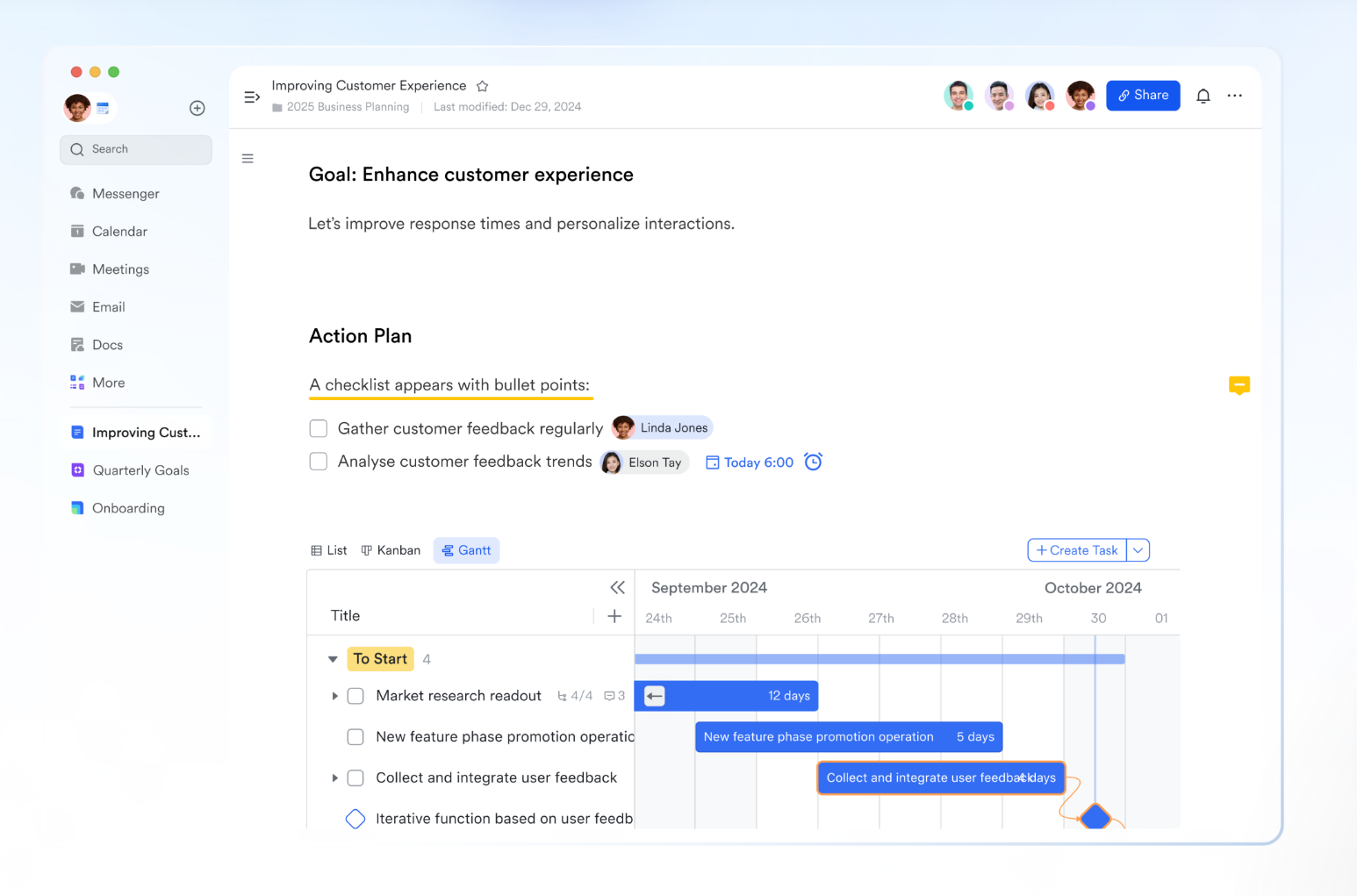
Lark is an all-in-one document management and collaboration platform designed to help teams work smarter in a connected digital workspace. As a modern document management system, Lark combines communication, file storage, and workflow automation into one unified environment. With tools like Lark Docs, Sheets, Wiki, and Base, it offers businesses a complete digital document management solution for creating, editing, organizing, and sharing information in real time.
- Lark Docs: Real-time co-editing for fast teamwork
- Lark Docs allows teams to create written content together without emailing files back and forth. You can comment, @mention your colleague to co-edit, subscribe to follow updates, and track every change with editing history. Smart tables, checklists, and media embeds turn plain pages into structured working documents. Access permissions keep sensitive content safe while still being easy to share across teams. Everything stays linked to context, so knowledge never gets lost.
- Example: A marketing team co-writes a product launch brief and tags the sales lead for instant feedback inside the same Doc.
- Lark Wiki: Your living knowledge base
- Lark Wiki turns your most valuable information into a well-organized library. Teams can publish finalized Docs into Wiki spaces where pages stay neatly categorized with a clear navigation structure. It becomes the single source of truth for onboarding guides, SOPs, playbooks, and brand assets. Updates happen continuously so nothing becomes outdated. It's searchable and always accessible from desktop or mobile.
- Example: HR maintains a Wiki for employee policies, benefits info, and training materials so every new hire finds answers fast.
- Lark Sheets: Data and documentation together
- Lark Sheets gives you powerful spreadsheet capabilities right next to your documents and chats. Whether managing product inventories, campaign metrics, or budgets, teams can analyze information in one place. You can collaborate in real time with comments tied to exact cells. Filters and formulas support deep analysis without exporting files.
- Example: A retail team tracks seasonal product performance in Sheets and links it to sales notes stored in Docs.
- Lark Messenger: Communication with full context
- Lark Messenger keeps conversations connected directly with the work they support. You can share Docs, Sheets, and Bases inside and open them side-by-side to discuss changes instantly. Search lets you find files through messages, not folders. Cross-team channels support alignment on ongoing projects. Voice messages, smart replies, and reactions make communication fast and human.
- Example: A designer sends the updated pricing sheet inside chat, and the sales team reviews it on the spot, no downloading required.

- Lark Base: Transform documents into dynamic records
- Lark Base helps teams build structured databases from their everyday work. You can organize fields for customers, assets, or content workflows and switch views between Table, Kanban, and Gallery. Dashboards visualize insights across pipeline stages, ownership, or timelines. Automated workflow prompts the right teammate when an update or follow-up is needed. Everything links back to relevant Docs and Messenger threads for full context.
- Example: A SaaS team manages their customer profile library in Base and automatically assigns leads to sales reps when their status changes.
- Starter plan: Free forever plan that includes Sheets, Docs, Base, and 8 other powerful tools for up to 20 users. It also comes with 100GB of cloud storage, 1000 automation runs, AI translations, and more.
- Pro plan: $12/user/month (billed annually) for up to 500 users. It includes everything in Starter plus group calling for up to 500 attendees, 15TB of storage, 50,000 automation runs, and more.
- Enterprise plan: Contact sales for custom pricing. Supports unlimited users and includes even more automation runs and advanced security, compliance, and management features.
2. SharePoint: Enterprise-Grade Solution
SharePoint is an enterprise-grade document management solution developed by Microsoft, designed to help organizations store, organize, and collaborate on digital files securely. As a robust document management system, it allows teams to manage content, track versions, and control access across departments. SharePoint integrates seamlessly with Microsoft 365 applications like Teams, Outlook, and OneDrive, making it a central hub for collaboration and workflow automation.
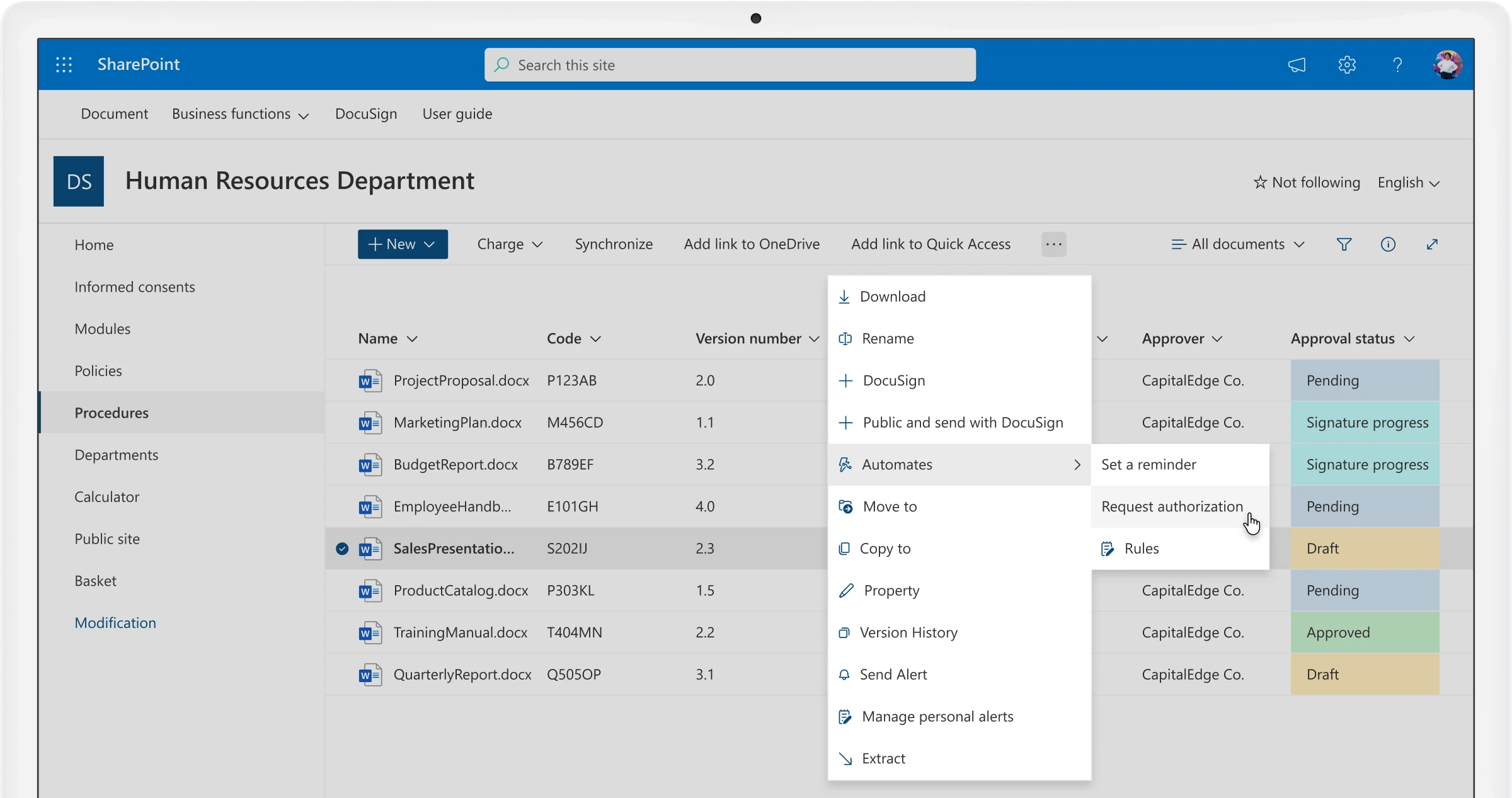
Image source: sharepoint.com
Features:
- Centralized document libraries with version control and metadata support.
- Workflow automation and approvals via Power Automate integration.
- Granular access controls, audit trails, and retention policies.
- Seamless integration with Microsoft 365 ecosystem and intranet sites.
Pros:
- Unified workspace through Microsoft 365 integration.
- Strong versioning, search, and collaboration capabilities.
- Highly scalable and flexible for enterprise environments.
Cons:
- Complex setup and governance with a learning curve.
- Licensing and customization costs can increase with advanced features.
Pricing:
- SharePoint Online Plan 1: USD $5/user/month (monthly billing).
- Microsoft 365 Business Standard: USD $12.50/user/month (monthly billing).
- Enterprise E3 Plan: USD $23/user/month (monthly billing).
3. Google Workspace: Collaborative document management tools
Google Workspace is a cloud-based productivity and document management platform designed to help teams collaborate, share, and manage content seamlessly. It combines tools like Google Drive, Docs, Sheets, and Slides into a unified environment where users can create, store, and edit documents in real time. As a document management system, it ensures easy file access, automatic version control, and secure sharing across teams and devices.
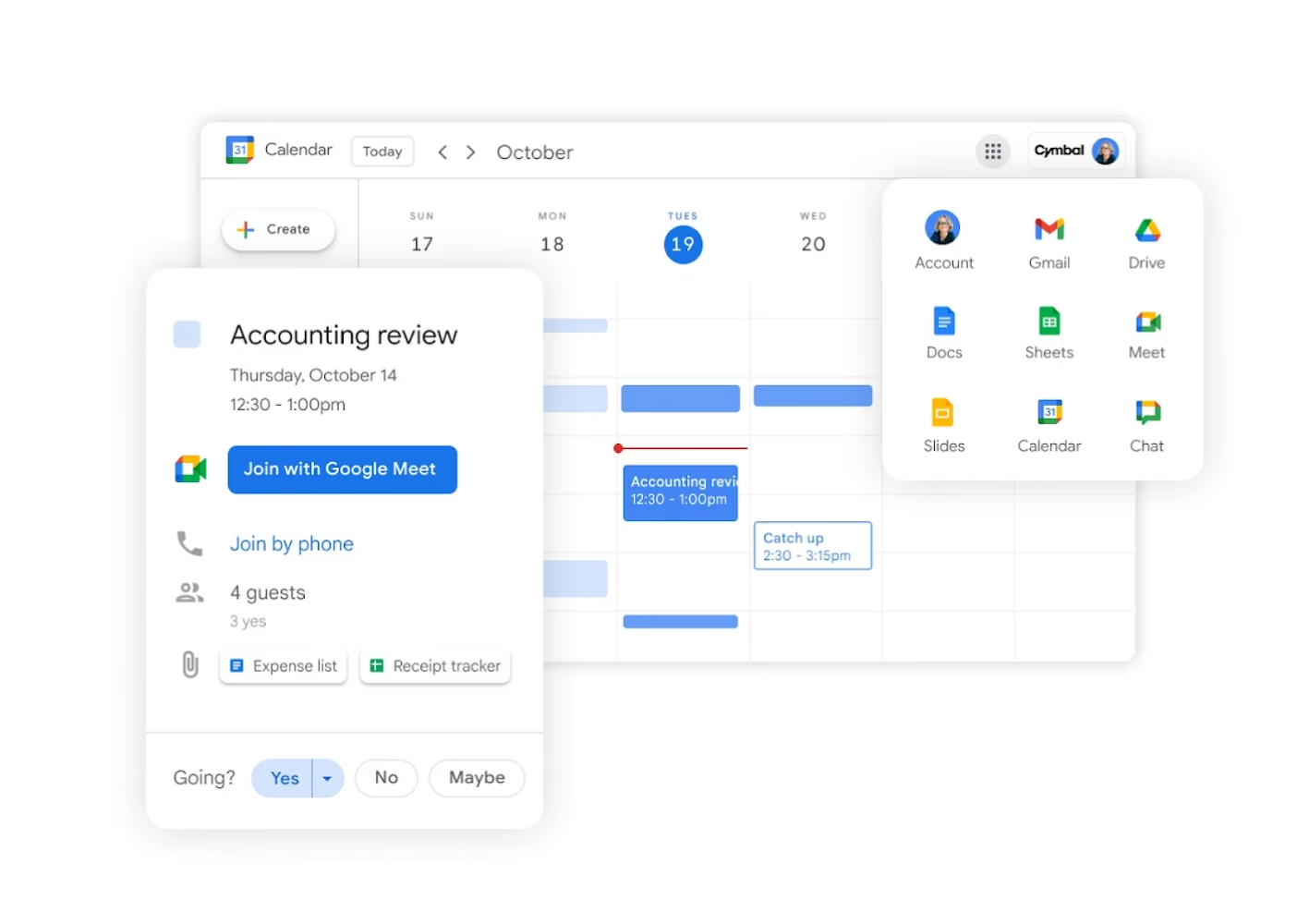
Image source: google.com
Features:
- Cloud-based storage with real-time co-editing across Google Docs, Sheets, and Slides.
- AI-powered search and smart suggestions through Google Cloud Search.
- Granular sharing permissions and access control management.
- Seamless integration with third-party apps and Google services like Gmail and Meet.
Pros:
- Simple, intuitive interface requiring minimal training.
- Excellent collaboration features for distributed and hybrid teams.
- Automatic saving and version history enhance reliability and transparency.
Cons:
- Limited offline functionality for certain document types.
- Data storage primarily depends on Google's cloud infrastructure, reducing on-premise control.
Pricing:
- Business Starter: $8.40 USD per user/month (monthly billing).
- Business Standard: $16.80 USD per user/month (monthly billing).
- Business Plus: $26.40 USD per user/month (monthly billing).
- Enterprise: Custom pricing — contact sales for details.
4. Zoho Docs: Cloud document management with automation
Zoho Docs is a cloud-based document management system designed for businesses seeking an affordable and efficient way to organize, collaborate, and secure their digital content. It enables users to store, share, and manage files from a centralized platform while maintaining strict access control and version tracking. Integrated with Zoho's broader suite of productivity and business tools, Zoho Docs enhances team collaboration through real-time editing, commenting, and task assignments.
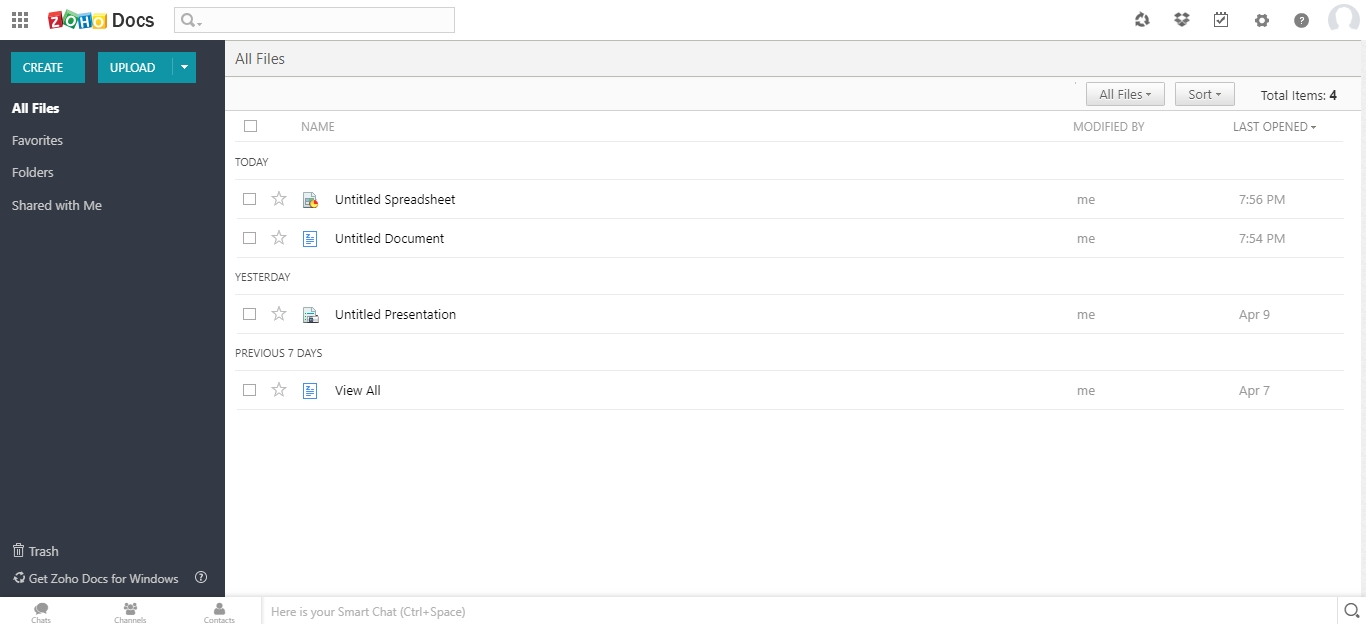
Image source: zoho.com
Features:
- Centralized cloud storage with version control and file syncing.
- Real-time collaboration with document sharing and commenting tools.
- Role-based access control and activity tracking for security.
- Integration with Zoho Office Suite and third-party apps like Google Workspace.
Pros:
- Affordable pricing suitable for small and growing businesses.
- Intuitive interface with minimal setup required.
- Strong integration within the Zoho ecosystem for seamless workflows.
Cons:
- Limited scalability for large enterprises with complex document needs.
- Fewer third-party integrations compared to competitors like Google or Microsoft.
Pricing:
- Standard Plan: USD $5/user/month (monthly billing).
- Premium Plan: USD $8/user/month (monthly billing).
- Enterprise Custom Plan: For organizations with more than 500 users or specific compliance needs, pricing is tailored based on usage and storage requirements.
5. Dropbox Business: Secure document storage & sharing
Dropbox Business is a cloud‐based platform offering document management, file syncing, and team collaboration in one place. As a full document management system, it supports storage, versioning, secure sharing, and structured workflows across devices and teams. With real-time access, audit logs, folder controls and mobile support, Dropbox Business meets both simple document storage needs and more advanced business workflows.
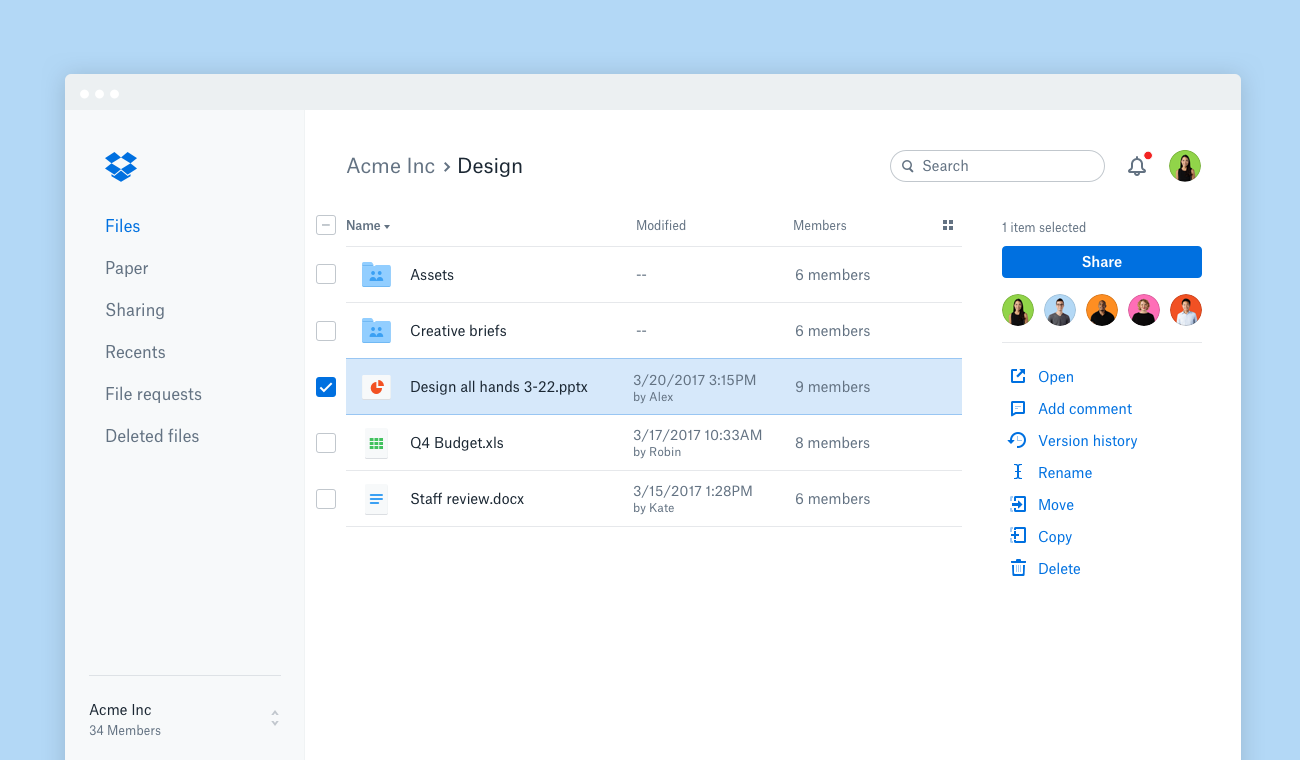
Image source: dropbox.com
Features:
- Shared team storage with large-file delivery and multi-device synchronization.
- File versioning, deleted-file recovery, audit logs, and permission-based sharing.
- Real-time collaboration tools with commenting, annotations, and electronic signatures.
- Integration with productivity apps and enterprise-grade security controls like SSO and device approvals.
Pros:
- User-friendly interface and smooth onboarding for teams transitioning to the cloud.
- Strong collaboration and sharing capabilities with built-in security features.
- Robust administrative controls and compliance options for regulated industries.
Cons:
- Higher pricing compared to basic file storage solutions.
- Lacks advanced workflow automation and metadata indexing found in specialized DMS platforms.
Pricing:
- Standard Plan: $15 per user/month (monthly billing).
- Advanced Plan: $24 per user/month (monthly billing).
- Enterprise Plan: Custom pricing based on organization size, security needs, and storage requirements.
6. DocuWare: Intelligent workflow automation
DocuWare is a comprehensive document management and workflow automation solution built for businesses that demand structure, compliance, and efficiency. Designed to digitize paper-heavy processes, it captures, organizes, and secures documents in a centralized cloud or on-premises environment. The platform integrates seamlessly with ERP, CRM, and HR systems, enabling smooth information flow across departments. With intelligent indexing, secure archiving, and automated approval workflows, DocuWare reduces manual effort and eliminates process bottlenecks.
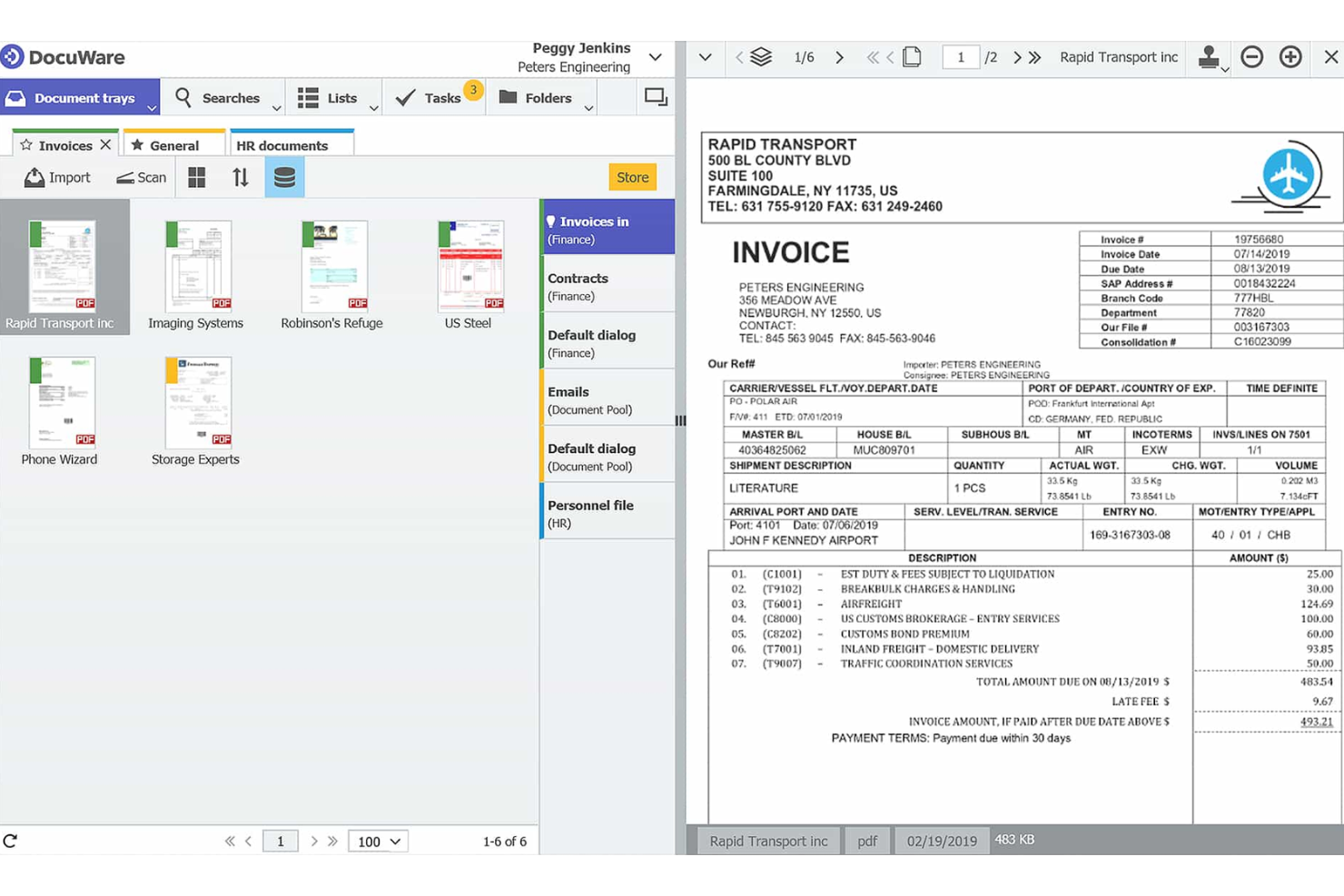
Image source: docuware.com
Features:
- Intelligent document capture, indexing, and full-text search capabilities.
- Workflow automation for approvals, routing, and notifications.
- Cloud and on-premises deployment options with enterprise-grade encryption.
- Integration with Microsoft 365, SAP, and popular business applications.
Pros:
- Excellent for automating repetitive document processes and approvals.
- Highly secure and compliant with GDPR, HIPAA, and ISO standards.
- Scalable for both mid-sized and large enterprises with customizable workflows.
Cons:
- Implementation can be complex and may require technical expertise.
- Higher upfront costs compared to simpler, out-of-the-box DMS tools.
Pricing:
- Cloud Plan: Starts at around $300 per month (monthly billing).
- On-Premises Plan: Custom pricing based on licenses, storage, and user count.
- Enterprise Options: Tailored for large-scale deployments with advanced integrations, audit controls, and workflow customization.
7. PaperOfficeAI: Powered digital document management
PaperOfficeAI is an advanced digital document management system that combines automation and artificial intelligence to simplify how businesses organize and retrieve information. It offers a comprehensive suite of tools for scanning, archiving, indexing, and securing digital files, eliminating the need for manual filing or paper storage.
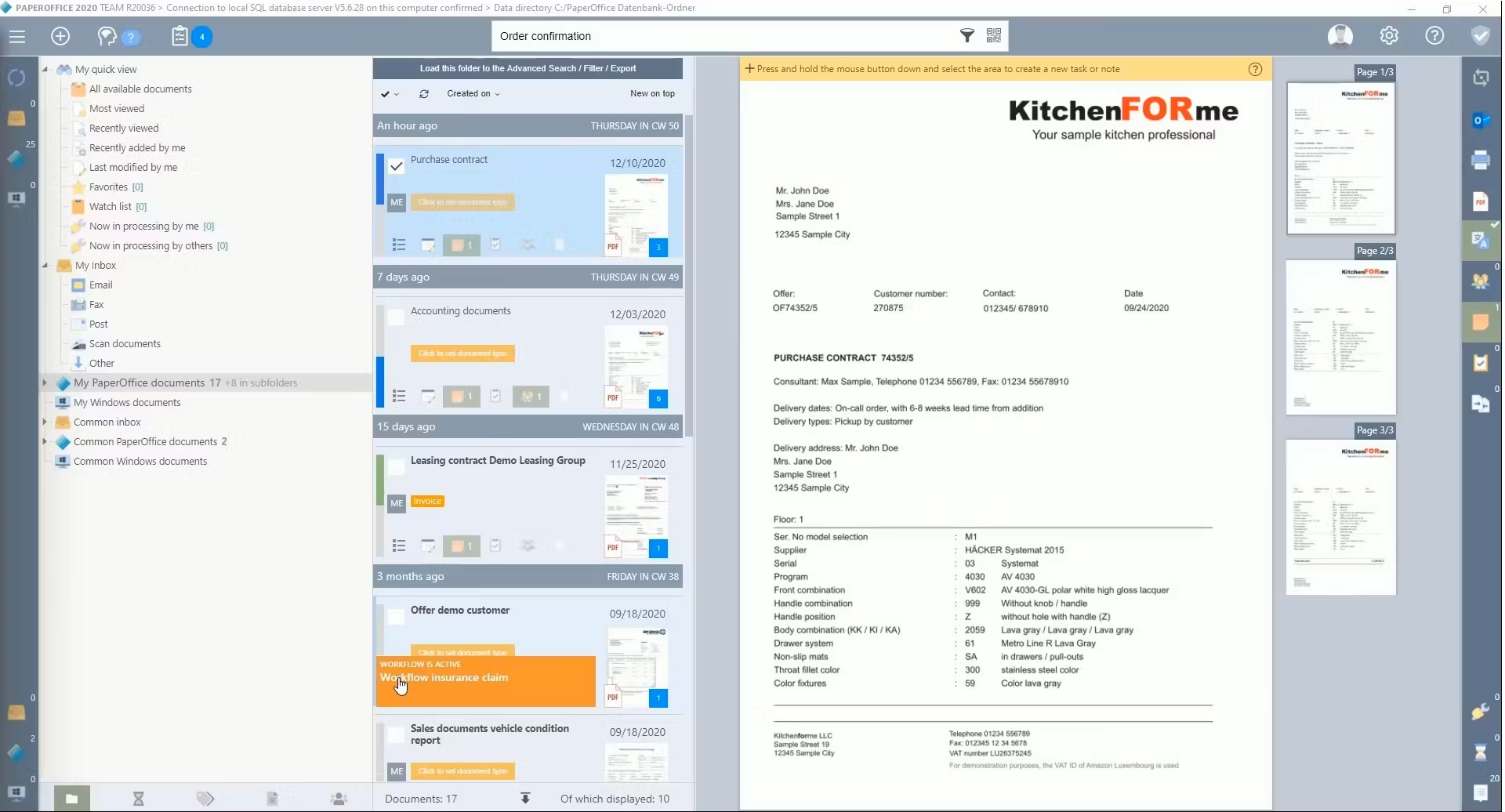
Image source: paperoffice.com
Features:
- AI-powered document recognition, tagging, and full-text search.
- Secure encryption for local or hybrid cloud storage.
- Integrated workflow automation for approvals and task routing.
- Smart archiving with automatic versioning and retention policies.
Pros:
- Strong AI capabilities that enhance organization and retrieval efficiency.
- Supports hybrid environments, giving businesses flexibility in data control.
- Highly customizable workflows tailored to departmental needs.
Cons:
- Interface may feel complex for first-time users.
- Limited integration options compared to mainstream enterprise DMS platforms.
Pricing:
- Standard Plan: Approximately $25 per user/month (monthly billing).
- Professional Plan: Around $40 per user/month (monthly billing).
- Enterprise Plan: Custom pricing for full AI suite, multi-user collaboration, and high-volume data processing.
8. NetSuite: Integrated document management for enterprises
NetSuite is a leading enterprise resource planning (ERP) platform that integrates powerful document management capabilities into its business ecosystem. Designed for large organizations, it allows teams to store, track, and manage documents directly within workflows across departments such as finance, HR, procurement, and supply chain. With built-in version control, role-based access, and workflow automation, NetSuite ensures documents remain accurate, secure, and compliant.
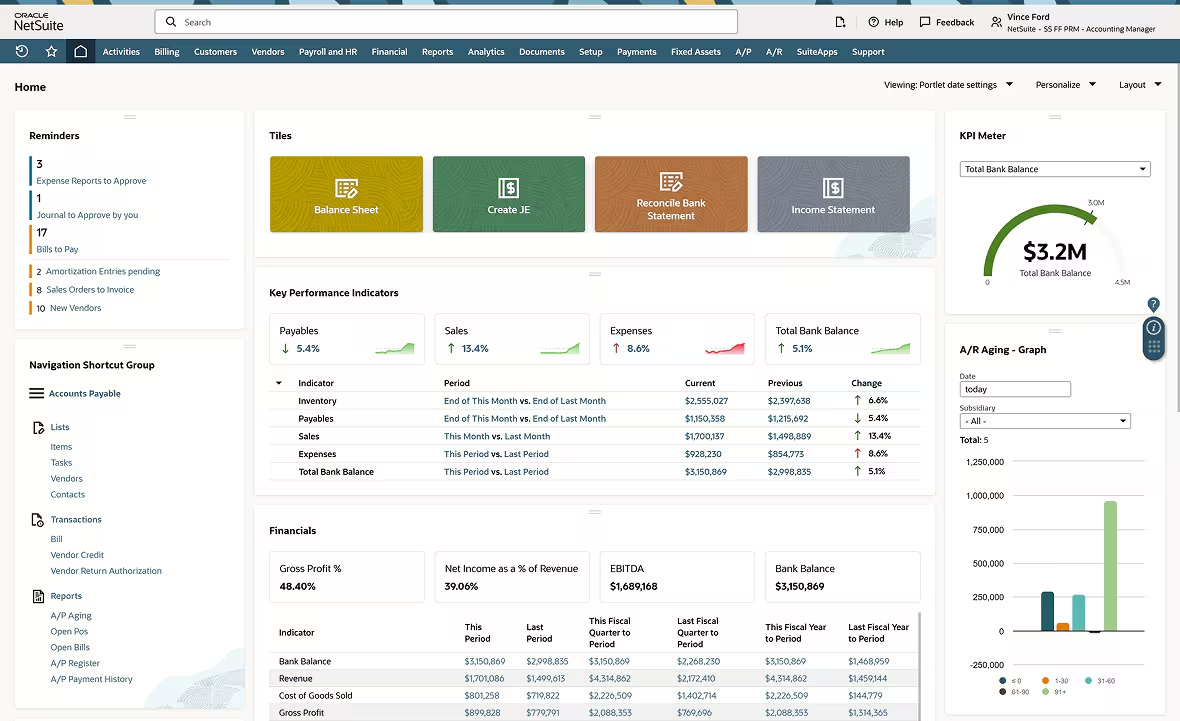
Image source: netsuite.com
Features:
- Centralized document repository integrated across ERP, CRM, and HR modules.
- Automated approval workflows and version tracking for business-critical documents.
- Advanced access permissions and encryption for secure collaboration.
- Real-time visibility into document history and audit trails.
Pros:
- Fully integrated with core business processes, ensuring seamless data flow.
- Scalable for large enterprises with complex document and compliance needs.
- Reduces redundancy by combining ERP and document management in one system.
Cons:
- Expensive for small and mid-sized businesses.
- Implementation and customization can be time-consuming.
Pricing:
- Base ERP Plan: $99 per user/month (monthly billing).
- Document Management Add-on: Included within ERP suite for most editions; advanced features may require customization.
- Enterprise Plan: Custom pricing based on the number of users, integrations, and storage requirements.
9. M-Files: Intelligent document management system
M-Files is an intelligent document management system that revolutionizes how organizations store and find information by focusing on what a document is rather than where it's stored. Powered by AI and metadata tagging, it automatically categorizes, organizes, and secures files across repositories, eliminating the need for complex folder hierarchies. M-Files integrates seamlessly with Microsoft 365, Google Workspace, and popular CRMs, allowing teams to access the right information within their everyday tools.
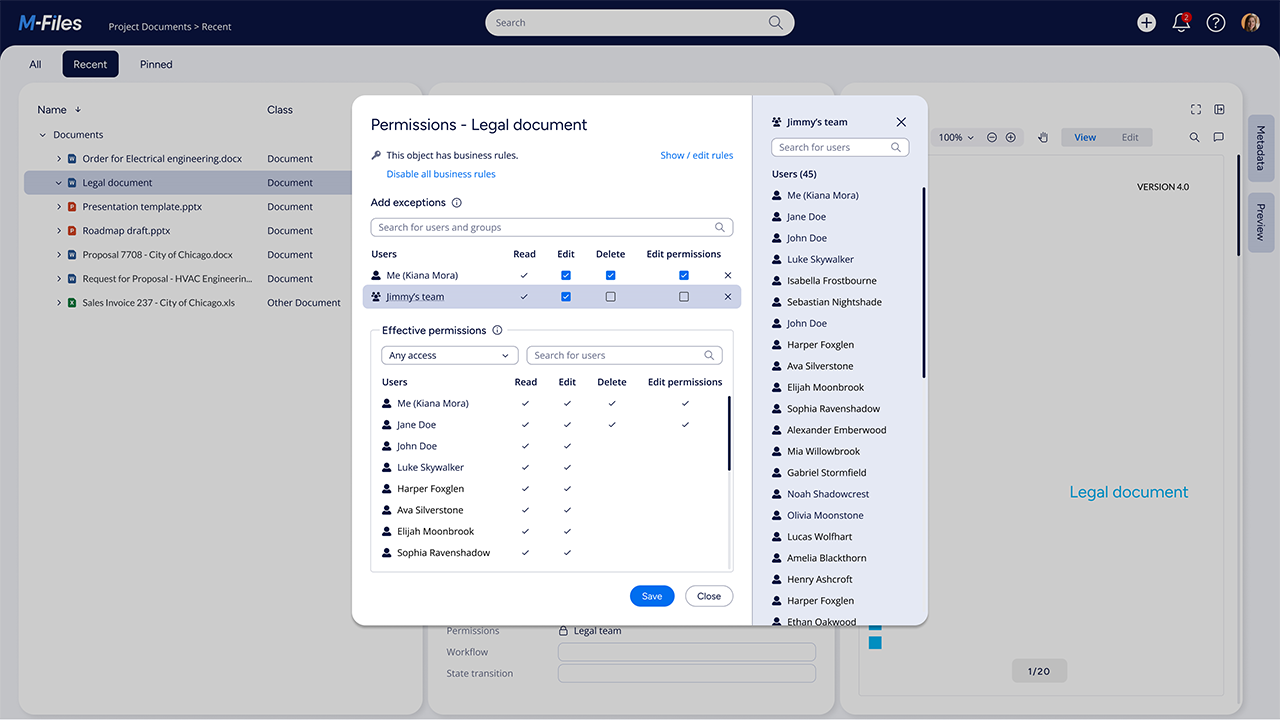
Image source: m-files.com
Features:
- Metadata-based organization that classifies documents by type, status, and relevance.
- AI-driven search and auto-tagging for faster document retrieval.
- Version control, audit trails, and role-based security.
- Integrations with Microsoft 365, Salesforce, and Google Workspace.
Pros:
- Powerful metadata engine simplifies document search and organization.
- Strong compliance and audit capabilities ideal for regulated industries.
- Seamless integration with widely used business tools.
Cons:
- Initial setup and metadata configuration can be complex.
- Higher licensing costs compared to basic document storage systems.
Pricing:
- Team Plan: $35 per user/month (monthly billing).
- Business Plan: $55 per user/month (monthly billing).
- Enterprise Plan: Custom pricing with AI-powered search, governance tools, and on-premises deployment options.
10. OpenText: Enterprise document management for large organizations
OpenText is one of the most comprehensive enterprise document management systems designed for large-scale organizations managing vast amounts of data and complex workflows. Known for its robust compliance, automation, and integration capabilities, OpenText provides secure control over the entire document lifecycle—from creation and storage to archiving and disposal. It supports multiple deployment options, including cloud, hybrid, and on-premises environments, ensuring flexibility and data sovereignty.
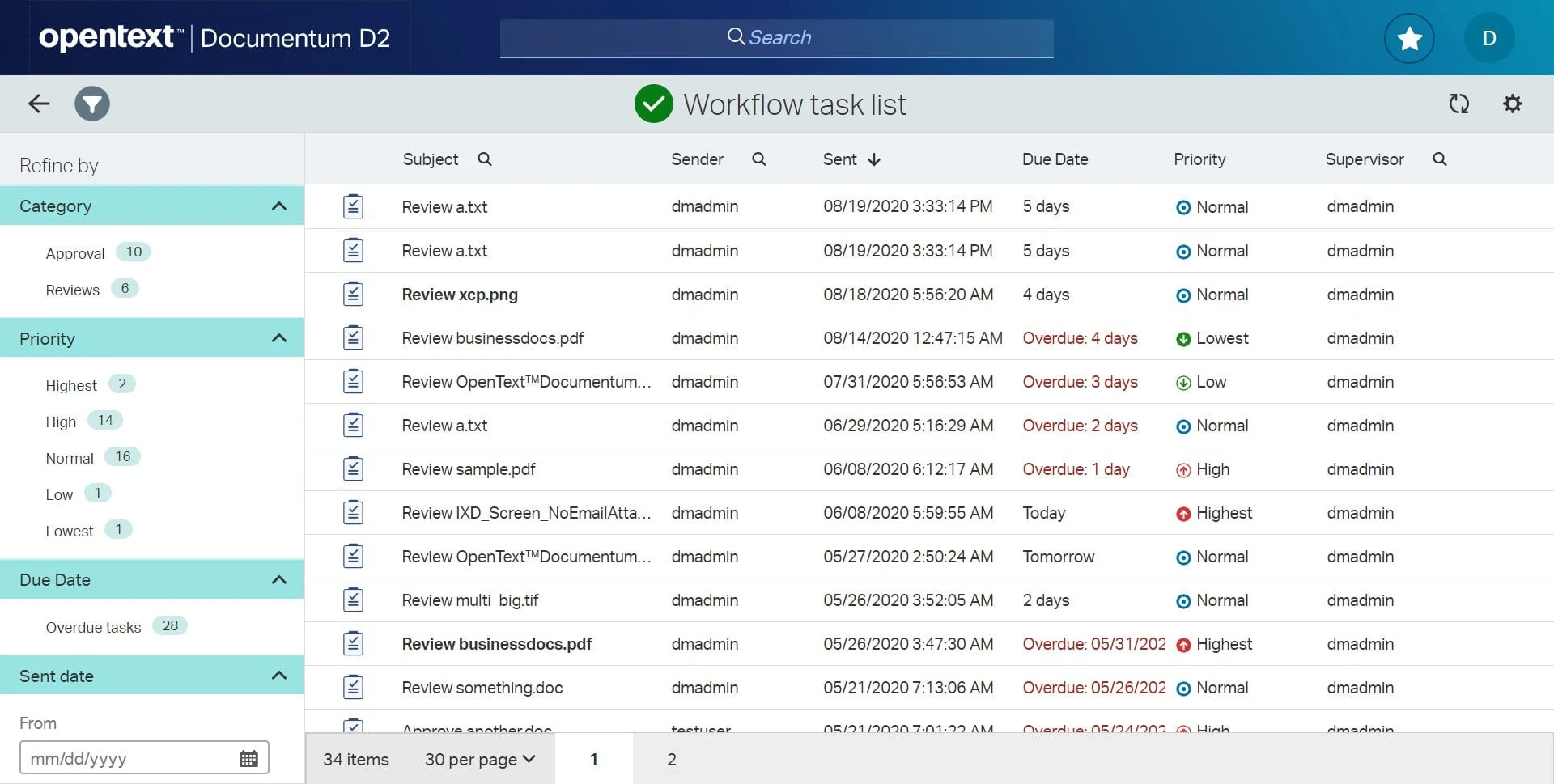
Image source: opentext.com
Features:
- Centralized document repository with enterprise-grade security and version control.
- Advanced workflow automation and audit tracking for compliance management.
- AI and machine learning tools for intelligent data classification and search.
- Integration with SAP, Microsoft 365, and major enterprise applications.
Pros:
- Highly scalable and suited for large organizations with complex compliance needs.
- Exceptional integration with ERP and business systems.
- Advanced automation and AI capabilities improve efficiency and governance.
Cons:
- Expensive licensing and implementation, making it less ideal for small businesses.
- Requires technical expertise for setup and ongoing maintenance.
Pricing:
- Cloud Edition: $75 per user/month (monthly billing)
- Enterprise Suite: Custom pricing for large-scale deployments, including AI modules, compliance tools, and integrations.
- On-Premises Deployment: Quote-based pricing depending on infrastructure, storage, and user requirements.
A guide to selecting the perfect document management tool
Choosing the right document management tool is crucial for ensuring efficiency, compliance, and scalability across your organization. The ideal document management system (DMS) should not only simplify daily operations but also align with your company's size, workflows, and data protection needs. With many document management software options available today, understanding key selection criteria helps businesses make smarter, future-ready investments. Here's a guide to evaluating the features and factors that matter most when selecting a digital document management system.
- Scalability: A scalable document management system adapts as your business expands, supporting more users, documents, and integrations. It ensures performance and storage capacity remain seamless even with increased data volume. Scalable DMS solutions future-proof your investment and reduce migration challenges.
- Ease of use: User-friendly document management software encourages adoption across teams with minimal onboarding time. An intuitive interface, drag-and-drop functionality, and simple navigation make workflows effortless. When employees find the DMS easy to use, productivity and collaboration naturally increase.
- Security features: Security is at the core of any digital document management system. Features like data encryption, two-factor authentication, and role-based permissions safeguard sensitive files. Strong security protocols also ensure compliance with data protection and industry regulations.
- Integration: An effective document management solution integrates seamlessly with daily-use applications like email clients, CRMs, and cloud collaboration platforms. This interoperability reduces context-switching and enhances productivity. Integration ensures smoother data flow across your business ecosystem.
- Cloud vs On-premises: Cloud document management systems offer remote access, automatic updates, and lower upfront costs. On-premises DMS options provide greater control and customization for organizations with strict data governance policies. The choice depends on your budget, security, and infrastructure needs.
- Pricing & plans: When evaluating document management software, compare pricing models and features to match your requirements. Free plans may suit small teams, while premium versions offer advanced automation, compliance, and support. Transparent pricing ensures you invest in the right level of functionality.
How document management boosts productivity and security
Effective document management plays a central role in improving how businesses operate day to day. By digitizing and automating document workflows, organizations save time, enhance collaboration, and reduce operational risks. A well-designed document management system ensures that employees can locate, share, and protect information quickly and securely. It not only streamlines internal processes but also strengthens data integrity and compliance across departments.
- Enhanced productivity: Document management software allows employees to instantly locate files using metadata, tags, or keywords instead of browsing through folders. This reduces wasted time spent searching for documents and eliminates duplication. Faster access to information translates into higher productivity and more efficient project completion.
- Collaboration: Teams can access, edit, and comment on the same file simultaneously through a cloud document management system. Real-time collaboration prevents version conflicts and ensures everyone works from the most up-to-date content. This keeps communication transparent and projects on schedule.
- Security & compliance: Modern document management systems include advanced security features such as encryption, role-based permissions, and activity tracking. Audit trails ensure accountability by recording who accessed or modified a document. These measures help businesses maintain compliance with industry and data protection standards.
- Cost-saving: Shifting from paper-based filing to electronic document management significantly reduces printing and storage expenses. Digital workflows cut administrative costs tied to manual filing and retrieval. Over time, these savings contribute to more sustainable and cost-efficient operations.
- Automation: Automated document management solutions streamline repetitive tasks such as approval routing, reminders, and status updates. This eliminates bottlenecks and minimizes human error. By automating these processes, teams can focus on more strategic and value-driven work.
Conclusion
Effective document management is vital for maintaining organization, security, and efficiency across all business operations. As companies generate and share more digital content than ever before, a reliable document management system (DMS) ensures that every file is properly stored, version-controlled, and easy to retrieve. It not only reduces time spent searching for documents but also strengthens compliance, collaboration, and data protection. The right DMS can transform how teams work—streamlining approvals, automating workflows, and maintaining a single source of truth for all information.
Lark offers an integrated platform that combines document management with real-time communication and collaboration, helping teams stay productive and aligned wherever they are. Start streamlining your document management today with Lark.
FAQs
What is the difference between a document management system (DMS) and cloud storage?
A DMS like Lark goes beyond simple file storage by offering version control, workflow automation, access permissions, and audit trails. Cloud storage only stores and syncs files, while a DMS manages their entire lifecycle. This makes a DMS essential for organized, compliant, and collaborative content management.
Can small businesses benefit from a document management system?
Yes, small businesses gain significant advantages from using a DMS, such as reduced manual effort, better collaboration, and improved data security. It centralizes information and prevents document loss. Many modern DMS tools offer affordable plans tailored for small teams.
How secure are cloud-based document management systems?
Cloud-based DMS solutions use encryption, multi-factor authentication, and role-based access to protect sensitive data. Regular backups and compliance with security standards ensure data integrity. They often provide stronger protection than traditional on-premises systems.
What are common mistakes businesses make with document management?
Frequent mistakes include poor naming conventions, lack of version control, and granting excessive access permissions. Ignoring retention policies or failing to back up data also leads to inefficiencies. Proper training and governance help avoid these issues.
How can I migrate from manual or legacy systems to a DMS?
Start by auditing your existing documents and defining a clear structure for migration. Use data mapping tools to categorize and import files into the new DMS. Gradually train users, automate key workflows, and establish retention and access policies for a smooth transition.
Related reading
Table of contents
Start using Lark today

Manage all your work in one place
Boost team efficiency by 10x
Save up to 70% on software costs
Table of contents
Start using Lark today
Manage all your work in one place
Boost team efficiency by 10x
Save up to 70% on software costs
Keep reading
![What Is a 2-2-3 Work Schedule? Explanation and More [2026]](https://p16-hera-overseas.larksuitecdn.com/tos-mya-i-lojyj5t9n9/44878bb7037d480a833a337eb2613ae4~tplv-lojyj5t9n9-png:0:0.png)







2026 Lark Technologies Pte. Ltd.
Headquartered in Singapore with offices worldwide.






Explore: