Email is central to professional communication, connecting us and driving projects forward. However, for many, the sheer volume of messages becomes overwhelming, pulling focus from critical tasks. This guide aims to transform email from a source of distraction into a powerful, efficient ally. We understand the desire to move beyond reactive management and proactively use email to achieve goals.
Here, we will define email productivity tools, explain why tracking efficiency matters, and highlight effective solutions. Our goal is to provide practical insights to help you reclaim time, reduce digital stress, and elevate your professional output. Let's create a more composed and productive email experience together.
What are email productivity tools?
An email productivity tool refers to any software, app, or built-in feature that streamlines, automates, and optimizes individual and . Acting as digital assistants, these tools cut down time spent sorting messages, turning disorganized, reactive email workflows into organized, proactive systems and letting you focus on high-value work. They cover a wide range of functions: smart filtering and categorization to hit inbox zero, automation for repetitive tasks like follow-up reminders or email scheduling, and AI-powered capabilities such as thread summarization, message prioritization, and draft responses. Available as standalone apps or native features in email clients, this tool landscape is constantly evolving—staying updated on innovations helps professionals boost efficiency. Ultimately, these tools let you work smarter, making email a manageable, powerful part of your daily workflow.
Why you should track email productivity
Many professionals end the workday having spent hours on email with little sense of tangible progress, making email productivity tracking an essential practice for and boosting professional satisfaction. It's not about micromanaging every message, but gaining insights into your habits to identify where productivity tools can make the biggest impact, and uncover key workflow patterns:
- Pinpoint time sinks: Spot email types (e.g., routine inquiries) that waste time, and streamline them via automation or alternative communication channels.
- Measure tool/strategy impact: Track how long you spend on different email categories to evaluate if your current tools and methods actually save time.
- Highlight team improvements: For teams, tracking reveals communication bottlenecks; measurable gains (faster responses, fewer internal emails) demonstrate the value of new tools/.
- Optimize : Use email time data to decide which tasks to automate, delegate, or eliminate, and focus on high-impact work.
- Boost personal awareness: Identify your most efficient email-managing windows and distraction triggers to schedule email time strategically.
Without tracking or intentional observation, it's hard to objectively assess your current email management or fully realize the value of dedicated email productivity tools. It turns email management from a reactive chore into a measurable, improvable part of your work, driving sustained efficiency and greater professional focus.
Start your new journey with an email productivity tool
10 best email productivity tools in 2026
Choosing from countless email productivity tools can be daunting. To simplify your search, we've curated 10 standout options that help professionals reclaim time and master their inboxes. Featuring integrated platforms, specialized solutions, and innovative apps, each addresses a unique facet of email management—these are the top email productivity tools for professionals in 2026 and beyond.
1. Lark: Your all-in-one smart collaboration platform
is more than just an email client; it's a that unifies messaging, video conferencing, calendar, and document creation all in one place. Its unique approach significantly reduces the need for internal email by shifting communications to its chat-first interface. itself offers robust features for managing external correspondence, ensuring that the emails you do receive are actionable and seamlessly integrated into your broader workflow. It functions as an intelligent hub, making it one of the most powerful email productivity tools for teams seeking unified communication.
Pros:
Reclaiming your inbox from internal noise
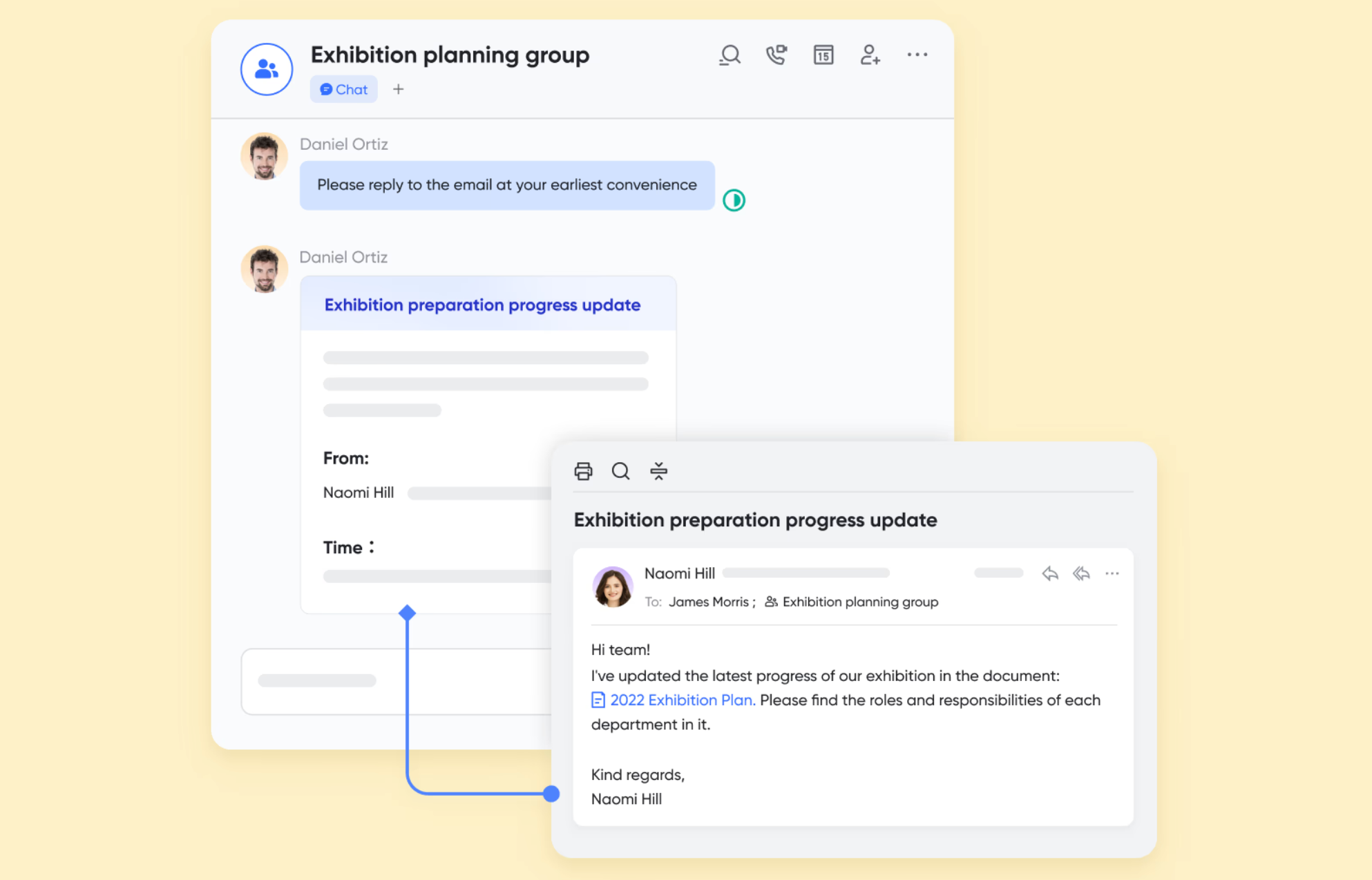
One of Lark's most significant contributions to email productivity is its inherent ability to drastically reduce the volume of internal emails. By unifying , and directly into the platform, teams can communicate and collaborate on projects without endlessly replying to and forwarding emails. For instance, if an email sparks an internal discussion, it can be instantly shared into a Lark Messenger group, moving the conversation out of individual inboxes and into a dedicated, searchable thread, ensuring context is maintained without email clutter.
Streamlined external email management
For the external emails that truly matter, is designed for efficiency. It offers robust features to handle these critical communications quickly. Users benefit from a smart, unified inbox that can consolidate multiple email accounts, ensuring all important messages are accessible in one place. Intelligent search capabilities allow for rapid retrieval of specific emails or conversations, while advanced anti-spam filtering keeps the inbox clean and focused, ensuring only relevant correspondence demands your attention. 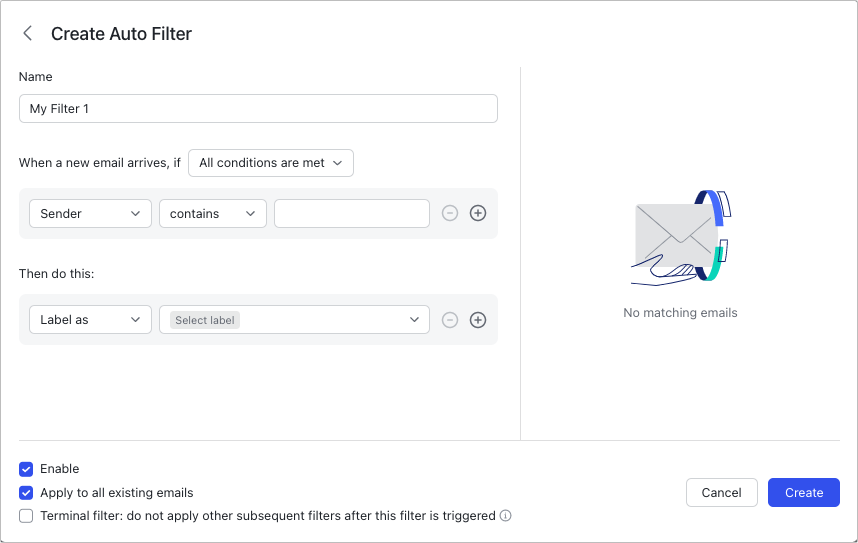
Transforming emails into actionable workflows
Lark excels at bridging the gap between receiving an email and taking action. Instead of emails being dead ends, Lark allows them to become starting points for productive workflows. When you receive event invitations from external contacts via Lark Mail, the event schedules will be automatically synced to your . Critical items from emails can be directly transformed into a task for . This seamless integration minimizes context switching and ensures email content directly contributes to project progress and task completion.

Secure and organized team communication
For organizations, Lark provides robust administrative controls over email management, enhancing overall team productivity. Admins can easily create and manage mailing lists for efficient group communication, ensuring that important announcements or discussions reach the right audience without individuals needing to manage complex CC/BCC lines. These capabilities, coupled with Lark's emphasis on security, ensure that team email operations are not only efficient but also compliant and well-governed, contributing to a more organized and secure communication environment.
Cons:
- It may take some time to adapt, but helps a lot.
Why it makes the list: is a game-changer because it tackles email productivity from a holistic perspective. Instead of just optimizing the email inbox, it aims to reduce its necessity for internal work, freeing you to focus on external communication that truly matters. Its ability to unify email into a broader makes it an essential tool for modern teams looking for comprehensive email productivity tools.
:
- Starter plan: Free forever plan that includes 11 powerful tools for up to 20 users. It also comes with 100GB of storage, 1000 automation runs, AI translations, and more.
- Basic plan: $6/user/month (billed annually) for up to 500 users. It includes everything in Starter plus group calling for up to 500 attendees, 5TB of storage, 1000 automation runs, and more. For more details, please .
- Pro plan: $12/user/month (billed annually) for up to 500 users. It includes everything in Basic plus group calling for up to 500 attendees, 15TB of storage, 50,000 automation runs, and more.
- Enterprise plan: for custom pricing. Supports unlimited users and includes even more automation runs and advanced security, compliance, and management features.
For small teams with simple communication needs

18 months message history
1000 Base automation runs/month
2000 rows per table in Base
Most POPULAR
For companies with comprehensive collaboration and management needs
Unlimited message history
500-participant video meetings
50k Base automation runs/month
20k rows per table in Base
For large companies with advanced security and organizational management needs
Get a personalized demo and pricing
Unlimited message history
500-participant video meetings
15 TB storage + 30 GB storage/user
500k Base automation runs/month
50k Base automation runs/month
Most POPULAR
For companies with comprehensive collaboration and management needs
Unlimited message history
500-participant video meetings
50k Base automation runs/month
20k rows per table in Base
2. EmailAnalytics: Visualizes your email data for insights
EmailAnalytics provides insightful data and metrics on your email activity. It connects to your existing email accounts (like Gmail and Outlook) and generates reports on key performance indicators such as average response times, email volume sent and received, and peak communication hours. This tool helps individuals and teams understand their email habits objectively, revealing patterns that can inform strategies for improved efficiency. For anyone serious about tracking the impact of their email productivity tools, this is an invaluable resource.
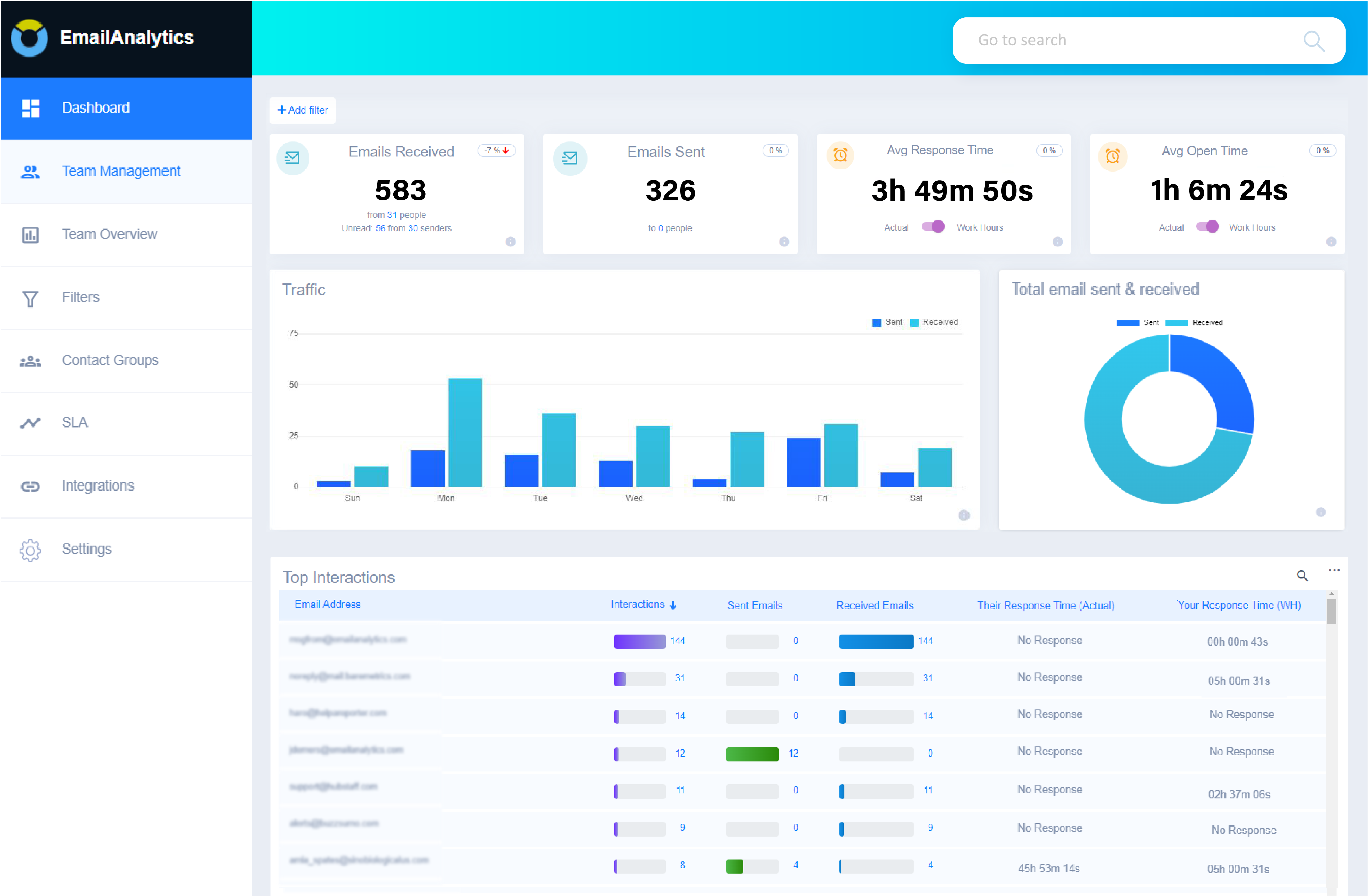
Image source: emailanalytics.com
Pros:
- Provides clear, visual dashboards of email statistics.
- Helps identify response time bottlenecks.
- Useful for team performance monitoring and coaching.
- Integrates easily with major email providers.
- Offers data-driven insights into personal and team email habits.
Cons:
- Primarily an analytics tool, it does not directly manage or send emails.
- Requires a separate subscription in addition to your existing email service.
- Some users might find the amount of data overwhelming initially.
Why it makes the list: EmailAnalytics stands out for its data-driven approach to email productivity. It empowers you to move beyond anecdotal feelings about your email efficiency and instead make informed decisions based on concrete metrics. It is an excellent companion to any of the other best email productivity tools on this list, offering objective feedback on your progress.
Pricing:
- Pro: $17.1/inbox per month, billed annually.
3. Google Workspace: Integrated suite for seamless collaboration
Google Workspace (formerly G Suite) is a comprehensive collection of cloud-native productivity and collaboration tools, with Gmail at its core. It brings together Gmail, Calendar, Drive, Docs, Sheets, Meet, and more, all designed to work together seamlessly. For Gmail users, Workspace extends the functionality of their inbox with powerful search, intelligent filters, and integrations that allow emails to trigger actions in other Google apps. It's a foundational platform for many businesses, offering inherent email productivity tools within a familiar environment.
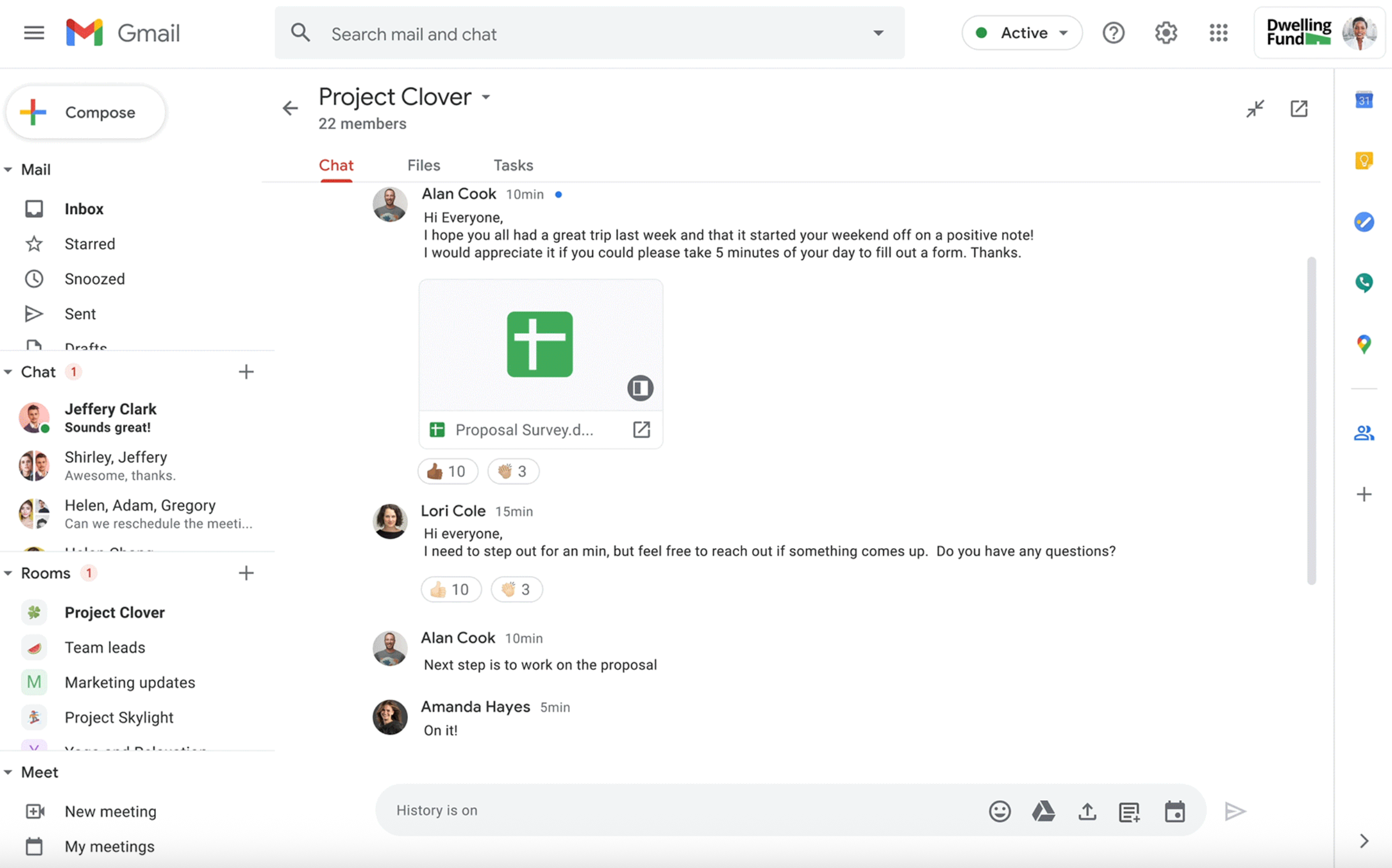
Image source: workspace.google.com
Pros:
- Deep integration across all Google applications (Gmail, Calendar, Drive).
- Powerful search capabilities within Gmail for quick information retrieval.
- Excellent spam filtering and security features.
- Collaborative document editing linked directly from email.
- Widely adopted and intuitive for many users.
Cons:
- While feature-rich, some advanced automation or niche features might require third-party add-ons.
- Can contribute to email overload if not managed effectively with built-in tools.
- Reliance on Google's ecosystem might not suit all organizations.
Why it makes the list: Google Workspace makes the list because it's the default productivity suite for millions, and its native email productivity tools within Gmail are constantly evolving. It provides a robust, integrated foundation that, when leveraged properly, significantly enhances email management and team collaboration.
Pricing:
- Starter: $4.70/user/month, billed annually.
- Standard: $9.40/user/month, billed annually.
- Plus: $14.70/user.month, billed annually.
- Enterprise: Custom pricing.
4. Spike: Your inbox transformed into a conversational hub
Spike reimagines your email inbox as a chat application, focusing on conversational flow rather than traditional email threads. It removes repetitive headers and signatures, presenting messages in a clean, chat-like interface that makes communication feel more immediate and less formal. Spike integrates your emails, notes, tasks, and calls into a unified feed, aiming to eliminate context switching and streamline your daily communication. This is a fresh perspective on email productivity tools that prioritizes simplicity and directness.
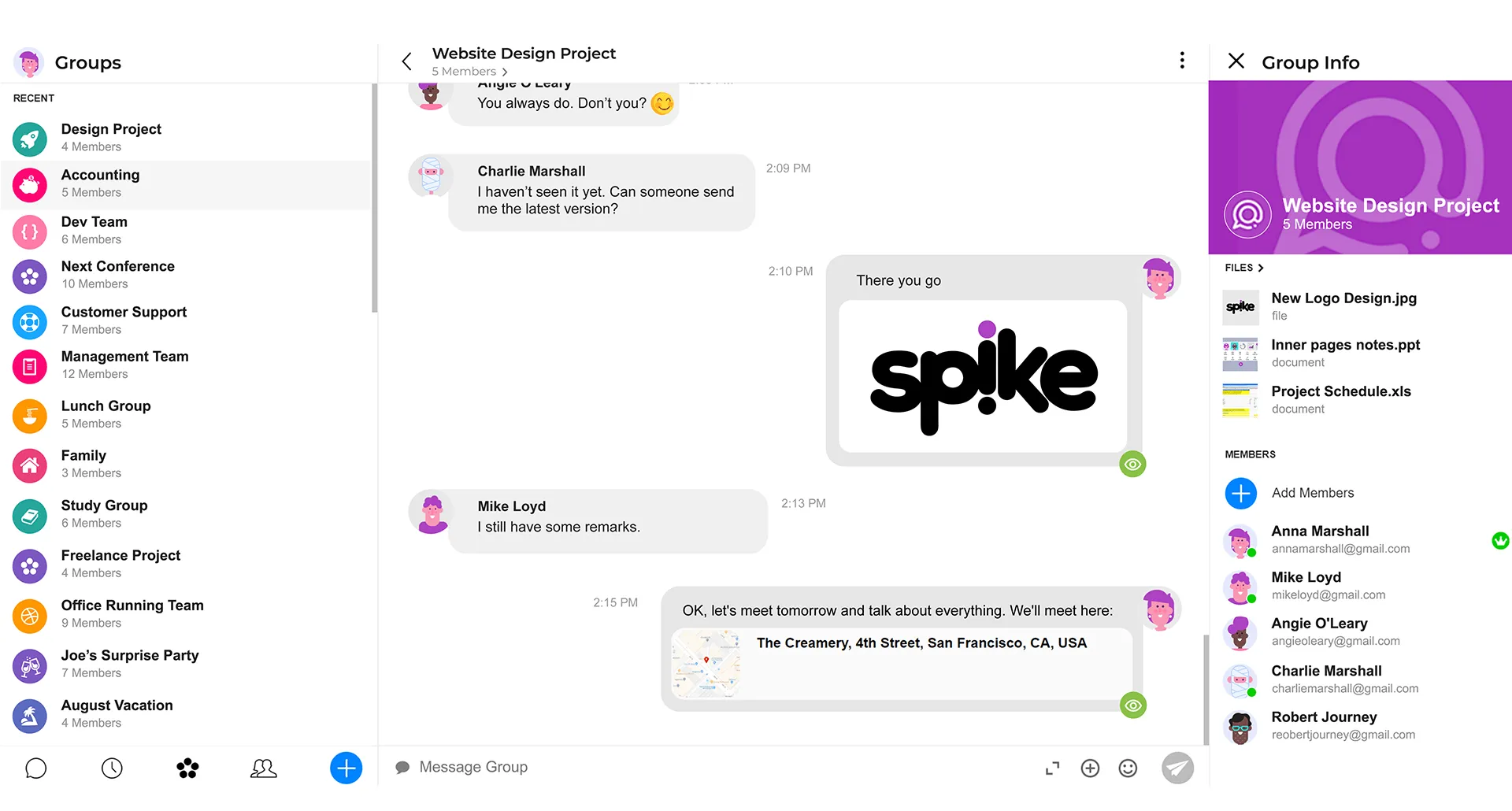
Image source: spikenow.com
Pros:
- Transforms email into a more intuitive, chat-like conversation.
- Reduces visual clutter by stripping away unnecessary email elements.
- Integrates calendars, notes, and tasks directly within the communication flow.
- Offers group chat capabilities for team collaboration.
- Works with existing email accounts.
Cons:
- The conversational interface might not suit everyone's preference for formal email.
- Can be a significant shift in workflow from traditional email clients.
- Some advanced email management features might be less prominent.
Why it makes the list: Spike offers a truly unique take on email, making it feel less like a chore and more like a fluid conversation. Its innovative interface is designed to reduce the mental overhead associated with email, proving that email productivity tools can fundamentally change how we interact with our inboxes.
Pricing:
- Pro: $5 per user/month, billed annually.
- Ultimate: $10 per user/month, billed annually.
5. Microsoft Outlook: Powerful, feature-rich for enterprise users
Microsoft Outlook remains a cornerstone of enterprise communication, offering a comprehensive suite of features for email, calendar, contacts, and tasks. As part of Microsoft 365, it boasts deep integration with other Microsoft applications like Word, Excel, PowerPoint, and Teams. Outlook's robust rules, intelligent inbox (Focused Inbox), and advanced search capabilities make it a highly effective tool for managing large volumes of correspondence. It's a prime example of an Outlook email productivity tool that continues to evolve.
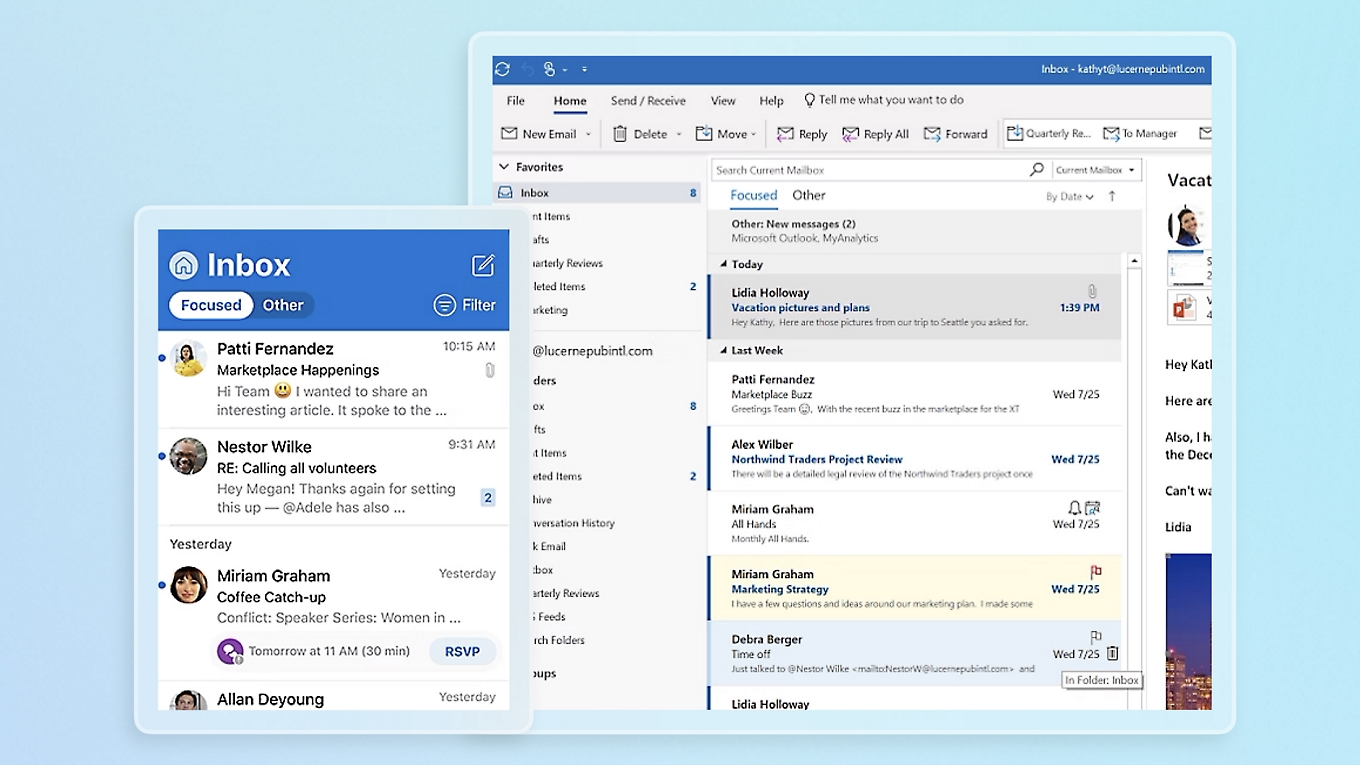
Image source: microsoft.com
Pros:
- An extensive set of features for email, calendar, contacts, and tasks.
- Deep integration with the Microsoft 365 ecosystem.
- Powerful rules and automation for inbox management.
- Strong security and compliance features for corporate environments.
- Focused Inbox helps prioritize important messages.
Cons:
- Can feel overwhelming due to its vast array of features.
- Performance can sometimes be slower with large mailboxes.
- Its complexity might require a learning curve for some users.
Why it makes the list: Outlook is an indispensable tool for many professionals, particularly within large organizations. Its continuous updates and deep integration into the Microsoft 365 ecosystem ensure it remains a top contender among email productivity tools, especially for those whose work revolves around the Microsoft environment.
Pricing (plans with Teams):
- Basic: $6.00 user/month, paid yearly.
- Standard: $12.50 user/month, paid yearly.
- Premium: $22.00 user/month, paid yearly.
6. Hiver: Shared inboxes for team collaboration
Hiver transforms your Gmail inbox into a collaborative workspace, making it ideal for managing shared inboxes like support@, info@, or sales@. It allows teams to assign emails as tasks, track their status, and collaborate on responses without forwarding or cc-ing. Hiver provides transparency and accountability for team email management, ensuring that no customer query or important lead falls through the cracks. It's a specialized solution among email productivity tools that excels in team-centric scenarios.
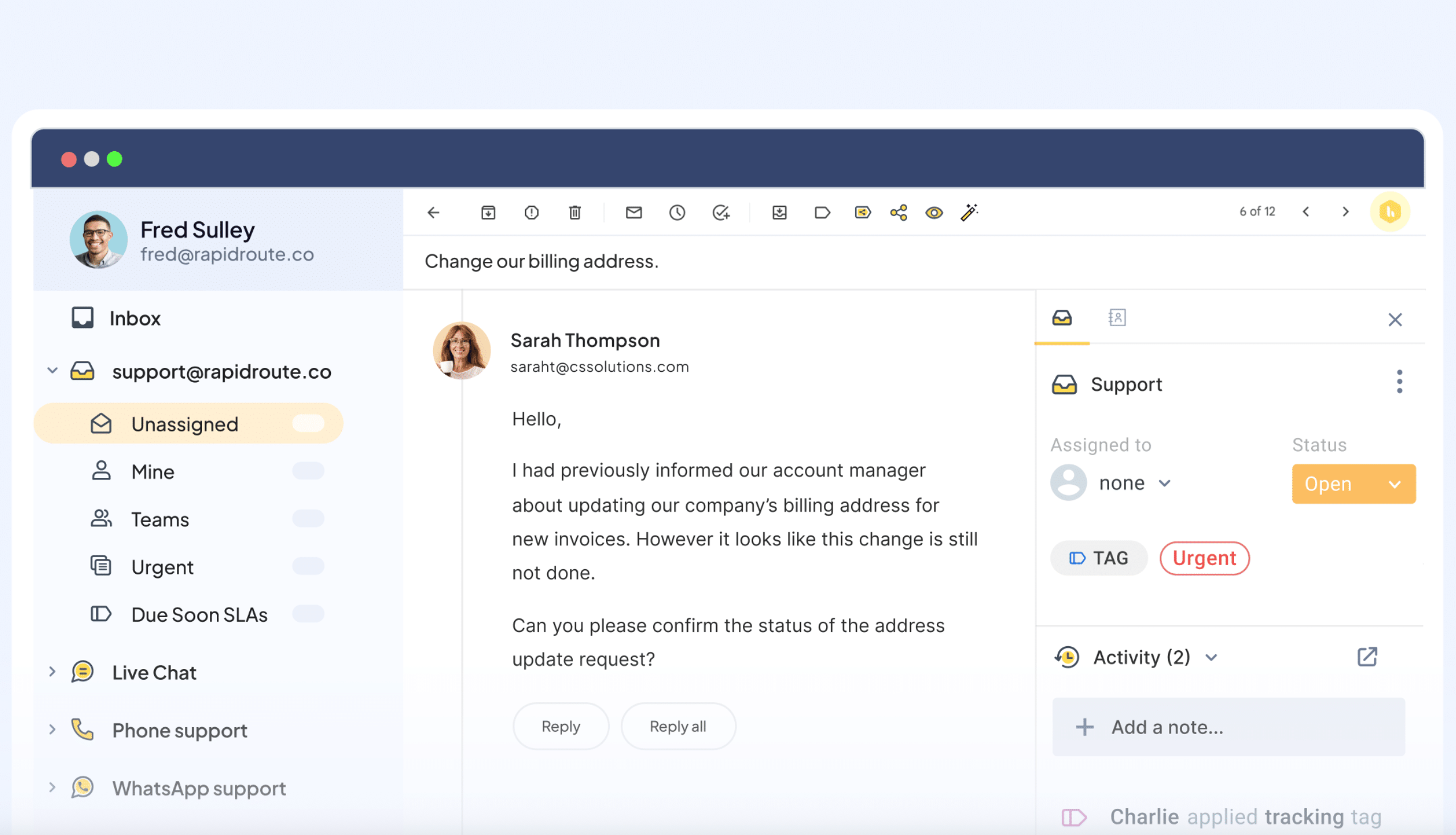
Image source: hiverhp.com
Pros:
- Converts Gmail into a powerful shared inbox for teams.
- Assigns emails as tasks, tracks status, and monitors team performance.
- Facilitates internal notes and discussions on emails.
- Provides analytics on team email metrics like response times.
- Simple integration within the familiar Gmail interface.
Cons:
- Primarily focused on shared inbox functionality, less on individual email power features.
- Only integrates with Gmail, not suitable for other email clients.
- Adds another layer to your email, which could be a change for some.
Why it makes the list: Hiver fills a crucial niche for teams struggling with shared email accounts. By bringing collaborative features directly into Gmail, it streamlines workflows, improves customer service, and ensures collective responsibility. It is one of the best email productivity tools for teams that rely heavily on shared inboxes.
Pricing:
- Growth: $25/user/month, billed annually.
- Pro: $65/user/month, billed annually.
- Elite: $105/user/month, billed annually.
7. Proton Mail: Secure, encrypted, and private email service
Proton Mail is a leading secure email service that prioritizes user privacy through end-to-end encryption. Headquartered in Switzerland, it operates under strict privacy laws, ensuring your communications remain confidential. Unlike many email providers, Proton Mail does not track your IP address or require personal information for sign-up. Its focus on security and privacy offers a unique approach to email productivity tools, as knowing your sensitive communications are protected can reduce anxiety and improve focus on critical tasks, especially for professionals handling confidential data.
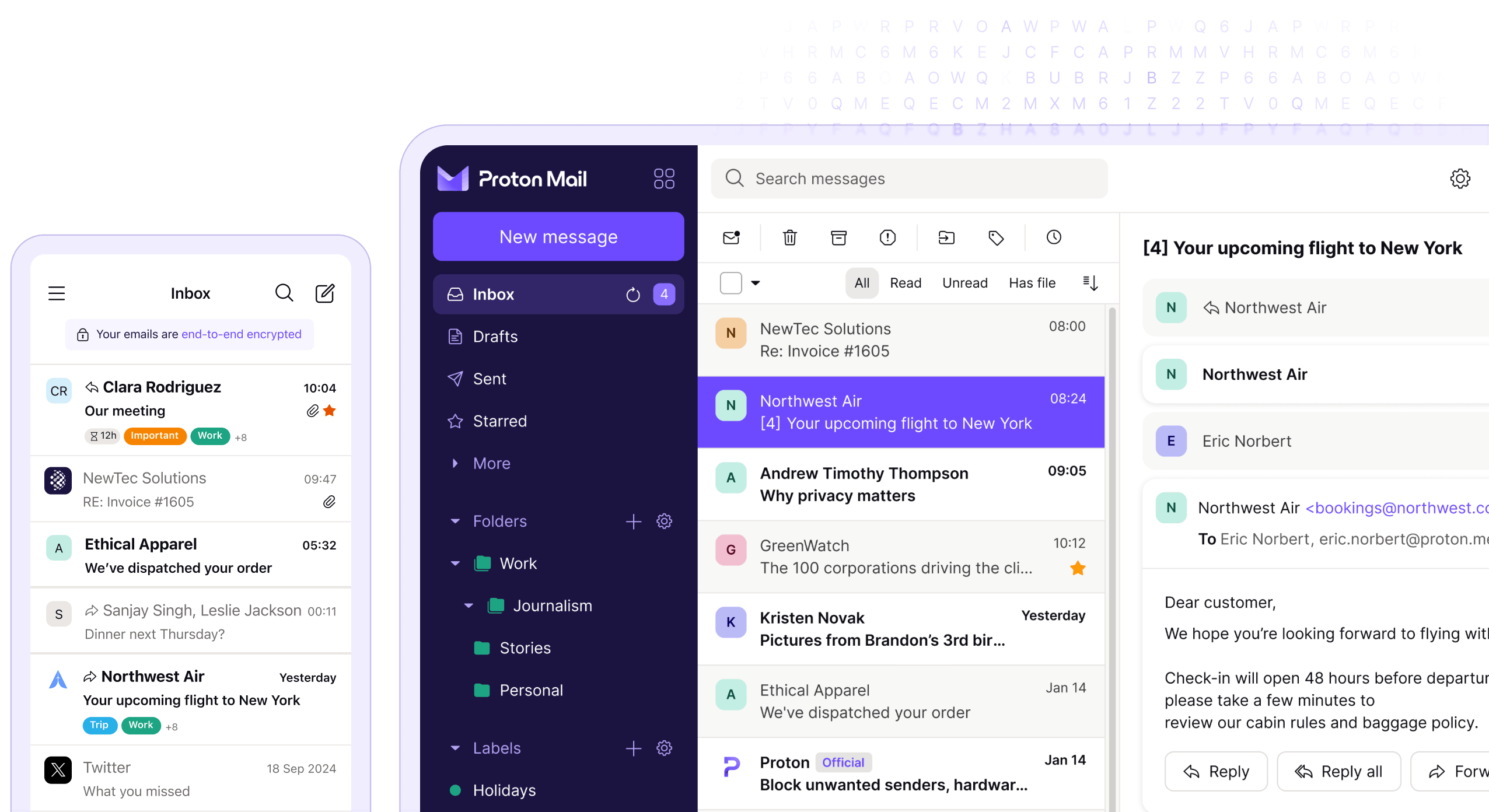
Image source: proton.com
Pros:
- Robust end-to-end encryption for all communications.
- Strong privacy protection; no logging of IP addresses or personal info.
- Based in Switzerland, operating under stringent privacy laws.
- Offers encrypted email to non-ProtonMail users.
- Open-source for transparency and security audits.
Cons:
- The free tier has limitations on storage and features.
- Fewer direct integrations with some popular third-party productivity apps compared to mainstream email clients.
- Less focus on advanced inbox automation features, prioritizing security instead.
Why it makes the list: ProtonMail makes the list as an essential email productivity tool for professionals who prioritize privacy and security above all else. In an era where data breaches are common, having a secure communication channel reduces the hidden costs of worry and potential compliance issues, indirectly boosting productivity by ensuring peace of mind. It's an invaluable choice for sensitive professions.
Pricing:
- Mail essentials: $6.99 per user, per month.
- Mail professional: $9.99 per user, per month.
- Proton business suite: $12.99 per user, per month.
8. Mailbird: Customizable client for multiple accounts
Mailbird is a desktop email client for Windows that focuses on speed, simplicity, and integration. It allows you to manage multiple email accounts from different providers (Gmail, Outlook, Yahoo, etc.) in one unified inbox. Mailbird stands out for its extensive app integration marketplace, enabling you to connect popular productivity apps like Google Calendar, Dropbox, Asana, and WhatsApp directly within the client. It's an ideal choice for professionals who juggle several email addresses and want a highly customizable interface with expanded functionality.
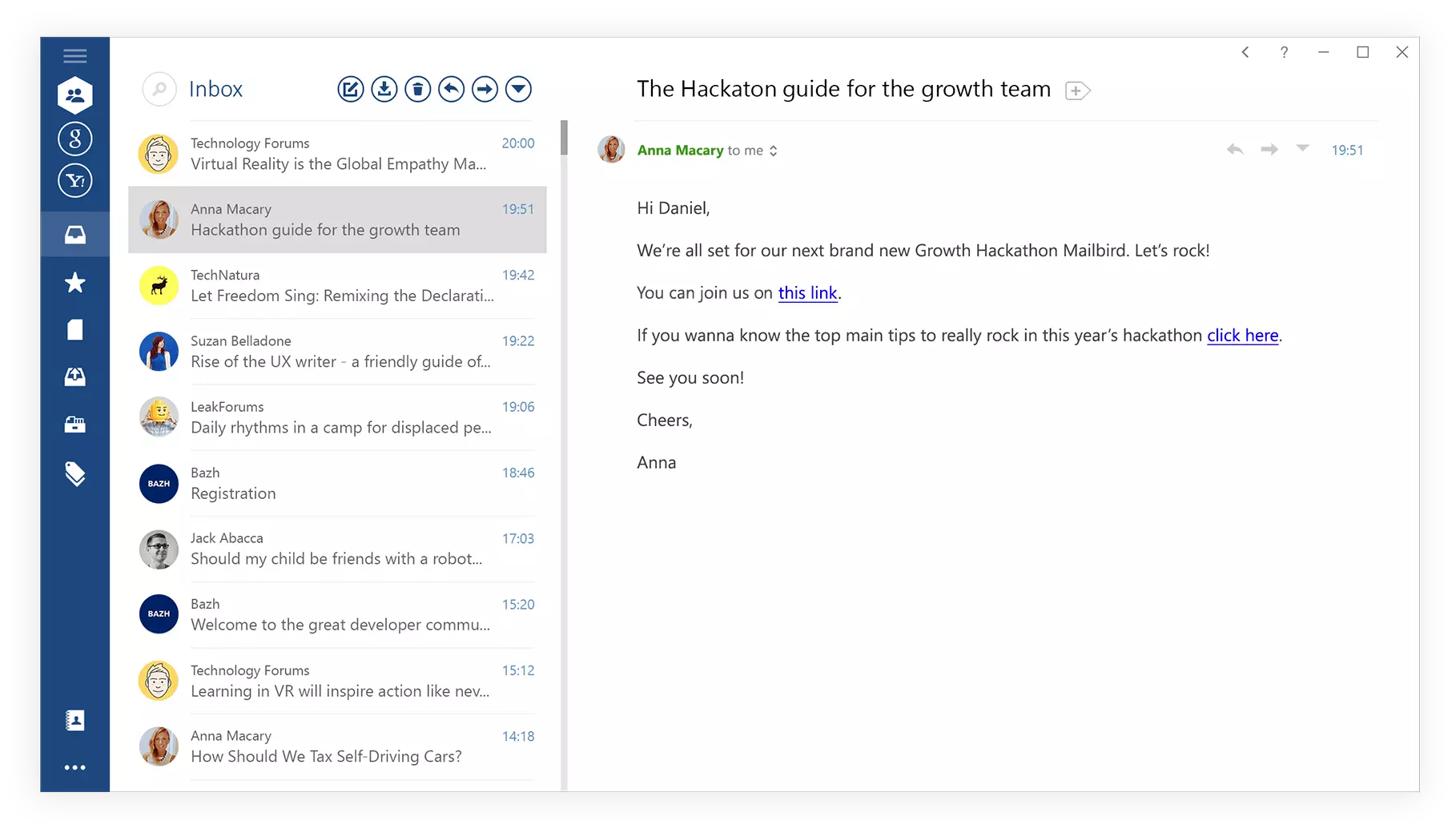
Image source: mailbird.com
Pros:
- Manages all your email accounts in a single, unified inbox.
- Clean, intuitive interface designed for speed.
- Extensive app integrations for enhanced workflow.
- Highly customizable to suit personal preferences.
- Lightweight and fast performance.
Cons:
- Only available for Windows operating systems.
- A full range of features requires a paid subscription.
- Some integrations might not be as deep as native applications.
Why it makes the list: Mailbird offers a compelling solution for individuals managing multiple email accounts and seeking to centralize their digital workspace. Its blend of a clean interface, robust performance, and expansive integrations makes it one of the best email productivity tools for those valuing customization and a unified communication hub.
Pricing:
- Premium yearly: $5.75 per month.
- Premium pay once: $99.75 with a one-time purchase.
9. Hunter: Find email addresses and verify leads
Hunter (Hunter.io) is a powerful tool primarily used for finding and verifying email addresses associated with specific domains or individuals. While not an inbox management tool itself, it is an incredibly effective email productivity tool for sales, marketing, and networking professionals. By quickly finding contact information and verifying its validity, Hunter streamlines the process of outreach and ensures your emails reach the intended recipients, significantly boosting the efficiency of your external communication efforts.
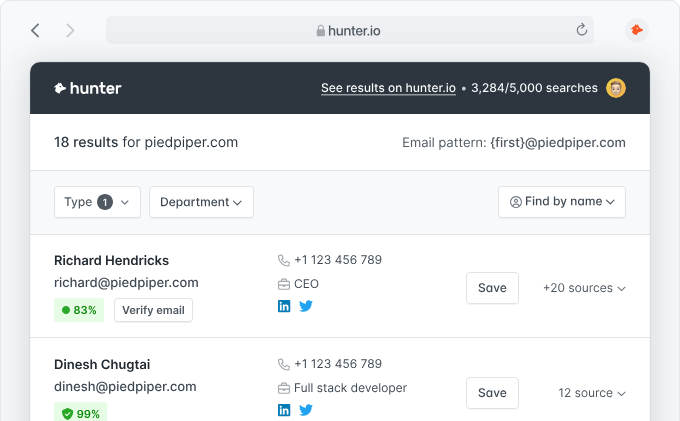
Image source: hunter.io
Pros:
- Efficiently finds email addresses associated with websites or companies.
- Verifies the validity of email addresses, reducing bounce rates.
- Saves time on manual contact research.
- Offers a browser extension for quick lookups.
- Valuable for sales, marketing, and business development.
Cons:
- Does not manage your inbox directly.
- Primarily an outreach tool, not for internal communication.
- Free tier has usage limits, requiring a subscription for extensive use.
Why it makes the list: Hunter makes the cut because productive email isn't just about managing incoming messages; it's also about effective outgoing communication. For professionals whose success depends on reaching the right people, Hunter is an indispensable email productivity tool that directly impacts the effectiveness of their outreach campaigns.
Pricing:
- Starter: $34/month, billed annually.
- Growth: $104/month, billed annually.
- Scale: $209/month, billed annually.
- Enterprise: Custom pricing.
10. Brevo: Email-focused marketing & sales platform
Brevo is a comprehensive customer relationship management (CRM) and marketing platform that includes robust email marketing and transactional email capabilities. While its primary focus is on broader marketing and sales automation, its email features—from designing campaigns to managing contacts and tracking engagement—are powerful email productivity tools for businesses. It allows you to send targeted campaigns, automate follow-ups, and get detailed analytics on how your emails perform, making it highly effective for external communication and relationship building.

Image source: brevo.com
Pros:
- Comprehensive marketing and sales platform with strong email capabilities.
- Automates email campaigns and transactional messages.
- Manages contact lists and segments audiences effectively.
- Provides detailed analytics on email performance.
- Includes SMS, chat, and CRM features alongside email.
Cons:
- It's a broad platform, which might be more than what individual users need for simple inbox management.
- The learning curve is associated with its extensive features.
- Primarily focused on mass communication and marketing, with less on individual email workflow.
Why it makes the list: Brevo makes the list for its ability to empower businesses to send highly effective, trackable emails on a larger scale. For professionals in marketing, sales, or customer success, the ability to automate, personalize, and analyze their outgoing email communication is a significant boost to productivity, making it one of the most powerful email productivity tools for strategic outreach.
Pricing:
- Starter: $8.08/month, billed annually.
- Standard: $16.17/month, billed annually.
- Professional: $449.08/month, billed annually.
- Enterprise: Custom pricing.
Benefits of using email productivity tools
Adopting the right email extends far beyond simply managing your inbox; it fundamentally transforms your relationship with digital communication. The advantages touch almost every aspect of your professional life, leading to significant improvements in both efficiency and well-being. By leveraging these tools, you can expect to experience:
- Significant time savings: Automation of repetitive tasks, quicker message processing, and smart filtering collectively free up precious hours. This means less time spent sifting through emails and more time dedicated to high-value work.
- Reduced mental load and stress: A perpetually overflowing inbox is a major source of cognitive burden. These tools help create order, reduce notifications, and ensure important items don't get lost, leading to a calmer, more focused mindset.
- Enhanced focus and concentration: By minimizing distractions and streamlining your workflow, email productivity tools help you maintain concentration on complex tasks, fostering environments conducive to deep work.
- Improved responsiveness and reliability: Features like email scheduling, reminders, and templates ensure you respond promptly, follow up consistently, and maintain a professional communication standard without constant manual effort.
- Better and transparency: For teams, specialized email productivity tools facilitate shared inboxes, task assignments, and internal notes, ensuring everyone is on the same page, and customer queries are handled efficiently and transparently.
What email productivity features are a must
When exploring the vast array of email productivity tools available, certain features consistently emerge as essential for transforming your inbox from a burden into a powerful asset. While specific needs vary, these core functionalities represent the backbone of effective email management and should be prioritized in your search:
- : This includes intelligent filtering, categorization, and prioritization capabilities. Look for tools that learn your habits, can automatically sort newsletters, promotions, and important messages, or offer a "focused inbox" view.
- and capabilities: The ability to set up rules to automatically move, tag, archive, or even reply to specific emails is critical for reducing manual effort. This also extends to features like email scheduling and automated follow-up reminders.
- Snooze and reminders: For messages that don't require immediate action but can't be forgotten, a "snooze" function temporarily removes them from your inbox, returning them at a more convenient time. Reminders ensure tasks associated with emails are completed.
- Templates and canned responses: Recreating common replies wastes time. Tools offering customizable email templates or "canned responses" allow for quick, consistent communication for frequently asked questions or routine updates.
- Unified inbox support: If you manage multiple email accounts (personal, work, side project), a tool that consolidates them into a single, seamless view prevents constant switching between applications. This is especially useful for top email productivity tools for professionals.
- Advanced search and archiving: The ability to quickly find old emails and efficiently archive completed conversations is crucial for maintaining an uncluttered and functional inbox.
These features collectively empower you to process information more efficiently, prioritize your attention, and ensure that your email serves your goals rather than dictating your day.
Explore email productivity features in Lark
How to choose the right email productivity tools
Selecting the ideal email productivity tools is a highly personal and team-specific decision. With so many options available, a structured approach will help you identify solutions that truly fit your unique needs. Here's a guide to making an informed choice:
- Identify core email pain points: Define key challenges (volume overload, follow-up struggles, distractions, shared inbox collaboration gaps) to target the right tools.
- Evaluate your existing ecosystem: Prioritize tools that integrate seamlessly with your current email client (Gmail, Outlook, etc.) and productivity stack to avoid workflow friction.
- : Factor in free extensions to premium subscriptions, weighing costs against potential time savings and stress reduction.
- Rank must-have features: Prioritize essential functions (automation, security, AI summaries, team collaboration) based on your core needs to narrow down options.
- Check reviews and real use cases: Leverage user feedback, industry testimonials, and case studies to gauge a tool's real-world performance—community input is key for professional-grade tools.
By following these steps, you can confidently select email productivity tools that genuinely enhance your workflow, reduce email-related stress, and contribute positively to your overall productivity.
Tips for maximizing email productivity
Having the right email productivity tools is just one part of the equation; cultivating effective habits is equally crucial. By adopting a few strategic practices, you can dramatically enhance your email efficiency, even with the most sophisticated tools at your disposal. Here are some actionable tips:
- : Avoid constantly checking your inbox. Designate specific blocks throughout your day for processing emails. This minimizes distractions and allows for focused work periods.
- Process in batches: When you check your email, aim to process messages in batches. Reply to urgent items immediately, quickly archive what's done, and flag tasks for later action.
- Use the "two-minute rule": If an email takes less than two minutes to action, do it immediately. This prevents small tasks from piling up and cluttering your inbox.
- Be concise and clear: When composing emails, get straight to the point. Use clear subject lines and brief paragraphs to ensure your messages are easily digestible, reducing back-and-forth communication.
- Leverage templates and automation: Don't rewrite the same message repeatedly. Use your email productivity tools to create templates for common replies. Set up rules to automatically sort or archive non-essential emails.
- Use AI to boost productivity: AI can analyze which email copy (and not just the subject line) leads to higher open rates and adjust them accordingly. An can also be used to review these variations for clarity and consistency, helping ensure optimized messages still sound natural and on-brand.
By combining smart tools with smart habits, you can transform your email experience from a relentless chore into a streamlined, productive activity. For advanced mail management, watch this video ⬇️
Conclusion
We've explored the landscape of email productivity tools, understood their profound benefits, identified essential features, and outlined a strategic approach to choosing the right ones. It's clear that in today's fast-paced professional world, managing your inbox effectively is no longer a luxury but a necessity for reclaiming your time, reducing stress, and fostering genuine productivity. The right tools, coupled with disciplined habits, can truly empower you to move beyond simply reacting to messages and instead strategically leverage email as a powerful communication asset.
For those seeking an integrated solution that revolutionizes not just email but your entire communication and collaboration experience, consider how empowers teams to move beyond email overload with its comprehensive, chat-first platform. Ready to transform your daily work and master your inbox? Explore Lark today and discover a new level of productivity.
Transform your work and master your inbox with Lark
FAQs
What are the primary benefits of using email productivity tools?
The main benefits include significant time savings, reduced stress from inbox overload, and improved focus on high-priority tasks. These tools automate mundane actions, prioritize important messages, and help you regain control over your digital communication, leading to better overall efficiency.
How do AI email productivity tools specifically help with managing my inbox?
AI email productivity tools leverage artificial intelligence to automate various tasks, such as summarizing long email threads, suggesting quick replies, prioritizing messages based on urgency, and even drafting initial responses. This allows you to process information faster and respond more efficiently, saving valuable time and mental effort.
How can a comprehensive platform like Lark boost my email productivity?
Lark boosts email productivity by significantly reducing the need for internal email through its integrated chat, video conferencing, and document collaboration features. This means your email inbox becomes primarily for external communications, allowing you to focus on crucial messages while still managing all your work within one unified and efficient environment.
What should I consider when choosing the best email productivity tool for myself?
When choosing the best email productivity tools, first identify your core email challenges (e.g., volume, follow-ups, team collaboration). Then, assess your existing email client and budget. Finally, prioritize features that directly address your pain points and test options, like Lark's integrated suite, using free trials to see how they fit your workflow.
Related reading



















![What Is a 2-2-3 Work Schedule? Explanation and More [2026]](https://framerusercontent.com/images/uKHRfkp4v7y4azRNTYUmuteNQz8.png)








