














Enterprise Content Management Systems: Complete Guide and 8 Top Tools

Ryan Tanner
Product Marketing Specialist
Sep 18, 2026
Ryan Tanner
Sep 18, 2026

18 min read


Managing content efficiently is critical for large organizations juggling hundreds of files, workflows, and compliance requirements. Enterprise content management systems (ECMs) help centralize documents, streamline approvals, and enhance team collaboration across departments.
From established platforms like SharePoint, Box, and OpenText to modern unified workspaces like Lark, these tools simplify how enterprises store, access, and share content securely. In this guide, we explore the best ECM solutions, their core features, pricing, and how they can help your business work smarter and faster.
1. Lark: Unified workspace for content, collaboration, and workflow
2. Microsoft SharePoint: Scalable document and content hub
3. Laserfiche: Document automation and compliance focus
4. Box: Cloud-first ECM for content collaboration
5. DocuWare: Workflow automation for enterprises
6. M-Files: Metadata-driven document organization
7. OpenText: Enterprise-grade ECM with extensive integrations
8. Hyland OnBase: Strong compliance and records management

What is an Enterprise Content Management System?
An Enterprise Content Management (ECM) system is a platform that helps organizations store, organize, and manage digital content efficiently across departments. It centralizes documents, records, and media files, making them easily accessible and secure, and often integrates smoothly with project management tools to connect content directly with task execution and team workflows.. ECM systems streamline workflows, improve compliance, and reduce manual handling of information. They're especially valuable for large teams managing product data or strict documentation processes. In short, an ECM system ensures that the right people can access the right information at the right time.
Core features of enterprise content management systems
Modern Enterprise Content Management (ECM) systems combine storage, security, and collaboration tools to help organizations manage information efficiently. Here are the core features that define a strong ECM platform:
- Document capture & indexing: Converts paper and digital files into structured, searchable data, making retrieval fast and accurate.
- Version control & access management: Tracks document edits, maintains version history, and controls who can view or modify content.
- Workflow automation: Streamlines processes like document approvals, routing, and notifications to save time and reduce errors.
- Collaboration tools: Enables real-time co-authoring, commenting, and file sharing, fostering smooth teamwork across departments.
- Security & compliance management: Safeguards sensitive information through encryption, role-based access, and audit trails.
- Analytics & reporting: Provides insights into document usage, workflow efficiency, and compliance metrics for better decision-making.
Together, these features ensure that enterprise content remains organized, secure, and accessible—supporting both day-to-day operations and long-term business goals.
8 Top enterprise content management systems
1. Lark: Unified workspace for content, collaboration, and workflow
Lark is designed for teams that want to centralize customer data, analysis, planning, and execution in one place instead of spreading segmentation work across CRM, spreadsheet, messaging, and reporting tools. Because everything lives in a shared workspace, teams move from insights to action much faster.
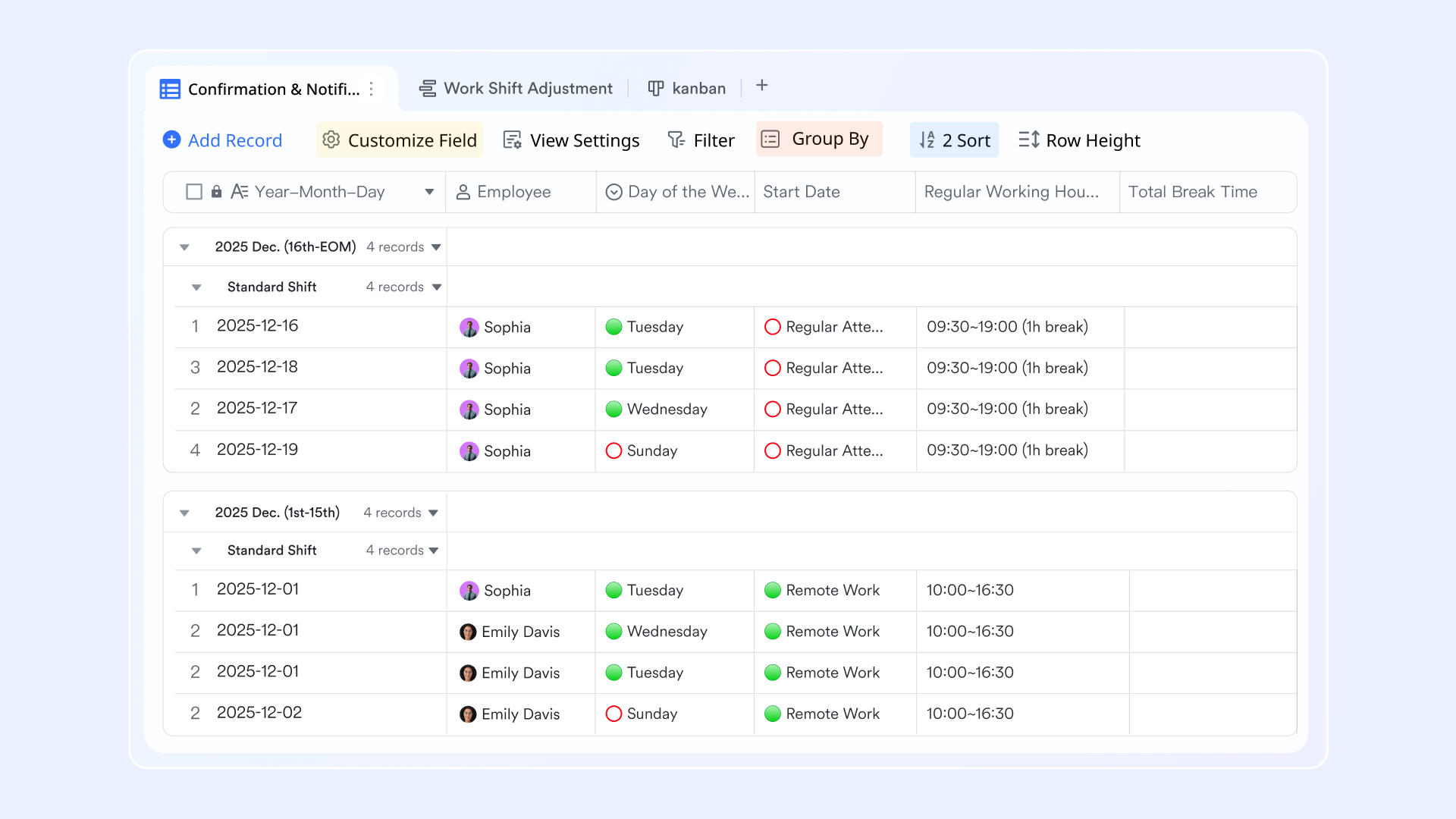
Lark Docs: Create, share, and co-edit documents with real-time comments and version control
Lark Docs is the heart of collaborative content creation. It allows teams to write, edit, and review documents simultaneously—whether drafting proposals, policy manuals, or project briefs. Real-time co-editing eliminates version confusion, while built-in commenting and mentions make feedback direct and contextual. Each document maintains an automatic version history, so users can see who made changes and when. For enterprises, this ensures compliance, accountability, and clear audit trails. Teams can embed images, tables, or even live data from Lark Base or Sheets, turning static documents into interactive workspaces that stay up to date automatically.
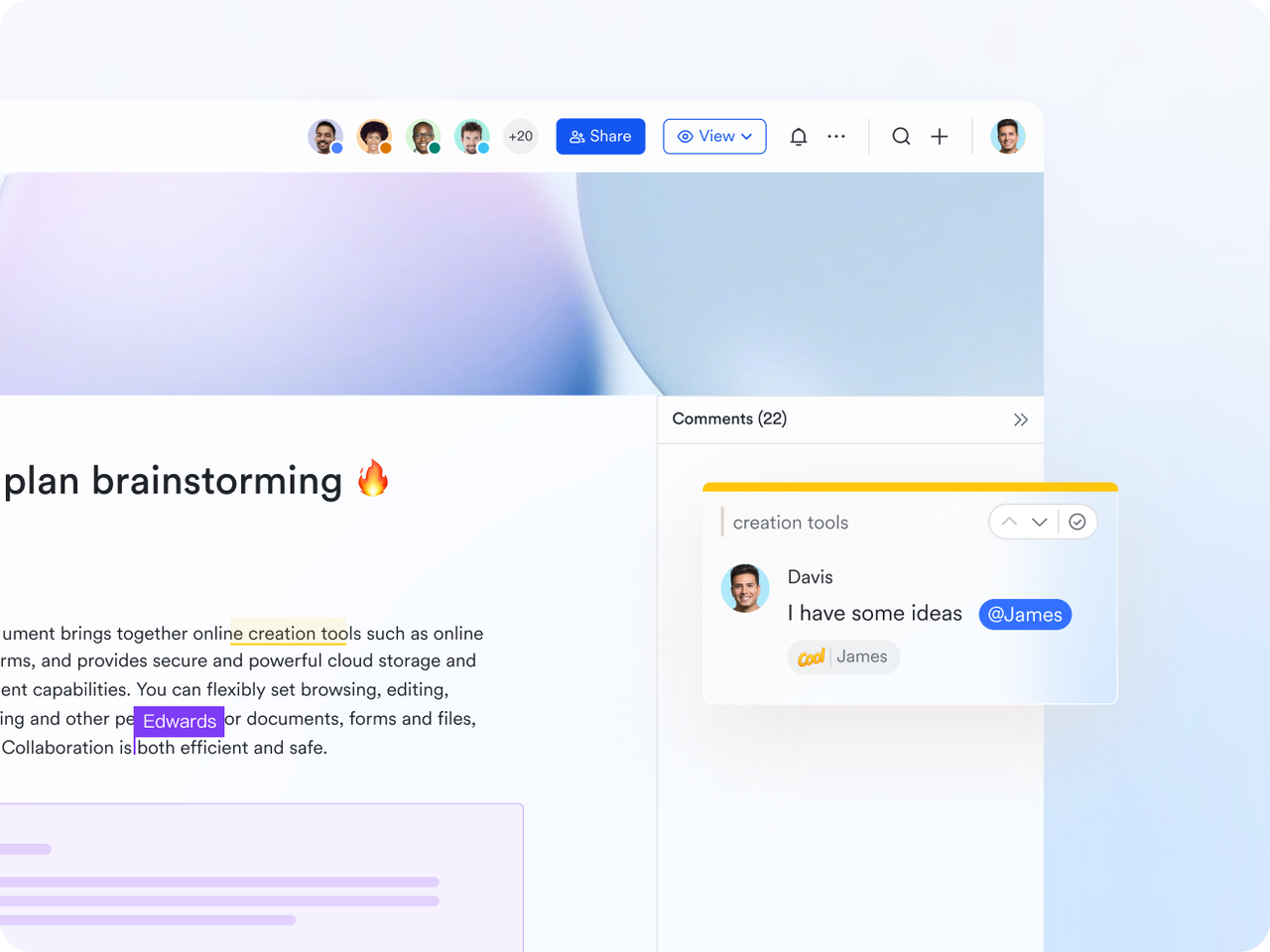
Lark Base: Store structured business data, link files, and create dashboards for visibility
Lark Base functions as a centralized data management hub—similar to a hybrid of a database and a visual project tracker. Enterprises can use it to log structured data such as document inventories, contract details, or workflow statuses. Each record can be linked to related Docs, Tasks, or approvals, ensuring every file or process step is connected. Built-in dashboards visualize key metrics like document progress, approval rates, or department workloads in real time. For example, a compliance manager can instantly view which documents are awaiting sign-off, who's responsible, and how close each is to completion—all within a single Base view.
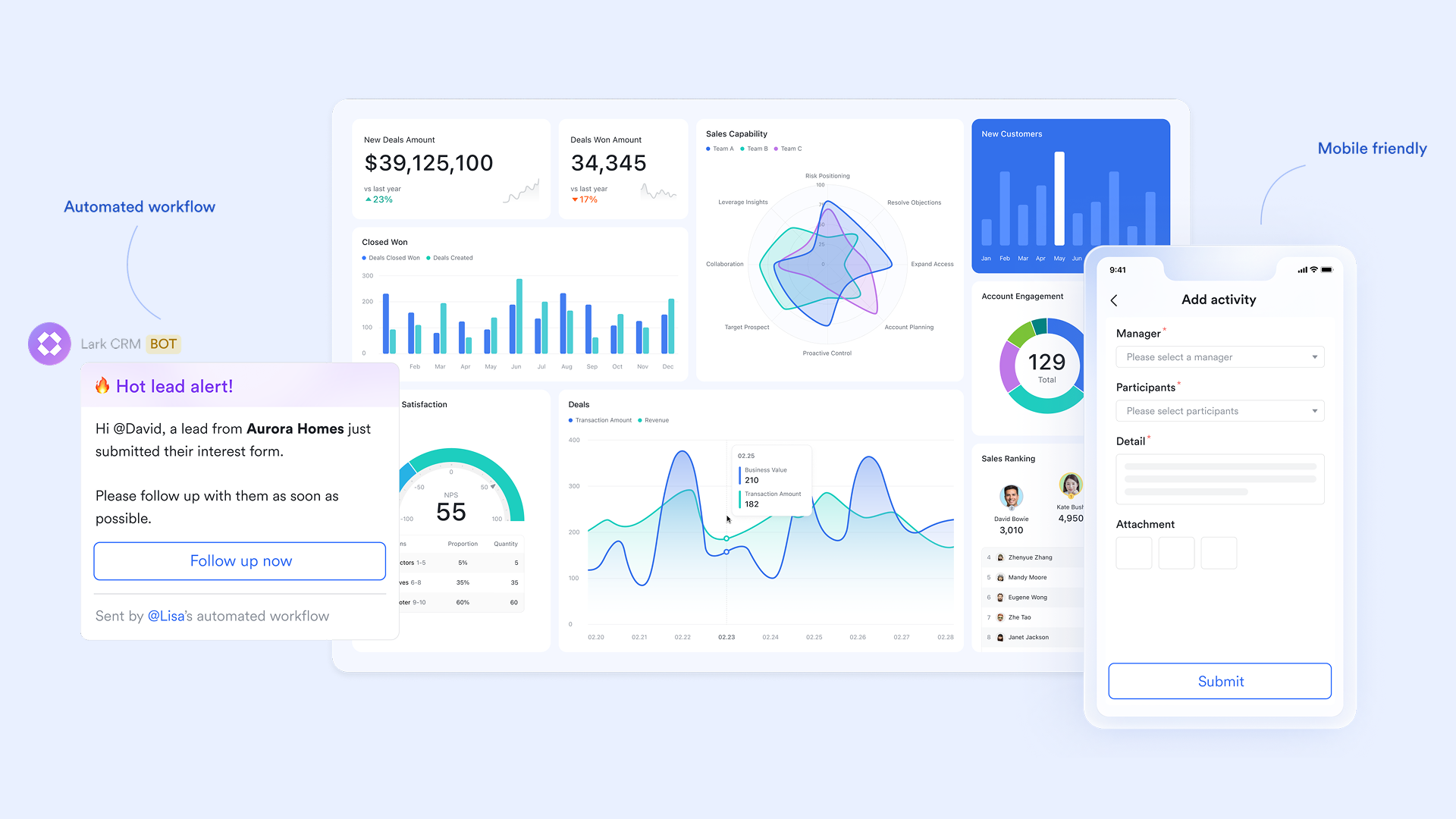
Lark Messenger: Keep every conversation tied to a document or workflow
Unlike standalone chat tools, Lark Messenger syncs communication directly into the workspace. Each Doc, Base record, or Task can have its own dedicated chat thread, ensuring discussions stay tied to context. This prevents the common problem of decisions getting lost in separate chat channels or emails. Lark Messenger supports file sharing, quick reactions, and automatic notifications when key updates occur—such as a document status change or new comment. For instance, when a policy draft in Docs moves from "In Review" to "Approved," Messenger can alert the team immediately, keeping everyone aligned without manual follow-ups.
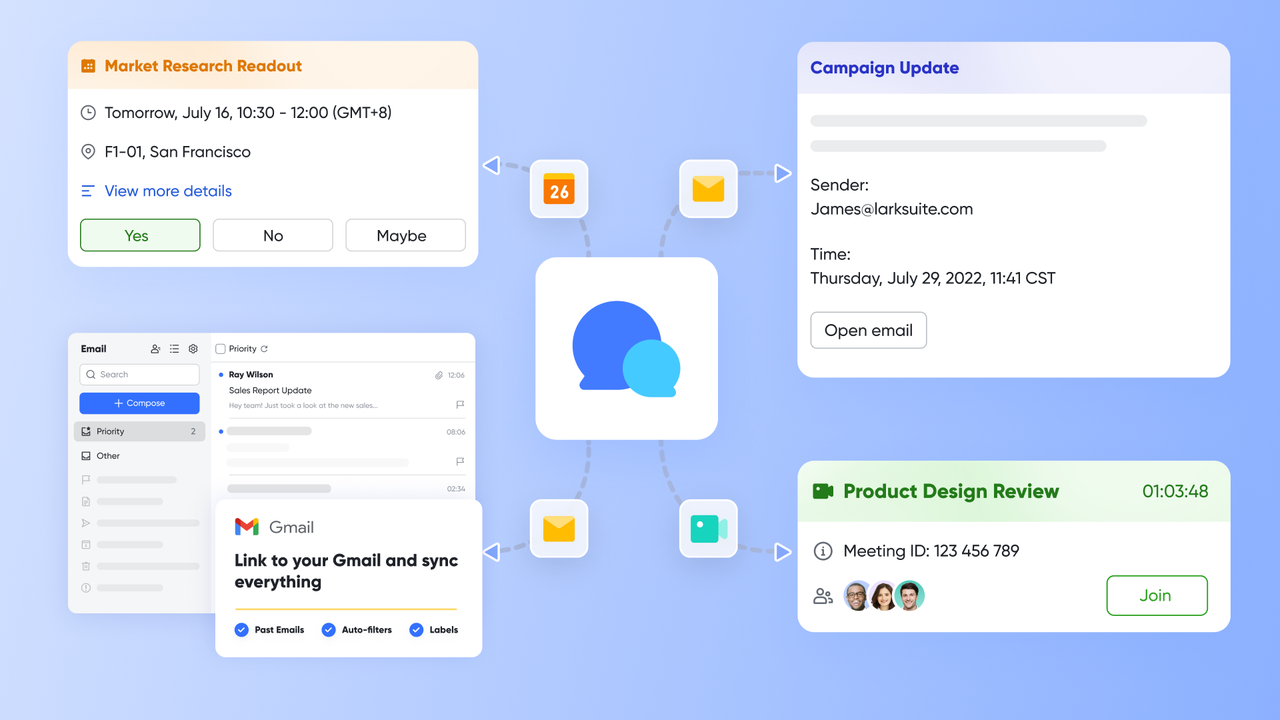
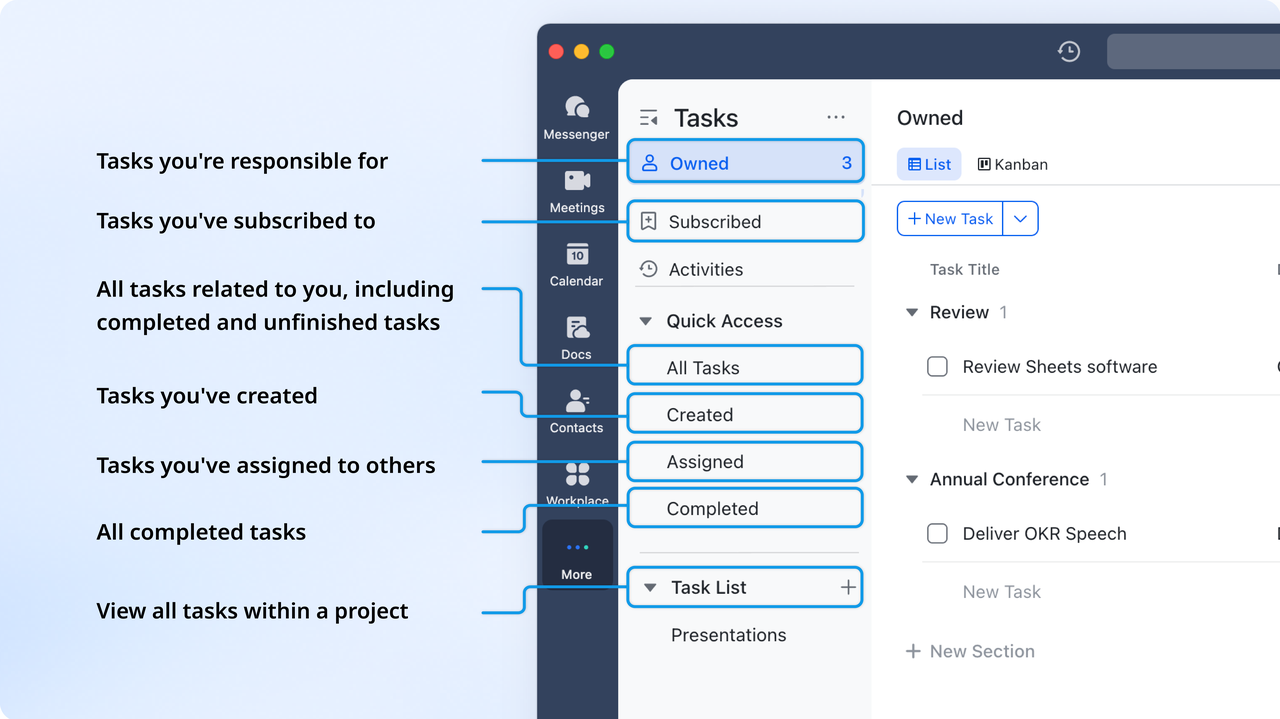
Lark Tasks: Assign, track, and automate follow-ups on document approvals or reviews
Lark Tasks transforms every action item or review step into a clear, trackable assignment. Managers can create tasks directly from documents, set deadlines, add assignees, and link them to related workflows in Base. This ensures accountability across content processes—from drafting to approval to publishing. Automated reminders notify team members before deadlines, preventing bottlenecks. For example, when a marketing plan requires executive sign-off, Lark Tasks ensures each reviewer's status is visible, and the project automatically progresses when approvals are complete. The result: fewer delays, clearer ownership, and faster execution.
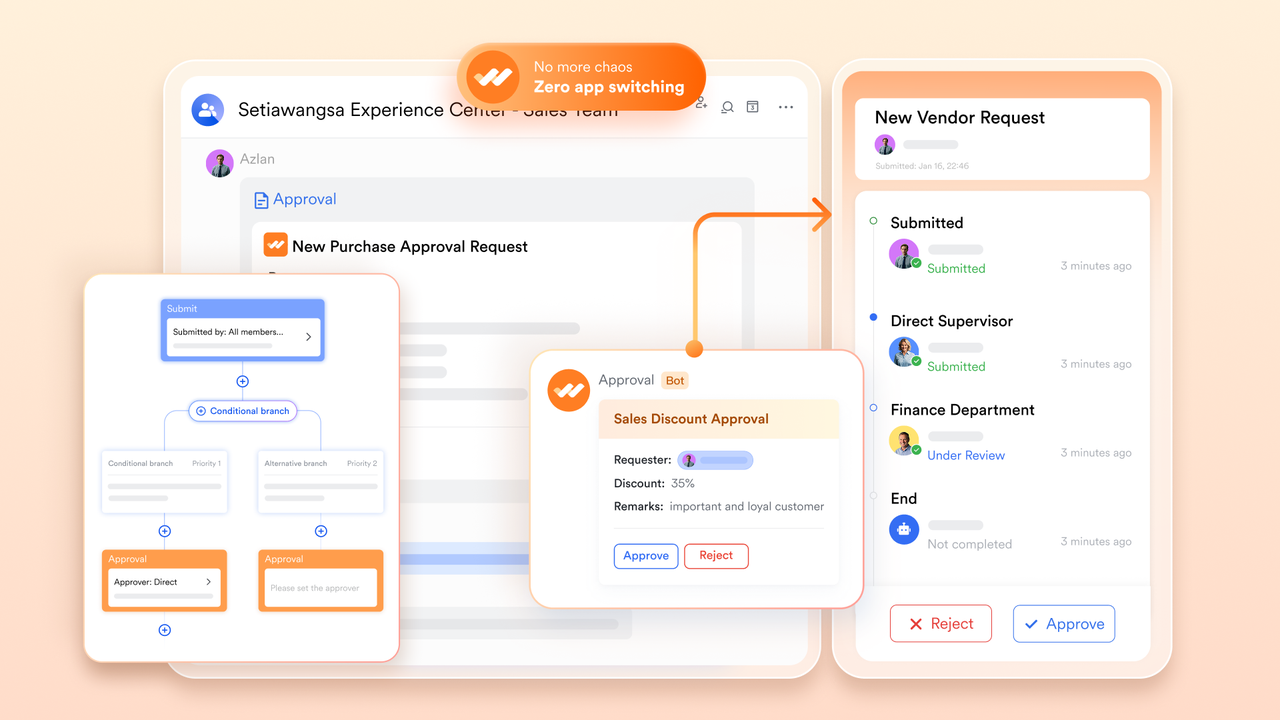
Lark Approval: Simplify document sign-offs with transparent, trackable processes
Lark Approval streamlines the process of getting official approvals on documents, policies, or reports. Enterprises can design multi-step approval workflows with designated reviewers, deadlines, and routing rules. Every submission automatically generates a record showing who approved what, and when—ideal for compliance and audit purposes. Teams can approve directly in-app or via Messenger, reducing delays caused by email chains. For instance, an HR policy update can route through HR, Legal, and Executive review stages sequentially, with automatic notifications at each step. This ensures traceability and consistency across organizational processes.
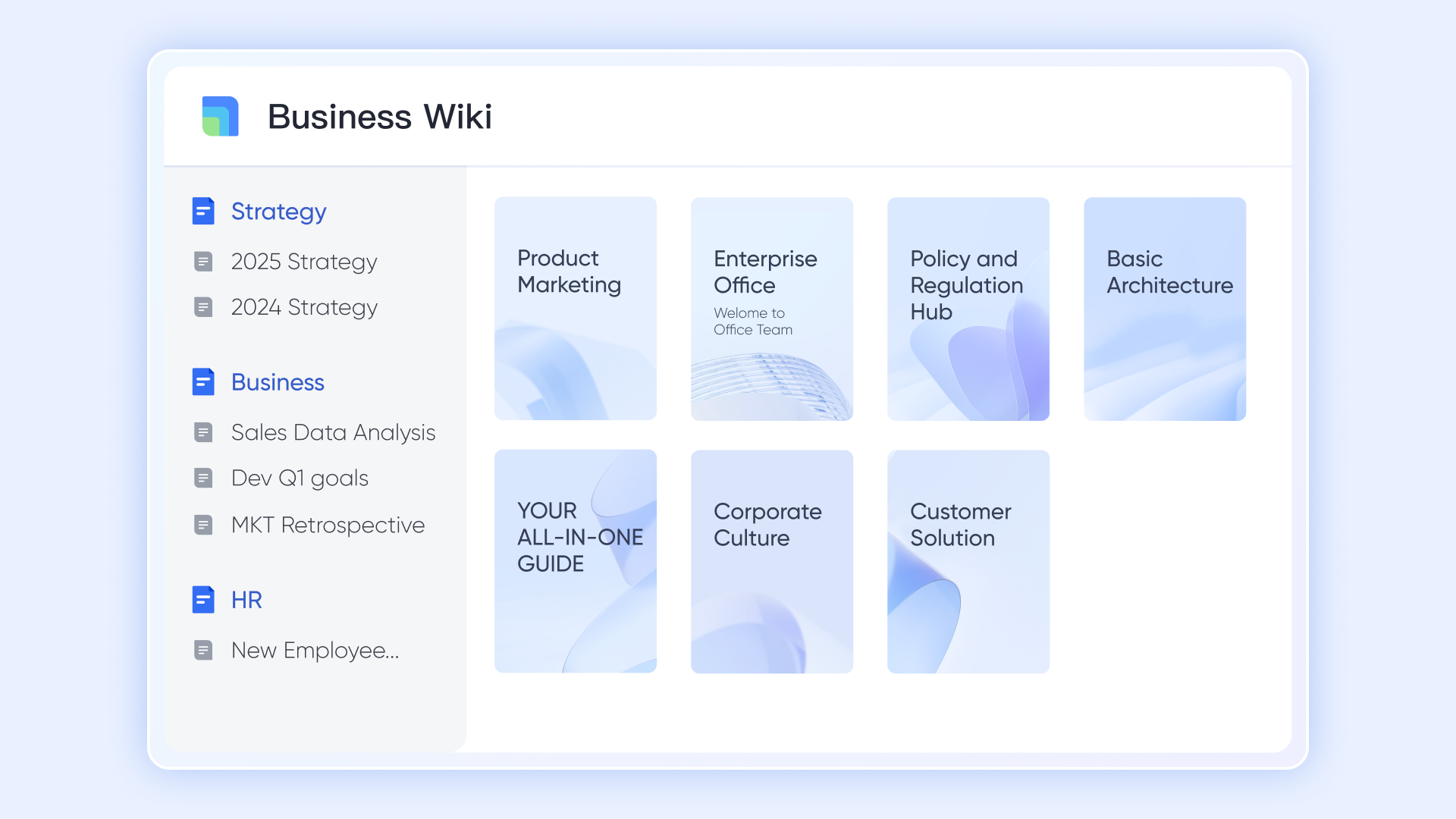
Lark Wiki: Build an internal knowledge base for company policies, procedures, and project archives
Lark Wiki helps teams organize and preserve institutional knowledge in one centralized, easily navigable space. It's ideal for storing SOPs, project documentation, onboarding materials, or policy manuals. Wikis can be collaboratively maintained—each edit tracked, categorized, and linked to related resources in Docs or Base. This ensures that information is always current and accessible to new team members or departments. For example, an enterprise could maintain a "Compliance Playbook" Wiki page with linked workflow charts from Base and approval logs from Docs, providing complete operational transparency.
- Starter plan: Free forever plan that includes 11 powerful tools for up to 20 users. It also comes with 100GB of storage, 1000 automation runs, AI translations, and more.
- Pro plan: $12/user/month (billed annually) for up to 500 users. It includes everything in Starter plus group calling for up to 500 attendees, 15TB of storage, 50,000 automation runs, and more.
- Enterprise plan: Contact sales for custom pricing. Supports unlimited users and includes even more automation runs and advanced security, compliance, and management features.
2. Microsoft SharePoint: Scalable document and content hub
Microsoft SharePoint is one of the most widely used enterprise content management platforms, offering a centralized hub for storing, sharing, and managing documents across large organizations. It integrates seamlessly with Microsoft 365, allowing teams to collaborate efficiently within familiar tools. SharePoint supports version control, access permissions, and workflow automation, making it ideal for managing complex enterprise content. Its scalability and customization options make it suitable for businesses of all sizes looking to streamline document management and collaboration.
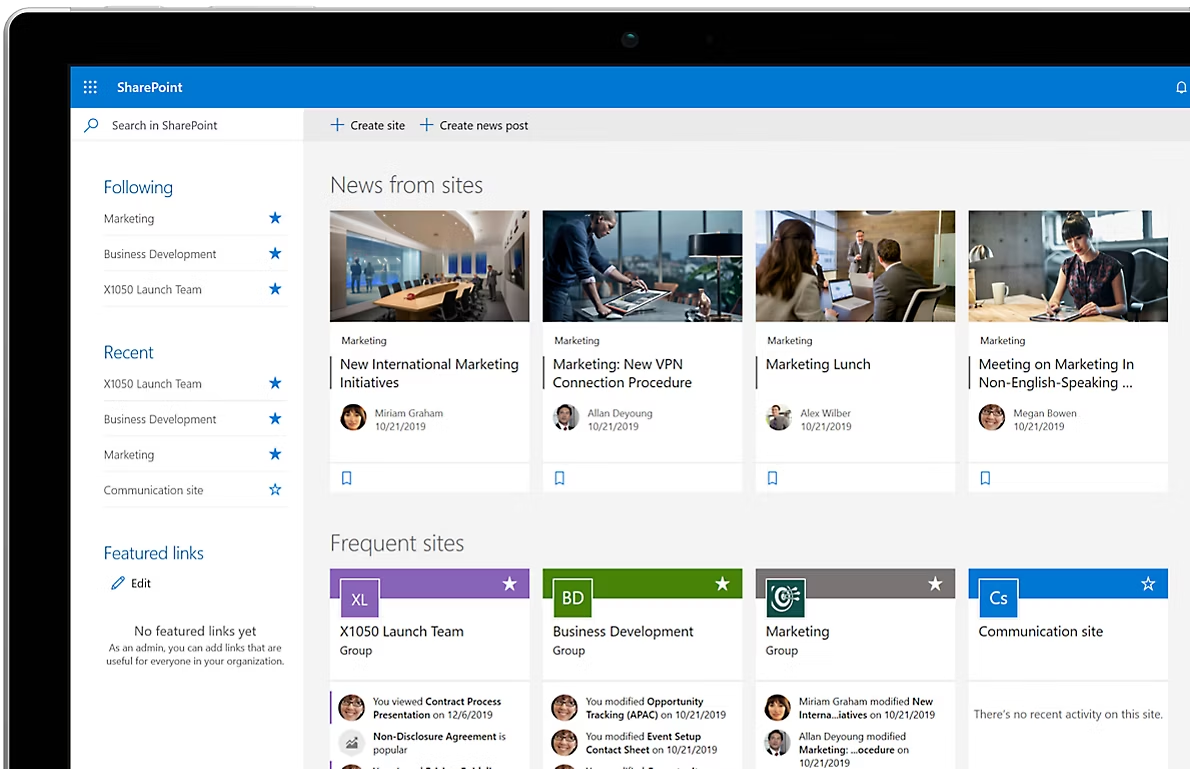
Image source: microsoft.com
Key features:
- Centralized document library with advanced search and metadata tagging
- Seamless integration with Microsoft 365 apps like Teams and OneDrive
- Workflow automation for approvals and document routing
- Granular user permissions and access control
- Version history tracking for better content governance
Strengths:
- Deep integration within the Microsoft ecosystem
- Highly customizable structure for different departments or teams
- Strong compliance and data security features
- Reliable cloud and on-premises deployment options
Limitations:
- Requires technical setup and ongoing maintenance for complex configurations
- User interface can feel overwhelming for beginners
Pricing:
- SharePoint: $5.00/user/month
- Microsoft 365 Business StandardMicrosoft: $12.50 /user/month
- 365 Business Standard (no Teams): $9.29 /user/month
- Microsoft 365 Copilot: $30.00 /user/month
3. Laserfiche: Document automation and compliance focus
Laserfiche is a robust ECM platform designed to streamline document management while ensuring regulatory compliance. It focuses on automating document-centric processes, reducing manual tasks, and improving organizational efficiency. Laserfiche is widely used in industries with strict compliance requirements, offering secure storage, workflow automation, and audit-ready reporting. Its tools empower teams to manage content smarter, maintain control over sensitive information, and ensure that policies and regulations are consistently followed.
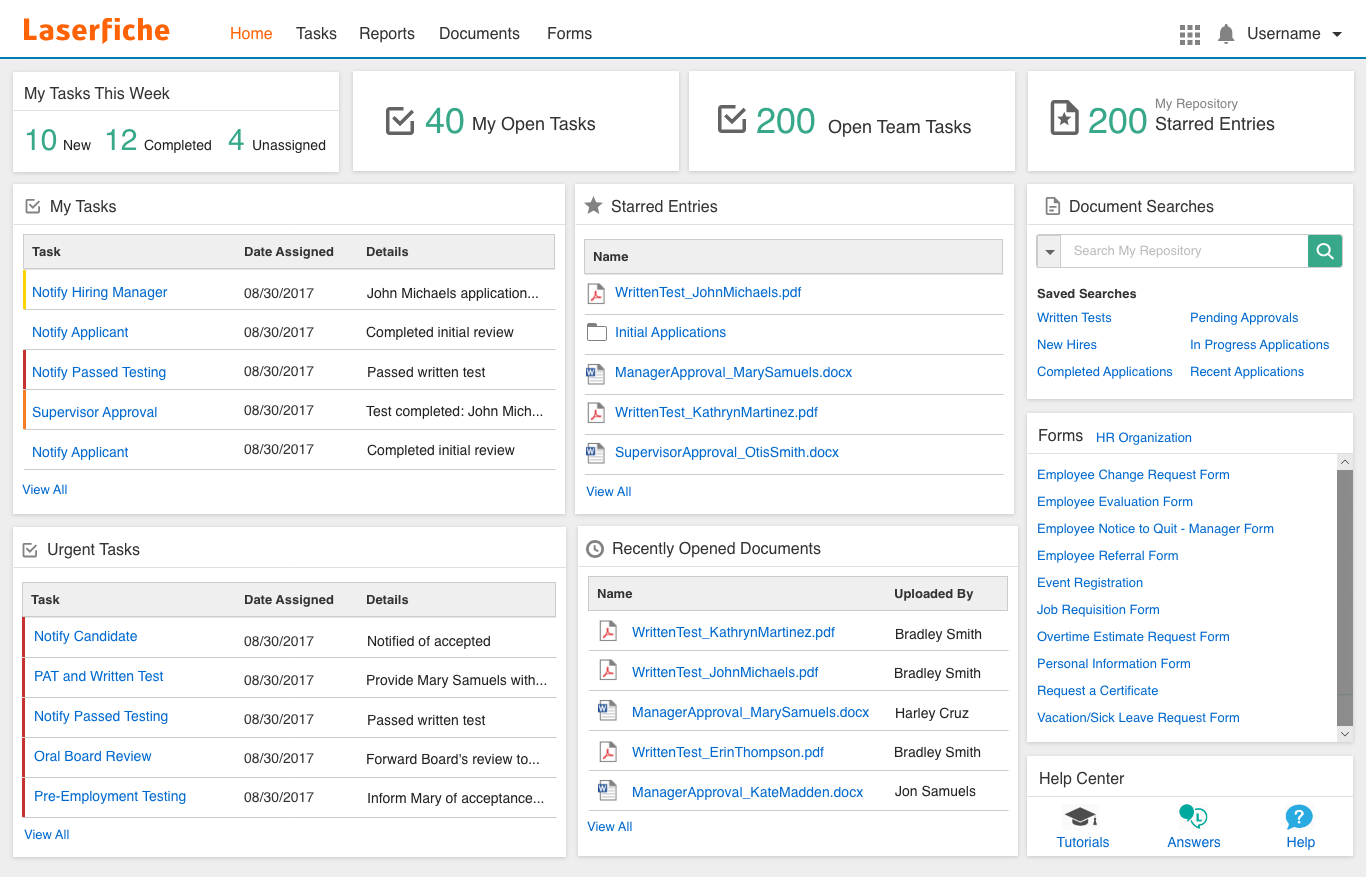
Image source: laserfiche.com
Key features:
- Automated document capture, indexing, and storage for easy retrieval
- Workflow automation for approvals, routing, and notifications
- Granular access control and security for sensitive documents
- Compliance management tools for regulations like GDPR, HIPAA, and ISO
- Audit trails and reporting for full transparency and accountability
Strengths:
- Strong focus on compliance and regulatory requirements
- Advanced workflow automation to reduce manual tasks
- Easy integration with other business applications
- Scalable for small to enterprise-level organizations
Limitations:
- Can be complex to configure for highly customized workflows
- Initial setup and training may require significant time and resources
Pricing:
- Starter: ~$53/user/month
- Professional: ~$69/user/month
- Business: ~$79/user/month
- Self-Hosted: ~$45–69/user/month (license-based)
4. Box: Cloud-first ECM for content collaboration
Box is a cloud-based enterprise content management platform that emphasizes secure content storage, sharing, and collaboration. It allows teams to work together on documents in real time from anywhere, making it ideal for remote and distributed organizations. Box integrates with a wide range of productivity and business apps, enabling seamless workflows while maintaining robust security and compliance standards. Its cloud-first approach ensures scalability and flexibility for businesses of all sizes.
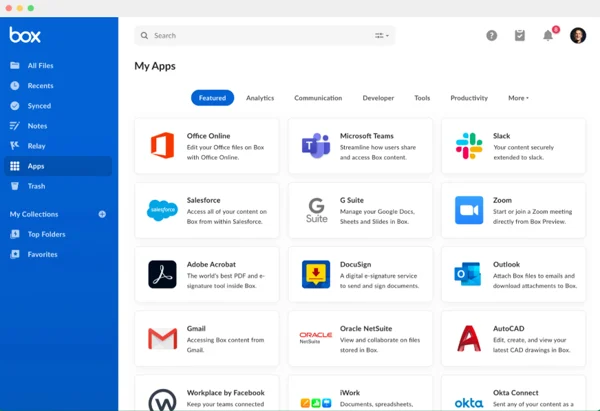
Image source: box.com
Key features:
- Cloud-based document storage with advanced search and metadata capabilities
- Real-time collaboration with co-authoring and commenting
- Integration with popular productivity tools like Microsoft 365, Google Workspace, and Salesforce
- Granular security controls and compliance features for sensitive data
- Automated workflows to streamline approvals and content management
Strengths:
- Strong cloud-based collaboration capabilities
- Extensive third-party integrations
- Enterprise-grade security and compliance features
- Scalable solution suitable for organizations of all sizes
Limitations:
- Reliance on stable internet connectivity for optimal performance
- Advanced features may require higher-tier subscription plans
Pricing:
- Business: $15/user/month
- Business Plus: $25/user/month
- Enterprise: $35/user/month
- Enterprise Plus: $50/user/month
5. DocuWare: Workflow automation for enterprises
DocuWare is an enterprise content management platform focused on automating document-driven processes and improving operational efficiency. It allows organizations to digitize, store, and manage documents securely while streamlining workflows across departments. DocuWare is particularly valuable for businesses seeking to reduce manual paperwork, ensure compliance, and accelerate approvals, making it a solid choice for enterprise-level operations.
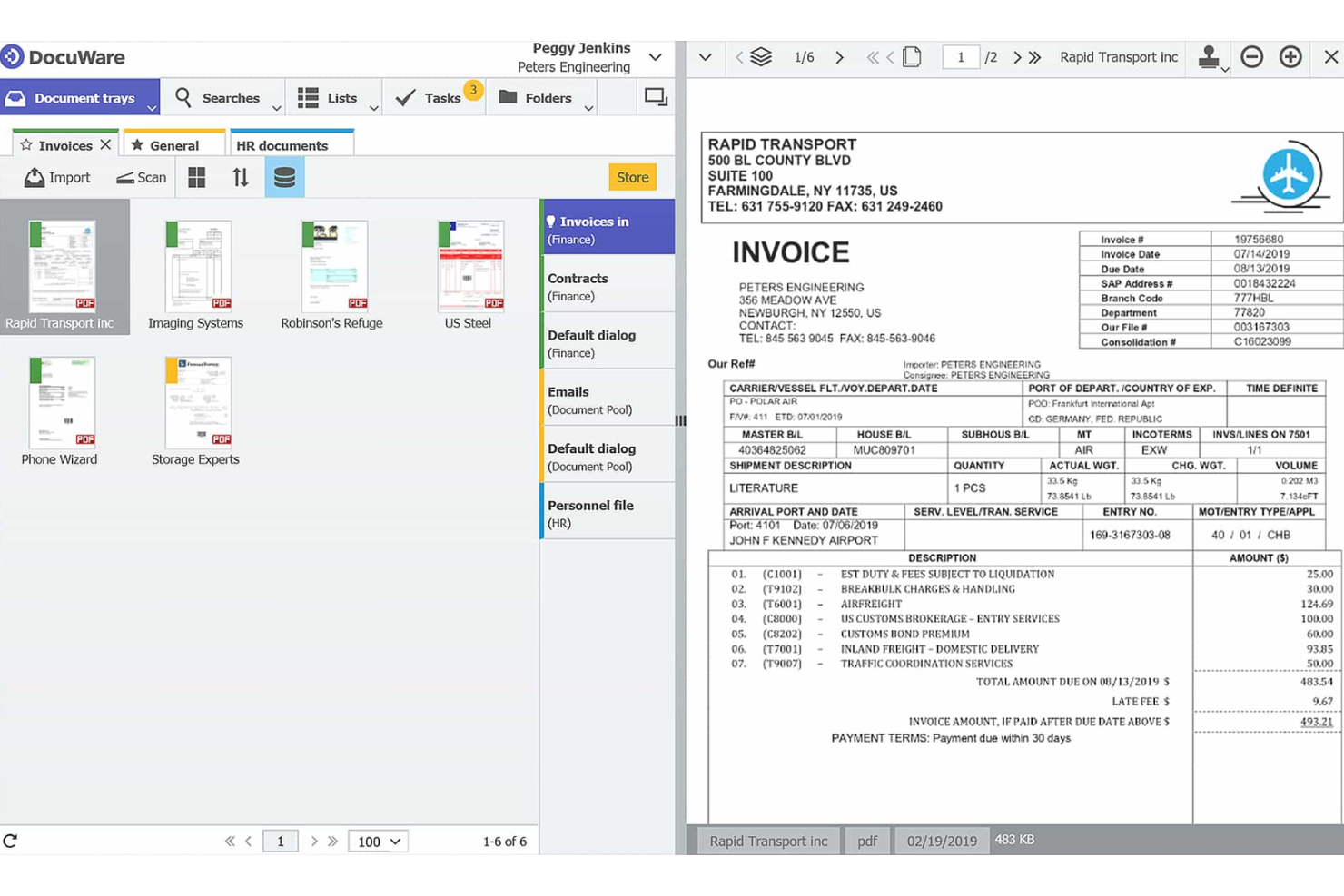
Image source: docuware.com
Key features:
- Cloud and on-premises document storage with advanced search and indexing
- Workflow automation for approvals, notifications, and task routing
- Secure access controls and role-based permissions
- Integration with CRM, ERP, and other business applications
- Audit trails and compliance management for regulatory requirements
Strengths:
- Strong focus on workflow automation to boost efficiency
- Secure document management with compliance-ready features
- Flexible deployment options: cloud or on-premises
- Scalable for large enterprises with complex processes
Limitations:
- Implementation and setup can be time-intensive
- May require training for teams to fully utilize advanced workflow features
Pricing: Custom pricing
6. M-Files: Metadata-driven document organization
M-Files is an ECM platform that organizes documents based on metadata rather than traditional folder structures. This approach makes finding, managing, and securing content faster and more intuitive, regardless of where it is stored. M-Files improves collaboration by providing context-aware access, automating workflows, and maintaining version control. Its metadata-driven architecture ensures that information is always organized logically and accessible to the right people at the right time.
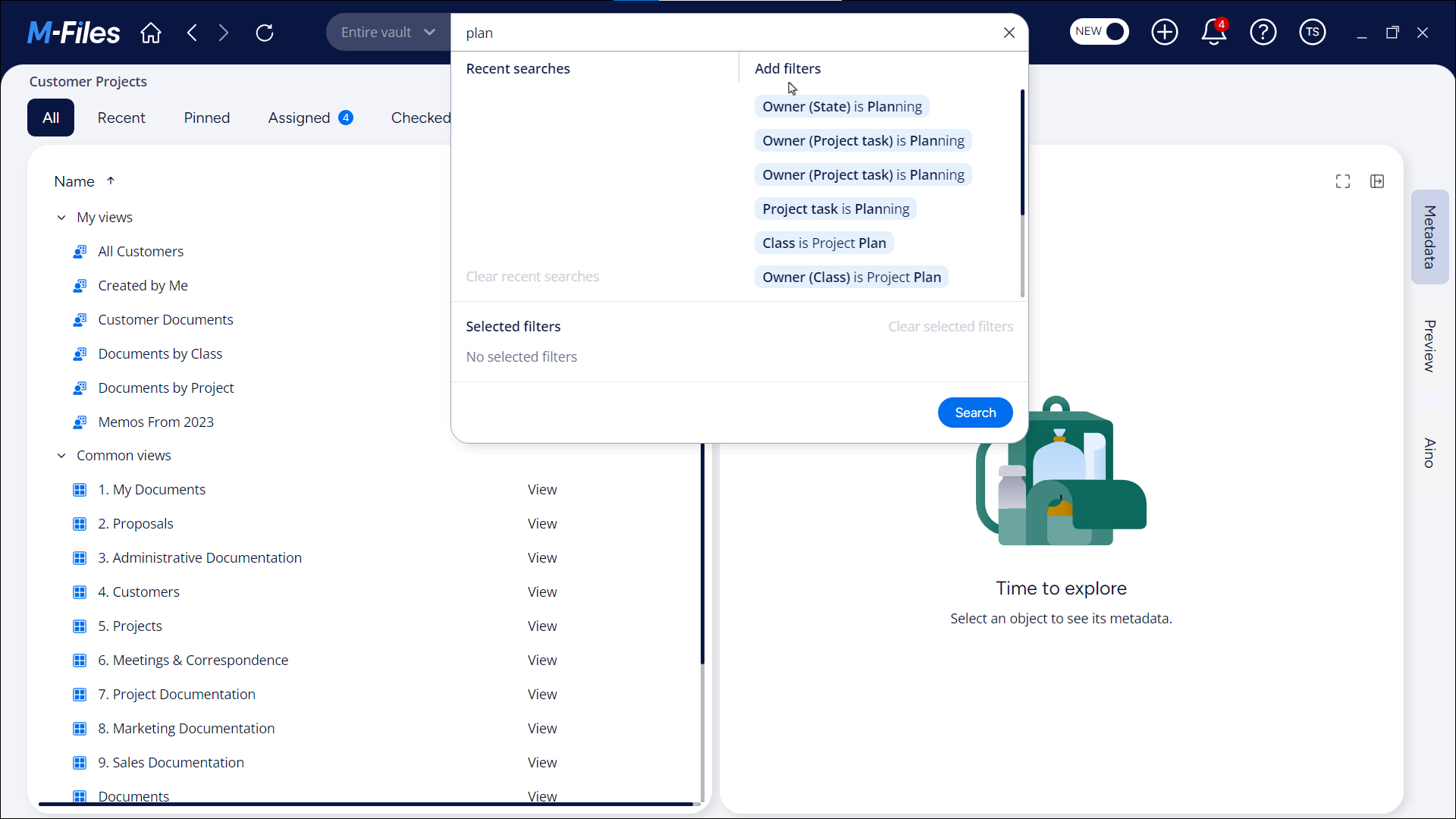
Image source: mfiles.com
Key features:
- Metadata-based document organization for efficient search and retrieval
- Automated workflows for approvals, routing, and notifications
- Version control and audit trails for compliance and transparency
- Secure access control with role-based permissions
- Integration with CRM, ERP, and cloud storage platforms
Strengths:
- Intuitive metadata-driven organization improves productivity
- Strong automation and workflow capabilities
- Robust compliance and security features
- Scalable for businesses of varying sizes and industries
Limitations:
- Metadata setup can be complex and requires careful planning
- Users may need training to adapt to metadata-driven navigation
Pricing: Custom pricing
7. OpenText: Enterprise-grade ECM with extensive integrations
OpenText is a comprehensive enterprise content management platform designed for large organizations with complex information management needs. It centralizes document storage, automates workflows, and ensures compliance across departments. OpenText offers extensive integrations with ERP, CRM, and productivity tools, making it easier to manage content within existing business systems. Its scalability and robust security features make it ideal for enterprises handling high volumes of sensitive information.
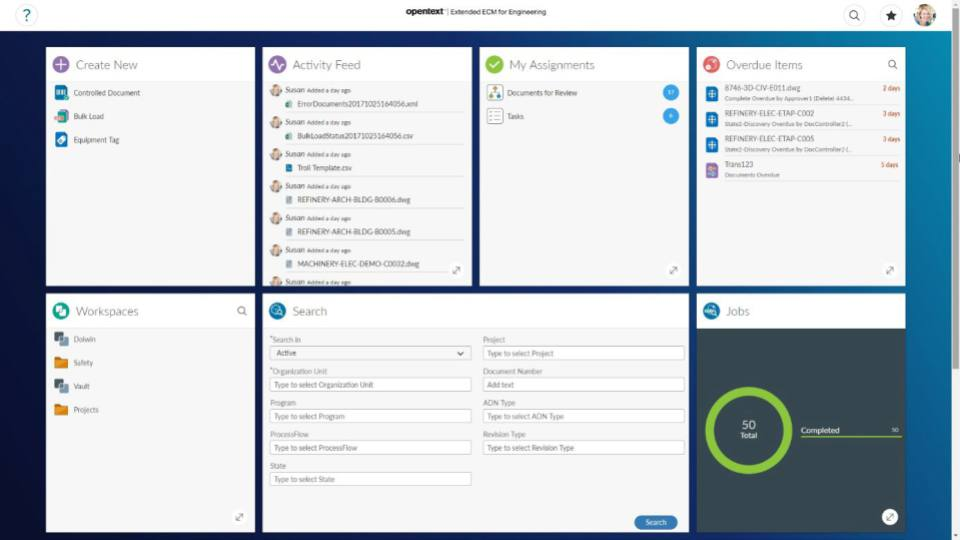
Image source: opentext.com
Key features:
- Centralized document repository with advanced search and metadata management
- Workflow automation for approvals, routing, and content lifecycle management
- Integration with ERP, CRM, and other enterprise applications
- Granular security, role-based permissions, and compliance tools
- Analytics and reporting to monitor content usage and process efficiency
Strengths:
- Highly scalable and suitable for large enterprises
- Extensive integration capabilities with business systems
- Strong security and compliance features
- Advanced workflow automation to streamline processes
Limitations:
- Complex implementation requiring technical expertise
- Can be costly for smaller organizations
Pricing: Premium enterprise pricing
8. Hyland OnBase: Strong compliance and records management
Hyland OnBase is an enterprise content management platform designed to manage documents, records, and processes while ensuring regulatory compliance. It helps organizations centralize content, automate workflows, and maintain secure records throughout their lifecycle. OnBase is particularly valuable for industries with strict compliance requirements, such as healthcare, finance, and government, offering tools to track, secure, and manage sensitive information effectively.
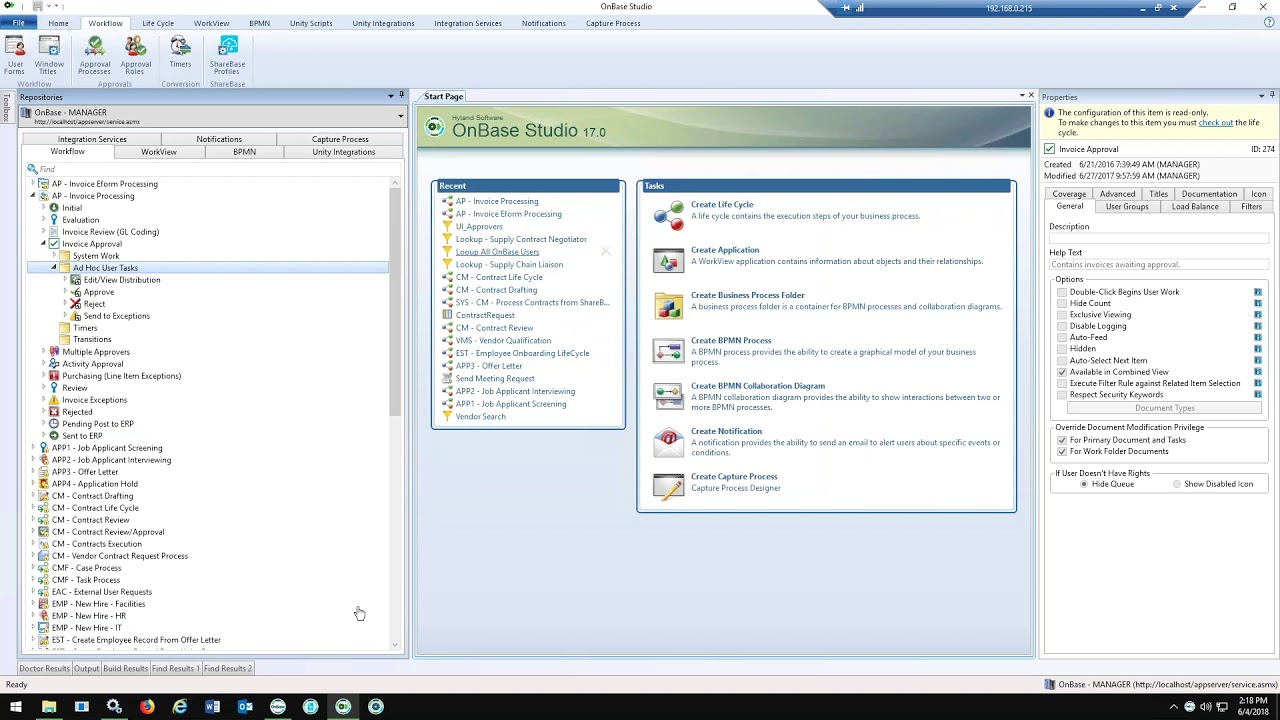
Image source: hylandonbase.com
Key features:
- Centralized document and records management for easy access and control
- Workflow automation for approvals, routing, and task management
- Compliance and audit-ready reporting for regulations like HIPAA and GDPR
- Secure access controls and role-based permissions
- Integration with ERP, CRM, and other enterprise systems
Strengths:
- Strong focus on compliance and records management
- Advanced workflow automation to improve efficiency
- Scalable for organizations of various sizes and industries
- Supports audit and regulatory reporting with detailed tracking
Limitations:
- Implementation can be complex and time-consuming
- Some features may require additional licensing or modules
Pricing: Custom enterprise pricing
How to choose the right enterprise content management system
Selecting the right ECM system is critical to ensuring efficiency, security, and long-term value. Here are key considerations to guide your decision:
- Assess scalability: Make sure the platform can handle your growing data volume and organizational needs.
- Evaluate integration: Check if it seamlessly works with your existing tech stack, including CRM, ERP, and productivity tools.
- Prioritize user experience: A system that's intuitive and easy to adopt minimizes training time management, and boosts team productivity.
- Review security and compliance requirements: Ensure the ECM meets industry regulations and provides robust data protection.
- Compare pricing and long-term ROI: Consider not just upfront costs but the overall value, efficiency gains, and scalability over time.
Choosing the right ECM system ensures smoother workflows, better collaboration, and secure, organized content management for your enterprise.
Why ECM systems matter for modern enterprises
In today's fast-paced business processes environment, managing information efficiently is essential for productivity and compliance. Enterprise Content Management (ECM) systems give organizations a structured way to handle content, documents, and data securely and collaboratively.
- Centralized information: A single hub for all documents and digital assets across departments ensures easy access and consistency.
- Improved compliance: ECM systems enable organizations to meet stringent data security and regulatory requirements, including GDPR, HIPAA, and ISO standards.
- Streamlined workflows: Built-in automation handles approvals, version control, and document routing, reducing manual errors and delays.
- Cross-department collaboration: Teams can share, edit, and co-author documents in real time, improving coordination and efficiency.
- Enhanced decision-making: With quick access to accurate, up-to-date information, leaders and teams can make informed decisions faster.
An ECM system isn't just about document management and storage—it's about creating a smarter, more connected, and compliant enterprise.
Conclusion
An Enterprise Content Management (ECM) system is essential for modern organizations seeking to streamline document management, improve collaboration, and maintain regulatory compliance. By centralizing content, automating workflows, and providing secure access, ECM platforms enable teams to work smarter and make informed decisions more quickly.
When choosing the right ECM, factors such as scalability, sync, user experience, security, and ROI should guide your decision. With tools like Lark, teams can centralize content, coordinate workflows, and enhance collaboration. Let's drive efficiency, compliance, and long-term growth today.
FAQs
What are the key benefits of using an enterprise content management system?
An ECM system centralizes documents and content, streamlines workflows, improves collaboration, enhances security, and supports compliance. It allows teams to access accurate information quickly, reduce manual processes, and make data-driven decisions. With Lark, these benefits are amplified through real-time collaboration and centralized workflow management.
How is ECM different from a standard document management system?
While a standard document management system mainly stores and organizes files, an ECM provides end-to-end management of enterprise content, including workflows, automation, compliance tracking, and analytics. It integrates with business applications to support organizational processes, not just file storage.
What should enterprises consider before choosing an ECM solution?
Key factors include scalability, integration with existing systems, user experience, security and compliance capabilities, and long-term ROI. Evaluating these ensures the chosen system meets both current and future organizational needs.
Can ECM systems support remote or hybrid teams?
Yes. Cloud-based ECM platforms allow remote and hybrid teams to access, edit, and collaborate on documents securely from anywhere. Tools like Lark enhance this by providing a centralized platform for communication, workflow tracking, and document collaboration.
How does an ECM help with compliance and data governance?
ECM systems offer access controls, audit trails, version management, and automated workflows to maintain regulatory compliance. They help organizations meet standards such as GDPR, HIPAA, or ISO, ensuring sensitive data is protected and properly managed.
Related reading
Table of contents
Start using Lark today

Manage all your work in one place
Boost team efficiency by 10x
Save up to 70% on software costs
Table of contents
Start using Lark today
Manage all your work in one place
Boost team efficiency by 10x
Save up to 70% on software costs
Keep reading







2026 Lark Technologies Pte. Ltd.
Headquartered in Singapore with offices worldwide.






Explore: