Google Workspace has long been positioned as a collaboration-first productivity suite for businesses of all sizes. With familiar tools like Gmail, Docs, Sheets, Drive, and Meet, it promises seamless real-time collaboration and cloud-based accessibility across teams. For many organizations, a review Google Workspace becomes the default choice because of its simplicity, browser-based experience, and strong combination across Google services. However, as teams scale and workflows become more complex, questions often arise around pricing, storage limits, workflow flexibility, and long-term operational efficiency.
This Google Workspace review takes a practical look at features, costs, real-world limitations, and how evolving team needs are shaping decisions today. Along the way, we also explore why some teams gradually begin evaluating more unified, execution-focused platforms as their collaboration needs mature.
What is Google Workspace?
Google Workspace is a cloud-based productivity and collaboration suite developed by Google that brings together email, documents, storage, meetings, and admin tools into one combined environment. It is designed to help create content, and collaborate in real time across devices and locations. Formerly known as G Suite, Google Workspace has evolved to serve businesses of all sizes, from startups to large enterprises, by emphasizing speed, accessibility, and cloud-native workflows.
At its core, Google Workspace centers on familiar tools such as Gmail, Google Docs, Google Sheets, Google Slides, Google Drive, and Google Meet. These tools are tightly combined, allowing users to move seamlessly between communication and without needing to switch platforms. For many teams, Google Workspace has become the default operating layer for daily work, supporting everything from email communication to collaborative document editing and virtual meetings.
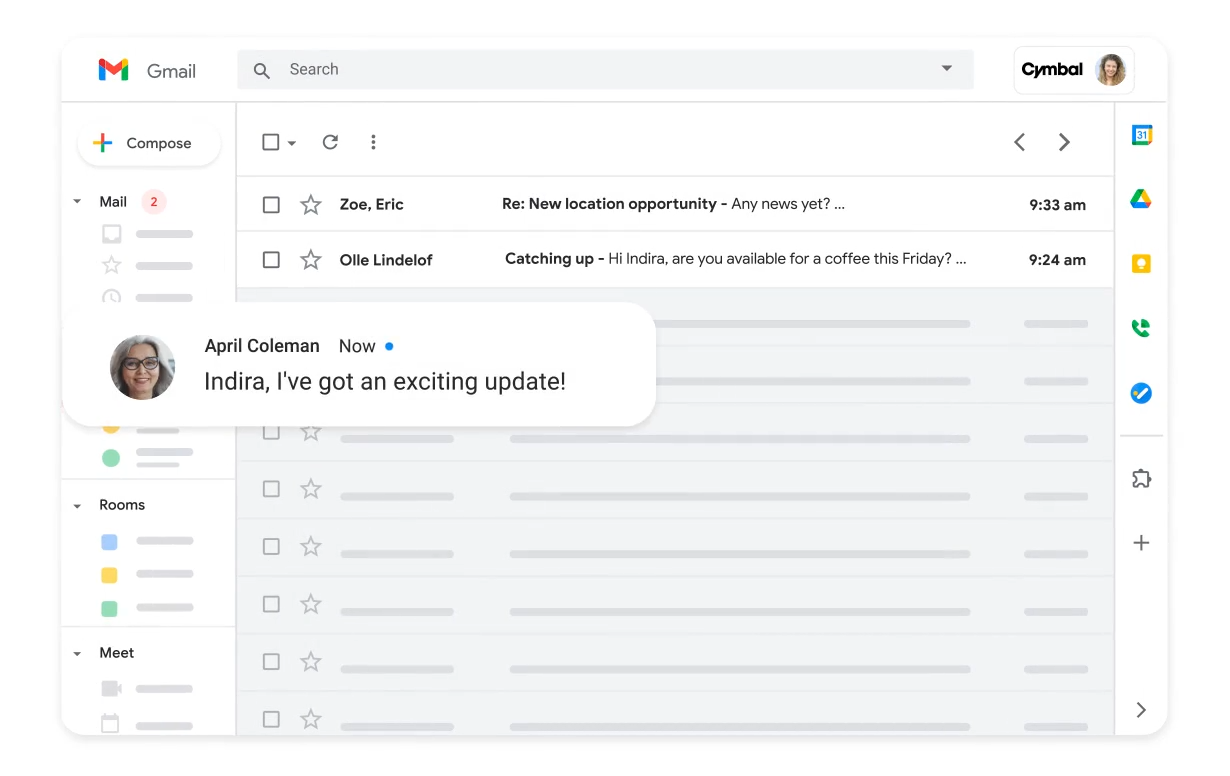
Image source: workspace.google.com
Core Google Workspace features explained
Google Workspace brings together email, documents, storage, meetings, and admin controls into a single productivity suite. Instead of treating tools as separate products, Google Workspace is designed to work as an interconnected environment where files, conversations, and collaboration happen in real time. This feature set appeals strongly to teams that value speed, accessibility, and minimal setup. Understanding how each core feature works in practice helps teams assess whether Google Workspace fits daily workflows or if gaps emerge as needs become more complex.
- Professional email with custom domain: Google Workspace provides professional email through Gmail with support for custom domains, allowing businesses to maintain a branded and credible communication presence. The interface is familiar to most users, which reduces onboarding time and training effort. Built-in spam filtering, search capabilities, and reliability are frequently highlighted in Google Workspace customer review discussions. However, while email performance is strong, advanced or deep combination with operational systems often requires third-party tools. For teams that rely heavily on structured processes beyond communication, email alone does not solve execution challenges.
- Cloud storage and file sharing (Drive): Google Drive serves as the central storage layer for Google Workspace, enabling teams to store, organize, and share files across the organization. Real-time syncing and easy link-based sharing make collaboration fast and accessible from any device. In many Google Workspace account review discussions, Drive is praised for simplicity and accessibility. At the same time, storage limits and pricing tiers become a concern as teams grow and data volumes increase. Managing permissions and folder structures at scale can also become more complex without strict governance.
- Real-time collaboration in Docs, Sheets, and Slides: Docs, Sheets, and Slides are core to Google Workspace's collaboration-first reputation. Multiple users can edit the same document simultaneously, leave comments, and track changes in real time. This capability is a major advantage highlighted in review comparisons. However, while collaboration is smooth, these tools focus primarily on document creation rather than workflow execution. Teams often need additional systems to turn discussions and edits into tasks, approvals, or tracked outcomes.
- Video meetings and team communication: Google Meet provides video conferencing tightly combined with Gmail and Calendar, making scheduling and joining meetings simple. It supports screen sharing, recording, and live captions, which many users appreciate in daily operations. For basic meetings, Meet works reliably, but it lacks deeper meeting governance and workflow combination found in more execution-focused platforms. As teams scale, meetings often generate follow-up work that lives outside the meeting tool. This separation can create gaps between discussion and action.
- Admin controls and user management: Google Workspace includes centralized admin controls for managing users, devices, security settings, and access permissions. These controls help IT teams enforce policies and maintain account security, a key topic often discussed in Google Workspace configuration review and Google Workspace security review content. While administration is generally straightforward, advanced configuration can become complex for non-technical admins. Organizations with strict compliance or granular permission needs may find limitations without additional security or . As environments grow, balancing simplicity with control becomes more challenging.
AI features overview: Gemini for Google Workspace
Gemini for Google Workspace introduces AI directly into everyday tools like Gmail, Docs, and Sheets, aiming to reduce manual work and speed up common tasks. Instead of being a standalone assistant, Gemini is embedded into existing workflows, which makes it accessible to users without changing how they work. Many teams exploring a Gemini for Google Workspace review note that this embedded approach feels like a natural extension of the platform rather than a separate AI product. For organizations evaluating Google Workspace in real business environments, understanding where Gemini adds value and where it falls short remains essential.
- AI assistance in Gmail, Docs, and Sheets: Gemini helps users draft emails in Gmail, summarize long threads, and suggest replies based on context, saving time on routine communication. In Docs, it supports content generation, rewriting, and summarization, while Sheets benefits from AI-assisted insights and formula suggestions. These capabilities frequently appear in enterprise evaluations, such as a Tessian email security Google Workspace review, where AI-assisted drafting is seen as useful but still dependent on existing security and review layers. While helpful for individual productivity, Gemini remains confined within documents and messages rather than operating across workflows.
- Productivity use cases: Gemini performs best in text-heavy and repetitive tasks like writing emails, preparing meeting notes, or summarizing documents. Teams often rely on it to accelerate first drafts, brainstorm ideas, or refine existing content, which aligns well with knowledge-based roles. In device-focused evaluations, such as a Galaxy S25 Google Workspace performance review, Gemini-powered features are often highlighted for responsiveness and speed rather than . In practice, Gemini boosts efficiency but does not fundamentally change how work is coordinated or tracked across teams.
- Limitations in real-world usage: In real-world usage, Gemini's AI is constrained by the boundaries of individual tools like Docs or Gmail. It does not natively , approvals, or cross-functional processes end-to-end. Teams still need external systems to turn AI-generated content into actionable work. Accuracy and context handling can also vary, requiring human review for important outputs. For organizations seeking AI that supports execution and coordination, Gemini often feels helpful but incomplete.
Google Workspace pricing: Plans and value for money
is structured around tiered plans that scale with storage needs, security requirements, and administrative controls rather than core collaboration features alone. While all plans include access to essential tools like Gmail, Drive, Docs, and Meet, the real differences emerge as teams grow and demand more storage, compliance, and governance capabilities. Understanding how each plan aligns with team size and usage patterns is critical to evaluating long-term value. Many organizations find that pricing can increase quickly as users, storage, and advanced features are added over time, making careful plan selection essential.
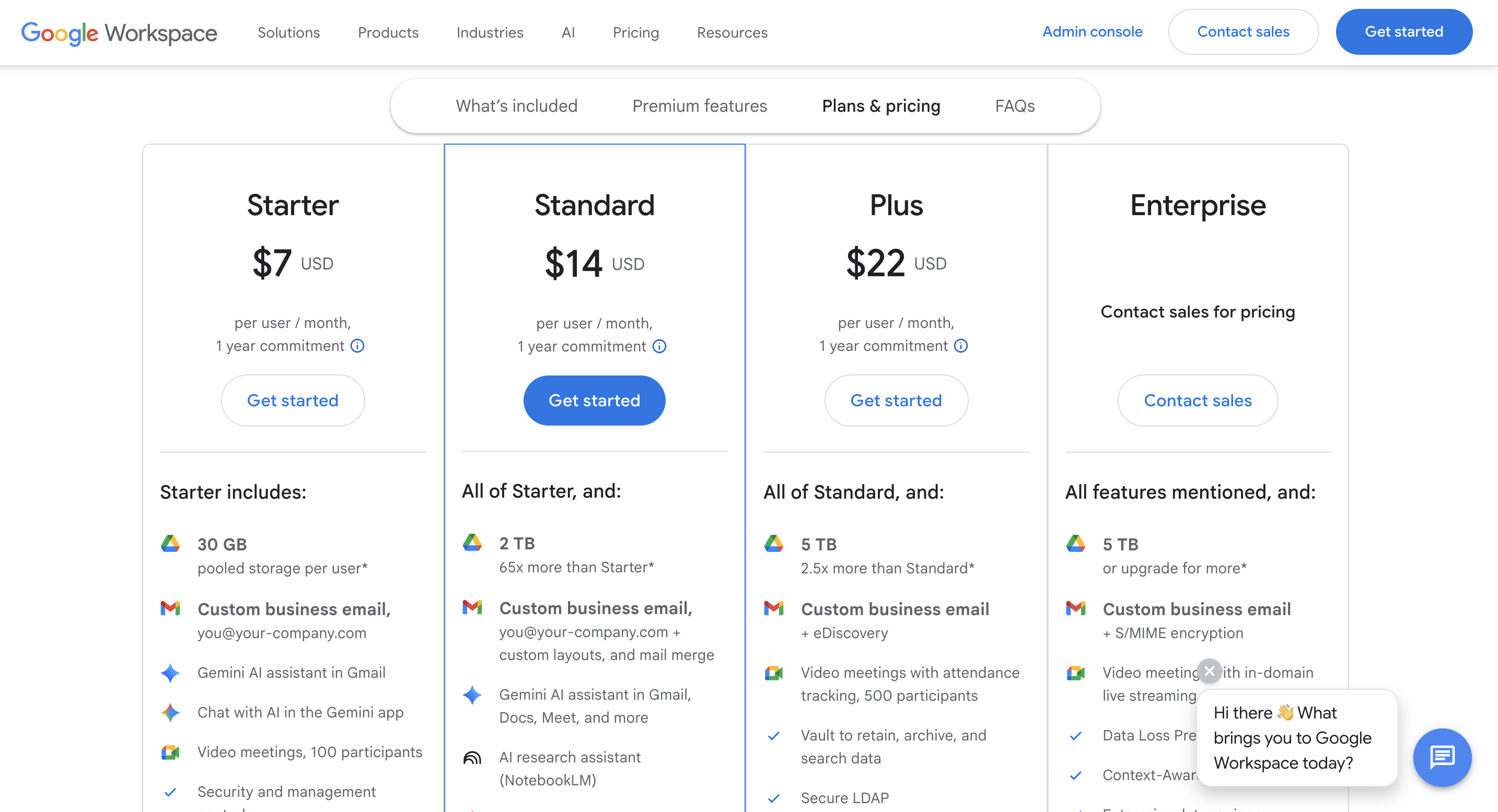
Information source: workspace.google.com
Update time: 2025-12-25
Note: Pricing and plan details reflect publicly available data as of the update date and may vary based on region, billing cycle, and number of agents.
Find an affordable solution with robust features
Google Workspace pros and cons
Google Workspace offers strong through Docs, Sheets, and Slides, making it easy for teams to work together simultaneously from anywhere. Its familiar interface and cloud-first design reduce onboarding friction and support flexible, remote-friendly work environments. However, as organizations scale, costs increase due to storage limits, user-based pricing, and add-ons, while advanced workflow automation and support depth often fall short for teams with complex operational needs.
Pros
- Strong real-time collaboration: Google Workspace allows multiple users to edit Docs, Sheets, and Slides simultaneously with live updates. This makes it easy for distributed teams to collaborate without version conflicts or manual .
- Familiar and easy-to-use interface: Most users are already comfortable with Google's interface, which reduces onboarding time. The learning curve is minimal for teams transitioning from personal Google accounts to business use.
- Reliable cloud-based access: All files and tools are accessible from any device with an internet connection. This ensures continuity of work across locations, devices, and time zones without relying on local storage.
Cons
- Pricing increases as storage and users scale: Costs rise quickly as teams add users or exceed base storage limits. Over time, Google Workspace pricing can become expensive for growing organizations with large file volumes.
- Limited advanced workflow automation: Google Workspace lacks native tools for complex workflows or cross-functional automation. Teams often rely on third-party combinations to manage approvals, tracking, or operational processes.
- Support quality concerns reported by users: Customer support responsiveness varies depending on plan level. Many users report delays or limited resolution for non-critical issues, especially on lower-tier plans.
Enjoy an all-in-one alternative for smoother teamwork
Why Lark might be a better option for you
As teams grow, collaboration needs often extend beyond documents, emails, and meetings into execution, tracking, and . While Google Workspace excels at real-time content collaboration, many organizations begin to feel friction when work needs to move from discussion to structured action. This is where all-in-one platforms become more appealing, especially those that combine communication, data, workflows, and automation in one environment. is designed to support not just collaboration, but also execution across teams and departments. For organizations looking to reduce tool sprawl and connect conversations directly to outcomes, Lark offers a more unified approach.
Centralized execution and data control console
allows teams to turn spreadsheets into structured databases that track work, requests, and operations in real time. Unlike Google Sheets, which focuses on data entry and collaboration, Lark Base supports relational records, status tracking, ownership, and automation in one place. Teams can manage projects, approvals, inventories, or internal requests without relying on multiple external tools. This makes Base especially useful when collaboration needs to evolve into repeatable operational processes. As workflows grow more complex, Base provides structure without sacrificing flexibility. 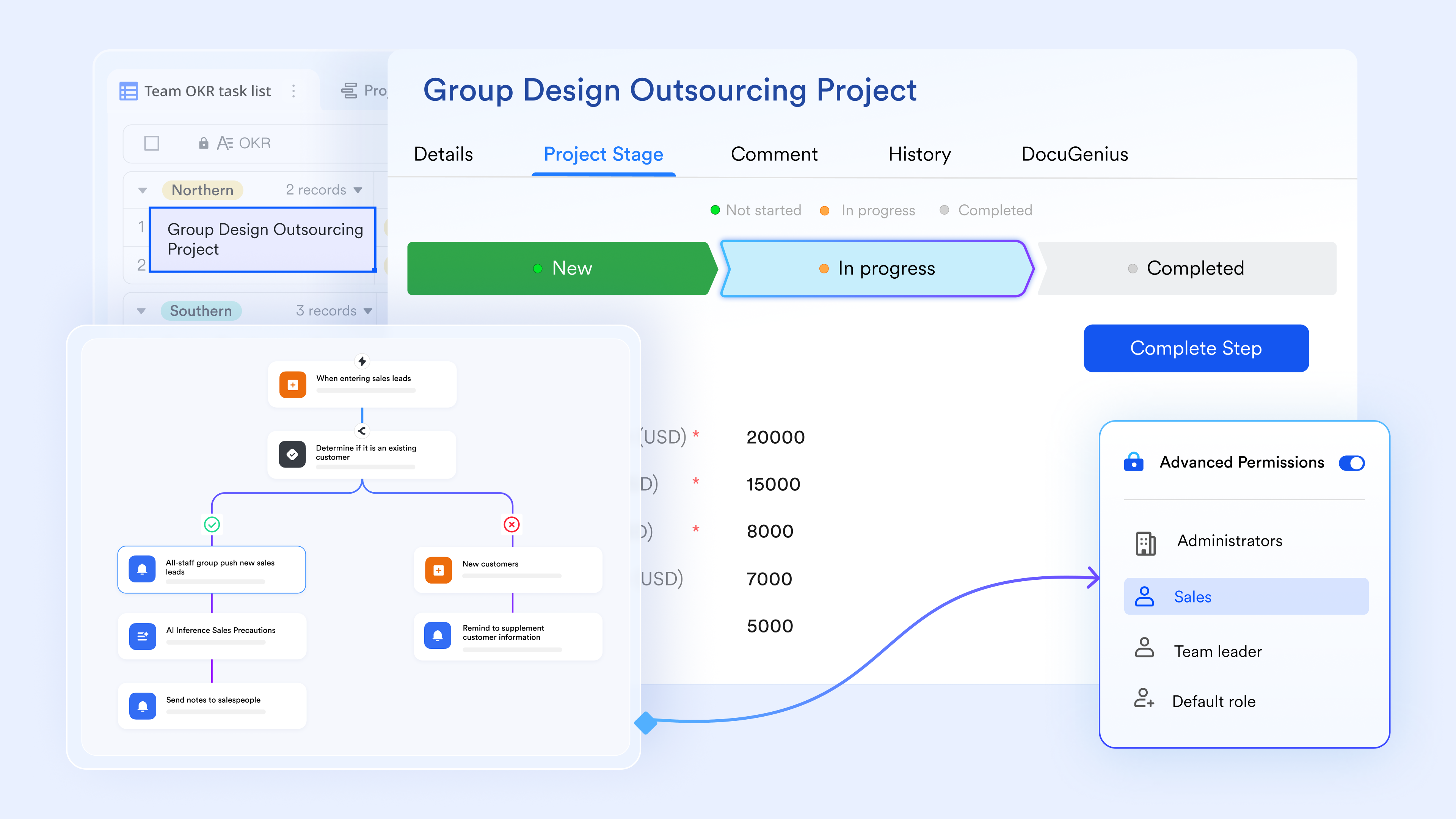
Native AI-powered tools streamline work and management
Lark Base AI features improve work and collaboration through features such as AI field shortcuts, which automatically translate, summarize, and categorize data. The AI-generated formula function enables users to express complex logic in natural language, while AI Q&A lets team members find specific information by asking questions rather than searching manually. Unlike the Gemini chatbox, which only stays in conversation, these tools reduce manual overhead, helping accelerate project delivery without efforts. 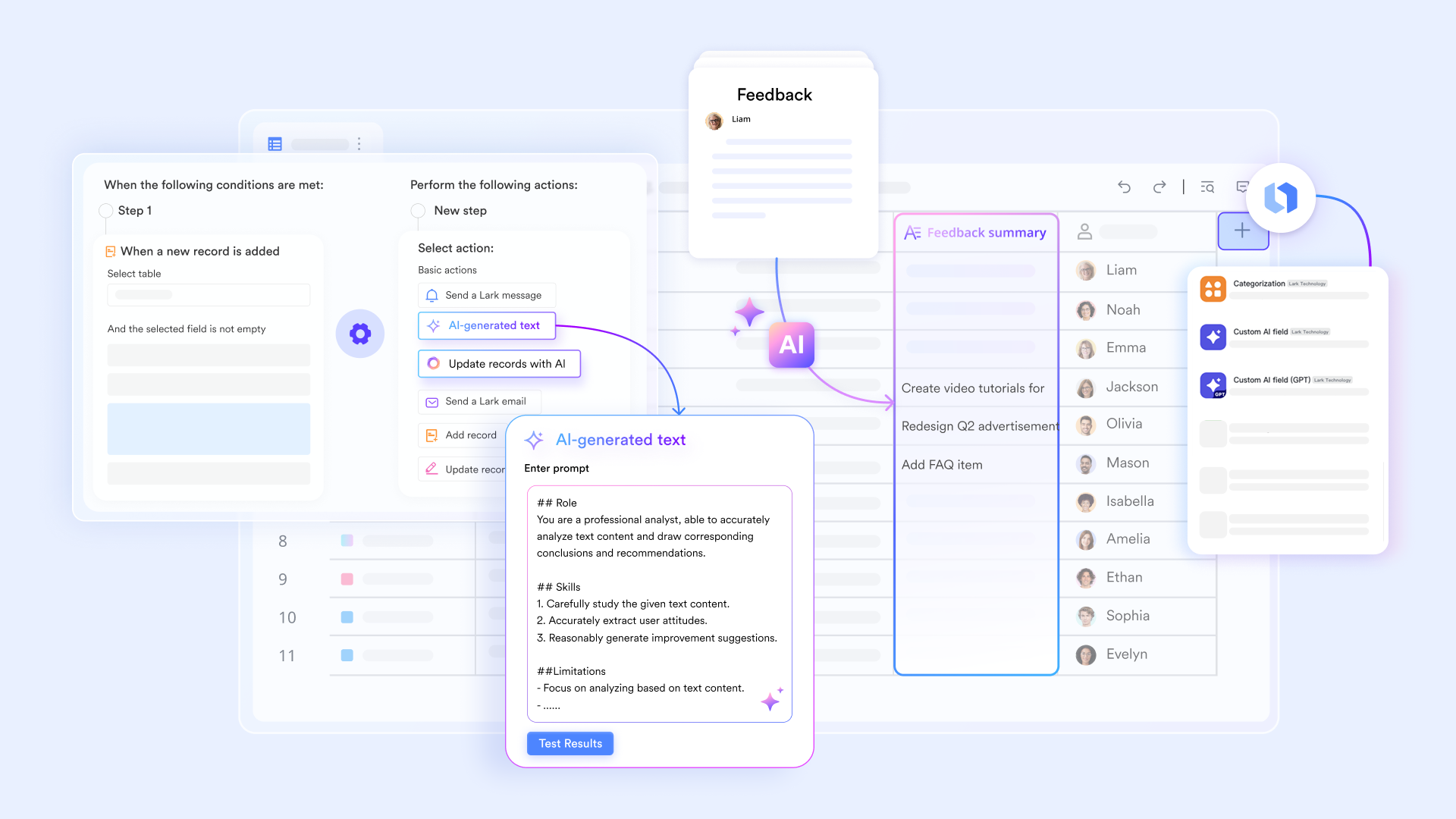
Actionable work tracking and task execution
Lark Tasks helps teams turn ideas, comments, and decisions into trackable work without leaving the workspace. Tasks can be assigned, prioritized, linked to Docs or Base records, and tracked through clear statuses. This closes the gap that often exists in Google Workspace, where tasks are scattered across Docs comments, emails, and separate task tools. With tasks built into daily workflows, teams gain better visibility into progress and accountability. This is especially valuable for cross-functional projects that require coordination beyond documents. 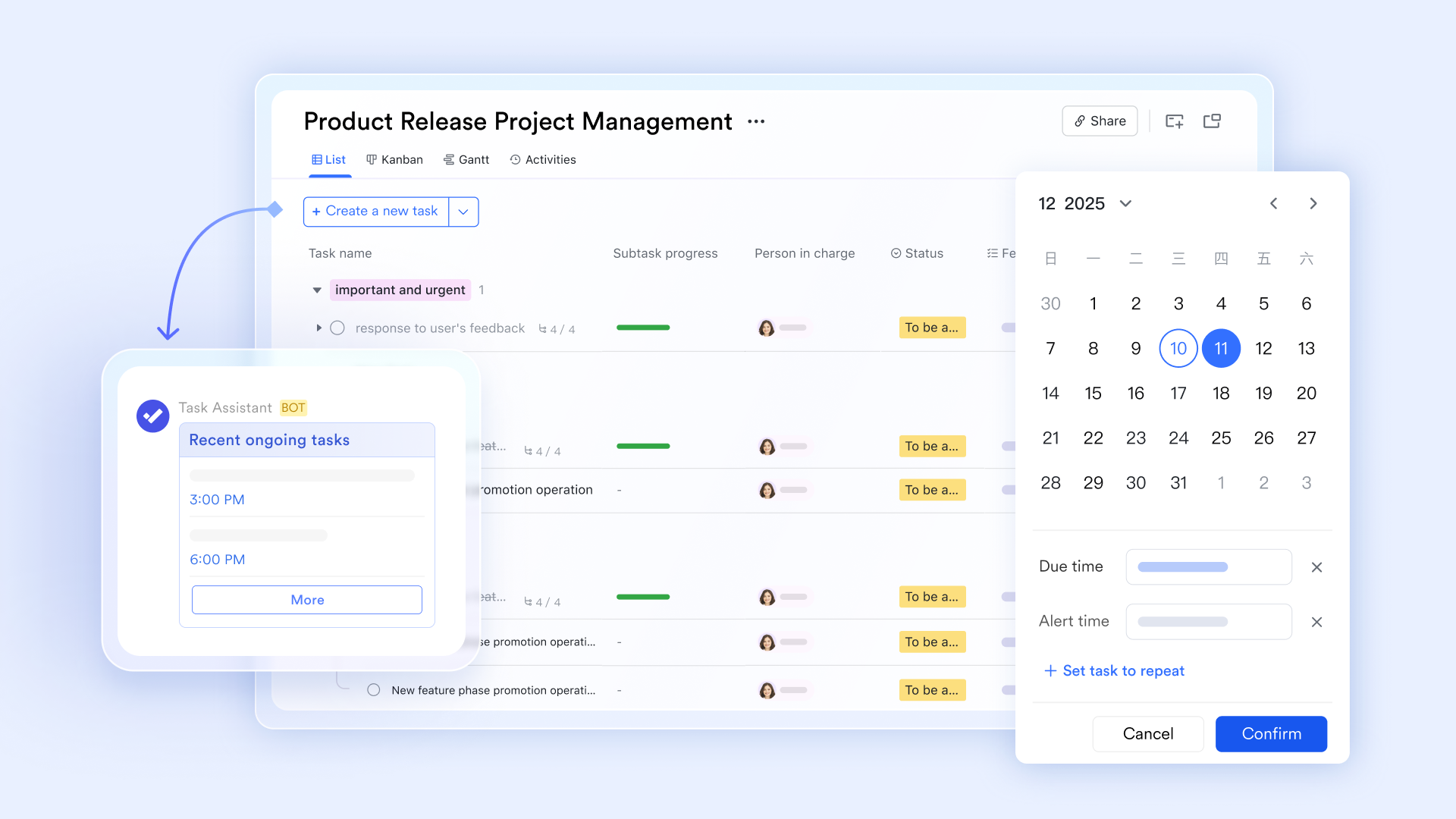
Contextual collaboration through group chats
connects conversations directly to documents, tasks, and records instead of keeping chat separate from work. Teams can share Base records, Docs, or Tasks directly into chat with live previews, ensuring everyone sees the same context. This reduces back-and-forth and prevents information from getting lost across tools. Compared to Google Chat, which often feels detached from execution, Messenger keeps discussion and action tightly linked. The result is faster alignment and clearer ownership across teams. 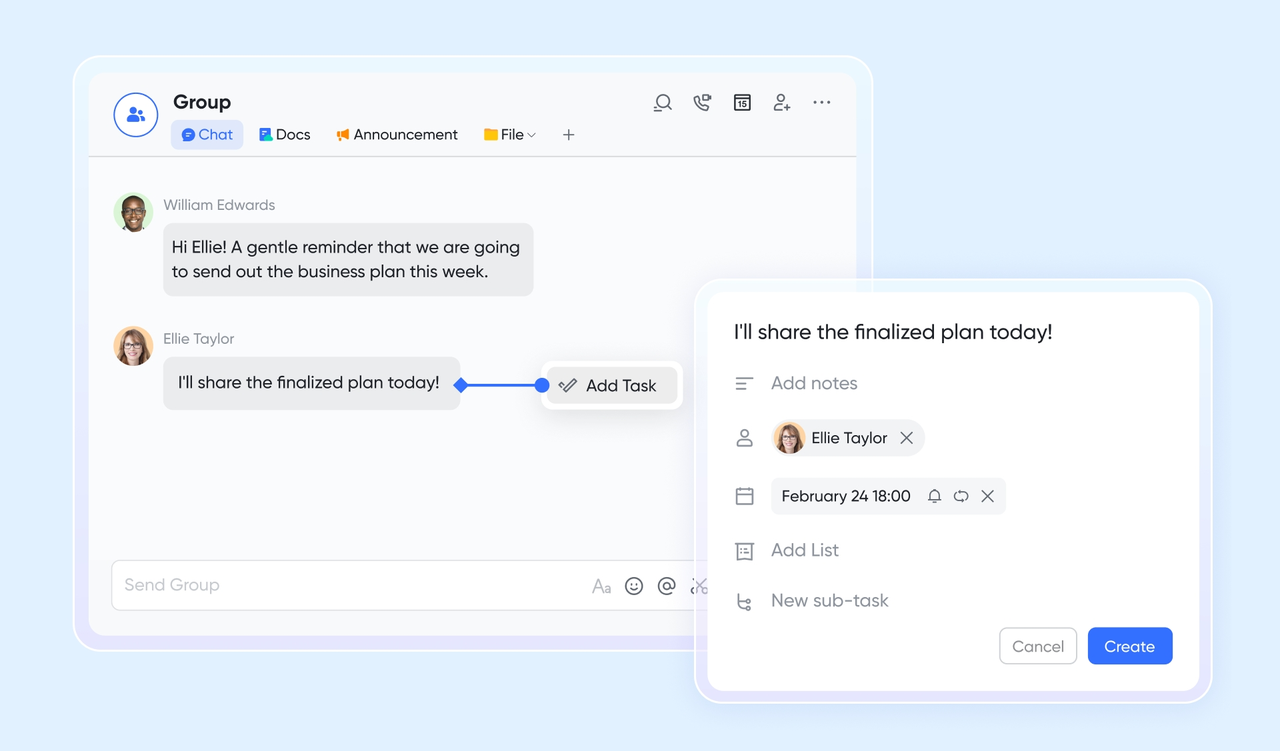
Meetings that turn decisions into execution
go beyond video calls by connecting discussions directly to notes, tasks, and records. Meeting outcomes can be documented, assigned, and tracked immediately after the call ends. In contrast, Google Meet often requires manual follow-up in other tools. By keeping meetings, documentation, and execution connected, Lark reduces the risk of decisions stalling after discussions. This merged approach supports faster execution and clearer outcomes. 
Fewer tools, lower long-term complexity
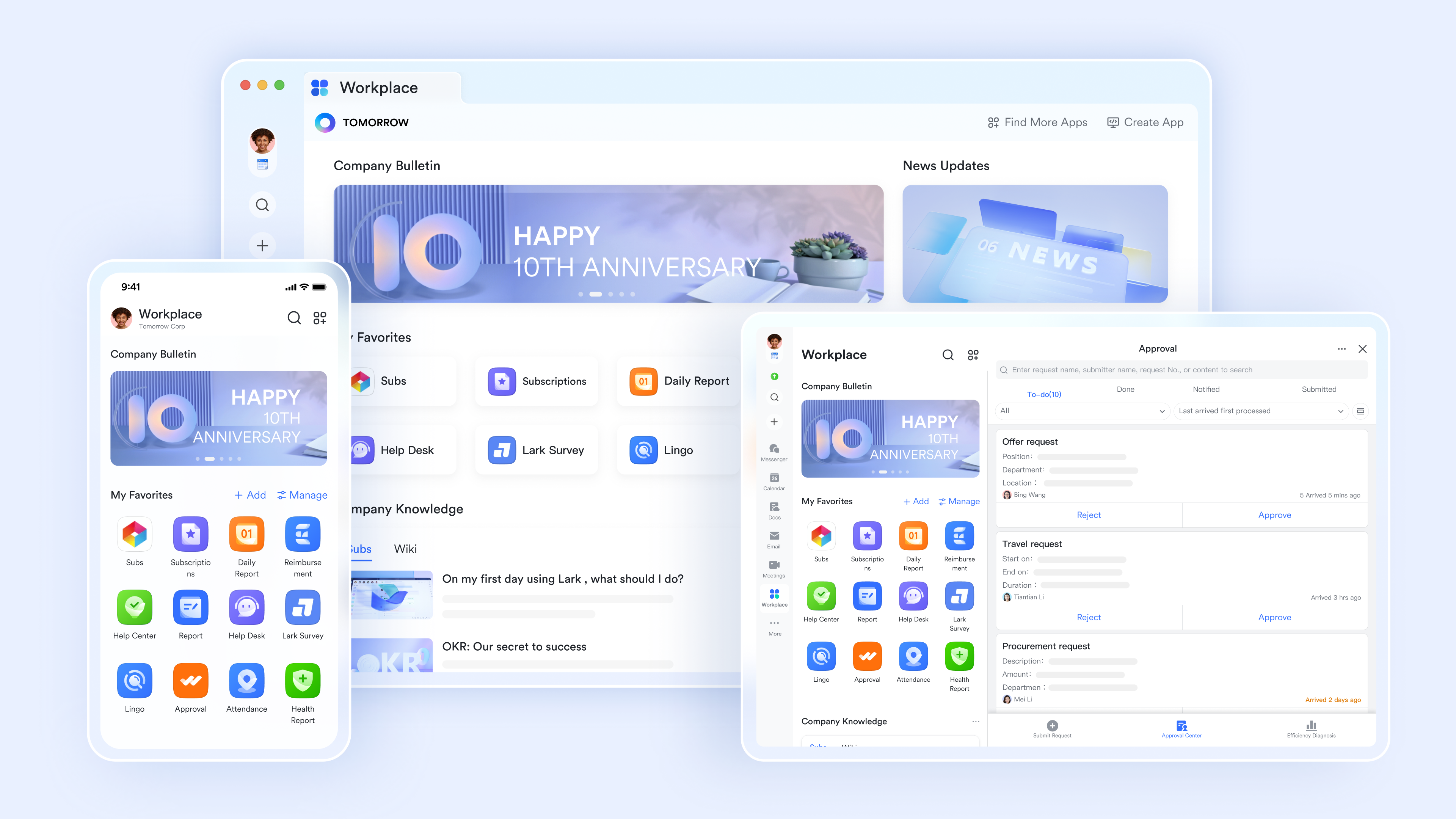
Lark combines chat, docs, sheets, databases, tasks, meetings, and automation into an . This reduces dependency on multiple subscriptions, combinations, and admin overhead commonly seen with Google Workspace setups. As teams scale, fewer tools mean simpler onboarding, clearer workflows, and more predictable costs. For organizations seeking long-term operational efficiency, Lark's unified model can offer a smoother path forward.
:
- Starter plan: Free forever plan that includes 11 powerful tools for up to 20 users. It also comes with 100GB of storage, 1000 automation runs, AI translations, and more.
- Pro plan: $12/user/month (billed annually) for up to 500 users. It includes everything in Starter plus group calling for up to 500 attendees, 15TB of storage, 50,000 automation runs, and more.
- Enterprise plan: for custom pricing. Supports unlimited users and includes even more automation runs and advanced security, compliance, and management features.
For small teams with simple communication needs

18 months message history
1000 Base automation runs/month
2000 rows per table in Base
Most POPULAR
For companies with comprehensive collaboration and management needs
Unlimited message history
500-participant video meetings
50k Base automation runs/month
20k rows per table in Base
For large companies with advanced security and organizational management needs
Get a personalized demo and pricing
Unlimited message history
500-participant video meetings
15 TB storage + 30 GB storage/user
500k Base automation runs/month
50k Base automation runs/month
Most POPULAR
For companies with comprehensive collaboration and management needs
Unlimited message history
500-participant video meetings
50k Base automation runs/month
20k rows per table in Base
Final verdict: Google Workspace vs Lark
Google Workspace remains one of the most widely adopted productivity suites, but its value depends heavily on how teams actually work. What starts as a simple collaboration setup can evolve into a more complex ecosystem as organizations scale. Evaluating Google Workspace in 2026 requires looking beyond familiarity and considering long-term cost, workflow flexibility, and execution needs. This final verdict summarizes where Google Workspace fits best and when teams may benefit from rethinking their setup.
- When Google Workspace makes sense: Google Workspace makes sense for teams that need reliable email, real-time document collaboration, and simple cloud storage without heavy workflow requirements. It works well for , startups, and distributed groups that value speed, familiarity, and low onboarding effort. Organizations already embedded in the Google ecosystem often find it efficient for day-to-day productivity and communication. If most work revolves around documents, meetings, and lightweight collaboration, Google Workspace remains a practical and proven option.
- When teams should consider switching to Lark: Teams should consider switching when work increasingly involves cross-functional execution, structured processes, and ongoing coordination beyond documents. As , approvals, and operational data become critical, relying on multiple disconnected tools can slow teams down. Platforms like Lark appeal to organizations that want conversations, records, workflows, and collaboration unified in one place. This shift often happens gradually, starting with teams that outgrow document-centric workflows and need more visibility and control.
Conclusion
Google Workspace is worth it for teams that prioritize fast communication, real-time , and cloud-first accessibility without needing a heavy operational structure. It performs especially well for startups, creative teams, and knowledge workers whose daily work revolves around email, documents, spreadsheets, and meetings. The familiar interface, low onboarding friction, and tight combination across Google tools make it an efficient choice for productivity-focused environments. For organizations already embedded in the Google ecosystem, Workspace continues to deliver reliable value for day-to-day collaboration.
However, as teams grow and work becomes more execution-driven, the limitations of a document-centric setup become clearer. , approvals, operational data, and cross-functional workflows often requires stitching together multiple tools, increasing complexity and cost over time. This is where some teams begin exploring more unified platforms that connect communication directly to action. Solutions like are often considered at this stage, offering a gradual shift from collaboration-only tools toward a workspace designed for execution, visibility, and long-term operational efficiency.
See how unified workspaces scale
FAQs
Is Google Workspace secure enough for businesses handling sensitive data?
Google Workspace includes strong baseline security features, , and admin controls suitable for many organizations. However, advanced compliance, granular permissions, and workflow-level controls may require higher-tier plans or add-ons. As security needs grow, some teams look at platforms like Lark that combine collaboration with fine-grained access control across data and workflows.
What do Reddit users say about Google Workspace in real-world usage?
In Google Workspace review threads, users often praise ease of use and collaboration, but mention rising costs and storage limits as pain points. Many note that it works best for documents and email, not complex workflows. These discussions sometimes reference alternatives like Lark when teams want more structure beyond files.
For more its information, you can refer to .
How difficult is Google Workspace configuration for non-technical admins?
Basic setup is straightforward, but advanced configuration around security, sharing, and governance can be challenging for non-technical admins. As environments grow, managing permissions and policies takes more effort. Some teams prefer platforms like Lark that centralize admin control across collaboration and execution tools.
What are common customer complaints about Google Workspace support?
Common complaints include slow response times on lower-tier plans and limited support depth for complex issues. While enterprise plans improve this, costs increase accordingly. This leads some growing teams to evaluate like Lark that bundle support with broader operational capabilities.
Can Google Workspace replace project management and workflow tools?
Google Workspace can support lightweight task tracking, but it is not designed to replace dedicated workflow or project management systems. Teams often rely on third-party tools to fill these gaps. Over time, some organizations adopt platforms like Lark that natively combine communication, tasks, records, and automation in one workspace.
Related reading






























