


Beyond Triggers: How Intelligent Workflow Automation Anticipates Business Needs

Cecilia Lane
Go-to-Market Associate
Aug 5, 2026
Cecilia Lane
Aug 5, 2026

8 min read


Workflow automation used to be about speed. Do this, then do that, repeat forever. That approach worked for a while, especially when teams were drowning in manual tasks and basic inefficiencies. But business environments are different now, with more complex needs: louder, faster, and far less predictable.
This reality leads to a realization in the most market-aware teams: static automation can't keep up with shifting customer behaviour, remote teams, or real-time operational pressure. Intelligent and predictive workflow automation steps into that gap. Instead of blindly executing rules, modern systems learn as they go. They use data, anticipate what should happen next, and adjust processes as they run.
This article will show how these workflows operate and why you should implement them. If you need a superapp that takes care of all your workflow automation needs, check out Lark.
What intelligent & predictive workflow automation really means
When it comes down to it, intelligent workflow automation combines traditional process automation with data-driven decision making. Predictive workflows represent the next evolutionary step as they anticipate future actions, rather than awaiting instructions in an idle mode.
Another aspect to examine is that traditional automation waits for an event and then receives a form or a ticket, and the event moves onto the next stage. The difference and strength of predictive automation is that it considers every pattern that leads to these events and acts earlier to improve efficiency by removing unnecessary steps. Most of the time, nobody even notices problems occurring, which improves morale and productivity further.
Why does this shift matter? Modern work is often non-linear, with tasks overlapping and priorities changing right in the middle of processes. Intelligent workflows adapt much better to manage uncertainty with minimal human intervention proactively.

How AI enables prediction inside modern workflows
Artificial intelligence is a crucial evolutionary step in how workflows are built, predicted, and improved continuously using automation. Instead of relying on hard-coded paths, AI models are able to use more sophisticated technology to identify trends in workflows, probabilities, and anomalies, which helps take pressure off teams and allows them to focus on their roles unhindered.
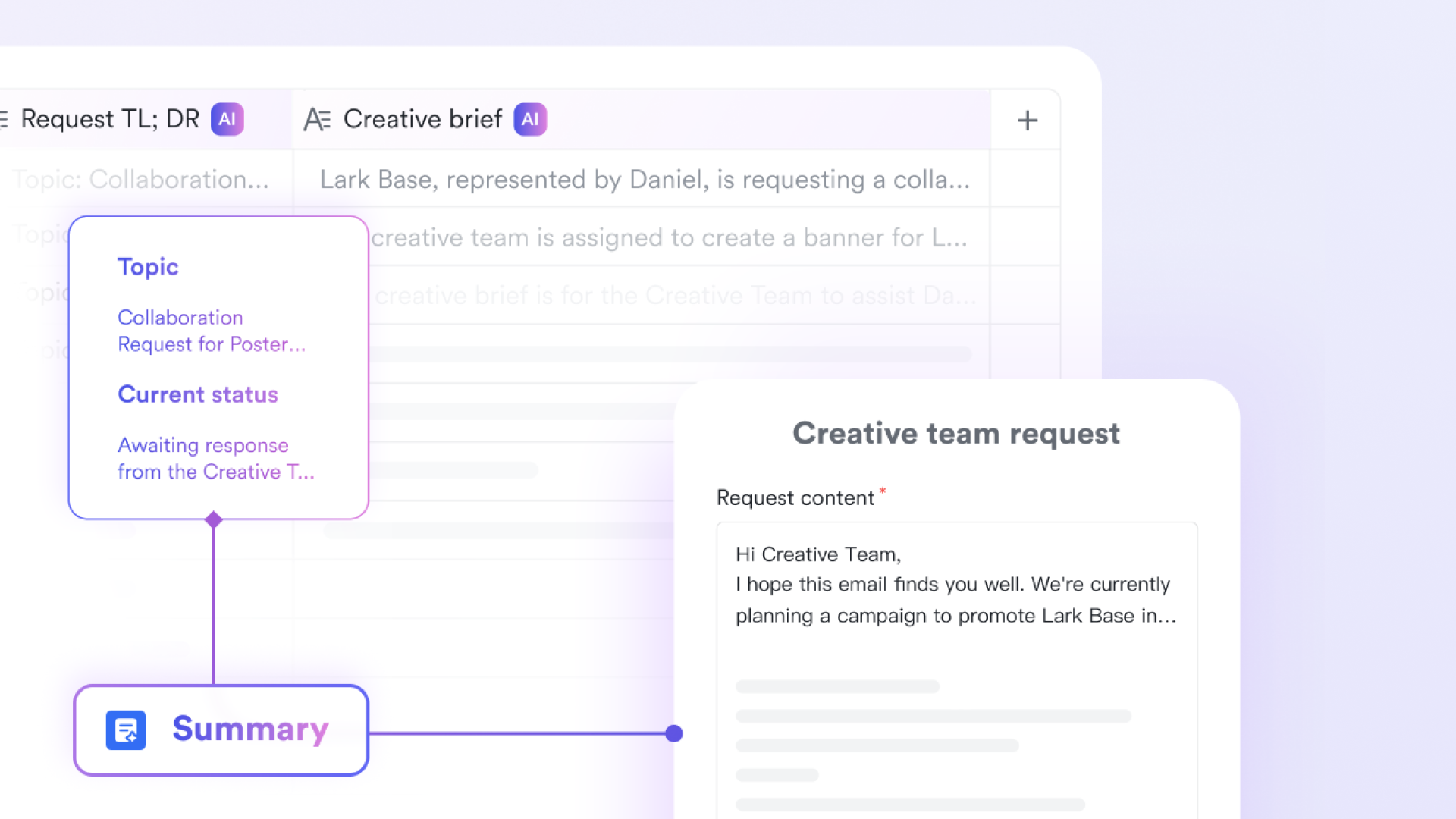
Machine learning and historical behaviour
Machine learning models take in past workflow data and look for repeatable signals and patterns. These signals can include timing, user actions, outcomes, and performance metrics.
Context awareness and pattern recognition
Predictive workflows also factor in an aspect that traditional automation could never accommodate: Context. One of the best examples is that a task assigned late on a Friday behaves differently from one created on a Tuesday morning.
Seasonal trends, workload levels, and user availability all influence how a workflow should respond, offering teams a dynamic approach to prepare for future events successfully.
Continuous learning over time
Unlike static systems, intelligent workflows evolve and change as they learn from previous experiences and how their team needs them to function. Each completed process feeds new data back into the model, helping it refine future decisions without manual reconfiguration, growing with the needs of the teams that use it to change how it improves productivity over time.
These are all the ways AI automation improves workflows. Consider them if you are reviewing the possibility of investing in AI automation to ensure this technology is what you need.
Moving beyond triggers and static rules
Rules still exist, but they are no longer the star of the show when it comes to predictive automation. This technology reduces dependency on rigid conditions that break when reality changes to give teams a whole new level of stability that drives efficiency.
Why static logic falls short
Rule-based automation struggles with edge cases because when inputs deviate slightly from expectations, workflows either fail silently or require manual fixes.
Predictive systems excel and are superior to traditional systems, handling variation more gracefully by assessing likelihood rather than certainty, offering a more dynamic approach to problems, and increasing success rates in the way they predict workflow needs.
Event driven vs context driven processes
Event-driven automation reacts. Context-driven automation evaluates. That distinction is critical. Instead of waiting for a deadline to pass, predictive workflows may intervene earlier when they detect warning signs.
Adaptive execution in motion
Modern workflows offer something that pre-AI workflows do not: They can adjust while running. Tasks may experience reprioritisation, reassignment, or delays based on living conditions, but this no longer means restarting the entire process.
These are the points to consider if you are at the point of deciding to invest in AI predictive workflows.
Real-time process adjustment and self-optimisation
The reality for modern workflows is that intelligent automation does not stop once a workflow starts: It keeps project monitoring outcomes and refining its own behaviour using real-time adjustment and self-optimisation that only AI technologies can offer.
Dynamic decision making during execution
So, how does this process work? As tasks progress, the system evaluates performance indicators. If a step consistently causes delays, the workflow can route around it or apply alternative actions.
Feedback loops that improve outcomes
Next, each completed cycle generates insights. Over time, workflows naturally favour faster paths, better outcomes, and lower error rates to improve their outcomes and offer employees better workflows that work for them and the organisation.
Operational efficiency without micromanagement
The key point to remember with intelligently automated workflows is that the biggest win is subtle. Teams spend less time adjusting workflows manually and more time focusing on strategy, creativity, and customer experience.
Business use cases driving adoption
Intelligent workflow automation technology is spreading because it solves real problems across departments. The main departments it supports are sales and CRM ops, customer support, and finance and ops.
Sales and CRM operations
Predictive workflows can anticipate deal slowdowns, recommend next actions, and adjust follow-ups based on buyer behaviour, improving outcomes for customers and the organisation that offers them services.
Customer support and service delivery
Support teams use prediction to route tickets before escalation happens, reducing churn and improving satisfaction, reducing burnout rates in busy, high-pressure environments, and improving customer success and protecting employee retention.
Finance and operations
Forecasting, approvals, and compliance workflows benefit from automation that adapts to volume spikes and risk indicators. Better financial management leads to higher revenue and innovation as standard, as capital is freed up for new technologies and processes.
Consider these business cases to ensure they fit your requirements for intelligent predictive workflow automation.
Data quality, governance, and trust in predictive automation
Remember: prediction is only as good as the data behind it. Weak, poorly-considered inputs lead to inconsistent, weak outcomes. Automating intelligent workflows makes this process consistent and reliable, resulting in the right outputs for the changing needs of dynamic teams.
The importance of clean data
Incomplete or poorly designed data leads to confusion for AI models, which is why organizations must also consider implementing stringent data hygiene protocols to ensure meaningful predictions.
Managing bias and accountability
Two other key aspects of AI automation for workflows that are often overlooked but critical are bias and accountability. Computers may make fewer errors than humans, but errors still occur. Human oversight is the solution: Trained staff must look out for errors and highlight them manually for workflows to be error-free.
Transparency builds confidence
The best teams know to only trust automation if they can understand the process behind automated decisions, meaning visibility is of high priority, as it can improve employee retention and morale, as staff see that automation exists to support, not replace them.
Data quality is crucial to successful intelligent workflow automation. Always factor this into your decision to invest in this technology.
Remote access, distributed teams, and secure automation
Remote work has turned secure access into a core automation requirement, not an afterthought. Predictive workflows often operate across cloud platforms, devices, and locations. Ensuring consistent and secure access is essential for reliability and trust.
Teams working remotely need protected connections when accessing workflow tools, dashboards, and sensitive operational data. VPN services such as expressvpn.com are commonly used to secure traffic, protect credentials, and maintain privacy across distributed environments. When automation systems remain accessible and secure regardless of location, predictive workflows can function smoothly without introducing new risks.
Implementation challenges
Adopting intelligent automation is not just a technical upgrade. It is an organisational shift. A shift that will impact markets for years to come, as it predicts how workflows will change and informs us how employees complete tasks most efficiently.
Common barriers to adoption include:
- Legacy systems that lack integration support.
- Limited internal data readiness.
- Resistance to trusting automated decisions.
Skills and change management
Teams need education, not just tools. Understanding how predictions work helps users collaborate with automation rather than fight it.
How Lark facilitates businesses with workflow automation
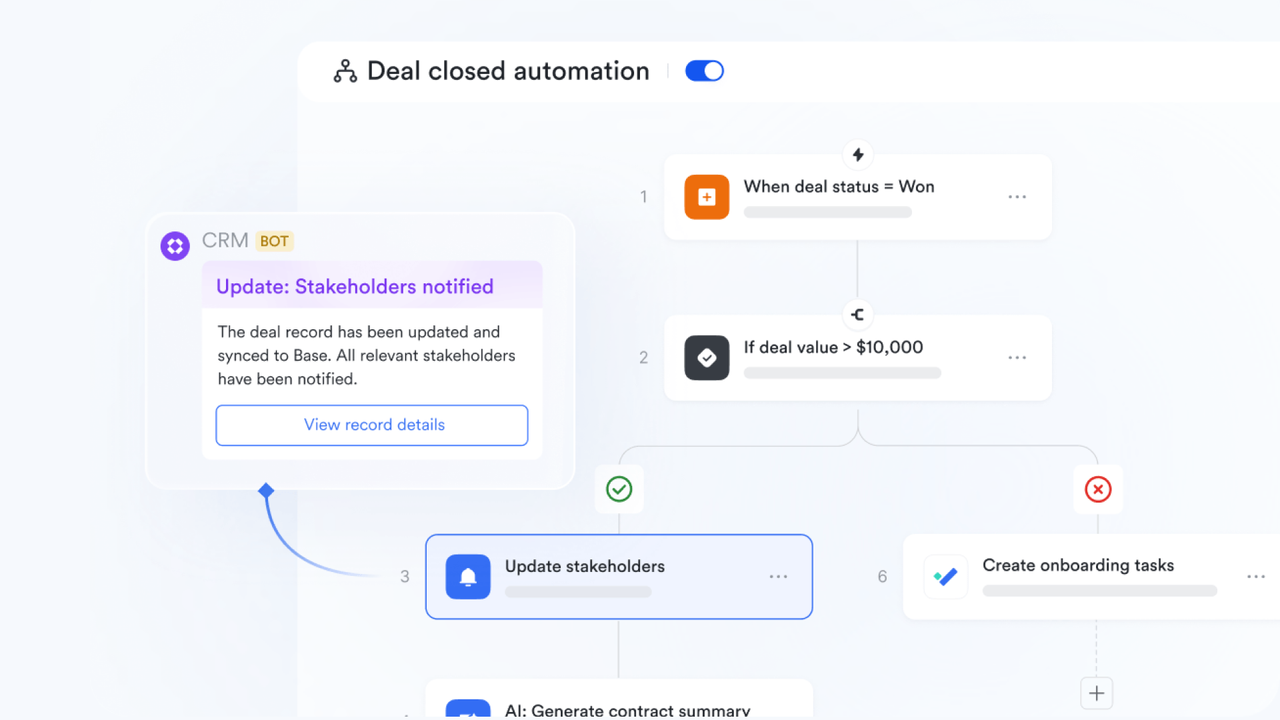
Lark brings chat, docs, meetings, and workflow automation into a single workspace, so automation doesn't live in a separate tool. A workflow can be triggered where work already happens, discussions stay next to the relevant context, documents and decisions are created and finalized in one place, and outcomes are delivered back to teams without app-hopping—forming a clean loop from trigger → collaboration → delivery.
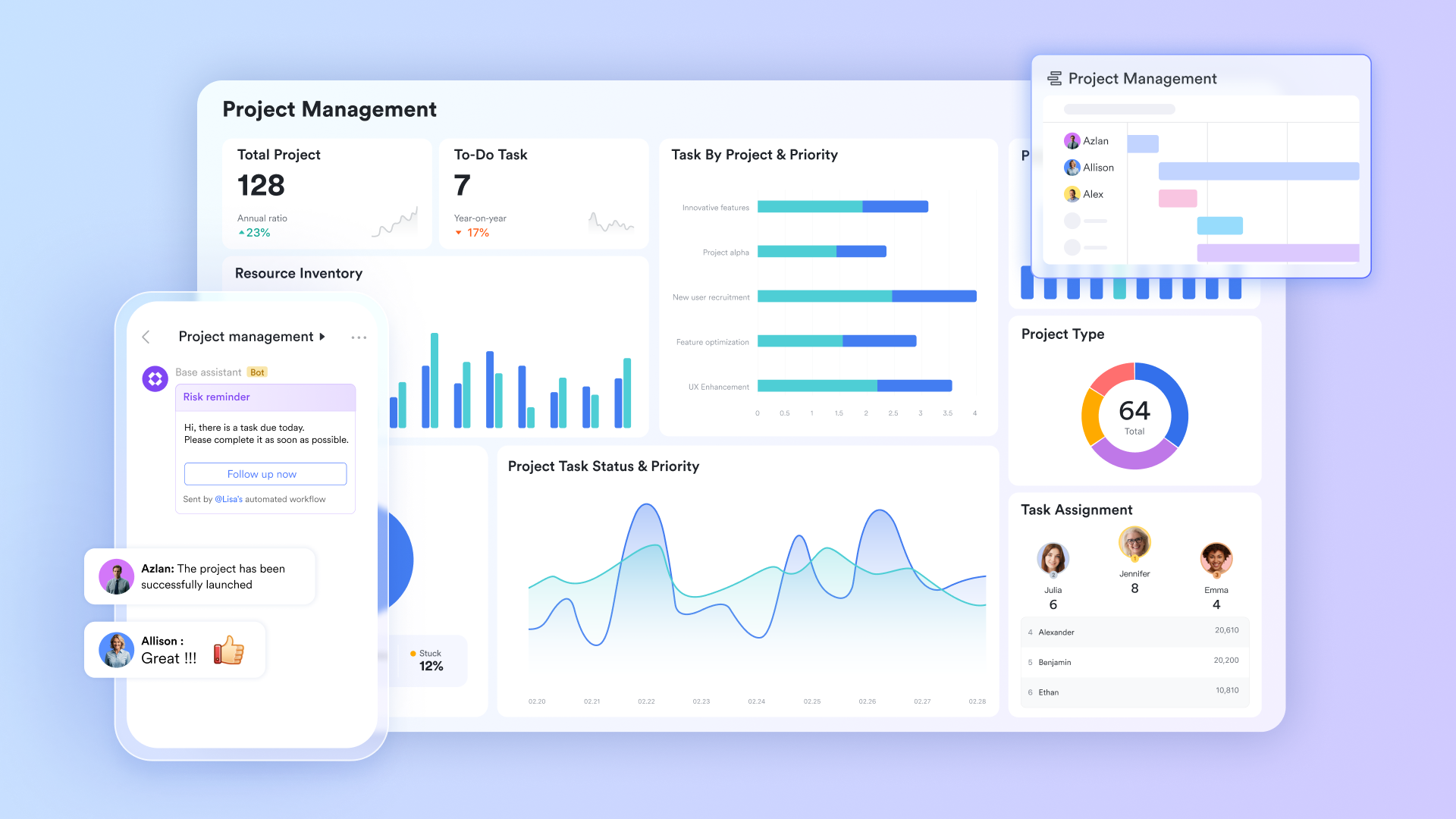
No-code, visual databases + custom workflows for business teams
With Lark Base, business users can build a visual, easy-to-use database (tables, views, dashboards) to structure operational data—leads, requests, hiring pipelines, inventories—without writing code. On top of that, they can configure custom workflows with rules and conditions; once a defined condition is met (e.g., status changes, a deadline is reached, a field matches criteria), Base automatically advances the next step and notifies the right people, keeping work moving with minimal manual coordination.
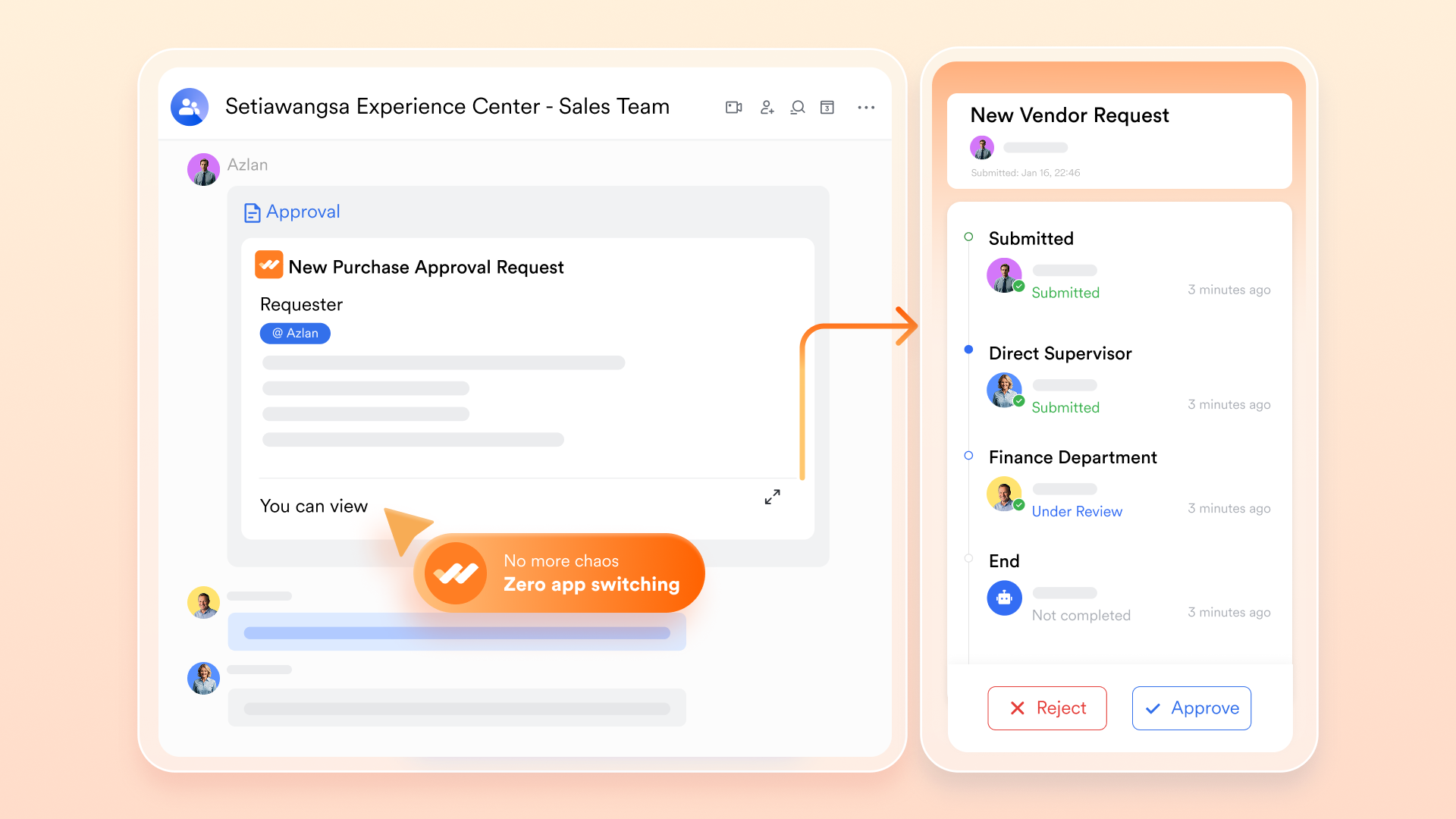
Automated approvals that simplify and speed up decisions
Lark Approval streamlines approvals by standardizing request forms and routing logic, so submissions automatically reach the correct approvers, in the right order, with built-in notifications and project tracking. This reduces back-and-forth, eliminates "who should approve this?" ambiguity, shortens cycle times, and improves accountability by making approval status and history easy to audit and follow up on.
Department use cases in real business scenarios
- HR: Trigger (leave/onboarding/probation request submitted) → Action (collect required info, route approval, notify stakeholders) → Result (faster processing, fewer missing documents).
- Sales: Trigger (lead moves stage/quote or contract needs sign-off / payment due date approaching) → Action (auto-assign owner, launch approval, send reminders) → Result (smoother handoffs, better conversion and cash collection).
- Ops/Finance: Trigger (expense or purchase request created / reconciliation exception detected) → Action (route for approval, alert relevant owners, log records) → Result (stronger compliance, fewer errors, quicker resolution).
- Project: Trigger (task status change/milestone reached) → Action (notify team, create follow-up tasks, initiate milestone approval) → Result (predictable delivery, less coordination overhead).
Cost & budget control: Turn workflows into measurable savings
Lark's workflow automation helps teams reduce operating costs by cutting repetitive manual work (fewer handoffs, reminders, and follow-ups), preventing budget leakage with rule-based approvals and clear audit trails, and improving budget visibility through structured data and real-time tracking in day-to-day processes. Instead of discovering overruns late, teams can set thresholds, trigger alerts, and standardize spending controls earlier—making savings easier to realize and easier to quantify. To estimate your potential impact, click the Savings Calculator below.














How many employees work at your company?
By number of people
1
20
500
5000+
1000
Which tools do you use?

Estimates are for reference only, contact us for an official quote
Calculate savings

Conclusion
The new era of intelligent and predictive workflow automation represents a paradigm shift in how teams complete tasks. Automation is quickly moving behind speed and efficiency goals. The focus is now on foresight. The best systems this year will demonstrate capabilities to not just fulfil, but anticipate needs before employees are aware of them, presenting a tangible operational advantage. Challenges will always be present around data quality and governance, but the trajectory of workflow automation is clear: They are becoming smarter, more seamless, and autonomous. Businesses that embrace this shift early are not just automating tasks. They are building processes that understand how work really happens.
FAQs
What is IPA vs RPA?
IPA and RPA differ in their level of intelligence. For example, Robotic Process Automation follows fixed rules to handle repetitive tasks. However, Intelligent Process Automation adds AI, such as machine learning and NLP (natural language processing), to understand data, learn patterns, and adapt decisions. IPA is much better at processing exceptions, unstructured inputs, and evolving workflows than RPA alone in practice today.
What is the best AI workflow automation?
The best AI workflow automation focuses on goals to determine its success. The leading platforms that use this technology use orchestration, AI decisioning, and integration. Looking for the best AI workflow automation? Find tools that automate end-to-end processes, adapt using real-time data, provide transparency, and scale securely.
What is intelligent process automation?
Intelligent process automation is how AI leverages automationto efficiently and effectively manage complex business processes that often involve processing large amounts of data. It goes beyond rules by understanding context, learning from data, and making decisions. The process allows systems to handle variability, exceptions, and continuous improvement with less human intervention.
What are the 4 types of automation?
The four types of automation are basic automation, process automation, intelligent automation, and autonomous automation. They range from simple task execution to high-autonomy systems. Each level builds up complexity, adaptability, and business impact, supporting organisations to reduce manual work while improving speed, accuracy, and consistency.
Related readings
Table of contents
Start using Lark today

Manage all your work in one place
Boost team efficiency by 10x
Save up to 70% on software costs
Table of contents
Start using Lark today
Manage all your work in one place
Boost team efficiency by 10x
Save up to 70% on software costs
Keep reading








2026 Lark Technologies Pte. Ltd.
Headquartered in Singapore with offices worldwide.






Explore: