














HubSpot vs Salesforce: Full CRM Reviews and a Smart Alternative

Ryan Tanner
Product Marketing Specialist
Sep 18, 2026
Ryan Tanner
Sep 18, 2026

12 min read


When it comes to choosing a customer relationship management (CRM) system, two names dominate the market: HubSpot and Salesforce. Both are widely used for managing customer relationships, tracking sales pipelines, and automating tasks, but they serve different audiences. HubSpot appeals to small and mid-sized businesses with its free plan and simple interface, while Salesforce powers enterprises with advanced customization, analytics, and scalability.
That said, these aren't the only options. Alongside HubSpot and Salesforce, other tools like Lark are gaining traction for offering collaboration-first features that combine CRM with communication and productivity. In this guide, we'll compare HubSpot vs Salesforce CRM in detail—covering features, pricing, and best-fit use cases—while also highlighting where modern alternatives fit in.

HubSpot vs Salesforce CRM: Comparison at a glance
Both HubSpot and Salesforce are widely adopted because they address core sales challenges: managing leads, tracking pipelines, and centralizing customer data. But their approaches differ—HubSpot simplifies, while Salesforce powers complexity.
Here's a quick side-by-side snapshot:
HubSpot CRM overview
When comparing HubSpot vs Salesforce CRM, HubSpot has carved a strong niche among small and mid-sized businesses. Its appeal lies in simplicity, a generous free plan, and built-in marketing automation that helps teams grow without heavy technical setup. For startups and SMBs, HubSpot CRM offers an intuitive entry point into customer relationship management while still providing room to scale as business needs expand.
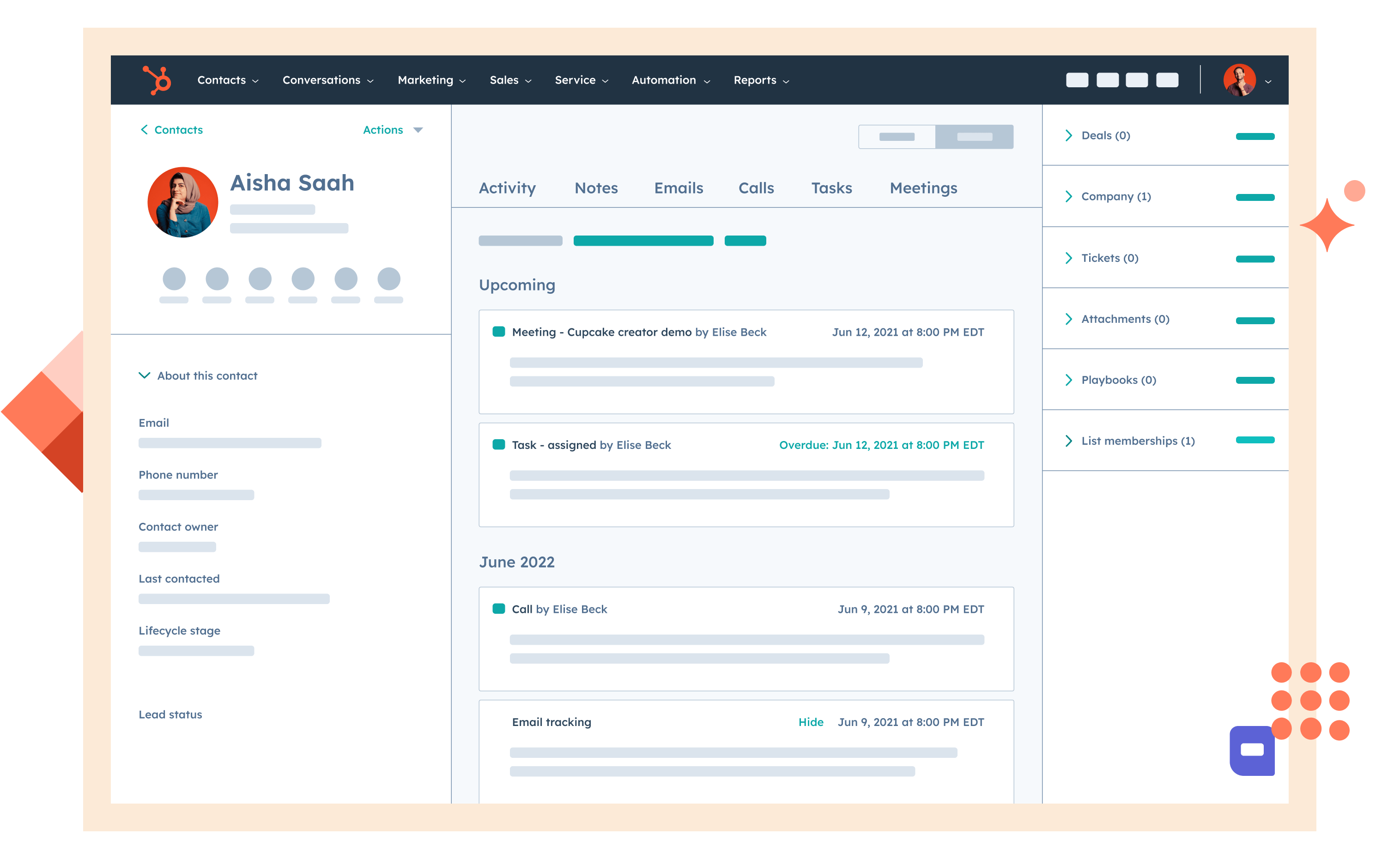
Image source: hubspot.com
Key features of HubSpot CRM
- Contact and lead management: HubSpot keeps all customer details, interactions, and activity history in one place, making it easy for sales teams to track leads and follow up effectively.
- Email tracking and automation: Sales reps can track when emails are opened, use templates, and schedule follow-ups, helping streamline outreach and improve response rates.
- Marketing automation tools: Built-in features like lead capture forms, workflows, and drip campaigns allow businesses to nurture prospects without additional tools.
- Sales pipeline tracking: With drag-and-drop pipelines, teams can visualize deals in progress, update stages quickly, and keep everyone aligned on sales goals.
- Reporting and dashboards: HubSpot provides customizable dashboards that give clear insights into deals won, revenue trends, and sales team performance.
Strengths of HubSpot CRM
- Free forever plan with essential CRM tools for unlimited users.
- Intuitive interface that requires little to no training.
- Built-in marketing automation, including email campaigns and lead nurturing.
- Easy-to-use dashboards for tracking pipelines and deals.
- Scalable with add-ons for sales, marketing, and customer service.
Limitations of HubSpot CRM
- Advanced reporting and analytics are locked behind higher-paid tiers.
- Scaling costs increase quickly as contact lists and features expand.
- Limited customization compared to enterprise CRMs like Salesforce.
- Complex workflows often require premium hubs, making it less budget-friendly at scale.
Best suited for
HubSpot CRM is best suited for startups and small to mid-sized businesses that value ease of use and affordability. Its free plan allows teams to adopt CRM without upfront costs, while the interface ensures quick onboarding even for non-technical staff. For SMBs looking for a HubSpot vs Salesforce comparison that emphasizes simplicity, scalability, and inbound marketing strength, HubSpot is an excellent choice—particularly for teams that don't yet need enterprise-level complexity.
Salesforce CRM overview
When comparing Salesforce vs HubSpot, Salesforce emerges as the platform of choice for medium to enterprise-level businesses that demand flexibility and depth. Known for its powerful customization and advanced analytics, Salesforce CRM can be tailored to virtually any sales process. However, this strength also comes with complexity and higher costs, making it best suited for organizations with IT resources or dedicated CRM administrators.
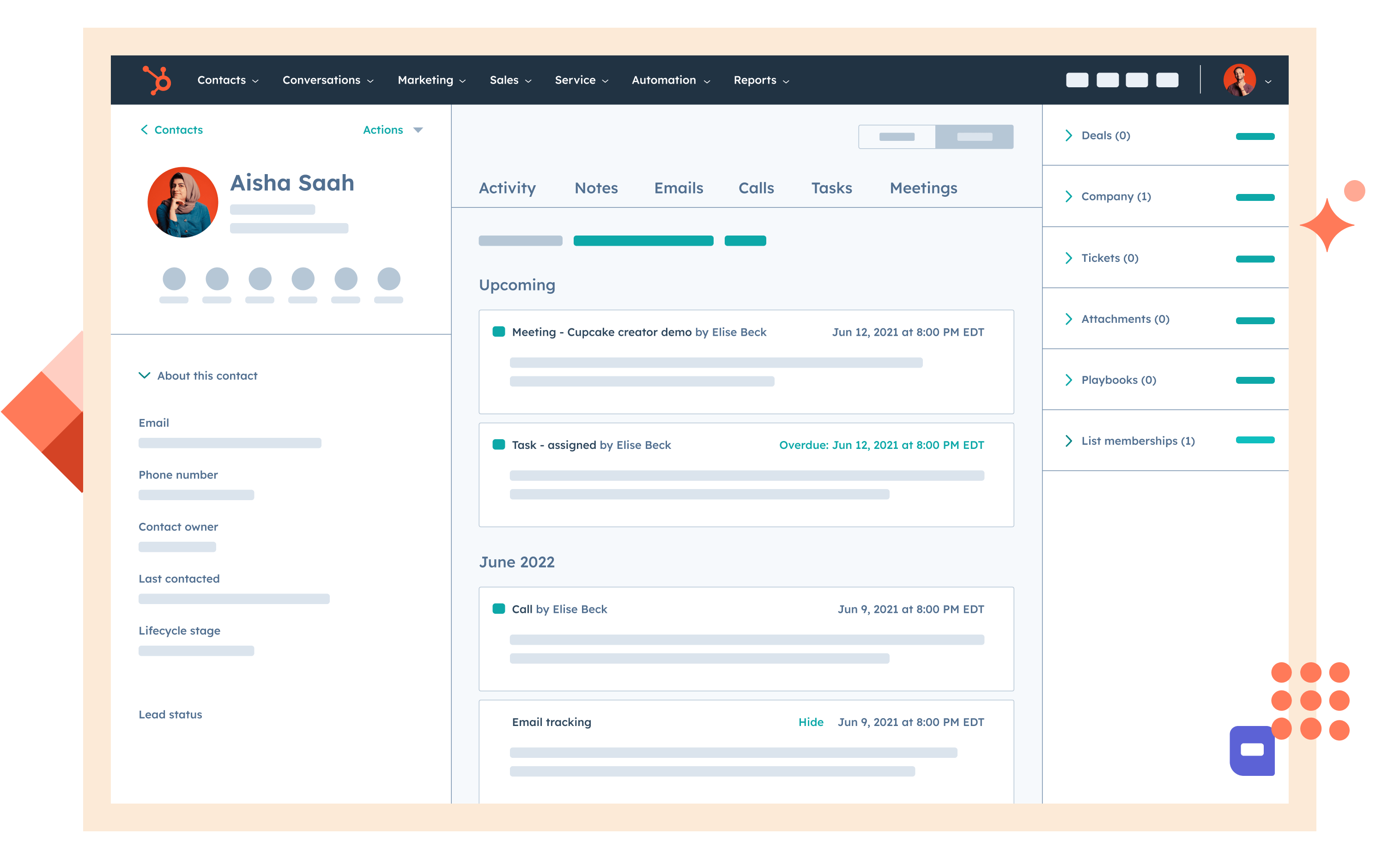
Image source: salesdorado.com
Key features of Salesforce CRM
- Advanced customization: Salesforce allows businesses to design custom objects, workflows, and fields, tailoring the system precisely to their unique processes.
- AI-powered insights with Einstein Analytics: Built-in artificial intelligence delivers predictive insights, lead scoring, and revenue forecasting, giving enterprises a competitive edge.
- Extensive AppExchange marketplace: With thousands of extensions and apps, Salesforce can expand into marketing, service, project management, and more.
- Robust reporting and dashboards: Sales teams can build highly detailed dashboards to analyze pipeline health, revenue performance, and sales trends in real time.
- Scalable architecture: Whether for 50 users or 50,000, Salesforce supports global organizations with secure, enterprise-grade infrastructure.
Strengths of Salesforce CRM
- Unmatched customization across workflows, reporting, and data models.
- Highly scalable to support enterprise growth and global teams.
- Advanced analytics and AI-driven insights with Salesforce Einstein.
- Wide ecosystem of apps and solutions via AppExchange.
- Strong reputation and adoption among Fortune 500 companies.
Limitations of Salesforce CRM
- A steep learning curve that requires dedicated training or administrators.
- Higher total cost of ownership, especially for larger teams.
- Setup and customization can be time-consuming.
- Overwhelming complexity for small businesses with simple workflows.
Best suited for
Salesforce CRM is best suited for large enterprises or rapidly scaling mid-size businesses that need maximum flexibility and analytics power. Companies with dedicated CRM admins or IT teams will benefit most, as they can fully leverage Salesforce's customization capabilities. For organizations where scalability, predictive analytics, and complex workflows are essential, Salesforce provides the robust foundation needed to manage global sales operations.
HubSpot vs Salesforce: Pricing breakdown
Pricing is one of the biggest differences in the HubSpot vs Salesforce CRM debate. Before selecting a productivity suite, it's worth reviewing the latest Google Workspace pricing and ClickUp pricing plans. HubSpot offers a free forever CRM that's ideal for small teams, but costs can climb quickly as businesses add advanced features like reporting, automation, and marketing hubs. Salesforce, on the other hand, operates on a per-user, per-month pricing model that scales with team size. While Salesforce provides enterprise-level power, the total cost of ownership is significantly higher due to licensing, setup, and administrative overhead.
Cost of ownership at a glance
👉 HubSpot makes sense for startups and SMBs that want a low-cost entry point. Salesforce is better for enterprises ready to invest in a full-scale CRM platform. For teams looking for a middle ground, newer tools like Lark, one of the best Google Workspace alternatives, provide free plans and affordable scaling, combining CRM with communication and workflows.
Lark as a collaboration-first CRM alternative
In the HubSpot vs Salesforce comparison, both platforms have clear strengths—HubSpot is simple and affordable for SMBs, while Salesforce is powerful and customizable for enterprises. But many teams today want more than just a CRM. They need an all-in-one workspace that combines client tracking, communication, and workflows without juggling multiple tools. This is where Lark stands out as a modern, collaboration-first alternative.
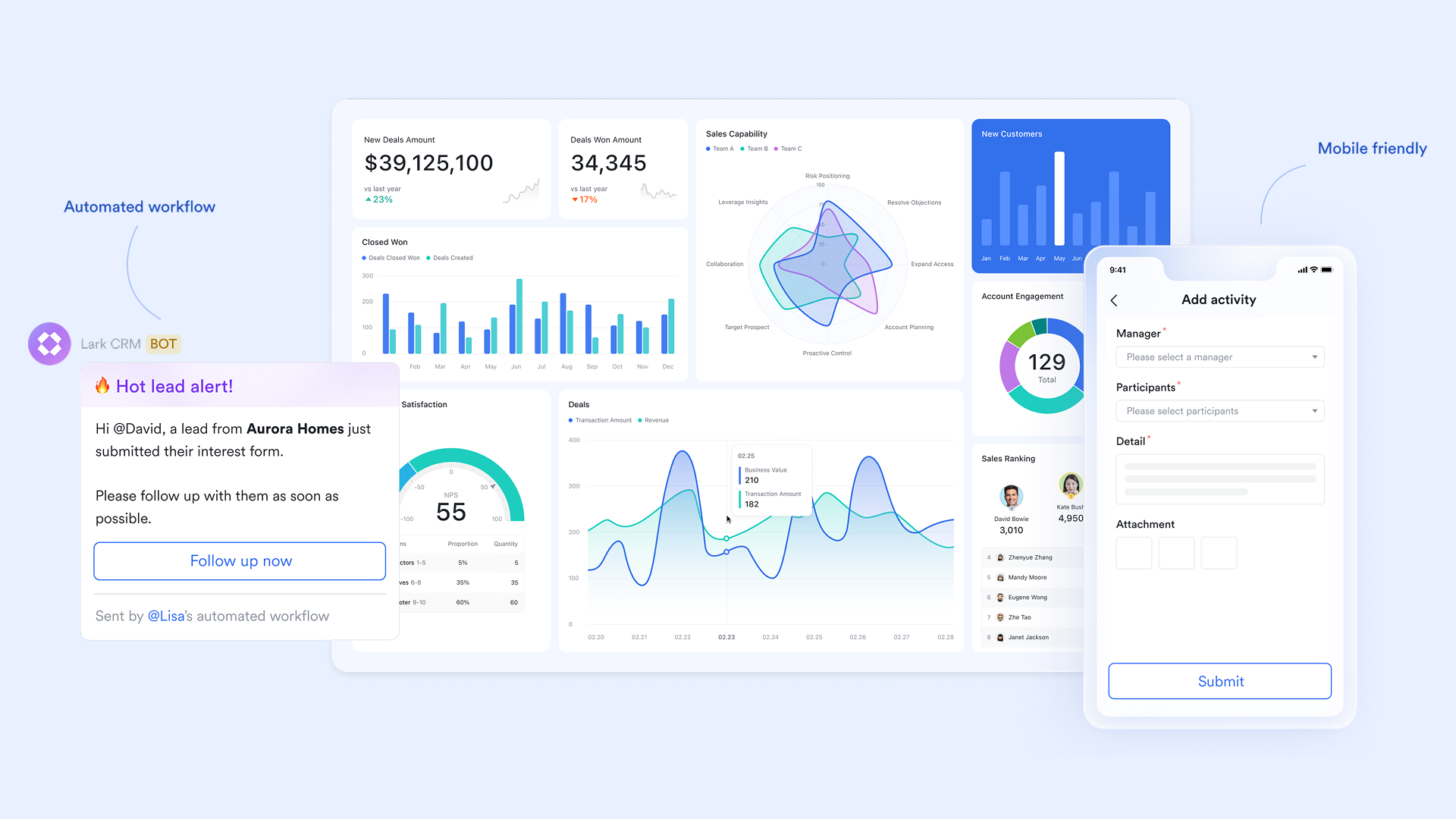
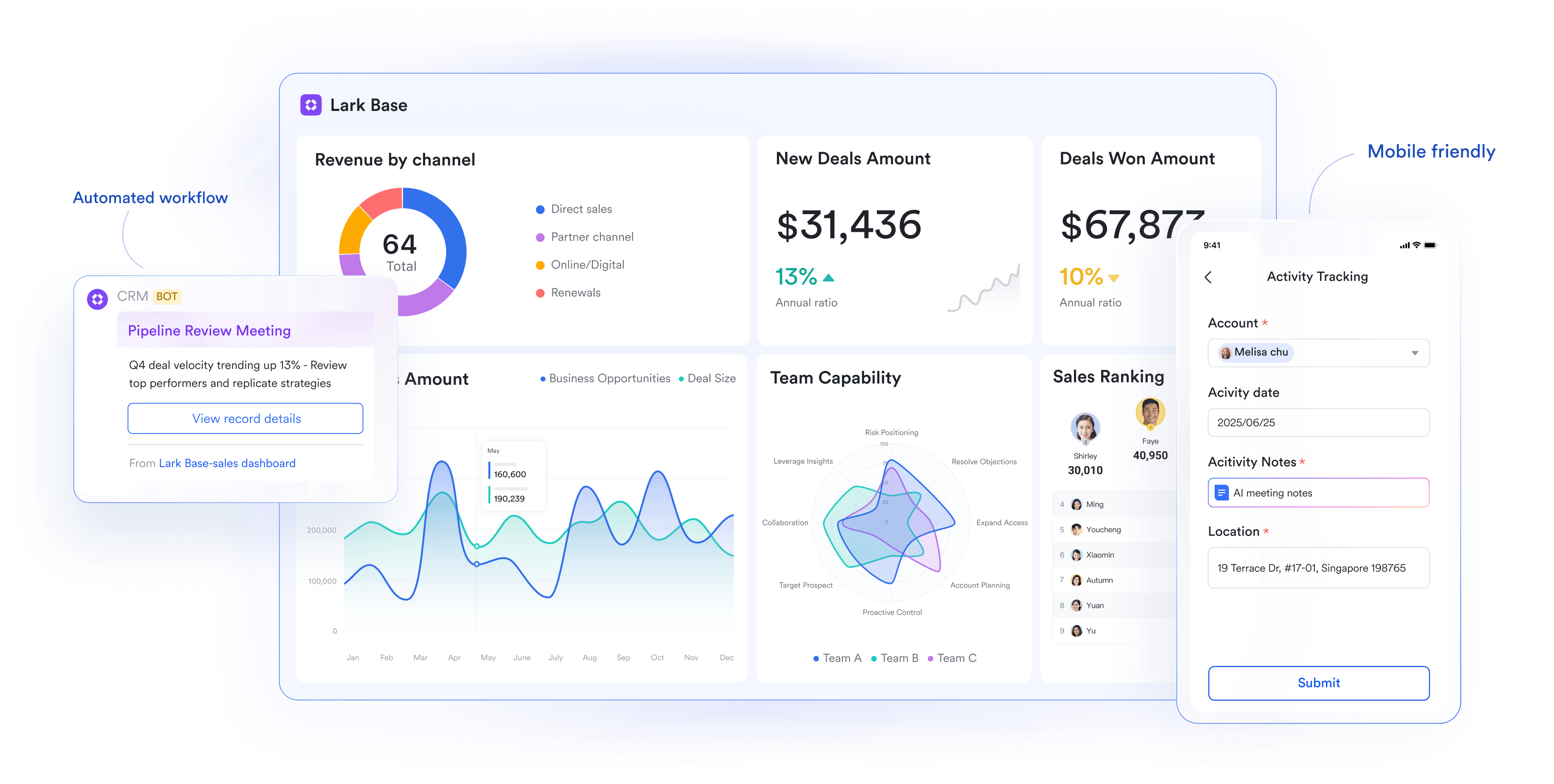
Lark Base for client & deal tracking
At the heart of Lark's CRM capabilities is Lark Base, a customizable database where businesses can manage leads, clients, and deals. Unlike HubSpot's limited free tier or Salesforce's complex setup, Lark Base lets teams track opportunities in flexible views—tables, Kanban boards, or timelines—tailored to their sales process. Automated reminders ensure follow-ups and deals never slip through the cracks.
Beyond tracking, Base also provides dashboards for real-time sales performance. Managers can monitor active pipelines, revenue by product line, or rep activity in one visual workspace, helping identify bottlenecks and guide team strategy. This balance of customization and ease makes Base the foundation of Lark's CRM approach.
Lark Approval for sales contracts & deal sign-offs
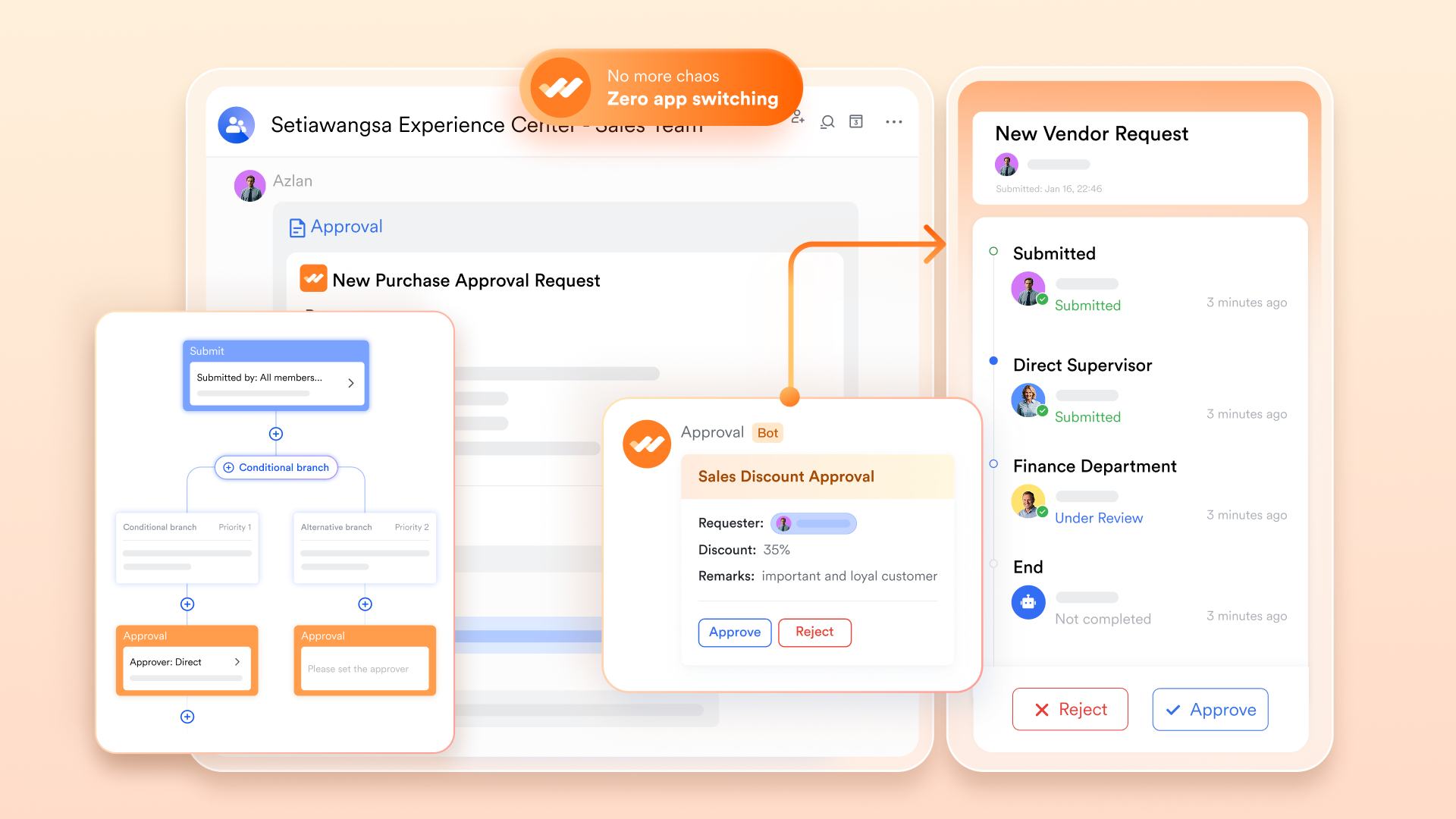
Sales processes often require multi-step reviews, from drafting contracts to final client approvals. With Lark Approval, these workflows are automated and structured, reducing bottlenecks and improving accountability. Where Salesforce requires customization and HubSpot may need premium add-ons, Lark delivers a built-in approval flow that fits naturally into everyday CRM activities.
Lark Messenger & Lark Meetings for sales team communication and client calls
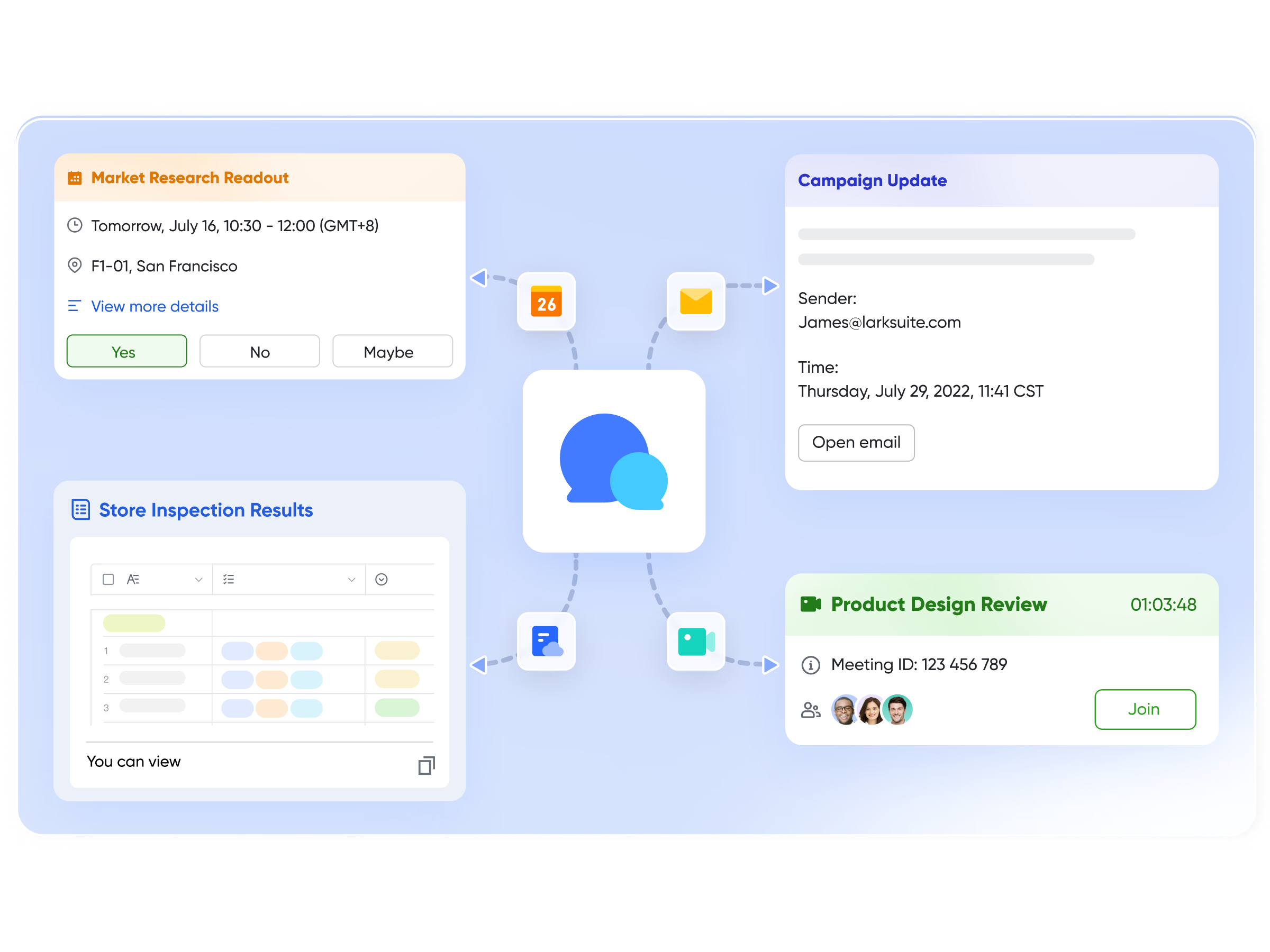
One of the gaps in both HubSpot and Salesforce is communication—teams often have to rely on Slack, Zoom, or other third-party apps. With Lark Messenger and Lark Meetings, chats, calls, and video meetings are integrated into the same platform where CRM data is stored. Sales teams can discuss deals in dedicated channels, share documents instantly, or jump into video calls with clients, all without leaving Lark.
Lark Docs, Lark Wiki, and Lark Sheets for managing proposals, playbooks, and reports
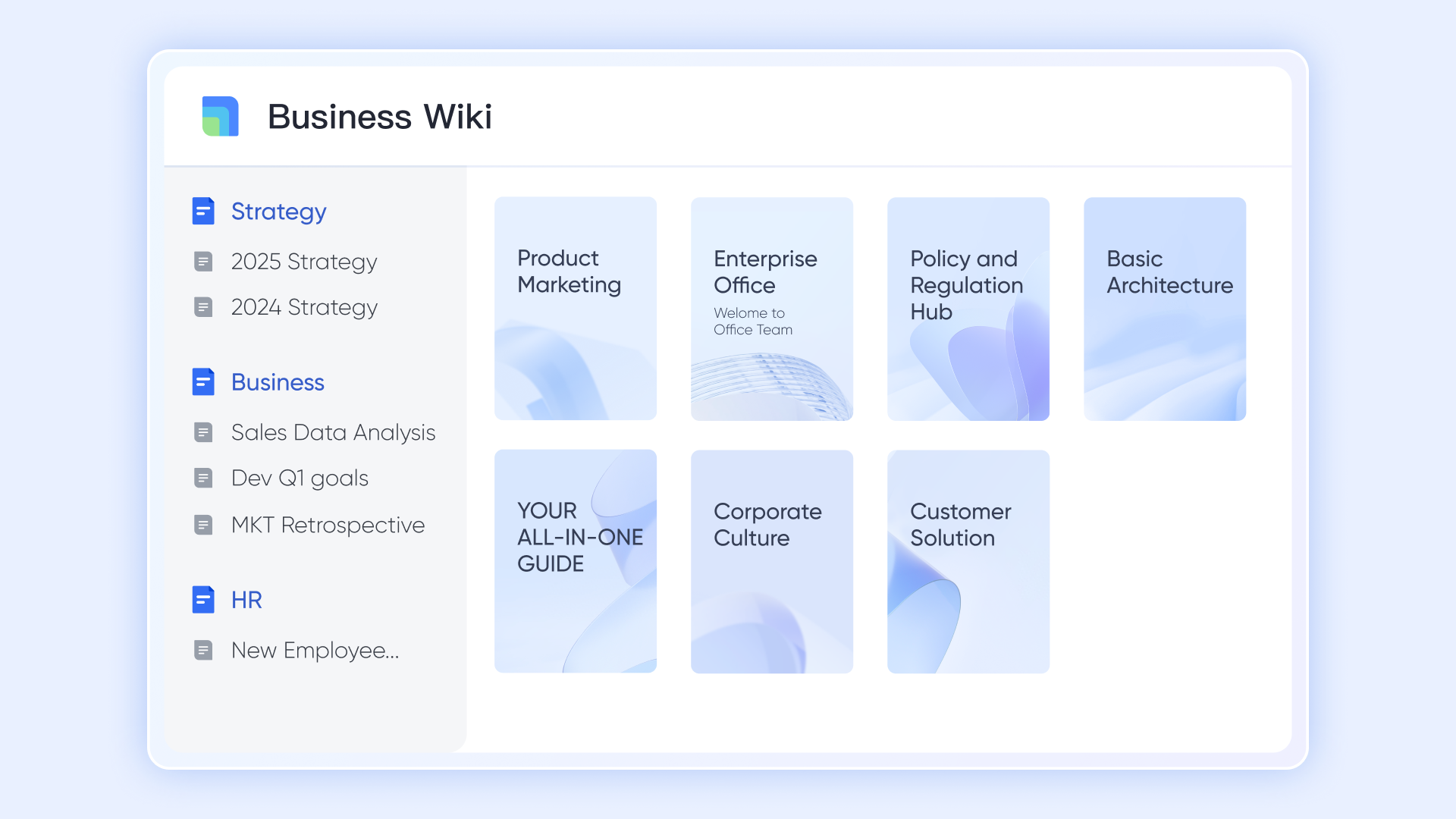
Beyond CRM data, sales teams rely on documents, knowledge bases, and reporting tools. Lark Docs allows collaborative drafting of proposals and presentations, Lark Wiki stores sales playbooks and best practices, and Lark Sheets manages data and reporting. This combination reduces dependency on external apps like Google Docs or Excel, creating a single platform where CRM records and documentation live side by side.
- Starter plan: Free forever plan that includes 11 powerful tools for up to 20 users. It also comes with 100GB of storage, 1000 automation runs, AI translations, and more.
- Pro plan: $12/user/month (billed annually) for up to 500 users. It includes everything in Starter plus group calling for up to 500 attendees, 15TB of storage, 50,000 automation runs, and more.
- Enterprise plan: Contact sales for custom pricing. Supports unlimited users and includes even more automation runs and advanced security, compliance, and management features.
HubSpot vs Salesforce vs Lark: Which should you choose?
The right CRM depends on your business size, complexity, and workflow needs. Each platform has its strengths, but they serve different audiences:
- Small teams/startups → HubSpot or Lark
HubSpot is a solid choice for small businesses that want an easy-to-use, low-cost CRM with marketing automation. However, if collaboration and all-in-one workflows are critical, Lark provides CRM functions plus built-in chat, meetings, and document tools, making it a stronger fit for teams that don't want to juggle multiple apps.
- Enterprises → Salesforce
Salesforce is the best option for large organizations that require extensive customization, scalability, and advanced analytics. With dedicated CRM admins, enterprises can unlock Salesforce's full potential across global sales teams.
- Teams wanting CRM + communication + automation in one platform → Lark
Lark combines CRM features with messaging, video calls, document management, and workflow automation in a single platform. Unlike HubSpot or Salesforce, which often require add-ons, Lark gives sales teams a unified workspace that scales from small startups to large companies.
In short, HubSpot = simplicity, Salesforce = enterprise power, and Lark = collaboration-first flexibility suitable for companies of all sizes.
Final thoughts
When it comes to HubSpot vs Salesforce, both platforms deliver strong CRM capabilities but target very different needs. HubSpot stands out for its ease of use and free entry plan, making it ideal for startups and SMBs. Salesforce, on the other hand, provides unmatched customization and scalability, making it the go-to for enterprises with complex workflows. Lark emerges as a modern collaboration-first alternative, combining CRM functions with communication and workflow tools in one platform. Ultimately, the best choice depends on your team size, budget, and priorities—whether that's simplicity, enterprise power, or an all-in-one workspace that grows with your business.
FAQs
Is HubSpot or Salesforce better for small businesses?
HubSpot is generally better for small businesses thanks to its free plan and intuitive interface. Salesforce can be overwhelming and costly for teams without technical resources. For small teams that also want communication and workflows in the same platform, Lark offers a free plan with CRM features plus built-in chat, meetings, and documents—something neither HubSpot nor Salesforce includes out of the box.
Which CRM is easier to set up: HubSpot or Salesforce?
HubSpot can be set up in hours with minimal training, while Salesforce often requires customization, admin support, and onboarding. Lark is even simpler—Lark Base templates for client and deal tracking can be used immediately, and sales teams can layer on approvals, dashboards, and communication tools without complex setup.
Does HubSpot integrate with Salesforce?
Yes, HubSpot and Salesforce can connect to share contacts, leads, and pipeline data, but this often requires configuration and comes with extra costs. With Lark, you don't need to rely on integrations—CRM functions, communication, and workflow tools are already built into a single platform, reducing complexity and tool switching.
Can HubSpot or Salesforce handle marketing automation?
HubSpot includes strong inbound marketing automation features natively, while Salesforce typically requires add-ons like Pardot or Marketing Cloud. Lark supports marketing and sales operations through automated workflows in Base and Approval, allowing teams to streamline follow-ups, approvals, and client engagement without relying on expensive add-ons.
Can I migrate from HubSpot or Salesforce to Lark?
Yes, businesses can migrate data such as contacts, deals, and documents from HubSpot or Salesforce into Lark Base. Salesforce may require IT help for large-scale migration, while HubSpot data is easier to export. Lark provides flexibility for both small and large teams to move their CRM processes into a collaboration-first platform, keeping sales data, documents, and communication all in one place.
Related reading
Table of contents
Start using Lark today

Manage all your work in one place
Boost team efficiency by 10x
Save up to 70% on software costs
Table of contents
Start using Lark today
Manage all your work in one place
Boost team efficiency by 10x
Save up to 70% on software costs
Keep reading



Lark recognized in 2023 Gartner® Collaborative Content Workspaces and Meeting Solutions reports
Lark, the global superapp for productivity, is delighted to announce it receives recognition in the Gartner's 2023 Innovation Insight for Collaborative Content Workspaces and Market Guide for Meeting Solutions.





2026 Lark Technologies Pte. Ltd.
Headquartered in Singapore with offices worldwide.






Explore: