














Essential Project Management Checklist: Stay on Track Every Time

Ryan Tanner
Product Marketing Specialist
Sep 18, 2026
Ryan Tanner
Sep 18, 2026

22 min read


Managing a project successfully takes structure, clarity, and the right tools. A project management checklist provides a clear roadmap for planning, execution, and delivery, keeping teams focused and accountable at every stage. With collaborative platforms, you can bring your checklist to life through shared tasks, real-time updates, and seamless communication.
In this guide, you'll learn how to build an effective project management checklist and explore the best tools to simplify your workflow. Whether leading a small team or managing complex projects, this checklist will help you stay organized and on track from start to finish:
- Lark: An all-in-one project management checklist
- Asana: Streamlined task and project management
- Monday: Visual workflow and project tracking
- Trello: Simple kanban-based project management
- Wrike: Ideal for enterprise retail management
- Notion: Project management and team collaboration
- nTask: Project management powerhouse
- ProofHub: Centralized project management tool

What is a project management checklist?
Creating a custom checklist starts by defining your project scope and goals to clearly identify key deliverables and success criteria. Next, break tasks into clear, measurable steps, ensuring each item is actionable and assigned a specific deadline and owner for accountability.
To speed things up, use templates from tools like Trello or Notion, customizing them to fit your unique needs. Finally, integrate your checklist directly within your chosen project tool (like Lark Tasks) to allow for real-time progress tracking, collaboration, and maintaining a single, organized source of truth for the team.
Why every project manager needs a checklist
A project management checklist is vital for success as it provides a structured roadmap, preventing chaos and improving outcomes.
- Goal and deliverable clarity: Checklists mandate defining SMART goals and success criteria, ensuring all tasks are directly aligned with the project's ultimate purpose and expected outputs.
- Prevent oversights and dependencies: They act as a safeguard against human error by forcing a review of every critical task and identifying necessary sequences or dependencies, ensuring nothing is missed or executed out of order.
- Timeline and resource balance: By listing all tasks with assigned owners and deadlines, checklists enable effective resource allocation, help visualize project timelines, and ensure efficient use of time and budget.
- Improved collaboration: Serving as a shared, central point of reference, they clarify roles, responsibilities, and communication protocols, keeping all team members aligned, accountable, and collaborating efficiently.
Project management checklist template to help you move faster
Checklist template
This checklist template aims to assist you in maintaining organization and staying on top of your responsibilities. Whether you're organizing a trip, overseeing work projects, or simply managing your personal tasks, this template is here to help. With Lark's user-friendly features, you can effortlessly create, modify, and prioritize tasks, establish due dates, assign them to team members, and monitor their progress. Bid farewell to missed deadlines and overlooked tasks, and welcome a more effective and productive workflow.
Project problem checklist template
Managing a project involves addressing various challenges that may arise throughout its duration. To guarantee that these challenges are handled swiftly and efficiently, it is crucial to maintain a structured checklist that monitors problem descriptions, reviewers, assigned team members, priorities, and current statuses. Our Project Problem Checklist template is crafted to assist you in effectively managing and resolving project challenges, facilitating seamless project execution.
Employee onboarding checklist for project management template
The onboarding process for employees is vital for all organizations, ensuring that new staff members are seamlessly integrated into the team and equipped with the essential knowledge and resources to thrive. In the context of project management teams, this procedure is even more critical, as successful collaboration and communication are crucial for achieving project goals. This template assists project management teams in optimizing their employee onboarding process, ensuring that new team members are efficiently integrated and prepared to make a valuable contribution to project success.
Quick overview of the best project management checklist tools
8 Best project management tools to simplify your checklist
1. Lark: All-in-one project management checklist
Lark doesn't just manage projects or oversee businesses—it connects the two. By bringing together Base, Tasks, Calendar, Docs, Approval, Wiki, and Messenger in one ecosystem, Lark ensures strategic goals translate into measurable, on-time results.
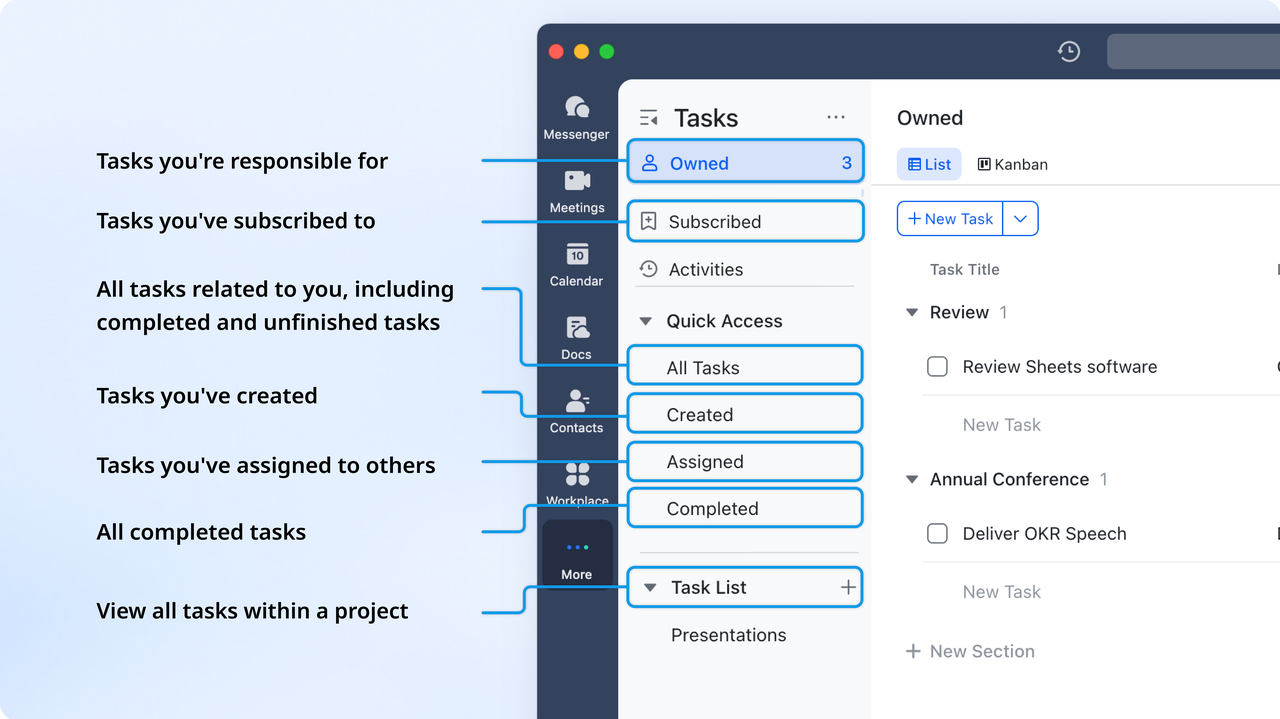
Lark Tasks: Smart checklists that keep your team aligned
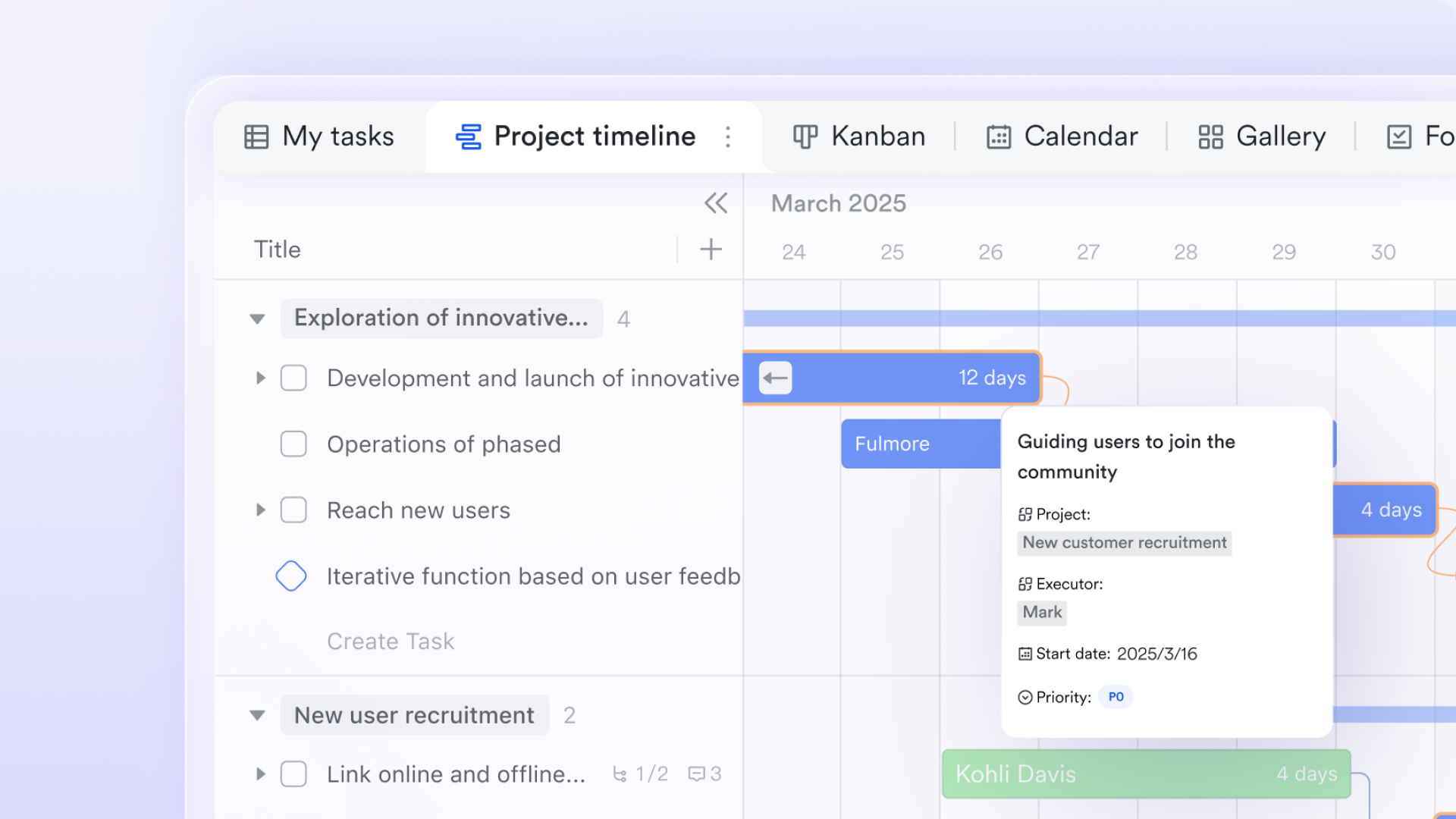
Lark Tasks helps teams move beyond scattered to-do lists. You can create task checklists directly within projects, assign owners, set deadlines, and track progress in multiple views—from simple lists to Kanban boards. Each checklist item can include sub-tasks, attachments, and linked Docs for deeper context, ensuring that nothing slips through the cracks. Automated reminders and progress updates help teams stay accountable without constant manual follow-ups.
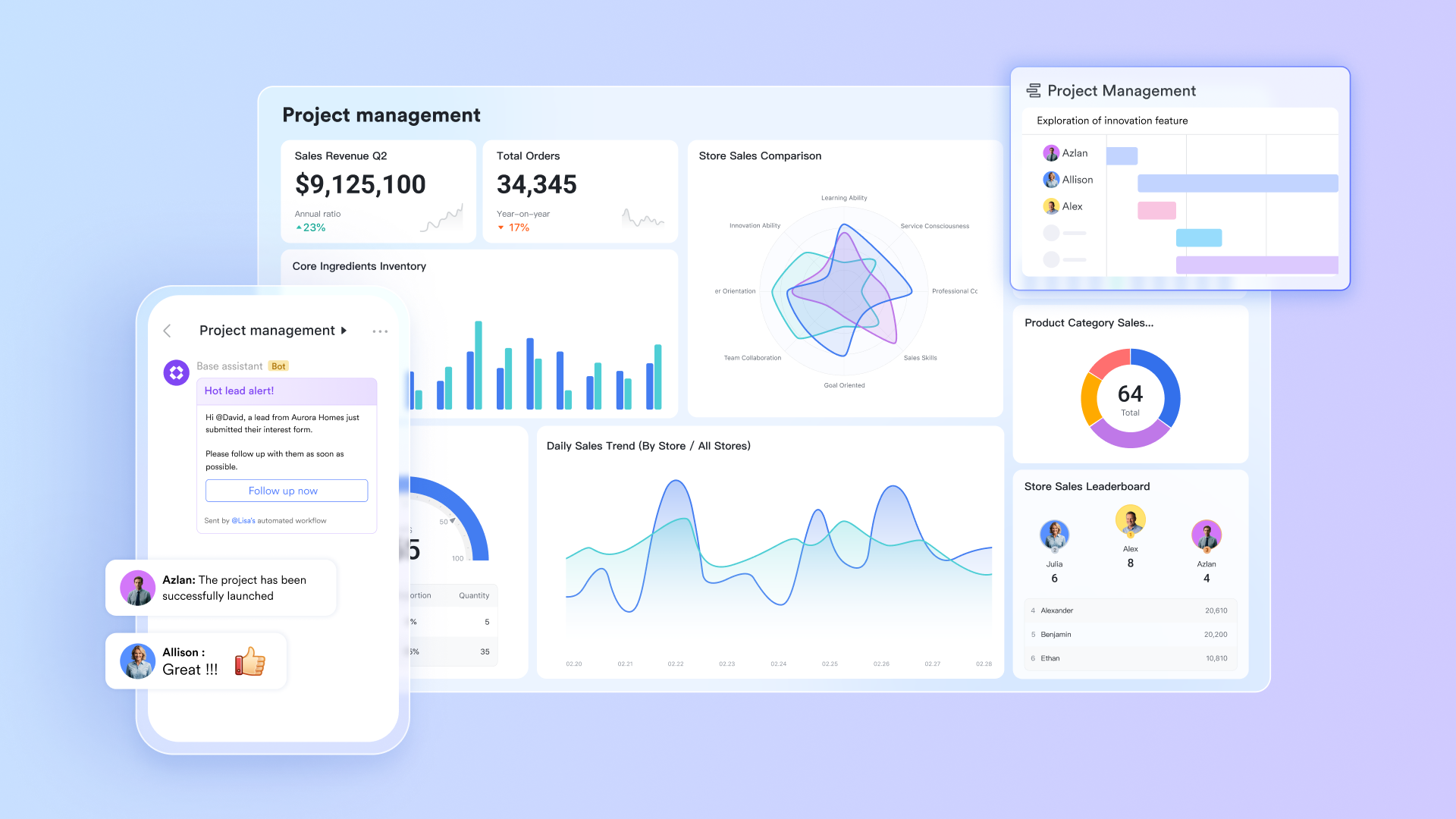
Lark Base: From planning to organized implementation
At the core of Lark is Lark Base, a versatile data hub where teams can simultaneously plan projects and oversee business operations. Business leaders are able to construct relational tables to monitor ongoing initiatives, allocate resources, and track key performance indicators. At the same time, project managers can connect deliverables, owners, and dependencies within a unified workspace.
For example, a marketing agency can keep one table that tracks company-wide campaigns (business perspective) and another that oversees ad deliverables (project perspective). Linking these tables enables executives to understand how daily creative efforts contribute to revenue objectives. By merging adaptability with structure, Lark Base bridges the strategic "why" of business management with the tactical "how" of project execution.
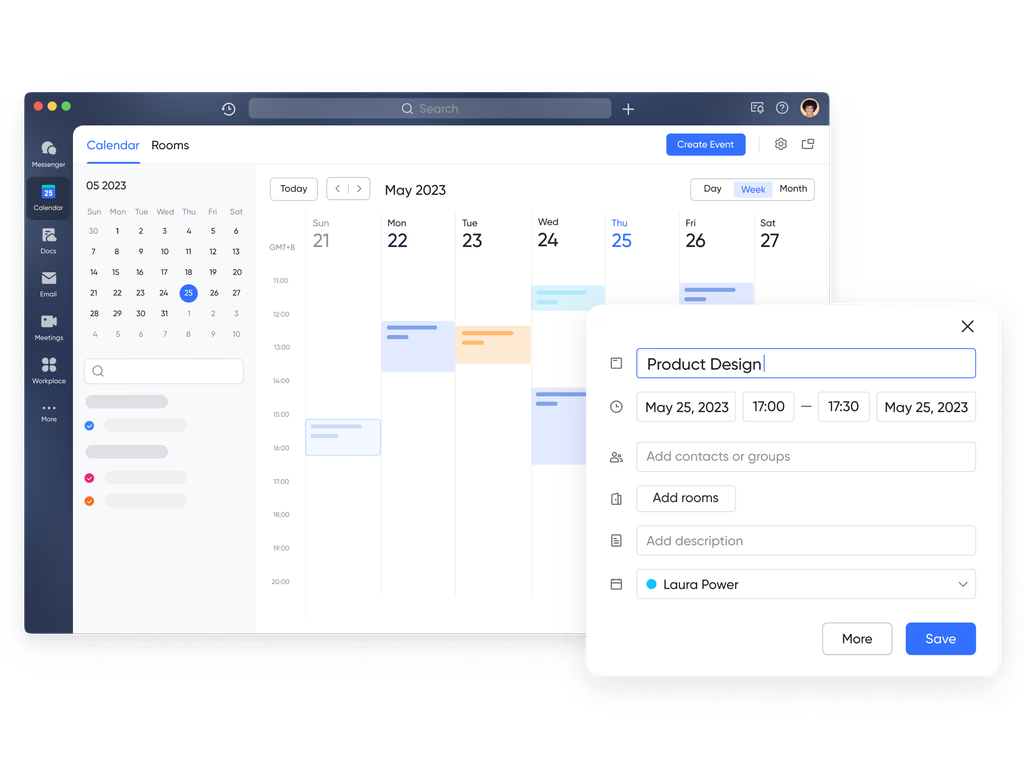
Lark Calendar: Aligning business priorities with project schedules
Scheduling is frequently where business management intersects with the realities of project execution. With the Lark Calendar, organizations can synchronize executive planning meetings, project evaluations, and milestone check-ins in a unified view. When a quarterly business meeting is arranged, it automatically meets the relevant project deadlines, avoiding scheduling conflicts and ensuring that essential deliverables are prepared for review.
For instance, a product manager gearing up for an executive update can easily see when design, QA, and launch dates coincide—minimizing last-minute scrambles and enhancing time-to-market.
Lark Docs & Lark Wiki: Unifying strategy, knowledge, and collaboration
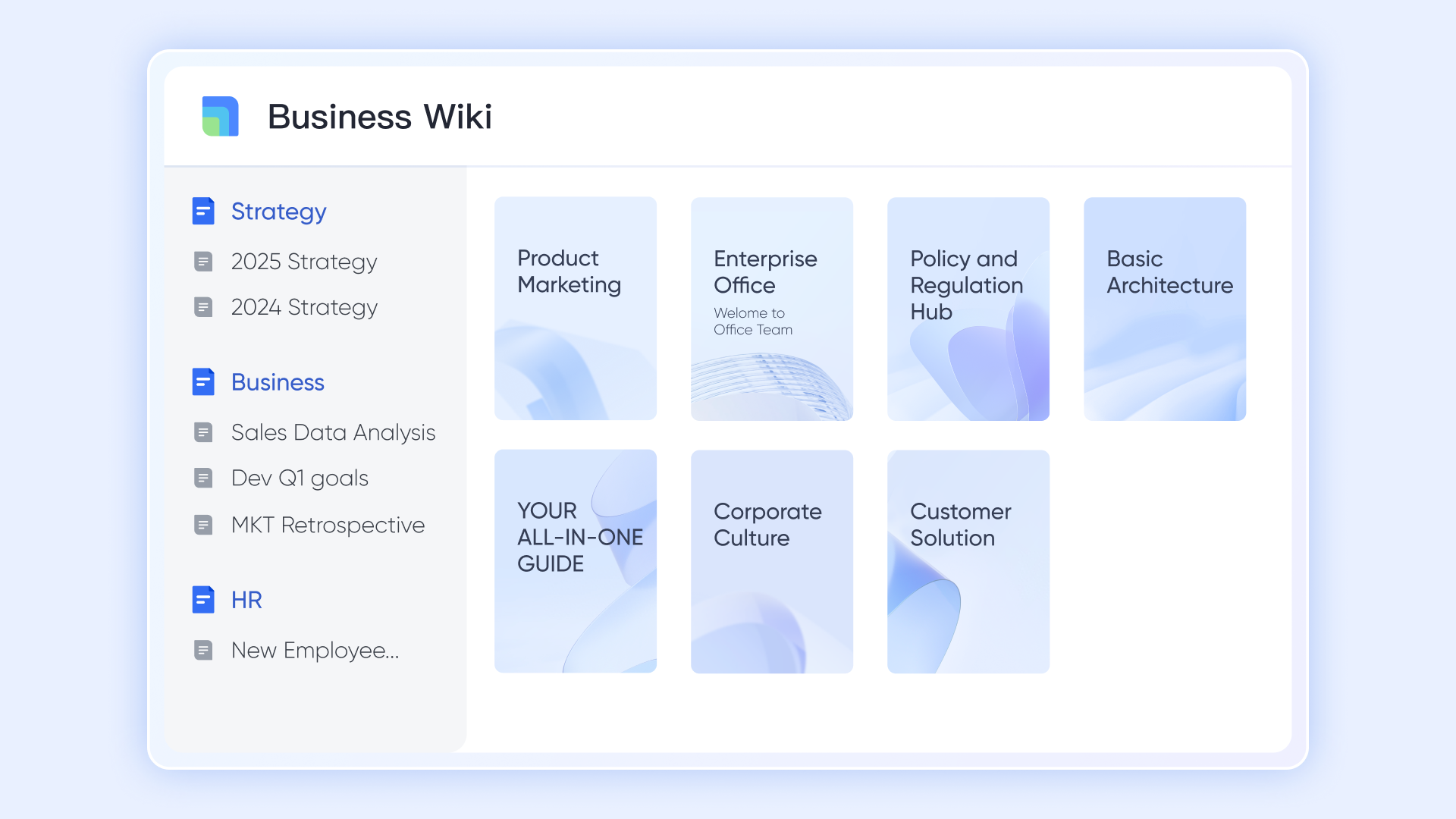
In many organizations, strategic planning and project documentation often exist in separate areas. Lark Docs & Wiki bridges that divide. Executives can detail yearly business goals in Docs, while project teams can collaboratively draft execution plans or campaign outlines within the same system. The Lark Wiki acts as a permanent archive for SOPs, templates, and best practices, making business knowledge readily accessible.
For example, a finance team might outline budget approval processes on the Wiki, while project leaders refer to those procedures when making new funding requests. With the ability for real-time co-editing and commenting, Lark ensures that both strategic objectives and operational clarity remain clear to all.
Lark Approval: Simplifying governance and accountability
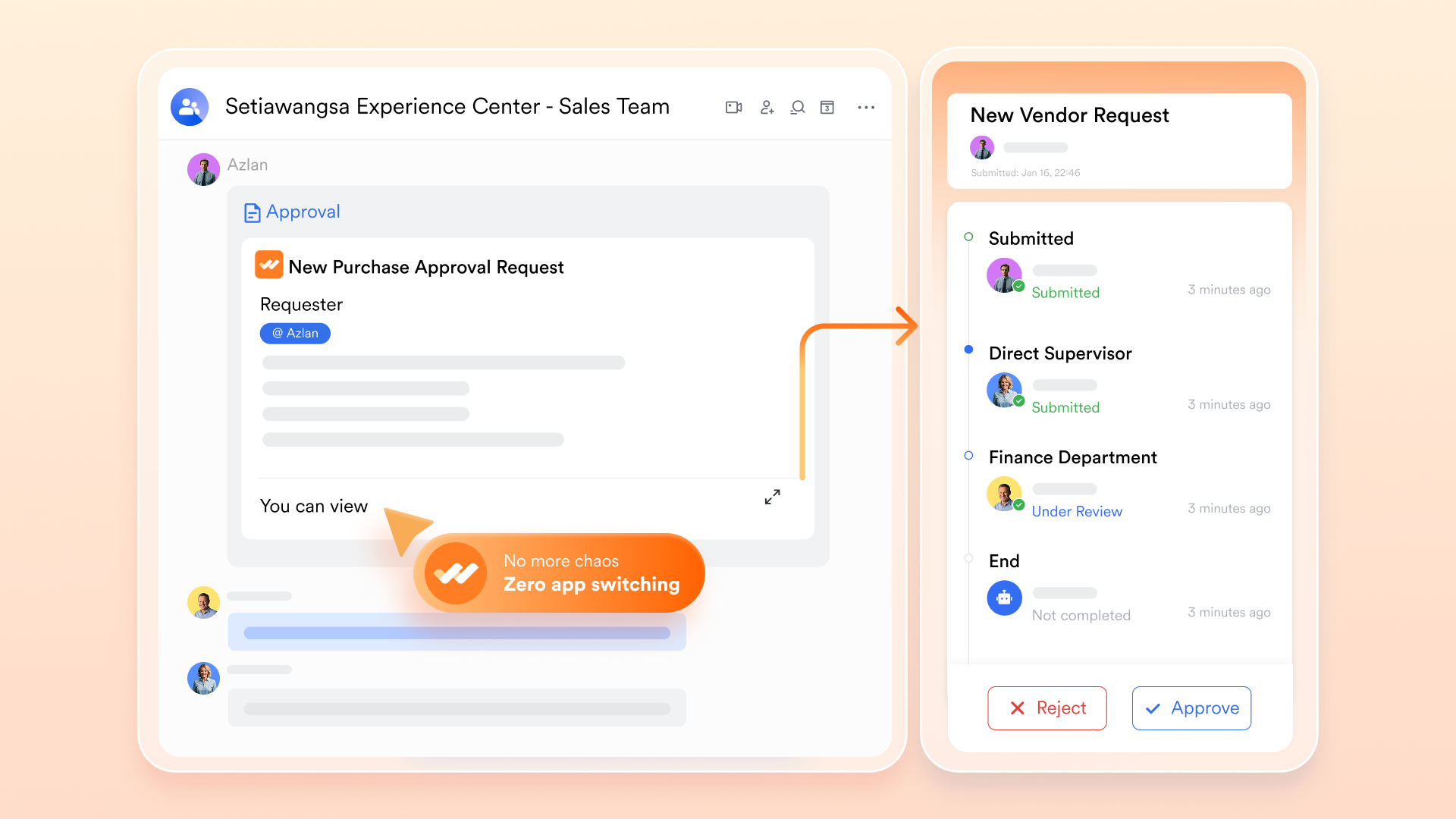
Efficient execution depends on having a clear framework—this is where Lark Approval brings business governance into project management. Teams have the ability to automate approval processes for budgets, proposals, or change requests, ensuring accountability while maintaining momentum.
A project manager can present a scope expansion for approval, which is automatically directed to department leaders and finance before receiving final approval. Every action is documented, resulting in a clear audit trail for compliance and tracking performance. This approach replaces the disorganized email approval process with a cohesive, automated workflow that ensures decisions remain in line with business objectives.
Lark Messenger & Meetings: Keeping collaboration connected
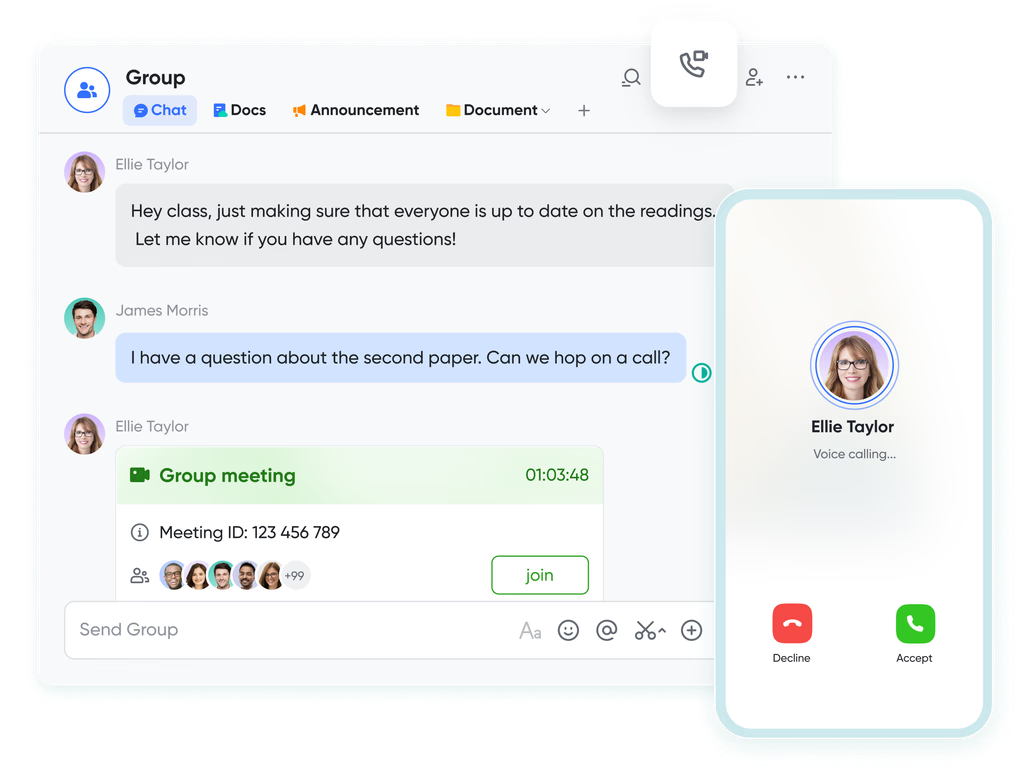
Effective management hinges on ongoing communication. Lark Messenger empowers teams to collaborate on plans, communicate updates, and address obstacles all within the same workspace. Any message regarding a postponed milestone can quickly be transformed into a task, associated with a project, and monitored until completion.
Additionally, Lark Meetings enables teams to evaluate their progress during live sessions—meeting notes automatically synchronize with Docs, and future actions are recorded as new tasks. Picture a strategic meeting where executives evaluate a product delay; in just a few moments, the related project task is updated, a follow-up is arranged, and accountability is established clearly.
- Starter plan: Free forever plan that includes 11 powerful tools for up to 20 users. It also comes with 100GB of storage, 1000 automation runs, AI translations, and more.
- Pro plan: $12/user/month (billed annually) for up to 500 users. It includes everything in Starter plus group calling for up to 500 attendees, 15TB of storage, 50,000 automation runs, and more.
- Enterprise plan: Contact sales for custom pricing. Supports unlimited users and includes even more automation runs and advanced security, compliance, and management features.
2. Asana: Streamlined task and project management
Asana is built for teams that want an intuitive way to organize their work. Its clean interface and smart automation tools help teams stay focused, track progress, and hit deadlines with ease. Users can create task lists, set priorities, and visualize projects through boards, calendars, or timelines. Asana also supports workflow automation, helping reduce manual updates and repetitive work.
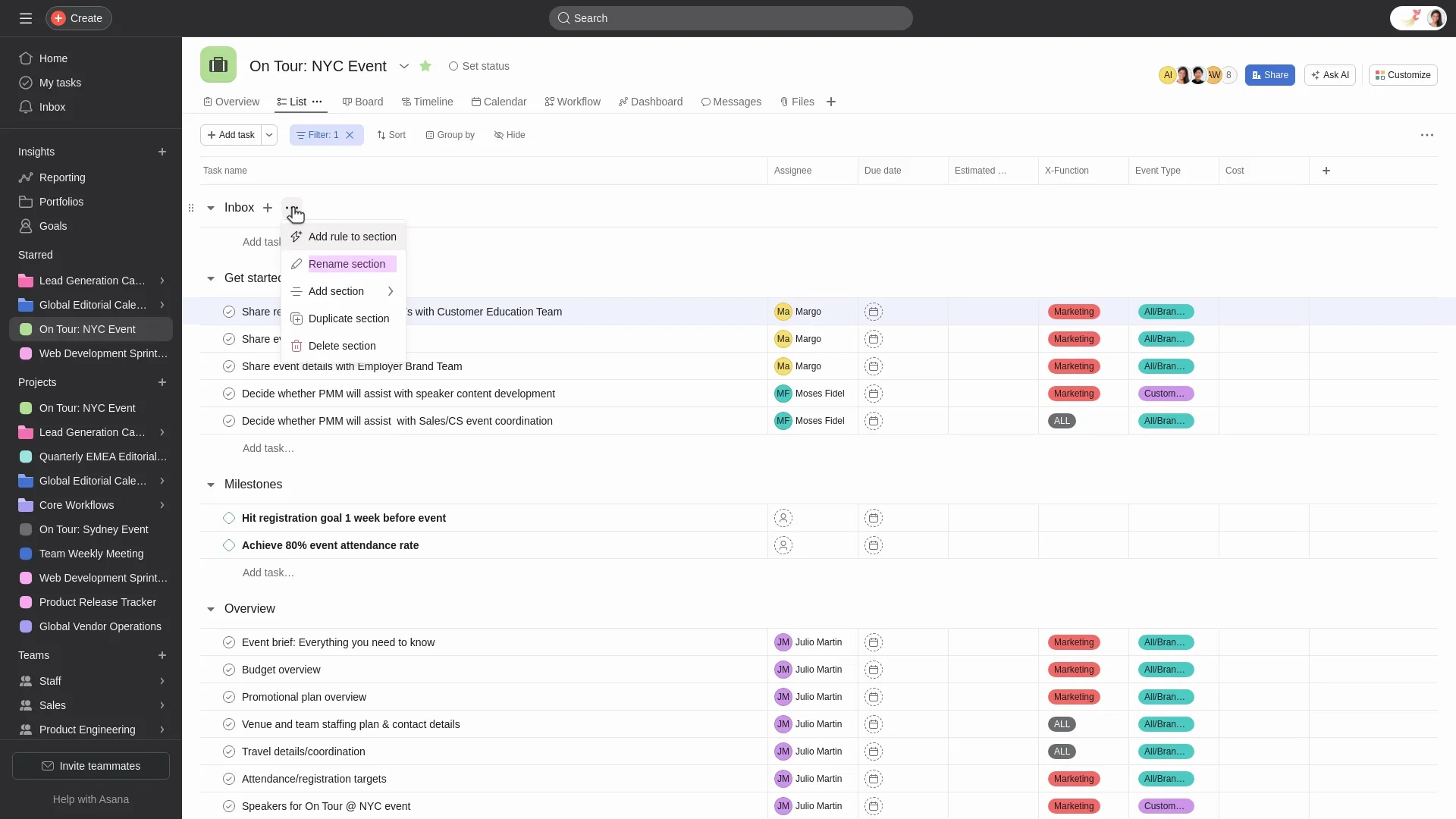
Image source: asana.com
Summary:
- Task lists to organize and prioritize work
- Calendar views for scheduling and deadlines
- Timeline and project tracking for visual progress
- Workflow automation to reduce repetitive tasks
- Team collaboration with comments and file attachments
Benefits:
- Intuitive and easy-to-use interface
- Strong team communication and collaboration features
- Flexible views to match different project needs
- Helps keep tasks and deadlines clearly organized
Drawbacks:
- Reporting options are limited to lower-tier plans
- May lack advanced project management features for complex projects
3. Monday.com: Visual workflow and project tracking
Monday.com is a popular work management platform that helps teams plan, track, and automate their workflows. With its colorful boards and flexible layouts, it's designed to give everyone a clear view of project progress in real time. The platform supports multiple views, including timelines, Gantt charts, and calendars, allowing teams to visualize tasks the way they prefer.
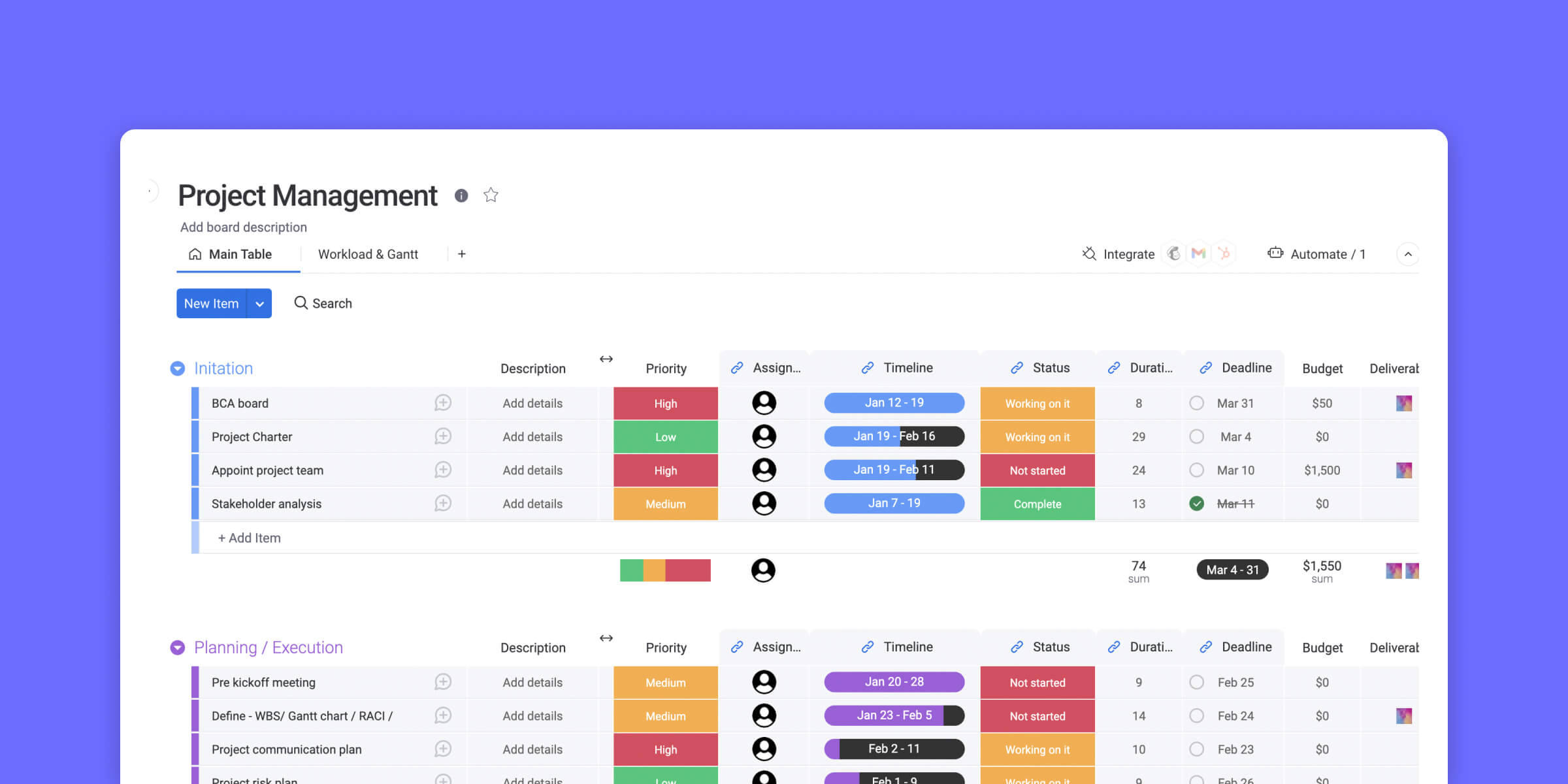
Image source: monday.com
Summary:
- Visual project boards for easy task tracking
- Workflow automation to save time and reduce manual work
- Customizable dashboards for better visibility
- Integrations with popular tools like Slack, Google Drive, and Zoom
- Real-time collaboration and progress updates
Benefits:
- Intuitive and highly visual interface
- Flexible layouts to match your workflow
- Excellent automation and integration options
- Great for managing multiple projects in one place
Drawbacks:
- Can feel overwhelming for smaller teams
- Pricing increases quickly as the team size grows
4. Trello: Simple kanban-based project management
Trello is a visual project management tool that utilizes boards, lists, and cards to organize tasks and workflows. Its intuitive interface and flexibility make it a popular choice for teams seeking a straightforward, visual approach to task coordination.
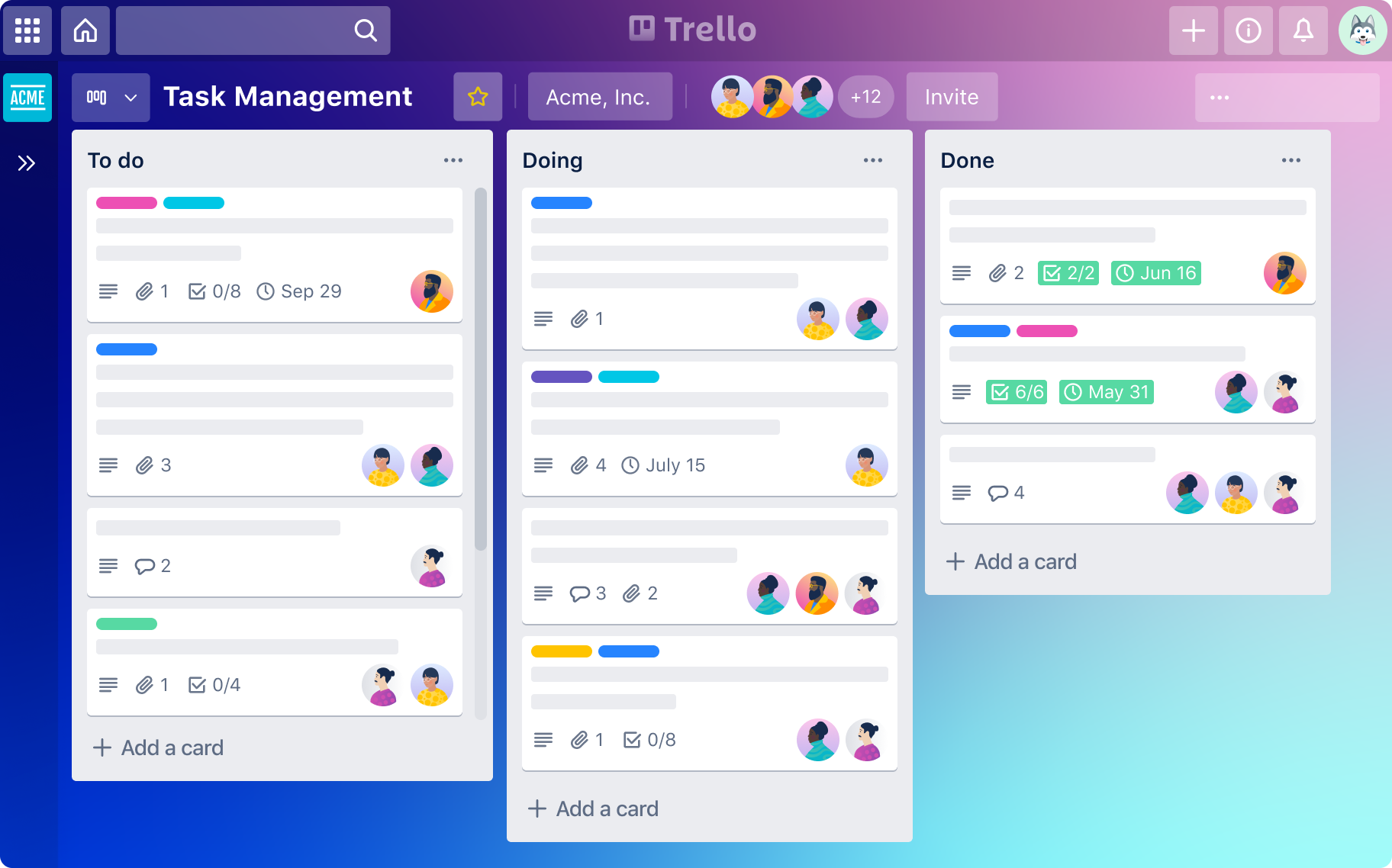
Image source: trello.com
Summary:
- Trello uses boards, lists, and cards to organize projects and tasks.
- Checklists help break tasks into smaller steps.
- Labels add color-coded categories and priorities.
- Comments enable team communication.
- Power-ups integrate tools like Slack, Google Drive, and calendars.
Benefits:
- Easy drag-and-drop design suits all skill levels.
- Customizable for simple or complex workflows.
- Real-time updates and comments improve collaboration.
- Mobile apps let users manage tasks anywhere.
Drawbacks:
- Lacks advanced project management features.
- May not suit large teams or complex projects.
5. Wrike: Ideal for enterprise retail management
Wrike is a comprehensive project management and collaboration platform designed to streamline workflows, enhance team collaboration, and provide real-time insights. Its robust features make it suitable for retail teams managing complex projects across multiple locations and departments.
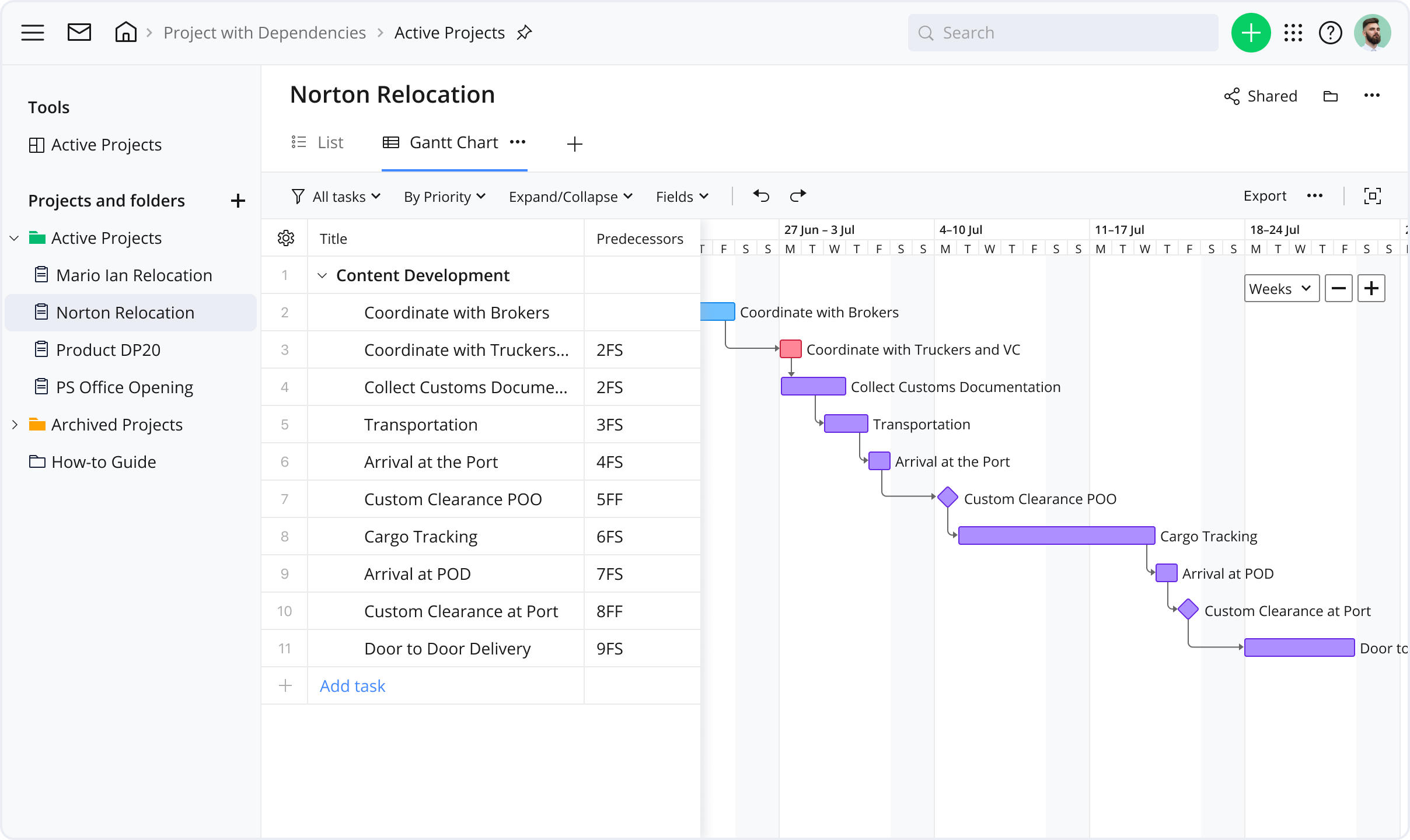
Image source: wrike.com
Summary:
- Wrike allows users to create personalized dashboards.
- The platform offers various views, including Gantt charts, Kanban Boards, and calendars.
- Wrike supports automation of repetitive tasks.
- Wrike provides tools for resource planning, time tracking, and budgeting.
- Teams can communicate in real-time.
Benefits:
- Wrike offers a wide range of features.
- The platform can accommodate teams of all sizes.
- Wrike provides real-time reporting tools.
- Wrike collaborates with various third-party applications.
Drawbacks:
- Due to its extensive features, new users may experience a learning curve.
- While Wrike offers a free plan, access to advanced features requires a subscription.
6. Notion: Project management and team collaboration
A reliable project management checklist is the backbone of successful project execution. Whether you're launching a product, managing a marketing campaign, or coordinating a cross-functional team, having a structured checklist ensures that no critical step is missed. This essential checklist is designed to help project managers stay organized, meet deadlines, and deliver results consistently—no matter the size or complexity of the project.
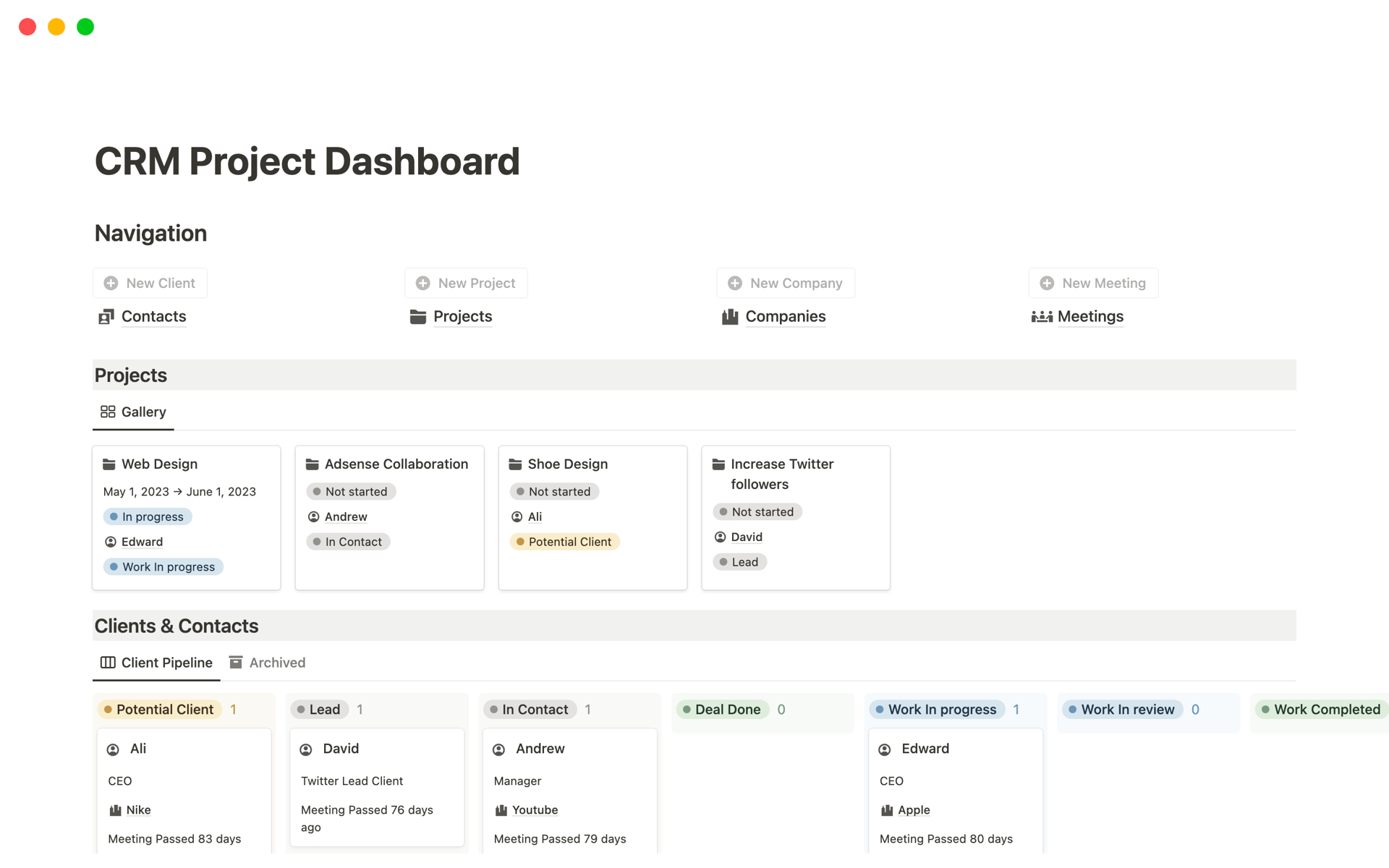
Image source: notion.com
Summary:
- Define clear project objectives and scope before execution begins.
- Break down the project into manageable tasks with assigned responsibilities.
- Set realistic timelines and milestones for every phase.
- Monitor progress regularly using tracking tools and performance metrics.
- Conduct post-project reviews to assess outcomes and improve future processes.
Benefits:
- Helps avoid scope creep by keeping the project focused.
- Encourages accountability with clearly assigned responsibilities.
- Improves time management with defined schedules and deadlines.
- Enhances communication across teams by outlining key deliverables.
Drawbacks:
- Rigid checklists may limit flexibility in fast-changing projects.
- Over-reliance on checklists might cause teams to overlook creative or intuitive solutions.
7. nTask: Project management powerhouse
nTask is a user-friendly project management tool designed for individuals, startups, and small teams who need an intuitive way to plan, collaborate, and track progress. With its clean interface and essential features, nTask helps teams stay organized without overwhelming them with complexity. It's particularly effective for managing tasks, meetings, risks, and timesheets in one place.
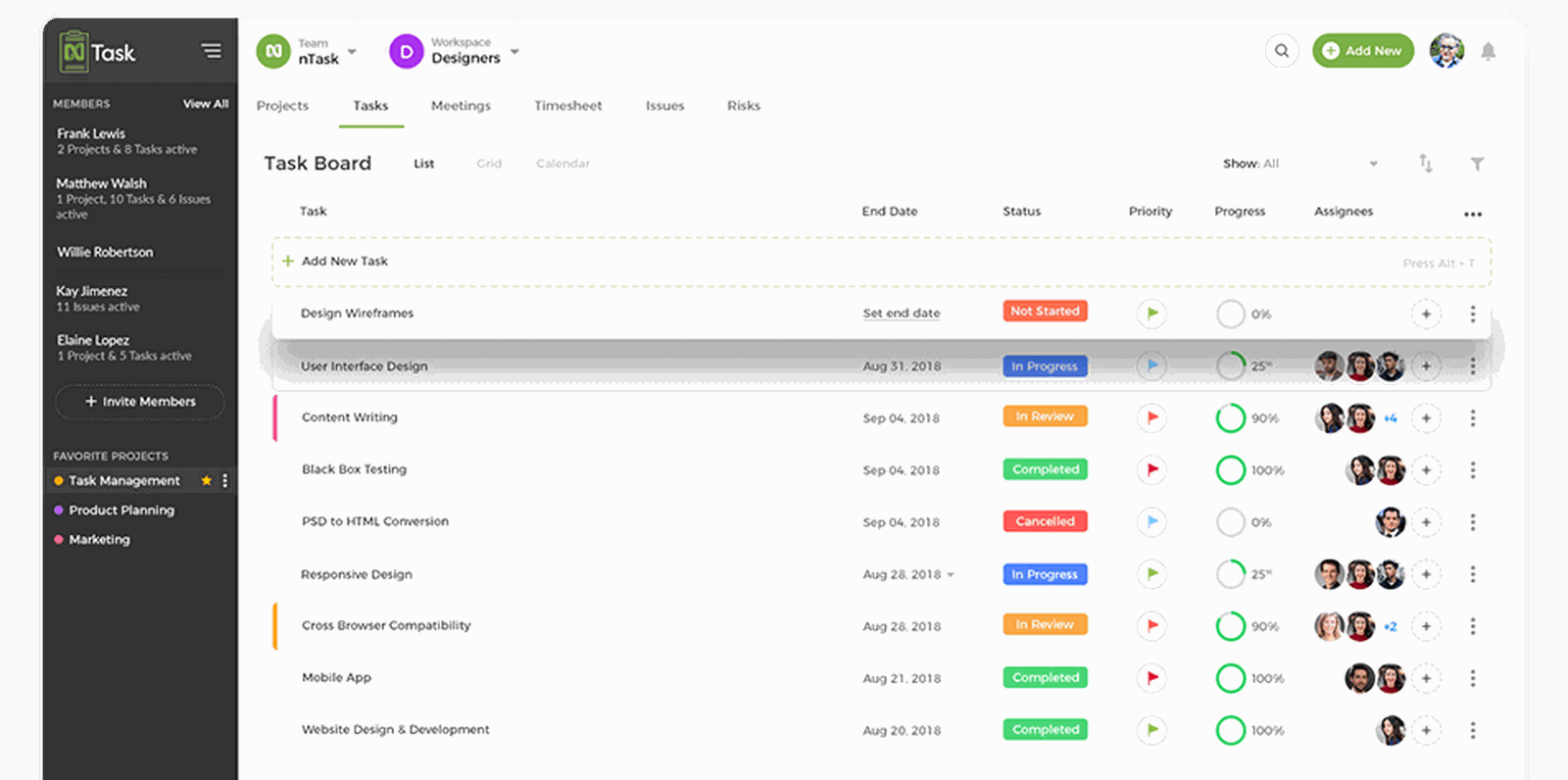
Image source: teamwork.com
Summary:
- nTask offers task creation, assignment, and prioritization with ease.
- Built-in meeting management tools help schedule and track discussion outcomes.
- Risk and issue tracking features provide visibility into potential roadblocks.
- Time tracking and timesheet approvals are integrated into workflows.
- Collaborative features include comments, file sharing, and real-time updates.
Benefits:
- A simple and intuitive interface is ideal for beginners.
- Centralizes multiple project components (tasks, risks, meetings) in one tool.
- Offers affordable pricing plans, including a free version.
- Enables real-time collaboration and team visibility.
Drawbacks:
- Lacks advanced features required by larger or more complex teams.
- Limited integrations compared to more enterprise-focused platforms.
8. ProofHub: Centralized project management tool
ProofHub is a centralized project management and team collaboration platform designed to bring clarity, accountability, and efficiency to teams of all sizes. It eliminates the need for multiple project management tools by combining essential project features into one unified workspace. With a clean interface and robust capabilities, ProofHub is ideal for growing teams that need better control over their workflows and communication.
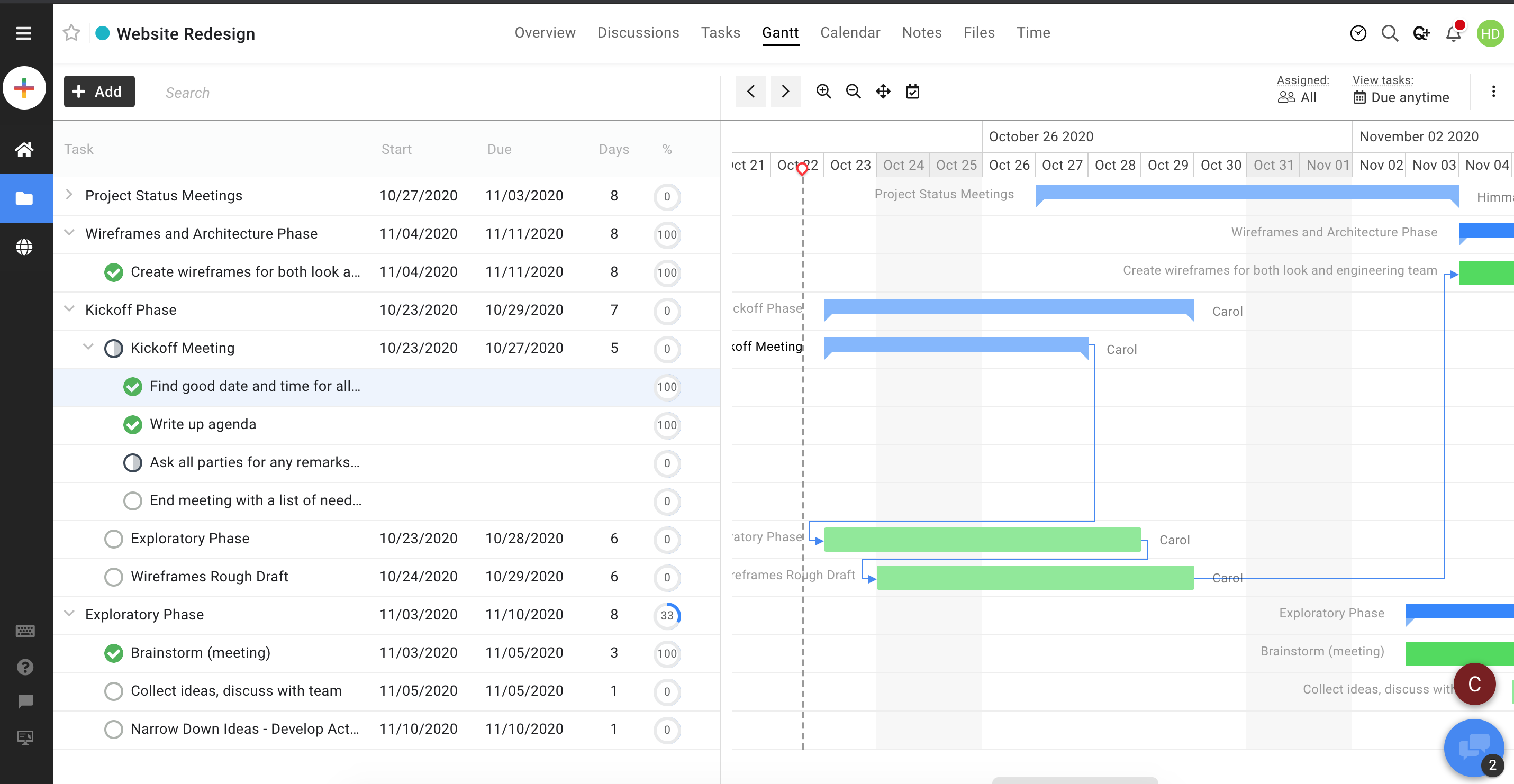
Image source: proofhub.com
Summary:
- ProofHub offers task management with custom workflows, kanban boards, and deadlines.
- Built-in time tracking allows teams to log billable and non-billable hours.
- The platform includes online proofing tools for faster review and approval processes.
- Project discussions, chat, and announcements improve team communication.
- Reports and Gantt charts provide visibility into project progress and bottlenecks.
Benefits:
- Combines multiple tools (task manager, time tracker, proofing, chat) in one platform.
- The company offers flat-rate pricing, making it cost-effective for medium-sized teams.
- The user-friendly interface is suitable for both technical and non-technical users.
- This system enhances transparency and accountability with role-based access and detailed reports.
Drawbacks:
- Lacks the advanced integrations that enterprise-level tools provide.
- There is no free plan, and the pricing may not suit tiny teams or solo users.
How to create a custom project management checklist
- Start with your project scope and goals: Clearly define what the project aims to achieve and the key deliverables.
- Break tasks into clear, measurable steps: Divide the project into actionable items with specific deadlines and responsibilities.
- Use templates to save time: Leverage pre-made checklist templates from tools like Lark, Trello, or Notion to jumpstart your workflow.
- Integrate your checklist within your chosen tool: Implement your checklist directly on platforms like Lark Tasks or Lark Docs to track progress, collaborate in real time, and keep everything organized in one place.
Tips for making your checklist more effective
- Keep it short and actionable: Focus on clear, manageable tasks to make the checklist easy to follow.
- Assign owners to each task: Ensure accountability by clearly designating who is responsible for each item.
- Review and update regularly: Check progress frequently and adjust the checklist as priorities or deadlines change.
- Sync across teams for visibility: Share the checklist with all team members to keep everyone aligned and informed.
Conclusion
A structured project management checklist can make a huge difference in keeping tasks organized, meeting deadlines, and ensuring nothing falls through the cracks. Using collaborative tools like Lark enhances this process by centralizing communication, task tracking, and document sharing, making teamwork smoother and more efficient. By following the steps outlined and leveraging the recommended tools, you can create a checklist tailored to your projects, helping your team stay on track and achieve success every time.
FAQs
What are the key components of a project management checklist?
A solid project management checklist typically includes project objectives, tasks, deadlines, assigned team members, milestones, and deliverables. It may also cover risk management steps, communication plans, and review points to ensure the project stays on track.
Can I use Lark for managing multiple projects at once?
Yes. Lark allows you to manage multiple projects simultaneously through separate workspaces, shared task boards, and real-time collaboration tools. You can track progress, assign tasks, and monitor timelines for different projects all on one platform.
How often should I update my project checklist?
Updating your checklist should be done regularly—ideally at the end of each week or after major milestones. Frequent updates help reflect changes in deadlines, resources, or project scope, keeping the team aligned and informed.
What's the difference between a project plan and a checklist?
A project plan is a detailed roadmap outlining scope, timeline, resources, and strategies. A checklist is more task-focused, ensuring all specific actions are completed. Essentially, the plan defines what to do, while the checklist helps track execution.
Are there free templates available for project management checklists?
Yes, many free templates are available online. Tools like Lark, Notion, Trello, and Monday.com offer ready-made project management checklist templates. These templates can be customized to suit your team's workflow and project type.
Related reading
Table of contents
Start using Lark today

Manage all your work in one place
Boost team efficiency by 10x
Save up to 70% on software costs
Table of contents
Start using Lark today
Manage all your work in one place
Boost team efficiency by 10x
Save up to 70% on software costs
Keep reading







2026 Lark Technologies Pte. Ltd.
Headquartered in Singapore with offices worldwide.






Explore: