















25 min read


Project management is essential for entrepreneurs, focusing on organizing and guiding temporary projects to achieve specific business goals efficiently through planning, execution, and monitoring.
Unlike general management, it targets initiatives with set objectives and deadlines. For startups, choosing effective tools like Lark is crucial, as it combines communication, task tracking, and automation in one platform, simplifying collaboration and project tracking.
This blog highlights core project management concepts and presents top tools to help entrepreneurs organize their work, boost productivity, and accomplish ambitious aims in business environment.
- Lark: All-in-one collaboration and productivity tool
- Trello: Simple visual task boards
- Asana: Powerful work tracking software
- ClickUp: All-in-one work management
- Monday: Visual project tracking & resource management
- Zoho Projects: Smart project automation
- Microsoft Planner: Advanced scheduling & resource planning
- ProProfs Project: Easy project management
- Jira: Agile project tracking

Why entrepreneurs need project management
Entrepreneurial project management skills are essential for effectively managing multiple initiatives with limited resources. Project management for business helps entrepreneurs optimize resource use, ensuring maximum productivity without waste.
Entrepreneur project management enhances team collaboration and accountability by clearly defining roles and communication channels. It also reduces risks and prevents scope creep by keeping projects focused and on schedule.
Furthermore, applying entrepreneurial project management leads to improved client satisfaction and timely delivery by streamlining workflows and tracking progress efficiently. Developing strong project management skills empowers entrepreneurs to navigate complexities and scale their ventures successfully.
Stages of project management simplified for entrepreneurs
Project management for entrepreneurs is a structured approach that simplifies complex business initiatives into clear, manageable stages. This process empowers entrepreneurs to align projects with business objectives while efficiently allocating resources and mitigating risks. By mastering entrepreneurial project management skills, founders ensure smooth progression from concept to completion.
- Initiation: This stage involves defining precise goals, understanding market needs, and outlining the project's scope to establish a clear purpose and boundaries.
- Planning: Here, budgeting, timeline creation, and resource allocation take precedence, forming a detailed roadmap to guide execution.
- Execution: Tasks are delegated, systems implemented, and communication channels actively managed to transform plans into tangible progress.
- Monitoring: Ongoing tracking of KPIs, team productivity, and milestone achievement helps maintain alignment and enables timely adjustments.
- Closure: Finally, reviewing outcomes, gathering client feedback, and extracting lessons learned solidify improvements for future entrepreneurial projects.
Proven project management methodologies for startups
Choosing the right project management methodology is crucial for startups and entrepreneurs seeking to optimize workflows and adapt to evolving business needs. Entrepreneurial project management demands methods that balance flexibility, team coordination, and clarity, aligned with the startup's size and project complexity.
- Agile: Known for its flexibility and iterative development, Agile supports fast-paced projects by enabling continual reassessment and adaptation. This makes it ideal for startups needing to pivot quickly and respond to customer feedback.
- Scrum: A form of Agile, Scrum breaks work into short, focused sprints with daily standups that enhance team communication and targeted task completion—perfect for small teams emphasizing collaboration in entrepreneur project management.
- Kanban: This visual workflow method uses boards to map tasks and progress, promoting transparency and efficiency. Kanban suits small business teams seeking to manage tasks flexibly without rigid structures.
- Waterfall: A traditional, linear methodology with sequential phases, Waterfall fits projects with clearly defined requirements and minimal expected changes. It offers predictability but less adaptability, making it suitable for certain startup projects with stable scopes.
When choosing the right methodology, consider your startup's business type, team size, project complexity, and need for flexibility. Many entrepreneurs combine these methodologies to tailor a system that fits their unique needs and fosters productive project management for business success.
Best tools for project management at a glance
1. Lark: all-in-one collaboration and productivity tool
As the ultimate project management tool for entrepreneurs and teams Lark keeps everyone aligned, tracks progress, and drives projects to completion. Whether sharing ideas assigning tasks or monitoring deliverables the team gets clear accessible information so they always know what’s next. Its built-in automations handle reminders and status updates without any coding and keep teams focused on high-value work.
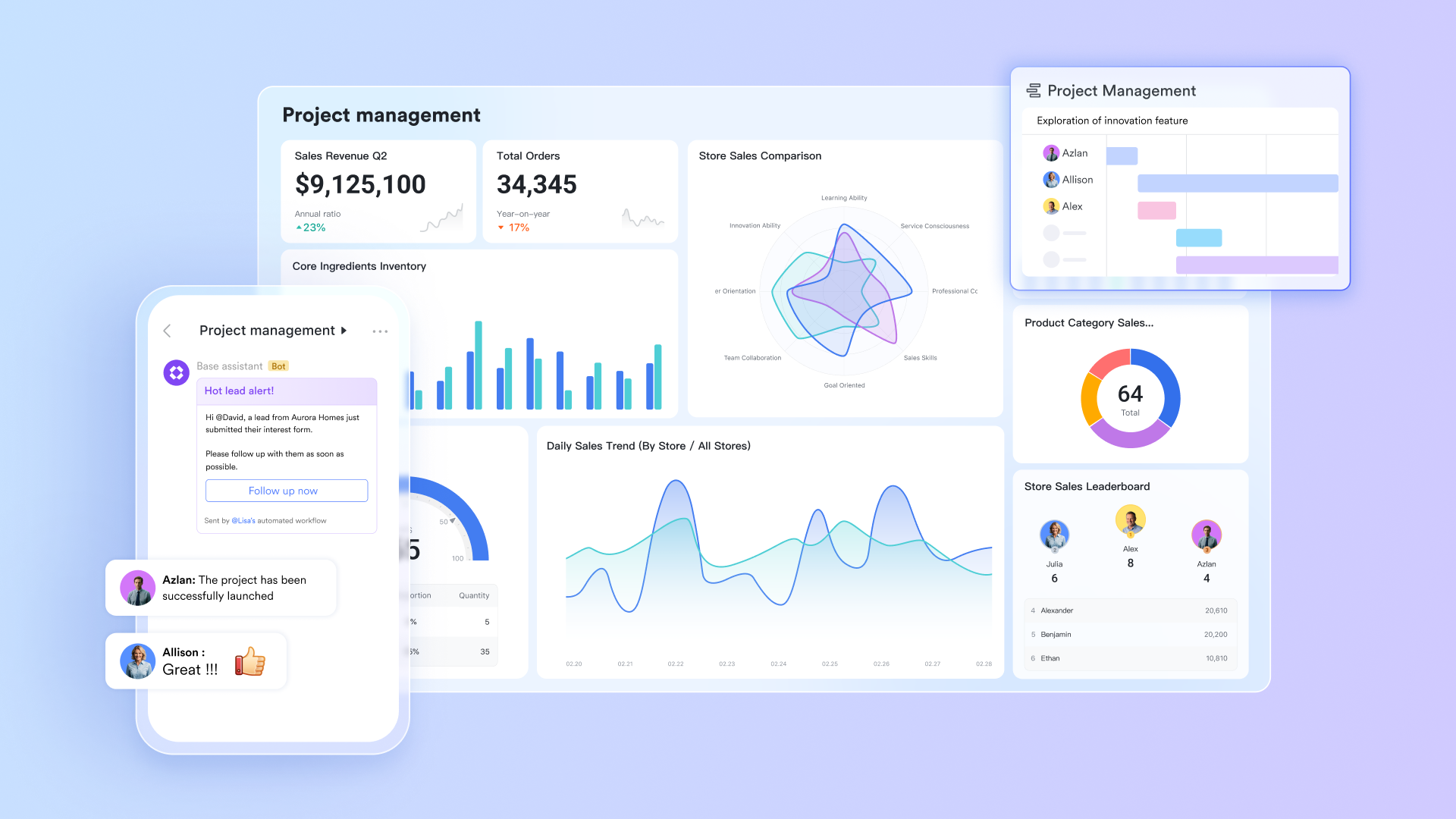
Key features:
Lark is an all-in-one workspace that brings together project management, communication, documentation, and workflow automation. It helps entrepreneurs plan, execute, and monitor projects efficiently by connecting every tool needed to run a business—from tracking deliverables to coordinating teams—in a single, unified platform.
Below are the core Lark features that empower startups and entrepreneurs to stay agile, data-driven, and productive.
Lark Base serves as the central foundation for managing workflows, tracking progress, and building custom project databases. It allows entrepreneurs to design their own project pipelines, visualize progress in Kanban, Gantt, or table views, and automate repetitive steps without coding.
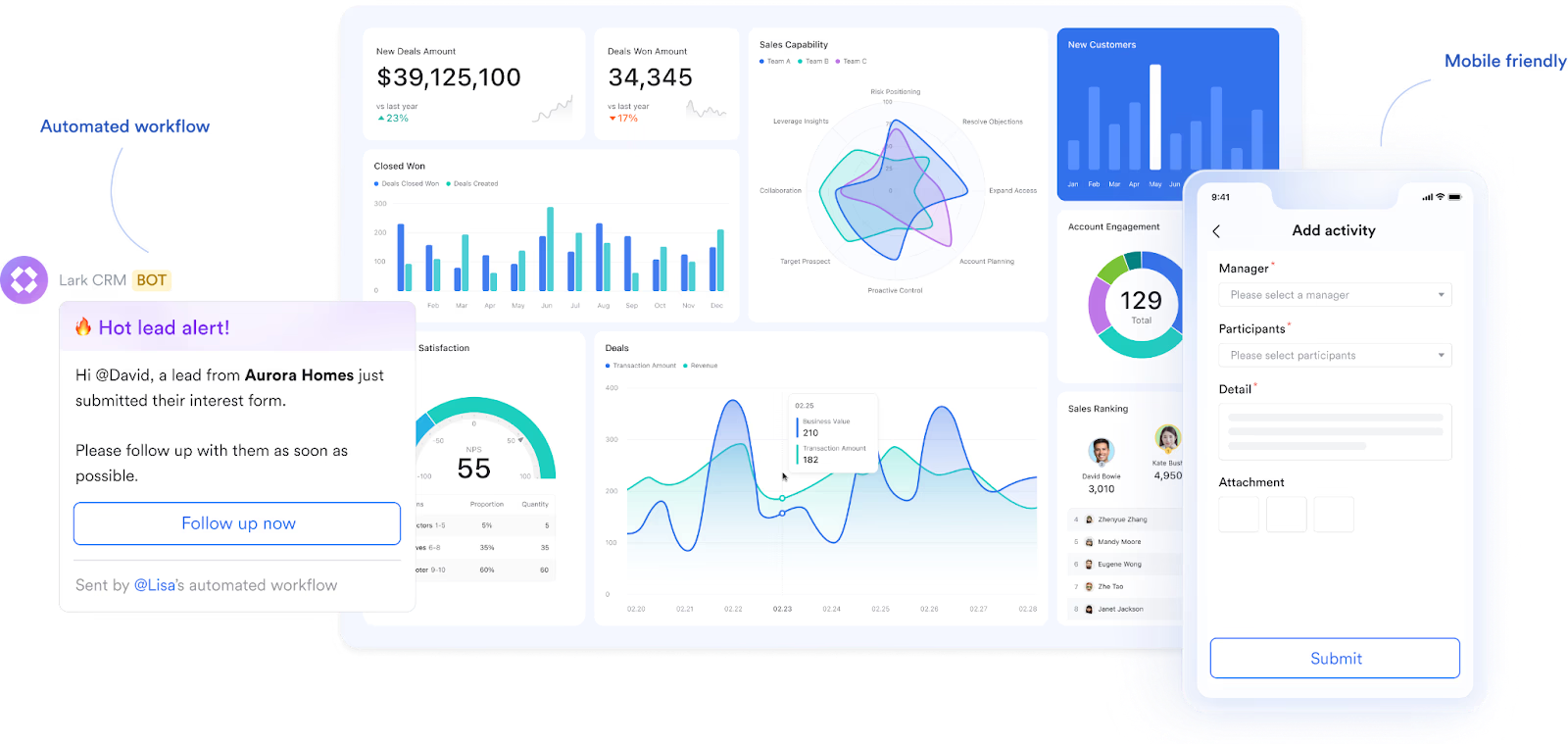
How it helps:
- Customizable workflows adapt to unique business processes.
- Real-time dashboards offer clear visibility into project performance and budgets.
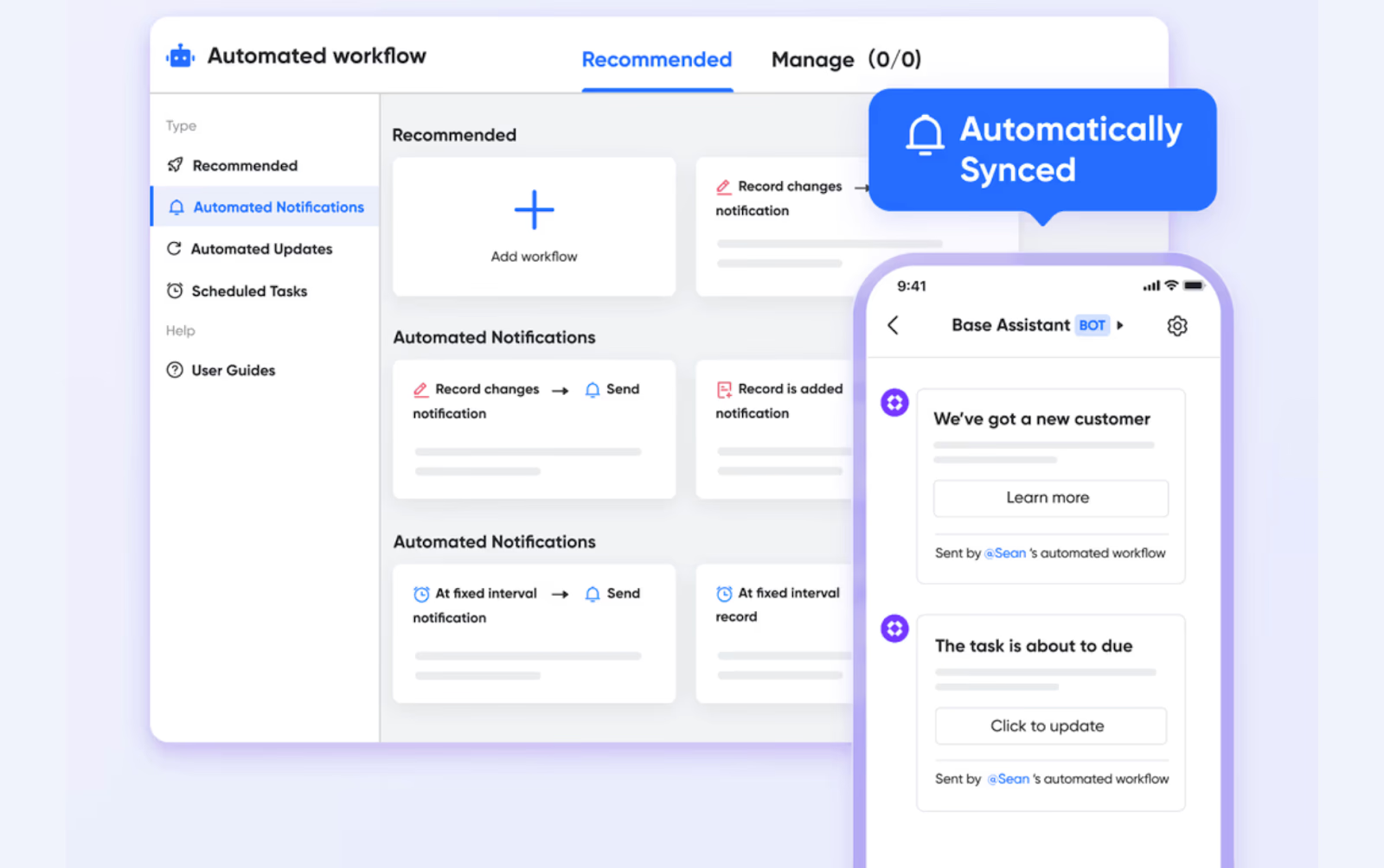
- Built-in automation powered by Lark AI handles repetitive administrative work—such as updating statuses, sending reminders, or creating linked records between projects and teams.
- Enables data flow between Lark Sheets, Tasks, and other Lark tools, keeping everything connected.
Example: A marketing startup creates a Base to manage campaign workflows—from "Planning" to "Client Approval." When a campaign status changes to "Approved," Lark AI automation instantly notifies the creative team in Messenger and schedules the launch date in Calendar.
Simultaneously, the campaign budget data from Lark Sheets syncs with the Base dashboard, giving the founder a real-time view of spending and progress—all without manual input.
In short: Lark Base acts as both a project command center and an automation powerhouse, helping entrepreneurs scale operations efficiently and focus on strategy instead of routine coordination.
Lark Approval standardizes how entrepreneurs and teams handle requests—whether for budgets, creative reviews, or resource allocation. It enables users to create custom templates and automate routing, ensuring approvals reach the right people promptly.
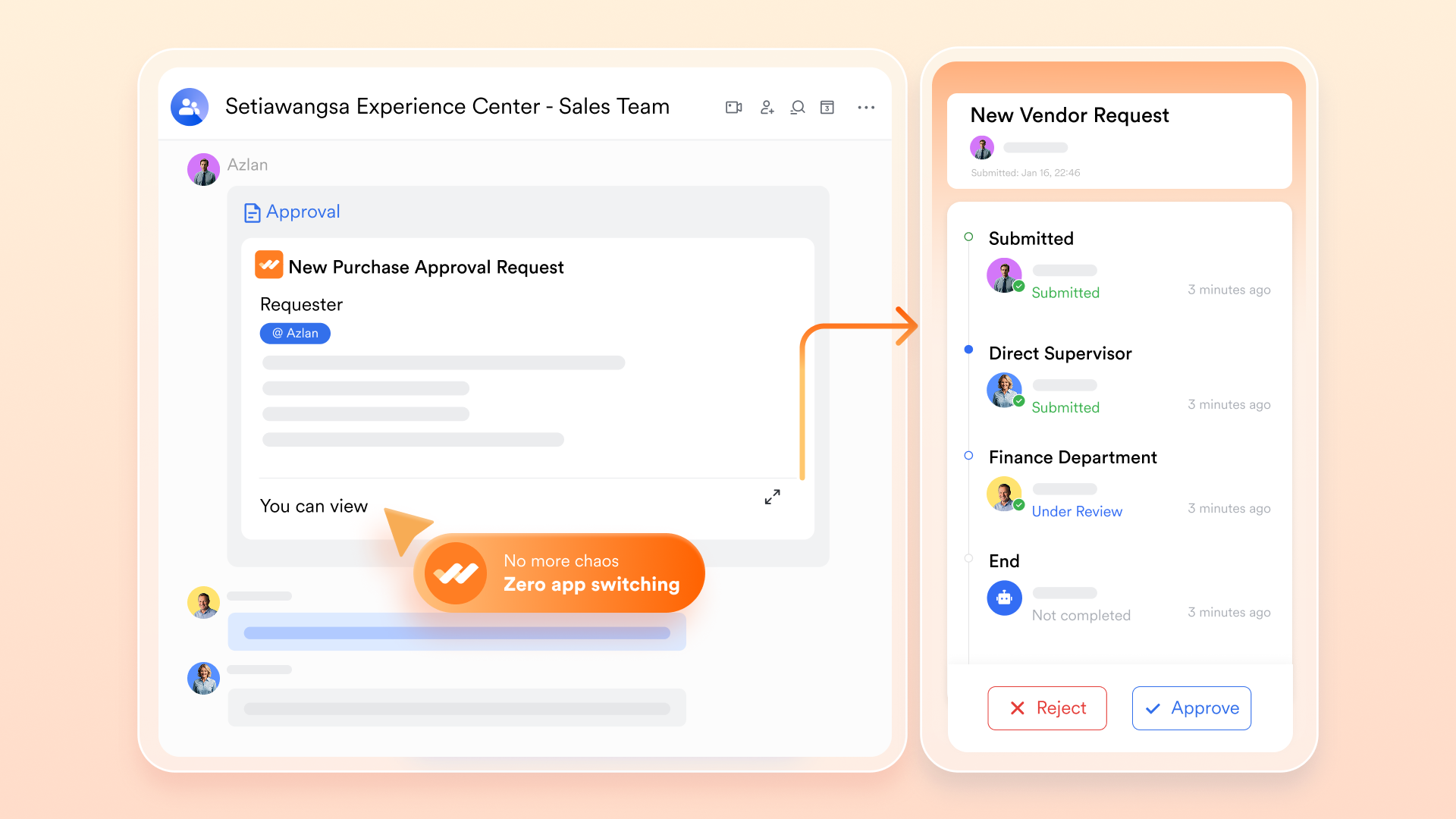
How it helps:
- Establishes clear, trackable approval workflows.
- Speeds up decision-making by routing requests automatically.
- Maintains an auditable record of every approval or rejection with timestamps.
Example: A startup founder submits a new vendor proposal via Lark Approval. The request automatically routes to finance and operations for review. Once approved, the requester receives a Messenger notification and the approval record is stored in Lark Base for future reference.
Lark Tasks helps teams convert ideas and discussions into actionable steps. Each task includes an owner, due date, and status, ensuring everyone knows what to do and when.
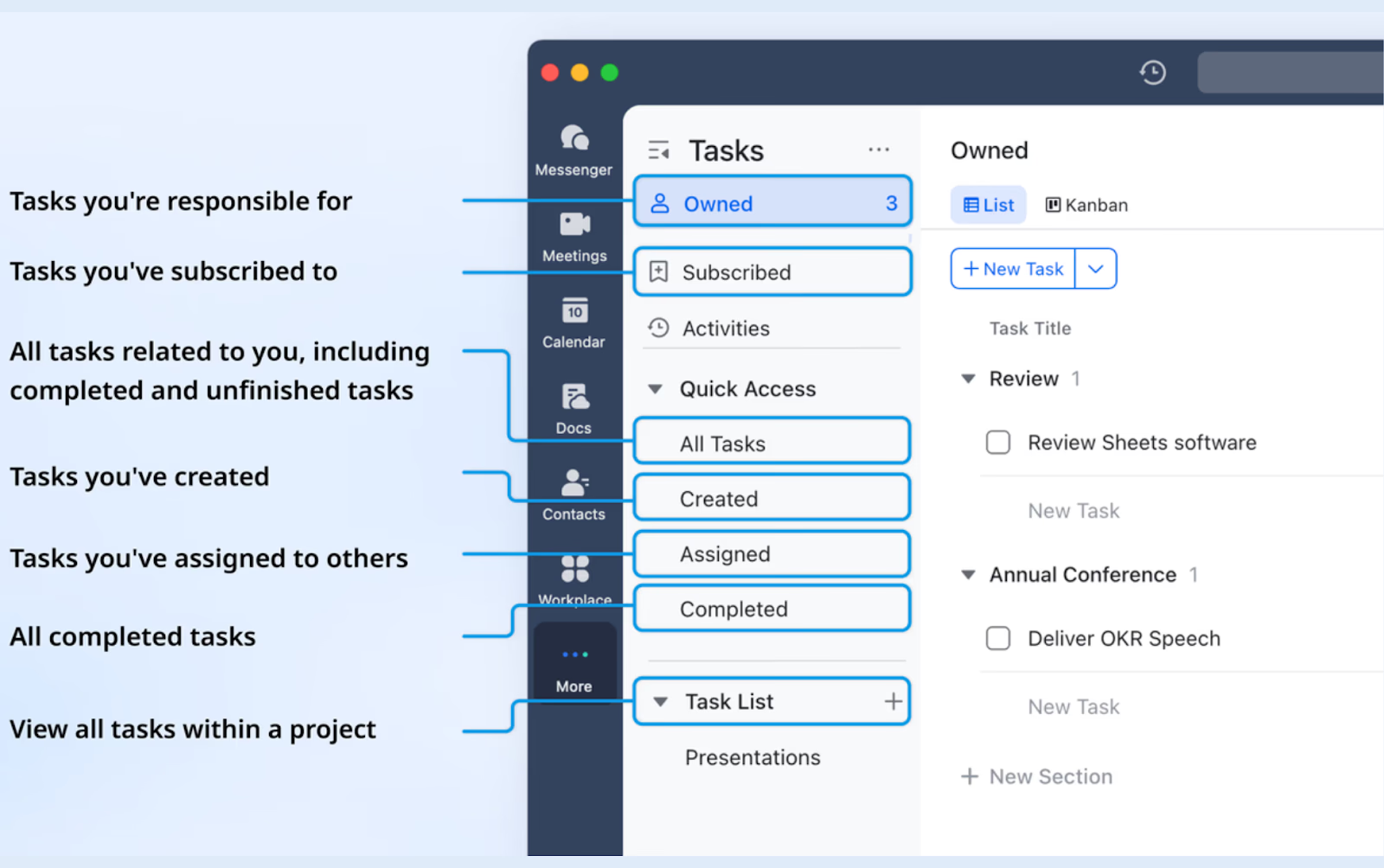
How it helps:
- Centralizes all tasks from chats, docs, or approvals into one dashboard.
- Supports multiple views—List, Kanban, or Calendar—for flexible work tracking.
- Sends automatic reminders before deadlines, keeping projects on schedule.
Example: When someone mentions "We need client feedback slides by Thursday" in chat, the founder converts that message into a task directly from Messenger. The task appears in both the assignee’s task list and the shared project dashboard, ensuring visibility and accountability.
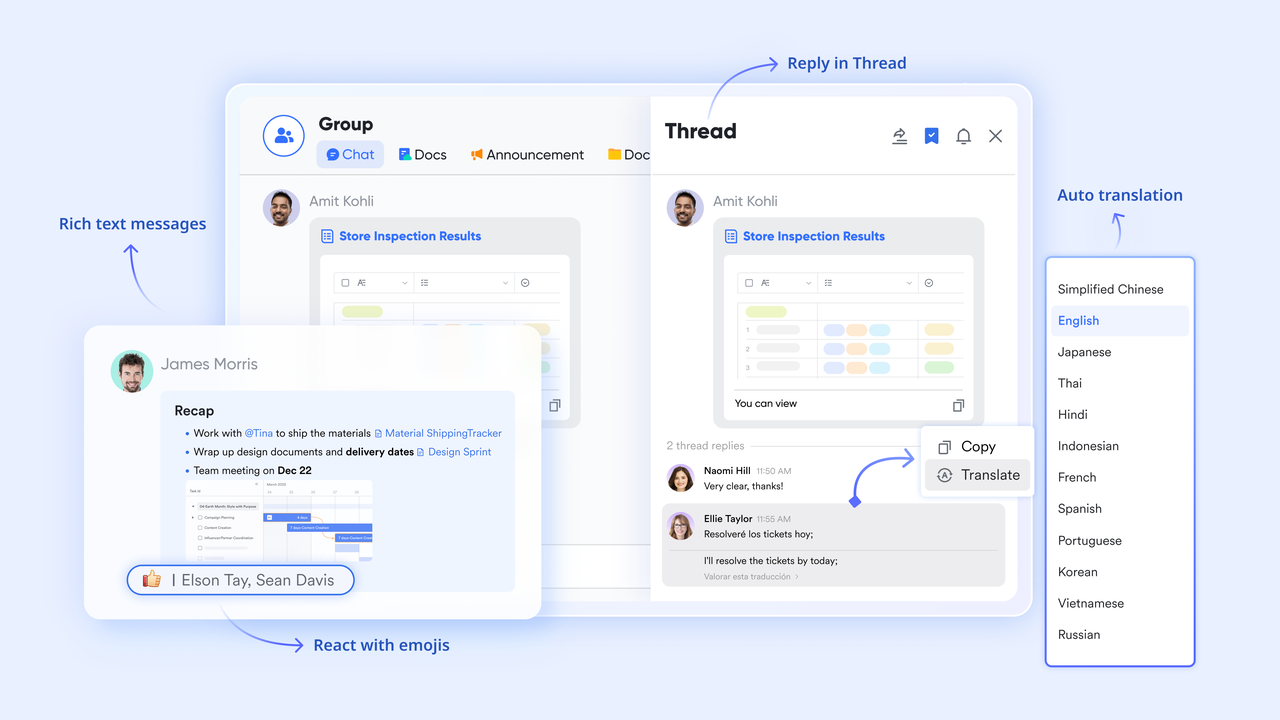
Lark Messenger provides real-time communication built directly into the project environment. Chats are context-aware and link directly to related docs, tasks, or meetings.
How it helps:
- Eliminates fragmented discussions across different apps.
- Enables direct action—turn messages into tasks or meeting invites instantly.
- Keeps teams aligned with channels for departments, topics, or clients.
Example:
During a brainstorming chat, a team member shares a design draft. The manager reacts with a "✅," adds a quick comment, and turns the thread into a feedback task. This fluid communication shortens approval cycles and speeds up delivery.
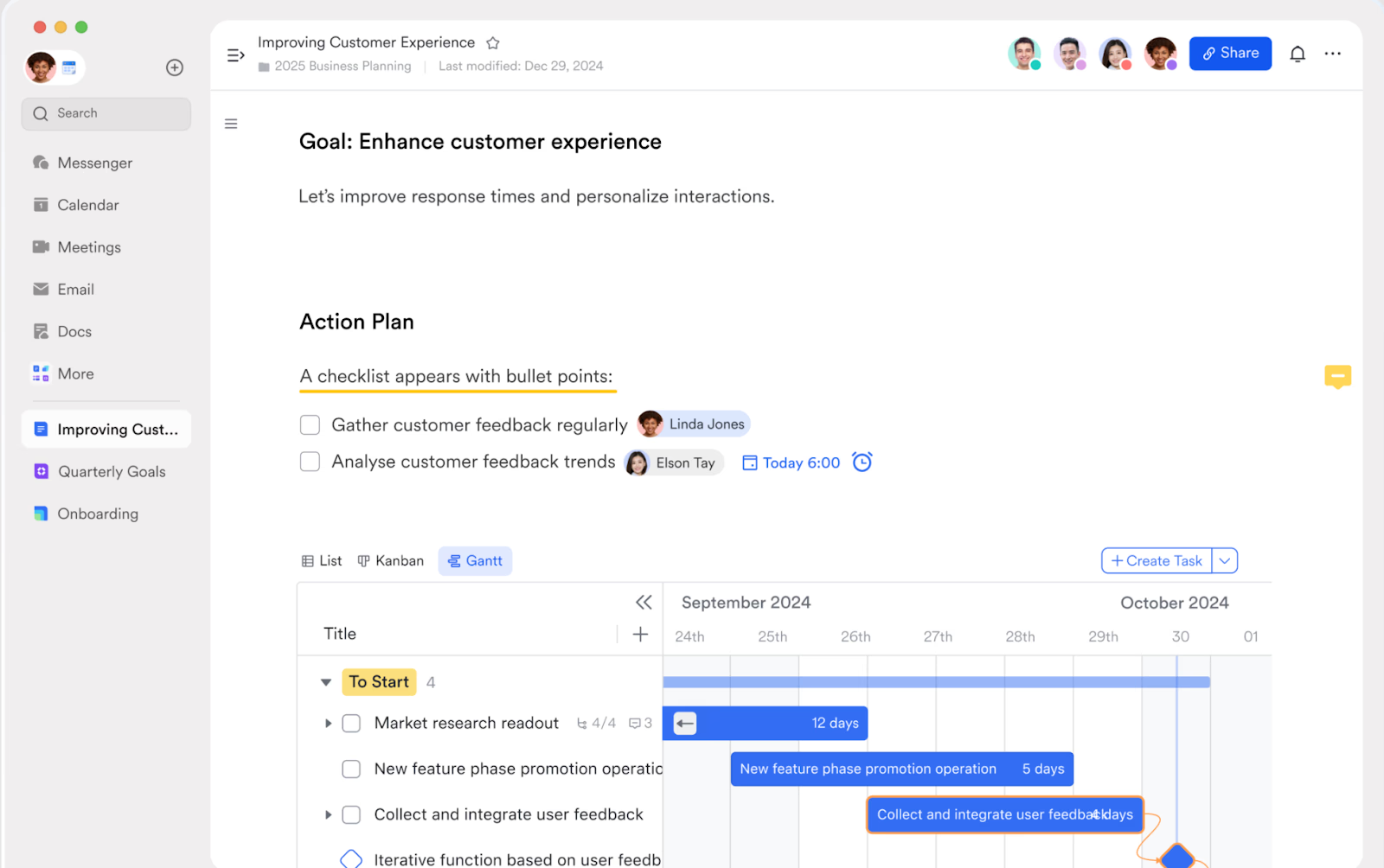
Lark Docs enables real-time co-authoring of business documents—such as proposals, product plans, meeting notes, and campaign briefs.
How it helps:
- Allows simultaneous editing and commenting without version confusion.
- Turns feedback into action items through @mentions and task linking.
- Centralizes documents for long-term reference and team learning.
Example: A founder and a marketing lead co-write a new investor presentation. The founder adds financial projections, while the marketing lead inserts visuals. Comments are added inline and converted into mini-tasks (e.g., "Update Q2 numbers"), which automatically appear in Lark Tasks for follow-up.
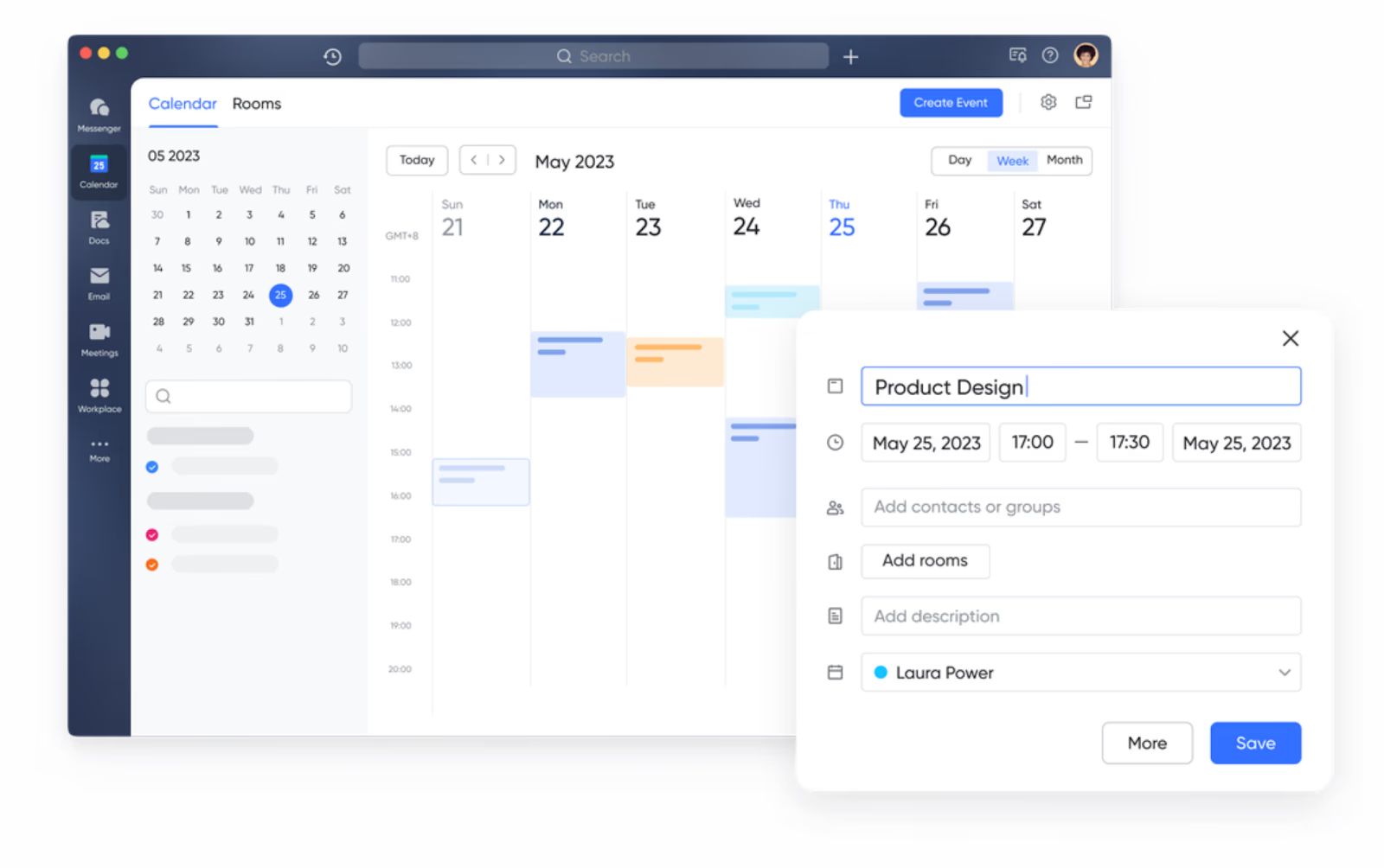
Lark Calendar keeps project timing organized. Teams can check public calendars to see availability, schedule meetings, and ensure key milestones stay visible to everyone.
How it helps:
- Consolidates all project-related events and task deadlines.
- Reduces scheduling conflicts by showing real-time availability.
- Links meetings to relevant tasks or documents for better context.
Example:
Before scheduling a client feedback meeting, the project manager checks the design and content teams’ availability through their public calendars. A meeting is booked instantly, and the event automatically attaches the creative brief doc and related tasks.
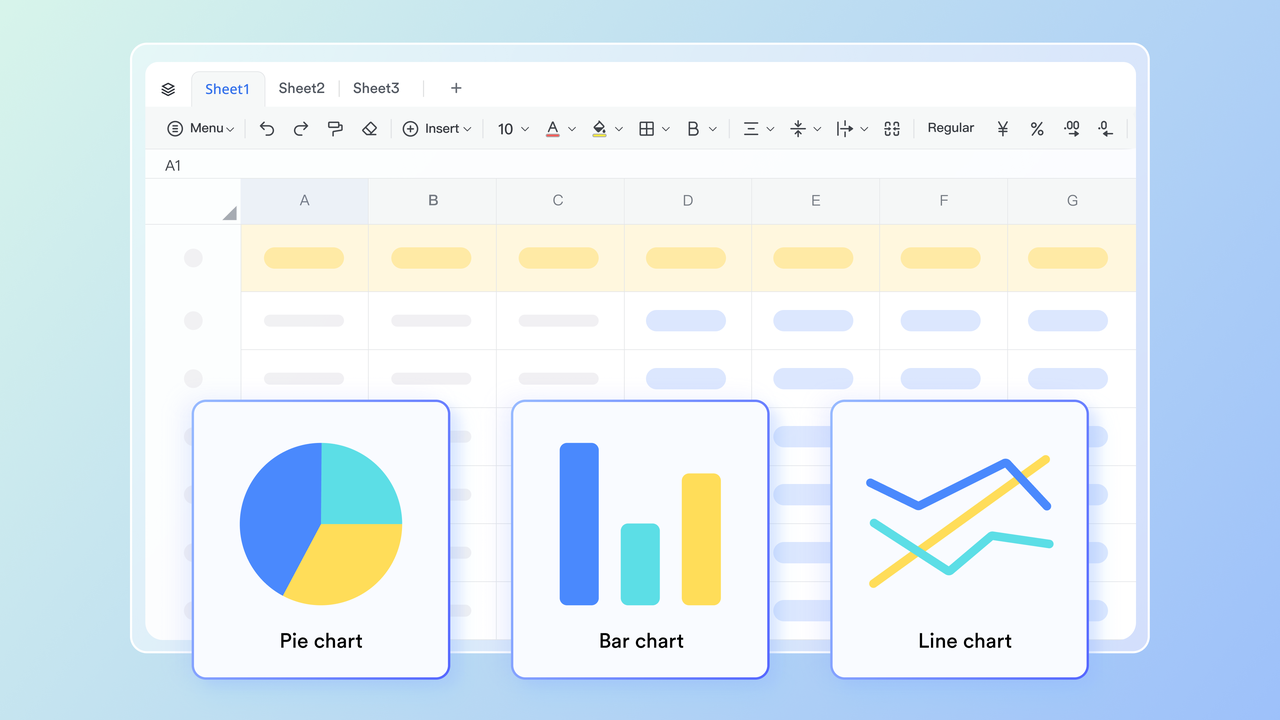
Lark Sheets functions as a collaborative data workspace. Entrepreneurs can record budgets, timelines, and KPIs, and then connect that data to Lark Base for live dashboards and reports.
How it helps:
- Simplifies project and financial tracking.
- Keeps teams aligned through real-time updates and shared access.
- Powers Base dashboards with live data for faster decision-making.
Example: A SaaS founder tracks monthly revenue and expenses in Lark Sheets. This data flows directly into Lark Base, where automated dashboards visualize profitability trends, helping leadership identify areas to cut costs or increase investment.
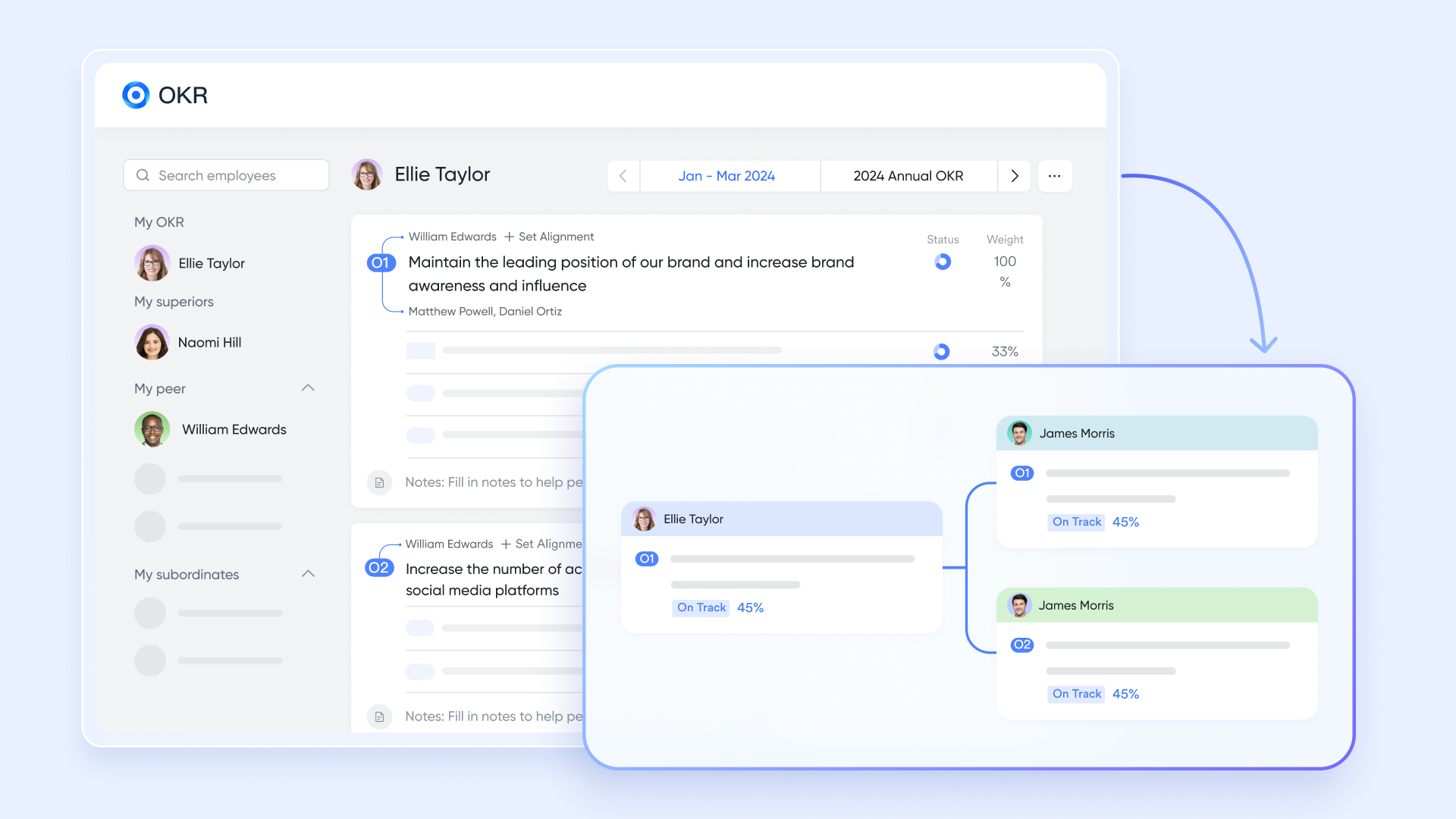
Lark OKR helps entrepreneurs and teams define, track, and visualize progress toward strategic objectives.
How it helps:
- Links company-wide objectives with department-level key results.
- Displays progress visually for transparent performance tracking.
- Encourages collaboration and review cycles through built-in feedback tools.
Example: A founder sets a company OKR: "Grow active user base by 40% this quarter."
The marketing, product, and sales teams each set corresponding key results. As progress updates in their respective tasks and bases, the OKR dashboard reflects real-time progress, ensuring alignment across teams.
Lark Meetings integrates video conferencing into the same workspace as your tasks, docs, and messages—keeping collaboration seamless.

How it helps:
- Launches meetings directly from chats or calendar invites.
- Allows real-time document sharing and note-taking during calls.
- Automatically links meeting summaries back to relevant projects.
Example: During a design review meeting, the creative director edits the brand guide in Lark Docs while sharing the screen. After the call, the updated doc and meeting recording are automatically shared in the project chat.
Pros:
- Combines project planning, communication, file sharing, approvals, and more into one integrated platform.
- Adapts to diverse workflows, from Agile sprints to timeline-driven initiatives.
- Reduces manual tasks through simple automations requiring no coding.
- Real-time syncing connects tasks, documents, calendars, and chats.
- Native AI transforms how projects start, progress, and conclude.
- Mobile apps enable tracking, collaboration, and updates on the go.
Cons:
- Due to its high customization capacity, new users may need time to learn all the features.
- Starter plan: Free forever plan that includes 11 powerful tools for up to 20 users. It also comes with 100GB of storage, 1000 automation runs, AI translations, and more.
- Pro plan: $12/user/month (billed annually) for up to 500 users. It includes everything in Starter plus group calling for up to 500 attendees, 15TB of storage, 50,000 automation runs, and more.
- Enterprise plan: Contact sales for custom pricing. Supports unlimited users and includes even more automation runs and advanced security, compliance, and management features.
2. Trello: Simple visual task boards
Trello is a highly versatile project management tool widely used by teams seeking a visual, organized approach to task tracking and workflow management. Its core structure revolves around boards, lists, and cards, providing a straightforward yet powerful way to visualize progress across various projects.
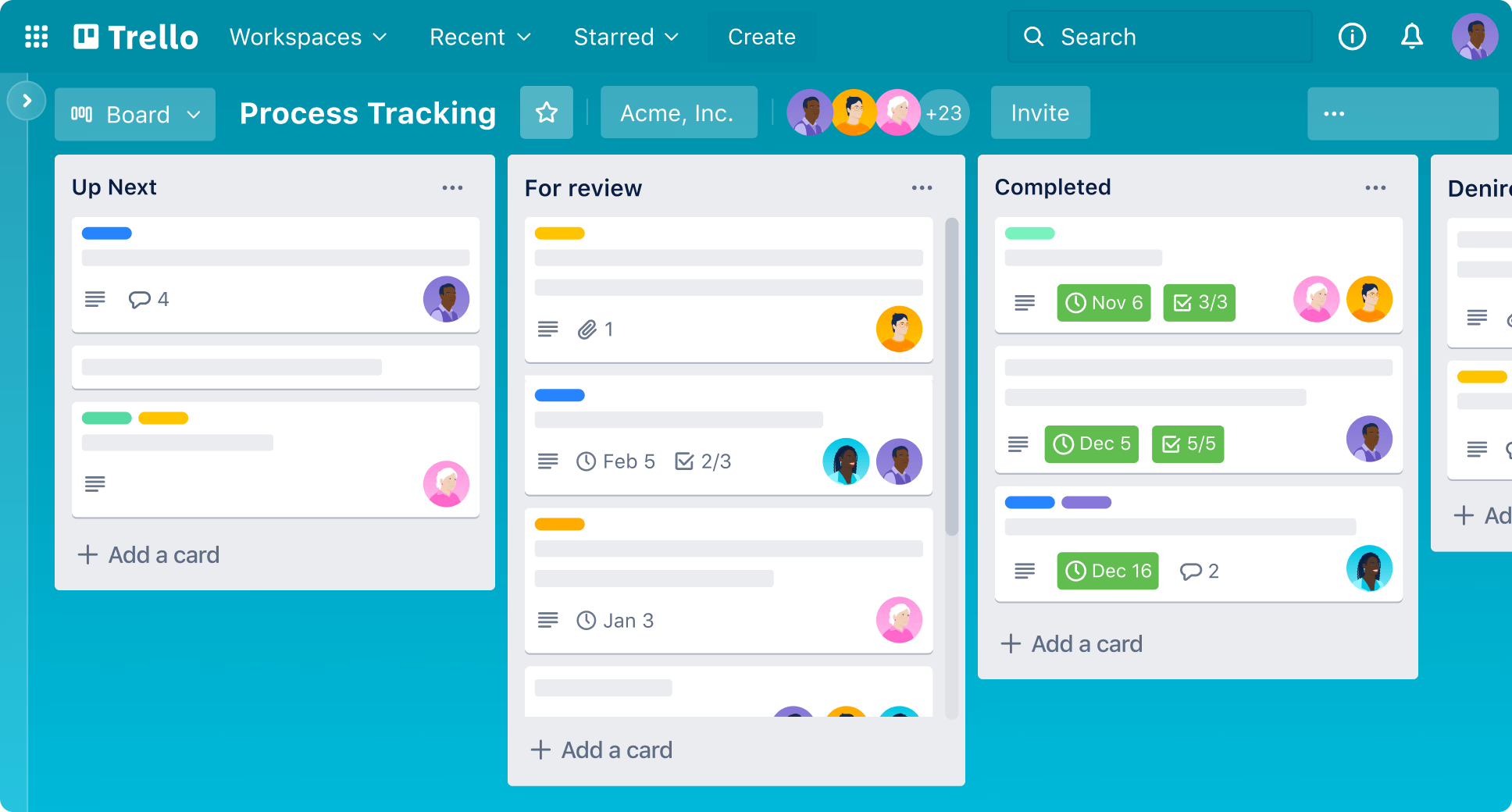
Image source: trello.com
Key features:
- Board organization: Create project-specific boards that act as a centralized workspace for all tasks and discussions.
- Task lists: Use lists to categorize tasks by status or phase, such as "To Do," "In Progress," and "Done," making workflows easy to follow.
- Cards: Each card represents a task with options to add descriptions, checklists, due dates, attachments, and assign team members.
- Power-ups: Enhance functionality through integrations like Slack, Google Drive, or Calendar, available on premium plans.
- Automation: Utilize Butler to automate repetitive actions like moving cards or sending reminders, improving efficiency without coding.
Pros:
- Intuitive drag-and-drop interface simplifies task management.
- Great for small to medium teams needing visual project tracking.
- Flexibility allows tailoring workflows to different project types.
- Cost-effective, with a free plan suitable for many use cases.
- Integrates with many third-party apps to extend functionalities.
Cons:
- Limited advanced reporting and analytics in the free version.
- Multiple views (like Gantt charts) require paid upgrades or integrations.
- Large, complex projects may become cluttered without additional tools.
Pricing:
- Free: Basic features including unlimited personal boards, cards, and checklists.
- Paid Plans: Starting at $10 per user/month for additional features like calendar view, enhanced automation, and integrations.
Trello remains a popular choice for project management for business, especially for small teams and startups, due to its simplicity, visual clarity, and affordability, making it effective for a wide range of entrepreneurial project management needs.
3. Asana: Powerful work tracking software
Asana is a comprehensive project management tool designed to help teams and entrepreneurs organize, track, and manage their work from start to finish. Its user-centric interface allows entrepreneurs to break down projects into manageable tasks and subtasks, assign roles, prioritize, and schedule deadlines. Asana supports various project views, including list, board (Kanban), calendar, and timeline (Gantt chart), enabling entrepreneurial project management with clear visibility and control over workflows.
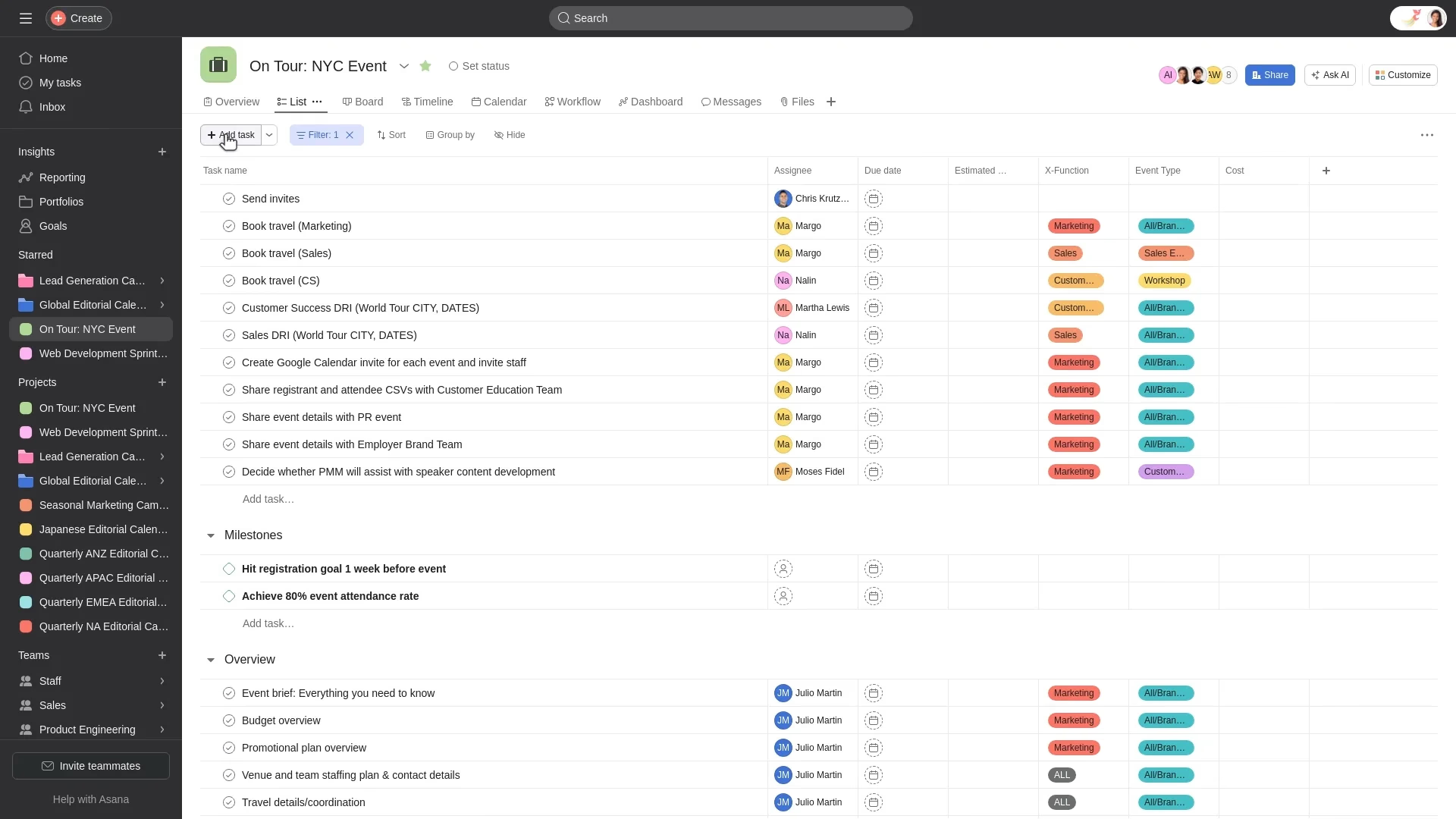
Image source: asana.com
Key features:
- Flexible project views: Lists, boards, calendars, and timelines help visualize tasks and dependencies.
- Task management: Create subtasks, assign team members, prioritize, set deadlines, and add details.
- Automation: Rules automate repetitive workflows like task movement, notifications, and status updates without coding.
- Collaboration: Team conversations, file sharing, comments, and project conversations all happen in one place.
- Reporting: Real-time dashboards, status updates, and portfolio views provide insight into project progress.
- Workload management: Balance team tasks and reschedule dynamically to avoid overloading.
- Integrations: Connects with popular tools like Slack, Google Drive, and Microsoft Teams for a seamless workflow.
Pros:
- Scales well from small teams to complex projects.
- Highly customizable workflows tailored to entrepreneurial project management needs.
- AI features speed decision-making and reduces routine tasks.
- Strong reporting and team workload management aid resource allocation.
- Multiple project views support different work styles and transparency.
Cons:
- Advanced features and automation require paid plans.
- The Timeline (Gantt) view has limited dependency management compared to specialized tools.
- Learning curve for new users due to the broad feature sets.
Pricing:
- Basic: Free plan with essential features for individuals and small teams.
- Premium: $13.49/user/month (billed annually) adds timeline, dashboards, advanced search, and unlimited guests.
- Business: $30.49/user/month adds workload management, portfolios, and advanced integrations.
- Enterprise: Custom pricing with enhanced security, compliance, and advanced capabilities.
Asana is a popular solution for project management for business and entrepreneurs, enabling teams to collaborate effectively, automate routine work, track progress, and align projects with strategic goals efficiently.
4. ClickUp: All-in-one work management
ClickUp is a powerful and versatile project management tool designed to cater to teams of all sizes and industries. It combines task management, collaboration, resource allocation, and automation within a single platform, making it highly suitable for entrepreneurial project management and complex business projects. ClickUp's customizability and breadth of features allow entrepreneurs to tailor workflows that enhance efficiency and visibility across all project phases.
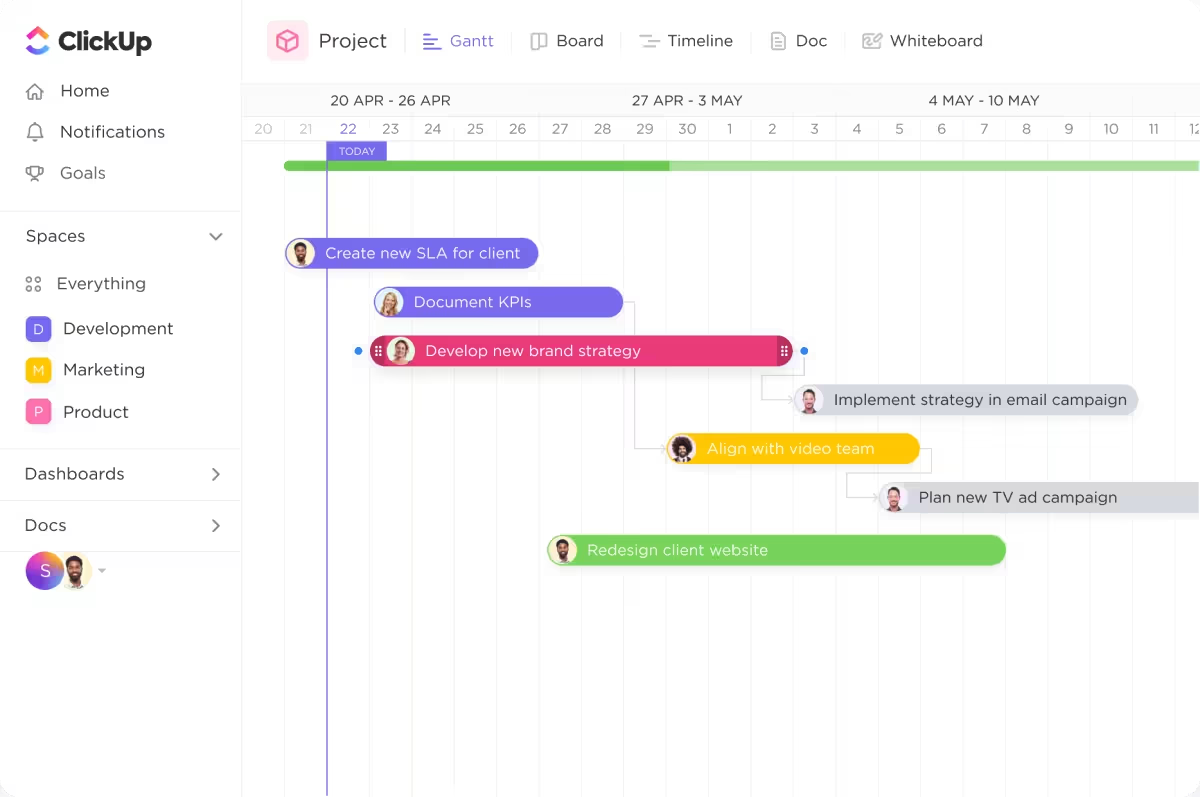
Image source: clickup.com
Key features:
- Customizable task management: Create tasks and subtasks with due dates, priorities, assignees, and custom fields.
- Multiple views: Access project data through List, Board (Kanban), Gantt, Timeline, and Calendar views, adaptable to different management styles.
- Automation & AI: Automate repetitive tasks, updates, and reminders; ClickUp Brain AI generates summaries, suggests priorities, and flags potential delays.
- Real-time collaboration: In-app messaging, document sharing, whiteboards, and mind maps facilitate brainstorming and communication.
- Dashboards & reporting: Build customizable dashboards with widgets for workload, progress, timelines, and budget tracking to monitor project health.
- Resource & time management: Track team capacity, billable hours, and budgets to optimize project delivery.
- Integrations: Over 1,000 integrations connect ClickUp with your existing tools for seamless workflow integration.
Pros:
- Highly customizable to fit unique entrepreneurial project management needs.
- Combines task tracking, collaboration, and resource management in one platform.
- Robust automation and AI reduce manual work and enhance efficiency.
- Comprehensive dashboards help monitor project progress and team capacity.
- Scales well for small startups to large enterprises.
Cons:
- Feature-rich interfaces can be overwhelming for new users initially.
- Some advanced functionalities require higher-tier subscriptions.
Pricing:
- Free: Offers core features suitable for individuals and basic teams.
- Unlimited: $7/user/month, unlocked unlimited storage, integrations, and dashboards.
- Business: $12/user/month with advanced automations, goals, and custom exporting.
- Business plus: $19/user/month, adds workload management and advanced reporting.
- Enterprise: Custom pricing with enhanced security and support.
ClickUp stands out as a comprehensive solution for project management for business, enabling entrepreneurs and teams to stay organized, automate workflows, and deliver projects on time with high visibility and control.
5. Monday: Visual project tracking & resource management
Monday.com is a robust and flexible project management tool designed to help entrepreneurs and teams plan, track, and deliver projects efficiently. With its highly customizable boards and versatile views, Monday.com supports various work styles and project complexities, making it ideal for entrepreneurial project management and business projects of all sizes.
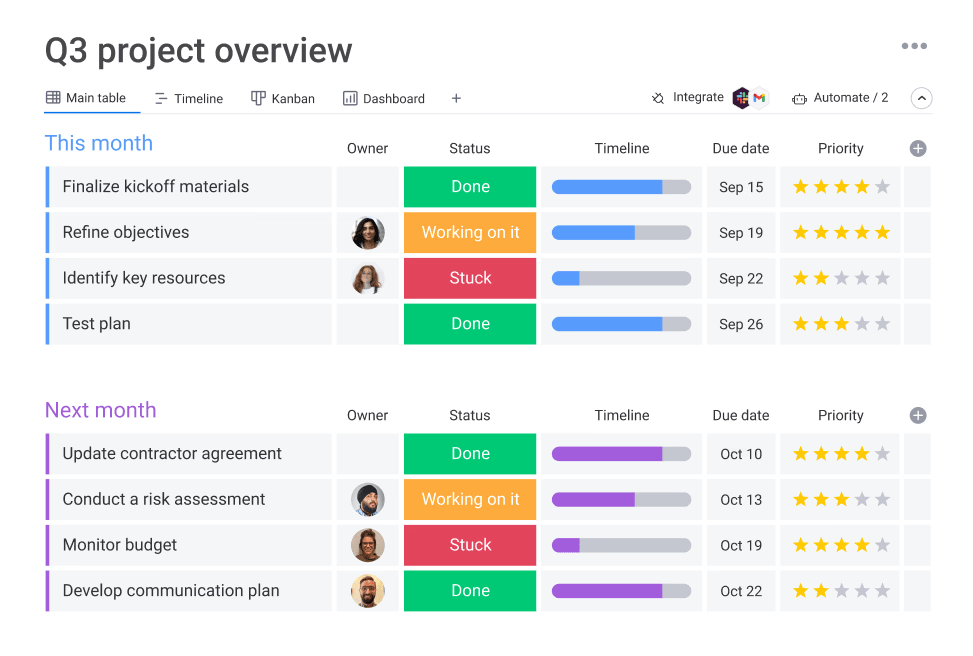
Image source: monday.com
Key features:
- Boards: Central hub to organize tasks and group them by phases or categories.
- Multiple views: Includes Gantt charts, Kanban boards, calendars, timelines, and workload views for comprehensive project visualization.
- Task management: Create, assign, prioritize, set due dates, add dependencies, and attach files to tasks.
- Automations: Automate repetitive tasks, reminders, notifications, and status updates with no coding required.
- Dashboards: Customizable dashboards give real-time insights into project progress, team workload, and key metrics.
- Resource management: Track team availability and capacity to optimize resource allocation.
- Collaboration: Comment threads, notifications, and file sharing keep communication centralized.
Pros:
- Highly visual and user-friendly interface.
- Flexible to support different methodologies and team preferences.
- Strong automation capabilities reduce manual follow-ups.
- Powerful reporting and dashboard features for actionable insights.
- Scales well from startups to enterprises.
Cons:
- Initial learning curve due to feature richness.
- Some advanced features are locked behind higher-tier plans.
Pricing:
- Individual: Free plan for up to 2 users with basic features.
- Basic: $10/user/month (billed annually), includes unlimited viewers and dashboards.
- Standard: $12/user/month, adds timeline, calendar, integrations, and automations.
- Pro: $20/user/month, offers advanced analytics, time tracking, and dependencies.
- Enterprise: Custom pricing with advanced security and personalized support.
Monday.com is a strong choice for project management for business, empowering entrepreneurs with project management tools to streamline workflows, enhance team collaboration, and achieve project success efficiently.
6. Zoho Projects: Smart project automation
Zoho Projects is a cloud-based project management tool designed to help startups and businesses plan, track, and collaborate effectively on projects. It offers a comprehensive suite of features tailored for entrepreneurial project management, including task organization, automation, and real-time communication, addressing the needs of teams managing complex workflows.
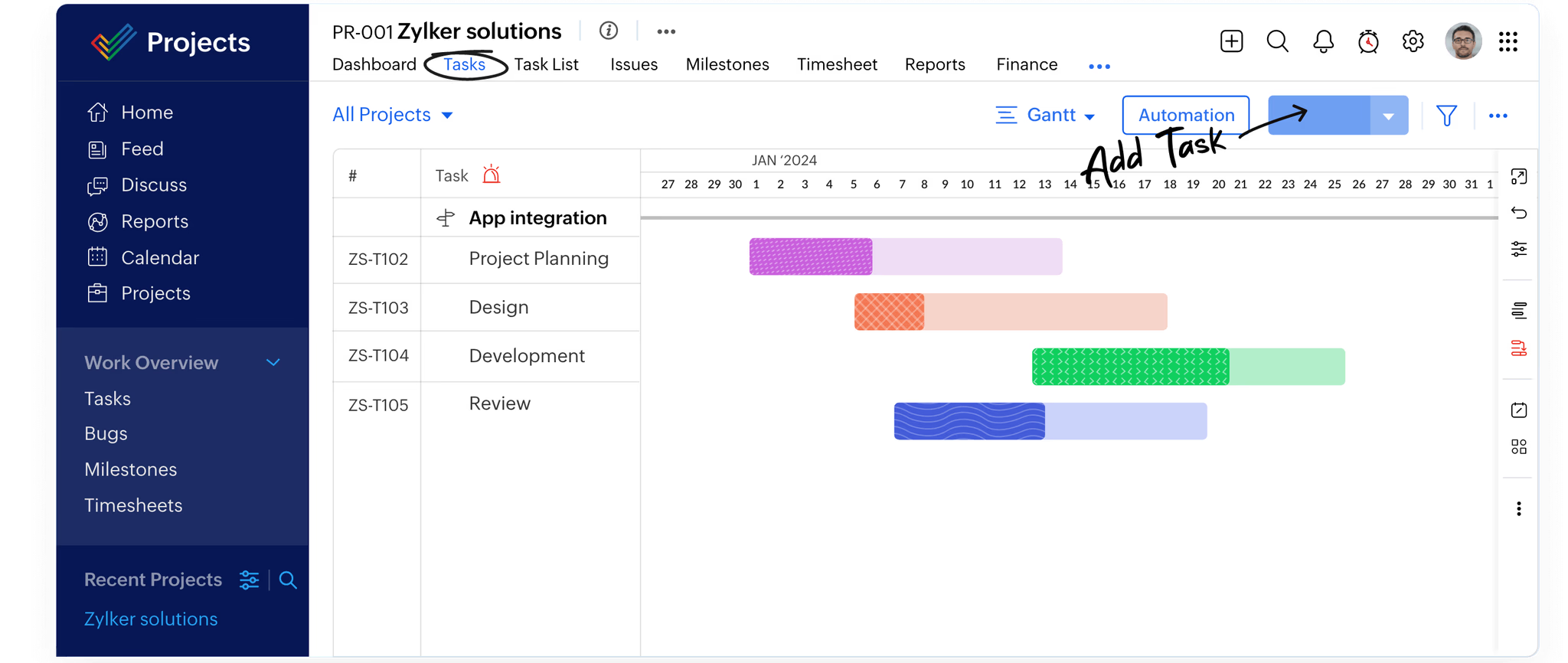
Image source: zoho.com
Key features:
- Task management: Create and organize tasks across list, Kanban, and Gantt views, with support for dependencies and recurring tasks.
- Automation: Automate workflows with customizable rules for task assignments, notifications, and deadlines.
- Collaboration: Integrated chat, document sharing, and activity feeds enhance team communication.
- Analytics & reporting: AI-powered insights through Zia assist in risk prediction, progress tracking, and performance reports.
- Resource management: Track workloads and manage timelines to optimize resource allocation.
- Integration: Connects seamlessly with Zoho ecosystem apps like CRM, Books, and Desk, plus third-party tools.
- Time tracking & billing: Log working hours, manage timesheets, and integrate with invoice and expense tools.
Pros:
- Affordable with solid features for SMBs and startups.
- AI-enabled insights aid proactive project management.
- Supports hybrid methodologies combining Agile and Waterfall.
- Extensive automation options reduce manual tasks.
- Strong integration within Zoho's business suite.
Cons:
- Some advanced features have a learning curve for new users.
- The user interface is less modern compared to some competitors.
- Certain integrations and analytics require higher-tier plans.
Pricing:
- Free: Basic task and project management for small teams.
- Premium: $5/user/month with automation, dependencies, and advanced features.
- Enterprise: $10/user/month with AI, analytics, multi-level approval, and customization.
Zoho Projects efficiently supports project management for business with an emphasis on automation, collaboration, and data-driven decision-making, making it a competitive choice for entrepreneurs scaling their ventures.
7. Microsoft Planner: Advanced scheduling & resource planning
Microsoft Planner is a powerful and widely used project management tool favored by enterprises and entrepreneurs managing complex projects with detailed planning and resource allocation needs. It offers extensive features for project scheduling, tracking, and collaboration, making it ideal for entrepreneurial project management where precision and scalability are crucial.
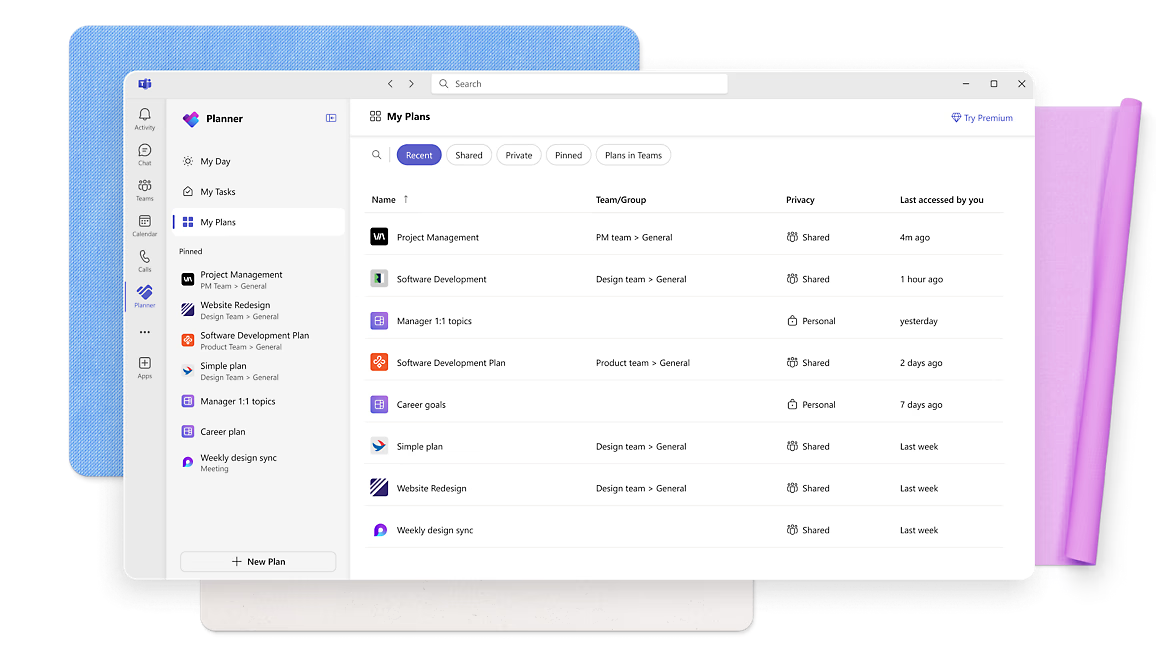
Image source: microsoft.com
Key features:
- Project planning & scheduling: Advanced Gantt charts, task dependencies, milestones, and multiple timelines allow detailed visualization and planning with automatic schedule adjustments.
- Resource management: Assign, track, and optimize resources with capabilities like leveling to avoid overallocations and budget tracking.
- Collaboration tools: Seamless integration with Microsoft Teams supports real-time communication, file sharing, and coauthoring via SharePoint and OneDrive.
- Reporting & analytics: Pre-built and customizable reports track progress, costs, and resource usage; dashboards display actionable insights.
- Roadmap & portfolio: Track multiple projects through Roadmap for high-level visibility and portfolio management.
- Timesheets: Manage project and non-project work hours for accurate reporting and payroll.
Pros:
- Robust planning and scheduling tools for complex projects.
- Deep integration with Microsoft 365 ecosystem fosters seamless collaboration.
- Powerful resource and budget management features.
- Extensive reporting and customizable tracking dashboards.
- Supports both small teams and large-scale enterprise projects.
Cons:
- Higher cost compared to simpler tools with one-time or subscription pricing.
- Steeper learning curve, especially for beginners and small businesses.
- Collaboration features require integration with other Microsoft products.
Pricing:
- Standard: $679.99 one-time license per PC.
- Professional: $1,129.99 one-time license per PC with advanced features like portfolio management and coauthoring.
Microsoft Project remains the go-to solution for businesses needing detailed project management for business with strong planning, resource management, and integration capabilities essential for entrepreneurial project management success.
8. ProProfs Project: Easy project management
ProProfs Project is a user-friendly and affordable project management tool designed to help entrepreneurs and teams organize tasks, track progress, and collaborate efficiently. It offers essential features suited for entrepreneurial project management and business projects of varying sizes.
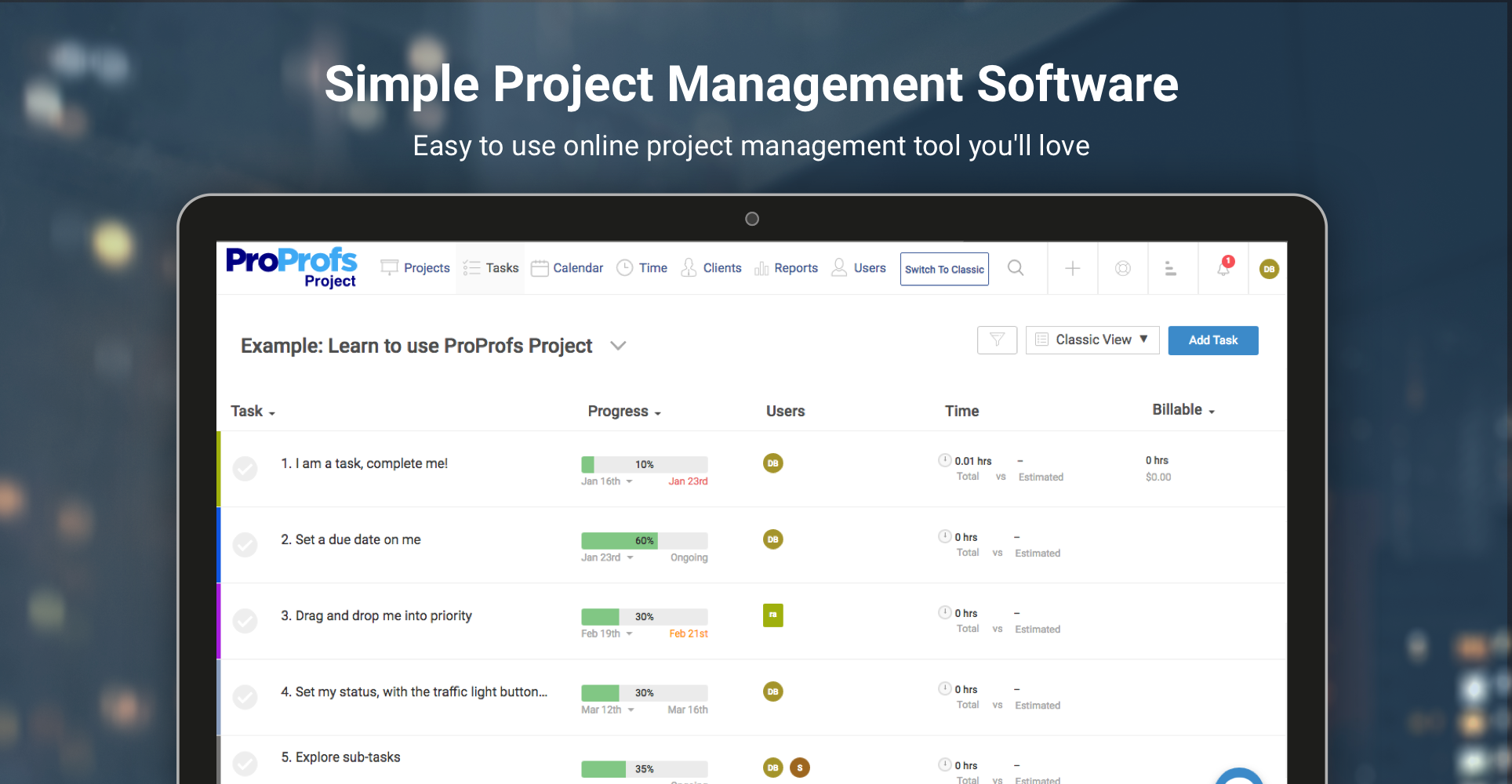
Image source: proprofsproject.com
Key features:
- Task management: Organize tasks and subtasks with priorities and deadlines.
- Visual project tracking: Use Gantt charts and Kanban boards for clear progress visualization.
- Time & expense tracking: Track time spent on tasks and manage project expenses and billing.
- Collaboration tools: Share files, chat in real time, and comment on tasks.
- Custom workflows: Tailor workflows and use project templates for consistency.
- Resource management: Monitor budgets and allocate resources efficiently.
Pros:
- Intuitive and simple interface ideal for beginners.
- Cost-effective with a freemium plan available for small teams.
- Comprehensive set of features, including invoicing and time tracking.
- Strong customer support via chat, phone, and email.
- Suitable for freelancers, SMBs, and startups.
Cons:
- Limited advanced features compared to enterprise-grade tools.
- Some users find the UI less modern.
- Scalability can be a concern for very large projects.
Pricing:
- Free: Up to 3 users with access to key features.
- Business: $39.97/month for unlimited users, projects, and advanced capabilities.
ProProfs Project is an efficient option for startups and small businesses seeking streamlined project management for business, offering a balance of functionality and affordability.
9. Jira: Agile project tracking
Jira is a leading project management tool tailored especially for agile software development but versatile enough for entrepreneurial project management across industries. It excels at tracking tasks, managing workflows, and enhancing team collaboration with robust customization options.
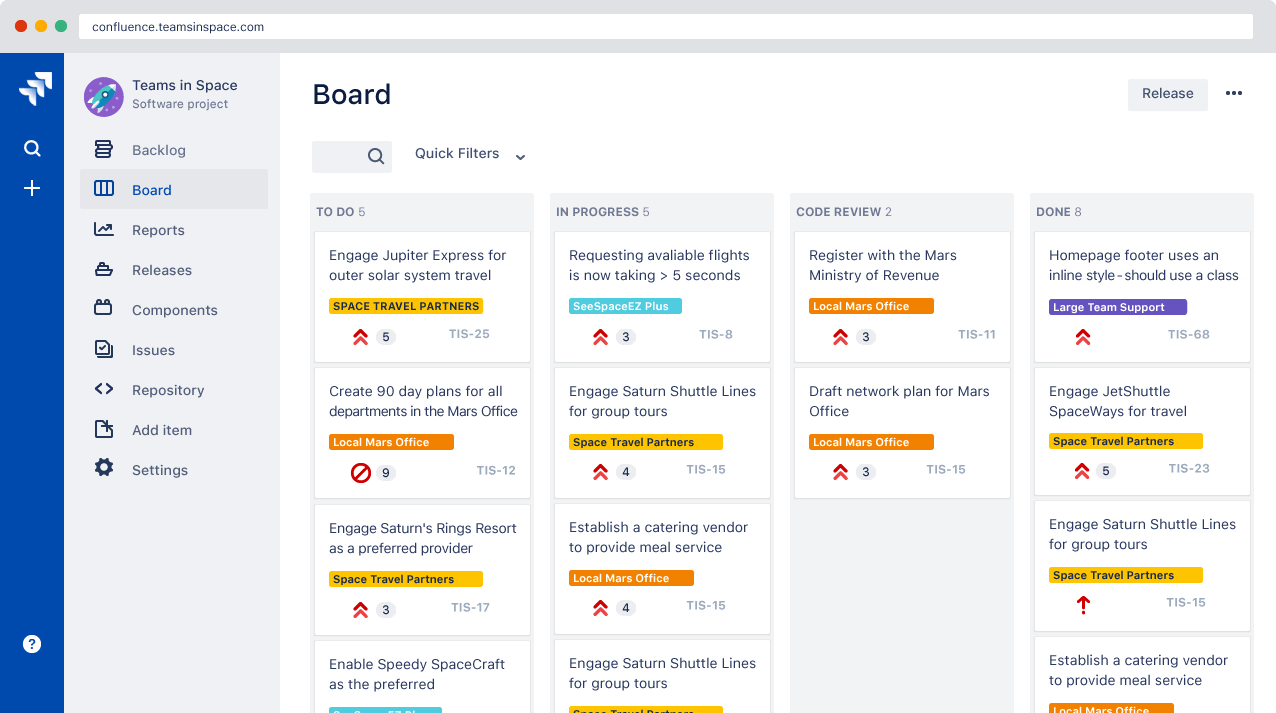
Image source: atlassian.com
Key features:
- Agile boards: Scrum and Kanban boards for sprint planning and task visualization.
- Backlog management: Organize and prioritize your project backlog effectively.
- Timeline view: Plan projects with timelines and track dependencies.
- Custom workflows: Adapt workflows to fit various project methodologies.
- Reporting tools: Real-time reports and burndown charts for progress insights.
- Extensive integrations: Connect with over 3,000 apps for enhanced functionality.
- Automation: Automate repetitive tasks and notifications to save time.
Pros:
- Strong support for Agile and Scrum frameworks.
- Highly customizable to fit unique project needs.
- Comprehensive reporting and insight tools.
- Scalable from small teams to large enterprises.
- Large ecosystem of integrations and extensions.
Cons:
- Steeper learning curve for new users.
- May be complex for non-technical or very small teams.
- Agile-focused features can be overwhelming without proper setup.
Pricing:
- Standard: $8.60/user/month with essential agile tools.
- Premium: $17.50/user/month includes advanced permissions, analytics, and automation.
- Enterprise: Custom pricing with enhanced security and support.
Jira is ideal for entrepreneurs and businesses needing flexible, powerful tools to manage complex projects and foster collaboration within agile and hybrid project environments.
How to choose the right tool for your business
Choosing the right project management tool for your business begins with assessing your project's complexity and team size. Larger teams and more complex projects often require advanced features like resource management and detailed reporting, while smaller teams might prioritize ease of use and simplicity. Balancing essential features with your budget is critical to avoiding overspending on unnecessary functionalities or missing out on needed tools.
- Identify your project complexity and team size: Choose a tool that can handle your project's scope and the number of team members involved.
- Balance features with budget: Prioritize essential features like task management and integrations, while ensuring the tool fits within your financial plan.
- Ensure ease of use: Select software that team members can adopt quickly, minimizing training time and encouraging consistent usage.
- Integration capabilities: Ensure the tool connects seamlessly with your existing systems, such as CRM, communication, or file-sharing platforms.
- Scalability: Pick software that can grow with your business, accommodating future projects and increased team size effortlessly.
Conclusion
Successful project management depends on clear communication, efficient workflows, and a commitment to continuous improvement. Establishing structured communication keeps teams aligned, while automating recurring tasks saves valuable time and reduces errors. Regularly reviewing progress metrics helps identify challenges early and maintain steady momentum.
With Lark, entrepreneurs can put these best practices into action effortlessly. Its connected workspace combines Lark Base for workflow management, Lark Tasks for accountability, and Lark Approval for fast decision-making—all supported by real-time collaboration in Lark Messenger and Lark Docs. By managing everything in one platform, teams stay organized, informed, and focused on delivering results that drive sustainable business growth.
FAQs
How can project management improve entrepreneurial decision-making?
Effective project management provides entrepreneurs with a structured framework for evaluating options, managing risks, and allocating resources efficiently. By offering clear goals, performance data, and real-time insights, it enables more informed, timely decisions to keep projects aligned with business objectives and adapt quickly to changes. This strategic decision-making helps maximize productivity and minimize costly errors.
What tools work best for managing remote or distributed startup teams?
Tools that offer integrated communication, real-time collaboration, and cloud-based access, such as Lark, ClickUp, and Monday.com, are ideal for remote teams. These platforms enable seamless task tracking, file sharing, video meetings, and calendar syncing, ensuring all team members stay connected regardless of location.
How does project management help startups manage risks?
Entrepreneurial project management involves early identification of potential risks, continuous monitoring of project health, and proactive mitigation strategies. Structured feedback loops and data-driven reporting help entrepreneurs address issues before they escalate, safeguarding project timelines and budgets.
What are effective ways to onboard teams to new project management tools?
Successful onboarding includes tailored training sessions, creating easy-to-use templates, encouraging user feedback, and gradually introducing advanced features. This approach increases adoption, reduces resistance, and enhances team productivity from the start.
How to measure project success beyond timelines and budgets?
Project success should also be evaluated based on client satisfaction, quality of deliverables, team collaboration, and alignment with strategic business goals. These qualitative measures ensure projects bring real value and support long-term growth.
Related reading
Table of contents
Start using Lark today

Manage all your work in one place
Boost team efficiency by 10x
Save up to 70% on software costs
Table of contents
Start using Lark today
Manage all your work in one place
Boost team efficiency by 10x
Save up to 70% on software costs
Keep reading








2026 Lark Technologies Pte. Ltd.
Headquartered in Singapore with offices worldwide.






Explore: