Risk is unavoidable in projects, whether teams are delivering software, rolling out infrastructure, expanding operations, or managing change. Uncertainty around timelines, costs, resources, and dependencies often determines whether a project succeeds or fails. Teams that manage risks early tend to respond faster, make better decisions, and avoid last-minute escalations.
A risk register provides a structured way to capture and monitor uncertainty throughout a project lifecycle. Many teams start with simple documents or spreadsheets before realizing how difficult it becomes to keep risks updated and visible across stakeholders. Modern tools now allow teams to manage risks collaboratively without adding unnecessary overhead. This guide explains how risk registers work, how to create one properly, and how teams apply them across industries.
What is a risk register
A risk register is a centralized record used to identify, analyze, and track potential risks that may impact a project or business initiative. The register serves as a living reference that evolves alongside the project. From a practical perspective, the risk register definition includes details such as risk description, likelihood, impact, ownership, and mitigation plans. In risk register , this information helps teams prioritize threats and allocate resources effectively. A well-maintained project management risk register improves transparency and supports informed decision-making at every stage of delivery.
What are the 4 types of risk
Understanding risk categories helps teams organize entries within a project risk register and avoid overlooking critical exposure areas. Most risks fall into four broad groups.
- Strategic risks: Strategic risks affect long-term goals, market positioning, or organizational direction. These risks include competitive pressure, regulatory changes, or flawed business assumptions. Strategic risks often have a high impact and require leadership attention. Documenting them early ensures alignment between mitigation actions and business objectives.
- Operational risks: Operational risks arise from internal processes, people, and systems. Examples include skill shortages, process breakdowns, or vendor dependency issues. These risks appear frequently in risk register examples across industries. Regular tracking allows teams to stabilize delivery and reduce operational disruption.
- Financial risks: Financial risks relate to budgets, cash flow, and cost predictability. Scope changes, delayed approvals, or inaccurate estimates can introduce significant exposure. Including financial risks in a project management risk register helps teams adjust plans before cost overruns escalate.
- Compliance and security risks: involve legal obligations, regulatory exposure, and data protection concerns. A risk register cybersecurity section is commonly used to track vulnerabilities, access control risks, and compliance gaps across systems and processes. Clear and consistent documentation supports audits and regulatory reviews. It also helps teams design and maintain effective preventive and corrective controls.
Create, track, and manage risks in action
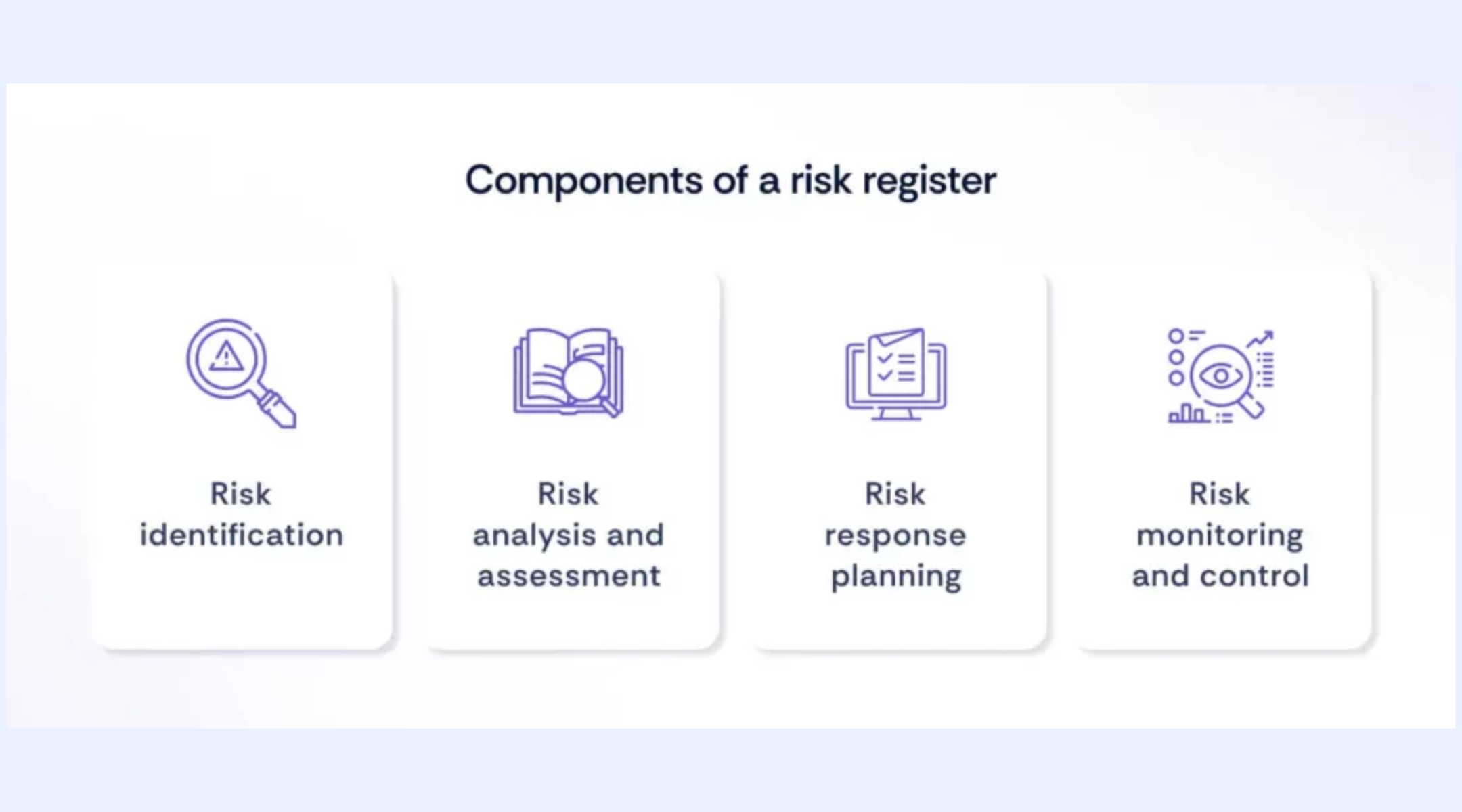
What are the components of a project risk register
An effective project risk register relies on consistent data fields that support assessment, ownership, and action. These components ensure risks are actively managed rather than simply recorded.
- Risk description: The risk description explains what could go wrong and why. Clear language avoids ambiguity and focuses on cause and consequence. Well-written descriptions improve shared understanding across .
- Risk category: Categories group risks into logical types such as technical, operational, financial, or external. This helps teams analyze patterns and trends. Categorization also simplifies reporting and review discussions.
- Likelihood and impact: Likelihood estimates how probable a risk is, while impact estimates potential severity. Together, they support prioritization. Many teams use scoring scales to standardize evaluation across the risk register in project management.
- Risk owner: Each risk requires a clear owner responsible for monitoring and mitigation. Without ownership, risks often remain unaddressed. Assigning accountability ensures follow-through and timely updates.
- Mitigation and response plan: Mitigation plans outline steps to reduce the probability or impact. Response plans describe actions if the risk materializes. Tracking mitigation status ensures risks do not remain theoretical.
What are the 5 steps of the risk register
Creating a risk register is a structured process that continues throughout the . Teams that follow consistent steps maintain higher-quality risk data.
Step 1: Identify risks
Teams identify risks during planning, workshops, and milestone reviews. Cross-functional input improves coverage. Using prompts and historical data reduces blind spots.
Step 2: Assess risks
Each risk is evaluated for likelihood and impact. Consistent scoring frameworks reduce subjectivity. Assessment results guide prioritization decisions.
Step 3: Assign ownership
Every risk is assigned to an owner. Owners update status, , and escalate when needed. Ownership keeps the register actionable.
Step 4: Define responses
Mitigation and contingency actions are documented and reviewed. Actions should align with project constraints and timelines. Clear responses reduce reaction time.
Step 5: Review regularly
Risk registers require regular review. Outdated risks are closed, and emerging risks are added. Continuous updates keep the register relevant.
Move beyond static risk documentation
Risk register examples across industries
Risk register examples differ by industry, but structure and intent remain consistent. These examples illustrate how teams adapt the register to their environment.
- Risk register examples across industries: Risk register examples vary by industry, but the underlying structure remains consistent. Many teams start with basic, file-based risk registers because they are quick to set up. These examples show how teams adapt the same structure to different operating environments as complexity increases.
- IT and software projects: IT teams often use a risk register template Excel to track scope creep, integration risks, and deployment failures. Risks are commonly linked to within the spreadsheet. Regular updates support agile delivery, although manual maintenance increases as projects scale.
- Construction and infrastructure: Construction projects focus on safety hazards, supplier delays, and weather-related risks. Visual scoring supports quick prioritization during reviews. Registers are commonly discussed during site and progress meetings.
- Healthcare and compliance-driven sectors: Healthcare teams prioritize regulatory compliance, data privacy, and service continuity risks. Detailed documentation supports audit requirements. Clear escalation thresholds guide timely response.
- Retail and operations: Retail teams monitor demand volatility, logistics disruptions, and system downtime. Risk registers support seasonal planning cycles. improves response speed.
How Lark supports collaborative risk register management
Effective risk management requires more than static documentation. Teams need shared visibility, structured data, and timely follow-up. enables teams to manage risk registers collaboratively using connected that reduce manual effort and improve accountability. Through the integration of automated workflows, interactive multi-dimensional tables, and instant document collaboration, Lark ensures that risk management is no longer a periodic administrative burden, but a continuous, living part of the operational lifecycle.
Document collaboration for risk context, policies, and review history
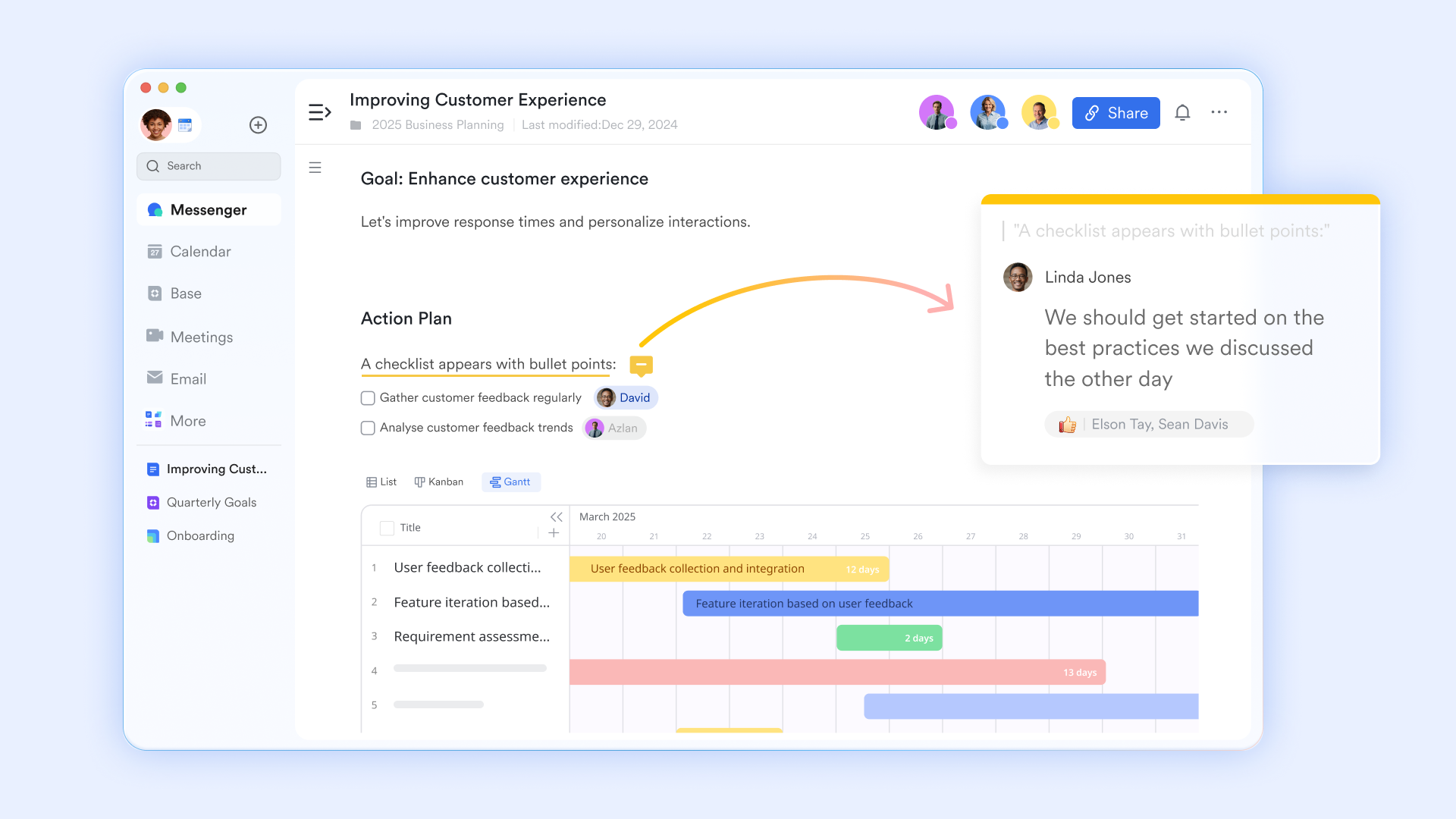
provides a collaborative space to document , scoring methodologies, and decision rationales. Teams can maintain risk policies, response guidelines, and review notes alongside the live risk register. Inline comments and @mentions support discussions tied directly to specific risks or mitigation strategies, while version history ensures transparency when risk criteria or thresholds change. This creates a reliable audit trail and shared understanding across stakeholders.
Lark Forms for structured and consistent risk capture
Lark Forms enables teams to standardize how risks are identified and submitted across the organization. Project managers can design custom forms that capture all critical risk details, such as description, category, likelihood, impact, owner, mitigation plan, and current status. Built-in data validation, required fields, and dropdown options reduce errors and prevent incomplete submissions, making it easy for team members at any level to report risks consistently. More importantly, information collected through Lark Forms can be automatically synchronized to , where each submission becomes a structured risk record. 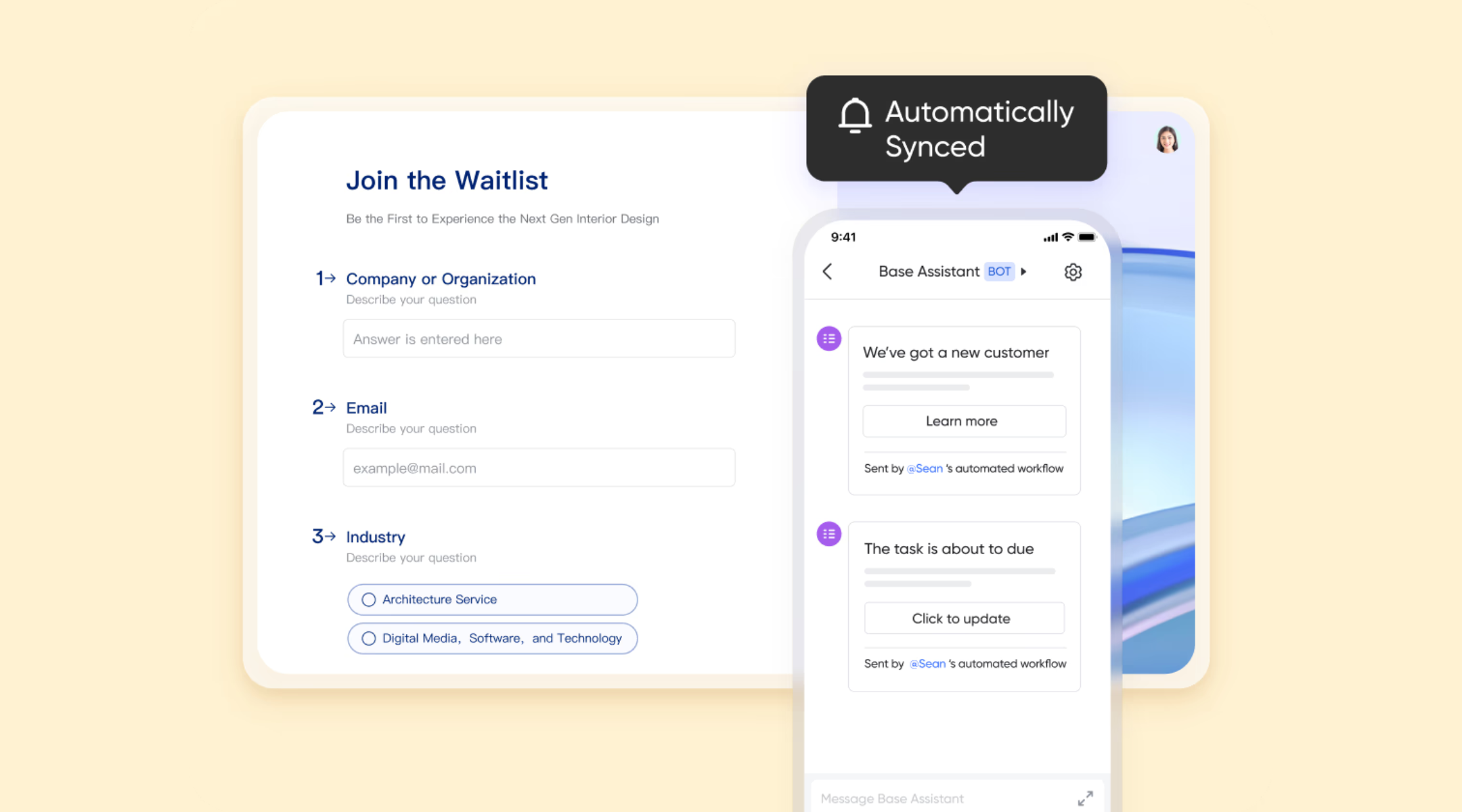
Centralized, dynamic database for risk register
acts as the core repository where all submitted risks are stored, organized, and managed. Each form submission becomes a structured record that can be reviewed, updated, and analyzed over time. Teams can create fields for risk scoring, financial exposure, review dates, and escalation levels, allowing the register to evolve throughout the project lifecycle. Multiple views, such as Grid, Kanban, and , help stakeholders assess risk severity, monitor mitigation progress, and identify emerging threats quickly. 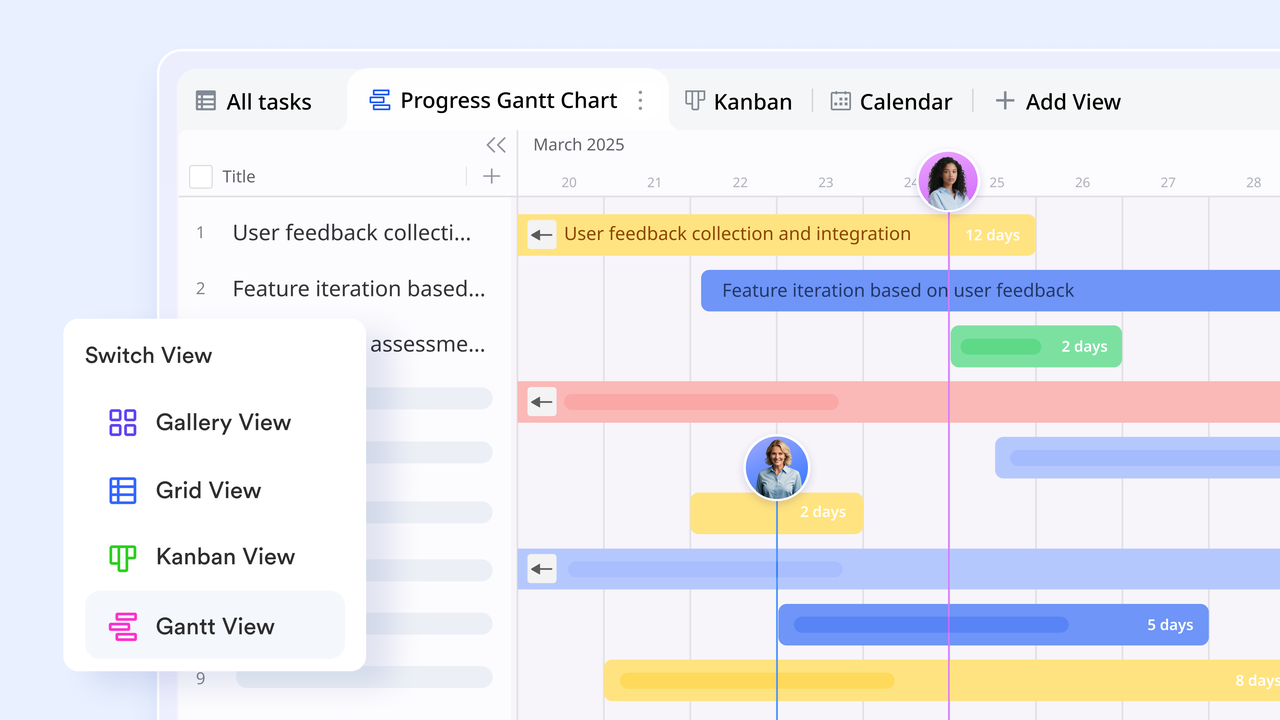
Automated workflow for risk monitoring and alerts
Lark Base supports automated workflow rules that keep the risk register active and up to date without manual follow-ups. Workflows can trigger notifications when a high-impact risk is added, when a mitigation deadline is approaching, or when a risk status changes. Conditional logic ensures the right stakeholders are notified based on severity or category. This helps teams respond faster to critical risks and ensures mitigation efforts are tracked consistently. 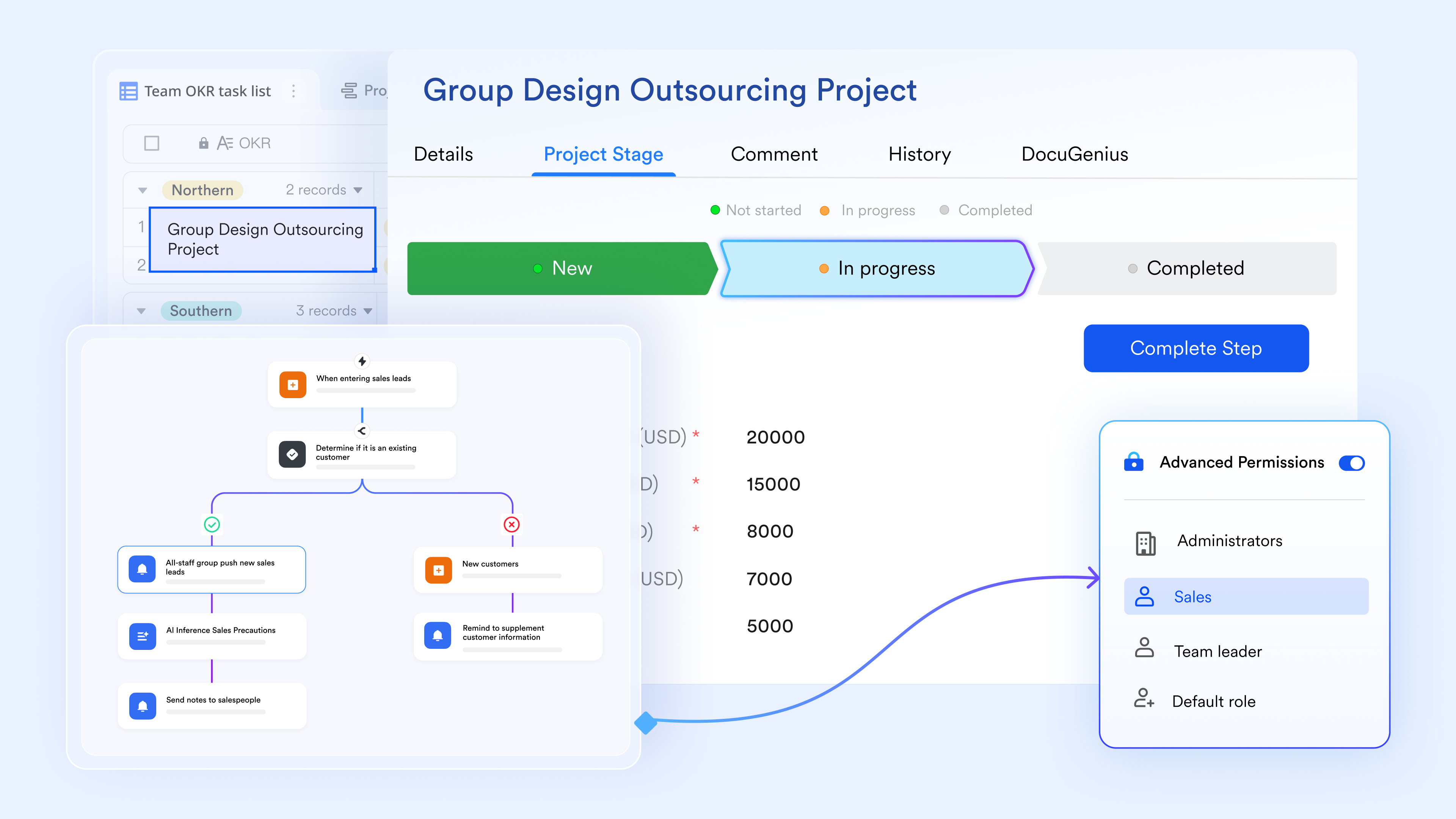
Task console for executing and tracking actions
Lark Tasks helps translate risk responses into actionable work. For each identified risk, mitigation actions can be assigned as tasks with clear owners, due dates, and priorities. Complex mitigation plans can be broken down into subtasks, making progress easier to track. Reminders and progress indicators ensure mitigation activities remain visible, reinforcing accountability and preventing risks from being documented but left unaddressed. 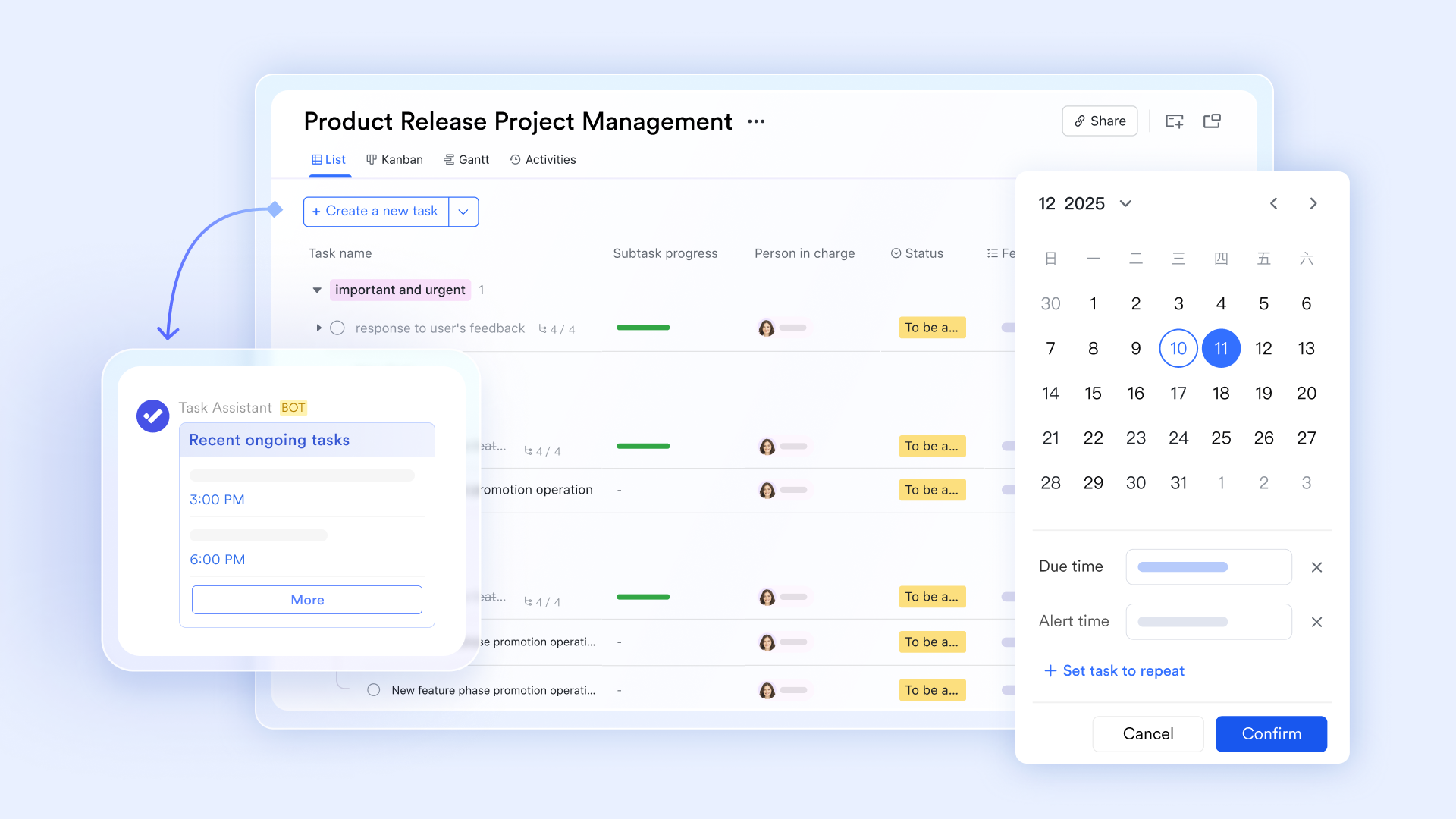
:
- Starter plan: Free forever plan that includes 11 powerful tools for up to 20 users. It also comes with 100GB of storage, 1000 automation runs, AI translations, and more.
- Pro plan: $12/user/month (billed annually) for up to 500 users. It includes everything in Starter plus group calling for up to 500 attendees, 15TB of storage, 50,000 automation runs, and more.
- Enterprise plan: for custom pricing. Supports unlimited users and includes even more automation runs and advanced security, compliance, and management features.
For small teams with simple communication needs

18 months message history
1000 Base automation runs/month
2000 rows per table in Base
Most POPULAR
For companies with comprehensive collaboration and management needs
Unlimited message history
500-participant video meetings
50k Base automation runs/month
20k rows per table in Base
For large companies with advanced security and organizational management needs
Get a personalized demo and pricing
Unlimited message history
500-participant video meetings
15 TB storage + 30 GB storage/user
500k Base automation runs/month
50k Base automation runs/month
Most POPULAR
For companies with comprehensive collaboration and management needs
Unlimited message history
500-participant video meetings
50k Base automation runs/month
20k rows per table in Base
Ready-to-use risk register templates
Lark offers ready-to-use risk register templates that help teams move from manual tracking to structured risk management quickly. These templates are designed to cover common project, IT, and without requiring a complex setup. Teams can adapt them to their workflows while maintaining consistency and visibility.
Risk register template
This risk register template provides a clear and structured foundation for teams beginning formal risk tracking. It includes predefined fields for likelihood, impact, ownership, mitigation actions, and status. The structure helps teams document risks consistently and avoid vague entries. It can be adapted for different project types without changing the core framework. This makes ongoing reviews and reporting more reliable.
Software development risk register
This software development risk register uses risk register software to help IT and product teams manage technical and delivery risks more systematically. It captures risks related to architecture, integrations, security, and release timelines in a structured format. Risks can be reviewed alongside development phases or sprints for better visibility. Teams identify technical exposure earlier in the lifecycle. This supports more stable and predictable delivery.
AI prompts for risk register template
This AI prompts for a risk register template that supports structured brainstorming during risk identification. Guided prompts help teams surface emerging, hidden, or non-obvious risks. It is especially useful during early planning or innovation-driven projects. Teams can explore risk scenarios beyond historical data. This leads to more comprehensive risk coverage.
Enterprise risk management dashboard
This enterprise risk management dashboard is designed for leadership teams that need high-level visibility across multiple projects and business units. It aggregates risks from different registers into a single, centralized view. Executives can monitor trends, severity distribution, and escalation signals without reviewing individual project logs. The dashboard supports informed decision-making and proactive governance.
Common mistakes teams make with risk registers
Teams often struggle to get long-term value from risk registers because they confuse ongoing risk management with . One common mistake is treating the risk register like a checklist created during planning and then forgotten. Unlike a RAID log vs risk register comparison, where risks are meant to be actively monitored, many teams allow entries to become outdated. Closed risks remain open, while new risks never get added.
Another issue is unclear ownership. Risks are listed, but no individual is responsible for monitoring or mitigation. Unrealistic scoring also reduces effectiveness. Teams may downplay the likelihood to avoid concern or inflate the impact without evidence, which weakens prioritization. A frequent misunderstanding in raid log vs risk register discussions is using the register only for . When it becomes compliance paperwork instead of a decision tool, engagement drops. Finally, poor visibility limits impact. When the register lives in isolated files, it stops influencing real project decisions.
Conclusion
A risk register remains one of the most practical tools for managing uncertainty across projects and organizations. When maintained properly, it improves decision quality, accountability, and response speed. The most effective teams treat the register as a living system rather than a static document.
As projects grow more complex, become critical. Platforms that connect risk capture, tracking, communication, and execution reduce manual effort and improve outcomes. supports this approach by keeping risks visible, actionable, and shared across teams. Choosing the right structure and tools ensures risk management supports progress instead of slowing it down.
Build a collaborative risk register with Lark
FAQs
What is on a risk register?
A risk register is a central document used to track potential project setbacks, featuring a unique ID and description for every identified threat. Each entry includes a risk score, calculated by multiplying the probability of the event by its severity. Crucially, it also assigns a specific risk owner and outlines a clear mitigation strategy (such as avoiding, transferring, or accepting the risk) to ensure the team is prepared to respond effectively if the issue arises.
How to create a risk register template?
To build an effective template, set up a spreadsheet with columns for risk identification, assessment metrics, and response plans. Use dropdown menus for likelihood and impact (usually on a scale of 1–5) and insert a formula (Probability\times Impact) to automate your priority rankings. Finally, apply conditional formatting to color-code these results, so you can identify critical issues at a glance and keep the project on track.
What should go in a risk register?
A should include a clear description of each risk, its category, likelihood, and potential impact. It should also document the assigned owner, mitigation actions, and current status. Review dates and escalation notes help keep risks current. As teams scale, collaborative tools like Lark make it easier to keep this information visible and consistently updated across stakeholders.
What is the difference between a risk assessment and a risk register?
A risk assessment is a point-in-time exercise used to identify and evaluate risks. A risk register records those risks and tracks them over the full project lifecycle. In risk register project management, the register evolves as conditions change. Using shared platforms such as Lark helps teams move from one-time assessments to continuous monitoring.
What signals indicate that a risk should be escalated immediately?
Immediate escalation is needed when the likelihood increases suddenly or impact expands beyond original assumptions. Regulatory, financial, or safety-related risks often require urgent attention. Missed deadlines are also warning signs. Shared alerts and visibility in platforms like Lark help teams respond before risks materialize.
Related reading





























