








12 Best SAP Alternatives for HR, ERP, IT, and Expense Management

Ryan Tanner

Product Marketing Specialist

Aug 5, 2026

Ryan Tanner

Product Marketing Specialist

Aug 5, 2026

Try Lark for free
15 min read
SAP has long been the backbone of enterprise operations, supporting finance, HR, procurement, IT, and governance for organizations worldwide. However, as companies become more agile, distributed, and automation-driven, many are reassessing whether traditional SAP deployments still align with modern operational needs. High implementation costs, rigid modules, slow customization, and fragmented user experience are pushing teams to explore SAP alternatives that offer faster deployment and greater flexibility.
In this guide, we examine why companies replace SAP, key migration considerations, and the 12

12 best SAP alternatives for every team

best SAP alternatives across HR, ERP, IT, and expense management, including SAP Concur, SAP Ariba, SAP ERP, and SAP GRC alternatives.

Key takeaways: 5 Best SAP Alternatives

1. Lark: A modern all-in-one alternative to fragmented SAP modules
2. Oracle NetSuite: Enterprise-grade SAP erp alternative
3. Microsoft Dynamics 365: Modular SAP erp alternative
4. Workday: SAP hr and finance alternative
5. Coupa: SAP Ariba expense management alternative

Reduce tool sprawl across HR, IT, and finance

Snapshot of the 5 best SAP alternatives

For a quick overview, the table highlights 5 of the best SAP alternatives, allowing you to compare features, pricing, and suitability at a glance. If you're looking for a more detailed review, we've covered additional tools and in-depth analysis in the upcoming sections of this guide, helping you find the perfect solution for your team's needs.
Tool
Key strengths
Ideal business size
Starting price (USD/Starting)
Lark
All-in-one workspace, flexible no-code data layer, fast workflow automation, real-time collaboration
Small to large teams seeking agility without heavy ERP overhead
Starter: Free forever (up to 20 users)
Pro: $12/user/month
Enterprise: Custom
Oracle NetSuite
Unified cloud ERP, advanced financials, multi-entity accounting, supply chain management
Mid-market to large enterprises
$15,000–$25,000 (small)
$40,000–$80,000 (mid)
$100,000+ (enterprise)
Microsoft Dynamics 365
Modular apps, deep Microsoft integration, strong financials, supply chain optimization
Growing mid-market to large enterprises
$1,260–$3,600/user/year, depending on modules
Workday
Best-in-class HCM, people analytics, unified HR + finance data, global compliance
Large and global enterprises
Custom pricing (typically high five- to six-figure annually)
Coupa
Procurement & expense automation, supplier management, spend analytics
Mid-to-large enterprises with complex spend
Free
$549/year (entry)
$4,800+/year (advanced tiers)
Information source: Official vendor sites
Update time: 2025-12-20
Note: Pricing and plan details reflect publicly available data as of the update date and may vary based on region, billing cycle, and number of agents.

Replace fragmented SAP workflows on low budgets

What is SAP and why are companies replacing it

SAP is a widely used enterprise software suite designed to manage core business functions such as finance, human resources, procurement, IT services, and governance. Through products like SAP ERP, SAP Concur, SAP Ariba, SAP Fieldglass, and SAP GRC, SAP helps large organizations standardize processes, maintain compliance, and operate at scale. For many years, SAP ERP has been the default system of record for complex, multinational businesses.
However, many organizations are now evaluating SAP alternatives as business needs evolve. High licensing and implementation costs, long deployment timelines, and heavy dependence on consultants often make SAP difficult to adapt quickly. Rigid modules can limit flexibility, while user adoption remains a challenge for non-technical teams. As a result, companies increasingly look for SAP ERP alternatives, SAP Concur alternatives for HR, IT, and spend, SAP Ariba expense management alternatives, and SAP GRC alternatives that offer faster setup, lower total cost of ownership, and more intuitive user experience without sacrificing essential enterprise controls.
SAP
Image source: rcm.ac

Migration considerations when moving away from SAP

Switching from SAP to modern platforms requires careful planning beyond software selection. When evaluating SAP alternatives, organizations must assess technical, operational, and people-related risks to ensure a smooth transition without disrupting critical business processes.
  • Data migration and integration risks: SAP systems often store large volumes of structured and historical data across multiple modules. Migrating this data to SAP ERP alternatives can be complex, requiring accurate mapping, cleansing, and validation. Integration with legacy SAP systems during transition is also critical to avoid data silos and reporting gaps.
  • Change management and user adoption: One of the biggest challenges in replacing SAP is user adoption. Employees accustomed to SAP workflows may resist change, especially during transitions to new SAP Concur or SAP Ariba alternatives. Clear communication, role-based training, and intuitive tools are essential to drive adoption and reduce productivity loss.
  • Phased replacement vs complete SAP exit: Many organizations choose a phased approach, replacing specific modules such as expense management or HR first. This allows teams to test SAP alternatives gradually while reducing risk. A complete SAP exit may deliver faster consolidation benefits but requires stronger governance, planning, and readiness for execution.

12 best SAP alternatives for every team

1. Lark: A modern all-in-one alternative to fragmented SAP modules

Lark is designed as a modern, all-in-one platform that brings together data management, workflow automation, collaboration, and documentation in a single workspace. Unlike traditional SAP deployments that rely on multiple disconnected modules, Lark reduces system fragmentation and operational overhead. It supports fast-changing business processes without heavy configuration or consulting dependencies. This makes Lark a practical option for teams exploring flexible, unified SAP alternatives.
loading...
A flexible data foundation that adapts to fundamental business processes
SAP organizes enterprise data across multiple tightly scoped modules (CRM, Finance, SCM), each with its own schemas and dependencies. Lark Base replaces this rigidity with a flexible, no-code data layer where teams design structured records, custom fields, and relationships in one place. Enterprises can model deals, projects, vendors, approvals, or operations without long implementation cycles. Compared to SAP's table-driven setup that often requires consultants, Lark Base lets business teams adapt data structures quickly as processes change.
A flexible data foundation that adapts to fundamental business processes
Process automation that teams can change without specialists
SAP workflows are powerful but typically complex, slow to modify, and dependent on specialized configuration. Lark's automated workflow enables enterprises to trigger actions based on data changes, such as status updates, approvals, task creation, or notifications, using visual logic, conditions, and formulas. Workflows run directly on live business data, making process automation faster to deploy and easier to evolve. This lowers operational friction while still supporting enterprise-grade process control.
Process automation that teams can change without specialists
Live operational visibility instead of delayed reporting cycles
SAP reporting is robust but frequently delayed, export-heavy, or dependent on BI layers. Lark dashboards surface live data from Base records, tasks, and workflows in real time. Leaders can track progress, workloads, bottlenecks, and outcomes without waiting for report cycles. This immediate visibility supports faster decision-making and continuous oversight of execution, which is especially valuable for enterprises operating across multiple teams or regions.
Live operational visibility instead of delayed reporting cycles
Real-time communication that stays connected to execution
SAP relies heavily on system notifications, inbox tasks, and email-style alerts that often lack context. Lark Messenger provides real-time conversations where messages, files, records, and tasks stay connected. Teams can turn messages into tasks, discuss records inline, and keep decision-making visible. For enterprises, this reduces delays caused by disconnected communication layers and keeps execution aligned with actual work, not just system updates.
Real-time communication that stays connected to execution
Living documentation that evolves with operations
Enterprise teams using SAP often manage documentation separately, in portals, PDFs, or external systems, making knowledge hard to maintain. Lark Docs and Wiki offer real-time co-editing, version history, permissions, and structured knowledge spaces tied directly to operational data. Policies, SOPs, playbooks, and reports stay current and accessible. This turns documentation into an active operational asset rather than static reference material.
Living documentation that evolves with operations
  • Starter plan: Free forever plan that includes 12 powerful tools for up to 20 users. It also comes with 100GB of storage, 1000 automation runs, AI translations, and more.
  • Pro plan: $12/user/month (billed annually) for up to 500 users. It includes everything in Starter plus group calling for up to 500 attendees, 15TB of storage, 50,000 automation runs, and more.
  • Enterprise plan: Contact sales for custom pricing. Supports unlimited users and includes even more automation runs and advanced security, compliance, and management features.
Starter
Pro
Enterprise

Starter

For small teams with simple communication needs

$0

/ user / month

Try for free

No credit card needed

20 users max
18 months message history
1-on-1 video meetings
100 GB storage
Lark Docs & Mail
1000 Base automation runs/month
2000 rows per table in Base

Pro

For companies with comprehensive collaboration and management needs

$12

/ user / month

Billed annually

500 users max
Unlimited message history
500-participant video meetings
15 TB storage
Lark Docs & Mail
50k Base automation runs/month
20k rows per table in Base

Enterprise

For large companies with advanced security and organizational management needs

Get a personalized demo and pricing

Unlimited users
Unlimited message history
500-participant video meetings
15 TB storage + 30 GB storage/user
Lark Docs & Mail
500k Base automation runs/month
50k Base automation runs/month
Single sign-on (SSO)

Pro

For companies with comprehensive collaboration and management needs

$12

/ user / month

Billed annually

500 users max
Unlimited message history
500-participant video meetings
15 TB storage
Lark Docs & Mail
50k Base automation runs/month
20k rows per table in Base

2. Oracle NetSuite: Enterprise-grade SAP erp alternative

Oracle NetSuite is a cloud-based ERP platform designed for mid-sized to large enterprises looking to replace SAP. It provides a unified system for finance, CRM, procurement, inventory, and order management. NetSuite gives organizations real-time visibility into operational and financial performance across all departments. Its strong automation reduces manual tasks, streamlines reporting, and accelerates business processes. With global scalability and cloud deployment, NetSuite eliminates the complexity of traditional on-premise ERP systems.
Oracle NetSuite ERP dashboard showing financials, KPIs, and operational metrics
Image source: netsuite.com
Key features:
  • Unified cloud ERP: Combines financial management, procurement, inventory, order management, and CRM in one platform for end-to-end visibility.
  • Advanced financial management: Supports multi-currency, multi-subsidiary accounting, tax compliance, and global financial consolidation.
  • Supply chain & inventory management: Helps track inventory levels, manage vendors, and optimize fulfillment across locations.
  • Real-time dashboards & reporting: Provides role-based dashboards and analytics for data-driven decision-making.
  • Scalability & customization: Grows with the business using modular add-ons and SuiteScript customization tools.
Pros:
  • Strong ERP capabilities for mid-to-large enterprises
  • Fully cloud-based with global compliance support
  • Excellent financial and accounting depth
  • Backed by Oracle's ecosystem and reliability
Cons:
  • Implementation can be complex and time-consuming
  • Pricing may be high for small businesses
Pricing:
  • Small businesses: $15,000–$25,000/year
  • Mid-market companies: $40,000–$80,000/year
  • Enterprises: $100,000+/year, especially with multiple subsidiaries and global operations

3. Microsoft Dynamics 365: Modular SAP erp alternative

Microsoft Dynamics 365 is a flexible ERP and CRM platform designed for organizations seeking modular deployment. Companies can adopt only the applications they need, such as finance, operations, supply chain, sales, or HR. Dynamics 365 integrates seamlessly with Microsoft Office 365, Teams, and Power BI for improved productivity and analytics. It supports customization without requiring a full-scale SAP-like ERP implementation. This makes it ideal for businesses seeking scalable solutions within the Microsoft ecosystem.
Microsoft Dynamics 365 dashboard showing finance, sales, and operations data
Image source: microsoft.com
Key features:
  • Modular ERP and CRM software: Choose from Finance, Supply Chain, Business Central, Sales, HR, and Customer Service modules.
  • Deep Microsoft integration: Works seamlessly with Office 365, Teams, Outlook, Azure, and Power BI for productivity and analytics.
  • Advanced financial management: Supports budgeting, forecasting, multi-entity accounting, and regulatory compliance.
  • Supply chain optimization: Helps manage inventory, procurement, manufacturing, and logistics with real-time insights.
  • AI-driven insights: Uses Microsoft AI to improve forecasting, demand planning, and customer engagement.
Pros:
  • Highly flexible and modular architecture
  • Excellent integration with Microsoft products
  • Scales well for growing organizations
  • Strong reporting and analytics via Power BI
Cons:
  • Licensing can become complex with multiple modules
  • Requires experienced implementation partners
Pricing:
  • Sales enterprise: $105 user/month (billed yearly)
  • Customer service enterprise: $105 user/month (billed yearly)
  • Marketing (Customer Insights): $1,700 tenant/month (billed yearly)
  • Business central premium: $110 user/month (billed yearly)
  • Finance & supply chain management: $210–$300 user/month (billed yearly)

4. Workday: SAP HR and finance alternative

Workday is a cloud-based enterprise platform focused on human capital management (HCM) and financial management. It's widely adopted by large organizations looking to modernize HR, payroll, workforce planning, and economic processes without relying on legacy ERP systems. As a SAP alternative, Workday excels in people analytics, talent management, and real-time financial insights. Its single data model ensures consistency across HR and finance, making it ideal for enterprises that prioritize workforce visibility, compliance, and strategic planning.
Workday dashboard displaying HR analytics, financial planning, and workforce insights
Image source: workday.com
Key features:
  • Human Capital Management (HCM): Manages recruiting, onboarding, payroll, performance, learning, and workforce planning on one platform.
  • Financial management: Supports accounting, budgeting, forecasting, and financial reporting with real-time data.
  • People analytics & insights: Provides advanced analytics on employee performance, retention, compensation, and workforce trends.
  • Unified data model: Ensures HR and finance share a single source of truth for accuracy and compliance.
  • Global compliance support: Handles multi-country payroll, tax regulations, and labor laws at enterprise scale.
Pros:
  • Best-in-class HR and talent management capabilities
  • Strong analytics and reporting for workforce planning
  • Scalable for large, global enterprises
  • Modern, cloud-native architecture
Cons:
  • Expensive compared to mid-market alternatives
  • Overkill for small or growing businesses
Pricing:
  • Workday adaptive planning free trial: Free for 30 days
  • Workday adaptive planning: Pricing varies
  • Workday adaptive planning close & consolidation: Pricing varies

5. Coupa: SAP Ariba expense management alternative

Coupa is a cloud-based spend management platform designed to help enterprises control, analyze, and optimize business spending. As an SAP Ariba alternative, Coupa focuses on procurement, expense management, invoicing, and supplier management in a single, unified system. It's powerful for finance-led organizations that want better visibility into spend, improved compliance, and data-driven purchasing decisions. Coupa's community intelligence and analytics make it a popular choice for large companies managing complex supplier networks.
Coupa dashboard showing spend analytics, procurement workflows, and supplier insights
Image source: coupa.com
Key features:
  • Procurement & purchasing: Manages requisitions, approvals, purchase orders, and supplier catalogs in one workflow.
  • Expense management: Automates employee expense submissions, approvals, and reimbursements with policy enforcement.
  • Invoice & accounts payable automation: Streamlines invoice matching, approvals, and payments, reducing processing time.
  • Supplier management: Centralizes supplier onboarding, risk tracking, performance metrics, and compliance checks.
  • Spend analytics & insights: Uses AI-driven analytics and community data to identify savings opportunities and reduce risk.
Pros:
  • Excellent visibility into company-wide spend
  • Substantial compliance and policy enforcement
  • Scales well for global enterprises
  • Powerful analytics for cost optimization
Cons:
  • High cost for small or mid-sized businesses
  • Implementation can be complex and time-consuming
Pricing:
  • Coupa registered: Free
  • Coupa verified: $549 year
  • Coupa premium support: $499+ year
  • Coupa advanced: $4,800 year

6. ServiceNow: SAP Fieldglass alternative for IT and services spend

ServiceNow is an enterprise workflow automation platform that helps organizations manage IT services, contractors, and vendor operations. It replaces manual approvals and processes with structured digital workflows, reducing bottlenecks and errors. ServiceNow connects governance, compliance, and reporting into a single platform for better operational oversight. Its scalability allows large enterprises to standardize processes across departments and geographies. Organizations use ServiceNow to enhance efficiency, improve service delivery, and maintain strict operational controls.
ServiceNow dashboard displays IT service workflows, approvals, and spend insights
Image source: servicenow.com
Key features:
  • IT service management (ITSM): Manages incidents, requests, changes, and service delivery through automated workflows.
  • Vendor & external workforce workflows: Tracks contractors, service providers, and third-party engagements.
  • Approval and governance workflows: Enforces policy-based approvals for services, access, and spend requests.
  • Enterprise workflow automation: Extends automation beyond IT into HR, finance, and operations.
  • Reporting & dashboards: Provides real-time visibility into service performance, costs, and operational bottlenecks.
Pros:
  • Industry leader in IT and service workflows
  • Highly scalable for large enterprises
  • Strong governance, security, and compliance
  • Flexible workflow automation across departments
Cons:
  • Expensive licensing and implementation
  • Requires skilled admins to manage effectively
Pricing:
  • Custom-quoted

7. Zoho One: Cost-effective SAP alternative for growing businesses

Zoho One is an all-in-one business suite that integrates more than 40 applications across CRM, finance, HR, IT, marketing, and operations. It provides small and mid-sized businesses with SAP-like capabilities at a fraction of the cost. All apps share data through a unified ecosystem, reducing duplication and manual effort. Zoho One allows teams to manage workflows, approvals, and reporting from a single platform. Its affordability and integration make it an excellent choice for growing organizations looking to streamline operations.
Zoho One dashboard showing integrated apps for CRM, finance, HR, and operations
Image source: zoho.com
Key features:
  • All-in-one business suite: Includes CRM, Books, Payroll, Inventory, Desk, Projects, People, and more in one subscription.
  • Unified data & integrations: Shares data seamlessly across apps to reduce duplication and manual work.
  • Finance & accounting tools: Handles invoicing, expenses, subscriptions, and financial reporting.
  • HR & workforce management: Supports hiring, onboarding, attendance, payroll, and performance tracking.
  • Workflow automation: Automates approvals, notifications, and business rules across multiple departments.
Pros:
  • Extremely cost-effective compared to SAP
  • Broad functionality across departments
  • Easy to deploy for small and mid-sized teams
  • Strong integration within the Zoho ecosystem
Cons:
  • Less depth than SAP for complex enterprise use cases
  • Interface can feel inconsistent across apps
Pricing:
  • All employee pricing: $37/user/month
  • Flexible user pricing: $90/user/month

8. Odoo: Open-source SAP ERP alternative

Odoo is a modular, open-source ERP platform that provides flexibility and customization for growing businesses. It covers modules for accounting, sales, inventory, manufacturing, HR, and eCommerce. Organizations can implement only the apps they need and scale over time. Its open-source nature allows deep customization to match specific business processes. Odoo is a strong SAP alternative for companies seeking low-cost ERP solutions without sacrificing functionality or control.
Odoo dashboard showing ERP modules for sales, inventory, accounting, and manufacturing
Image source: odoo.com
Key features:
  • Modular ERP system: Choose from apps covering sales, accounting, inventory, manufacturing, HR, and more.
  • Open-source flexibility: Customize workflows, fields, and logic to match unique business processes.
  • Accounting & finance management: Handles invoicing, expenses, budgeting, and financial reporting.
  • Supply chain & manufacturing: Supports inventory control, procurement, MRP, and production planning.
  • Deployment options: Available as cloud-hosted or self-hosted for greater control.
Pros:
  • Highly flexible and customizable
  • Lower cost than traditional ERP systems
  • Strong community and partner ecosystem
  • Scales as business needs evolve
Cons:
  • Requires technical expertise for customization
  • Implementation quality depends on partners
Pricing:
  • One App free: $0
  • Standard: $24.90/user/month
  • Custom: $37.40/user/month

9. MRPeasy: Manufacturing-focused SAP ERP alternative
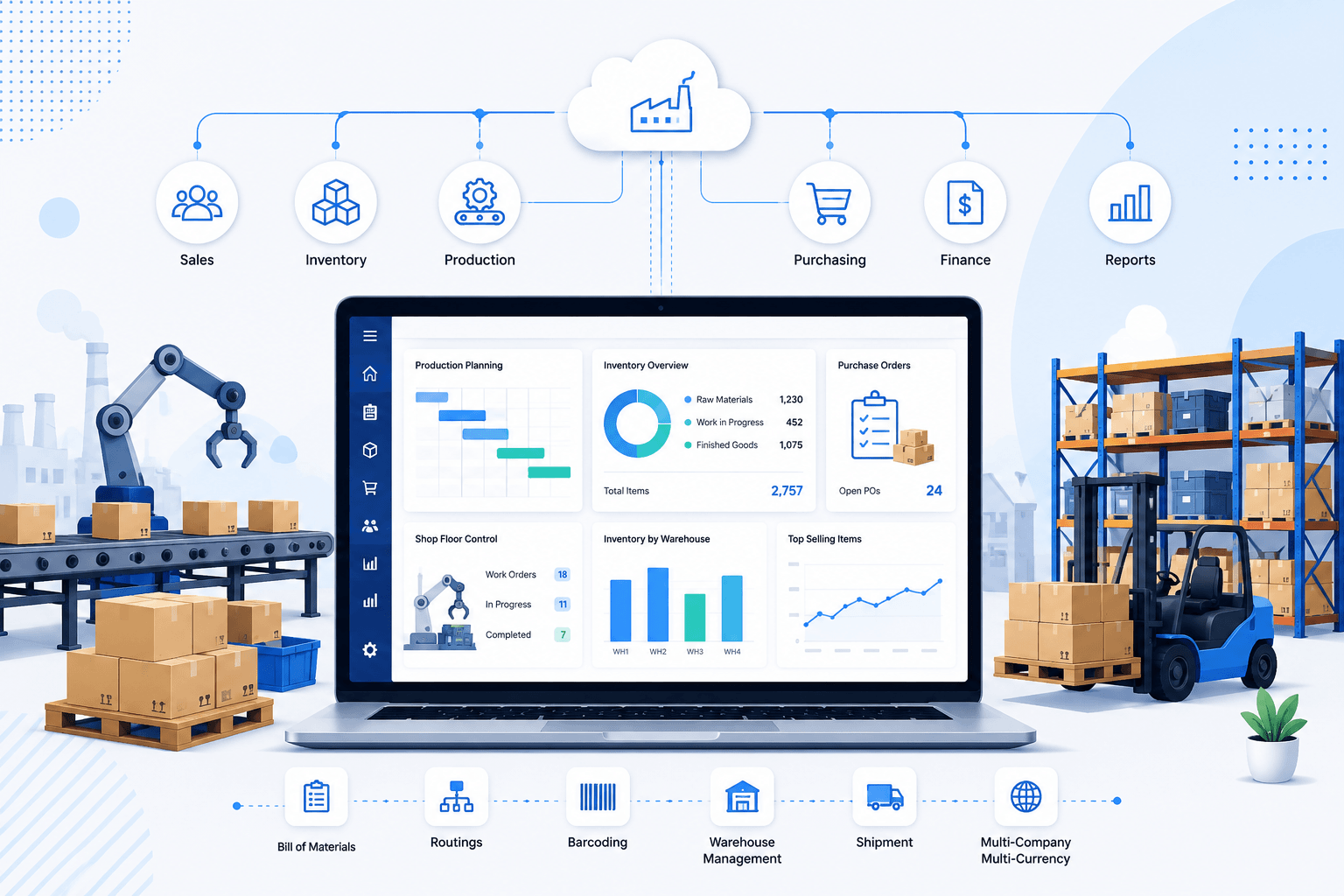
MRPeasy is a cloud-based manufacturing ERP built specifically for small and medium-sized manufacturers that need production planning, inventory management, purchasing, and shop floor control without the complexity of traditional enterprise ERP systems. As a SAP ERP alternative, it provides an integrated platform that connects manufacturing operations with sales, procurement, warehousing, and financial processes, giving businesses real-time visibility across the production lifecycle.
Image source: mrpeasy.com
Key features:
  • Manufacturing ERP & MRP: Supports production planning, bill of materials (BOM), routing, work orders, and material requirements planning.
  • Inventory & warehouse management: Tracks inventory, purchasing, stock movements, and warehouse operations in real time.
  • Production scheduling: Optimizes manufacturing schedules while improving capacity planning and delivery performance.
  • Integrations: Connects with Shopify, WooCommerce, QuickBooks, Xero, and other business systems to streamline operations.
Pros:
  • Purpose-built for manufacturing businesses.
  • Combines production, inventory, purchasing, and CRM in one platform.
  • Faster implementation than many enterprise ERP solutions.
  • Affordable for growing manufacturers.
Cons:
  • Designed primarily for small and medium-sized manufacturers rather than large multinational enterprises.
  • Less suitable for organizations requiring highly customized global ERP deployments.
Pricing:
Custom pricing based on company size and requirements.

10. Freshworks: Simplified alternative to SAP for IT and ops teams

Freshworks provides modern cloud-based tools for IT service management, operations, and customer support. It is designed for teams that need simplicity, speed, and automation without the complexity of SAP. Freshworks automates ticket routing, approvals, and notifications to improve efficiency. Its user-friendly interface reduces training requirements for teams adopting the platform. Small to mid-sized operations rely on Freshworks to streamline workflows and gain real-time visibility into processes.
Freshworks dashboard showing IT service tickets, automation rules, and reporting
Image source: freshworks.com
Key features:
  • IT service management (ITSM): Manages incidents, service requests, changes, and problem workflows.
  • Workflow automation: Automates approval, routing, and notifications to reduce manual effort.
  • Omnichannel support tools: Handles requests via email, chat, portal, and phone from a single interface.
  • Reporting & analytics: Provides visibility into response times, workload, and operational performance.
  • Modular product suite: Choose only the tools you need across IT, CRM, and customer support.
Pros:
  • Easy to use with minimal training
  • Fast implementation compared to SAP
  • Affordable for growing teams
  • Modern UI and strong automation features
Cons:
  • Limited depth for large enterprise ERP needs
  • Advanced features require higher-tier plans
Pricing:
  • Growth: $15/agent/month (billed annually)
  • Pro: $43/agent/month (billed annually)
  • Enterprise: $79/agent/month (billed annually)

11. SailPoint: SAP GRC alternatives

SailPoint is identity governance and administration platform that help enterprises manage user access, compliance, and security risks. It automate access reviews, policy enforcement, and auditing processes. These tools reduce the risk of unauthorized access while maintaining regulatory compliance. They are particularly useful in highly regulated industries such as finance, healthcare, and government. Enterprises leverage these solutions to strengthen governance and protect sensitive data across systems.
Identity governance dashboard showing access reviews, role management, and compliance reports
Image source: sailpoint.com
Key features:
  • Identity & access governance: Controls user access across applications, databases, and cloud systems.
  • Access certification & reviews: Automates periodic access reviews to meet compliance requirements.
  • Risk & compliance management: Identifies toxic combinations of access and policy violations.
  • Role-based access control (RBAC): Simplifies user provisioning and deprovisioning at scale.
  • Audit & reporting tools: Generates compliance-ready reports for regulators and internal audits.
Pros:
  • Strong governance, risk, and compliance capabilities
  • Suitable for highly regulated industries
  • Scales well for large enterprises
  • Deep integrations with enterprise systems
Cons:
  • Complex implementation and configuration
  • Expensive compared to lightweight IAM tools
Pricing:
  • Contact sales

12. Brex: Unified Spend Management and Corporate Cards

Brex is a modern financial operating system that replaces traditional banking and expense management with an integrated platform. Designed for high-growth companies that need speed and control, Brex combines corporate cards, expense tracking, bill pay, and treasury management into a single interface. By automating receipt capture and providing real-time visibility into global spend across 120+ countries, it serves as a powerful SAP Concur alternative for finance teams seeking a more intuitive, automated experience.
Image source: brex.com
Key features:
  • Global corporate cards: Issue physical and virtual cards with high limits and local currency support in multiple regions.
  • Automated expense tracking: Use AI to categorize spend and match receipts instantly, reducing manual accounting work.
  • Integrated business accounts: Manage cash reserves, yield, and bill pay in one place with enterprise-grade treasury options.
  • Granular spend controls: Set department-level budgets and multi-stage approval workflows to ensure compliance across the organization.
Pros:
  • No personal guarantee required for corporate accounts.
  • Two-way, real-time sync with major ERPs like NetSuite and Workday.
  • Highly-rated mobile app for easy on-the-go expense submission.
Cons:
  • Advanced treasury and global features require Premium or Enterprise tiers.
  • Credit limits are primarily determined by company cash balances.
Pricing:
  • Essentials: $0/user/month for foundational cards and spend tracking tools.
  • Premium: $12/user/month for advanced global controls and automated workflows.
  • Enterprise: Custom pricing for multi-entity global organizations with complex needs.

Why do many teams choose Lark over traditional SAP deployments?

Traditional SAP deployments are built around modular systems designed for centralized, office-based enterprises. As work becomes more distributed and operations demand greater speed and flexibility, many organizations are reassessing whether this model still fits. Teams evaluating SAP alternatives often look for platforms that reduce complexity while improving collaboration and execution. This is why many organizations compare Lark with traditional SAP deployments when modernizing their operations.
  • One subscription vs multiple SAP modules: Traditional SAP environments often require separate licenses for ERP, HR, procurement, IT, and governance modules, increasing cost and complexity. Lark consolidates multiple business capabilities into a single subscription, reducing tool sprawl and simplifying vendor management compared to many SAP alternatives.
  • Faster onboarding and lower total cost of ownership: SAP implementations typically involve long setup cycles and ongoing consulting costs. Lark is designed for more rapid deployment, with intuitive interfaces that enable teams to onboard quickly and reduce overall operational and maintenance costs over time.
  • Native collaboration + workflow automation: Unlike SAP systems that rely heavily on system notifications and external communication tools, Lark combines messaging, documentation, data, and workflow automation on a single platform. This helps teams collaborate in real time while keeping processes connected to live business data.
  • Better alignment with modern remote and hybrid teams: As work becomes more distributed, organizations need tools built for real-time collaboration and transparency. Lark supports remote and hybrid teams by keeping communication, execution, and documentation in one shared workspace, improving visibility and coordination across locations.

How to evaluate the right SAP alternative

Choosing the right replacement requires more than matching features. When comparing SAP alternatives, organizations should evaluate how well each platform fits their operational scale, budget, and long-term transformation goals.
  • Cost of ownership vs licensing model: SAP licensing often increases as new modules and users are added. Many SAP alternatives offer simpler, subscription-based pricing, making it easier to predict costs and manage long-term total cost of ownership.
  • Speed of deployment and ease of use: Traditional SAP implementations can take months or years to roll out. Modern SAP ERP alternatives emphasize faster deployment, intuitive interfaces, and minimal configuration, enabling teams to realize value sooner.
  • Integration flexibility: A strong SAP alternative should integrate easily with existing tools and legacy SAP systems during transition. Open APIs and pre-built connectors help maintain data continuity across finance, HR, IT, and procurement systems.
  • Scalability for SMBs vs enterprises: Some platforms are better suited for growing businesses, while others are designed for complex enterprise environments. Evaluating scalability ensures the chosen SAP alternative can support future growth without significant rework.
  • Support for finance, HR, IT, procurement, and governance: Organizations should assess whether a solution covers all critical functions or requires multiple tools. Comprehensive support across these areas reduces fragmentation and improves operational visibility.

Conclusion

SAP continues to play a critical role in enterprise operations, but changing business models, distributed teams, and rising complexity are pushing organizations to reassess their technology stacks. Modern SAP alternatives offer greater flexibility, faster deployment, and lower total cost of ownership across HR, ERP, IT, and expense management. The right choice depends on an organization's size, integration needs, and long-term growth strategy. Platforms that combine structured data, automation, and collaboration can help reduce system fragmentation while improving execution speed. Among the available options, Lark stands out as a modern, unified platform for teams looking to move beyond traditional SAP deployments and build more agile, connected operations.

Build unified workflows without heavy ERP modules

FAQs

Why is Oracle replacing SAP?

Oracle is not universally replacing SAP, but many organizations switch due to cost, flexibility, and cloud-first architecture. Oracle is often evaluated alongside alternatives to SAP ERP when companies modernize finance and operations. In parallel, teams also assess SAP Concur alternatives and SAP Ariba alternatives to reduce complexity and dependency on multiple SAP modules.

How long does it typically take to switch from SAP to a modern platform?

Migration timelines vary by scope. Replacing a single module, such as expense or HR, using the best alternatives to SAP Concur for HR IT spend may take 3–6 months. Full ERP transitions to SAP ERP alternatives often take 12–24 months, especially when integrations, data volume, and compliance requirements are involved.

What is the highest hidden cost when migrating from SAP?

The highest hidden cost is change management. Training users, redesigning processes, and maintaining parallel systems during transition often exceed software costs. This is common when adopting SAP Ariba expense management alternatives, SAP Fieldglass expense management alternatives, or best HR alternatives to SAP Concur, where adoption speed directly impacts ROI.

Can SAP alternatives integrate with legacy SAP systems during transition?

Yes. Most modern platforms support APIs and connectors that allow coexistence with SAP during phased migration. This is common when deploying SAP GRC alternatives or expense tools while retaining core SAP systems. Integration flexibility ensures data continuity as organizations gradually migrate to newer alternatives to SAP ERP.

Are SAP and CRM the same thing?

No. SAP is an enterprise suite covering ERP, HR, finance, procurement, and governance, while CRM focuses on sales and customer relationships. SAP may include CRM components, but many organizations pair SAP or SAP ERP alternatives with standalone CRM tools for greater flexibility and better user adoption.

Related reading

Ryan Tanner

Product Marketing Specialist

Ryan is a Product Marketing Specialist. Having helped over 150 project managers overcome challenges, Ryan delivers actionable strategies and forward-thinking insights to elevate your team's performance by leveraging innovative methods for revolutionary project execution.

Keep reading








