














Salesforce vs ServiceNow: Features, Prices and Core Differences

Ryan Tanner
Product Marketing Specialist
Sep 18, 2026
Ryan Tanner
Sep 18, 2026

15 min read


In an era where businesses increasingly rely on digital platforms to manage everything from customer relationships to internal operations, choosing the right system can make or break your efficiency, scalability, and ROI. In the debate of ServiceNow vs Salesforce, two names consistently rise to the top: Salesforce (with its strong CRM roots) and ServiceNow (with its ITSM & workflow automation pedigree). While each platform has its strengths, organizations often struggle with the decision of which to adopt—or whether to use both in tandem.
In this guide, we'll compare Salesforce vs ServiceNow, explain what each platform does best, explore their automation and workflow capabilities, and clarify the CRM vs ITSM distinction. Finally, we'll discuss how Lark brings these worlds together—offering a unified workspace that connects teams, data, and workflows across both customer engagement and internal service management.

Before we start: Understand the notion of CRM vs ITSM
Customer Relationship Management (CRM), as seen in Salesforce, focuses on managing external relationships—tracking leads, nurturing deals, and resolving support cases to enhance customer satisfaction and drive revenue. It empowers sales, marketing, and service teams to work around a single view of the customer, ensuring consistent engagement across every stage of the journey.
IT Service Management (ITSM), the core of ServiceNow, centers on internal service delivery. It manages tickets, assets, and incidents across IT and other departments to maintain operational continuity and efficiency. ITSM ensures employees have the tools and support needed to stay productive while minimizing downtime.
However, the boundary between CRM and ITSM is increasingly blurred. Customer service teams, for example, might use Salesforce to manage external client interactions while relying on ServiceNow to handle internal issue resolution or system requests. Managing both systems separately can make collaboration feel fragmented—that's where Lark steps in, uniting teams, data, and workflows in one connected workspace for seamless visibility and action across both customer and service operations.
What is Salesforce
Salesforce is a cloud-based CRM platform built to help organizations manage customer relationships across sales, service, and marketing. It enables teams to track leads, close deals, and deliver personalized customer experiences through real-time data and automation. Over the years, Salesforce has evolved far beyond CRM—introducing tools like Salesforce Flow and Einstein AI to automate workflows, predict outcomes, and enhance decision-making across departments.
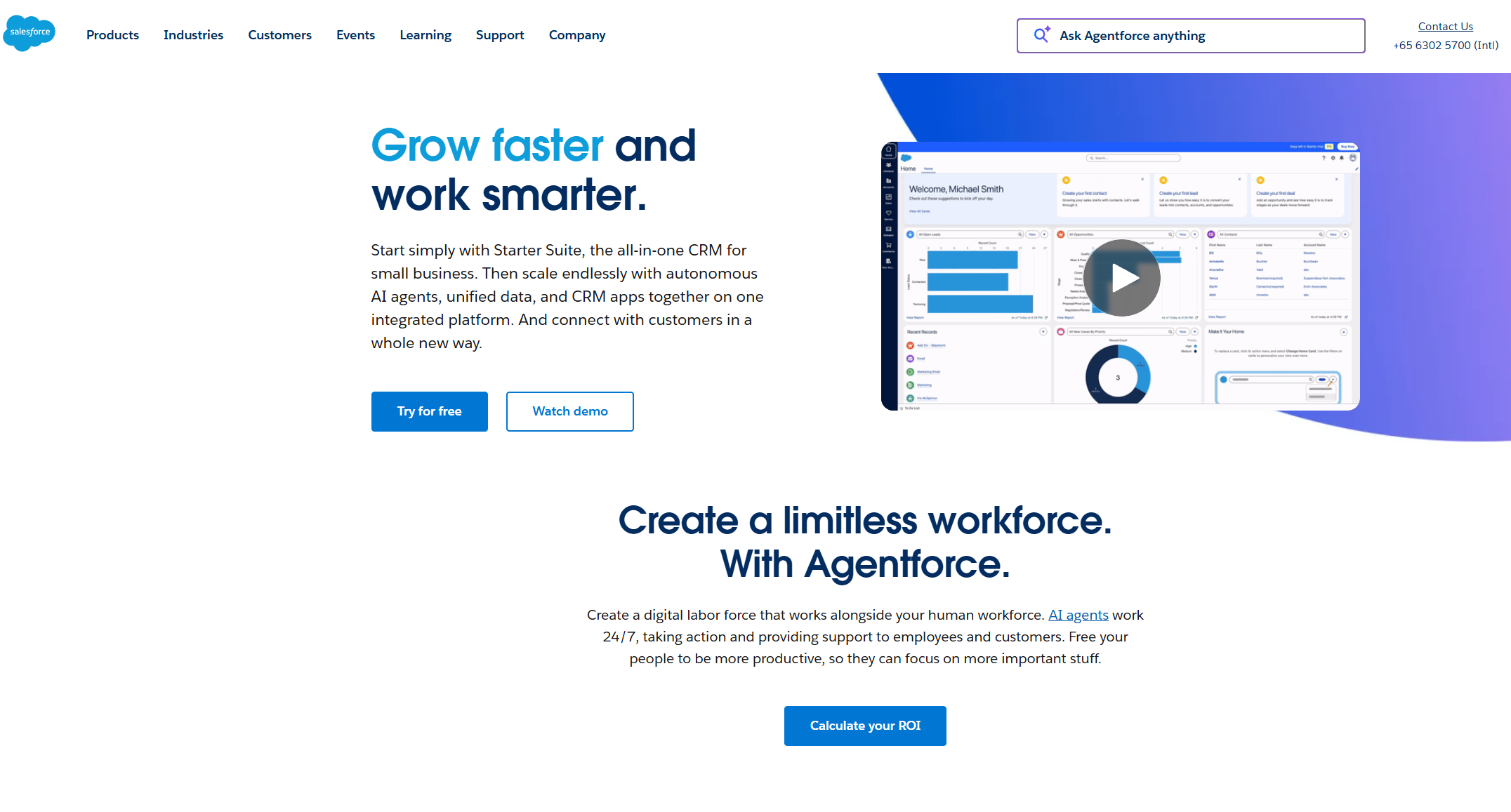
Image source: salesforce.com
What is ServiceNow
ServiceNow, on the other hand, is a digital workflow and IT service management (ITSM) platform designed to streamline internal operations, from IT support to HR and facilities management. Originally focused on IT service delivery, it has expanded into broader enterprise workflows and now includes customer service management capabilities. This evolution positions ServiceNow as a powerful engine for end-to-end business automation.
Together, both platforms represent two sides of modern enterprise efficiency—Salesforce driving external engagement, and ServiceNow powering internal excellence.
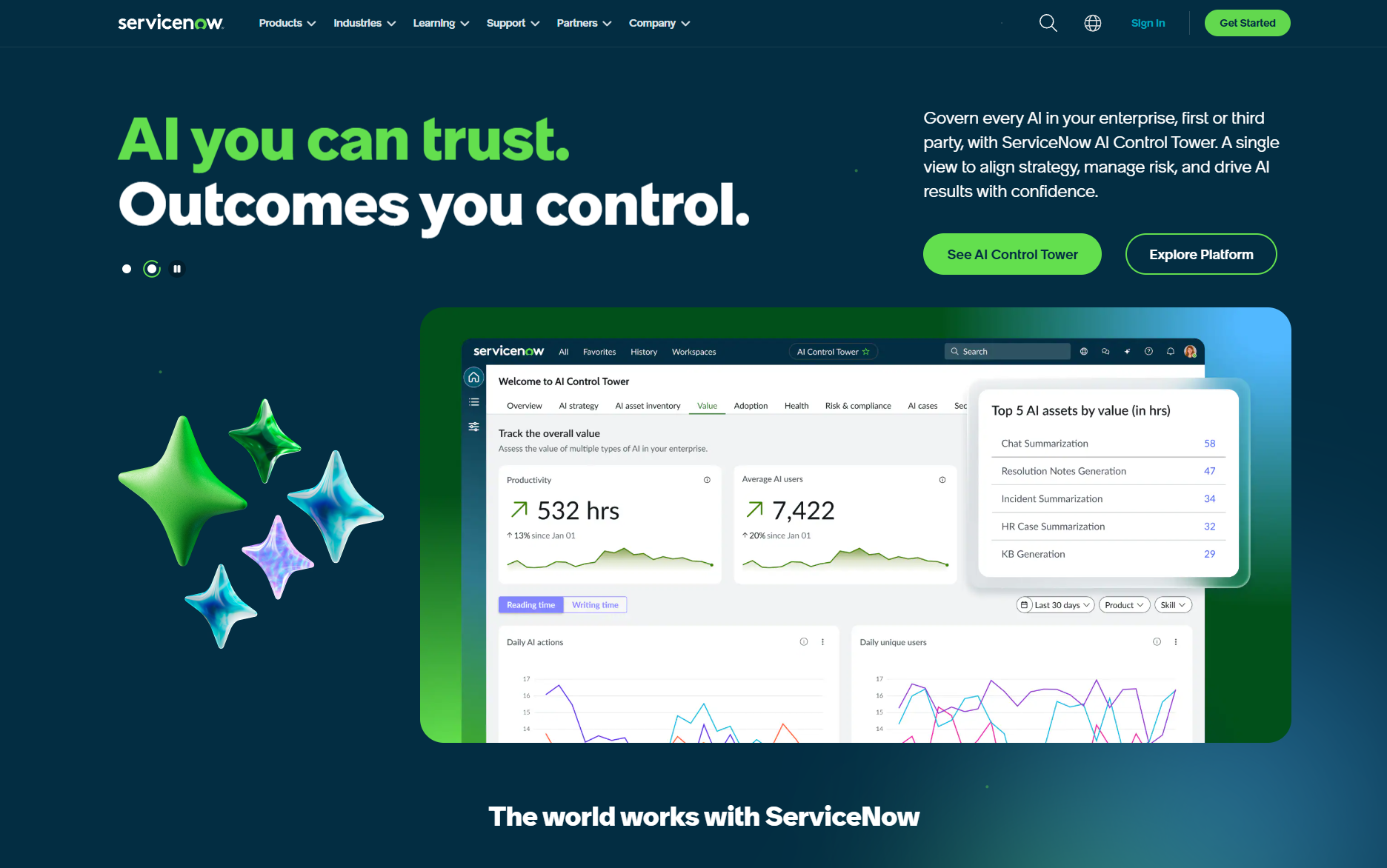
Image source: servicenow.com
ServiceNow vs Salesforce: Key features comparison
When comparing ServiceNow vs Salesforce, understanding their core features is key to choosing the right platform. Both offer powerful automation and scalability, but their focus areas differ significantly. Salesforce leads in customer-facing operations, helping teams manage relationships, sales, and service with deep CRM capabilities. ServiceNow, meanwhile, dominates in IT and enterprise workflow automation. The table below outlines how each platform stacks up across critical categories—from automation and analytics to customization and scalability.
Workflow and automation comparison: Which has streamlined process
Salesforce focuses on optimizing customer journeys and automating sales processes—from lead generation to deal closure and post-sale support. Its automation tools, like Salesforce Flow and Einstein AI, help teams manage customer interactions, forecast sales, and deliver consistent experiences across channels. These workflows strengthen external engagement by reducing manual effort, improving response times, and ensuring every customer touchpoint is tracked and actionable.
ServiceNow, meanwhile, excels at automating internal operations through incident, change, and service request workflows. Its Flow Designer and Now Platform Automation Engine enable IT, HR, and operations teams to streamline complex processes, reduce downtime, and improve service quality.
The overlap between the two platforms is growing as both expand their automation scope—Salesforce moving into service management and operations, and ServiceNow extending into customer-facing workflows. Together, they illustrate the power of end-to-end automation: connecting front-office engagement with back-office efficiency. This linkage creates a continuous flow of data between departments, improving operational visibility, accountability, and decision-making. By unifying automated workflows, organizations can see the entire customer and service lifecycle in real time—identifying bottlenecks, anticipating needs, and driving both customer satisfaction and internal productivity from a single, connected ecosystem.
Security comparison: Which protects data better
Security is a critical consideration when comparing ServiceNow vs Salesforce, especially for enterprises managing sensitive customer and operational data.
Salesforce emphasizes trust and compliance through its multi-tenant architecture, built-in encryption, and role-based access controls. It provides a comprehensive Security Center, SOC 2 compliance, and features like Shield Platform Encryption for sensitive records. Admins can also monitor session activity, restrict IP ranges, and configure detailed permission sets—ensuring data protection without compromising accessibility.
ServiceNow, designed for IT and enterprise governance, takes an equally robust approach. Its Now Platform offers enterprise-grade security with features like contextual access policies, data masking, and full audit logs. ServiceNow's adherence to ISO 27001, FedRAMP, and GDPR standards makes it a preferred choice for highly regulated industries.
In summary, Salesforce excels in CRM data security and customer-facing access control, while ServiceNow leads in IT governance and compliance management for large-scale internal environments.
AI capabilities: Which intelligent power weighs more
Both platforms have invested heavily in artificial intelligence to enhance automation and predictive insight—though their focus areas differ.
Salesforce Einstein AI enhances customer-facing workflows with intelligent recommendations, lead scoring, and forecast accuracy. Its predictive analytics helps sales and marketing teams identify opportunities, anticipate churn, and deliver more personalized engagement. Einstein Copilot, the conversational AI assistant, brings real-time insights directly into CRM workflows for faster decision-making.
ServiceNow Now Intelligence focuses on operational automation. It includes predictive intelligence for ticket categorization, anomaly detection, and virtual agents that resolve employee requests automatically. IT and HR teams benefit from reduced manual effort, faster resolution times, and improved service quality through AI-driven triage and prioritization.
In short, Salesforce utilizes AI to enhance customer engagement, while ServiceNow leverages AI to streamline internal operations—both contributing to smarter, more proactive enterprise management.
Pricing comparison: Which plan is appealing
Pricing is another key differentiator in the ServiceNow vs Salesforce debate, as both platforms cater to different business scales and use cases.
Salesforce pricing varies by cloud (e.g., Sales, Service, Marketing) and edition. For example, Sales Cloud starts at $25/user/month for the Starter Suite and can reach $330/user/month for advanced Enterprise or Unlimited tiers. Pricing increases with functionality—AI features, analytics, and automation modules often incur additional costs.
ServiceNow pricing, meanwhile, is typically custom-quoted based on the number of workflows, users, and modules (such as ITSM, HR, or CSM). While its entry point is higher than Salesforce's, ServiceNow offers enterprise-grade scalability—ideal for organizations managing thousands of internal tickets and requests daily.
For smaller businesses, Salesforce tends to be more cost-accessible and modular. For larger enterprises prioritizing cross-departmental automation and IT governance, ServiceNow often delivers a better long-term ROI despite higher upfront investment.
Decision checklist: Which platform fits your needs
Choosing between ServiceNow Salesforce ultimately depends on your organization's priorities, workflow structure, and long-term growth strategy. Both platforms offer powerful capabilities, but the right fit comes down to how your business operates and what you aim to optimize—customer engagement or internal service efficiency. Here's a decision checklist to help guide your choice:
- Define your primary goal: Start by identifying your main focus: if your priority is customer engagement, sales growth, and marketing automation, Salesforce is the better choice. If you need to streamline IT operations, manage service requests, and boost internal efficiency, ServiceNow is ideal. Align your platform with the processes that drive your business outcomes most.
- Evaluate automation depth, scalability, and customization preferences: Salesforce offers deep CRM automation, AI-driven insights, and a vast ecosystem of extensions for scalability. ServiceNow, meanwhile, provides enterprise-grade automation for IT and operational workflows. Consider how much flexibility and scale your organization needs today—and in the future.
- Assess your internal team size, workflows, and tech maturity: Smaller, sales-driven teams may find Salesforce faster to deploy and easier to adopt. Larger enterprises with complex service structures may benefit from ServiceNow's process depth and governance features. Match the platform's complexity to your team's capability.
- Consider your data ecosystem and how easily you can connect tools: Salesforce connects seamlessly with customer-centric tools like marketing, commerce, and analytics systems. ServiceNow integrates deeply with IT, HR, and enterprise operations. Evaluate how each aligns with your current systems to ensure smooth data flow across teams.
- Look for vendor support, admin complexity, and long-term ROI: Both platforms require skilled administration, but Salesforce generally offers broader community support and transparent pricing. ServiceNow often involves higher setup effort and licensing costs but delivers immense value for enterprise-scale automation. Choose the solution that balances functionality with total cost of ownership and sustainable ROI.
Afterthought
While ServiceNow and Salesforce excel in their own domains, many teams struggle with scattered tools, siloed communication, and slow coordination between departments. That's where Lark makes a real difference. Instead of juggling multiple platforms for chat, meetings, documents, and project tracking, Lark brings everything together in one connected workspace. Let's dive into this alternative and see where it makes a difference.
Alternative: Use Lark to manage CRM and ITSM workflows in one place
When teams run both Salesforce and ServiceNow, information often lives in silos—customer updates on one side, service tickets on the other. Lark unites these workflows, providing teams with a single workspace to manage both external engagement and internal operations simultaneously. It's where conversations, data management, and automation connect to keep every process moving smoothly.
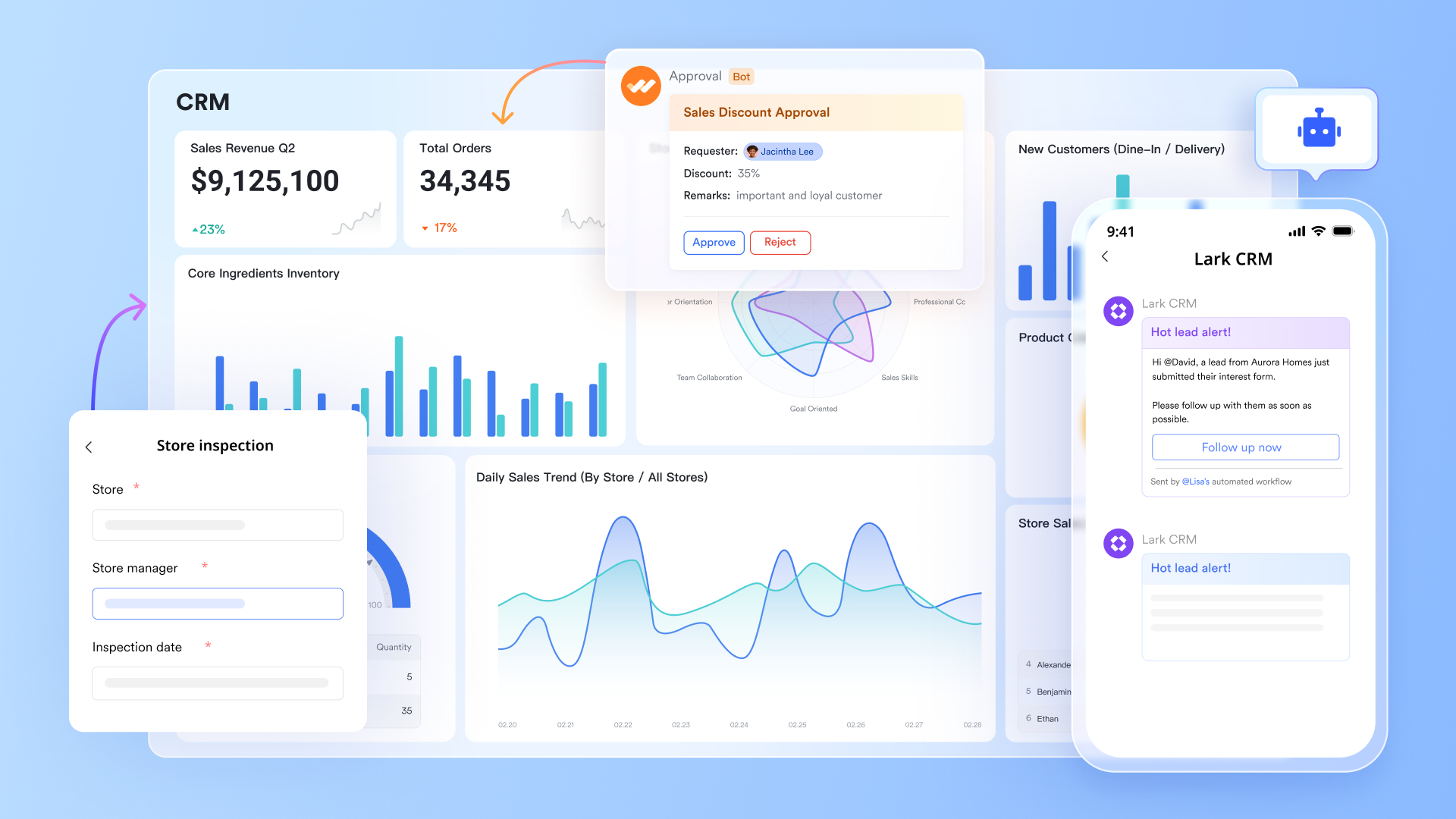
- Lark Base: Centralize and track every customer or IT request effortlessly
- Lark Base serves as your central hub for tracking customer or IT requests tied to CRM or ITSM systems. Teams can design database-style views for tickets, inquiries, or workflow items, with fields for status, assignee, and due dates. Custom dashboards help visualize progress and bottlenecks in real time. As for workflow automation, Lark Base uses AI-powered automation to streamline tasks like sales follow-up and research report generation. You can leverage the DeepSeek AI field shortcut to automate operations, such as generating structured data for sales follow-up or research reports, with high-speed and stable access to AI.
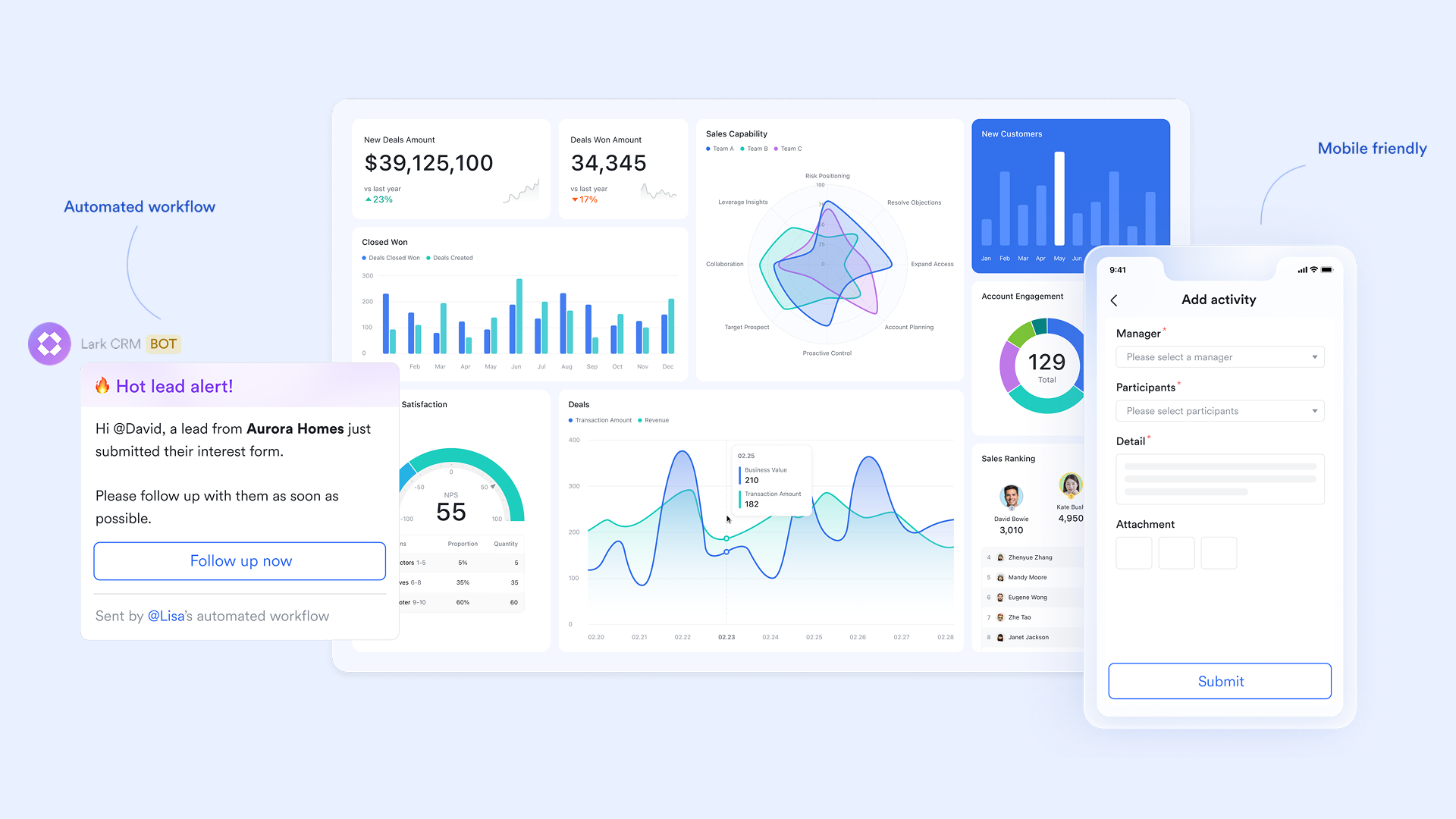
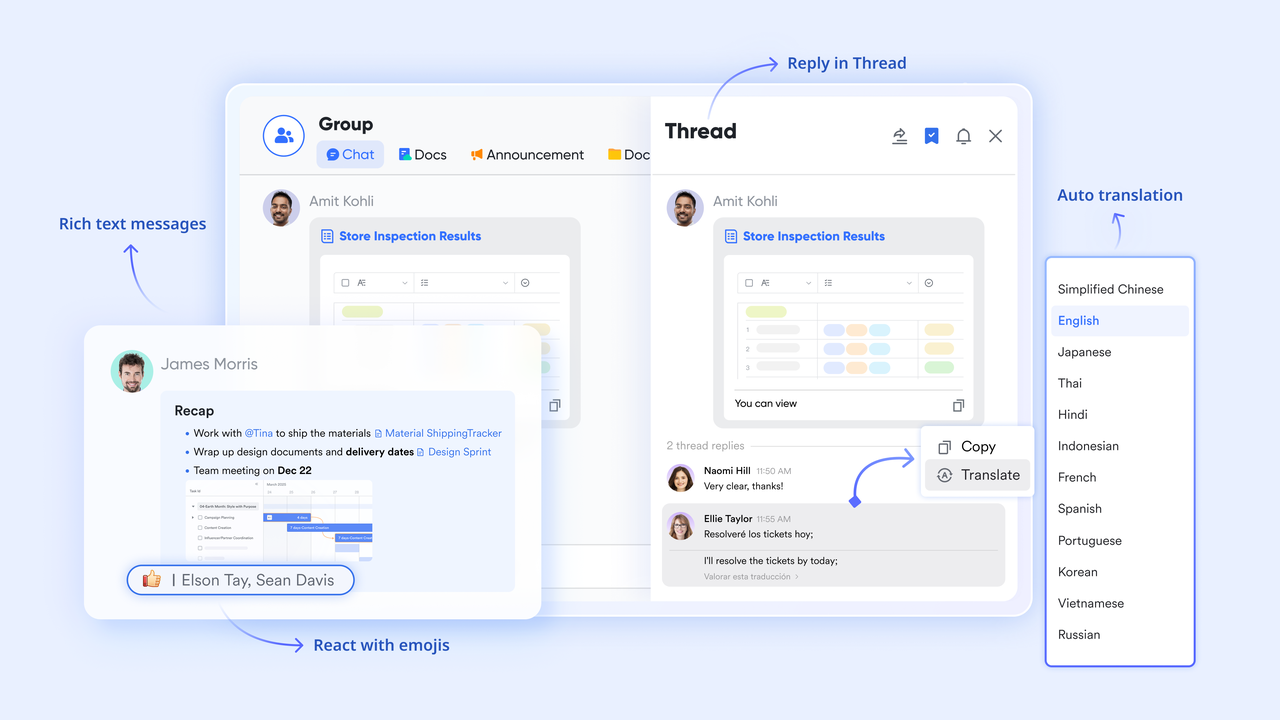
- Lark Messenger: Keep every update and discussion in one place
- Lark Messenger keeps every Salesforce or ServiceNow update within context, so no one misses critical changes. When a deal advances stages or a support ticket is updated, team members receive instant notifications within the right chat . Instead of switching between multiple tools, discussions stay attached to the work itself. Reactions, comments, and quick replies ensure faster decisions. It's team communication built directly around workflow activity, not separate from it.
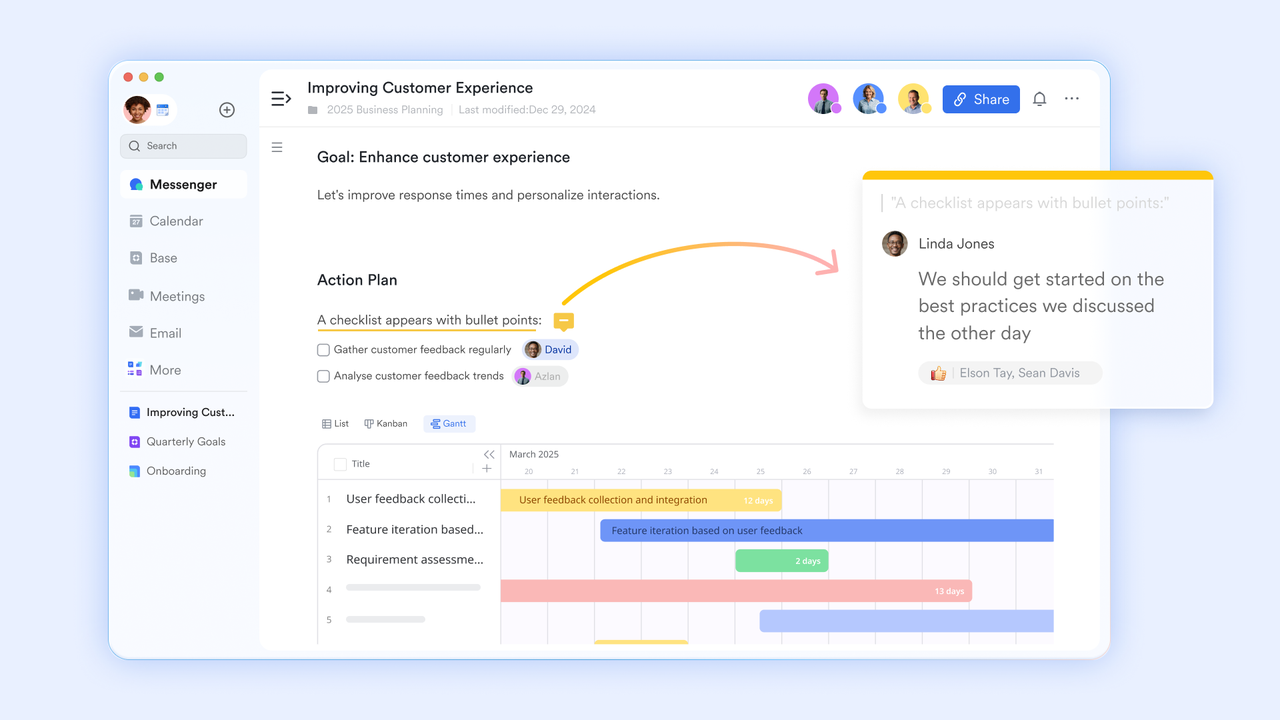
- Lark Docs: Co-create and share live process guides and documentation
- Lark Docs provides a shared space where teams can co-edit documentation, process guides, or standard operating procedures in real time. Whether drafting onboarding checklists or IT response playbooks, every edit is instantly visible and comment-enabled. Embedded tables, links, and charts make Docs interactive and reference-rich. Teams can attach these directly to Base records or Tasks for easy access. This keeps knowledge centralised and accessible across departments.
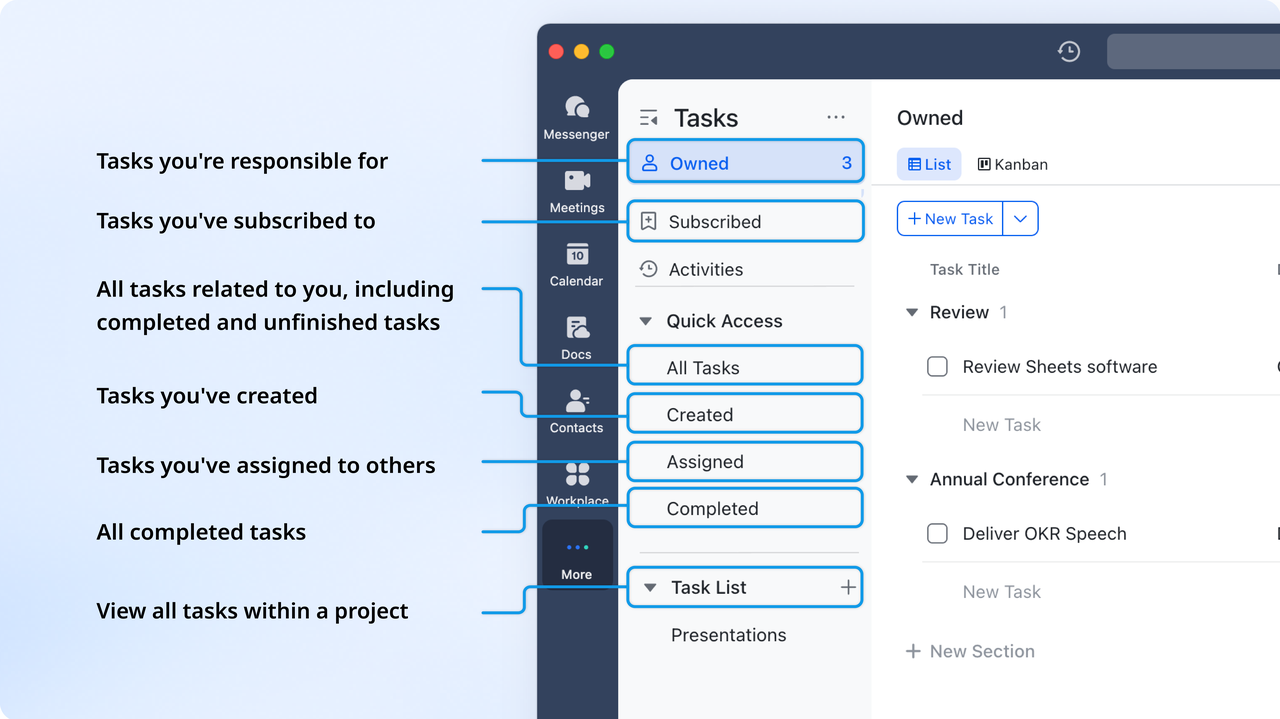
- Lark Tasks: Turn every follow-up into an actionable, trackable task
- Lark Tasks helps you transform follow-ups from CRM or ITSM workflows into clearly owned, trackable actions. Every task includes assignees, due dates, and progress indicators, ensuring accountability. Tasks in Lark can be organized, assigned, tracked, and visualized in Kanban view, with automated reminders and workload visibility. You can link tasks to specific workflow steps and send to-do lists to designated members at intervals.
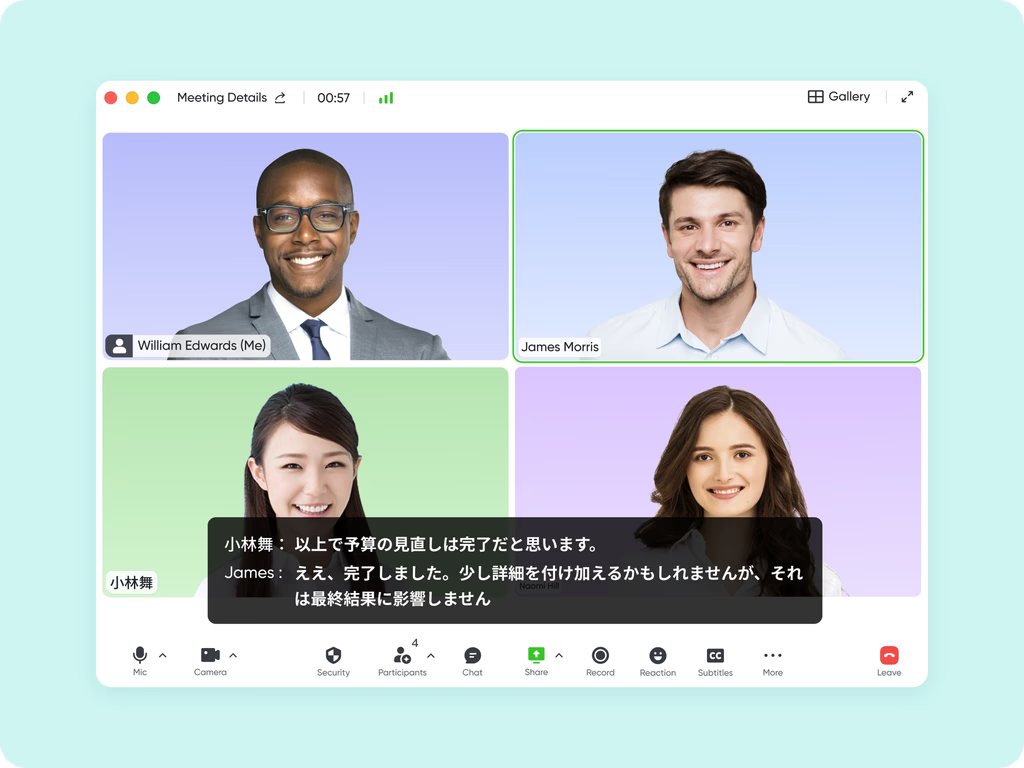
- Lark Meetings: Review CRM and ITSM performance in real time
- Lark Meetings makes it easy to review performance metrics, discuss CRM deals, or evaluate ITSM reports without leaving your workspace. Teams can schedule meetings directly from relevant Base records or calendar entries. AI Meeting Notes and screen sharing help capture action items as they're discussed. Meeting recordings and summaries remain accessible for later reference. This ensures discussions seamlessly feed back into ongoing workflows.
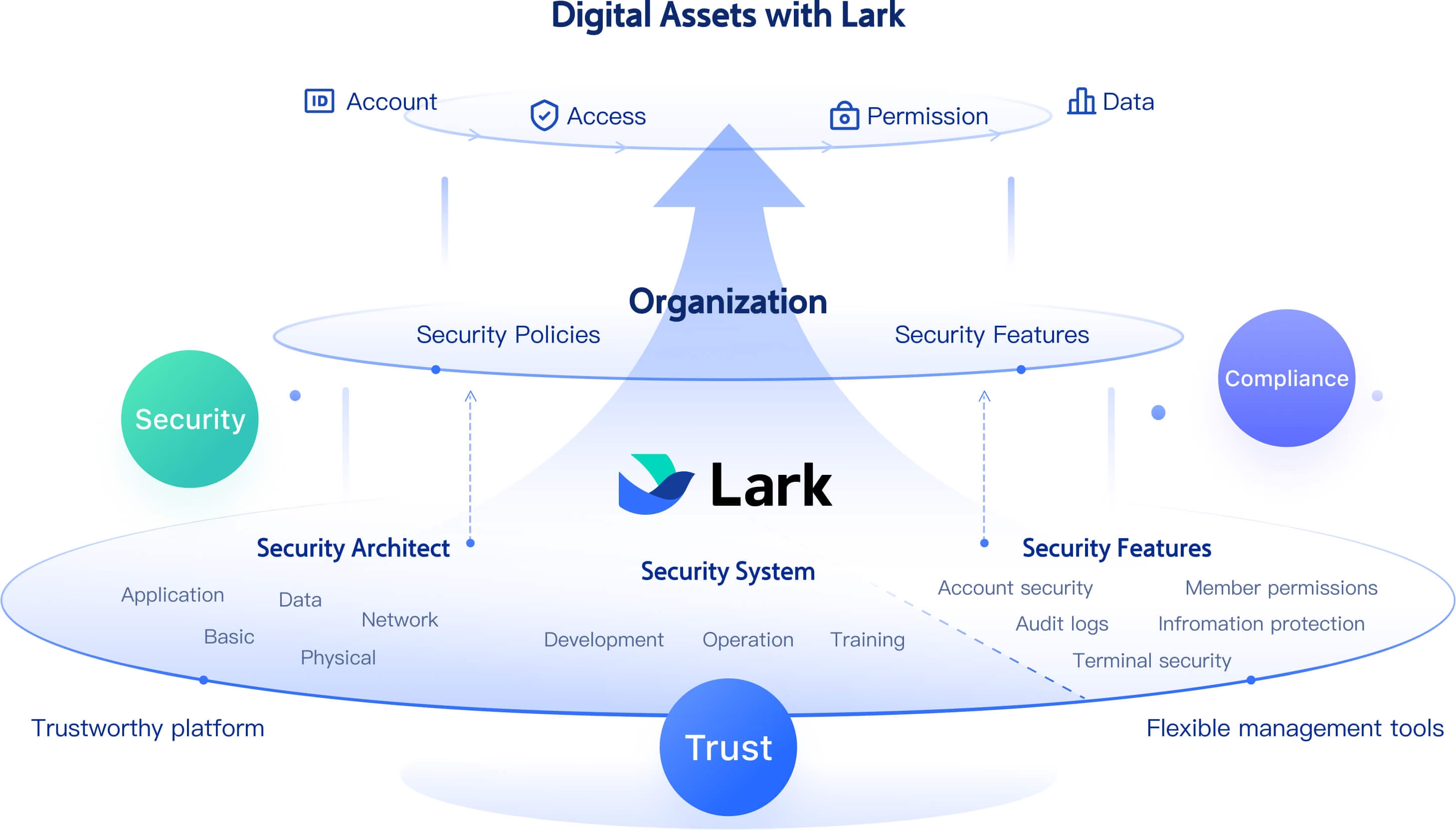
- Strengthening data security and compliance
- Lark provides robust tools to help organizations protect sensitive information and maintain compliance. Features such as watermarks and secure labels safeguard company data, while comprehensive audit logs track administrative actions, API calls, and member activities to identify potential risks. Data residency options allow businesses to choose where their information is stored to meet regulatory requirements. Additionally, administrators receive real-time notifications if third-party integrations, such as Salesforce, encounter issues — ensuring security and continuity across connected systems.
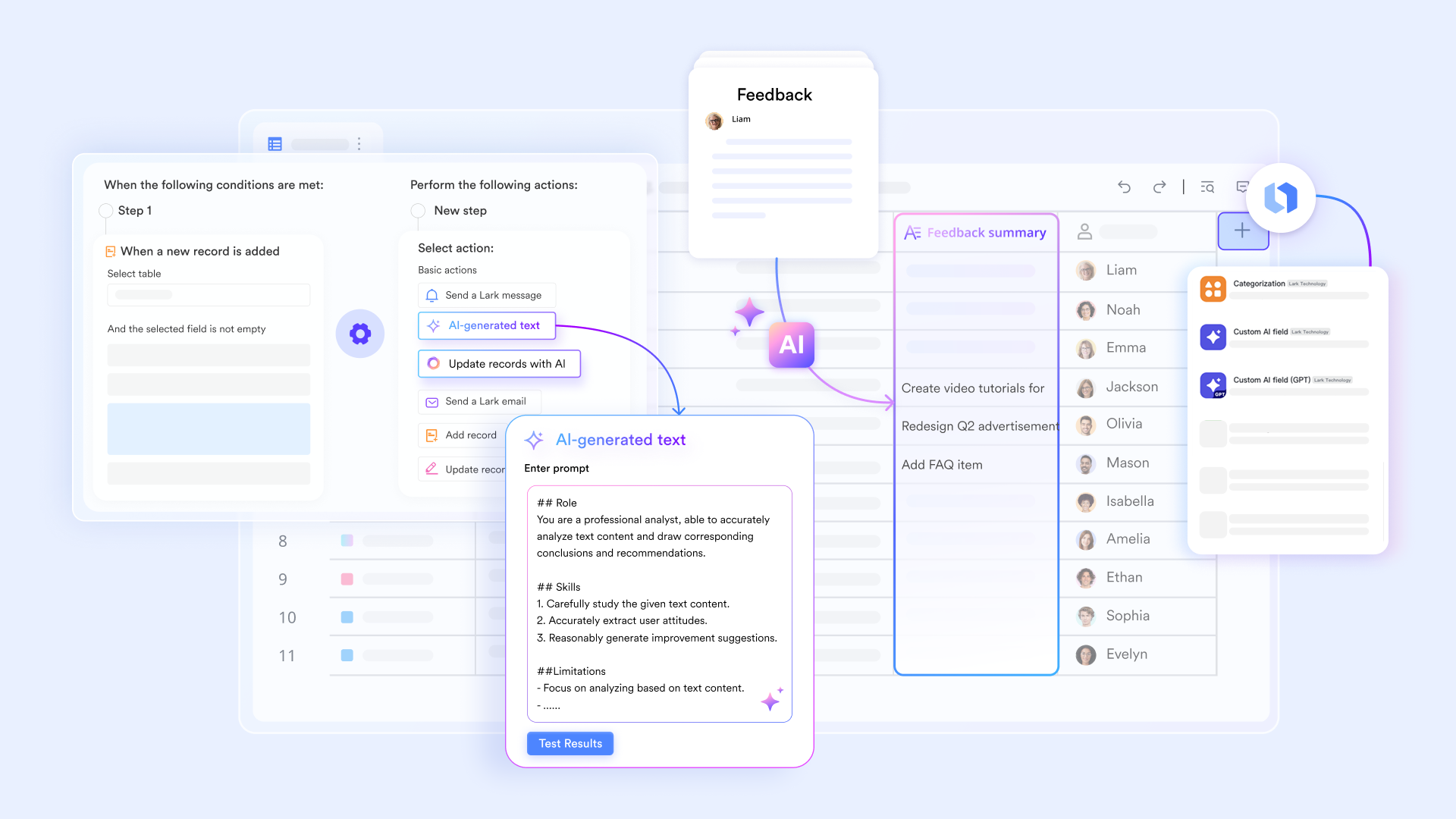
- Boosting productivity with AI-powered field shortcuts
- AI field shortcuts in Lark Base are specialized fields powered by built-in AI or OpenAI models that automate tasks like translation, classification, summarization, content extraction, and content generation based on table data. They streamline workflows by generating structured outputs and handling multiple tasks at once, offering greater efficiency than traditional AI chatbots. You can easily add AI fields through the Field Shortcut Center, selecting either the built-in AI or an OpenAI (GPT-labeled) model to fit your needs.
- Starter plan: Free forever plan that includes 11 powerful tools for up to 20 users. It also comes with 100GB of storage, 1000 automation runs, AI translations, and more.
- Pro plan: $12/user/month (billed annually) for up to 500 users. It includes everything in Starter plus group calling for up to 500 attendees, 15TB of storage, 50,000 automation runs, and more.
- Enterprise plan: Contact sales for custom pricing. Supports unlimited users and includes even more automation runs and advanced security, compliance, and management features.
Conclusion
Choosing between Salesforce and ServiceNow isn't just about features—it's about aligning technology with how your teams work. Salesforce strengthens customer connections through CRM and sales automation, while ServiceNow streamlines internal operations with ITSM and digital workflows. But as organizations blur the line between external service and internal efficiency, a unified approach becomes essential.
Lark brings that balance—combining communication, task management, and data tracking in one collaborative platform. With every conversation tied to action and every record visible in real time, Lark helps teams achieve true end-to-end workflow harmony across customers, services, and operations.
FAQs
Can ServiceNow and Salesforce be used together in one organization?
Yes, many enterprises use ServiceNow and Salesforce together to connect external customer engagement with internal service delivery. Salesforce manages client relationships and sales pipelines, while ServiceNow handles IT, HR, or support workflows. When integrated, they create seamless data flow—ensuring customer issues trigger internal actions automatically, improving efficiency and visibility across departments.
Which platform is better for customer support management?
For external, customer-facing support, Salesforce Service Cloud is typically stronger—it centralizes cases, automates responses, and integrates with omnichannel communication. ServiceNow also supports customer service management but is best for complex, internal or IT-driven service requests. Businesses often use both: Salesforce for handling client tickets and ServiceNow for managing backend issue resolution.
What are the main implementation challenges with ServiceNow or Salesforce?
Salesforce implementations can become complex due to extensive customization, integration needs, and ongoing configuration management. ServiceNow projects are typically longer and require in-depth process mapping for ITSM or enterprise workflows. Both demand skilled administrators and stakeholder alignment to prevent silos, ensure data consistency, and achieve full return on investment after rollout.
Do ServiceNow and Salesforce both support AI features?
Yes. Salesforce Einstein AI enhances sales and marketing with predictive analytics, lead scoring, and personalized recommendations. ServiceNow's Now Intelligence focuses on operational efficiency—offering virtual agents, anomaly detection, and automated workflow optimization. Both leverage AI to reduce manual work, improve decision-making, and provide proactive insights across customer and service management processes.
What's the best way to align teams using both ServiceNow and Salesforce?
The key is integration and process clarity. Connect data between Salesforce (for customer engagement) and ServiceNow (for service delivery) to eliminate information gaps. Define ownership for each stage of the workflow, use automation to synchronize updates, and implement shared dashboards for visibility. This alignment ensures teams collaborate smoothly across external and internal operations.
Related reading
Table of contents
Start using Lark today

Manage all your work in one place
Boost team efficiency by 10x
Save up to 70% on software costs
Table of contents
Start using Lark today
Manage all your work in one place
Boost team efficiency by 10x
Save up to 70% on software costs
Keep reading



Lark recognized in 2023 Gartner® Collaborative Content Workspaces and Meeting Solutions reports
Lark, the global superapp for productivity, is delighted to announce it receives recognition in the Gartner's 2023 Innovation Insight for Collaborative Content Workspaces and Market Guide for Meeting Solutions.





2026 Lark Technologies Pte. Ltd.
Headquartered in Singapore with offices worldwide.






Explore: