Managing inventory efficiently is essential for retail businesses, warehouses, and operations teams that rely on accurate stock records. A stock management Excel template is a ready-made .xlsx file that lets you track every item entering and leaving your business. Many organizations begin with spreadsheets because they provide a flexible way to track inventory, product movement, and inventory counts.
An Excel stock management template helps businesses maintain organized inventory records and monitor incoming and outgoing goods. For smaller teams, stock management in an Excel sheet offers a simple starting point for inventory tracking. This guide is written for small and mid-sized businesses that want to establish an inventory management process before committing to full inventory software.
What is a stock management Excel template?
A stock management Excel template is a structured inventory spreadsheet used to track product inventory, stock movement, and quantity levels within an organization. Businesses use these templates to monitor inventory availability, record stock transactions, and maintain accurate .
Core features of an effective stock management Excel template include an Inventory List, a Transactions Log to capture every stock movement, Reorder & Alerts, and a Dashboard to display total inventory value and highlight low stock alerts.
Many organizations adopt as their first inventory management solution. These spreadsheets typically include columns for product names, SKU numbers, quantity levels, and reorder points. Because Microsoft Excel allows formulas and automation, teams can calculate totals, track stock balances, and generate simple inventory reports. For smaller operations, stock management in Excel sheets (xls files) provides flexibility and ease of use. However, as businesses scale, managing inventory through spreadsheets can become complex. This is why some organizations eventually adopt collaborative systems that combine stock tracking with operational workflows.
How to create a stock management sheet in Excel
Creating an effective inventory spreadsheet requires planning the right structure, formulas, and reporting views. Businesses using stock management Excel template files should organize their spreadsheets to track inventory movement efficiently.
Step 1: Define inventory fields
The first step in building stock management in Excel spreadsheets is defining the columns used for inventory tracking. These fields typically include product name, SKU number, location, quantity, and reorder level. These fields support better stock control by flagging when to buy and when to stop, ensuring structured inventory data.
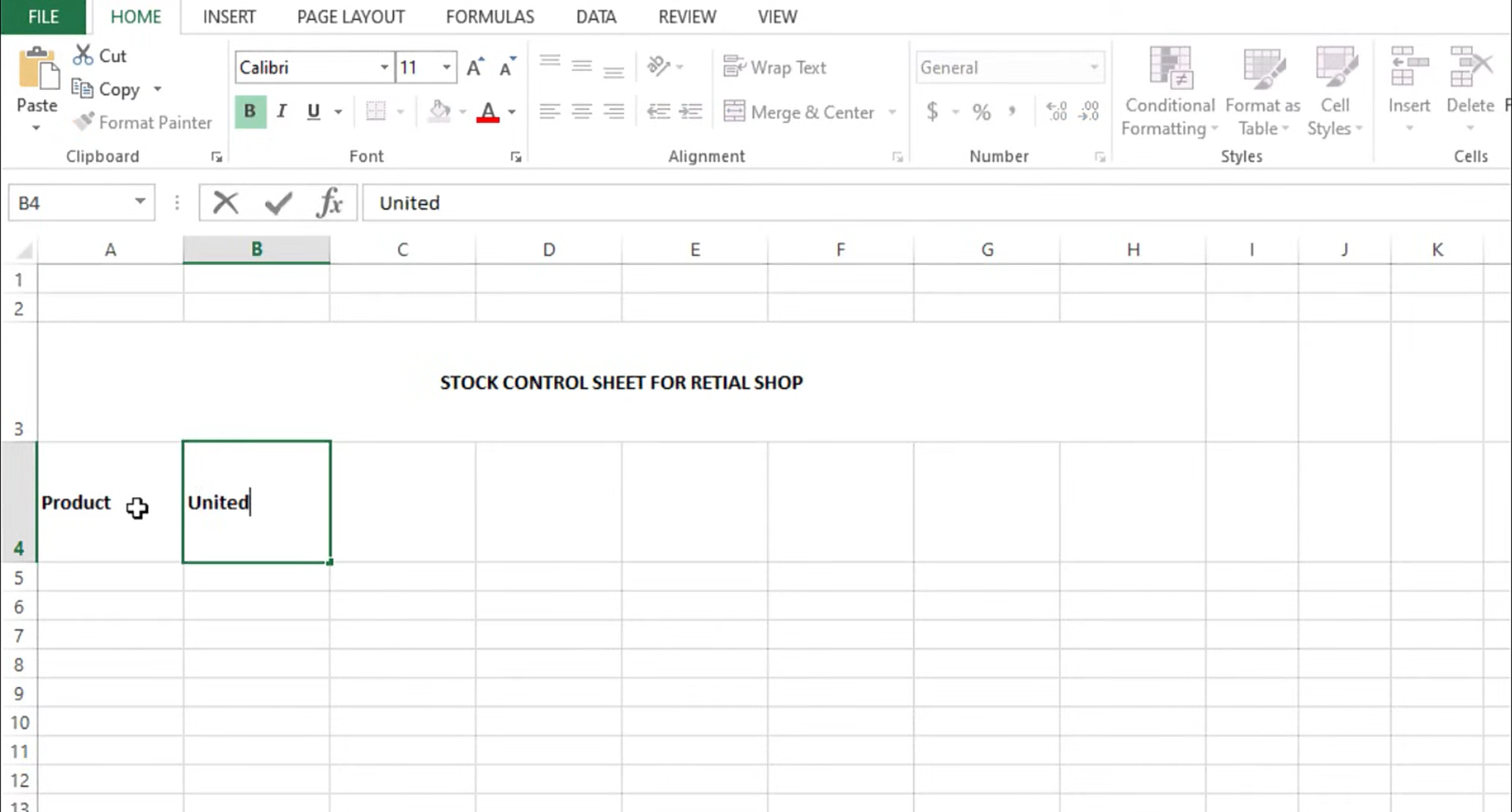
Image source: smartsheet.com
Step 2: Add formulas for stock calculations
Excel formulas automate calculations within the template. Using the right formulas is what transforms a basic inventory spreadsheet into a true stock inventory control template. Functions such as SUM and COUNT help track inventory totals and movement, while lookup formulas like VLOOKUP pull item names automatically. These formulas reduce manual data entry and improve accuracy in stock management in Excel sheets and free spreadsheets.
Step 3: Track stock movement and build the transactions log
Businesses should record both incoming inventory and within the spreadsheet. The Transactions Log is where your Excel inventory template comes alive. Every time stock items move, this sheet captures the event so formulas can calculate current stock automatically. Maintaining a log of stock transactions ensures accurate inventory balances.
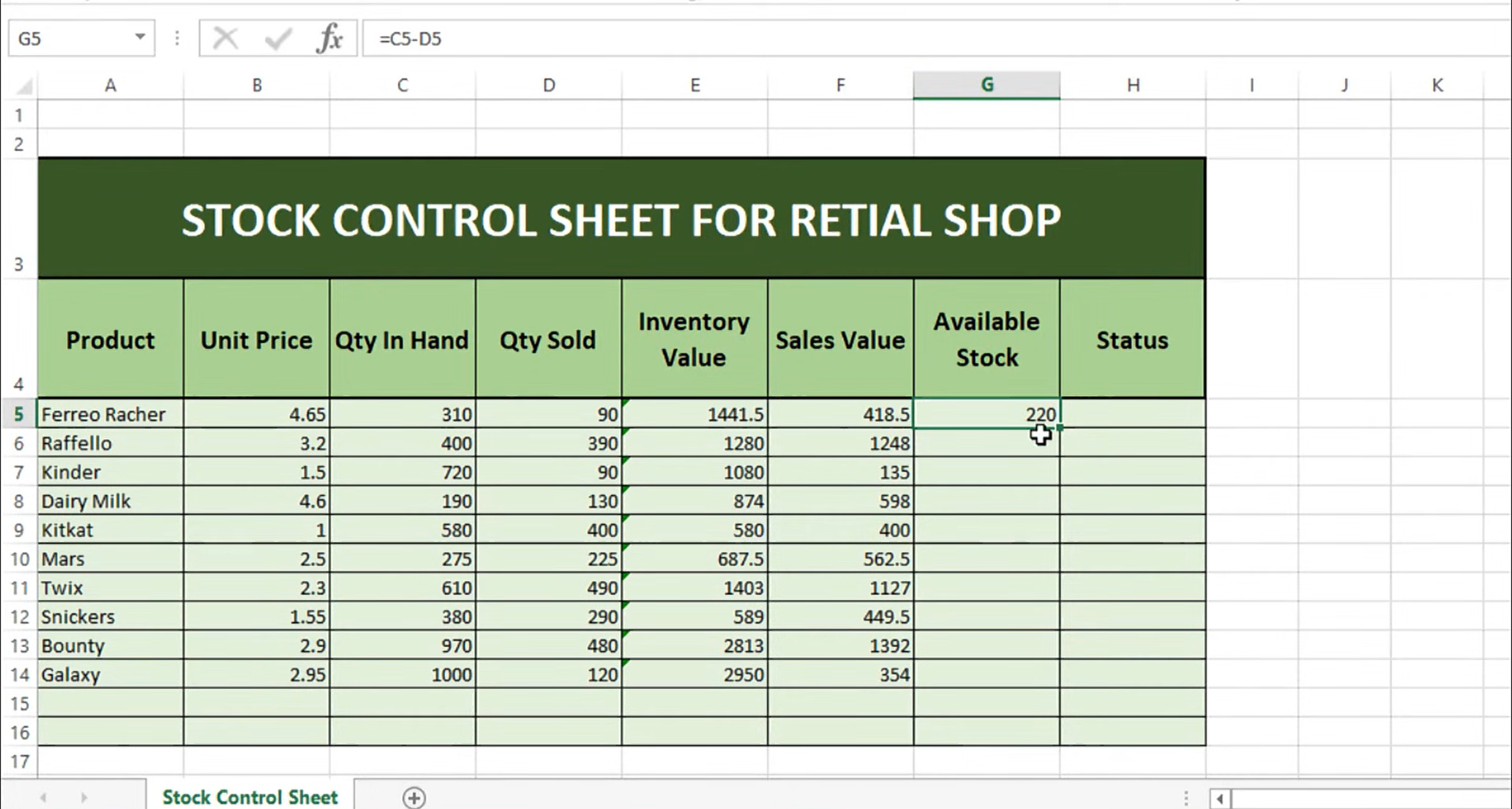
Image source: smartsheet.com
Step 4: Design a dashboard view
Inventory dashboards provide visual insights into and product movement. Excel's pivot tables can summarize inventory data, view sales by category, or flag dead stock. These dashboards help businesses monitor inventory trends and plan restocking strategies.
Here is a checklist of pitfalls frequently seen when teams rely only on stock management in Excel sheet for their inventory processes:
- Manual overwriting of formula cells, which silently breaks calculations.
- Failing to log negative adjustments like damage or shrinkage.
- Not reconciling spreadsheet data with physical stock counts.
To prevent these, apply data validation on every input column and lock formula columns so manual data entry errors are minimized.
Replace manual data input with automated workflows
7 popular stock management Excel templates
Comprehensive inventory spreadsheets
This Excel inventory management template is designed to help small to mid-sized businesses manage stock levels, bin locations, and reorder points. The spreadsheets include pre-built formulas for calculating inventory value and automated alerts that highlight when items fall below a specific threshold.
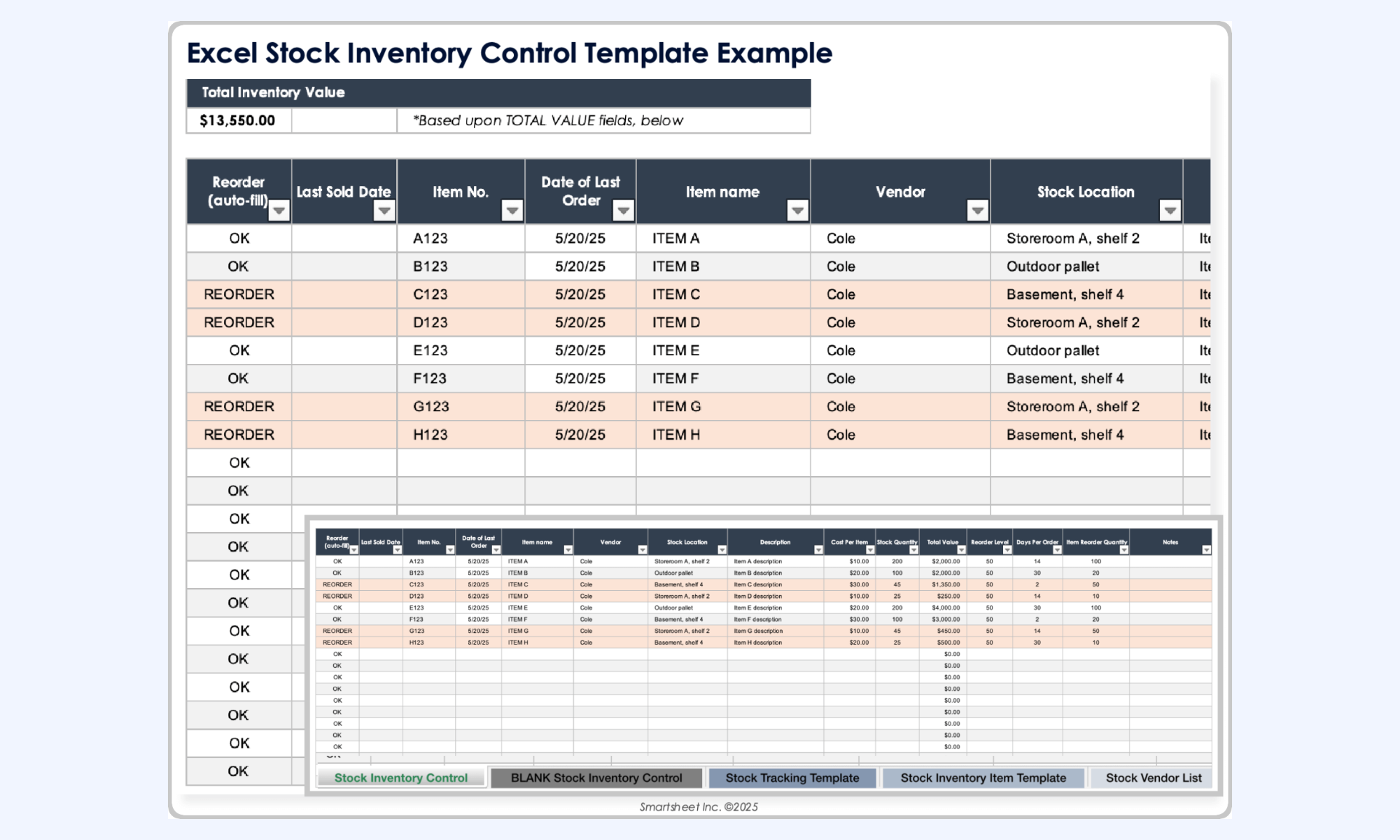
Image source: smartsheet.com
Project-based inventory template
This inventory management template is specifically designed for managers who need to coordinate material availability with project timelines to prevent production delays. It features specialized columns for tracking unit costs and reorder lead times, ensuring that your project's supply chain management remains synchronized with your delivery schedule.
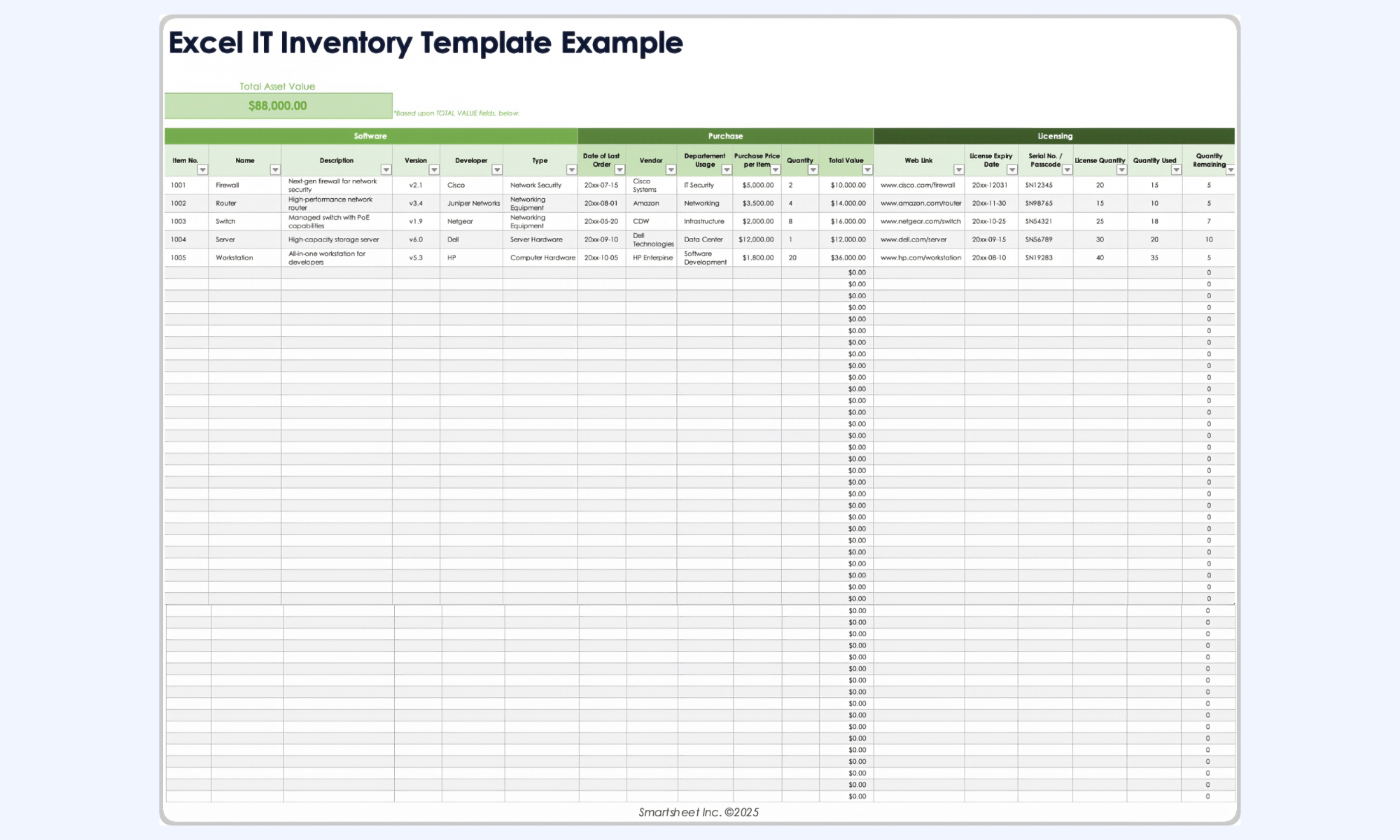
Image source: smartsheet.com
Financial inventory control sheet
Focused on accounting accuracy, this professional-grade spreadsheet provides a robust system for tracking stock movements alongside VAT and tax calculations. It features a unique dashboard header that provides an instant summary of total stock value and a one-click highlight system for identifying low stock alerts.
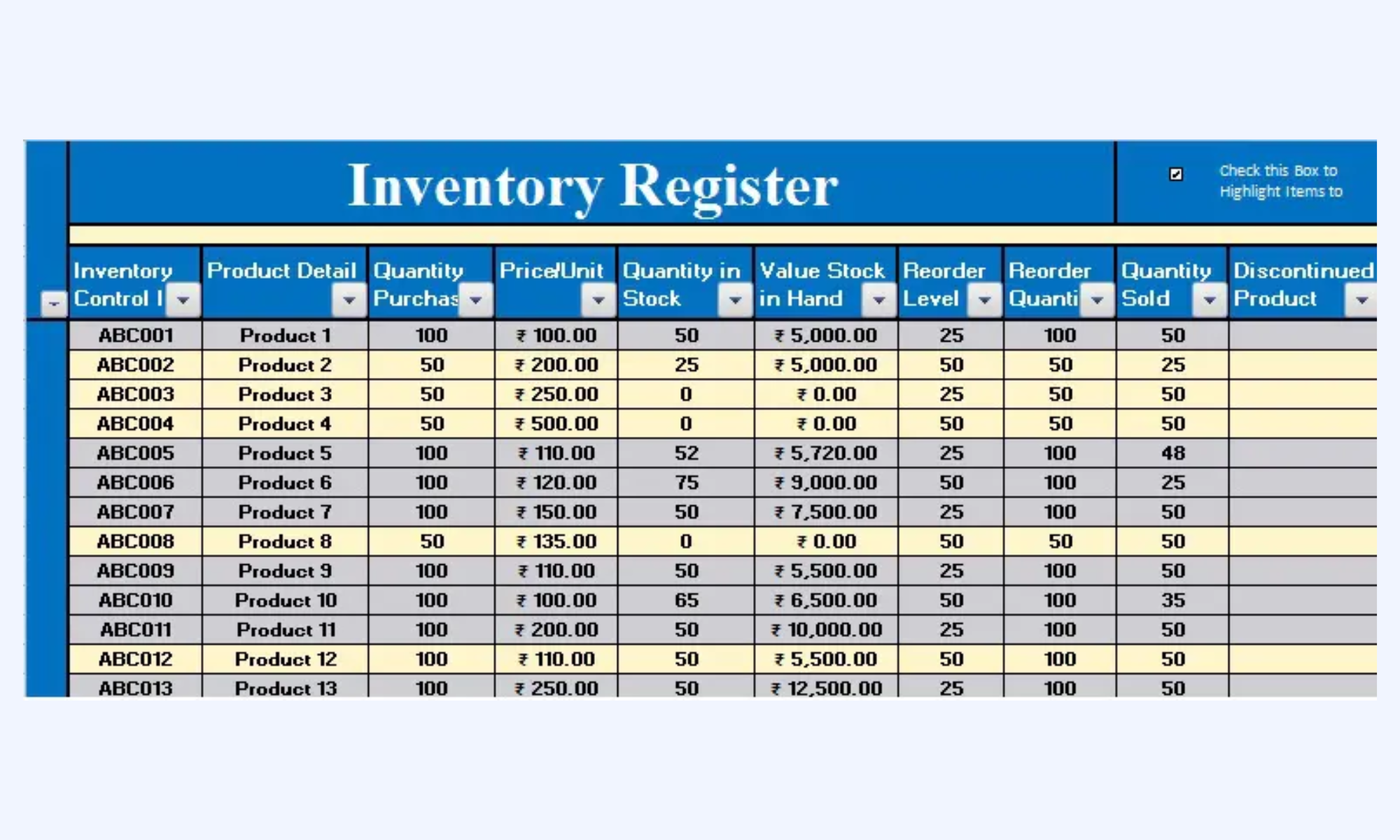
Image source: smartsheet.com
Warehouse management system sheet
This advanced Excel-based system is built for logistics-heavy operations that require more than a simple list, offering built-in barcode generation and scanning support. It streamlines the intake and dispatch process by automating inventory data entry, making it a powerful tool for maintaining accuracy in high-volume distribution centers.
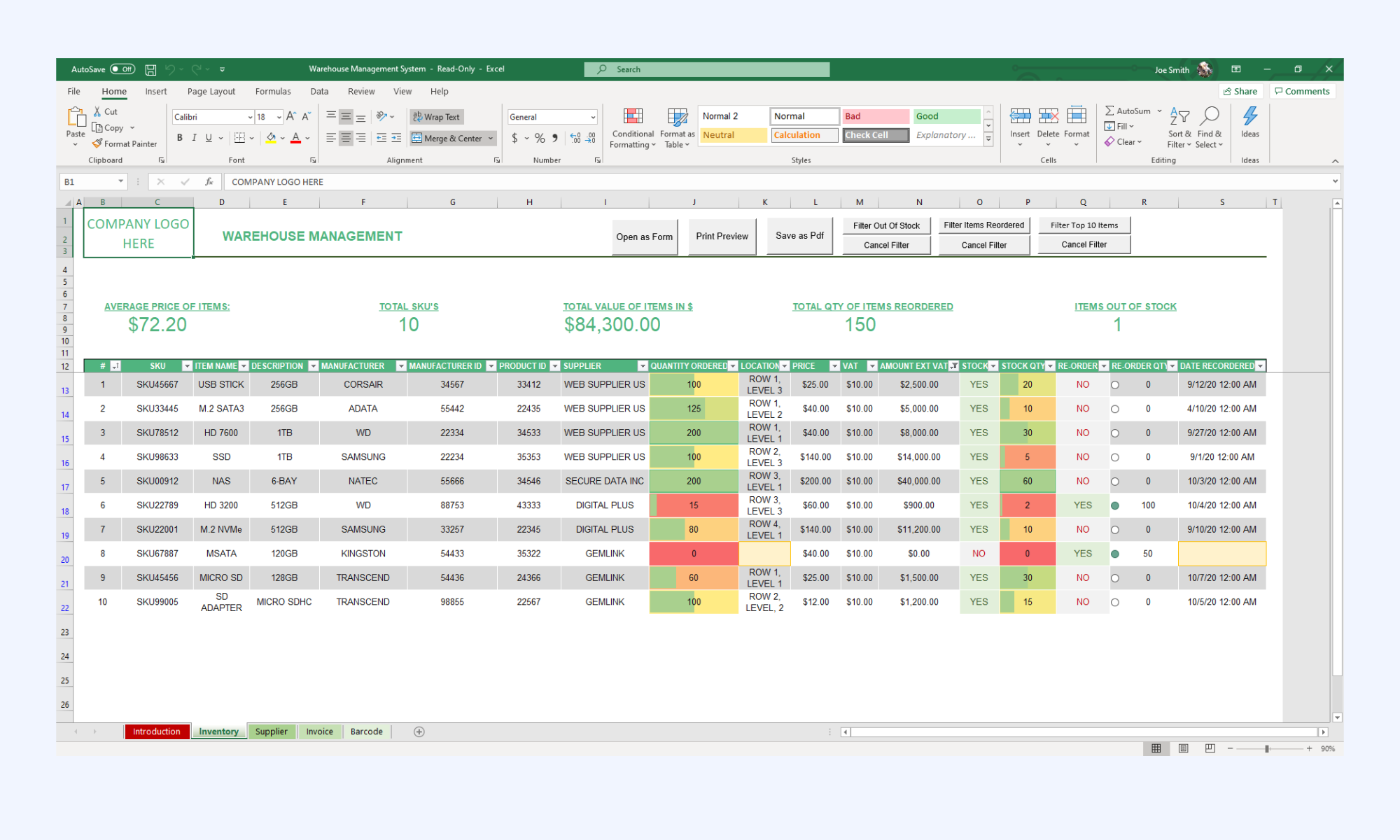
Image source: smartsheet.com
Specialized industry template
Sheetgo provides a curated list of top-tier templates tailored for specific niches, ranging from restaurant food stocktaking to IT hardware asset management. Each template is optimized for a particular workflow, allowing businesses to track metrics such as waste margins, liquor costs, and software license renewals.
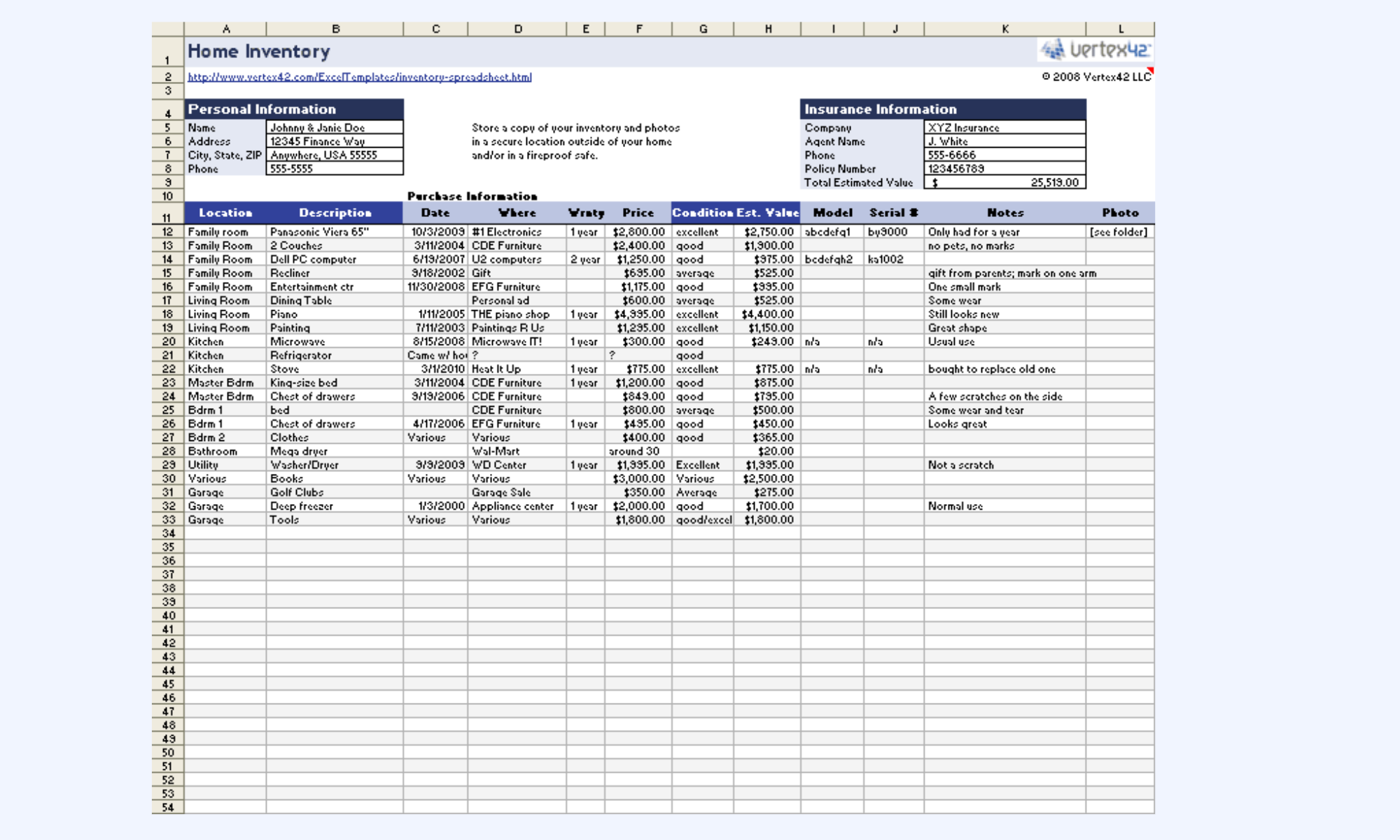
Image source: smartsheet.com
Performance-driven management sheet
This resource focuses on the strategic side of stock management, offering a master inventory table integrated with a transaction log to monitor performance. It is designed to help businesses calculate their inventory turnover rate and identify "dead stock," providing the data needed to optimize annual purchasing and improve cash flow.
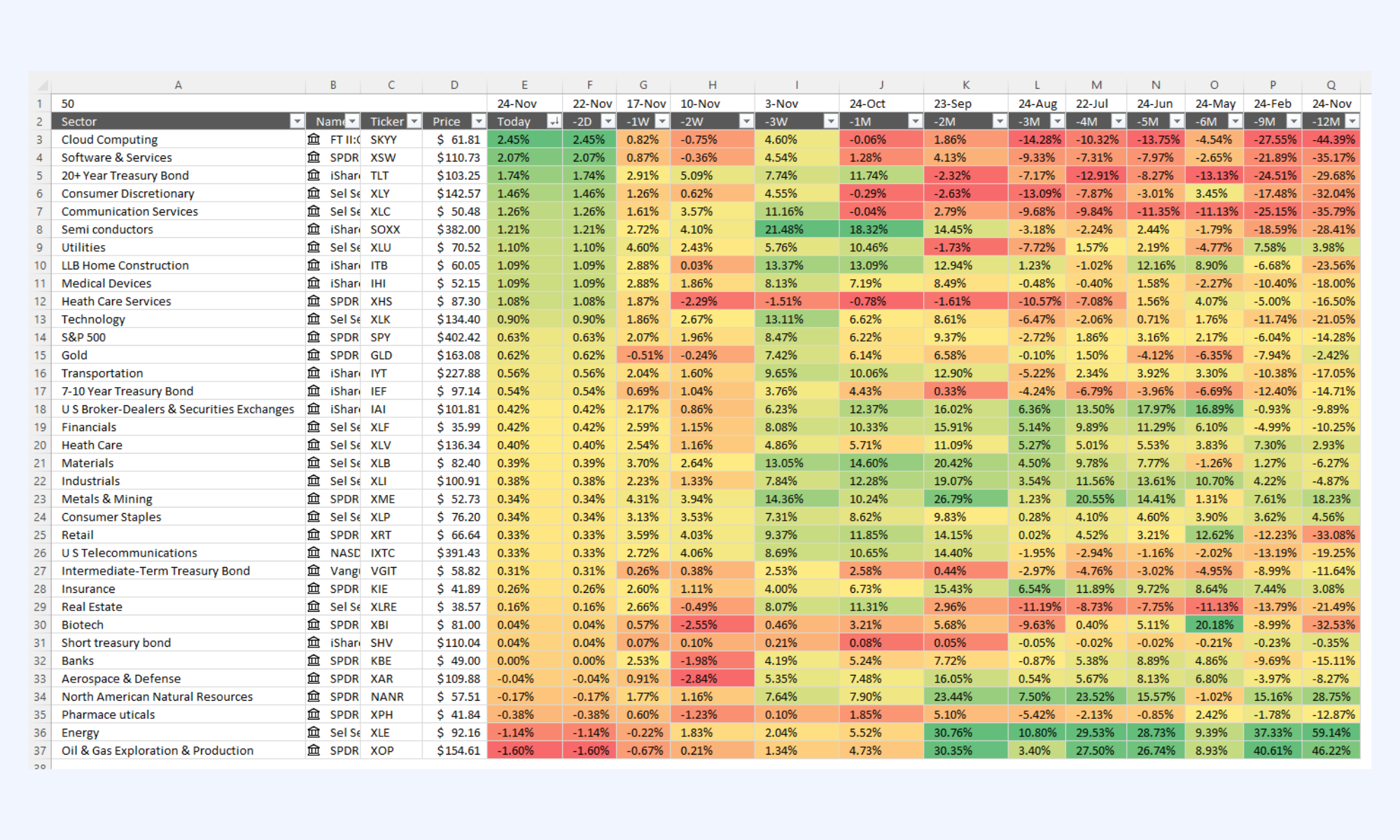
Image source: sheetgo.com
Strategic inventory management spreadsheet
This professional-grade template is designed for high-level operations, offering a sophisticated dashboard that visualizes stock health and turnover trends. It provides a comprehensive ecosystem for tracking SKU-level data, vendor performance, and real-time inventory valuations, making it an ideal choice for businesses that need to manage complex supply chains within an annual budget framework.
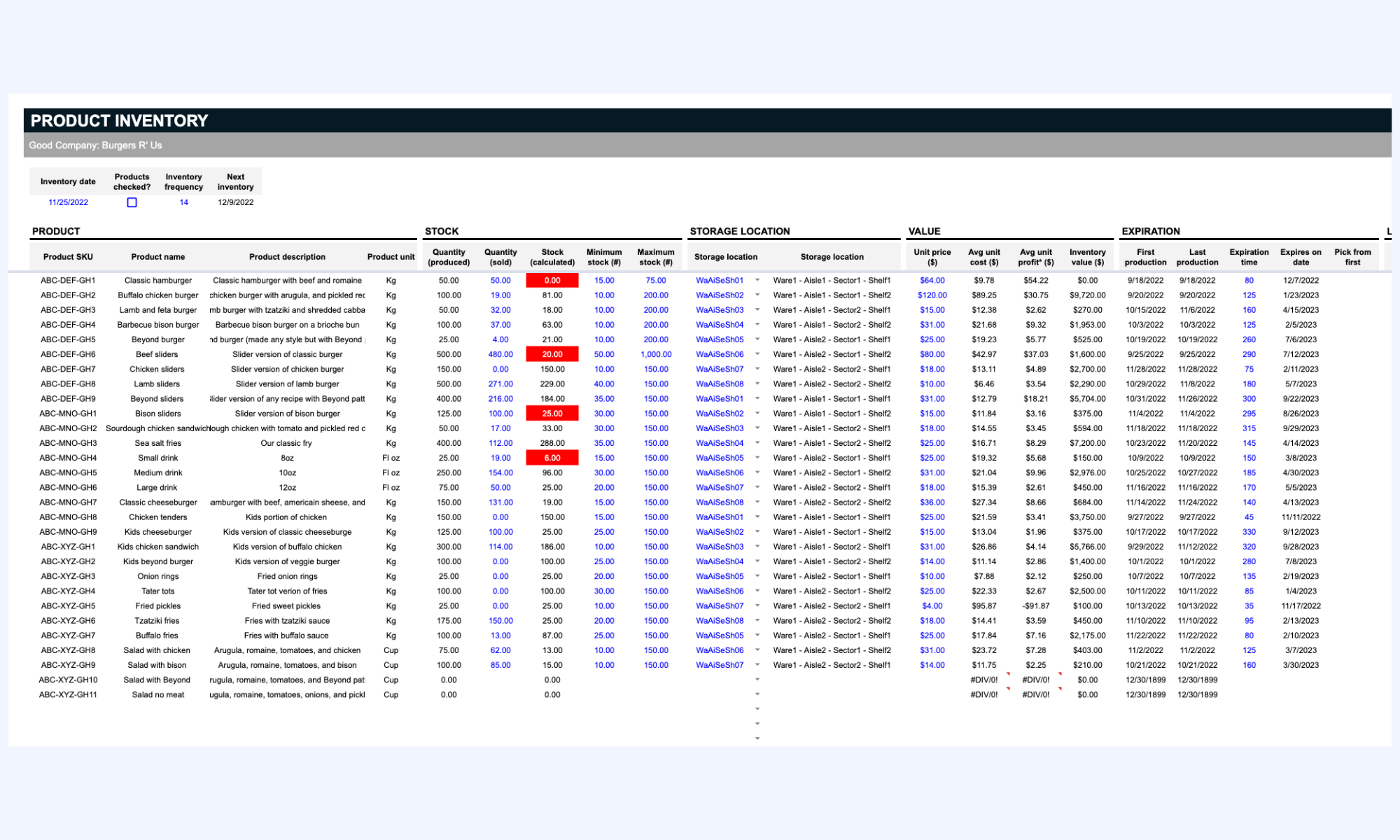
Image source: smartsheet.com
Modern choice: Manage stock, data, and workflows in Lark
While Excel templates work for simple stock tracking, modern organizations often need tools that support collaborative , workflow automation, and real-time data updates. Imagine a business that starts with stock management in Excel sheet, and two years later, staff spend more time fixing broken formulas than managing inventory. provides a unified workspace for managing inventory tracking, communication, and operational workflows.
Inventory database with accurate tracking
serves as a dynamic, no-code engine for tracking stock levels and product movement in real time. Unlike static Excel cells, it allows teams to create customizable fields for barcodes, SKU categories, and current quantities with automated low-stock alerts. Users can toggle between Gallery views for visual catalogs and Grid views for high-volume data entry and filtering. 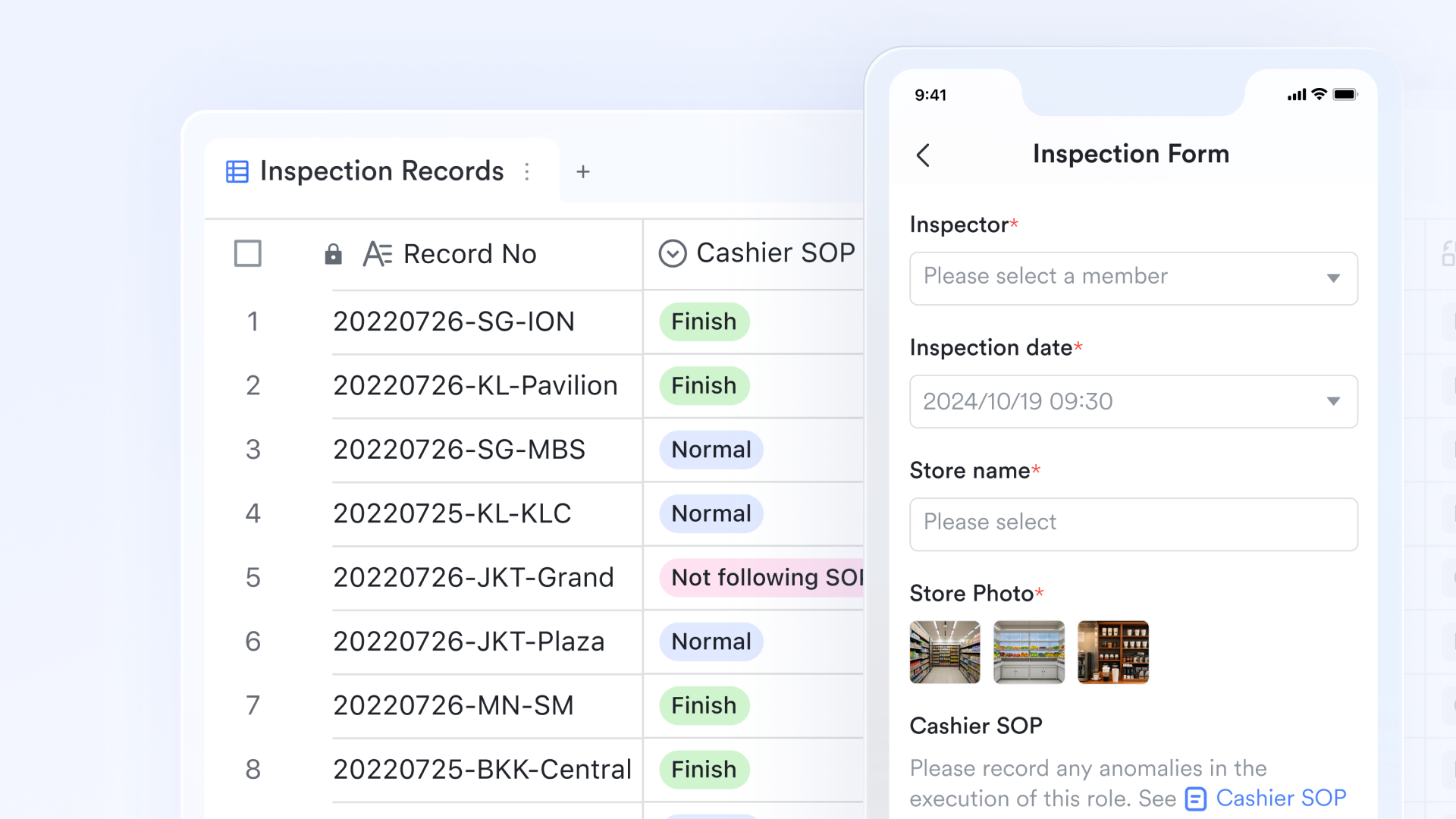
Inventory documentation
provides a collaborative canvas for building comprehensive standard operating procedures (SOPs) and warehouse guidelines. Teams can embed live Lark Base inventory charts directly into these documents, ensuring that process manuals always reflect current stock data. By managing permissions effectively, managers can ensure that only authorized staff can modify sensitive inventory procedures while keeping the information accessible to the entire operations team. 
Seamless task coordination
Lark Tasks ensures that inventory audits and restocking requirements are executed with accountability and precision. Managers can create and assign tasks to warehouse staff, complete with interactive checklists and descriptions to verify shelf conditions or document stock discrepancies. By setting for critical stock replenishment, the platform bridges the gap between identifying a shortage and physically moving goods, ensuring no item remains out of stock for long. 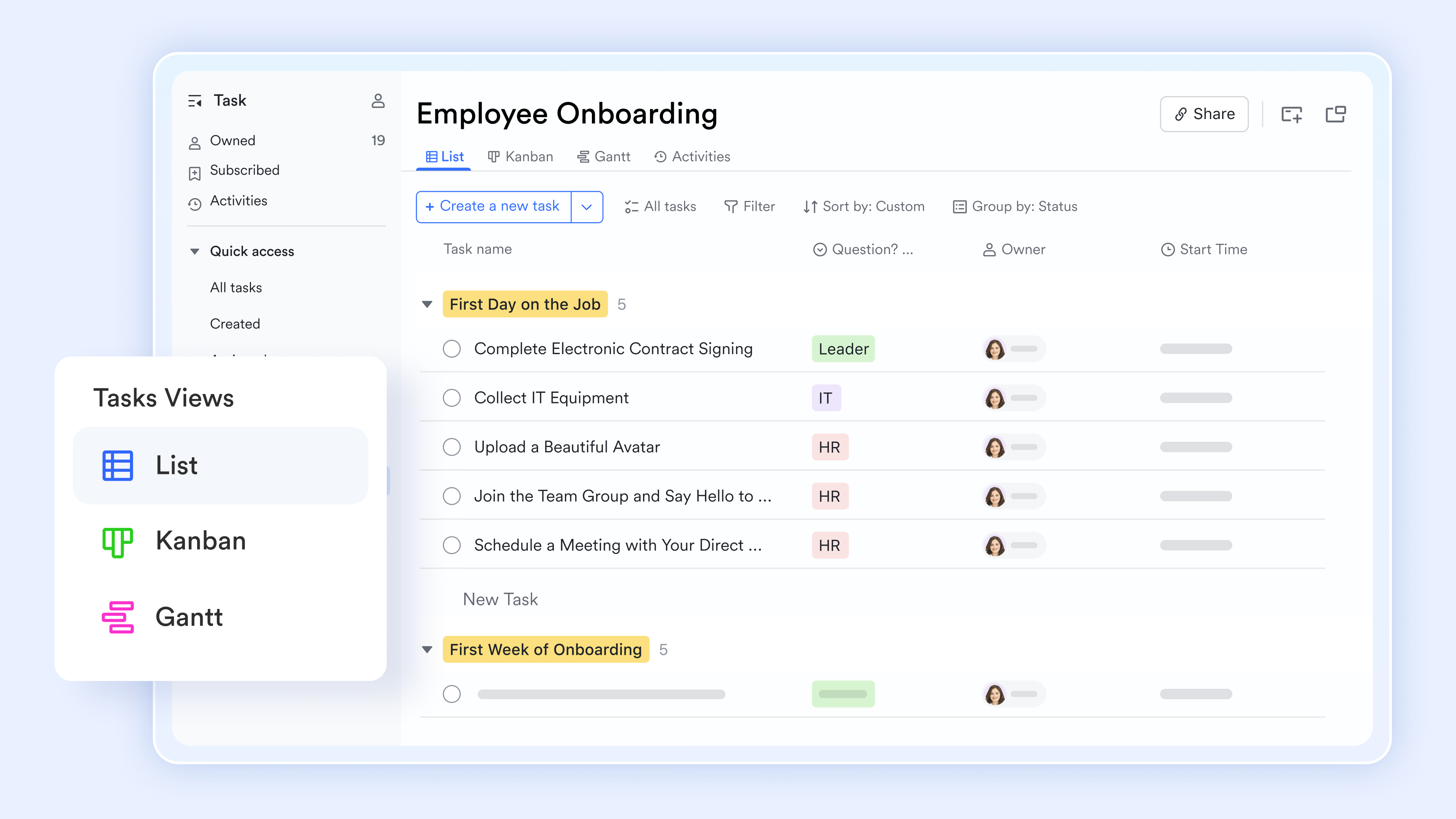
Operational communication
facilitates instant coordination between procurement teams and warehouse floor staff through dedicated group chats. Team members can share specific Lark Base records directly into the chat to discuss damaged shipments or urgent stock transfers without switching applications. This persistent communication channel ensures that every adjustment to the inventory is discussed, documented, and acted upon immediately. 
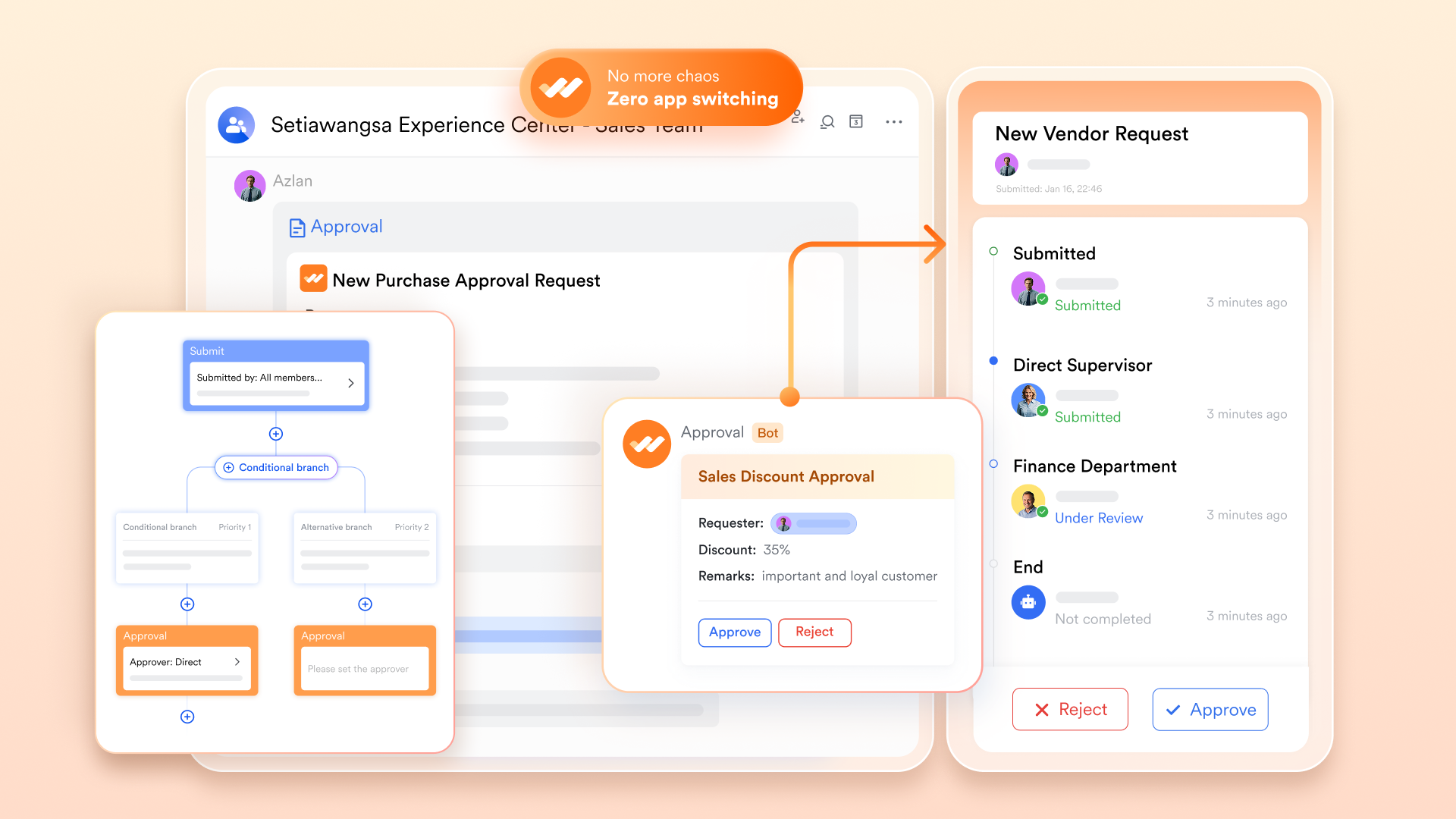
Digitalized procurement governance with Lark Approval
streamlines the replenishment cycle by digitizing the sign-off process for new stock purchases and vendor . Instead of waiting for email replies, staff can submit a restock request that automatically routes to the department head based on predefined budget thresholds. This ensures that every inventory acquisition is authorized, transparent, and recorded within the organization's official audit trail.
As operations expand beyond static spreadsheets, finding a unified platform to connect data with daily workflows becomes crucial. Many businesses with multiple store locations have successfully transitioned to Lark to ensure everyone is working from the same real-time data. Here is how one of our customers transformed their operational execution:

"When your teams are working from the same information at the same time, decisions are faster, problems surface earlier, and execution tightens across every store. That is what we are building with Lark."

Bardon Matthew
CEO, Flash Coffee
Ready to move beyond manual data entry and fragmented spreadsheets? Whether you are a small team just outgrowing your first stock management Excel template or an expanding retail operation looking to unify your inventory management process, Lark provides flexible options to scale with your business. Explore our plans below to find the perfect fit for your team's needs.
:
- Starter plan: Free forever plan that includes 11 powerful tools for up to 20 users. It also comes with 100GB of storage, 1000 automation runs, AI translations, and more.
- Pro plan: $12/user/month (billed annually) for up to 500 users. It includes everything in Starter plus group calling for up to 500 attendees, 15TB of storage, 50,000 automation runs, and more.
- Enterprise plan: for custom pricing. Supports unlimited users and includes even more automation runs and advanced security, compliance, and management features.
For small teams with simple communication needs

18 months message history
1000 Base automation runs/month
2000 rows per table in Base
Most POPULAR
For companies with comprehensive collaboration and management needs
Unlimited message history
500-participant video meetings
50k Base automation runs/month
20k rows per table in Base
For large companies with advanced security and organizational management needs
Get a personalized demo and pricing
Unlimited message history
500-participant video meetings
15 TB storage + 30 GB storage/user
500k Base automation runs/month
50k Base automation runs/month
Most POPULAR
For companies with comprehensive collaboration and management needs
Unlimited message history
500-participant video meetings
50k Base automation runs/month
20k rows per table in Base
10 ready-to-use stock management templates for inventory control
Using ready-made templates helps businesses implement inventory tracking quickly without building spreadsheets from scratch. A structured stock management Excel template allows teams to organize product data, track stock movement, and monitor inventory levels efficiently. Many businesses start with stock management in Excel sheets with free templates to simplify daily stock monitoring and reduce errors. The following templates provide practical solutions for inventory control across , warehouses, and operational teams.
Inventory management template
This stock management Excel template helps businesses track inventory levels, product categories, and stock locations in one organized workspace. Teams can record product quantities and monitor stock changes in real time. The template structure simplifies stock management in Excel sheet xls workflows for warehouses and . It helps organizations maintain accurate inventory records and prevent stock shortages.
Retail order inventory management template
This template combines inventory tracking with workflows. Businesses can track customer orders alongside product stock levels. It supports stock management in an Excel sheet with free processes by connecting sales activity with inventory movement. Retail teams use it to ensure stock availability while fulfilling customer orders.
Retail store inventory revenue tracking system
Retail businesses often need to track both inventory levels and revenue performance. This template connects product inventory with sales data and revenue tracking. Teams can analyze product movement alongside financial performance.
Inventory inbound outbound management template
This template focuses on tracking incoming and outgoing inventory transactions. Teams can log shipments, returns, and product transfers within the spreadsheet. Maintaining transaction logs helps organizations maintain accurate inventory balances.
Store management template
This template helps organize operational tasks alongside inventory tracking. Teams can monitor stock availability, manage store inventory, and track operational activities. The template simplifies stock management in an Excel sheet with free processes for retail environments.
DTC e-commerce order fulfilment inventory management template
Direct-to-consumer businesses require inventory systems that connect stock tracking with order fulfillment. This template helps e-commerce teams track orders, manage product quantities, and coordinate shipping workflows. It supports stock management where inventory and must remain synchronized. Businesses can maintain accurate inventory records while fulfilling online orders.
Office inventory management template
This template helps organizations manage office equipment, supplies, and asset inventory. Teams can track item quantities, locations, and usage records. It simplifies internal inventory monitoring through structured spreadsheets.
Basic inventory tracking template
This template provides a simplified structure for managing product lists and stock quantities. Businesses can easily track SKU numbers, product names, and quantity levels. It is useful for small teams using Excel spreadsheets for stock management.
Cycle count schedule template for stock controllers
Cycle counting helps warehouses verify inventory accuracy through regular checks. This template schedules cycle count activities and tracks inventory verification tasks. It supports teams managing stock management Excel template workflows in warehouses.
Smart inventory management system template
This template provides a more advanced approach to inventory monitoring. Teams can track product movement, inventory levels, and reorder points within one structured system. The template helps organizations manage stock, with free tracking and improved operational visibility.
Best practices for using stock management Excel templates
Using an Excel stock management template effectively requires consistent processes to keep inventory records accurate. Businesses relying on stock management in Excel sheets (xls) should follow simple practices to maintain reliable stock data and prevent inventory discrepancies.
- Keep inventory data updated regularly: Inventory records should be updated whenever products are received, sold, or transferred. Regular updates ensure the stock management Excel template reflects accurate stock quantities. Consistent updates reduce inventory discrepancies and improve stock visibility.
- Standardize product naming and SKU formats: Consistent product names and SKU structures help maintain organized inventory records. Standardized naming conventions simplify filtering and searching in Excel spreadsheets for stock management. This practice improves data consistency across the .
- Track stock movement daily: Recording incoming and outgoing inventory transactions each day keeps stock levels accurate. Tracking product movement ensures businesses maintain reliable records within stock management in Excel sheet free templates. Daily updates also help identify inventory trends.
- Monitor low-stock alerts frequently: Low stock alerts help businesses prevent product shortages. Reviewing these alerts regularly allows teams to reorder inventory before quantities reach critical levels. Monitoring alerts ensures the stock management Excel template supports proactive .
- Maintain backup copies of inventory data: Inventory spreadsheets should be backed up frequently to prevent data loss. Maintaining backup copies ensures businesses can recover stock management records from Excel sheets (xls) if files become corrupted or accidentally deleted. Regular backups protect critical inventory data.
Conclusion
Inventory tracking plays a critical role in maintaining efficient retail and warehouse operations. Businesses often begin with spreadsheet-based solutions because Excel template files provide a simple way to track stock quantities and product movement. These templates help organizations monitor stock levels, record transactions, and maintain organized stock records without relying immediately on expensive inventory software.
However, as businesses grow, managing inventory solely through spreadsheets can become challenging. Teams may struggle with version control, manual updates, and limited collaboration. Modern organizations increasingly adopt platforms that combine inventory tracking with workflow automation and communication. Collaborative systems such as illustrate how an inventory management process can evolve beyond stock management in Excel spreadsheets into unified operational environments. By integrating stock tracking, team communication, and workflow coordination, businesses can maintain accurate inventory records while improving operational efficiency and collaboration.
Stop manual data entry and sync your inventory smartly
FAQs
What formulas are used in stock management Excel templates?
Common formulas in a stock management Excel template include SUM to calculate total quantities, IF functions for conditional logic, and COUNT to track transactions. Using excel formulas to automate inventory calculations improves accuracy in stock management in Excel spreadsheets. As inventory processes expand, some organizations explore platforms like Lark that automate these calculations within collaborative workflows.
Can Excel automatically update stock levels?
Yes, Excel formulas can update inventory totals when transaction data is entered into a stock management Excel sheet template. By recording incoming and outgoing products, the spreadsheet automatically recalculates stock balances. However, these updates still depend on manual data entry, which is why some teams move to collaborative systems such as Lark.
What is the best free stock management Excel template?
The best stock management Excel template typically includes inventory columns, automated formulas, transaction logs, and low stock alerts. Many stock management templates in Excel sheets are available online for small businesses. As inventory complexity grows, organizations may adopt digital platforms like Lark that offer collaborative inventory management features.
How do small businesses track inventory using Excel?
Small businesses often use stock management in Excel spreadsheets to track product quantities and monitor stock movement. These templates allow teams to record inventory transactions and maintain organized product records. While effective for basic inventory tracking, growing companies may later adopt platforms such as Lark to manage inventory collaboratively across teams.
Related reading