














What are Tasks in Project Management: A Complete Guide

Ryan Tanner
Product Marketing Specialist
Sep 18, 2026
Ryan Tanner
Sep 18, 2026

12 min read


In project management, every successful outcome begins with one essential element — the task. A task in project management is a specific action that moves a project from planning to completion. From tracking deadlines to assigning responsibilities, tasks ensure structure, accountability, and measurable progress.
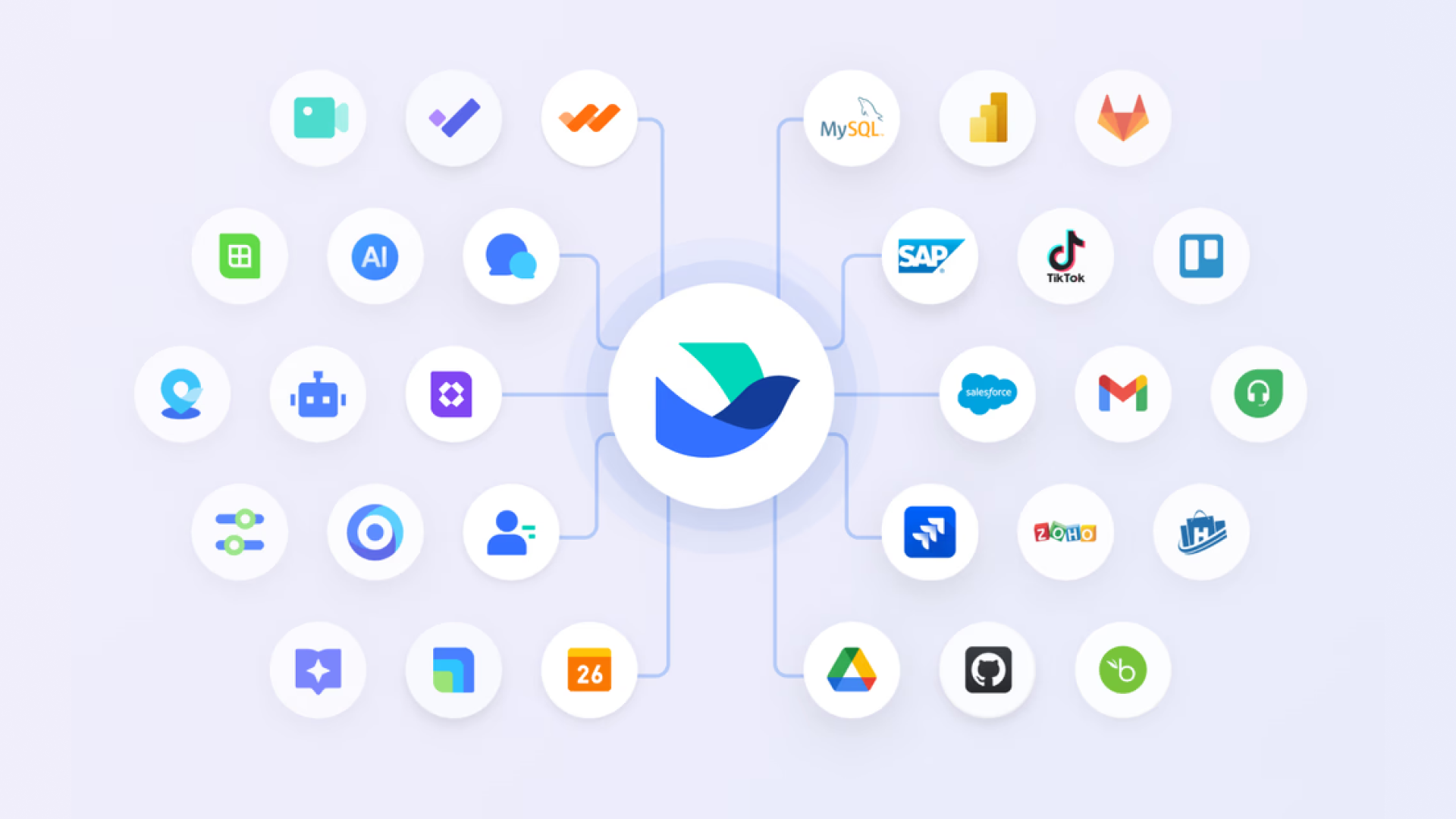
In this guide, we'll explore how tasks form the backbone of effective project execution. We'll also look at how modern tools like Lark, Asana, and Trello help teams manage tasks, align dependencies, and maintain visibility — ensuring every project milestone is achieved efficiently and on time.

Understanding the basics: What defines a task?
A task in project management is a distinct, actionable piece of work that moves a project closer to completion. It defines who does what and by when, making it the cornerstone of any well-structured plan.
The role of tasks in project planning:
Tasks translate project goals into practical actions. For example, in a software development cycle, "Design login interface" or "Test payment gateway" are tasks that contribute directly to the final product. By organizing tasks with clear timelines and ownership, teams can better forecast delivery schedules and allocate resources efficiently.
Difference between tasks, subtasks, and milestones:
In an event management project, "Organize conference" is the main task; subtasks include "Book venue," "Invite speakers," and "Set up registration." Milestones, like "Event day," mark key achievements that signify progress.
How clear task definition improves team efficiency:
Precise task descriptions reduce confusion, prevent duplicate work, and align cross-functional teams. Using Lark Tasks, for instance, managers can assign subtasks, define dependencies, and monitor progress in real time — ensuring accountability and seamless collaboration across every project phase.
Types of tasks in project management
Every task in project management serves a unique purpose in driving project outcomes. Understanding the different task types helps teams organize workflows, anticipate challenges, and maintain realistic timelines. From independent tasks to automated ones, each plays a crucial role in overall project efficiency.
- Independent tasks: These tasks can be completed without relying on other deliverables. For instance, "Create logo design" in a branding project can proceed independently of "Develop website layout." Independent tasks give teams flexibility and speed, allowing multiple workflows to progress in parallel.
- Dependent tasks: Dependent tasks rely on the completion of another task before starting. For example, "Launch ad campaign" depends on "Finalize creative assets." Recognizing task dependencies in project management helps prevent bottlenecks and ensures smoother sequencing across teams.
- Critical vs. non-critical tasks: Critical tasks directly impact the project timeline, while non-critical tasks allow some scheduling flexibility. In software releases, "QA testing" may be critical, but "Update documentation" can run in parallel. Identifying critical paths keeps teams focused on what drives delivery success.
- Repetitive and automated tasks: Routine actions such as "Weekly report submission" or "System backup" fall into this category. Automating repetitive workflows saves time and reduces manual errors. With Lark's project management tools, teams can efficiently handle all task types — from independent assignments to automated processes — through smart scheduling, clear visibility, and unified collaboration.
Relationship beneath tasks: Understand task dependencies
In project management, task dependencies define the relationship between two or more tasks — specifying the order in which they must be completed. Recognizing these dependencies ensures projects flow logically and prevents scheduling conflicts. Without understanding how one task affects another, teams risk missing deadlines and resource mismanagement.
What are task dependencies, and why do they matter
A task dependency in project management exists when one task's start or finish time relies on another. For example, in a product rollout, "Conduct user testing" can only begin after "Develop prototype" is completed. Dependencies help managers create accurate schedules, optimize resources, and anticipate delays before they occur.
Four key dependency types
- Finish-to-start (FS): Task B starts only after Task A finishes — the most common type.
- Start-to-start (SS): Task B can start once Task A has started (e.g., "Write code" and "Test module").
- Finish-to-finish (FF): Task B can't finish until Task A finishes, ensuring parallel completion.
- Start-to-finish (SF): Task B can't finish until Task A starts — rare but useful in continuous workflows like system handovers.
Common pitfalls and how smart tools like Lark prevent delays
Teams often overlook dependency conflicts, leading to overlapping tasks or idle waiting periods. Another pitfall is poor communication about status changes, which can cascade into missed milestones. Lark eliminates these issues by visually mapping dependencies in real time, automatically updating linked tasks when timelines shift, and sending smart reminders to keep everyone aligned — ensuring projects progress smoothly and on schedule.
Core of effective execution: Task lists and task tracking
A task list in project management is a structured collection of all the activities required to complete a project. It helps teams stay organized by breaking complex objectives into smaller, actionable steps with assigned responsibilities and due dates. Whether managing a marketing campaign or a software release, a well-defined task list ensures visibility across the entire workflow. Lark's smart task list goes beyond a static checklist — it's dynamic and synchronized across all team members. Any change made by one user instantly reflects for everyone, ensuring real-time alignment. By centralizing updates, files, and comments within each task, Lark helps teams avoid confusion, track priorities effectively, and maintain consistent progress without juggling multiple tools.
How do task trackers help developers and project teams?
A task tracker in project management is essential for developers and agile teams who work in iterative cycles. It provides a clear view of task ownership, sprint timelines, and dependencies. For instance, developers can track progress from "Code implementation" to "QA testing" in real time. Task trackers also improve accountability — everyone knows what's pending, in progress, or completed. Lark enhances this with sprint boards, automated reminders, and real-time notifications. Teams can move tasks across Kanban-style boards, link related work items, and communicate directly within each task card. This eliminates the need for constant meetings and email updates, ensuring developers stay focused on execution while managers maintain full visibility of sprint health and workload balance.
Act with a reliable tool: How Lark elevates task management
Effective task management requires more than just creating to-do lists; it demands visibility, coordination, and streamlined communication across teams. Modern projects involve multiple moving parts — tasks, documents, updates, and team discussions — all of which need to be accessible in real time. Lark elevates task management by providing a centralized platform that unifies these elements, enabling teams to stay organized, reduce miscommunication, and maintain consistent progress. With Lark Tasks, Lark Docs, and Lark Messenger all in one workspace, teams can collaborate seamlessly, prioritize work efficiently, and focus on completing projects without switching between multiple tools.
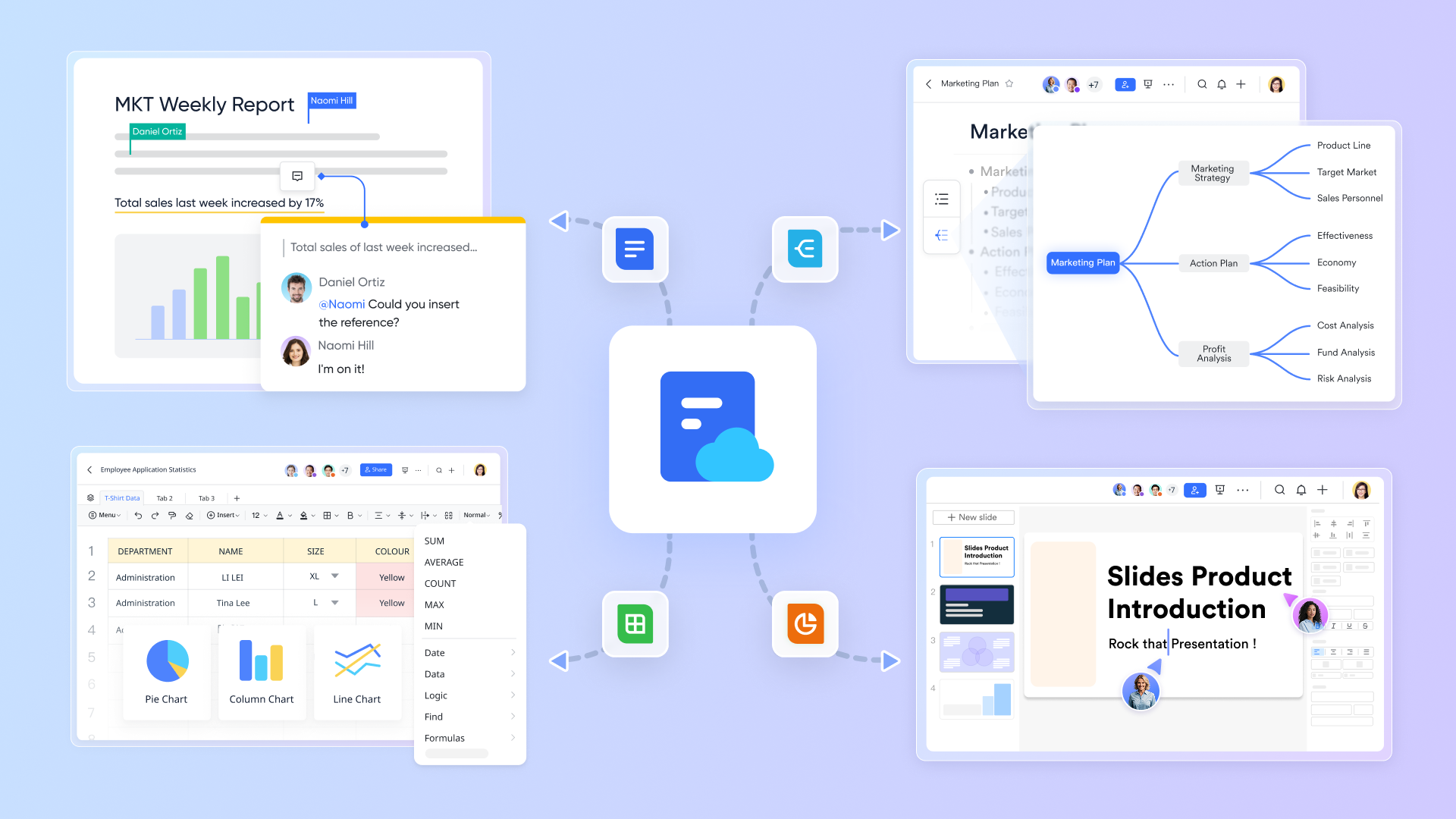
- Centralized dashboard for Lark Tasks, Lark Docs, and Lark Messeger
A unified workspace allows teams to manage tasks, access documents, and communicate in one platform. Instead of switching between multiple tools for emails, file storage, and project tracking, a centralized dashboard provides a single source of truth. With Lark, teams can view tasks alongside relevant documents and discussion , ensuring every decision and update is contextually linked.
For example, a design team can review the latest mockups, discuss revisions, and track deadlines without leaving the dashboard. This consolidation minimizes miscommunication, accelerates collaboration, and improves overall efficiency. By bringing all project elements together, Lark ensures teams are aligned and productive, with full visibility into ongoing work at a glance.
- Smart task assignment and reminders
Assigning tasks manually and tracking deadlines can be error-prone and time-consuming. Lark solves this with smart task assignment features, allowing managers to designate responsibilities clearly and automatically notify team members of due dates. Automated reminders help prevent tasks from being overlooked, ensuring accountability.
For instance, in a marketing project, when "Prepare campaign assets" is assigned, the responsible team member receives a notification along with the due date, and dependent tasks update accordingly. This reduces bottlenecks, improves time management, and keeps teams on track without micromanagement.
- Coordination with project workflows
Effective project execution requires seamless coordination across multiple functions. Lark supports cross-functional workflows by enabling design, development, and marketing teams to work on interconnected tasks without disruptions.
For example, when a developer updates a feature, the QA team receives instant visibility, and the marketing team can align launch communications simultaneously. By maintaining a synchronized workflow, Lark reduces handoff delays, eliminates duplicate work, and ensures that every team is operating with the most current information. This creates a smooth, collaborative environment where projects move forward efficiently and predictably.
- Transparent progress tracking and reporting
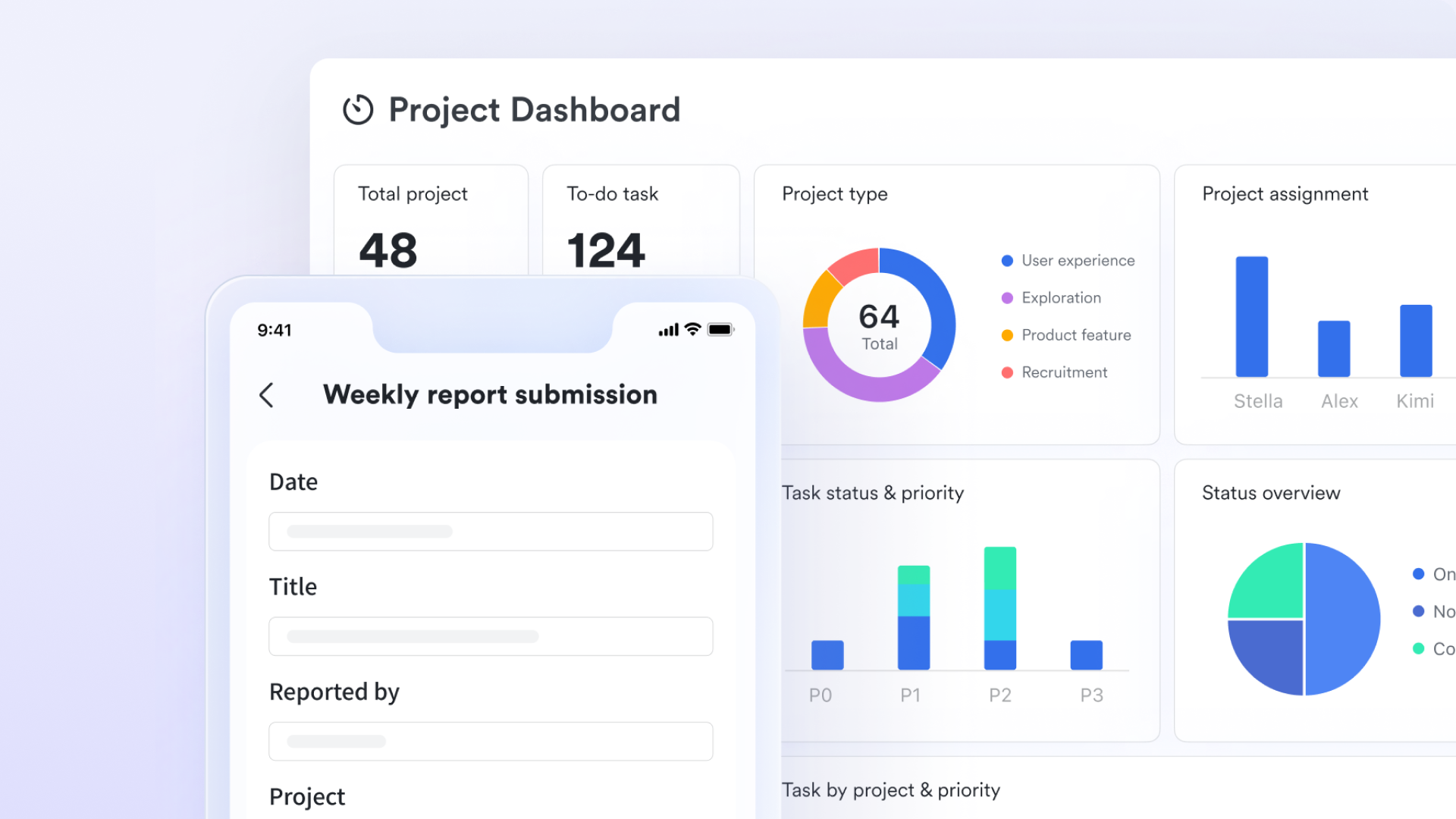
Tracking project progress manually can obscure critical insights and delay decision-making. Lark offers real-time progress bars, status updates, and comprehensive reporting, giving managers a clear picture of project health. Teams can monitor task completion rates, identify bottlenecks, and generate reports without extra tools.
For example, a product manager can see that development is 80% complete while testing is still pending, enabling proactive adjustments. Transparent analytics foster accountability, informed planning, and timely interventions, ensuring that projects stay on schedule. Lark's reporting features consolidate all relevant data, providing actionable insights at every stage.
- Automated workflows for proactive delay detection
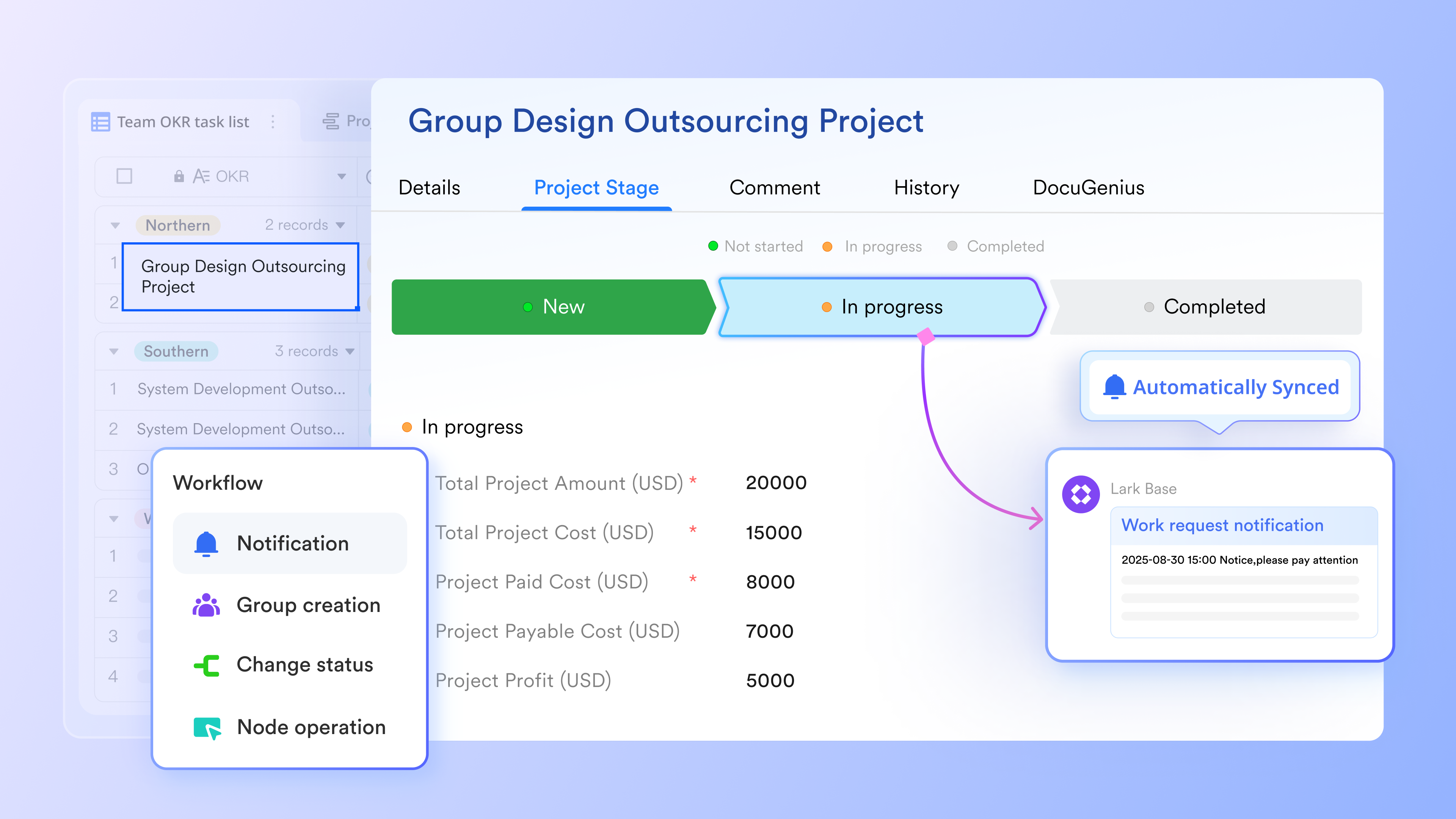
Keeping projects on schedule depends on knowing exactly when a task is slipping or a dependency is blocked. While traditional tools only show delays after they occur, Lark helps teams act earlier by using real-time automation triggers and dynamic dashboards.
With Lark Base, every task, owner, due date, and dependency is connected in a single dataset. When progress stalls — such as a task approaching its deadline without status updates — automated rules can instantly notify the project owner or escalate the alert to a manager. Teams no longer rely on manual check-ins or outdated spreadsheets to discover issues.
Dashboards update automatically as work moves through stages, giving leaders a clear picture of upcoming risks. For example:
- If a critical path task remains stuck in "In Progress" after its target date
- If a dependency is delayed and threatens the next milestone
- If an owner hasn’t updated a task within a configured timeframe
By turning early warning signs into automated workflows, Lark enables project managers to stay ahead of blockers, maintain delivery momentum, and ensure accountability at every milestone.
- Starter plan: Free forever plan that includes 11 powerful tools for up to 20 users. It also comes with 100GB of storage, 1000 automation runs, AI translations, and more.
- Pro plan: $12/user/month (billed annually) for up to 500 users. It includes everything in Starter plus group calling for up to 500 attendees, 15TB of storage, 50,000 automation runs, and more.
- Enterprise plan: Contact sales for custom pricing. Supports unlimited users and includes even more automation runs and advanced security, compliance, and management features.
Conclusion
Understanding tasks and dependencies is crucial for project success, as it ensures clarity, accountability, and efficient resource allocation. Well-defined tasks and properly managed dependencies reduce bottlenecks, prevent delays, and keep projects on track. While core project management principles remain universal, modern execution demands a connected, real-time workspace.
Lark's unified platform brings together tasks, communication, and documents in one centralized environment, enabling teams to collaborate seamlessly, track progress transparently, and respond to changes proactively. By combining structure with real-time visibility, Lark empowers organizations to achieve project goals efficiently and maintain smooth, uninterrupted workflows across teams.
FAQs
What is a task in project management?
A task in project management is a defined unit of work aimed at achieving a project goal. It specifies responsibilities, deadlines, and deliverables. Clear task definitions prevent confusion, improve accountability, and enable effective progress tracking. Tools like Lark streamline task management by centralizing assignments, updates, and discussions, keeping teams aligned and projects on schedule.
How do task dependencies impact project timelines?
Task dependencies in project management determine the order in which tasks must be executed. Delays in one task can affect subsequent tasks, risking missed deadlines. Understanding dependencies helps managers prioritize work and allocate resources efficiently. Lark visualizes dependencies, updates linked tasks automatically, and provides reminders, enabling teams to maintain project momentum and reduce timeline disruptions.
What makes Lark different from other task trackers?
Unlike conventional task trackers, Lark combines task management, chat, documents, and automation in one platform. This reduces tool-switching and keeps teams informed in real time. Its centralized dashboard, Kanban views, and smart notifications ensure accountability and transparency. Lark helps teams collaborate efficiently, track progress, and maintain productivity across complex projects.
Can Lark be used for agile or developer workflows?
Yes, Lark supports agile and developer workflows with sprint boards, Kanban views, and real-time updates. Teams can manage backlogs, assign subtasks, and track iterative cycles efficiently. Automated notifications and dependency tracking reduce delays and improve sprint planning. Developers and managers stay aligned throughout execution, making Lark an ideal platform for agile project management.
How does Lark improve cross-team collaboration?
Cross-team collaboration improves when communication and tasks are centralized. Lark unifies messaging, file sharing, and task management, ensuring design, marketing, and development teams stay aligned. Transparent task visibility prevents miscommunication, while centralized discussions accelerate problem-solving. By consolidating collaboration in one platform, Lark reduces delays, streamlines workflows, and enhances overall team efficiency.
Related reading
Table of contents
Start using Lark today

Manage all your work in one place
Boost team efficiency by 10x
Save up to 70% on software costs
Table of contents
Start using Lark today
Manage all your work in one place
Boost team efficiency by 10x
Save up to 70% on software costs
Keep reading







2026 Lark Technologies Pte. Ltd.
Headquartered in Singapore with offices worldwide.






Explore: