














Streamline Your Work with the Best Task Tracker Tools

Ryan Tanner
Product Marketing Specialist
Sep 18, 2026
Ryan Tanner
Sep 18, 2026

20 min read


Managing work efficiently, whether personal or team-based, often comes down to how well tasks are organized and tracked. From daily to-dos to complex projects, staying structured helps avoid missed deadlines and confusion. Task tracker software simplifies this by keeping all tasks, timelines, and priorities in one place. In this guide, we will introduce 8 tools to help you easily track and complete tasks at speed.

Here's the list of all 8 top task tracker tools:
1. Lark: Combines tasks, chat, and docs for seamless team collaboration.
2. Trello: Uses visual Kanban boards for flexible task organisation.
3. Asana: Offers powerful automation and timeline-based project planning.
4. Microsoft To Do: Simple daily task tracker with reminders and lists.
5. ClickUp: Highly customizable workspace for advanced task management.
6. Clockify: Focuses on task and time tracking for teams and freelancers.
7. Todoist: Ideal for personal productivity with clean, intuitive task lists.
8. Jira: Built for software development and agile sprint management.
Why task trackers matter for teams and individuals
In today's fast-paced work environment, keeping tasks visible and organized is essential for maintaining clarity and productivity. A task tracker app helps individuals and teams streamline their daily work, reduce miscommunication, and gain better control over time and priorities. Here's how task trackers make a real difference:
- Stay organized with deadlines and priorities: Task trackers let you plan ahead by assigning due dates, setting priorities, and breaking larger goals into manageable steps. This ensures nothing slips through the cracks and everyone knows what to focus on next.
- Reduce confusion in projects and daily work: By keeping all tasks, updates, and discussions in one place, task trackers eliminate scattered information. Teams stay aligned, and project workflows become more predictable and transparent.
- Improve collaboration and accountability: Every task has a clear owner, deadline, and progress indicator. This visibility strengthens team accountability, reduces overlap, and encourages proactive communication across departments.
- Track time spent on tasks for insights: Built-in time tracking and reporting tools reveal how effort is distributed across projects. These insights help managers balance workloads, optimize productivity, and identify where efficiency can improve.
Key features of top task tracker apps
The best task tracker software goes beyond simple to-do lists. It's built to adapt to diverse workflows and team structures. Whether you're managing projects, coordinating remote teams, or tracking personal goals, these features help streamline every stage of work from planning to completion.
- Task creation, assignment, and scheduling: Easily create tasks, set deadlines, and assign them to team members. Automated reminders and recurring task options ensure consistency and accountability throughout the workflow.
- Customizable views (lists, boards, timelines): Switch between list, Kanban board, or timeline views based on your work style. This flexibility helps visualize priorities, dependencies, and project progress more clearly.
- Time tracking and reporting features: Monitor how much time is spent on each task or project. Detailed reports help teams identify productivity trends and allocate resources more effectively.
- Collaboration with chat, comments, and file sharing: Keep discussions and updates in context by linking conversations directly to tasks. Built-in chat, comments, and file sharing make teamwork seamless and transparent.
- Collaboration with calendars, email, and project tools: Sync your task tracker with tools like Google Calendar, Outlook, or Slack. This ensures updates, reminders, and meetings stay connected across all platforms.
Comparison table of task tracker software tools
8 Top task tracker tools for productivity
1. Lark: Combines tasks, chat, and docs for seamless team collaboration
Lark is an all-in-one collaboration platform that seamlessly blends task management, communication, and documentation into a single workspace. It's designed for teams that value efficiency and real-time collaboration without switching between multiple tools.
With features like Tasks, Base, or Docs, users can assign tasks, discuss updates, and store project data—all within one connected environment. Whether you're managing a small team or coordinating enterprise projects, Lark's collaborative approach ensures transparency, accountability, and smooth execution from start to finish.
Features:
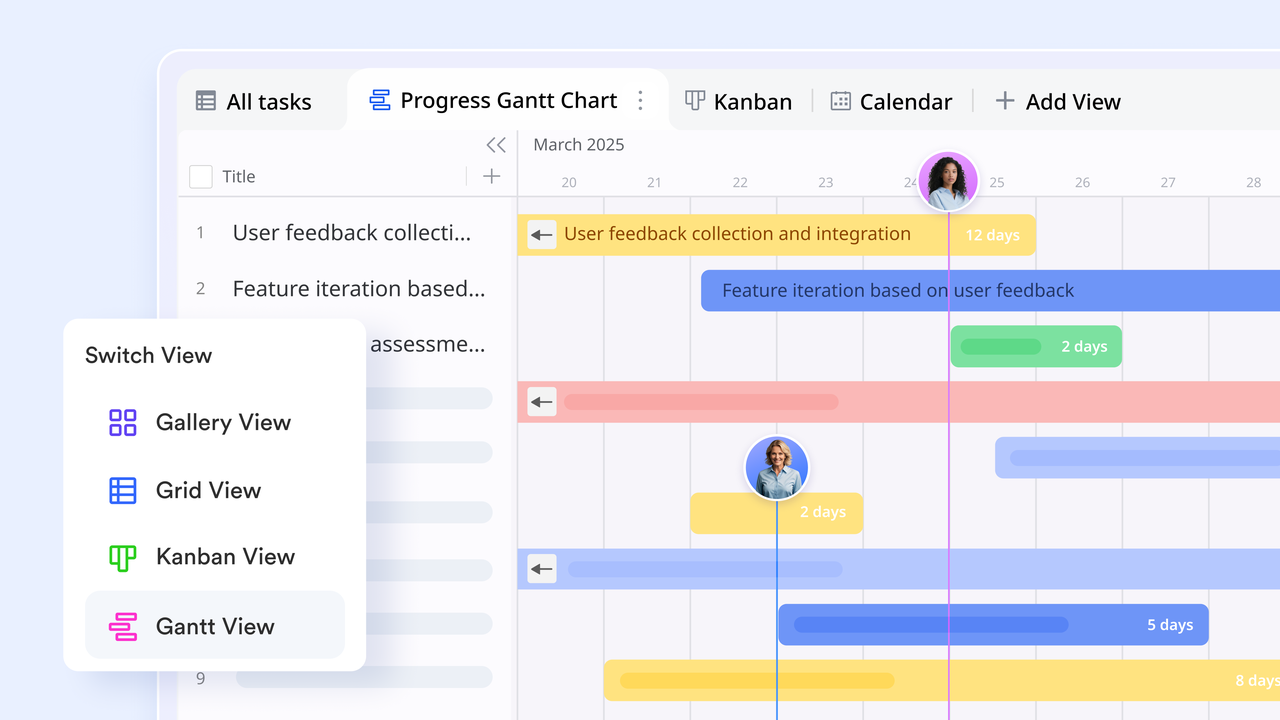
- Lark Tasks for seamless task tracking & processing: Lark Tasks lets users create, assign, and monitor tasks directly in the mobile or desktop app—each task can include descriptions, attachments, due dates, priorities, and custom fields. Users can view tasks in List, Kanban, or Lark Calendar to match their preferred workflow. Real-time updates ensure everyone sees changes instantly, while Messenager and Docs let you convert messages into tasks and collaborate without switching tools. With reminders, status tracking, and mobile accessibility built in, Lark Tasks delivers complete visibility and control over work from start to finish.
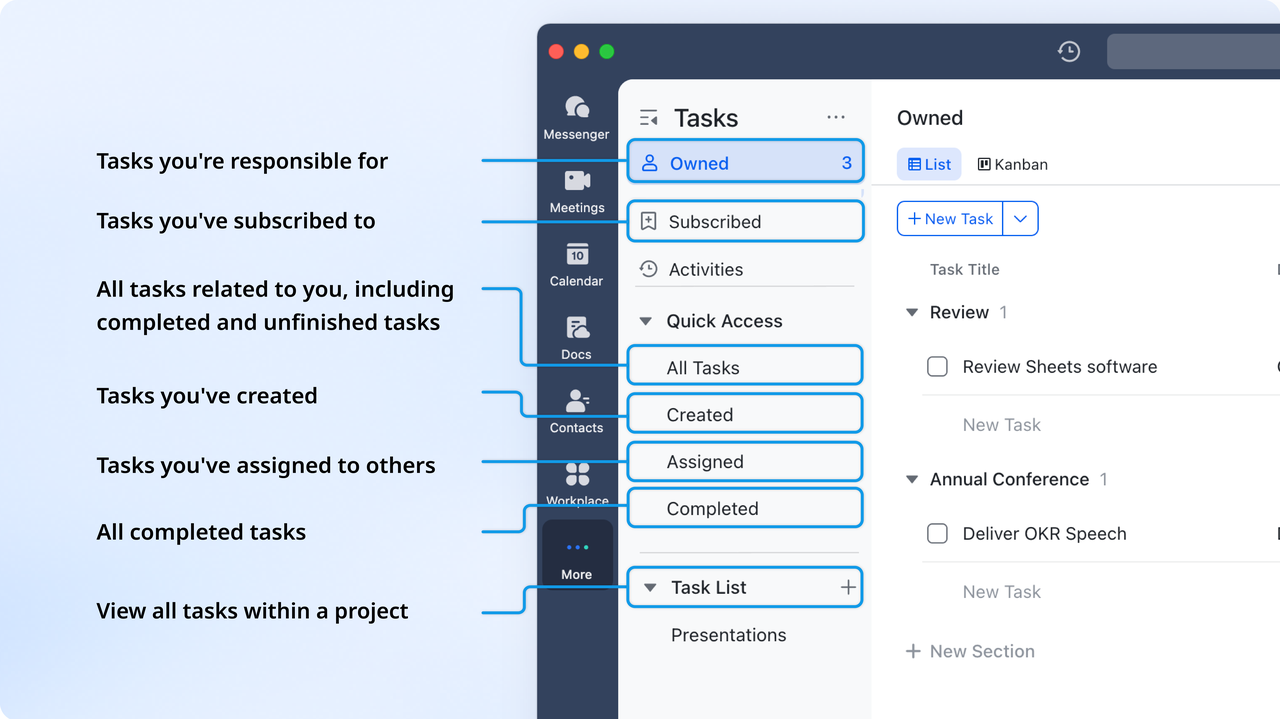
- Lark Base templates & multiple views: Lark Base provides ready-to-use templates to help teams manage tasks and track progress with clarity. One example is the OKR task subdivision and progress control with a multi-view template, which allows you to break down goals into actionable items and manage execution visually. With this template, you can capture task descriptions, assign owners, set due dates, and monitor progress through stages. You can switch between views like grid, Kanban, Gantt, and calendar to match your workflow preferences. The template is fully customizable — add or modify fields, filter and sort tasks, and build dashboards that highlight key metrics for your team.
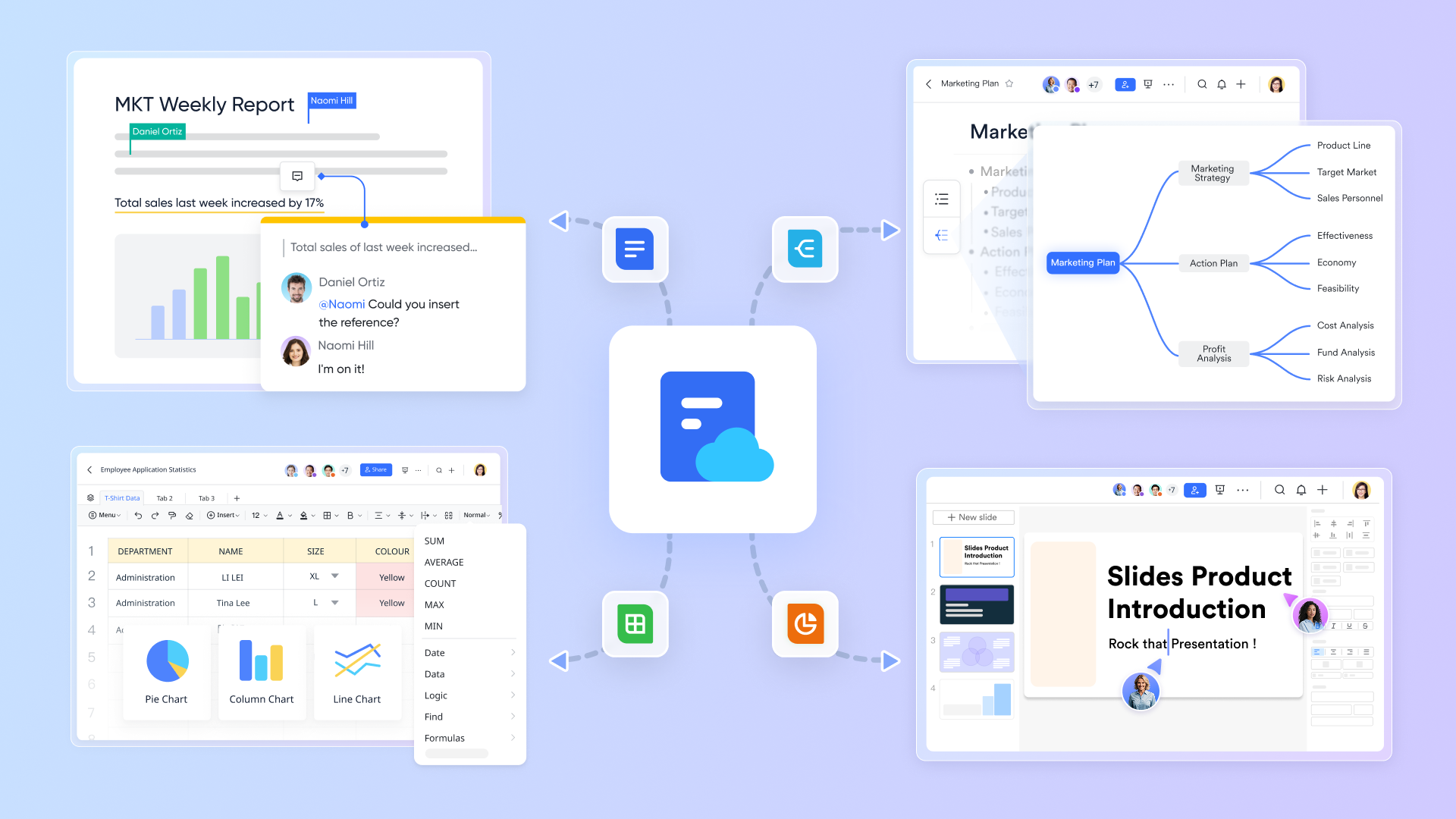
- Lark Docs & Lark Sheets: Lark collaborates on powerful Lark Docs and Lark Sheets right inside the platform, enabling users to collaborate on project materials without leaving the workspace. You can store meeting notes, task-related documents, and data dashboards alongside your tasks. Also, you can insert tasks directly in Docs to monitor their status and sync them with Lark Tasks for centralized tracking. Lark Docs supports real-time editing and commenting, while Sheets enable live data tracking and reporting. This eliminates version conflicts and reduces the dependency on external apps like Google Docs or Excel, keeping all project assets centralized and easy to find.
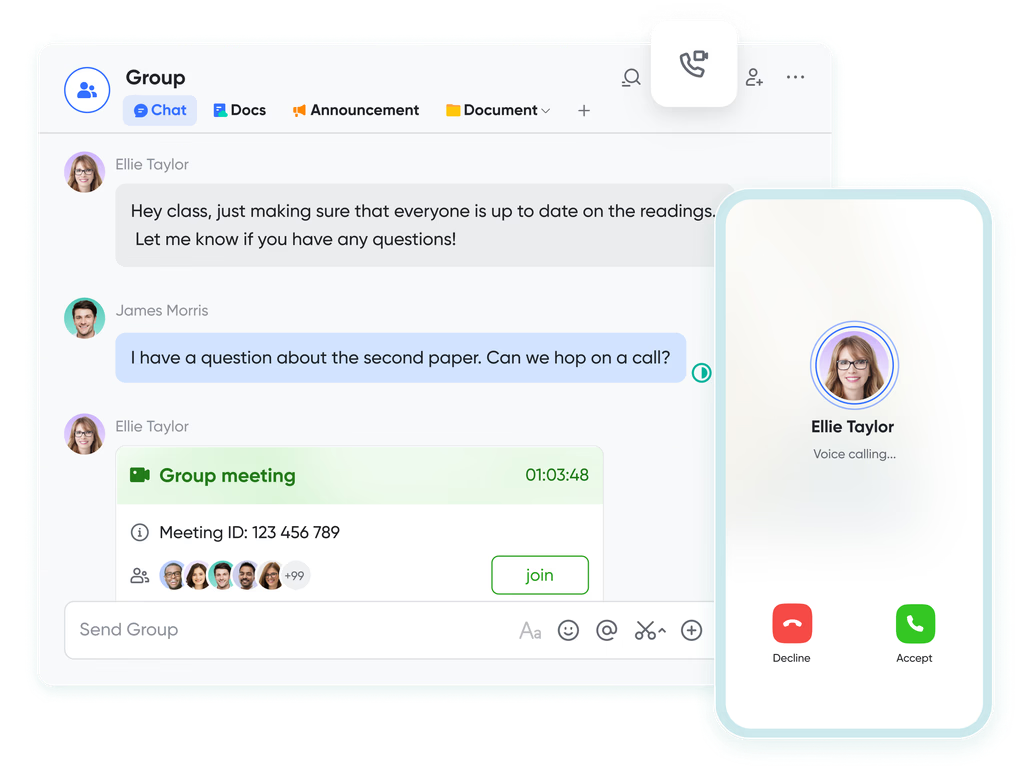
- Built-in chat & video: Built-in Lark Messenger and video conferencing tools turn discussions into actionable work. Teams can chat, share files, or start instant video meetings directly within the of discussion of a task, eliminating the need for separate chat or meeting apps. Every message can be turned into a specific task, ensuring that conversations stay relevant and easy to reference later. This real-time communication fosters collaboration, helps resolve blockers faster, and ensures decisions are captured right where the work happens. The result is smoother, more contextual teamwork.
- AI-powered suggestions: Lark uses AI-powered automation to help teams stay on top of their workload. Its smart assistant analyzes activity patterns to recommend priority tasks, upcoming deadlines, and pending approvals. It can also send intelligent reminders to prevent missed follow-ups or overdue items. By transforming task data into actionable insights, Lark helps teams work smarter, not harder. This proactive approach ensures that every member stays focused on what matters most, boosting overall productivity and project success rates.
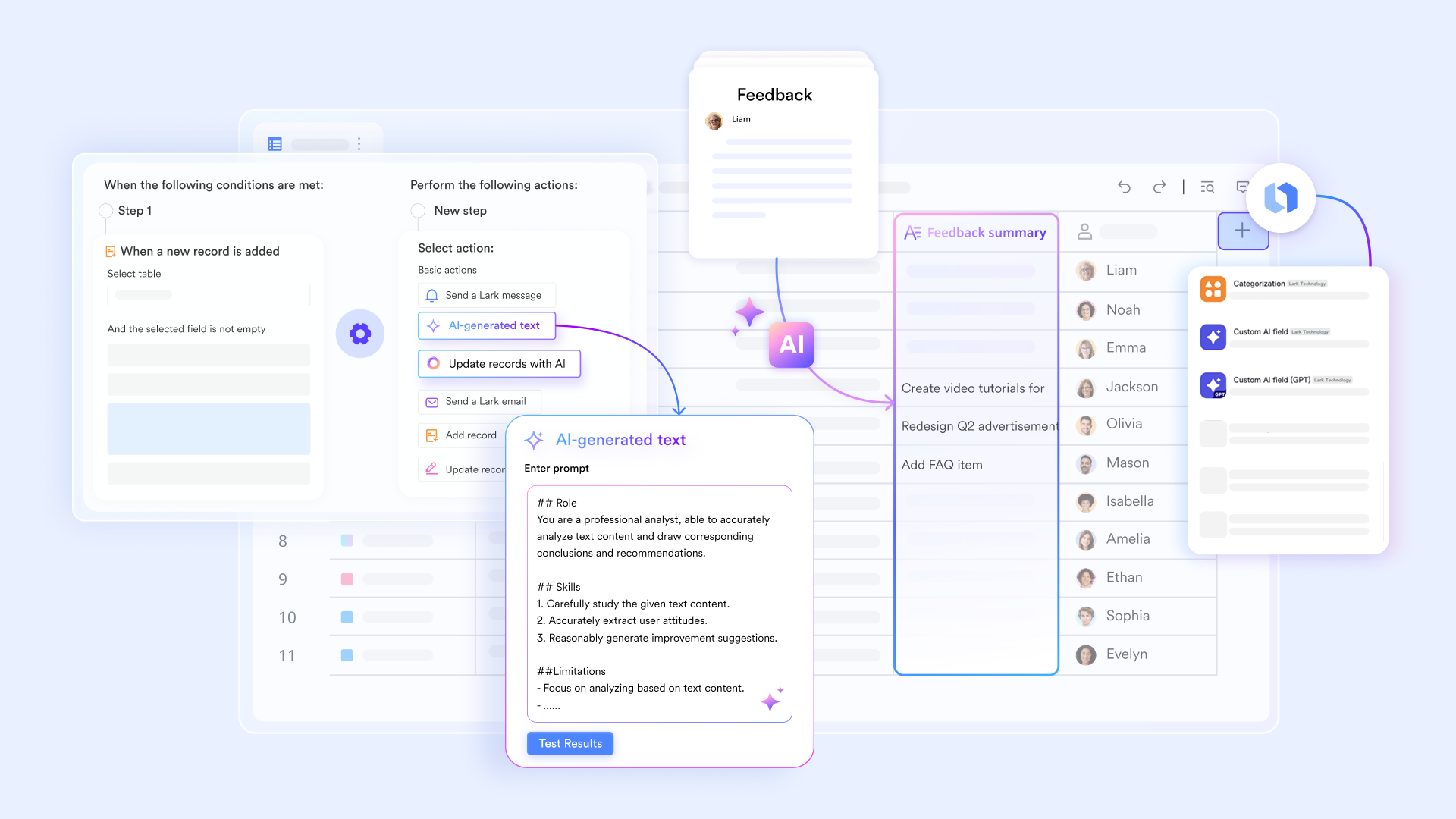
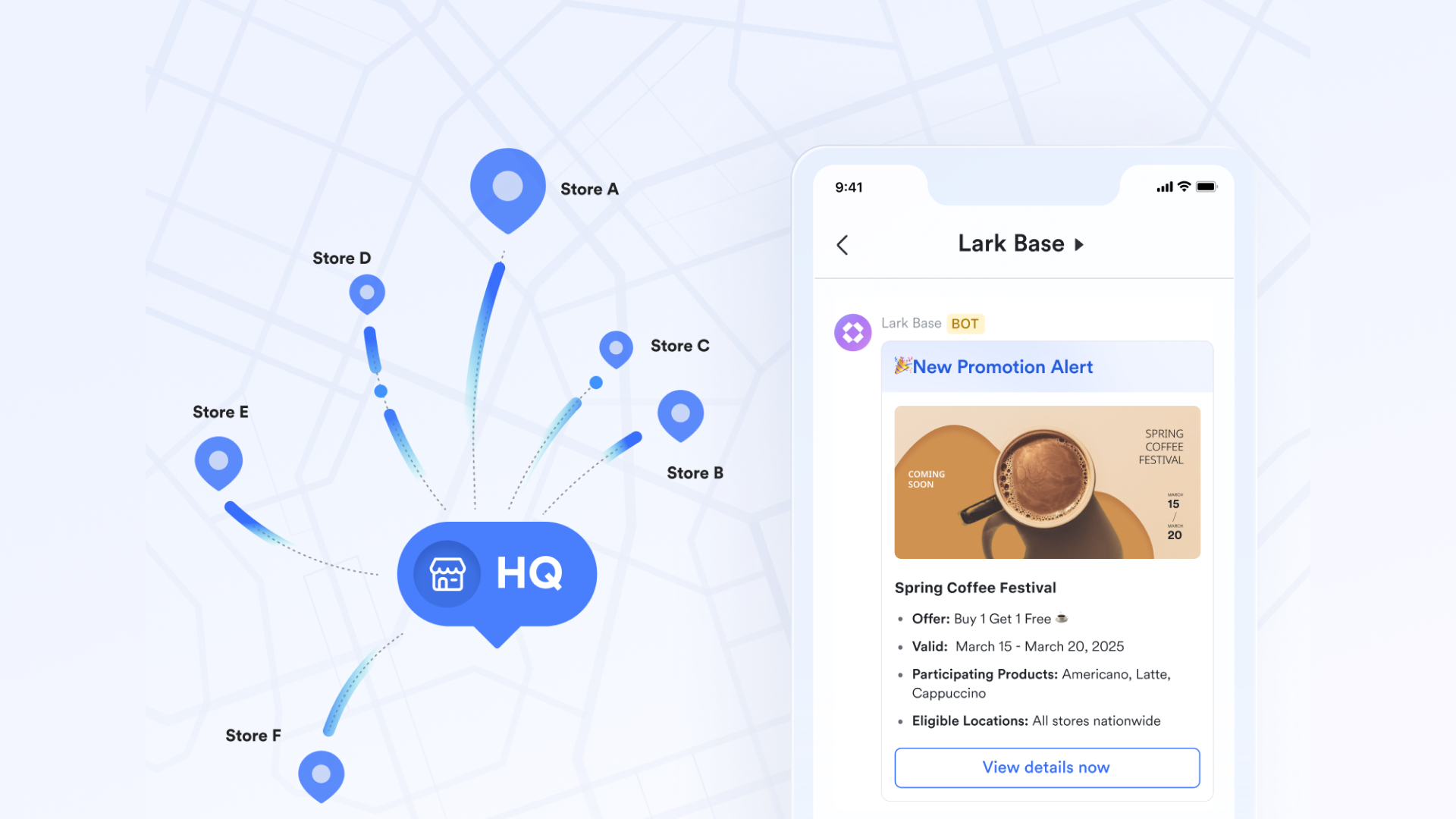
- Mobile-friendly access: Lark's mobile app offers a fully functional workspace that keeps users connected anytime, anywhere. Whether assigning tasks, joining video calls, or editing docs, team members can manage everything from their phones with the same fluid experience as on desktop. Push notifications keep users informed about new assignments, mentions, or changes in deadlines. For hybrid and remote teams, this flexibility ensures no task goes unnoticed, even when working across different time zones.
Pros:
- All-in-one workspace: Combines tasks, chat, and documents in one place for smoother collaboration.
- Real-time collaboration: Edits, chats, and updates sync instantly across devices.
- AI-powered productivity: Smart reminders and insights help teams stay focused and efficient.
- Seamless mobile experience: Full functionality for managing tasks and communication on the go.
Cons:
- Requires some onboarding for users new to collaborative platforms.
- Starter plan: Free forever plan that includes 11 powerful tools for up to 20 users. It also comes with 100GB of storage, 1000 automation runs, AI translations, and more.
- Pro plan: $12/user/month (billed annually) for up to 500 users. It includes everything in Starter plus group calling for up to 500 attendees, 15TB of storage, 50,000 automation runs, and more.
- Enterprise plan: Contact sales for custom pricing. Supports unlimited users and includes even more automation runs and advanced security, compliance, and management features.
2. Trello: Visual boards for flexible task management
Trello is one of the most popular and user-friendly task tracker apps, known for its simple visual layout and flexibility. Using Kanban-style boards, it helps teams and individuals organize work through cards and lists. Whether you're managing personal to-dos or company-wide projects, Trello offers an intuitive drag-and-drop experience. Its simplicity makes it ideal for small businesses, freelancers, and creative teams looking for clarity and collaboration.
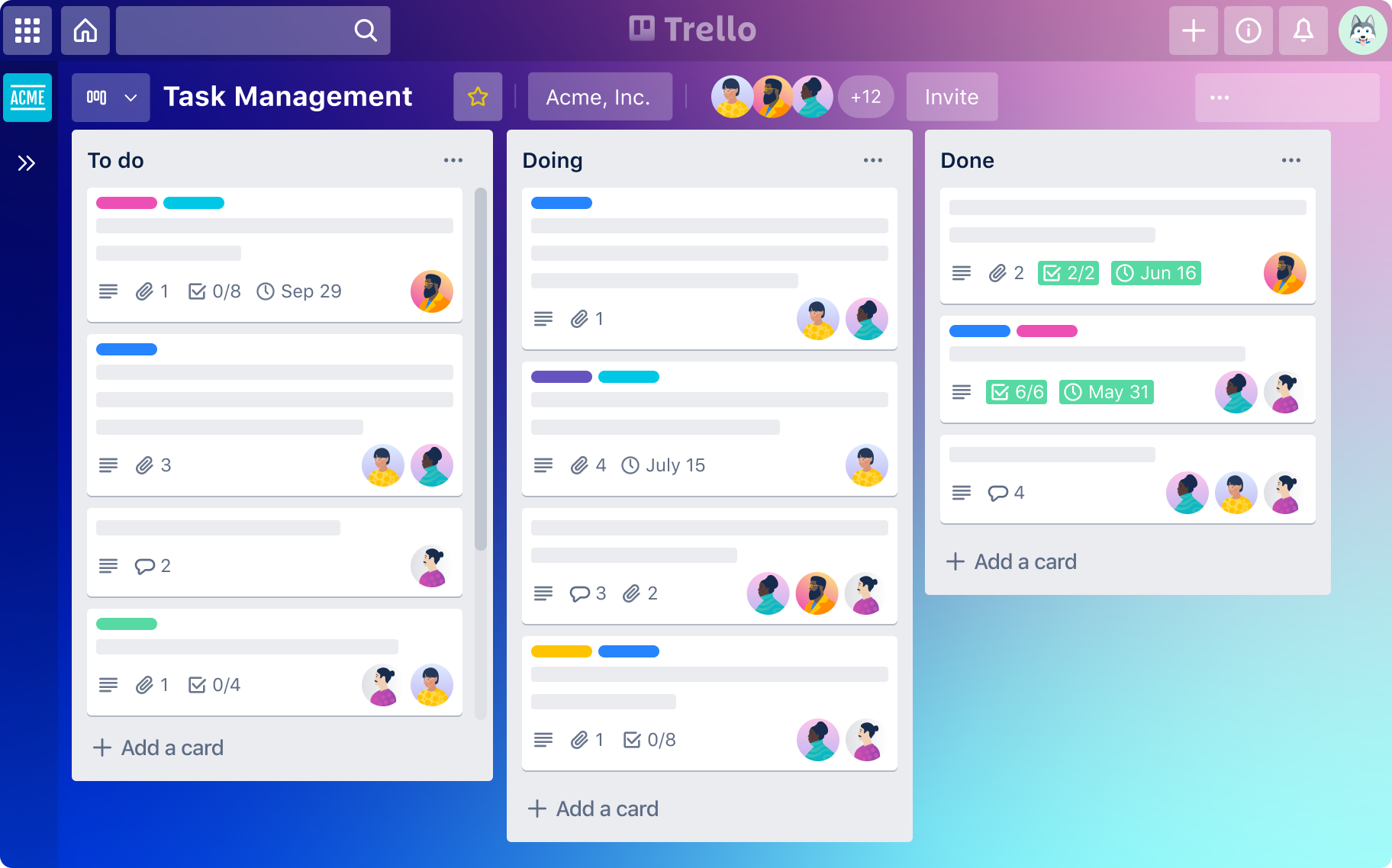
Image source: trello.com
Features:
- Kanban boards for easy visual task management.
- Customizable task cards with due dates, labels, and checklists.
- Power-Ups for integrations with tools like Slack and Google Drive.
- Automation with Butler to streamline repetitive actions.
- Shared boards for real-time team collaboration.
Pros:
- Simple, intuitive interface suitable for all users.
- Highly flexible and easy to customize for any workflow.
- Visual organization enhances team clarity and transparency.
- Large library of templates for quick project setup.
Cons:
- Limited reporting and analytics in the free plan.
- May become cluttered for complex, multi-phase projects.
Pricing:
- Standard plan: $5 per user/month (billed annually)
- Premium plan: $10 per user/month (billed annually)
- Enterprise plan: Starts at $17.50 per user/month (price varies by team size)
3. Asana: Task and project planning with automation
Asana is a powerful task tracker and project management tool designed to help teams plan, organize, and execute work efficiently. It's ideal for businesses that need structured workflows, automation, and progress tracking. With Asana, teams can visualize projects through timelines, lists, and boards while automating repetitive actions to save time. Its flexibility and scalability make it a favorite for both startups and large enterprises.
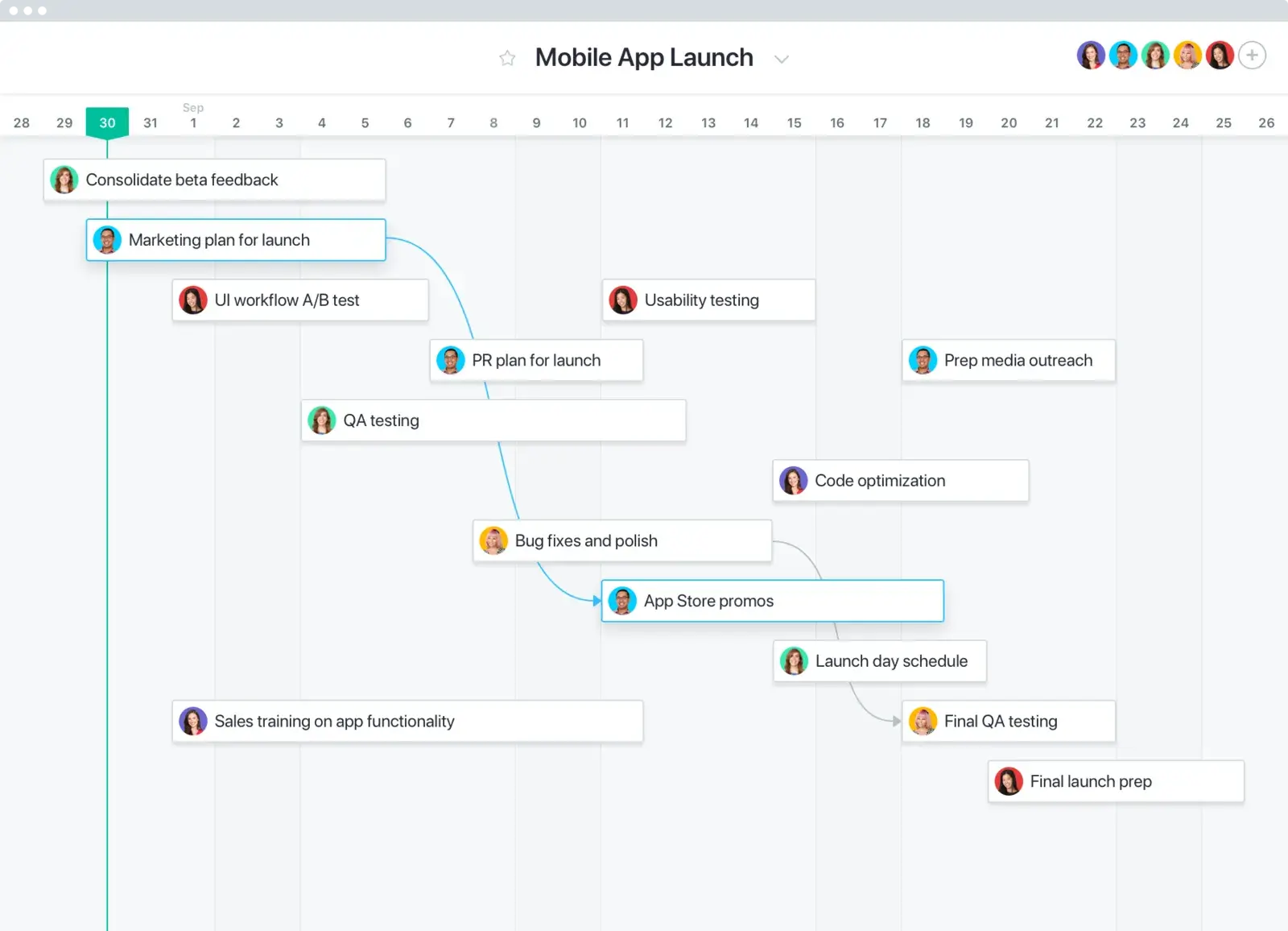
Image source: asana.com
Features:
- Task lists, subtasks, and dependencies for structured planning.
- Timeline and calendar views for tracking progress visually.
- Automation rules to eliminate manual repetitive tasks.
- Reporting dashboards for real-time performance insights.
- Integrations with Slack, Google Workspace, and Microsoft Teams.
Pros:
- Highly organized and scalable for teams of all sizes.
- Intuitive interface with multiple project views.
- Advanced automation saves time and reduces errors.
- Excellent collaboration tools for cross-functional teams.
Cons:
- Premium features can be expensive for small teams.
- Steeper learning curve for first-time users.
Pricing:
- Free plan: $0 per user/month (basic features)
- Premium plan: $10.99 per user/month (billed annually)
- Business plan: $24.99 per user/month (billed annually)
- Enterprise plan: Custom pricing based on organization needs
4. Microsoft To Do: Simple daily task tracker
Microsoft To Do is a straightforward task tracker ideal for individuals and small teams who want a clean, distraction-free interface for managing daily tasks. It focuses on simplicity, helping users stay organized with lists, reminders, and recurring tasks. Seamlessly integrated into the Microsoft ecosystem, it syncs across devices and connects with Outlook and Teams, making it easy to manage work and personal goals in one place.
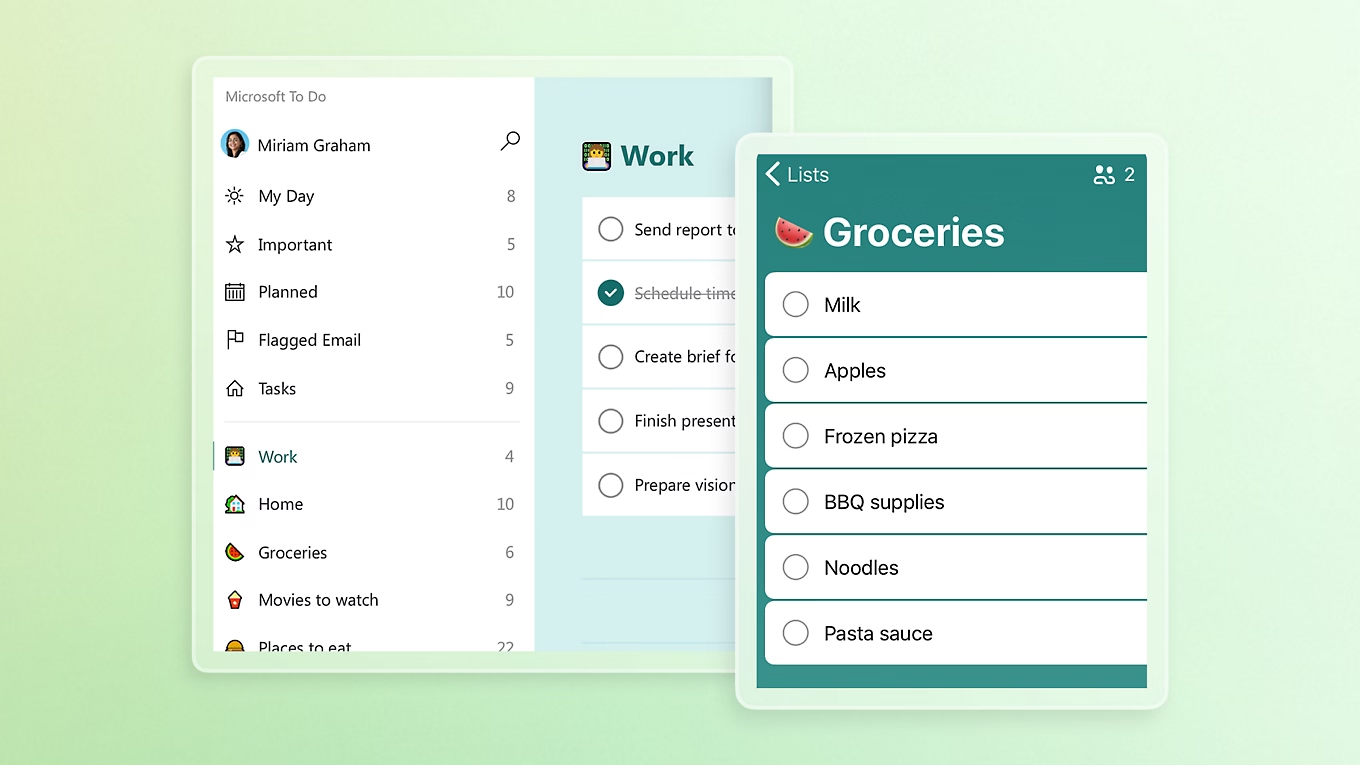
Image source: microsoft.com
Features:
- Create daily task lists with reminders and due dates.
- Add subtasks, notes, and file attachments for context.
- Smart suggestions based on priorities and deadlines.
- Integration with Outlook Tasks and Microsoft 365.
- Cloud syncing across desktop, mobile, and web apps.
Pros:
- Clean, easy-to-use interface for quick adoption.
- Works perfectly within Microsoft's ecosystem.
- Great for individuals managing personal and work tasks.
- Free to use with no hidden costs.
Cons:
- Limited collaboration and project management capabilities.
- Lacks advanced automation or reporting tools.
Pricing:
- Included in Microsoft 365 plans: Starting at $6.99 per month (bundled with additional productivity tools)
5. ClickUp: Advanced task and project management
ClickUp is a feature-rich task tracker designed for teams that want full control over how they organize and manage work. It combines tasks, docs, goals, and dashboards into one powerful workspace. Whether you're tracking personal to-dos or managing enterprise projects, ClickUp's flexibility allows users to customize workflows, set automations, and visualize progress in multiple ways. It's perfect for growing teams that value both structure and adaptability.
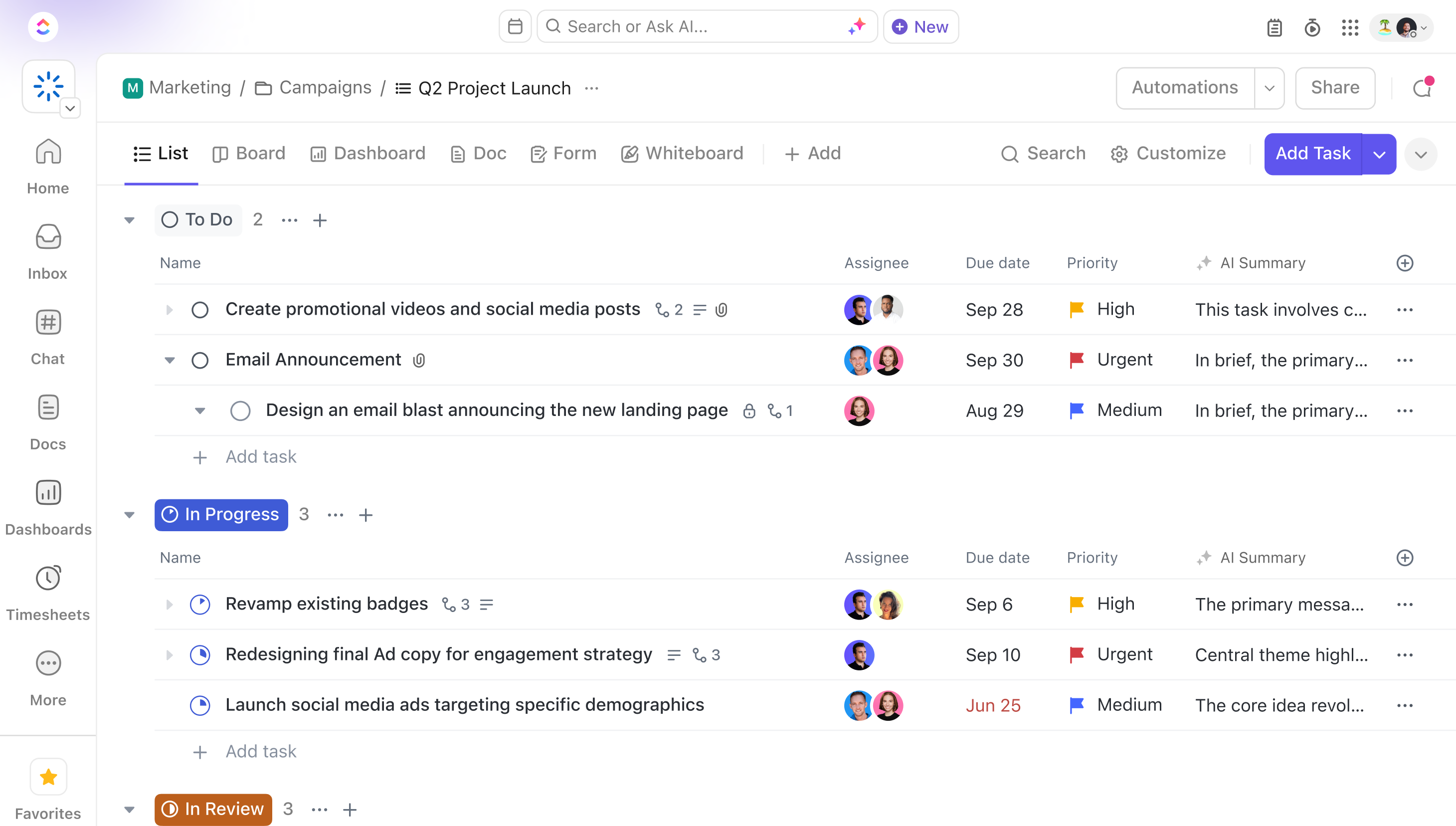
Image source: clickup.com
Features:
- Multiple views including List, Board, Gantt, and Calendar.
- Built-in Docs, Whiteboards, and goal tracking for complete visibility.
- Time tracking and workload management for better resource planning.
- Automations to streamline repetitive tasks and approvals.
- Integrations with tools like Slack, Google Drive, and Zoom.
Pros:
- Highly customizable for any team size or workflow.
- Combines project planning, documentation, and reporting in one tool.
- Robust automation and tracking features.
- Frequent updates and feature improvements.
Cons:
- Can feel overwhelming due to its many features.
- Occasional lag with large data sets or complex boards.
Pricing:
- Unlimited plan: $7 per user/month (billed annually)
- Business plan: $12 per user/month (billed annually)
- Enterprise plan: Custom pricing for large organizations
6. Clockify: Task tracking with time tracking focus
Clockify is a simple yet powerful task tracker built around time management. It's perfect for freelancers, consultants, and teams that need to monitor how much time is spent on tasks and projects. Clockify combines task tracking, timesheets, and reports in one platform, helping users stay accountable and optimize productivity. It's especially useful for businesses that bill clients based on time or want better visibility into team efficiency.
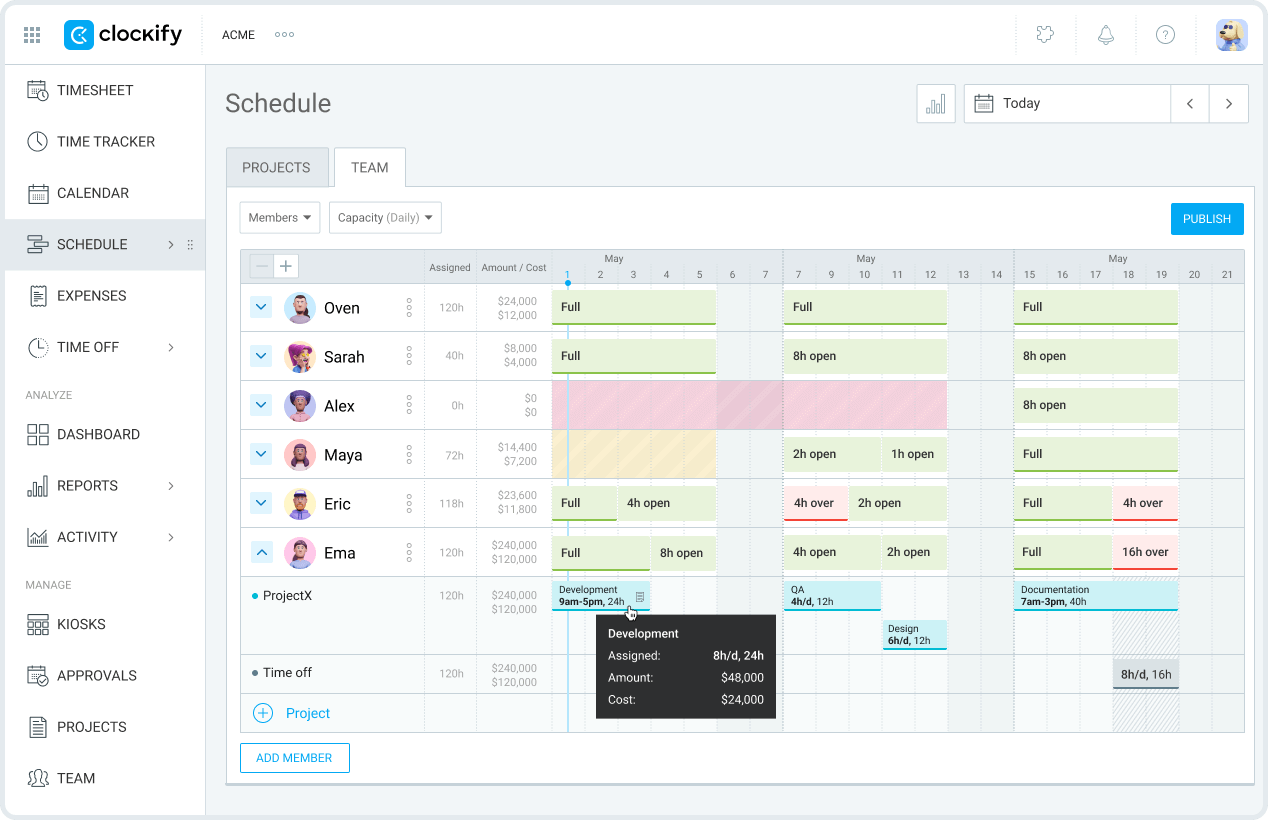
Image source: clockify.com
Features:
- Create and assign tasks with time tracking built in.
- Track hours across projects with detailed timesheets.
- Generate visual reports for time and cost analysis.
- Integrates with tools like Trello, Asana, and Slack.
- Supports both manual and automatic time tracking.
Pros:
- Excellent for tracking billable hours and productivity.
- Intuitive interface with fast setup.
- Provides detailed analytics and exportable reports.
- Free plan includes most core features.
Cons:
- Limited project management functions beyond time tracking.
- Interface can feel basic for larger teams.
Pricing:
- Basic plan: $3.99 per user/month (billed annually)
- Standard plan: $5.49 per user/month (billed annually)
- Pro plan: $7.99 per user/month (billed annually)
- Enterprise plan: $11.99 per user/month (billed annually)
7. Todoist: Personal productivity and task lists
Todoist is one of the most popular personal task trackers, perfect for individuals and small teams who value simplicity and structure. It combines intuitive task organization with productivity insights, helping users manage both daily routines and long-term goals. With its clean interface and smart features, Todoist supports everything from grocery lists to complex work projects—all accessible across devices.
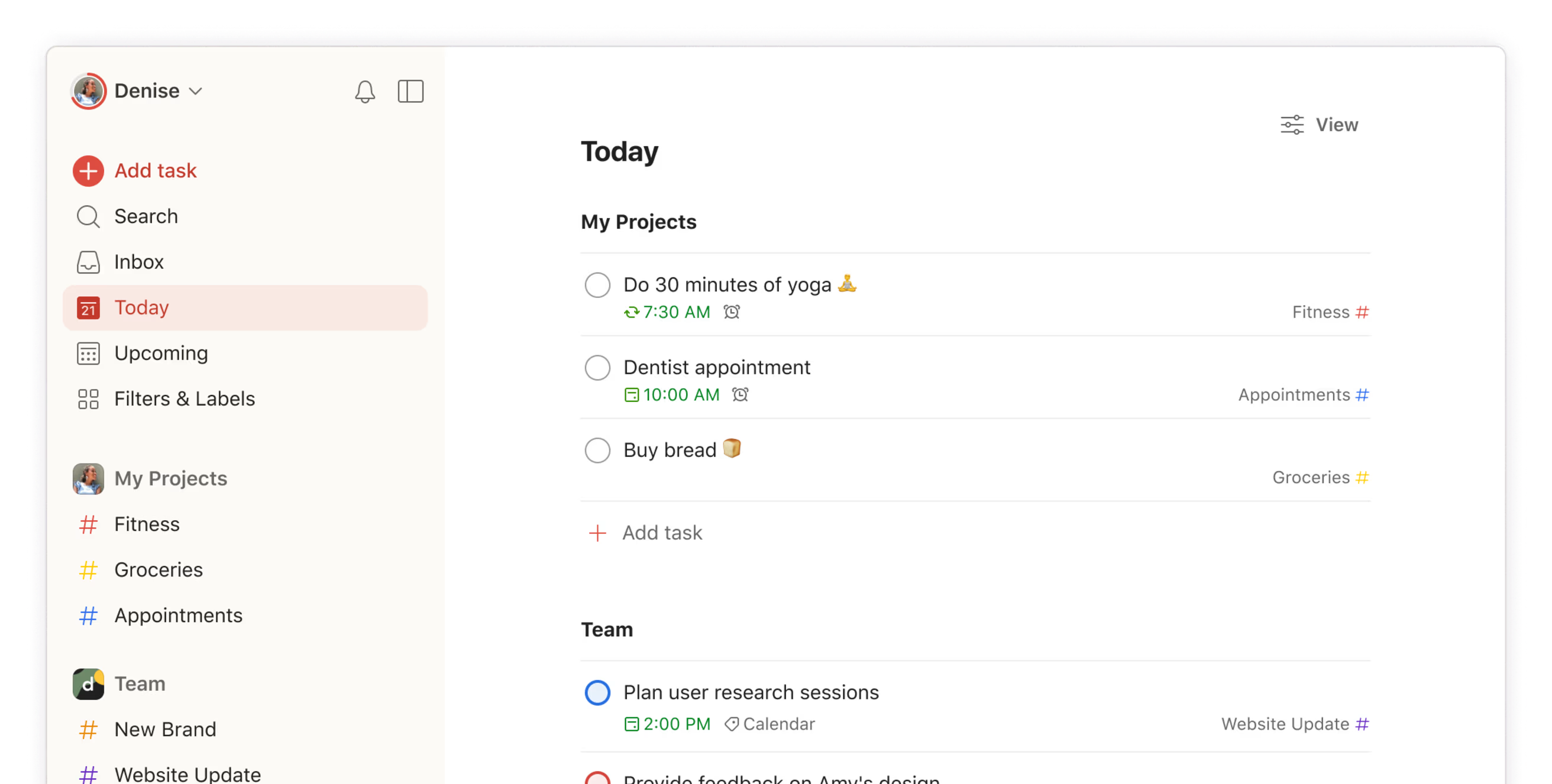
Image source: todoist.com
Features:
- Create and organize tasks with priorities, due dates, and labels.
- Use templates to quickly set up recurring workflows.
- Get productivity insights through the Karma scoring system.
- Collaborate on shared projects with real-time syncing.
- Integrates with Google Calendar, Outlook, and Slack.
Pros:
- Simple, elegant interface for quick navigation.
- Great for managing both personal and professional tasks.
- Cross-platform availability on web, desktop, and mobile.
- Smart productivity tracking with reminders and goals.
Cons:
- Limited features in the free version.
- Lacks advanced project management tools for large teams.
Pricing:
- Pro plan: $5 per user/month (billed annually)
- Business plan: $8 per user/month (billed annually)
8. Jira: For software development and agile teams
Jira, developed by Atlassian, is a leading task tracker and project management tool specifically designed for software development teams. It's built around agile methodologies like Scrum and Kanban, allowing developers to manage sprints, track bugs, and monitor release cycles. Jira's strength lies in its ability to connect engineering teams with project visibility, making it an essential tool for agile project planning and continuous improvement.
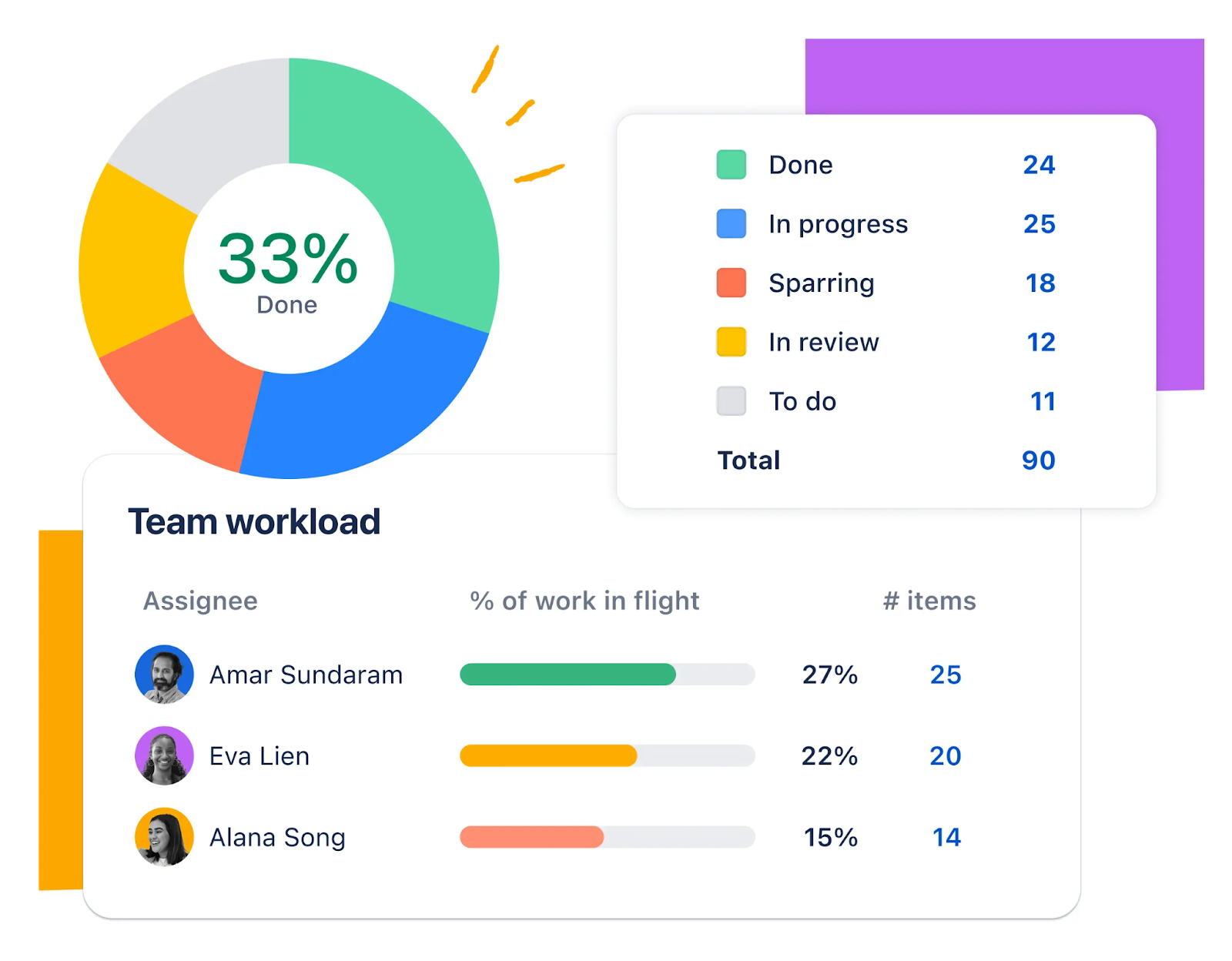
Image source: atlassian.com
Features:
- Scrum and Kanban boards for agile task management.
- Custom workflows to fit team-specific processes.
- Advanced issue tracking and backlog management.
- Real-time reports, burndown charts, and sprint insights.
- Integrations with Bitbucket, GitHub, Slack, and Confluence.
Pros:
- Excellent for agile software development and DevOps teams.
- Highly customizable boards and workflows.
- Powerful reporting and analytics tools.
- Integrates seamlessly within the Atlassian ecosystem.
Cons:
- Steep learning curve for new users.
- May be too complex for non-technical teams.
Pricing:
- Standard plan: $8.15 per user/month (billed annually)
- Premium plan: $16 per user/month (billed annually)
- Enterprise plan: Custom pricing for large organizations
Benefits of using a task tracker in daily work
A task tracker isn't just about managing to-do lists, it's a productivity system that helps teams stay accountable, meet deadlines, and maintain clarity. Whether you're managing client deliverables or internal projects, these tools make collaboration smoother and results more measurable. Here's how they benefit your daily workflow:
- Increases accountability by assigning clear responsibilities: Each task is assigned to a specific person, ensuring ownership and follow-through. With visible progress tracking, everyone knows who's responsible for what, reducing confusion and overlap.
- Reduces missed deadlines through smart reminders: Automated notifications keep tasks visible and deadlines top of mind. By reminding team members before due dates, task trackers help maintain momentum and prevent last-minute rushes.
- Saves time with templates and recurring tasks: Reusable templates simplify repetitive work, while recurring task options eliminate manual setup. This consistency saves time and keeps projects running smoothly week after week.
- Enhances visibility for managers and team members: Managers can easily see what's in progress, pending, or completed. This real-time visibility improves coordination, balances workloads, and supports better decision-making.
Use cases of task trackers by industry
Task tracker software adapts to the needs of different industries, offering flexibility and structure no matter the work type. From client-based businesses to creative teams, these tools help organize projects, maintain transparency, and ensure timely delivery. Here's how task trackers support various professionals and teams:
- Consulting: Consulting teams juggle multiple clients, projects, and timelines simultaneously. Task trackers centralize all deliverables, track progress, and send reminders for key milestones. This ensures projects are completed on time and clients remain informed with transparent updates.
- Software development: Developers rely on agile workflows to build, test, and release efficiently. Task trackers with Scrum or Kanban boards help monitor sprints, assign bugs, and track issues. They also offer real-time visibility into development cycles, improving collaboration between engineering and product teams.
- Marketing teams: Marketing teams use task trackers to plan and execute campaigns seamlessly. They organize content calendars, approval workflows, and performance reviews in one space. This structured visibility helps teams align creative, copy, and media efforts for consistent campaign execution.
- Freelancers: Freelancers manage diverse tasks like client communication, project delivery, and invoicing. A task tracker helps keep everything organized—tracking work hours, managing project files, and setting payment reminders. It ensures smooth operations and helps freelancers maintain professionalism and efficiency.
Tips for choosing the right task tracker
- When selecting the right task tracker software, start by clarifying your purpose. Determine whether you need it for personal organization, team collaboration, or enterprise-level project management. Each use case demands different capabilities—individual users may prefer simplicity, while larger teams need scalability, automation, and reporting.
- Next, evaluate the tool's collaboration and integration features. A good task tracker should sync seamlessly with your existing ecosystem, including email, calendars, and communication tools. This integration minimizes context switching and keeps all project information centralized for smoother workflows.
- Finally, compare free vs. paid versions to assess return on investment. Paid plans often include automation, analytics, and admin controls that boost efficiency. Also, check for mobile accessibility, especially if you or your team work remotely. A strong mobile app ensures you can manage tasks, update progress, and stay productive on the go.
Conclusion
Task trackers play a vital role in improving organization, accountability, and overall productivity. They simplify planning, help teams meet deadlines, and keep workflows structured and transparent. Choosing the right task tracker software ensures that every task is tracked, every team member stays aligned, and projects move forward efficiently. Streamlined workflows lead to better teamwork, reduced confusion, and higher output quality. For teams seeking an collaborated, all-in-one workspace that connects tasks, communication, and collaboration, Lark stands out as a reliable choice—helping teams stay focused, organized, and productive from start to finish.
FAQs
What is the difference between a task tracker and project management software?
A task tracker helps manage individual assignments, deadlines, and priorities, focusing on daily productivity. Project management tools, on the other hand, cover broader planning, including milestones, dependencies, and resource allocation. Essentially, every project management tool tracks tasks, but not every task tracker manages full project lifecycles.
Can task trackers replace Excel or Google Sheets?
Yes, task trackers can easily replace manual tracking in spreadsheets. They automate task updates, reminders, and progress visualization, saving time and reducing errors. Unlike Excel or Google Sheets, task trackers also allow real-time collaboration and reporting for better team visibility.
Are free task trackers enough for small businesses?
For startups and small teams, free task trackers are often sufficient. They typically include essential features like task lists, due dates, and basic collaboration. However, as teams grow, upgrading to paid plans unlocks advanced automation, reporting, and integration features.
How do task trackers help with remote work?
Task trackers provide a shared space where distributed teams can manage assignments, updates, and deadlines together. They keep communication and progress visible to everyone, reducing confusion. Managers can monitor team performance, track deliverables, and maintain accountability across time zones.
Which task tracker is best for personal productivity?
Todoist and Microsoft To Do are great for individual users. Both tools are simple, intuitive, and help manage daily routines and personal goals effectively. With reminders, labels, and cross-device syncing, they make staying organized effortless—whether at home or at work.
Related reading
Table of contents
Start using Lark today

Manage all your work in one place
Boost team efficiency by 10x
Save up to 70% on software costs
Table of contents
Start using Lark today
Manage all your work in one place
Boost team efficiency by 10x
Save up to 70% on software costs
Keep reading







2026 Lark Technologies Pte. Ltd.
Headquartered in Singapore with offices worldwide.






Explore: