














Workflow Builder: What It Is, How It Works & Best Tools

Ryan Tanner
Product Marketing Specialist
Sep 18, 2026
Ryan Tanner
Sep 18, 2026

27 min read


Workflow builders help teams manage repeatable processes with speed, clarity, and consistency. They combine triggers, actions, and structured outputs to remove manual tasks that slow teams down. As companies scale, the ability to automate routine actions becomes essential, especially when tools now support advanced capabilities such as branching, content generation, routing, and approvals. Many platforms also include no code features that support quick setup, while others add AI layers that create smarter decision flows. In this landscape, Lark appears gradually as a modern choice when users look for unified work systems that handle task and communication flows in one environment.

Overview: Best 10 workflow builder tools to consider
Workflow builders today vary from simple trigger-based systems to advanced platforms that help teams run structured processes with AI and conditional logic. These tools are frequently used in operations, HR, support, marketing, development, and many internal functions that require consistent task completion. A good workflow builder supports clarity by mapping every step in a way that is easy to understand and flexible to manage. This section outlines the top tools worth considering across use cases, industries, and team sizes, with a focus on platforms that support drag-and-drop workflow builder features and advanced automation patterns.
Below is a complete comparison table with best fits, key features, and starting prices.
Information source: Official vendor sites
Update time: 2025-11-17
Note: Pricing and plan details reflect publicly available data as of the update date and may vary based on region, billing cycle, and number of agents.
What is a workflow builder?
A workflow builder is a system that lets teams design automated approval that run based on triggers, conditions, and desired outputs. These tools help map out routine processes that would otherwise require repetitive manual work. Most modern platforms offer visual environments so teams can assemble flows that update records, route tasks, send notifications, and collect approvals.
Many builders now include AI layers that help generate structured data or interpret information before handing it to the next stage. The result is a scalable method to standardize how work moves across teams and systems without requiring coding skills.
How workflow builders work:Core components
Workflow builders function by combining triggers, actions, logic, and data movement into a single structured flow. These components help teams design predictable paths for routine work. Understanding each core element ensures teams can build automation that is both reliable and adaptable. The points below outline how each piece contributes to the overall system.
- Drag and drop workflow design: This lets teams create visual flows by arranging steps on a simple canvas. It removes the need for technical skills and helps users understand the entire sequence at a glance. The layout supports quick edits when processes change. It also makes collaboration easier since every step is visible and clear.
- Triggers: These start workflows when events such as form submissions, updates, or messages occur. They keep work moving without manual intervention and reduce delays caused by human oversight. Triggers also ensure operations run consistently in repeated scenarios. Teams depend on them for reliable activation points.
- Actions: These are the steps executed after a trigger, including notifications, updates, assignments, or AI tasks. Actions help teams reduce repetitive manual work while improving accuracy. Most platforms provide a wide range of actions for different needs. This variety supports both simple and advanced automations.
- Conditional branches and logic: These allow workflows to follow different paths based on data values or conditions. Branches create adaptive flows that match real world scenarios. They improve accuracy by adjusting behavior automatically. Teams use them to personalize responses and avoid unnecessary steps.
- Human approvals: These steps bring people into the workflow when judgement or review is required. Approvals ensure accountability for tasks like expenses, requests, or compliance reviews. They help maintain control while keeping work moving through structured checkpoints. Teams rely on this for clarity in decision-making.
- Data connections and information flow: These links allow workflows to read, update, or move data across tables, forms, or other systems. Good data flow prevents manual copying and reduces errors. It also keeps dashboards and records consistent across teams. Many workflows depend on these connections for visibility.
- AI capabilities: These steps help workflows summarize content, classify inputs, extract details, or generate text. AI reduces cognitive load for teams handling large information volumes. It improves decision accuracy by analyzing content before passing it to the next step. Many modern tools rely on AI to create smarter routines.
Popular types of workflow builders
Workflow builders come in several styles, each suited to different levels of complexity and team needs. Some tools focus on AI-driven automation, while others support visual mapping or document based processes. Communication-centered builders help teams automate tasks directly inside chat tools. Understanding these types helps teams choose a system that matches their workflow patterns and operational goals.
AI workflow builder
AI workflow builders add intelligent decision-making to everyday automation. These platforms help teams analyze content, prepare summaries, classify inputs, or generate new outputs without manual effort. They are especially useful when teams deal with large volumes of unstructured information. Many solutions combine text generation, field extraction, and smart routing patterns to enhance operational precision. Examples include tools like openai workflow builder or Lark AI flows.
Features
- AI systems operate on both structured and unstructured data.
- They determine context to guide workflow outcomes.
- Many platforms include natural language steps for improved clarity.
- AI driven outputs reduce the likelihood of missing insights.
- Flows become more adaptive in changing environments.
Examples
- OpenAI workflow builder setups that prepare content or interpret inputs.
- Lark AI workflows that provide summaries, classification, or translation.
- Zapier AI tools that use agents to run complex steps.
- Make AI modules that shape multi-path routes.
- Slack workflows that incorporate AI powered shortcuts.
Use cases
- Routing tasks based on request intent or content.
- Summarizing messages, documents, or long updates.
- Classifying support tickets or customer messages.
- Content preparation for marketing or communication.
- Fast analysis for decision support.
Visual workflow builder
A visual workflow builder allows teams to map processes with clarity using an intuitive drag and drop layout. These environments help streamline design and reduce reliance on technical roles. Teams see the entire process path visually, which improves understanding and eases troubleshooting. Many visual builders support conditional logic, multi step flows, and AI enhancements. They are ideal for HR, operations, IT, support, and routine approval structures.
Features
- Visual canvases that structure steps clearly.
- Easy movement of nodes to reflect process changes.
- Rich support for drag and drop workflow builder features.
- Multiple branching points for varied scenarios.
- Real time collaboration for shared editing.
Use cases
- HR onboarding routines with automated messages and form tasks.
- IT operations that require consistent updates and task routing.
- Support ticket flows with branching conditions.
- Daily operations with repeated manual steps.
- Project approvals and structured state movements.
Document workflow builder
Document workflow builder tools manage tasks involving file creation, review cycles, and approval pathways. These workflows ensure that critical documents reach the correct reviewers at the right time. Many tools now include automated document generation, form merges, and signature routing that simplify compliance heavy processes. Teams rely on these systems to ensure accuracy, accountability, and timely completion.
Features
- Automated document creation from templates or fields.
- Routing flows that hand documents from one reviewer to another.
- Linking to signing tools or audit logs.
- Policy management routines with approval cycles.
- Real time notifications for smooth handoffs.
Use cases
- Policy routing and leadership approvals.
- Contract preparation and internal review.
- Compliance routines in regulated industries.
- Departmental file management with version control.
- Complex multi reviewer workflows.
Workflow builders inside communication tools
Communication based automation offers quick workflows inside chat environments. These systems focus on simplicity and help teams manage lightweight tasks without leaving messaging tools. They often include forms, notifications, reminders, and approval patterns suited to daily needs. Slack is one of the most common examples in this category.
Examples
- Slack workflow builder for message based triggers and simple forms.
- Teams based automation for reminders and updates.
- Messenger first workflows for quick approvals.
- Simple flows that guide onboarding or small tasks.
- Lightweight routines are built around frequent messages.
Features
- Message based triggers: start workflows from real time chat activity.
- Built in forms: collect structured information directly inside conversations.
- In chat approvals: complete review steps without leaving the messaging tool.
- Simple automation actions: automate reminders, updates, and notifications.
- Lightweight routing: direct requests or forms to the right teammates instantly.
Use cases
- Onboarding flows: guide new hires with scheduled messages and tasks.
- Daily reminders: send recurring prompts for check ins and deadlines.
- Approval requests: route expenses, access needs, or reviews for quick decisions.
- Internal support requests: collect and forward IT or admin requests efficiently.
- On call or escalation alerts: notify responders during incidents or urgent events.
Key features to look for in a modern workflow builder
Modern builders vary widely, so teams should evaluate platform features before committing. The capabilities below help ensure long-term value, scalability, and adaptability across different industries and team sizes. These points guide teams in choosing tools that support both present needs and future growth. Each feature contributes to smoother, more reliable workflow execution.
- AI native steps: These help workflows interpret data and generate structured outputs with speed and accuracy. They can summarize, translate, extract, or classify information during each step. AI improves decision-making by adding context that basic rules cannot handle. Many AI workflow builder systems rely on these steps to create smarter routines. Teams gain efficiency by reducing manual analysis work.
- Drag and drop interface: This reduces setup time by allowing users to design flows visually without technical skills. Teams can adjust steps quickly as processes evolve. The layout supports shared visibility across groups, improving collaboration. Free workflow builder platforms often rely on this pattern to simplify onboarding. It also helps maintain clear and readable flow structures.
- Multi-channel triggers: These activate workflows from chat, forms, tasks, or file events. Teams gain flexibility by starting flows from multiple entry points. This improves responsiveness to real-time updates across departments. Multi-source triggers also help eliminate delays caused by manual actions.
- Approvals: These support controlled decision-making for financial requests, operations, or compliance items. They ensure the right individuals review sensitive steps before work continues. Chat approvals speed up completion since reviewers respond in familiar environments. Multiple levels of approvals can be added for complex processes. Logs provide a clear record of how decisions were made.
- Data synchronization: This keeps tables, forms, dashboards, and external tools aligned. Reliable sync prevents mismatched information across different sources. Cross-app syncing improves accuracy for operations that depend on updated records. Document workflow builder setups often rely on consistent data movement. Teams maintain better visibility when information stays current.
- Real-time collaboration: this allows multiple users to design and adjust workflows together. Collaboration reduces errors by ensuring everyone understands how the flow operates. Real-time updates help teams troubleshoot issues quickly. Multi-editor layouts improve cross-functional coordination. These tools support faster iteration cycles for evolving processes.
- Templates: These speed up setup by offering ready-made workflows for common tasks. Templates reduce design time for frequent HR, IT, support, and operations processes. They help beginners adopt automation more confidently. Many AI workflow builder systems include intelligent templates that adapt to different scenarios. Templates also support consistency across teams.
- Mobile support: this ensures workflows remain accessible when team members are away from their desks. Mobile tools allow quick approvals, checks, or updates on the go. Alerts keep users informed without requiring laptop access. This helps maintain responsiveness in fast-paced environments. Mobile support is especially valuable for distributed teams.
- Permissions: this ensures sensitive flows are controlled by the right people. Admins determine who can access, edit, or deploy workflows. Strong permissions protect business information from unintended changes. Governance features improve oversight in large teams. This structure supports compliance in regulated industries.
- Enterprise scalability: This helps organizations handle large volumes of workflow activity without delays. Scalable builders maintain performance even as teams grow. Enterprise tools include audit logs, onboarding support, and admin controls. AI enhances scalability by analyzing large data sets with speed. Builders, like agent workflow builder platforms, support deeper and more complex needs.
Full list: Best 10 workflow builders chosen for you
1. Lark: A modern AI workflow builder for connected teams
Lark helps teams design multi-step workflows inside a unified workspace that includes chat, docs, tables, and meetings. Its visual workflow builder supports precise process mapping through a canvas that allows teams to shape their automation routines. The platform features AI workflow management, a smart database, and structured data tools, making it ideal for companies seeking to streamline communication and automate processes within a single environment.
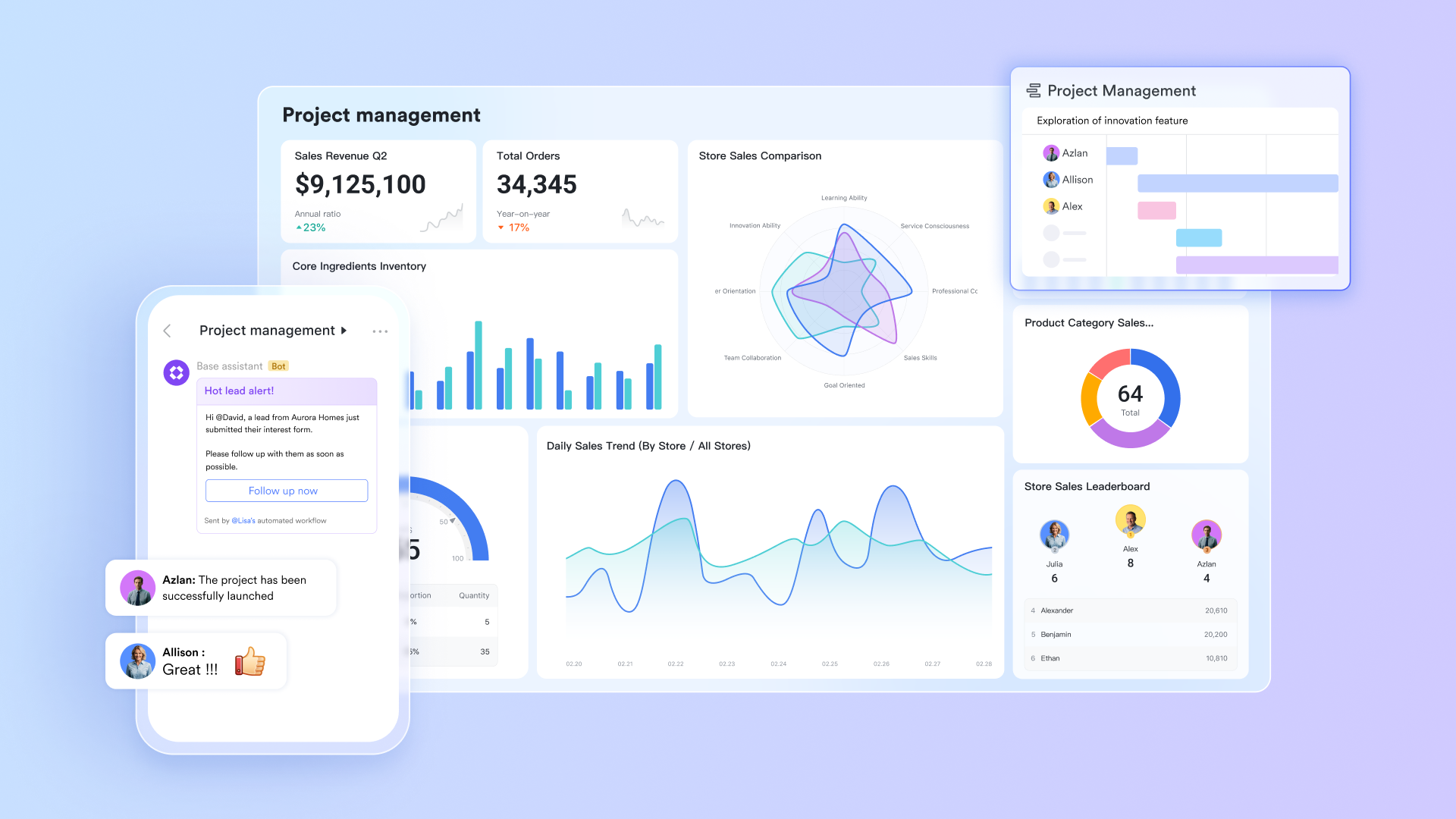
Visual canvas for building complex multi-step workflows
Lark provides a clear visual canvas where teams can design even the most detailed workflows without technical skills. The workflow configuration page is a visual canvas where users can zoom in/out, move around, and drag nodes to rearrange steps for clarity. Each workflow step appears as a movable node, making it easy to view the entire process and adjust as needed. This approach helps teams review progress and resolve routing issues efficiently.

Conditional logic using If/Else and Switch branches
The builder supports logic-based actions that help teams create smart decision-driven workflows. If Else branches allow routing tasks or records based on values stored in Lark Base fields, such as customer region, department, deal value, or request type. Switch branches allow more detailed conditional routing by assigning different paths for several possible outcomes. This helps workflows behave naturally in real work scenarios, reducing manual checks and follow-ups inside Lark Messenger or meetings.
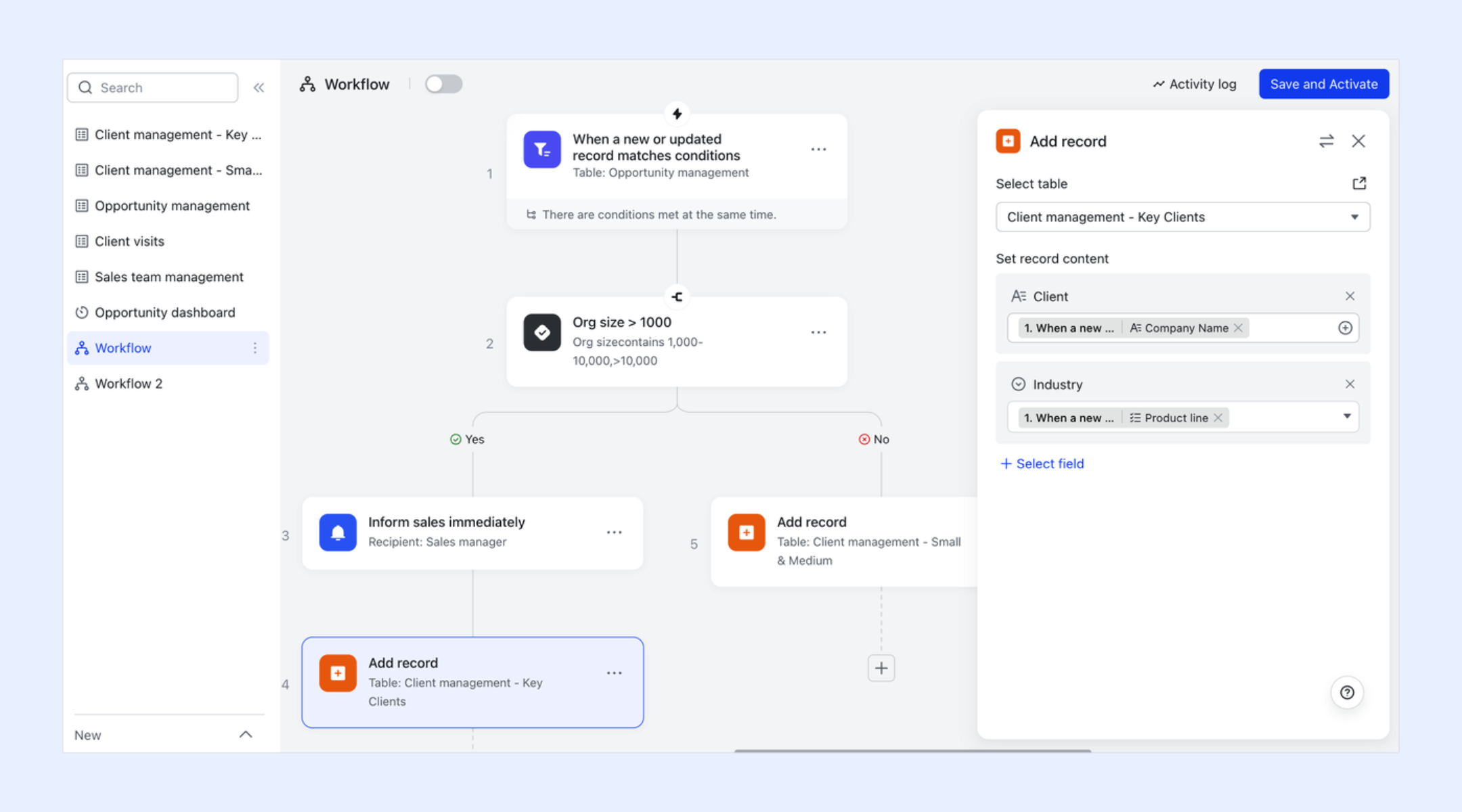
Nodes and node shortcuts for automated intelligence
Lark includes nodes that assist with tasks like summarizing content from Lark Docs, preparing outbound messages for teams in Lark Messenger, producing short updates for Lark Sheets, or analyzing structured data from Lark Base before moving forward. Node shortcuts allow users to apply useful actions inside any workflow without long configuration steps. These capabilities reduce repetitive content handling and improve the clarity of summaries, messages, and task outcomes.
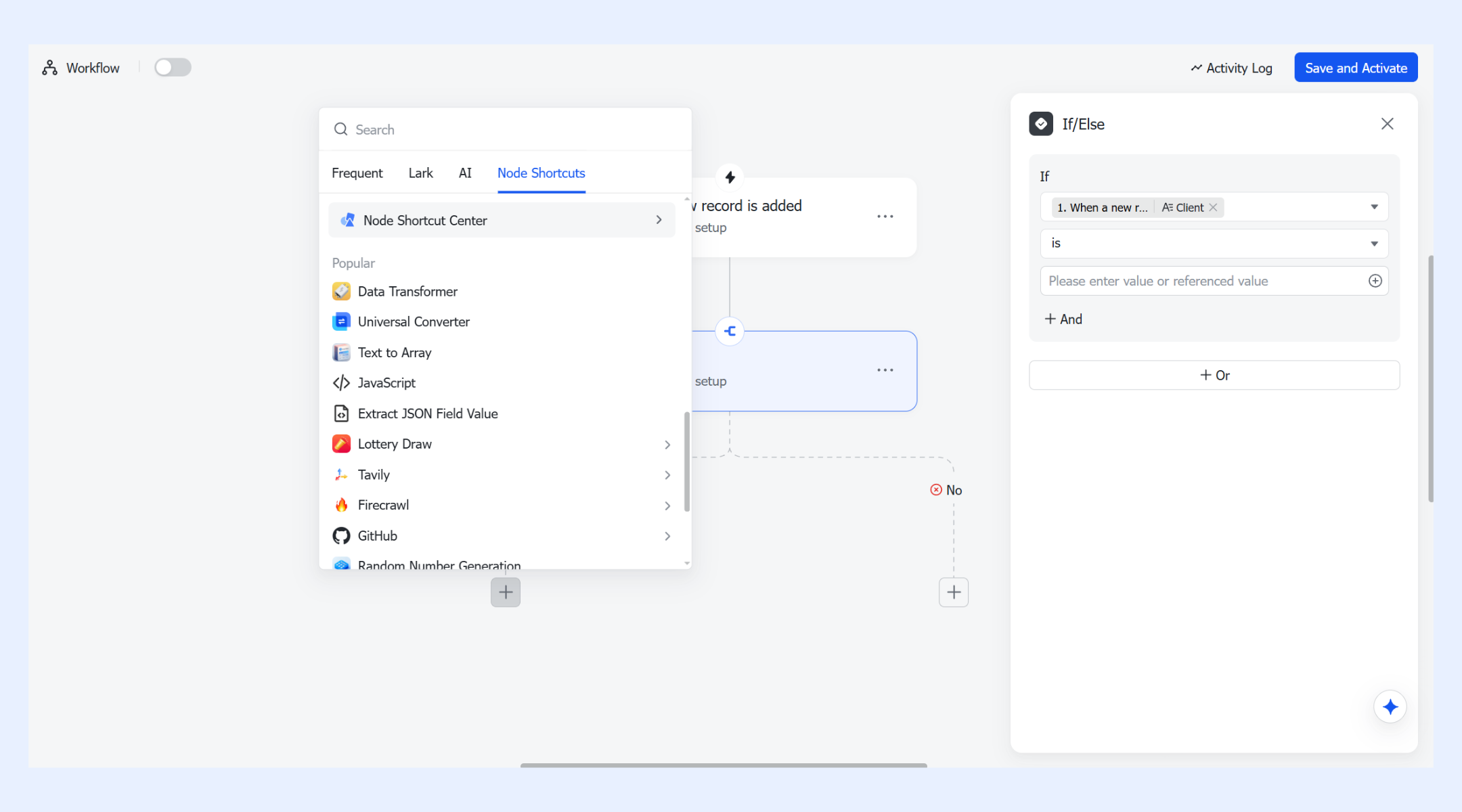
All-in-one platform supports overall workflow execution and communication
Lark's workflow builder turns the platform into a complete, automated workspace by connecting data, communication, and tasks in one system. You can trigger actions that send customized Lark messages, add or update Base records, and automatically create events, tasks, or groups. These automations help teams reduce manual work, maintain accurate information, and ensure every step of a process progresses reliably. By linking workflows across apps, Lark becomes a unified low-code platform and CRM software for running operations, and project workflows end-to-end.
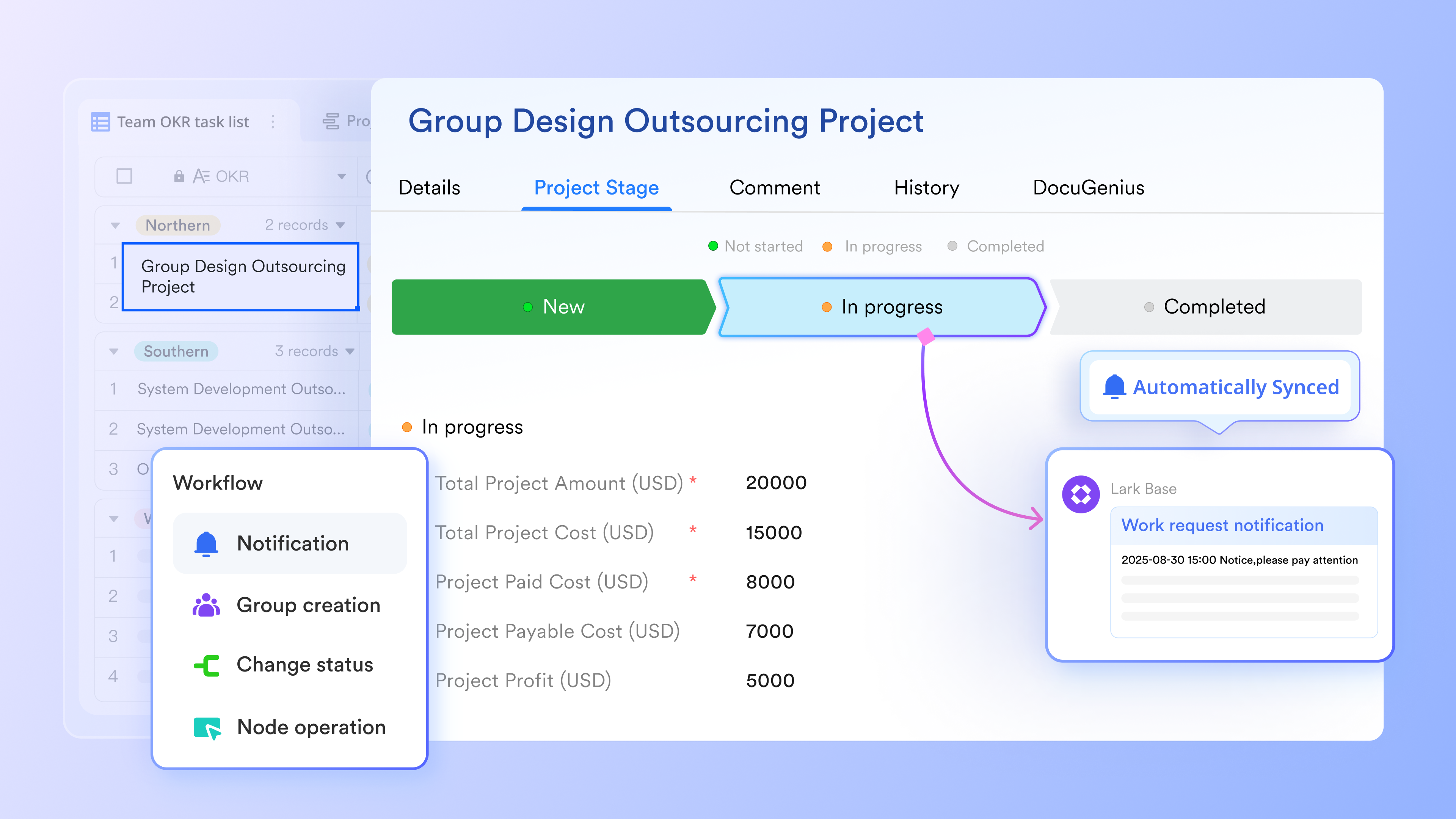
- Starter plan: Free forever plan that includes 11 powerful tools for up to 20 users. It also comes with 100GB of storage, 1000 automation runs, AI translations, and more.
- Basic plan: $6/user/month (billed annually) for up to 500 users. It includes everything in Starter plus group calling for up to 500 attendees, 5TB of storage, 1000 automation runs, and more.
- Pro plan: $12/user/month (billed annually) for up to 500 users. It includes everything in Basic plus group calling for up to 500 attendees, 15TB of storage, 50,000 automation runs, and more.
- Enterprise plan: Contact sales for custom pricing. Supports unlimited users and includes even more automation runs and advanced security, compliance, and management features.
2. Slack workflow builder: Best for simple messaging workflows
Slack workflow builder is designed for quick automation inside chat environments. It focuses on message triggers, simple forms, and approvals that streamline daily tasks without requiring users to open external tools. This builder works well for lightweight flows that support onboarding, notifications, and basic routing inside conversations.
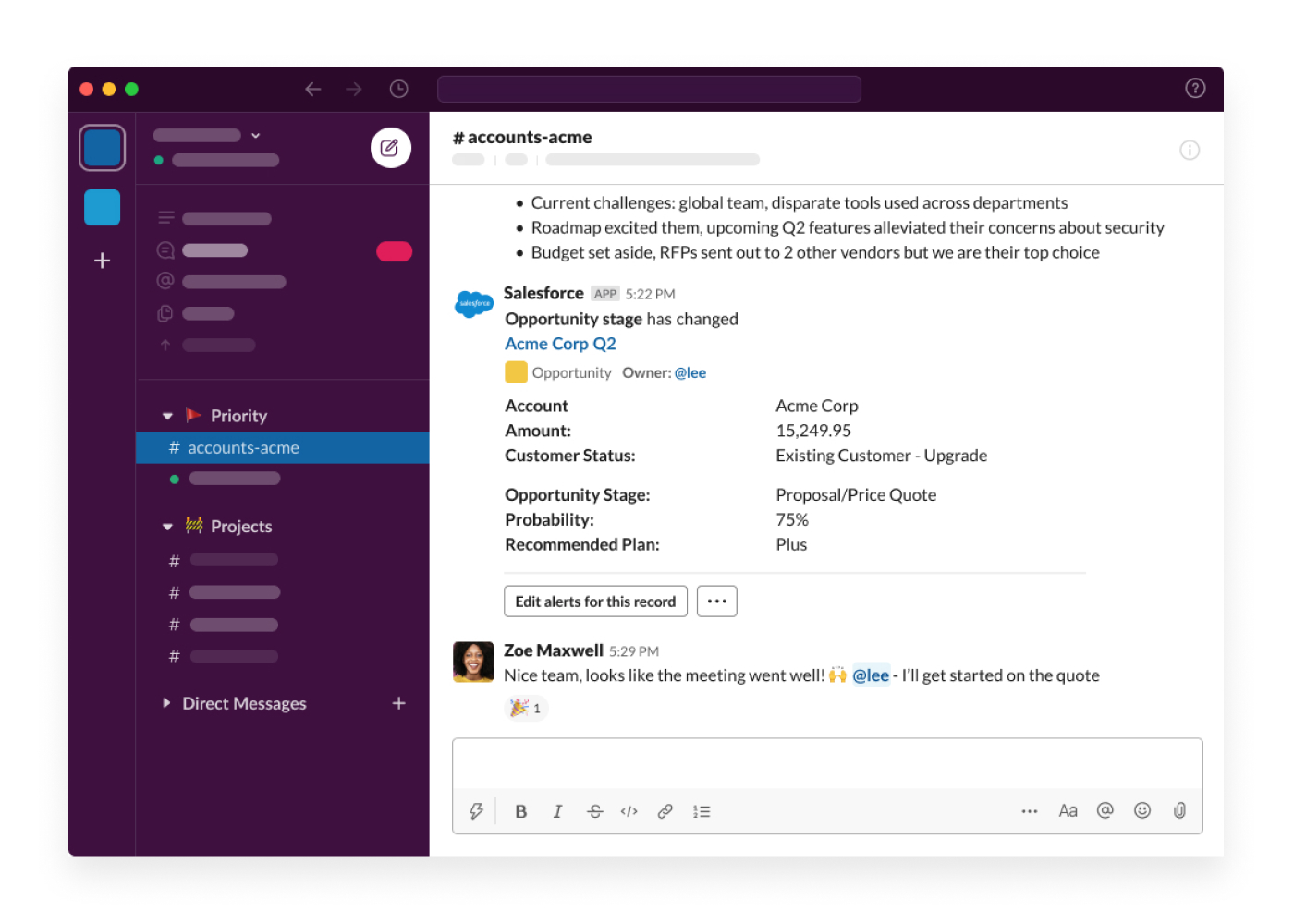
Image source: slack.com
Key features:
- Message based triggers that initiate workflows from chats.
- Simple form collection for internal requests.
- Approvals routed inside channels for quick decisions.
- Useful slack workflow builder examples include onboarding and daily reminders.
- Ideal for compact tasks rather than complex branching.
Pros:
- Easy to use for all team members.
- Works directly inside conversation threads.
- Quick setup for recurring communication needs.
- Good for departments that rely heavily on chat.
- Reliable for form based inputs.
Cons:
- Limited complexity for multi branch workflows.
- Harder to scale for large process needs.
- Limited AI features compared to AI workflow builder tools.
- Restricted outside messaging environment.
- Not ideal for heavy data workflows.
Pricing:
- Free tier available with 90 90-day chat history limit and restricted workflow power
- Paid plans start from $8.75 per user per month when billed annually
3. Zapier: Best for connecting many tools
Zapier is widely used for connecting apps and creating automated trigger action flows. It supports extremely large ecosystems, making it ideal for teams operating across multiple platforms. The platform includes AI powered steps and smart routing features, making it flexible for different business functions.
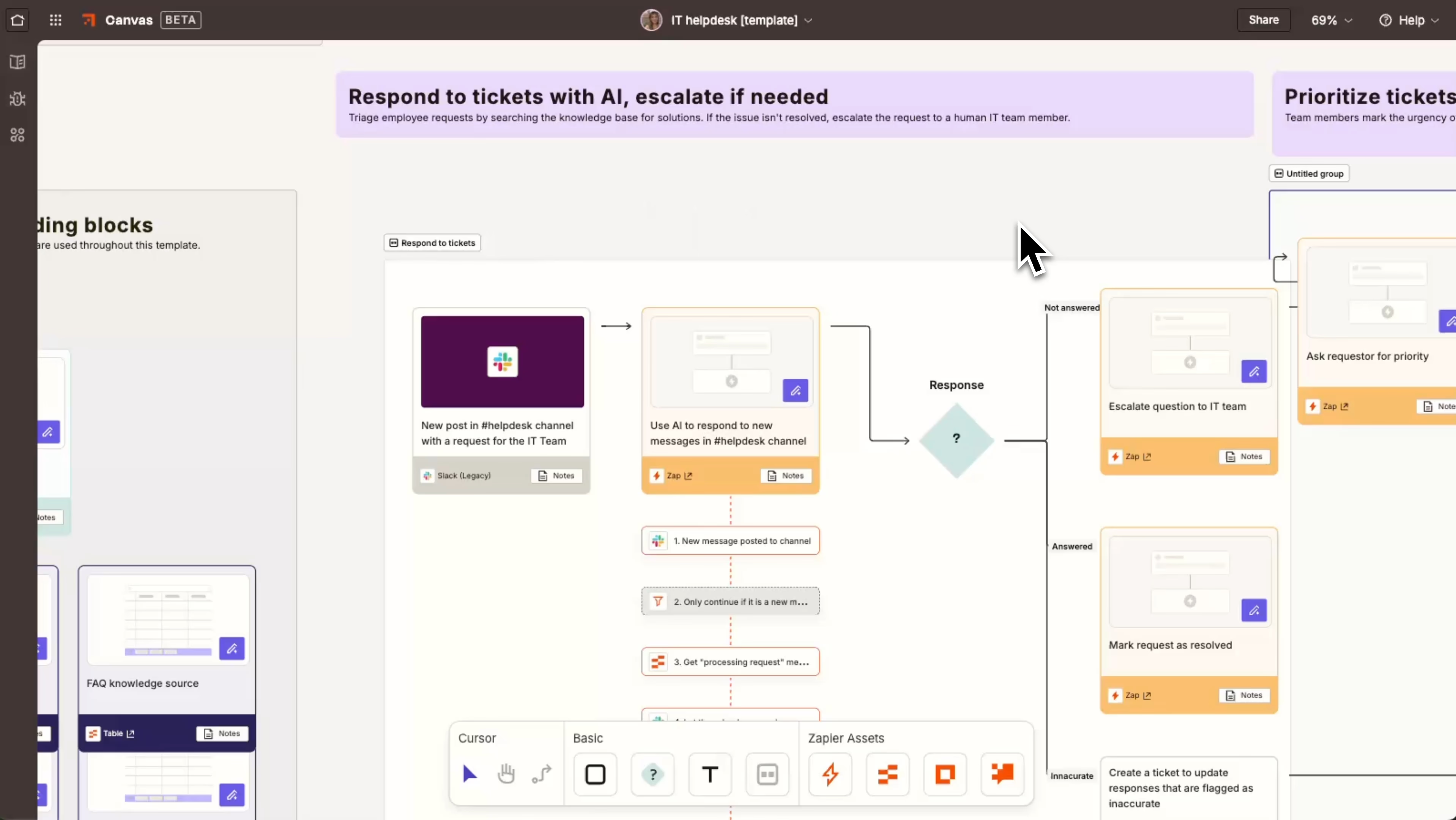
Image source: zapier.com
Key features:
- 8,000 plus app connections for broad coverage.
- Multi step Zaps for layered processes.
- AI powered steps for summarizing or classification.
- Good fit for openai workflow builder patterns using custom prompts.
- Useful for cross app movement and data sync.
Pros:
- Huge integration library for diverse workflows.
- Easy to set up without technical knowledge.
- Stable platform known for reliability.
- Good documentation for beginners.
- Scalable across industries.
Cons:
- Costs increase quickly as step volume grows.
- Complex workflows may become hard to audit.
- Limited visual clarity compared to visual workflow builder tools.
- No unified workspace.
- Excessive zaps can be hard to manage.
Pricing:
- Free plan available
- Paid plans from $10 per user per month
4. Make (Integromat): Best for visual workflow design
Make appeals to technical and non-technical teams that want deep flexibility with a graphical layout. It supports multi step paths, conditional logic, and modular controls. The visual approach helps users understand data movement clearly and build advanced automation patterns.
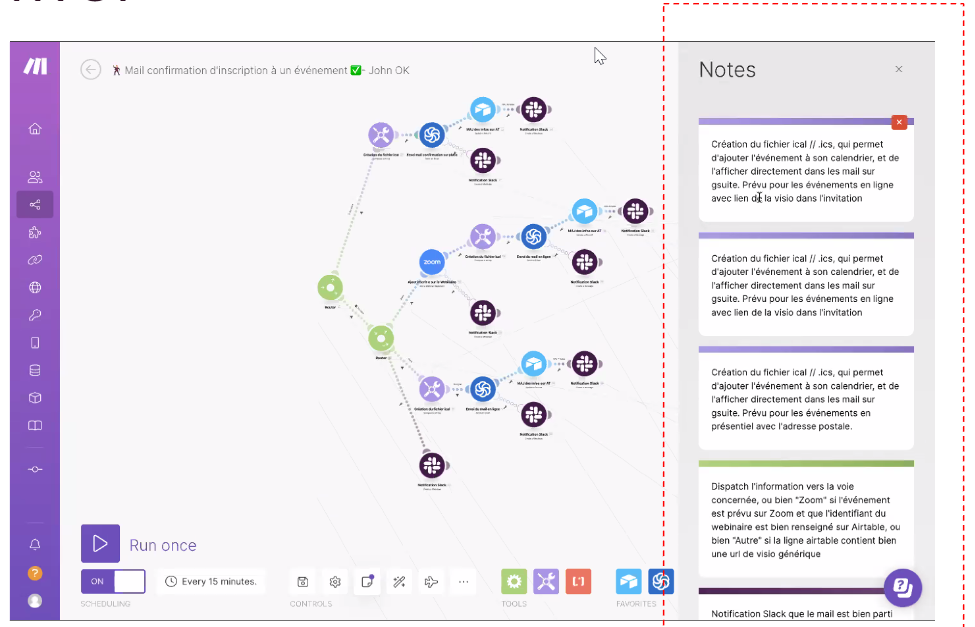
Image source: make.com
Key features:
- Multi node canvas for complete route mapping.
- Conditional modules for rich branching.
- Multi-app support for open ecosystems.
- AI tools included for analysis or content prep.
- Good match for ai agent workflow builder scenarios.
Pros:
- Highly visual environment for clarity.
- Useful for power users needing complexity.
- Real time logs for troubleshooting.
- Strong ecosystem of modules.
- Flexible routing control.
Cons:
- Can overwhelm beginners.
- Some setups require technical understanding.
- Complex flows may be harder to maintain.
- Limited chat collaboration features.
- Can require frequent updates and monitoring.
Pricing:
- Free tier available
- Paid plans from $9 per month
5. OpenAI workflow builder: Best for AI driven pipelines
OpenAI workflow builder supports deep AI generation and reasoning tasks that connect to content creation, analysis, and structured data preparation. It works well for teams that rely on natural language processing or advanced classification steps.
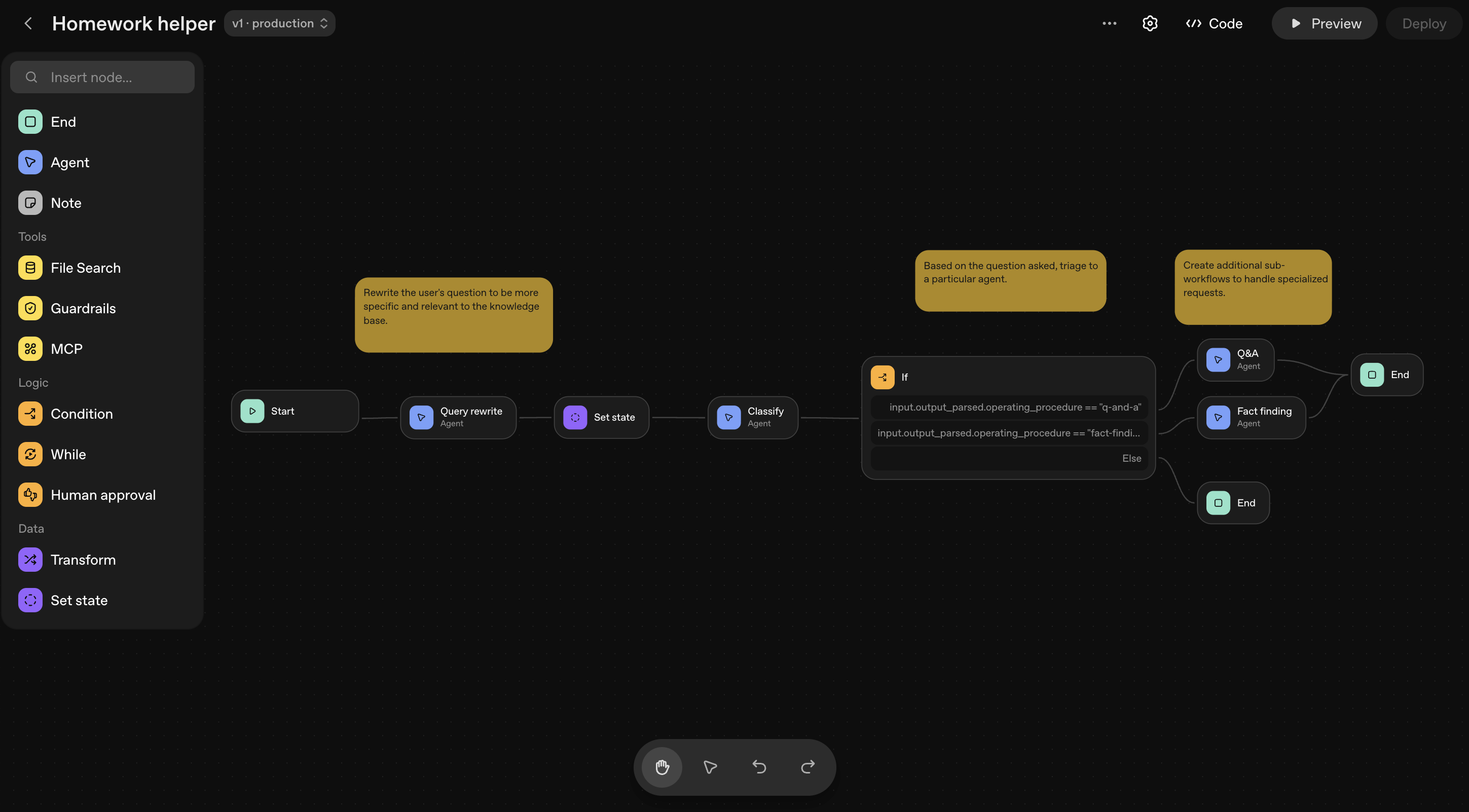
Image source: openai.com
Key features:
- Natural language processing for complex tasks.
- Multi step reasoning for context heavy flows.
- Content generation for marketing and communication.
- Classification modules for routing needs.
- Strong match for deep ai workflow builder routines.
Pros:
- Strongest AI capability in text heavy tasks.
- Useful for content heavy teams.
- Good for advanced classification.
- Capable of multi reasoning steps.
- Easy to configure natural language patterns.
Cons:
- Requires linking with other apps for task updates.
- Limited operational workflow features.
- Not ideal for approvals or structured project needs.
- Dependency on API setup for extensions.
- Fewer templates compared to general builders.
Pricing: pay-as-you-go model
6. Asana workflow builder: Best for project workflows
Asana includes structured tools that guide teams through task states and project milestones. The workflow builder supports task routing, updates, and simple automation patterns, making it suitable for teams that rely heavily on project coordination.
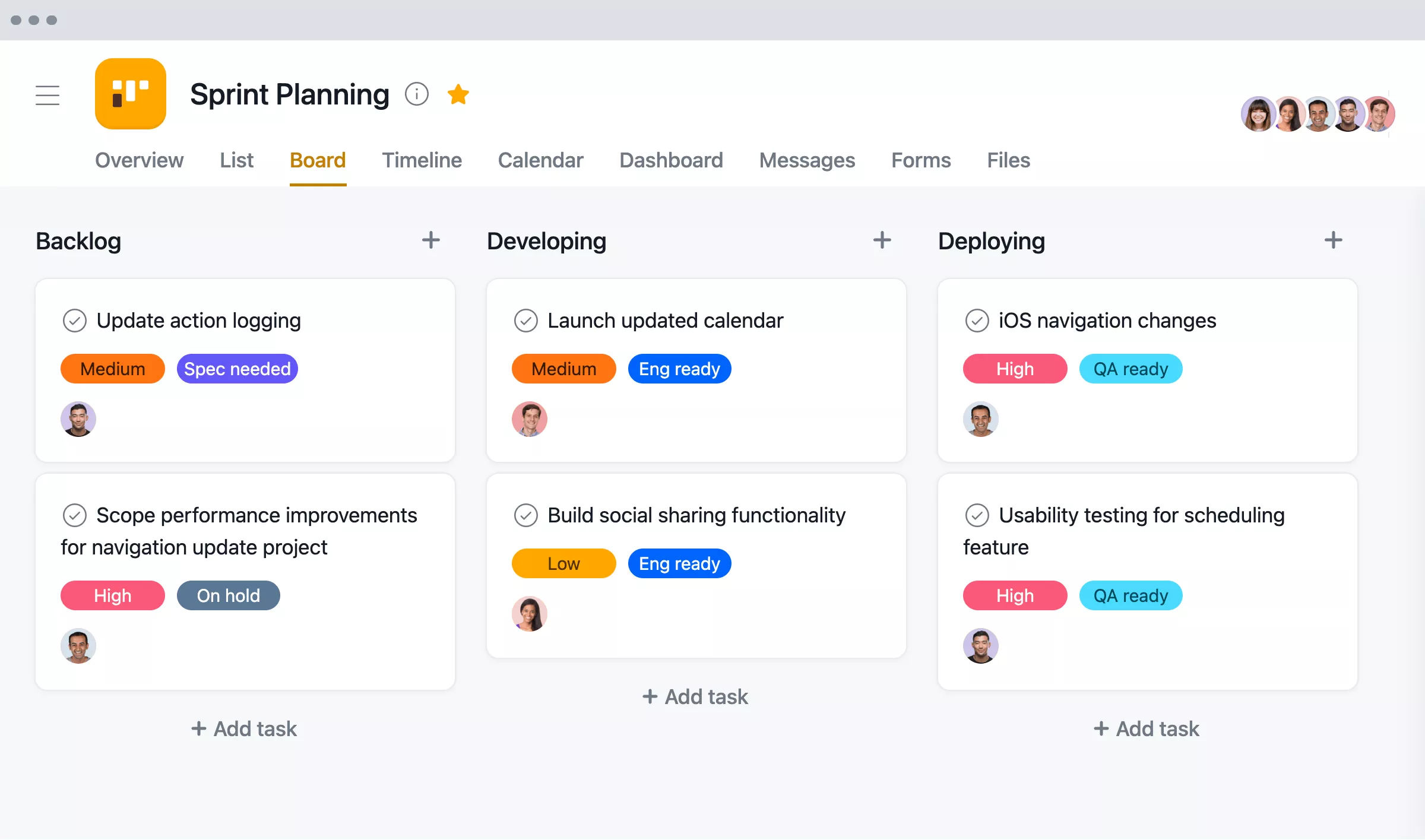
Image source: asana.com
Key features:
- Task based routing for assignments.
- Simple forms for intake.
- Notifications, updates, and stage movement.
- AI features for suggestions and analysis.
- Good for project related automation.
Pros:
- Strong task organization.
- Easy for teams familiar with project tools.
- Good collaboration structure.
- Filters and views for clarity.
- Reliable for small and medium teams.
Cons:
- Limited depth for multi branch flows.
- Harder to create advanced routing.
- Less AI capability than ai agent workflow builder systems.
- Works best inside Asana ecosystem.
- Limited database capabilities.
Pricing:
- Free tier available,
- Paid plans start from $10.99 per user per month when billed annually
7. Notion automations: Best for wiki plus database workflows
Notion automations simplify movement inside tables and pages, combining documentation and databases in one system. It is suited for lightweight workflows tied closely to content and structured information.
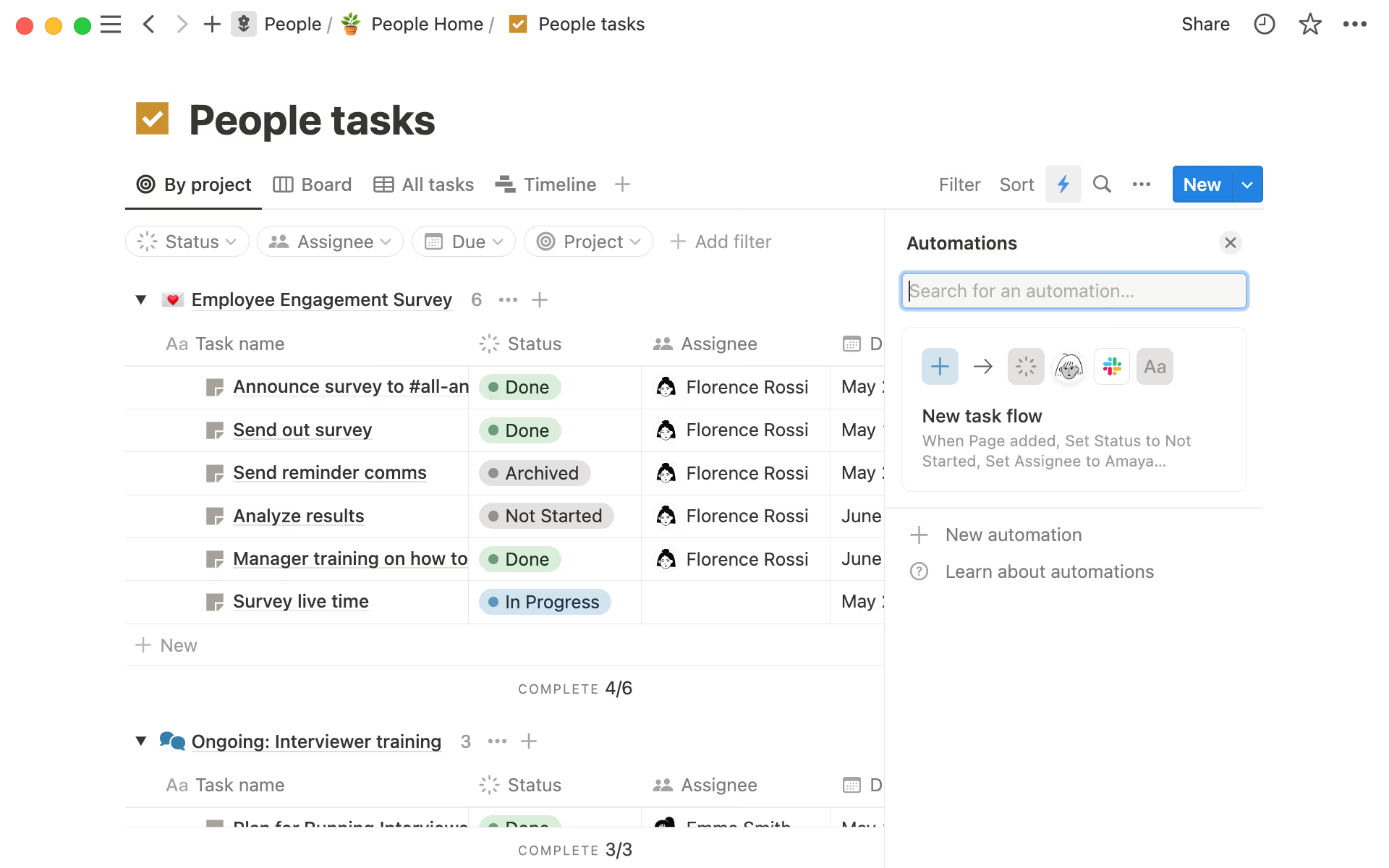
Image source: notion.com
Key features:
- Moves items between database states.
- Updates pages or assigns tasks.
- Simple AI features for content or summaries.
- Works well with wiki style content.
- Suitable for lightweight flows.
Pros:
- Good for content plus workflow mix.
- Easy for teams already using Notion.
- Clean interface for organizing tasks.
- Quick setup for simple needs.
- Useful for documentation heavy work.
Cons:
- Not suitable for heavy operational automation.
- Fewer trigger types than other tools.
- Limited conditional logic.
- No enterprise grade features.
- Small library of templates.
Pricing:
- Free plan available
- Paid plans from $8 per user per month
8. Airtable automations: Best for database driven workflows
Airtable automations support structured data movement inside customizable tables. This setup is ideal for teams that track assets, operations, content pipelines, or inventory with high visibility.
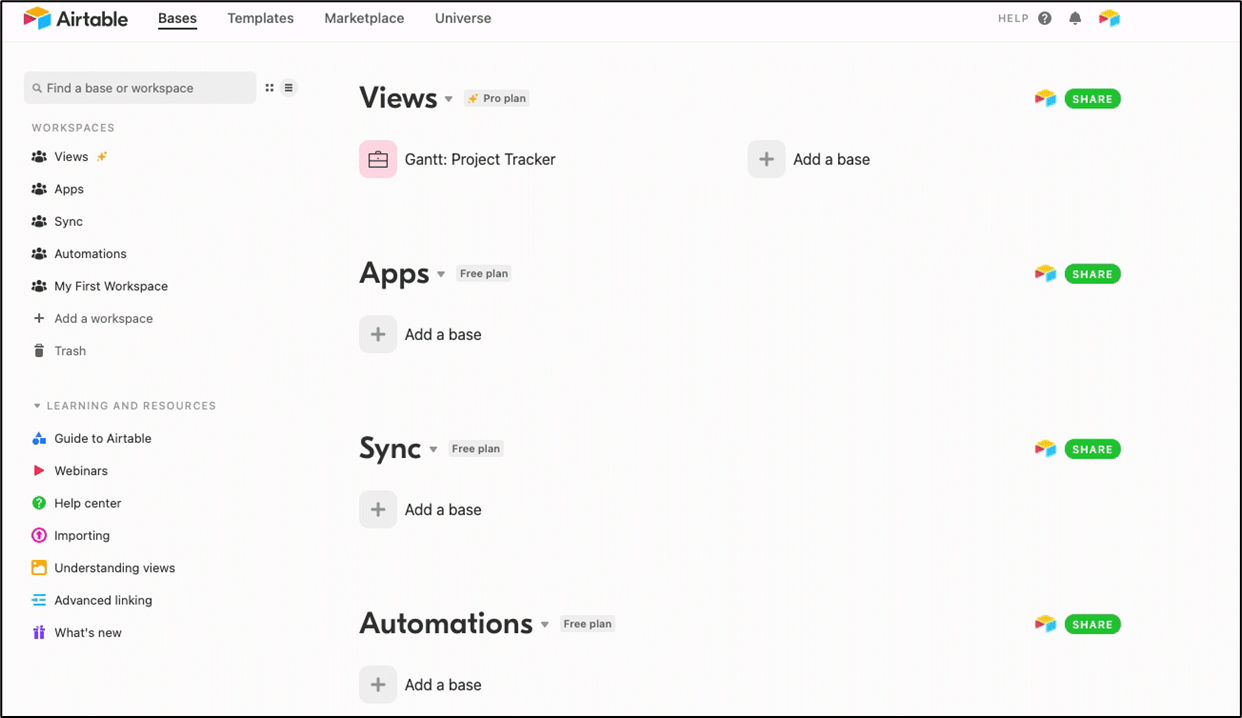
Image source: airtable.com
Key features:
- Trigger action steps tied to table changes.
- Custom script options for deep control.
- AI features improving contextual outputs.
- Strong database centric workflows.
- Ideal for structured operational needs.
Pros:
- Clear data foundation for workflows.
- Good for cross team visibility.
- High flexibility in table design.
- Many templates for operational routines.
- Strong multi view options.
Cons:
- Can get expensive at scale.
- Complex tables require training.
- Limited native chat features.
- AI tools are still developing.
- Not ideal for non-table scenarios.
Pricing:
- Free plan available
- Paid plans from $10 per user per month
9. Tally plus automation add-ons: Best for forming workflows
Tally supports form-based automation with simple routing to external tools. It works well for early stage teams handling basic intake flows and lightweight processing.
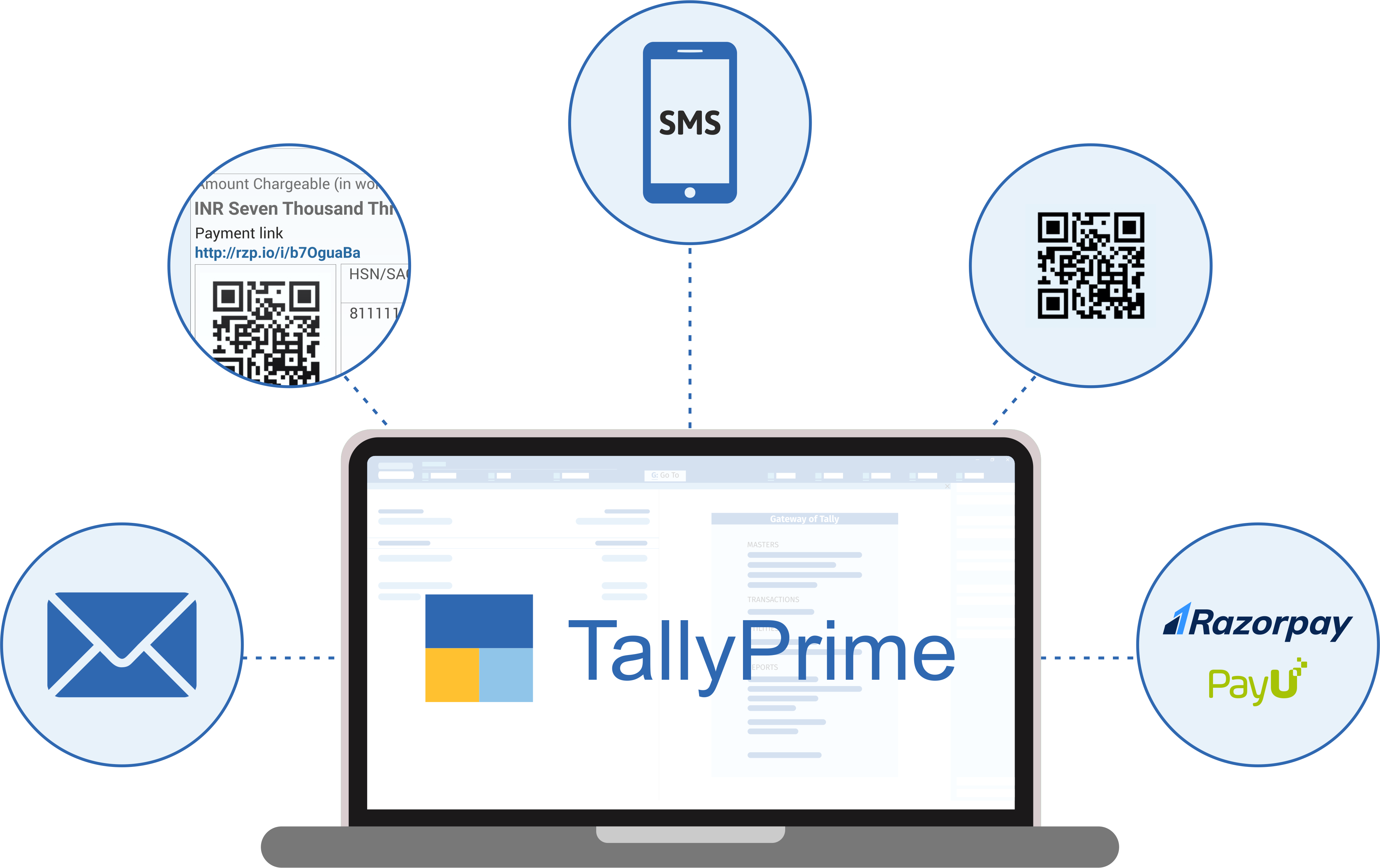
Image source: tallyintegration.com
Key features:
- Form submissions that trigger downstream tasks.
- Integrations with Zapier and Make.
- Simple triggers for quick movement.
- Good for intake processes.
- Useful for basic routing.
Pros:
- Easy to create forms.
- Light and fast setup.
- No code for simple flows.
- Works well with external builders.
- Good for simple task routing.
Cons:
- Not suited for heavy workflows.
- Relies on external tools for complexity.
- Limited built-in features.
- Not ideal for large scale automation.
- Few advanced AI modules.
Pricing:
- Free plan available
- Paid from $8.48 per user per month
10. Pipefy: Best for business process management
Pipefy supports highly structured process design for industries that require consistent governance. The platform includes audit trails, routing rules, and clear roles for process owners. It works well for finance, compliance, HR, and operations.
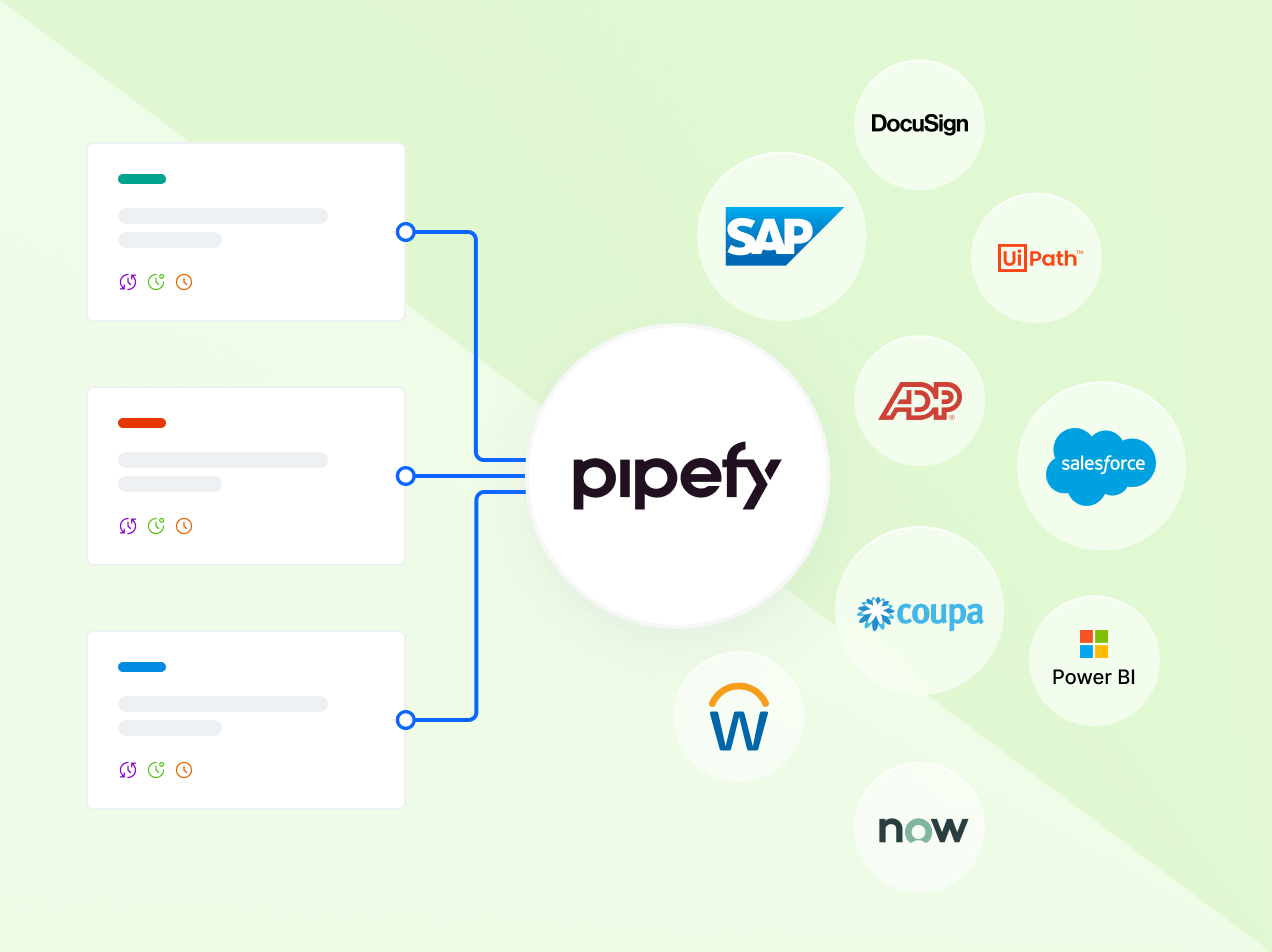
Image source: pipefy.com
Key features:
- Multi layer workflows with clear control.
- Routing rules for detailed logic.
- Audit trails for compliance.
- Templates for common company processes.
- Strong governance model.
Pros:
- Ideal for structured environments.
- Good control for admins.
- Suitable for regulated teams.
- Strong process clarity.
- Granular routing and approval tools.
Cons:
- Less flexible for creative teams.
- May require training for setup.
- Limited AI features compared to AI workflow builder tools.
- Not ideal for fast iteration.
- Can be expensive for smaller teams.
Pricing: Custom pricing
Benefits of using a workflow builder
Workflow builders offer value by standardizing routine processes and improving clarity across teams. They help reduce inefficiencies that come from manual oversight and disconnected tools. With the right setup, workflow automation improves collaboration and supports long-term operational growth. The benefits below describe how these tools transform everyday work.
- Saves time and reduces manual work: Automation removes repetitive tasks from daily operations. Teams spend less time on predictable actions and more on meaningful work. Workflows continue running even when individuals are unavailable. Over time, the time savings scale across departments.
- Standardizes processes: Workflows ensure that every step follows an agreed sequence. This reduces confusion and increases consistency across teams. Standardization improves training for new members. It also helps maintain quality in repeated processes.
- Eliminates errors and inconsistent handoffs: Automation reduces the risk of incorrect entries or missed steps. Workflows maintain accuracy by executing tasks consistently and reliably. This builds trust in outputs and improves data integrity. Teams experience fewer interruptions caused by mistakes.
- Improves collaboration: Clear step assignments and automatic notifications help teams work together smoothly. Everyone knows their role in each stage of the workflow. Communication becomes structured because decisions and updates follow the same pattern. This leads to more predictable teamwork.
- Enables non-technical teams to automate work: No-code interfaces make workflow creation accessible to all functions. Teams without engineering support can build and adjust flows independently. This accelerates operational improvement and reduces dependency on technical resources. It also encourages experimentation and continuous refinement.
- Supports scalability for growing businesses: Workflows handle higher volume without needing additional headcount. As processes grow, automation ensures they remain manageable. AI steps strengthen adaptability by interpreting content at scale. This enables long-term growth without operational strain.
Common mistakes to avoid free workflow builder
Many teams begin workflow automation with free plans, but mistakes can slow progress or reduce the value of automation. Understanding common pitfalls helps build stronger flows and reduces frustration. These issues often appear when teams move fast without planning or when they rely heavily on manual oversight.
- Over automation: Trying to automate everything at once can create unnecessary complexity and confusion. Some tasks still need human judgment and do not benefit from full automation. When flows become too large, they are harder to maintain and troubleshoot. Starting small helps teams focus on meaningful gains. This approach also prevents clutter that hides the true purpose of the workflow.
- Lack of ownership: Workflows need clear owners who can maintain, update, and troubleshoot them. Without an owner, flows can break silently or become outdated. Teams may not know who to contact when problems appear. Ownership ensures that workflows evolve with business needs. It also helps keep accountability visible across teams.
- Poor documentation: Unclear instructions make workflows harder to understand or update. Documentation improves training for new team members and reduces confusion. Without clear notes, teams spend more time troubleshooting simple issues. Good documentation keeps processes sustainable in the long term. Version history helps track changes as workflows grow.
- No monitoring: Workflows can fail quietly without proper monitoring systems. Regular checks help detect broken steps before they affect work. Monitoring gives teams visibility into performance and completion rates. Reports help evaluate which flows deliver value. Routine reviews ensure workflows stay aligned with real needs.
- Ignoring change management: Workflows must be updated when processes evolve, since ignoring these changes creates misalignment. Teams should review flows regularly to maintain accuracy. Change management reduces risks caused by outdated steps. It ensures flows stay relevant and reflect current operations. Review cycles help keep automation healthy over time.
Conclusion
Workflow builders play a central role in helping teams manage their work more efficiently, predictably, and collaboratively. With choices ranging from simple chat-based automation like Slack workflow builder to advanced ai workflow builder platforms with intelligent routing, every organization can find a tool that aligns with its operational needs. As teams expand, the need for automated flows increases, making these systems essential for scaling without friction. Lark appears as a strong option for teams that want a unified workspace where communication, documents, data tables, and workflow design operate closely together. When selecting a tool, teams should consider current needs, future growth, AI capabilities, and collaboration patterns. Well designed workflows save time, reduce errors, and create lasting operational clarity across the company.
FAQs
What's the difference between task automation and workflow automation?
Task automation handles small, single actions that happen in isolation, such as sending a reminder or updating a field. Workflow automation manages multi step processes that include triggers, branching, approvals, and structured outcomes. Workflow tools create a complete lifecycle that moves through several checkpoints. Lark can be introduced gradually as teams explore more comprehensive workflows that go beyond single task actions.
Can workflow builders replace traditional project management tools?
Workflow builders support structured automation but do not always replace project management platforms. Some tools focus on messaging or simple routing, while others support deep logic or AI-based decisions. Many organizations combine both systems to complement each other effectively. Lark becomes relevant when teams want project data, chat, documents, and automation in one environment without switching tools.
Do I need coding experience to use a workflow builder?
Most workflow builders today use no code interfaces that rely on visual design, triggers, and simple selections. This makes them accessible to operations, HR, support, and cross functional teams. Some advanced platforms allow optional scripting for deeper control. Lark and similar tools help non-technical users create structured flows through simple drag and drop design patterns.
How do AI workflow builders differ from traditional automation tools?
AI workflow builders interpret text, detect meaning, classify messages, and generate content automatically. This adds intelligence that traditional builders cannot achieve with simple rules. AI steps support decision making and prepare richer outputs. Lark offers AI capabilities that enhance workflows gradually as teams become familiar with more advanced steps.
Related reading
Table of contents
Start using Lark today

Manage all your work in one place
Boost team efficiency by 10x
Save up to 70% on software costs
Table of contents
Start using Lark today
Manage all your work in one place
Boost team efficiency by 10x
Save up to 70% on software costs
Keep reading







2026 Lark Technologies Pte. Ltd.
Headquartered in Singapore with offices worldwide.






Explore: