As businesses strive to improve efficiency and reduce operating costs, automation tools have become essential for streamlining processes and enhancing productivity. Among these solutions, Zapier stands out as a leading platform that allows organizations to connect hundreds of applications and automate workflows without needing technical expertise.
This comprehensive Zapier review will explore the features, benefits, and potential drawbacks of the platform. Whether you're a small business owner looking to optimize your processes or a part of a larger enterprise seeking robust automation solutions, understanding the capabilities of Zapier can help you make informed decisions for your operational needs.
What is Zapier?
is an innovative online automation tool that enables users to connect over 3,000 different applications and automate workflows without requiring any coding knowledge. Its user-friendly interface empowers individuals, including non-technical users, to create both simple and intricate workflows effortlessly. By setting up "Zaps", users can define a specific trigger event in one application that automatically initiates an action in another, effectively streamlining business automations across various platforms.
With the ability to eliminate repetitive , Zapier enhances productivity and allows teams to focus on more strategic initiatives, ultimately transforming the way businesses operate. Whether for small projects or large-scale operations, Zapier provides a powerful solution for enhancing workplace efficiency.
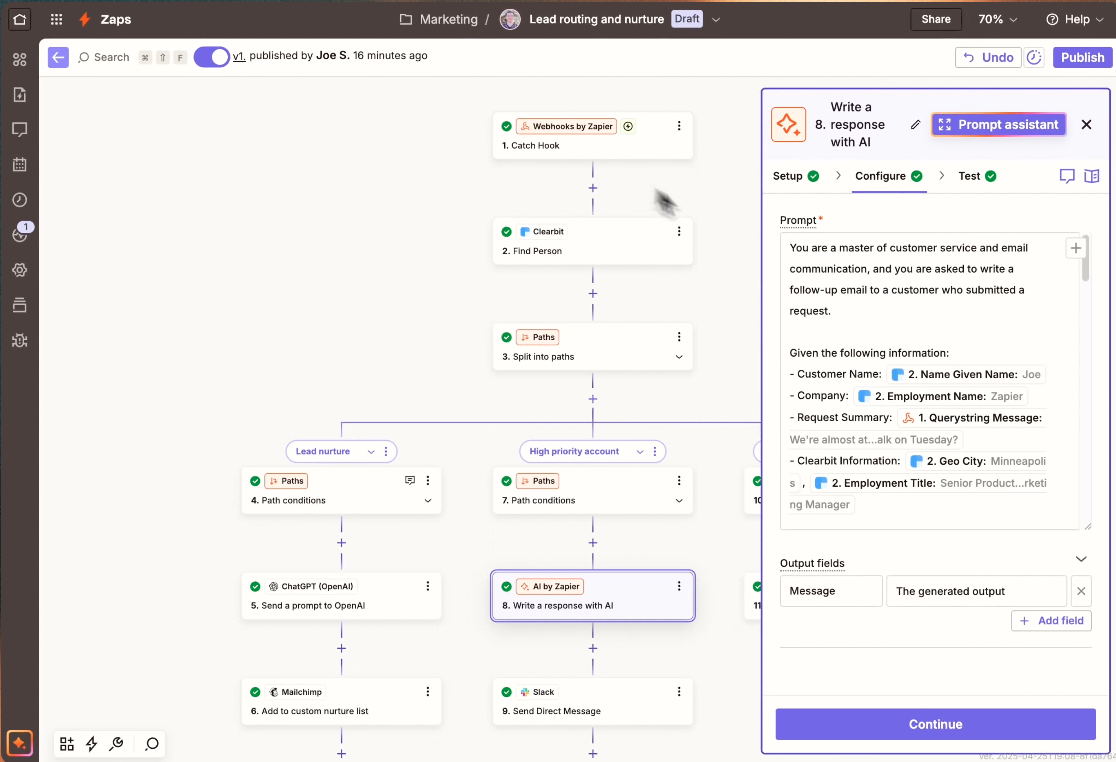
Image source: zapier.com
For example, a sales team can automate the process of adding a new lead in their customer relationship management (CRM) software whenever a form is submitted on their website. This integration exemplifies how Zapier connects applications like Google Calendar, email services, and project management tools, ultimately reducing manual workload.
For more Google Workspace's information, you can refer to and .
Reduce the burden of integrations
Why trust our reviews?
Our editorial team follows a transparent, repeatable methodology. Every review is based on using experience in realistic working scenarios, and we always stick to a set of consistent scoring criteria.
- Features and functionality
- Security, privacy, and compliance
- Integrations and compatibility
Our team reviews and assesses tools using consistent datasets and real-world scenarios, focusing on the things users care about most—such as sales pipelines, marketing automation, collaboration, and knowledge management. We confirm the official pricing and release notes of each product we review, and gather user feedback from across different channels. We do not accept paid placements and ensure our reviews are completely unbiased and fair. Additionally, as software and digital work environments constantly evolve, we review our content at least quarterly and update articles whenever products undergo significant changes. For more information about our review methodology, read the full rundown of.
Detailed reviews of Zapier's core features
Zapier is designed to simplify the of integrating various applications and automating workflows, making it an invaluable tool for businesses seeking efficiency. Its vast range of features enables users to connect over 3,000 applications with ease, streamlining task management and data transfer. At the core of Zapier's appeal is the ability to create automated workflows known as "Zaps," which can be customized to respond to specific triggers across integrated apps. This capability not only enhances productivity but also allows organizations to tailor their automation processes to meet specific needs.
In the following sections, we will explore two crucial aspects of using Zapier: its extensive integrations with a diverse range of applications and its powerful workflow automation features. Together, these elements highlight how Zapier empowers users to optimize their business processes and unlock greater operational efficiency.
Zapier integrations review
One of ’s significant advantages is its extensive integration capabilities. With over 3,000 supported applications, users can connect popular services such as Google Sheets, Slack, Mailchimp, and Trello with just a few clicks. This versatility enables businesses to centralize their workflows and eliminate data silos. Zapier's integration process is straightforward, allowing users to search for apps and create connections easily. Moreover, for advanced users, Zapier supports webhooks that facilitate connections to apps lacking direct integration. This vast integration library makes Zapier a versatile tool for many organizations, providing extensive coverage of essential business software used across various industries.
Zapier workflow automation review
features fundamentally change how businesses operate by automating previously manual tasks. Users can automate actions such as posting updates on social media, sending subscription confirmations, or updating customer records in real-time. The automation can range from simple one-step actions, like sending an email when a new lead is acquired, to complex workflows involving multiple steps and conditional statements. Additionally, users can monitor their Zaps’ performance through the Zap history feature, allowing for troubleshooting and optimization of automated processes. By utilizing Zapier for workflow automation, businesses can improve productivity, enhance efficiency, and enable teams to focus on higher-value work rather than repetitive tasks.
Detailed reviews of Zapier's other features
Zaps templates
In addition to its core capabilities, Zapier offers a suite of other features that further enhance its functionality and user experience. One notable feature is the Zaps Templates, which provide users with pre-configured automations tailored to specific tasks and . These templates help users get started quickly by eliminating the need to build Zaps from scratch. With a wide variety of templates available, users can easily find solutions for common use cases, such as event registrations, marketing campaigns, and productivity tracking.
Team collaboration features
Zapier also offers Team Collaboration Features, designed to accommodate businesses working in groups. These features allow multiple users within an organization to share and manage Zaps effectively, fostering collaboration and ensuring that team members remain aligned on workflows. Users can assign different roles and permissions, enhancing security and accountability in automation practices.
Performance monitoring
Lastly, Zapier’s monitoring tools are instrumental in helping users analyze the effectiveness of their automations. The platform provides insights into Zap usage, success rates, and any errors encountered during execution. This monitoring capability enables businesses to troubleshoot issues promptly and optimize their automated workflows for improved performance. However, a limitation of this feature is that it primarily focuses on metrics related to individual Zaps, which may not provide a comprehensive view of overall workflow performance across interconnected processes. Users might need additional analytics tools for deeper insights into productivity and efficiency.
Together, these additional features solidify Zapier's position as a powerful automation tool, capable of meeting the diverse and evolving needs of modern businesses
Pricing plans: Value for money
Information source: zapier.com
Updated time: 2025-12-03
offers a range of pricing plans designed to provide value for varying business needs, incorporating a unified approach to AI orchestration.
- Free plan: The Free plan allows users to start automating with Zaps, Tables, and Interfaces at no cost, providing 100 tasks per month. This is ideal for small projects or startups testing the waters of automation without financial commitment.
- Professional plan: This plan, starting at $19.99 per month when billed annually, unlocks advanced features such as Multi-Step Zaps and unlimited access to premium apps. This plan offers significant value, especially for businesses handling more complex workflows, as it allows for powerful automation capabilities that can scale alongside their needs.
- Team plan: For teams, the Team plan is priced from $69 per month and includes collaborative features like shared Zaps and folders, enhancing teamwork and efficiency. This plan also allows for a limited number of users, making it a cost-effective solution for small to medium-sized teams looking to manage Automations in a collaborative environment.
- Enterprise plan: Lastly, the Enterprise plan is tailored for larger organizations and provides advanced admin controls, unlimited users, and additional security measures. Pricing for this plan is customized based on the specific needs and scale of the organization.
Overall, is designed to offer flexibility and scalability. Users can select a tier based on current requirements and easily upgrade as their automation needs grow, ensuring they always receive value relative to the tasks and features they need. Furthermore, with the pay-as-you-go option, users can manage their tasks more effectively without the fear of exceeding limits, adding another layer of convenience to their investment.
However, it’s essential to note that while provides powerful integration capabilities, there can be hidden costs associated with premium apps and additional features. For many small to medium-sized businesses (SMBs) and growing teams, these costs can quickly add up, making the overall investment more significant than initially anticipated. Therefore, potential users should carefully evaluate their needs and the total cost of ownership when considering Zapier as a solution for their automation efforts.
Use a tool with more automations and fewer fees
Pros and cons of using Zapier
The pros
Efficiency through automation
Zapier empowers businesses to , significantly reducing the time spent on manual entry and coordination. This efficiency frees up valuable resources, allowing teams to concentrate on strategic initiatives that drive growth and innovation.
Wide range of integrations
With connections to over 3,000 applications, Zapier allows users to easily integrate the tools they already rely on, minimizing the friction typically associated with adopting a new automation platform. This extensive integration library ensures that most users can find compatible solutions tailored to their workflows.
Community support
Zapier boasts a robust and active community of users who freely share insights, templates, and tutorials. This community resource proves invaluable for newcomers, enabling them to learn from the experiences of others and quickly overcome common challenges in setting up automations.
The cons
Learning curve for advanced features
While setting up simple Zaps is user-friendly, creating more complex workflows can present a steep learning curve, especially for users unfamiliar with advanced concepts such as decision trees, conditional logic, or error handling. This could deter some users from fully leveraging Zapier’s capabilities.
Limitations of the free plan
Users on the free version may find it restrictive, with limitations on the number of Zaps, , and actions available. This can hinder the ability to implement more extensive workflows and may lead businesses to feel pressured to upgrade sooner than anticipated.
Support tickets for paid versions
While paid users do receive enhanced support services, there have been reports of delays in resolving issues. This can lead to frustration, particularly when immediate assistance is required for time-sensitive automations, causing potential disruptions in business operations.
Potential for hidden costs
The pricing structure can result in hidden costs for users who require premium integrations or additional features, which can become a concern for small to medium-sized businesses and growing teams operating with constrained budgets.
Try an all-in-one option with fewer hidden costs
Find an all-in-one alternative to address Zapier's limitations
Lark emerges as a noteworthy alternative to Zapier, providing a comprehensive suite of tools encompassing documentation, communication, and organizational features that could serve as a complete business solution. Here’s how stands against Zapier:
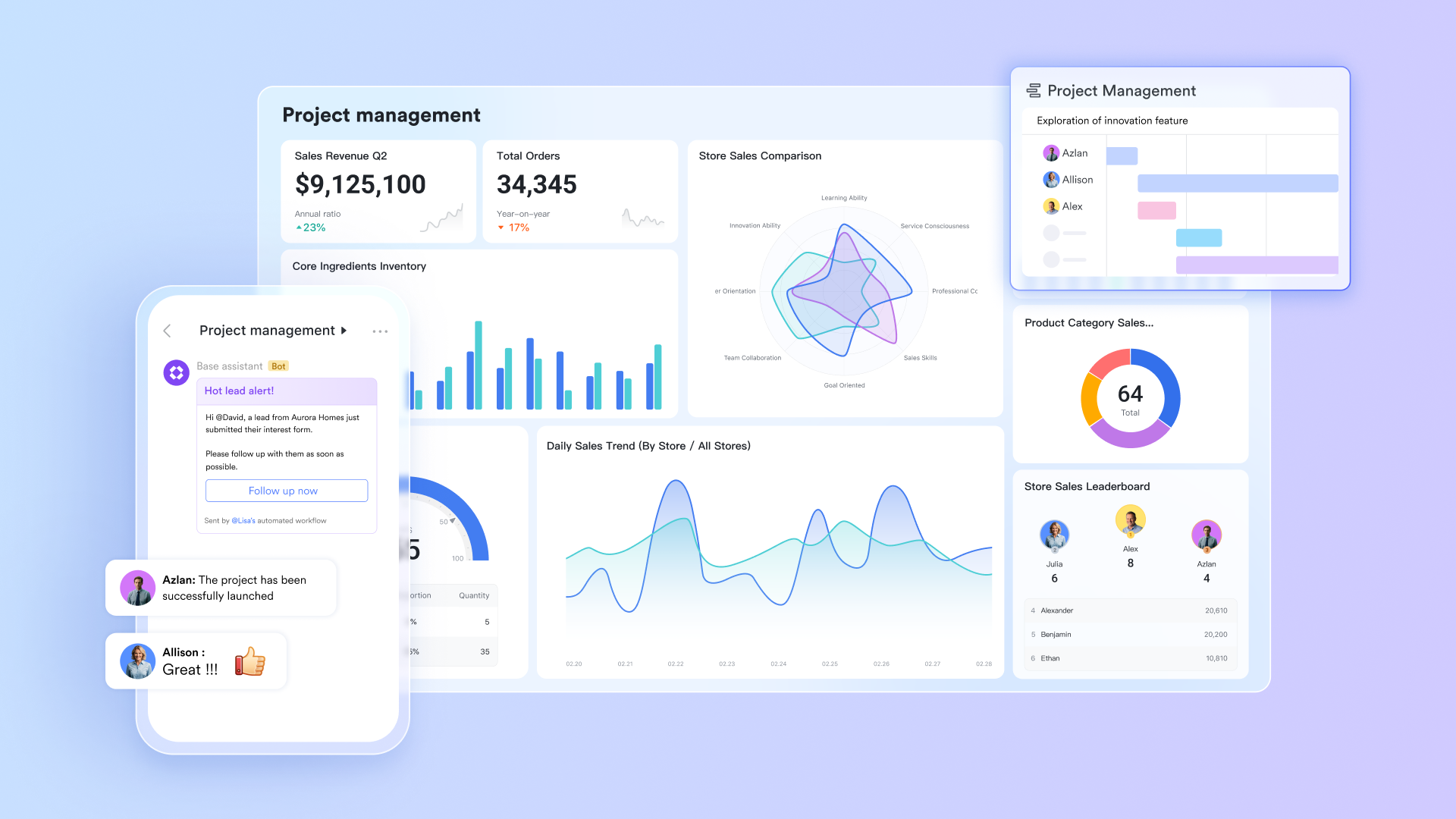
No-code workflows
offers an intuitive platform that enables users to build through Lark Base. This feature allows businesses to without any programming knowledge, making it accessible to teams of all skill levels. Users can create custom workflows without requirements of integration, streamlining operations and enhancing productivity.
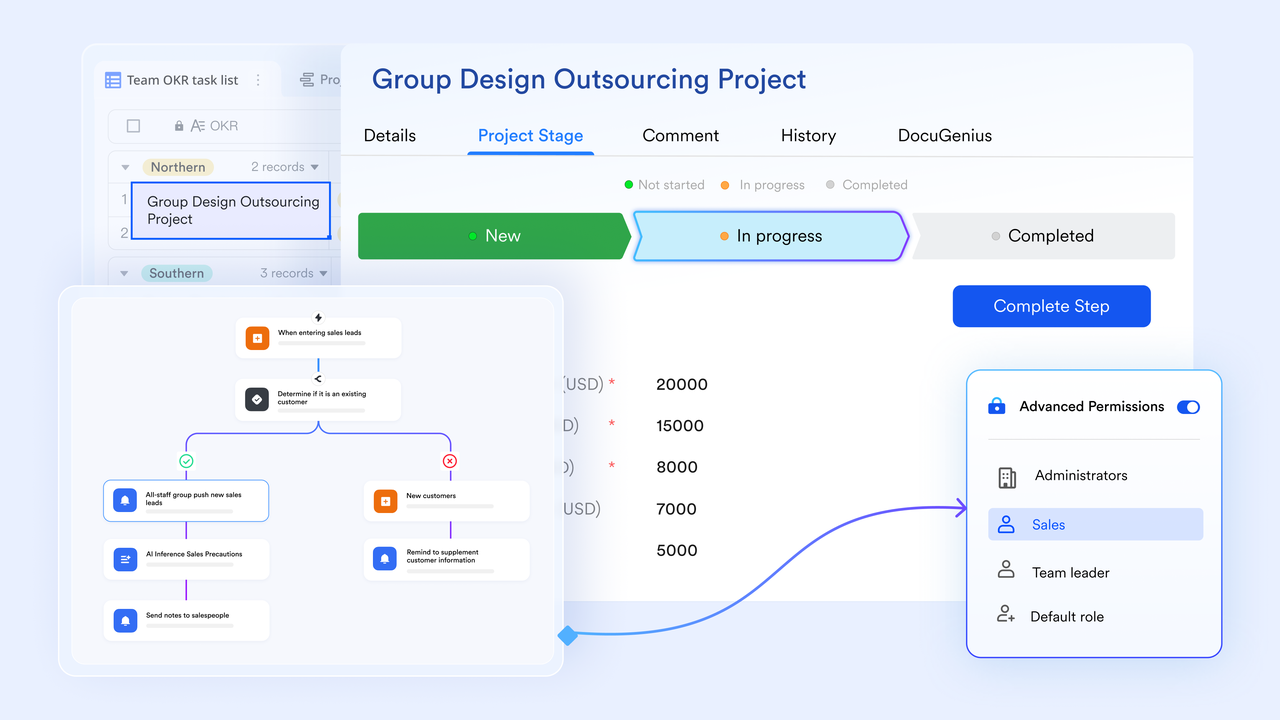
Clear dashboards for performance monitoring
Lark also provides clear dashboards that allow users to easily observe the performance of different workflows. These dashboards present key metrics and insights in an organized manner, enabling teams to track how well their automations are functioning. This visibility helps identify bottlenecks and areas for improvement, facilitating data-driven decisions to optimize processes efficiently. 
Built-in collaboration features
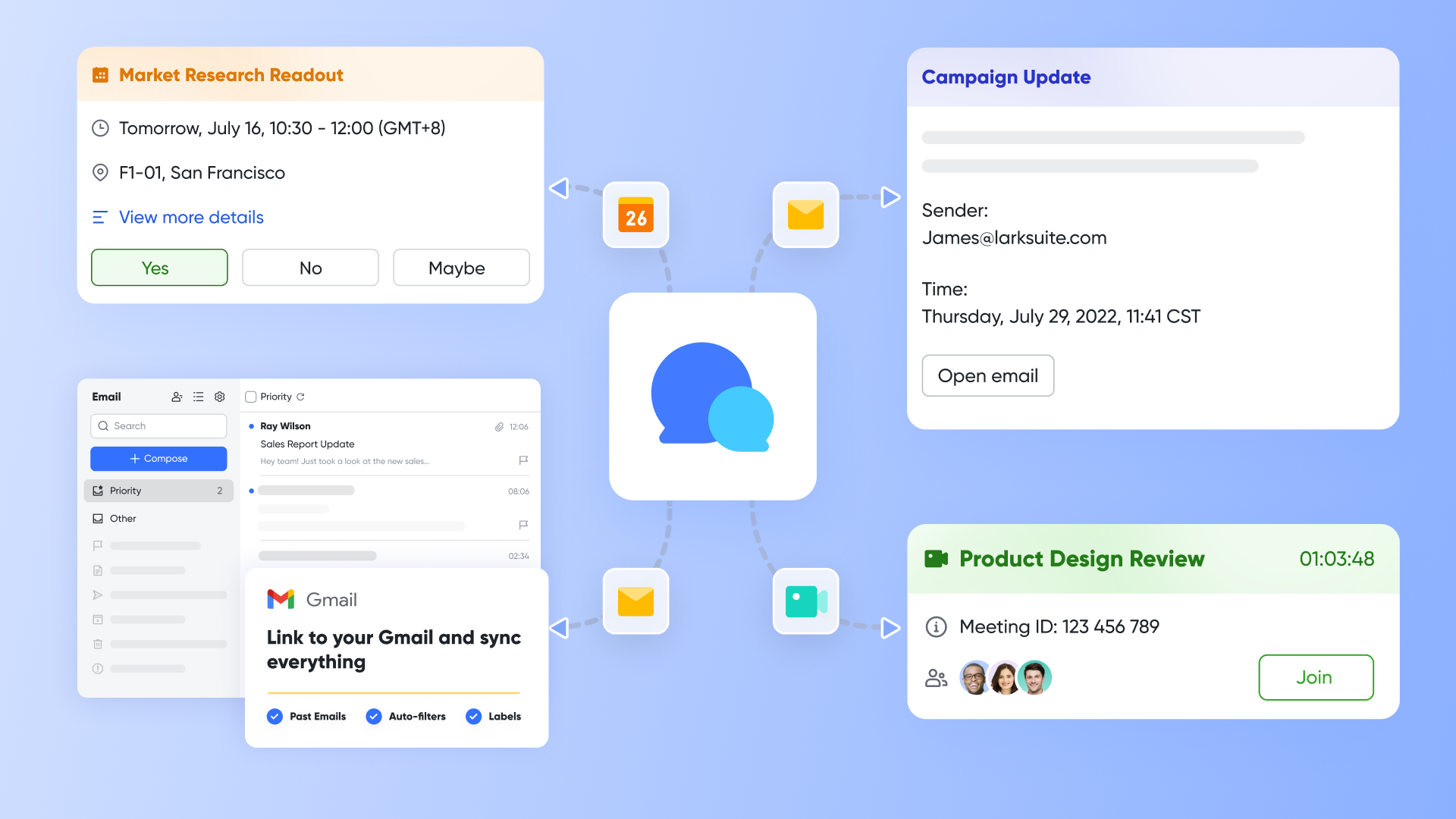
One of the standout benefits of Lark is its built-in features. Unlike Zapier, which relies on external tools for team communication, Lark provides built-in , , and within the same platform. This fosters seamless teamwork, allowing users to discuss automations, share updates in real-time, and collaborate on projects without switching between multiple applications.
Cost-effective solutions
Lark also presents a for businesses. Its pricing is generally more competitive than many automation tools, including Zapier, while providing extensive features within a single platform. With no hidden costs for premium integrations and generous free offerings, Lark ensures that organizations can scale their operations affordably, making it an ideal choice for small to medium-sized businesses and growing teams.
🌟 Learn more about :
As an all-in-one solution, Lark includes all these features below in every plan:
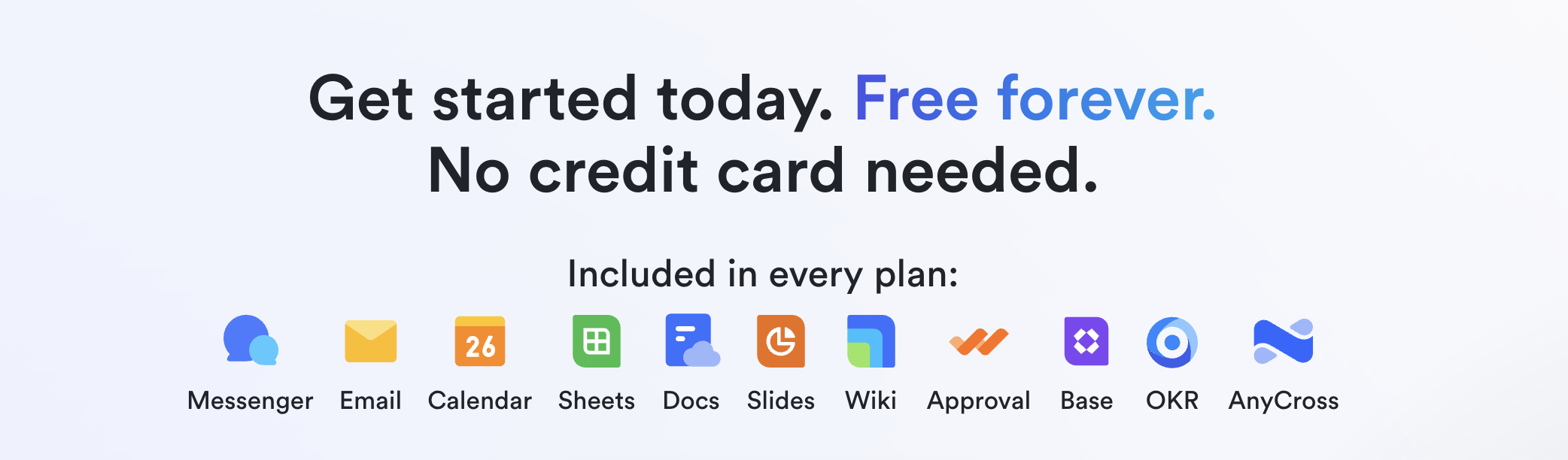
- Free plan: Includes 11 powerful products, supporting up to 20 users, 100 GB storage, 1,000 automation runs and unlimited AI translation in chats, docs and email.
- Pro plan: $12/user/month, supporting up to 500 users. Includes unlimited message history, 50,000 automated Base workflow executions per month.
For small teams with simple communication needs

18 months message history
1000 Base automation runs/month
2000 rows per table in Base
Most POPULAR
For companies with comprehensive collaboration and management needs
Unlimited message history
500-participant video meetings
50k Base automation runs/month
20k rows per table in Base
For large companies with advanced security and organizational management needs
Get a personalized demo and pricing
Unlimited message history
500-participant video meetings
15 TB storage + 30 GB storage/user
500k Base automation runs/month
50k Base automation runs/month
Most POPULAR
For companies with comprehensive collaboration and management needs
Unlimited message history
500-participant video meetings
50k Base automation runs/month
20k rows per table in Base
Making the right choice for automation
When evaluating automation tools, several factors should guide your decision:
- Ease of use: Determine whether the platform is user-friendly, particularly for teams with varying technological skills.
- Budget: Compare the pricing structures of both Zapier and Lark, ensuring that the chosen tool offers the best value for your specific needs.
- Features required: Assess which features are essential for your organization, whether it’s advanced logic in automation, integration capabilities, or collaborative functionalities.
- Support options: Look at the level of support available for users, especially for those on a paid plan. Quick responses to support tickets can save a lot of time and frustration.
Choosing between Zapier and Lark ultimately comes down to individual business requirements. For organizations that highly rely on extensive app connections, Zapier might be the ideal solution. On the other hand, companies seeking a more unified platform with built-in collaboration features and less learning curve should seriously consider Lark as a viable alternative.
Conclusion
As automation tools continue to evolve, the right choice depends on understanding your specific business needs and the functions that will drive efficiency in your organization. Evaluating platforms like Zapier ensures that you can make informed decisions that not only enhance productivity but also unify communication and collaboration among your teams.
In an era where time is at a premium, leveraging the right automation tool can make all the difference. If you're ready to transform your workflows and enhance productivity with automation, take a closer look at as a comprehensive solution that combines workflow automation with essential collaboration tools. I highly recommend you to try Lark now and discover how it can empower your team!
Stop the gap between automation and collaboration
FAQs
Is Zapier credible?
Yes, Zapier is a credible automation tool widely used by businesses of all sizes to streamline workflows. Established in 2011, it has built a strong reputation for its extensive app integrations and ease of use. Trusted by countless organizations, Zapier's secure environment ensures data protection and user privacy, making it a reliable choice for automating business processes.
What is Zapier mainly used for?
Zapier is mainly used for automating repetitive tasks across various applications without coding knowledge. It connects different software tools to create workflows known as "Zaps," which allow users to set triggers and actions. Businesses utilize Zapier to save time, reduce manual processes, and improve efficiency by automating data transfer, notifications, and other routine tasks.
Is there a better alternative to Zapier?
While Zapier is a popular choice for automation, alternatives like Lark, Integromat (now Make), and Automate.io offer competitive features. Lark, for instance, unifies communication and collaboration tools, which can streamline workflows in a unified platform. The best choice depends on specific business needs, such as budget, app integrations, and the complexity of desired automations.
Why is Zapier so expensive?
Zapier's pricing reflects the comprehensive features and capabilities it offers. Higher-tier plans provide access to advanced functionalities, including multi-step Zaps, premium app integrations, and enhanced support. For businesses relying on extensive automation, the investment often pays off by saving time and increasing productivity. However, users should evaluate their specific needs to ensure they choose the right plan.
Related reading






























