Bitrix24 is often chosen by teams that want a single platform to manage customer relationships, projects, internal communication, and basic HR processes. Its broad feature set makes it appealing at first, especially for small businesses exploring digital collaboration. Over time, however, many organizations discover that complexity, interface clutter, and performance limitations slow everyday work. This has led to growing demand for reliable Bitrix24 alternatives that better match modern team workflows.
Today's teams want tools that are easy to adopt, flexible to scale, and clear to use across devices. Some businesses look for stronger CRM depth, while others focus on project visibility or smoother communication. There is also increasing interest in Bitrix24 alternatives free, open source options, and specialized platforms that reduce tool fatigue. In this guide, we explore the best alternatives to Bitrix24 and explain how they compare across CRM, project management, and collaboration use cases.
Key takeaways: Best Bitrix24 alternatives overview
1. Lark: Unified workspace for project management and collaboration
2. Asana: Structured project planning and task tracking
3. Monday.com: Visual workflow management for growing teams
4. ClickUp: Flexible project management with deep customization
5. Notion: All-in-one workspace for projects and documentation
Find the right platform for growth
Quick overview snapshot: Best Bitrix24 alternatives
Information source: Official vendor sites
Update time: 2025/12/15
Note: Pricing and plan details reflect publicly available data as of the update date and may vary based on region, billing cycle, and number of agents.
Many teams also consider and when assessing the value of alternative workplace solutions.
What is Bitrix24?
Bitrix24 is a business platform designed to centralize CRM, project management, communication, HR tools, and internal collaboration. It aims to reduce tool switching by offering multiple business functions within a single system.
Image source: bitrix24.com
- Platform architecture: Bitrix24 is available as a service and as a self-hosted solution. This flexibility appeals to companies with strict data control or compliance requirements. However, self-hosted deployments often require dedicated technical resources to manage, maintain, and scale the system effectively.
- User interface and experience: The interface combines CRM, tasks, communication, and intranet tools into one workspace. While comprehensive, the layout can feel crowded for new users. Teams often report a longer learning curve compared to newer Bitrix24 alternatives.
- Core modules overview: Bitrix24 includes CRM pipelines, project boards, chat, video calls, document management, and HR features. Many organizations only use a portion of these modules in daily work. Unused features can still add complexity to navigation and setup.
- Integration capabilities: Bitrix24 supports integrations with email, marketing, accounting, and third-party business tools. Custom integrations are possible through APIs. Compared to some modern platforms, configuration may require additional setup effort.
Bitrix24 key features and benefits
Bitrix24 brings together multiple business functions within a single platform, aiming to reduce the need for separate tools. Its feature set covers sales, project execution, communication, and internal operations. Understanding these capabilities helps teams evaluate whether the platform fits their long-term workflow needs. - CRM and sales pipeline management: Bitrix24 manages leads, deals, contacts, and customer activities through structured pipelines. Automation supports basic sales workflows and follow-ups. More complex sales processes may require additional configuration.
- Project and : The platform provides task assignments, deadlines, dependencies, and progress tracking. These tools support formal project structures. Fast-moving or agile teams may find the setup less flexible.
- Communication tools: Built-in chat, video calls, and social intranet features centralize internal communication. This reduces reliance on external messaging apps. Large teams may experience notification overload.
- Document management and collaboration: Bitrix24 supports file storage, sharing, and collaborative editing. Version control helps track changes over time. Search and organization depend on consistent team usage.
- HR and employee management: HR features include time tracking, leave requests, and basic employee records. These tools cover everyday administrative needs. Advanced HR workflows often require separate platforms.
- Marketing automation features: Bitrix24 includes tools for , lead nurturing, and basic marketing workflows. These features help teams manage outreach from within the platform. Advanced marketing customization may require add-ons or external tools.
- Website builder and e-commerce tools: The platform offers a built-in website builder with basic e-commerce functionality. Teams can create landing pages and simple online stores. These tools are suitable for small setups rather than complex commerce needs.
- Workflow automation: Bitrix24 provides workflow automation for tasks, approvals, and CRM actions. Automation helps reduce manual follow-ups and repetitive steps. Complex automation rules may require careful configuration.
- All-in-one platform reduces tool sprawl: Bitrix24 combines CRM, projects, communication, and HR features in one system. This can reduce the number of separate tools teams need to manage. However, not all teams use every included module.
- Free plan for unlimited users: Bitrix24 offers a free plan that allows unlimited users with feature limitations. This appeals to budget-conscious teams and early-stage organizations. Storage and advanced functionality are restricted on the free tier.
Full list of 10 best Bitrix24 alternatives
Teams exploring alternatives to Bitrix24 CRM often want clearer workflows, easier onboarding, or more focused functionality. Some organizations prioritize stronger CRM capabilities, while others look for simpler project management or better . The tools below represent a mix of all-in-one platforms, specialized CRM systems, and open source options. Each alternative addresses common limitations teams experience when using Bitrix24.
1. Lark: Perfect for unified project management and collaborative work
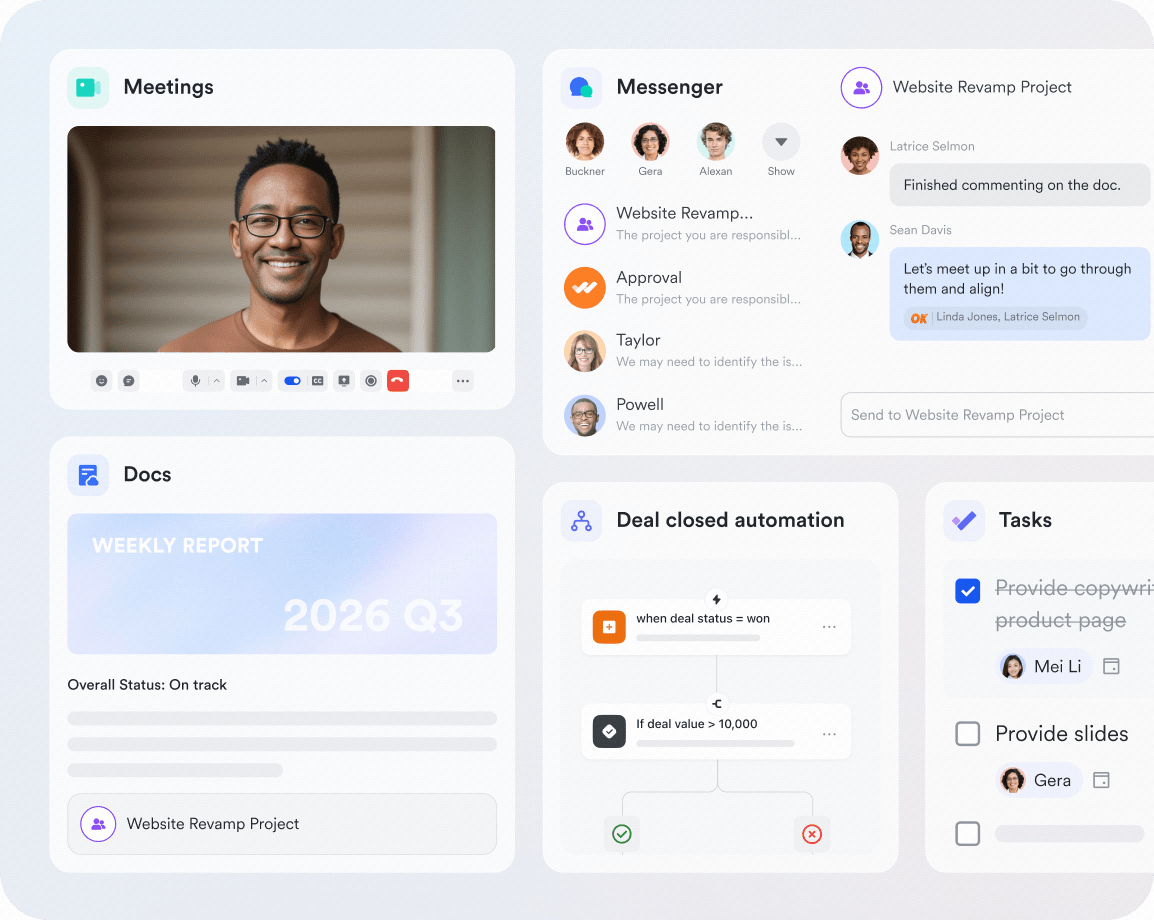
is a modern collaboration platform built to connect , tasks, documents, and automation in one workspace. Unlike Bitrix24, it focuses on reducing friction in daily work rather than packing in disconnected modules. Teams use Lark to , share knowledge, and collaborate in real time without switching tools. It suits organizations that want an all-in-one system that still feels lightweight. This makes it one of the most balanced Bitrix24 alternatives for growing teams.
Structured database supporting dynamic management
provides a structured database that can support either project management or CRM, depending on how teams design their tables and views. Teams can use kanban and to manage tasks, milestones, or deals using the same underlying data, without switching systems. For CRM use cases, Base serves as a single source of truth for leads, contacts, and opportunities, while linked records and forms help standardize data capture. Compared to all-in-one platforms like Bitrix24, Lark focuses on flexibility and clarity, allowing teams to shape workflows around their needs rather than navigating overlapping modules.
Automated workflow reduces human efforts
Lark Base workflow feature is a place where happen. Unlike simple automations, Workflow supports sophisticated, multi-step logic by including nodes like If/Else (for conditional branching), Switch, and Loop actions, allowing users to visually construct intricate, flow-based automations. This feature is entirely trigger-based, meaning any configured workflow automatically initiates based on a condition, such as "When a new record is added," "When a record updates," "At scheduled time," "When a button is clicked," or even when a specific Lark message or webhook is received.
Flexible task flow from assignment to execution
Lark Tasks enables a flexible flow from assignment to execution by allowing tasks to be created directly from chats, documents, emails, or the Tasks interface. Each task can include owners, due dates, and completion rules, with progress automatically organized by role and status. Teams can track work through Kanban-style views and activity history for clear visibility. Larger initiatives can be broken into sub-tasks, and progress can be visualized in timeline views to support time-based planning and coordination.
Instant team communication in text, audio, and video
Lark helps team communication and collaboration through and , which include robust team chat and direct messaging that support rich media, file sharing, and tools like "Buzz" for urgent messages. For group discussions, it offers dedicated group channels and specialized topic threads to ensure focused conversations by threading replies. Furthermore, Lark seamlessly handles audio and video conferencing through Lark Meetings, which can be initiated directly from any chat, offering collaboration tools like in-meeting chat and subtitles for enhanced accessibility.
Document collaboration platform & knowledge base
and together form a unified document collaboration and knowledge base platform. Documents are automatically saved to the cloud (Drive), removing the need for manual file sharing or version tracking. Lark Docs supports real-time co-editing with full version history and detailed permission controls, including sharing, copying, downloading, and commenting. Lark Wiki organizes Docs into structured spaces and pages, creating a searchable, centralized that helps teams quickly find and reuse important information.
Pros
- Fast onboarding: The interface is intuitive and easy to learn. New users become productive quickly.
- Strong collaboration: Communication and execution stay tightly connected. Teams avoid scattered tools.
- Scales smoothly: Works well for startups and large enterprises. Features expand naturally as needs grow.
- Reduced tool sprawl: Combines messaging, docs, tasks, and automation. This simplifies the tech stack.
- Reliable performance: Designed for distributed teams. Works consistently across devices.
Cons:
- While advanced features like Base involve a learning curve, resources and structured guides help teams onboard more smoothly.
:
- Starter plan: Free forever plan that includes 11 powerful tools for up to 20 users. It also comes with 100GB of storage, 1000 automation runs, AI translations, and more.
- Basic plan: $6/user/month (billed annually) for up to 500 users. It includes everything in Starter plus group calling for up to 500 attendees, 5TB of storage, 1000 automation runs, and more. For more details, please .
- Pro plan: $12/user/month (billed annually) for up to 500 users. It includes everything in Basic plus group calling for up to 500 attendees, 15TB of storage, 50,000 automation runs, and more.
- Enterprise plan: for custom pricing. Supports unlimited users and includes even more automation runs and advanced security, compliance, and management features.
For small teams with simple communication needs

18 months message history

1000 Base automation runs/month

2000 rows per table in Base
Most POPULAR
For companies with comprehensive collaboration and management needs

Unlimited message history

500-participant video meetings

50k Base automation runs/month

20k rows per table in Base
For large companies with advanced security and organizational management needs
Get a personalized demo and pricing

Unlimited message history

500-participant video meetings

15 TB storage + 30 GB storage/user

500k Base automation runs/month

50k Base automation runs/month
Most POPULAR
For companies with comprehensive collaboration and management needs

Unlimited message history

500-participant video meetings

50k Base automation runs/month

20k rows per table in Base
2. Monday.com: Visual workflow and collaboration tool
Monday.com is a visual work management platform focused on customizable workflows. Teams use it to track projects, operations, and internal processes with clarity. Compared to Bitrix24, it offers a cleaner interface but less depth in CRM. It is commonly chosen by teams that value visual planning over all-in-one breadth. Departments like marketing and operations benefit most from its flexibility.
Image source: monday.com
Features
- Custom boards: Boards adapt to tasks, projects, or lightweight CRM use. Columns match different workflows.
- Automation recipes: Prebuilt rules handle updates and notifications. This reduces repetitive actions.
- Visual dashboards: Dashboards show timelines, workloads, and KPIs. Managers gain quick visibility.
- Multiple views: Supports table, kanban, timeline, and calendar views. Teams switch easily.
- Integrations: Connects with email, storage, and developer tools. Updates stay centralized.
- Permissions control: Role-based access supports structured teams and departments.
Pros
- Highly customizable: Boards adapt to many use cases. Teams design workflows visually.
- Clear visibility: Visual layouts make progress easy to understand. Improves alignment.
- Strong reporting: Dashboards support operational decisions. Data is easy to interpret.
- Department-friendly: Works well across marketing, operations, and product teams.
- Large ecosystem: Many templates and integrations speed up setup.
Cons
- Limited CRM depth: Not ideal as a full Bitrix24 CRM replacement.
- Cost scaling: Pricing increases as users and features grow.
- Automation limits: Lower tiers restrict automation usage.
Pricing
- Free plan: Basic boards for small teams.
- Basic plan: $9/user/month.
- Standard plan: $12/user/month
- Pro plan: $19/user/month
3. Zoho CRM: Robust CRM for growing businesses
Zoho CRM is one of the most popular Bitrix24 CRM alternatives for sales-driven organizations. It focuses strongly on lead management, pipeline control, and automation. Teams adopt Zoho CRM when sales operations are more important than project collaboration. It works well for small to mid-sized businesses scaling their revenue processes. Compared to Bitrix24, it offers deeper CRM functionality with less operational clutter.
Image source: zoho.com
Features
- Lead and deal management: Customizable pipelines support complex sales cycles. Tracks every stage clearly.
- Workflow automation: Automates follow-ups, task creation, and alerts. Reduces sales admin work.
- Sales analytics: Reports and forecasts help monitor performance. Supports data-driven decisions.
- Multichannel communication: Tracks email, phone, and social interactions. Improves customer visibility.
- Customization options: Custom fields and layouts adapt to business needs. Fits different sales models.
- Mobile CRM: Mobile apps support remote and field sales teams. Data stays synchronized.
Pros
- Strong CRM depth: Covers most sales management needs. Suitable for growing teams.
- Flexible automation: Rule-based workflows improve efficiency. Minimal coding required.
- Affordable pricing: More cost-effective than enterprise CRMs. Good value for features.
- Scalable platform: Grows with pipeline complexity and team size.
- Zoho ecosystem: Integrates well with other Zoho tools.
Cons
- Dense interface: New users may need onboarding time.
- Limited project tools: Not ideal for project-heavy teams.
- Customization effort: Advanced setups require planning.
Pricing
- Free plan: Includes 2 users, 10,000 rows, 5 workspaces, and unlimited reports and dashboards.
- Basic: $24/month (billed annually), starts at 2 users and 0.5 million rows.
- Standard: $48/month (billed annually), starts at 5 users and 1 million rows.
- Premium: $115/month (billed annually), starts at 15 users and 5 million rows.
- Enterprise: $455/month (billed annually), starts at 50 users and 50 million rows.
- Dedicated compute: Custom pricing.
4. HubSpot CRM: User-friendly free CRM and marketing hub
HubSpot CRM is widely known for ease of use and a strong free tier. It is one of the most popular Bitrix24 alternatives free for customer management. Teams choose HubSpot when simplicity and quick adoption matter most. It combines CRM with basic marketing tools in one platform. Compared to Bitrix24, it feels lighter but becomes costly at scale.
Image source: hubspot.com
Features
- Contact management: Centralized customer records with activity history. Easy to track interactions.
- Sales pipeline tracking: Visual deal pipelines support basic forecasting. Clear stage progression.
- Email and marketing tools: Email tracking and campaigns included. Supports lead nurturing.
- Reporting dashboards: Prebuilt dashboards show sales performance. Easy to understand.
- Integration marketplace: Connects with hundreds of tools. Extends CRM usage.
- Automation basics: Simple workflows available on paid plans. Improves consistency.
Pros
- Excellent free plan: Strong features with no cost. Ideal for small teams.
- Easy onboarding: Very intuitive interface. Minimal training required.
- Strong ecosystem: Sales, marketing, and support tools connect smoothly.
- Reliable platform: Stable performance and frequent updates.
- Learning resources: Extensive documentation and tutorials.
Cons
- High upgrade costs: Advanced features are expensive.
- Limited project management: Not suitable for execution-heavy teams.
- Scaling complexity: Costs rise quickly with growth.
Pricing
- CRM Suite Enterprise: Starts at $5,000/month, which includes 10 seats
- Marketing Hub Enterprise: Starts at $3,600/month, which includes 5 core seats
- Sales Hub Enterprise: Starts at $150/month per Sales Seat
- Service Hub Enterprise: Starts at $150/month per Service Seat
- Operations Hub Enterprise: Starts at $2,000/month, which includes 1 core seat.
5. Salesforce Sales Cloud: Enterprise-grade CRM
Salesforce Sales Cloud is designed for large organizations with complex sales processes and long deal cycles. It focuses entirely on CRM depth rather than broad team collaboration. Compared to Bitrix24, Salesforce offers significantly more customization and analytics but requires greater administrative effort. It is best suited for enterprises with dedicated CRM teams. Smaller organizations may find it more than they need.
Image source: salesforce.com
Features
- Advanced pipeline management: Supports complex deal stages, multi-currency sales, and forecasting. This suits enterprise sales environments with long cycles.
- AI-driven insights: Predictive analytics highlight risks and opportunities. Sales leaders receive data-backed recommendations.
- Custom objects and workflows: Deep customization allows businesses to model unique sales processes. Configuration requires planning.
- App marketplace access: Thousands of third-party apps extend functionality. Industry-specific needs are supported.
- Security and compliance controls: Enterprise-grade access management supports regulated industries and large teams.
- Reporting and analytics: Detailed reports track performance, revenue trends, and forecasts.
Pros
- Extremely powerful CRM capabilities for large organizations. Handles complex sales structures well.
- Highly scalable platform that supports global teams.
- Deep customization aligns CRM closely with business logic.
- Strong ecosystem of partners and extensions.
- Advanced analytics improve forecasting accuracy.
Cons
- High cost compared to most Bitrix24 CRM alternatives.
- Requires experienced administrators for setup and maintenance.
- Overly complex for small or mid-sized teams.
Pricing
- Essentials plan: Entry-level CRM features for small teams.
- Professional plan: Custom pricing, advanced sales automation, and forecasting tools.
- Enterprise plan: Custom pricing, custom workflows, automation, and reporting.
- Unlimited plan: Custom pricing, full feature access with premium support.
6. Asana: Simple and powerful task and project management
Asana is built to help teams plan, track, and execute work with clarity. It is often chosen by teams replacing Bitrix24 project tools that do not require CRM functionality. Asana emphasizes task ownership and delivery visibility. It works well for internal projects and cross-functional initiatives. Compared to Bitrix24, it offers focus rather than breadth.
Image source: asana.com
Features
- Task dependencies: Helps teams manage work sequences and blockers. Improves delivery predictability.
- Multiple project views: List, board, timeline, and calendar views are supported. Teams choose what fits best.
- Task collaboration: Comments and updates stay tied to tasks. Accountability improves.
- Workload management: Visualizes capacity and assignments. Prevents team overload.
- Automation rules: Handles routine updates and task routing. Saves manual effort.
- Reporting tools: Tracks progress and project health. Supports reviews.
Pros
- Clean and intuitive interface that is easy to adopt.
- Strong task clarity with ownership and deadlines.
- Flexible enough for different industries and team sizes.
- Good visibility into ongoing work.
- Reliable performance across devices.
Cons
- No built-in CRM functionality.
- Limited automation compared to all-in-one platforms.
- Advanced reporting requires higher-tier plans.
Pricing
- Free plan: Basic task and project management for individuals and small teams.
- Starter plan: $10.99/user/month, adds timelines, automation, and advanced views.
- Advanced plan: $24.99/user/month, includes portfolios, workload tools, and reporting.
7. Wrike: Flexible solution for complex projects
Wrike is designed for teams managing large or multi-layered projects with strict coordination requirements. It is commonly used by agencies and enterprise departments. Compared to Bitrix24, Wrike focuses more on project structure than CRM. It suits organizations that need detailed planning, permissions, and reporting. Clear governance improves adoption success.
Image source: wrike.com
Features
- Custom workflows: Teams define task statuses and lifecycles. Supports structured project execution.
- Resource management: Tracks workload, capacity, and utilization. Helps balance assignments.
- Real-time dashboards: Displays project health and progress metrics. Supports management oversight.
- Advanced permissions: Controls access across teams and roles. Useful for large organizations.
- Integrations: Connects with design, development, and storage tools. Centralizes updates.
- Collaboration tools: Supports comments, file sharing, and approval workflows.
Pros
- Strong control for complex projects and dependencies.
- Detailed reporting supports leadership visibility.
- Scales well for large teams and agencies.
- Flexible workflow configuration.
- Suitable for regulated or structured environments.
Cons
- Steeper learning curve for new users.
- Limited CRM functionality.
- Initial setup requires planning and configuration.
Pricing
- Free: $0 user/month (For teams getting started; active task limitations apply)
- Team: $10 user/month (For small teams; requires 2-15 users)
- Business: $25 user/month (For all teams across an organization; requires 5-200 users)
- Enterprise: Contact us (For large teams; requires 5 to unlimited users)
- Pinnacle: Contact us (For teams with complex work needs; requires 5 to unlimited users)
8. Trello: Simple kanban-style task management
Trello is a lightweight task management tool built around visual kanban boards. It is often used by teams seeking a simple alternative to Bitrix24 project features. Trello works best for small teams and straightforward workflows. Its simplicity makes it easy to adopt quickly. However, it lacks depth for complex projects.
Image source: atlassian.com
Features
- Kanban boards: Drag-and-drop cards make task tracking intuitive. Ideal for simple workflows.
- Card collaboration: Comments, attachments, and mentions live on cards. Keeps context visible.
- Power-Ups: Optional add-ons extend functionality. Supports integrations and automation.
- Templates: Ready-made boards speed up setup. Useful for common use cases.
- Mobile access: Mobile apps support work on the go. Boards stay synchronized.
Pros
- Extremely easy to use and understand.
- Free plan suitable for small teams.
- Visual clarity improves task tracking.
- Fast onboarding with minimal training.
- Good for lightweight project needs.
Cons
- Limited scalability for complex projects.
- No native CRM capabilities.
- Advanced features require paid plans.
Pricing
- Free: $0/user/month (Up to 10 users)
- Standard: $6.00/user/month (Scales down for larger teams)
- Premium: $11.75/user/month
- Enterprise: Custom pricing (typically starts around $23.50/user/month)
9. OpenProject: Open source project management
OpenProject is an open source project management platform focused on transparency and control. It is popular among organizations seeking Bitrix24 alternatives open source. Teams can self-host the software for full data ownership. OpenProject suits technical teams with project governance needs. It focuses more on planning than collaboration.
Image source: openproject.org
Features
- Open source architecture: Full access to source code. Avoids vendor lock-in.
- Project planning tools: Gantt charts and timelines support structured planning.
- Task and issue tracking: Manages work items across projects. Supports accountability.
- Collaboration features: Forums and document sharing support discussions.
- Self-hosting options: Full control over data and infrastructure.

Pros
- Strong data ownership and transparency.
- No licensing fees for the community edition.
- Suitable for regulated environments.
- Active open source community.
- Reliable project planning tools.
Cons
- Requires technical setup and maintenance.
- Limited CRM functionality.
- Interface feels less modern.
Pricing
- Community: $0/user/month (Free; no minimum users; community support only)
- Basic: $7.25/user/month (25 minimum users; includes Basic Enterprise add-ons and email support)
- Professional: $13.50/user/month (25 minimum users; includes Professional Enterprise add-ons, phone support, and onboarding training)
- Premium: $19.50/user/month (100 minimum users; includes Premium Enterprise add-ons, installation assistance, and a dedicated onboarding manager)
- Corporate: On request (1,000 minimum users; includes Corporate Enterprise add-ons, OpenID Connect, and a dedicated support engineer)
10. SuiteCRM: Open source CRM alternative
SuiteCRM is a dedicated open source CRM platform. It focuses on sales and customer management. Organizations choose SuiteCRM when they want control over CRM data and customization. It suits technical teams comfortably managing self-hosted systems. Collaboration features are limited.
Image source: suitecrm.com
Features
- Sales automation: Manages leads, opportunities, and accounts. Supports structured sales processes.
- Custom modules: Fields and workflows can be customized. Adapts to business needs.
- Reporting tools: Sales and pipeline reports support decision-making.
- Email integration: Tracks communication history within CRM.
- Self-hosted deployment: Full control over CRM data and infrastructure.
Pros
- Free and open source CRM platform.
- Highly customizable for technical teams.
- Active community support.
- Suitable for data-sensitive organizations.
Cons
- Outdated user interface.
- Requires technical expertise to maintain.
- Limited native integrations.
Pricing
- Starter: $174.11 per month, recommended for up to 10 users, includes 5 GB storage and Silver Support Package.
- Business: $241.07 per month, recommended for up to 50 users, includes 40 GB storage and Silver Support Package.
- Premium: $375.00 per month, recommended for up to 150 users, includes 120 GB storage and Silver Support Package.
- Dedicated: Custom pricing, Enterprise-grade, fully managed instance with dedicated resources
How to migrate from Bitrix24 to an alternative
Migrating from Bitrix24 requires careful preparation to avoid data loss and workflow disruption. Teams should plan the transition based on which features they actively use and how deeply Bitrix24 is embedded in daily operations. A structured approach helps reduce downtime and ensures user adoption. The steps below outline how to move to a new platform smoothly.
- Planning your migration strategy: Start by identifying which Bitrix24 modules your team actively uses, such as CRM, tasks, or communication. Define clear goals for the new platform and decide what data and workflows need to be retained. Creating a phased timeline helps reduce operational risk.
- Data export options from Bitrix24: Bitrix24 allows export of , contacts, deals, tasks, and files using built-in tools. Data can usually be exported in CSV or file formats for migration. Teams should validate exported data before importing it into the new system.
- Common migration challenges: Mapping custom fields, workflows, and automation rules can be complex. Historical conversations and activity logs may not always transfer cleanly. Testing migrations in a sandbox environment helps identify gaps early.
- Tips for smooth team transition: Run both systems in parallel during the initial rollout to minimize disruption. Provide onboarding sessions and documentation for the new tool. Assign internal champions to support users and collect feedback during the transition period. Tools such as support smoother migrations by enabling CSV-based data imports, , and incremental adoption. Teams can continue using their existing CRM while introducing Lark for collaboration and execution, making the transition less disruptive.
Conclusion
Bitrix24 offers an impressive range of tools, but its complexity often becomes a barrier as teams scale. This is why many organizations actively explore Bitrix24 alternatives that better match modern collaboration needs. Some teams benefit from focused , while others prioritize project clarity or seamless communication.
Solutions like show how an all-in-one workspace can remain intuitive when built around everyday teamwork. At the same time, open source tools and specialized CRMs give businesses flexibility and control. Choosing the right alternative to Bitrix24 depends on how much structure, customization, and simplicity your team truly needs.
Start building clearer workflows across teams
FAQs
What is better than Bitrix24?
Tools like Lark are often considered better for teams that want simpler setup, clearer collaboration, and smoother day-to-day execution. Lark combines CRM-style data, chat, docs, tasks, and automation in one workspace, which reduces complexity compared to Bitrix24's feature-heavy interface.
Is Bitrix a Russian company?
Yes, Bitrix was originally founded in Russia. Today, operates globally with international offices and infrastructure, but its roots and original development trace back to Russia.
Is Bitrix24 free forever?
Bitrix24 does offer a free plan that can be used indefinitely. However, the free version has limitations on users, storage, and advanced features, which often leads growing teams to upgrade to paid plans.
Is Bitrix24 a good CRM?
Bitrix24 can be a good for teams that want many features bundled into one platform, including sales, tasks, and communication tools. That said, its complexity and learning curve make it less appealing for teams that prioritize ease of use and fast execution.
Related reading