A major project deadline is looming. The initial schedule, once a robust roadmap, now shows a growing gap between planned progress and reality. Perhaps a critical deliverable was delayed, a key team member became unavailable, or stakeholder requirements shifted unexpectedly. This scenario creates a familiar pressure for project leaders. The instinct might be to demand everyone work harder, but that often leads to burnout and diminishing returns. There is, however, a formal and strategic approach designed specifically for this challenge: project crashing.
This guide moves beyond basic definitions. We will explore project crashing in project management as a calculated, step-by-step discipline. You will learn not only when and how to apply it but also how to navigate its trade-offs, protect your team's well-being, and leverage modern tools to execute a crash plan with control and clarity.
What is project crashing
In project management, project crashing is a specific schedule compression technique. Its goal is to shorten the overall by adding additional resources—such as personnel, equipment, or budget—to critical tasks.
The core principle of crashing a project schedule is a deliberate trade-off. You are intentionally increasing project costs to gain back lost (or needed) time. It's a focused investment, not a blanket mandate for overtime. The objective is to find the least expensive way to achieve the necessary reduction in project duration.
It is crucial to distinguish crashing from another common technique: fast-tracking. While both aim to accelerate timelines, their methods differ. Fast-tracking involves rearranging tasks to be performed in parallel, which increases risk but not necessarily direct cost. Crashing a project in project management, by contrast, almost always increases cost by injecting more resources but can keep the original task sequence intact. Understanding this difference is the first step in choosing the right strategy.
Why project crashing matters
You might see project crashing as a last resort, a sign that planning has failed. But that perspective misses its true value. When understood and applied strategically, project crashing in transforms from a crisis tool into a lever of control. It matters because it allows you to actively shape outcomes under pressure.
- It enables strategic agility. Business conditions change rapidly. A new opportunity or a competitive threat can make your original timeline a disadvantage. Mastering crashing means you can consciously invest resources to accelerate delivery and seize that advantage. It turns project velocity into a strategic variable you can adjust.
- It protects value and reputation. The true cost of a missed deadline often far exceeds a budget overrun. It can mean lost market share, broken client trust, or contractual penalties. Having a disciplined crashing project management methodology allows you to make a calculated decision: pay a known, controlled cost now to avoid a much larger, unpredictable loss later. This demonstrates leadership and command of complex situations.
- It fosters rigorous discipline. The process of crashing a project forces a granular, honest look at your project's anatomy. You must identify the critical path, quantify task durations, and attach real costs to resources. This discipline often reveals hidden inefficiencies and leads to better planning in the future. In essence, it professionalizes the response to schedule pressure, moving the team from reactive panic to focused execution.
When to crash your project schedule: The 5 key triggers
Knowing how to crash is crucial, but knowing when is what defines a skilled project manager. Crashing a project schedule is a significant intervention with real costs. It should be triggered by specific, justifiable conditions, not just general urgency.
- An immovable deadline dictates the timeline: This is the most clear-cut trigger. The end date is fixed by an external event you cannot influence—a regulatory compliance date, a product launch tied to a major conference, or a contractual delivery with severe late penalties. When the finish line is set in stone, project crashing is the tool to align your work with reality.
- Unforeseen delays threaten the critical path: Even the best plans encounter obstacles. A key vendor delivers late, a critical piece of technology fails, or an essential stakeholder approval gets stuck. When these disruptions directly impact tasks on your project's critical path, crashing in project management becomes the primary method to recover lost time and get back on track.
- A strategic opportunity demands earlier delivery: Sometimes, the need for speed is an offensive move, not a defensive one. A shift in the market, a competitor's unexpected delay, or the opening of a new sales channel can create a fleeting window of opportunity. In this scenario, crashing a project is a strategic investment where the cost of acceleration is weighed against the potential revenue or market position gained.
- The cost of delay outweighs the cost of crashing: This is a financial decision. For some projects, being late incurs steep, escalating costs—daily penalty fees, lost seasonal revenue, or massive opportunity costs. Project management crashing is mathematically justified when the total expense of adding resources is less than the financial impact of missing the deadline. It's a deliberate choice to minimize total loss.
- Impending resource unavailability forces compression: Your project timeline often depends on specific people or assets. The scheduled departure of a subject matter expert, the end of an equipment rental period, or the closure of a worksite can create a hard stop. Crashing a allows you to compress all necessary work into the shrinking window before that resource disappears.
How to crash a project: Your 6-step action plan
Once you've identified a valid trigger, a structured approach is non-negotiable. Haphazard crashing project management leads to burnout, wasted money, and poor quality. Follow this six-step action plan to execute a controlled, effective schedule compression.
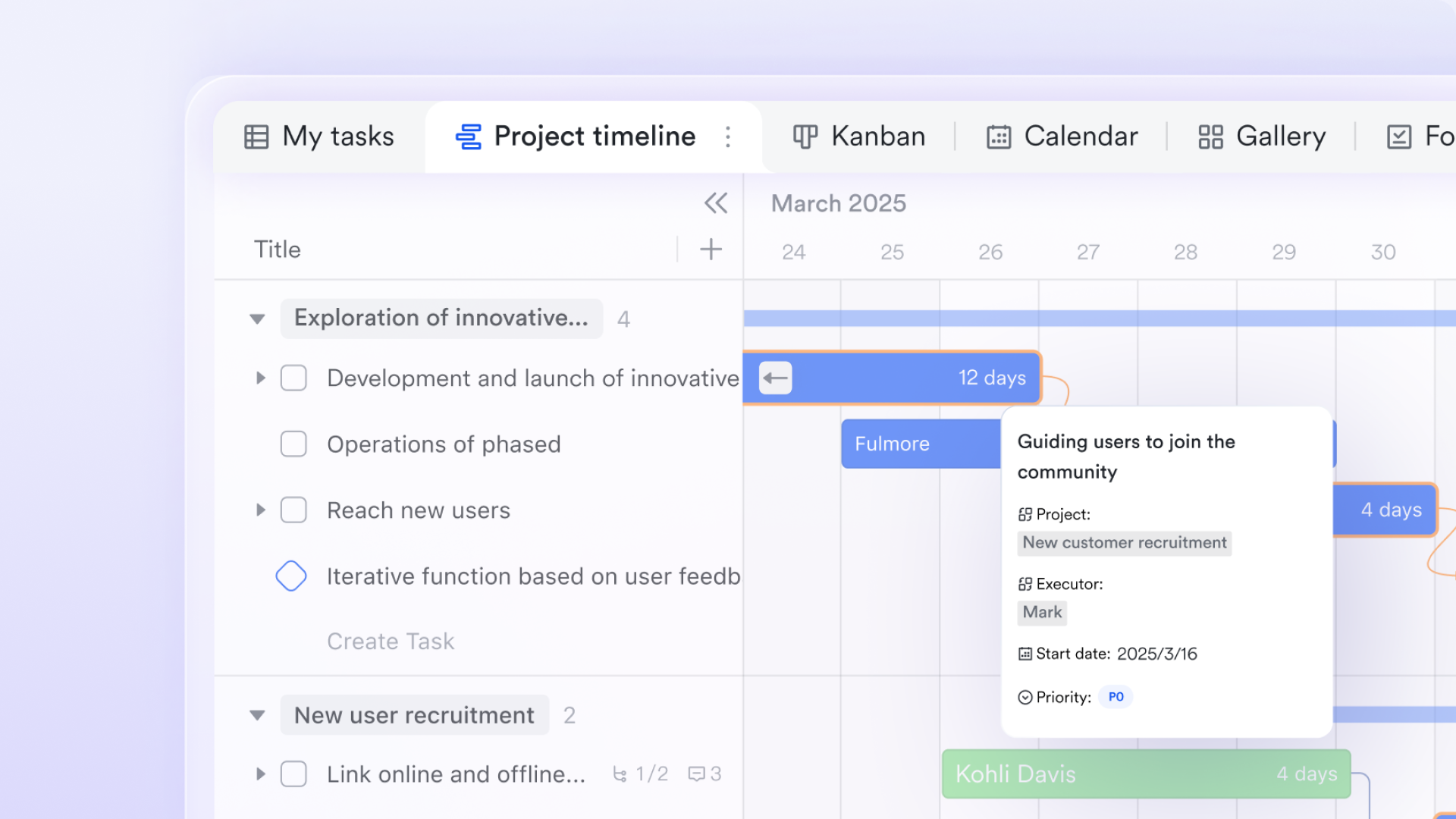
Step 1: Re-analyze your critical path with precision
Every crash plan starts here. You must identify the sequence of tasks that directly determines your project's minimum duration. This is your critical path. Crashing a project in project management is only effective when applied to tasks on this path; shortening other tasks won't change the final delivery date. Use a or to get absolute clarity.
Step 2: Identify and prioritize "crashable" tasks
Not all critical tasks are equally suitable for crashing. Examine each one. A task is a good candidate if adding resources (like more people) can realistically shorten its duration. Tasks that are highly specialized or have a fixed sequential process (like a chemical curing time) are poor candidates. where additional effort will yield a proportional reduction in time.
Step 3: Calculate the cost-time trade-off for each option
This is the core analytical phase. For each crashable task, you need to answer: How much time can we save, and what will it cost? Calculate the "crash cost per day saved." For example, if adding a developer for one week costs a certain amount but reduces a task duration by three days, you have your metric. Compare this across all options. The goal is to find the least expensive way to gain the total time you need. This analysis turns project schedule crashing from a guess into a data-driven decision.
Step 4: Develop and present a formal crash proposal
You now need . Draft a concise proposal that outlines the situation, presents your analysis from Step 3, and recommends a specific crashing plan. Clearly state the required budget increase and the time it will save. Frame it as a business decision: "Investing X will allow us to meet the deadline and avoid Y consequence." Transparent communication here is vital to secure the needed resources and alignment.
Step 5: Execute with focused communication and monitoring
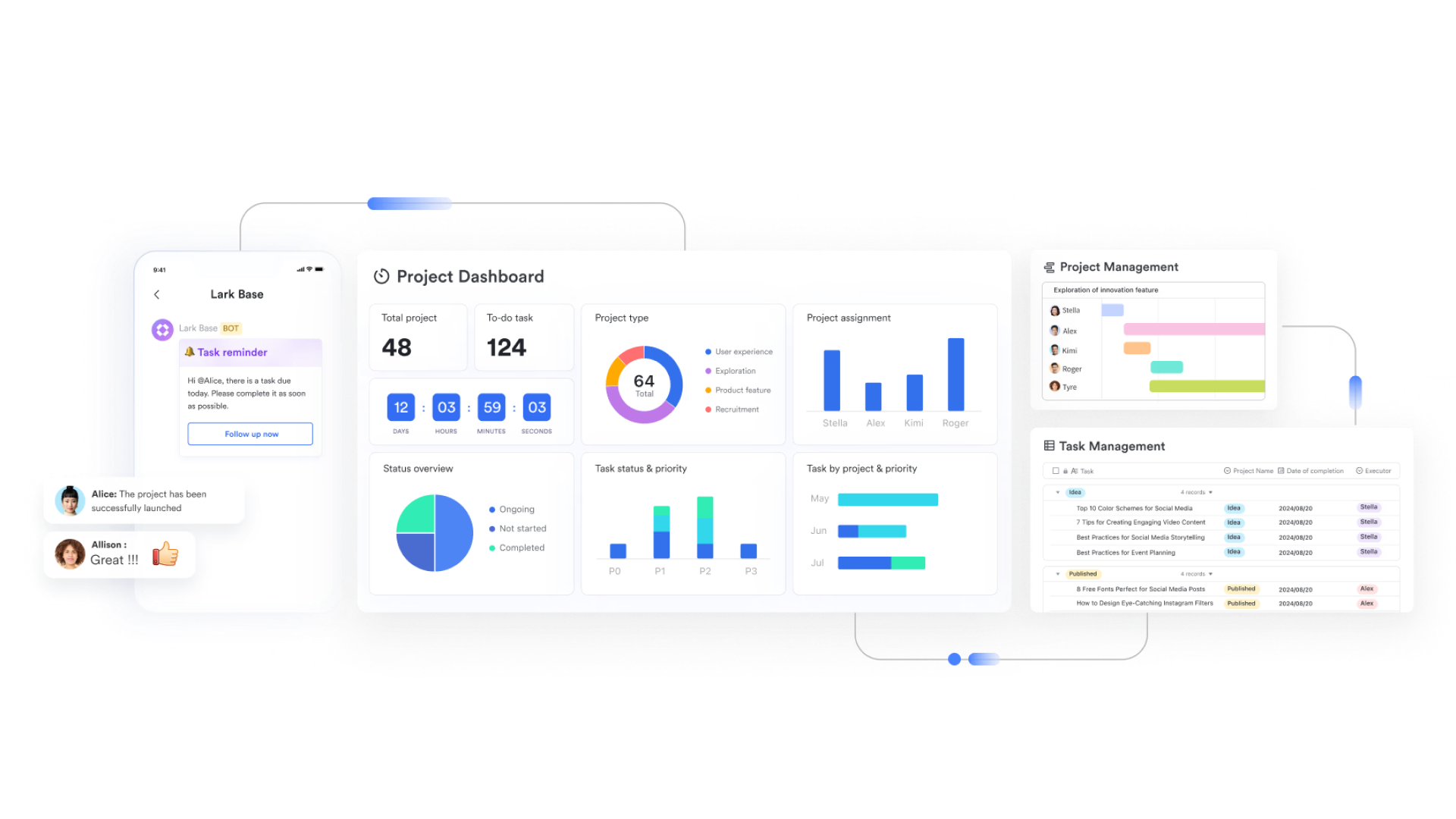
With approval granted, execution begins. This phase has two pillars: and relentless monitoring. Immediately update the project schedule, , and communicate the new plan to every team member. Clarity prevents confusion. Then, monitor progress daily. Are the crashed tasks accelerating as planned? Are new bottlenecks appearing? Is team workload sustainable? Using a platform like Lark centralizes this. The updated plan lives in a shared space, communication happens in linked chat threads, and real-time updates give you immediate visibility into progress, preventing small issues from derailing the entire crash effort.
Step 6: Conduct a post-crash review and learn
Once the project is delivered, the work isn't over. Hold a retrospective focused on the crash period. What worked? What didn't? Was the cost-time estimate accurate? How was team morale impacted? The goal is not to assign blame, but to learn and improve your crashing in project management process for the future. This step closes the loop, transforming a one-time crisis tactic into a refined organizational competency.
Put this 6-step plan into action
When should you stop crashing a project?
A disciplined approach to project crashing requires as much wisdom in knowing when to stop as in knowing how to start. It is a targeted, finite intervention. Continuing beyond its effective window wastes resources and creates new risks. Watch for these clear signals that tell you the crash has reached its limit.
- You hit the point of diminishing returns: This is the core economic brake. Initially, adding resources yields good time savings. However, this effect diminishes. Adding a fifth person to a task optimized for two might create so much coordination overhead that it saves no additional time. When the cost to save one more day becomes exorbitant or the time saved becomes negligible, you have reached the practical and financial limit of the crash. Pushing further is inefficient.
- The risk to product or service quality becomes unacceptable: The goal of crashing a project schedule is to deliver a complete, functional outcome on time. If the accelerated pace leads to a measurable decline in quality—a spike in software bugs, failing safety inspections, or client complaints about workmanship—you are solving one problem by creating a larger one. Protecting the is a non-negotiable boundary for any crashing project management effort.
- The original objective is achieved or becomes irrelevant: The crash must be tied to a specific goal. If you successfully recover the needed time to meet the deadline, the mission is accomplished. Similarly, if the strategic driver disappears (e.g., the market opportunity passes or the stakeholder accepts a new deadline), continuing the accelerated spend is unjustified. Always align the crash effort with its defined purpose.
- A clearly superior alternative emerges: Remain agile. If during execution a stakeholder agrees to a minor, that achieves the same goal, or you discover a technical automation that eliminates the bottleneck, be ready to pivot. The objective is intelligent compression, not rigid adherence to an initial crash plan.
Crashing in project management: Examples by industry
The principles of project crashing are universal, but its application varies. Seeing how it works across different fields clarifies both its power and its practical trade-offs. Here are examples of crashing a project in project management from key industries.
: Recovering from weather delays on a building site
A commercial building project loses two weeks due to unexpected heavy rain, delaying the foundation pour and pushing the entire critical path back.
- The crash action: The project manager authorizes weekend overtime for the concrete crew and hires a second crew to work in parallel. They also pay for expedited delivery of materials.
- The trade-off: Project costs rise from overtime and rush fees, but the team recovers a critical week. This prevents cascading delays for all subsequent trades (roofing, electrical, interior) scheduled months in advance, avoiding even greater coordination costs and potential contractual penalties.
- The insight: Here, project schedule crashing is about protecting a linear, dependent sequence of work. The cost is high but predictable, and it is weighed against the chaos and greater expense of rescheduling multiple specialist contractors.
: Compressing QA before a major launch
A tech company's development phase overran, leaving an dangerously short period for Quality Assurance (QA) testing before a major conference demo.
- The crash action: The project lead brings in a team of contract testers to work in parallel with the internal team and provisions extra to avoid queues. They also fast-track performance testing to start alongside later functional tests.
- The trade-off: Budget increases due to contractor fees and cloud costs. Risk escalates from managing a larger, blended team and potentially missing edge-case bugs due to the compressed timeline.
- The insight: In software, crashing in project management often involves parallelizing workstreams with temporary, specialized resources. The major risks are integration issues and technical debt, making clear communication and test management paramount.
Event planning: Securing a new venue after a last-minute cancellation An event planning firm faces a crisis days before a major gala when the booked venue suddenly closes.
- The crash action: The planner pulls the entire team into a crash effort. They simultaneously scout and negotiate new venues, pay rush fees for redesigned layouts and expedited contracts, and re-coordinate all vendor deliveries to a new location.
- The trade-off: Costs skyrocket due to premium pricing and rush fees. The risk of critical oversight is high due to the extreme speed and pressure.
- The insight: This is a pure, high-stakes crashing project management scenario. The trade-off is binary: absorb massive, focused costs to solve the single critical-path problem (venue) or cancel the event. The entire team's bandwidth becomes the primary crash resource.
Explore how this applies to your industry
How Lark simplifies project crashing
Executing a project crash requires more than just effort—it demands flawless coordination, , and rapid decision-making across your entire team. Disconnected create friction where you need flow. 's unified suite is designed to remove these obstacles, turning the high-pressure process of crashing a project schedule into a streamlined, controlled operation. Each component serves a distinct, critical role in compressing your timeline efficiently.
Accelerating plan revisions with collaborative documents
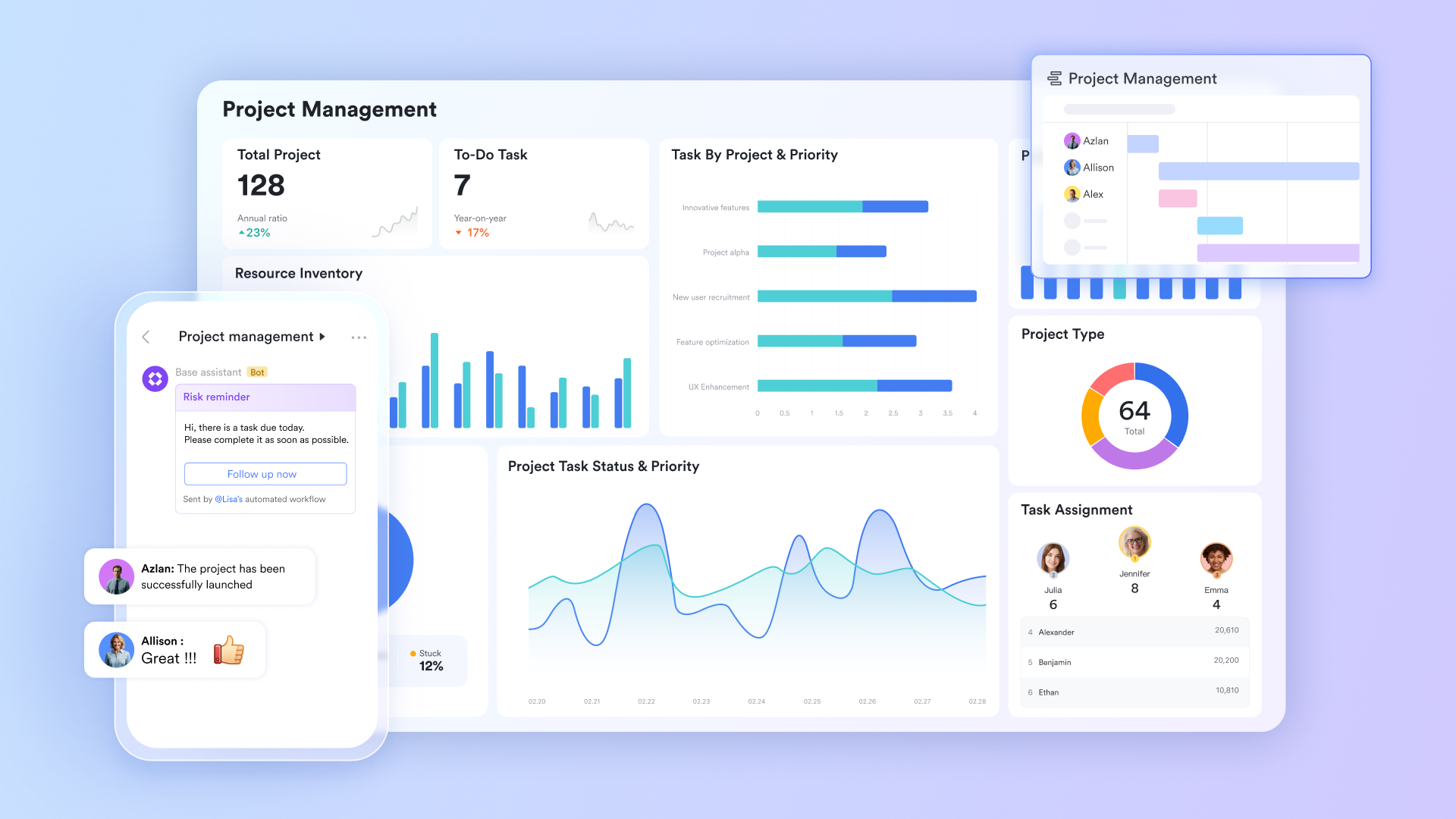
When you need to crash, your project plan is no longer a static document—it's a living blueprint that changes by the hour. serves as the perfect dynamic canvas for this. Instead of a locked PDF or a confusing email thread, you can build and edit your crash plan in a Doc that everyone accesses live. Team leads can update task completions, project managers can , and stakeholders can add comments—all in real time.
This eliminates the catastrophic lag of waiting for "the latest version" to be circulated, ensuring every team member, from the newest contractor to the department head, is literally on the same page. The clarity and immediacy provided by are foundational to preventing misalignment during rapid change.
Streamlining formal sign-offs to unlock resources
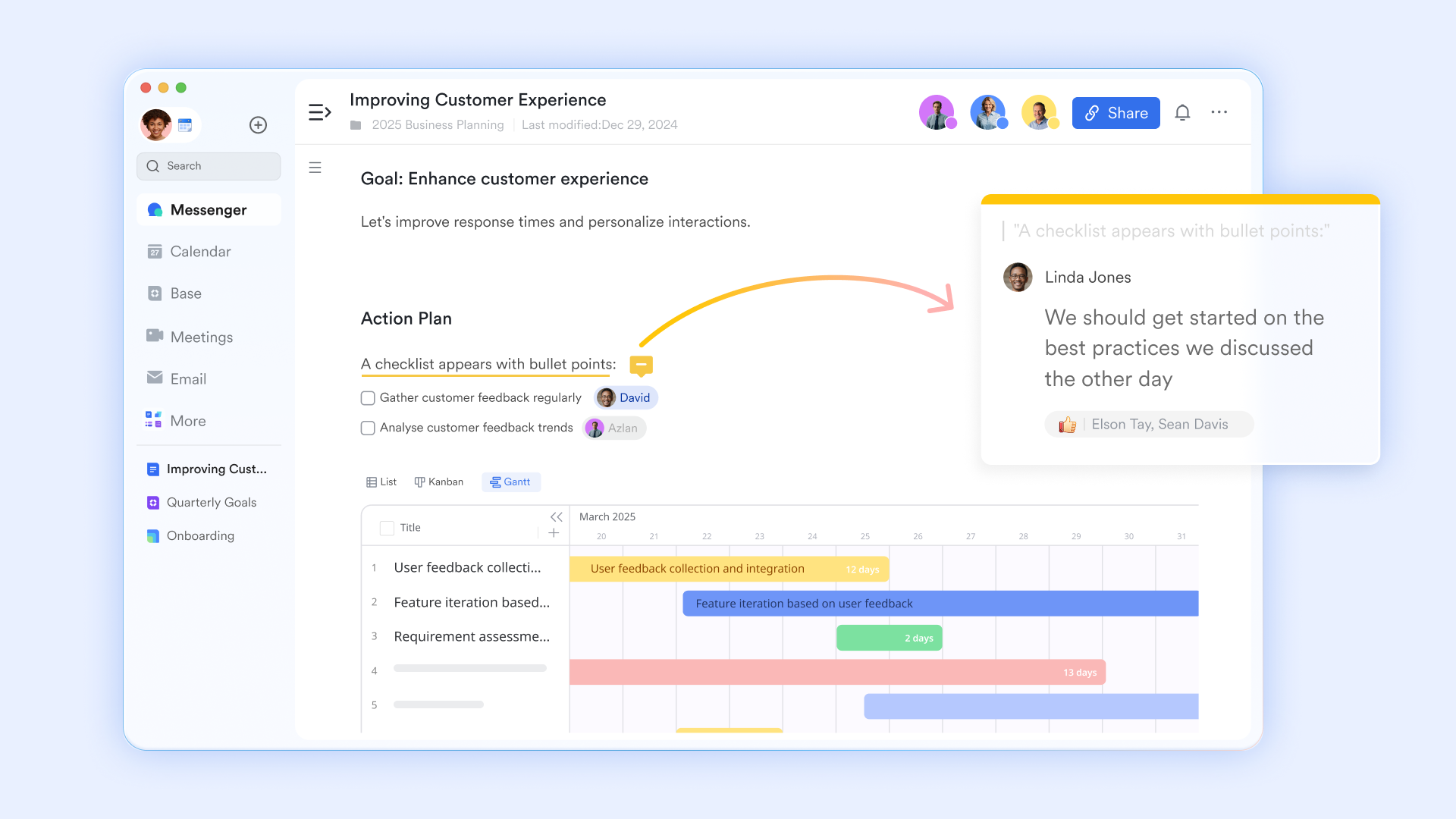
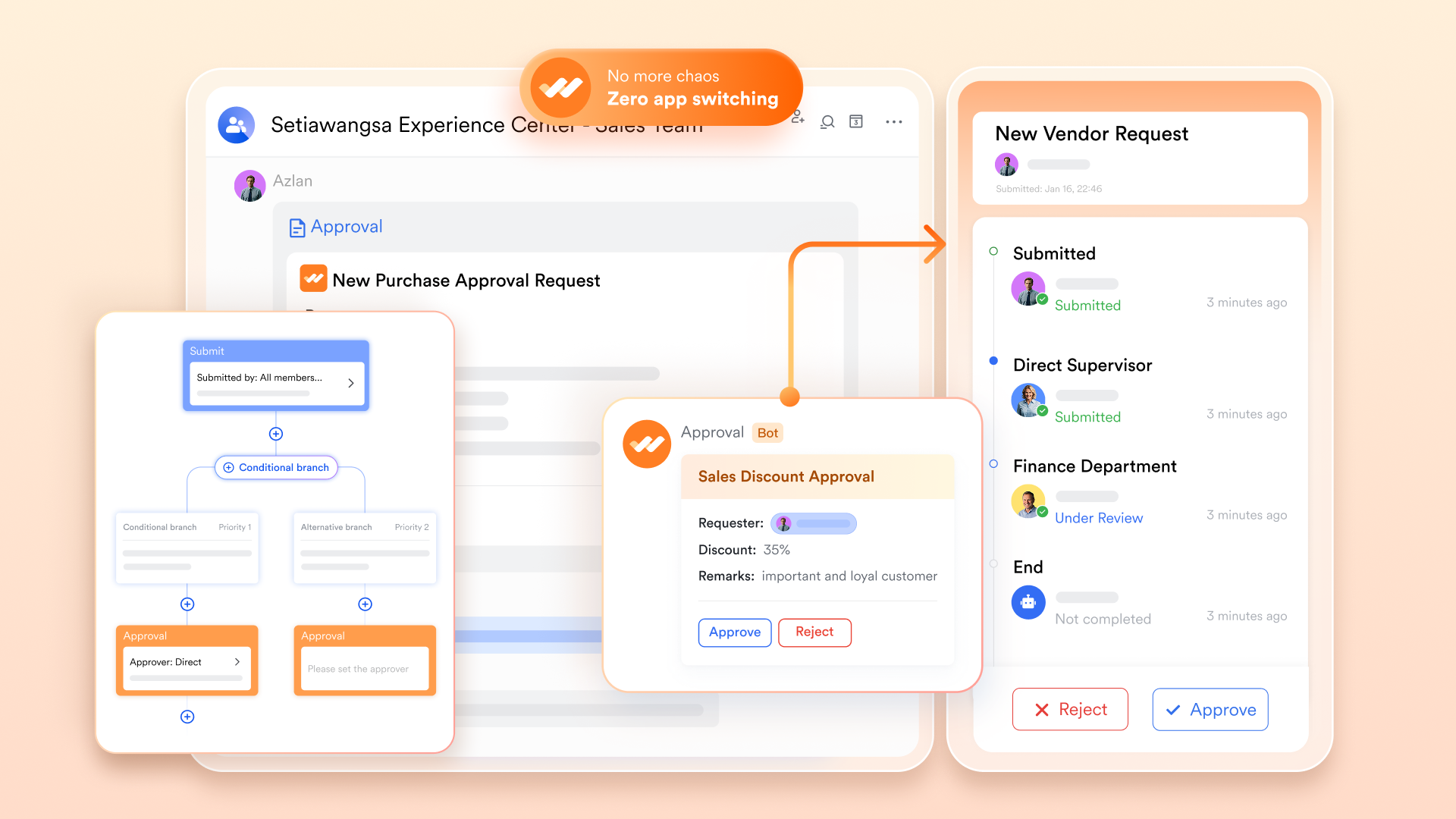
A crash plan is dead in the water without quick budget and stakeholder approval. The traditional process of drafting a proposal, attaching it to an email, and chasing down replies can waste precious days. transforms this bottleneck into a swift workflow.
You can create a clear within Lark, directly linking to the crash plan Docs or the relevant project data. With one click, you route it to the necessary decision-makers. They receive a structured, actionable notification, can review the details, and grant their digital sign-off in moments. Compressing an administrative process that typically takes days into a matter of hours is a direct, tangible acceleration for the entire crashing project management effort.
Coordinating urgent team actions in dedicated spaces
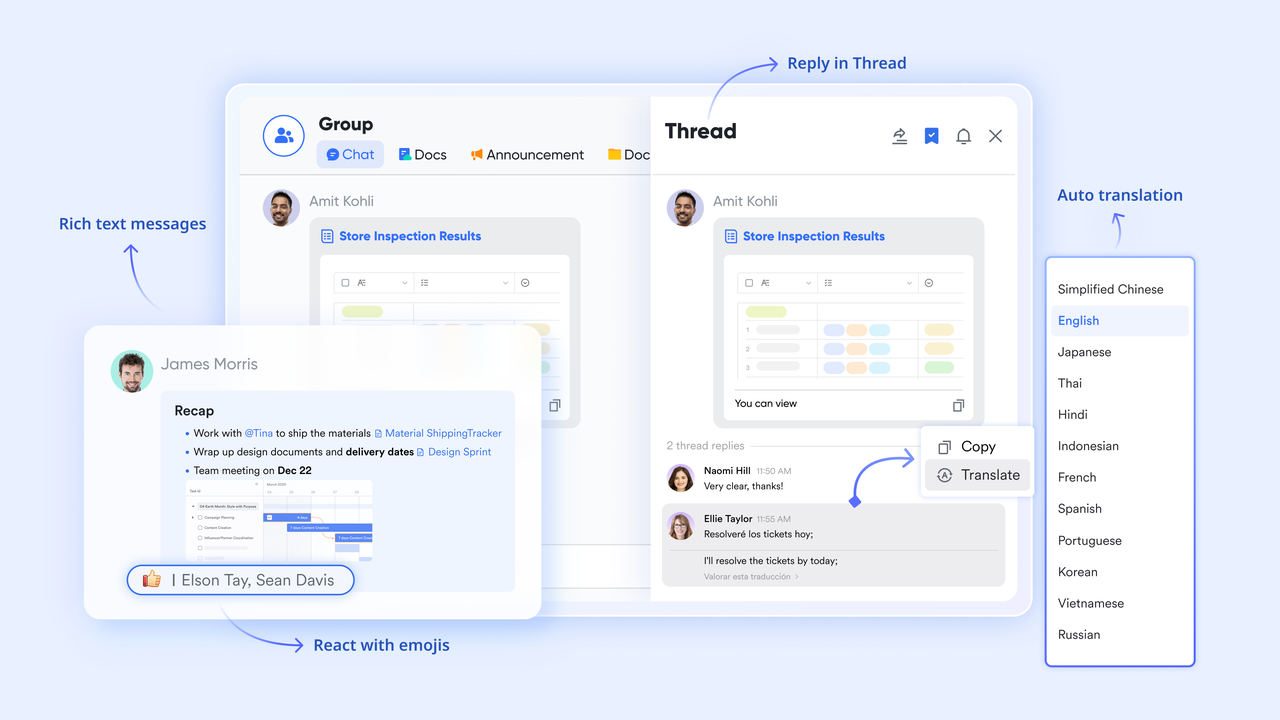
A crash generates a flood of urgent, context-specific questions and updates. Burying these in a general team chat or lengthy emails leads to missed messages and confusion. allows you to create dedicated chat groups for the crash team. Here, instant questions about task handoffs, quick status updates, and clarifications happen in a focused stream. This creates a searchable record of decisions and eliminates the "I didn't see that message" problem, ensuring the team moves in a tightly coordinated sprint.
Centralizing all crash components for total visibility
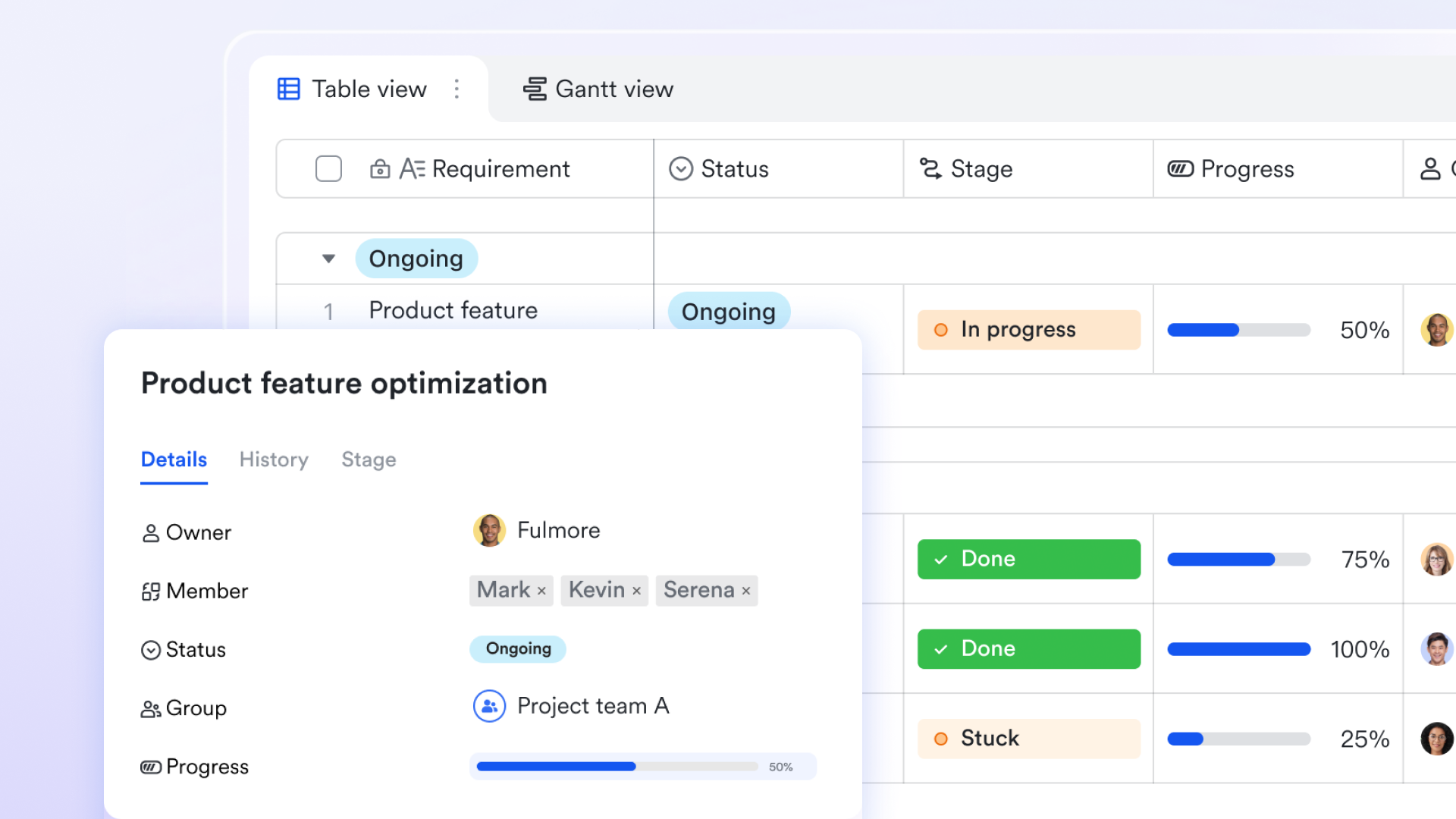
The chaos of a crash often comes from information being scattered—tasks in one tool and files in another. acts as the mission control center to end this scatter. You can create a dedicated Base for the project where everything lives: the task list with owners and deadlines (which visually highlights the critical path), key documents and a calendar view of crunch-time milestones. This gives the project manager and all team members a single, authoritative dashboard to see the complete state of the crash. Total visibility means less time spent hunting for information and more time spent executing, which is the ultimate goal of crashing a project in project management.
for Lark:
- Starter plan: Free forever plan that includes 11 powerful tools for up to 20 users. It also comes with 100GB of storage, 1000 automation runs, AI translations, and more.
- Pro plan: $12/user/month (billed annually) for up to 500 users. It includes everything in Basic plus group calling for up to 500 attendees, 15TB of storage, 50,000 automation runs, and more.
- Enterprise plan: for custom pricing. Supports unlimited users and includes even more automation runs and advanced security, compliance, and management features.
For small teams with simple communication needs

18 months message history
1000 Base automation runs/month
2000 rows per table in Base
Most POPULAR
For companies with comprehensive collaboration and management needs
Unlimited message history
500-participant video meetings
50k Base automation runs/month
20k rows per table in Base
For large companies with advanced security and organizational management needs
Get a personalized demo and pricing
Unlimited message history
500-participant video meetings
15 TB storage + 30 GB storage/user
500k Base automation runs/month
50k Base automation runs/month
Most POPULAR
For companies with comprehensive collaboration and management needs
Unlimited message history
500-participant video meetings
50k Base automation runs/month
20k rows per table in Base
What are the risks of crashing a project?
Pursuing project crashing means accepting a new set of risks in exchange for time. A clear-eyed view of these potential downsides is essential for making an informed decision and preparing mitigation strategies.
Cost overruns are the most predictable risk: By design, crashing a project schedule requires for overtime, rush fees, or extra contractors. Without strict controls, these expenses can quickly exceed initial estimates, undermining the financial rationale for acceleration.
Quality often suffers under pressure: The intense focus on speed can lead teams to cut corners. Steps in testing, review, or documentation may be shortened or skipped, resulting in a deliverable with more defects. This creates long-term costs in rework and can damage your reputation for reliability.
Team burnout becomes a critical threat: The sustained pressure of a crash period—with longer hours and constant urgency—is a primary cause of team exhaustion. Burnout reduces productivity, increases errors, and can lead to valuable staff seeking other roles, impacting the project and the organization beyond it.
Management complexity increases significantly: Adding more people or overlapping tasks doesn't just add manpower; it multiplies lines of communication and coordination overhead. The risk of misalignment, confusion, and duplicated work rises sharply, requiring exceptional managerial focus to keep the accelerated effort coherent.
Avoid these risks effectively with Lark
Best practices when crashing your project
Navigating the risks of crashing in project management successfully depends on disciplined execution. These four core practices will help you maintain control and maximize your chances of a smooth compression.
- Secure formal, documented approval first: Never begin without a signed agreement. Present a clear crash plan detailing the time to be saved, the exact additional cost, and acknowledged risks. This formalizes the , secures the budget, and for the accelerated phase.
- Focus exclusively on the critical path: Your primary leverage is on the critical path. Diligently verify which tasks truly determine the project duration and direct all additional resources there. Crashing tasks outside this path is a common and costly misallocation of effort and budget.
- Proactively safeguard your team's well-being: Monitor workloads visibly to prevent individual overload. Communicate openly about the reasons for the crash, acknowledge extra effort, and plan for recovery time afterward. A supported, informed team is your greatest asset for enduring the intense period productively.
- Drastically increase communication and transparency: Uncertainty is your enemy. Establish daily check-ins for the core team and provide frequent, honest updates to all stakeholders. to keep plans, progress, and discussions aligned. Over-communication prevents confusion that can derail fast-moving projects.
Conclusion
Project crashing is a strategic exercise in trade-off management, not a panic response. When applied with a structured methodology—clear triggers, a calculated action plan, vigilant risk management, and disciplined best practices—it becomes a powerful tool for navigating real-world constraints and seizing opportunities. The goal is to move with decisive control, not desperate speed. For teams looking to operationalize this control, a unified platform like transforms this complex process into a manageable workflow, keeping plans, communication, and people aligned when it matters most.
Begin your project with confidence
FAQs
What is an example of a project crash?
A common example is a software team behind schedule for a product launch. To compress the timeline, the project manager hires two temporary developers to work exclusively on the most time-consuming, critical modules. This injection of extra resources shortens the development phase, allowing the project to meet its launch date, but directly increases the labor budget. Using a platform like Lark is key here, as it allows you to instantly onboard these new contributors into the project's task lists and communication channels, ensuring they can start contributing without delay.
What is the difference between project crashing and fast tracking?
The fundamental difference is what you trade for time. Project crashing trades cost for time by adding more resources (people, budget) to critical tasks. Fast-tracking trades risk for time by overlapping tasks that were originally sequential, which can lead to rework. A tool like Lark helps manage the heightened complexity of both—whether it's tracking the new costs from crashing or coordinating the delicate task overlaps in fast-tracking within a single, clear workspace.
What are the benefits of project crashing?
The core benefit is regaining strategic control over your project's timeline. It transforms a looming deadline from a threat into a manageable variable. While it increases direct costs, this investment can prevent far greater losses from contractual penalties, lost market opportunities, or damaged client relationships. Ultimately, it allows you to deliver value when it matters most, which is a hallmark of professional project management.
What is the goal of project crashing?
The goal is not simply to go faster at any cost. The precise goal is to achieve the maximum reduction in project duration for the minimum incremental cost. This requires carefully analyzing which critical-path tasks offer the best "return on investment" when additional resources are applied. Success means you've bought back time in the most efficient way possible, a calculation that Lark supports with features that help visualize trade-offs and track budget impacts in real time.
Related reading































