














10 Best AI Task Management Tools for Smarter Workflows

Ryan Tanner
Product Marketing Specialist
Sep 18, 2026
Ryan Tanner
Sep 18, 2026

21 min read


AI task management is redefining productivity by combining automation, intelligence, and collaboration into every workflow. As teams juggle multiple priorities and deadlines, AI-powered tools now play a crucial role in helping them plan more effectively, work more efficiently, and stay aligned.
These platforms go beyond simple to-do lists—they analyze workloads, predict bottlenecks, and adapt schedules in real time. Managing tasks efficiently today means utilizing systems that anticipate future needs and simplify decision-making. Tools like Lark, Motion, Taskade AI, and Microsoft 365 Copilot empower teams to streamline work, enhance focus, and achieve more with less effort.
1. Lark: Unified workspace combining tasks, AI automation, and collaboration
2. Motion: AI calendar and task manager
3. ClickUp: Flexible AI task management for teams
4. Asana AI: Enterprise-grade automation and goal tracking
5. Notion AI: Task tracking meets intelligent documentation
6. Todoist: AI-enhanced simplicity
7. Trello + Butler AI: Kanban-style task management
8. Monday.com: Visual workflows with AI insights
9. Taskade AI: Collaborative work management with AI chat
10. Microsoft 365 Copilot: AI assistant for enterprise task and meeting management

What is an AI task manager?
An AI task manager is a productivity tool that uses artificial intelligence to help individuals and teams organize, prioritize, and complete their tasks more efficiently. Unlike traditional to-do lists or project management apps, a task manager automatically analyzes workloads, deadlines, and habits to suggest optimal schedules and task orders.
These tools can adapt to changing priorities, automate repetitive actions, and even integrate with calendars, email, and communication apps to create a seamless workflow. In short, an AI task manager app simplifies planning and execution by thinking ahead—saving time, reducing stress, and improving overall productivity.
10 best AI task managers to boost productivity
1. Lark: Unified workspace combining tasks, AI automation, and collaboration
Lark is built as a connected workspace that unifies people, data management, and daily operations under one system. Instead of juggling separate tools for team communication, task tracking, and documentation, teams can plan, execute, and collaborate seamlessly in one place. The platform brings structure to complex work—linking goals to deliverables, conversations to actions, and updates to measurable results.
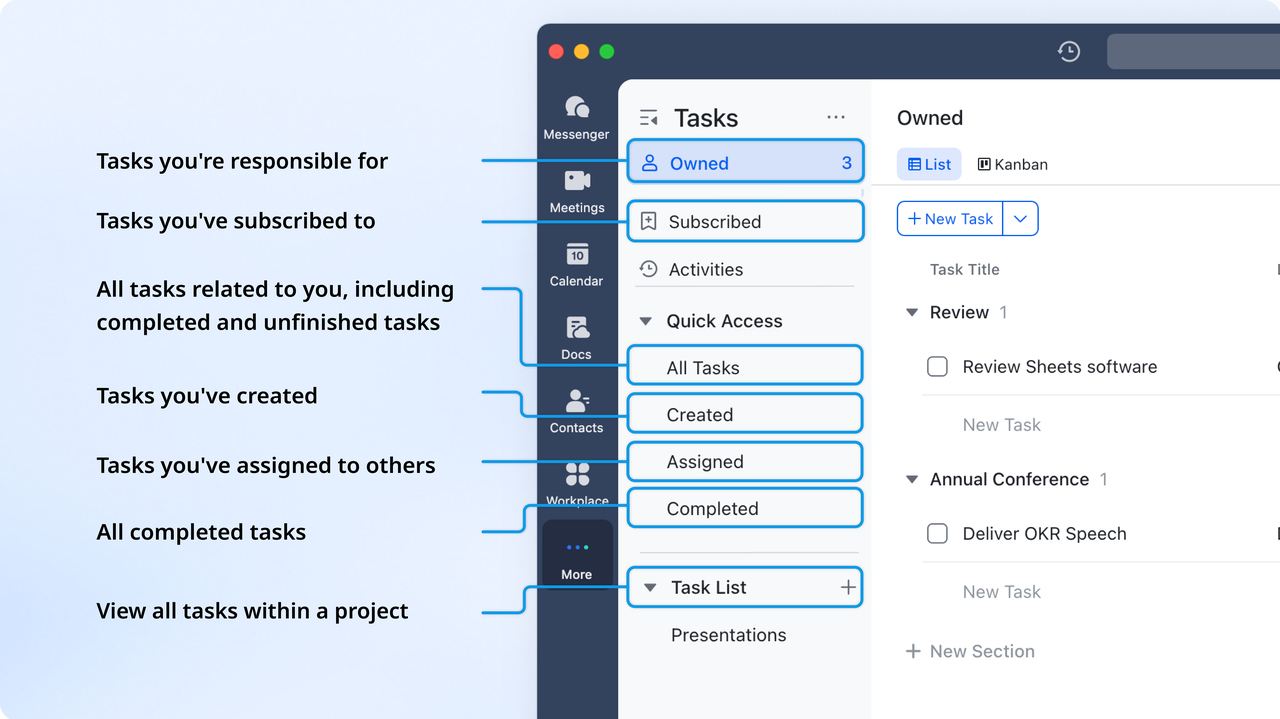
Lark Tasks: Turning business plans into actionable work
While leaders focus on strategic direction, project teams need clarity on next steps. Lark Tasks ensures business plans turn into tangible actions. Managers can assign tasks with owners, deadlines, and dependencies while tracking progress in real time.
For example, when a business goal in Lark Base is to "Launch new product line in Q2," related milestones automatically appear as project tasks for design, procurement, and marketing teams. As tasks are completed, Lark updates the broader business dashboard, ensuring both managers and executives stay aligned without manual reporting.
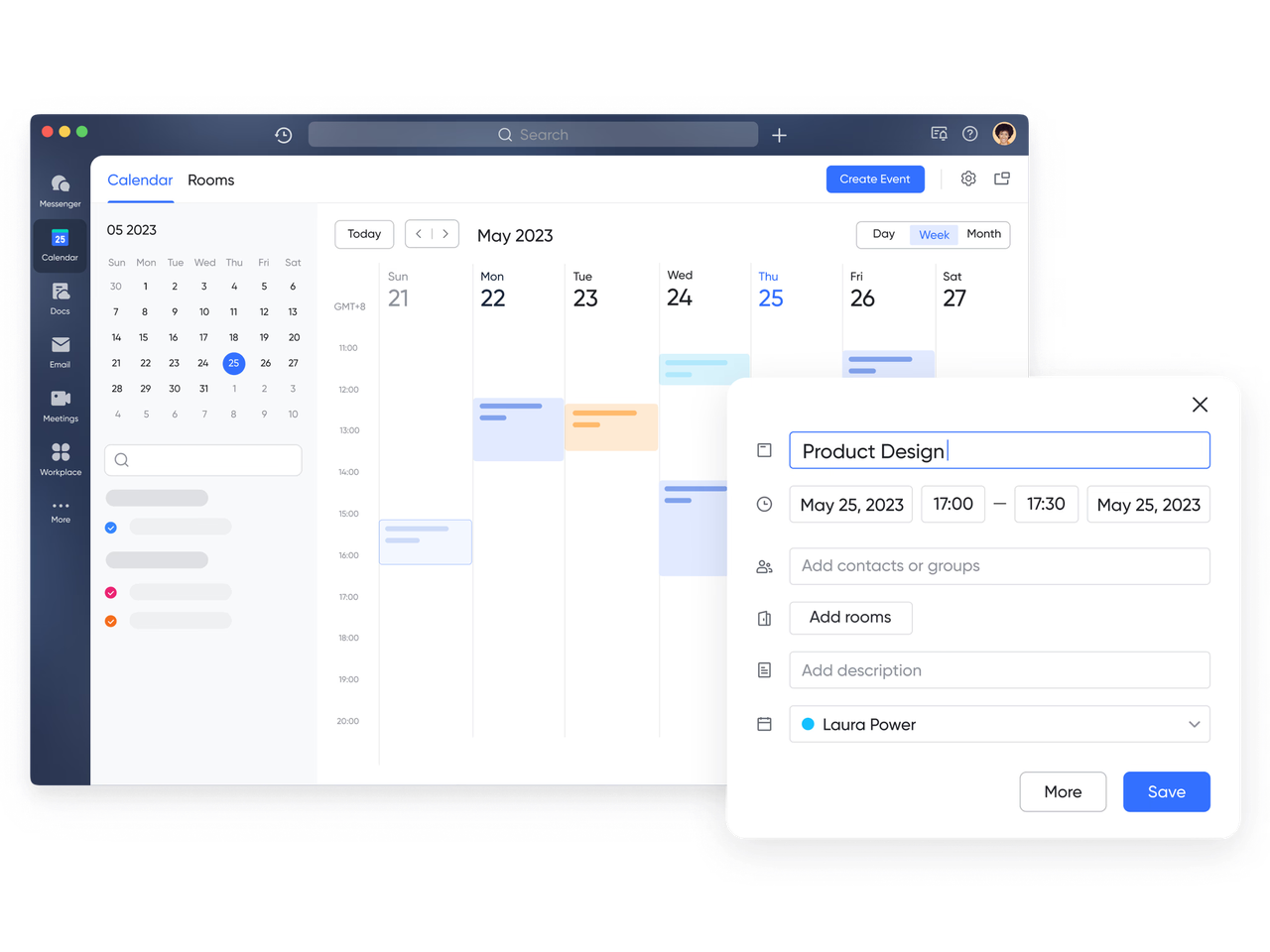
Lark Calendar: Keeping business priorities and project timelines in sync
Scheduling is often where business management meets project reality. With the Lark Calendar, organizations can align executive planning sessions, project reviews, and milestone check-ins in one shared view. When a quarterly business meeting is scheduled, it automatically syncs with the corresponding project deadlines.
For example, a product manager preparing for an executive update can see exactly when design, QA, and launch dates align—reducing last-minute rushes and improving time-to-market.
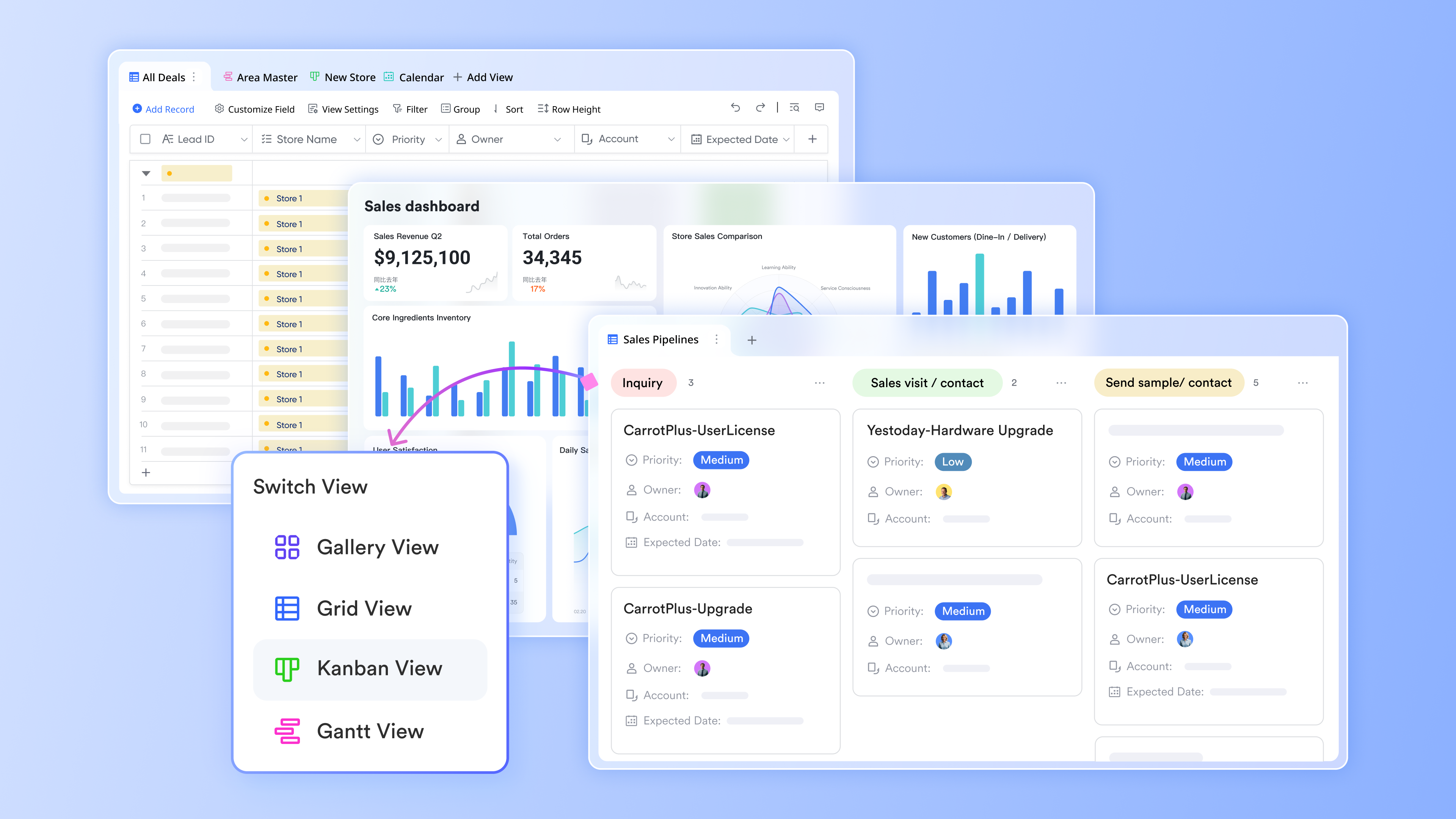
Lark Base: From strategy to structured execution
At the heart of Lark lies Lark Base, a customizable data hub where teams can plan projects and manage business operations side by side. Business leaders can create relational tables to track ongoing initiatives, resource allocations, and key performance metrics.
Meanwhile, project managers can track deliverables, owners, and dependencies using tables and views within the same workspace. For instance, a marketing agency can organize projects by creating tables for different aspects (e.g., campaigns, deliverables) and use grouping, filtering, and Gantt views to visualize progress and dependencies.
Lark Docs & Lark Wiki: Unifying strategy, knowledge, and collaboration
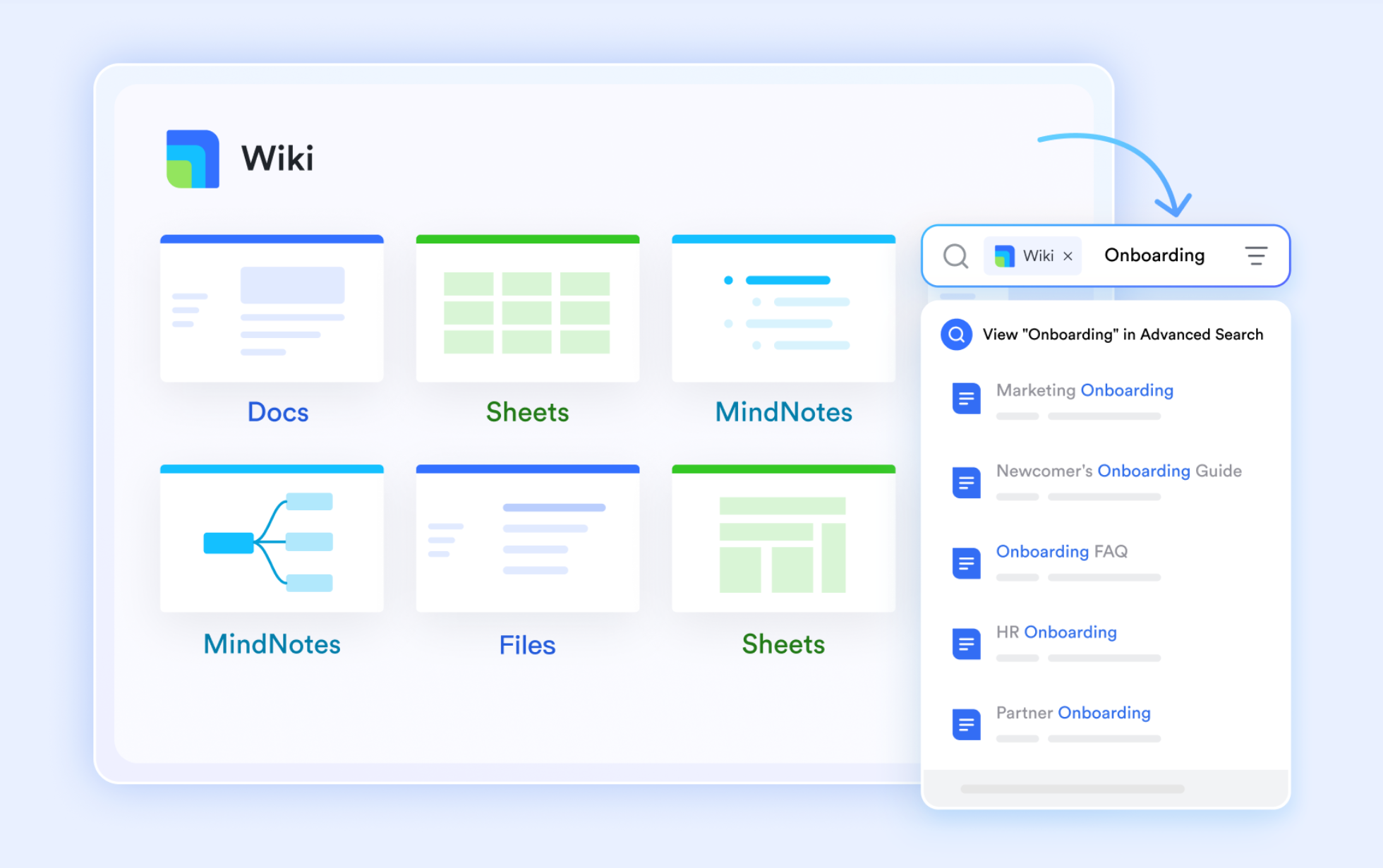
In most organizations, strategic plans and project documentation live in silos. Lark Docs & Lark Wiki eliminates that gap. Executives can outline annual business objectives in Docs, while project teams can co-author execution plans or campaign briefs within the same platform.
The Lark Wiki serves as a long-term repository for SOPs, templates, and best practices, ensuring business knowledge is easily accessible. For instance, a finance team might document budget approval workflows on the Wiki, while the project leads reference to those steps when submitting new funding requests. With real-time co-editing and commenting, Lark keeps both strategic intent and operational clarity visible to everyone.
Lark Approval: Simplifying governance and accountability
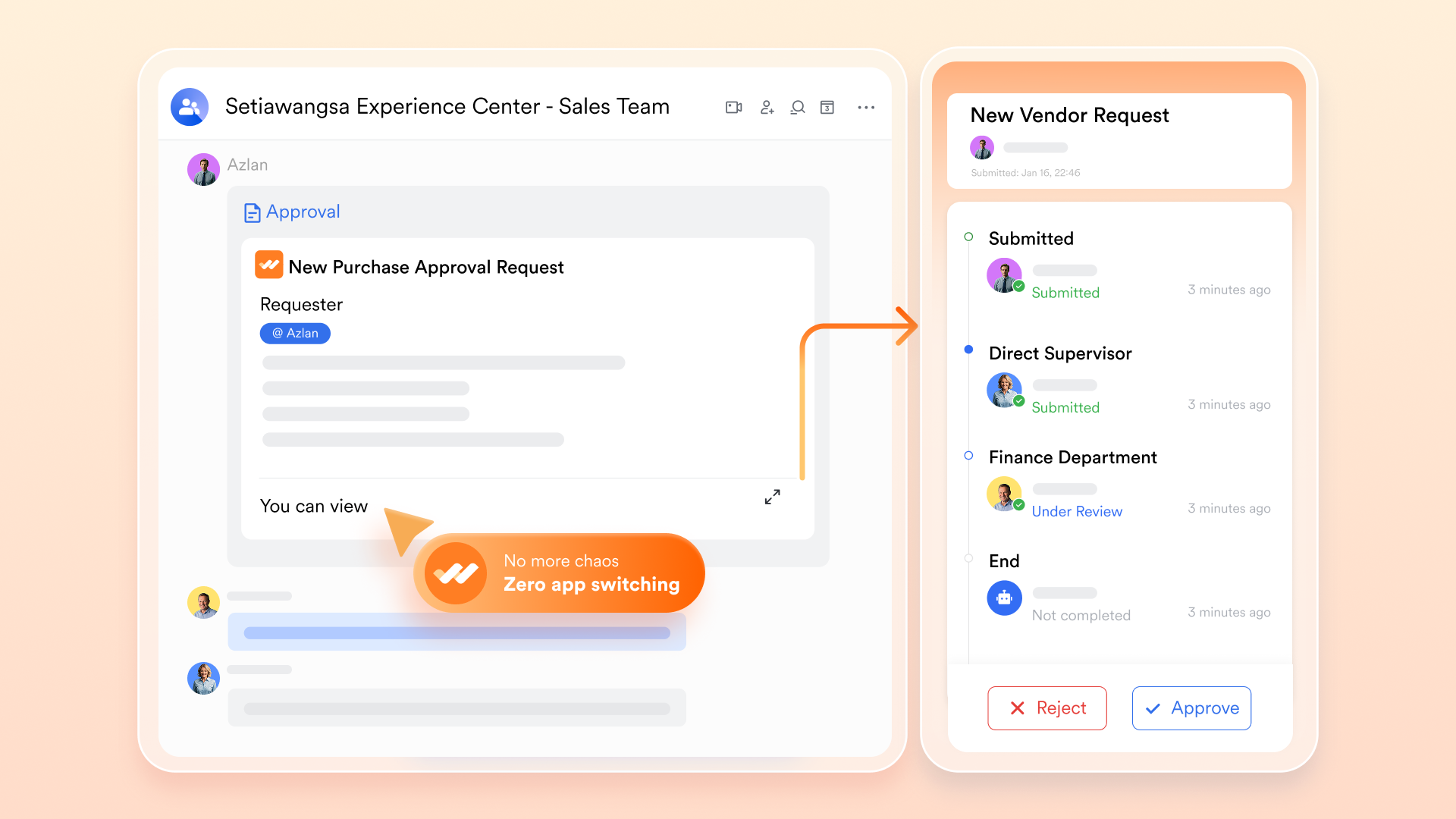
Smooth execution requires structure—and that's where Lark Approval brings business governance into project management. Teams can automate approval flows for budgets, proposals, or change requests, ensuring accountability without slowing progress.
A project manager can submit a scope expansion for approval, which automatically routes department heads and finances before final sign-off. Each action is logged, creating a transparent audit trail for compliance and performance management. This replaces scattered email approvals with a streamlined, automated workflow that keeps decisions aligned with business goals.
Lark OKR: Linking execution to strategic outcomes
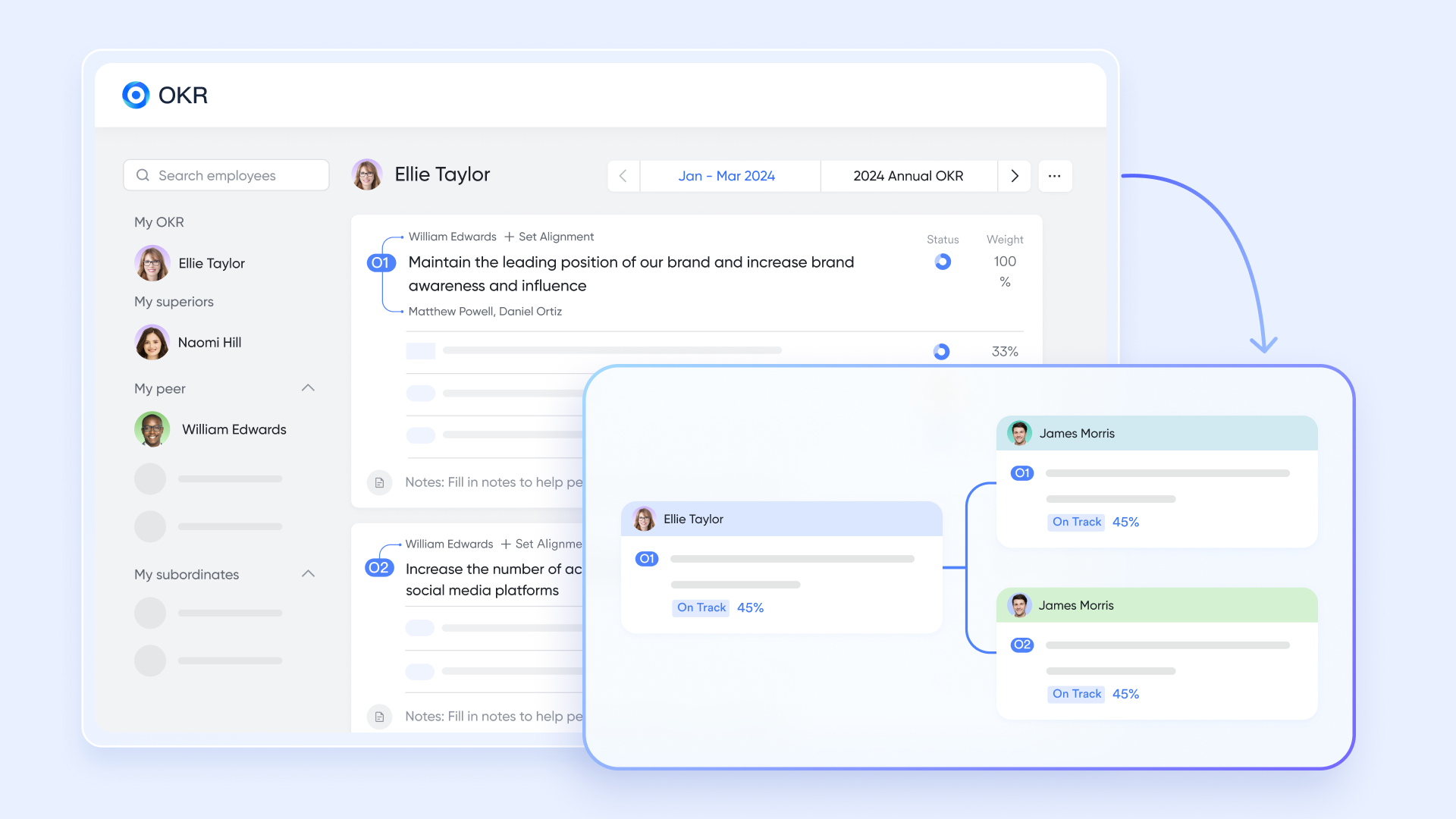
No business strategy succeeds without clear alignment between goals and actions. Lark OKR connects company-wide objectives to project-level deliverables, ensuring everyone understands how their work contributes to broader success.
For example, a company OKR to "Increase client retention by 20%" can link directly to customer success initiatives, onboarding projects, and renewal campaigns. As project teams complete their milestones, OKR progress updates automatically—giving leadership a live view of how execution supports strategy. It's a simple but powerful way to turn ambition into measurable outcomes.
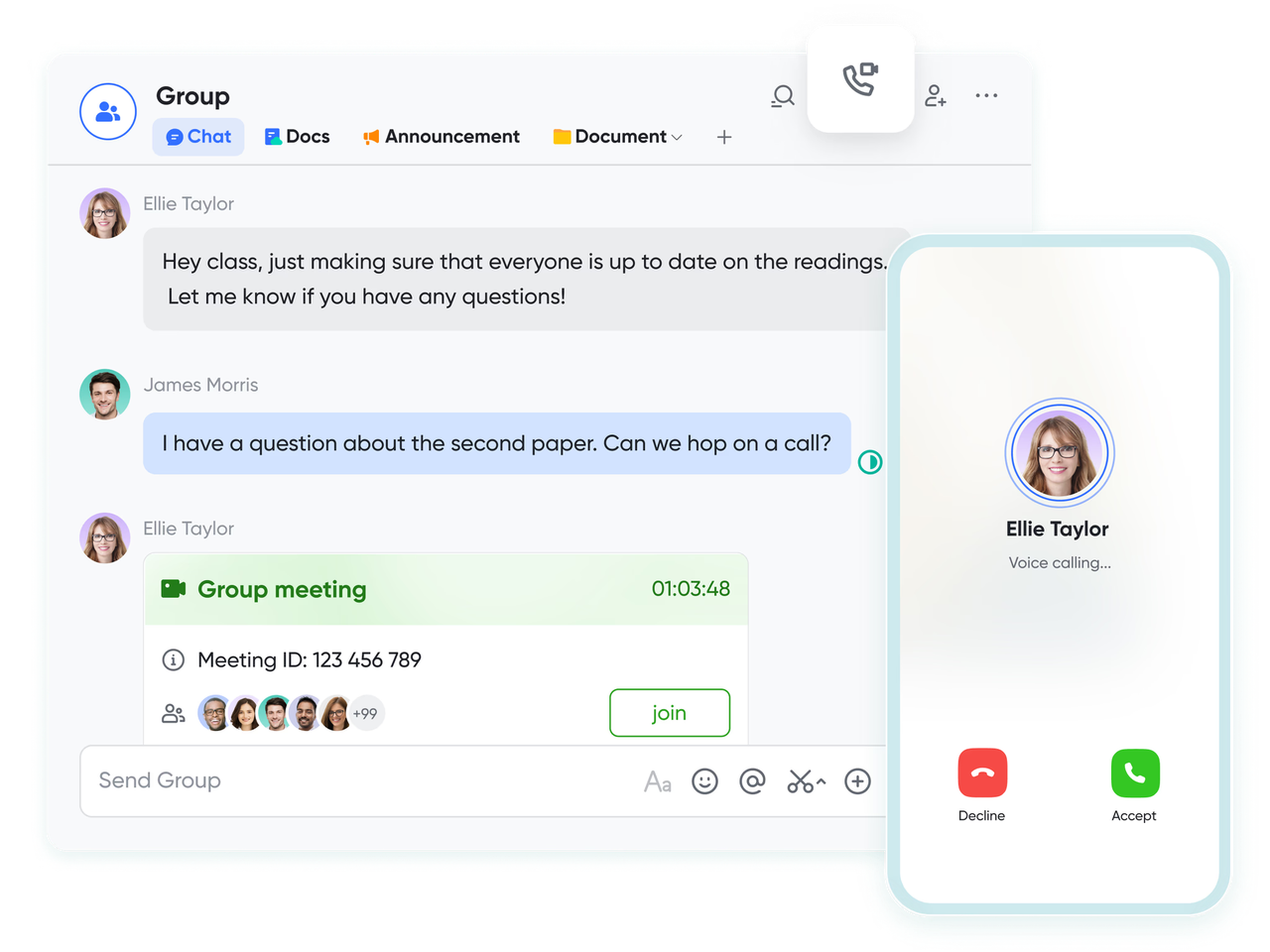
Lark Messenger & Meetings: Keeping collaboration connectedTrue management requires constant communication. Lark Messenger lets teams discuss plans, share updates, and resolve blockers without leaving the workspace. A single message about a delayed milestone can be instantly converted into a task, linked to a project, and tracked through completion.
Meanwhile, Lark Meetings allows teams to review the progress of live—meeting notes sync automatically to Docs, and next steps are captured as new tasks. Imagine a business strategy meeting where executives discuss a product delay; within minutes, the responsible project task is updated, the follow-up is scheduled, and accountability is clear.
- Starter plan: Free forever plan that includes 11 powerful tools for up to 20 users. It also comes with 100GB of storage, 1000 automation runs, AI translations, and more.
- Basic plan: $6/user/month (billed annually) for up to 500 users. It includes everything in Starter plus group calling for up to 500 attendees, 5TB of storage, 1000 automation runs, and more.
- Pro plan: $12/user/month (billed annually) for up to 500 users. It includes everything in Starter plus group calling for up to 500 attendees, 15TB of storage, 50,000 automation runs, and more.
- Enterprise plan: Contact sales for custom pricing. Supports unlimited users and includes even more automation runs and advanced security, compliance, and management features.
2. Motion: AI calendar and task manager
Motion is an intelligent AI calendar and task manager that automatically plans your day, schedules meetings, and prioritizes tasks—all without manual input. By combining time-blocking, scheduling, and task management into one unified platform, Motion helps professionals focus on what matters most while ensuring every minute of the day is used effectively. Unlike traditional planners, Motion's algorithm dynamically adjusts your calendar based on deadlines, priorities, and meeting changes.
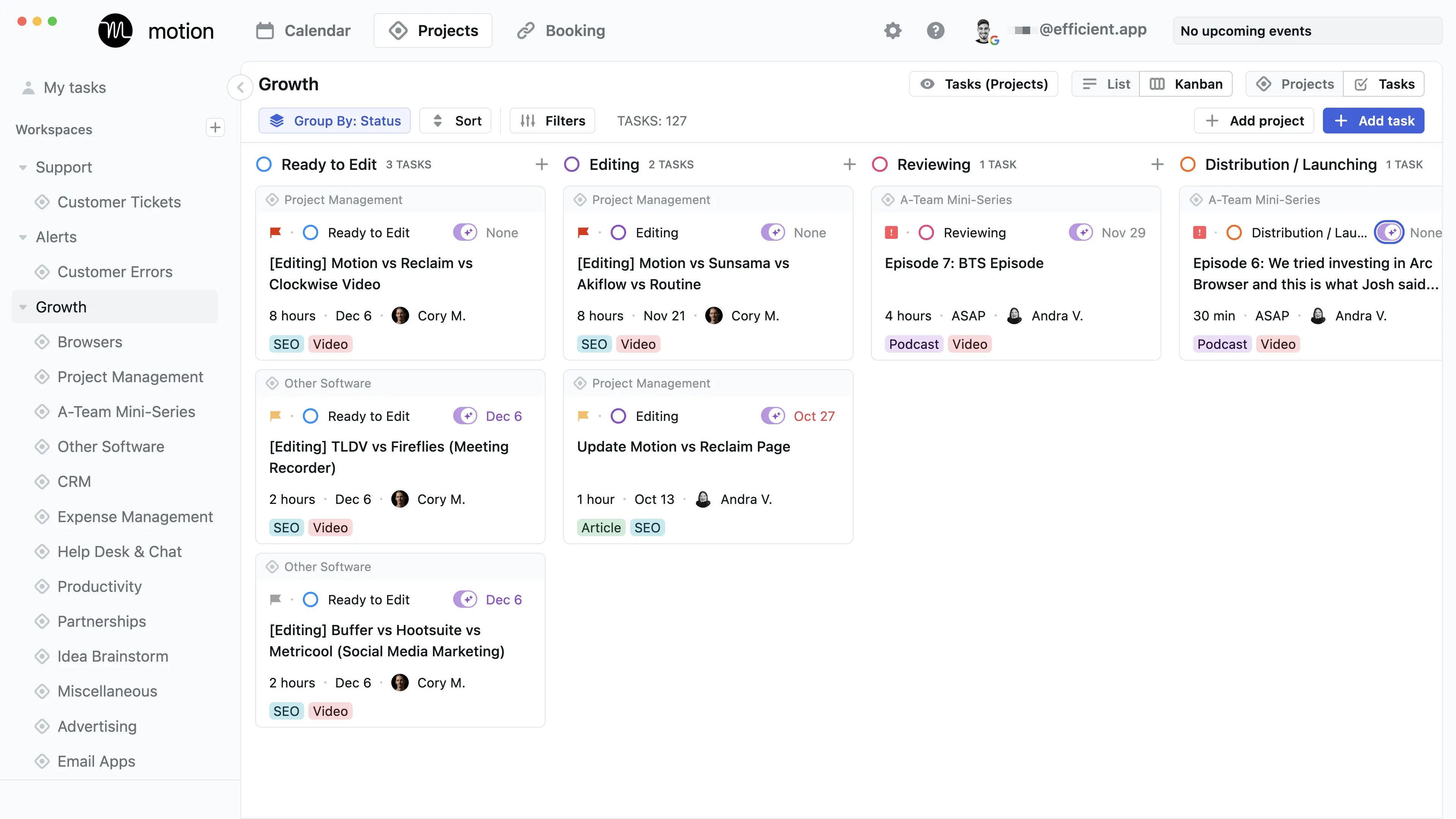
Image source: motion.com
Key features:
- AI-powered automatic scheduling and rescheduling
- Unified calendar and task dashboard
- Real-time adjustments for meetings, deadlines, and priorities
- Smart reminders and focus-time optimization
- Integrations with Google Calendar, Outlook, and Slack
Pros:
- Excellent for professionals managing packed schedules
- Real-time AI adjustments ensure productivity and balance
- Intuitive interface simplifies time-blocking and planning
- Great for individuals or teams needing intelligent scheduling
Cons:
- Premium pricing compared to basic task tools
- Limited customization beyond scheduling logic
Pricing:
- Free: 7‑day free trial
- Individual: ~$19/user/month (annual billing)
- Team/Business: ~$29‑49/user/month (annual billing)
- Enterprise: Custom pricing
3. ClickUp: Flexible AI task management for teams
ClickUp combines powerful project management capabilities with intelligent automation, making it one of the most flexible AI task manager apps available today. Designed for teams of all sizes, ClickUp centralizes tasks, docs, goals, and chat into one workspace—while its AI features help streamline planning, summarization, and workflow optimization. ClickUp AI assists with everything from writing updates to generating project summaries, brainstorming ideas, and automating repetitive tasks.
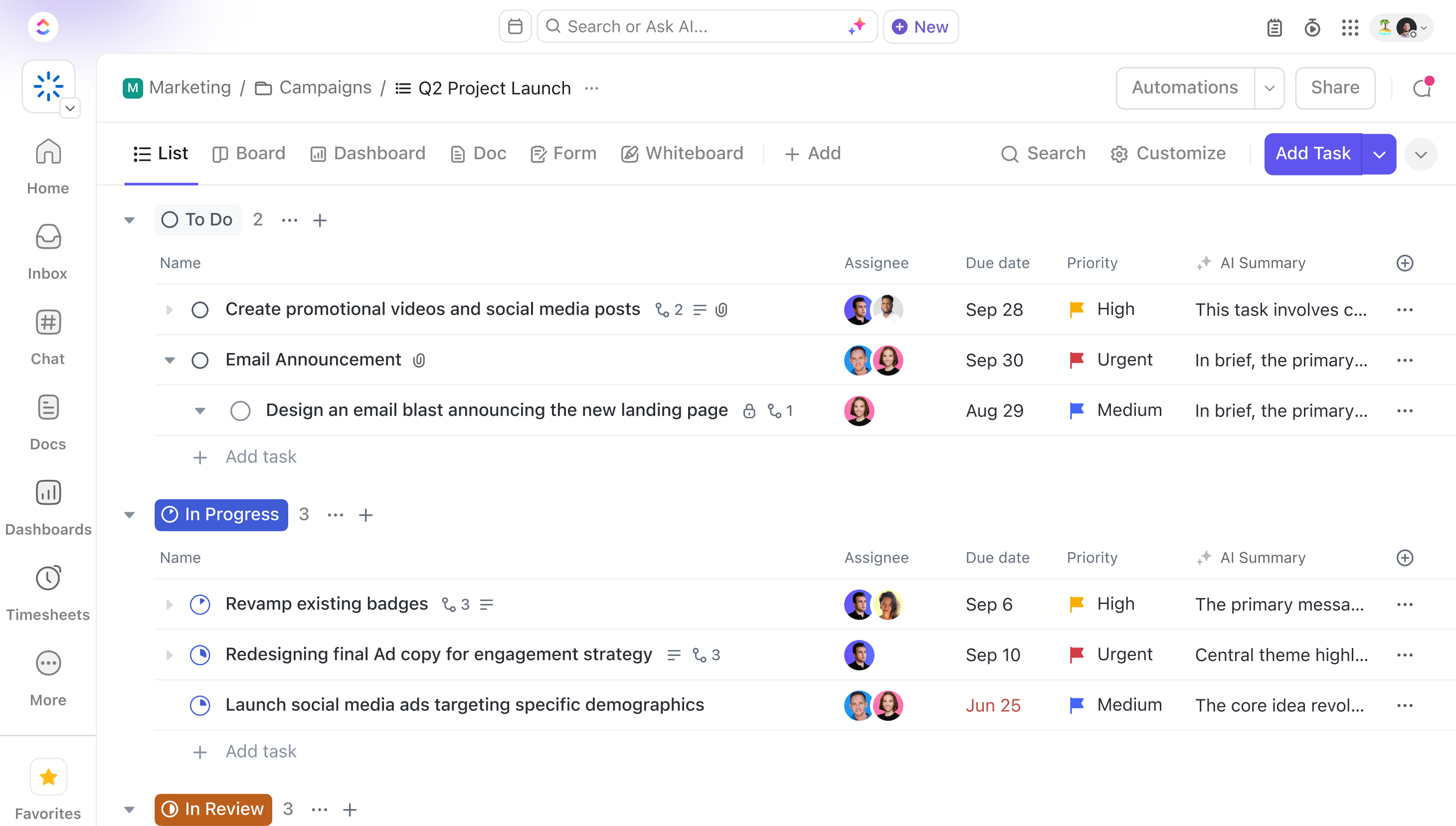
Image source: clickup.com
Key features:
- AI-powered writing, task generation, and project summarization
- Customizable dashboards, lists, boards, and goal tracking
- Workflow automation with conditional triggers
- Built-in chat, docs, and whiteboards for seamless collaboration
- Integrations with Slack, Google Drive, Zoom, and more
Pros:
- Highly customizable for different team structures and industries
- AI boosts productivity through automation and instant insights
- Centralized workspace reduces tool-switching
- Great balance between flexibility and ease of use
Cons:
- Feature-rich interface can feel overwhelming for new users
- Some advanced AI capabilities are limited to higher-tier plans
Pricing:
- Free: Free Forever plan
- Unlimited: ~$10/user/month (annual billing)
- Business: ~$19/user/month (annual billing)
- Enterprise: Custom pricing
4. Asana AI: Enterprise-grade automation and goal tracking
Asana AI is an advanced productivity platform that brings automation, intelligent insights, and strategic goal alignment to modern teams. Designed for enterprise-scale operations, it transforms traditional task management into a smarter, data-driven workflow system. With built-in AI features, Asana helps teams prioritize work, predict potential blockers, and align daily tasks with broader organizational objectives—ensuring every effort contributes to measurable results.
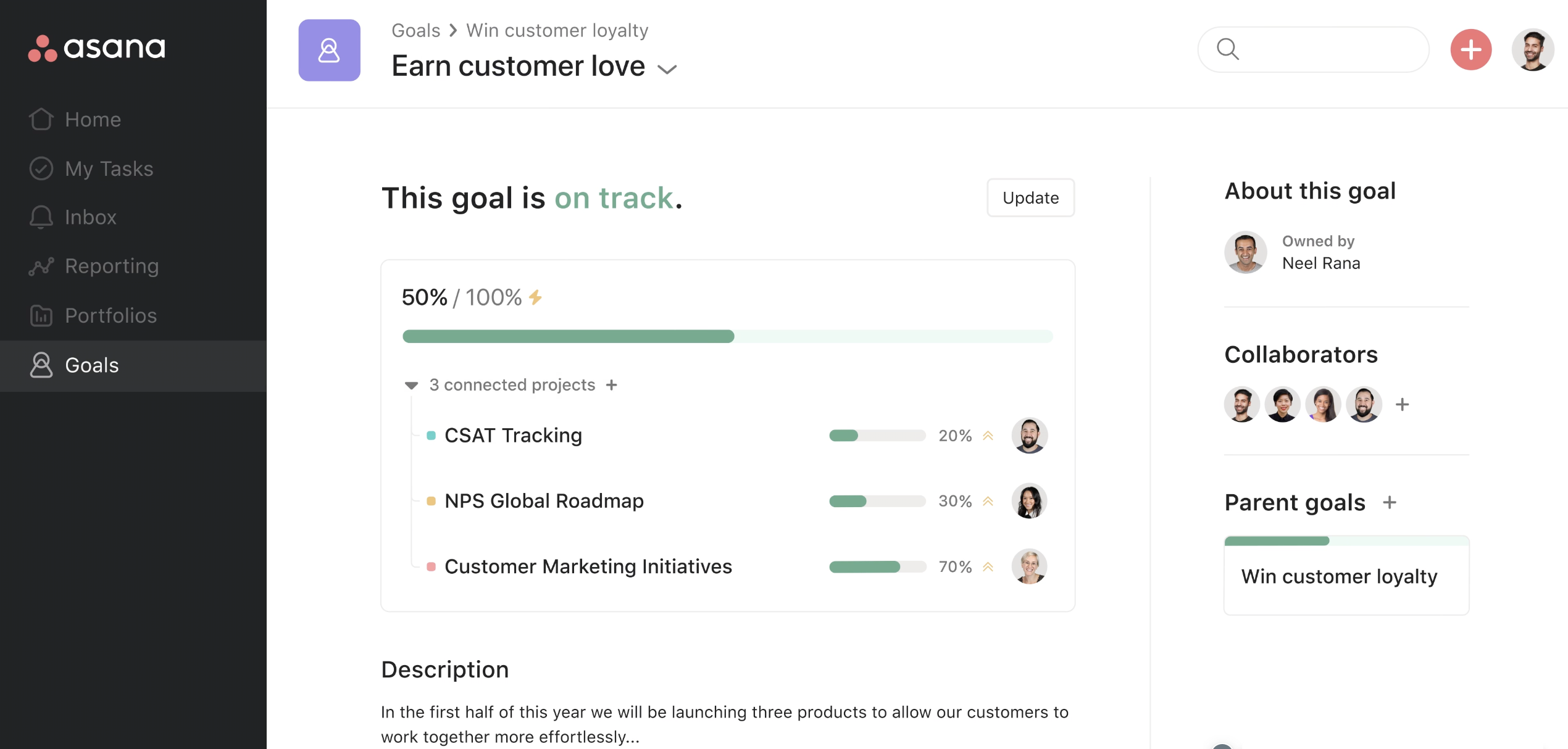
Image source: asana.com
Key features:
- AI-driven task prioritization and smart project insights
- Automated workflows and natural language task creation
- Real-time project health and goal-tracking dashboards
- Seamless integration with Slack, Microsoft Teams, and Google Workspace
- Predictive analytics for identifying delays and improving efficiency
Pros:
- Enterprise-grade scalability with advanced automation and analytics
- Excellent for aligning projects with OKRs and company-wide goals
- Intuitive UI makes complex projects easier to manage
- Strong integrations and collaboration tools enhance productivity
Cons:
- Premium features like AI automation and reporting require higher-tier plans
- May feel feature-heavy for smaller teams seeking simplicity
Pricing:
- Free: Free plan for up to 10 users
- Starter: ~$10.99/user/month (annual billing)
- Advanced: ~$24.99/user/month (annual billing)
- Enterprise: Contact sales
5. Notion AI: Task tracking meets intelligent documentation
Notion AI combines flexible task management with intelligent content creation, offering a unified workspace for teams to plan, write, and organize projects seamlessly. More than just a task manager AI, Notion AI enhances how you capture ideas, track goals, and generate documentation—all within a single, easy-to-navigate interface. Its AI features assist with summarizing notes, drafting content that can be humanized with AI humaniser tools, and automatically organizing workflows, making it ideal for teams that balance creativity with structure.
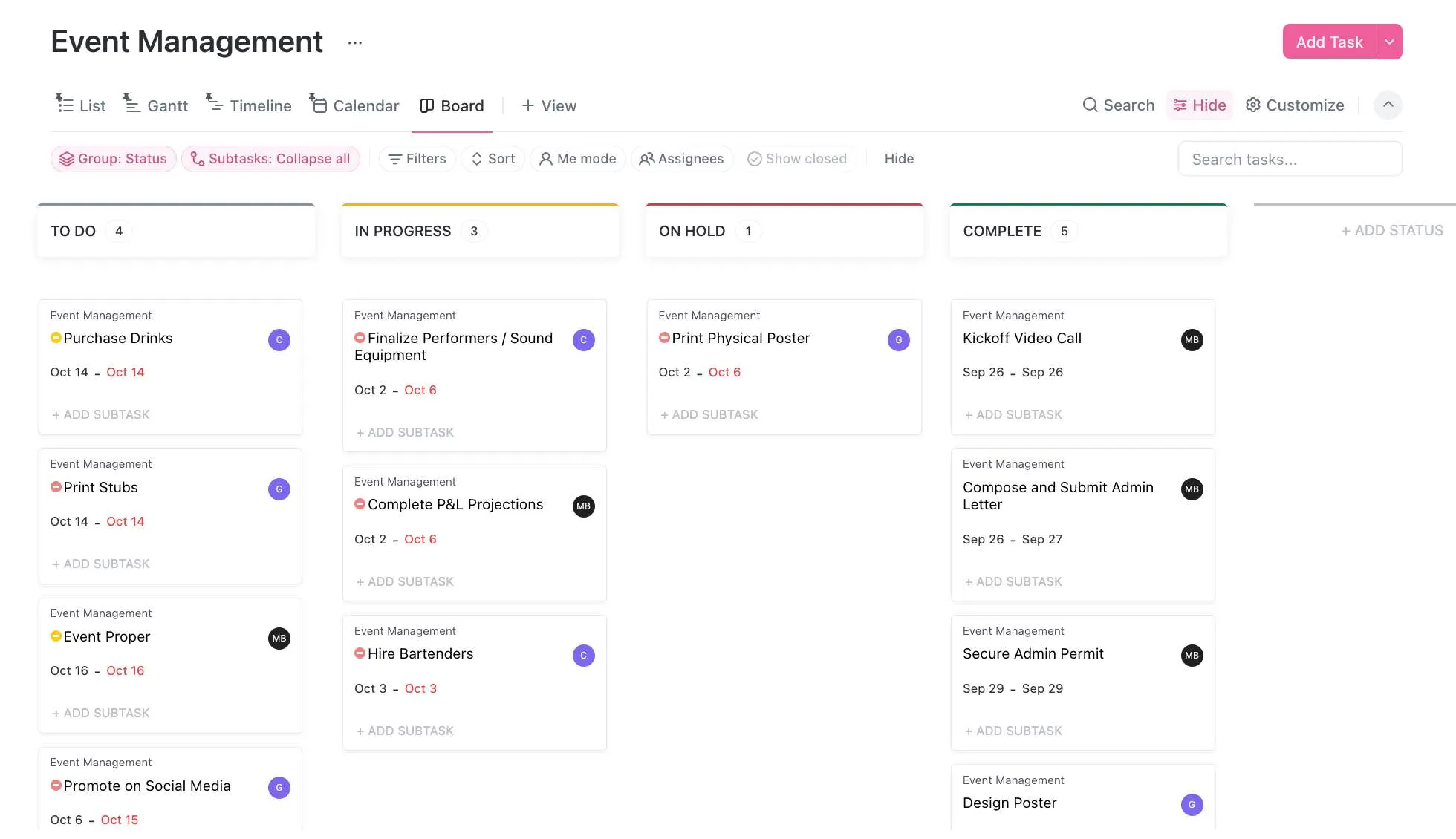
Image source: notion.com
Key features:
- Smart content generation and note summarization
- Integrated task and project tracking boards
- Customizable templates for project planning and reporting
- Real-time collaboration and linked databases
- AI-assisted writing, brainstorming, and knowledge organization
Pros:
- Combines powerful documentation and task management in one platform
- Highly customizable structure for diverse team needs
- Intuitive design suitable for both individuals and enterprises
- AI features enhance productivity, creativity, and clarity
Cons:
- May require setup time to build the ideal workspace
- Some AI capabilities are limited to paid plans
Pricing:
- Free: Free plan available (basic features)
- Plus: ~$8.50/user/month (annual billing)
- Business: ~$16.50/user/month Enterprise: Contact sales
6. Todoist: AI-enhanced simplicity
Todoist has long been known for its clean design and ease of use—and now, with integrated AI features, it becomes even more powerful. The AI task manager version of Todoist helps users plan smarter by automatically prioritizing tasks, suggesting due dates, and breaking complex goals into manageable steps. It keeps productivity simple while quietly handling the background intelligence that keeps you on track.
For individuals and teams seeking a personal AI task manager that balances automation with simplicity, Todoist delivers an effortless experience
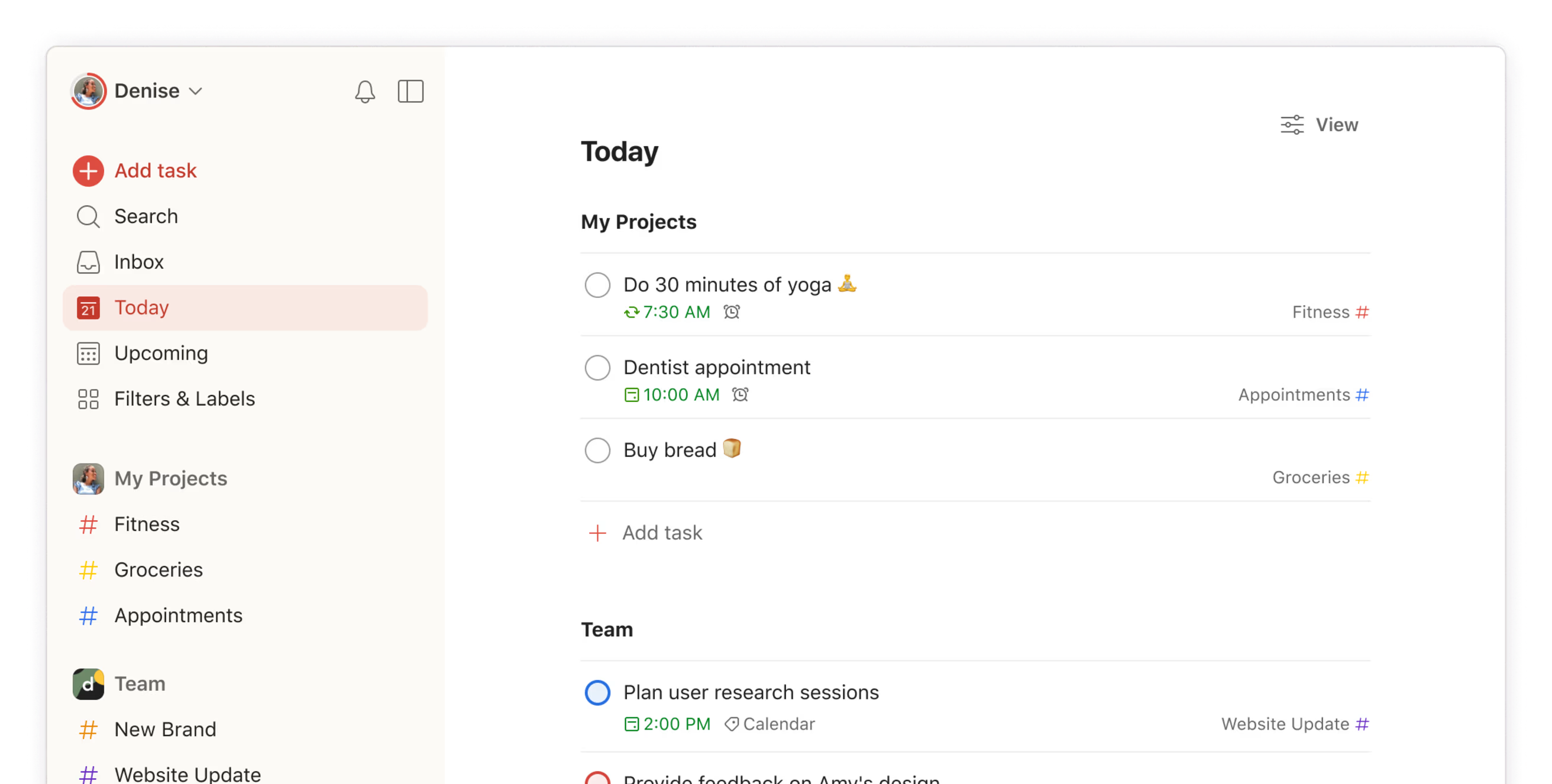
Image source: todoist.com
Key features:
- AI-driven task prioritization and intelligent suggestions
- Natural-language task creation ("email client tomorrow at 10 AM")
- Seamless syncing across devices and integrations with Google Calendar, Slack, and Outlook
- Clean interface with intuitive labels, filters, and productivity trends
- Smart reminders and focus-mode features for deep work
Pros:
- Minimal learning curve—perfect for individuals and small teams
- AI suggestions make task entry and organization effortless
- Excellent mobile and desktop experience
- Affordable and reliable, even on free plans
Cons:
- Limited advanced automation compared to larger AI platforms
- Basic collaboration tools may not suit large enterprise workflows
Pricing:
- Free: Free version for individuals
- Pro: ~$4/user/month (when billed annually)
- Business: (higher tier) contact sales
7. Trello + Butler AI: Kanban-style task management
Trello, enhanced with Butler AI, combines the visual simplicity of Kanban boards with the power of automation. It's a flexible AI task manager app designed for teams that prefer drag-and-drop workflows but still want smart assistance to save time. Butler AI automates repetitive actions such as moving cards, sending reminders, and updating task statuses—allowing users to focus more on progress and less on manual updates.
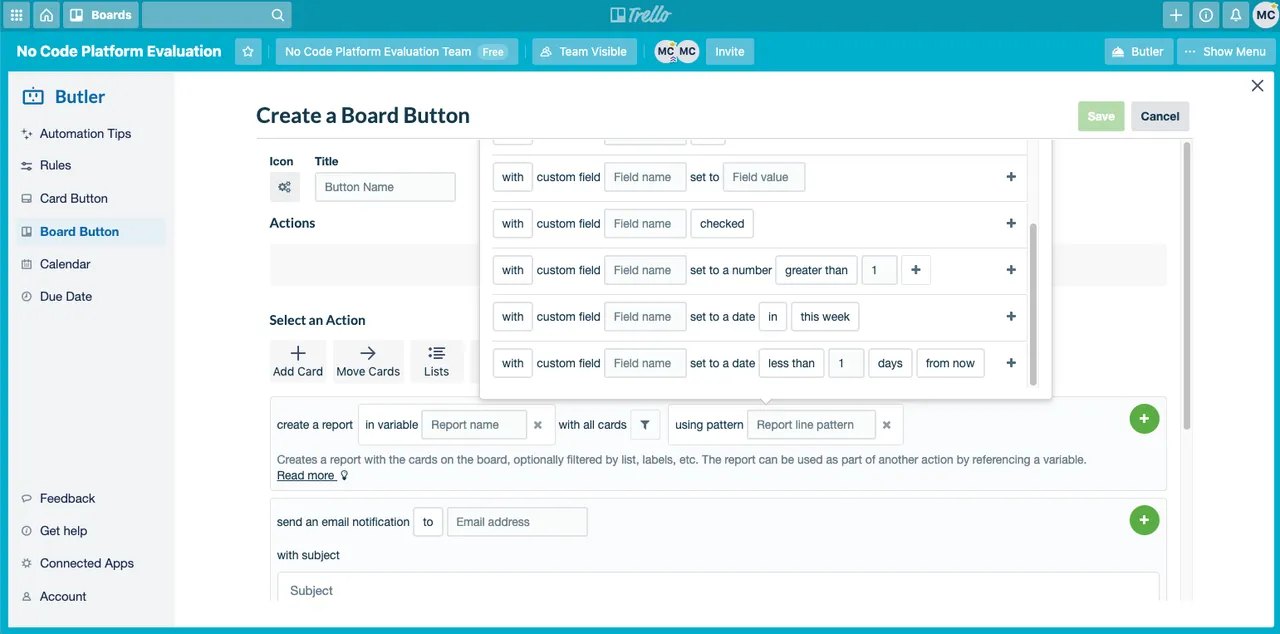
Image source: trello.com
Key features:
- Kanban-style boards for intuitive task visualization
- Butler AI automation for recurring workflows and triggers
- Custom rules, buttons, and due-date commands
- Integration with Slack, Jira, Google Drive, and other tools
- Real-time collaboration and shared dashboards
Pros:
- Extremely user-friendly and visually organized
- Automations save time and reduce repetitive manual updates
- Great for teams using agile or visual project methods
- Flexible integrations expand functionality beyond task tracking
Cons:
- Limited advanced reporting and analytics tools
- Can become cluttered for very large or complex projects
Pricing:
- Free: Free forever plan
- Standard: ~$5/user/month (billed annually)
- Premium: ~$10/user/month (billed annually)
- Enterprise: ~$17.50/user/month (billed annually)
8. Monday.com: Visual workflows with AI insights
Monday.com is a popular work management platform that helps teams plan, track, and automate their workflows. With its colorful boards and flexible layouts, it's designed to give everyone a clear view of project progress in real time. The platform supports multiple views, including timelines, Gantt charts, and calendars, allowing teams to visualize tasks the way they prefer.
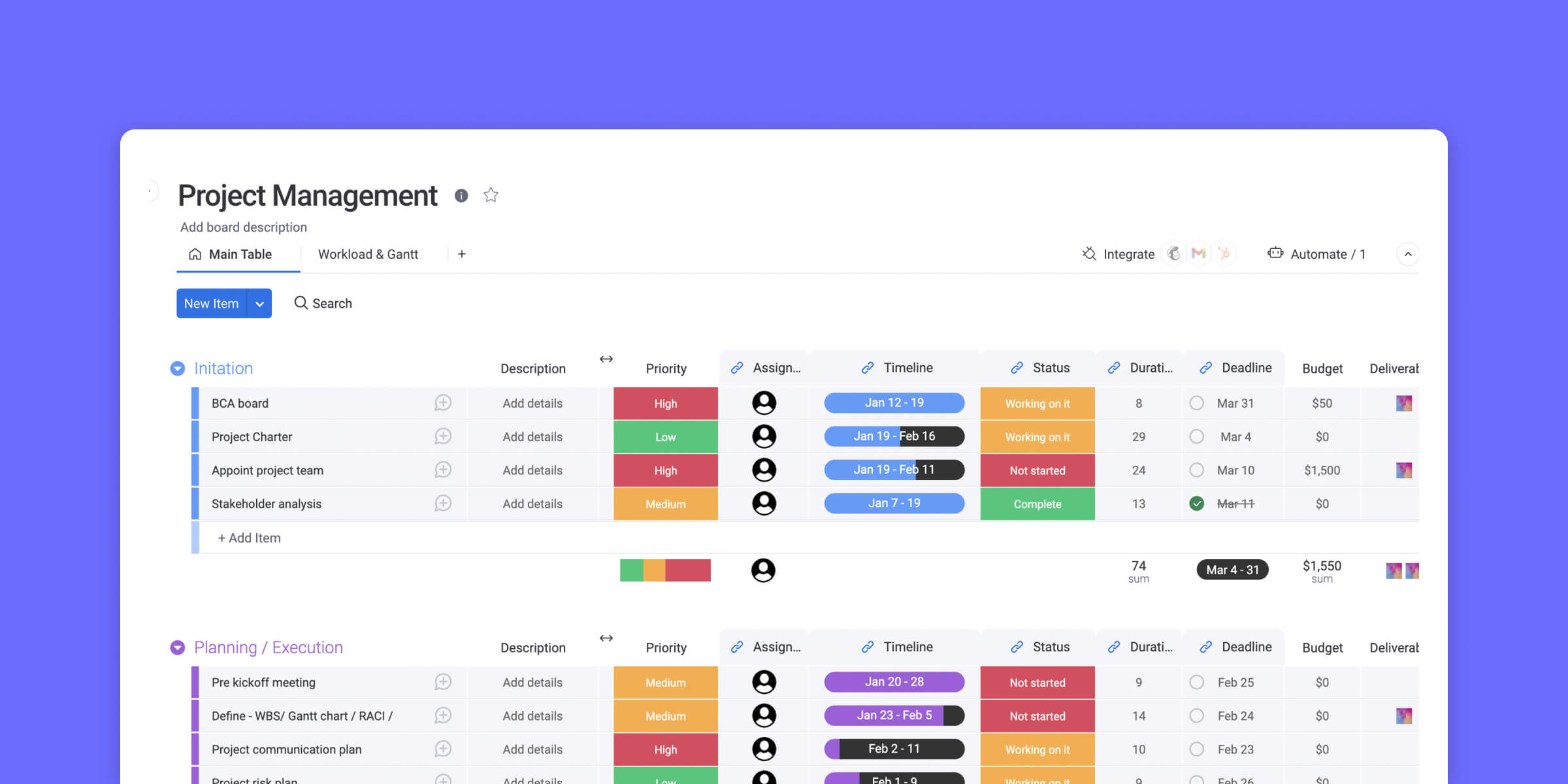
Image source: monday.com
Features:
- Visual project boards for easy task tracking
- Workflow automation to save time and reduce manual work
- Customizable dashboards for better visibility
- Integrations with popular tools like Slack, Google Drive, and Zoom
- Real-time collaboration and progress updates
Why you'll like it:
- Intuitive and highly visual interface
- Flexible layouts to match your workflow
- Excellent automation and integration options
- Great for managing multiple projects in one place
Why you might not:
- Can feel overwhelming for smaller teams
- Pricing increases quickly as the team size grows
Pricing:
- Free: Free plan available (limited seats)
- Basic/Standard: ~$12/user/month (annual billing)
- Pro: ~$19/user/month (annual billing)
- Enterprise: Contact sales
9. Taskade AI: Collaborative work management with AI chat
Taskade AI blends task management, real-time collaboration, and intelligent assistance into one unified workspace. Designed for remote and hybrid teams, it turns traditional project planning into a dynamic, conversational experience. With its built-in AI chat assistant, users can brainstorm ideas, generate outlines, assign tasks, and automate workflows—all within a single platform. This AI-based task manager bridges the gap between communication and execution, ensuring teams stay aligned and productive.
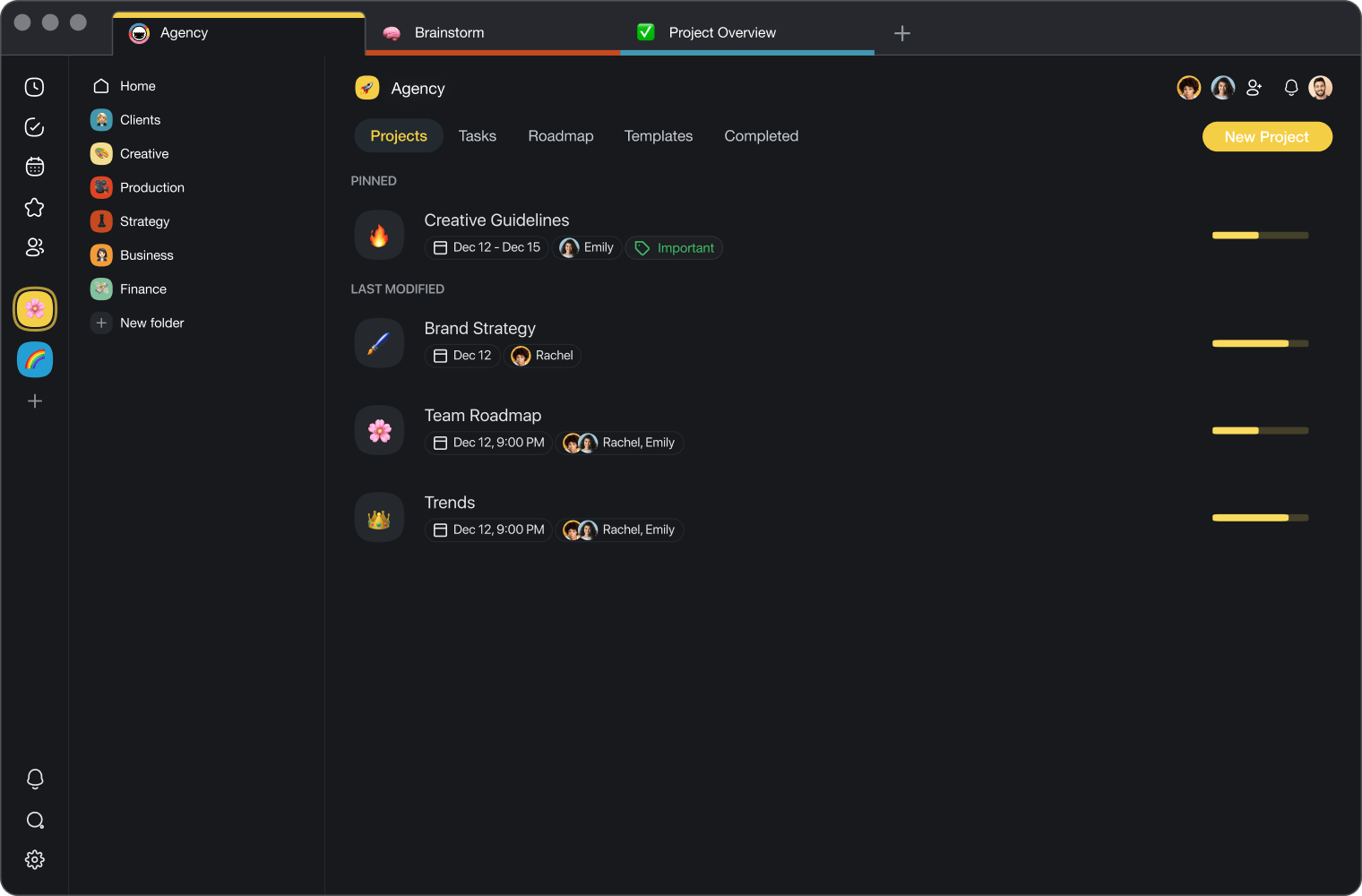
Image source: taskade.com
Key features:
- Integrated AI chat for brainstorming, writing, and task generation
- Real-time collaboration with synced updates across devices
- Multiple project views: list, board, mind map, and calendar
- AI-powered meeting summaries, note-taking, and automation
- Cross-platform availability with browser, desktop, and mobile apps
Pros:
- Combines chat, task management, and documentation seamlessly
- Highly visual and intuitive interface for creative and remote teams
- Built-in AI simplifies content creation and task organization
- Generous free plan with core AI features included
Cons:
- Some advanced AI functions require paid upgrades
- May feel overwhelming for users seeking a minimalist task manager
Pricing:
- Free: Free plan including limited AI usage & collaboration
- Pro: (Paid) plan – visit vendor for current pricing
- Teams: (Paid) plan – visit vendor for pricing
10. Microsoft 365 Copilot: AI assistant for enterprise task and meeting management
Microsoft 365 Copilot integrates deeply with Word, Excel, Outlook, Teams, and other Microsoft apps to act as a powerful AI task manager for enterprise environments. It intelligently connects your emails, documents, meetings, and calendars—helping you plan, prioritize, and execute work without switching between tools. Copilot's strength lies in context: it understands your organization's data and uses it to automate meeting summaries, generate task lists, and track follow-ups seamlessly across Microsoft 365.
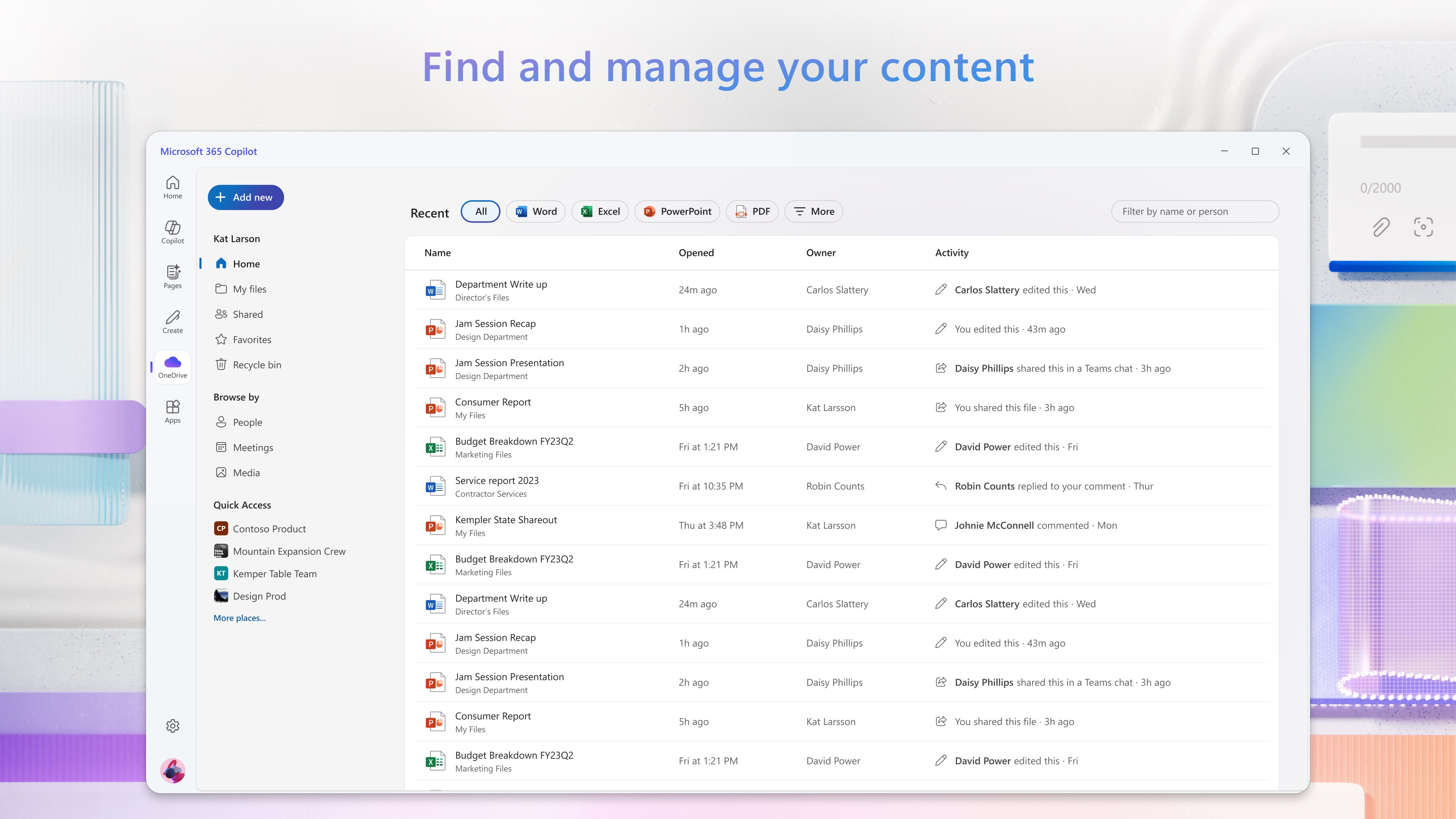
Image source: microsoft.com
Key features:
- AI-driven summaries for meetings, chats, and emails
- Automatic task extraction and deadline tracking from Microsoft apps
- Integration with Outlook Calendar, Teams, and Planner
- Context-aware assistance using enterprise data (with security compliance)
- Natural-language prompts for creating documents, emails, and reports
Pros:
- Deeply embedded in the Microsoft ecosystem for seamless task flow
- Excellent for large organizations with complex collaboration needs
- Enhances productivity through automation and contextual insights
- Strong privacy and compliance for enterprise-grade security
Cons:
- Available mainly to Microsoft 365 business and enterprise users
- Full functionality depends on organizational data access and licensing
Pricing:
- Free: (Certain 'Copilot Chat" features included with eligible Microsoft 365 plans)
- Paid from: ~$30/user/month (annual billing)
- Additional: For full AI agents & Copilot Studio: $200/month (for 25,000 credits)
Benefits of using an AI task manager
Adopting an AI task manager can transform how you and your team approach productivity. By automating planning and intelligently prioritizing tasks, these tools significantly reduce the friction associated with traditional task management. Here's how they make a difference:
Improved focus and less decision fatigue
AI helps you decide what to work on next by analyzing your workload, deadlines, and priorities. Instead of spending time organizing your day, you can dive directly into execution. This reduces mental clutter and ensures consistent focus on high-impact tasks.
Streamlined cross-team coordination with fewer manual update
An AI-based task manager automatically keeps everyone aligned by syncing data, progress, and updates across departments. No more chasing status reports or juggling spreadsheets—real-time synchronization ensures teams collaborate seamlessly and stay informed at every step.
Real-time adjustments to shifting priorities
In dynamic work environments, priorities can change overnight. Intelligent systems adapt instantly to new inputs, deadlines, or project dependencies, reshuffling tasks as needed to keep progress smooth and uninterrupted.
Better time management and reduced deadline conflicts
AI-powered scheduling tools evaluate your workload and automatically assign time blocks for each task, preventing overlaps and burnout. This level of precision ensures that projects stay on track and that teams make the most of every hour in the day.
Enhanced accountability through automated progress tracking
An AI task manager app continuously monitors deliverables, milestones, and performance metrics. It can generate reports, highlight delays, and notify team members about pending actions—fostering transparency and accountability without the need for manual check-ins.
Conclusion
The rise of the AI task manager marks a new era in productivity—one where technology not only organizes work but actively helps you manage it smarter. From intelligent scheduling to real-time collaboration, these tools streamline workflows and reduce mental clutter. However, success depends on balancing automation with human intuition. Whether you choose a free AI task manager for personal use or an enterprise-guide solution for team productivity, the key lies in leveraging AI to enhance—not replace—your decision-making. As work evolves, tools like Lark exemplify how AI can simplify tasks, boost focus, and drive smarter workflows.
FAQs
What does an AI task manager do?
An AI task manager uses artificial intelligence to help you organise, prioritise and track your work. It can automatically suggest next-steps, schedule tasks based on your calendar and workload, adjust when priorities shift, and bring together tasks, deadlines and communication in one place. In short, it transforms simple to-dos into intelligent workflows.
How is Lark different from other AI task managers?
Lark stands out by combining chat, docs, calendar, tasks and workflow automation in a single platform—so you don't have to switch between multiple apps. Key differentiators:
- It lets you convert messages or meeting notes into tasks and sync them with your calendar automatically.
- It supports no-code automations and approval flows via its "Base" module, which many traditional tools don't integrate as deeply.
- It also offers built-in translation and global collaboration features (helpful for distributed teams).
Can AI tools really improve productivity?
Yes, when used properly, AI tools can boost productivity in several ways:
- They save time by handling routine scheduling or updating, freeing you to focus on high-value work.
- They reduce decision fatigue by suggesting what to do next and helping you prioritise.
- They help keep teams aligned by bringing tasks, communication and deadlines together.
What's the best free AI task manager for teams?
"Best" depends on your team's size, workflow and features needs—but Lark offers a strong free starter plan (for many users) that gives you task-management, chat, docs and calendar in one place. If you're looking specifically for a "free AI task manager" or "free AI task manager for teams," you might start with Lark and compare it with other dedicated task-manager-apps. Consider: user-limit, feature limits (automations, integrations), and how "AI" is defined in the tool.
Does Lark offer AI-powered meeting summaries and task automation?
Yes, Lark includes features such as meeting transcription, automatic creation of tasks from meeting notes, and workflow automations:
- It has "Lark Minutes" or similar AI-powered meeting note summarisation and action-item generation.
- It supports automation flows in "Base" where triggers (e.g., a task marked complete, or form submission) cause actions (e.g., notifications, new tasks).
So if you're using Lark, you can leverage it to capture meeting outputs, convert them into tasks and automate follow-ups.
Related reading
Table of contents
Start using Lark today

Manage all your work in one place
Boost team efficiency by 10x
Save up to 70% on software costs
Table of contents
Start using Lark today
Manage all your work in one place
Boost team efficiency by 10x
Save up to 70% on software costs
Keep reading






2026 Lark Technologies Pte. Ltd.
Headquartered in Singapore with offices worldwide.






Explore: