














Airtable vs Asana: Which Is Best for Your Team?

Fecilia Chang
Solutions Marketing Specialist
Nov 3, 2026
Fecilia Chang
Nov 3, 2026

14 min read
Add to preferred sources


If you're reading this, you’re likely facing a challenge that is both common and critical: your team's workflow feels chaotic. You need robust project management software to restore order, but the market is crowded. Your search has probably led you to two of the most respected names in the industry: Airtable and Asana. The Airtable vs Asana debate is one that countless teams have had as they seek the best way to improve their task management and overall productivity.
You're not just picking a project management tool; you're defining how your team will operate for the foreseeable future. This guide is here to help you make that choice with confidence. We’ll provide a clear, head-to-head comparison, looking at their core philosophies and key features. Let's start now!
Your quick guide: Airtable vs Asana at a glance
We know you're busy, so let's start with a high-level summary. While the details matter, understanding the core identity of each tool can help frame your decision in the great Asana vs Airtable showdown.
What exactly is Airtable, and who is it really for?
The most common description of Airtable is "a spreadsheet on steroids," and it's a fitting analogy. It redefines data management by taking the familiar grid of a spreadsheet but giving each cell the ability to hold rich content. It’s less of a rigid project manager and more of a flexible relational database platform. In fact, many users praise its ability to function as multiple relational databases within a single, organized system. This makes it incredibly powerful for handling complex data.
At its heart, Airtable is about organizing information. This information might be a list of project tasks, but it could just as easily be a client database where you can use custom fields to track every interaction. Its flexibility is its greatest strength. You aren't forced into a specific way of working; you build a system that mirrors your unique process, making it ideal for teams who see their work as a collection of interconnected data.
Airtable is the perfect choice for the marketing manager building a complex content engine, the agency owner managing a diverse client portfolio, or the product team designing a feature roadmap. If your primary need is to create a single source of truth for your information and build custom workflows around it, Airtable is a formidable contender.
What exactly is Asana, and who is it really for?
If Airtable is a spreadsheet on steroids, then Asana is a to-do list on steroids. It is a dedicated, purpose-built platform for project management and task execution. Asana focuses on providing clarity and accountability. While Airtable gives you a box of powerful LEGO bricks to build whatever you want, Asana gives you a highly engineered toolkit designed specifically for the job of managing projects.
Asana offers a more defined structure. The hierarchy is clear: you have Portfolios, which contain Projects, which contain Tasks, which can contain Subtasks. This structure ensures that every piece of work can be tracked and assigned with clear due dates. A key strength is its ability to handle task dependencies, ensuring work happens in the correct order. You can easily create tasks and assign tasks to individual team members. The system is built to answer the fundamental question: "Who is doing what, by when?"
Asana is built for teams focused on execution. It’s for the project manager launching a new product or the marketing team running a campaign. It excels in environments where projects have clear start dates, end dates, and a series of tasks that must be completed. As your team grows, you can generate new Asana tasks from templates, streamlining your process. If your primary need is a powerful engine for driving projects forward, its approach to handling Asana tasks is second to none.
Airtable vs Asana: A feature-by-feature breakdown
To truly understand which tool fits your team, we need to compare how they handle the day-to-day realities of managing work.
How they handle task management
- Asana: Asana has a clear edge. Its interface is designed for action, making it easy to see what needs to be done. It's built to handle not just small items but also larger tasks by breaking them down into subtasks. This focus helps teams move away from inefficient manual tasks by creating clear, repeatable steps. Effective status tracking is built into its DNA, providing instant visibility into whether a task is on track, at risk, or completed.
- Airtable: Airtable, by contrast, can feel more manual for task tracking. While you can certainly create a "Tasks" table and manage your work there, it lacks the built-in, task-centric flow that defines Asana. It requires more setup to replicate the same level of granularity, which might be a hurdle for new users.
How they visualize project plans
- Asana: Asana's Timeline view is an intuitive Gantt chart that helps teams plan and manage multiple projects at once. This is a core part of its project management platform.
- Airtable: Airtable's power comes from its flexible project views. You can look at the same data as a grid, Kanban board, calendar, or gallery. It also offers a Gantt view, though it requires more configuration. A unique feature Airtable provides is personal and locked views, which allows a user to create a specific view of the data without altering the main view for the rest of the team, which is excellent for focus. This flexibility is key to letting you track projects in a way that makes sense to you.
How they approach automation
- Asana: Asana’s Rules are simple yet powerful for automating standard project steps. This process automation helps ensure consistency.
- Airtable: Airtable’s Automations are trigger-and-action based and are particularly powerful for data-centric workflows.
Both platforms have created robust systems for building automated workflows. For anything more complex, users of both platforms often turn to third party integrations to connect with other apps and create truly custom solutions. These tools are now considered major platforms in the no-code automation space.
How they handle reporting and progress tracking
- Asana: Asana’s Dashboards and Portfolios are designed for this, offering a high-level view of project health.
- Airtable: Airtable’s answer is Interfaces, a more powerful and flexible feature for advanced reporting. It lets you build custom, drag-and-drop dashboards. It requires more setup, but the potential for a bespoke reporting experience is much higher.
How they facilitate team collaboration
Team collaboration is more than just comments. While both tools offer commenting and file attachments, the context can feel isolated. Team communication often happens in a separate chat app, forcing users to switch back and forth. This can be a challenge for team coordination, especially when working with external partners who may not have full access to the project management tool. A unified platform can significantly improve how different teams work together.

Pricing and plans
The financial commitment is a major factor in any software decision. Both platforms offer a range of paid plans to suit different needs.
Both Airtable and Asana provide a free plan, which is a great way for small teams to get started. However, these free plans have limitations. Asana's free offering is generally considered more generous for pure task management. For access to advanced features, you will need to upgrade to a paid plan.
As you scale, you will look at a business plan or an enterprise plan. These tiers unlock capabilities like advanced security, unlimited automations, and more robust administrative controls. The enterprise plans on both platforms offer features like dedicated support and advanced governance. For very large organizations, custom pricing is often available. Both platforms offer options for unlimited projects and unlimited users on their higher-tier plans, along with generous file storage allocations.
Adoption and integrations: Getting your team on board
A tool is only as good as its adoption rate. Asana is widely regarded as having a more intuitive interface right out of the box, which means a gentler learning curve for new users. The entire team can often get up and running quickly.
Airtable's flexibility comes at the cost of a steep learning curve. Unlocking its true power requires an investment in learning how a relational database works. This can be a hurdle for some teams.
Both platforms offer a wide array of integrations. You can find native airtable integrations for many popular tools, and the same is true for Asana. They connect seamlessly with apps like Slack and Microsoft Teams. For anything else, you can use custom integrations via their APIs or platforms like Zapier.
Advanced capabilities: AI, resource management, and security
As the platforms mature, they are adding more sophisticated features. Both are exploring AI features to help automate work and provide smarter insights. Asana AI, for instance, can help summarize task threads and suggest action items.
Resource management is another key area. Asana's Workload feature provides a clear view of who is working on what, helping managers with resource allocation. Airtable can be configured to do this, but it requires more manual setup. Other features like time tracking are available through native functions or integrations on both platforms. For enterprise customers, security features like data loss prevention are critical considerations.
The real problem: Why the Airtable vs Asana debate misses the point
We’ve just spent a great deal of time helping you choose between two excellent collaboration tools. But the very existence of the Airtable vs Asana debate highlights a deeper problem: fragmentation.
If you choose Asana, your tasks are organized. But your conversations are in Slack, your documents are in Google Drive, and your meetings are on Zoom. If you choose Airtable, your data is centralized, but communication is still scattered. This fragmentation is the source of the "collaboration tax" you pay every day in lost context and wasted time. The truth is, the debate between Airtable and Asana often distracts from the real need: a unified workspace. What if you didn't have to choose between your data, tasks, and communication?
1. The high cost of context switching
Every time a team member has to jump from a conversation in Slack to update a task in Asana, then open Google Docs to find the project brief, they pay a mental tax. This isn't just a minor inconvenience; cognitive science shows that constant context switching drains mental energy, reduces focus, and increases the likelihood of errors. The flow of work is broken, and the time it takes to re-engage with a task after each interruption adds up significantly over the course of a day, leading to a tangible loss of productivity.
For more Google Workspace's information, you can refer to Google Workspace Pricing and Google Workspace alternatives.
2. The search for a single source of truth
When your tools are separate, your information becomes scattered. The final approval for a design might live in an email thread, the budget data in an Airtable base, the task to implement it in Asana, and the conversation about a potential roadblock in a Slack channel. This forces team members to become digital detectives, piecing together a complete picture from scattered clues. It creates multiple, conflicting "sources of truth" and makes it nearly impossible to have a single, holistic view of a project's status and history.
3. Broken workflows and repetitive manual entry
Without a unified system, workflows become clunky and require constant manual intervention. An action item identified during a Zoom meeting must be manually created as a new task in your project management tool. A file shared in a chat needs to be downloaded and then re-uploaded to the relevant project card. This repetitive "copy-paste" work is not only tedious and demoralizing, but it's also a prime source of human error. A truly seamless workflow should allow work to flow from conversation to action to completion without these manual breaks.
4. A fragmented view of progress and accountability
For managers and team leads, fragmentation makes it incredibly difficult to get an accurate picture of progress. A dashboard in Asana might show that all tasks are on track, but it offers no visibility into the critical conversations and potential risks being discussed in other applications. This lack of a complete overview means that leaders are often managing with incomplete data, leading to blind spots that can put projects at risk. True accountability suffers when the "what" (the task) is disconnected from the "why" (the conversation).
5. Increased tool fatigue and onboarding complexity
For any team member, but especially new hires, being forced to learn, navigate, and maintain credentials for five or six different applications is overwhelming. This "tool fatigue" adds a layer of unnecessary complexity to their work and increases the time it takes for new employees to become fully productive. It also increases costs for the business in the form of multiple subscription fees and the administrative overhead required to manage users and permissions across a fragmented software stack.
Beyond the debate: How Lark connects your data, tasks, and conversations
What if you didn't have to compromise? What if your database, your tasks, your documents, and your team's conversations could all live and work together in a single, intelligent platform? This is the new reality of work offered by Lark. It’s an all-in-one collaboration suite designed not just to compete with tools like Airtable and Asana, but to solve the fundamental problem of fragmentation that they cannot. It is the ultimate project management solution because it eliminates the silos that drain productivity and create confusion.
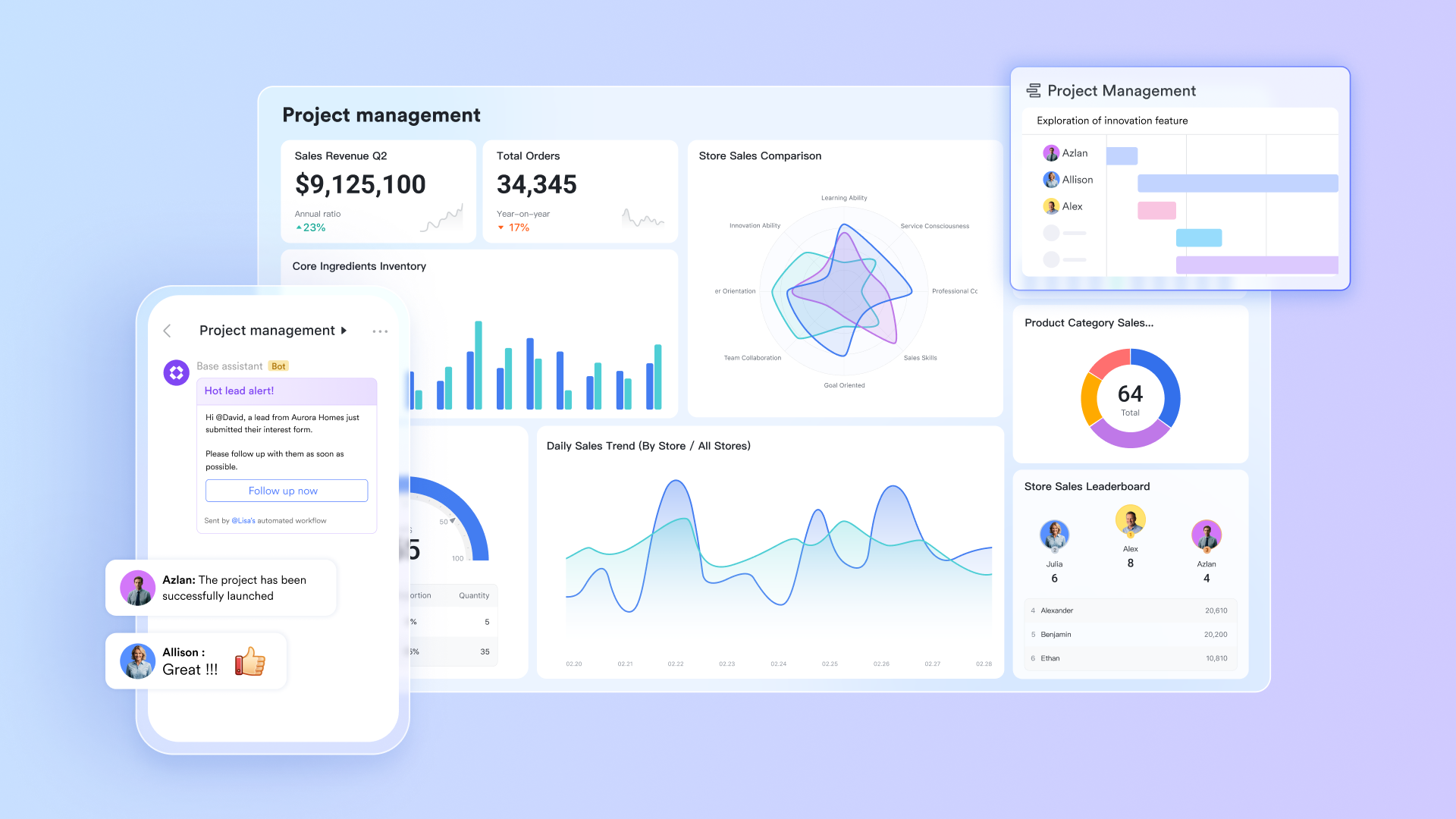
Turn conversation into action instantly
In a typical project, a critical decision made in a chat message can easily get lost, requiring someone to remember to switch apps and create a task manually. Lark eliminates this gap entirely. Within a Lark Messenger conversation, any message can be instantly converted into an assignable task with a due date and owner. This simple but powerful feature ensures that accountability is established at the exact moment an idea is formed or a need is identified. For project management, this means momentum is never lost, spontaneous ideas are captured, and the line between discussion and execution disappears.
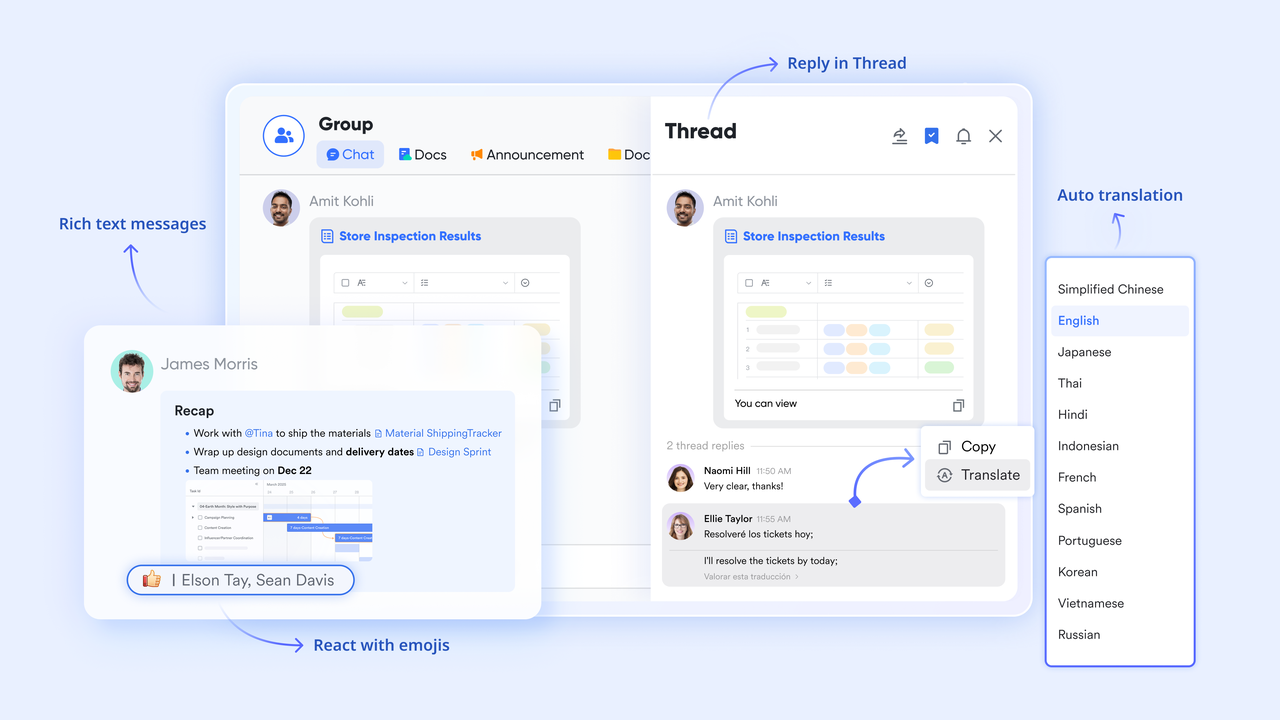
Create a single, dynamic source of truth
Lark redefines what a project document can be. Instead of static project plans in Google Docs and separate data trackers in a spreadsheet, Lark allows you to build a single, dynamic source of truth. With Lark Base, you can create a powerful database to manage everything from budgets and resources to complex task lists. This means your project charter, your real-time task board, your live budget, and your team's comments can all exist on one collaborative surface. There is no longer a separate "plan" and "tracker"; the project plan is the tracker.
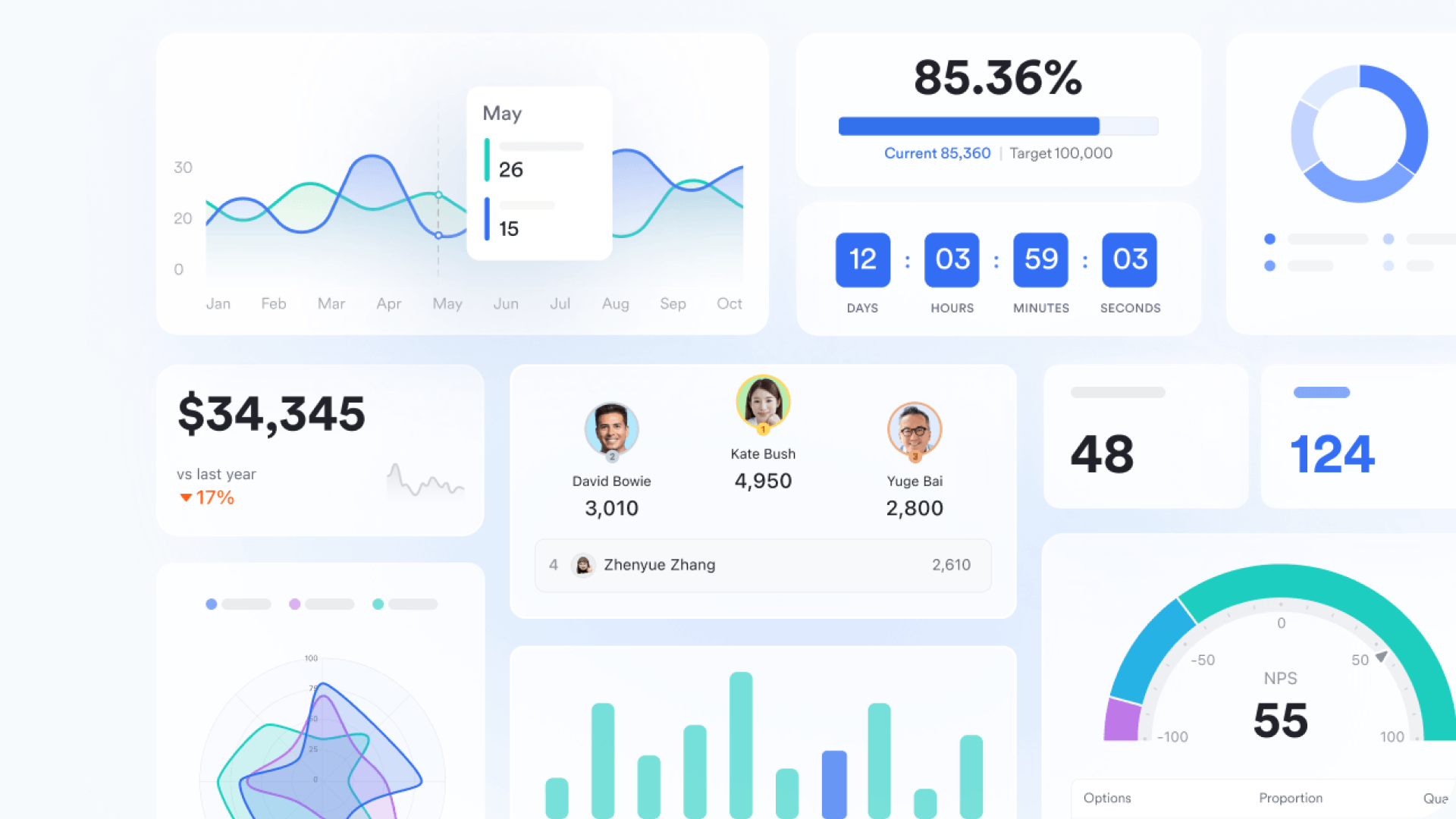
Streamline the entire project lifecycle
Lark provides unified tools that support every phase of your project. A kickoff meeting in Lark Meetings can be automatically transcribed by AI, creating a searchable record of all discussions. Action items can be assigned to team members directly from the meeting notes, ensuring decisions immediately translate into deliverables. When a critical decision requires formal sign-off, such as a budget increase or a final design approval, Lark Approval provides a structured, auditable workflow. This seamless combination means your team can move from brainstorming to execution to formal approval without ever leaving the platform, streamlining workflows in a way that is especially beneficial for complex projects in large organizations.
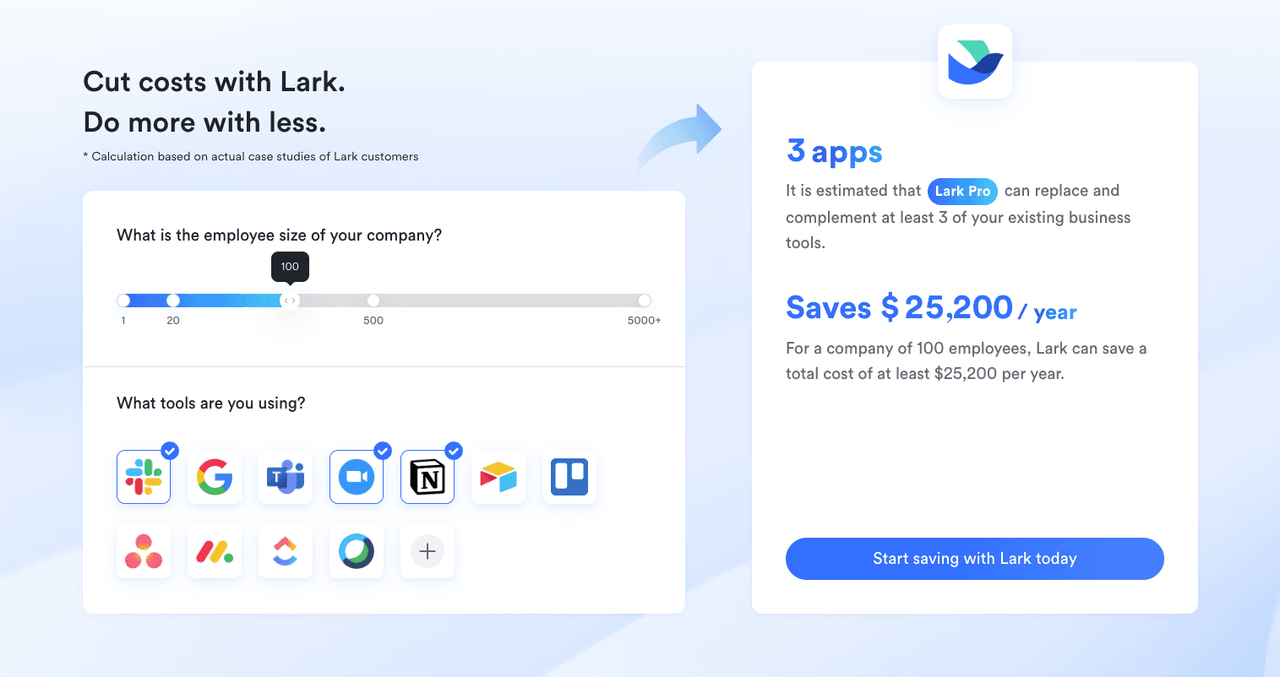
👉Try Lark’s Savings Calculator: Switching to Lark’s Pro plan can lead to significant cost savings— for example, a 100-employee company using Slack, Google Workspace, and Airtable could save approximately $25,200 annually by consolidating their tools with Lark.
Conclusion
While Airtable and Asana are excellent at what they do, they represent a fragmented approach. The choice between them forces you to compromise. The future of work isn't about having the best standalone tool. It’s about having the most connected and seamless workflow, bringing together both Airtable and Asana's strengths in one place.
By unifying chat, meetings, documents, databases, and approvals into a single, cohesive platform, Lark eliminates the collaboration tax. It allows your team to stay in flow and focus on what truly matters: doing great work, together. Ready to break free from the silos? Explore how Lark brings your team and your work together in one place.
FAQs
Is Airtable better than Asana?
This question misses the point because it assumes you must choose between data and tasks. Airtable excels at creating flexible, custom databases, while Asana is a leader in structured task and project management. The real problem is that using either one in isolation creates fragmentation. A better approach is a unified platform where your data and tasks exist together with your conversations.
Is Airtable still relevant?
Absolutely. Airtable remains highly relevant as a powerful, flexible database for building custom applications and managing complex data. However, its role as a standalone solution is becoming less ideal. The future of work requires connecting that powerful data directly to communication and project workflows, eliminating the silos that Airtable creates when used as a separate, isolated tool.
Can Airtable be used for project management?
Yes, you can build a project tracker in Airtable, but it won't be a complete solution. While you can manage the data and dates related to a project, it separates the work from where the work happens. The conversations, documents, and approvals related to those tasks will inevitably live in other apps, creating the exact fragmentation and context-switching that reduces efficiency.
What is the disadvantage of Asana?
Asana's main disadvantage is its very nature as a specialized tool. While excellent for task management, it creates a silo that separates your projects from your team’s conversations, documents, and meetings. This fragmentation forces constant context switching and creates a "collaboration tax" in lost time and focus, as your team must shuttle between different applications to get work done.
Related reading
Table of contents
Start using Lark today

Manage all your work in one place
Boost team efficiency by 10x
Save up to 70% on software costs
Table of contents
Start using Lark today
Manage all your work in one place
Boost team efficiency by 10x
Save up to 70% on software costs
Keep reading



Lark recognized in 2023 Gartner® Collaborative Content Workspaces and Meeting Solutions reports
Lark, the global superapp for productivity, is delighted to announce it receives recognition in the Gartner's 2023 Innovation Insight for Collaborative Content Workspaces and Market Guide for Meeting Solutions.






2026 Lark Technologies Pte. Ltd.
Headquartered in Singapore with offices worldwide.






Explore: